
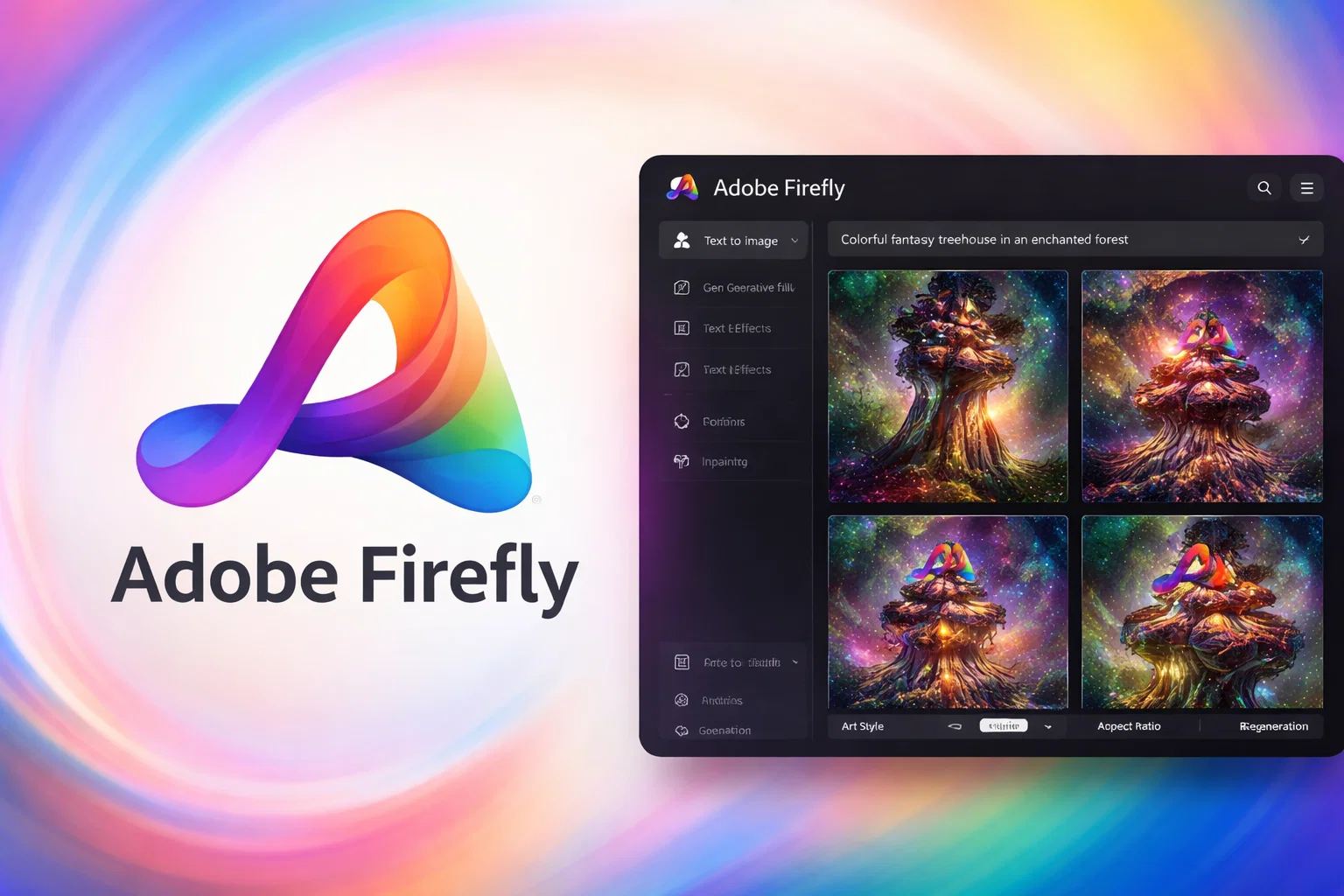
Imagine you’re designing a poster and suddenly need a clean background image, a new object added to a photo, and a headline style that looks premium—fast. Normally, that’s hours of searching stock sites, masking, and tweaking layers. With Adobe Firefly, you can describe what you want in plain language and generate it right inside your design workflow.
Adobe Firefly is Adobe’s generative AI system made for creators. It helps you generate images, add or remove elements, create stylized text effects, and speed up creative production—often directly within Adobe tools like Photoshop, Illustrator, and other Creative Cloud experiences.
What’s interesting about Firefly is that it’s built for real design work: it focuses on creative control, editable outputs, and workflows that feel natural to designers rather than “just a fun AI art toy.”
By the end of this guide, you’ll understand what Adobe Firefly is, how it works step by step, how it makes money, the features that drive adoption, the technology behind it, and why many businesses want to build Firefly-like AI tools for their own industries—something Miracuves can help you launch efficiently.
What Is Adobe Firefly? The Simple Explanation
Adobe Firefly is Adobe’s generative AI system built specifically for creative work. In simple terms, it helps designers and marketers create, edit, and enhance visuals using natural language—directly inside Adobe’s creative tools.

The Core Problem Adobe Firefly Solves
Creative work often involves repetitive, time-consuming steps: searching for assets, masking objects, extending backgrounds, or experimenting with text styles. Firefly solves this by:
- Turning text prompts into usable design elements
- Automating complex edits like object removal and background extension
- Speeding up ideation without breaking creative flow
- Keeping outputs editable and designer-friendly
Instead of replacing designers, Firefly accelerates their workflow.
Target Users and Use Cases
Adobe Firefly is commonly used by:
• Graphic designers and illustrators
• Marketing and brand teams
• Content creators and social media managers
• UI/UX and product designers
• Businesses producing high volumes of visual content
Typical use cases include image generation, generative fill, text effects, background expansion, and fast design variations.
Current Market Position
Adobe Firefly is positioned as a professional, workflow-embedded AI tool rather than a standalone art generator. Its biggest advantage is deep integration with Adobe’s ecosystem, which millions of creatives already rely on.
Why It Became Successful
Firefly gained adoption because it fits naturally into existing design workflows. Outputs remain editable, layered, and compatible with professional design standards—making it practical for real client and production work.
How Adobe Firefly Works — Step-by-Step Breakdown
For Designers and Creators
Starting inside Adobe apps
Adobe Firefly is not a separate design tool. It works inside Adobe products such as Photoshop, Illustrator, and other Creative Cloud applications. Designers access Firefly features directly where they already work.
Writing a text prompt
Users describe what they want using natural language, for example:
- “Add a modern office background”
- “Remove the person and fill the background naturally”
- “Create bold 3D text with a metallic look”
Firefly interprets these instructions in the context of the current design.
Generative creation and editing
Firefly can:
- Generate new images or elements
- Add or remove objects from existing designs
- Extend images beyond their original borders
- Apply stylized text effects
The AI generates multiple variations, giving users creative choices.
Refining results
Designers can:
- Select the best variation
- Regenerate alternatives
- Manually edit results using traditional Adobe tools
- Combine AI-generated content with hand-crafted design
This keeps the designer in full control.
Typical workflow example
Designer selects area → types prompt → Firefly generates options → designer chooses and refines → final design is produced.
For Teams and Businesses
Brand-safe usage
Firefly is designed to support commercial workflows. Outputs are intended to be usable in business and marketing contexts with reduced legal uncertainty.
Collaboration-ready assets
Because Firefly works within Creative Cloud, generated assets can be shared, reviewed, and edited across teams using existing Adobe workflows.
Technical Overview (Simplified)
Adobe Firefly combines:
- Language understanding to interpret prompts
- Image generation and editing models
- Context awareness of the active document
- Integration with Adobe’s design engines
This allows Firefly to generate content that fits naturally into ongoing creative work.
Adobe Firefly’s Business Model Explained
How Adobe Firefly Makes Money
Adobe Firefly is monetized as part of Adobe’s Creative Cloud ecosystem. Instead of being an ad-supported tool, Firefly is positioned as a premium capability that increases the value of Adobe subscriptions.
Main revenue streams include:
- Creative Cloud subscriptions: Firefly features strengthen Adobe’s existing paid plans for individuals and businesses
- Generative credits model: Many Firefly actions consume credits; higher plans include more credits, and heavy users may need higher tiers
- Enterprise licensing: Business plans bundle Firefly with admin controls and scaling for teams
- Add-on AI access: Firefly helps drive upgrades from lower tiers to higher-value plans
The business model is designed to scale with usage while keeping entry smooth for existing Adobe customers.
Pricing Structure
Adobe Firefly pricing generally depends on:
- Subscription plan level (individual, team, enterprise)
- Monthly generative credit allocation
- Additional credits or higher tiers for heavy usage
- Access to advanced features inside Adobe apps
This makes Firefly predictable for casual creators while sustainable for high-volume commercial production.
Fee Breakdown
- Monthly/annual subscription payment
- Credits consumed per generation/edit
- Team and enterprise plan pricing for broader deployment
- No commissions and no ad-based pricing
Market Size and Demand
Demand for Firefly-style generative design is driven by:
- The explosion of marketing content across channels
- Faster creative cycles in social media and ads
- Businesses needing consistent, scalable design output
- Designers seeking speed without sacrificing control
- Growing acceptance of AI in production workflows
Firefly sits directly in the path of this demand because it’s embedded inside tools already used for real design work.
Profitability Insights
Firefly improves Adobe’s economics by:
- Increasing subscription stickiness (users stay because AI is built-in)
- Driving upgrades to higher tiers with more credits
- Scaling AI usage through a credit system
- Expanding value for enterprise customers
Revenue Model Breakdown
| Revenue Stream | Description | Who Pays | Nature |
|---|---|---|---|
| Subscriptions | Creative Cloud plans | Creators/Teams | Recurring |
| Generative Credits | AI usage allocation | Power users | Usage-limited |
| Enterprise Licensing | Team deployments | Businesses | Contract |
| Plan Upgrades | Higher tiers for AI | Users/Teams | Expansion |
Read More :- How to Develop an AI Chatbot Platform
Key Features That Make Adobe Firefly Successful
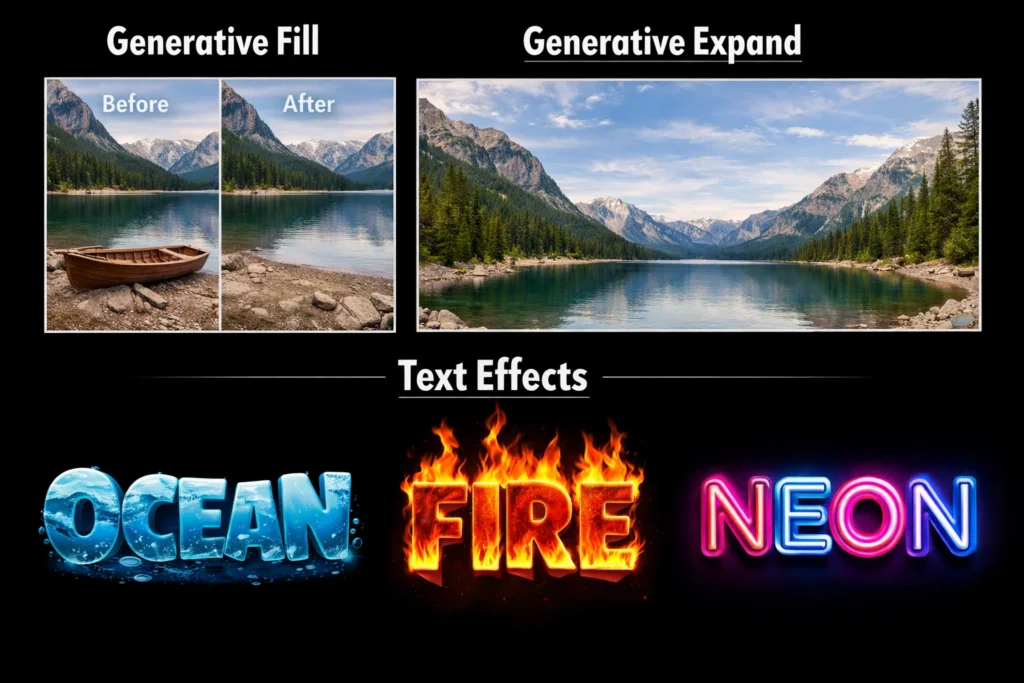
1) Generative Fill for realistic editing
Firefly can add, remove, or replace objects in images while blending the background naturally. This is one of the most practical “daily-use” features because it saves hours of manual retouching.
2) Text-to-image generation for fast ideation
Users can generate fresh images from text prompts to explore ideas quickly—useful for mood boards, concept directions, marketing creatives, and design experimentation.
3) Generative Expand for extending images
Need to change an image’s size for a new format (banner, poster, social)? Firefly can extend the background beyond the original frame in a way that looks natural and consistent.
4) Text effects and typography styling
Firefly can generate stylized text effects—like metallic, neon, fabric, or 3D looks—helping designers create eye-catching typography without building everything from scratch.
5) Deep integration with Adobe workflows
Firefly works inside Adobe tools, so results are easy to refine using layers, masks, and standard design controls. This makes it feel like an assistant, not a replacement.
6) Editable, production-friendly outputs
A big reason professionals adopt Firefly is that the output fits into real workflows: you can edit, tweak, and combine AI-generated elements with your normal design process.
7) Brand and marketing readiness
Firefly is designed to support commercial creative work, which matters for companies producing ads, product creatives, and marketing assets at scale.
8) Multiple variations per prompt
Instead of one output, Firefly generates options so creators can choose the best fit and iterate quickly.
9) Speed for high-volume content creation
For marketing teams, Firefly helps scale content production—multiple ad variants, quick background changes, and fast resizing for different platforms.
10) A safe approach for broad creative use
Firefly emphasizes responsible generation and safeguards, which helps businesses use AI in production with more confidence.
The Technology Behind Adobe Firefly
Tech stack overview (simplified)
Adobe Firefly is built on generative AI models designed for creative work, plus tight integration with Adobe’s editing engines. Think of it as two parts working together:
- The AI models that generate or transform content (images, text effects, sometimes video)
- The Adobe app engines that keep everything editable (layers, masks, vectors, timelines, etc.)
This is why Firefly doesn’t feel like “AI art pasted on top”—it behaves like a feature inside professional tools.
How Firefly understands your prompt
When you type something like “add a cozy café background” or “remove the object and fill naturally,” Firefly:
- Understands the subject, style, and intent (what you want changed)
- Uses the current image/design as context (what’s already there)
- Generates multiple options that fit the same scene and lighting
So it’s not just generating randomly—it tries to match what already exists in the file.
How Generative Fill works (simple explanation)
Generative Fill is basically smart inpainting:
- You select an area (or remove something)
- Firefly generates content that blends with surrounding pixels
- It tries to match shadows, textures, perspective, and lighting
- You get multiple variations so you can pick what looks best
The “magic” is that it keeps the edit natural-looking while saving a ton of manual retouching.
How Generative Expand works
Generative Expand extends an image beyond its original borders by:
- Reading the existing scene (colors, patterns, depth, perspective)
- Predicting what could plausibly continue outside the frame
- Generating new pixels that look like the same world
This is why it’s useful for resizing content for banners, posters, and social formats.
Text effects and vector-friendly outputs
For typography and certain design workflows, Firefly focuses on producing results that remain editable rather than flattened. That matters because designers still need to adjust spacing, layout, and composition after generation.
Data handling and commercial safety approach
Firefly is built for professional use, so it’s designed around rights-aware generation and safer commercial workflows compared to many “wild west” generators. The goal is to make outputs usable in real marketing and brand projects with fewer legal surprises.
Scalability approach
Generative AI is compute-heavy, so Firefly relies on scalable cloud infrastructure to:
- Handle high-volume generation requests
- Keep performance stable during peak usage
- Provide smoother experiences for paid tiers and teams
Mobile/web experience vs creative apps
The front end (web/mobile/app panel) is where you type prompts and choose variations. The heavy lifting happens on servers that generate content and return results, which you then refine inside Adobe apps.
Why this tech matters for business
Firefly’s biggest technology advantage is workflow integration. It doesn’t just generate images—it fits into real creative pipelines where output must be editable, reviewable, and ready for production. That’s exactly why businesses adopt it: faster creative cycles without losing control.
Adobe Firefly’s Impact & Market Opportunity
Industry disruption and what Firefly changed
Adobe Firefly helped move generative AI from “cool experiments” to real production work by embedding generation directly into professional creative tools. Instead of creators exporting files to random AI sites, Firefly brings AI into Photoshop/Illustrator-style workflows where edits remain controllable and easy to refine.
Another big shift is the “commercial-safe” positioning—Adobe has repeatedly emphasized Firefly models being trained on licensed content (like Adobe Stock) and public-domain sources, which matters to brands and agencies that care about usage risk.
Market statistics and growth signals
Adobe has shared that Firefly usage scaled rapidly—an Adobe MAX investor PDF (Oct 14, 2024) stated Firefly had been used to generate 13+ billion images since its first beta release in March 2023.
This kind of volume is a strong indicator that generative features are becoming a daily habit for creators—not an occasional novelty.
Who’s adopting it and why
Firefly adoption is strongest where creative volume is high:
- Marketing teams producing many variations (ads, social, banners)
- Agencies needing faster turnaround
- Brands wanting consistent outputs while keeping editable files
- Content teams needing cross-format resizing and quick iterations
Adobe’s own research and enterprise positioning focus heavily on productivity gains and scalable creative operations.
Geographic reach and platform expansion
Firefly isn’t just “desktop creative” anymore. Adobe has expanded Firefly to mobile and broadened model options inside the Firefly app, which makes it easier for teams to ideate anywhere and then continue work inside Creative Cloud.
Future projections and where the opportunity is going
The direction is clear: Firefly is evolving from a single model into a creative AI hub that supports multiple media types (images, video, audio) and even integrates partner models while still using Adobe’s credit system.
That opens market opportunities beyond design teams—into video teams, social content teams, e-commerce catalog creation, and enterprise creative operations.
Opportunities for entrepreneurs
This massive success is why many entrepreneurs want to create similar platforms—especially in niches where Adobe isn’t specialized, like:
- E-commerce product imagery automation
- Real estate listing creatives
- Local business ad creatives
- Creator economy tools (thumbnails, shorts, banners)
- Industry-specific “brand-safe” generative studios
Building Your Own Adobe Firefly-Like Platform
Why businesses want Firefly-style creative AI tools
Adobe Firefly proves that AI works best when it fits into real workflows. Businesses want similar platforms because:
- Creative teams need speed without losing control
- Outputs must stay editable and reviewable
- Brand consistency matters more than one-off visuals
- AI can reduce production time and cost at scale
- Subscription models create predictable revenue
In short, companies want AI that augments professionals, not replaces them.
Key considerations before development
If you’re planning to build a Firefly-like platform, focus on:
- Deep workflow integration (editing, layers, revisions)
- Clear use cases (marketing, social, e-commerce, internal design)
- Prompt-based generation plus manual refinement tools
- Rights-aware or brand-safe generation strategy
- Credit or usage-based pricing
- Team collaboration and approvals
- Asset management and version history
Success comes from solving a specific creative bottleneck, not trying to copy everything at once.
Read Also :- How to Market an AI Chatbot Platform Successfully After Launch
Cost Factors & Pricing Breakdown
Adobe Firefly–Like App Development — Market Price
| Development Level | Inclusions | Estimated Market Price (USD) |
|---|---|---|
| 1. Basic AI Image Generation MVP | Core web interface for text-to-image prompts, user registration & login, integration with a single image-generation model/API, prompt → image generation flow, basic image gallery & downloads, simple rate limiting, minimal safety filters, standard admin panel, basic usage analytics | $100,000 |
| 2. Mid-Level AI Image Creation Platform | Advanced prompt controls (styles, sizes, variations), image editing workflows (regenerate, inpaint/outpaint basics), user workspaces, collections & favorites, queue management, credits/usage tracking, stronger safety & moderation hooks, analytics dashboard, polished web UI and mobile-ready experience | $200,000 |
| 3. Advanced Adobe Firefly-Level Generative Image Ecosystem | Large-scale multi-tenant image generation platform with high-concurrency pipelines, brand-safe generation workflows, advanced editing tools, prompt versioning, model routing, credits/subscription billing, enterprise organizations & RBAC, detailed observability, robust moderation & policy enforcement, cloud-native scalable architecture | $320,000+ |
Adobe Firefly-Style AI Image Generation Platform Development
The prices above reflect the global market cost of developing an Adobe Firefly-like AI image generation platform — typically ranging from $100,000 to over $320,000, with a delivery timeline of around 4–12 months for a full, from-scratch build. This usually includes model integration, prompt processing, large-scale image pipelines, safety and policy enforcement, usage metering, analytics, and production-grade infrastructure capable of handling enterprise and creative workloads.
Miracuves Pricing for an Adobe Firefly–Like Custom Platform
Miracuves Price: Starts at $15,999
This is positioned for a feature-rich, JS-based Adobe Firefly-style AI image generation platform that can include:
- Text-to-image generation via your chosen AI models or APIs
- Prompt controls (styles, sizes, variations) and basic image editing workflows
- User accounts, image history, favorites, and collections
- Usage and credit tracking with optional subscription or pay-per-use billing
- Core moderation and safety hooks aligned with AI content and brand policies
- A modern, responsive web interface plus optional companion mobile apps
From this foundation, the platform can be extended into advanced image editing, enterprise workspaces, richer moderation tooling, custom model hosting, and large-scale SaaS deployments as your AI creative product matures.
Note: This includes full non-encrypted source code (complete ownership), complete deployment support, backend & API setup, admin panel configuration, and assistance with publishing on the Google Play Store and Apple App Store—ensuring you receive a fully operational AI image generation ecosystem ready for launch and future expansion.
Delivery Timeline for an Adobe Firefly–Like Platform with Miracuves
For an Adobe Firefly-style, JS-based custom build, the typical delivery timeline with Miracuves is 30–90 days, depending on:
- Depth of generation and editing features (variations, inpainting, controls, etc.)
- Number and complexity of AI model, storage/CDN, billing, and moderation integrations
- Complexity of usage limits, analytics, and governance requirements
- Scope of web portal, mobile apps, branding, and long-term scalability targets
Tech Stack
We preferably will be using JavaScript for building the entire solution (Node.js / Nest.js / Next.js for the web backend + frontend) and Flutter / React Native for mobile apps, considering speed, scalability, and the benefit of one codebase serving multiple platforms.
Other technology stacks can be discussed and arranged upon request when you contact our team, ensuring they align with your internal preferences, compliance needs, and infrastructure choices.
Essential features to include
A strong Firefly-inspired MVP should include:
- Text-to-image generation
- AI-assisted editing (add, remove, replace elements)
- Background expansion and resizing
- Multiple variations per prompt
- Editable outputs that fit creative workflows
- Credit-based usage system
- Team-friendly interface
High-impact extensions later:
- Video and motion generation
- Brand style libraries
- Template-driven creatives
- API access for automation
- Industry-specific creative tools
Read More :- AI Chat Assistant Development Costs: What Startups Need to Know
Conclusion
Adobe Firefly shows where creative AI is heading: not toward replacing designers, but toward making creative work faster, smoother, and more scalable. By embedding AI directly into professional tools, it turns generative technology into something creators can trust and use every day.
For founders and product teams, Firefly is a powerful lesson in positioning. The real value isn’t just image generation—it’s workflow-first AI. When AI respects how professionals work and keeps them in control, adoption follows naturally and long-term value is created.
FAQs :-
What is Adobe Firefly used for?
Adobe Firefly is used for AI-assisted creative work, such as generating images, adding or removing objects, extending backgrounds, creating text effects, and speeding up design workflows inside Adobe tools.
How does Adobe Firefly make money?
Adobe Firefly is monetized through Creative Cloud subscriptions and generative credits, encouraging upgrades to higher plans for more AI usage.
Is Adobe Firefly a standalone app?
No. Firefly works inside Adobe’s creative ecosystem and is also accessible via a web experience, but it’s designed to integrate tightly with Adobe apps.
Is Adobe Firefly suitable for commercial use?
Yes. Firefly is designed with commercial and brand-safe use cases in mind, making it suitable for marketing, advertising, and professional design work.
Do I need design skills to use Adobe Firefly?
Basic design knowledge helps, but Firefly is built to be accessible. Simple text prompts can generate useful results, which can then be refined using familiar design tools.
How is Adobe Firefly different from other AI image generators?
Firefly focuses on workflow integration, editable outputs, and professional design needs, rather than just standalone image generation.
Can Adobe Firefly replace designers?
No. Firefly is meant to assist designers, automating repetitive tasks and speeding up ideation while keeping creative control in human hands.
Does Adobe Firefly support teams and collaboration?
Yes. Because it’s part of Creative Cloud, Firefly-generated assets can be shared, reviewed, and edited across teams.
What types of content can Firefly generate?
Firefly can generate images, text effects, background extensions, object edits, and variations that fit into graphic and marketing workflows.
Can I build a platform like Adobe Firefly?
Yes. Firefly-like platforms can be built by combining generative AI models with workflow-first editing, credit systems, and team features.
How can Miracuves help build a Firefly-like platform?
Miracuves helps businesses build AI-powered creative platforms with generative engines, editing workflows, credit-based billing, and enterprise-ready customization—allowing faster launch and scalable growth