


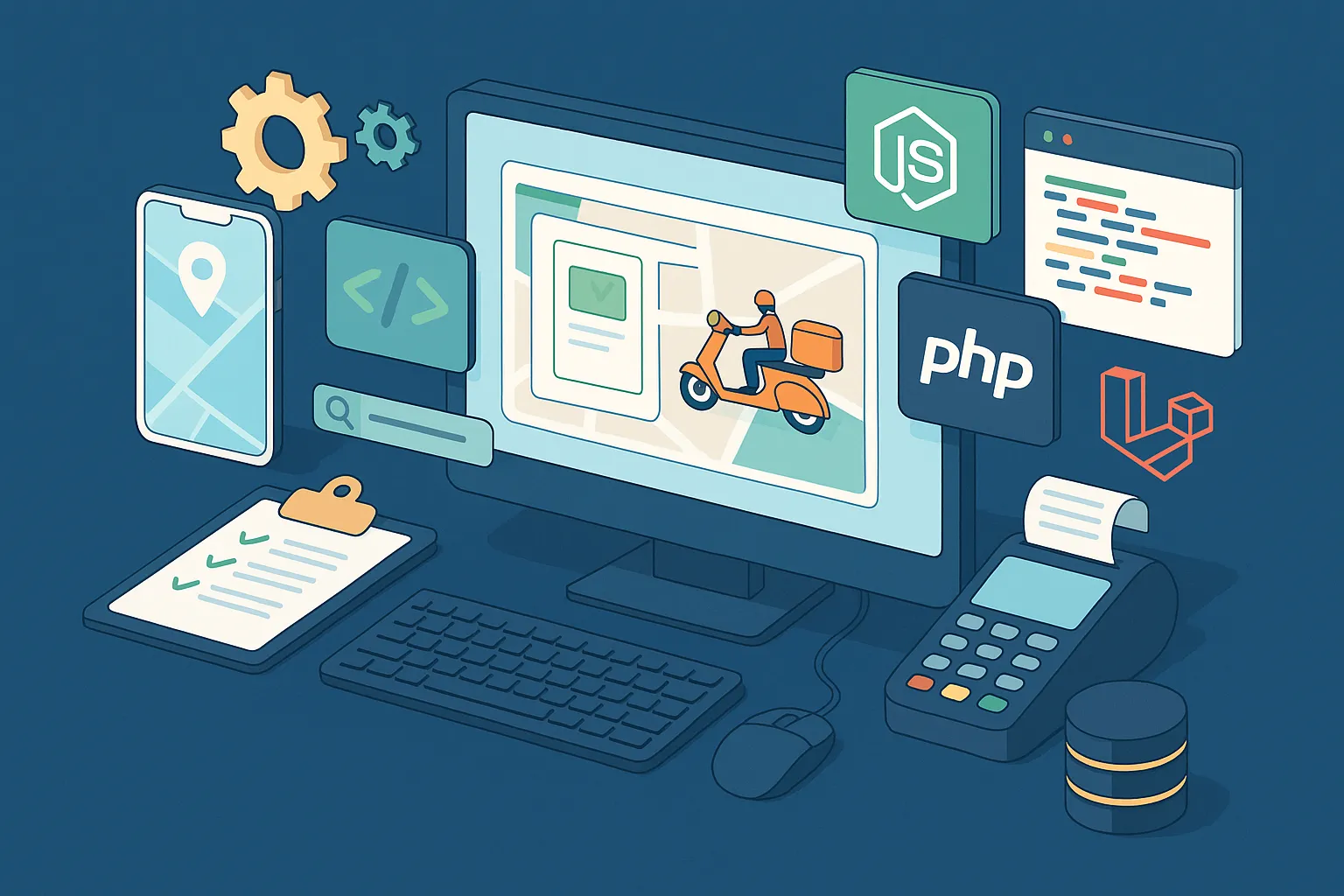
Building an app like Dunzo was one of the most exciting challenges I’ve taken on recently. As a full-stack developer, I got the chance to reimagine a hyperlocal delivery platform from scratch — the kind that connects users with delivery partners for everything from groceries and food to medicines and essentials. If you’re a startup founder or agency looking to develop a Dunzo clone, stick around. I’ll walk you through how I architected the system in both JavaScript (Node.js + React) and PHP (Laravel), the decisions I made, and the real-world trade-offs I faced.
Dunzo wasn’t just a delivery app — it became synonymous with convenience. It bridged the gap between users and local stores, helping them get anything delivered within minutes. In a post-pandemic world where time-saving, contactless service is expected, this business model continues to thrive — especially in Tier 2/3 cities where aggregators are still ramping up.
From food delivery to document pick-up, startups and local logistics companies can launch niche or regionalized versions of Dunzo and still capture significant market share. That’s exactly why a flexible, scalable clone solution is so valuable right now.
Tech Stack: JavaScript vs PHP – What I Used and Why
When planning out the Dunzo clone, I knew from the start that flexibility in stack choice would be important. Some clients prefer the modern JavaScript ecosystem with Node.js and React, while others lean toward proven PHP frameworks like Laravel or CodeIgniter. So I built the core product to support both approaches, and here’s how I thought through each.
JavaScript Stack (Node.js + React)
If you’re aiming for a high-performance, real-time application with modern frontend interactions, the Node.js + React combo is unbeatable. I used Node.js (Express) for the backend API and React (with Vite) for the frontend. Socket.IO powered live order tracking. The non-blocking nature of Node.js handled concurrent requests beautifully — especially when users tracked delivery updates or placed multiple orders during peak hours.
The React side let me build reusable components and optimize for mobile-first design. I used TailwindCSS for styling and integrated service workers to support offline mode and push notifications. React Hooks made state management clean, and I layered in Redux only where cross-component state sync was necessary (like authentication and cart data).
Node.js also let me build custom middleware for logging, auth checks, and rate-limiting — without relying on bulky plugins.
PHP Stack (Laravel or CodeIgniter)
For teams that already work with PHP or want something battle-tested with built-in support for routing, ORM, and blade templating — Laravel was my go-to. In a couple of cases, I also implemented a lightweight version using CodeIgniter 4, especially when deployment simplicity was a top priority.
Laravel’s Eloquent ORM made it super easy to work with complex relationships like user-orders, rider-statuses, vendor-menus. Laravel Sanctum handled API token-based authentication neatly, while Laravel Cashier was helpful in setting up recurring charges for premium listings or delivery subscription plans.
One of the best things about Laravel is how much ground it covers out of the box. Form requests for validation, blade templates for quick frontend tweaks, and robust logging made it easy for non-JS-heavy teams to maintain and extend the app.
If you need rapid development with fewer moving parts, Laravel wins. But if you’re aiming for a highly interactive frontend with real-time data flow, the Node + React stack gives you more control.
Read More : Best Dunzo Clone Scripts in 2025: Features & Pricing Compared
Database Design: Schema, Structure & Scale Considerations
A robust database design is the backbone of any Dunzo-like app. I needed a schema that could handle dynamic listings, real-time order tracking, multi-role access, and potential city-wise scaling. I used PostgreSQL with the Node.js stack and MySQL with Laravel/CodeIgniter. Here’s how I structured things to keep the system agile and future-ready.
Core Tables and Relationships
Here’s a simplified overview of the main tables:
- Users:
id,name,email,phone,role(user, delivery_partner, admin),location,device_token - Vendors:
id,store_name,type,address,latitude,longitude,status,rating - Products:
id,vendor_id,name,description,price,stock,category,image_url - Orders:
id,user_id,vendor_id,delivery_partner_id,status,total_amount,payment_status,delivery_address,created_at - Order_Items:
id,order_id,product_id,quantity,price - Delivery_Partners:
id,user_id,vehicle_type,availability_status,current_location - Payouts:
id,delivery_partner_id,amount,status,timestamp
All major tables use UUIDs for scalability. I also added geo-coordinates (latitude/longitude) to both vendors and delivery partners for proximity search using PostGIS in PostgreSQL or Haversine logic in MySQL.
Nested Structures and Flex Fields
For things like vendor operating hours, custom attributes, or promo banners, I created JSONB fields (PostgreSQL) or TEXT fields storing JSON (MySQL). This gave me the flexibility to add nested configurations without modifying the schema every time. Example:
{
 "monday": {"open": "09:00", "close": "21:00"},
 "sunday": {"open": "10:00", "close": "18:00"}
}
Indexing and Performance
I indexed all location-based queries using spatial indexes. For PostgreSQL, that was GIST indexing on the coordinates. For MySQL, I used SPATIAL indexing with POINT() columns. Frequently queried columns like status, vendor_id, and user_id were also indexed to speed up dashboard load times and order history fetches.
We also scheduled nightly maintenance scripts to prune soft-deleted records and archive old logs — keeping the live DB lean and fast.
Read More : Pre-launch vs Post-launch Marketing for Dunzo Clone Startups
Key Modules & Features: Building the Core of an App Like Dunzo
From the outside, Dunzo looks simple — search, order, track. But under the hood, the system juggles multiple moving parts: users, vendors, riders, real-time updates, payments, and more. I’ll walk you through the essential modules I implemented and how I approached them in both the JavaScript (Node + React) and PHP (Laravel/CI) stacks.
1. Booking & Order Management
This was the heart of the system. When a user places an order, the backend must validate items, calculate delivery fees, assign a nearby rider, and trigger notifications.
Node.js Approach:
I built a booking service in Express that accepted cart data, calculated totals, and created an order record. A background job (via BullMQ + Redis) assigned the nearest available rider using a location-based query. Once a rider accepted the order via WebSocket, the order status changed and notifications were pushed via Firebase.
Laravel Approach:
I used Laravel Jobs to queue the assignment logic. Once the order was created using a Transaction, a background job searched for riders within a defined radius using Haversine. Notifications were sent via Laravel Events and Firebase Cloud Messaging.
2. Smart Search with Filters
Users can search vendors or products by category, name, rating, distance, or open status.
React Frontend:
I implemented a debounce-powered search bar with dynamic filters. Results were fetched using paginated REST endpoints. I used SWR for lightweight caching on React.
Blade Template (Laravel):
The search logic was handled in the controller using chained Eloquent queries. Filters were submitted via GET requests, rendered using Blade templates, and paginated using Laravel’s built-in tools.
3. Admin Panel & Role-Based Access
Admins can manage vendors, track live orders, onboard delivery partners, and view payouts.
React Admin (JS Stack):
I built a separate /admin route guarded by JWT and roles. For charts and stats, I used Chart.js and simple aggregation endpoints in Express.
Laravel Nova (PHP Stack):
Laravel Nova made admin panel setup lightning fast. I defined resources for vendors, users, and orders — with custom lenses for filtering and actions like ‘Block Vendor’ or ‘Resend OTP’.
4. Real-Time Delivery Tracking
This feature showed users where their rider was once the order was out for delivery.
Node.js Stack:
I used Socket.IO to update user and delivery partner dashboards in real-time. Riders’ GPS coordinates were pushed every 10 seconds.
Laravel Stack:
While Laravel doesn’t natively support WebSockets, I integrated Laravel Echo + Pusher for real-time updates. For tighter budgets, I also created a polling fallback every 15 seconds.
5. Ratings & Feedback
Users could rate vendors and riders after each delivery. I created a feedback table with optional comments. Ratings were aggregated weekly and impacted vendor visibility in search.
Data Handling: Manual Listings vs API-Powered Catalogs
One of the early questions I faced from clients was: “How do we get the vendor listings in?” Depending on the niche — groceries, medicines, courier services — there are two main approaches: manually managed listings through the admin panel or automatic data fetching via third-party APIs. I built support for both so the product could flex across markets.
Manual Listings via Admin Panel
In local-first delivery models, manual onboarding is often the best starting point. For this, I created a vendor onboarding workflow that could be used by admins or vendors themselves (if self-registration was enabled).
In Laravel:
I used Laravel Livewire to build a dynamic form wizard with vendor details, location via map input (Google Maps API), and product upload via CSV or manual entry. Each vendor’s product catalog was stored in the products table, linked by vendor_id. The admin panel allowed toggling vendor visibility, updating stock, and setting delivery areas using multi-polygon input.
In React + Node.js:
The admin panel had a form with Google Places Autocomplete, a drag-n-drop CSV uploader, and a simple product CRUD dashboard using Axios calls to the backend API. A vendor could log in and manage their listings. I added image compression on the client using browser-image-compression before upload to reduce storage and improve load times.
Third-Party APIs: Skyscanner, Amadeus, Zomato, etc.
For clients building something closer to on-demand courier + travel or pharmacy marketplaces, we had to integrate with external providers. For example:
- Amadeus API: For airport courier services or travel pickup listings.
- Skyscanner: To offer intercity logistics based on travel data.
- OpenPharma or 1mg APIs: For fetching medicine inventory and pricing.
Node.js Approach:
I built middleware that authenticated with the third-party provider (via OAuth or API keys), fetched the listings asynchronously, and normalized the data into our internal schema. Each third-party vendor was tagged as source: external, and the sync ran every hour using a CRON + Axios + Redis-based job deduplicator.
Laravel Approach:
Laravel scheduled jobs (php artisan schedule:run) triggered the sync logic. I used Guzzle to call APIs, mapped external fields to internal models, and wrapped all updates in DB transactions to avoid partial saves. Caching was handled via Laravel Cache (Redis driver), and I used Laravel Scout with Meilisearch to keep external listings searchable.
Whichever path the client chose, our structure was modular enough to allow both — giving founders control over their catalog size, cost, and complexity.
Route::prefix('v1')->group(function () {
  Route::post('auth/login', [AuthController::class, 'login']);
  Route::middleware(['auth:sanctum'])->group(function () {
    Route::apiResource('orders', OrderController::class);
    Route::get('vendors', [VendorController::class, 'index']);
    Route::patch('orders/{id}/status', [OrderController::class, 'updateStatus']);
  });
});
I returned data using Laravel’s Resource Collections, which made the API output consistent and easy to format. E.g.,
return new OrderResource($order);
I also used Laravel Policy classes to protect certain actions (e.g., riders can’t update another rider’s orders), and form request validation to ensure data integrity on each request.
Response Formats & Error Handling
Across both stacks, I followed a standard JSON response format:
{
  "success": true,
  "message": "Order placed successfully",
  "data": { ... }
}
Errors were handled with appropriate HTTP status codes (422 for validation errors, 401 for auth issues, etc.) and helpful messages.
{
  "success": false,
  "message": "Invalid OTP",
  "errors": { "otp": ["The OTP entered is incorrect."] }
}
This structure made the frontend integration smooth and debugging much easier.
Read More : Top 5 Mistakes Startups Make When Building a Dunzo Clone
Frontend & UI Structure: React vs Blade – Building a Clean, Responsive Experience
When building the Dunzo-like app, I knew from day one that UX could make or break it. Whether it’s a user trying to quickly reorder essentials, a rider checking their next pickup, or an admin reviewing orders — the interface needed to be fast, clean, and mobile-friendly. I approached frontend development in two ways depending on the stack: React for JavaScript and Blade templates for Laravel.
React (with Tailwind + Vite)
For the Node.js stack, I went all-in on React using Vite as the build tool for blazing fast local development. I structured the app using atomic design principles — components for inputs, cards, lists, modals, and full-page layouts. React Router handled navigation, while Zustand was my state manager of choice for non-global state like modals, filters, and cart data.
Key UI decisions:
- Mobile-first design: I used Tailwind’s responsive classes to ensure the layout adapted smoothly to screens as small as 320px.
- Reusable layout shells: The User App, Rider App, and Admin Dashboard each had their own layout wrappers with their respective sidebars, headers, and routing logic.
- Skeleton loading and shimmer effects: These added a layer of polish during data fetches, especially on poor networks.
- Accessibility & keyboard navigation: Every modal, input, and alert followed ARIA specs for a smooth screen reader experience.
Laravel Blade Templates
For PHP projects, I stuck with Blade — Laravel’s templating engine — and paired it with Alpine.js for basic interactivity. This setup allowed me to build responsive pages without full SPA complexity.
Key decisions:
- Bootstrap 5 as the CSS framework, since many Laravel teams are comfortable with it and it integrates well with Blade.
- Blade components: I created reusable elements like
<x-vendor-card>and<x-order-status-badge>, making the frontend maintainable even for junior devs. - Responsive tables and lists: On mobile, tables collapse into card layouts using Bootstrap classes and conditional rendering in Blade.
- Minimal JS: Alpine.js handled all dropdowns, modals, and tab interactions without needing Vue or React — reducing the bundle size significantly.
Across both stacks, I emphasized progressive enhancement. The app worked without JS for basic browsing and order review, but layered in interactivity for smoother experiences where supported.
Authentication & Payments: Securing Access and Handling Transactions
Security and seamless transactions were non-negotiable when building the Dunzo clone. With users, delivery partners, vendors, and admins all needing controlled access, I had to implement flexible, role-based authentication and tightly integrated payments. Here’s how I approached it for both the Node.js and PHP stacks.
Authentication: JWT & Auth Guards
Node.js (JWT + Middleware)
I used JWT (JSON Web Tokens) for all user-facing authentication. After a successful login, the server issued a signed token which the client stored (usually in localStorage). Every subsequent API request included this token in the Authorization header.
Middleware in Express handled token verification:
function authGuard(roles = []) {
  return (req, res, next) => {
    const token = req.headers.authorization?.split(" ")[1];
    if (!token) return res.status(401).json({ message: "No token" });
    try {
      const decoded = jwt.verify(token, JWT_SECRET);
      if (roles.length && !roles.includes(decoded.role)) {
        return res.status(403).json({ message: "Access denied" });
      }
      req.user = decoded;
      next();
    } catch (err) {
      return res.status(401).json({ message: "Invalid token" });
    }
  };
}
I protected routes like /admin, /rider, or /vendor with role-specific guards, ensuring no one crossed access boundaries.
Laravel (Sanctum + Policies)
In Laravel, I used Sanctum for API token authentication. It allowed cookie-based or token-based authentication out of the box and was extremely clean to implement.
Route::middleware('auth:sanctum')->group(function () {
    Route::get('/user/orders', [OrderController::class, 'index']);
});
For role restrictions, I used Laravel Policies and middleware like:
public function handle($request, Closure $next)
{
  if (auth()->user()->role !== 'admin') {
    abort(403, 'Unauthorized');
  }
  return $next($request);
}
Admin, vendor, and rider roles each had scoped access, with policies preventing unauthorized resource edits.
Payments: Stripe, Razorpay, and Webhooks
I integrated Stripe for international projects and Razorpay for India-based clients. Both stacks supported one-time payments for orders and payouts for delivery partners.
Stripe (Node.js)
In Node, I used the stripe NPM package. When a user checked out, the client made a call to /api/v1/checkout-session, and the backend created a Stripe session with line items.
const session = await stripe.checkout.sessions.create({
  payment_method_types: ['card'],
  line_items: [...],
  mode: 'payment',
  success_url: CLIENT_URL + '/order-success',
  cancel_url: CLIENT_URL + '/cart',
});
Once the frontend completed the payment, a webhook callback verified the signature and updated the order:
if (hash_hmac('sha256', $payload, $secret) === $signature) {
  Order::where('razorpay_order_id', $orderId)->update(['payment_status' => 'paid']);
}
I also added webhook retries, email notifications, and a small buffer delay to prevent premature order state updates.
With these pieces in place, I ensured the app was both secure and transaction-ready from day one.
Testing & Deployment: CI/CD, Docker, and Going Live with Confidence
Shipping a Dunzo-like app isn’t just about writing great code — it’s about confidently pushing updates, avoiding downtime, and keeping the deployment pipeline smooth. I set up robust testing workflows and automated deployments across both the Node.js and Laravel stacks to ensure a production-grade launch experience for every client.
Testing Strategy
Node.js (Jest + Supertest)
For the JavaScript backend, I wrote unit and integration tests using Jest. Routes and middleware were tested using Supertest to simulate API calls and verify responses.
- Unit tests covered services like payment calculations, order total logic, and vendor filtering
- Integration tests ensured endpoints behaved as expected with a seeded in-memory database (using SQLite or a mock PostgreSQL instance)
- Test coverage reports were generated with
--coverageflags, and anything below 85% was flagged in CI
describe("POST /api/v1/orders", () => {
  it("should create an order and return success", async () => {
    const res = await request(app).post("/api/v1/orders").send(mockOrder);
    expect(res.statusCode).toBe(200);
    expect(res.body.success).toBe(true);
  });
});
Laravel (PHPUnit + Laravel Dusk)
For Laravel, I used PHPUnit for backend tests and Laravel Dusk for browser testing (especially for admin panel workflows).
- Feature tests verified that roles couldn’t access unauthorized data
- Database testing was done via Laravel’s
RefreshDatabasetrait for isolation - I wrote Dusk browser tests for UI flows like order creation, status update, and vendor registration
public function test_admin_can_view_orders()
{
  $admin = User::factory()->create(['role' => 'admin']);
  $response = $this->actingAs($admin)->get('/admin/orders');
  $response->assertStatus(200);
}
CI/CD Pipelines
I used GitHub Actions to automate the pipeline. Every push to main triggered:
- Linting (ESLint or PHP-CS-Fixer)
- Tests (Jest or PHPUnit)
- Build step (Vite or Laravel Mix)
- Deployment trigger (via webhook or SSH)
In client projects, I also integrated Slack notifications for deploy status and test failures.
Dockerization & Environment Setup
To ensure smooth onboarding and environment parity, I dockerized the entire stack.
Node.js
I created a Dockerfile with multi-stage builds (one for build, one for runtime), and used docker-compose to spin up the app, Redis, and PostgreSQL in dev mode.
FROM node:18-alpine
WORKDIR /app
COPY . .
RUN npm install && npm run build
CMD ["node", "dist/server.js"]
Laravel
Laravel had its own Dockerfile with Apache, PHP, and MySQL, plus a .env.docker file to keep config separate. I used Laravel Sail for local development and supervisord or Apache2 in production.
Production Setup
- Node.js: I used PM2 to keep the app alive and restart on crash. Logs were routed to Logrotate and Slack.
- Laravel: Deployed on Apache or Nginx, with queues handled by Supervisor and cache preloading after each deployment.
Monitoring & Logs
- Uptime monitoring via UptimeRobot or BetterUptime
- Error tracking using Sentry (JS) or Bugsnag (Laravel)
- Log management via Logtail or AWS CloudWatch, depending on infra
Read More : Reasons startup choose our dunzo clone over custom development
Pro Tips: Real-World Insights for Scale, Speed, and UX
After building and launching multiple Dunzo-like clones across different markets, I’ve run into enough sharp edges to know where the bottlenecks and pain points are. Here are some practical tips and optimizations that helped me ship better, faster, and cleaner — both on the backend and frontend.
1. Cache Everything That Doesn’t Change Often
Whether it’s the vendor list, static categories, or delivery charges, don’t make the database do the same work on every request.
Node.js: I used Redis with a TTL of 10 minutes for vendor listings and homepage data. Middleware checked cache first, then DB.
Laravel: Laravel’s Cache::remember() pattern worked beautifully. I cached dashboard counts, category trees, and menu data to keep things snappy.
$vendors = Cache::remember('vendors_homepage', 600, function () {
  return Vendor::active()->with('products')->get();
});
2. Avoid Realtime Overkill
While WebSockets sound great, they’re not always necessary. For small-scale apps or MVPs, a 15–30 second polling mechanism is more stable and cheaper than maintaining socket infrastructure.
I implemented both modes and toggled them based on client scale.
3. Compress Images at Upload
Users and vendors love uploading 3MB PNGs. Kill those before they kill your storage.
Frontend: In React, I used browser-image-compression to reduce image size client-side.
Backend: Sharp (Node.js) and Spatie Media Library (Laravel) helped me auto-compress and generate thumbnails.
4. Use Background Jobs for Heavy Tasks
Don’t make users wait for things like payment confirmation, notification sending, or rider assignment.
Node: I used BullMQ with Redis to queue tasks.
Laravel: Laravel Queues + Horizon for job monitoring worked flawlessly.
5. Mobile Design: Focus on Touch First
- Don’t rely on hover effects
- Use bottom nav instead of top tabs on small screens
- Build UI components for fat thumbs and shaky hands — it makes a difference
I also prioritized progressive loading — render the shell, then hydrate with data. This made even slower connections feel responsive.
6. Separate Client Logic by Role
Riders, vendors, users, and admins all need different UX flows. I built separate dashboards and layouts early instead of trying to squeeze them into one app logic. That reduced bugs and confusion dramatically.
Final Thoughts: Custom Builds vs Clone Kickstarts
Building a Dunzo-like app from scratch is no joke — but it’s also one of the most rewarding full-stack challenges I’ve tackled. You’re dealing with real-time logistics, geo queries, multi-role logic, mobile-first UX, and third-party API integrations — all while trying to keep things fast and scalable. Whether I was using Node.js with React or Laravel with Blade, the key was modularity and clarity of roles.
If you’re a startup founder or product agency, here’s my honest take: unless you have a very specific, novel twist on hyperlocal delivery, starting with a clone base will save you 3–6 months of build time. You’ll still need to customize the branding, workflows, and maybe swap a few APIs — but you won’t be reinventing a system that’s already battle-tested.
With the Miracuves Dunzo Clone, you get exactly that — a ready-to-launch platform built with either PHP or Node.js, complete with vendor dashboards, rider apps, live tracking, and payment integration. And since it’s modular, you or your tech team can extend it confidently without running into a black-box nightmare.
FAQ
1. Can I start with a small city and scale later?
Yes, and you should. I designed the database and logic with multi-city scaling in mind. Every vendor, rider, and order is geo-tagged and scoped to a city or service zone. You can start in one location and roll out to more without breaking anything — just ensure proper indexing and lazy loading of listings per city.
2. What if I want to mix APIs and manual vendors?
No problem. I’ve built the system to allow both manual vendor listings and API-based data ingestion (e.g., from logistics or pharmacy APIs). Each listing is tagged by source, so you can customize logic — like giving priority to local vendors or toggling external data during high load.
3. How do I handle peak loads during holidays or campaigns?
Caching, job queues, and horizontal scaling are your friends. Use Redis for caching homepage data, queue all heavy tasks (notifications, payouts), and consider containerizing the app with Docker. If you’re using Node, scale with PM2 clusters. If Laravel, run queue workers with Supervisor and pre-warm caches during deployments.
4. Can I build this without a tech co-founder?
You’ll need some technical oversight, especially post-launch — but starting with a customizable, supported clone app from Miracuves reduces your dependency significantly. You get a developer-grade codebase with documentation, and you can hire freelance developers or agencies to extend it.
5. Will I need a separate app for delivery partners?
Yes, and it’s already included in the clone. I built the rider app/dashboard with real-time order updates, location tracking, and payouts management. It’s lightweight, mobile-friendly, and optimized for field conditions.
Related Articles
- How to Build an App Like Dunzo: A Developer’s Deep-Dive Tutorial
- Dunzo vs Zepto: Startup Business Model Guide
- Revenue Model of Dunzo: How the Hyperlocal Delivery App Makes Money