Paid Community App · Production Ready

Patreon Clone App - White-Label Creator Membership Platform

This is a ready-made, white-label Patreon clone where creators keep their audience on a site they control: subscriber and creator apps for Android and iOS, web panels, an admin panel and complete source code, set up on your own hosting in six working days.

Each post goes to everyone, to followers or behind a payment, and subscribers can tip, message and join live sessions. Tier-gated posts, creator analytics, regional payout methods and team access are add-ons priced separately, and the apps go out from your own store accounts after Apple and Google review them. Another payout schedule or a bespoke approval step is costed in writing and typically lands within 2-8 weeks.

Launch in 6 Days with

  • Source Code
  • Subscriber App
  • Creator App
  • Web Panels
  • Admin Panel
  • App Publishing

StackFlutter · PHP · Laravel · MySQL · Firebase · Twilio

MXFans console · Creator operationsIllustrative
New subscriptions38
Posts in review6
Creators live12

Platform activity

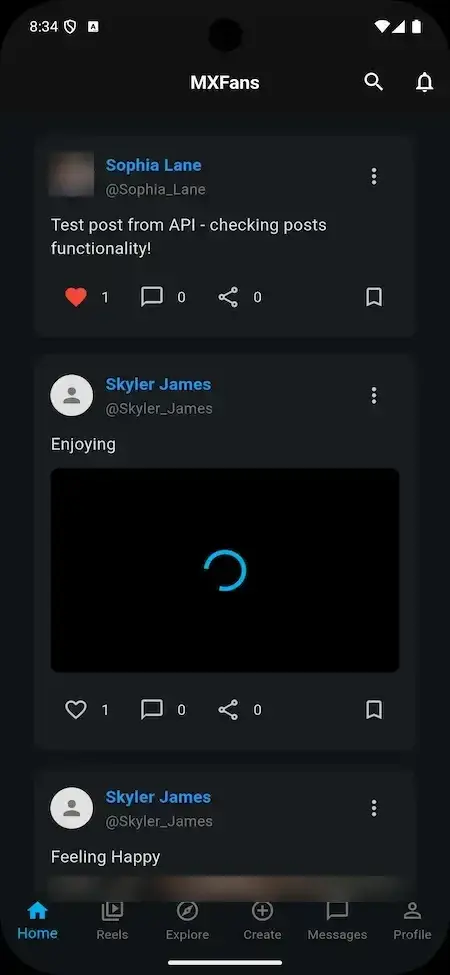
Patreon Clone app home feed with posts, like, comment, share and save icons and a bottom bar of Home, Reels, Explore, Create, Messages and Profile.
Creators keep their audienceon your platform
  • 6Post Formatstext, image, video, audio, poll and quiz
  • 3Access Levels per Postpublic, followers only and paid
  • 0%Revenue Share With Miracuvessubscriptions, paid posts and tips pay you, not us
  • 4Live and Direct Formatslive streams, stories, reels and video or voice calls
  • 6Days to Launchand if the delay is ours, we keep going free
  • $3,699Paid Once, Not Rentedsource code yours, no per-seat fee, no monthly rental

Live in six working days, or we keep working free until you launch. Every build carries 60 days guidance, 6 months bug fixes and 12 months updates.Verify every figure

Creators Price Their Own Plan

Each creator sets a subscription price and subscribers pick a plan from the profile; several tiers or discounts are not in the demo and are scoped as custom work.

Withdrawals You Approve

Creators ask to withdraw their earnings and the operator settles each request in the admin Withdrawals menu, next to subscriptions, deposits and transactions.

Card Details Kept by the Gateway

Subscribers pay by card or digital wallet through gateways you connect on your own verified merchant account; the release log lists multiple gateway integrations, and card details stay with the gateway.

Ready to open your own creator membership platform?Talk to Product Expert

Chosen by 6,000+ clients across the globe

Miracuves is listed by Expertise.com as a managed IT service provider.Miracuves is an official member of the Forbes Business Council.Miracuves is a verified agency on DesignRush, listed among top design agencies in India.Miracuves is reviewed on Trustpilot as a software development company.Miracuves is listed by The Manifest among top managed software development companies.Miracuves is listed by DesignRush as a top software development company.Miracuves is recognized by GoodFirms as a top software development company.Miracuves is ranked among the top 1000 companies globally by Clutch.Miracuves is a top managed service provider in the United States on Clutch.

01Try it yourself

Hands-On Demo

Patreon Clone Demo - Subscriber App, Creator App, Web Panels & Admin

Try the Miracuves Patreon Clone hands-on. One login opens the subscriber side and another the creator side, and the admin login is shared on request. Scroll the feed, open Create Post and look at the access levels.
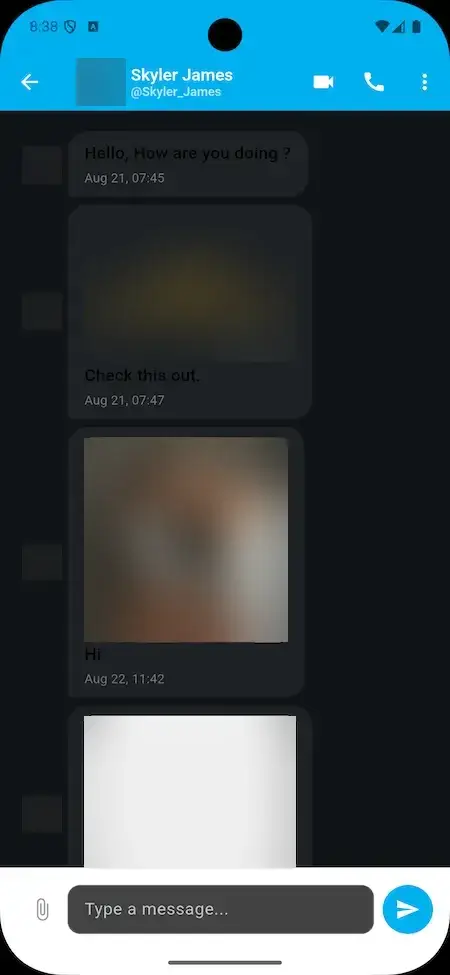
Patreon Clone app home feed with posts, like, comment, share and save icons and a bottom bar of Home, Reels, Explore, Create, Messages and Profile.Patreon Clone app direct message screen with video and voice call buttons, an attachment button and a message box; photos are blurred.
Live demo
SUBSCRIBER APP

Patreon Clone - Subscriber App

On the member side, a phone lets you browse the feed, visit creator profiles, unlock paid posts, send messages to creators and run your account.

  1. 1Open the app portal and pick your phone
  2. 2Sign in with the demo login below
  3. 3Explore: Feed, Reels, Explore, Messages
Try:user@demo.com | User_321
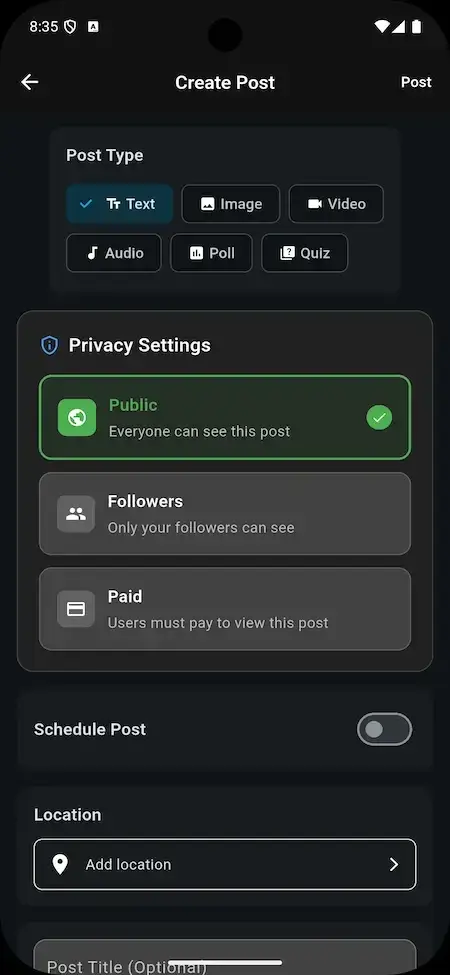
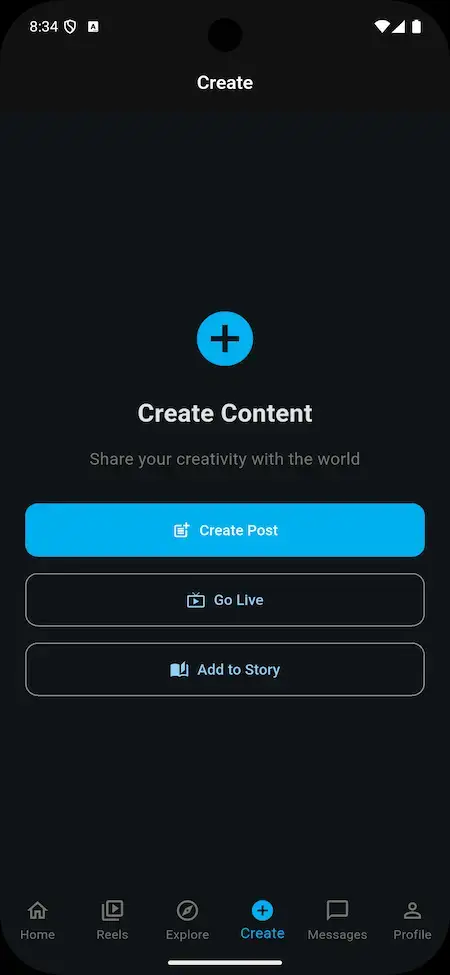
Patreon Clone app Create Content screen with Create Post, Go Live and Add to Story buttons.Patreon Clone app Create Post screen with six post types and Public, Followers and Paid privacy settings.
Live demo
CREATOR APP

Creator App - Posts, Prices & Live

The creator side on a phone: publish text, image, video, audio, poll and quiz posts, pick Public, Followers or Paid, go live or add a story.

  1. 1Open the app portal and pick your phone
  2. 2Sign in with the creator login below
  3. 3Explore: Create Post, Go Live, Add to Story
Try:creator@demo.com | Create_321
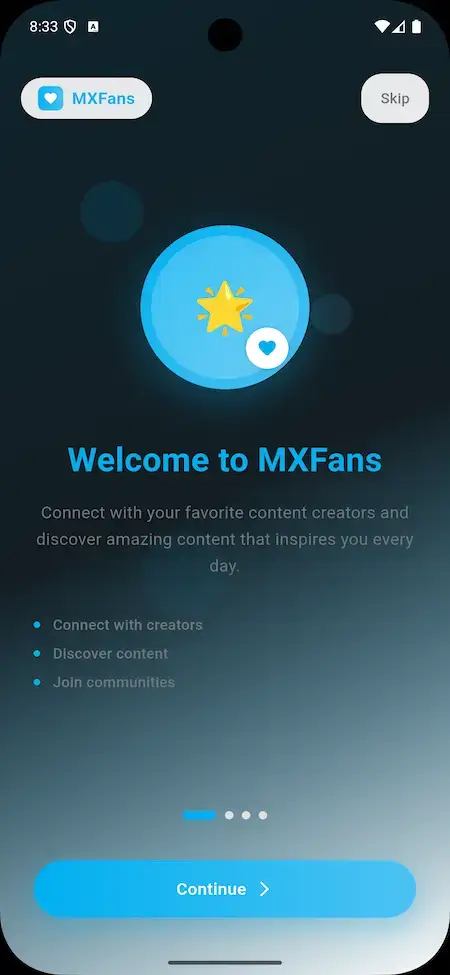
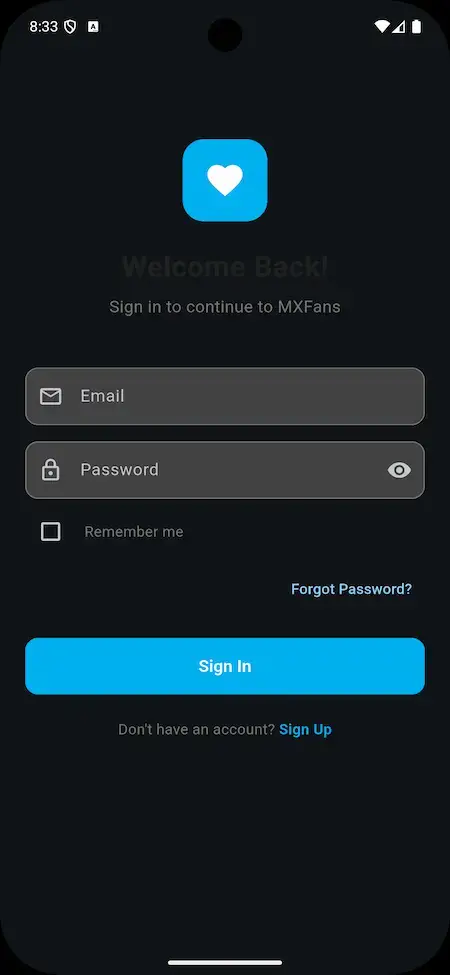
Patreon Clone app welcome screen with the points connect with creators, discover content and join communities.Patreon Clone app sign-in screen with email, password, remember me and a sign-up link.
Live demo
WEB PANELS

Web Panels - Subscriber & Creator

The browser versions of both sides, for members and creators who would rather work from a desktop than a phone.

  1. 1Open the demo site in a browser tab
  2. 2Sign in as a subscriber or as a creator
  3. 3Explore: Profiles, Posts, Subscriptions
Try:user@demo.com | User_321 or creator@demo.com | Create_321
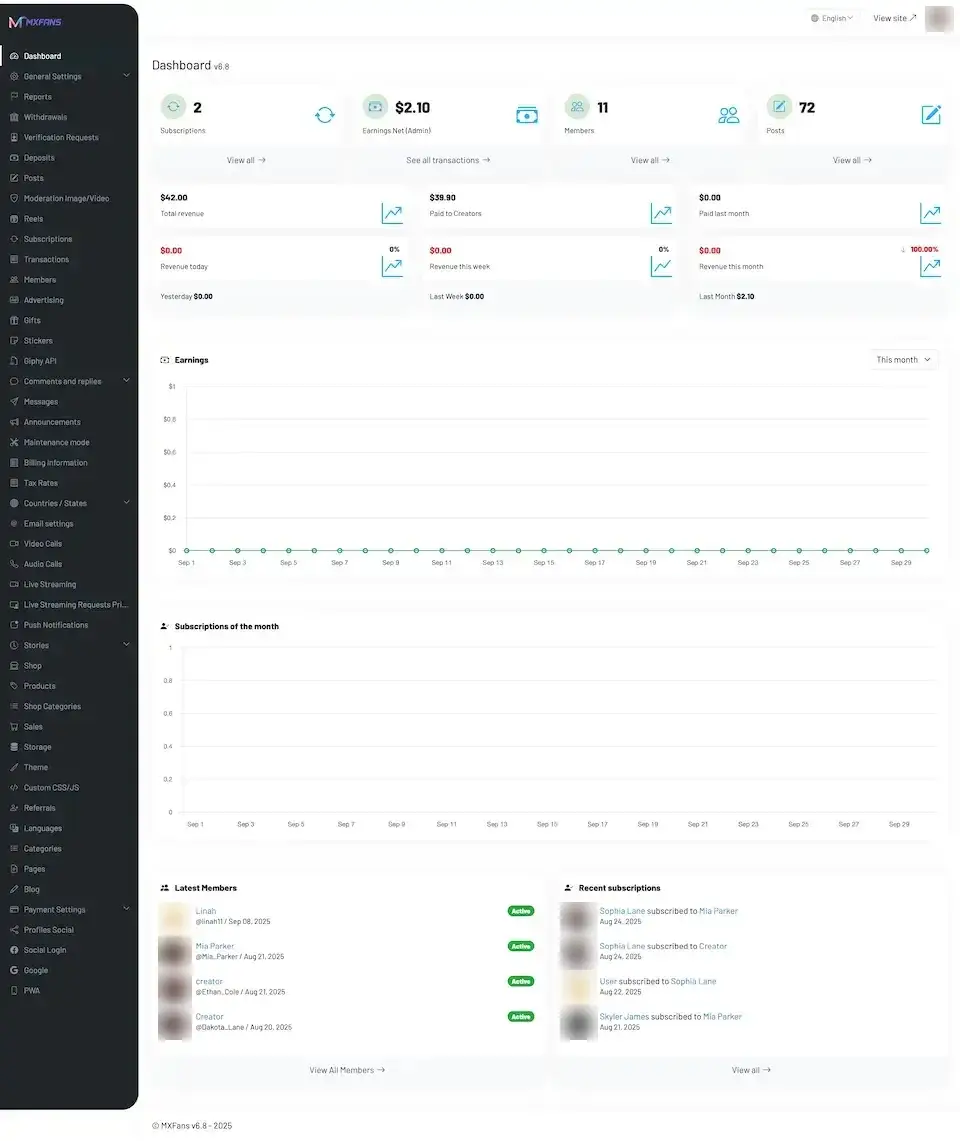
mxfans.mimeld.comPatreon Clone admin dashboard with subscription, earnings, member and post tiles, revenue figures, an earnings chart and a menu of admin sections.
Live demo
ADMIN PANEL

Admin Panel - Members, Moderation, Subscriptions & Payouts

The operator console: dashboard tiles, members, posts and moderation, subscriptions, transactions, deposits, withdrawals and settings.

  1. 1Ask the team for the admin demo login
  2. 2Open the admin panel with it
  3. 3Explore: Dashboard, Moderation, Withdrawals
Admin login:available on request
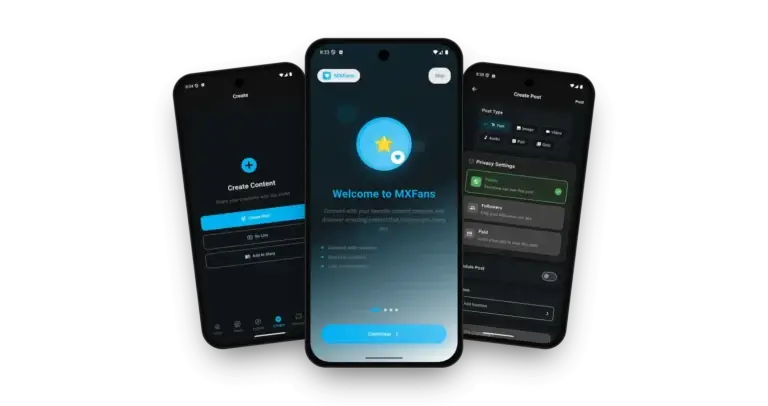
Patreon Clone on three phones: the welcome onboarding screen, the creator content hub and the post composer with privacy options

See It With Us

Patreon Clone Walkthrough: Posts, Access Levels, Messages & Admin Panel

A live demo call is the quickest way to see all four surfaces. In 30 minutes we open the subscriber app, the creator app, the web panels and the admin panel, and tie each one to your own plan: your prices, your commission and your launch date.

Schedule a live walkthrough call.

Every Screen Mapped

Patreon Clone App Flows - Mobile App & Admin Dashboard

From the splash screen to a direct message: the real screens of the app, with faces and logos blurred, and the admin dashboard, in the order members and creators meet them.
Patreon Clone app splash screen with the MXFans logo on a white background.
Patreon Clone app welcome screen with the points connect with creators, discover content and join communities.
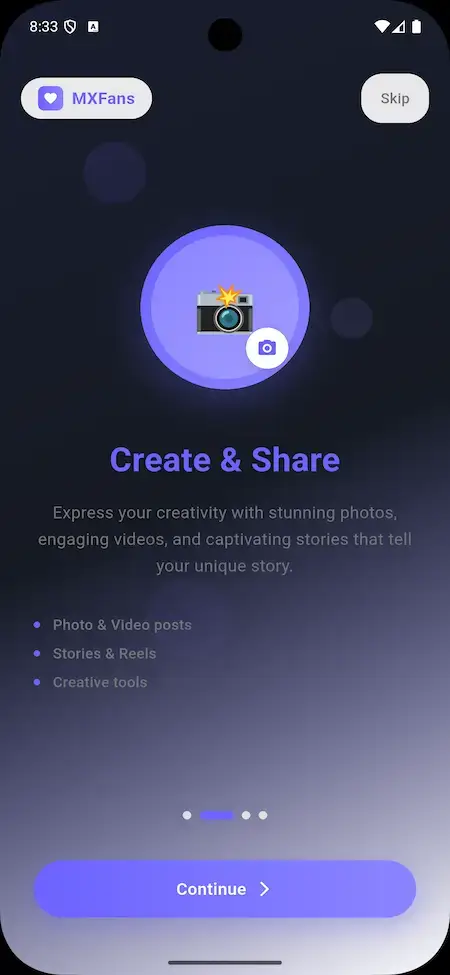
Patreon Clone app onboarding screen Create and Share with photo and video posts, stories and reels.
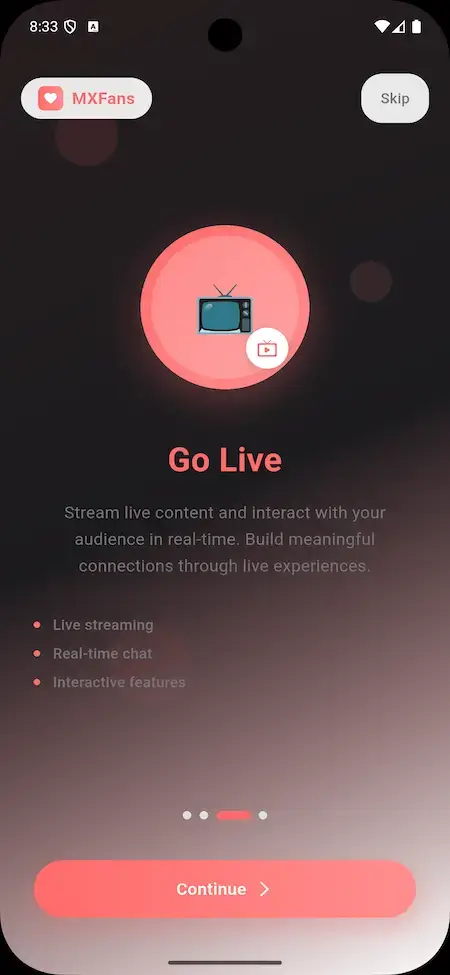
Patreon Clone app onboarding screen Go Live with live streaming, real-time chat and interactive features.
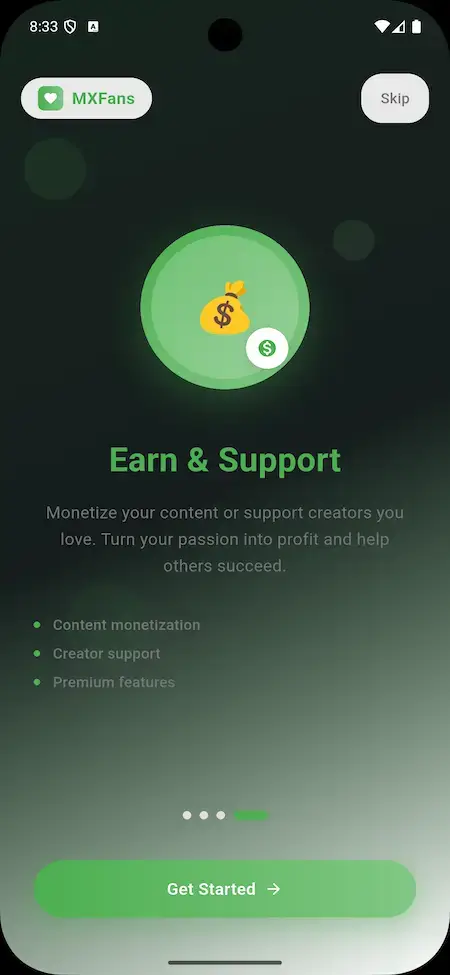
Patreon Clone app onboarding screen Earn and Support with content monetization and creator support.
Patreon Clone app sign-in screen with email, password, remember me and a sign-up link.
Patreon Clone app home feed with posts, like, comment, share and save icons and a bottom bar of Home, Reels, Explore, Create, Messages and Profile.
Patreon Clone app Create Content screen with Create Post, Go Live and Add to Story buttons.
Patreon Clone app Create Post screen with six post types and Public, Followers and Paid privacy settings.
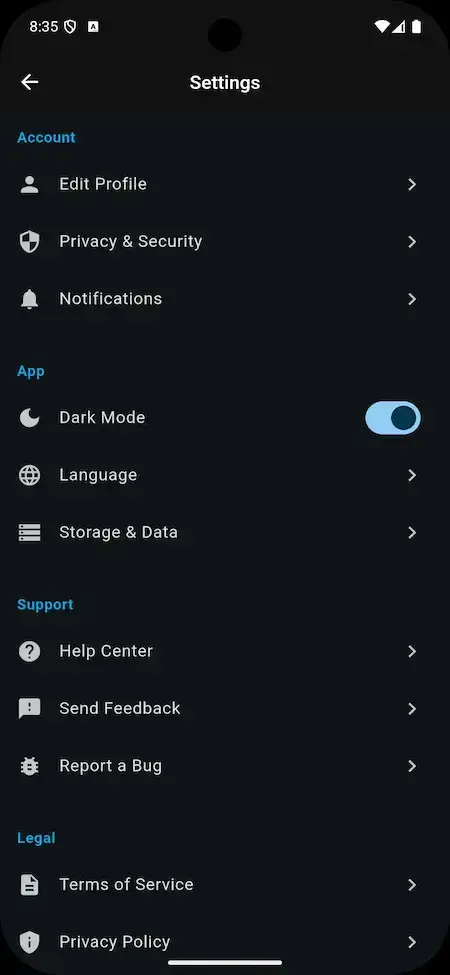
Patreon Clone app settings screen with profile, privacy and security, notifications, dark mode and language.
Patreon Clone app direct message screen with video and voice call buttons, an attachment button and a message box; photos are blurred.
11 screens · scroll →
Patreon Clone admin dashboard with subscription, earnings, member and post tiles, revenue figures, an earnings chart and a menu of admin sections.
1 screen

Follow a member from sign-in and onboarding to the feed, and a creator from the Create Content screen to a post with an access level, then see the admin dashboard that sits behind both.

Explore Our Solutions

02Proof

Client Voices

Patreon Clone Client Reviews - Operators in Their Own Words

What clients say about building on Miracuves bases. Two of these describe creator subscription platforms; the others come from other industries and are shown exactly as their authors gave them.

DDaniel GroganDirector of Operations, Bigr Impact Media LTD
“OnlyAlphas is a creator platform for premium content — subscriptions, pay-per-view posts, DMs, and creator-side analytics. Building that with proper payment, DM, and content moderation, all on day one, is a serious effort. Miracuves's MXCreator base covered the subscription engine, the DM layer, the pay-per-view post flow, and the moderation tools. We added our branding, our local payment methods, and a custom creator-analytics dashboard. We launched in 6 weeks. Creator onboarding has been strong and the platform's been stable through our traffic peaks.”
LLascelle SwazeyFounder, Pixxie Creations
“Pixxie is a creator subscriptions platform — creators post content, fans subscribe, the platform handles the billing and the messaging. We tried a couple of off-the-shelf options and they all fell short on the creator analytics and the discovery side. Miracuves's MXCreator base gave us the subscriptions, the DM, and the pay-per-view flows. We added a custom discovery feed, a creator-collab module, and our branded payouts. We launched in 7 weeks. Creator retention at 90 days is at 68%, which is what we needed to make the unit economics work.”
DDr. Vivek RungtaFounder & Chief Dermatologist, Dermacian
“Every HMS I tried was built for general physicians, with no lesion mapping, no before/after tracking, and no procedure-based billing. Their MXHealth base gave us the patient app, doctor app, EMR and video consult out of the box. Front-desk time on scheduling and follow-ups is down ~70%, and we went fully digital in 9 months, where a fully custom job would have been 18.”
AAndre GittensCEO, Ride Corporation
“Turo is the obvious reference, but the Caribbean specifics, from different insurance norms to different payment rails, meant we needed a real partner, not just a clone. Miracuves’s MXCar base covered the listing, the trip flow, and the host payouts. We launched in 6 working days and are live in three islands.”
MMarsha WilliamsFounder, Bmore On Demands LLC
“The team was running it on a dispatcher and a Google Sheet, and we needed a real platform quickly, because we were about to onboard a major retail client. Miracuves’s Delivery Genie base gave us the rider app, the dispatch console, and live tracking. We launched in 6 weeks and cleared 4x the previous order volume in the first month.”
TTiffany DandreaOperations Director, Best Cabo Yacht Rentals
“We were running it on phone calls and a paper calendar, and we were losing bookings to bigger OTAs. Miracuves’s GetmyBoat Clone base gave us the calendar, the booking flow, and the payment engine. Online bookings are up roughly 70% in the first six months, and the ops team finally has a live view of the fleet.”
DDr. Carlos A. PalermoCo-founder & CEO, Doctta Health
“Building a compliant telehealth stack from scratch in three markets would have been a year-plus effort. Miracuves’s MXHealth base covered the patient and doctor apps, video consult, e-prescription and the pharmacy integrations. We launched in our first market in 9 weeks and rolled out to two more in the following six months.”
BBrian LatailleVP Logistics Technology, IBC Tanks Canada
“We were juggling spreadsheets, a third-party GPS provider, and a phone. We needed a single operations console. Miracuves’s MXLogistics base covered the trip lifecycle, the driver app, and the customer tracking page. We’ve cut operations admin time by about 40%.”
Read More Client TestimonialsOperators and founders in their own words

What You Can Verify

Patreon Clone Case Study - What Has Been Published and What You Can Verify Yourself

Miracuves has published no named client deployment of this membership platform, so there is no case study to condense. What we can offer as evidence is the demo, the app screens and the release log, and this section explains how to use each of them.

Case Study
No Client Deployment Is Published for This Product

Miracuves has not published a named client build of this membership platform, and it will not present one that does not exist. What it can show is a working demo, eleven real app screens, an admin dashboard and a short release log.

Subscriber, creator, web, adminSurfaces to open
Versions V1.0 and V2.0Release log span
Six post types, three access levelsWhat the demo shows
4Surfaces in the demo
11App screens shown
6 daysBuild time
Patreon Clone admin dashboard with subscription, earnings, member and post tiles, revenue figures, an earnings chart and a menu of admin sections.
Challenges
  • Sign in to the app with the demo login and scroll the home feed
  • Open Create Post and compare the Public, Followers and Paid options
  • Open Create Content and find Go Live and Add to Story
  • Read the release log entry by entry
Goal
  • Mention any client who has not consented to being named
  • Pass off another product's quote or figure as this product's
  • Count an add-on, such as tier-gated posts, as part of the base build
Solution by Miracuves
  • Apply your logo, icons and palette across the apps and web platform
  • Set up your gateways, commission and content rules
  • Install on your hosting and deliver the complete source code
  • Build time on the base: 6 working days

A named deployment will appear here only after a client agrees to be named and its case study is published.Miracuves · Our position on case studies

Related work: two published case studiesOnlyAlphas and Pixxie are creator subscription platforms built on the related OnlyFans Clone base, not on this product.

03The product

The Basics

What the Patreon Clone App Does for Creators and Subscribers

A Patreon Clone is a ready-made creator membership platform. Creators publish posts and decide what their audience pays, subscribers follow, subscribe, unlock paid posts and message the people they support, and the operator runs members, moderation and money from an admin panel.

Patreon Clone on three phones: the welcome onboarding screen, the creator content hub and the post composer with privacy options

More Than a Feed

The value sits around the posts: creator pricing, access levels, tips, messages, live streaming and an admin console that follows subscriptions and withdrawals.

Yours to Change

The complete source code arrives unencrypted, so your team can reshape flows and screens as the community grows. Nothing is charged per seat.

Plain About What Is Extra

Tier-gated posts, creator analytics, regional payout methods and team access are add-ons priced on their own. They are listed as add-ons, never counted as base features.

Web, Android & iOS

What Is a Patreon Clone Script?

The hard part of a membership platform is not the feed. It is the creator side, where each creator picks post types, access levels and prices, plus the subscription, deposit and withdrawal records the operator has to stand behind. Those parts ship working.

Patreon Clone admin dashboard with subscription, earnings, member and post tiles, revenue figures, an earnings chart and a menu of admin sections.
  1. 01Subscriber and creator apps with sign-in and onboarding
  2. 02Posts in six formats with Public, Followers or Paid access
  3. 03Direct messages, tips, live streaming and stories
  4. 04Subscriptions, deposits and withdrawals in one ledger
  5. 05Admin panel with members, moderation and reports

You receive four surfaces: a subscriber app, a creator app, web panels for both and an admin panel with 47 menu entries. The apps are Flutter and the complete source code comes with them.

Everything Included

Patreon Clone Features - Tiers, Posts, Paid Access, Messages, Live & Admin Panel

The rows below come from what the demo screens, the admin dashboard and the release log show. Whatever needs an extra module appears further down the page as an add-on.

Feature 01 / 12

Subscription Prices & Plans

Creators decide what their audience pays. Each creator sets a subscription price and subscribers choose a plan from the creator profile. Several tiers or discounts are not in the demo and would be custom work.

  • Creator-set subscription prices
  • Plan chosen from the creator profile
  • Subscriptions managed from the user account
  • A Subscriptions section inside the admin panel
Feature 02 / 12

Posts in Six Formats

The Create Post screen starts with a post type: text, image, video, audio, poll or quiz. Privacy, scheduling, location and an optional title follow.

  • Text, image, video, audio, poll and quiz posts
  • Optional post title
  • Schedule Post switch
  • Location added to a post
  • Photos, videos and live streams uploaded from the web panel
Feature 03 / 12

Public, Followers & Paid Access

Every post carries its own access level. Public shows it to everyone, Followers limits it to the people who follow, and Paid asks users to pay before they can view it.

  • Public: everyone can see the post
  • Followers: only followers can see it
  • Paid: users must pay to view the post
  • Privacy Settings panel on every new post
  • Access levels set when content is uploaded
Feature 04 / 12

Pay-Per-View Posts

A paid post is sold as its own item. The creator marks it Paid, subscribers pay to view it, and the payment lands in the transactions list.

  • Paid option on the Create Post screen
  • Pay-per-view listed as a creator income source
  • Payments recorded in the Transactions menu
  • Integrated payment gateways for purchases
  • Posts menu to review paid content
Feature 05 / 12

Tips & Gifts

Subscribers can show appreciation with a tip, which gives a creator income beyond subscriptions and posts. The admin panel also carries a Gifts menu.

  • Tip feature for subscribers
  • Tips counted as a creator income source
  • Gifts menu in the admin panel
  • Tips and purchases share the payment gateways
Feature 06 / 12

Messages, Requests & Calls

Creators and subscribers talk in private direct messages, with an attachment button and video and voice call buttons in the chat header. Subscribers can also ask for custom content for an extra fee.

  • Private direct messages
  • Attachment button and message box
  • Video and voice call buttons in the chat
  • Custom content requests for an extra fee
  • Messages, Video Calls and Audio Calls menus in the admin panel
Feature 07 / 12

Live, Stories & Reels

The Create Content screen offers Create Post, Go Live and Add to Story, and the bottom bar has a Reels tab, so creators can mix posts with live and short formats.

  • Go Live button for creators
  • Add to Story button
  • Reels tab in the app
  • Live Streaming and Live Streaming Requests Price menus
  • Stories and Reels menus in the admin panel
Feature 08 / 12

Feed & Discovery

The home feed shows posts with like, comment, share and save icons. Search, an Explore tab and categories help subscribers find creators by interest.

  • Like, comment, share and save on every post
  • Search icon on the home feed
  • Explore tab in the bottom bar
  • Category, tag and keyword search
  • Notifications bell with push notifications
Feature 09 / 12

Creator Profiles & Verification

Creators build a profile with a picture, a bio and linked payment methods, and the admin panel has a Verification Requests menu for reviewing who asks to be verified.

  • Profile picture and bio
  • Payment methods linked to the profile
  • Edit Profile in the app settings
  • Verification Requests menu for admins
  • Members menu listing every account
Feature 10 / 12

Deposits, Withdrawals & Payouts

The admin panel keeps the money side in view: deposits, withdrawals, transactions and payment settings, with the dashboard showing total revenue and what was paid to creators.

  • Deposits and Withdrawals menus
  • Transactions list
  • Payment Settings menu
  • Multiple payment gateway integrations in release V2.0
  • Dashboard tiles for total revenue and paid to creators
Feature 11 / 12

Moderation, Reports & Members

Administrators review what creators publish. A Moderation Image/Video queue, Posts and Comments menus, Reports and member controls keep the platform in the operator's hands.

  • Moderation Image/Video menu
  • Posts and Comments and replies menus
  • Reports menu
  • Review and approve content submissions
  • Verify, suspend or delete member accounts
Feature 12 / 12

Branding, Languages & Settings

The admin panel runs the look and the rules: theme, custom CSS and JS, pages, a blog, languages, announcements and a maintenance mode. The app adds dark mode and a language setting.

  • Theme and Custom CSS/JS menus
  • Pages and Blog menus
  • Languages menu and an in-app language setting
  • Announcements and Maintenance mode
  • Dark mode in the app settings

Before you buy, note this: Delivery covers the platform, rebranded and deployed. Hosting and a domain, a developer account for each store, your brand assets, a payment gateway account with its checks completed and any third-party keys are yours to bring. App store review belongs to Apple and Google and is separate from our 6-day build.

Talk to Our Team

Operate It Day to Day

Patreon Clone Admin Panel - Members, Moderation, Subscriptions & Payouts

One console covers the operator's day: who joined, what was posted, what needs review, what subscribers paid and what creators have asked to withdraw.

Patreon Clone admin dashboard with subscription, earnings, member and post tiles, revenue figures, an earnings chart and a menu of admin sections.

Admin Panel Sections

  • 01

    Dashboard & Earnings

    Tiles for subscriptions, net earnings, members and posts, revenue and payout figures for today, this week and this month, an earnings chart and lists of the latest members and subscriptions.

  • 02

    Members & Verification

    A members list with account status, plus a Verification Requests menu for creators who ask to be verified. Administrators can suspend or delete accounts.

  • 03

    Posts & Moderation

    Posts, Comments and replies, Reels and Stories menus and a Moderation Image/Video queue, so what creators publish can be reviewed.

  • 04

    Subscriptions & Transactions

    Every subscription and every transaction in its own list, beside Gifts, Advertising and Referrals menus.

  • 05

    Deposits & Withdrawals

    Deposits coming in, withdrawals going out and the payment settings behind them, with menus for billing information and tax rates.

  • 06

    Messages, Calls & Live

    Messages, Video Calls, Audio Calls and Live Streaming menus, a separate price setting for live streaming requests and push notifications.

  • 07

    Shop & Categories

    Shop, Products, Shop Categories and Sales menus, and a Categories menu used to organize content.

  • 08

    Content, Themes & Settings

    Pages, Blog, Theme, Custom CSS/JS, Languages and Announcements menus, email and storage settings, a maintenance mode, social login and PWA settings.

Money Movement

The finance side of the console, from a member's payment to a creator's withdrawal.

  • Deposits and withdrawals in separate menus
  • Transactions list
  • Payment Settings menu
  • Billing information and tax rates

Settings & Tools

The controls behind the public site and the daily operation.

  • General Settings menu
  • Email settings and push notifications
  • Storage and maintenance mode
  • Countries / States and Languages

Want more from the console? Additional reports, another payout schedule, more languages or a bespoke approval step are each scoped separately. Tell us what the operations team requires and the quote comes back in writing.

Talk to Our Team

04Package and price

The Full Package

Package Contents: Source Code, Apps & Deployment for Your Patreon Clone

What you receive is a working platform, not a set of parts: the subscriber and creator apps, the web panels, the admin panel and the complete source code. You take full ownership, with no charge per seat or per run.

01

Full Source Code

The complete source for the web platform and the mobile apps, with no encryption, so your team can change it to suit your community.

  • Web platform source, unencrypted
  • Flutter source for the Android and iOS apps
  • Yours to modify, extend and redeploy
  • Source code comes along with the project
02

Rebranding & Deployment

We rebrand the web platform and both apps with your logo, icons and color scheme and deploy them on your hosting.

  • Your logo, icons and palette put in place
  • Web platform and apps both rebranded
  • Deployment to your hosting
  • Done by us, not left as homework
03

Messaging, Calls & Alerts

Direct messages with video and voice call buttons, plus push notifications and the notifications bell in the app.

  • Private direct messages
  • Video and voice call buttons
  • Push notifications
  • Messages, calls and push menus in the admin panel
04

Subscriber App

A Flutter app for members: sign-in, onboarding, the home feed, Reels, Explore, Create, Messages and Profile tabs.

  • Home feed with like, comment, share and save
  • Explore, Reels and Messages tabs
  • Settings with dark mode and language
  • Published from your own developer accounts
Patreon Clone app home feed with posts, like, comment, share and save icons and a bottom bar of Home, Reels, Explore, Create, Messages and Profile.
05

Creator App

A Flutter app for creators: Create Post with six post types, access levels and scheduling, Go Live and Add to Story.

  • Six post types
  • Public, Followers or Paid access
  • Go Live and Add to Story
  • Creator profile and settings
Patreon Clone app Create Post screen with six post types and Public, Followers and Paid privacy settings.
Patreon Clone admin dashboard with subscription, earnings, member and post tiles, revenue figures, an earnings chart and a menu of admin sections.
06

Admin Panel

The operator console with dashboard tiles, an earnings chart, members, posts, moderation, subscriptions, transactions, deposits and withdrawals.

  • Dashboard with revenue and earnings chart
  • Members, verification and moderation
  • Subscriptions, transactions and withdrawals
  • Theme, pages, languages and settings
07

Web Panels

Browser panels for subscribers and creators, so the platform is not limited to the phone.

  • Subscriber panel on the web
  • Creator panel on the web
  • Photos, videos and live streams from the web panel
  • Sign in at the demo login page
08

App Publishing & Support

We publish the apps from your own store developer accounts, and three support periods run side by side from launch.

  • Publishing from your developer accounts
  • The 6 days do not include store review
  • 60 days guidance and 6 months bug fixes
  • 12 months of product updates

Want to see it before deciding? Sign in to the demo as a subscriber or as a creator, or ask for a guided tour. We can walk you through the feed, the Create Post screen with its access levels and the admin dashboard, each set against your own plan.

Talk to Our Team

Transparent Pricing

How Much Does It Cost to Build a Creator Membership Platform Like Patreon?

The launch-ready white-label Patreon Clone is a fixed price of $3,699. Work beyond the base, such as add-ons, extra integrations or custom flows, is scoped and quoted separately in writing.

Most Popular

Professional

Ready-Made Launch Package
$3,699/-paid once
Ships in 6 days

Chosen by: Creator-economy startups, media and community brands, agencies with a roster of creators

The platform arrives as the demo shows it, rebranded to your logo, icons and colors, and deployed on your own hosting.

Get Started

Enterprise

Custom Builds for Larger Scope
Customquote
Go-live: based on final scope

Chosen by: Publishing groups, multi-brand networks, multi-country creator platforms

Need flows the base does not have? We build to your requirements and agree the scope and price before work starts.

Request a Quote

Go Deeper

Four Guides to Creator Memberships, Side by Side

Four guides from the Miracuves blog - tiers, recurring revenue, how creators use memberships and how to start the business - each going deeper than this overview.

05Who it is for

Know Your Buyer

Who Is This Patreon Clone App For?

It suits anyone who wants creators and their audiences under a brand of their own, and who would rather run that community under their own name than send both sides to someone else’s platform.

Audience 01 / 06Creator Network Founders

Founders building a membership network where creators set their own prices and publish to paying audiences, with the commission paid to the operator.

Audience 02 / 06Media & Publisher Brands

Publishers who want paid access to writers, podcasters or video hosts under their own name rather than a listing on a third-party site.

Audience 03 / 06Agencies With a Creator Roster

Agencies that manage creators and want one branded home for their memberships, messages and payouts instead of many separate accounts.

Audience 04 / 06Communities & Membership Clubs

Fan clubs, hobby groups and member organizations that want posts, live sessions and direct messages behind a subscription.

Audience 05 / 06Educators & Coaches

Teachers and coaches who publish lessons as posts, go live for sessions and keep members in private direct messages.

Audience 06 / 06Artists & Musician Collectives

Groups of artists and bands who share a platform, each with their own profile, prices and paid posts.

If your business depends on creators finding paying audiences, a branded membership platform puts the subscriptions, the payments and the relationship on your side of the table, with the source code to prove it.

Talk to Our Team

Where It Fits

Patreon Clone Use Cases - Memberships, Paid Posts, Podcasts, Coaching & Fan Clubs

Different operators lean on different parts of the same product. A creator network puts prices and commission first, a pay-per-view hub puts the Paid access level first, and a coaching community puts live sessions and messages first. You set the emphasis in configuration.

MembershipsNetworkCreator Membership Network

Open a network where each creator sets a subscription price, publishes posts and keeps the audience on your platform, while you earn commission and run the admin panel.

01
Patreon Clone app Create Post screen with six post types and Public, Followers and Paid privacy settings.
Pay-Per-ViewPostsPay-Per-View Content Hub

Build a catalog of paid posts across text, image, video and audio, where each post is marked Paid and unlocked one at a time.

02
Patreon Clone app home feed with posts, like, comment, share and save icons and a bottom bar of Home, Reels, Explore, Create, Messages and Profile.
AudioMembersPodcast & Audio Memberships

Give audio creators a place to publish audio posts, go live and answer members in direct messages behind a subscription.

03
Patreon Clone app direct message screen with video and voice call buttons, an attachment button and a message box; photos are blurred.
ArtistsStudioArtist Studio Platform

Let artists post work in progress, sell finished pieces through the shop menus and take custom requests from supporters for an extra fee.

04
Patreon Clone admin dashboard with subscription, earnings, member and post tiles, revenue figures, an earnings chart and a menu of admin sections.
CoachingLearningCoaching & Educator Community

Run lessons as posts, quizzes and polls, host live sessions and keep each member in a private chat with the coach.

05
Patreon Clone app onboarding screen Go Live with live streaming, real-time chat and interactive features.
Fan ClubBrandFan Club for a Brand or Team

Give a brand, team or public figure a branded club with Followers-only posts, paid extras, stories and reels for the most loyal fans.

06
Patreon Clone app Create Content screen with Create Post, Go Live and Add to Story buttons.

One product, six ways to use it. All six cases share the apps, the web panels and the admin panel. What differs is which creators you invite, what commission you set, which post types you promote and how it is branded, so there is a single codebase to look after.

Talk to Our Team

Industries

Industries We Serve

The Patreon Clone suits any business that connects creators with people who will pay to follow them. Creator networks host many niches. Musicians and bands sell early listens and live sessions. Podcasters put bonus episodes behind a subscription. Video creators and artists share work in progress. Writers and educators publish lessons. Fitness coaches run paid groups. Clubs and communities keep members close. Publishers, agencies and studios give a roster of creators one branded home.

  1. 01Creator Networks
  2. 02Musicians & Bands
  3. 03Podcasters
  4. 04Video Creators
  5. 05Artists & Illustrators
  6. 06Writers & Educators
  7. 07Fitness Coaches
  8. 08Supporter Clubs
  9. 09Membership Communities
  10. 10Media Publishers
  11. 11Agencies & Studios
  12. 12Charities & Causes

Miracuves’ Patreon Clone is a membership platform you can adapt to any creator business model, with the posts, access levels and admin panel carrying your name from the first screen.

06Under the hood

End to End

How the Patreon Clone Works - Sign Up, Set Prices, Post, Subscribe, Unlock & Engage

To a member a subscription is a few taps. Underneath it is a chain of profile, post, access level and payment. Below is that chain from sign-up to engagement, followed by the structure that carries it.

Member and Creator Journey - From Sign-Up to a Paid Subscription

  1. Patreon Clone app sign-in screen with email, password, remember me and a sign-up link.
    1Sign Up & Verify Email

    A user registers with basic details and verifies the email address. The sign-in screen takes an email and password and offers remember me, forgot password and a sign-up link.

    • Email and password sign-in
    • Email address verification
    • Remember me and forgot password
  2. Patreon Clone app settings screen with profile, privacy and security, notifications, dark mode and language.
    2Build a Creator Profile

    A creator adds a profile picture and a bio, links payment methods and finds Edit Profile, privacy and notification options in the app settings.

    • Picture, bio and payment methods
    • Edit Profile and Privacy & Security
    • Notifications and language settings
  3. Patreon Clone app Create Post screen with six post types and Public, Followers and Paid privacy settings.
    3Publish a Post

    The Create Content screen leads to Create Post, Go Live and Add to Story. A post gets a type, an access level and, if wanted, a schedule.

    • Six post types
    • Public, Followers or Paid
    • Schedule Post and location
  4. Patreon Clone app onboarding screen Earn and Support with content monetization and creator support.
    4Subscribe & Pay

    A subscriber browses creator profiles, picks a subscription plan and pays with a card or digital wallet through the integrated payment methods.

    • Plans shown on creator profiles
    • Cards and digital wallets
    • Payments recorded as transactions
  5. Patreon Clone app home feed with posts, like, comment, share and save icons and a bottom bar of Home, Reels, Explore, Create, Messages and Profile.
    5Open the Content

    Subscribers see the creators they follow in the feed, with regular updates, personal interactions and, for paid posts, the unlock they paid for.

    • Home feed with like and save
    • Reels and Explore tabs
    • Paid posts unlocked after payment
  6. Patreon Clone app direct message screen with video and voice call buttons, an attachment button and a message box; photos are blurred.
    6Engage & Manage

    Members like, comment and message creators, join live streams and manage their subscriptions, profile and notification settings from one account.

    • Likes, comments and direct messages
    • Live streams and calls
    • Subscription and notification settings
Visual Flow DiagramSign upSet pricesPostSubscribeUnlockEngage

How It's Built

Patreon Clone Platform Architecture & Content Flow

Talk to Our Team
  1. Layer 01

    Four Surfaces, Separate Logins

    The subscriber app, creator app, web panels and admin panel are separate surfaces with their own sign-ins, so a member never opens the operator console.

  2. Layer 02

    Post Access Levels

    Each post is saved with an access level, Public, Followers or Paid, and that is what decides who can open it.

  3. Layer 03

    Money Records

    Subscriptions, transactions, deposits and withdrawals each have their own list in the admin panel, so a payment can be traced from member to creator.

  4. Layer 04

    Moderation Path

    Posts, Reels, Stories and comments can be reviewed from admin menus, with a Moderation Image/Video queue for uploaded media.

  5. Layer 05

    Live & Calls

    Live streaming, video calls and audio calls are separate admin menus with their own settings, including a price for live streaming requests.

  6. Layer 06

    Notifications

    Push notifications have an admin menu, and the apps show a notifications bell so activity reaches members between visits.

Under the Hood

Patreon Clone Tech Stack - Laravel, MySQL, Flutter & Payment Gateways

Running a membership platform takes a reliable web tier, a database that keeps subscriptions and payments consistent, and mobile apps with a native feel. The product pages list what this platform is built from.

WEB & ADMIN

Web Platform

PHP · Laravel
  • Subscriber panel, creator panel and admin panel
  • Laravel framework on the server side
  • Theme, pages and languages from the admin
DATABASE

Data Tier

MySQL
  • MySQL listed as the database
  • Members, posts and subscriptions
  • Transactions, deposits and withdrawals
  • Settings kept in the admin panel
MOBILE

Subscriber & Creator Apps

Flutter · Android · iOS
  • Flutter full-component apps with current dependencies
  • Subscriber app and creator app
  • Home, Reels, Explore, Create, Messages and Profile tabs
  • Published from your own developer accounts
PAYMENTS

Gateways & Records

Payment gateway APIs
  • Multiple payment gateway integrations in release V2.0
  • Payment Settings menu in the admin panel
  • Deposits, withdrawals and transactions recorded
  • Your own gateway account and checks required
INTEGRATIONS

Third-Party Services

Google Maps · Twilio · Firebase
  • Google Maps for location
  • Twilio listed among the integrations
  • Firebase listed among the integrations
  • Translation and Giphy menus in the admin
HANDOVER

Source & Project Codes

Source · Project · Config
  • Complete source code, unencrypted
  • Mobile projects and project codes
  • Rebranded and deployed by us
  • Yours to modify and extend
Tech buyer notes:

On the web and admin side the listing shows PHP with the Laravel framework and MySQL, while the apps are Flutter for Android and iOS. Services from third parties, including Google Maps, Twilio, Firebase, payment gateway APIs and translation, require your own accounts and keys, supplied at deployment. All the names here are mainstream and easy to hire for.

Talk to Our Team

Build to Scale

Built to Grow - Separate Surfaces, Admin Controls & Honest Limits

The platform is built from separate surfaces around shared records, so adding creators, posts and members is a matter of capacity and configuration rather than a rewrite. No load figures are published for this build, and this section says what is known.

Four Surfaces, Four Logins. Subscriber app, creator app, web panels and admin panel each have their own sign-in, so each can be changed without touching the others.

Moderation Stays Reachable. Posts, Reels, Stories, comments and a Moderation Image/Video queue are admin menus, so review does not depend on a developer.

Heavy Features Have Their Own Settings. Live streaming, video calls and audio calls are separate admin menus, including a price for live streaming requests.

Operations Without Code. Maintenance mode, email settings, storage settings and push notifications are controls in the admin panel.

01

Separate Surfaces

Subscriber app, creator app, web panels and admin panel each have their own sign-in, so each can change without touching the others.

02
PostsReelsStories

Reviewable Content

Everything creators publish has a menu where an administrator can look at it, from posts to stories.

  • Moderation Image/Video menu
  • Posts and Comments menus
  • Reels and Stories menus
  • Reports menu
03

Live & Calls Settings

Live streaming and calls have their own admin menus, with a separate price setting for live streaming requests.

  • Live Streaming menu
  • Live Streaming Requests Price
  • Video Calls menu
  • Audio Calls menu
04
MailStoragePush

Operations Controls

Maintenance mode, email settings and storage settings sit in the admin panel, so routine operations need no code change.

  • Maintenance mode switch
  • Email settings
  • Storage menu
  • Push notifications
05

Mainstream Stack

No load figures are published for this build. The web tier is Laravel with MySQL, the apps are Flutter, and capacity depends on your hosting.

  • Laravel and MySQL web tier
  • Flutter apps for Android and iOS
  • Load test planned before launch
06

Documented Hand-Over

The complete source code is handed over unencrypted, so another team can run and extend the platform without asking us.

Room to Change and Grow. Every creator platform ends up needing something particular to its audience. With the complete source code and a conventional stack, adding a screen, a rule or an integration is ordinary development work that your team or ours can carry out.

Planning a new platform: Begin with the creators you are able to bring in and expand on the single deployment you already run. When traffic climbs, capacity becomes a hosting decision, load testing is a launch task we plan together with you, and whatever lies beyond the base is scoped and quoted separately.

Talk to Our Team

07Security and trust

Built to Be Checked

Patreon Clone Security - Role Separation, Moderation & Honest Limits

A creator platform holds identities, private messages and payment references, so the controls that matter most are who can see what, what gets reviewed and what is still pre-launch work. This section says what the demo and admin panel show and what remains your job.

  1. 01 · Roles
    Role Separation

    Subscribers, creators and administrators use different surfaces, and the admin panel is its own login, so a member never reaches the operator console.

  2. 02 · Content
    Content Review

    Posts, comments and a Moderation Image/Video queue let administrators review submissions and watch activity across the platform.

    • Submission Approval: Moderation and posts menus let an administrator review and approve what creators submit, though your own policy decides what is allowed.
  3. 03 · Accounts
    Accounts & Verification

    A members list and a Verification Requests menu support checking creators, and accounts can be suspended or deleted.

    • Creator Verification: The Verification Requests menu lists creators waiting to be verified, so an approval is a recorded decision rather than an assumption.
    • Account Controls: Administrators can suspend or delete a member account, which is how breaches of your community guidelines are handled.
  4. 04 · Privacy
    Post Privacy

    Each post is Public, Followers or Paid, and the app settings include a Privacy & Security screen with links to terms and a privacy policy.

  5. 05 · Payments
    Payments at the Gateway

    Payments run through the gateways you connect and are recorded as subscriptions, transactions, deposits and withdrawals, with card details kept by the gateway.

    • Withdrawal Review: Withdrawals sit in their own admin menu, which gives payout requests a place to be looked at before money moves.
  6. 06 · Policy
    Reports & Policy

    A Reports menu, announcements and editable pages give you the tools to publish your own rules and see what is happening.

    • Help and Bug Reports: The app settings list a Help Center, Send Feedback and Report a Bug, so members have a route for raising problems.
    • Named Launch Tasks: Penetration testing, key rotation, a restore drill and a review of your payment gateway settings are listed as pre-launch work, not assumed to be done.

The platform holds no security certification and Miracuves does not claim one: what is described here is what the demo and the admin panel show. Penetration testing, secret rotation and a restore test are launch tasks we plan with you.

Discuss Security Before Launch

Platform Readiness

Patreon Clone Operator Readiness - What the Software Gives You and What Stays With You

A creator platform takes money from members, pays it on to creators and publishes what creators post. Miracuves builds the tools for that. The legal and operating duties that come with running it, in each country you serve, belong to you as the operator.

Built for creators; certified under no regime.

On this page, ready describes software you can see working in the demo or the admin dashboard. It does not mean the platform or Miracuves has been licensed, certified or approved by anyone, and nothing here is legal advice.

Built Into the Software

Subscriptions, posts with Public, Followers or Paid access, tips, direct messages, live streaming, a Verification Requests menu, a moderation queue, menus for deposits, withdrawals, billing information and tax rates, and an admin dashboard with reports.

Creator Payouts & Identity

Who may be paid, which identity and tax checks a creator must pass and how a withdrawal is approved are your rules. The admin panel has places to record verification and to handle withdrawals, but it does not run identity checks for you, and your payment gateway has its own onboarding checks.

Tax, Content & Minors

VAT or sales tax on digital goods, the content you allow, your moderation duties and any minimum age for creators and members depend on where you operate. A Tax Rates menu holds the rates you set; the software does not decide whether tax applies or what age is lawful.

Disputes & Chargebacks

Refunds, chargebacks, disputed payouts and member complaints are operator decisions, handled under your terms and your gateway's rules. The software records transactions that support them. It does not settle them for you.

08Extend it

Base buildMXFans
  • Subscriptions & paid posts
  • Tips, messages & live
  • Deposits & withdrawals
  • Admin panel & moderation

Adding a module

  1. 1
    Pick what you need

    Tier gating, analytics, payouts or team access, at launch or later.

  2. 2
    Price agreed first

    Every module is preceded by a written scope and a quote.

  3. 3
    Handed over as code

    The module lands in the source you already hold.

Ask About Custom Modules

Go Further

Patreon Clone Add-Ons - Tier Gating, Analytics, Payout Methods & Team Access

The platform works end to end as the demo shows it. The four modules below are not in the demo today, and each is quoted on its own because the scope depends on your creators and your markets.

  • Revenue

    Tier-Gated Posts

    The demo offers Public, Followers and Paid access. This module ties a post to a chosen tier, so a higher tier opens more posts without a separate payment each time.

    Tiers · Access
  • Revenue

    Creator Analytics Dashboard

    A creator-side view of subscribers, income by source and best-performing posts, shaped to the reports your creators ask for.

    Analytics · Creators
  • Operations

    Regional Payout Methods

    Local payout routes and payment methods for the countries you serve, added next to the gateways already named in the release log.

    Payouts · Regional
  • Operations

    Team & Agency Access

    Let a creator hand posting and messaging to a manager or an agency account that has limited permissions and its own login.

    Teams · Access

The Creator & Video Suite

Your Audience May Want Another Format? Four Neighbors Worth a Look.

The Patreon Clone belongs to a creator and video family. If your plan leans toward personal videos, short clips, live rooms or a streaming library, these four sit closest.

Cameo Clone celebrity shoutouts.01
Pick it if: Your creators sell one-to-one videosCameo Clone

Fans pay talent for personal video messages, with request handling, fulfillment and payouts in one marketplace.

Explore Solution
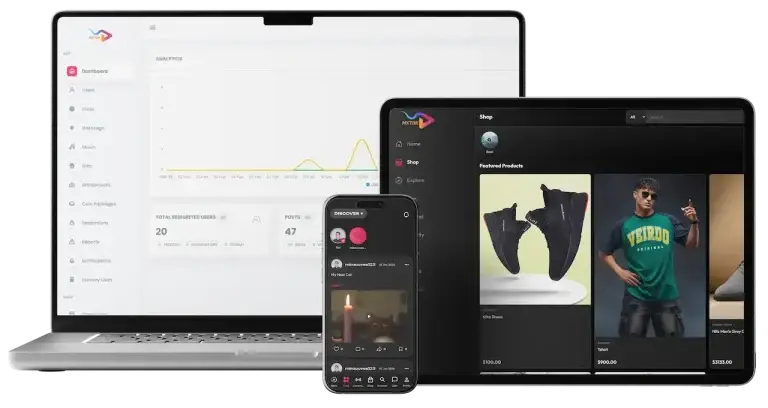
TikTok Clone short-video app on a laptop, a tablet and a phone with an admin dashboard.02
Pick it if: Short clips bring the audience in firstTikTok Clone

A vertical short-video feed with a creator fund and a coin wallet beside it.

Explore Solution
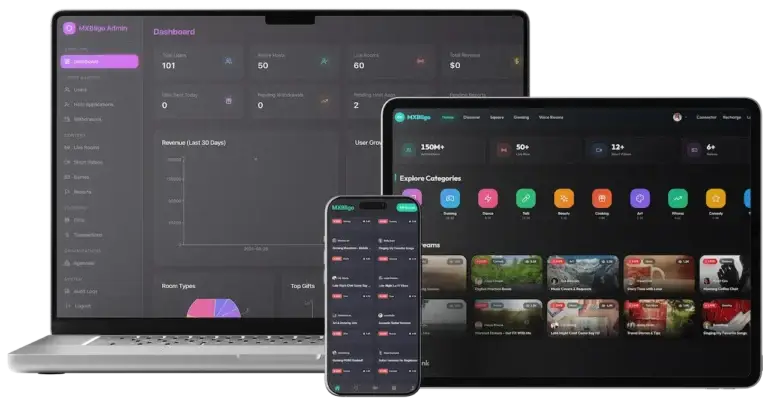
Bigo Live Clone platform across the admin dashboard, the live web app and the phone app.03
Pick it if: Live rooms are the main eventBigo Live Clone

Live rooms where viewers send gifts to hosts, with a host side and an operator dashboard.

Explore Solution
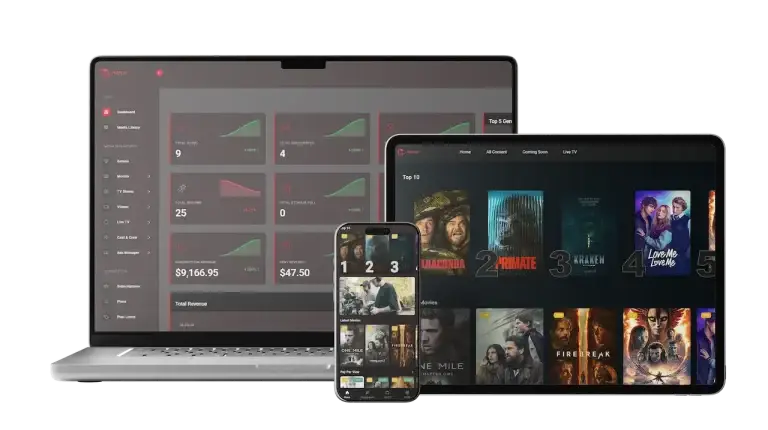
Netflix Clone on a laptop, a tablet and a phone with a streaming catalog and an admin view.04
Pick it if: You publish a curated libraryNetflix Clone

A streaming catalog with a player and subscription plans, for titles you own or license.

Explore Solution
CatalogAll 90+ solutions

09The business case

How Operators Earn

Patreon Clone Revenue Models - Commission, Paid Posts, Tips, Requests & Shop

A creator platform earns in more than one place, and the software keeps each line apart so that changing one leaves the others as they were.

Most of the revenue usually rides on two lines: the commission taken on memberships and the pay-per-view posts layered on top.

  1. 01

    Subscription Commission

    The operator keeps a share of each membership payment and the creator is credited the rest. The admin panel lists subscriptions and transactions side by side, so the split can be checked.

  2. 02

    Pay-Per-View Posts

    A post marked Paid is one that users must pay to view. Each unlock is its own payment, so a single post can earn on top of any membership.

  3. 03

    Tips

    Subscribers can send a creator a tip, a payment that needs no new post. The admin panel also lists Gifts as its own menu beside the transactions list.

  4. 04

    Custom Requests & Paid Messages

    Subscribers can ask a creator for custom content at an extra fee, and private messaging can carry a price of its own. These are charged per request, not per month.

  5. 05

    Transaction Fees

    A fee on the payment itself can recover what the gateway costs. The release log names multiple payment gateway integrations, and the admin panel has a Payment Settings menu for them.

  6. 06

    Shop Sales

    The admin panel lists Shop, Products, Shop Categories and Sales menus, so selling goods beside memberships is a line the console already tracks.

What published creator platforms charge on the lines this software can run: the membership commission, fees on single paid items, tips, card processing and store billing, each figure traced to a fee page or terms document.
Revenue streamHow it is chargedTake rateTypical take rateWhat sets the ceiling
Subscription CommissionA percentage of each membership payment, deducted before the creator is credited.Patreon publishes 10% of income earned; OnlyFans states a 20% fee on each fan payment; Substack leaves writers 90%.What creators will accept for the audience and tools you give them. Ko-fi charges 5% on memberships, or 0% on its $12-a-month Gold plan, so a flat fee can undercut a percentage.
Pay-Per-View PostsThe same percentage on one-off unlocks, or a separate rate for single paid items.OnlyFans applies its 20% to every fan payment. Gumroad takes 10% + $0.50 on direct sales and 30% on sales found through its marketplace.What one unlock is worth. A fixed per-sale amount such as Gumroad's 50 cents weighs heavily on a post priced at a few dollars.
TipsUsually passed to the creator with little or no cut, since a tip adds no new work.Ko-fi charges 0% service fee on tips on its free plan, before card processing.Whether creators treat tips as theirs alone. A 0% fee makes tipping a goodwill feature that keeps creators on the platform, not a revenue line.
Transaction FeesA fee on the payment itself, passed to the fan or taken from the creator.For each US card payment, Stripe lists 2.9% + 30c. Patreon passes on 2.9% + $0.30 for cards, and 3.9% + $0.30 for PayPal outside the US.Gateway, card mix and payout currency. Patreon adds a 2.5% currency conversion fee. Subscriptions sold through store billing add the store cut: Apple 30% in year one and 15% after, Google Play 10% + 5% in the US, UK and EEA.
Shop SalesA percentage, or a flat amount per sale, on goods and downloads sold beside memberships.Ko-fi charges 5% on shop sales on its free plan; Gumroad takes 10% + $0.50 on direct sales.Whether goods are digital or physical and who handles tax. Gumroad has acted as merchant of record for sales tax since 1 January 2025, which a self-run shop will not do for you.

How to read this. The commission figures come from the fee pages and terms of Patreon (its pricing page and fee article), OnlyFans (terms of service), Substack, Ko-fi and Gumroad. Card processing comes from Stripe US pricing, and the store figures from Apple and Google Play policy pages. They are fees other businesses charge, shown as modeling inputs: this table is not a quote and not a forecast of what any platform will earn, and your own rates belong in the admin settings.

Want a revenue model built around your own creator community?Design My Revenue Model

Market Benchmarks

Creator Subscription Platform Market Benchmarks - Independent 2025-2026 Data

The revenue models above are ours. The figures below are not. They are published numbers from Fenix International (OnlyFans) as filed at Companies House, YouTube and Substack, reproduced as published. Fan spend, creator payouts and the platform's share are the numbers an operator needs to test a fan-subscription business case against sources anyone can check.

Fenix Intl. Ltd01

$7.8bn Paid by Fans on OnlyFans in 2025

Fenix International, the parent of OnlyFans, reports in its accounts for the year ended 30 November 2025 that gross payments processed through the platform rose from US$7.2 billion in 2024 to US$7.8 billion. Gross payments are what fans paid, net of sales taxes, refunds and contract liabilities. The platform counted 437.1 million fan accounts and 5.06 million creator accounts.

Fenix Intl. Ltd02

$6.2bn Paid to Creators on an 80/20 Split

Fenix International states that OnlyFans maintained a consistent 80/20 revenue distribution, giving creators US$4 for every US$1 the group retained, and paid out US$6.2 billion to creators in the year to 30 November 2025, up from US$5.7 billion. Group revenue was US$1.55 billion and profit before tax US$714.9 million, about 46 percent of revenue.

YouTube03

Over $100bn Paid to YouTube Creators in 4 Years

In its Made on YouTube post of 16 September 2025, YouTube reported that it had paid out over US$100 billion to creators, artists and media companies globally over the last four years. The figure covers all creators on YouTube, not only fan subscriptions, and gives the scale of the wider creator economy.

Substack04

Writers Keep 90% of Revenue on Substack

Substack's own site states that writers keep 90 percent of their revenue minus credit card fees, so the platform retains about 10 percent, and describes a base of 5 million paid subscriptions and counting. It is a published creator-share benchmark for a subscription platform that charges a lower commission than the 20 percent OnlyFans retains.

Where each figure comes from.

Fenix International Limited, Group strategic report and financial statements for the year ended 30 November 2025, filed at Companies House 20 September 2026 - companieshouse.gov.uk

YouTube, The next 20: Powering the future of entertainment together at Made on YouTube, YouTube Blog, 16 September 2025 - blog.youtube

Substack, About Substack, company website, accessed October 2026 - substack.com

All figures are the publishers’ own reported results and published terms, reproduced as published. The 46 percent profit-to-revenue ratio is our arithmetic on reported figures (profit before tax US$714.9 million divided by revenue US$1.55 billion). They describe the market, not the performance of any platform Miracuves builds, and nothing here is a revenue projection for your business.

Market Timing

Why Build a Creator Membership Platform in 2026?

Creators have many places to publish, but fewer places where the audience, the prices and the data are theirs. A membership platform under your own brand gives you the creator relationship, the subscriber relationship and the commission that third-party sites currently keep.

01

Creators Want an Audience They Own

A creator who builds a following on someone else's site rents it. A platform under your brand lets creators keep their subscribers, their prices and their message history in a place you control.

02

Recurring Income Beats One-Off Sales

A subscription pays again each period, which makes a creator's month easier to plan. Paid posts and tips then add income on top without a new product.

03

Fans Pay for Closeness, Not Only Content

Direct messages, live streams, stories and custom requests give subscribers something a public feed cannot, which is the reason to stay subscribed.

04

Access Levels Let One Post Serve Many Audiences

Public posts attract, Followers posts reward, Paid posts earn. One Create Post screen covers all three, so a creator does not run three accounts.

05

Your Brand, Not a Listing on Another Site

When the platform carries your name, the creator roster, the member list and the repeat payments stay with you.

06

Buy Versus Build Settles Quickly

Posts, access levels, messages, live, payments and an admin console are most of a membership platform. After 6 days of our build time, a white-label copy is running on your hosting.

Platform by the Numbers

47

Admin Menu Entries

4

Surfaces, One Codebase

6

Post Types

6

Days of Build Time

Most of the work in a membership platform is the quiet middle: access levels, subscription records, withdrawals and an admin console that reconciles them. Here it is already built.

The Commercial Case

Marketability, Revenue Potential & Business Prospects

A creator platform earns when creators trust it enough to bring their audience and members trust it enough to keep paying. What follows is about making those two decisions easier, and about owning the relationship once they are made.

  1. 01

    Commission on Every Payment

    The operator keeps a share of each subscription and paid unlock, so income grows with creators and members rather than with headcount.

  2. 02

    Several Lines, One Console

    Tips, custom requests, shop sales and advertising sit in the same admin panel as subscriptions, so a new line does not mean a new system.

  3. 03

    Owned Creators and Members

    Accounts, subscriptions and message history sit in your database, so the audience's value stays with your platform and not with a third party.

  4. 04

    Exit Optionality

    You hold the complete source code, so a future change of host, team or direction needs no one's permission.

Main Revenue Levers
  • Subscription Commission
  • Pay-Per-View Posts
  • Tips
  • Custom Requests & Paid Messages
  • Transaction Fees
  • Shop Sales
Long-Term Value

Defensibility comes from creators and their communities rather than features.

  1. 01Creators with a paying audience do not casually move
  2. 02Members with a history of subscriptions have a reason to stay
  3. 03That accumulation starts at launch and stays in your database
  4. 04Fair moderation is the second moat
Example Revenue Scenarios

These three cases differ only in how many creators are on the platform, and each names the lever that leads at that size. They are examples for planning conversations, not predictions of what any platform will earn.

Niche Creator Club10Creators

Subscription commission carries early revenue.

A small community where a handful of creators sell memberships and the commission on each paid subscription covers running costs. Illustrative size, not a forecast.

Regional Creator Network100Creators

Commission plus paid posts and tips.

A network where many creators compete for the same audiences, so pay-per-view posts and tips start to matter alongside the membership commission. Illustrative size, not a forecast.

Multi-Niche Platform1,000Creators

Several niches, with every line active.

A platform spanning many creator niches, where tips, custom requests, shop sales and advertising add up beside commission, and the admin reports show where to focus. Illustrative size, not a forecast.

10Why Miracuves

Why Miracuves

Miracuves Compared With Other Patreon Clone Developers

There are several ways to get a creator membership platform: a generic subscription script, a freelancer, an agency, or a ready-made base from a team that has delivered one before.

Why Founders Choose Miracuves

  • 01

    Creator Tools Included

    Creators get their own app and web panel with six post types, three access levels, live streaming and stories. Generic scripts often stop at a plain subscribe button.

  • 02

    Paid Access Built In

    The Paid access level, tips, custom requests and direct messages are part of the base, so the money story is visible from the first post.

  • 03

    Four Surfaces, One Codebase

    Subscriber app, creator app, web panels and admin panel arrive as separate surfaces that already talk to each other, instead of four projects to join.

  • 04

    Full Source Code Ownership

    The whole codebase arrives unencrypted, so nobody can reprice it or change the terms later.

  • 05

    Moderation From Day One

    A Moderation Image/Video queue, a Verification Requests menu and a Reports menu are in the admin panel at launch, not a later phase.

  • 06

    Plain Readiness Language

    This page says what is a base feature, what is an add-on and what you supply yourself, including gateway accounts, hosting and store developer accounts.

How the Patreon Clone Stacks Up Against Scripts and Agencies, Row by Row

CriteriaMiracuvesMiracuves Patreon CloneGeneric Membership ScriptCustom Dev Agency
Time to Launch6 days of our build timeUnknown or DIYScoped per project, usually months
Source-Code OwnershipComplete, unencryptedOften limited or lockedUsually yes
Creator ToolingSix post types, access levels, live and storiesA plain subscribe pageWhatever the budget allows
Paid Access & MessagingPaid posts, tips, requests and direct messagesVaries by scriptBuilt to order
Payments & PayoutsGateway integrations, deposits and withdrawals menusVaries by scriptCustom integration
Admin & ModerationDashboard, moderation queue, reports, verificationThin or absentBuilt to order, extra cost
Security & ComplianceRole logins, gateway-held card data, honest limitsMinimalVaries widely
Cost vs Speed vs QualityFixed price, fast, tested baseLow price, high riskExpensive and slow
Ongoing Support & Updates60 days guidance, 6 months bug fixes, 12 months updatesRarely offeredSet by the contract

Few routes to a creator platform get through the first months unchanged. This is where they part ways.

Talk to Our Team

Changelog

Release Log for the Patreon Clone - Versions & Updates

Release notes for the platform, newest first. The notes carry no dates.

VersionChangesWhat changed
V2.01 update, 1 fixAdded or updated
Multiple Payment Gateway Integrations
Fixed
Bug Fixes
V1.02 updatesAdded or updated
Added all content creation and subscription
Addons Systems

Let's build together

Let's take your creator platform idea and make it a working platform.

Book a free consultation and leave with a clear timeline and honest answers to your questions. We would rather earn your trust than close a fast sale.

  • Initial response within 2 hrs
  • Free consultation
  • No lock-in contracts
  • Full source code ownership

11Keep reading

Guides & Articles

Patreon Clone App: Newest Guides & Insights

Stay up to date with guides on how creator memberships are structured, how recurring revenue is built and how creators keep fans engaged.
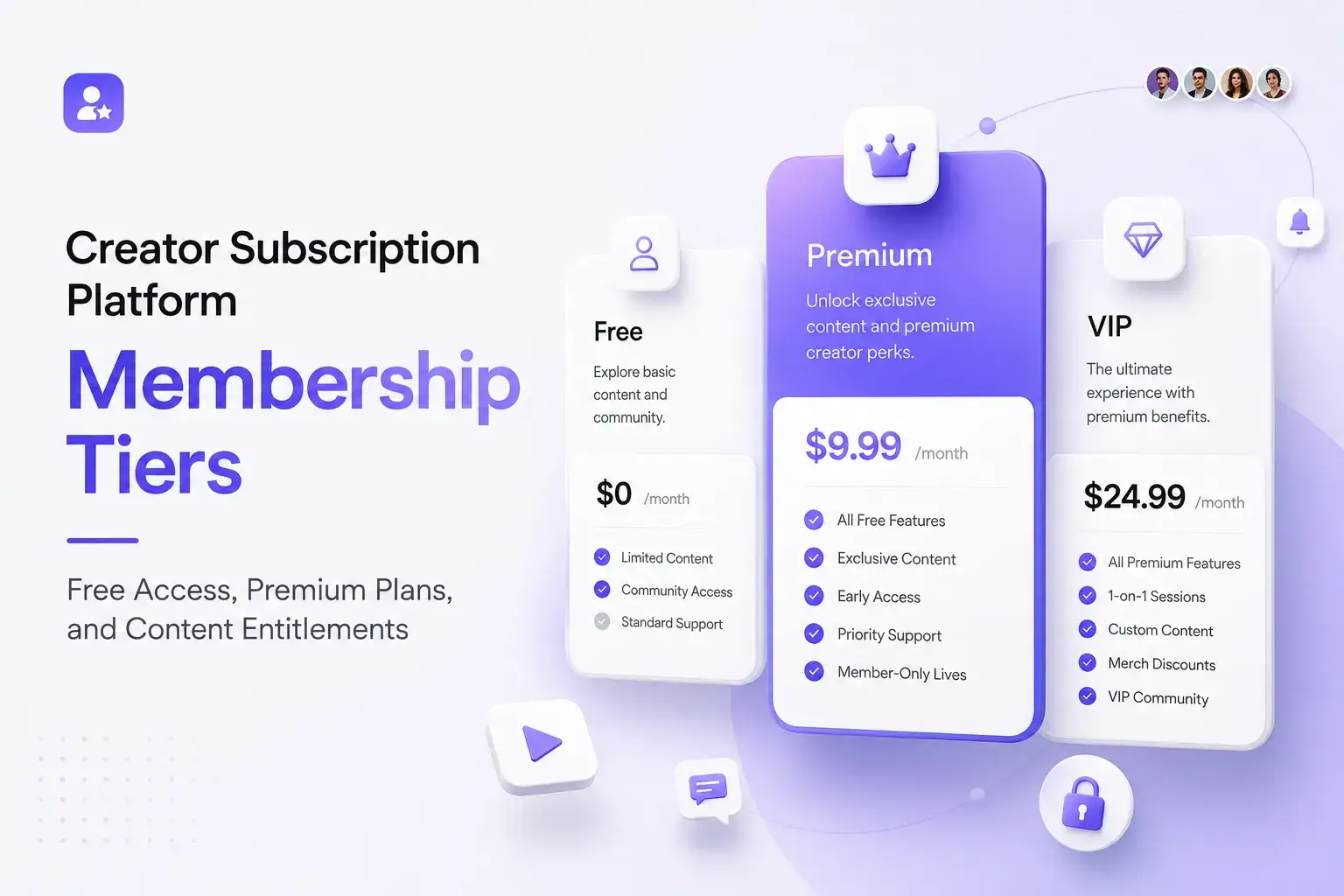
The product5 questions

01What exactly is a Patreon Clone solution?

A Patreon clone is a ready-made creator membership platform. The Miracuves Patreon Clone lets creators publish posts in six formats, set their own subscription prices and mark each post Public, Followers or Paid, while subscribers follow, subscribe, unlock paid posts, tip and message. It ships as a subscriber app, a creator app, web panels and an admin panel, white-labeled to your brand.

02Is the Patreon Clone customizable?

Yes. Rebranding is part of what ships: the web platform and the apps take on your logo, icons and color scheme, and we handle deployment. The complete source code reaches you with no encryption, so your team or ours can alter the design, flows, payment gateways and features. Anything past the base receives a written scope and quote prior to the start of work.

03Can I launch a creator membership platform like Patreon legally?

Software with membership features is generally lawful to build and sell. The Miracuves Patreon Clone follows ordinary subscription-platform patterns, uses no code, design or content from Patreon, and launches under your own brand and terms. Do not use the Patreon name or logo in your own branding, and have local counsel confirm creator payouts, tax on digital goods, content rules and age limits in every market you serve. Miracuves gives no legal advice.

04Is the app available on both iOS and Android?

Yes. The subscriber app and the creator app are built with Flutter for Android and iOS, and the web panels run in a browser. We publish the apps from your own developer accounts. Store review is handled by Apple and Google and sits outside our 6-day build time, and store billing rules can apply if you sell subscriptions inside the app, so plan that with us before launch.

05What makes Miracuves a good team for this build?

Since 2010 Miracuves has shipped ready-made platforms, with 9,000+ projects and 6,000+ clients behind it. The Patreon Clone arrives as a working demo you can sign in to, with the complete source code, a fixed price of $3,699 and a 6-day build. Support is 60 days of platform guidance, 6 months of priority bug fixes and 12 months of updates, running together from launch.

Creators & subscribers6 questions

06How do I subscribe to a creator’s content?

A subscriber opens a creator's profile, picks a subscription plan and pays through the integrated payment methods, which include cards and digital wallets. Subscribed creators then appear in the feed, and paid posts unlock after payment.

07Can I cancel my subscription anytime?

The base lets users manage their subscriptions and account settings from their account. Whether access ends immediately or at the end of a billing period, and how refunds are handled, are rules we confirm for your build and write into your terms and gateway settings.

08Can I set my own subscription rates?

Yes. Each creator sets the price of their own subscription. Multiple tiers or discounts are outside the base build and are scoped as custom work. Platform-wide controls stay with the operator in the admin panel.

09How can I monetize my content?

Creators can earn from subscriptions, pay-per-view posts, tips and custom content requests, and private messages can carry a price. Each line is separate, so a creator can use only the ones that suit their audience.

10Which post types and access levels can creators use?

The Create Post screen offers text, image, video, audio, poll and quiz posts, with an optional title, a location and a Schedule Post switch. Each post is Public, Followers only or Paid, which asks users to pay before they can view it. Creators can also go live or add a story from the Create Content screen.

11Can subscribers message creators and send tips?

Yes. Creators and subscribers exchange private direct messages, with an attachment button and video and voice call buttons in the chat, and subscribers can send tips. Custom content can be requested from a creator for an extra fee.

Admin, money & payments7 questions

12Can I manage users and creators from the admin panel?

Yes. The admin panel has a members list, a Verification Requests menu and menus for posts, comments, reels, stories and moderation. Administrators can verify, suspend or delete accounts and review and approve content submissions.

13How do I manage revenue and payouts?

The admin dashboard shows subscriptions, net earnings, members, posts, total revenue and what was paid to creators, with an earnings chart. Subscriptions, transactions, deposits and withdrawals each have their own menu, so a creator payout can be followed from request to payment.

14How do I receive my earnings?

Creators ask to withdraw their earnings, and the operator handles those requests in the Withdrawals menu of the admin panel. Which payout methods you offer depends on the gateways you connect: the release log lists multiple payment gateway integrations, and regional payout methods can be added as a separate module.

15Is it possible to customize platform policies and content guidelines?

Yes. The admin panel has Pages, Announcements and Blog menus where you publish your terms, content guidelines and community rules, and a maintenance mode switch for planned downtime. The rules themselves, and how you enforce them, are yours to write.

16What payment methods are supported?

The release log lists multiple payment gateway integrations, the subscriber flow takes payment by card or digital wallet, and the admin panel has a Payment Settings menu for them. You supply your own onboarded gateway account with its checks complete, and other gateways, including regional ones, can be integrated on request.

17How secure is the Patreon Clone platform?

Security here means roles, review and honest limits. Subscribers, creators and administrators use separate surfaces, the admin panel is its own login, posts can be Public, Followers or Paid, and moderation and verification menus support review. The platform holds no security certification, and penetration testing, secret rotation and a restore test are launch tasks we plan with you.

18Is my personal information secure on this platform?

The app settings include Privacy & Security and Notifications screens and links to your terms of service and privacy policy, and card details are handled by the payment gateway you connect. How personal data is stored and protected on your hosting, and what your privacy policy promises, are launch decisions we plan with you. We do not publish an encryption claim for this build.

Business & launch6 questions

19What does the Patreon Clone cost to launch?

The launch-ready white-label Patreon Clone is sold at a fixed price of $3,699. That price covers the apps, the web panels, the admin panel, rebranding, deployment and the complete source code. Add-ons, extra integrations and custom flows get their own written scope and quote.

20How long does it take to launch?

Our build time is 6 working days to a deployed, rebranded platform. App store review is separate: Apple and Google decide on their own schedules, so submit early.

21What do I need to supply?

Hosting and a domain, a developer account for each app store, your brand assets, a payment gateway account with its checks complete, and any third-party keys for services such as Google Maps, Twilio, Firebase and translation.

22Do I get the source code?

Yes. The complete source code for the web platform and the apps is handed over with no encryption, so your team can change it and nothing is charged per seat or per run.

23What is the realistic path to first revenue?

Most creator platforms begin with the commission on subscriptions, since it needs no extra product: the first paid membership earns it. Paid posts and tips come next, once creators have audiences willing to pay for single items. Lines such as advertising, shop sales or licensing the white-label deployment to another operator depend on your own arrangements and are agreed rather than assumed.

24How defensible is a creator membership platform?

Defensibility comes from creators and their communities rather than features. Creators who have built a paying audience at their own prices do not casually move, and members with a history of subscriptions and messages have a reason to stay. The platform lets that accumulation start at launch and keeps it in your database. Fair moderation is the second moat, because a platform people trust is hard to copy.

Disclaimer

Miracuves is an independent software development company. We are not affiliated with, connected to, sponsored by, or endorsed by Patreon.

Read our full Legal Notice & Disclaimer →
Why this name

“Patreon Clone” is used descriptively. It is how the software industry refers to building a platform with functionality similar to Patreon, and how clients search for it.

Who built this

The entire design and codebase is built by our own team. The product contains no code, design, graphics, or content originating from the Patreon website or applications.

Trademarks

Patreon and all other third-party names and marks are the property of their respective owners, referenced here solely to describe the category of software offered.