Small Business Site App · Production Ready

Squarespace Clone App - White-Label Design-Led Website Builder SaaS

Built by Miracuves, this ready-made, white-label Squarespace clone turns polished small-business sites into a plan business, with full source code you own for a design-led public site, an owner dashboard and an operator console, under your brand within six working days.

An owner browses designs by business type, picks one of twelve themes, sets a base and a secondary color and fills ready-made sections, so the site looks finished early. Higher plans can unlock the store, rooms, courses and donations, and tax, refunds and gateway KYC sit with you. A new theme family or a different plan logic is custom work, priced in writing before it starts and typically delivered in 2-8 weeks.

Launch in 6 Days with

  • Full Source Code
  • Design Gallery
  • Owner Dashboard
  • Operator Console
  • Your Branding
  • Hosting Setup

StackPHP · Laravel · Bootstrap · MySQL

MXWix console · SitesIllustrative
New sites today19
Store plans sold6
Live sites284

Site activity

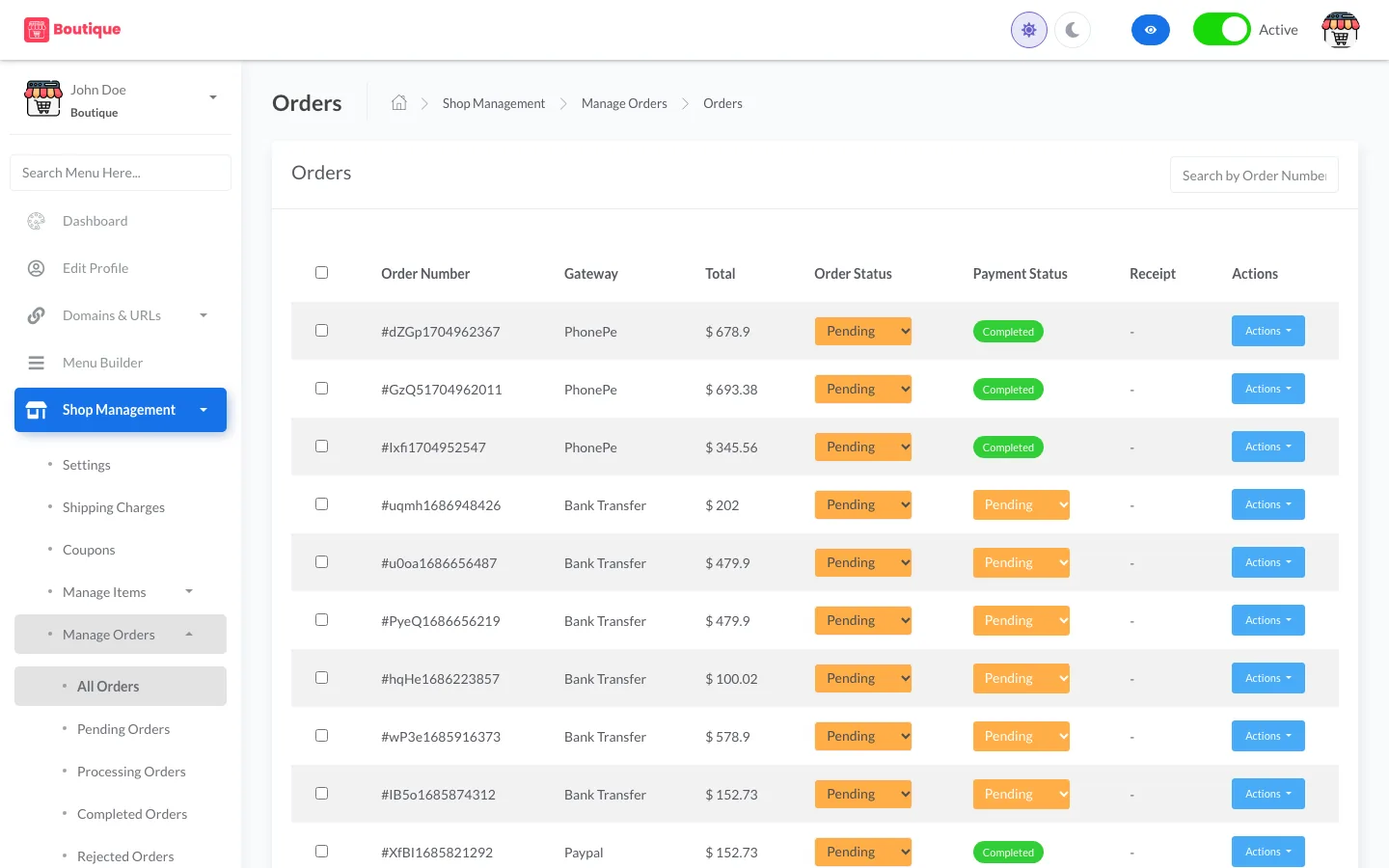
Admin · Store OrdersReal screen
Squarespace Clone App - White-Label Design-Led Website Builder SaaS - real admin screen, Store Orders
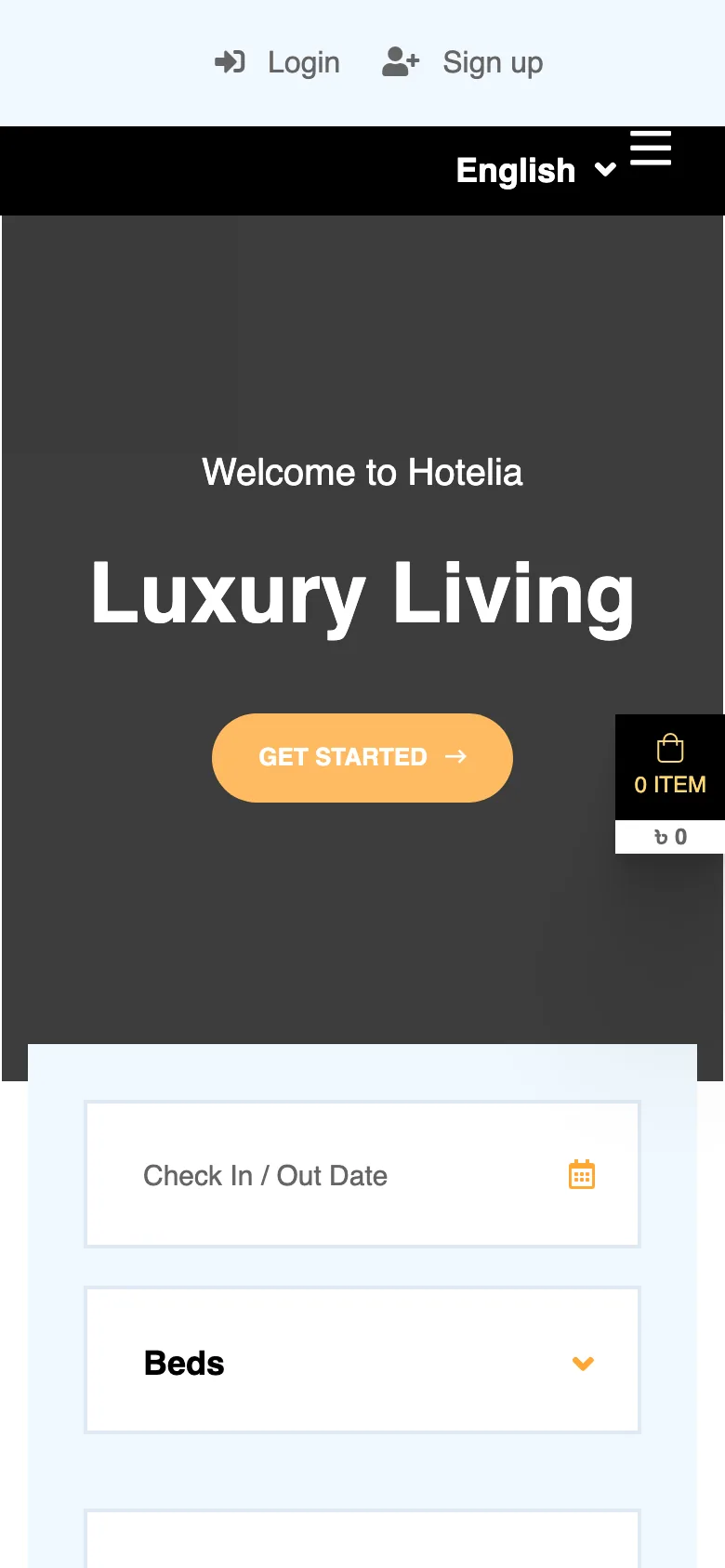
Squarespace Clone public website on a phone.
Every finished design goes liveat its own address
  • 4Order Statespending, processing, completed and rejected
  • 3Separate Sign-Insoperator, site owner and shop customer
  • 0%Revenue Share With Miracuvesno royalty on your plan sales and no fee per site
  • 2Item Typesphysical and digital
  • 6Days to Launchand if the delay is ours, we keep going free
  • $2,499Paid Once, Not Rentedsource code yours, no per-seat fee, no monthly rental

Live in six working days, or we keep working free until you launch. Every build carries 60 days guidance, 6 months bug fixes and 12 months updates.Verify every figure

You Rule on What Gets Published

The platform does not read pages on your behalf: you decide what owners may publish and can deactivate any account.

Search Settings in the Console

SEO information and sitemap settings sit in the operator console, and release 1.5 added post scheduling and search-friendly blog formatting.

Checkout Runs on Your Gateway

Plans and shop orders are paid through gateways such as Mollie, Flutterwave, Stripe or PayPal, and cards are entered at the gateway, never kept by the platform.

Want a site-building business that looks as good as its templates?Talk to Product Expert

Chosen by 6,000+ clients across the globe

Miracuves is listed by Expertise.com as a managed IT service provider.Miracuves is an official member of the Forbes Business Council.Miracuves is a verified agency on DesignRush, listed among top design agencies in India.Miracuves is reviewed on Trustpilot as a software development company.Miracuves is listed by The Manifest among top managed software development companies.Miracuves is listed by DesignRush as a top software development company.Miracuves is recognized by GoodFirms as a top software development company.Miracuves is ranked among the top 1000 companies globally by Clutch.Miracuves is a top managed service provider in the United States on Clutch.

01See it live

Hands-On Access

Squarespace Clone Demo - Template Gallery, Site Dashboard, Finished Sites & Operator Console

Miracuves opens its Squarespace clone demo whenever you ask. Book a guided call or request access, and we will go through the template gallery, a subscriber dashboard, the sites it produces and the operator console, pausing on whatever matters to your plan.
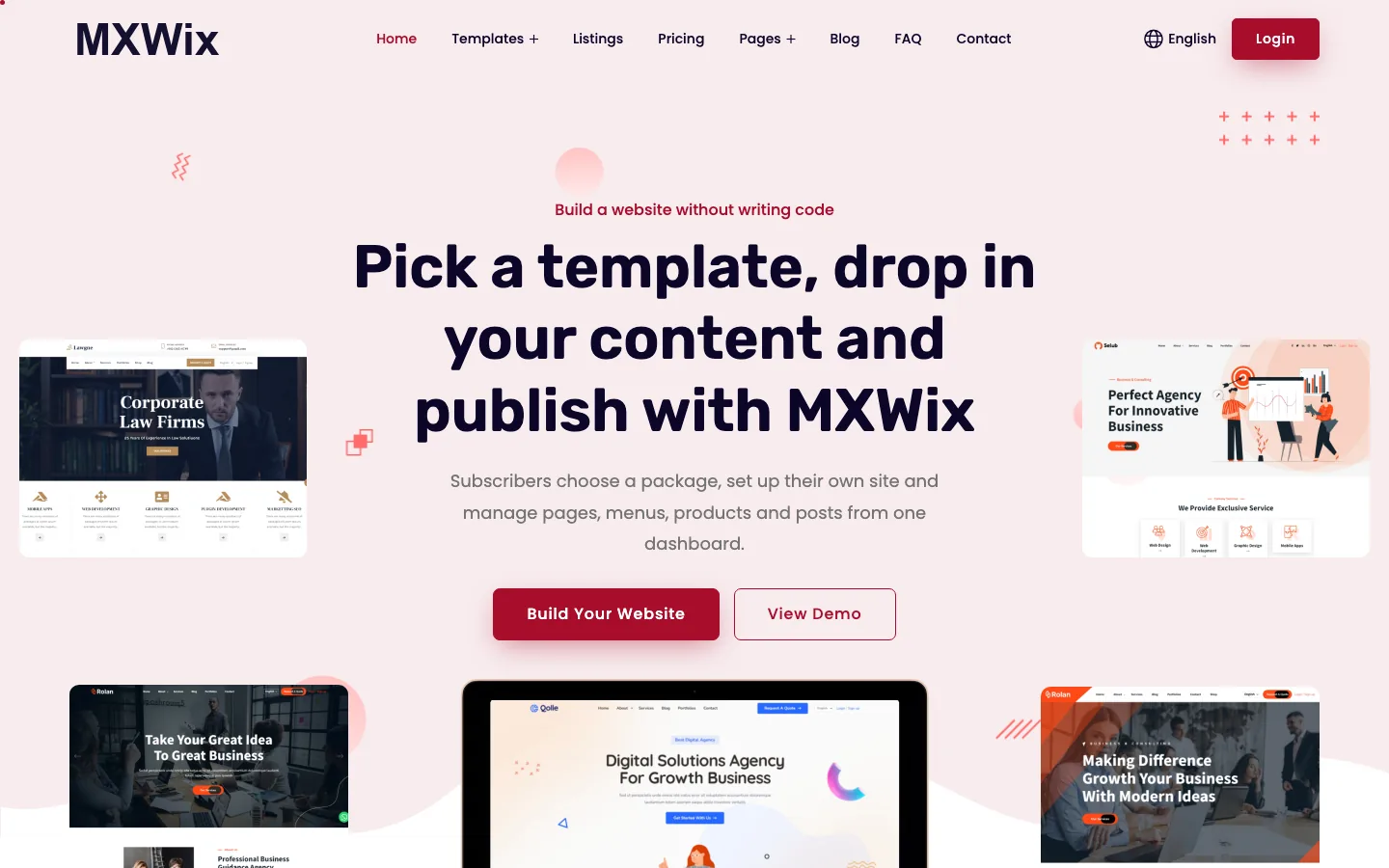
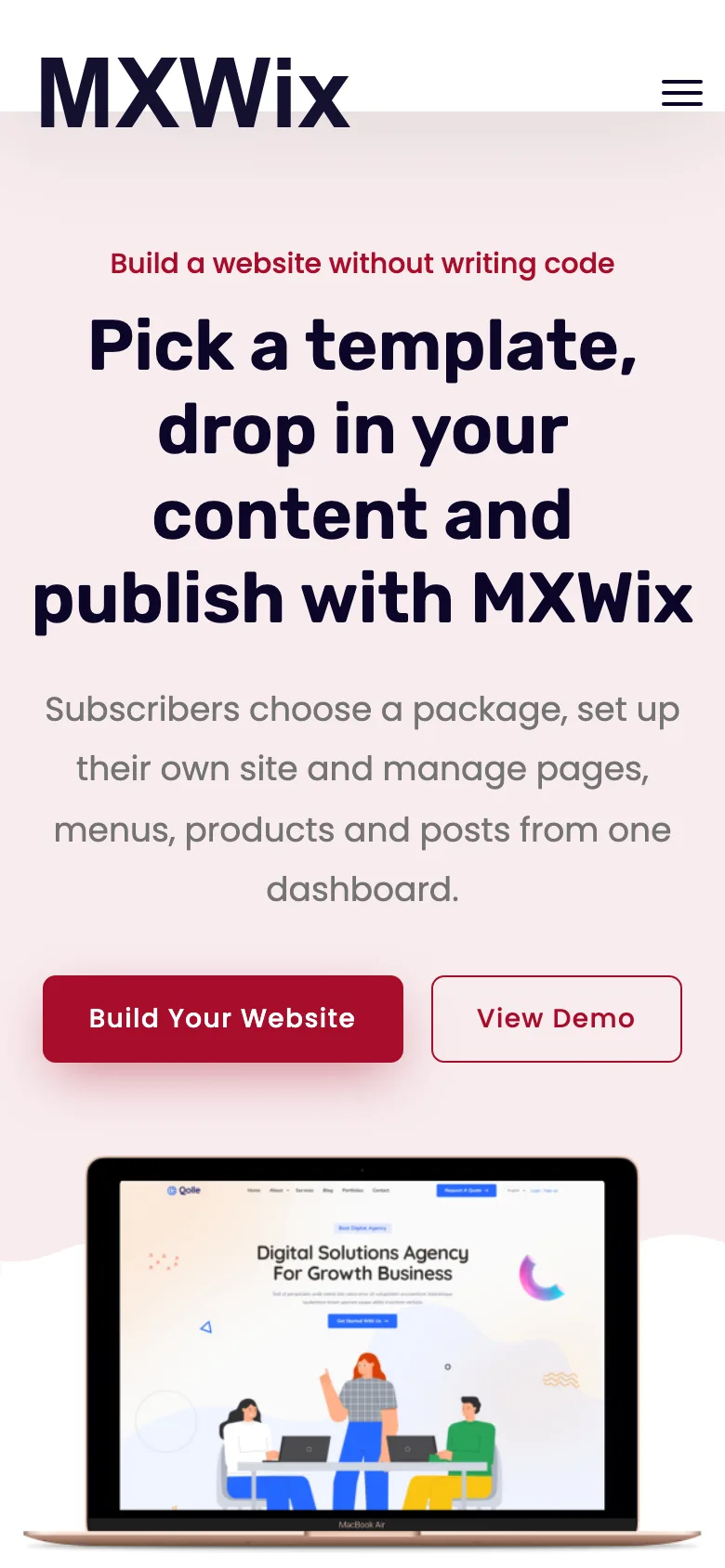
Squarespace Clone public home page headlined Pick a template, with a call to action and previews of site designs.
Template gallery

Template Gallery, Home Page & Plan Pricing

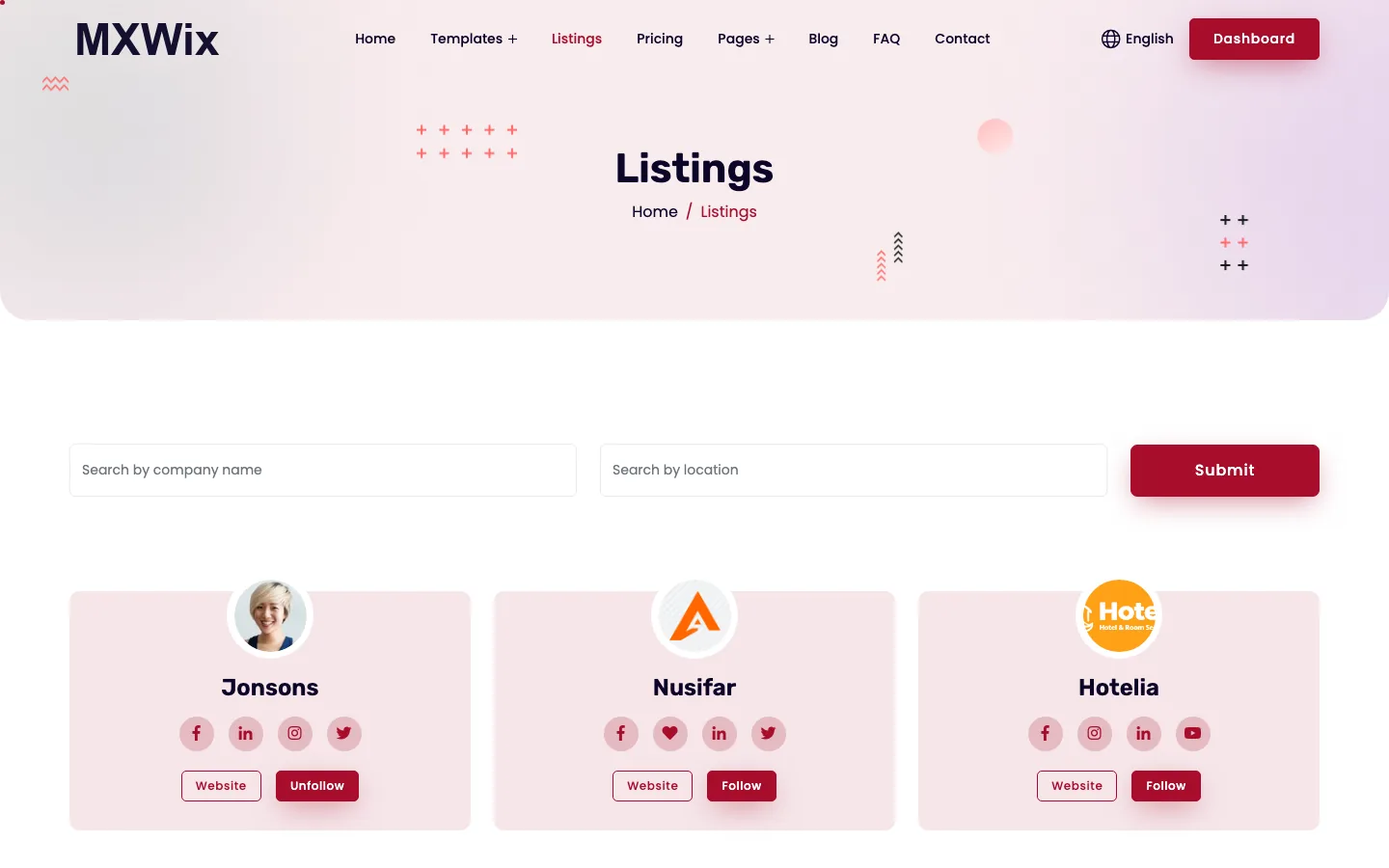
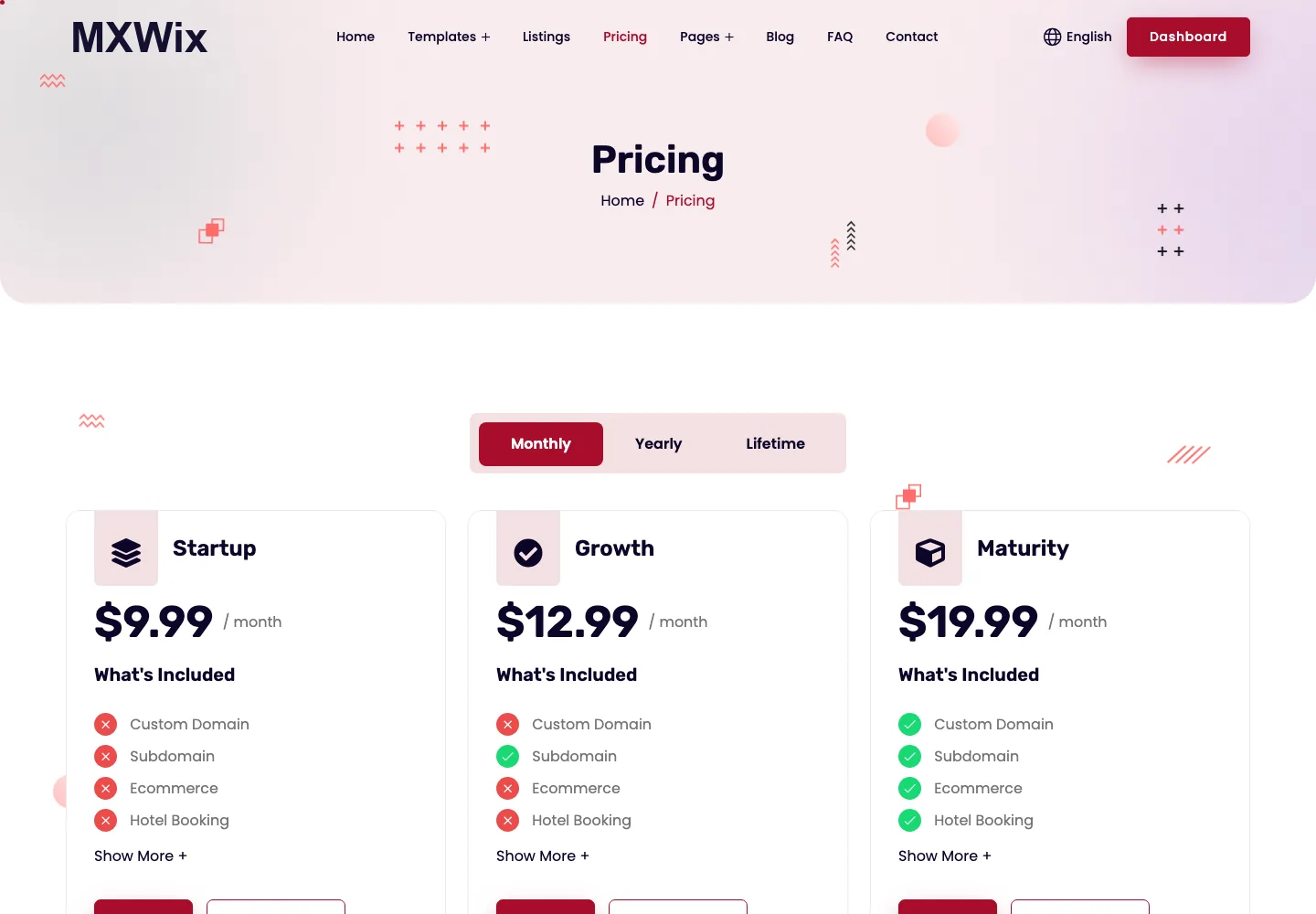
The storefront of your service: a home page that sells the builder, designs sorted by business type, a plan page with Monthly, Yearly and Lifetime tabs, a directory of live subscriber sites, along with a blog, FAQs and a contact page.

  1. 1Request access or book a guided call
  2. 2Browse the designs by business type
  3. 3Compare what each plan switches on
Access to the demo:given when you ask
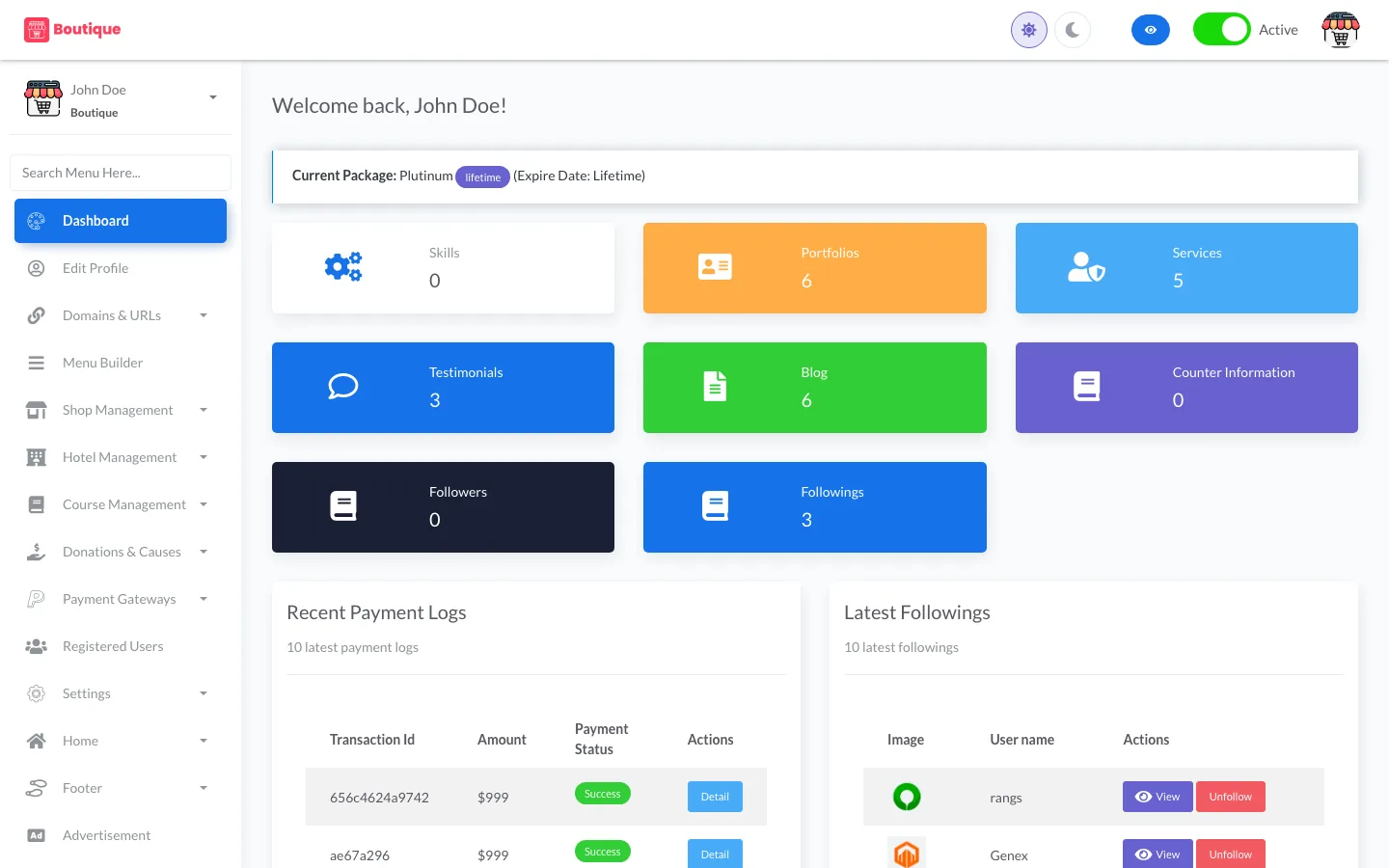
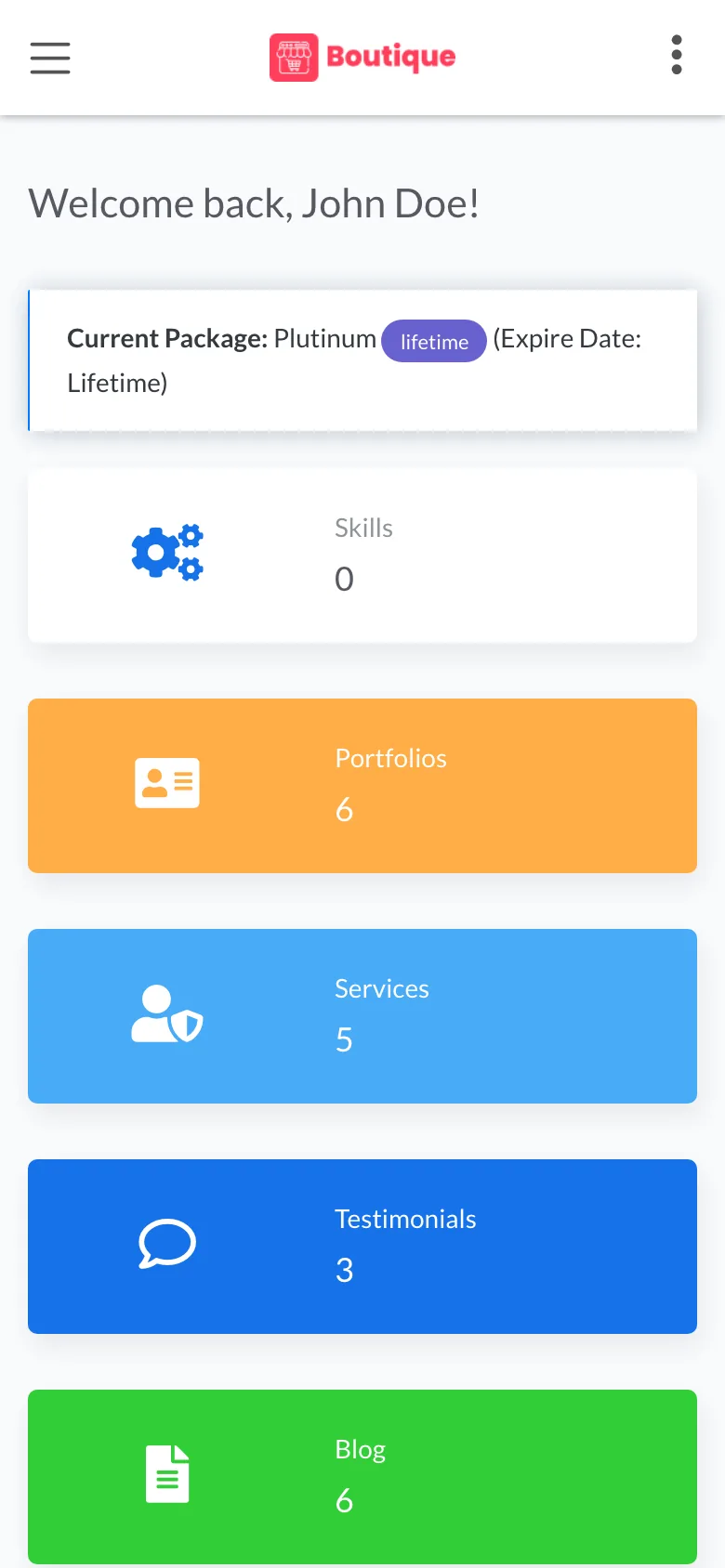
Squarespace Clone subscriber dashboard with the current package and counts of services, portfolios, testimonials and blog posts.
Site dashboard

Site Dashboard - Themes, Colors, Sections & Store

Where a small business shapes its own site: twelve themes, base and secondary colors, a hero slider, section switches, a menu builder, shop items and orders, plus pages and blog posts.

  1. 1Request a site owner login
  2. 2Pick a theme and set the colors
  3. 3Switch sections on and open the shop items
Site owner login:sent when you ask
A hotel website built with Squarespace Clone, shown on a phone.A course website built with Squarespace Clone, shown on a phone.
Finished sites

Finished Sites - Store, Hotel, Courses & Agency

What a site owner is proud to publish: responsive sites for boutiques, hotels, coaching providers and agencies, every one with its own theme and address and at ease on a phone.

  1. 1Name the sample sites you want to see
  2. 2Shrink the window to phone width
  3. 3Look over the menu, the sections and the cart
Example sites:shown during the call
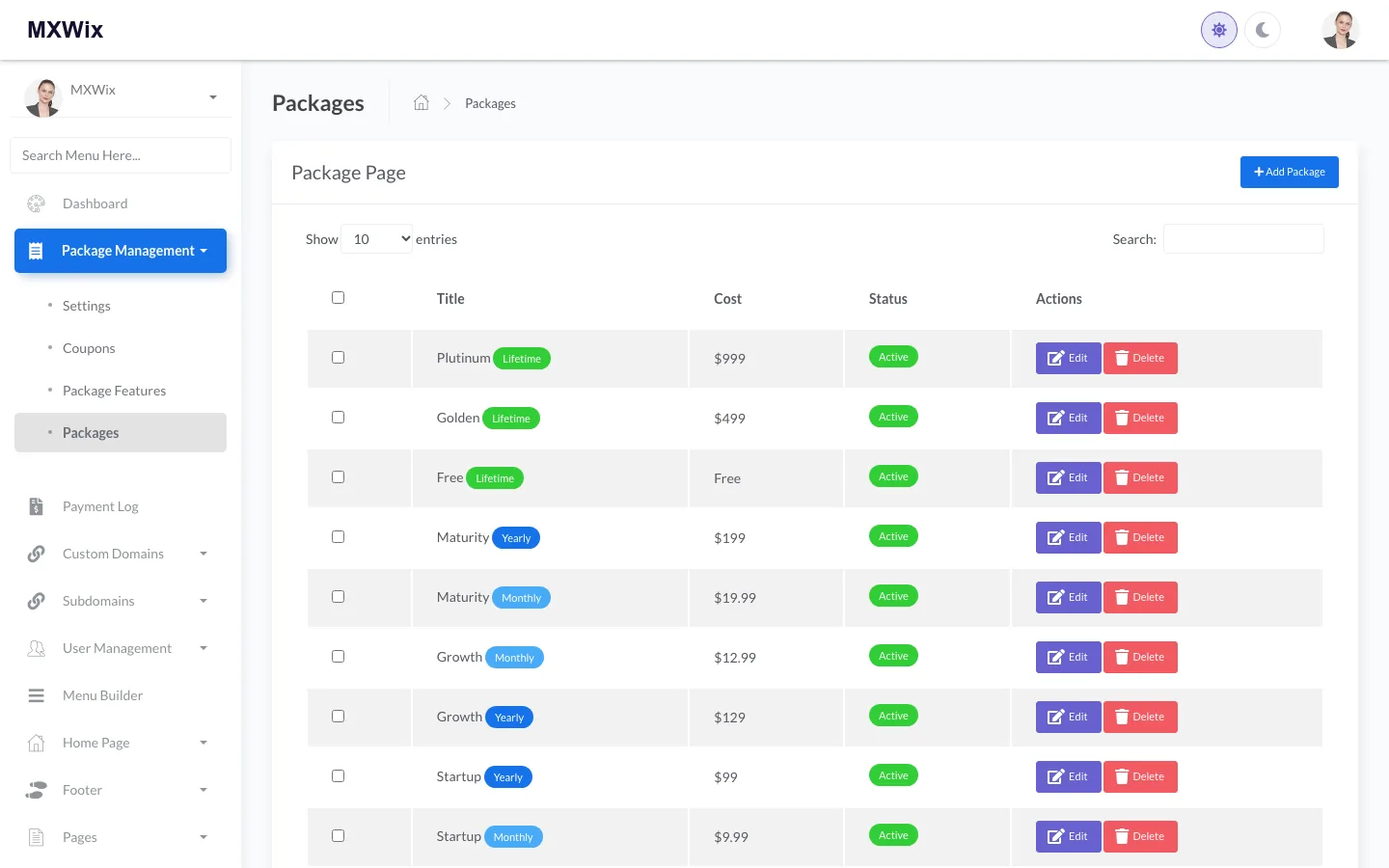
Squarespace Clone admin panel packages table with Lifetime, Yearly and Monthly terms, cost, status and Edit and Delete buttons.
Operator console

Operator Console - Plans, Subscribers, Domains & Payments

Your half of the business: plans and the features each one opens, coupons, the subscriber table, domain requests, the payment log, gateways, languages, roles and what the public site says.

  1. 1Request the operator login
  2. 2Go to Packages, then Package Features
  3. 3Read a domain request and the payment log
Operator login:handed over in the call
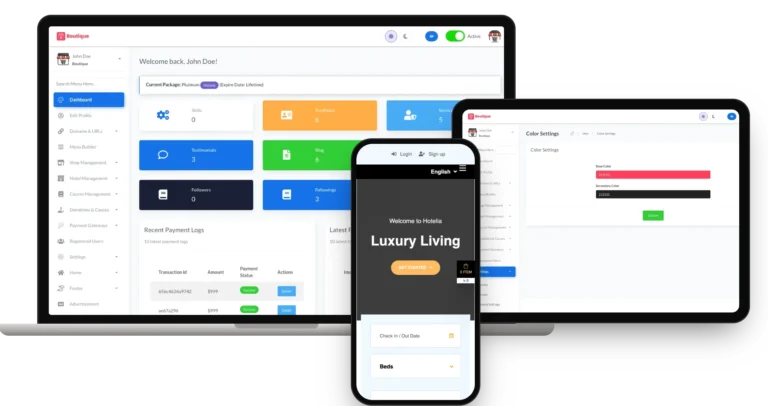
Squarespace Clone shown across a laptop, tablet and phone: the subscriber site dashboard with package and content counts, the site colour settings and the subscriber hotel site home

Walk Through It Live

Guided Call for a Website Builder Like Squarespace: Template Gallery, Plans, Store Tier & Operator Console

We give the tour live, so it stops wherever your questions take it. In a 30-minute call we open the template gallery, switch a theme on a subscriber site, price a plan with a store tier and open the operator console, then map each step to your own offer, gateways and launch date.

Book a live walkthrough.

Every Screen Mapped

Squarespace-Style App Flows - Gallery & Plans, Site Dashboard, Operator Console & Phone Views

Screens from the MXWix demo, in the sequence a small business meets them: the gallery that sells designs, the dashboard where a site takes shape, the console behind it and the finished results on a phone.
Squarespace Clone public home page headlined Pick a template, with a call to action and previews of site designs.
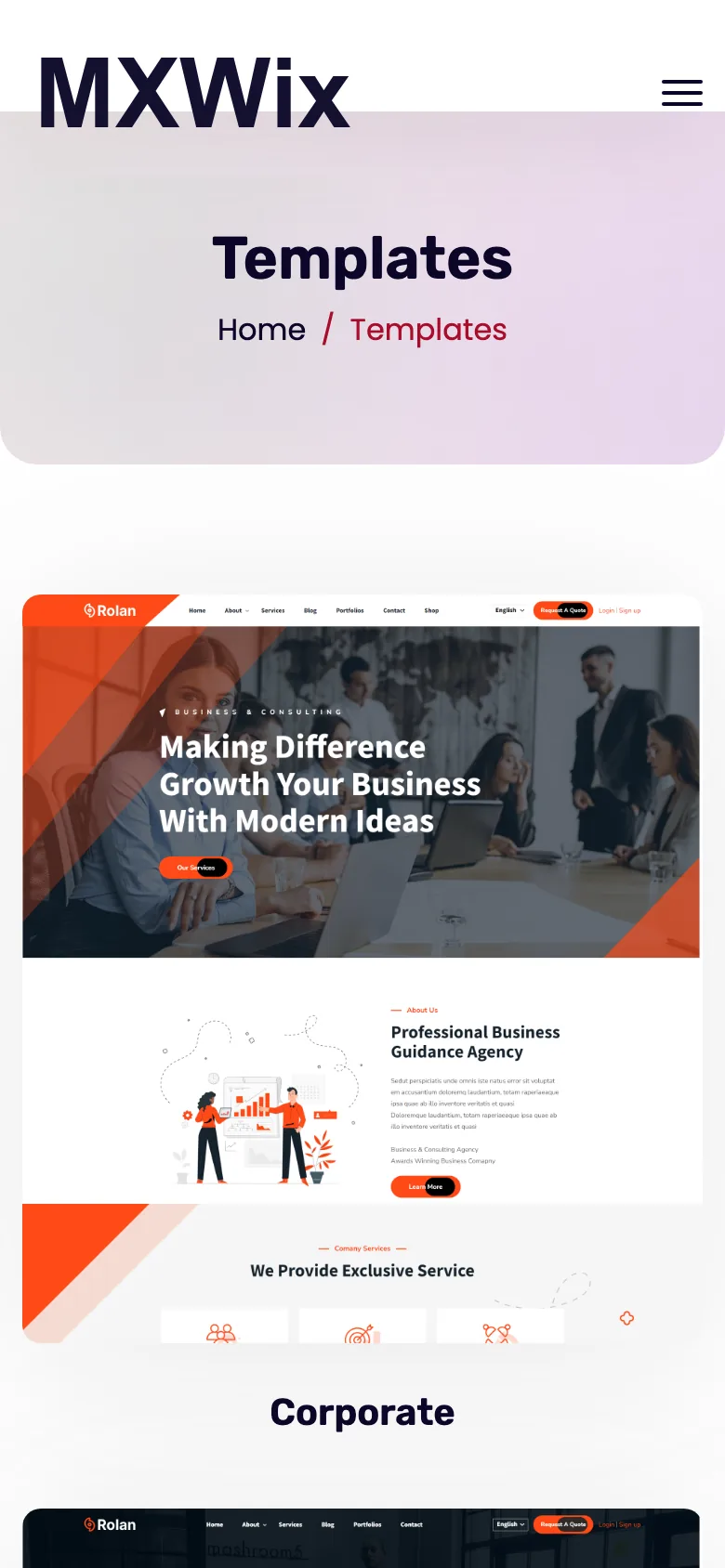
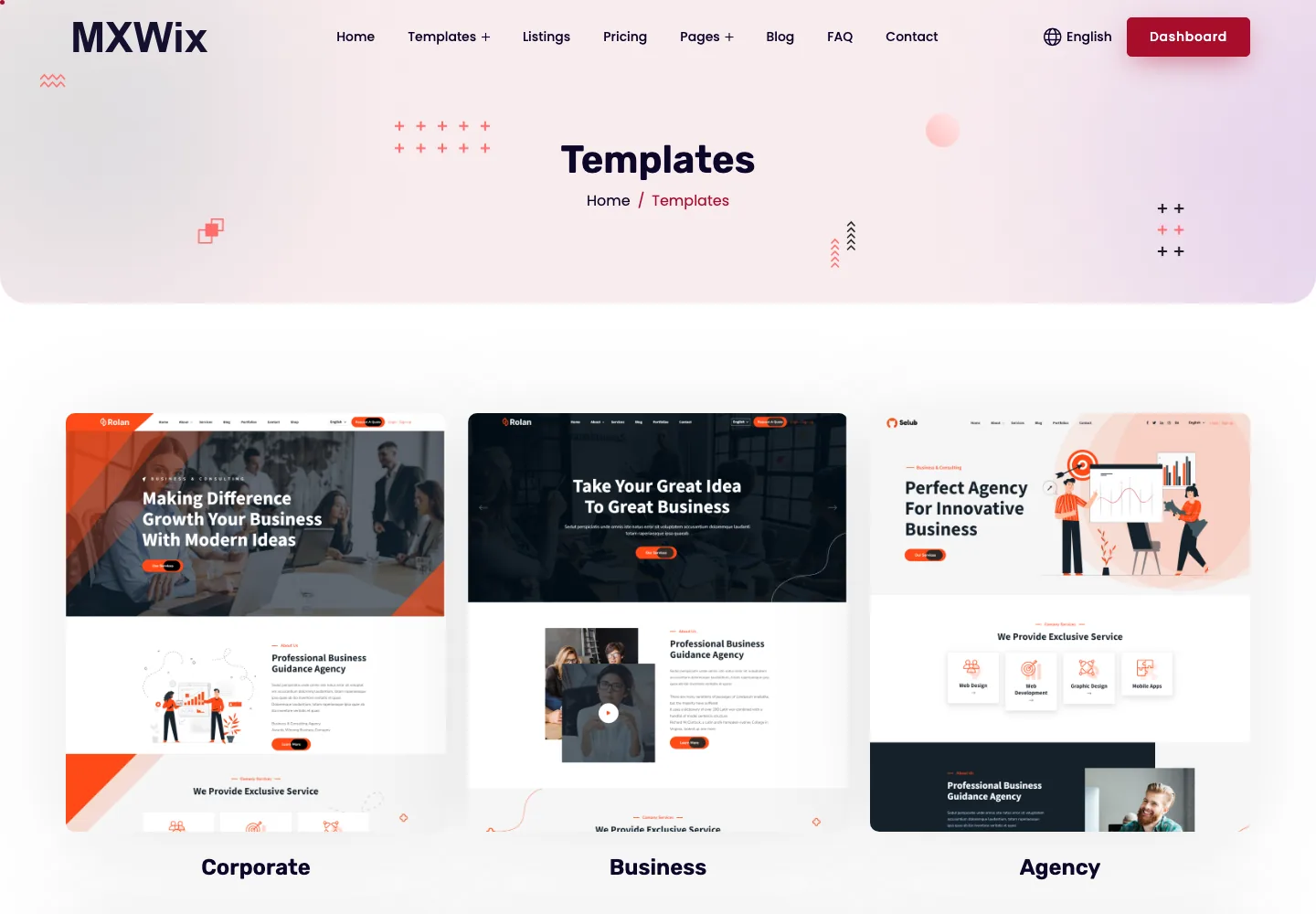
Squarespace Clone design gallery showing Corporate, Business and Agency templates for a new subscriber to choose from.
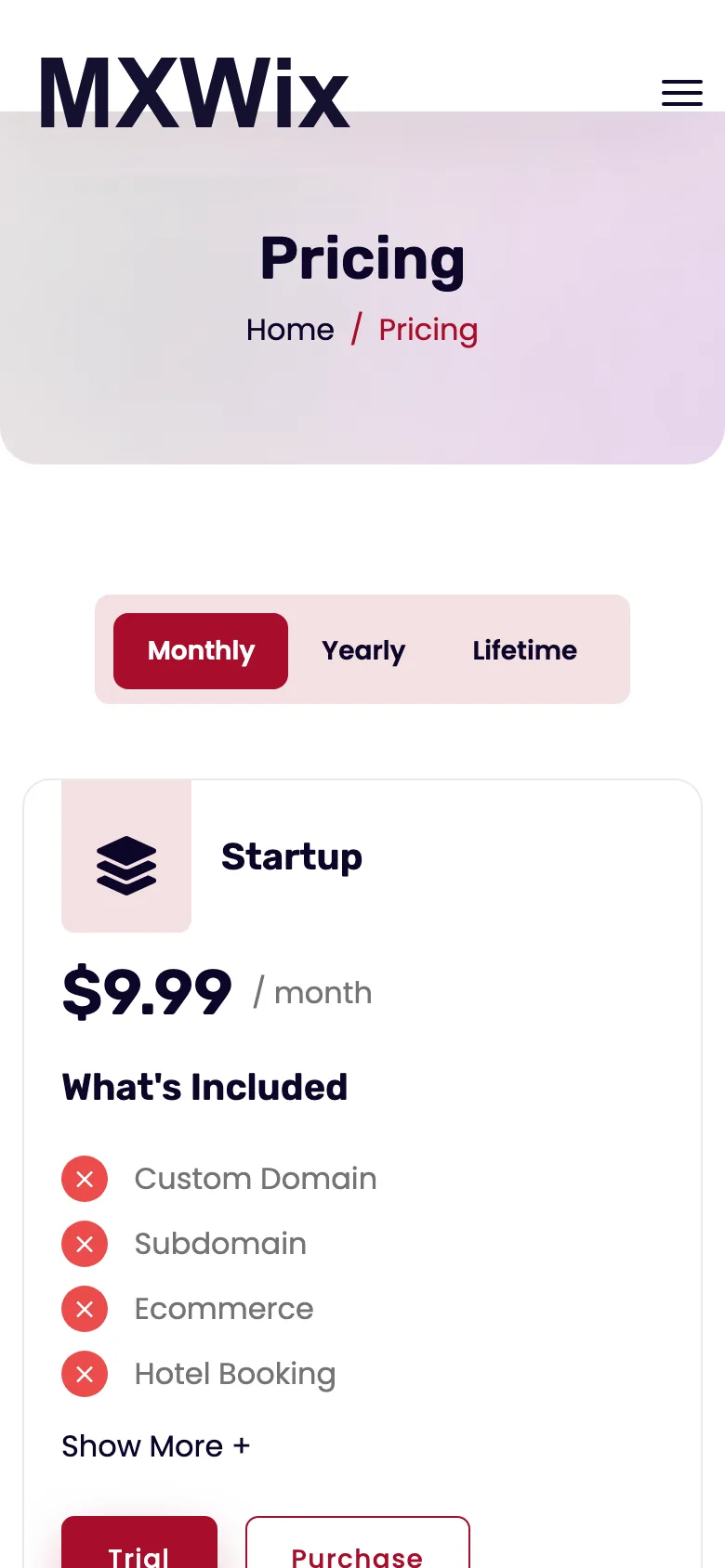
Squarespace Clone plan page with Monthly, Yearly and Lifetime tabs, three packages, feature ticks and Trial and Purchase buttons.
Squarespace Clone listings page showing subscriber sites as cards with Website and Follow buttons and search by company name and location.
4 screens · scroll →
Squarespace Clone subscriber dashboard with the current package and counts of services, portfolios, testimonials and blog posts.
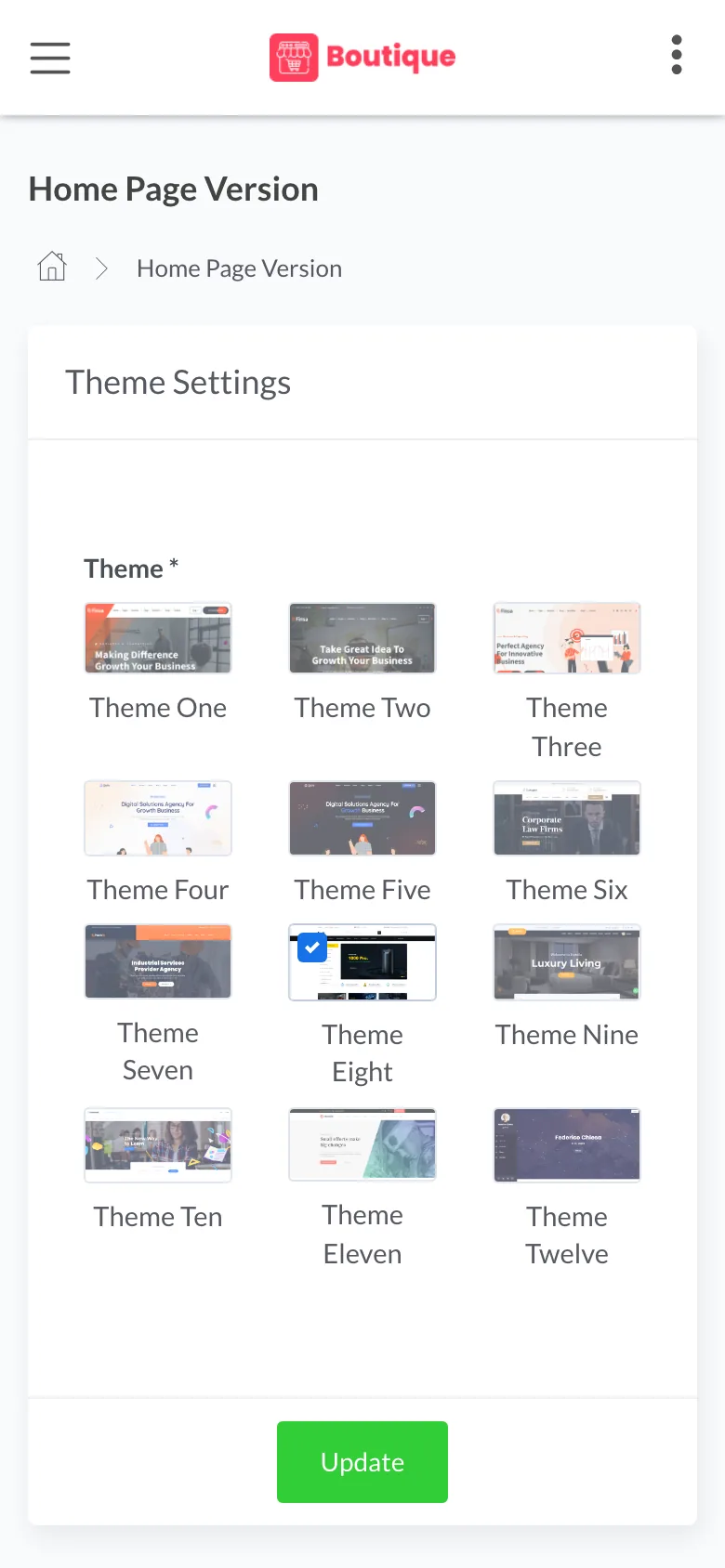
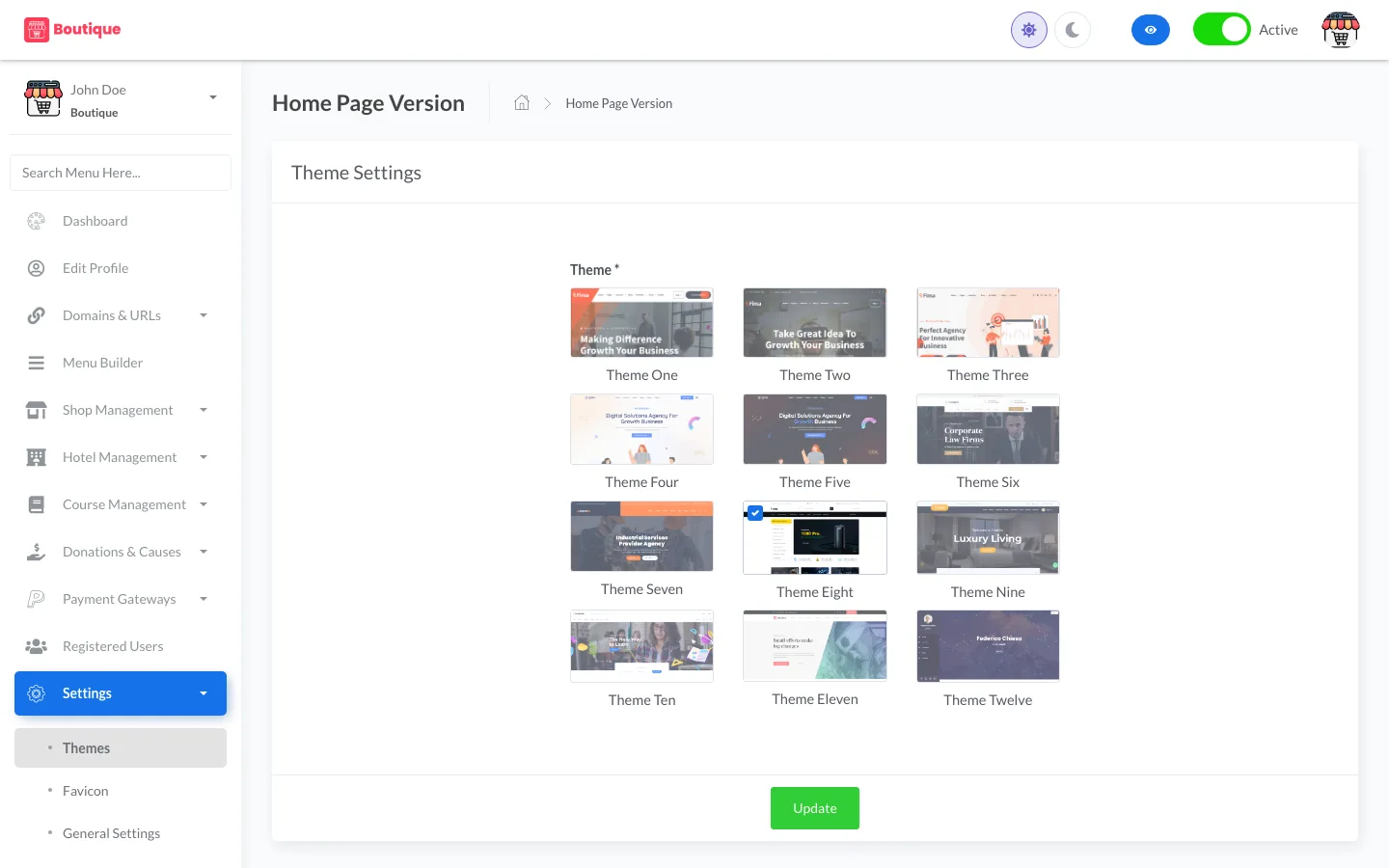
Squarespace Clone Home Page Version screen listing Theme One to Theme Twelve for a subscriber to pick from.
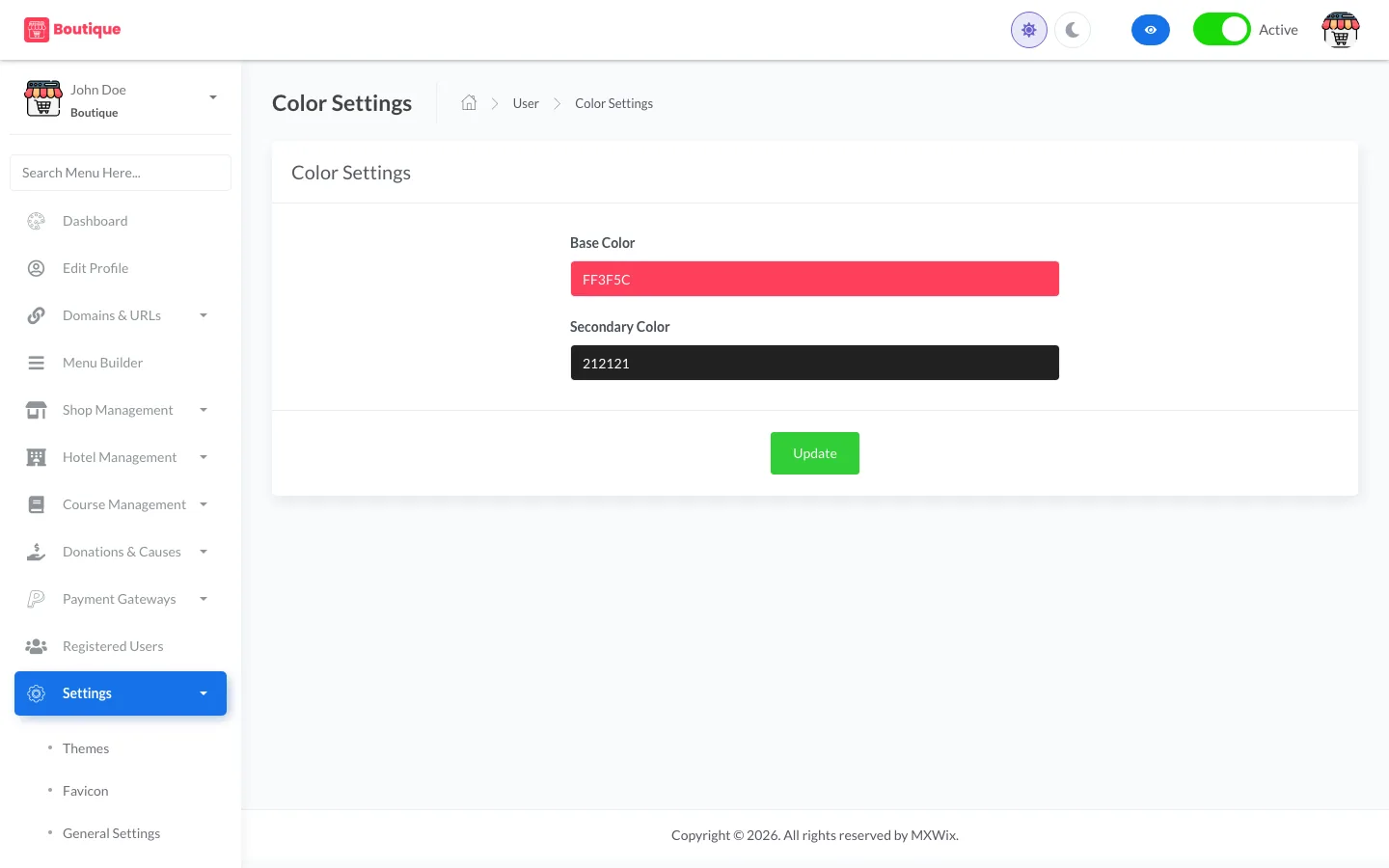
Squarespace Clone color settings screen with base color and secondary color fields.
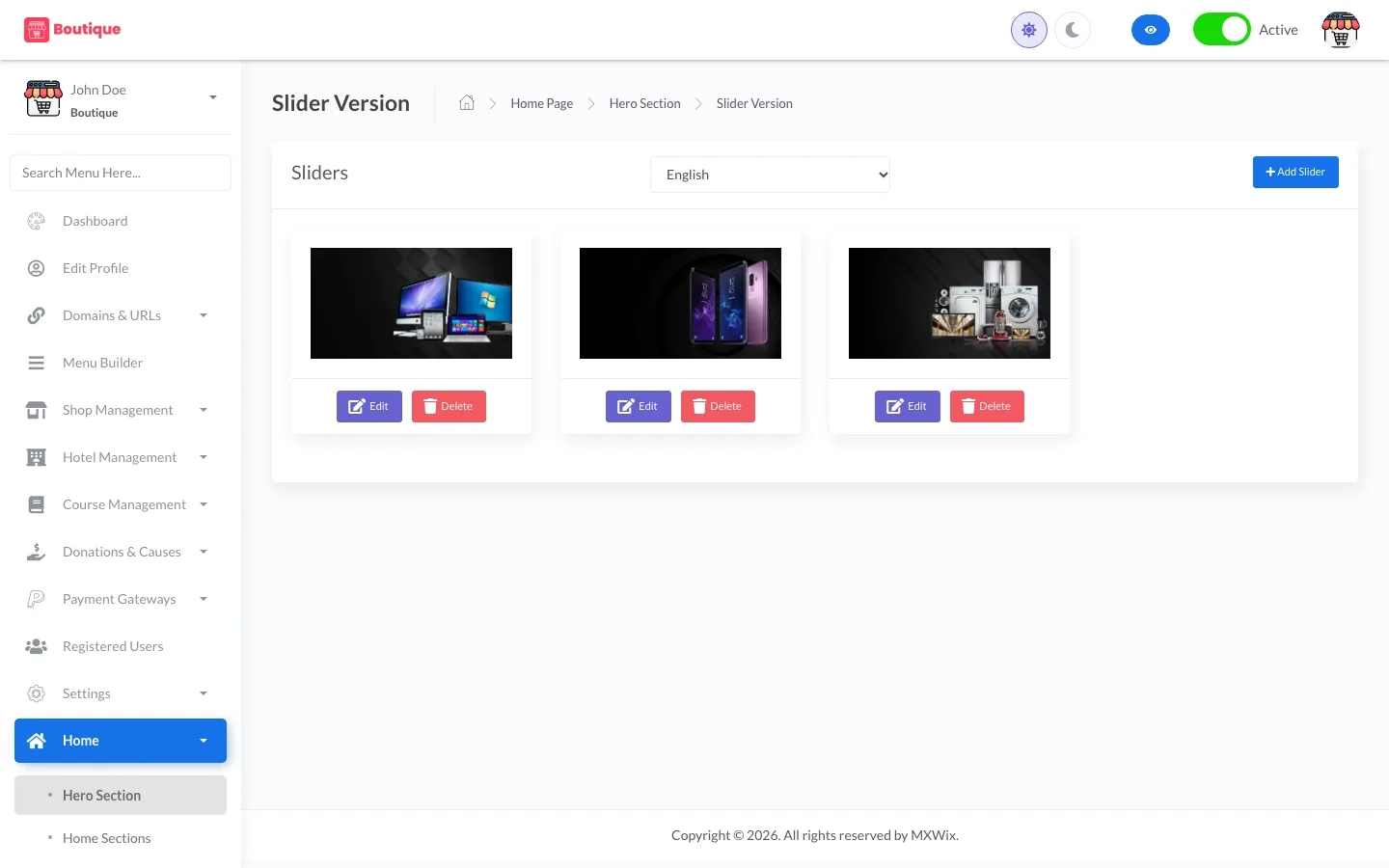
Squarespace Clone hero slider screen listing the slides of a subscriber home page with Edit and Delete buttons.
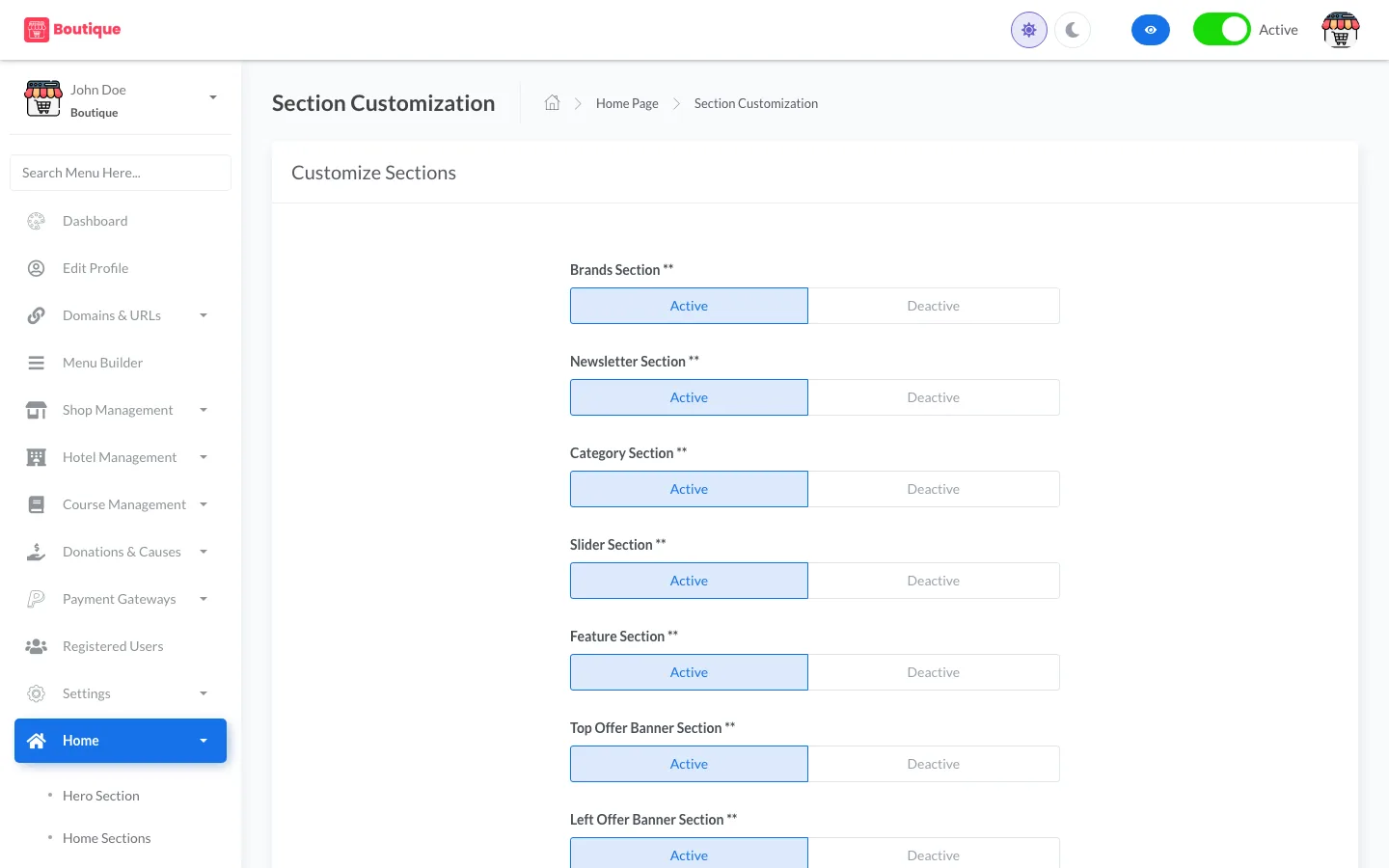
Squarespace Clone section customization screen with Active and Deactive switches for each home page section.
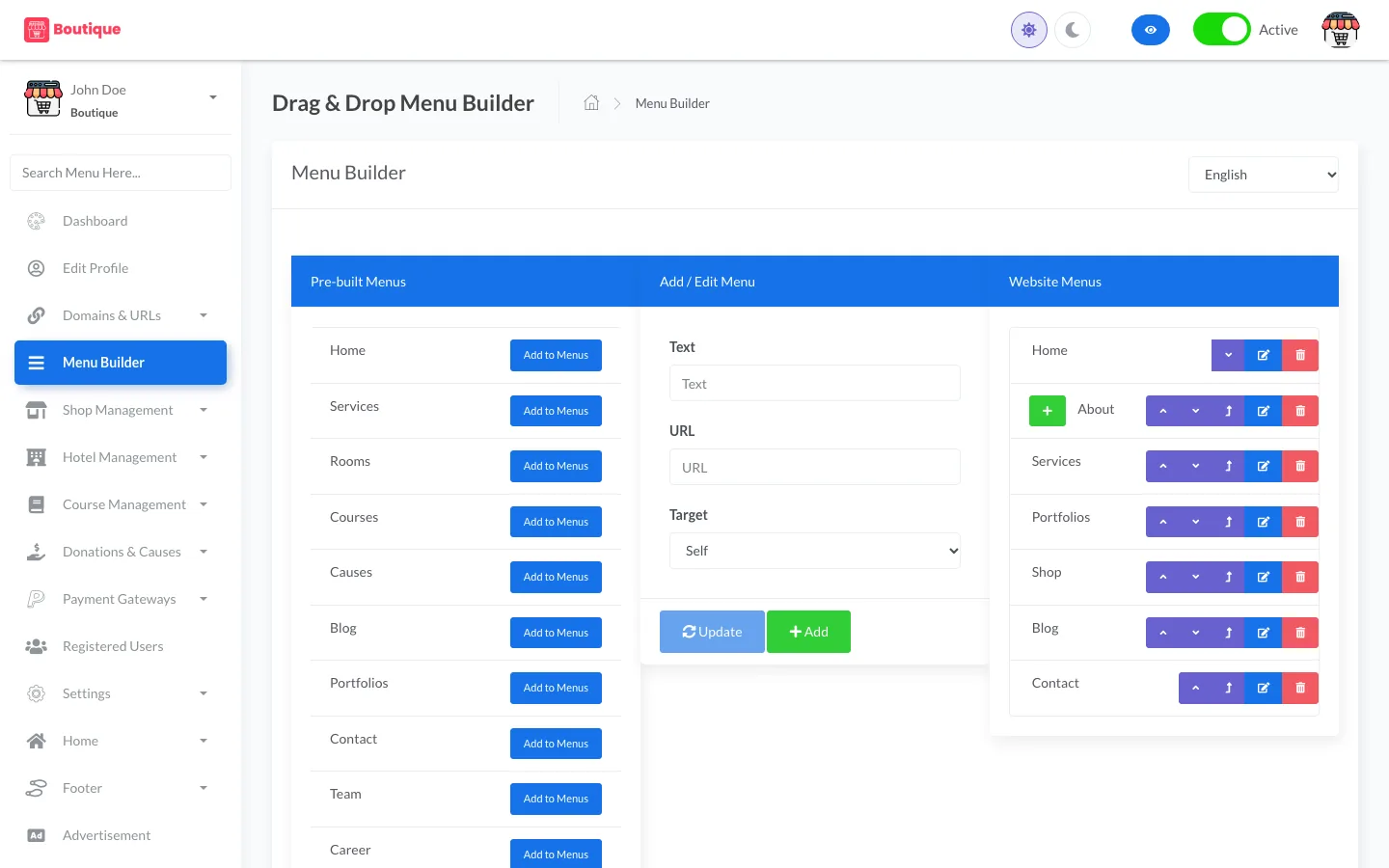
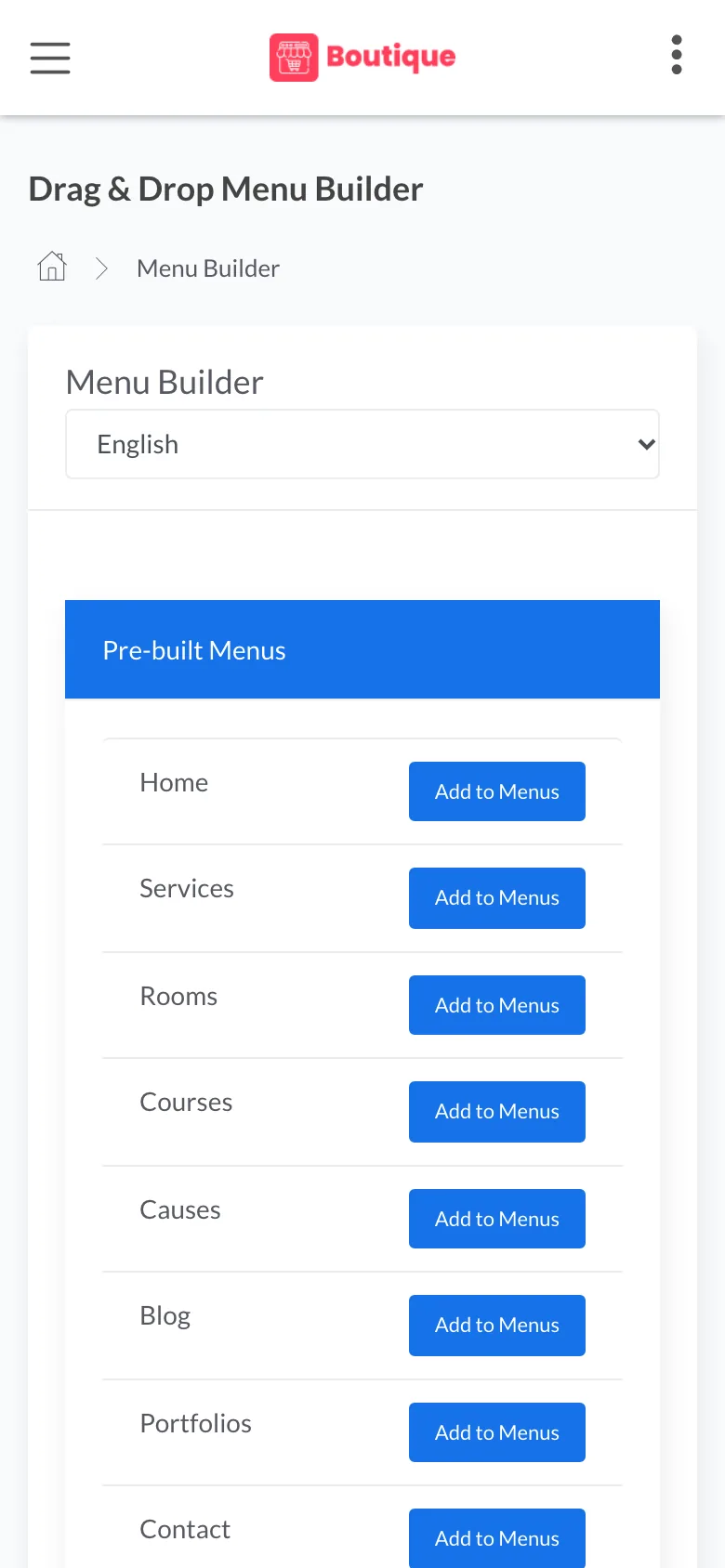
Squarespace Clone Drag and Drop Menu Builder with pre-built menus, an add or edit menu form and the website menu.
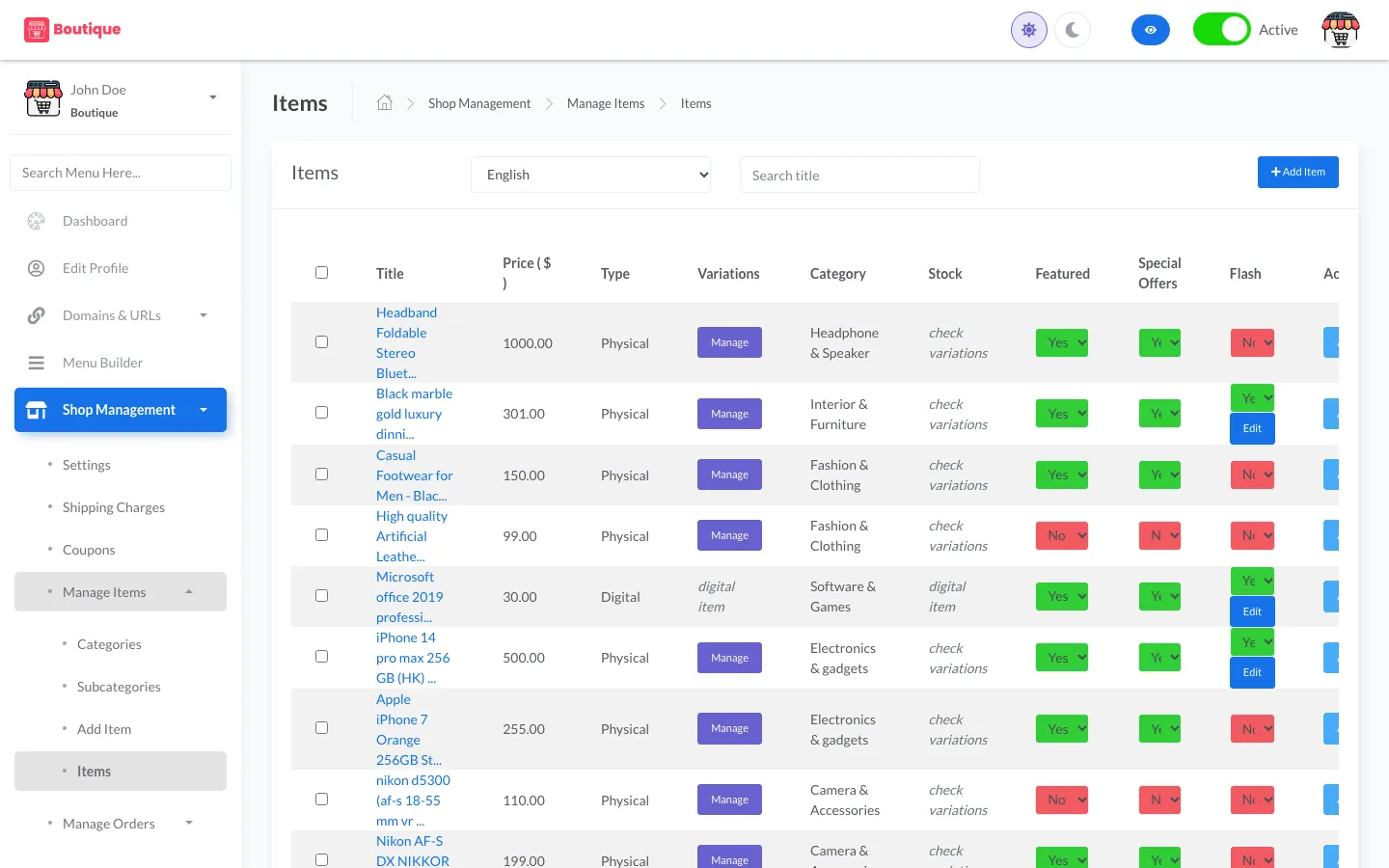
Squarespace Clone shop items table with title, price, type, variations, category, stock and featured switches.
Squarespace Clone shop orders table with order number, gateway, total, order status and payment status.
8 screens · scroll →
Squarespace Clone admin panel packages table with Lifetime, Yearly and Monthly terms, cost, status and Edit and Delete buttons.
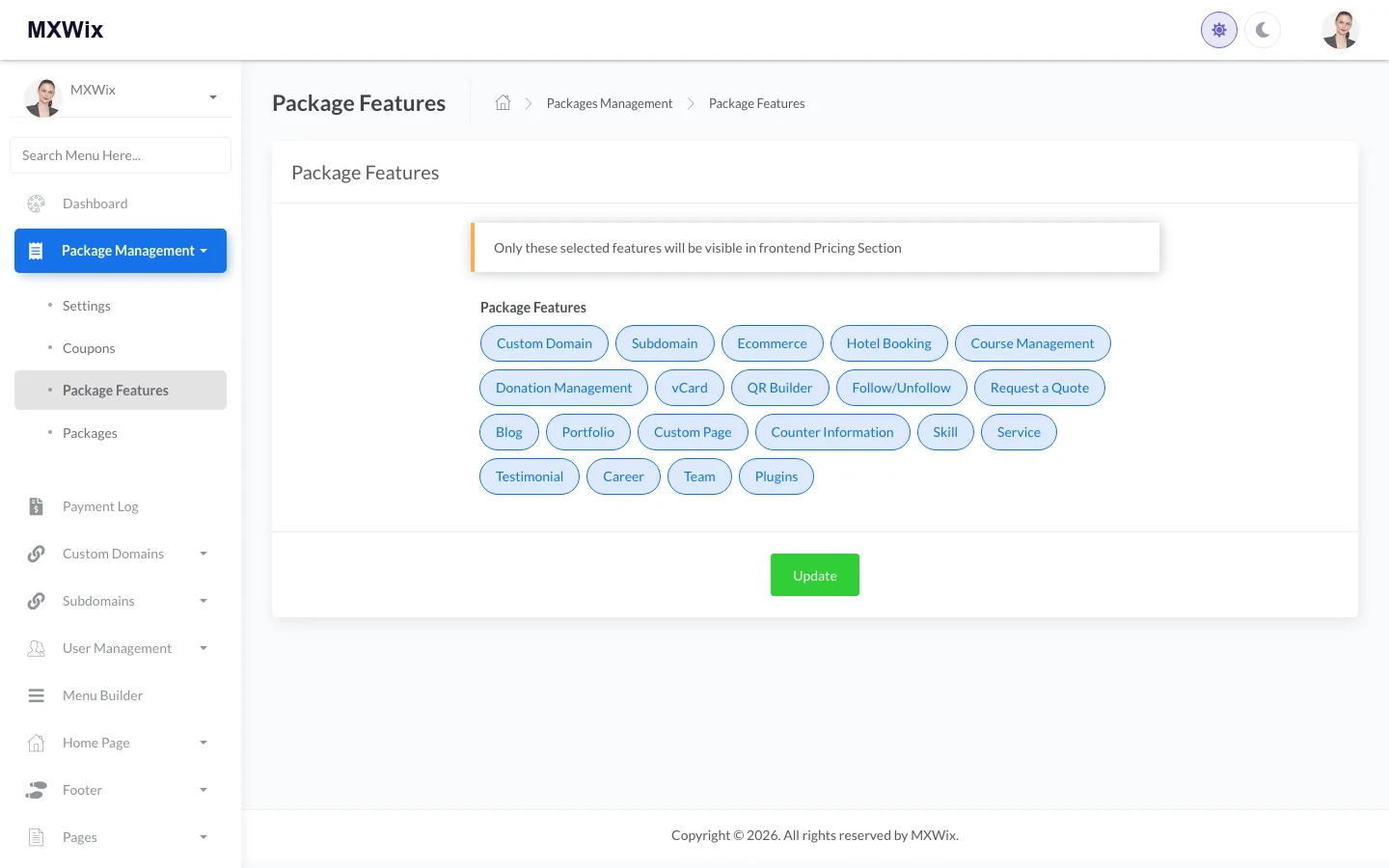
Squarespace Clone admin Package Features screen with the switchable features such as Custom Domain, Subdomain, Ecommerce, Hotel Booking and Course Management.
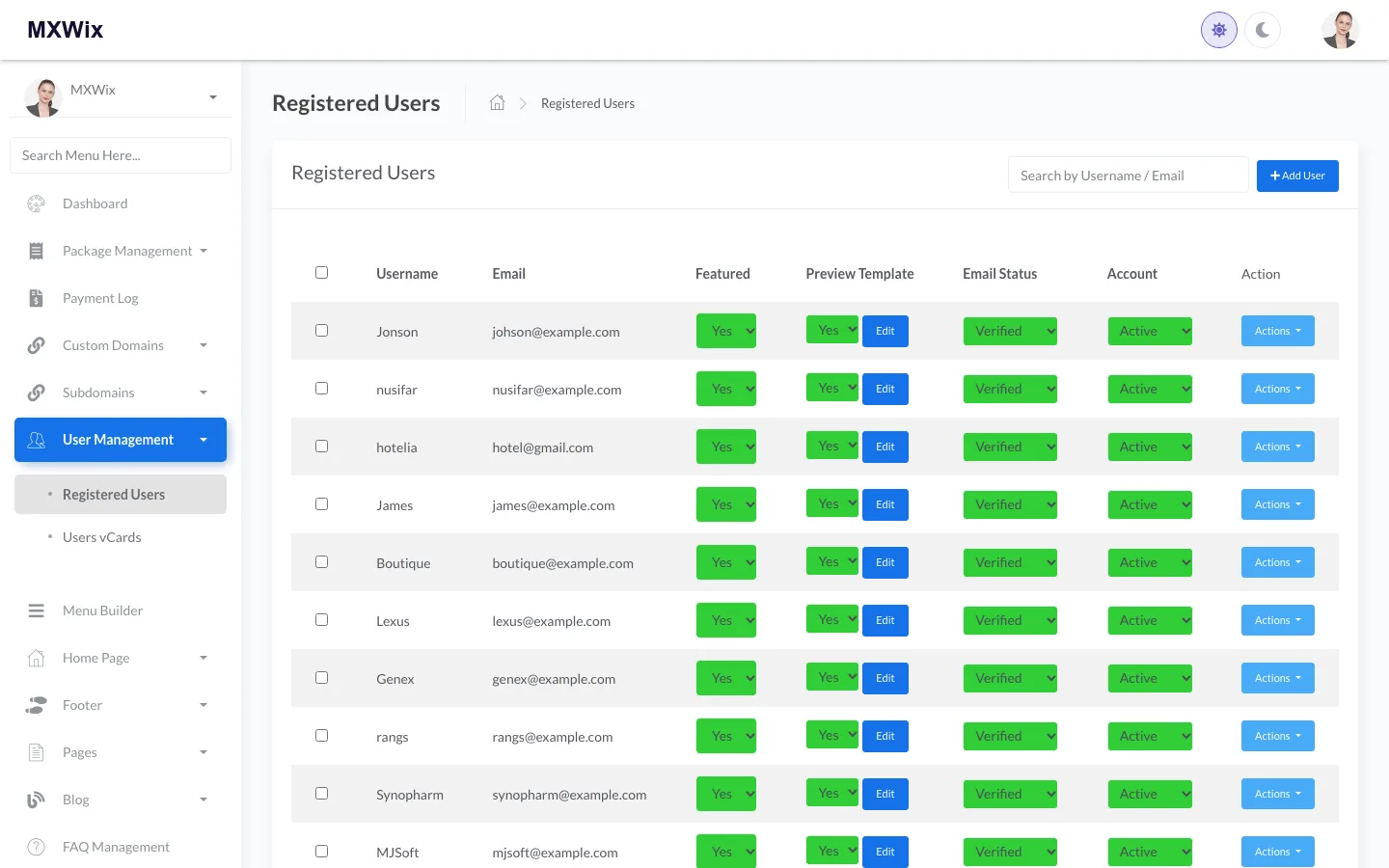
Squarespace Clone admin Registered Users table with featured, preview template, email status and account status switches.
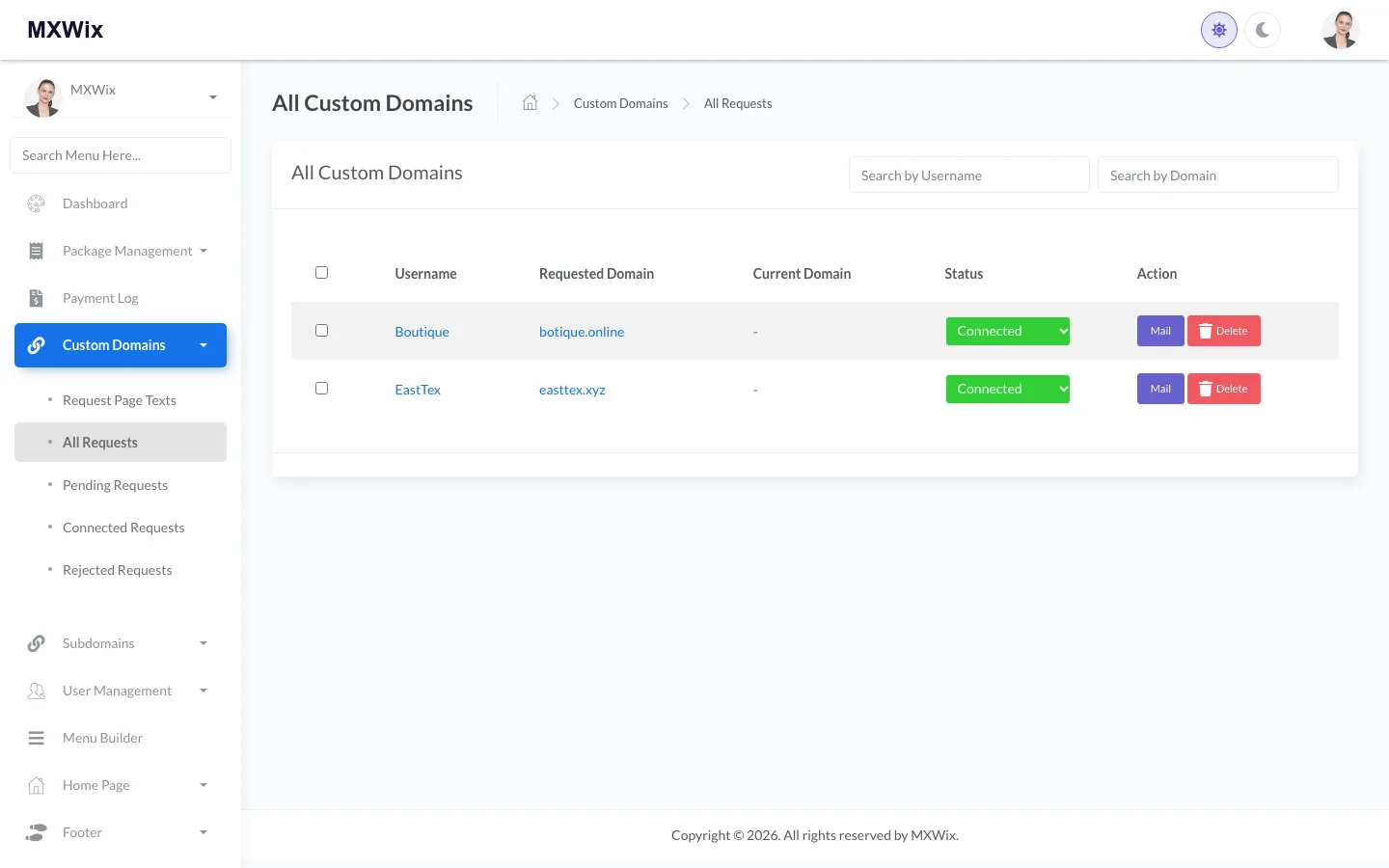
Squarespace Clone admin All Custom Domains screen with requested domain, status and mail and delete actions.
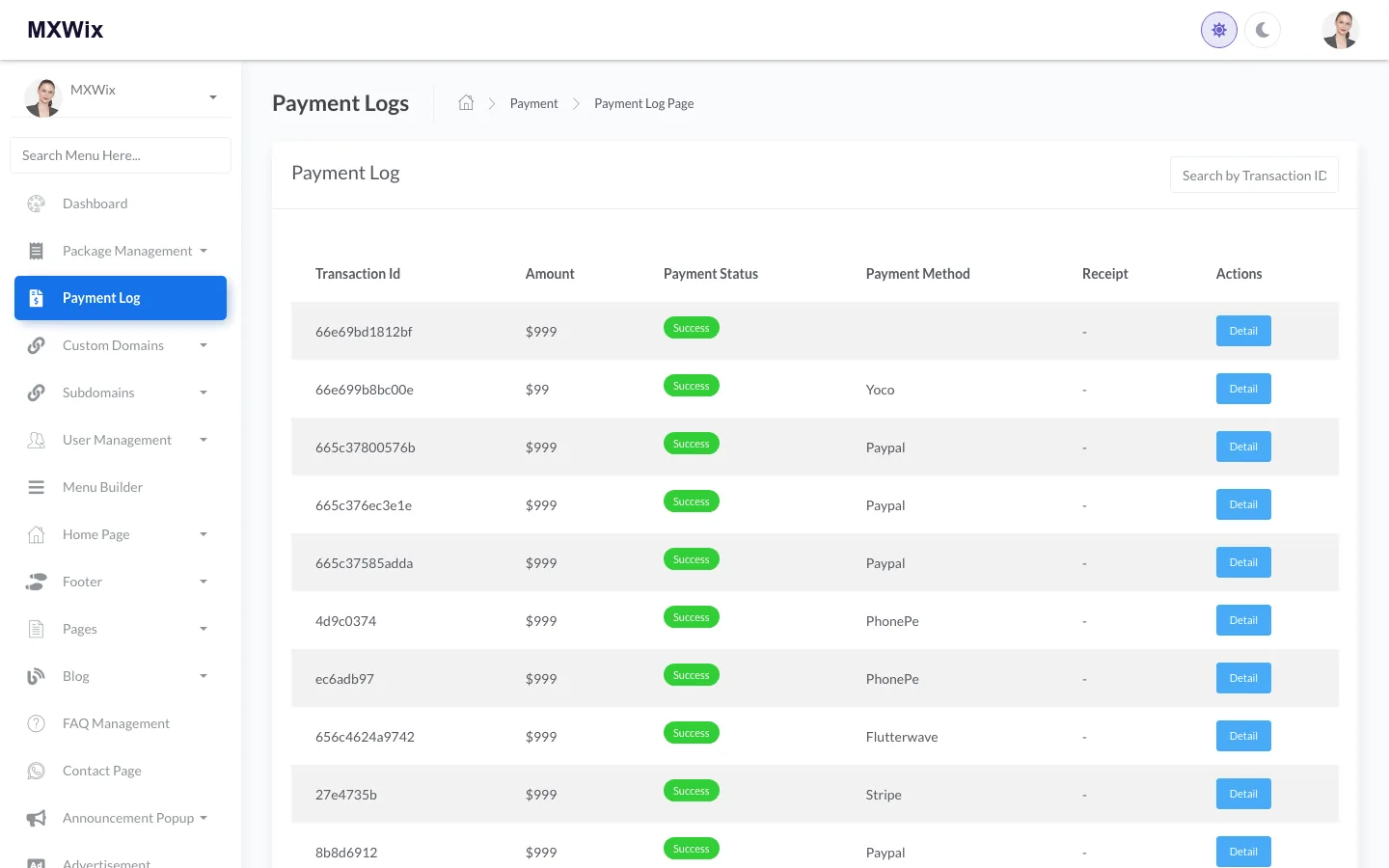
Squarespace Clone admin Payment Log table with transaction id, amount, payment status and payment method.
5 screens · scroll →
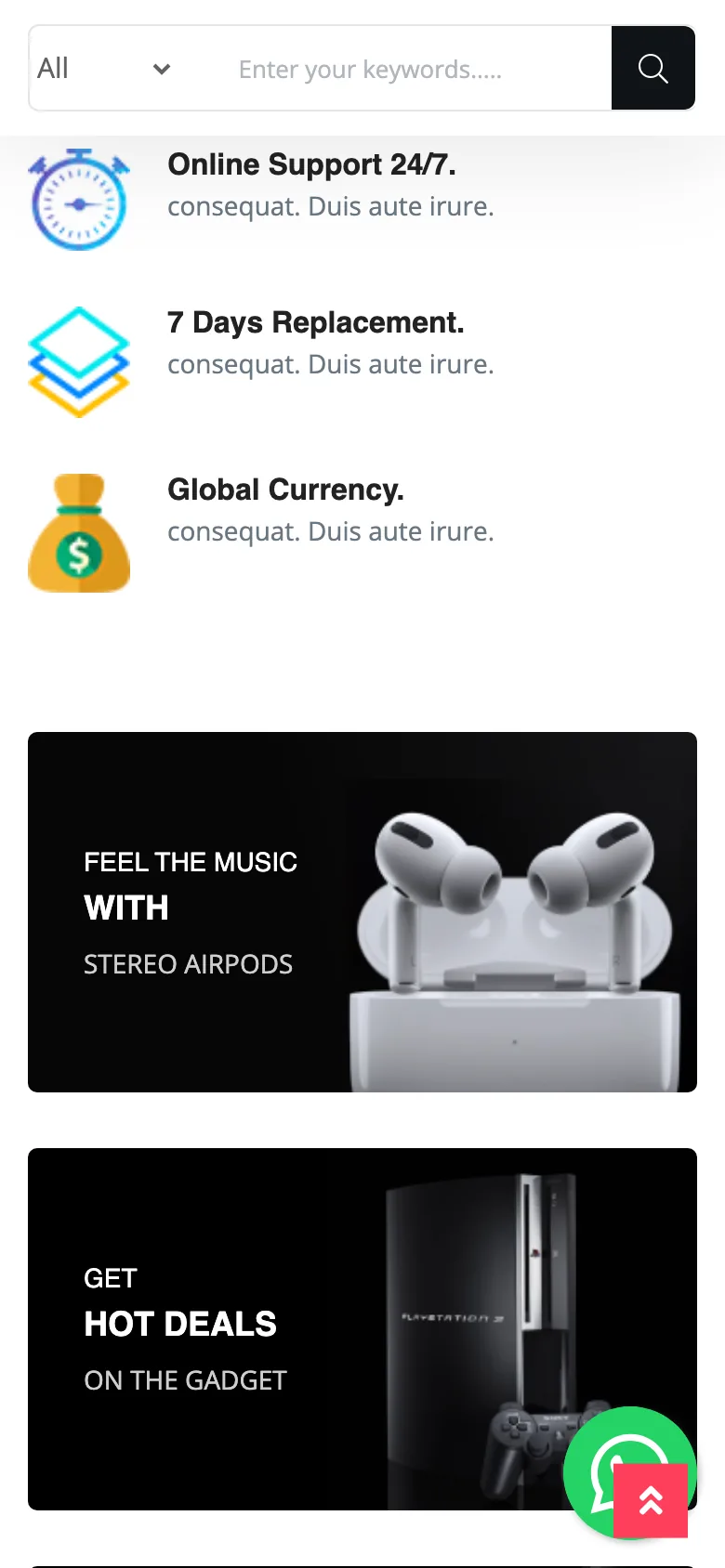
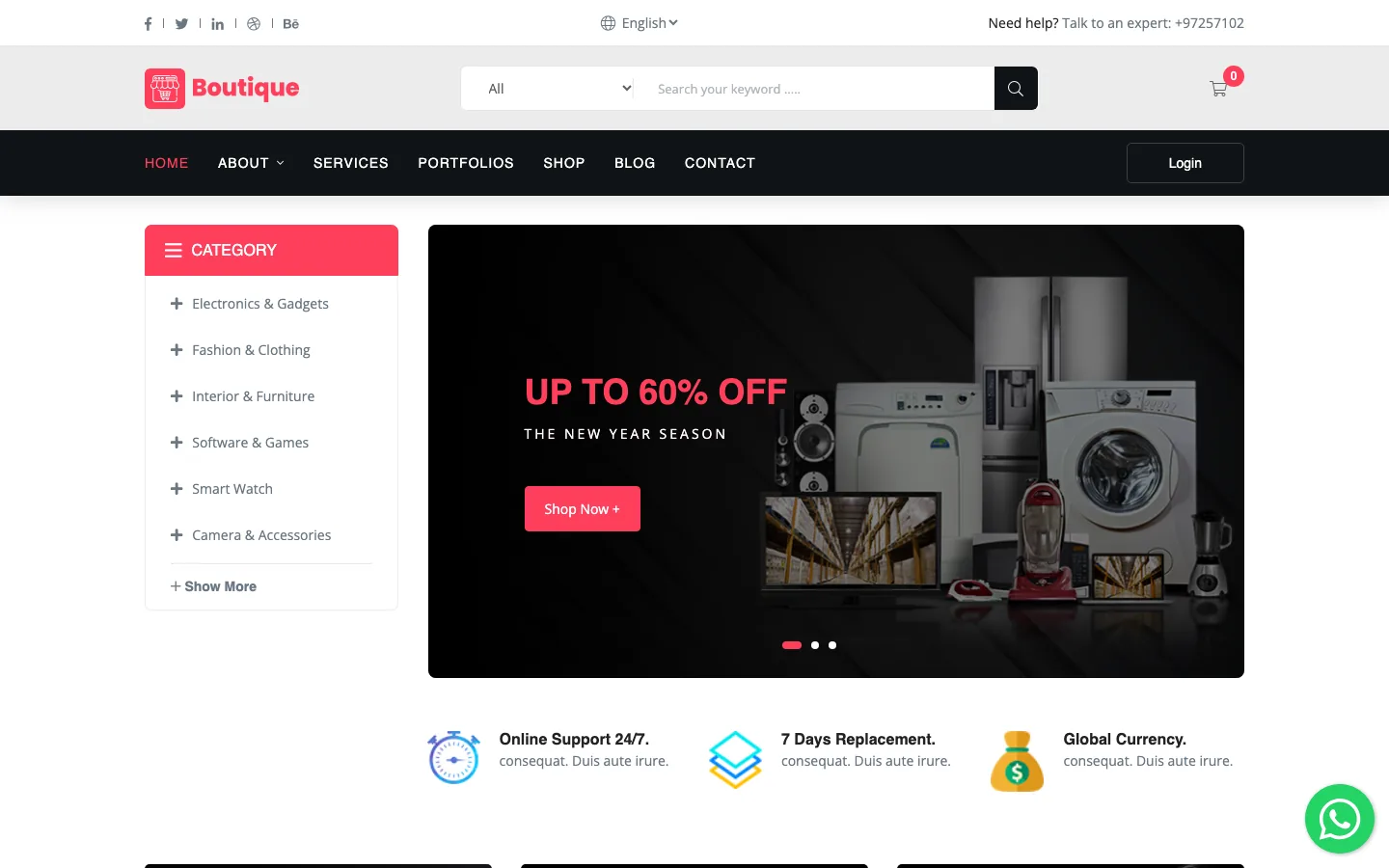
A store website built with Squarespace Clone, shown on a phone.
A hotel website built with Squarespace Clone, shown on a phone.
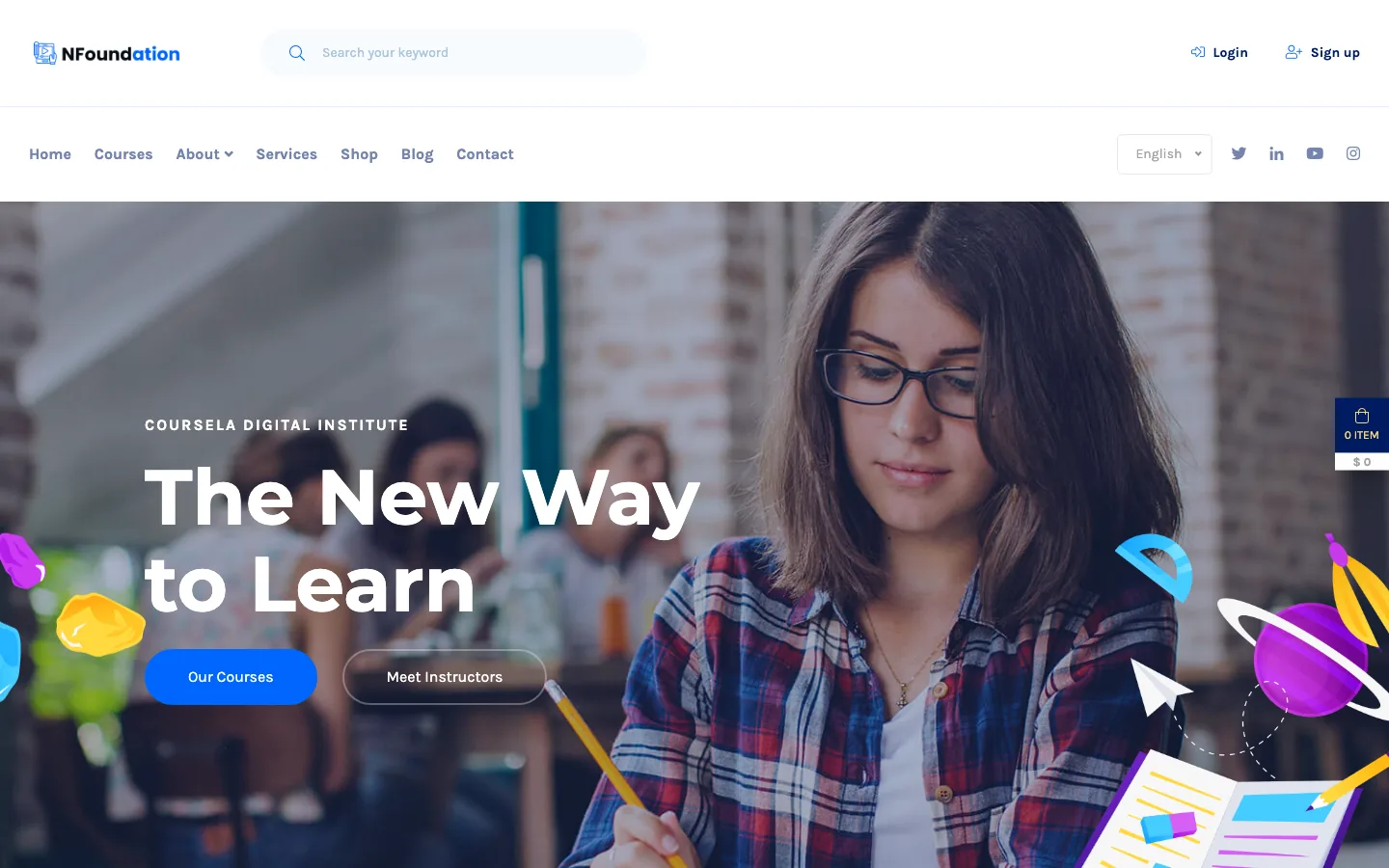
A course website built with Squarespace Clone, shown on a phone.
Squarespace Clone public website on a phone.
Squarespace Clone template gallery on a phone.
Squarespace Clone theme picker on a phone.
Squarespace Clone menu builder on a phone.
7 screens · scroll →

Trace the path of a small business from a gallery template, via a plan and a theme, to a published site with a shop, and follow the operator from a new plan to a domain request and a payment entry.

Browse All Solutions

02Proof

Client Voices

Squarespace Clone Client Reviews - Founders in Their Own Words

No client has published a website-builder review with us yet. Two quotes below come from multi-tenant software sold to business customers, the closest match on file; the rest come from other industries. Every quote is printed exactly as its author gave it.

JJemell CottonCTO, Global Utility Systems Ltd
“GUS is a B2B utility-billing SaaS for small operators across LATAM — meter reads, billing runs, dunning, and a customer portal. The billing engine is the most failure-prone part of the whole stack, and we didn't want to maintain it ourselves. Miracuves's MXBilling base gave us the billing engine, the dunning workflow, and the customer portal. We added our meter-ingestion adapters, our regional tax rules, and a custom multi-tenant reporting layer. We went from kickoff to our first operator live in 11 weeks. The platform has been running for two billing cycles with no major incidents — exactly the reliability profile we needed.”
RRohit KhannaFounder & CEO, Server ProGuard Inc
“Multi-tenant structure, alert pipelines and agent collectors were the slow part and they already existed. We added our scoring engine, the playbook library and billing. First customers were onboarded within weeks and the dashboard is now a sales tool rather than an internal screen.”
DDr. Vivek RungtaFounder & Chief Dermatologist, Dermacian
“Every HMS I tried was built for general physicians, with no lesion mapping, no before/after tracking, and no procedure-based billing. Their MXHealth base gave us the patient app, doctor app, EMR and video consult out of the box. Front-desk time on scheduling and follow-ups is down ~70%, and we went fully digital in 9 months, where a fully custom job would have been 18.”
AAndre GittensCEO, Ride Corporation
“Turo is the obvious reference, but the Caribbean specifics, from different insurance norms to different payment rails, meant we needed a real partner, not just a clone. Miracuves’s MXCar base covered the listing, the trip flow, and the host payouts. We launched in 6 working days and are live in three islands.”
MMarsha WilliamsFounder, Bmore On Demands LLC
“The team was running it on a dispatcher and a Google Sheet, and we needed a real platform quickly, because we were about to onboard a major retail client. Miracuves’s Delivery Genie base gave us the rider app, the dispatch console, and live tracking. We launched in 6 weeks and cleared 4x the previous order volume in the first month.”
TTiffany DandreaOperations Director, Best Cabo Yacht Rentals
“We were running it on phone calls and a paper calendar, and we were losing bookings to bigger OTAs. Miracuves’s GetmyBoat Clone base gave us the calendar, the booking flow, and the payment engine. Online bookings are up roughly 70% in the first six months, and the ops team finally has a live view of the fleet.”
DDr. Carlos A. PalermoCo-founder & CEO, Doctta Health
“Building a compliant telehealth stack from scratch in three markets would have been a year-plus effort. Miracuves’s MXHealth base covered the patient and doctor apps, video consult, e-prescription and the pharmacy integrations. We launched in our first market in 9 weeks and rolled out to two more in the following six months.”
BBrian LatailleVP Logistics Technology, IBC Tanks Canada
“We were juggling spreadsheets, a third-party GPS provider, and a phone. We needed a single operations console. Miracuves’s MXLogistics base covered the trip lifecycle, the driver app, and the customer tracking page. We’ve cut operations admin time by about 40%.”
Read More Client TestimonialsFounders and operators in their own words

Where We Stand

Squarespace Clone Case Study - What Is Published and What You Can Check

The portfolio holds no named client launch of this website-builder product, so there is no outcome to report. Below is what you can verify yourself, instead of numbers borrowed from a different product.

Not Published Yet
No Named Client for This Product Yet

No portfolio page covers a website builder on this base, so we show no client name, logo or figure. Today the demo and the release log are all the proof we can offer.

Gallery, site dashboard, operator consoleSurfaces shown
Builder SaaS for small businessesModel
No client namedStatus
12Themes to pick from
20Plan features
0Made-up results
Squarespace Clone admin panel packages table with Lifetime, Yearly and Monthly terms, cost, status and Edit and Delete buttons.
Try in the demo
  • Browse the template gallery by business type
  • Log in as a subscriber, pick a theme and set the colors
  • Turn home sections on or off and arrange the menu
  • Open the shop items and a package with its features
  • Ask us to unlock the demo
Why no client is named
  • A case study is written only about a real client launch
  • Another product's results say nothing about a website builder
  • We do not make up client names, logos or figures
  • Once a client agrees to be named, this card becomes a true case study
Where we stop
  • Print a quote or number that has no client behind it
  • Present a demo screen as a client outcome
  • Forecast subscribers or revenue for you
  • Suggest the demo is open to everyone: access is given on request

03The product

Overview

What the Squarespace Clone App Offers Founders and Small Businesses

Small businesses that care how their site looks get a ready-made white-label website builder in the Squarespace clone from Miracuves. A subscriber starts from a template, sets colors, fills in sections and goes live, while you run the subscriptions and the store tier from an operator console.

Squarespace Clone shown across a laptop, tablet and phone: the subscriber site dashboard with package and content counts, the site colour settings and the subscriber hotel site home

Designs Come First

The public site sells the look: a gallery of web designs by business type, twelve themes to choose from and color settings, so the first impression is a finished site.

No Sealed Code

The full codebase is delivered readable and unencrypted. Your developers can add a theme, a plan rule or a screen without asking us.

Extras Are Labeled

A visual page builder, wider e-commerce scope and a membership layer are separate add-ons with their own price. They are never listed as part of the base.

Web & Multi-Site

What Does a Squarespace Clone Script Contain?

Anyone can ship a pretty template. The business sits around it: plans that decide what a site may do, a dashboard each owner can use unaided, addresses to issue and approve, and a payment trail to reconcile. All of that arrives working, with the designs laid on top.

Squarespace Clone admin panel packages table with Lifetime, Yearly and Monthly terms, cost, status and Edit and Delete buttons.
  1. 01Public site with a design gallery and plan list
  2. 02Site dashboard with themes, colors, sections and menus
  3. 03Store, rooms, courses and donations as plan modules
  4. 04Addresses by path, subdomain or own domain
  5. 05Operator console for plans, coupons, gateways and subscribers

What you get: the template-led public site, the site dashboard and the operator console, plus the whole source, carrying your identity and running on your hosting.

What You Get

Squarespace Clone Features - Designs, Themes, Sections, Store, Plans, Domains & Operator Console

You can see every line below working in the Miracuves Squarespace clone, whether in a demo screen, the operator console or the release log. Whatever calls for extra work is listed as an add-on further down.

Feature 01 / 12

Template Gallery & Themes

The public site opens on designs grouped by business type, and each site owner chooses among twelve home page themes on one screen.

  • Designs for twelve kinds of site, running from Corporate and Agency through Hotel and Ecommerce to Charity
  • Twelve themes named Theme One to Theme Twelve, each previewed as a thumbnail
  • Pressing Update puts the chosen theme live
  • Preview Template switch on each subscriber row of the Registered Users table
  • Featured switch that moves a site up the directory listing
Feature 02 / 12

Colors, Hero & Branding

Look and feel are set from short settings screens: two colors, the hero area, the logo and the small details that make a site read as finished.

  • Two color fields: a base color and a secondary color
  • Hero area built as a slider with a slide list, or as one static banner
  • Every slide has Edit and Delete buttons
  • Settings for logo, favicon, preloader and breadcrumb
  • Footer with its own logo, text and quick links
Feature 03 / 12

Section-Based Home Page

The home page is assembled from sections a site owner can switch on or off and fill in, which keeps every site tidy without a blank canvas to fill.

  • Each home section carries Active and Deactive buttons
  • Counters, video, brands, skills and testimonial sections, besides about, features and the work process
  • Headings of each section edited in the home page settings
Feature 04 / 12

Drag & Drop Menu Builder

The one place where dragging does the work: a menu builder that lets a site owner compose navigation from ready-made entries or custom links, per language.

  • Prebuilt menu entries go in with one click
  • Form to add or edit an entry: link text, URL and target
  • Dragging entries in the Website Menu list changes their order
  • Each language gets a menu of its own
  • Operators build the public site menu in the same way
Feature 05 / 12

Pages, Blog & SEO Settings

Content lives beside the design: custom pages, a categorized blog, FAQs and a contact page, with search settings kept in the console.

  • Custom pages with URLs, plus an Add Page button
  • Categories for blog posts
  • Release 1.5 in the log brings post scheduling and search-friendly formatting
  • SEO information and sitemap settings inside the operator console
  • FAQ entries and settings for the contact page
Feature 06 / 12

Online Store Module

The store is a module of the plan: a site owner lists items, sets categories, coupons and shipping charges and follows orders, with a cart and checkout on the finished site.

  • Items carry a title, price, type and stock count
  • Items can be physical or digital
  • Variations set up for each item
  • Category and subcategory trees
  • Coupon codes plus shipping charges
  • Every order sits in one of four states: pending, processing, completed or rejected
  • Order report that can be exported
Feature 07 / 12

Rooms, Courses & Donations

Three more modules take a site beyond a brochure, each one a package feature you can place behind a higher plan.

  • Rooms grouped by category, with amenities and bookings flagged paid or unpaid
  • Courses linked to instructors and categories, with coupons and enrolment lists
  • Donation causes organized in categories, with settings and a report
  • Per package, you decide whether each module is on or off
Feature 08 / 12

Portfolio, Services & Testimonials

Showcase sections let a small business present its work in a polished way, from a portfolio with galleries to services, counters and testimonials.

  • Portfolio entries in categories, each with an image gallery
  • One edit screen for every service
  • Testimonial entries and counter figures
  • Entries for skills, experience and training
  • Team members listed in rank order
Feature 09 / 12

Lead Forms, QR Codes & Digital Cards

Small businesses collect leads without a developer: a quote request form that comes with its own builder, plus QR codes and digital business cards.

  • A form builder offering text, select, checkbox, textarea, date, time and file fields
  • Every quote form always starts with name and email
  • Each quote request is marked pending, processing, completed or rejected
  • A QR code generator that keeps the codes you made
  • Digital cards with lists of followers and followed sites
Feature 10 / 12

Site Addresses & Custom Domains

Each new site works at an address straight away and can move to the owner's own domain through a request you approve.

  • An address under your own domain, built from a path
  • Every site is issued a subdomain
  • Own-domain request that comes with CNAME instructions
  • Four request lists for you: all, pending, connected and rejected
  • Subdomain requests are listed in the same manner
  • Mail and delete buttons on every request row
Feature 11 / 12

Plans, Terms & Package Features

Access is sold as packages on a monthly, yearly or lifetime term, and you choose which of twenty features each package turns on.

  • A list of packages showing title, cost, term and status
  • Terms of one month, one year or a lifetime
  • A Free package, and Trial and Purchase buttons beside each plan
  • Twenty features per package, ranging from Custom Domain to Plugins
  • Pricing page marks every feature with a tick or a cross
  • Coupon codes usable when a plan is bought
Feature 12 / 12

Payments, Languages & Operator Tools

Plans are paid through nineteen online gateways or offline ones, and the operator console covers roles, languages, mail and the other upkeep jobs.

  • Nineteen online gateways, with Stripe, PayPal, Razorpay, Paystack, Flutterwave and Mollie among them
  • Offline gateways when payment is made by hand
  • A payment log recording transaction id, amount, status and method
  • Site owners attach their own gateways for what they sell
  • Roles, an admin list and support for a right-to-left language
  • Editable mail templates and a tool for mailing subscribers
  • A cookie alert, a maintenance mode and room for custom CSS and JS

Your side of the work: a hosting account, a domain, your logo and brand colors, business details, a payment gateway account whose KYC is done, and any third-party keys. Inside our 6 days we rebrand the platform and put it on your hosting. The legal side of selling subscriptions, from terms of service to privacy policy, stays with you.

Talk to Our Team

Where the Money Comes From

Squarespace Clone Revenue Models - Plan Subscriptions, Store Tiers, Course Tiers & Ad Space

An app like Squarespace earns where a good-looking site turns into a paid plan, and Miracuves keeps each income line separate so one can be switched on without touching the others.

The plan subscription carries the business. The store tier, the course tier, the free trial and coupons decide how many visitors convert and how far each one upgrades.

  1. 01

    Template-Led Plan Subscriptions

    Small businesses pay each month or year for a plan, with the term, price and status of every package set in the operator console.

  2. 02

    Lifetime Plans

    A one-time purchase sits beside the recurring terms, so an owner who wants to pay once has a package to choose.

  3. 03

    Store Tier Upgrades

    Ecommerce is one of twenty package features, so the shop can wait behind a higher plan and become the reason to upgrade.

  4. 04

    Course & Booking Tiers

    Course management, hotel rooms and donations are package features too, which lets you price each extra module separately.

  5. 05

    Free Plan & Trial

    A free package with a Trial button lets a visitor try a design at no cost, and the upgrade is one click from the pricing page.

  6. 06

    Coupons & Ad Space

    Plan coupons turn a launch offer into a setting, and advertisement settings give you banner space to sell or fill.

Published figures for the lines a design-led builder can run: plan subscriptions, the store tier, a course and content tier and the card cost on each plan payment, each tied to a filing or a published price list.
Revenue streamHow it is chargedTake rateTypical take rateWhat sets the ceiling
Plan SubscriptionsA recurring fee for each plan term, billed monthly or yearly.Squarespace: 92.0% of its 2023 revenue was subscription revenue.How many sites stay subscribed and what each plan sells for. Both numbers are your own settings in the console.
Store Tier UpgradesA higher plan switches the Ecommerce feature on. The base build has no per-sale cut for you.Squarespace: 2% store transaction fee on Basic, 0% on Core and Advanced. Commerce revenue was $308.0m in 2023, roughly 30% of the total by our calculation.The gap between what a seller pays for a store plan and what a higher plan saves them. Site owners connect their own gateways, so card costs stay with them.
Course & Content TiersPackages that include the course, hotel or donation modules are priced above those without.Squarespace: 7% fee on digital content and memberships on Basic, 5% on Core, 0% on Advanced.Whether the sellers of paid content judge the module worth more than a fee elsewhere. A per-sale fee on these sales is not part of this build.
Plan Payments & CouponsCard fees on each plan payment go to the gateway you connect; a coupon lowers the amount charged.Stripe US prices a successful domestic card payment at 2.9% plus 30 cents.Your gateway's price in your country and card mix. The console lists nineteen online gateways, so you can compare before choosing one.

How to read this. The subscription share and the commerce revenue come from the Squarespace Form 10-K for 2023 (its most recent annual report), and the commerce share comes from our own division of two reported figures. The per-plan transaction fees were read on the Squarespace pricing page, and the card example is from Stripe US pricing. These are numbers other companies publish, not terms this product applies: it has no built-in per-sale fee, so the store and course rows describe plan tiers you would price yourself. App-store billing does not apply to a web product. Use the table as a planning reference only; it is not a quote or a forecast of anyone's income.

Revenue Model

Squarespace Clone Revenue Model, Stage by Stage

In the Squarespace clone Miracuves delivers, the design gallery does the selling and each revenue line is a console setting, so the plan ladder can grow one rung at a time.

Launch

Lead with a Free package and a trial so owners can try a design, then charge monthly or yearly for the plan that puts their finished site online.

Traction

As brochure sites mature, many owners want to start selling, so the store tier becomes the obvious upgrade, with launch coupons nudging the first conversions.

Scale

Course, room and donation modules turn into priced tiers of their own, lifetime plans bring in cash up front and advertisement settings open banner space to sell.

Owners' shop sales run through their own gateways, and none of your plan revenue goes to Miracuves.

Want a pricing ladder designed around your own template range?Design My Revenue Model

Your Daily Console

Operator Console for a Squarespace Alternative - Plans, Subscribers, Domains, Payments & Public Site

In the Squarespace clone Miracuves delivers, the operator's day-to-day is handled in one console: the plans on sale, who subscribed, which domains are waiting, which payments arrived and what the public site displays.

Squarespace Clone admin panel packages table with Lifetime, Yearly and Monthly terms, cost, status and Edit and Delete buttons.
Squarespace Clone admin Package Features screen with the switchable features such as Custom Domain, Subdomain, Ecommerce, Hotel Booking and Course Management.

Console Sections

  • 01

    Plan Management

    Plans with a term, a price and a status, the features each switches on, package settings and coupons, all under a single menu.

  • 02

    Subscriber Table

    All site owners in one table, with toggles for featured, preview template, email and account status, and a button to add a user.

  • 03

    Domain & Subdomain Requests

    Requests arrive in four lists (all, pending, connected, rejected), and each row can be mailed or deleted.

  • 04

    Gateways & Payment Log

    A log of each payment sits beside the nineteen online gateways and the offline ones.

  • 05

    Public Site Content

    The shop window is edited from here too: menu, hero, intro, features, work process, testimonials, partners, footer, pages and blog.

  • 06

    Help Pages & Popups

    FAQ content, the contact page, announcement popups and ad settings for the public site.

  • 07

    Mail & Newsletter

    A list of newsletter subscribers, a tool for mailing them and mail templates you can edit.

  • 08

    Roles, Languages & Search Settings

    Admin roles and accounts, languages for the console and for sites, plus settings for SEO information and the sitemap, a cookie notice, maintenance mode and your own CSS or JS.

Plans & Money

The commercial side of the console, from the first plan to the latest payment.

  • Plans listed with term and price
  • Coupons at plan checkout
  • Each payment logged with status and method
  • Gateways, online and offline

Upkeep & Settings

Everything you use to steer the public site and keep the platform running day to day.

  • Logo, favicon and preloader screens
  • Mail settings and templates
  • Social links and plugin settings
  • A tool that clears the cache

Need the console to do more? Anything beyond this, say further reports, a different domain approval route, more languages or bespoke roles, is quoted separately once you describe the need.

Talk to Our Team

04Package and price

The Full Package

Your White-Label Squarespace Builder Package: Source Code, Designs, Panels & Deployment

Your Squarespace clone package from Miracuves is a working business, not loose parts: the template-led public site, the site dashboard, the operator console, and the code and database schema behind all three. With the complete source in your hands, how you use it is your decision.

01

Complete Source Code

Every line of the web platform, unencrypted, so your team can reshape it for your market.

  • Unencrypted source for the web platform
  • Public site, site dashboard and operator console
  • Open to change, extension and redeployment by your team
  • Transferred into your own repository
02

Database & Table Structure

The MySQL structure that stores users, packages, memberships, sites, content and payments, supplied so it can be rebuilt from nothing.

  • Schema supplied alongside the code
  • A MySQL data tier
  • Tables for users, plans and memberships
  • Tables for pages, blog, shop and payments
03

Twelve Themes & Design Gallery

Twelve home page themes, the gallery that shows them off on the public site, and a theme picker inside every dashboard.

  • Twelve themes for the home page
  • A gallery spanning twelve kinds of site
  • A theme picker for every site owner
  • Two colors set on the color settings screen
Squarespace Clone public home page headlined Pick a template, with a call to action and previews of site designs.
04

Public Site & Plan Page

The public side that sells your service: designs on show in a gallery, a pricing page, listings of subscriber sites, plus a blog, FAQs and a contact page.

  • Design gallery and site directory
  • Plan page with tabs for Monthly, Yearly and Lifetime
  • Blog, FAQ and contact pages
  • Sign-up and checkout
05

Site Dashboard

The owner's workspace, covering package status, themes, sections, menus, pages, the blog, the shop, quote forms and domain settings.

  • Package and expiry date at the top of the dashboard
  • Sections, menus, pages and a blog
  • Items for sale and their orders, plus coupons
  • Quote forms, QR codes and digital cards
Squarespace Clone subscriber dashboard on a phone.
Squarespace Clone admin panel packages table with Lifetime, Yearly and Monthly terms, cost, status and Edit and Delete buttons.
06

Operator Console

Your control room: plans and their features, coupons, subscribers, domain requests, gateways, the payment log, languages and roles.

  • Packages and their features
  • Subscribers and domain requests
  • Payment log and gateways
  • Content for the home page, menu, pages and blog
07

Access Controls

Different sign-ins for operator, site owner and shop customer, plus the protections the web platform already ships with.

  • Operator and site owner sign in separately
  • Roles for the people on your own team
  • An account status switch per subscriber
  • Cards are entered at the gateway
08

Handover & Aftercare

Branding and deployment taken care of, a handover pack, and three support periods that run together from launch day.

  • Branded with your own logo, icons and palette
  • Deployment onto your hosting
  • Written deployment settings and notes
  • 60 days guidance, 6 months bug fixes, 12 months updates

Want to look before you decide? Request demo access or a guided tour, and we can step through a design in the gallery, a theme change, a menu, a plan and a domain request, each linked back to your own offer.

Talk to Our Team

Transparent Pricing

How Much Does It Cost to Launch a Website Builder Like Squarespace?

The white-label Squarespace Clone costs a fixed $2,499 and is ready to launch. Anything past the base build, whether an add-on, another integration or a custom flow, is scoped and priced in writing.

Most Popular

Professional

Ready-Made Launch Package
$2,499one-time payment
Ships in 6 days

Chosen by: Founders selling design-led sites on subscription, studios shifting clients to plans, template and theme sellers

The build you receive mirrors the demo, carries your own logo, icons and palette, and is served from hosting that you control.

Get Started

Enterprise

Custom Builds for Larger Scope
Customquote
Go-live: based on final scope

Chosen by: Software vendors, hosting groups, platforms serving several regions

Need a flow the base lacks, such as a new theme family or a different plan logic? We build to your brief and agree scope and price before work starts.

Request a Quote
Development Cost

Squarespace Clone Development Cost in 2026

$2,499, paid once to Miracuves, covers the design gallery of website templates and twelve themes, an owner dashboard with a built-in store module, the operator console, and readable source code with its MySQL schema in your repository. Within six working days your branded builder is serving sites from your own hosting, and no per-site or monthly fee follows.

$2,499 Paid once
6 working days Rebranded and live
0% Revenue share

Costs that sit outside the Miracuves invoice

  • A hosting account and the domain your service runs on
  • Gateway accounts with KYC, plus fees on each plan payment
  • Outgoing mail, reCAPTCHA and other third-party keys
  • Legal text, refund rules, tax and invoicing for subscriptions
  • Optional extras: the visual page builder, wider store scope or a membership system

Custom work such as a new theme family or different plan logic gets a written quote first and typically takes 2-8 weeks.

Compare Your Options

Ready-Made Squarespace Clone vs Custom Development vs SaaS

A design-led website builder like Squarespace can come ready-made, be coded from scratch or be resold from a SaaS vendor. The rows show how Miracuves' ready-made Squarespace clone differs from the other two routes on speed, cost, ownership and design control.

CriteriaMiracuvesReady-Made Squarespace CloneCustom DevelopmentSaaS
Launch timeLive in 6 working days2-8 weeks, quoted in writingInstant reseller account
Upfront cost$2,499 fixed priceQuoted in writing per scopeMonthly wholesale per site
Source code ownershipFull unencrypted source and schemaAgreed in your contractCode stays with the vendor
CustomizationDesigns, themes and plan features yoursBuilt to your specificationVendor templates only
Ongoing feesPaid once, no monthly licenseMaintenance quoted separatelyPer-site fees that keep growing
Branding & app-store listingYour brand across gallery and consoleYour brand, your web panelsVendor platform under the hood
Best forStudios selling design-led sitesWorkflows beyond the productFreelancers building a few sites

Same product, other editions: Wix Clone · Browse all Website-Builder solutions

Go Deeper

Four Guides on Running a Design-Led Website Builder, Read Together

Four Miracuves blog articles covering what the platform holds, how the business is put together, where income arises and how a site goes live.

Putting It to Work

Use Cases for a Design-Led Builder Like Squarespace - Studios, Boutiques, Hotels, Schools & Charities

Miracuves' Squarespace clone serves each operator through a different strength: builder startups lead with the gallery and plans, studios lead with the dashboard, and shop-focused services lead with the store tier. How you set up packages decides which one comes forward.

BuilderStartupTemplate-First Website Builder

Start a design-led service in your own name: visitors browse the gallery, choose a plan and receive a site, and you collect the subscriptions and run the console.

01
Squarespace Clone design gallery showing Corporate, Business and Agency templates for a new subscriber to choose from.
StudioPlansStudio Subscription Sites

Put clients on a monthly plan instead of a one-off project, each one updating their own site from a dashboard.

02
Squarespace Clone subscriber dashboard with the current package and counts of services, portfolios, testimonials and blog posts.
ShopStoreBoutique & Online Shops

Sell a store tier to small sellers: catalog items, categories, coupons, shipping charges and an order list, on a theme made for products.
03
A store website built with Squarespace Clone, with a category menu, a hero slider and a cart.
HotelRoomsHotel & Room Sites

Hand small hotels a polished site, with room categories, amenities and bookings marked paid or unpaid.

04
A hotel website built with Squarespace Clone, with a hero banner and rooms, services and contact links.
CoursesSchoolsCourses & Schools

Let coaches and schools publish course sites listing instructors, categories, coupons and enrolments, enabled by whichever plan they buy.
05
A course website built with Squarespace Clone, with a hero banner and buttons for courses and instructors.
DonationsCharityCharities & Causes

Supply donation sites built from causes, categories and a report, letting a small nonprofit receive gifts with no developer to pay.

06
Squarespace Clone Home Page Version screen listing Theme One to Theme Twelve for a subscriber to pick from.
Business Model

Squarespace Clone Business Model: Three Ways to Run It

One Squarespace clone install can carry three kinds of business, from a template-led builder brand to a studio or a shop-focused service, and each one earns from the same design gallery, plan ladder and store tier.

Template-first brand

A builder brand leads with the design gallery and twelve themes, selling plans to any small business that wants a finished-looking site fast.

Design studio

A studio turns one-off client builds into monthly plans, keeping each client on a polished theme while the client updates text and images alone.

Store-tier service

A shop-focused service sells the store tier to small sellers who need physical and digital items, per-item variations, stock counts and an exportable order report, all on a product-ready theme.

Plan prices, terms and the modules each plan opens are all yours to set in the console.

One product, six ways in. Every case runs on the same public site, site dashboard and console. Only the featured designs, the modules each plan opens and the branding differ, leaving a single codebase for you to look after.

Talk to Our Team

Market Timing

Why Launch a Design-Led Website Builder in 2026?

For most small businesses a website is now a subscription they expect to run themselves, which is the market Miracuves built its Squarespace clone to serve. Under your own brand you can sell that subscription yourself rather than hand buyers to a larger builder.

01

First Impressions Are Visual

A small business is judged by its site within seconds, so a builder that begins from a finished design takes away the hardest step.

02

Templates Shorten the Start

A gallery sorted by business type lets an owner start near the end result and alter only what differs.

03

Plans Match Ongoing Use

A site needs looking after every month, so a monthly or yearly plan matches real use, with a lifetime option for those who would rather pay once.

04

The Store Is a Natural Upgrade

Many owners open with a brochure site and later want to sell, so a store tier gives the plan ladder an obvious next rung.

05

Your Brand Owns the Customer

With the domain, the billing and the dashboard under your name, site owners stay yours and do not drift to a bigger builder.

06

Buying Beats Building Here

Most of what a builder needs is here: themes, a dashboard, addresses for sites, payment handling and an operator console. Six days of our work later, a white-label copy runs on your hosting.

Product Facts at a Glance

12

Themes to Choose From

20

Features Per Plan

19

Gateways Listed

6

Days Until Delivery

A good deal of any website builder is unglamorous plumbing: plan rules, domain requests, settings for every site and payment records. That plumbing is laid for you here.

Industries

Sectors It Fits

The Squarespace Clone suits any firm that sells websites to other firms, or hosts a community's sites. Builder startups sell plans outright. Design studios put clients on subscriptions. Hosting and domain providers extend their range with a builder. Boutique and portfolio services hand small sellers and freelancers a web address of their own. Hotel, school and charity networks pick the themes and modules that fit them. Legal and corporate-services groups publish firm sites from a single console. Regional directories index the sites their members create.

  1. 01Site-Builder Brands
  2. 02Design Studios
  3. 03Hosts & Registrars
  4. 04Hotels & Stays
  5. 05Schools & Coaching
  6. 06Boutiques & Shops
  7. 07Nonprofits & Causes
  8. 08Legal & Professional Firms
  9. 09Software & IT Firms
  10. 10Trades & Manufacturers
  11. 11Creatives & Freelancers
  12. 12Community Directories

Miracuves ships the Squarespace Clone as a multi-tenant website builder SaaS for small businesses that bends to any vertical, with designs, plans and console wearing your name from the very first screen.

06Under the hood

End to End

From Design to Live Site: How a Website Builder Like Squarespace Works

For a visitor, a site on the Miracuves Squarespace clone starts with a few decisions. Behind them runs a chain of designs, plans, payments and addresses. That chain is laid out here from first design to live site, followed by the architecture beneath it.

Owner Journey - From a Design to a Live Site

  1. Squarespace Clone template gallery on a phone.
    1Start From a Designer Template

    Visitors open the gallery on the public site and look through designs grouped by the type of business they run.

    • A gallery that covers twelve kinds of site
    • A directory of subscriber sites that are live
    • A blog, FAQs and a contact page
  2. Squarespace Clone pricing packages on a phone.
    2Compare Plans and Pick One

    Monthly, Yearly and Lifetime tabs on the pricing page mark with a tick or a cross what each plan switches on.

    • Tabs for Monthly, Yearly and Lifetime
    • A tick against each feature a plan includes
    • Trial and Purchase buttons
  3. Squarespace Clone subscriber dashboard on a phone.
    3Create an Account and Pay

    After creating an account, the visitor pays through an online or offline gateway; the membership begins and the dashboard opens.

    • Account creation and checkout
    • Payment online or offline
    • Package and expiry shown on the dashboard
  4. Squarespace Clone theme picker on a phone.
    4Set the Theme and Brand Colors

    From Home Page Version, the owner selects one of twelve themes and fills in a base color and a secondary color.

    • Theme One through Theme Twelve
    • One Update button
    • A color settings screen
  5. Squarespace Clone menu builder on a phone.
    5Arrange Sections and Order the Menu

    Owners toggle sections, add their content and drag menu entries into the order visitors will see.

    • Hero, about, features, counters and others
    • A menu you assemble by dragging entries
    • Pages, a blog and FAQs
  6. A store website built with Squarespace Clone, shown on a phone.
    6Open the Store and Go Live

    If the plan includes it, the shop gets its first items, and the site publishes at its path or subdomain before moving to the owner's domain once you approve it.

    • Shop items, categories and coupons
    • Addresses by path and by subdomain
    • Own-domain request, then your approval
Visual Flow DiagramDesignPlanPayStyleArrangePublish

Behind the Flow

Design-Led Builder Architecture & How a Site Gets Published

Talk to Our Team
  1. Part 01

    Three Entrances, Three Sign-Ins

    Public site, site dashboard and operator console each have a separate sign-in and menu, which keeps your tools out of an owner's sight.

  2. Part 02

    One Platform, Many Sites

    A site is a bundle of settings and content filed under its owner in one database, and visitors reach it by path, subdomain or own domain.

  3. Part 03

    Plans Gate Modules

    The package an owner holds determines which modules appear in their dashboard, so a new plan means a different menu.

  4. Part 04

    Payments & Memberships

    Once a plan is paid it turns into a membership with start and expiry dates, recorded against a single payment-log entry.

  5. Part 05

    Content per Language

    Menus, sections and pages are kept per language, so one site can be offered in several.

  6. Part 06

    Own-Domain Requests

    An own domain first shows up as a request carrying instructions for its owner, then changes to pending, connected or rejected as you deal with it.

What It Runs On

What the Squarespace Clone Is Built With - PHP, Laravel, MySQL & Gateways

Miracuves runs the Squarespace clone on PHP and Laravel, with MySQL holding every plan, membership and page of site content in one coherent set. Below is the stack, as the product pages list it and the demo shows it.

WEB LAYER

Web Application

PHP Laravel Bootstrap
  • Site dashboard, public site and operator console in one codebase
  • Screens that respond to the viewport through Bootstrap
  • Twelve themes for the home page
  • Languages written right to left are supported
DATABASE

Data Tier

MySQL
  • Records for users, plans and memberships
  • Storage for pages, posts, orders and payments
  • Menus and sections stored by language
  • Schema passed over together with the code
PAYMENTS

Checkout & Billing

Mollie Flutterwave Stripe PayPal
  • Nineteen online gateways to choose from in the console
  • Offline gateways for hand-processed payments
  • Plans charged monthly, yearly or one time
  • You need your own gateway account, KYC included
MESSAGING

Email & Lead Capture

SMTP Templates reCAPTCHA Quote forms
  • Outgoing mail settings and templates you can edit
  • Bulk mail to newsletter subscribers
  • Quote requests collected by a configurable form
  • reCAPTCHA keys pasted into plugin settings
SITE TOOLS

Site Owner Extras

QR vCard Sitemap
  • A generator for QR codes, with the codes saved
  • Business cards in vCard form for owners
  • A sitemap setting for the public site
  • Orders reported and exported
HANDOVER

Source & Documentation

Repository Schema Config
  • Source of the application, in plain form
  • The database schema
  • Deployment settings written out
  • Handover notes included
Notes for technical buyers:

For the web and admin side the product pages name PHP, the Bootstrap framework, Laravel and MySQL. The whole thing is a web product, so the public site, the site dashboard and the operator console open in a browser, and the sites they produce adapt to phones. The build contains no native Android or iOS app. Payment gateways, a mail server and reCAPTCHA call for accounts and keys of your own, which you hand over at deployment.

Talk to Our Team

Room to Grow

Built to Scale - One Deployment, Many Sites & Room to Grow

One deployment serves many sites, which makes taking on more subscribers a matter of capacity and settings and never a rewrite.

Separate Sign-Ins. Public site, dashboard and console hold their own permissions, so altering one does not force a release of the rest.

Shared Deployment. Subscribers run on the same installation for multi-site hosting while keeping their own settings and content, which is how a plan change can reshape a site in a single step.

Modules That Hide. On a lower plan an owner never meets the shop or the booking module, so their dashboard stays short and your plan ladder stays meaningful.

Payments You Can Check. Each plan payment is saved with its status and the method used, and each membership with its start and end dates, so the console can be compared with the gateway.

01

Separate Surfaces

Public site, site dashboard and operator console each keep a login, menu and permission set of their own, so any can change on its own.

02
DesignsColorsSections

Settings per Site

Each site stores its own theme, colors, sections, menus, pages and languages under its owner, so another site means more rows rather than more code.

  • A theme and colors per site
  • A section set per site
  • A menu per language
  • Pages and a blog per site
03

Switchable Modules

Shop, rooms, courses and donations appear only on plans that include them, so every dashboard stays light.

  • Shop with orders
  • Rooms with bookings
  • Courses with enrolments
  • Donations with causes
04
PathSubdomainDomain

Address Options

A site can be served from a path, a subdomain or an own domain, which gives a new owner an address before any DNS work begins.

  • Address built from a path
  • Subdomain
  • Own domain through a request
  • Approval queues for you as operator
05

Payment Records

Each plan payment turns into a transaction stamped with a status and a method, and every membership keeps a start date and an end date.

  • The payment log
  • Gateway and status on every row
  • Start and end dates on a membership
  • A reminder mail before expiry
06

Documented Hand-Over

Code, schema, deployment settings and notes are passed on so that another team can operate the platform without us.

Space to Adapt. Sooner or later every builder needs something particular to its market. With the full source and a conventional PHP stack, a new screen, rule or integration is routine development for your team or for ours.

Planning a launch? Begin with the designs and plans you can already sell and let them grow on the deployment you have. When subscribers multiply, extra capacity is a hosting choice, and work beyond the base is scoped and quoted separately.

Talk to Our Team

07Security and trust

Open to Inspection

Security in Your Squarespace Alternative - Role Separation, Cards Held at the Gateway & Stated Limits

Owner logins, site content and payment references all live in the builder, so Miracuves focuses the Squarespace clone's security on access, where card data ends up and which steps remain before launch. Here is what the platform takes care of and what stays your job.

  1. 01 · Roles
    Role Separation

    Operator, site owner and shop customer each have their own sign-in, and the console includes roles for the people on your team.

    • Account Status: The Registered Users table lets you set any subscriber account to active or deactive and mark its email as verified.
  2. 02 · Payments
    Payment Trail

    Each plan payment is written to a log with its transaction id, the amount, the status and the method used, so a disputed payment can be checked against a record.

    • Gateway-Held Card Data: Cards are typed in at the gateway you connect. What the platform stores is a transaction reference, never the card details themselves.
  3. 03 · Forms
    Forms & Sign-Ups

    Sign-up and quote forms pass through the platform's validation, and reCAPTCHA can be switched on in the plugin settings.

    • Form Protection: You can enter reCAPTCHA keys in the plugin settings to slow bot registrations on the public forms.
    • Cookie Alert & Maintenance: The settings screen turns on a cookie alert with wording of your choice, and a maintenance mode.
  4. 04 · Domains
    Addresses & Domains

    The platform hands out path and subdomain addresses, while an own domain waits in a queue of requests until you approve it.

    • Domain Approval: Nothing goes live on an own domain until you mark the request connected, which stops anyone aiming a name at the platform without your consent.
  5. 05 · Accounts
    Subscriber Accounts

    Every account has a status, an email verification flag and a package, readable together in one table.

  6. 06 · Launch
    Before Launch

    Work before launch is spelled out instead of taken for granted: penetration testing, secret rotation, a restore drill and a check of your gateway configuration.

    • Named Launch Tasks: Prior to opening for subscribers we arrange a penetration test, rotation of secrets and a backup restore drill with you. These are tasks for launch, not features the demo proves.

Every control named here can be looked at in the demo, and the remaining launch steps are laid out in the last card and scheduled with your team. Independent audit partners guide your operating company through its audit, with the attestation then issued to it. Miracuves develops the store against controls set by ISO 27001, SOC 2 and GDPR, and support is scoped per project (the compliance fact).

Plan Security Work With Us

Operator Duties

Operator Readiness for a Squarespace-Style Business - Software Coverage and What Remains Yours

A builder lets other people publish pages beneath your name. Miracuves supplies the plan, checkout, site and domain tooling. You decide who may subscribe and what they may publish, and you answer to the law where you operate.

Made for a subscription service; certified by no one.

In this section, ready refers to software that works in the demo or the console. Licenses and approvals for a subscription service run through your operating entity, and none of it is legal advice.

Included in the Software

Plans with terms and features, a pricing page, sign-up and checkout, owner accounts with status switches, distinct operator and owner sign-ins, lists for domain requests, a log of payments, mail templates and a cookie alert.

Yours as the Operator

Terms of service and a privacy policy, refund and cancellation rules, the gateway accounts, with their KYC, that must exist before you take a payment, and tax and invoicing for subscriptions.

What Site Owners Publish

Deciding what owners may put on their sites, and acting on it, is up to you, for instance by marking an account deactive. The platform does not read pages on your behalf, and it cannot tell whether an uploaded image or text carries a licence.

Where You Operate

Rules on data protection, consumers, tax and domains differ by country and often by state. Go through them for each market you serve, with qualified local advisers, before sign-ups open.

08Grow the platform

Core in the boxMXWix
  • Design gallery, themes & plans
  • Site dashboard & sections
  • Domains, store & modules
  • Operator console & payments

Adding a module

  1. 1
    Choose what you need

    Page layout, selling or memberships, at launch or afterwards.

  2. 2
    Price first

    Every module is quoted in writing with a clear scope before work starts.

  3. 3
    Delivered as code

    A module is merged into the source code you already have.

Ask About Custom Modules

Extra Scope

Extras for a Squarespace-Like Builder - Visual Builder, Wider Store Scope & Memberships

The delivered platform runs end to end and is ready to demo. The three modules below sit outside the base price of the Miracuves Squarespace clone; each gets an individual scope and quote, because the effort varies with your plans and your site owners.

  • Layout

    Drag & Drop Page Builder

    A visual builder offering live editing and pre-designed layouts for site owners, layered on the section switches and the drag-and-drop menu builder already in the base.

    Layout · Visual
  • Selling

    E-Commerce Integration

    Store configuration, catalog upkeep, payment handling and order tracking within the builder. A shop module is already in the base, so whatever this add-on stretches beyond it is settled in writing before we begin.

    Store · Scope
  • Selling

    Membership & Subscription System

    Members-only content, managed memberships and paid subscriptions that site owners offer on their own sites, with sign-in and payment built in.

    Members · Content

Nearby Products

Serving Small Businesses With Software? Three Related Builds to See.

The Squarespace Clone is one item in a broader line of off-the-shelf software that small businesses subscribe to. Should your plan extend past site building, these three sit comfortably next to it.

Squarespace Clone design gallery showing Corporate, Business and Agency templates for a new subscriber to choose from.01
Pick it if: Your buyers search for that nameWix Clone

The identical website-builder platform at the identical fixed price, sold under the second name that buyers type into search.

Explore Solution
Mailchimp Clone email marketing app screens.02
Pick it if: Your site owners also want newslettersMailchimp Clone

Email marketing you host yourself: a template editor, audience segments and automations, ready to resell to your own customers.

Explore Solution
Google Drive Clone cloud storage app and web screens.03
Pick it if: You want storage plans next to site plansGoogle Drive Clone

Cloud storage with nested folders, shared links that carry permissions and expiry dates, file versions and quota-based plans.

Explore Solution
CatalogAll 90+ solutions

09The business case

Market Benchmarks

Website Builder Market Benchmarks - Independent 2025-2026 Data

The revenue models above are ours. The figures below are not. They come from the Wix annual report on Form 20-F, the GoDaddy and Squarespace annual reports on Form 10-K, and Eurostat, reproduced as published. They show how listed website builders earn from subscriptions, domains and payments, and how many European businesses have a website at all.

Wix 20-F01

$1.99bn in Wix Revenue in 2025, Up 13%

Wix's annual report on Form 20-F reports 2025 revenue of $1.99 billion, up 13 percent. Creative Subscriptions revenue was $1.41 billion, 71 percent of the total, and Business Solutions revenue was $583.3 million, up 18 percent. Wix had 304.2 million registered users, and 83 percent of premium subscriptions were yearly or multi-year.

GoDaddy 10-K02

$1.89bn in GoDaddy Applications & Commerce Revenue

GoDaddy's annual report on Form 10-K reports Applications and Commerce revenue of $1,889.0 million in 2025, up from $1,653.0 million, about 38 percent of its $4,951.1 million total. The segment covers its website building products, commerce products including payment processing fees, and third-party email and productivity products.

Squarespace 10-K03

92% of Squarespace Revenue From Subscriptions

Squarespace's annual report on Form 10-K for 2023, its latest annual filing, reports revenue of $1,012.3 million, up from $867.0 million, with 92.0 percent from subscriptions. It had 4.6 million unique subscriptions, up 10.2 percent, and processed about $6.2 billion of gross merchandise value through its platform, up 2.5 percent.

Eurostat04

79% of EU Enterprises Had a Website in 2025

Eurostat reports that 79.01 percent of enterprises in the EU had a website in 2025, in data extracted in January 2026. For 2024, it reports that enterprises realized 8.39 percent of their total turnover from web sales and 19.49 percent from e-sales overall, and that 85.65 percent of enterprises with web sales used their own websites or apps.

Where each figure comes from.

Wix.com Ltd., Annual Report on Form 20-F for the year ended 31 December 2025, filed 5 March 2026 - sec.gov

GoDaddy Inc., Annual Report on Form 10-K for the year ended 31 December 2025, filed 25 February 2026 - sec.gov

Squarespace, Inc., Annual Report on Form 10-K for the year ended 31 December 2023, filed 28 February 2024 - sec.gov

Eurostat, Digital economy and society statistics - enterprises and E-commerce statistics, Statistics Explained, data extracted January and February 2026 - ec.europa.eu

All figures are the publishers’ own, reproduced as published. Squarespace’s figures are for fiscal 2023 because that is the most recent annual report it has filed. Metric definitions differ by company and are as each publisher states them. They describe the companies and markets named, not any platform Miracuves builds, and nothing here is a revenue projection for your business.

The Commercial Case

Marketability, Revenue Potential & Business Prospects

The Miracuves Squarespace clone earns when a visitor likes a template enough to begin a site and then keeps paying to run it. What follows serves those two decisions and who owns the relationship afterwards.

  1. 01

    Recurring Revenue From Plans

    Owners pay monthly or yearly, so income rises with the count of live sites rather than with your staff.

  2. 02

    Plan Tiers as Levers

    The store tier, course tier, lifetime plans, coupons and ad space are individual settings in one console, so each can be enabled without reworking the rest.

  3. 03

    Subscribers and Sites You Own

    Accounts, domains and site content are kept in your own database, so value accumulates with you and never on another company's platform.

  4. 04

    Freedom to Move

    The full source and the schema are yours, so changing host, team or direction later asks no one's permission.

Main Revenue Levers
  • Template-Led Plan Subscriptions
  • Lifetime Plans
  • Store Tier Upgrades
  • Course & Booking Tiers
  • Free Plan & Trial
  • Coupons & Ad Space
Long-Term Value

The defense is the effort an owner has already invested, not the feature list.

  1. 01A chosen theme and set colors are hard to abandon
  2. 02Filled-in sections and a built menu add to the effort
  3. 03Connecting an own domain makes leaving a deliberate choice
  4. 04Support and updates that keep sites up are the second barrier
Example Revenue Scenarios

Live-site count is the single variable across the three cases, with the strongest lever called out for each size band. Read them as planning input, not as a forecast of platform earnings.

Boutique Design Studio50Live Sites

Plan fees carry the early revenue.

A small studio places its clients on monthly plans and the recurring fees pay for running costs. The size shown is an illustration, not a forecast.

Niche Template Brand500Live Sites

Plans plus the store tier and coupons.

A brand built around a single trade, where a store tier and launch coupons begin to matter alongside the base subscription. Shown only as a sample size; it is not a forecast.

Region-Wide Platform5,000Live Sites

Every tier and ad space in play.

A regional brand with all of its lines running, where the payment log shows where attention is needed. Take this size as an illustration and not as a forecast.

10Why Miracuves

The Miracuves Difference

Miracuves Compared With Other Squarespace Clone Developers

Design-led builders usually begin in one of four ways: a generic site-builder script, a freelance project, an agency engagement or a proven ready-made base like the Squarespace clone from Miracuves.

Why Founders Choose Miracuves

  • 01

    Designs Already Built

    A design gallery and twelve themes come with the product, so you open with something worth showing and not an empty shell.

  • 02

    Plans Gate Features

    Twenty package features set what each plan turns on, the part generic scripts most often omit.

  • 03

    Store as a Plan Tier

    Shop, rooms, courses and donations are modules a plan can include or withhold, which gives your price ladder real rungs.

  • 04

    Gateways Already Wired

    Nineteen online gateways and the offline ones are listed in the console, so buyers in most countries can pay for a plan.

  • 05

    Code You Own Outright

    No file is encrypted, and the database schema plus deployment notes travel with the code, so the price and terms you agreed cannot be changed on you later.

  • 06

    Honest About Limits

    This page lays out the base, prices each add-on on its own and names hosting, gateway accounts and legal text as the pieces you bring.

Development Company

How to Choose a Squarespace Clone Development Company

For a design-led builder, the right partner proves both the look and the plumbing beneath it.

What to look for Miracuves

  • Finished designs on day one Twelve themes and a design gallery in the base
  • Proof you can inspect A guided call opens the gallery, dashboard, sites and console
  • Store as a plan tier Shop, rooms, courses and donations switch on per plan
  • Code you own Readable code, MySQL schema and deployment notes included
  • Launch date Launched on your own hosting within six working days
  • Aftercare 60 days guidance, 6 months bug fixes, 12 months updates

Walk away from any vendor who

  • Sells templates with no plan or billing logic behind them
  • Cannot show how an owner moves onto their own domain
  • Stores card details on its servers, not at the gateway
  • Rents you encrypted code on terms that can change

Squarespace Clone Against Ready Scripts and Agencies, One Line at a Time

What to compareMiracuvesMiracuves Squarespace CloneOff-the-Shelf Builder ScriptBespoke Agency Build
Time Until Live6 days of our build timeUnclear, or a do-it-yourself installSet per project, often months
Ownership of the CodeThe whole codebase, unencryptedFrequently restricted or lockedNormally included
Design DepthGallery, twelve themes, colors, sections, menus, storeBasic page templatesAs far as budget stretches
Plans & Pricing LadderMonthly, yearly and lifetime plans over twenty switchable featuresSeldom includedMade to order
Site AddressesPath, subdomain and own-domain requestsDepends on the scriptCustom integration
Operator Console & ReportsPlans, subscribers, domain requests, payment logThin or missingCustom-built, priced extra
Security & ReadinessDistinct sign-ins, card data kept at the gateway, limits statedMinimalVaries widely
Cost vs Speed vs QualityFixed price, fast, a proven baseCheap, but riskyExpensive and slow
Ongoing Support & Updates60 days guidance, 6 months bug fixes, 12 months updatesRarely offeredDefined by the contract

Not many routes to a builder survive the first year intact. Here is where they part.

Talk to Our Team

Release History

What Changed in Each Release of the Squarespace-Style Builder

Notes on each release of the web platform, latest first. No entry carries a date.

VersionChanges
Version 1.5Multilingual sites arrive, and the blog gains scheduled posts and formatting that suits search engines.
Version 1.4Design suggestions assisted by AI, content generated automatically and layout recommendations.
Version 1.3Sign-up, content for members only and recurring payments, aimed at membership sites.
Version 1.2SEO tools, faster pages and improved page metadata handling, aimed at search rankings.
Version 1.1The online store arrives, with product management, secure checkout and a range of payment gateways.
Version 1.0First release: a drag-and-drop editor, templates you can customize and mobile responsiveness.

Start the conversation

Let's turn your design-led builder idea into a live platform.

Schedule a free consultation and get a defined timeline together with frank replies. Gaining your trust is worth more to us than closing a sale quickly.

  • We answer within 2 hours
  • Free consultation
  • No lock-in contracts
  • You own the source code

11Learn more

From the Blog

Website Builder Like Squarespace: Latest Reading & Guides

Articles from the Miracuves blog on building, pricing and marketing a website-builder platform.

The product5 questions

01What do I get with the Squarespace Clone?

A ready-made, white-label website builder for small businesses that care about how their sites look. Visitors pick a design and a plan, owners shape and publish a site from a dashboard, and you handle subscriptions, payments and domains in an operator console. Miracuves hands it over rebranded to your identity, with the full source code.

02Can I put my own brand on it?

Yes. The public site, the dashboards and the console are rebranded with your logo, icons and colors, and since the source code is yours, your developers can adjust screens, plans and flows afterwards. Work past rebranding, a new module for instance, is scoped and quoted in writing.

03Which features come in the base platform?

Designs in a gallery plus twelve home page themes, editing by section, a menu builder you drag entries around, pages, a blog and FAQs, an online store, rooms, courses and donations, quote forms, QR codes and digital cards, path, subdomain or own-domain addresses, plans that carry twenty features each, nineteen online gateways and a payment log, and a console for roles and languages.

04Does a site owner have to code?

No. Owners work through screens: choosing a theme, setting two colors, switching sections on, typing in content and dragging menu entries into order. Developers get the full source and the custom CSS and JS settings for deeper edits. A visual page builder with live editing is sold as an add-on.

05Does the platform include a mobile app?

No, it is a web product. Visitors, site owners and operators all use a browser, and the sites it generates adapt to phones. The base build holds neither an Android nor an iOS app.

Design, SEO & store6 questions

06How do site owners decide how their site looks?

They go to the design gallery or the Home Page Version screen, choose one of twelve themes and press Update, then fill in a base and a secondary color. Sections can be turned on or off, and the hero area works either as a slider or as one banner. Custom fonts and layouts can be added as scoped custom work.

07Which search tools are built in?

The release log lists SEO tools and improved metadata handling in version 1.2, and scheduled blog posts with search-friendly formatting in version 1.5. The operator console also holds SEO information and sitemap settings. Rankings hinge on content and competition, so none are promised.

08How does the online store work?

A site owner lists items with variations and stock, files them under categories and subcategories, adds coupons and shipping charges, and follows each order through pending, processing, completed or rejected. An order report is part of it. A plan can switch the store on or off, and the E-Commerce Integration add-on covers whatever goes further, agreed in writing.

09Does the platform charge a fee on a site owner's shop sales?

The demo has no setting for an operator fee on shop sales. Each site owner attaches their own online and offline gateways, so shop money moves through those accounts. Holding the store back for a higher plan is the lever the base gives you; a per-sale fee would be custom work.

10Can owners add apps or plugins?

There is a plugin settings screen and there are the payment gateway connections. No app marketplace shows in the demo, so any wider integration is custom work, scoped and priced on its own.

11Can a site use its own domain name?

Yes, through a request. The owner adds the CNAME record shown in the dashboard at their registrar and submits the request, and you mark it connected in the console. Buying or selling domain names does not come with the base build.

Plans, money & the console9 questions

12How do I set up pricing plans?

Create packages with a title, a term of one month, one year or a lifetime, a price and a status, then use the package features screen to choose which of twenty features each plan turns on. Coupons for plan checkout live under the same menu.

13How do I keep track of subscribers and their sites?

The Registered Users table lists every owner, and each row has toggles for featured status, template preview, plus email and account status. Requests for domains and for subdomains each get a list, and the public site content is edited in that same console.

14Where do the sites run?

On hosting you provide. You install the platform once and every site is served from that installation, reached by path, by subdomain or, once approved, by its own domain. Hosting plans and uptime depend on the provider you pick.

15Does the platform moderate what owners publish?

No. Accounts can be set to deactive and the featured and preview toggles are yours to manage, but no one reads pages for you. What stays online follows the terms of service you write and your own review routine.

16What reports does the console give me?

Totals on the dashboard cover users, subscribers, packages, payment logs, admins and posts, and the page also plots income by month and premium users by month. The payment log holds the rows behind those totals.

17Which payment methods can subscribers use?

Subscribers can pay for plans through any of nineteen online gateways, Stripe, PayPal, Razorpay, Paystack, Flutterwave and Mollie among them, or through offline gateways when money is handled by hand. You open the gateway accounts and complete their KYC.

18How does a design-led builder make money?

Plan subscriptions come first, on monthly, yearly or lifetime terms, followed by the store and course tiers, a free plan with a trial, plan coupons and ad settings. The take-rate table on this page sets out published figures from comparable builders.

19What is the realistic path to first revenue for a design-led builder?

Operators usually begin with the plan subscription because nothing else is needed to sell it: the first paid plan earns. A free trial then helps visitors who like a design commit, and a store tier separates brochure sites from shops. Lines often attached to platforms like this, for instance domain resale or hosting sold next to the plans, rely on supplier deals of your own and are agreed separately rather than built in.

20How defensible is a template-based website builder?

What protects the business is the work an owner has already put in, more than any feature. Someone who picked a theme, set colors, filled sections, built a menu and connected a domain rarely walks away lightly. The platform records all of it in your own database from launch day. Support and updates that keep sites running add a second barrier, since a builder people trust to stay online is hard to copy.

Getting Started & Working With Miracuves11 questions

21How long does deployment take?

The ready-made build takes Miracuves 6 days of work, spanning rebranding, setup on your hosting and handover, and the clock starts on the day your branding files, hosting access and accounts reach us. Launch then opens three concurrent support windows: two months of platform guidance, six months in which your bugs are fixed first and a full year of updates.

22What does the Squarespace Clone cost?

Launching costs a fixed $2,499 for the white-label base, full source code included. Add-ons and custom work are priced separately in writing; hosting, domains and gateway fees are paid by you.

23Will the source code be mine?

Yes. It arrives whole and unencrypted, covering the public site, the site dashboard and the operator console, together with the database schema and deployment notes, placed in a repository you own.

24What do I need to have ready before launch?

A hosting account, a domain name, your logo and brand colors, business details, a gateway account whose KYC is complete, and any third-party keys. Drafting terms of service and a privacy policy falls to you.

25Is a page builder with live editing included?

The base offers a drag-and-drop menu builder and editing by section. A visual page builder with live editing and pre-designed layouts is a separate add-on, scoped and priced by itself.

26Can I try it out before buying?

Yes. Book a guided call or request access, and we will show you the design gallery, a site dashboard, a few finished sites and the operator console.

27What makes Miracuves a good team for a Squarespace clone?

Miracuves has delivered 9,000+ projects, and the Squarespace Clone comes with its full source code, one price that does not move and a 6-day build. Base scope, paid extras and owner duties are listed separately in writing, and every message is picked up in under 2 hours during our IST working day, 10:00-19:00, six days a week from Monday.

28Is a ready-made Squarespace clone better than custom development?

If design quality sells your plans, it is. The Squarespace Clone gives owners a design gallery, twelve themes, two-color styling, section editing, a store tier and own-domain requests, while you control plans through twenty package features, all on your hosting within 6 working days at $2,499. Additions like a live visual builder sit outside the base, priced separately on paper, generally a 2-8 week build.

29What is the step-by-step process to launch my Squarespace clone?

Start with a guided call through the design gallery, a site dashboard, finished sites and the operator console. Next, decide your plans, then provide a hosting account, a domain name, your logo and colors, business details and a gateway account with KYC complete. Miracuves rebrands the public site, dashboard and console, installs everything on your hosting and hands it over. Count 6 days from the moment those inputs are in.

30Is this a good Squarespace alternative for running my own website builder business?

Yes, it is built for that. Small businesses pay each month or year for a plan, and you set the term, price and status of every package in the operator console. Each plan switches on the features you choose, subscribers can pay through nineteen online gateways, and the full source code is yours.

31Can site owners collect leads without a developer on this website builder?

Yes. A quote request form comes with its own builder, and site owners can also create QR codes and digital business cards. Owners work through screens rather than code, choosing a theme, setting two colors, switching sections on and typing in content, so a small business can gather leads soon after going live.

Disclaimer

Miracuves is an independent software development company. We are not affiliated with, connected to, sponsored by, or endorsed by Squarespace.

Read our full Legal Notice & Disclaimer →
Why this name

“Squarespace Clone” is used descriptively. It is how the software industry refers to building a platform with functionality similar to Squarespace, and how clients search for it.

Who built this

The entire design and codebase is built by our own team. The product contains no code, design, graphics, or content originating from the Squarespace website or applications.

Trademarks

Squarespace and all other third-party names and marks are the property of their respective owners, referenced here solely to describe the category of software offered.