


Key Takeaways
What You’ll Learn
- Google Drive is a cloud storage platform that allows users to securely store, share, and manage files online.
- Data encryption and access control are essential to protect sensitive files from unauthorized access.
- User permissions and sharing settings play a critical role in maintaining file security.
- Multi-factor authentication (MFA) adds an extra layer of protection for user accounts.
- Regular monitoring and updates help prevent vulnerabilities and security risks.
Stats That Matter
- Over 1 billion users rely on cloud storage platforms like Google Drive globally.
- More than 60% of businesses store sensitive data in the cloud.
- Data breaches often occur due to weak access controls and misconfigured permissions.
- Cybersecurity threats are increasing as cloud adoption continues to grow.
- Secure cloud storage is now a critical requirement for modern businesses.
Real Insights
- Security is not optional when handling user files and sensitive business data.
- Strong platforms combine encryption, authentication, and access management.
- User awareness and proper usage play a key role in preventing data leaks.
- Regular audits and monitoring help detect suspicious activity early.
- Reliable cloud platforms focus on data protection, trust, and long-term scalability.
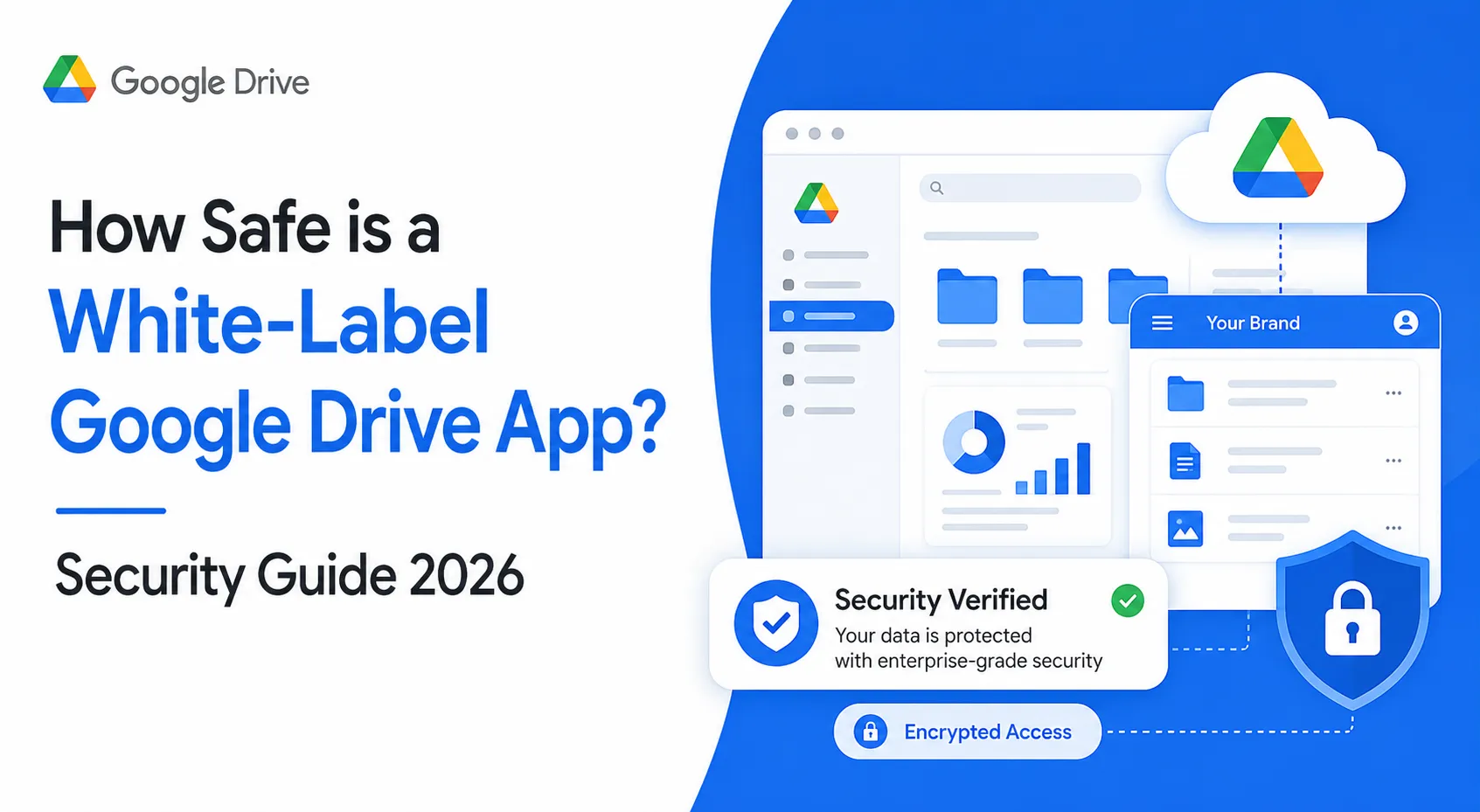
You’ve heard the horror stories about data breaches, leaked documents, and cloud storage apps getting hacked overnight. And if you’re planning to launch a white-label Google Drive app in 2026, one question becomes unavoidable: is it actually safe?
The truth is simple. A storage app can be extremely secure, but only if the architecture, encryption, access controls, and compliance setup are done the right way from day one.
In this guide, I’ll give you an honest security assessment of white-label Google Drive app risks in 2026, what standards matter, and exactly how to validate if your provider is truly secure.
Understanding White-Label Google Drive App Security Landscape
What “white-label security” actually means
In 2026, “white-label Google Drive app security” means you are buying a ready storage app framework, but security deqpends on:
- How the code is written and maintained
- How the backend infrastructure is configured
- How files are encrypted and accessed
- How authentication, roles, and permissions are enforced
So the “app” may look complete, but safety is decided by engineering quality and security processes.
Why people worry about white-label storage apps
Because storage apps handle high-risk data like:
- Personal documents (IDs, certificates, contracts)
- Business files (legal, finance, HR)
- Shared folders (team collaboration risks)
- Admin access (one mistake can expose everything)
Current threat landscape for storage apps in 2026
The most common attacks include:
- Credential stuffing (reused passwords)
- Phishing-based account takeover
- Misconfigured file permissions (public exposure)
- Insecure APIs (token leakage, broken access control)
- Ransomware and malicious file uploads
- Insider misuse (admin abuse, employee mistakes)
Security standards in 2026 (what “good” looks like)
A secure white-label Google Drive app in 2026 typically includes:
- Strong authentication (OAuth + 2FA)
- Encryption in transit + at rest
- Role-based access control (RBAC)
- Audit logs for every critical action
- Secure sharing controls (expiry links, password links)
- Malware scanning and upload validation
- Regular patching and security testing
Real-world statistics on app security incidents (2026)
In 2026, most cloud app breaches happen due to:
- Weak passwords + no 2FA
- API authorization flaws
- Misconfigured storage buckets and access policies
- Unpatched vulnerabilities in dependencies
The biggest pattern is not “advanced hacking” but basic security gaps that were never fixed.
Key Security Risks & How to Identify Them
High-Risk Area 1: Data Protection & Privacy
A white-label Google Drive app is mainly a “data custody” product. If data protection fails, everything fails.
User personal information
Common risk points:
- Names, emails, phone numbers stored without encryption
- Weak admin panels exposing user data
- No access logging (you cannot prove who accessed what)
What to check in 2026:
- Database encryption at rest
- Access control rules for admin and support teams
- Audit logs for user profile access
Payment data security (if you monetize)
If your storage app includes subscriptions:
- Never store card data directly
- Use PCI-compliant payment gateways
- Tokenization must be enforced
What to check:
- PCI DSS alignment
- Payment provider integration method
- Webhook security and signature validation
Location tracking concerns (if used)
Some storage apps add features like device tracking, login location, or session tracking.
Risk:
- Sensitive metadata exposure
- Privacy policy mismatch
- Unclear user consent
What to check:
- Consent-based tracking
- Minimal data collection approach
- Ability to delete user data on request
GDPR/CCPA compliance
In 2026, compliance is not optional if you have global users.
Key risks:
- No data export option
- No right-to-delete workflow
- No clear data processing agreements (DPA)
What to check:
- GDPR-ready consent + privacy controls
- Data deletion process with proof
- Data retention policy settings
High-Risk Area 2: Technical Vulnerabilities
Code quality issues
Red flags:
- Hardcoded secrets in code
- Weak input validation
- No secure error handling
- Old dependencies
What to check:
- Secure coding standards
- Dependency scanning policy
- Regular code reviews
Server security gaps
Storage apps are heavily backend-dependent.
Common issues:
- Open ports
- Weak firewall rules
- No rate limiting
- No WAF (Web Application Firewall)
What to check:
- Infrastructure hardening checklist
- DDoS protection
- Secure backups and isolation
API vulnerabilities
Most file access is API-driven, so API security is critical in 2026.
Common risks:
- Broken object level authorization (BOLA)
- Token leakage
- Missing request validation
- No throttling
What to check:
- Proper RBAC checks on every endpoint
- Secure token rotation
- API gateway with logging and monitoring
Third-party integrations
Integrations increase risk:
- Email services
- Push notifications
- Analytics tools
- File preview services
What to check:
- Vendor security review
- Minimal permission scopes
- Secure webhook signing and verification
High-Risk Area 3: Business Risks
Legal liability
If user files leak, you may face:
- Regulatory penalties
- Lawsuits
- Contract breaches (B2B clients)
Reputation damage
A storage app is trust-based. One incident can destroy adoption in 2026.
Financial losses
Common loss sources:
- Incident response cost
- Downtime + refunds
- Customer churn
- Compliance fines
Regulatory penalties
Depending on region, penalties can be severe if:
- You fail breach notification timelines
- You mishandle personal data
- You store sensitive files without proper safeguards
Risk Assessment Checklist (Quick Test for 2026)
Use this checklist before you choose any white-label Google Drive app provider:
Data Security
- Encryption at rest + in transit
- Secure file storage isolation
- Access logs enabled
- Secure file sharing controls
Authentication
- 2FA support
- OAuth or SSO support
- Session timeout + device management
API Security
- RBAC enforced per endpoint
- Rate limiting + throttling
- Token refresh and rotation
- Input validation + secure headers
Infrastructure
- Firewall + WAF enabled
- DDoS protection
- Backups with recovery testing
- Monitoring and alerts
Compliance
- GDPR/CCPA readiness
- PCI DSS if payments exist
- Security documentation available
Read more : – Best Google Drive Clone Scripts in 2025: Features & Pricing Compared
Security Standards Your White-Label Google Drive App Must Meet
Essential Certifications (What matters in 2026)
ISO 27001 compliance
ISO 27001 proves the provider follows an Information Security Management System (ISMS).
Best for: overall security governance, risk handling, policies, controls.
SOC 2 Type II
SOC 2 Type II shows security controls are not only designed, but consistently followed over time.
Best for: enterprise trust, audits, vendor validation.
GDPR compliance
Required if you serve EU users or process EU personal data.
Key areas:
- consent and transparency
- right to access/delete/export
- breach notification readiness
HIPAA (if applicable)
Only needed if your storage app handles medical records or patient data in the US.
If yes, you must ensure:
- strong access control
- audit trails
- encryption + BAAs (Business Associate Agreements)
PCI DSS for payments
If your app takes payments (subscriptions), PCI DSS alignment matters.
Rule in 2026: do not store card data, use tokenized payment systems.
Technical Requirements (Non-negotiable in 2026)
End-to-end encryption (where possible)
For storage apps, the best model is:
- encryption in transit (TLS/SSL)
- encryption at rest (server-side encryption)
- optional client-side encryption for high-security use cases
Secure authentication (2FA / OAuth)
Must-have controls:
- Two-factor authentication (2FA)
- OAuth-based login (Google/Apple) or SSO for enterprises
- session control + device logout
- brute force protection
Regular security audits
A serious provider runs:
- internal security audits
- external audit reports
- vulnerability scanning
Penetration testing
In 2026, pen testing should happen:
- before launch
- after major updates
- at least yearly (minimum)
SSL certificates
This is basic, but still required:
- HTTPS everywhere
- HSTS enabled
- secure headers configured
Secure API design
A storage app is API-heavy, so APIs must include:
- strict authorization checks
- rate limiting
- secure tokens
- request validation
- logging for sensitive actions
Security Standards Comparison Table (2026)
| Standard / Control | Why it matters | Required for Google Drive app type? | Best for |
|---|---|---|---|
| ISO 27001 | Strong security governance | Highly recommended | Enterprise trust |
| SOC 2 Type II | Proves controls work over time | Highly recommended | B2B clients |
| GDPR | Legal compliance for EU users | Required if EU users exist | Privacy safety |
| HIPAA | Medical data protection | Only if healthcare use | Health sector |
| PCI DSS | Payment security rules | Required if taking payments | Subscription apps |
| TLS/SSL | Encrypts data in transit | Mandatory | All users |
| Encryption at rest | Protects stored files | Mandatory | File security |
| 2FA / OAuth | Prevents account takeover | Mandatory | Login safety |
| Pen testing | Finds real vulnerabilities | Mandatory | Risk reduction |
| Secure APIs | Stops unauthorized access | Mandatory | Storage apps |
Read more : – Business Model of Google Drive : Complete Strategy Breakdown 2025
Red Flags: How to Spot Unsafe White-Label Providers
Warning Signs (High-risk signals in 2026)
No security documentation
If a provider cannot share basic security details, it usually means security was never planned properly.
What you should expect:
- security overview document
- encryption approach explanation
- access control policy
- incident response plan summary
Cheap pricing without explanation
Low cost is not the problem. Unexplained low cost is.
In 2026, secure storage apps require:
- monitoring tools
- audits
- patching cycles
- secure infrastructure
So “too cheap” often means corners are cut.
No compliance certifications
Even if they do not have every certification, they must at least show:
- GDPR readiness
- secure data handling policies
- audit process evidence
Outdated technology stack
Old stacks often mean:
- unpatched libraries
- weak authentication flows
- poor scalability and security monitoring
Poor code quality
Red flags you may notice:
- frequent crashes
- slow file uploads
- broken sharing permissions
These issues often point to deeper backend and API weaknesses.
No security updates policy
A storage app needs continuous patching.
If the provider cannot explain update frequency, it is unsafe in 2026.
Lack of data backup systems
If backups are missing or untested, one incident can destroy your business.
Must-have:
- automated backups
- backup encryption
- recovery testing (not just “we have backups”)
No insurance coverage
Serious providers often have:
- cyber liability insurance
- professional indemnity coverage
This matters when handling sensitive user files.
Evaluation Checklist (What to ask before you buy in 2026)
Questions to ask providers
Ask these directly:
- How is file data encrypted at rest and in transit?
- Do you support 2FA and secure session controls?
- How do you prevent unauthorized file access via APIs?
- Do you perform penetration testing? How often?
- What is your patching and update policy?
- What logs and audit trails are available for admins?
- How do you handle file sharing links (expiry, password, permissions)?
- What is your incident response process if a breach happens?
Documents to request
A reliable provider should share:
- security architecture overview
- compliance statement (GDPR/CCPA readiness)
- pen test summary report (high-level)
- data retention + deletion policy
- disaster recovery and backup plan
Testing procedures
Before launch, insist on:
- vulnerability scanning
- API security testing
- access control validation (RBAC testing)
- file permission and sharing tests
- load testing (security + performance together)
Due diligence steps
In 2026, do not skip these:
- run a third-party security review
- check provider history and maintenance record
- verify how quickly they fix critical vulnerabilities
- confirm who owns the code and who controls hosting
Best Practices for Secure White-Label Google Drive App Implementation
Pre-Launch Security (Must do before going live in 2026)
Security audit process
Before launch, treat your app like a bank-grade product.
Your checklist should include:
- infrastructure review (cloud setup, firewall, access rules)
- database security review
- file storage permission testing
- admin panel access review
Code review requirements
A strong white-label Google Drive app must pass:
- secure coding review
- secrets and keys check (no hardcoded keys)
- dependency vulnerability scan
- API authorization validation
Infrastructure hardening
For storage apps, infrastructure is a security boundary.
Must-have steps:
- private network access for databases
- strict IAM roles for servers and services
- WAF + rate limiting
- DDoS protection
- encrypted backups
Compliance verification
In 2026, compliance should be validated before launch:
- GDPR consent and privacy controls
- data deletion workflows
- user data export capability
- breach notification readiness plan
Staff training programs
Most breaches happen due to human mistakes.
Train your team on:
- phishing awareness
- admin access handling
- secure support workflows (identity verification)
- incident reporting basics
Post-Launch Monitoring (How to stay safe after launch in 2026)
Continuous security monitoring
Your app must track:
- unusual login attempts
- failed authentication spikes
- suspicious file downloads
- abnormal sharing link creation
- API abuse patterns
Regular updates and patches
Security in 2026 is continuous.
A safe patch cycle includes:
- monthly maintenance updates
- emergency fixes within 24–72 hours for critical issues
- dependency updates on schedule
Incident response planning
You need a clear plan for:
- detection
- containment
- user communication
- recovery
- reporting to regulators (if required)
User data management
Strong controls include:
- role-based access for internal teams
- minimal data collection
- encryption key management
- secure deletion workflows
Backup and recovery systems
Backups should be:
- automated
- encrypted
- tested for restore (at least quarterly)
A backup that cannot restore is not a backup.
Security Implementation Timeline (2026)
| Timeline Stage | What to do | Outcome |
|---|---|---|
| Week 1 | Security architecture review + access model | Clear security baseline |
| Week 2 | Code audit + API authorization testing | Removes critical flaws |
| Week 3 | Infrastructure hardening + monitoring setup | Reduces attack surface |
| Week 4 | Pen testing + compliance verification | Launch-ready confidence |
| Ongoing | Updates, monitoring, incident drills | Long-term safety |
Legal & Compliance Considerations
Regulatory Requirements (What you must handle in 2026)
Data protection laws by region
If your white-label Google Drive app serves global users, you must align with:
- EU (GDPR)
Requires lawful processing, clear consent, data access rights, and breach reporting. - USA (CCPA/CPRA + state privacy laws)
Requires transparency, opt-out options, and user control over personal data usage. - India (DPDP Act readiness in 2026)
Focuses on consent-based processing, purpose limitation, and strong protection of user data. - Middle East and other regions
Often require data residency, strong consent rules, and regulated handling of personal data.
Key point: compliance depends on where your users are, not where your business is.
Industry-specific regulations
Your storage app may need extra controls if used for:
- finance documents
- healthcare records
- legal and government files
- education and student data
In 2026, many B2B clients will ask for proof of controls even if not legally mandatory.
User consent management
A compliant app must provide:
- clear consent for data processing
- transparent privacy policy
- ability to withdraw consent
- cookie and tracking disclosure (if web-based)
Privacy policy requirements
Your privacy policy should clearly explain:
- what data you collect
- why you collect it
- where it is stored
- who it is shared with
- retention timelines
- user rights (delete/export/correct)
Terms of service essentials
In 2026, your Terms should cover:
- acceptable use policy
- prohibited content rules
- account termination conditions
- liability limitations
- dispute resolution and jurisdiction
Liability Protection (How to reduce risk exposure in 2026)
Insurance requirements
For storage apps, consider:
- cyber liability insurance
- professional indemnity insurance
- business interruption coverage
This helps cover costs if an incident happens.
Legal disclaimers
Disclaimers cannot replace security, but they reduce business risk when written properly:
- service availability limitations
- third-party dependency disclosures
- user responsibility clauses for password safety
User agreements
Your agreements should include:
- data handling terms
- breach communication policy
- user responsibilities
- payment and refund terms (if subscription-based)
Incident reporting protocols
Your internal plan should define:
- who investigates
- who approves public communication
- what timeline you follow
- how you preserve logs and evidence
Regulatory compliance monitoring
Compliance is not one-time. In 2026 you need:
- periodic audits
- policy updates
- vendor reassessments
- access reviews and log reviews
Compliance Checklist by Region (2026)
| Region | Key Compliance Focus | Must-have Controls |
|---|---|---|
| EU | GDPR | consent, deletion/export, breach response |
| USA | CCPA/CPRA | opt-out, transparency, user rights |
| India | DPDP readiness | consent-first, purpose limitation |
| Global B2B | enterprise compliance | audit logs, encryption, access controls |
Why Miracuves White-Label Google Drive App is Your Safest Choice
In 2026, launching a storage app is not just a product decision. It is a trust decision. Users are handing you their most sensitive files, and one weak security layer can break the entire business.
That is exactly why Miracuves positions itself as a security-first solution provider, not just a development vendor.
Miracuves Security Advantages (Built for 2026 safety needs)
Enterprise-grade security architecture
Miracuves focuses on secure-by-design architecture, where security controls are planned before features are shipped.
Regular security audits and certifications
Security is treated as a continuous process, not a one-time setup. This reduces long-term vulnerability risk.
GDPR/CCPA compliant by default
Miracuves white-label Google Drive app solutions are built to support privacy-first requirements like:
- data access controls
- consent-ready workflows
- deletion and export readiness
24/7 security monitoring
In 2026, threats do not happen in office hours. Monitoring ensures suspicious activity is detected early.
Encrypted data transmission
All sensitive communication is protected with strong encryption in transit, reducing interception risk.
Secure payment processing
If your app includes subscriptions, Miracuves supports secure payment processing approaches aligned with PCI DSS expectations.
Regular security updates
Miracuves follows structured update cycles to ensure vulnerabilities are patched quickly and safely.
Insurance coverage included
For businesses that want extra confidence, insurance-backed protection adds a layer of risk control.
Final Thought
Don’t compromise on security. Miracuves white-label Google Drive app solutions come with enterprise-grade security built-in. Our 9k+ successful projects have maintained zero major security breaches. Get a free security assessment and see why businesses trust Miracuves for safe, compliant platforms.
A white-label Google Drive app can be safe in 2026, but only when security is treated like a core feature, not an add-on. The real risk is not the “white-label” model, it is choosing a provider that cuts corners on encryption, access control, audits, and updates.
If you want long-term trust, compliance, and business stability, Talk to Our Security Experts Now to build on a security-first foundation from day one.
FAQs
1. How secure is white-label vs custom development?
A white-label app can be secure in 2026 if it follows strong standards like encryption, secure APIs, and regular audits. Custom development is only safer when the team has mature security practices.
2. What happens if there’s a security breach?
In 2026, you must contain the breach, investigate logs, notify affected users, and follow legal reporting timelines. A strong provider supports incident response and recovery planning.
3. Who is responsible for security updates?
Usually the provider handles core app updates, while your team manages hosting and operational security. In 2026, clarify patch timelines and responsibilities in writing before launch.
4. How is user data protected in white-label apps?
User data is protected using encryption in transit (SSL/TLS), encryption at rest, strict access control, and audit logs. In 2026, secure sharing and permission controls are also critical.
5. What compliance certifications should I look for?
In 2026, look for ISO 27001 and SOC 2 Type II as strong trust signals. GDPR and CCPA readiness is important if you serve global users.
6. Can white-label apps meet enterprise security standards?
Yes, in 2026 enterprise-grade white-label apps can meet strict standards if they include RBAC, monitoring, audits, secure APIs, and compliance-ready policies.
7. How often should security audits be conducted?
At minimum once a year, plus after major feature releases. In 2026, vulnerability scanning should be continuous and pen testing should be scheduled regularly.
8. What’s included in Miracuves security package?
Miracuves focuses on security-first architecture, encrypted data flow, compliance-ready setup, monitoring support, and regular security updates for 2026-grade safety.
9. How to handle security in different countries?
In 2026, follow region-based privacy laws like GDPR (EU), CCPA/CPRA (USA), and DPDP readiness (India). You should also maintain clear data retention and consent workflows.
10. What insurance is needed for app security?
For 2026, cyber liability insurance is recommended. It helps cover breach response costs, legal claims, and business interruption risks.
Related Articles :