


You’ve probably heard the horror stories—tenant data leaks, unauthorized access to rental records, payment information exposed, or property management apps getting hacked overnight. When you’re planning a white-label Greystar-style app, the biggest question isn’t features or design anymore. It’s safety.
In 2025, property management apps handle highly sensitive data—tenant identities, lease agreements, rent payments, maintenance logs, and even access permissions. A single security gap can turn into legal trouble, financial loss, and irreversible trust damage.
This guide gives you an honest, practical security assessment of white-label Greystar app safety. No exaggeration, no fear-mongering—just real risks, real standards, and clear solutions. You’ll learn what makes these apps vulnerable, how to judge security properly, and how platforms like Miracuves design white-label apps with security-first architecture from day one.
Understanding White-Label Greystar App Security Landscape
What White-Label Greystar App Security Actually Means
White-label Greystar app security refers to how safely a pre-built property management app is designed, deployed, and maintained when rebranded for your business. It is not just about adding login screens or passwords. True security covers data handling, infrastructure protection, compliance readiness, and long-term risk management.
Many businesses assume white-label apps are either “fully secure by default” or “inherently unsafe.” Both assumptions are incorrect. Security depends on how the app is architected, audited, and supported after launch.
Why Businesses Worry About White-Label Property Management Apps
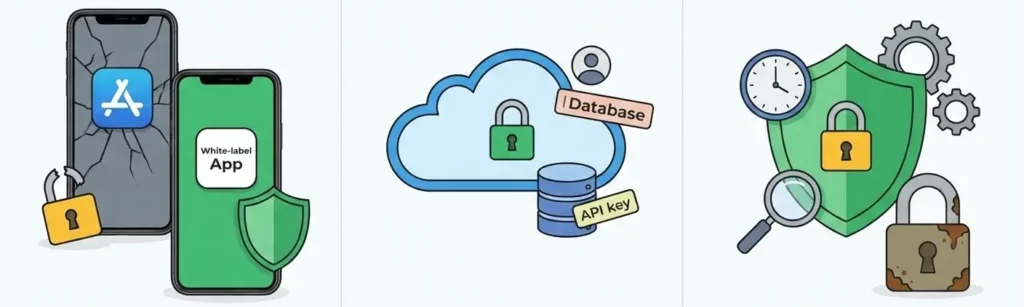
Greystar-style apps manage high-risk data categories:
- Tenant personal details and documents
- Lease contracts and payment history
- Bank and card payment information
- Property access records and maintenance logs
- Owner-investor financial reports
In 2024 alone, over 62% of real estate and property tech breaches were caused by weak access control or unpatched APIs. These are not theoretical risks—they are operational failures.
Current Threat Landscape for Greystar-Type Apps in 2025
Property management apps are increasingly targeted because they combine financial data with personal identity data.
Key threats include:
- Account takeover attacks via weak authentication
- API abuse exposing tenant records
- Misconfigured cloud storage leaking documents
- Insider threats due to poor role-based access
- Third-party payment gateway vulnerabilities
According to global cybersecurity reports, real estate apps saw a 41% increase in attempted data breaches between 2023 and 2025, largely driven by automated bot attacks and credential stuffing.
Security Standards Expected in 2025
In 2025, a white-label Greystar app is expected to meet:
- Strong encryption for data at rest and in transit
- Role-based access control for staff and vendors
- Secure payment processing aligned with PCI DSS
- Privacy-first data architecture compliant with GDPR and CCPA
- Continuous monitoring and incident response readiness
Anything below these benchmarks is considered a high-risk deployment today.
Real-World Security Incident Statistics
- 1 in 3 property management apps had at least one critical vulnerability reported in the last 12 months
- 78% of breaches were preventable with basic security audits
- Companies without compliance frameworks faced average breach costs 2.3x higher than compliant platforms
These numbers highlight one truth: white-label Greystar app safety is not optional—it is foundational.
Read more : – Best Greystar Clone Scripts 2025 — Build Your Real Estate Empire Fast
Key Security Risks & How to Identify Them
High-Risk Area 1: Data Protection & Privacy
User Personal Information
A white-label Greystar app stores tenant names, addresses, identity documents, lease files, and communication logs. If this data is not encrypted or access-controlled, even a minor breach can expose thousands of users.
How to identify risk
- Data stored without encryption at rest
- No role-based access for property managers vs tenants
- Lack of audit logs for data access
Payment Data Security
Rent payments, deposits, and service fees involve sensitive financial data. Direct storage of card details inside the app without proper tokenization is a major red flag.
How to identify risk
- No PCI DSS compliance documentation
- Payments handled without certified gateways
- No separation between payment and application servers
Location Tracking Concerns
Greystar-style apps often track property locations, unit details, and service visits. Poor handling of this data can expose tenant movement patterns.
How to identify risk
- No user consent management
- Location data stored indefinitely
- No data minimization policy
GDPR and CCPA Compliance
Non-compliance can lead to heavy penalties and legal exposure, especially for apps operating across regions.
How to identify risk
- No data deletion or export features
- Missing privacy policy and consent logs
- No appointed data protection responsibility
High-Risk Area 2: Technical Vulnerabilities
Code Quality Issues
Poorly written or reused code often contains hidden vulnerabilities.
How to identify risk
- No documented code review process
- Lack of version control history
- Obsolete frameworks or libraries
Server Security Gaps
Misconfigured servers are one of the top causes of breaches in property management apps.
How to identify risk
- Open ports without justification
- No firewall or intrusion detection system
- Shared hosting for sensitive data
API Vulnerabilities
APIs connect tenants, owners, vendors, and admins. Weak APIs expose everything.
How to identify risk
- No API authentication or rate limiting
- Hardcoded API keys
- Missing API access logs
Third-Party Integrations
Payment gateways, CRM tools, and analytics services expand attack surfaces.
How to identify risk
- No vendor security review
- Outdated SDKs
- Excessive data sharing permissions
High-Risk Area 3: Business-Level Risks
Legal Liability
A breach can make the app owner legally responsible, even if the provider caused it.
Reputation Damage
Loss of tenant trust is extremely difficult to recover in property management businesses.
Financial Losses
Costs include legal action, compensation, system downtime, and regulatory fines.
Regulatory Penalties
GDPR fines can reach up to 4% of annual global revenue for serious violations.
White-Label Greystar App Risk Assessment Checklist
- Is all sensitive data encrypted in transit and at rest?
- Are payments processed through PCI DSS–compliant gateways?
- Is role-based access enforced for all user types?
- Are APIs secured, monitored, and rate-limited?
- Is compliance documentation available and up to date?
- Is there an incident response and breach notification plan?
If even two or more answers are “no,” the app carries elevated risk.
Security Standards Your White-Label Greystar App Must Meet
Essential Certifications for Greystar-Type Apps
ISO 27001 Compliance
ISO 27001 ensures that the organization managing the white-label Greystar app follows a structured information security management system. This includes risk assessment, access control, data protection, and incident response policies.
Why it matters
- Reduces risk of internal and external data breaches
- Demonstrates enterprise-level security maturity
- Often required by large property owners and enterprise clients
SOC 2 Type II
SOC 2 Type II validates how user data is handled over time, not just at a single point.
Why it matters
- Confirms ongoing security, availability, and confidentiality
- Critical for apps handling tenant and financial data
- Builds trust with investors and institutional partners
GDPR Compliance
Any white-label Greystar app serving users in the EU must comply with GDPR, regardless of where the business is located.
Key requirements
- Explicit user consent
- Data access and deletion rights
- Breach notification within 72 hours
- Data minimization policies
HIPAA (If Applicable)
If the app stores medical or accessibility-related tenant information, HIPAA compliance may apply in certain regions.
PCI DSS for Payments
Mandatory for any app processing rent payments, deposits, or service charges.
What to verify
- Tokenized payment processing
- No direct storage of card data
- Regular vulnerability scans
Technical Security Requirements
End-to-End Encryption
All tenant, owner, and payment data must be encrypted during transmission and storage.
Secure Authentication
A secure white-label Greystar app must support:
- Two-factor authentication
- OAuth-based login
- Strong password policies
- Session timeout controls
Regular Security Audits
Security audits should be conducted at least twice a year and after major updates.
Penetration Testing
Ethical hacking simulations help uncover real-world vulnerabilities before attackers do.
SSL Certificates
SSL encryption is mandatory for all app endpoints, APIs, and admin dashboards.
Secure API Design
- Authentication for every request
- Rate limiting and throttling
- Input validation and logging
Security Standards Comparison Table
| Security Area | Basic App | Secure White-Label Greystar App | Enterprise-Grade (Miracuves) |
|---|---|---|---|
| Data Encryption | Partial | Full | End-to-end with key rotation |
| Payment Security | Gateway only | PCI DSS compliant | PCI DSS + tokenization |
| Access Control | Basic roles | Role-based | Granular permission control |
| Compliance | Not defined | GDPR / CCPA | GDPR, CCPA, ISO, SOC 2 |
| Audits | None | Annual | Continuous + third-party |
| Monitoring | Manual | Limited | 24/7 real-time monitoring |
If a provider cannot clearly explain how their app meets these standards, it is not safe for serious deployment.
Red Flags – How to Spot Unsafe White-Label Greystar App Providers
Warning Signs You Should Never Ignore
No Security Documentation
If a provider cannot share security architecture, data flow diagrams, or compliance reports, it usually means security was never properly implemented.
Unrealistically Cheap Pricing
Security costs money. Extremely low pricing often indicates shortcuts in encryption, infrastructure, or compliance preparation.
No Compliance Certifications
Lack of ISO 27001, SOC 2 Type II, GDPR, or PCI DSS alignment is a serious risk for a Greystar-style app handling sensitive tenant and payment data.
Outdated Technology Stack
Old frameworks and unsupported libraries are easy targets for attackers.
Poor Code Quality
Hardcoded credentials, no version control, and reused modules across clients without isolation create massive security exposure.
No Security Update Policy
An app without regular updates becomes unsafe within months due to newly discovered vulnerabilities.
No Data Backup and Recovery System
Without encrypted backups, ransomware attacks or accidental deletions can permanently destroy tenant and property data.
No Insurance Coverage
Professional cyber liability insurance protects businesses when incidents occur. Its absence indicates low accountability.
Evaluation Checklist for White-Label Greystar App Providers
Questions You Must Ask
- How is tenant and owner data encrypted?
- Who is responsible for security updates after launch?
- How often are security audits performed?
- How are payment transactions secured?
- What happens in case of a data breach?
Documents You Should Request
- Security compliance certificates
- Audit and penetration testing reports
- Data processing agreements
- Privacy and incident response policies
Testing Procedures to Perform
- Vulnerability scanning
- API security testing
- Role-based access validation
- Payment flow testing
Due Diligence Steps
- Review past client security incidents
- Verify hosting and cloud security practices
- Check update and patch history
- Confirm backup and disaster recovery processes
A reliable provider will answer these questions clearly. Evasive or vague responses indicate risk.
Read more : – Business Model of Greystar : Complete Strategy Breakdown 2025
Best Practices for Secure White-Label Greystar App Implementation
Pre-Launch Security Preparation
Security Audit Process
Before launch, the entire white-label Greystar app should undergo an independent security audit. This validates encryption, authentication, data storage, and server configuration.
Code Review Requirements
Every codebase must be reviewed for:
- Hardcoded credentials
- Insecure dependencies
- Poor error handling
- Access control gaps
Clean code reduces long-term security risk.
Infrastructure Hardening
Servers must be protected using:
- Firewalls and intrusion detection systems
- Secure cloud configurations
- Isolated environments for production and testing
- Regular patching schedules
Compliance Verification
Ensure all required certifications and regional compliance standards are documented and verifiable before onboarding users.
Staff Security Training
Internal teams managing the app must be trained in:
- Secure access handling
- Phishing prevention
- Data privacy responsibilities
- Incident escalation procedures
Post-Launch Security Monitoring
Continuous Security Monitoring
A secure white-label Greystar app requires real-time monitoring to detect abnormal activity, unauthorized access, or suspicious API usage.
Regular Updates and Patches
Security vulnerabilities evolve constantly. Monthly updates and emergency patches must be part of the maintenance policy.
Incident Response Planning
A defined response plan ensures fast action when issues arise:
- Immediate containment
- User and authority notification
- System recovery
- Post-incident analysis
User Data Management
Data should be:
- Collected only when necessary
- Retained for defined periods
- Deleted securely upon request
- Accessible only to authorized roles
Backup and Recovery Systems
Encrypted backups should run automatically with regular recovery testing to ensure business continuity.
Security Implementation Timeline
| Phase | Timeline | Key Security Actions |
|---|---|---|
| Planning | Week 1 | Risk assessment and compliance mapping |
| Development | Weeks 2–4 | Secure coding and infrastructure setup |
| Pre-Launch | Week 5 | Audit, penetration testing, compliance checks |
| Launch | Week 6 | Monitoring and access validation |
| Ongoing | Continuous | Updates, audits, and incident readiness |
Security is not a milestone. It is a continuous operational process.
Legal & Compliance Considerations
Regulatory Requirements for White-Label Greystar Apps
Data Protection Laws by Region
A white-label Greystar app often operates across multiple regions, making regulatory compliance non-negotiable.
Key regulations include:
- GDPR (EU): User consent, data access rights, data deletion, and breach reporting
- CCPA/CPRA (USA): Transparency on data usage and opt-out rights
- DPDP Act (India): Lawful data processing and user consent management
- UK GDPR: Similar to EU GDPR with local enforcement
Failure to comply can result in heavy penalties and forced shutdowns.
Industry-Specific Regulations
Property management apps must also follow housing and tenant protection laws that govern:
- Data retention of lease records
- Disclosure of tenant information
- Secure handling of maintenance and inspection logs
User Consent Management
The app must clearly capture and store:
- Consent for data collection
- Consent for location usage
- Consent for communication and notifications
Consent logs should be auditable at any time.
Privacy Policy Requirements
A legally compliant white-label Greystar app must publish:
- Clear data usage explanations
- Third-party data sharing disclosures
- Data retention timelines
- User rights and contact details
Terms of Service Essentials
Terms must define:
- User responsibilities
- Payment and refund policies
- Platform limitations
- Dispute resolution procedures
Liability Protection Strategies
Insurance Requirements
Cyber liability insurance protects businesses against:
- Data breach costs
- Legal claims
- Regulatory fines
- Incident recovery expenses
Legal Disclaimers
Disclaimers help reduce exposure by clearly defining platform responsibilities and user obligations.
User Agreements
Well-structured user agreements reduce ambiguity during disputes and security incidents.
Incident Reporting Protocols
A compliant app must have:
- Defined breach notification timelines
- Communication templates
- Regulatory reporting workflows
Compliance Monitoring
Regulations change frequently. Continuous compliance monitoring is required to avoid outdated practices.
Compliance Checklist by Region
| Region | Mandatory Compliance |
|---|---|
| European Union | GDPR |
| United States | CCPA, CPRA, PCI DSS |
| United Kingdom | UK GDPR |
| India | DPDP Act |
| Global Payments | PCI DSS |
Legal compliance is not optional. It is part of the security foundation of a white-label Greystar app.
Why Miracuves White-Label Greystar App Is Your Safest Choice
Miracuves Security-First Architecture
Miracuves designs every white-label Greystar app with security as a core layer, not an afterthought. The architecture is built to protect tenant data, payment information, and operational workflows from day one.
Enterprise-Grade Security Advantages
Certified Security Frameworks
Miracuves aligns its app development with:
- ISO 27001 security management practices
- SOC 2 Type II controls
- GDPR and CCPA compliance by default
- PCI DSS–compliant payment processing
Data Protection by Design
- End-to-end encrypted data transmission
- Encrypted storage for sensitive records
- Strict role-based access control for tenants, managers, and admins
Continuous Security Monitoring
Every white-label Greystar app is supported with:
- 24/7 infrastructure monitoring
- Automated threat detection
- Regular vulnerability scanning
- Scheduled penetration testing
Reliable Update and Patch Policy
Miracuves ensures:
- Regular security updates
- Immediate patching for critical vulnerabilities
- Ongoing compatibility with evolving compliance requirements
Business Risk Protection
- Secure backup and disaster recovery systems
- Incident response readiness
- Cyber insurance coverage for added protection
With 600+ successfully delivered platforms, Miracuves has maintained a proven record of zero major security breaches, making it a trusted partner for security-sensitive property management businesses.
Conclusion
Miracuves white-label Greystar app solutions come with enterprise-grade security built in. Our platforms are designed to meet global compliance standards while protecting tenant trust and business reputation.Get a free security assessment and see why businesses rely on Miracuves for safe, compliant, and scalable property management apps.
A white-label Greystar app can be safe, scalable, and enterprise-ready—but only when security is treated as a foundation, not a feature. The real risk isn’t choosing a white-label app; it’s choosing one without proven security standards, compliance readiness, and long-term protection. In 2025, security is not optional. It is the cost of trust.
FAQs
1. How secure is a white-label Greystar app compared to custom development?
A well-built white-label Greystar app can be as secure or more secure than custom development when it follows ISO, SOC 2, and GDPR standards with regular audits.
2. What happens if there is a security breach?
A secure app must have an incident response plan covering containment, user notification, regulatory reporting, and system recovery.
3. Who is responsible for security updates?
Security updates should be handled by the app provider under a defined maintenance and patching policy, not left to the business owner alone.
4. How is user data protected in a white-label Greystar app?
User data is protected through encryption, role-based access control, secure APIs, and strict data retention policies.
5. What compliance certifications should I look for?
At minimum, the app should align with GDPR, PCI DSS, and ISO 27001. SOC 2 Type II is strongly recommended for enterprise use.
6. Can a white-label Greystar app meet enterprise security standards?
Yes, when built with enterprise-grade architecture, continuous monitoring, and third-party security audits.
7. How often should security audits be conducted?
Security audits should be conducted at least twice a year and after any major app update.
8. What is included in Miracuves’ security package?
Miracuves includes encrypted data handling, compliance-ready architecture, regular audits, monitoring, updates, and backup systems.
9. How do I manage security across different countries?
This requires region-specific compliance mapping, consent management, and adaptable data handling policies.
10. What insurance is needed for app security?
Cyber liability insurance is essential to cover breach response costs, legal claims, and regulatory penalties.
Related Articles: