




Imagine you’re relocating to a new city in the U.S. You don’t know the neighborhoods, property prices, or which listings are actually available. Instead of calling multiple agents or driving around looking for “For Sale” signs, you open Realtor.com, type the ZIP code, and instantly see verified listings, price history, school ratings, and market trends.
Realtor.com started as an official online property listing platform connected to the National Association of Realtors. Over time, it evolved into one of the most trusted real estate marketplaces in the United States, competing directly with platforms like Zillow and Redfin. Today, it attracts millions of home buyers, renters, and real estate professionals every month.
By the end of this guide, you’ll clearly understand what Realtor.com is, how it works step-by-step, how it makes money, what technology powers it, and why so many entrepreneurs are interested in building similar real estate platforms.
What is Realtor.com? The Simple Explanation
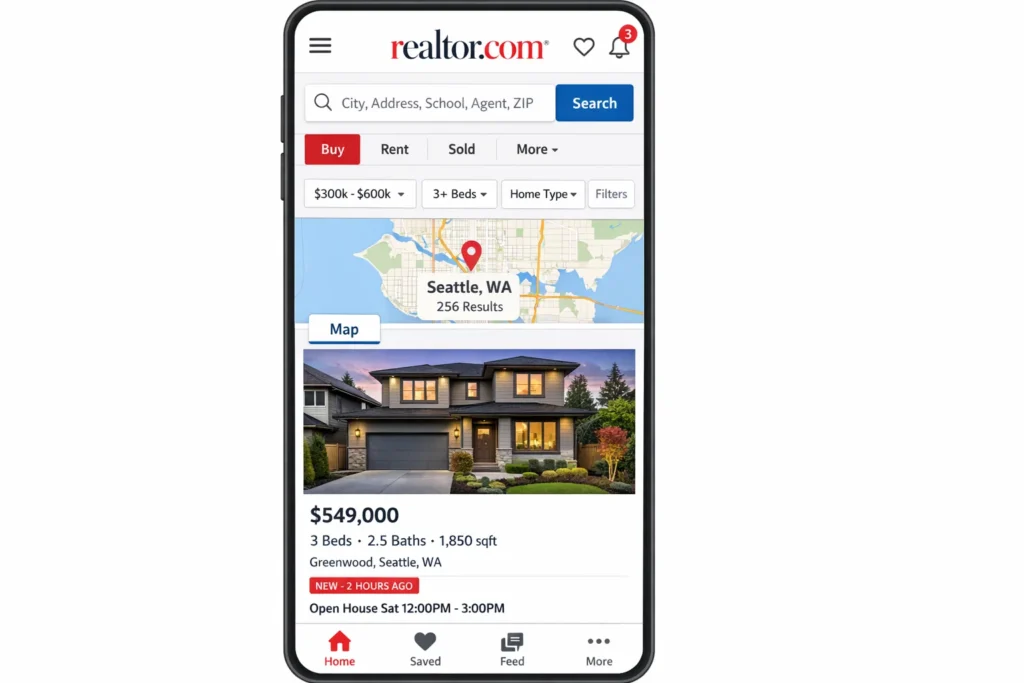
Realtor.com is a real estate marketplace where you can search for homes for sale, rentals, and new construction listings, then compare options using maps, filters, photos, price history, and neighborhood info—all in one place. It’s designed to help you go from “I’m just browsing” to “I’m ready to tour or contact an agent” with fewer surprises and less wasted time.
Core problem it solves
House hunting is messy: listings go out of date, prices change, and it’s hard to tell what’s truly available. Realtor.com focuses on making the search experience feel more reliable by pulling in large amounts of listing data, updating frequently, and giving shoppers tools to evaluate a property beyond just photos.
Target users and common use cases
Home buyers
- Browse listings by city/ZIP, budget, and home features
- Save favorites, compare homes, and request tours
- Check affordability signals like estimated payments and mortgage rates content
Renters
- Find apartments/houses for rent, filter by pet policy, amenities, commute, and price
- Contact property managers or listing agents directly
Sellers and homeowners
- Explore home value context and market activity in their area
- Connect with agents for selling strategy and exposure
Real estate professionals
- Use Realtor.com’s ecosystem for leads and marketing (agent and broker advertising products)
Current market position (with stats)
Realtor.com is one of the most-visited real estate platforms in the U.S., competing with Zillow, Redfin, and Homes.com. On its Media Solutions page, Realtor.com cites reaching about 73M unique visitors and says listings are updated every 15 minutes—positioning itself as a high-intent audience marketplace for real estate advertising.
Industry coverage also points to strong audience engagement, including a reported 4.8 visits per unique visitor in comScore-referenced commentary.
Why it became successful
- Trust and scale: It’s operated by Move, Inc. (a News Corp subsidiary) and has long-standing ties to the Realtor brand, which helps with credibility in a category where trust matters.
- High-intent user experience: Search, filters, map browsing, and direct contact flows are built around real purchase/rental decisions—not just casual browsing.
- Frequent updates and broad coverage: Constant listing refresh + large inventory makes it useful for daily shoppers and agents.
How Does Realtor.com Work? Step-by-Step Breakdown
Realtor.com works like a decision engine for real estate. It pulls in listing data, lets shoppers narrow choices fast with powerful filters and map tools, and then connects them to the right next step—touring, messaging, financing guidance, or an agent conversation.
For Users (buyers and renters)
Account creation process
You can browse without an account, but creating one unlocks the “keep me organized” features:
- save listings
- save searches
- get alerts when new homes match your criteria or when prices drop
These alert and personalization features are highlighted as core parts of the Realtor.com mobile experience.
Main features walkthrough
Realtor.com is built around a few “search → evaluate → act” tools:
Search + filters
You start with a location (city, ZIP code, neighborhood) and add filters like:
- price range and bedrooms/bathrooms
- property type (house, condo, townhome, multi-family, rental)
- key needs (parking, pet policy, amenities, lot size, etc.)
Map experience
If you don’t want to be restricted by city boundaries, the app supports “draw on map” style searching and map layers that help you understand the area (for example, nearby places and other neighborhood context).
Property detail page
When you open a listing, you typically see:
- photo galleries and sometimes rich media tours (when available)
- property facts and features
- price and payment context
- contact actions like “request info” or “request a tour” (availability depends on the listing and region)
Budget and affordability tools
Many shoppers begin with budget first, then search. Realtor.com includes affordability guidance tools (like an affordability calculator that uses factors such as debt-to-income logic).
Typical user journey (example)
Let’s say you’re moving to Austin and want a 2-bedroom rental near your office:
- You search “Austin” and switch to Rentals
- You set a max budget, add “pet-friendly,” and pick amenities you care about
- You use map browsing to focus on a few preferred areas
- You save a couple of listings and turn on alerts so you don’t miss new matches
- You open the best listing, review photos and details, then message the listing contact or request a tour
Key functionalities explained (simple)
- Search relevance: shows the most likely matches first based on your filters and behavior
- Alerts: keeps you updated without constantly re-checking the app
- Decision support: affordability tools and market context help reduce “looks nice, but can I actually afford it?” moments
For Service Providers (agents, brokers, and advertisers)
Realtor.com is not just for shoppers. It’s also a lead + visibility platform for real estate professionals.
Onboarding process (high level)
Agents and teams typically engage through Realtor.com’s professional ecosystem (often via advertising/lead products and agent-facing tools). Realtor.com positions itself as a platform for reaching high-intent buyers and renters, with products designed for marketers and real estate pros.
How they operate on the platform
Depending on the product/flow, agents can:
- receive and respond to tour requests
- see client actions like saved listings and requests (within supported agent tools)
- communicate via messaging/chat features in the agent experience
Earnings/commission structure (simple view)
Realtor.com generally doesn’t take a commission from an agent’s closed deal the way a marketplace might. Instead, it’s widely known as an advertising and lead-generation business where agents/brokers pay for exposure or leads, while the final commission structure is handled in the real estate transaction itself. Realtor.com itself presents “media solutions” positioning and advertiser inquiry flows that reflect this model.
Technical overview (simple)
Basic architecture (no jargon)
Think of Realtor.com as three big systems working together:
- Listing data system
Collects property listings and updates them frequently so shoppers aren’t looking at stale inventory. Realtor.com has stated listings are updated every 15 minutes, and its media materials also describe frequent refresh patterns. - Search + personalization engine
Helps users filter, sort, map-browse, and receive alerts based on what they care about. - Connection layer
The workflows that route a user’s action (message, tour request, lead form) to the right real estate professional or advertiser product.
Key technologies used (in plain terms)
- Map and location features to visualize listings and explore areas
- Notification systems for alerts about new listings and price changes
- Data pipelines that keep listings refreshed at high frequency
Realtor.com’s Business Model Explained
Realtor.com is best understood as a real estate marketplace that monetizes attention and intent. It attracts people actively searching for homes, then earns revenue by selling visibility, leads, and marketing tools to the professionals who want to reach those buyers and renters.
How Realtor.com makes money
Lead generation for real estate agents and teams
This is a major revenue engine. When a buyer or seller clicks “contact agent,” requests information, or asks for a tour, that inquiry can become a lead routed to paying agents or teams in that area. Agents typically pay for access to these leads through subscription packages, territory-based plans, or bundled programs that vary by location and competition.
Advertising and sponsored placements
Realtor.com sells advertising inventory across its site and app, including high-impact display, mobile placements, video, email sponsorships, and custom content placements. These products target both real estate pros and adjacent categories like home services, insurance, and moving.
Marketing products for agents, brokers, and brands
Beyond leads, Realtor.com sells marketing solutions that help agents build visibility and generate contacts through managed campaigns and branding placements. Think of it as “done-for-you marketing” that sits on top of Realtor.com’s audience and data.
Rental marketplace monetization
For renters, Realtor.com provides search and inquiry flows that can be monetized through rental listing visibility, property manager advertising, and lead-routing models, depending on the market and listing source.
Data partnerships and business services
Large listing platforms often monetize through partnerships that use aggregated market insights, performance reporting, and integrations with other industry tools. This typically shows up as business-to-business revenue lines rather than consumer-facing fees.
Pricing structure with current rates (what to expect)
Realtor.com’s agent products are not priced as a single public “menu,” because costs depend heavily on ZIP codes, lead volume, competition, and exclusivity. In practice, you’ll commonly see models like these:
Subscription-style agent packages
Agents pay a monthly fee tied to specific territories and expected lead volume. Typical market ranges often land around a few hundred to over a thousand dollars per month in competitive areas, with pricing moving up when demand and lead volume are higher.
Cost-per-lead pricing
Some sources and agent discussions cite per-lead costs commonly in the tens of dollars per lead, often landing around the mid-range for major portals. Actual pricing varies by lead type, local demand, and whether leads are shared.
Pay-at-closing style options (success-based)
In select offerings, pricing can shift toward success-based models where the cost is tied to closed transactions rather than purely upfront spend.
Commission and fee breakdown (simple view)
For consumers (buyers/renters)
Consumers generally do not pay Realtor.com to browse listings. The consumer experience is designed to be free so the audience stays large and high-intent.
For agents and brokers
Agents typically pay for:
- lead access and routing in certain ZIP codes or territories
- premium exposure and marketing placements
- add-on tools like automated follow-up, branding, or campaign management
Instead of taking a cut of the real estate commission, Realtor.com primarily monetizes the marketing side of the transaction funnel.
For lenders and partners
There are also partner ecosystems where lenders and other service providers co-market or advertise to home shoppers, sharing costs depending on program terms.
Market size and growth stats (why this model is big)
Real estate is a high-value transaction category, so a single closed deal can justify substantial marketing spend. That’s why portals can charge meaningful monthly fees or per-lead rates: agents are effectively buying access to motivated buyers and sellers at the moment they’re making decisions.
Profit margin insights (how portals stay profitable)
Portal economics are attractive when:
- traffic is large and repeat usage is high
- listing data is fresh and trusted, keeping users coming back
- lead quality is strong enough that professionals continue paying
- automation improves response time and conversion without increasing human workload
The “sweet spot” is turning search traffic into qualified inquiries efficiently, because every improvement in lead conversion increases the value of the same traffic.
Revenue model breakdown
| Revenue Stream | Who Pays | What They’re Paying For | How Pricing Commonly Works | Why It Scales |
|---|---|---|---|---|
| Agent lead generation | Agents, teams, brokers | Buyer/seller inquiries, tour requests, contacts | Monthly territory/ZIP packages, shared or exclusive lead models, sometimes cost-per-lead | More traffic and better intent increases lead volume and value |
| Sponsored exposure and ads | Agents, brokers, brands | Visibility across search, listing pages, and content | CPM-style ad pricing, sponsorships, premium placements | Audience growth increases inventory and targeting value |
| Managed marketing products | Agents, brokers | Done-for-you campaigns and branding | Monthly plans + optional add-ons | Repeatable campaign templates and automation reduce delivery cost |
| Rentals monetization | Property managers, advertisers | Rental listing visibility and renter inquiries | Subscription, listing upgrades, lead-routing (varies by market) | High renter demand creates steady inquiry volume |
| Partner and lender programs | Lenders, home services | Access to home shoppers, co-marketing opportunities | Program-based pricing and campaign budgets | Cross-sell opportunities across the homeownership journey |
| Data/insights and integrations | Industry partners | Market insights, reporting, integrations | Contract-based | Aggregated data becomes more valuable with scale |
Read More :- Business Model for Real Estate App
Key Features That Make Realtor.com Successful
Top features that drive trust and conversions
1) Map Draw search (choose your exact area)
Why it matters: Most people don’t shop by city borders. They shop by “this side of the highway” or “within these streets.” Drawing your own boundary makes search match real intent, not admin lines.
How it benefits users: You find homes where you actually want to live, avoid irrelevant results, and compare neighborhoods faster without running multiple searches.
Technical innovation involved: Interactive map rendering, shape-based geo filtering, and fast search indexing so results update smoothly as the map boundary changes.
2) Map layers for neighborhood context (traffic, noise, nearby places)
Why it matters: A home can look perfect until you realize it’s next to constant traffic or far from daily essentials. Context reduces regret.
How it benefits users: You can evaluate livability from the first search screen—less time wasted booking tours that won’t work for your lifestyle.
Technical innovation involved: Location data aggregation, layered map visualization, and relevance tuning so context appears without overwhelming the listing experience.
3) Real-time alerts for new listings and price changes
Why it matters: Real estate moves fast. If you hear about a good listing late, it’s often already gone or repriced.
How it benefits users: You don’t have to keep refreshing the app. Alerts bring opportunities to you, which helps you act at the right moment.
Technical innovation involved: Event-based notifications, saved-search matching, and automated triggers for listing updates and price movements.
4) Immersive 3D tours and rich media (when available)
Why it matters: Buyers and renters want confidence before scheduling a tour. Rich media reduces uncertainty and shortlists options quickly.
How it benefits users: You can “step inside” remotely, compare layouts, and eliminate poor fits early—saving time for both shoppers and agents.
Technical innovation involved: Media processing and streaming optimization so tours load quickly on mobile, plus structured data to connect media to rooms and listing details.
5) Photo organization by room type
Why it matters: Listing photos can be a long scroll. Room sorting makes evaluation faster and more consistent.
How it benefits users: You can jump straight to the kitchen, bedrooms, or backyard without digging—especially useful when comparing multiple properties.
Technical innovation involved: Photo tagging and classification workflows (often supported by automation) so images can be grouped in a way that feels natural to users.
6) Environmental risk visibility (flood, wildfire, heat, wind, air quality)
Why it matters: Climate and environmental risk affects insurance, long-term cost, and peace of mind. Seeing risk in context helps buyers make informed decisions.
How it benefits users: You can spot risk signals early, compare areas, and ask better questions before committing time and money.
Technical innovation involved: Integrating external risk datasets into listing pages and map filters, then presenting it in a way that’s understandable at a property level.
7) Affordability and mortgage calculators baked into the journey
Why it matters: People don’t just buy a home. They buy a monthly payment. Budget tools turn browsing into realistic decision-making.
How it benefits users: You can sanity-check what’s feasible, compare homes by estimated payment, and reduce “falling in love with something you can’t finance.”
Technical innovation involved: Financial calculators with user inputs, scenario-based estimates, and UX that keeps you inside the shopping flow instead of sending you elsewhere.
8) Cross-device continuity (search seamlessly across devices)
Why it matters: Real searches happen in fragments—quick checks on mobile and deeper comparisons on desktop. Continuity prevents drop-offs.
How it benefits users: You can start a search on your phone, save homes, and pick up later without losing your shortlist or filters.
Technical innovation involved: Account-based syncing, saved-search state management, and consistent data across web and mobile experiences.
9) Market insights and data resources (research layer)
Why it matters: Buyers and sellers want to understand what’s happening in a market, not just see listings. Data builds confidence and drives action.
How it benefits users: You can check local trends and market “hotness,” which helps with timing decisions like whether to move quickly or negotiate.
Technical innovation involved: Aggregating large housing datasets, standardizing them by geography, and publishing them in a usable format for consumers and professionals.
10) AI-powered natural language search (type it like you’d say it)
Why it matters: People don’t think in filters. They think in needs like “quiet neighborhood near parks” or “starter home close to transit.” Natural language search makes discovery easier.
How it benefits users: You spend less time fiddling with options and more time seeing relevant results that match your intent.
Technical innovation involved: AI-driven query understanding that interprets everyday language and maps it to listing attributes and location signals.
AI/ML integrations (where it shows up for users)
AI tends to appear in the experience as “it just understands me” features—like natural-language search—and as smart organization of content such as photos and relevance ordering.
What sets Realtor.com apart
It leans heavily into decision-support features that reduce uncertainty—fast alerts, map-based context, and risk visibility—so users can move from browsing to contacting an agent with more confidence.
The Technology Behind Realtor.com
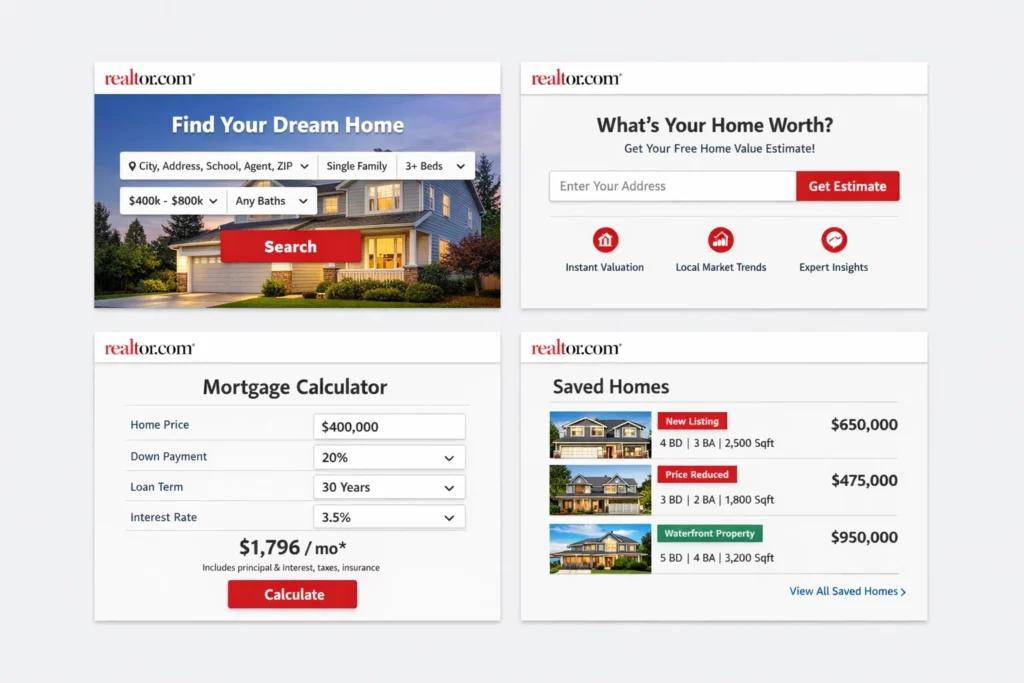
Realtor.com feels simple on the surface, but it’s powered by a set of systems that work together to keep listings fresh, search fast, and user actions (like tour requests) routed correctly. At a high level, it’s a marketplace platform built on three pillars: listing data, search and personalization, and communication workflows.
Tech stack overview (simplified)
Mobile apps + web platform
Realtor.com runs across iOS, Android, and the web, with consistent features like saved searches, alerts, and account syncing. That cross-platform coverage is important because real estate decisions happen in “micro-moments” across devices.
Search and discovery layer
Search includes standard filters plus map-based discovery. A big part of the tech is making search results update quickly when users adjust filters or explore different map areas.
Content and media delivery
Listings are image-heavy and sometimes include tours. That requires media storage, optimization, and fast delivery so pages don’t feel slow, especially on mobile networks.
Real-time features explanation
Frequently refreshed listings
A major trust driver for a real estate portal is update frequency. Realtor.com states that listings are updated very frequently (it cites updates every 15 minutes in its materials), which implies a steady ingestion and refresh pipeline behind the scenes.
Alerts for new listings and price changes
Saved search alerts work like a matching engine: whenever new data comes in (a new listing, status change, or price change), the system checks who should be notified and pushes an alert by email or mobile notification.
Tour requests and messaging workflows
When a user requests a tour or messages from a listing page, that request must route to the right agent or workflow and track the status so it doesn’t get lost. Realtor.com provides agent guidance around tour requests and the client experience, which reflects this operational layer.
Data handling and privacy
What data the platform handles
A portal like Realtor.com typically handles user account data, saved preferences, browsing behavior (to improve relevance), and inquiry actions (messages, tour requests). It also manages large amounts of property data: addresses, prices, photos, and listing status details.
Why privacy matters here
Real estate searches are sensitive because they reveal life changes and financial intent. Platforms need to keep account access secure, limit exposure of personal details in messaging flows, and provide clear data-use policies around personalization and advertising.
Scalability approach
Handling traffic spikes
Search traffic can spike on weekends, after rate changes, or during peak moving seasons. Scalable infrastructure means the search and listing pages must stay fast even when many users browse at the same time.
Keeping search fast at large inventory sizes
Speed comes from indexing and caching patterns that let the platform return results quickly without reprocessing everything for every user. Map browsing especially benefits from this because users expect immediate updates.
Mobile app vs web platform
Mobile strengths
Mobile is built for quick scanning, instant alerts, map exploration on the go, and fast actions like calling or messaging. Realtor.com’s mobile experience emphasizes alerts and home search on the move.
Web strengths
Web is often where users do deeper comparison: opening multiple tabs, reviewing details, and researching neighborhoods and market data. Realtor.com also maintains a dedicated research/data experience that supports this deeper analysis.
API integrations
Mapping and location data
Location is central to real estate search. Integrations commonly include mapping, geocoding (turning addresses into map points), and place data for neighborhood context. Realtor.com’s product experience highlights map-based exploration and nearby context.
Environmental and risk datasets
Realtor.com provides environmental risk information on listings, which implies ingestion and integration of third-party risk datasets presented at the property level.
Mortgage and affordability tooling
Affordability tools rely on financial calculators and often partner ecosystems. Realtor.com provides mortgage tools such as affordability calculations that connect browsing to payment reality.
Why this tech matters for business
If the listing data isn’t fresh, users don’t trust the platform. If search is slow, users leave. If inquiries aren’t routed smoothly, professionals stop paying. Realtor.com’s success depends on making those three things work reliably at scale: frequent listing updates, fast discovery, and frictionless connection to the next step.
Also Read :- How to Develop a Real Estate App
Realtor.com’s Impact & Market Opportunity
Realtor.com didn’t just make it easier to browse listings. It helped change how people decide where to live by turning home search into a data-driven, always-on experience with fast updates, maps, and decision tools that reduce uncertainty.
Industry disruption caused
It shifted power toward informed buyers and renters
Before portals, you often depended on an agent’s network or local knowledge to even discover options. Realtor.com and similar platforms made discovery self-serve, so consumers can shortlist homes, compare neighborhoods, and show up to agent conversations with real context.
It pushed the market toward fresher, more accurate listing data
A big frustration in real estate is stale inventory. Realtor.com has emphasized frequent MLS updates (including the move to updates as often as every 15 minutes in participating areas), which pressures the whole ecosystem to reduce outdated listings and status confusion.
It changed how agents compete for clients
Portals created a new playing field: instead of relying only on referrals, agents can buy visibility and leads where buyer intent is highest. That reshaped marketing budgets, lead response expectations, and the role of speed in winning clients.
Market statistics and growth signals
Massive audience reach and engagement
Realtor.com positions itself as reaching tens of millions of unique visitors and a large share of U.S. adults on a monthly basis, which matters because real estate is one of the highest-value consumer decisions.
Competitive traffic position
Realtor.com has published traffic and visit-share claims comparing itself against other major portals, framing itself as a close competitor with strong momentum and high engagement per visitor.
User demographics and behavior
Who uses it
Audience panels and measurement platforms show Realtor.com draws a broad consumer base with a slightly higher share of female visitors than male, and strong representation across prime home-shopping age ranges.
How people behave on the platform
The behavior is typically “high intent”: multiple repeat visits, saved searches, alerts, and fast follow-up actions like messaging or tour requests. Realtor.com has highlighted strong repeat usage and engagement metrics in its own reporting and external coverage.
Geographic presence
Strong U.S. coverage
Realtor.com describes itself as a comprehensive inventory platform for U.S. listings, sourcing data through MLS ecosystems and emphasizing frequent listing refresh across participating markets.
Local depth matters more than global scale
In real estate, “coverage” isn’t just a map pin in every city. The platform wins when it has deep local inventory, accurate statuses, and enough demand that agents and brokers keep investing in leads and visibility. Realtor.com’s update cadence and MLS-linked positioning are built around that local depth.
Future projections and where the market is heading
Search is becoming more conversational and AI-assisted
Portals are leaning into search that understands intent, not just filters. This changes expectations: people will increasingly type needs in plain language and expect the platform to translate that into the right listings and neighborhoods.
Big platforms are facing new competition from search engines
When search engines experiment with richer home listing experiences inside search results, it pressures portals to differentiate with better tools, deeper data, and smoother “request a tour” workflows.
Opportunities for entrepreneurs
There’s room for focused, vertical real estate platforms
General portals serve everyone, but entrepreneurs can win by going deep into a niche, such as:
- rentals only (with stronger screening, scheduling, and leasing flows)
- new construction and builder inventory
- local-city specialist portals with hyperlocal insights and verified inventory
- property investment search (cap rate, rent comps, renovation estimates)
The real opportunity is workflow, not just listings
The biggest gaps are usually around getting the deal done: scheduling, document collection, verification, financing coordination, and agent follow-up. A product that reduces friction in these steps can be more valuable than another listing grid.
This massive success is why many entrepreneurs want to create similar platforms—because when you combine high-intent traffic, trusted data, and smooth connections to agents or property managers, the business potential becomes very real.
Building Your Own Realtor.com-Like Platform
A lot of entrepreneurs look at Realtor.com and think the obvious product is “a listing website.” But the real product is a full decision-and-connection system: it helps users discover properties, evaluate them with confidence, and take action through tours, messaging, and financing guidance. That’s exactly why Realtor.com-style platforms can become powerful businesses when built for a specific market or niche.
Why businesses want Realtor.com clones
Speed to market in a proven category
Real estate search is a repeatable behavior. People will always move, rent, buy, sell, and invest. A Realtor.com-like product gives you a framework that users already understand, so adoption is easier than introducing a completely new concept.
Local or niche focus beats general portals
A clone doesn’t have to compete head-on with the biggest portals nationwide. Many successful platforms win by doing one market better:
- one country or region with stronger local listing accuracy
- rentals only, with better property manager workflows
- luxury homes with concierge-level tours and verification
- student housing with room-level filters and lease tools
- investment properties with ROI calculators and rent comps
Monetization options are flexible
A Realtor.com-style platform can earn through:
- subscriptions for agents or brokers
- paid listing boosts for property owners or managers
- verified-lead programs
- advertising for movers, lenders, insurers, home services
- premium research dashboards for professionals
Key considerations for development
Inventory and data sourcing comes first
Your platform is only as good as your listings. Decide early:
- Where do listings come from (brokers, owners, property managers, partnerships, APIs)?
- How will you prevent duplicates and outdated listings?
- What verification signals can you show to build trust?
Trust and safety can’t be an afterthought
Real estate attracts scams. You’ll need:
- identity verification for listers and agents
- moderation for suspicious listings
- reporting tools for users
- secure messaging and privacy controls
Conversion workflows matter more than design
The most valuable actions are “contact,” “request tour,” “apply,” and “schedule.” The platform must make these steps effortless, trackable, and fast for service providers to respond.
Cost Factors & Pricing Breakdown
Realtor.com–Like App Development — Market Price
| Development Level | Inclusions | Estimated Market Price (USD) |
|---|---|---|
| 1. Basic Real Estate Listings MVP | Core web platform for property listings, user registration & login, listing search with basic filters (city, price, beds), property detail pages, save/favorite listings, lead/contact inquiry form, basic admin panel for managing listings, basic analytics | $60,000 |
| 2. Mid-Level Real Estate Marketplace Platform | Advanced filters (property type, amenities, map view), agent/broker profiles, listing verification workflows, lead routing, inquiry dashboard, alerts/notifications, saved searches, area guides/content pages, richer analytics, mobile-responsive experience | $140,000 |
| 3. Advanced Realtor.com-Level Property Ecosystem | Large-scale multi-region real estate platform, advanced geo-search + maps, personalization/recommendations, agent pipelines/CRM-like tools, featured listings/ads placement, fraud checks, enterprise analytics, multi-language support, cloud-native scalable architecture | $250,000+ |
Realtor.com-Style Real Estate Platform Development
The prices above reflect the global market cost of developing a Realtor.com-like real estate listings and marketplace platform — typically ranging from $60,000 to over $250,000+, with a delivery timeline of around 4–12 months for a full, from-scratch build. This usually includes scalable listings architecture, map-based search, lead routing, optional third-party feed integrations, analytics, security, and production-grade infrastructure for high traffic.
Miracuves Pricing for a Realtor.com–Like Custom Platform
Miracuves Price: Starts at $14,999
This is positioned for a feature-rich, JS-based Realtor.com-style real estate platform that can include:
- Property listing management (admin/agent workflows)
- Search, filters, map view, property detail pages, favorites, and saved searches
- Lead capture and inquiry routing for agents/brokers
- Alerts and notifications for matching properties
- Analytics dashboards for listings and lead performance
- Modern web interface plus optional companion mobile apps
From this foundation, the platform can be extended into deeper geo-search, recommendations, featured listings, richer agent tools, and advanced integrations as your real estate business scales.
Note: This includes full non-encrypted source code (complete ownership), complete deployment support, backend & API setup, admin panel configuration, and assistance with publishing on the Google Play Store and Apple App Store—ensuring you receive a fully operational real estate ecosystem ready for launch and future expansion.
Delivery Timeline for a Realtor.com–Like Platform with Miracuves
For a Realtor.com-style, JS-based custom build, the typical delivery timeline with Miracuves is 30–90 days, depending on:
- Depth of listings, search, and map/geo workflows
- Number and complexity of third-party integrations (maps, feeds, CRM tools)
- Complexity of lead routing, agent dashboards, and admin controls
- Scope of web portal, mobile apps, branding, and scalability targets
Tech Stack
We preferably will be using JavaScript for building the entire solution (Node.js / Nest.js / Next.js for the web backend + frontend) and Flutter / React Native for mobile apps, considering speed, scalability, and the benefit of one codebase serving multiple platforms.
Other technology stacks can be discussed and arranged upon request when you contact our team, ensuring they align with your internal preferences, compliance needs, and infrastructure choices.
Essential features to include
Consumer side (must-have)
- location search + map browsing
- advanced filters (price, beds, property type, amenities)
- clean listing detail pages (photos, facts, contact actions)
- save/favorite + saved searches
- alerts for new listings and price changes
- share listings and compare shortlists
Provider side (agents, owners, property managers)
- onboarding and profile creation
- listing management (create/edit/status updates)
- lead inbox and follow-up tracking
- scheduling and tour request management
- reporting dashboard (views, leads, conversions)
Admin side
- user and provider management
- listing moderation tools
- fraud and spam controls
- analytics (inventory health, lead quality, growth)
Read More :- How to Market a Real Estate App Successfully After Launch
Conclusion
Realtor.com works because it reduces uncertainty in one of the biggest decisions people ever make. It combines fresh listings, smart search, and clear next steps so users can move from “just looking” to real action with confidence. If you’re building in real estate, the biggest win isn’t copying the look of a portal—it’s delivering trust, speed, and a smooth workflow that helps people make decisions faster.
FAQs :-
How does Realtor.com make money?
Realtor.com primarily earns revenue by selling advertising and lead-generation products to real estate professionals and related businesses. That includes paid visibility, sponsored placements, and marketing programs that connect high-intent home shoppers with agents, brokers, property managers, and partner brands.
Is Realtor.com available in my country?
Realtor.com is mainly focused on the United States market. You can access the website from anywhere, but the listings, services, and professional network are built around U.S. real estate.
How much does Realtor.com charge users?
Most users can browse listings, save homes, and research neighborhoods without paying Realtor.com directly. Any costs you experience are usually part of the real estate process itself (rent application fees, inspections, closing costs, agent commissions, and so on), not a browsing fee from the platform.
What’s the commission for service providers?
Realtor.com typically does not take a commission from an agent’s closed transaction in the way a marketplace might. Instead, many agents and teams pay Realtor.com for leads, exposure, and marketing products. The transaction commission is handled within the real estate deal between buyer/seller and agent/broker.
How does Realtor.com ensure safety?
Realtor.com supports safer decision-making through listing detail transparency and structured inquiry flows, but safety in real estate also depends on user practices and local professionals. Strong real estate platforms usually combine reporting tools, moderation, fraud detection, and clear identity signals for listers and agents to reduce scams and suspicious postings.
Can I build something similar to Realtor.com?
Yes. The key is not just building a listing directory, but creating a trusted workflow: verified inventory, fast search and maps, alerts, and smooth inquiry or scheduling flows that providers respond to quickly. Many successful “clones” win by focusing on a niche or region instead of trying to beat national portals immediately.
What makes Realtor.com different from competitors?
Its core differentiation is the combination of broad U.S. inventory coverage, frequent listing updates, and decision-support tools that help users evaluate properties beyond photos. It’s designed to move users from browsing to action with fewer dead-ends and less uncertainty.
How many users does Realtor.com have?
Realtor.com publicly highlights large monthly unique visitor reach rather than a single “registered user count.” Most real estate portals measure success by audience size and engagement (unique visitors, visits per visitor, inquiries), since many shoppers browse without creating an account.
What technology does Realtor.com use?
At a practical level, it relies on high-frequency listing data ingestion, fast search and indexing, map and location services, media delivery for photos and tours, personalization for alerts and recommendations, and secure communication workflows for inquiries and tour requests.
How can I create an app like Realtor.com?
Start with a clear niche and reliable inventory source, then build the essential layers: map-based search, filters, listing detail pages, saved searches and alerts, inquiry and scheduling flows, provider dashboards, and admin moderation tools. Interested in creating your own Realtor.com-like platform? Miracuves has helped 200+ entrepreneurs launch similar successful platforms in just 7–14 days. With proven clone scripts and customization options, you can enter this lucrative market quickly. Get a free consultation to explore your possibilities.