


Key Takeaways
- Smart video feed design keeps users watching by making discovery fast and personal.
- Smooth playback matters because buffering can quickly reduce user retention.
- Personalized recommendations help users find videos that match their interests.
- Preload logic improves speed by preparing the next video before users swipe.
- A strong feed system balances content quality, engagement signals, and user experience.
What You’ll Learn
- How short video feed design affects watch time and retention.
- Recommendation logic uses likes, skips, replays, shares, and watch time.
- Fast loading and preloading reduce drop-offs between videos.
- Creator tools improve content supply and feed quality.
- Growth depends on feed speed, personalization, moderation, and engagement tracking.
Real Insights
- Users stay longer when every swipe feels instant and relevant.
- Poor recommendations make users leave even if the app design looks good.
- Feed quality depends on creators, content signals, and moderation systems.
- Analytics help founders understand what keeps users engaged.
- The best strategy is to build a fast, personalized, and creator-friendly video feed.
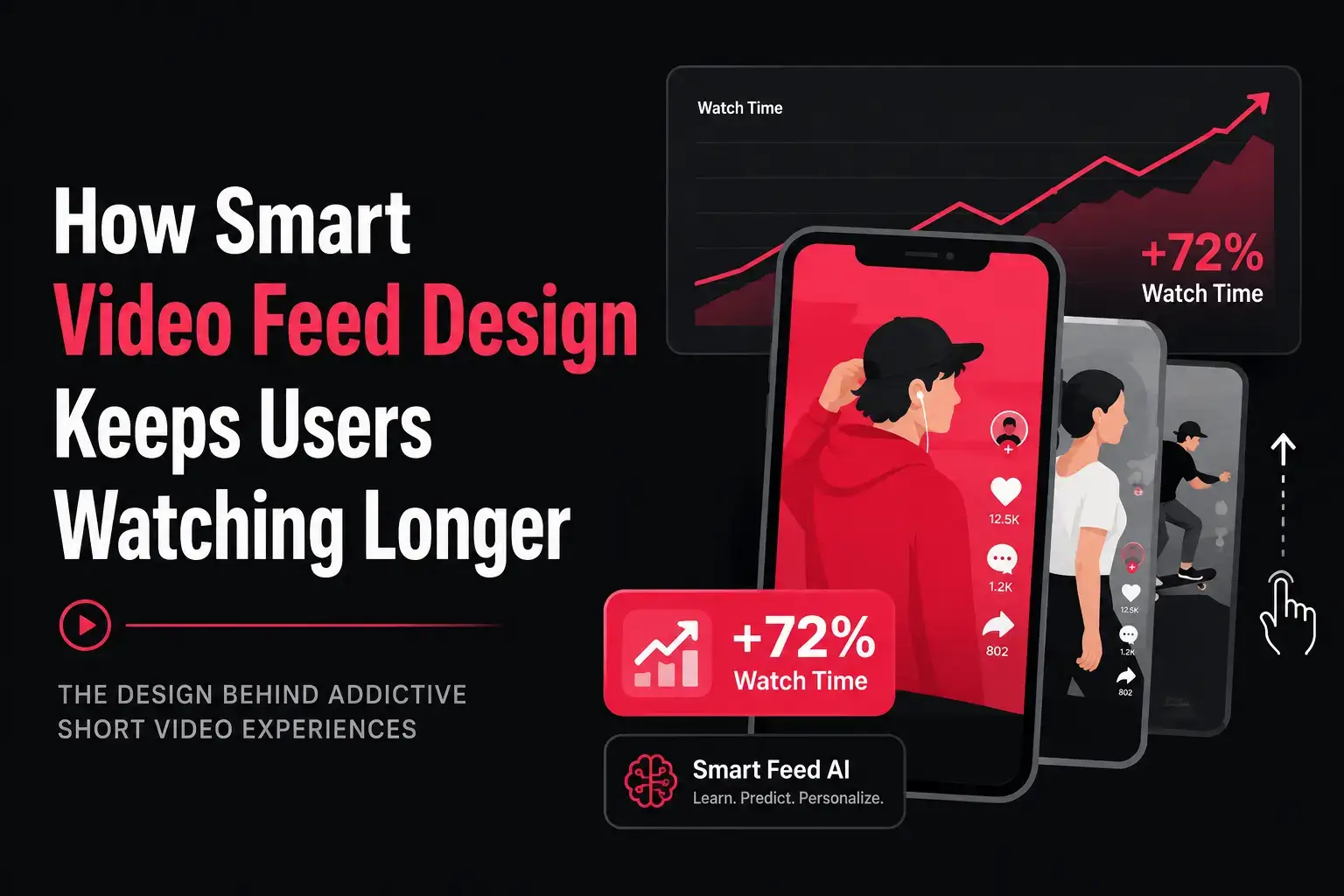
Short video apps do not grow only because they have good videos. They grow because smart video feed design makes users keep watching one more video, then another, and then another. The real product power of a TikTok-like platform sits inside the infinite scroll video feed.
For users, the feed feels simple. They open the app, swipe up, watch videos, skip what they do not like, and engage with what interests them. But behind that simple experience, smart video feed design connects many product and technical decisions together. Feed ranking, swipe behavior, preload logic, video loading speed, UI placement, personalization, moderation, and analytics all decide whether users stay or leave.
For founders building short video apps, this matters because retention is not just a marketing metric. A strong smart video feed design affects creator visibility, ad revenue, in-app purchases, social commerce, subscriptions, and long-term platform growth.
When the feed is slow, random, or repetitive, users lose interest quickly. They may not complain, but they silently leave the app. On the other hand, when the feed loads instantly, understands user behavior, and shows relevant videos at the right time, users naturally spend more time inside the platform.
This is why the infinite scroll video feed should not be treated as a basic UI feature. It is the main engagement engine of a short video app. Every swipe gives the platform a signal. Every watch, skip, replay, like, comment, and share helps the system understand what users want next.
For a TikTok-like app, better feed design means better retention. Better retention creates more content visibility, stronger creator activity, higher monetization potential, and a more scalable platform experience.
Why Smart Video Feed Design Matters in Short Video Apps
In short video apps, the feed is not just one feature. It is the main user experience. Most users do not open a short video app to search manually. They expect the platform to understand their interests and show relevant videos instantly.
A weak feed creates friction. If the first few videos feel boring, irrelevant, slow, or repetitive, users may close the app within seconds. A strong feed creates flow. Users keep swiping because every next video feels worth checking.
This is why smart video feed design matters from the first session itself. New users decide very quickly whether the app feels useful or forgettable. If the feed can show relevant videos early, users are more likely to stay, interact, follow creators, and come back again.
Smart feed design directly impacts:
- session duration
- watch time
- completion rate
- user retention
- creator reach
- monetization opportunities
- platform trust
The better the feed experience, the easier it becomes to turn casual visitors into repeat users. For founders, this means feed design should not be treated as a visual layout only. It should be planned as a retention system that connects content discovery, swipe behavior, video loading, personalization, and engagement signals together.
Read more: Top 10+ Features to Make Your TikTok like App Go Viral
What Is an Infinite Scroll Video Feed?
An infinite scroll video feed is a continuous video discovery experience where users can keep swiping through videos without reaching a fixed end. Instead of showing users a traditional list, the app loads one full-screen video at a time.
This format works well for short video apps because it reduces decision-making. Users do not need to choose from thumbnails, categories, or search results every time they want to watch something. The app decides what to show next based on user behavior, content quality, trending signals, and personalization logic.
In a normal video list, users have to stop, look at multiple options, read titles, and choose what to play. In an infinite scroll video feed, the next video starts almost instantly. This creates a faster and more effortless viewing experience. Users can simply swipe when they are not interested and continue watching when the content feels relevant.
A good infinite scroll video feed usually includes:
- full-screen vertical video playback
- swipe-up navigation
- auto-play for the next video
- preloaded upcoming videos
- like, comment, share, and follow buttons
- creator profile access
- captions and sound details
- personalized recommendations
The real strength of this feed design is that it keeps users inside a continuous discovery loop. Every swipe gives the platform a signal about what the user likes, skips, watches fully, or engages with. Over time, these signals help the app improve recommendations and show better videos.
The goal is simple: reduce friction and keep the user inside the viewing loop. When the feed feels fast, relevant, and easy to use, users are more likely to watch longer sessions, engage with creators, and return to the app again.
How Swipe Behavior Reveals User Interest
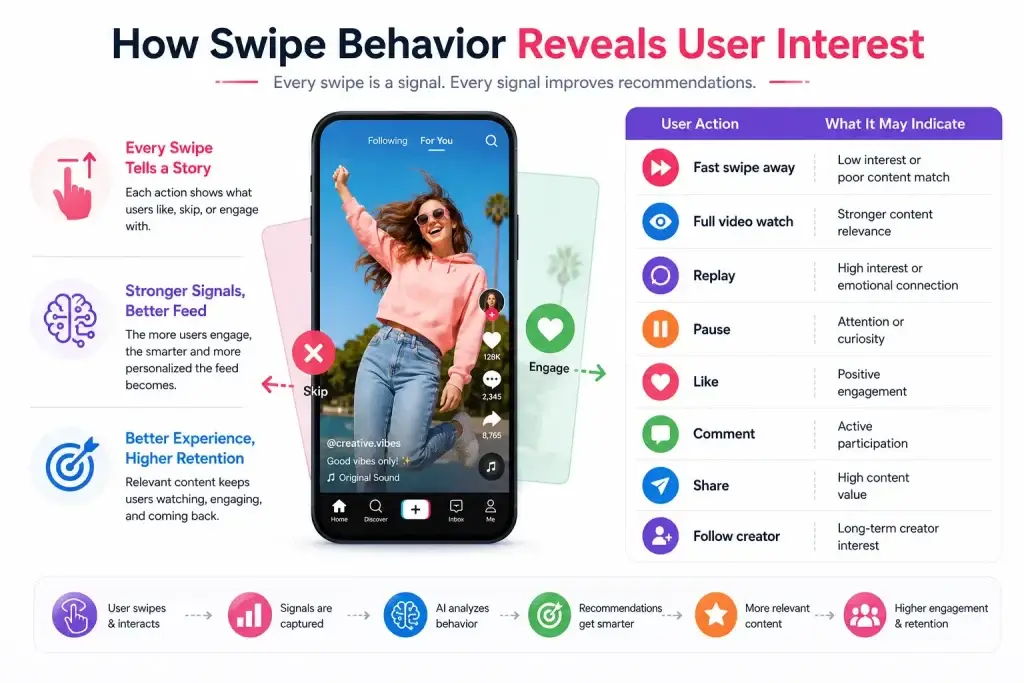
Swipe behavior is one of the most important signals in a short video app. Every swipe tells the platform something about user interest.
If a user skips a video quickly, it may mean the content is not relevant. If the user watches till the end, pauses, replays, likes, comments, or shares, the platform receives stronger engagement signals.
Important swipe-based signals include:
| User Action | What It May Indicate |
| Fast swipe away | Low interest or poor content match |
| Full video watch | Stronger content relevance |
| Replay | High interest or emotional connection |
| Pause | Attention or curiosity |
| Like | Positive engagement |
| Comment | Active participation |
| Share | High content value |
| Follow creator | Long-term creator interest |
A smart feed system uses these signals to improve future recommendations. This makes the app feel more personal over time.
Why the First Few Videos Decide Session Quality
The first few videos in a session are extremely important because users judge the app very quickly. When someone opens a short video app, they do not wait long to decide whether the feed is interesting or not. If the first videos are slow, irrelevant, repetitive, or low quality, the session may end within seconds.
A strong feed should quickly answer three important questions:
- What type of content does this user like?
- What videos are performing well right now?
- Which video is most likely to keep this user watching?
This is where smart video feed design becomes important. The opening feed experience should not feel random. It should give users a reason to continue swiping. If the first few videos match their interest, load quickly, and create curiosity, users are more likely to stay inside the viewing loop.
For new users, this is harder because the app has limited data. That is why onboarding signals are useful. The app can ask users to select interests, follow categories, choose preferred languages, or engage with sample content. These early actions help the feed avoid random recommendations and create a more relevant first session.
For returning users, the feed can use historical behavior such as watch time, skipped categories, creator follows, language preference, location, replay behavior, and engagement patterns. This helps the app continue from where the user’s interest already exists instead of starting from zero every time.
The first few videos also influence how the algorithm reads the session. If users quickly skip the first videos, the app needs to adjust fast. If users watch, replay, like, or share early videos, the feed can use those signals to improve the next recommendations. This makes the session feel more personal and increases the chance of longer watch time.
How Preload Logic Makes Short Video Feeds Feel Instantly Fast
Preload logic is one of the most important parts of short video feed design. Users expect the next video to start instantly after they swipe. If the app waits until the user swipes to load the next video, buffering increases and the viewing flow breaks.
Preloading means the app prepares upcoming videos before the user reaches them. This makes the feed feel smooth because the next video is already partly loaded and ready to play.
Good preload logic considers:
- current network speed
- device performance
- user scroll speed
- video file size
- expected next videos
- data usage limits
- battery consumption
For example, if a user is swiping quickly, the app may need to prepare more upcoming videos. If the user has a slow network or low battery, the app should preload carefully to avoid wasting data and device resources.
The challenge is balance. If the app preloads too little, users face buffering. If it preloads too much, it can increase data usage, battery drain, and storage pressure. A smart short video app should preload enough to keep the infinite scroll video feed smooth without overloading the user’s device.
This is why preload logic should be planned as part of the feed experience, not treated as a small technical detail. When videos start instantly, users stay in the flow, swipe more naturally, and spend more time inside the app.
How Smooth Playback Keeps Users From Leaving Short Video Apps
Even strong content can fail if playback is poor. Short video users have low patience for buffering. A one-second delay may not sound big, but in an infinite scroll experience, even small delays can break the habit loop.
Smooth playback depends on:
- CDN delivery
- adaptive streaming
- video compression
- caching
- fast start time
- optimized encoding
- lightweight app performance
For short video apps, playback speed is part of product design. Users rarely think about CDN, encoding, or preload logic. They only feel whether the app is smooth or frustrating.
When videos load instantly, users stay in the flow. When videos buffer repeatedly, they exit.
Feed Personalization Keeps Users Watching Longer
Personalization is what makes a short video app feel addictive. The feed should not show the same content to every user. A fitness user, gaming user, beauty user, finance learner, and comedy viewer should all receive different feed experiences.
A personalized feed can use signals such as:
- watch time
- likes
- shares
- comments
- search behavior
- skipped videos
- followed creators
- language preference
- location
- device behavior
- session timing
However, personalization should not become too narrow. If users only see one type of content again and again, the feed may feel repetitive. A strong feed balances personal interests with discovery.
That means the app should show:
- videos users are likely to enjoy
- trending videos from related categories
- new creators with potential
- fresh content formats
- occasional variety to avoid feed fatigue
UI Design Choices That Improve Feed Experience
The best short video feeds feel simple. Users should not struggle to understand what to do next. The screen should focus on the video, not unnecessary distractions.
Good feed UI usually includes:
- clear like, comment, share, and follow buttons
- readable captions
- visible creator name
- simple sound or music details
- easy profile access
- smooth swipe gestures
- minimal clutter
- fast response to taps and gestures
Too many buttons, ads, banners, popups, or unclear icons can damage the viewing experience. The feed should help users watch and engage naturally.
A clean UI improves attention. A cluttered UI increases friction.
Read more: Reasons startup choose our TikTok-like app over custom development
Creator Tools Also Improve Feed Quality
Feed quality depends on content supply. If creators do not have good tools, the app may struggle to produce engaging videos. A strong short video platform needs creators who can upload, edit, publish, and understand their content performance easily.
Creator tools can include:
- video upload
- trimming and editing
- filters and effects
- captions
- music library
- hashtags
- thumbnails
- drafts
- live streaming
- analytics
- monetization options
Better creator tools help creators produce better content. When creators can add captions, use trending audio, edit clips, test thumbnails, and track performance, they are more likely to publish regularly. This gives the feed more fresh content to rank and recommend.
Strong creator tools also improve content variety. Some users may enjoy tutorials, others may prefer entertainment, product reviews, fitness clips, educational videos, or live sessions. When creators have the right tools, they can create different content formats that keep the feed active and interesting.
This creates a growth loop:
Creators make better videos → users watch longer → the algorithm gets stronger signals → creators get more visibility → more creators join the platform.
For founders, creator tools should not be treated as secondary features. They directly affect feed quality, user retention, creator loyalty, and long-term platform growth..
How Moderation Keeps the Video Feed Clean and Trustworthy
Many founders treat moderation as only a safety feature. But in short video apps, moderation also affects retention.
If users see spam, harmful content, copied videos, fake engagement, or low-quality uploads repeatedly, they lose trust in the feed. Once users stop trusting the feed, they stop watching for long sessions.
Moderation helps protect:
- content quality
- creator trust
- brand safety
- advertiser confidence
- recommendation accuracy
- community experience
A short video platform should combine automated moderation, human review, reporting tools, spam detection, and admin controls. A clean feed keeps users comfortable and improves long-term engagement.
Key Video Feed Metrics Founders Should Track
A founder cannot improve feed design without measuring user behavior. Analytics show where users stay, where they skip, and where the feed experience breaks.
Important feed metrics include:
| Metric | Why It Matters |
| Average watch time | Shows how long users stay on videos |
| Completion rate | Shows whether users finish videos |
| Swipe-away rate | Shows weak content or poor matching |
| Replay rate | Shows high-interest content |
| Video start time | Shows loading speed |
| Buffering rate | Shows playback problems |
| Session length | Shows overall feed engagement |
| Return user rate | Shows retention strength |
| Creator follow rate | Shows creator discovery quality |
| Share rate | Shows content value |
These metrics help founders improve ranking, preload logic, content strategy, creator tools, and UI decisions.
Common Feed Design Mistakes That Reduce Retention
Many short video apps fail because the feed looks like TikTok but does not behave like a strong short video product. The interface may have vertical videos, swipe gestures, likes, comments, and shares, but the experience still feels weak if the feed is slow, random, repetitive, or difficult to use.
A short video app needs more than a TikTok-style layout. It needs smart feed logic, smooth playback, clean UI, personalization, creator tools, and moderation support. When these parts are missing, users may open the app once but may not return again.
Common mistakes include:
Showing Too Many Random Videos
If the feed does not understand the user, the experience feels random. Users may swipe quickly and leave because the app is not showing content that matches their interest.
This usually happens when the platform has weak recommendation logic or does not collect enough early signals from users. For example, if a user watches fitness videos but keeps seeing unrelated comedy, food, or finance videos, the feed starts feeling disconnected.
A better feed should learn from watch time, skips, likes, replays, shares, follows, and category preferences. Random discovery can still be useful, but it should be balanced with user interest.
Slow Video Loading
Buffering breaks the infinite scroll experience. Users expect instant playback when they swipe to the next video.
In short video apps, even a small delay can reduce engagement because users are moving quickly through content. If every video takes time to load, the app feels heavy and frustrating.
Slow loading often happens because of poor video compression, weak CDN setup, missing preload logic, large file sizes, or unoptimized backend performance. A strong short video feed should load upcoming videos in advance so users feel a smooth viewing experience.
Repeating the Same Content Too Often
Too much repetition creates feed fatigue. Users need both relevance and variety.
If the app shows the same creator, same topic, same audio, or same type of video again and again, users may feel bored even if the content matches their interest. Personalization should not mean trapping users in a narrow content loop.
A smart video feed should mix familiar content with fresh discovery. It should show related videos, trending formats, new creators, and different content styles to keep the experience active.
Ignoring New User Onboarding
New users need quick personalization. Without early interest signals, the first session may feel weak.
Many apps make the mistake of showing a random feed to new users. This creates a poor first impression because the app has not yet learned what the user likes. If the first few videos do not feel relevant, users may leave before the platform gets enough data.
A better approach is to use simple onboarding signals. The app can ask users to select interests, choose preferred content categories, follow a few creators, or interact with sample videos. These small actions help the feed become relevant faster.
Overloading the Screen
Too many elements distract users from the video. A short video feed should stay clean and focused.
If the screen has too many buttons, banners, popups, ads, icons, or text blocks, users may feel confused. Short video apps work best when the main attention stays on the video itself.
The UI should make core actions easy: like, comment, share, follow, pause, mute, and visit creator profile. Everything else should be placed carefully so it does not disturb the viewing flow.
Weak Creator Tools
If creators cannot easily make good content, the feed quality suffers.
A strong feed depends on strong content supply. If creators do not get editing tools, captions, music, filters, upload options, analytics, or monetization support, they may not create regularly.
Weak creator tools reduce content variety and quality. Over time, the feed becomes less engaging for users. Better creator tools help creators produce videos faster, improve storytelling, and understand what works with their audience.
Poor Moderation
Spam and unsafe content reduce trust and damage retention.
Users do not stay on a platform where the feed feels low-quality, unsafe, or full of copied content. Poor moderation can also damage creator confidence because genuine creators may feel their content is competing with spam or fake engagement.
Short video apps should include reporting tools, spam detection, content review systems, and admin controls. A clean and safe feed improves trust, protects the community, and supports long-term growth.
How Smart Feed Design Supports Monetization
A better feed does not only improve engagement. It also improves revenue potential. When users watch longer, interact more, follow creators, and return to the app regularly, the platform gets more chances to generate revenue without forcing monetization too aggressively.
In a short video app, monetization works best when it feels like a natural part of the feed experience. If revenue features interrupt users too often, they can damage retention. But when ads, sponsored content, live gifts, social commerce, and creator subscriptions are placed carefully, they can support both user experience and business growth.
Common monetization opportunities include:
- ads
- sponsored videos
- creator subscriptions
- virtual gifts
- live streaming
- paid promotions
- social commerce
- premium creator tools
- brand partnerships
Ads Become More Valuable When Users Watch Longer
Ad revenue depends heavily on attention. If users leave the app quickly, the platform has fewer ad impressions and weaker ad performance. But when smart feed design increases session length, the app gets more space to show ads naturally.
The key is placement. Ads should not appear after every swipe or disturb the viewing flow too often. A better approach is to place ads between relevant videos, match them with user interests, and make sure the ad experience does not feel disconnected from the feed.
Sponsored Videos Need Smart Ranking
Sponsored videos can help brands reach targeted audiences, but they should not damage feed quality. If sponsored content feels irrelevant, users may skip faster or lose trust in the feed.
Smart feed design helps by ranking sponsored videos based on user interest, category relevance, location, language, and engagement behavior. This makes paid content feel more useful and less interruptive.
For example, a fitness user may respond better to sponsored workout gear, while a beauty user may engage more with skincare or makeup-related videos.
Live Streaming Creates Real-Time Revenue
Live streaming can become a strong monetization layer for short video apps. When users already follow creators through the feed, they are more likely to join live sessions, send gifts, ask questions, or participate in real-time events.
Smart feed design can promote live creators at the right time. Instead of showing live streams randomly, the feed can highlight live sessions from creators users already watch or categories they care about.
This improves live attendance and increases revenue from virtual gifts, paid sessions, and creator-led events.
Virtual Gifts Work Better With Strong Creator Engagement
Virtual gifting depends on emotional connection between users and creators. A user is more likely to send gifts when they regularly watch a creator, enjoy their content, or participate in their live sessions.
A smart feed helps creators build that connection by giving them better visibility. If the feed keeps showing relevant creators to interested users, creator loyalty increases. Over time, that loyalty can turn into gifts, tips, paid interactions, or memberships.
Social Commerce Fits Naturally Inside Short Video Feeds
Social commerce works well when product content feels useful instead of forced. In short video apps, creators can show products through tutorials, reviews, demos, styling videos, unboxing content, or comparison videos.
Smart feed design can place these videos in front of users who are more likely to care about them. This improves product discovery and conversion potential.
For example, a user who watches cooking videos may be interested in kitchen tools, while a user who watches fashion content may respond better to clothing or accessory recommendations.
Creator Subscriptions Increase Recurring Revenue
Creator subscriptions help platforms build recurring revenue. Users can pay for exclusive videos, private communities, premium live sessions, early access content, or special creator updates.
However, subscriptions work only when users trust the creator and see regular value. A smart feed supports this by helping creators reach the right audience consistently. When users repeatedly engage with a creator, they are more likely to subscribe.
Paid Promotions Help Creators Grow Faster
Paid promotions allow creators or businesses to boost their videos for more visibility. This can become a useful revenue stream for the platform.
But promoted videos should still match user interest. If paid content is shown to the wrong audience, it can reduce feed quality. Smart feed design ensures promoted videos are distributed based on category, audience behavior, and engagement potential.
Premium Creator Tools Can Support Platform Revenue
Many creators are willing to pay for tools that help them grow faster. A short video app can offer premium features such as advanced analytics, better editing tools, boosted visibility, brand collaboration access, monetization dashboards, or content performance insights.
These tools work better when the feed already gives creators meaningful reach. If creators can see that the platform helps them grow, they are more likely to invest in premium tools.
Monetization Should Not Break the Feed Experience
The biggest mistake founders make is adding too many monetization elements too early. Too many ads, popups, forced subscriptions, or irrelevant sponsored videos can reduce retention.
The feed should remain user-first. Monetization should support the experience, not interrupt it.
A strong monetization strategy should follow three rules:
| Monetization Rule | Why It Matters |
|---|---|
| Keep ads relevant | Irrelevant ads increase skips and frustration |
| Avoid overloading the feed | Too many revenue placements reduce watch time |
| Match offers with user behavior | Better targeting improves revenue and user experience |
When smart feed design and monetization work together, the platform can increase revenue without damaging retention. For founders, this creates a stronger business model because users stay longer, creators get more visibility, and revenue opportunities grow naturally inside the feed.
Read more: Best Monetization Models That Turn TikTok Clone Apps Into Revenue Engines
How Miracuves Helps Build Retention-Focused Short Video Apps
Miracuves helps founders build TikTok-like short video apps with a practical focus on launch speed, feed experience, engagement, and monetization. Instead of treating a short video app as only a video upload platform, Miracuves focuses on the complete product system that keeps users watching, creators publishing, and businesses growing.
A successful short video app needs more than a vertical video screen. It needs a smooth infinite scroll video feed, fast playback, creator profiles, engagement tools, monetization features, admin control, white-label branding, and a scalable backend structure. These elements work together to improve retention and make the platform ready for long-term growth.
For founders, this means the app can be planned around real business goals such as user retention, creator growth, content discovery, revenue generation, and brand control. A startup may begin with core short video features and later expand into live streaming, virtual gifts, creator subscriptions, social commerce, paid promotions, or advanced recommendation systems.
Miracuves can support features such as:
- short video feed
- video upload flow
- creator profiles
- personalized discovery
- like, comment, share, and follow features
- admin dashboard
- content management
- monetization modules
- live streaming support
- wallet and virtual gifting options
- white-label branding
- source code ownership
- scalable backend structure
The goal is to help founders launch faster without losing control over future customization. With a ready-made and white-label approach, founders do not need to wait months to test their idea in the market. A TikTok-like app can go live in 6 days, while still keeping room for future upgrades, monetization improvements, and platform-level growth.
For startups, this reduces early development pressure and helps validate the market faster. For growing businesses, it creates a stronger foundation to build creator communities, improve feed engagement, and add revenue features over time.
Miracuves also helps founders think beyond the first launch. As the platform grows, the app can be improved with better feed logic, stronger creator tools, smarter admin controls, scalable infrastructure, and monetization features that match the business model. This makes the short video app more than a content platform — it becomes a growth-ready digital product.
Conclusion
Smart video feed design is one of the biggest reasons short video apps retain users. A strong feed does not depend only on good content. It depends on how smoothly users discover, watch, skip, replay, and engage with videos. The infinite scroll video feed must feel fast, personal, clean, and effortless because every swipe decides whether users stay or leave.
For short video app founders, feed design is not a small UX detail. It is the core growth engine. Swipe behavior helps the platform understand user interest, preload logic keeps videos ready, personalization improves relevance, moderation protects feed quality, and analytics help improve the experience over time. A better feed leads to longer sessions, stronger retention, better creator visibility, and more monetization opportunities.
In the end, short video app success depends on one simple question: does the feed make users want to watch the next video? If the answer is yes, the platform has a stronger chance to build retention, community, and revenue over time.
Contact us today to build a retention-focused short video app with smart feed design, smooth playback, creator tools, and scalable monetization features.
FAQs
What is smart video feed design in short video apps?
Smart video feed design means planning the video feed in a way that keeps users watching longer through smooth scrolling, fast loading, personalized recommendations, simple UI, and relevant video ranking.
What is an infinite scroll video feed?
An infinite scroll video feed is a continuous video feed where users can keep swiping through videos without reaching a fixed end. It is commonly used in TikTok-like short video apps.
Why is infinite scroll important for short video app retention?
Infinite scroll reduces friction. Users do not need to search or choose videos manually, which helps them continue watching more content in one session.
How does swipe behavior improve video recommendations?
Swipe behavior shows what users like or dislike. Fast swipes may show low interest, while replays, likes, comments, shares, and longer watch time show stronger engagement.
What is preload logic in a short video feed?
Preload logic means loading the next video before the user swipes to it. This helps reduce buffering and makes the feed feel faster.
Why do users leave short video apps quickly?
Users often leave when videos load slowly, recommendations feel irrelevant, the feed repeats the same content, or the app experience feels cluttered and confusing.
How does personalization help short video apps?
Personalization helps the app show videos based on user interests, watch time, likes, shares, skips, and creator follows. This makes the feed more relevant and engaging.