

Choosing a visual social app script in 2026 is not only about finding a ready-made product with attractive screens. For founders, the real decision is whether the script can support a working community, handle media-heavy engagement, give the operator enough admin control, and leave room for monetization as the business grows.
A polished demo can look impressive, but the wrong foundation can create problems after launch. Slow uploads, weak moderation tools, limited customization, poor notification logic, restricted source-code access, and unclear pricing can turn a fast launch into an expensive rebuild.
This guide helps founders evaluate a visual social app script before buying. Instead of only comparing feature lists, we will look at the business logic behind the product: what should be included, what affects pricing, what risks to check, and when a ready-made solution makes more sense than building everything from zero.
Key Takeaways
- A visual social app script should be evaluated as a product foundation, not just a set of mobile screens.
- Founders should check feed quality, media upload flows, stories, short-video support, profiles, messaging, notifications, moderation, and admin control.
- Pricing depends on customization, source-code access, deployment support, platform coverage, monetization modules, and third-party integrations.
- The strongest scripts give founders flexibility to launch faster, validate a niche audience, and scale without depending on the vendor for every change.
- Miracuves helps founders move faster with ready-made, white-label, source-code-owned app solutions designed for branding, admin control, and monetization readiness.
Why Founders Should Be Careful When Choosing a Visual Social App Script
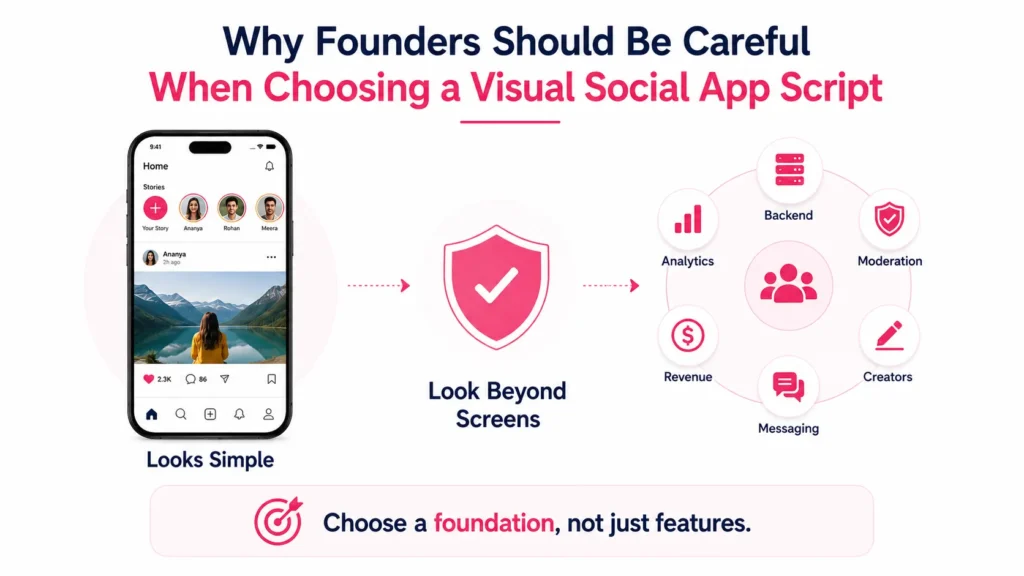
A visual social platform looks simple from the outside. Users upload photos, videos, stories, short clips, comments, and messages. The feed keeps moving, notifications bring users back, and creators build communities around content.
But behind that experience, the product depends on several complex layers:
- Media upload and compression
- Feed ranking and discovery
- User profiles and privacy controls
- Creator tools and content publishing
- Messaging and notification logic
- Moderation workflows
- Admin dashboards
- Monetization settings
- Analytics and reporting
- Scalable backend infrastructure
If the script only gives you the visible app screens without strong backend control, you may launch quickly but struggle to operate the business. A founder should not ask only, “Does this script have the features?” The better question is, “Can this foundation support my audience, revenue model, and operating workflow after launch?”
That is why this blog focuses on selection criteria rather than simply listing tools.
What Is a Visual Social App Script?
A visual social app script is a ready-made software foundation for launching a branded social platform built around photo sharing, short videos, stories, feeds, profiles, engagement, messaging, and creator/community interaction.
It usually includes:
- User-facing mobile or web app
- Admin dashboard
- Feed and content publishing flows
- Media upload features
- Engagement tools such as likes, comments, saves, and shares
- User profiles and follow systems
- Notifications
- Content moderation tools
- Basic monetization options
- Branding customization
The value of a script is speed. Instead of building every module from scratch, founders can start with a working base and customize it for a niche market, local audience, creator segment, commerce model, or private community.
However, not all scripts are equal. Some are strong enough for a real launch. Others are thin demo products that look good during a sales call but fail during real user activity.
The First Question: What Kind of Social Product Are You Building?
Before comparing any vendor or pricing plan, define the product model. A visual social app can serve many different business ideas.
| Product Direction | Best-Fit Audience | Feature Priority |
|---|---|---|
| Niche creator community | Fitness, artists, fashion, education, local creators | Profiles, creator tools, subscriptions, content discovery |
| Photo-first community | Events, lifestyle, travel, hobbies, local groups | Image upload, albums, feeds, hashtags, privacy controls |
| Short-video platform | Entertainment, learning, micro-content, influencer-led content | Video upload, compression, feed performance, moderation |
| Social commerce platform | Creators, sellers, product discovery communities | Product tags, storefronts, checkout flows, commissions |
| Private community app | Clubs, associations, alumni groups, member communities | Access control, private feeds, group moderation, admin approvals |
| Brand-owned social platform | Agencies, media brands, communities, publishers | Custom branding, analytics, creator onboarding, campaign tools |
This decision matters because the wrong feature priority can waste budget. A founder building a creator monetization platform needs payout logic, creator verification, subscriptions, and content controls. A founder building a private community needs privacy settings, admin approvals, reporting, and group controls.
The script should match the business model, not just the visual layout.
Core Features Every Visual Social App Script Should Include
A strong script should cover the full journey from signup to engagement, not only content posting. Founders should review each layer carefully.
Feature Checklist for a Visual Social App Script
| Feature Layer | What to Check | Founder Impact |
|---|---|---|
| User onboarding | Email, phone, social login, profile setup, verification options, onboarding screens | Reduces signup friction and helps new users understand the app quickly. |
| Profiles | Bio, avatar, cover image, follower count, links, privacy settings, creator badges | Helps users build identity and gives creators a reason to stay active. |
| Content publishing | Photo upload, video upload, captions, hashtags, mentions, scheduling, drafts | Determines how easily users can contribute content. |
| Visual feed | Personalized feed, trending feed, following feed, category feed, content refresh speed | Directly affects retention because users return when the feed feels relevant. |
| Stories and short clips | Temporary stories, vertical video, highlights, reactions, viewer insights | Creates lightweight content loops that encourage daily use. |
| Engagement | Likes, comments, saves, shares, reactions, tagging, report options | Turns passive viewing into community participation. |
| Messaging | One-to-one chat, media sharing, read receipts, blocking, reporting | Supports user relationships and private interaction. |
| Notifications | Push alerts, email alerts, in-app notifications, creator updates, engagement reminders | Brings users back without depending only on paid acquisition. |
| Admin dashboard | User management, content review, reports, analytics, monetization settings, role permissions | Gives the operator control without needing developers for every small change. |
| Safety tools | Content moderation, abuse reporting, blocked users, manual review queues, admin logs | Protects platform trust and reduces operational risk. |
Why Admin Control Matters More Than Most Founders Realize
Many founders focus on the user app first. That is understandable because the user interface is what people see. But the admin dashboard often decides whether the platform can operate smoothly after launch.
A strong admin dashboard should let the platform operator:
- Manage users and account status
- Review reported content
- Remove harmful posts or comments
- Manage categories and hashtags
- View user activity
- Configure monetization settings
- Track revenue and engagement signals
- Manage creator verification
- Control banners, campaigns, and promoted content
- Assign roles to internal team members
- Review disputes and abuse reports
Without admin control, every operational issue becomes a development request. That slows down growth and increases dependency on the vendor.
For a social platform, admin control is not a backend extra. It is the business control room.
Pricing Factors: What Actually Changes the Cost?
Founders often ask for one fixed number before defining the scope. That can lead to confusion because two visual social platforms may look similar but have very different technical requirements.
Pricing usually changes based on the following factors.
| Pricing Factor | Why It Affects Cost | Founder Decision |
| Platform coverage | Android, iOS, web, or all three require different release and QA work. | Start with the platforms your audience actually uses. |
| Custom branding | Logo, colors, onboarding screens, UI adjustments, and content style affect delivery scope. | Decide what must change before launch and what can wait. |
| Source-code access | Source-code ownership affects long-term flexibility and vendor independence. | Prefer source-code-owned delivery if you want control. |
| Media handling | Photo compression, video upload, storage, and playback affect backend complexity. | Do not underestimate infrastructure for media-heavy apps. |
| Monetization modules | Ads, subscriptions, paid creator tools, gifts, and commerce flows require deeper setup. | Match monetization to your first revenue model. |
| Admin depth | Basic dashboards cost less than advanced moderation, analytics, and permission systems. | Choose admin depth based on operational needs. |
| Third-party integrations | Payments, email, SMS, push notifications, analytics, cloud storage, and identity tools affect setup. | Confirm integrations before final quote. |
| Custom features | Unique discovery logic, AI moderation, advanced recommendations, or custom commerce flows increase scope. | Separate launch-critical features from later upgrades. |
| Deployment support | Server setup, store submission, QA, documentation, and handover affect total delivery effort. | Ask what is included before comparing vendors. |
A lower upfront quote may not be cheaper if source code, deployment, admin setup, or post-launch support are excluded. The better comparison is not only price. It is what the founder receives, what can be customized, and what control remains after launch.
Ready-Made Script vs Custom Build: Which Route Makes Sense?
A ready-made script and a custom build solve different founder problems. Neither is automatically better. The right choice depends on speed, budget, uniqueness, and risk tolerance.
| Build Route | Best For | Strength | Limitation |
| Ready-made visual social app script | Founders who want faster launch and market validation | Faster deployment, existing modules, lower early build risk | May need customization to fit a unique product vision |
| White-label source-code-owned solution | Founders who want speed plus ownership | Branding flexibility, admin control, source-code access, faster iteration | Requires clear scope before launch |
| Fully custom development | Founders with highly unique workflows or funded enterprise scope | Maximum product uniqueness | Longer timeline, higher cost, more development risk |
| No-code or low-code prototype | Early concept testing | Fast validation of basic idea | Limited scalability and custom backend control |
For many founders, the practical route is to start with a ready-made foundation, customize the brand and key workflows, then invest in advanced features after user behavior is clearer.
Miracuves supports this approach through ready-made and white-label app solutions that help founders move from idea to launch without rebuilding every core module from zero.
Founder Decision Signals Before Buying a Script
Speed
Choose a ready-made foundation when your priority is faster market entry, early user testing, and avoiding a long ground-up build.
Cost
Compare what is included in the quote: apps, admin dashboard, source code, deployment, integrations, and support.
Scalability
Check whether the backend can handle media uploads, feed activity, notifications, moderation, and future feature expansion.
Market Fit
Make sure the script supports your audience model, whether it is creator-led, community-led, commerce-led, or private-access.
The Founder Checklist: What to Ask Before You Buy
Before buying a visual social app script, founders should ask practical questions that reveal whether the product is launch-ready or only demo-ready.
Product and Feature Questions
- Does the script include user app, creator workflows, and admin dashboard?
- Can users upload both photos and videos?
- Does the feed support different content types?
- Are stories, short clips, hashtags, mentions, and comments included?
- Does the app include direct messaging?
- Are push notifications configurable?
- Can users report content or block accounts?
- Can the admin review, approve, remove, or restrict content?
- Does the platform support different privacy settings?
- Can the app be customized for a niche audience?
Technical Questions
- What technology stack is used?
- Is the source code included?
- Can the code be hosted on your own server or cloud account?
- How are media files stored and delivered?
- What happens when upload volume increases?
- Are APIs documented?
- Is there role-based access for the admin team?
- What security measures are included?
- How are updates and bug fixes handled?
- What parts require third-party credentials?
Commercial Questions
- What is included in the base price?
- Is branding included?
- Is deployment included?
- Are app store submissions included?
- Are payment gateway integrations included?
- Is post-launch support included?
- Are future customizations charged separately?
- Who owns the app, code, database, and store accounts?
- Are there recurring licensing fees?
- What is the realistic launch timeline?
These questions protect founders from comparing quotes incorrectly. One vendor may quote only the script. Another may include customization, deployment, admin setup, and support. The cheaper option is not always the more cost-efficient one.
Monetization Features to Look For
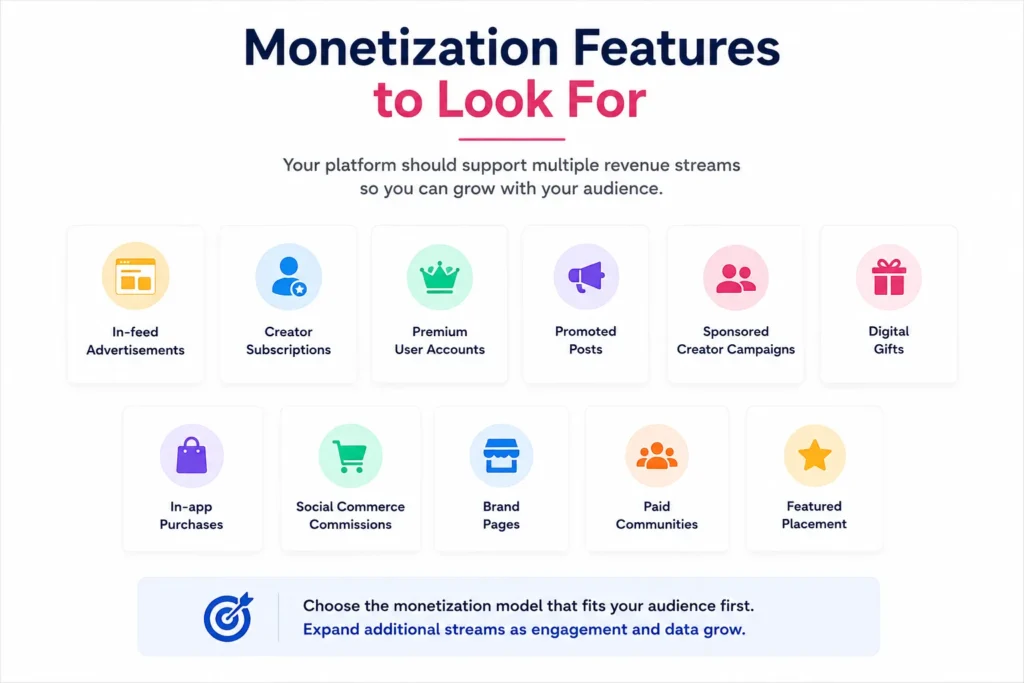
A visual social platform should not depend on only one revenue stream. Founders should review whether the script supports monetization flexibility.
Common monetization models include:
- In-feed advertisements
- Creator subscriptions
- Premium user accounts
- Promoted posts
- Sponsored creator campaigns
- Digital gifts
- In-app purchases
- Social commerce commissions
- Brand pages
- Paid communities
- Featured placement
The best monetization model depends on the audience. A creator-led platform may need subscriptions and gifts. A community platform may work better with premium memberships. A commerce-led platform may need product tags, seller dashboards, and commission settings.
Founders should not activate every revenue stream on day one. The smarter move is to choose the monetization model that matches user behavior and then expand once engagement data becomes clearer.
For deeper creator-led use cases, founders can also explore creator economy platform development to understand how creator tools, monetization, and platform control fit together.
Content Safety and Moderation Should Be Built Early
Social products depend on user-generated content. That makes moderation and safety essential from the beginning.
A strong visual social app script should include:
- Report content button
- Report user button
- Block user option
- Admin review queue
- Content removal tools
- Comment moderation
- User restriction settings
- Role-based admin access
- Activity logs
- Abuse handling workflow
These features protect users and help the platform operator act quickly when issues appear. They also support advertiser trust, creator trust, and long-term community quality.
Security and safety should not be treated as optional add-ons. At minimum, founders should review encrypted data transfer, secure API integration, admin access control, secure payment gateway integration, and privacy-conscious data handling.
Do Not Ignore the Empty-Feed Problem
A visual social app can fail even when the software works. The first users need something valuable to see, follow, like, comment on, or share. If the feed feels empty, users may leave before the community has a chance to grow.
Before launch, founders should prepare:
- Seed content
- Early creator partnerships
- Topic categories
- Featured profiles
- Introductory campaigns
- Invite-only user groups
- Push notification strategy
- Community guidelines
- Launch calendar
Miracuves has a detailed guide on the empty-feed problem before launching a visual social app, which is useful for founders planning their first content supply and early engagement loop.
The software gives you the platform. The launch strategy gives users a reason to return.
How to Compare Vendors Without Getting Misled
Vendor comparison should go beyond screenshots and price.
Use this evaluation framework:
| Vendor Check | Weak Signal | Strong Signal |
| Demo quality | Only static screenshots | Working app flow with real user actions |
| Admin dashboard | Basic user list only | Content, users, reports, monetization, roles, and analytics |
| Source code | Hosted-only or unclear | Source-code ownership clearly stated |
| Pricing | Vague package names | Clear scope, inclusions, and customization rules |
| Support | No post-launch clarity | Defined handover and support process |
| Customization | Only logo and color change | Business-model-level customization possible |
| Deployment | Script handoff only | Server setup, QA, and launch support included |
| Safety | No moderation workflow | Reporting, review queues, blocking, and admin controls |
A good vendor should help you understand the product fit, not pressure you into buying the biggest package. Founders should expect clear answers about scope, ownership, deployment, and future customization.
Mistakes Founders Should Avoid
Choosing only by lowest price
A low quote can become expensive if it excludes source code, deployment, admin setup, integrations, app store support, or post-launch fixes.
Buying a demo instead of a product foundation
Some scripts look good visually but lack backend depth, moderation workflows, notification logic, and operator control.
Launching without content supply
A social platform needs content and early community activity before broad user acquisition begins.
Ignoring ownership terms
Without source-code ownership and clear handover, founders may become dependent on the vendor for every future change.
When a Ready-Made Visual Social App Solution Makes Sense
A ready-made solution makes sense when the founder wants to validate a social app idea faster without spending months on common product flows.
It is especially useful when:
- The core product model is already clear
- The founder wants a branded launch quickly
- The app needs standard social features with some customization
- The budget should be reserved for growth, creators, and marketing
- Admin control and source-code ownership matter
- The team wants to avoid starting from zero
A custom build may be better when the product requires highly unique algorithms, complex proprietary workflows, enterprise-level architecture, or deep integrations that do not fit a ready-made foundation.
For founders who already know they want a launch-ready product, the next step is to review a ready-made visual social app solution and compare the live product scope against the checklist in this guide.
How Miracuves Helps Founders Choose the Right Launch Path
Miracuves helps founders evaluate whether a ready-made, white-label, or custom route makes the most sense for their visual social platform idea.
The focus is not to copy another platform blindly. The stronger approach is to start with proven social product patterns, customize them for a specific market, and launch with enough control to test real demand.
A Miracuves-ready approach can help with:
- Branded visual social app setup
- Source-code-owned delivery
- Admin dashboard control
- User, creator, and operator workflows
- Monetization-ready modules
- Content moderation and reporting workflows
- Faster deployment for ready-made scopes
- Customization support for niche audiences
Founders comparing broader service options can also review social media app development services to understand how custom development, ready-made app foundations, and platform strategy differ.
Final Thoughts: Choose the Script That Supports the Business, Not Just the Interface
A visual social app script should help founders launch faster, but speed alone is not enough. The right script should support user engagement, creator workflows, admin control, content safety, monetization, and future customization.
Before buying, compare the product as a business foundation. Ask what is included, what can be customized, who owns the source code, how deployment works, and whether the admin dashboard gives you enough control after launch.
The strongest choice is not always the lowest quote or the longest feature list. It is the foundation that helps you validate your audience, operate confidently, and build a platform that can grow beyond the first release.
FAQs
What is a visual social app script?
A visual social app script is a ready-made software foundation for launching a branded platform with features such as photo sharing, video posting, stories, visual feeds, user profiles, comments, messaging, notifications, moderation, and admin control.
How do I choose the right social app script?
Start by defining your audience and business model. Then check the feature scope, admin dashboard, source-code access, customization options, deployment support, security controls, monetization modules, and post-launch support.
What features should a visual social app script include?
It should include user onboarding, profiles, photo and video uploads, feeds, stories, short clips, likes, comments, saves, shares, messaging, notifications, reporting, moderation, analytics, and admin management.
How much does a visual social app script cost?
Pricing depends on the selected modules, platforms, customization, source-code ownership, admin depth, integrations, deployment support, and post-launch requirements. Founders should ask for a scope-based quote instead of comparing only package names.
Is a ready-made social app script better than custom development?
A ready-made script is better when the founder wants faster launch, lower early-stage risk, and a working foundation. Custom development is better when the product requires highly unique workflows, complex architecture, or proprietary logic.
Why is source-code ownership important?
Source-code ownership gives founders more long-term control. It allows future customization, infrastructure changes, performance improvements, and vendor flexibility as the business grows.
What should I check in the admin dashboard?
Check user management, content moderation, reports, account status, role permissions, analytics, monetization settings, creator controls, and activity logs. A weak admin dashboard can create operational bottlenecks after launch.
Can Miracuves help customize a visual social app script?
Yes. Miracuves helps founders create ready-made and white-label app solutions with branding, admin control, monetization-ready workflows, source-code ownership, and customization support based on the selected business model.
Miracuves is an independent software development company. We are not affiliated with, connected to, sponsored by, or endorsed by any company or product named in this article.
Terms such as “X Clone” are used descriptively. It is how the software industry refers to building a platform with functionality comparable to a known service, and how clients search for it.
The entire design and codebase of our products is built by our own team. Our products contain no code, design, graphics, or content originating from any third-party website or applications.
All third-party names and marks referenced in this article are the property of their respective owners, referenced solely to identify the services discussed.