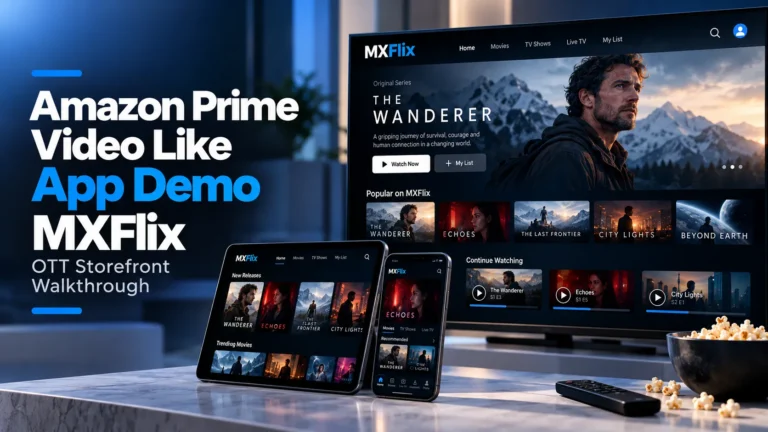
Watch this Amazon Prime Video Like App Demo to explore how MXFlix connects content discovery, video streaming, subscriptions, rentals, purchases, watchlists and platform administration within a multi-model OTT storefront.
What Does This Amazon Prime Video Like App Demo Show?
This Amazon Prime Video Like App Demo provides a practical walkthrough of MXFlix, a video streaming platform built around movies, TV shows, content discovery, subscription access and on-demand viewing.
A Prime Video-style OTT business differs from a subscription-only streaming service because the same catalogue can support multiple ways to access content. Viewers may subscribe to a plan, rent selected titles, purchase content or access ad-supported programming depending on the operator’s business model.
The MXFlix Demo Video helps founders understand the viewer-facing streaming experience before evaluating deeper OTT requirements such as monetization rules, rental windows, partner content, revenue sharing and administrative control.
MXFlix Demo Video: Key OTT Platform Areas to Explore
While watching the walkthrough, focus on how these core areas contribute to the overall video streaming experience.
Content Discovery
Explore how viewers browse movies, TV shows, genres, popular titles and streaming content.
Subscription Access
Review how subscription plans provide recurring access to eligible streaming content.
Rentals & Purchases
Understand how selected titles can be offered through rental windows or one-time purchases.
Streaming & Playback
See how viewers move from catalogue discovery into the actual video viewing experience.
Watchlists & Profiles
Review how viewers save titles and maintain personalized streaming activity.
OTT Administration
Understand the operational layer used to manage catalogue, pricing, users and monetization.
Inside the MXFlix OTT Streaming Platform
MXFlix demonstrates the viewer-facing foundation behind an Amazon Prime Video Like App Demo. The broader Miracuves platform extends this experience with multiple monetization models, partner content workflows and operator-controlled OTT administration.
1. Catalogue Discovery and Viewer Experience
The streaming journey begins with helping viewers find relevant movies, shows and video content quickly.
- Movies & TV Shows: Organize different content formats within one catalogue.
- Genres: Group titles around categories and viewer interests.
- Search: Help viewers locate specific titles and content types.
- Watchlists: Allow users to save content for later viewing.
2. Subscription, Rental and Purchase Access
One of the main differences between an OTT storefront and a subscription-only service is the ability to monetize individual titles in different ways.
- Subscription: Include selected content within recurring plans.
- Rental: Give viewers time-limited access to individual titles.
- Purchase: Offer selected content through one-time transactions.
- Ad-Supported Access: Monetize eligible viewing through advertising.
3. Viewer Playback and Content Access
After a viewer receives the appropriate entitlement, the OTT experience needs to carry that user smoothly into playback.
- Video Playback: Stream movies, shows and supported video content.
- Continue Watching: Help viewers resume content across sessions.
- Profiles: Separate viewing activity for different users.
- Subtitles & Audio: Support richer playback options for diverse audiences.
4. Content Partners and OTT Operations
A Prime Video-style storefront can also extend beyond an operator’s own catalogue by supporting third-party content partners.
- Partner Content: Allow approved content providers to contribute titles.
- Content Approval: Give administrators control over partner submissions.
- Performance Tracking: Monitor viewing and content performance.
- Revenue Sharing: Structure commercial relationships between the platform and content partners.
How the OTT Storefront Workflow Connects
An OTT storefront connects content discovery, access rights, payments, streaming and operator controls across one video platform.
| Platform Area | Primary User | Purpose |
|---|---|---|
| Content Discovery | Viewers | Browse movies, shows, genres and other available streaming content. |
| Subscription Access | Viewers | Unlock eligible catalogue content through recurring subscription plans. |
| Rental Access | Viewers | Purchase temporary viewing rights for selected movies or shows. |
| Content Purchase | Viewers | Unlock selected titles through one-time transactions where configured. |
| Streaming & Playback | Viewers | Deliver entitled content through the OTT viewing experience. |
| Partner Content | Content Partners | Submit and manage approved catalogue content while monitoring performance. |
| OTT Administration | Platform Admin | Manage catalogue, pricing, subscriptions, rentals, users, partners and platform settings. |
Why Multi-Model Monetization Matters for an OTT Storefront
Not every viewer wants to purchase a recurring subscription simply to watch one title. Likewise, not every piece of content fits naturally inside the same subscription plan.
A multi-model OTT storefront allows operators to combine subscriptions, rentals, purchases and ad-supported viewing within the same catalogue.
This gives the operator more flexibility to monetize premium releases, catalogue content, free viewing and partner-supplied programming without forcing every title into the same commercial model.
Why Watch an Amazon Prime Video Like App Demo Before Choosing an OTT Platform?
A streaming-platform feature list may show subscriptions, movies and video playback, but it does not always explain how content discovery, monetization and viewing rights connect.
An Amazon Prime Video Like App Demo helps founders see how viewers move from browsing a title to obtaining access and streaming content before evaluating the deeper commercial and technical platform.
This is particularly important for businesses planning to combine subscriptions with rental, purchase or partner-content models.
Where Miracuves Fits Into the MXFlix Demo
MXFlix demonstrates the viewer-facing experience behind a modern OTT video streaming platform.
Miracuves extends that foundation into a white-label OTT storefront supporting subscription access, rentals, purchases, ad-supported viewing, content partners and administrative operations.
If you want to evaluate the complete commercial platform rather than only watch the video walkthrough, visit the Miracuves Prime Video-style OTT platform for detailed information about monetization, apps, partner workflows, customization, ownership and deployment.
Frequently Asked Questions
What is shown in the MXFlix demo video?
The MXFlix demo provides a walkthrough of an OTT streaming experience built around movies, TV shows, content discovery, subscriptions, watchlists and video playback.
Is MXFlix an Amazon Prime Video-like app demo?
MXFlix demonstrates the core streaming and content-discovery experience relevant to a Prime Video-style OTT platform, while the broader Miracuves solution adds multi-model monetization and partner workflows.
Can an OTT platform support both subscriptions and rentals?
Yes. A multi-model OTT platform can make selected titles available through subscription plans while offering other content through rental or one-time purchase access.
What is an OTT storefront?
An OTT storefront is a video platform where viewers can discover and access streaming content through different commercial models such as subscriptions, rentals, purchases or ad-supported viewing.
Where can I review the complete Miracuves OTT platform?
The Miracuves Prime Video-style platform page provides broader information about viewer apps, web streaming, monetization, partner content, administration, customization and deployment.
Explore the OTT Streaming Platform
Use the MXFlix demo to understand the viewer experience, then explore the Miracuves platform when you are ready to evaluate subscriptions, rentals, purchases, partner content, branding and OTT deployment.