
Many businesses still depend on software that was built years ago. These systems manage customer records, inventory, financial transactions, employee information, and daily operations. Although they may lack modern interfaces or intelligent features, replacing them entirely is not always a practical business decision.
A complete rebuild can introduce migration challenges, disrupt established workflows, and require employees to learn unfamiliar systems. Meanwhile, businesses increasingly want capabilities such as automated document processing, intelligent search, predictive analytics, and AI-assisted customer support.
Adding AI to legacy software offers another path: improving existing business applications without replacing everything that already works.
By using APIs, middleware, secure data connections, and independent AI services, organizations can introduce useful capabilities while preserving critical business logic. Businesses evaluating these changes can also explore engineering support for existing business systems to understand how established applications can be extended without unnecessary replacement.
The key is understanding which parts of the existing system should remain unchanged, where AI can deliver measurable value, and how the new functionality should interact with existing data.
This guide explains how to approach AI integration with legacy systems, evaluate technical readiness, choose integration methods, and introduce intelligent workflows without unnecessary operational disruption.
Key Takeaways
What business leaders should understand before introducing AI into an existing software environment.
- Adding AI to legacy software does not always require rebuilding the application or migrating its entire database.
- APIs, middleware, secure data pipelines, and independent AI services can connect new capabilities with existing systems.
- AI can support document processing, enterprise search, anomaly detection, forecasting, and employee workflows.
- Legacy applications should remain authoritative for important business records and transaction rules.
- Security, data quality, human oversight, and failure recovery are essential before production deployment.
- A focused pilot with measurable outcomes is generally a safer starting point than enabling AI across every workflow.
What Does Adding AI to Legacy Software Actually Mean?
Adding AI to legacy software means introducing artificial intelligence capabilities into an existing business application without necessarily replacing its core infrastructure.
A legacy system might be an older enterprise resource planning platform, a proprietary customer management application, or an internal operations tool developed specifically for a business.
These applications often contain years of business rules, historical information, and operational dependencies.
AI integration allows organizations to extend their usefulness through additional capabilities.
For example, an older inventory system may already record product quantities, supplier details, and purchase history. An AI-powered forecasting component could analyze those records to estimate future inventory requirements.
The original system would continue managing inventory transactions, while the AI component would provide recommendations.
This separation is important.
The existing application remains responsible for reliable business operations, while AI adds analysis, assistance, or automation around selected workflows.
Not every legacy system can support every AI feature. Integration feasibility depends on available interfaces, data quality, system performance, security constraints, and the application’s architecture.
Why Businesses Are Choosing AI Integration Instead of Complete System Replacement
Older applications are not necessarily ineffective.
Some continue to perform essential business functions reliably despite having outdated interfaces or limited automation capabilities.
The challenge is often that their functionality has not evolved alongside changing operational requirements.
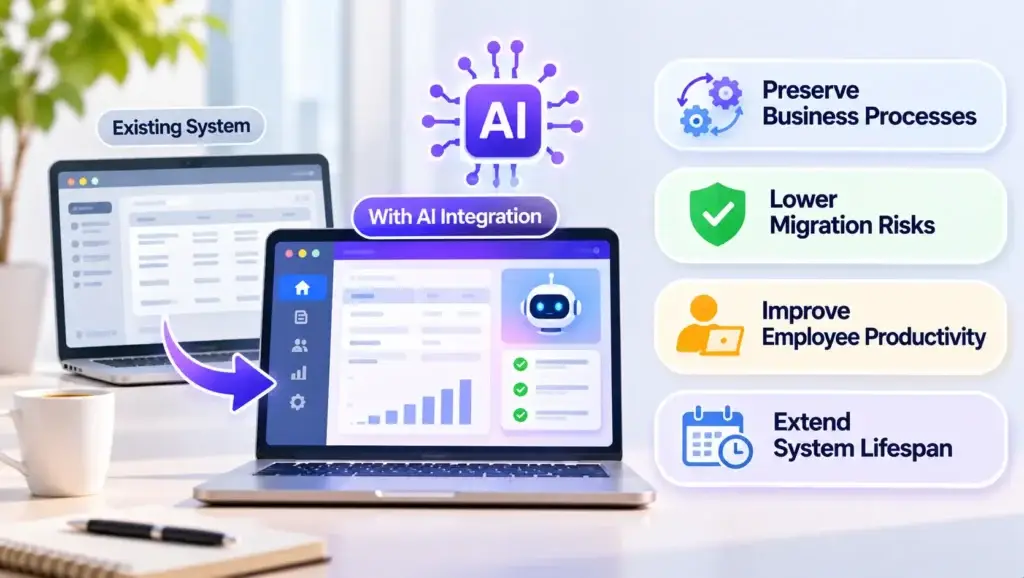
Preserving Existing Business Processes
Legacy applications may contain customized pricing rules, approval workflows, accounting procedures, and operational logic that employees depend on.
Rebuilding these processes from scratch introduces the possibility of missing important exceptions or disrupting established operations.
A carefully designed AI integration can preserve these processes while improving selected activities around them.
Reducing Unnecessary Migration Risks
Replacing a business-critical application may require moving large amounts of historical data, rebuilding integrations, and validating complicated transaction workflows.
A targeted AI addition can avoid some of these changes.
However, integration is not automatically simpler. Poorly documented interfaces, fragile dependencies, or unsupported technologies can make even a limited modification difficult.
The decision should depend on actual system conditions rather than the assumption that integration is always preferable.
Improving Employee Productivity
Many older systems require repetitive manual work.
Employees might search across multiple records, categorize incoming documents, prepare reports, or manually identify unusual transactions.
AI can help reduce some of this effort by retrieving relevant information, recommending classifications, or preparing drafts for employee review.
Extending the Useful Life of Existing Technology
Businesses do not always need the newest application architecture to benefit from intelligent features.
An independent AI component may allow an otherwise reliable system to remain useful while the organization plans a gradual technology transition.
This approach is particularly valuable when immediate replacement would create more operational risk than business value.
Read More: Hosted AI App Builder vs Platform Ownership: Comparing Control, Source Code, and Scalability
Which AI Capabilities Can Be Added to Existing Business Systems?
The most useful AI features address identifiable operational problems.
Instead of beginning with a particular AI model, businesses should first identify where employees experience delays, repeated manual effort, or information gaps.
AI Capabilities and Their Business Value
Examples of how intelligent functionality can enhance existing applications without replacing their core workflows.
| AI Capability | Example in an Existing System | Potential Business Value |
|---|---|---|
| Intelligent document processing | Extracting information from invoices or purchase orders | Reduces repetitive data entry |
| Natural-language search | Finding authorized information across customer or operational records | Reduces time spent locating information |
| Predictive analytics | Forecasting inventory demand from historical records | Supports planning decisions |
| AI-assisted customer support | Preparing responses using approved customer information | Helps support teams respond more consistently |
| Anomaly detection | Flagging unusual transaction patterns | Supports investigation and risk monitoring |
| Workflow assistance | Preparing reports or routing requests | Reduces repetitive administrative steps |
These are possible applications, not capabilities that every legacy platform can support immediately.
AI-Powered Document Processing
Businesses frequently work with invoices, contracts, forms, delivery notes, and internal records.
An AI document processing component can extract structured information from these files and prepare it for validation.
For instance, an employee could upload a supplier invoice and receive extracted supplier details, dates, and line items.
The existing accounting application would still validate and record the transaction.
This allows AI to assist with information extraction without independently approving financial records.
Intelligent Knowledge Search
Employees may struggle to find information distributed across older databases, internal documentation, and disconnected applications.
A retrieval-based AI assistant can help users search authorized information through natural-language questions.
For example, an employee might ask:
What orders are still awaiting approval from this supplier?
The assistant could retrieve relevant records through a controlled integration and present the results in an understandable format.
For document-heavy environments, retrieval-augmented generation (RAG) can help connect language models to enterprise knowledge.
However, reliable retrieval requires attention to document quality, source freshness, permissions, and evidence-based responses.
These issues are explored further in Miracuves’ guide to building reliable enterprise knowledge retrieval.
Predictive Analytics for Operational Planning
Historical business records can contain useful patterns.
Forecasting models may help identify seasonal demand, inventory fluctuations, maintenance requirements, or unusual operational trends.
A manufacturing business, for example, could analyze historical equipment readings to identify maintenance risks.
The AI output would support a maintenance decision rather than automatically changing production schedules.
The usefulness of predictions depends on sufficient historical information, appropriate model evaluation, and the stability of the underlying patterns.
How Can AI Connect to Legacy Software Without Changing Its Core Architecture?
One practical approach is to place an independent integration layer between the existing business application and the new AI capability.
This layer controls how information is accessed, validated, and exchanged.
A simplified architecture looks like this:
AI Works Alongside Your Existing System
Core business processes stay in place while new intelligence is introduced through a controlled connection.
The integration layer separates AI functionality from the application’s authoritative business logic.
The legacy application continues managing authoritative records and established business rules.
The integration layer controls communication with the AI component.
The AI service performs a defined task, such as classifying information, generating a summary, or producing a recommendation.
The result is then checked and presented through an appropriate interface.
1. API-Based Integration
An application programming interface (API) allows different software components to exchange information through defined operations.
If an existing business system already provides suitable APIs, an AI component may be able to retrieve approved records without extensive changes to the original application.
For example, a customer management application could expose selected support records through an authenticated API.
An AI assistant could use those records to prepare a response for a support employee.
APIs can also support controlled updates, but any action that changes business records should pass through existing authorization and validation rules.
2. Middleware Integration
Some legacy applications do not provide interfaces that modern AI services can use directly.
Middleware acts as a translation and communication layer.
It can transform older data formats, connect different systems, and provide controlled access to selected business functions.
A business using an older enterprise application might use middleware to expose limited information to a modern AI service without changing the application’s original database structure.
3. Secure Data Extraction and Synchronization
For analytics-focused use cases, an AI component may not need continuous access to the production application.
Instead, approved data can be transferred to a separate analytics environment through scheduled exports, read-only replicas, or controlled synchronization pipelines.
For instance, an inventory forecasting model could analyze a daily snapshot of sales and stock records.
This reduces the need for the AI workload to query production systems repeatedly.
However, businesses must consider data freshness, synchronization failures, access permissions, and storage security.
4. Interface-Level Automation
When an older application lacks usable APIs or other accessible interfaces, limited interface-level automation may provide an alternative.
Robotic process automation (RPA) can sometimes interact with the same screens and forms employees use.
This approach can be useful for tightly constrained workflows, but it is often sensitive to interface changes and unexpected application behavior.
It should be evaluated carefully before becoming part of a critical business process.
How to Choose the Right AI Integration Method
There is no universal integration method for every legacy application.
The correct choice depends on the system’s interfaces, the intended AI capability, the sensitivity of the information, and the consequences of failure.
Match the Integration Method to Your Existing System
Evaluate the system’s current condition before choosing how AI should access data or support business workflows.
| Existing System Condition | Potential Approach | Important Consideration |
|---|---|---|
| Stable authenticated APIs are available | API-based AI connection | Authentication, rate limits, and permission enforcement |
| No modern API, but supported business interfaces exist | Middleware or adapter | Translation accuracy and maintainability |
| AI needs historical data for analysis | Approved data extraction or replication | Data freshness and synchronization |
| Application primarily exposes a user interface | Controlled interface automation | Interface stability and error recovery |
| AI needs to act on live transactions | Governed API with human approval where necessary | Authorization, validation, and auditability |
For many businesses, read-only access is a sensible starting point.
It enables AI to retrieve information, generate summaries, or recommend actions without directly changing important records.
Write-enabled AI requires additional safeguards, particularly when actions affect inventory, payments, customer accounts, or financial information.
How to Evaluate Whether an Old Business System Is Ready for AI
Before implementation, businesses should conduct a focused readiness assessment.
The goal is not to decide whether the entire legacy application is modern enough.
It is to determine whether one valuable AI use case can operate safely within the existing environment.
Check the Availability and Reliability of Data
AI depends on the information it receives.
Incomplete records, inconsistent formats, duplicate entries, and outdated data can reduce the usefulness of AI outputs.
For example, a forecasting model built on unreliable sales records may produce misleading recommendations even when the model itself functions correctly.
Businesses should identify the authoritative data source, assess missing information, and determine how frequently that information changes.
Identify Available Integration Points
The technology team should review how the existing application communicates with other systems.
Relevant questions include:
- Does the application provide documented APIs?
- Can approved data be exported safely?
- Are database views or read-only replicas supported?
- Are there existing middleware connections?
- Can an integration be tested without affecting production?
- Who maintains the original application and its interfaces?
These questions help determine the realistic scope of an AI integration.
Evaluate Security and Access Permissions
An AI assistant should not automatically receive unrestricted access to business records.
Access should reflect the permissions of the person or workflow requesting information.
Sensitive data may require masking, encryption, restricted processing environments, or additional approval.
Organizations should also review applicable privacy, contractual, and regulatory obligations before transferring information to external AI services.
Assess Operational Stability
An AI integration should not make a previously reliable business application unstable.
Teams should examine current system performance, resource capacity, failure handling, and maintenance limitations.
If the application already experiences frequent outages or database problems, those issues may need attention before adding new integrations.
A Practical Process for Introducing AI Into Legacy Systems
A successful implementation starts with a clearly defined business problem rather than a broad plan to make an entire organization AI-powered.
The following process helps businesses reduce unnecessary complexity.
Six Steps From Assessment to Controlled Expansion
Keep the first integration focused, measurable, and compatible with the systems your team already uses.
-
Select One High-Value Workflow
Start with a frequent, measurable task such as document extraction, support assistance, or internal knowledge search.
-
Map the Existing Workflow
Document employee activities, data sources, important decisions, and the business rules that must remain unchanged.
-
Choose the Integration Boundary
Define the information and functions the AI component needs. Limit initial access to approved read-only operations where possible.
-
Develop a Controlled Pilot
Use representative data to test response quality, permissions, reliability, and behavior when information is incomplete.
-
Introduce Human Review
Keep employees involved when AI recommendations may affect important business decisions or operational records.
-
Measure Results and Expand Selectively
Assess accuracy, employee adoption, processing time, and system reliability before extending the integration.
Step 1: Select One High-Value Workflow
Start with a task that is frequent, measurable, and operationally meaningful.
Examples include preparing support responses, extracting invoice information, or searching internal documentation.
Avoid selecting the most complicated business transaction as the first AI project.
Step 2: Map the Existing Workflow
Document how employees currently complete the task.
Identify the information they access, the decisions they make, and the systems they use.
This reveals where AI could provide assistance and where existing rules must remain authoritative.
Step 3: Choose the Integration Boundary
Determine which data and functions the AI component needs.
Whenever possible, limit the initial connection to approved read-only operations.
The integration should avoid unnecessary changes to the legacy application’s core functionality.
Step 4: Develop a Controlled Pilot
Create a limited implementation using representative data and realistic user scenarios.
Test accuracy, response quality, access permissions, and the ability to recover from integration failures.
For an AI assistant, the pilot should also test what happens when information is missing or ambiguous.
Step 5: Introduce Human Review
For workflows involving important business decisions, employees should initially review AI recommendations before they affect operational records.
For example, an AI system might identify an unusually large purchase order, while an authorized employee decides whether further investigation is required.
Step 6: Measure Results and Expand Selectively
Compare the pilot with the original workflow.
Useful measures may include processing time, correction rates, employee satisfaction, system reliability, and the number of cases requiring human intervention.
Expand the integration only when results demonstrate a meaningful benefit and acceptable risk.
What Happens When AI Produces Incorrect Information or an Integration Fails?
AI systems can produce inaccurate outputs, misunderstand user requests, or fail to retrieve the correct information.
Legacy systems can also experience connection timeouts, unavailable services, and data synchronization delays.
A production integration needs to account for these failures before launch.
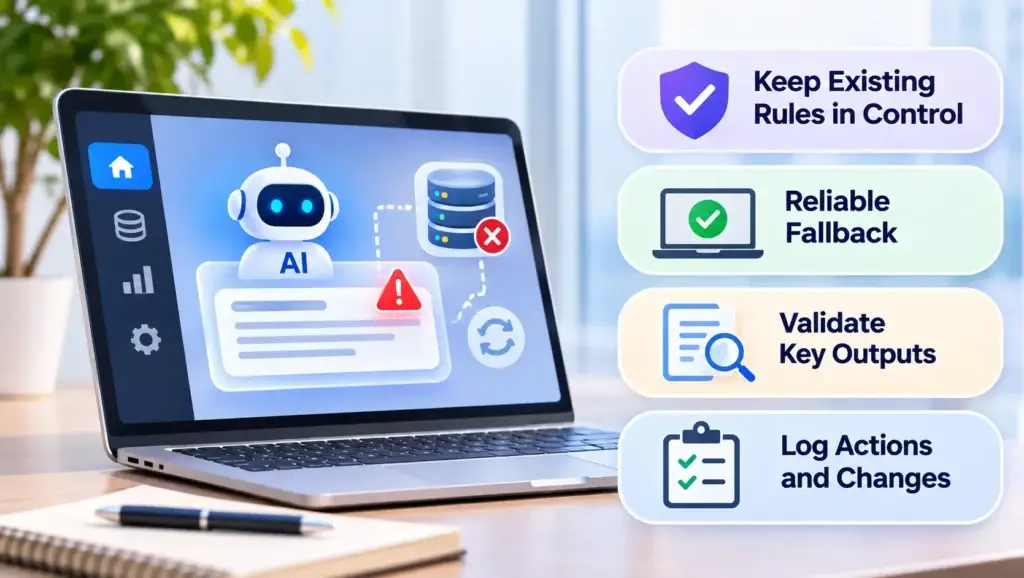
Keep the Existing Application Authoritative
AI-generated information should not automatically override established business rules.
For example, an AI assistant might recommend changing a customer’s credit limit.
The existing application should still enforce eligibility rules, permissions, and approval requirements before any change occurs.
Build a Reliable Fallback
If the AI service becomes unavailable, employees should still be able to use the existing business application wherever practical.
An optional AI search assistant should not prevent employees from accessing standard records when the assistant fails.
Validate Important Outputs
Different AI tasks require different validation methods.
Document extraction may require field-level checks. Forecasting models need performance evaluation against historical outcomes. Language-model responses may require evidence checks and escalation when adequate information is missing.
Log Consequential Actions
Businesses should maintain appropriate records of AI requests, connected system calls, approvals, errors, and changes made through automated workflows.
These records help teams investigate problems and understand how a decision or transaction occurred.
Read More: AI App Builder vs Traditional Development: Which Approach Is Better for Fast Product Launches?
How to Measure Whether AI Integration Is Actually Improving the Business
A working AI demonstration does not establish that an integration is commercially valuable.
Businesses need to measure whether the new capability improves a real workflow.
A useful evaluation compares performance before and after the AI feature is introduced.
AI Integration Performance Scorecard
Use these questions to determine whether the AI feature contributes to better business outcomes.
| Measurement | Business Question |
|---|---|
| Task completion time | Are employees completing the workflow faster? |
| Correction rate | How frequently do AI outputs require changes? |
| Employee adoption | Are users finding the feature useful? |
| Escalation frequency | How often does AI require additional assistance? |
| System reliability | Has the integration affected application stability? |
| Operational overhead | What ongoing effort is required to maintain the AI component? |
| Data accuracy | Are results based on sufficiently current and reliable information? |
Businesses should also consider the recurring costs of model inference, data processing, monitoring, and support.
A feature that reduces one manual task but introduces significant verification work may offer limited operational value.
The objective is not simply to increase automation.
It is to improve business outcomes while keeping the system dependable.
When Should a Business Avoid Adding AI to Its Legacy Software?
AI integration is not always the correct modernization strategy.
Some systems have fundamental limitations that cannot be addressed by placing an intelligent service around them.
A more substantial upgrade or selective replacement may be appropriate when:
- The existing application cannot provide reliable access to essential information.
- Core business records are inconsistent or frequently corrupted.
- Critical components are unsupported and pose unacceptable security risks.
- Required interfaces cannot be introduced without destabilizing the application.
- Performance limitations prevent the system from handling essential workloads.
- The intended AI capability requires extensive changes to core transaction logic.
Organizations should also avoid introducing AI merely because it is technologically possible.
If a simple rule-based workflow, better reporting function, or improved data-entry process solves the problem more reliably, that may be the stronger business decision.
How Miracuves Can Help Businesses Introduce AI Into Existing Applications
Moving from an AI concept to a dependable integration requires more than connecting a language model to a database.
Businesses need to understand their existing architecture, establish secure communication boundaries, prepare reliable data, and test how new capabilities interact with established workflows.
Miracuves supports businesses with application engineering, backend integrations, and AI-enabled functionality designed around existing technical requirements.
Organizations exploring implementation options can review Miracuves’ software engineering capabilities to understand the broader support available for extending and connecting business applications.
For projects requiring a dedicated AI layer, Miracuves also provides AI integration support for existing applications, including work involving data access, model connections, controlled interfaces, and integration testing.
Miracuves offers a 6-working-day delivery option for qualifying ready-made platforms. Custom AI additions to legacy software require their own feasibility assessment, scope, and delivery plan; the ready-made timeline should not be assumed to apply to an existing-system integration.
The goal is to add the right capabilities without creating avoidable dependencies or operational disruption.
Final Thoughts: Modernize What Matters Without Replacing What Works
Adding AI to legacy software can help businesses introduce intelligent workflows while preserving the applications and processes they already depend on.
The most practical approach is usually selective rather than disruptive.
Start with one measurable business problem. Evaluate existing data and integration options. Keep important records and business rules under established system control. Test the AI component carefully before expanding its responsibilities.
Not every older application needs a complete rebuild, and not every workflow needs artificial intelligence.
Businesses benefit most when modernization decisions are driven by operational requirements rather than technology trends.
Frequently Asked Questions
Can AI be added to legacy software without rebuilding the entire application?
Yes. Many existing applications can support AI through APIs, middleware, secure data extraction, or independent services. The correct approach depends on the legacy system’s interfaces, architecture, data quality, and security requirements. A complete rebuild is not always necessary.
What types of AI features can be integrated into older business systems?
Common examples include document information extraction, intelligent search, forecasting, anomaly detection, customer support assistance, and workflow recommendations. The most suitable capability depends on the business problem and the quality of accessible data.
How can AI work with legacy software that does not have an API?
Systems without modern APIs may still support integration through middleware, supported database access, controlled file exports, or limited interface automation. Each method has tradeoffs involving reliability, security, maintenance, and data freshness. The available options should be assessed before selecting an implementation.
Is it safe to connect AI to existing business databases?
AI can work with business data when appropriate safeguards are implemented. These may include read-only access, encryption, permission checks, sensitive-data masking, audit logs, and secure integration interfaces. AI components should not receive unrestricted database access or bypass established authorization rules.
How long does it take to integrate AI into legacy software?
The timeline depends on the system architecture, accessibility of data, complexity of the AI feature, integration requirements, and testing scope. A narrow, read-only assistant may require less effort than an AI component that updates financial records or coordinates several business systems. A realistic estimate requires technical assessment.
Can AI integration disrupt existing business operations?
Poorly designed integrations can affect system performance, data accuracy, or operational reliability. Risks can be reduced by isolating AI services, using controlled interfaces, testing with representative workloads, implementing fallbacks, and introducing changes gradually. Critical workflows should remain usable when optional AI functionality is unavailable.
How can a business determine whether AI integration is worth the investment?
Start with a measurable operational problem and establish baseline performance. After introducing a limited AI pilot, evaluate processing time, accuracy, employee adoption, manual corrections, system stability, and ongoing maintenance requirements. Expansion should depend on demonstrated value rather than the presence of AI functionality alone.
When is replacing a legacy application better than adding AI to it?
Replacement or deeper modernization may be appropriate when the existing application cannot provide reliable data access, contains serious security weaknesses, experiences persistent instability, or cannot support essential business requirements. A readiness assessment can help determine whether selective integration, targeted upgrades, or replacement is the more suitable path.
Miracuves is an independent software development company. We are not affiliated with, connected to, sponsored by, or endorsed by any company or product named in this article.
Terms such as “X Clone” are used descriptively. It is how the software industry refers to building a platform with functionality comparable to a known service, and how clients search for it.
The entire design and codebase of our products is built by our own team. Our products contain no code, design, graphics, or content originating from any third-party website or applications.
All third-party names and marks referenced in this article are the property of their respective owners, referenced solely to identify the services discussed.