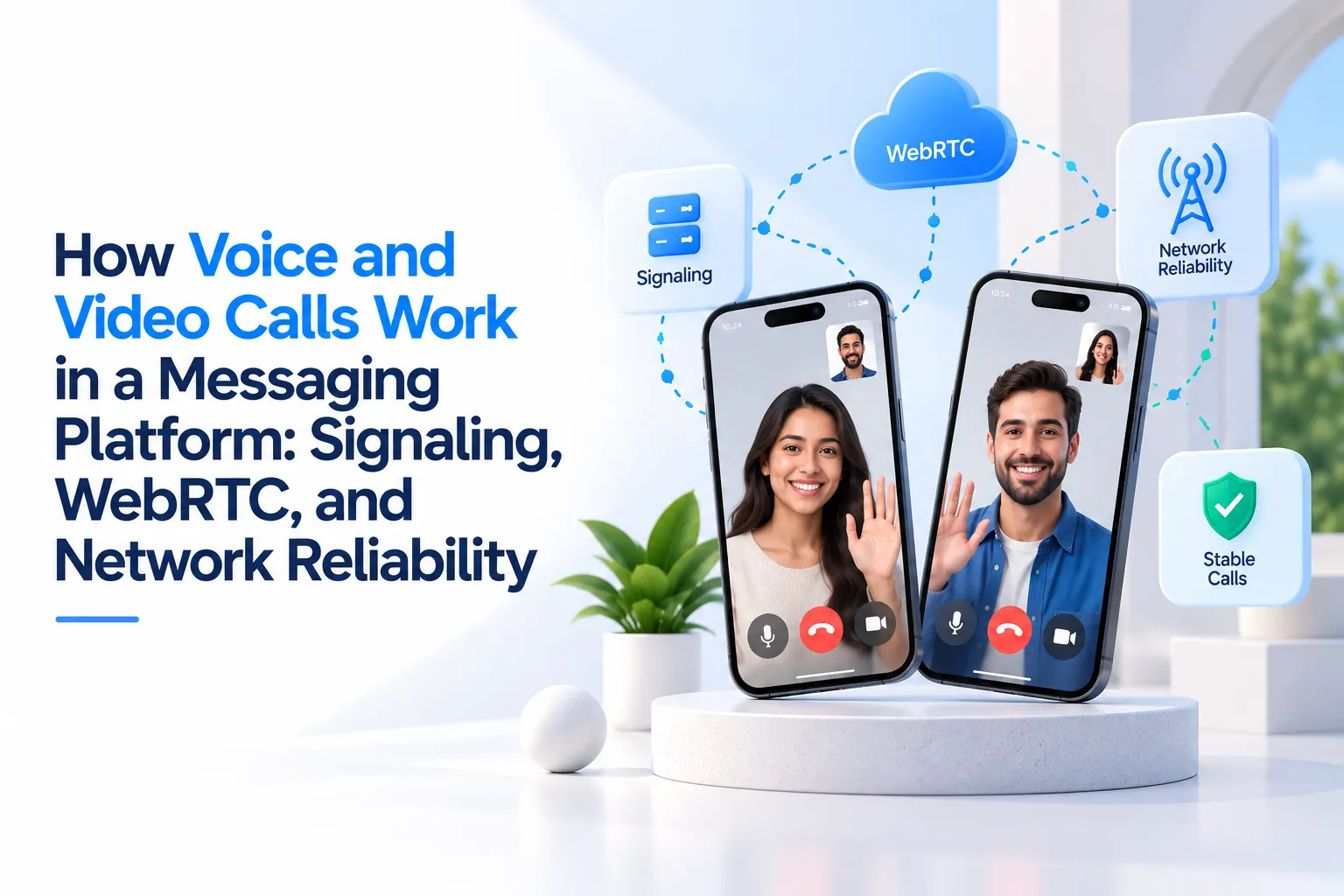
Voice and video calls look simple from the user’s side. Someone taps a call button, the other person answers, and audio or video starts flowing in real time. But inside a messaging platform, that smooth experience depends on multiple systems working together: signaling, WebRTC, network traversal, media handling, reconnection logic, device permissions, notifications, and backend session control.
For founders, this matters because calling is not just another button in the chat screen. It is one of the most sensitive trust layers in a communication product. If messages arrive late, users may forgive it once. If calls fail, freeze, echo, or disconnect during an important conversation, users quickly lose confidence in the platform.
This guide explains how voice and video calls work inside modern messaging platforms, what WebRTC actually does, why signaling is separate from the media stream, and what reliability decisions matter before launching a real-time communication product.
Key Takeaways
- Messaging platform call architecture connects signaling, WebRTC, network traversal, and backend session control into one real-time user experience.
- Signaling does not carry the actual call audio or video. It helps users find, invite, accept, reject, and connect with each other.
- WebRTC handles low-latency media exchange, while ICE, STUN, and TURN help devices connect across real-world networks.
- Call reliability depends on network quality, fallback routes, reconnection logic, device permissions, and monitoring.
- Miracuves helps founders move from idea to launch faster with ready-made and white-label app solutions built for branded communication experiences.
Why Calling Is a Different Layer From Messaging
Text messaging is usually event-driven. A user sends a message, the backend stores or routes it, the receiver gets an event, and the conversation updates. Even when messages are delivered instantly, the system still has a little room to retry, sync, queue, or recover.
Voice and video calls are less forgiving. The platform has to move audio and video continuously with minimal delay. A call cannot wait for long retries in the same way a message can. Every second of packet loss, unstable bandwidth, device switching, permission failure, or broken signaling becomes visible to the user.
That is why a messaging platform with calling needs two connected but separate layers:
- Real-time event layer: Handles call requests, ringing, acceptance, rejection, busy status, missed call events, and call-ended updates.
- Media layer: Handles the actual audio and video stream between users using WebRTC or a real-time media infrastructure.
A common founder mistake is assuming that the same system used for chat messages should also carry the full audio and video stream. In practice, chat events and call media have different performance needs. The stronger architecture treats them as connected workflows, not as the same technical problem.
The Simple Call Flow: From Tap to Live Conversation
Before going deeper into WebRTC, it helps to understand the basic user journey. A voice or video call inside a messaging platform usually moves through the following flow:
Voice and Video Call Flow Inside a Messaging Platform
| Call Stage | What Happens Technically | Why It Matters for the User |
|---|---|---|
| Call Initiated | The caller taps voice or video call, and the app creates a call session request. | The receiver should see the call quickly, with the right caller identity and call type. |
| Signaling Starts | The app exchanges call metadata, session details, and connection negotiation messages. | The call can move from “ringing” to “connecting” without confusion. |
| Receiver Responds | The receiver accepts, rejects, ignores, or misses the call. | The caller sees the correct status instead of waiting without feedback. |
| WebRTC Negotiates Media | Devices exchange media capabilities and network candidates. | The platform finds the best available path for audio and video. |
| Media Starts Flowing | Audio and video streams begin between users through a direct or relayed route. | Users experience the actual live call. |
| Call Monitoring Runs | The app observes connection status, errors, reconnection events, and call duration. | The platform can recover, log issues, or end the call cleanly. |
When all of this works well, users simply feel that the call connected fast. When one layer fails, the platform feels unreliable even if the app design looks polished.
What Signaling Means in Voice and Video Calling
Signaling is the coordination layer that helps two users start, manage, and end a call. It does not usually carry the actual voice or video stream. Instead, it passes the messages required for both devices to understand what is happening.
In a messaging platform, signaling can handle events such as:
- Caller starts a voice or video call
- Receiver receives an incoming call notification
- Receiver accepts or rejects the call
- Caller cancels before the receiver answers
- User is busy on another call
- Network state changes during the call
- Call ends from either side
- Missed call record is created in the chat history
Signaling is often built over WebSockets because WebSockets support persistent two-way communication between the app and backend. That makes them useful for live status events such as ringing, call accepted, user joined, call ended, typing, online presence, and read receipts.
For founders, signaling quality directly affects perceived speed. If signaling is slow, users may experience delayed ringing, duplicate call screens, stuck “connecting” states, or calls that keep ringing after the receiver has already answered on another device.
Where WebRTC Fits Into the Calling Architecture
WebRTC is the real-time media layer commonly used for browser and mobile voice/video communication. Its role is to help devices capture audio/video, negotiate connection details, and exchange media with low latency.
A practical way to understand it is this: signaling introduces the users and coordinates the call, while WebRTC handles the live media path once both sides are ready.
Inside a messaging platform, WebRTC usually works with these concepts:
- Media capture: The app requests microphone and camera access from the device.
- Peer connection: Each device creates a connection object to negotiate the call.
- Offer and answer: One device sends an offer, and the other replies with an answer describing supported media settings.
- ICE candidates: Devices exchange possible network routes to find the best way to connect.
- Media stream: Once a usable route is selected, audio and video begin flowing.
For a one-to-one call, WebRTC may allow media to move directly between devices where network conditions permit. When direct connection is not possible, the platform may need relay fallback through TURN infrastructure. That fallback is important because users do not all join from clean office networks. They may use mobile data, public Wi-Fi, restricted corporate networks, or routers with strict NAT behavior.
ICE, STUN, and TURN: The Network Discovery Layer
Most users are behind routers, firewalls, mobile networks, or private IP addresses. That means two devices cannot always see or reach each other directly. ICE, STUN, and TURN help solve this problem.
ICE is the process that gathers and tests possible routes between two devices. The system may try a direct local route, a public network route, or a relay route. It keeps looking for a usable candidate pair until media can flow reliably.
STUN helps a device discover how it appears to the public internet. This is useful when a device is behind a NAT and needs to understand its public-facing address and port.
TURN acts as a relay when direct connection is blocked. Instead of media moving directly between both users, both devices send media through a relay server. This creates extra infrastructure load, but it can save calls that would otherwise fail on restrictive networks.
The business decision is not whether STUN or TURN sounds more technical. The real decision is whether your platform has a fallback path when direct calling fails. Without relay planning, call reliability may look fine in development testing but break for real users in schools, offices, shared Wi-Fi, or mobile networks.
Peer-to-Peer Calls vs. Relayed Calls: What Founders Should Know
In a peer-to-peer call, the media stream moves directly between user devices once negotiation succeeds. This can reduce server bandwidth because the platform is not carrying every second of audio or video through its own media server.
In a relayed call, media flows through a TURN server or media infrastructure because the devices cannot connect directly. This improves reachability but increases bandwidth usage and infrastructure responsibility.
Peer-to-Peer vs Relayed Calling
| Call Route | How It Works | Founder Impact |
|---|---|---|
| Peer-to-Peer | Audio and video flow directly between user devices where network conditions allow. | Lower platform bandwidth cost, but not always possible on restrictive networks. |
| TURN Relay | Media is routed through a relay server when direct connection fails. | Better call completion rate, but requires bandwidth planning and monitoring. |
| Media Server Route | A media server manages streams, often needed for larger group calls, recording, or advanced routing. | More control and scalability options, but higher architecture complexity. |
For early-stage messaging products, one-to-one peer-to-peer calling with fallback relay can be a practical starting point. For larger group calls, live rooms, recordings, or enterprise-grade controls, the architecture may need media servers, selective forwarding, deeper monitoring, and stronger cost controls.
What Makes Voice and Video Calls Feel Reliable?
Users rarely think in terms of WebRTC, ICE, or signaling. They judge the platform based on simple outcomes: Did the call connect? Was the audio clear? Did video freeze? Did the call recover when the network changed?
Call reliability depends on several practical layers:
- Connection speed: How quickly the receiver sees the call and the session starts.
- Network adaptability: How well the call handles mobile data, Wi-Fi switching, or weak bandwidth.
- Fallback routing: Whether the call can use relay infrastructure when direct connection fails.
- Permission handling: Whether camera and microphone permissions are requested clearly and recovered gracefully.
- Reconnection logic: Whether a temporary drop becomes a short recovery moment or a failed call.
- Device consistency: Whether incoming calls behave correctly across mobile and web sessions.
- Monitoring: Whether the platform operator can see call failure patterns instead of guessing.
For a founder, reliability is not only a technical metric. It affects retention, trust, support volume, ratings, and the platform’s ability to become part of users’ daily communication habits.
Founder Decision Signals
Speed
If calls take too long to ring or connect, users may assume the platform is broken even when the media layer is technically working.
Cost
Peer-to-peer calling can reduce media bandwidth load, but relay fallback and group calling need realistic infrastructure planning.
Scalability
One-to-one calls, group calls, live rooms, recordings, and moderation tools each create different backend and media requirements.
Market Fit
A community app may need simple private calls, while an education or enterprise platform may need scheduled rooms, controls, and reporting.
Why WebSockets Still Matter When WebRTC Handles Media
WebRTC handles the live media connection, but WebSockets still matter because calling is surrounded by real-time events. A user does not only need audio and video. They need a complete call experience.
WebSockets can support:
- Incoming call events
- Ringing state
- Call accepted or rejected state
- Busy status
- Missed call updates
- Online and offline presence
- Typing indicators in the chat around the call
- Call-ended events
- Admin-visible session records where needed
The strongest messaging platforms treat WebSockets and WebRTC as partners. WebSockets coordinate what is happening. WebRTC carries the media. The backend stores the session record, permissions, user state, and operational history.
Read more: How Group and Community Controls Help a Messaging Platform Scale Beyond One-to-One Chat
Common Reasons Calls Fail in Messaging Platforms
Call failure is rarely caused by one obvious issue. It often happens because several small gaps combine: weak signaling, poor network fallback, device permission issues, incomplete state management, or no recovery path when users switch networks.
Mistakes Founders Should Avoid
Treating Voice and Video as Simple Chat Features
Calling needs real-time media handling, network negotiation, reconnection logic, and device permission management. Adding a call button without planning the media layer can create a weak user experience.
Ignoring TURN Relay Planning
Direct peer-to-peer routes will not work for every user. Without relay fallback, calls may fail on restrictive networks even when they worked during internal testing.
Skipping Call State Synchronization
If one account is active on multiple devices, the platform must keep ringing, answered, missed, and ended states consistent across sessions.
Launching Without Call Quality Monitoring
Founders need visibility into failed sessions, connection drops, relay usage, and recurring device/network patterns. Without monitoring, support teams are left guessing.
Security and Privacy Layers in Calling Architecture
Messaging platforms carry sensitive conversations, identity data, media, and call history. That makes security a foundation, not a feature badge.
For calling workflows, founders should think about:
- Encrypted transport: Media and signaling should move through secure communication channels.
- Permission clarity: Users should understand when microphone and camera access is being requested.
- Call access rules: Only eligible conversation members should be able to start or join calls.
- Blocked-user enforcement: Blocking should prevent unwanted messages and calls immediately.
- Abuse reporting: Users need a clear path to report harassment or misuse.
- Admin access controls: Operators should manage users, moderation, and security settings through permission-based dashboards.
- Activity logs: The system should maintain operational records without exposing private call content.
The right level of security depends on the market, user base, hosting model, and legal requirements. A founder launching an internal communication tool may need different controls from a public community platform or healthcare-related communication product.
One-to-One Calls, Group Calls, and Live Rooms Need Different Architecture
Not every calling feature should be designed the same way. A private one-to-one call, a five-person group call, and a large live room create different infrastructure demands.
Calling Feature Type vs Architecture Requirement
| Feature Type | Typical Requirement | Business Consideration |
|---|---|---|
| One-to-One Voice Call | Fast signaling, microphone permission, WebRTC media, fallback relay. | Useful for private communities, support, consultation, and social communication. |
| One-to-One Video Call | Camera permission, bandwidth adaptation, device switching, call recovery. | Higher trust impact because video problems are more visible than audio issues. |
| Small Group Call | Participant state, stream coordination, stronger media routing, moderation controls. | Important for teams, classes, expert sessions, and community discussions. |
| Large Live Room | Host/speaker/listener roles, media server planning, permissions, reporting. | Better suited for events, creator communities, learning sessions, and paid access models. |
For a launch-ready product, the smart decision is to start with the calling model your market actually needs. Building advanced live-room infrastructure before validating user behavior can increase cost and complexity. Starting too small when your market requires group collaboration can create product friction. The architecture should follow the use case.
What the Backend Should Track During Calls
Even when audio and video flow outside the core backend, the platform still needs backend records to keep the product reliable and manageable. A communication app should know what happened around the call, even if it does not store the private media itself.
Useful backend records may include:
- Call session ID
- Caller and receiver IDs
- Call type: voice or video
- Start time and end time
- Accepted, rejected, missed, cancelled, or failed status
- Device type and app version
- Connection state changes
- Relay fallback usage
- Abuse reports or moderation flags
This backend visibility matters for product improvement. If many calls fail at the ringing stage, the issue may sit in push notifications or signaling. If many calls fail after connection, the problem may be network traversal, media configuration, or bandwidth. Without structured records, all failures look the same.
How Network Reliability Shapes User Retention
Network reliability is not only a technical concern. It changes how users behave. A messaging platform becomes valuable when users trust it for repeat communication. Failed calls break that habit.
Founders should plan for common real-world conditions:
- Users moving between Wi-Fi and mobile data
- Low-bandwidth networks
- Corporate or school firewalls
- Battery saver modes
- Background app restrictions
- Older devices
- Camera or microphone permission denial
- Temporary packet loss during travel
A reliable platform does not assume perfect conditions. It detects problems, gives users clear feedback, attempts recovery where possible, and ends sessions cleanly when recovery is not possible.
Business Models That Benefit From Built-In Calling
Voice and video calling can support more than social conversation. It can become a business layer when paired with the right community, marketplace, or professional use case.
Built-in calling can support:
- Private communities: Members connect without leaving the branded platform.
- Education products: Students, tutors, mentors, and groups communicate live.
- Expert consultation: Users pay for voice or video sessions with professionals.
- Enterprise communication: Teams use controlled internal communication under company branding.
- Creator communities: Creators host live conversations, private calls, or member sessions.
- Support workflows: Customers move from chat to voice or video without switching tools.
The important decision is not simply “should we add calls?” The better question is: what business outcome should calls create? Better retention, paid consultations, member engagement, support quality, internal control, or premium access?
When a Ready-Made Communication Foundation Makes Sense
Building real-time calling from zero can take significant planning because the product needs chat, signaling, media handling, permissions, device states, notifications, admin control, and reliability workflows to work together. A ready-made foundation can help founders move faster when the core product pattern is already clear.
Miracuves helps founders launch branded communication products with ready-made and white-label app foundations, source-code ownership, admin dashboards, and faster deployment. For founders who want to validate a messaging product without building every real-time layer from the ground up, a launch-ready approach can reduce avoidable execution risk.
You can explore Miracuves’ branded messaging platform if your goal is to launch a communication product with chat, calling, stories, moderation, and operator control under your own brand.
For broader real-time product planning, you can also review Miracuves’ communication app solutions and clone app development services to understand how ready-made and custom development paths differ.
Final Thoughts: Calling Architecture Is a Product Trust Decision
Voice and video calls are not just communication features. They are trust signals. A strong calling experience tells users the platform is reliable enough for real conversations, urgent updates, private communities, paid sessions, and daily engagement.
The strongest architecture separates responsibilities clearly. Signaling coordinates the call. WebRTC handles real-time media. ICE, STUN, and TURN help users connect across difficult networks. The backend tracks session state, permissions, records, and admin visibility. Together, these layers create the experience users simply describe as “the call worked.”
For founders, the real decision is not whether calling is technically possible. It is whether the product foundation can support reliable calls under real user conditions. Miracuves’ ready-made approach helps teams start from a stronger communication foundation, customize for their market, and move toward launch with practical control over branding, source code, and admin workflows.
FAQs
How do voice and video calls work in a messaging platform?
Voice and video calls work through a combination of signaling, media negotiation, and real-time streaming. Signaling manages call events such as ringing, acceptance, rejection, and ending. WebRTC or similar real-time media technology handles the actual audio and video stream between users.
What is signaling in WebRTC calling?
Signaling is the process of exchanging call setup information between users. It helps devices share offers, answers, session details, and network candidates so they can establish a real-time media connection.
Does WebRTC carry chat messages and call media together?
Usually no. Chat messages and call status events are commonly handled by WebSockets or a real-time backend layer, while WebRTC handles the live audio and video media stream.
Why do messaging apps need STUN and TURN servers?
STUN helps a device discover its public network address, while TURN acts as a relay when direct device-to-device connection is blocked. These servers improve call reachability across mobile networks, firewalls, and restrictive routers.
Why do calls fail even when messaging works?
Messaging can often retry, queue, or sync later. Calls need continuous real-time media flow. Calls may fail because of weak networks, blocked direct connections, denied device permissions, poor signaling, or missing relay fallback.
What should founders plan before adding calling to a messaging app?
Founders should plan signaling, WebRTC media flow, STUN/TURN fallback, permission handling, missed call logic, call logs, blocked-user rules, admin monitoring, and scalability for future group calling or live sessions.
Miracuves is an independent software development company. We are not affiliated with, connected to, sponsored by, or endorsed by any company or product named in this article.
Terms such as “X Clone” are used descriptively. It is how the software industry refers to building a platform with functionality comparable to a known service, and how clients search for it.
The entire design and codebase of our products is built by our own team. Our products contain no code, design, graphics, or content originating from any third-party website or applications.
All third-party names and marks referenced in this article are the property of their respective owners, referenced solely to identify the services discussed.