Available Now · 90+ Readymade Solutions

Progressive App Development Company

InstallableOffline-firstNo app store

A progressive web app installs from the browser, works without a connection, and ships updates the moment you deploy. No store review, no download friction, one codebase reaching every device with a browser.

★★★★★ Clutch reviewed 5.0Starting from $2,199View live deployments

6 daysClone delivery
$2,199Starting price
90+Clone solutions
100%IP assignment
PWA engineers active right now
Service workersWeb App ManifestIndexedDBWeb Push9,000+ deliveredNDA day one
  • iOS · Android · WebOne JavaScript codebase, all platforms
  • 90+ PWA AppsDeployed by Miracuves
  • Workbox · LighthouseOur enforced architecture standard
  • 2-8 WeeksScoped PWA, brief to live
  • 100% Source CodeDelivered to you on handoff
  • White-Label Ready

    Fully rebrandable on delivery

  • NDA Day One

    IP protected first call

  • Full Source Code

    Delivered at handoff

  • 60-Day Support

    Post-launch included

  • 100% IP Ownership

    Yours - always

  • Clutch Reviewed 5.0★

    Third-party verified

More than 6,000+ Companies Trust us Worldwide
In short

Miracuves is a progressive web app development company. We build installable, offline-capable web apps with service workers, a web app manifest and Web Push, for founders who need one app on every device without waiting on app store review. A custom PWA takes 2-8 weeks; our ready-made platforms launch in 6 working days. You own 100% of the source code and repository.

Our PWA Approach

How Miracuves delivers PWA apps - from 9,000+ projects of real experience

Across 9,000+ projects and 3,900+ published apps, Miracuves has settled on one way to run a PWA build: decide what must work offline, and what can wait for the network, before a single screen is designed. Where one of the 90+ ready-made platforms fits, we start from its production modules - payment gateways, live maps, real-time data and authentication already integrated - rather than from a blank project.

PWA's single JavaScript codebase delivers an installable app on iOS, Android, Web, and Desktop from one sprint. For white-label products, that removes separate iOS and Android teams entirely - one deployment to your web host, four kinds of device reached through the browser, full source code yours on handoff.

Who this service is built for: Founders and product teams launching on-demand, delivery, fintech, OTT, or marketplace apps whose users arrive from a search result or a shared link, and who need an app on every device fast - without hiring separate iOS and Android teams. Miracuves PWA development fits when you want a readymade clone base or a custom installable web product, priced in public, with full IP ownership and one company accountable for the service worker, the hosting and every release - not individual contractors. If your product depends on Bluetooth hardware, heavy AR, professional audio DSP, or other device APIs that browsers do not expose, we will say so upfront and recommend native Swift or Kotlin instead.

  • Service Worker caching on every project: instant offline loading, consistent sub-second page loads across all devices
  • Workbox service worker architecture enforced: cache-first for assets, stale-while-revalidate for dynamic content
  • Web API integration when device features are required: Geolocation API, Notification API, Payment Request API, Credential Management
  • CI/CD pipeline via GitHub Actions configured on every project: automated Lighthouse audits from first commit
  • Install flow configured on every project: web app manifest, icons and install prompt, plus a Google Play listing through a Trusted Web Activity when you want store presence
9,000+Projects delivered since 2010
3,900+Apps published by Miracuves
90+Ready-made solutions to start from
6 daysReady-made clone delivery
2-8wMiracuves custom PWA timelines
100%Source code ownership
OfflineCache-first strategy
InstallableHome screen add
PushNotifications

Why PWA at Miracuves

  • Custom PWA build2-8 weeks
  • Platforms from one codebaseiOS · Android · Web
  • App store reviewNot needed to ship updates
  • Clone solutions ready to ship90+ solutions
  • Offline supportService worker caching
  • Source code ownership100% yours
Example engagement: UAE bill-payment app, 4 weeks
"A UAE bill-payment service wanted one app that worked on any phone without a store download. We built a PWA with a service worker for offline receipts, web push for due-date reminders, and an install prompt shown only after a second visit. Payments ran through the provider's hosted fields, and Arabic RTL layouts shipped alongside English from the first release."

90+ Apps Built with PWA

What Miracuves has deployed - what you can launch today

Six of our 90+ ready-made platforms, each shipping with its apps and admin panel in 6 days.

View All 90+ Solutions

Honest noteA PWA is right when instant loading and reach without an app store matter more than store presence; most of our clone solutions ship as Flutter apps. For Bluetooth devices, complex AR overlays or professional audio processing, which browsers cannot support well, Miracuves may recommend native Swift or Kotlin. We tell you which fits before any commitment.

Technology Comparison

PWA vs React Native vs Native - which is right for your project?

Most agencies that sell PWAs build only for the web, and most app studios build only for the stores, so the question rarely gets a straight answer. Miracuves builds all three - and the choice decides long-term cost, performance on real devices, and how much maintenance each release takes.

MetricFive things that decide cost, speed and reach
Miracuves when reach beats the stores

PWA

JavaScript + Service Worker

React Native

TypeScript + Hermes

Native

Swift + Kotlin, two codebases

01UI rendering
Cache-firstInstant repeat loads, works offline
Native views from JavaScriptFabric renderer; very heavy lists need tuning
Platform toolkitsSwiftUI on iOS, Jetpack Compose on Android
02Code reuse
One web codebaseThe same code runs in every modern browser
One TypeScript codebaseiOS and Android, with some platform code
NoneTwo independent codebases
03Dev speed
FastSingle codebase, no store review to ship updates
FastFamiliar JS ecosystem
Slower to both storesTwo teams, two pipelines
04Native API access
Web APIs onlyService Worker, Cache, IndexedDB, push; limited Bluetooth and background work on iOS
FullThrough TurboModules and native modules
Full, on release dayComplete platform capability
05Best for
Content apps · retail · news · instant loadingReach without an install
JS teams · web-first appsStore apps from a JS team
Device-specific · max performanceAR, pro audio, platform-exclusive APIs
Choose PWA if…

You need offline capability, instant loading, zero-install distribution · content or retail app with service worker caching · broad reach without app store friction.

Consider an alternative if…

You need App Store presence · deep hardware access such as Bluetooth or background audio · game or AR-heavy experience. See React Native →

PWA guide

What to know before you hire a progressive web app development company

The questions founders and product leads ask us before a PWA build, answered plainly. Most of them come down to what a browser can and cannot do on each phone.

What should a progressive web app development company deliver?

An offline plan first: a written list of which routes are precached in the app shell, which requests use cache-first, stale-while-revalidate or network-first, and what the user sees when the network drops halfway through a checkout. That plan decides how the app behaves on a train, and it is the part most PWA builds skip.

Then the pieces that make it installable and maintainable: a web app manifest with the right icons, a Workbox service worker with versioned caches, an update flow that tells users a new version is ready, Web Push set up with your own VAPID keys, and a CI pipeline that runs Lighthouse on every pull request. Miracuves hands all of it over with the repository history and hosting configuration.

PWA or native app: which should you build?

Build a PWA when most users arrive from search, ads or a shared link, when you ship changes weekly and do not want each one waiting on store review, and when the product is content, commerce, booking, field forms or an internal tool. One codebase then serves phones, tablets and desktops.

Build native, or Flutter, when the product depends on hardware or background work: Bluetooth devices, continuous background location, background audio, heavy AR, or deep HealthKit and wallet integrations. Choose it too when being found in the App Store is part of the marketing plan. Many products run both - a PWA for reach and a store app for the most engaged users - on one shared backend.

What can a PWA do on iPhone in 2026, and what can it not?

Safari supports more than it did a few years ago, but the gaps are real and should shape the scope before any design work starts:

  • Install: users add the app from the Share menu with Add to Home Screen. Safari does not support the install prompt event Chrome offers, so the app has to explain the step itself
  • Push: Web Push works on iPhone since iOS 16.4, but only after the PWA is added to the Home Screen and the user allows notifications from a tap
  • Storage: a Home Screen app keeps its own storage, separate from Safari, but browser storage is never guaranteed forever, so the server stays the source of truth
  • Not available: Web Bluetooth, Web NFC and the Background Sync API, so queued work is sent the next time the app is opened

How do service workers make a PWA work offline?

A service worker is a script the browser runs between your app and the network. On the first visit it precaches the app shell - HTML, CSS, JavaScript, fonts and icons - so the next launch loads from the device, not the server. After that, each kind of request gets its own rule: cache-first for versioned assets, stale-while-revalidate for listings that can be a few minutes old, network-first for prices, stock and account data.

Anything the user creates offline, such as a saved form or an order draft, goes into IndexedDB and is sent when the connection returns. The hard part is updates: every release needs new cache names, old caches deleted when the new worker activates, and a clear "new version available" prompt, or users keep running last month's build.

Do PWAs rank on Google, and what does Lighthouse measure?

A PWA is a website, so Google indexes it like one. Each screen that should rank needs its own URL, a title and description, and content that is in the HTML or renders without a click. Offline caching does not improve rankings by itself; an app shell that shows an empty page until JavaScript runs can hurt them, so public pages are server-rendered or prerendered.

Lighthouse is Google's open-source audit for performance, accessibility, best practices and SEO. It no longer gives a PWA score - that category was removed in 2024 - so installability is checked in Chrome DevTools instead. Google's page experience signals use Core Web Vitals from real users, not a lab score, so Miracuves tracks both.

Can you add a PWA to our existing website?

Usually yes, without a rebuild. The site must be served over HTTPS, because service workers do not run on plain HTTP. We add a web app manifest and icons, register a service worker scoped to the right path, set caching rules per route and build an offline fallback page. Framework sites have standard routes in: the @angular/pwa package for Angular, vite-plugin-pwa for Vite-based React, Vue and Svelte apps, and Workbox for everything else.

The risk is caching the wrong thing. Logged-in pages, carts and prices must stay network-first, so nobody sees a stale price or an expired cart. A retrofit is scoped and quoted in writing like any custom PWA work.

What does a PWA cost to run after launch?

Less than two store apps, because there is one codebase and no store release cycle: a fix is live on the next deploy once the service worker updates. Running costs are ordinary web hosting and a CDN, your backend and database, and error monitoring. Sending Web Push goes through the browser vendors' push services, which do not charge per message.

What needs a regular budget is browser change. Chrome, Safari and Samsung Internet each ship updates several times a year, and behavior around install, storage and push can shift, so a PWA needs checking against new browser releases. Miracuves covers this in the 60-day support window and on the retainer from $2,299/month.

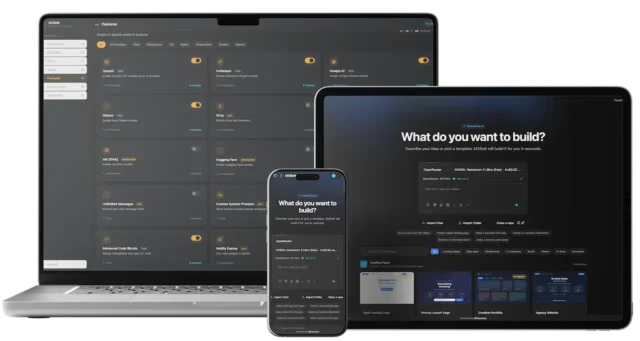
Technical Architecture

How Miracuves engineers structure PWA projects for production

These are the decisions our engineers make on every PWA project before the first route is cached - choices that decide whether the app stays fast and updatable in every browser or turns into a service worker nobody dares to change.

  • 01

    Architecture - Service Worker + App Shell Pattern

    Strict separation: App Shell → Content Cache → API Layer. Every feature owns its service worker caching strategy, IndexedDB schema, and UI components independently. This is how Miracuves adds a new PWA module in 2 days without breaking existing functionality.

  • 02

    State - Service Worker Lifecycle, Cache API for Storage

    Service worker install/activate/fetch events manage cache versioning and offline availability. The most common problem inherited from other agencies: no cache invalidation strategy. We version every cache from the first deploy and delete old ones when the new worker activates - a hard standard, not a suggestion.

  • 03

    Performance - App Shell Caching and Critical Rendering Path

    App shell is precached on first visit. Content loads progressively with priority-based lazy loading. We profile every release build with Lighthouse - debug builds are never used as a performance benchmark.

What most PWA agencies get wrong

No service worker caching strategy. No cache invalidation. No Lighthouse CI pipeline. Hardcoded API keys in source. No offline fallback handling before production. Miracuves has inherited every one of these - and a service worker that keeps serving a stale build is far harder to clean up than one set up correctly on day one.

service-worker.js - Workbox Cache Strategy
// Service worker with Workbox caching                // Used in all Miracuves PWA deploymentsimport { registerRoute } from'workbox-routing';              import { CacheFirst, StaleWhileRevalidate }              from 'workbox-strategies';              registerRoute(              new RegExp('/assets/*'),              new CacheFirst()              );              registerRoute(              new RegExp('/api/*'),              new StaleWhileRevalidate()              );
Workbox manages cache versioning, precaching, and runtime caching strategies - eliminating hand-rolled fragile fetch event handlers. Every Miracuves PWA ships with Workbox from day one.

Our Service Models

Three ways Miracuves delivers your PWA project

Every PWA engagement is with Miracuves as a company - a complete team covering front end, service worker, backend and QA, a defined process, and full delivery accountability. Choose the model that matches your project stage.

Most Popular
Customer app
Partner app
Admin
Readymade Clone · Fixed Price

White-Label Clone Delivery

Miracuves deploys one of its 90+ ready-made platforms under your brand - Flutter apps for iOS and Android, a web app and the admin panel - in 6 working days. This is the catalogue product, not a PWA build. Source code fully yours.

  • Starting from $2,199 - one fixed price for the ready-made platform, no surprises
  • 90+ solutions matched to your vertical
  • Branding, configuration, white-labelling applied
  • Admin panel included in every delivery
  • Full source code · NDA · 60-day support
Web App ManifestWorkboxRepositoryUI LayerEventsAPI / CacheWidgets
Custom Development · Scoped

Custom PWA Build

Miracuves builds your PWA from your specification - custom architecture, your own offline and caching rules, unique features. Full team: engineer, backend, QA, PM.

  • Scoped and priced before development begins
  • Clean architecture designed specifically for your product
  • Weekly sprint demos - working software every sprint
  • Install prompt, manifest and optional Play Store listing managed
  • Full source code · IP 100% yours
Wk 1
Wk 2
Wk 3
Wk 4
Ongoing Retainer · Monthly

Ongoing PWA Development

Miracuves works as your ongoing PWA partner - new features, service worker and cache updates, fixes for browser changes and maintenance on a monthly retainer with weekly sprint demos.

  • From $2,299/month - cancel with 2 weeks notice
  • Dedicated Miracuves team assigned to your product
  • Direct communication - no account manager relay
  • Weekly sprint demos - deliverables every cycle
  • Scales up or down as your product evolves

Quality Standards

How Miracuves ensures every PWA delivery meets production standard

Every PWA passes through Miracuves' quality gates before handoff - online, offline and on a flaky connection - not as a checklist, but as a non-negotiable delivery standard applied to every codebase we ship.

  • Workbox caching strategies - cache-first, stale-while-revalidate, network-firstCaching
  • App Shell architecture - instant first paint on repeat visitsArchitecture
  • Lighthouse audit - 90+ score across performance, accessibility, best practices and SEO; installability checked separately, since Lighthouse no longer scores PWAsQuality
  • Cross-browser QA - tested on Chrome, Firefox, Safari, Samsung InternetQA
  • CI/CD pipeline - automated builds, tests and Lighthouse runs on every pull request from day oneDevOps
  • No secrets in source - API keys stay in server environment config, never in the JavaScript bundle the browser downloadsSecurity
  • Install-ready - manifest, icons, HTTPS and offline fallback verified on every target browserDelivery

Enforced QA Gates

Our 6 Continuous Delivery Gateways

Every line of code, cached asset and service worker release must successfully clear all six quality control gates before repository handoff.

01

Code Review on Every Pull Request

Every line merged into your main branch, service worker changes included, is reviewed by a senior Miracuves engineer. No untested code reaches your production hosting, where a bad service worker can stay cached on users' devices.

02

Automated Test Coverage Required

Unit tests for business logic, component tests for UI elements, and end-to-end tests for critical user flows, run both online and with the network switched off. Minimum coverage enforced before any release build is deployed.

03

Release Builds Profiled - Not Debug Builds

Miracuves profiles performance using Lighthouse CI on every release build. A development build with unminified bundles and no active service worker is not what users receive, so it is never accepted as a benchmark.

04

Handoff Package - Not Just a Repository

Source code, documentation, environment setup guide, API documentation, service worker and cache-versioning notes, hosting and deployment credentials, push keys, and a post-launch runbook - all included in every project handoff.

05

Installability Verified - Store Listing on Request

Miracuves verifies the manifest, icons, splash screens and install prompt in Chrome, Edge and Samsung Internet, and Add to Home Screen in Safari on iOS. For store presence, we package the PWA as a Trusted Web Activity and manage the Google Play listing, signing key and Digital Asset Links file.

06

Post-Launch Monitoring - 60-Day Active Support

Sentry error tracking and Firebase Analytics configured pre-launch. Miracuves watches JavaScript errors, service worker failures and Core Web Vitals from real users during the 60-day post-launch support window - proactive, not reactive.

Technology Stack

The PWA stack Miracuves ships with

Matched to your architecture, your target browsers and your offline requirements - not a one-size-fits-all default.

Wb
Workbox 6+Service worker · caching runtime
LH
LighthousePerformance · accessibility · SEO audits
SW
Service Worker APIOffline · push · background sync
IDB
IndexedDBClient-side structured storage
FB
FirebaseAuth · Firestore · FCM · Analytics
GM
Google MapsLive tracking · geo routing
💳
Stripe / RazorpayPayments · wallets · subscriptions
Ws
WebSocketsReal-time · chat · live tracking
GQ
GraphQL / RESTFlexible API integration layer
CA
Cache APIRequest/response caching layer
WP
Web Push APINotifications · re-engagement
N
Node.js APIBackend for custom builds
Re
React / AngularUI framework of choice
Sn
SentryError tracking · crash monitoring
MG
Manifest.jsonInstall prompt · home screen
Dk
Docker / AWSBackend infrastructure · scaling

Our Process

From brief to deployed PWA app - what happens and when

Every PWA engagement runs on the same delivery spine, whether it starts from a readymade clone or from your own spec. At each step you know what Miracuves is doing, what you need to provide - domain, hosting access, brand assets - and what gets delivered. The 6-day pill below is the readymade clone sprint; a custom PWA runs 2-8 weeks, milestone-based, with the same checkpoints.

  1. Step 01

    Brief & NDA

    Share your concept via WhatsApp. NDA signed same day. We ask 6 specific questions.

  2. Step 02

    Scope & Plan

    Right solution base, stack, and model confirmed. No payment before scope is agreed.

  3. Step 03

    Build & Demo

    Repo created, architecture set. First commit in 24h. Weekly working demo runs.

  4. Step 04

    QA & Polish

    Tested on real iOS and Android devices in Safari, Chrome and Samsung Internet, online and offline.

  5. Step 05

    Launch & Handoff

    Full code and docs delivered. Deployed to your hosting; optional Play listing handled. 60 days active support.

Same DayNDA turnaround
6 DaysReadymade clone delivery
24 HoursFirst commit after scope
60 DaysPost-launch support

Six days is Miracuves build time, not calendar time

The six days are ours, and they do not run past six. What can add time sits on your side: developer account verification, merchant onboarding and compliance approvals are controlled by the app stores and your payment provider, not by us. We list exactly what you need ready on the first call so you can start those in parallel.

See what you provideFACT-005, audited quarterly

Transparent Pricing

What PWA development costs at Miracuves

We publish PWA prices because a buyer should know the range before the first call. No "contact us for pricing" pages. No hidden fees after scope is agreed.

Readymade Clone

$2,199 from

Fixed price · 6 day delivery · scoped

  • Flutter apps for iOS and Android, plus web app
  • Admin panel included as standard
  • Branding and white-label applied
  • Full source code on handoff
  • 60-day post-launch support
  • NDA protected from day one
Start a Clone Project
Most Requested

Custom PWA Build

Custom Quote

Scoped before build · milestone billing

  • Full PWA team - engineer + backend + QA
  • Custom architecture for your spec
  • Weekly sprint demos - working software
  • Install flow, plus optional Play Store listing
  • Full source code · complete IP transfer
  • Milestone billing - no pay before delivery
Get a Scope & Quote

Ongoing Development

$2,299 /mo

Monthly retainer · cancel with 2 weeks notice

  • Miracuves team assigned to your product
  • New features, releases, and maintenance
  • Weekly demos and sprint planning
  • Direct communication - no relay
  • Scales up or down as needed
  • All code remains 100% yours
Discuss Ongoing Work

Why Miracuves publishes pricesClients who know the cost upfront decide better - for example, whether offline sync or a Play Store listing is worth adding now. If your PWA needs a larger budget, Miracuves will explain exactly why - not simply charge more.

What affects PWA project cost at Miracuves

Readymade clone pricing stays fixed as long as your scope matches the base product. Custom PWA builds scale with: number of user roles (customer, driver, admin, vendor), how much must work offline and sync later, real-time features (live GPS, chat, video), payment and compliance integrations (BaaS, KYC, multi-currency), multi-city or multi-language rollout, and third-party SDKs beyond the standard stack.

Typical PWA budget ranges

  • Readymade clonefrom $2,1996 days
  • Custom MVP$8,000-$25,0002-8 weeks depending on scope
  • Ongoing retainerfrom $2,299/month for feature work and maintenance

Every quote is written before payment - no surprise invoices after kickoff.

Example engagement

What a typical PWA project looks like at Miracuves

An illustrative example of a typical project of this kind, with client details anonymized. Figures show what this kind of build targets, not a named client's results.

A Delhi-based digital news startup needed a PWA optimized for tier-2 and tier-3 Indian cities with offline reading, push notifications, and 2G-friendly loading - delivered in 10 days before a national election coverage cycle.

  1. 01

    The Challenge

    Android app installs required 25MB+ downloads that users on 2G networks would abandon. The existing mobile site had 75 percent bounce rate on slow connections. News content needed offline caching with smart expiry and push alerts that worked even when the browser was closed. The PWA had to handle intermittent connectivity gracefully with queued background sync for article saves, comments, and sharing actions.

  2. 02

    What Miracuves Delivered

    Built an Angular-based PWA with Workbox service worker for strategic caching of app shell and article content, priority-based lazy loading, Firebase Cloud Messaging for topic-based push notifications, and all assets optimized for sub-5-second first paint on 3G. The image pipeline generated WebP at three breakpoints, cutting initial page weight by 62 percent.

  3. 03

    Outcome

    Delivered in 10 days. 200K+ install-to-home-screen engagements in month one, 45-second average session on 2G or 3G, bounce rate dropped from 75 percent to 34 percent, and push notification CTR was 18 percent during election coverage. The PWA achieved a Lighthouse performance score of 92 on mobile simulation, with Time to Interactive under 4 seconds on 3G and fully offline article reading working seamlessly across all major Android browsers and Chrome on desktop. The background sync queue successfully handled over 50,000 deferred user interactions during the election week when network connectivity was intermittent, with all queued actions processed successfully within minutes of connectivity restoration across the user base.

10 DaysFull delivery
200KInstalls month 1
100%Source owned
View All Case Studies
Project Brief
  • Solution usedNews PWA (Angular + Workbox)
  • Delivery timeline10 days
  • Platforms deliveredPWA + Mobile Web + Desktop
  • Key integrationsFCM Workbox AMP
  • ComplianceGoogle News Publisher Guidelines
  • Source code100% client-owned
200K+Install-to-HomeScreen
45sAvg session (2G)
60dSupport included

Client Reviews

What clients say about building with Miracuves

Named clients, in their own words, on mobile products Miracuves built with them. Each card names the product; read every testimonial on our client testimonials page.

Client testimonial
"Miracuves's MXSuperApp base had the rider/driver apps, the dispatch, and the merchant console. We added our local payment partners, our French/English bilingual flow, and a custom intercity-ride module. We launched in 8 weeks, and the platform has handled over 1.2 million trips since. A custom build would have been at least 9 months and a different funding situation."
RH
Roger HickmanCo-founder & CEO, MyRIDI Technologies Inc
Super-app with rider and driver apps, built on MXSuperApp
Client testimonial
"Miracuves's Delivery Genie base gave us the rider app, the dispatch console, and live tracking. We added our custom surge-pricing engine, our multi-merchant order router, and a custom rider-incentives module. We launched in 7 weeks. Rider activation is high and the platform's been stable through weekend peaks."
MH
Mustafa H.CTO, Speedyven Networks
Courier rider app and dispatch, built on the Gojek Clone base
Client testimonial
"Miracuves's MXMobility base gave us the rider app, the driver app, and the dispatch. We added our pedicab routing layer, our airport-queue integration, and a custom event-day surge engine. We launched in 8 weeks. The team saved probably 4-5 months of build time and we were operating at full event volume by month two."
DS
Dana StrokovskyCo-founder & CEO, Walk Bud
Rider and driver apps with dispatch, built on MXMobility
5.0 / 5.0Clutch average · 14 reviews
4.8 / 5.0Google average rating
Top DeveloperClutch recognition · 2024-2025
Read All Reviews

Why Miracuves

Six places to check us before you ever call us

Each one is either run by someone else or open to anyone. Check them in any order; the whole list takes about a minute.

Why clients choose Miracuves

Three promises we would stake the company on

Every promise on this site rests on these three. Each one is something you can check, not something you have to take on trust.

  • 01People you can name

    Our leadership is public, with real LinkedIn profiles, not a stock-photo team page. A named team works your build and sends you progress on WhatsApp every working day.

    Meet the leadership
  • 02Proof over promises

    Every number we publish, pricing, timelines, project counts, is defined and sourced on a public facts ledger. If we can't back a claim, we don't make it.

    Read the facts ledger
  • 03A process with a deadline

    Ready-made platforms go from kickoff to live deployment in 6 working days, guaranteed: miss it for reasons on our side and we work free until launch. Custom builds get a fixed quote after a free feasibility study.

    Get a feasibility study

Related Services

Also building with these technologies at Miracuves

Complement your PWA with mobile apps for iOS and Android, headless CMS backends, or cross-platform frontends - all sharing the same backend API, content management system, and user authentication infrastructure.

Frequently Asked

Questions about PWA development at Miracuves

Something not covered here? Ask on WhatsApp and you will usually have an answer within two hours.

Ask us directly
Can a PWA truly replace a native app for my use case?

Yes - for retail storefronts, news, media, and field service, a PWA can match or exceed native. PWAs load instantly from cache, send push notifications, and install to the home screen without app store submission. Miracuves recommends native honestly when your product needs AR, background audio, or Bluetooth LE.

How much does PWA development cost at Miracuves?

Readymade clones start from $2,199 and launch in 6 days. Custom PWAs typically run $8,000-$25,000 over 2-8 weeks, depending on scope. Ongoing development is available from $2,299/month for feature work and maintenance. Every quote is written before payment, with no surprise invoices after kickoff.

Does Miracuves deliver the full source code?

Yes - full PWA repository with commit history, service worker code, Workbox config, manifest, API documentation, and deployment credentials. Zero lock-in. Your team or any developer can continue work immediately after handoff.

How fast can a PWA realistically be delivered?

Ready-made platforms from our catalogue - Flutter apps for iOS and Android with a web app and admin panel - launch in 6 working days; they are not PWAs. A PWA is custom work: the offline app shell, caching strategy, manifest, Lighthouse 90+ audit and install prompt, plus background sync or payment integration where needed, takes 2-8 weeks depending on scope. All timelines confirmed in writing before any payment.

PWA vs Native App - which does Miracuves recommend?

For content-driven applications - news, blogs, e-commerce - PWA is the right choice. Miracuves recommends native development when your product requires deep hardware integration, background audio, or AR/VR. A hybrid approach works for app-store distribution alongside a PWA.

What admin panel features are included with a PWA delivery?

A web-based admin panel with content management, user management, and analytics (install rate, offline usage, push CTR, page speed) - delivered as a separate app. Includes service worker cache monitoring and push campaign management.

Does Miracuves handle App Store and Google Play submission?

For Google Play, yes. Miracuves handles Lighthouse optimization, manifest config, service worker setup, and browser compatibility. PWAs install directly from the browser - no app store submission needed. For store presence, we can wrap the PWA in a Trusted Web Activity for Google Play. The App Store does not list PWAs; Apple accepts a wrapped web app only when it does more than the website, so a native iOS shell is scoped separately.

What happens after the app is delivered if there are bugs?

Every PWA delivery includes 60 days of post-launch support. Bugs within scope are fixed at no additional cost. Service worker updates and caching adjustments are covered during the period. Monthly maintenance retainers are available for ongoing optimization.

How does Miracuves handle NDA and confidentiality?

Miracuves signs a bilateral NDA before any project details are shared covering technical architecture, business logic, and IP. An IP assignment agreement confirming 100% ownership is signed at project start - not at the end.

Can a PWA be installed on desktop computers?

Yes. Chrome and Edge on Windows, macOS, ChromeOS and Linux install a PWA into its own window with a dock or taskbar icon, and Safari on macOS can add a web app to the Dock. A PWA can also be listed in the Microsoft Store. Miracuves tests the desktop layout and install flow alongside mobile.

How do updates reach users of a PWA?

Through your normal web deploy. When a user next opens the app, the browser checks for a new service worker, downloads it and switches over once old tabs close or the user accepts an update prompt. There is no store review and nothing for the user to download. Miracuves versions every cache so old builds do not linger on devices.

Is a PWA secure enough for logins and payments?

It can be. A PWA only runs over HTTPS, and it can use passkeys through WebAuthn, the Payment Request API, or your payment provider's hosted checkout, such as Stripe or Razorpay. Account pages are never cached for offline use and API keys stay on the server. Miracuves builds to the controls PCI DSS and your payment provider require.

Get Started

Ready to build your Progressive Web App with Miracuves?

Tell Miracuves what you are building and where your users will open it. We will confirm whether a PWA, a ready-made platform or a native app fits, the service model and the delivery timeline - in writing, before any commitment is required from you.

9,000+Projects delivered
6 DaysReadymade clone delivery
100%Source code yours
Same DayNDA turnaround
Book a Free ConsultationContact & Brief Form

NDA signed before we discuss your project details

Page reviewed by the Miracuves PWA Development Team · Last updated May 2026 · Clutch & Google Reviews

Disclaimer

Miracuves is an independent software development company. We are not affiliated with, connected to, sponsored by, or endorsed by any of the brands or platforms named on this page.

Why these names

Names of the form “Brand Clone” are used descriptively. It is how the software industry refers to building a platform with functionality comparable to a known service, and how clients search for it.

Who built this

The entire design and codebase of our products is built by our own team. Our products contain no code, design, graphics, or content originating from any third-party website or application.

Trademarks

All third-party names and marks listed on this page are the property of their respective owners, referenced solely to describe the category of software offered.