Vivino Clone App - White-Label Wine and Spirits Marketplace
Built by Miracuves, this Vivino clone is a ready-made, white-label wine and spirits marketplace: apps for drinkers, wine merchants and delivery drivers, a responsive storefront and an operator console in your brand, on unencrypted source that becomes yours, taking orders in six working days.
Licensed merchants fulfill each order and a driver closes the handover with the code printed on it, now with photo and OTP confirmation. Android and iOS apps ship; Apple and Google review sits outside our days. No screen collects ID, so age checks and liquor licenses stay with you; taste-based lists are an available add-on. Label scanning or an outside POS link is custom work, priced in writing before we start and usually built in 2-8 weeks.
Launch in 6 Days with
- Source Code
- Shopper App
- Merchant App
- Driver App
- Merchant Panels
- Back Office
StackFlutter · PHP · Bootstrap · MySQL · Firebase
Marketplace feed
- Bottle order placed with a shopOrders
- Driver took a delivery jobDispatch
- Shop approved for the marketplaceShops
- Low stock on one bottleStock
- Wallet top-up completedWallet
- Restock request receivedRestock
- Flash sale started by a shopOffers
- Handover closed with its codeDelivery
- Bottle order placed with a shopOrders
- Driver took a delivery jobDispatch
- Shop approved for the marketplaceShops
- Low stock on one bottleStock
- Wallet top-up completedWallet
- Restock request receivedRestock
- Flash sale started by a shopOffers
- Handover closed with its codeDelivery

- 5Drink Categoriesgin, rum, whiskey, wine and vodka
- 3Ways Back to a Bottlehearts, the Favourite tab and a Visit Again card
- 0%Revenue Share With Miracuvesno cut of any bottle sale, delivery fee or merchant commission
- 4Account-Menu Rewardscoupons, loyalty points, wallet and Refer & Earn
- 6Days to Launchand if the delay is ours, we keep going free
- $2,499Paid Once, Not Rentedsource code yours, no per-seat fee, no monthly rental
Live in six working days, or we keep working free until you launch. Every build carries 60 days guidance, 6 months bug fixes and 12 months updates.Verify every figure
Stars Where Shoppers Decide
Bottle rows and bottle pages carry a star score with its review total, each merchant page shows its own rating, and since release 14.7 sellers can answer reviews.
Ratings Feed the Dashboard
A Most Rated Items panel sits in the back office, so well-rated bottles are easy to push onto the Special Offer shelf, a banner or a flash sale.
Cards Settle in Your Gateway
Card payments run through a gateway account you own and onboard, beside wallet top-ups with an optional bonus and cash at the door that you can switch off.
01See it working
Live Walkthrough
Vivino Clone Live Demo: Order as a Buyer, Then Follow That Order Through the Merchant and Driver Screens
Place an order for a bottle in the buyer app of the Miracuves Vivino clone, then log in as a merchant and as a driver to watch the very same order appear on their phones. Three app logins appear below; we give out the back-office and merchant-panel logins on a guided call.

Shopper App - Search, Heart a Bottle, Order & Track
What a customer holds: a home page with search and drink categories, merchant listings, a bottle page that shows price, stars and stock, a Favourite tab, then the order summary and a real-time order tracking map that follows the courier.
- 1Pick your phone type in the app portal
- 2Log in with the buyer credentials listed here
- 3Explore Home, Favourite, Orders and Menu
user@demo.com | User_321
Merchant App - Orders to Fulfill, Stock & Counter Sales
What a partner merchant holds: its own login, the orders routed to it, restock requests raised by customers and a point-of-sale screen for whoever is standing at the till.
- 1Pick your phone type in the app portal
- 2Log in with the merchant credentials listed here
- 3Explore Orders, Products and Sales
liquor@demo.com | Store_321
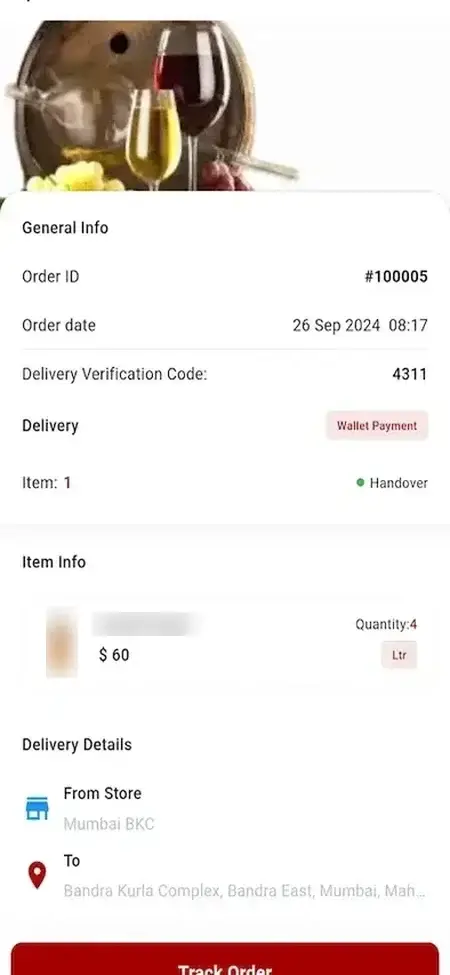
Delivery App - Take a Job, Drive & Finish With a Code
The driver's own app, entered with a mobile number, lists whatever your dispatcher assigns. Typing in the verification code printed on the order marks the job complete.
- 1Pick your phone type in the app portal
- 2Log in with the courier credentials listed here
- 3Explore Deliveries, Order details and Handover
+919876543211 | Driver_321
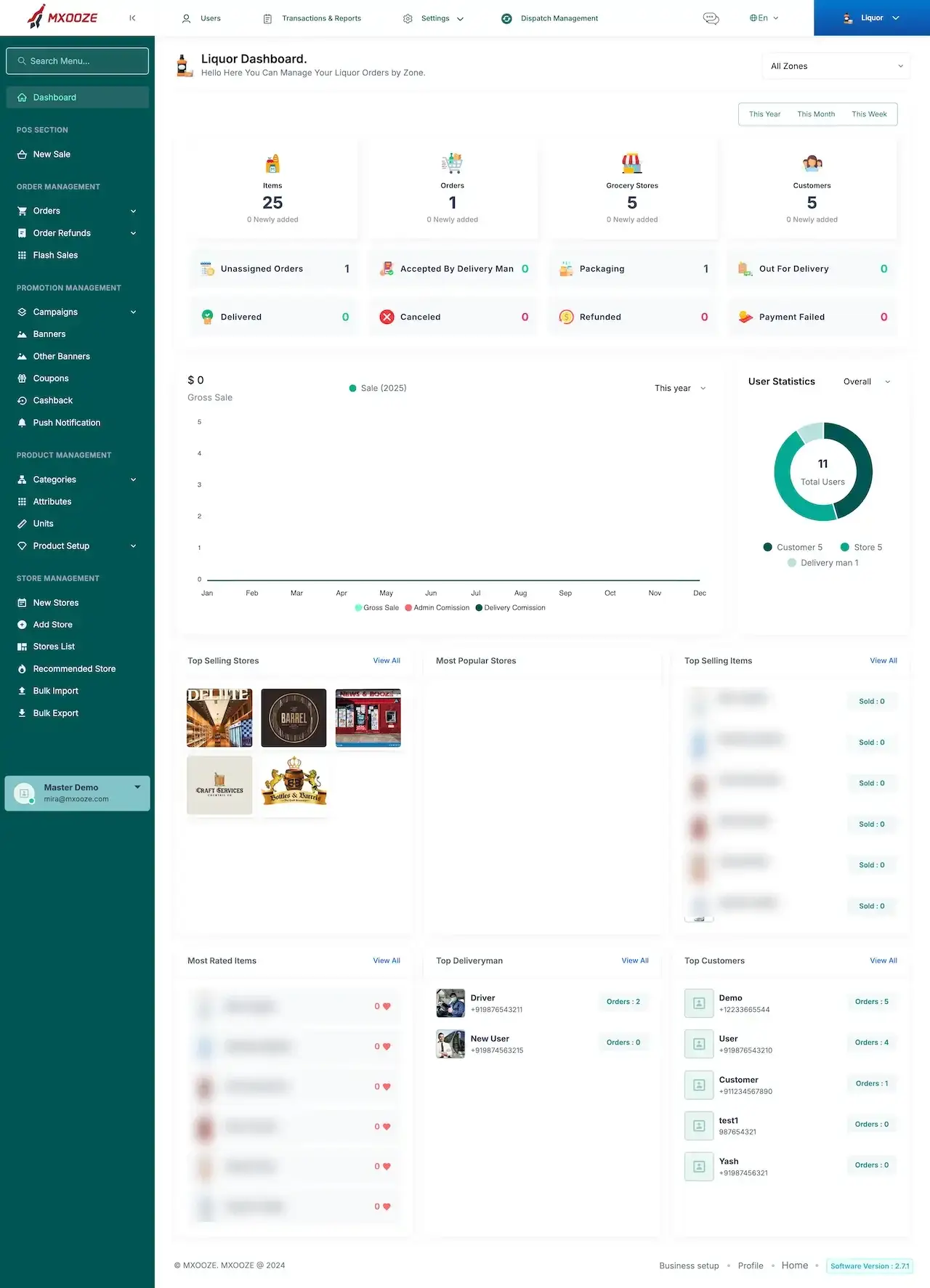
Browser Storefront, Back Office & Merchant Panels
Three things open in a browser: the storefront buyers shop from, the back office (dashboard, dispatch menu, reports) and a separate panel for every partner merchant.
- 1Visit the demo site in your browser
- 2Request a back-office or merchant login from us
- 3Look through the Dashboard, Stores, Orders and Reports
login details shared during a tour
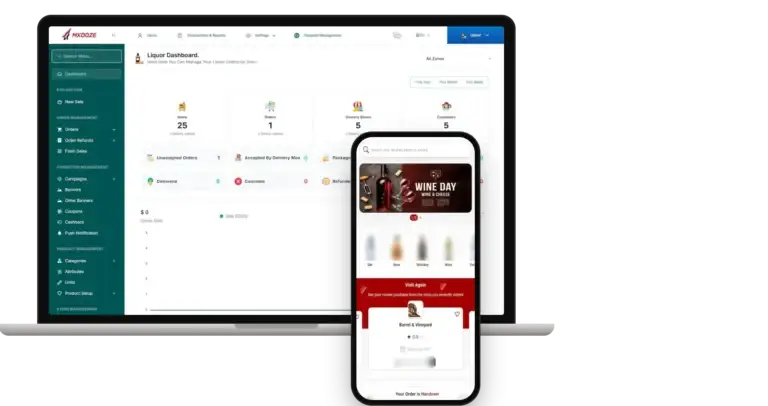
Watch It Run, With Us
Wine App Like Vivino, Walkthrough: One Bottle From Rating to Doorstep
Reading about a marketplace tells you little; watching a bottle travel through one tells you a lot. On a 30-minute call we open the buyer app, a merchant, a driver and the back office side by side, then fit them to your plan: the wines you will list, how many sellers start with you, your delivery area and the day you want to open.
Book a guided call.Screens in Sequence
Screens of a Vivino-Style Wine App: Browse, Check the Stars, Save, Order and Track
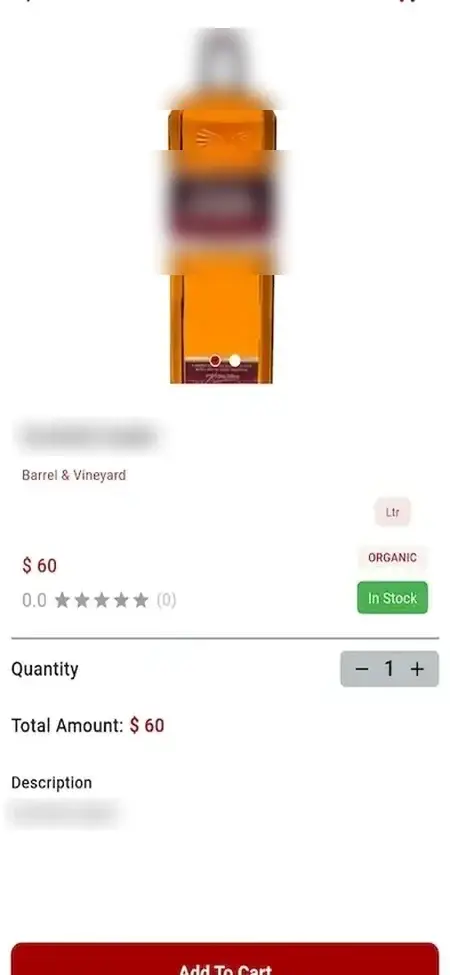
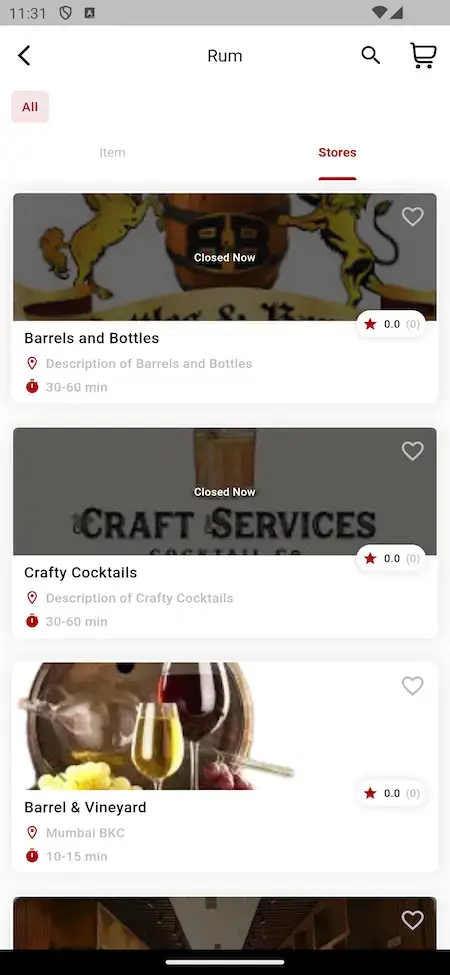
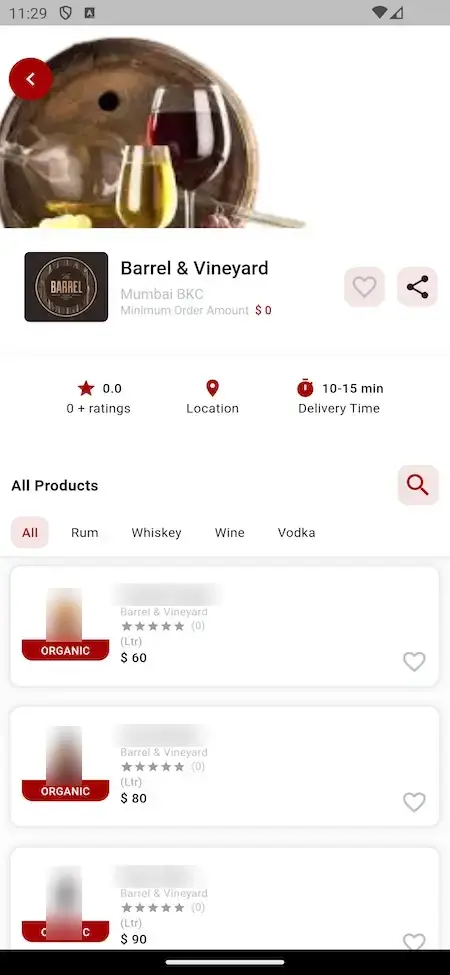
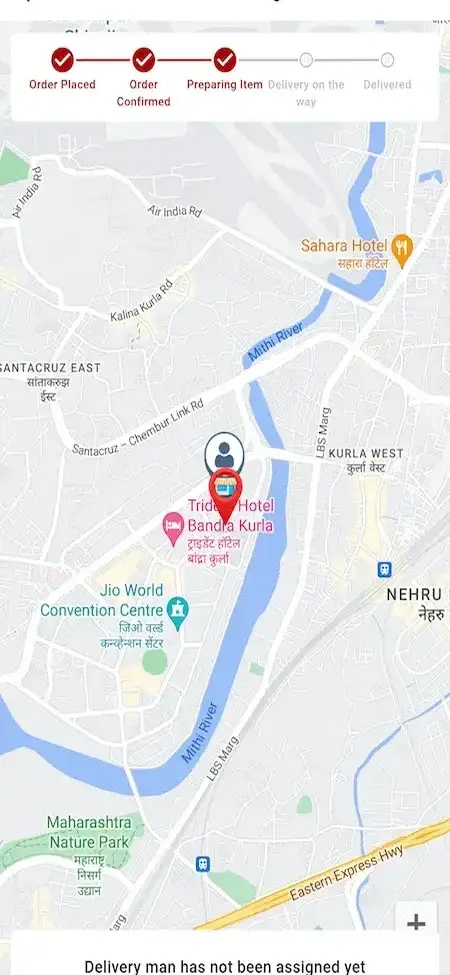
The screens below come straight from Miracuves' Vivino clone demo and follow a purchase: home page, a drink category and its merchants, one merchant, a bottle, the order, the map and the account menu, then the operator dashboard. Real brand names printed on bottles are blurred.
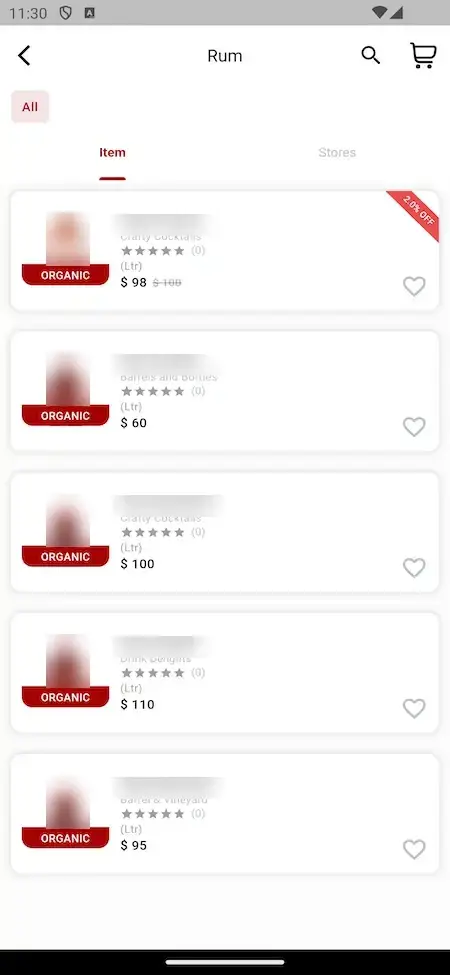
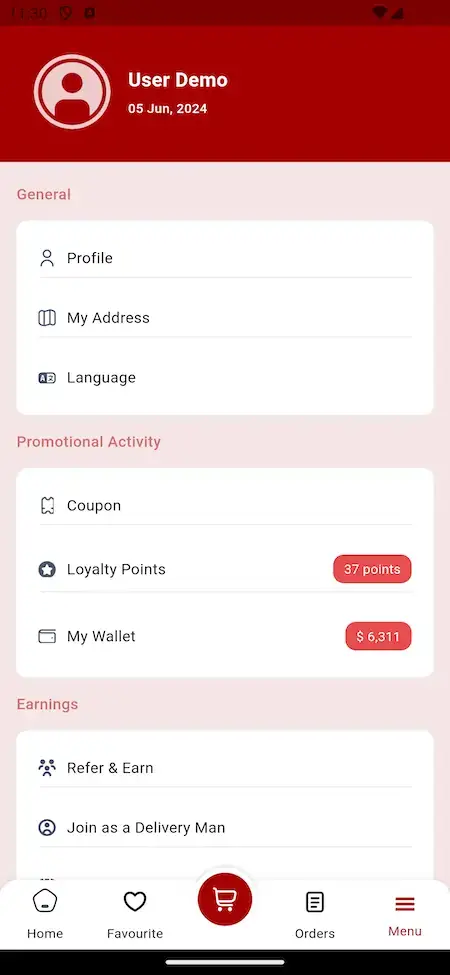


Follow one bottle through the app, from the category it sits in and the merchants stocking it, past the merchant page and the starred bottle page, to the order and its verification code, the tracking map, the account menu and the dashboard that adds the sale up.
02Proof points
Client Voices
Vivino Clone Client Reviews - What Founders Say in Their Own Words
Below, founders talk about building on Miracuves bases. They run delivery, logistics, clinic and rental businesses; none of the eight sells wine or other alcohol. Each quote appears exactly as its author wrote it.
“Talokitoko is grocery and food delivery for the African diaspora market in Europe. The rider app, dispatch and the merchant console were already built, so we spent the engagement on our own local payment mix, the vendor onboarding flow and the regions we actually operate in. The platform was live inside a month, which was months faster than our internal estimate.”
“Two order types, one courier fleet. The base handled multi-vertical ordering, so the work was our merchant mix and the grocery-specific substitution and weight rules. Live inside a month.”
“The team was running it on a dispatcher and a Google Sheet, and we needed a real platform quickly, because we were about to onboard a major retail client. Miracuves’s Delivery Genie base gave us the rider app, the dispatch console, and live tracking. We launched in 6 weeks and cleared 4x the previous order volume in the first month.”
“We were juggling spreadsheets, a third-party GPS provider, and a phone. We needed a single operations console. Miracuves’s MXLogistics base covered the trip lifecycle, the driver app, and the customer tracking page. We’ve cut operations admin time by about 40%.”
“Turo is the obvious reference, but the Caribbean specifics, from different insurance norms to different payment rails, meant we needed a real partner, not just a clone. Miracuves’s MXCar base covered the listing, the trip flow, and the host payouts. We launched in 6 working days and are live in three islands.”
“We were running it on phone calls and a paper calendar, and we were losing bookings to bigger OTAs. Miracuves’s GetmyBoat Clone base gave us the calendar, the booking flow, and the payment engine. Online bookings are up roughly 70% in the first six months, and the ops team finally has a live view of the fleet.”
“Every HMS I tried was built for general physicians, with no lesion mapping, no before/after tracking, and no procedure-based billing. Their MXHealth base gave us the patient app, doctor app, EMR and video consult out of the box. Front-desk time on scheduling and follow-ups is down ~70%, and we went fully digital in 9 months, where a fully custom job would have been 18.”
“Building a compliant telehealth stack from scratch in three markets would have been a year-plus effort. Miracuves’s MXHealth base covered the patient and doctor apps, video consult, e-prescription and the pharmacy integrations. We launched in our first market in 9 weeks and rolled out to two more in the following six months.”
Evidence Today
The Vivino Clone Case Study Page: No Named Launch Yet, and Checks You Can Run Today
The proof that exists for this product, said plainly, with checks you can run before you pay anything.
There is no public client launch of the Vivino Clone for us to show, and we will not pass another product's project off as one. Instead this block lists what you can verify yourself in the demo, and what we decline to invent.

- Ratings and reviews are only worth reading once real orders flow, so the ordering path must work first
- Merchants control what gets listed, so approval, stock and a merchant login count as much as the buyer screens
- Licenses and delivery rules vary from place to place, which is a reason to rehearse the handover before opening
- Walk one bottle from search to handover for free
- Find where a star rating, a review count and a heart appear
- Read the source wherever the demo stays silent
- Buyer, merchant and courier app logins
- A browser storefront and a back office to open
- A tour of the merchant pages and the dispatch screens
- Release notes, versions 14.0 to 15.0, naming what shipped
- A single fixed price, built in 6 days
No client, quote or sales number will be invented for this product. When a named launch is published it will sit here, linked to its own case study.Miracuves · Our position on proof
03The product
Overview
A White-Label Vivino App: a Wine Marketplace Built Around the Bottle Page
The Vivino clone Miracuves delivers is a finished marketplace for wine and spirits. Licensed merchants place their shelves in a single app; a buyer reads a bottle's stars and review count, hearts the ones to keep, orders from the merchant that stocks it, and a driver carries it over. The operator runs all of this from a back office with dispatch and a sales dashboard.

Opinion Before Purchase
Bottle rows and bottle pages show stars and a review count, and each merchant page has a rating of its own, so a buyer can size up a bottle or a seller before paying.
Source in Your Hands
Source code is delivered unencrypted. Your developers can rework any screen or rule as the marketplace matures, and nobody bills you per seat or per run.
Room to Grow the Product
Label scanning, taste-based suggestions, social sharing and offline mode can all be layered onto the base. Taste-based lists exist as a paid add-on; the others would be custom work with a written quote.
Web, Android & iOS
The Vivino Clone Script, Explained
A wine marketplace lives or dies on trust in the listing, and the listing has to lead to a delivery that really happens. Both halves already work in the demo: the wine rating and review count on every wine bottle, and behind them merchants, stock, payment, dispatch and handover. Your effort goes into recruiting sellers and winning buyers.

- 01A buyer app with ratings, a Favourite tab and a live order map
- 02A merchant app, plus one web panel per partner seller
- 03A courier app for your own drivers
- 04A counter-sale screen beside marketplace orders
- 05A back office with dispatch, zones and a sales dashboard
What arrives: three phone apps for buyers, merchants and drivers, a browser storefront, a back office and a panel per merchant, on one codebase with the complete source.
Feature Inventory
Vivino Clone Features: Ratings, Reviews, Favorites, Merchant Onboarding, Delivery & Reporting
Each entry below can be confirmed on the demo screens of Miracuves' Vivino clone or in its release notes. Anything that needs a separate module carries an add-on label lower on the page.
Star Ratings & Reviews
Every bottle carries a star score and the number of reviews behind it. A buyer can rate an order after it arrives, and the seller can respond to what customers write.
- Stars and a review count appear on each bottle row and on the bottle page
- A rating and a ratings tally appear on every merchant page
- Buyers can rate the products and the service once delivery is done
- Release 14.4 refined the order review section
- Since release 14.7 a seller can answer a customer review
- The back-office dashboard has a Most Rated Items panel
- Available as custom additions: reviews with photos, tasting notes and sorting a list by rating
Favorites & Return Visits
Cards carry a heart, the bottom bar holds a Favourite tab and the home page links back to a merchant already used, so getting back to a bottle takes a tap or two.
- A heart sits on bottle rows, bottle cards and merchant cards
- The Favourite tab occupies the slot between Home and Cart in the bottom bar
- The Visit Again card names the merchant and shows its rating and area
- Hearts also appear on the cards of the Special Offer shelf
- An earlier order can be bought again in one tap
- A buyer can request a restock of a sold-out bottle and is messaged when it returns
- The buyer profile keeps the list of restock requests
Browsing by Category & Offer
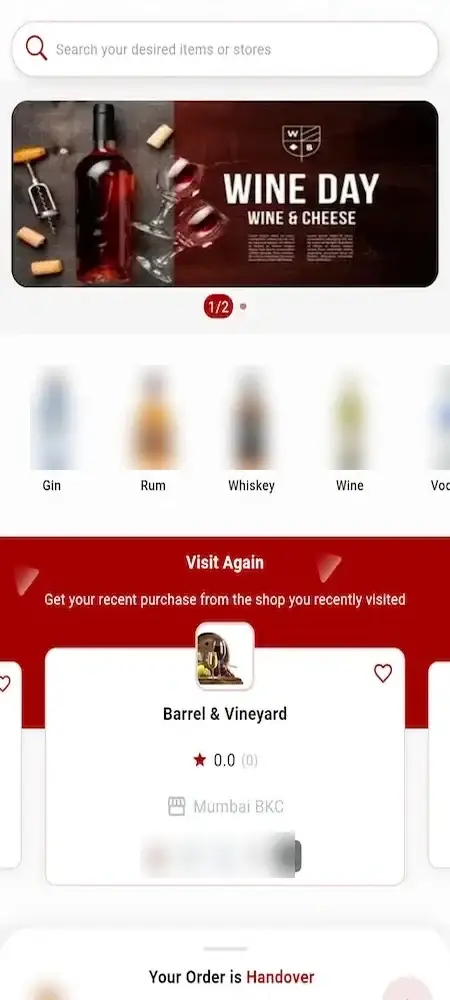
The home page opens on a banner, drink categories, special offers, popular bottles and merchants nearby, so buyers can browse the shelves or jump straight to search.
- A carousel of banners heads the home screen
- Category icons for gin, rum, whiskey, wine and vodka
- One search box finds drinks and merchants alike
- Shelves named Special Offer and Most Popular Items
- A strip called Best Stores Nearby
- Discounted bottles wear a percentage-off ribbon
- Five tabs run along the bottom: Home, Favourite, Cart, Orders, Menu
Merchant Directory & Merchant Pages
Within a category, a Stores tab lists the merchants that carry it, and each merchant has a page with rating, location, delivery time and its own product list.
- Each category has a Stores tab next to its Items tab
- Every merchant row shows a banner, a rating and a delivery estimate
- Merchants that are not open carry a Closed Now label
- A merchant page lists rating, location and delivery time
- Category chips and a product search sit inside the merchant page
- The minimum order amount is printed under the merchant name
The Bottle Page
A bottle has a page to itself: picture, stocking merchant, unit and price, rating, stock label and a quantity stepper that keeps the total in step before the item enters the cart.
- The image, name and stocking merchant lead the page
- The unit of sale, litres for example, appears next to the price
- Stars come with a count of the reviews
- A green In Stock label marks availability
- Quantity and total change together when the stepper moves
- A short description and an Add To Cart button close the page
- A Total Amount line sits beneath the stepper
- Release 15.0 added a call-to-action block to the product page
Cart & Checkout Choices
From the cart a buyer reaches checkout, which asks for an address and a payment choice. Guest purchase, a buy-now route that skips the cart, and one-tap reorder trim the steps for returning customers.
- The cart is open for review before payment
- The checkout screen takes a delivery address and a payment choice
- A guest can order with no account
- Only the ticked cart lines are sent to checkout
- Buy now is handled apart from the cart
- Admin and each merchant can set a minimum basket value
- Past a basket value you choose, delivery becomes free
- Delivery and billing addresses stay editable
Wallet, Card or Cash
A buyer can pay from a wallet balance, add money to it with an optional bonus, use a card through your own gateway, or give cash at the door where you permit it.
- The order summary notes when the wallet paid
- Money can be added to the wallet on the web or in the app
- An optional bonus can accompany a wallet top-up
- Cash at the door is offered as a payment choice
- The back office can turn the cash choice off and on
- Cards run through a gateway account you own
- The operator handles refunds in an Order Refunds menu, and buyers get a refund details page
Merchant Onboarding & Counter Tools
The operator adds merchants singly or in bulk and approves applicants; every approved merchant signs in to an app and a panel for orders, stock and counter sales.
- Back-office screens add a merchant and list all merchants
- A New Stores queue and a seller registration page collect applicants
- Merchant records can be uploaded and downloaded in bulk
- The operator approves or denies each account and the applicant gets an email
- One merchant login opens both the app and the web panel
- The POS screen logs the sum paid and the change returned
- A low-stock popup appears for operator and merchant users
- Merchants the operator flags as recommended are highlighted to buyers
Drivers, Tracking & Handover
Couriers use a separate app while the operator watches jobs in a Dispatch Management menu. Each order has a status bar and a map, and the code printed on it ends the handover.
- A courier logs in to the driver app by phone number
- Anyone may apply as a driver from the buyer app menu
- Dispatch Management lives in the back-office top bar
- A five-step status bar runs from Order Placed to Delivered
- While no delivery man has accepted the job the map says so
- A Delivery Verification Code is printed on every order
- Release 14.0 brought confirmation by photo and OTP at the door
- Offered as a custom build: matching a customer's ID or date of birth at the door
Offers, Loyalty & Referrals
Refer & Earn, coupons, loyalty points and the wallet are collected in the account menu, and the back office holds the campaign tools that feed them.
- The account menu lists coupons
- Loyalty points and the wallet balance show on the account screen
- The referrer is rewarded when the friend's first order is delivered
- Cashback, coupons and flash sales are created in the back office
- A clearance discount block can appear on merchant pages and the home screen
- Push notifications can open any page you pick when tapped
Dashboard & Reports
Opening the back office shows a Liquor Dashboard with counters for customers, stores, orders and items, a gross sales chart and leaderboards of the merchants, bottles and buyers doing best.
- Totals for customers, stores, orders and items
- Eight order-state tiles, unassigned through payment failed
- Sales charted by year, month or week
- A user donut divided among customers, stores and delivery men
- Rankings for best-selling stores, best-selling items and popular stores
- Rankings for most rated items, busiest delivery men and best customers
- A Transactions & Reports menu
- Tag support: Meta Pixel and Google Analytics for measurement, plus LinkedIn Insight, TikTok, Snapchat, X, Pinterest and Tag Manager
Accounts, Messaging & Catalog
Login is by password, mobile OTP or social account, and buyers can write to the operator for customer support, who keeps categories, attributes and units in order and controls alerts.
- The operator chooses which login methods are live: password, OTP or social
- Mobile OTP login runs on Firebase Authentication
- Apple login is available in the buyer app
- Buyers can send the operator a message from web or app
- A user account can be blocked and later unblocked
- Categories, attributes and units have their own menus
- A Flash Deal or Feature Deal can take several products in one go
- Invoices can be printed out or sent by email
Before you buy: you receive the finished platform wearing your marketplace branding. The rest comes from your side: a domain, hosting, a publisher account for the app stores, your company details, a payment gateway you have been onboarded with and any third-party keys. Apple and Google review apps on their own schedule, a wait our 6 days do not cover. A counter-sale screen ships in the base. Hooking up an outside POS or stock system, adding an ID or date-of-birth check, or building taste-based recommendations or label scanning would be custom work. Licences for alcohol and your local age rules stay with you.
How Operators Earn
Vivino Clone Revenue Models: Commission, Delivery Fees, Featured Shelves & Seller Joining Terms
Three things generate income on a Miracuves Vivino clone: the merchants it lists, the deliveries it sends out and the shelf space it can sell. Every income line has its own entry below.
Operators typically start with commission and delivery fees and add featured shelves later, once enough buyers are browsing to make the space worth buying.
- 01
Commission on Bottles Sold
A merchant pays you a cut of what buyers order from it through your app. The demo shows no commission setting, so the percentage is a term you negotiate merchant by merchant.
- 02
Delivery Fees & Basket Floors
Release 14.0 brought a minimum basket, configurable by the operator and by each seller, together with free delivery above a value you pick. The two settings decide where delivery pays and where it is waived.
- 03
Featured Shelves & Banners
Banners, campaigns, flash sales and recommended-merchant flags are the operator's to control; the space they open can show your own promotions or be sold on to a merchant who wants more visibility.
- 04
Store Joining Terms
A merchant applies through the seller registration page and waits to be approved. Whether joining costs anything is a term you set merchant by merchant.
- 05
Loyalty & Referral Spend
Refer & Earn pays out when an invited friend's first order is delivered, while loyalty points and wallet bonuses draw buyers back. Treat them as costs and plan them as growth spend.
- 06
Wallet Top-Ups & Card Fees
A buyer can add money to the wallet, with an optional bonus, then spend it at checkout. Online top-ups and orders each carry a card fee, which belongs in your sums.
| Revenue stream | How the charge works | Take rateTypical take rate | What sets the ceiling |
|---|---|---|---|
| Commission on Bottles Sold | A cut of each order a merchant receives from your marketplace, set merchant by merchant. | In the US, Uber Eats' listed plans take 20% (Lite), 25% (Plus) and 30% (Premium), while DoorDash's list shows 15%, 25% and 30%. | What the merchant can afford. One listed online wine seller, Naked Wines, reports a 19.9% gross margin for its year to March 2026, a handy yardstick for how much a wine merchant has to give away. |
| Delivery Fees & Basket Floors | A fee per drop-off, driven by the minimum basket and the threshold above which delivery is free. | Instacart recorded transaction revenue of 7.2% of GTV (gross transaction value) in Q2 2026; the release neither defines the line nor singles out alcohol. | How much a buyer will pay to have a bottle brought over, and how far a driver has to travel from merchant to door. |
| Featured Shelves & Banners | A price for banner space, a campaign slot or a recommended flag that a merchant buys. | Instacart's advertising and other revenue in Q2 2026 came to 2.9% of GTV. | Audience size. With only a few buyers there is little shelf worth selling. |
| Store Joining Terms | A joining or monthly fee for partner merchants, where your terms include one. | Vivino states no rate; its seller page refers to a monthly subscription for an integration partner without giving an amount. | What a merchant gains from your buyers compared with selling alone. Few amounts are public, so test them with the merchants you want. |
| Wallet Top-Ups & Card Fees | A processing charge on each online payment, absorbed by you or passed on to the buyer. | Stripe's standard US price is 2.9% plus 30 cents per successful domestic card payment. | The rate your gateway quotes for your country and the cards your buyers use. Cash on delivery avoids it but ties up driver time. |
How to read this. Commission plans come from DoorDash merchant pricing and the Uber Eats marketplace fee change notice. The order-fee and advertising shares belong to Instacart, taken from its second-quarter 2026 release. The wine-retail margin is taken from Naked Wines' results for the year to March 2026. Stripe's plan page gives the card price and Vivino's seller sign-up page the joining-terms point. None of these figures belongs to a wine marketplace as such: the delivery platforms print no alcohol rate, Instacart does not split alcohol out and Vivino states no amount. Use them to inform your planning; they are not a quote and not a prediction of marketplace earnings.
Vivino Clone Revenue Model, Stage by Stage
Ratings give the Vivino clone app Miracuves delivers an extra lever: well-rated bottles surface on the dashboard and can be moved onto shelves that merchants pay for.
Launch city
A few licensed merchants in one city, where delivery fees and the commission agreed with each seller carry the early months.
Metro network
With buyers reading stars across several zones, the operator uses the Most Rated Items panel to choose bottles for the Special Offer shelf, banners and flash sales that merchants buy into.
Regional marketplace
Once dozens of wine merchants trade across several cities, the operator puts a price on seller sign-up and on Special Offer placements alongside commission, and filters the dashboard to one delivery area at a time.
Merchant commission is a term you negotiate seller by seller, and Miracuves earns nothing from your bottle sales.
Run It Every Day
Vivino Clone Back Office: Merchants, Orders, Dispatch, Promotions & Rankings
In the Vivino clone Miracuves builds, the back office is where an operator spends the day: which orders came in, which merchants are open, who is out driving, which promotions are live and how this week compares with the last.


What the Back Office Covers
- 01
Counters & Sales Chart
The Liquor Dashboard starts with counters for customers, stores, orders and items; sales charted by year, month or week and a donut of user types follow.
- 02
Order-State Tiles
Each order falls into one of eight tiles, running from unassigned, accepted, packaging and out for delivery to delivered, canceled, refunded and payment failed, so a stuck order is easy to spot.
- 03
Merchants & Catalog
Create merchants, browse the store list, mark recommended ones and use bulk import and export; categories, attributes, units and product records are a click away.
- 04
Leaderboards Incl. Most Rated
Dashboard panels rank best-selling stores and items, popular stores, most rated items, busiest delivery men and best customers, so you see at once what is working.
- 05
Zones & Dispatch
A zone picker narrows the entire dashboard, and deliveries are tracked and steered through the Dispatch Management item in the top bar.
- 06
Banners, Campaigns & Coupons
Banners, campaigns, coupons, cashback, flash sales and push alerts each have their own menu, so starting a promotion needs no developer.
- 07
Counter Sales & Refunds
Counter customers are served from the New Sale screen under POS; the Orders and Order Refunds menus take care of what comes in from the apps.
- 08
People & Money Reports
All accounts are listed under Users, and the Transactions & Reports menu records money paid in and earned.
Money & Orders
The financial half of the console, from first order to refund.
- Order and refund menus
- Transactions beside reports
- A cash-at-door switch
- Wallet top-ups and their bonus
Operating Controls
Switches for the public site and for the everyday running of the marketplace.
- Business setup and settings menus
- Maintenance mode limited to chosen modules if you wish
- The address of the admin login can be edited from the panel
- Approve, deny, block or unblock any user account
Want more from the console? An additional report, an altered dispatch rule, a link to an outside POS or one more language is quoted separately. Tell us what your team is missing and a written quote follows.
04What it includes and costs
The Package
The Vivino Clone Script Package: Source, Apps & Deployment
Miracuves hands over a Vivino clone app and marketplace that already trades, not a crate of parts: three Flutter apps for drinkers, merchants and drivers, the storefront in a browser, the Liquor Dashboard with a panel per merchant, and the unencrypted code behind every screen. It belongs to you outright, without per-seat fees, per-run fees or a license to renew. Running costs sit with your own providers instead: hosting, a payment gateway, map and messaging keys, and app store developer accounts.
$ git clone your-wine-marketplace Complete Source
Both halves of the code: the web platform and the three Flutter apps, delivered unencrypted so your developers can bend them to your marketplace.
- Web platform source, unencrypted
- Flutter source covering all three apps
- Modify, extend or redeploy freely
- No fee per seat and none per run
Merchant App & Panel
What a partner merchant works with, on a phone and in a browser: its own login, the orders sent to it, stock tools and a counter-sale screen.
- A single login covers both app and panel
- The till screen logs the sum paid and the change
- Low-stock alerts and restock requests
- A clearance-offer block
Courier App
The driver's app, reached by mobile number, for the jobs your dispatcher hands out.
- Login by mobile number
- New drivers can apply from inside the buyer app
- Each delivery closes with the verification code
- Delivery men ranked on the dashboard

Back Office
The operator's half: a Liquor Dashboard with menus covering users, reports, refunds, dispatch, promotions, products, merchants and order states.
- Sales chart and rankings on the front page
- Merchant records, categories, attributes, units
- Banner campaigns, flash sales, coupons and cashback
- Menus for dispatch, refunds and reports
Buyer App
The customer's app for Android and iOS: home, merchants, bottle pages with stars, favourites, cart, orders, tracking and an account menu.
- A bottom bar of Home, Favourite, Cart, Orders and Menu
- Stars and a review count on every bottle
- Loyalty points, coupons, a wallet and Refer & Earn
- Goes to the stores from your own accounts

Browser Storefront
A responsive web edition of the marketplace, so buyers can order without installing anything.
- Ordering from a browser
- Wallet top-ups on the web
- Messages to the operator from the web
- Language switching and SEO settings
Branding & Go-Live
Your logo, icons and colors are applied across the web platform and the apps, which we then deploy on your hosting.
- Your branding applied everywhere
- Deployment to your hosting
- Submission to the stores from your accounts
- Store review time is not in our 6 days
Aftercare & Upgrades
Support comes in three windows that begin together on launch day, and the team replies inside two hours on working days.
- 60 days of platform guidance
- 6 months of priority bug fixes
- 12 months of product updates
- First reply in under 2 hours, Monday to Saturday, 10:00-19:00 IST
Prefer proof first? Sign in to the demo as a buyer, a merchant or a driver, or book a guided tour. We trace a bottle from the front page to its verification code and then show it appearing on the dashboard.
One Price
How Much Does It Cost to Launch a Wine Marketplace Like Vivino?
You pay $2,499 once for the white-label Vivino Clone. Work outside the base, from an add-on to an extra integration or a tailored flow, is scoped in writing and priced separately.
Standard
Wine Marketplace Launch PackageSuits: Founders of wine and spirits marketplaces, independent sellers who band together under one brand, retailers who plan to host partner merchants
The platform reaches you exactly as the demo shows it, dressed in your logo, icons and colors and sitting on hosting you control.
Get StartedEnterprise
Larger Bespoke BuildsSuits: Operators spanning several countries, large retail groups, and teams that need an ID check, taste-based suggestions or a tie-in with an outside POS or ERP
Where the base falls short of what you need, we build to your brief, agreeing scope and price before starting.
Request a QuoteVivino Clone Development Cost in 2026
You pay Miracuves $2,499 once for the Vivino clone: buyer, seller and courier apps, a web shop for drinkers, the operator console and a panel per merchant, rebranded to your marketplace with unencrypted source you own, taking bottle orders in six working days. No seat charges or license renewals follow.
Where the rest of your launch budget goes
- Hosting and a domain you control
- A payment gateway you are onboarded with, plus card fees
- Keys for Maps, Twilio and Firebase in your name
- Developer accounts with Apple and Google
- Licenses for you and every partner merchant
Miracuves scopes label scanning or an outside POS link in writing, with a typical build of 2-8 weeks.
Compare Your Options
Ready-Made Vivino Clone vs Custom Development vs SaaS
Three routes lead to a ratings-led wine marketplace with licensed merchants: this Vivino clone from Miracuves, a bespoke build by an agency, or monthly hosted software. Here they are, criterion by criterion.
| Criteria | MiracuvesReady-Made Vivino Clone | Custom Development | SaaS |
|---|---|---|---|
| Launch time | Taking orders after 6 working days | Often several months of development | Quick to open on the provider template |
| Upfront cost | A fixed $2,499, once | Set in a written quote after scoping | Low start with a recurring plan |
| Source code ownership | Unencrypted source that is yours outright | Transferred to you if the contract says so | Never leaves the provider |
| Customization | Your developers can change any screen; label scanning or a POS link is quoted, usually 2-8 weeks | Limited only by budget | Restricted to built-in options |
| Ongoing fees | No license renewals or seat charges; hosting, gateway and map keys billed by your providers | Maintenance under the contract | Monthly fees that continue while you trade |
| Branding & app-store listing | Rebranded apps released from your Apple and Google accounts | Your brand; store release is extra work | Provider-styled apps are common |
| Best for | Operators building a rated-bottle marketplace with merchants they recruit | A wine concept that needs a custom engine | Checking demand before owning a platform |
Same product, other editions: Drizly Clone · Flaviar Clone · Nestor Liquor Clone · Browse all Alcohol Delivery solutions
How Operators Use It
A Ready-Made Wine App Like Vivino at Work: City Marketplaces, Merchant Alliances, Rated Bottles and Repeat Orders
Operators put the weight on different sides of the Vivino clone from Miracuves: a city marketplace leans on discovery and handover, an alliance on merchant logins and a pooled dashboard, a delivery firm on dispatch. Configuration sets the weight.
Swipe · 6
Pull a city's licensed merchants into one app where buyers compare stores, read a bottle's stars, pay from the wallet and watch the delivery approach on a map.

Each member merchant receives a login and a panel under the shared brand, while the alliance reads every store from a single zone-filtered dashboard.

Hearts, the Favourite tab, a Visit Again card, restock alerts and one-tap reorder give buyers short paths back to the bottles and merchants they like.

Stars and a review count sit on the bottle page, a seller can answer a review, and the Most Rated Items panel shows the operator which bottles buyers rate.

Drivers run jobs from the delivery app, the operator monitors each one under Dispatch Management, and the code printed on the order closes every handover.

Promote recommended merchants, flash sales, coupons and banners across a holiday weekend or a sluggish range, all from the same promotion menus.

Vivino Clone Business Model: Three Ways to Run It
The Vivino clone business model joins licensed wine merchants, liquor store sellers and buyers around the rated bottle page, and all three set-ups below share one Liquor Dashboard plus the shopper, merchant and courier apps Miracuves ships.
Ratings-led city marketplace
A founder signs a city's wine merchants, lets stars and review counts steer buyers between them, and earns commission and delivery fees on each order.
Merchant alliance
Independent sellers pool one storefront and dispatch desk under a shared brand, each keeping its own login, panel and replies to reviews.
Winery or distributor storefront
Where selling straight to consumers is lawful, a winery or distributor opens its own channel with delivery and star ratings, then invites partner merchants in.
Whichever model you pick, seller accounts, star scores and customer records sit in a database you own.
One product, six uses. All six rest on the buyer app, the merchant panels and the back office. What varies is the merchant count, the offers you promote, the drivers and the branding, so only one codebase needs upkeep.
Speak With Our TeamMarket Timing
Why a Wine Marketplace Makes Sense in 2026
Face-to-face buying still dominates alcohol, and where delivery marketplaces reach online buyers they take a slice of each order that a Miracuves Vivino clone lets you keep. An operator with a licensed merchant network owns the relationship and sets the terms, provided online sale and delivery are lawful where the marketplace operates.
01The Big Platforms Keep a Cut
Large delivery marketplaces publish US plans that take 15% to 30% of every order; your own marketplace lets you set terms with the merchants you list.
02Online Remains a Small Slice
IWSR measures online at 3.5% of beverage alcohol value, so the bulk of bottles are still bought face to face; whoever makes ordering from local sellers painless gets remembered.
03Direct Shipping Is Hard Going
Sovos ShipCompliant and WineBusiness Analytics report direct-to-consumer winery shipping volume down 15% in 2025. A marketplace that delivers from nearby merchants is a different route, bound by the same local licensing.
04Your Buyer Database
Accounts, order history, wallet balances and reviews are kept on your side, so each repeat customer belongs to your brand and not to a platform that can change its terms.
05Stars Make the Listing Credible
Every bottle carries a star score and a review count, and a seller can reply to a review. Someone choosing between two merchants has something to read before ordering.
06Buying Beats Building on Time
Merchant onboarding, orders, a wallet, dispatch and a dashboard cover most of what a marketplace needs, and our 6-day build puts a white-label copy of all of it on hosting you own.
The Build in Figures
Phone Apps
Bottom-Bar Tabs
Feature Groups
Build Days
What makes a wine marketplace hard is its unglamorous middle: signing merchants, keeping stock credible, dispatching, and reconciling the day. That middle comes ready-made.
Sectors
Businesses That Fit
Any licensed business that wants to list drinks and deliver them can run the Miracuves Vivino clone, whether alone or alongside partner merchants. Wine merchants and wine bars with a shop counter are the heart of it, and spirits specialists and craft beer sellers list as stores next to them. Retail groups, delicatessens, supermarkets with a drinks aisle, restaurants that sell bottles, hotels, wineries, distributors, gift sellers and franchise networks join as partners, wherever the law allows drinks to be sold and delivered online.
one codebaseMXOoze
- 01WmWine Merchants
- 02WbWine Bars & Shops
- 03SsSpirits Specialists
- 04CbCraft Beer Sellers
- 05RgRetailer Groups
- 06DeDelicatessens
- 07SuSupermarkets
- 08RwRestaurants With Bottle Sales
- 09HrHotels & Resorts
- 10WdWineries & Distributors
- 11GhGift Hamper Makers
- 12RfRetail Franchises
Miracuves' Vivino Clone is a marketplace and delivery platform that adapts to whichever drinks-retail model you operate, carrying your name on its merchant tools, ratings, wallet and dashboard from the very first screen.
06Under the hood
Start to Finish
How a Vivino Clone App Works for Buyers: Sign-Up to a Bottle at the Door
On Miracuves' Vivino clone, a buyer sees a few taps. Behind them runs a chain of merchant, stock, payment, dispatch and handover. Here is that chain in the wine and alcohol delivery app, from sign-up to front door, followed by the architecture underneath.
A Buyer's Route, Sign-Up to Front Door
Swipe · 6
- 1Join the Vivino Clone App
A buyer opens an account by password, mobile OTP or a social login, then keeps delivery addresses under the account menu.
- Registration by one of three routes
- My Address under the account menu
- Language chosen on that same screen
2Browse Wines & OffersThe first screen shows a banner, drink categories, special offers, popular bottles and the closest merchants, plus one search box for drinks and stores.
- Icons for gin, rum, whiskey, wine and vodka
- Shelves for Special Offer and Most Popular Items
- A Best Stores Nearby strip
- 3Choose a Wine Merchant
Inside a category, the Stores tab lists every merchant carrying it with a banner and rating; the merchant page adds location and delivery time.
- A Stores tab sits next to Items
- Rating, location and delivery estimate
- Products grouped by category chips
- 4Check the Star Rating & Add the Bottle
Stars, the number of reviews behind them, the unit price and whether the bottle is in stock all show up front, and the total updates with the quantity.
- Unit shown beside price
- Stars with a review tally
- An Add To Cart button at the foot
- 5Order Wine Online & Follow It
Checkout asks for an address and a payment route, then a status bar and a map show the bottle being packed and driven over.
- Pay by wallet, card or cash on delivery
- Status from Order Placed through Delivered
- A live map of the trip
- 6Receive the Wine & Rate It
A Delivery Verification Code on the order page is used at the door, and once the parcel arrives the buyer rates the products and the service.
- The Delivery Verification Code on the order page
- Order ID, date, merchant and address
- A rating after arrival
How It's Built
Under a Vivino-Like Marketplace: Architecture and the Route an Order Takes
- 01Link 01
One App per Role
Buyers, merchants and delivery men work in separate apps with separate logins, and web panels for the operator and the merchants complete the picture, so each person sees only their own part of the job.
- 02Link 02
Vetting New Merchants
Merchants apply on a registration page and the operator decides each application, so buyers meet only vetted stores, the recommended ones marked.
- 03Link 03
The Order Status Chain
Status runs Placed, Confirmed, Preparing, On the Way, Delivered, and the dashboard counts eight order states overall, which also include unassigned, canceled, refunded and payment failed.
- 04Link 04
Stock Tied to the Shelf
A product, its unit and its category are defined a single time. Buyers see a stock label, and low-stock warnings as well as restock requests point at that same item.
- 05Link 05
Payments and Refunds
Wallet top-ups, a bonus, card payments and cash at the door sit side by side; a refund goes through its own details page and the operator's Order Refunds menu.
- 06Link 06
Door Handover Checks
Every order has a verification code, and photo and OTP confirmation arrived in release 14.0, so the handover leaves a trace that someone can examine.
Stack Overview
The Tech Stack of a Vivino-Type Wine App: PHP, MySQL and Flutter
Miracuves stands its multi-merchant Vivino clone on three things: web software that holds up, a database that keeps order and stock records consistent with each other, and phone apps that feel native. The product page and the release notes describe the platform as follows.
Web Tier
- A storefront, a back office and a panel per merchant
- Bootstrap supplies the responsive layout
- Translation features reach many languages
- SEO section controls sit in the back office
Storage Layer
- The product page names MySQL
- Release 14.9 added caching of database queries
- Release 14.9.1 added backend and front-end caching
- Amazon S3 can store files
Three Native-Feel Apps
- Flutter apps built against current dependency versions
- Buyers, merchants and drivers each get an app
- Flutter SDK 3.13.6 in release 14.0, 3.27.1 in release 15.0
- Goes live on the stores via your own developer accounts
Getting Paid
- A wallet that accepts top-ups, with an optional bonus
- Card payments settle through your gateway account
- Cash on delivery, which the operator can toggle
- Completing gateway onboarding and KYC is up to you
Third-Party Services
- The tracking map comes from Google Maps and can be hidden
- Firebase carries push alerts and mobile OTP login
- SMS messages travel via an SMS gateway
- Marketing tags number eight, from Tag Manager to Pinterest
What You Keep
- Unencrypted source on delivery
- Your logo, icons and colors applied
- Installed on your hosting
- Open to change as the marketplace grows
The product page lists PHP with Bootstrap for the web platform and back office, MySQL for data, and Flutter for all three apps. Payment gateway APIs, translation, Google Maps, Twilio and Firebase operate under accounts and keys that belong to you and are handed over when we deploy. Nothing exotic is involved, so developers are easy to find.
Headroom
Scaling Up the Marketplace: Merchants, Zones, Caching & Spare Capacity
All three apps that Miracuves ships with the Vivino clone hang from one backend, so adding a merchant, opening a zone or hiring a driver comes down to configuration and capacity, not a rebuild.
Merchant Two or Merchant Forty. Store management offers Add Store, a list view and bulk upload and download, so every merchant enters through the same door.
Zone by Zone. Select one zone and the dashboard reduces to that delivery area; select All Zones and it covers every area.
Caching in the Changelog. Query caching shows up in the 14.9 notes, with backend and front-end caching following in 14.9.1; settings and list endpoints were first.
Data Out for Your Team. The back office exports filtered lists of customers and subscribers, and vendor data can leave as Excel files.
Apps Kept Apart
Buyers, merchants and drivers sign in separately, and any app can be updated without disturbing the others.
Merchants & Zones
A new merchant comes in through store management, and since the dashboard filters by zone, expanding never calls for a new deployment.
- Screens for adding and listing stores
- Upload and download in bulk
- A zone picker including an all-zones view
- A flag for recommended merchants
Caching Included
Caching in both the backend and the front end shows up in the release notes, along with tuned database queries.
- Queries cached in 14.9
- Backend and front end cached in 14.9.1
- Settings and lists were cached first
- Asset files made leaner
Movable Storage
Amazon S3 joined in release 14.7 as external file storage.
- A link to Amazon S3
- Added with 14.7
- Billed by your own storage account
- The web server keeps no files
Quiet Maintenance
Maintenance mode can close selected modules while admins carry on browsing the site.
- Close only some modules
- Admins keep their browsing access
- Empty states covered throughout
- Back-office lists sort your way
Exports for the Books
Filtered exports of customers and subscribers, plus vendor reports in Excel, serve whoever keeps the accounts.
Made to Adapt. Every market asks for something local. With complete source and an ordinary stack, a new screen, rule or integration is routine development, by your developers or by ours.
For a first marketplace: pick the merchants and the zone you know and launch on the one deployment you own. If orders grow, capacity turns into a hosting and configuration choice, while anything outside the base is scoped and priced separately.
07Safety and boundaries
Checkable Controls
Security on a Wine Marketplace Like Vivino: Role Logins, a Traceable Handover & Stated Limits
A marketplace stores buyer accounts, addresses, order history, merchant records and payment references. What matters is who may log in, who sees which data, how deliveries are confirmed and what is still yours to do before launch. Here is what the platform covers and what lands on you.
- 01 · LoginsThree Ways In
Password, mobile OTP or social account, each switched on or off by the operator, plus Apple login in the buyer app.
- Buyer Data Duties: Buyer and merchant data you hold needs a privacy policy, consent wording and retention periods; writing and maintaining them is your task, under each market's law.
- 02 · RolesSeparate Roles
Buyers, merchants, couriers and admins each have separate logins, and the operator's own employees get logins too, which keeps a merchant away from the operator's console.
- Who Holds Logins: Which of your own staff, and which merchant employees, hold admin or store logins is for you to decide, and you should review that list from time to time. Cancel access on the day someone leaves.
- 03 · HandoverA Handover With a Record
The verification code on an order, together with the photo and OTP checks introduced in release 14.0, means handing over a bottle leaves a reviewable trace.
- Age Verification Is Yours: The demo gives each order a Delivery Verification Code, yet no screen collects ID or a date of birth. Whoever operates the marketplace is legally responsible for confirming age at the sale and once more on the doorstep, and building that check into the app would be bespoke development.
- 04 · PaymentsCards Via Your Gateway
Card payments flow through the gateway you connect; the wallet and cash at the door are separate options, and the operator can turn cash off.
- Your Gateway Choice: Choosing and configuring the payment gateway is up to you; the platform passes cards to the gateway you connect.
- Refund Policy: A refund has its own details page and menu. Whether one is due, and for what sum, turns on your policy and on the law of the place you sell in.
- 05 · AdminA Guarded Back Office
Inside the panel the back office can be given a new address, and maintenance mode locks customers out while admins keep browsing.
- Tasks Before Launch: Several jobs precede going live: penetration tests, key rotation, a trial restore from backup and a check of your gateway and SMS configuration. We list them instead of pretending they are done.
- 06 · AccountsAccount Controls
The operator can block, unblock, approve or deny an account and the user receives an email, so a troublesome account does not go unnoticed.
Delivery verification codes, photo and OTP checks on handover, separate logins and gateway-held card data are all visible in the demo. A pen test, a key rotation pass and a restore rehearsal are lined up with you ahead of launch.
Discuss Security Pre-LaunchRegulated Goods
Readiness of a Wine App Like Vivino: Software Capabilities and the Operator's Own Duties
Licences govern alcohol sales, and the rules differ by country, state and even town. Miracuves provides tooling for merchants, stock, ratings, delivery dispatch and handover. Who may sell and deliver, to whom and when, is a matter of local law, for you and for your partner merchants alike, and it rests with the operator.
Here, “ready” refers to software you can see working in the demo or the back office. It says nothing about the platform or Miracuves being licensed, certified or approved, and none of it is legal advice.
Inside the Software
Merchant applications with approval, one login per merchant, products with units and stock labels, star ratings and review counts, a Favourite tab, cart and checkout, a wallet, a cash-at-door option you can switch, a status bar and map, a verification code on every order, a POS screen, dispatch by zone, refunds, coupons and a sales dashboard.
On the Operator's Side
Retail and delivery licences for alcohol, held by you and by each partner merchant; permitted hours and areas; your terms of service and privacy policy; the products merchants may list; who is allowed to drive; and any refund or cancellation rules that go beyond the settings you apply.
Age Verification & Third-Party POS
The law places the duty to verify a customer's age on the operator, at the till and again on arrival at the door. Each demo order closes on a Delivery Verification Code, and collecting ID or a date of birth can be added where a market asks for it. The POS arrives as a built-in counter screen, and a bridge to an outside POS can be built on request. Each of these is a bespoke job, scoped and priced in writing.
Wine Rules & App Store Terms
Wine is often regulated differently from spirits and beer, and shipping over a border or state line can be treated differently from delivering locally. App stores also impose varying conditions on alcohol apps. Meeting all of these is the operator's job, so seek advice from qualified local professionals for each market before taking orders.
08Extend it
- Browsing, ratings & checkout
- Wallet, coupons & referrals
- Merchant apps, POS & driver app
- Back office, dispatch & dashboard
How add-ons are done
- 1Pick a module
Smart lists, an assistant or a shared wishlist; add one now or at any later date.
- 2Quote first
A written scope and price arrive before any build begins.
- 3Delivered as code
The module is merged into the codebase that already belongs to you.
Optional Extras
Three Optional Modules for a Vivino-Style App: AI Lists, an Assistant and a Wishlist
The marketplace is complete on delivery and the demo lets you test it. What follows are three optional modules from the product page; each is priced separately because the work depends on your merchants and catalogue.
Drag sideways · hover to pause
- 01Choosing
Smart Shopping Lists
AI-generated basket suggestions based on a buyer's tastes, previous purchases and approaching occasions, so the app offers a ready list rather than an empty one.
AI-built · Lists
- 02Choosing
Virtual Assistant
A conversational assistant that takes buyers through a purchase, answers questions and proposes bottles.
Conversational · Assistant - 03Involvement
Community Wishlist
A shared board where buyers list the products they wish merchants carried, which keeps them engaged and shows merchants what to stock.
Community · Board
More Delivery Platforms
Selling More Than Wine? Meet the Nearest Relatives.
Besides the Vivino Clone, Miracuves builds a number of delivery platforms. If your plans extend beyond wine and spirits, these four are the closest.
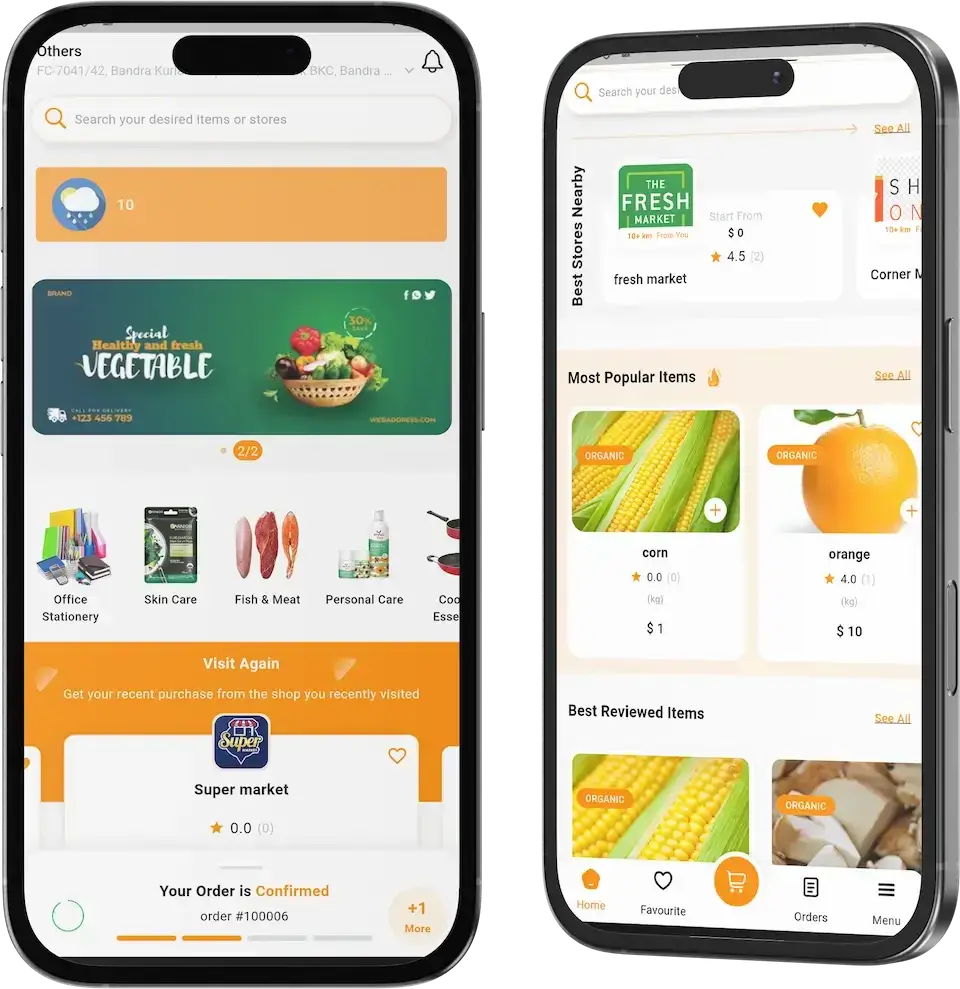
01A grocery marketplace covering many stores, where delivery is confirmed by OTP and photo and a wallet and referral rewards are included.
Explore This Platform
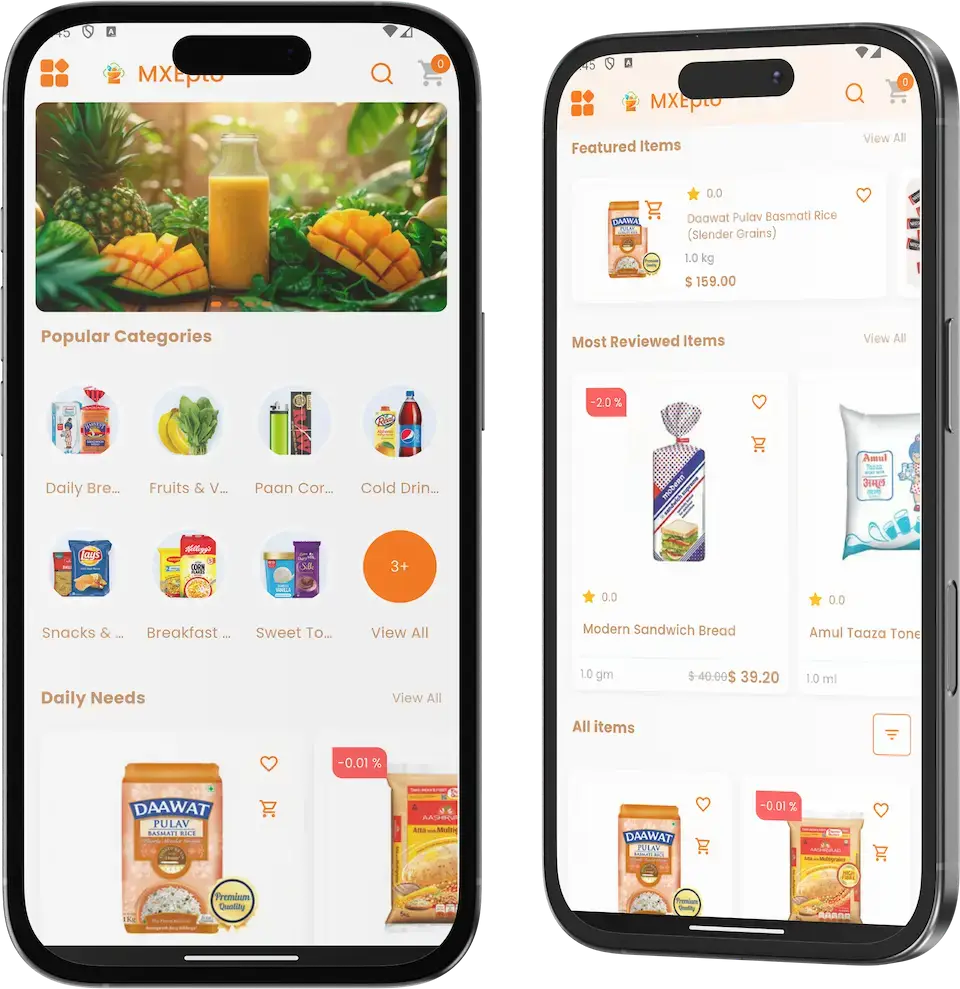
02Quick commerce run from dark stores: several warehouses stay synchronised and a surcharge applies at busy hours.
Explore This Platform
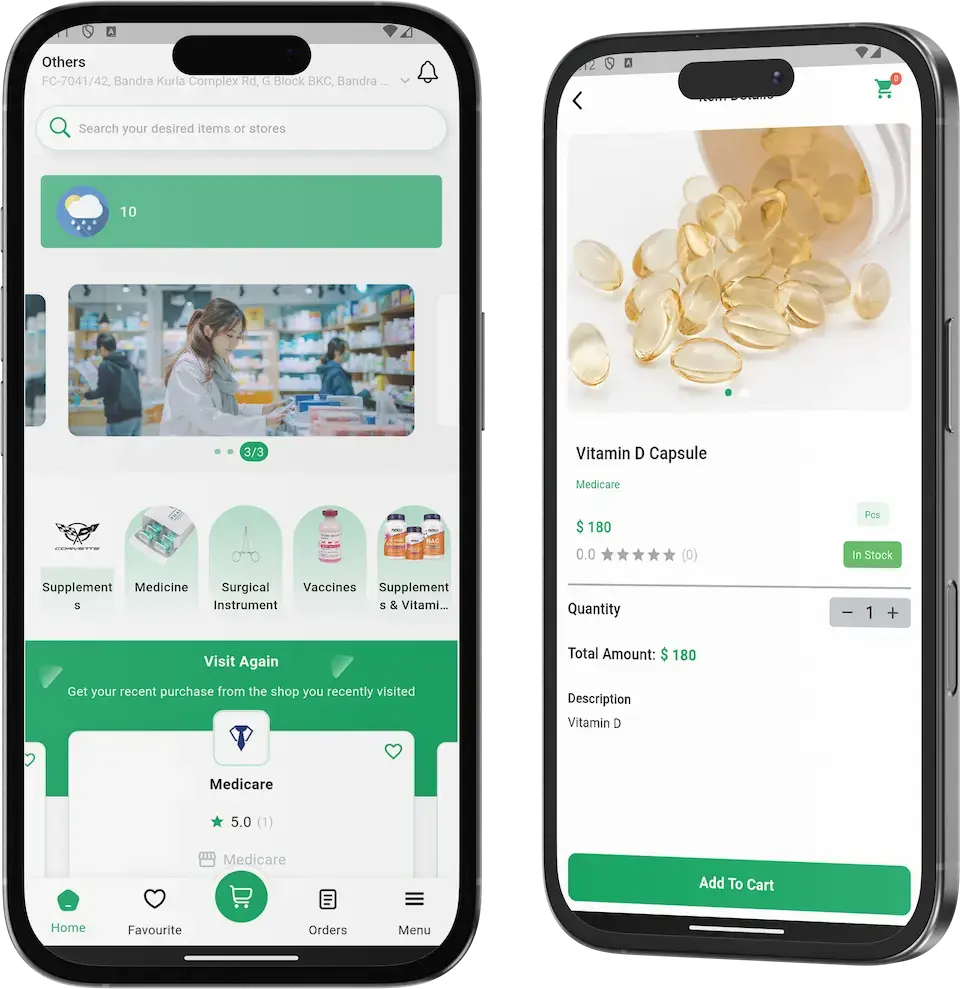
03An online pharmacy: a customer uploads a prescription, a pharmacist checks it and a partner pharmacy makes the delivery.
Explore This Platform
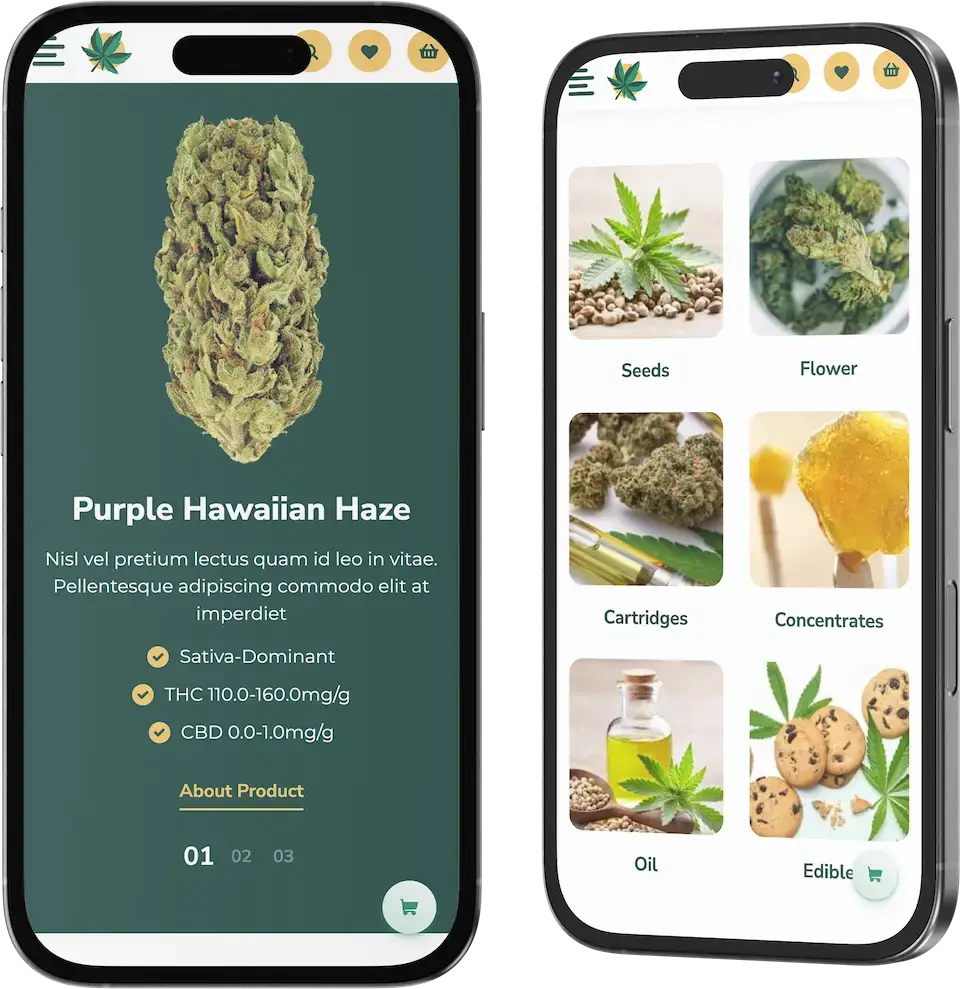
04A cannabis dispensary directory with delivery, available only where cannabis is legal.
Explore This Platform09Money and market
Market Benchmarks
Alcohol Delivery Market Benchmarks - Independent 2025-2026 Data
The revenue models above are ours. The figures below are not. They come from the Distilled Spirits Council, IWSR, Sovos ShipCompliant with WineBusiness Analytics, and Naked Wines' audited results, reproduced as published. They show how large US spirits sales are, how little alcohol is bought online, and what an online wine seller keeps, so you can test your plan against numbers you can check.
$36.4bn in US Spirits Supplier Sales in 2025
The Distilled Spirits Council of the United States reports that spirits supplier sales in the United States totaled $36.4 billion in 2025, down 2.2 percent from 2024, while volume rose 1.9 percent to 318.1 million 9-liter cases. Spirits held 42.4 percent of the total beverage alcohol market, the council's annual economic briefing of 5 February 2026 states.
Online Is 3.5% of Beverage Alcohol Value
IWSR's Ecommerce Strategic Study 2025, covering more than 85 percent of global ecommerce value, finds online alcohol value fell 1 percent in 2024, its third straight annual decline. Ecommerce's share of total beverage alcohol value held steady at 3.5 percent, a level IWSR predicts for 2025, before rising to 3.8 percent in 2029.
DtC Wine Shipping Volume Fell 15% in 2025
Sovos ShipCompliant and WineBusiness Analytics report that the direct-to-consumer winery shipping channel contracted by 967,000 cases and more than $230 million in 2025, a 15 percent drop in volume and a 6 percent drop in value, while the average price per bottle shipped rose 11 percent. Their release of 27 January 2026 calls it the most challenging year since 2010.
19.9% Gross Margin at Naked Wines in FY26
Naked Wines, a listed online wine retailer, reports audited revenue of 199.1 million pounds for the 52 weeks to 30 March 2026, down 20 percent, with gross profit margin up 150 basis points to 19.9 percent. Revenue per member was 388 pounds, and a customer acquisition cost of 76 pounds is disclosed in its results of 23 July 2026.
Distilled Spirits Council of the United States, Annual Economic Briefing, 5 February 2026 - distilledspirits.org
IWSR, ‘Resilient’ ecommerce channel poised for renewed growth, 11 December 2025 - theiwsr.com
Sovos ShipCompliant and WineBusiness Analytics, 2026 Direct-to-Consumer Wine Shipping Report Reveals Record Declines as Market Downturn Deepens, 27 January 2026 - sovos.com
Naked Wines plc, Final Results for the 52 weeks ended 30 March 2026, RNS, 23 July 2026 - investegate.co.uk
All figures are the publishers’ own, reproduced as published. They describe the companies and markets named, not any platform Miracuves builds, and nothing here is a revenue projection for your business.
Commercial Logic
Marketability, Revenue Potential & Business Prospects
Buyers must trust a wine marketplace enough to order, and merchants must trust it enough to stay. The four points below serve both aims, and the task of keeping both relationships alive once the delivery is done.
- 01
Your Own Terms
Commission, joining fees and the price of a promotion are negotiated with each merchant in person rather than set by a bigger marketplace. Whatever you agree is yours to keep; the company that wrote the software was paid once and earns nothing from your bottle sales.
- 02
Levers You Can Pull
Clearance offers, flash sales, cashback, coupons and banners each have a control of their own in the back office, so starting a promotion needs no redesign.
- 03
A Network You Own
Buyer accounts, order history, wallet balances, ratings and the merchant roster remain in your database, so the network's value accumulates on your side.
- 04
Room to Leave
You hold the complete source, so moving host, team or direction later requires no one's approval.
- Commission on Bottles Sold
- Delivery Fees & Basket Floors
- Featured Shelves & Banners
- Store Joining Terms
- Loyalty & Referral Spend
- Wallet Top-Ups & Card Fees
Ratings and habit outweigh features.
- 01Vetted, stocked shops resist poaching
- 02Saved addresses, wallets and hearts bring shoppers back
- 03The record starts on launch day in your database
- 04A second moat: dependable delivery
Three cases that differ only in the number of live stores, each naming the lever that leads at that size. They give a planning conversation somewhere to start; they do not predict any marketplace's earnings.
Early revenue rests on delivery fees and commission.
Picture a few licensed merchants in a single city. Each order brings in a delivery fee and the commission agreed with that merchant, and the operator follows every store on one dashboard. This shows scale only and is not a forecast.
Commission plus featured shelves and offers.
Here the roster is wider and covers several zones. Banner space, recommended flags and promotions start pushing earnings past what delivery fees and commission give alone. Scale is illustrated here, not forecast.
Several cities, with joining terms and shelves priced.
A large roster is read zone by zone, and joining terms and featured shelves carry deliberate prices next to commission. The figures illustrate scale and should not be read as a forecast.
10Why us
Why Miracuves
How Miracuves Stacks Up Against Other Vivino Clone Developers
A wine marketplace can come from a plugin, from a freelancer, from an agency, or from Miracuves' Vivino clone, a ready-made base whose shopper, merchant and driver apps already run in the live demo. Quiz every candidate on four points: where do the star ratings come from, can my developers read the code, what does a merchant get, and which features cost extra?
Reasons Founders Pick Miracuves
- 01
Ratings Built Into the Shelf
Bottle rows and pages carry stars and a review count, sellers can answer reviews, and the dashboard has a Most Rated Items panel, where many plugins treat opinions as an add-on.
- 02
Merchant Tools Included
Every partner merchant gets an app plus a panel offering restock requests, stock warnings and a POS screen, whereas generic plugins tend to stop at the buyer-facing site.
- 03
Courier Tools Included
The base ships a driver app, a Dispatch Management menu and a code printed on every order, so your couriers can begin on day one.
- 04
Flexible Ways to Pay
Buyers choose between wallet, card and cash at the door, and the operator can turn cash off.
- 05
Source You Own Outright
The whole codebase arrives unencrypted, so nobody can reprice it or rewrite the terms later.
- 06
Every Line Item Named
Here the base wine marketplace, its add-ons and the duties that stay with you sit in separate columns, with liquor licenses, age rules, gateway accounts and developer accounts on your side of the line.
How to Choose a Vivino Clone Development Company
Wine buyers choose merchants by the stars on a bottle, so ask a Vivino clone developer where ratings are stored and what each seller's panel does.
What to look for Miracuves
- Ratings you can see working Star scores and review totals on each bottle, replies from sellers and a Most Rated Items ranking
- A full merchant toolkit An app and panel per merchant, POS screen included
- Readable code Unencrypted source that is yours outright
- Demo before payment Buyer, merchant and courier logins, plus a guided tour of merchant pages and dispatch
- Launch and aftercare Live in six working days; guidance lasts 60 days, bug fixing half a year and updates a full 12 months
Walk away from any vendor who
- Cannot say where a bottle's star rating comes from
- Charges extra for seller replies to reviews
- Gives merchants no login or panel of their own
- Promises label scanning it cannot demo
- Encrypts the code or rents it by the month
Vivino Clone Compared With Plugins and Agencies, Criterion by Criterion
| Criteria | MiracuvesMiracuves Vivino Clone | Off-the-Shelf Multi-Vendor Plugin | Custom Development Agency |
|---|---|---|---|
| Time to Launch | Built in 6 days | Unclear, often DIY | Scoped per project, usually months |
| Source-Code Ownership | Full and unencrypted | Frequently partial or locked | Typically yes |
| Ratings & Favorites | Stars, review counts, seller replies and a Favourite tab | Varies with the plugin | Built on request |
| Merchant & Courier Tools | An app and panel per merchant plus a courier app | Rarely bundled | Built on request |
| Payments & Wallet | Wallet, card payment and cash on delivery | Varies with the plugin | Custom integration |
| Back Office & Reports | Dashboard with order states and rankings | Sparse or absent | Built on request, billed extra |
| Security & Compliance | Role logins, limits spelled out | Basic at best | Differs widely |
| Cost, Speed & Quality | Quick, fixed-price, and built on a tested base | Cheap yet risky | Expensive and slow |
| Ongoing Support & Updates | 60 days guidance, 6 months bug fixes, 12 months updates | Seldom offered | Whatever the contract says |
Very few routes to a working wine marketplace come through the first busy weekend unscathed; the table shows where the roads diverge.
Speak With Our TeamVersion History
Release Log for This Wine Marketplace Software: Versions and Updates
What changed in the web platform and the apps, starting with the newest release. The notes give no dates, and entries irrelevant to a wine marketplace were left out.
| Release | Count | What changed |
|---|---|---|
| V15.0 | 7 new or improved, 2 fixed | Added or improved New clearance-offer block on the home screen and merchant pages Product pages get a call-to-action block Google Tag Manager, Google Analytics, Meta Pixel and LinkedIn Insight are now joined by tags for TikTok, Snapchat, X and Pinterest Operators can now switch the cash-at-door option on or off Refund details page redesigned Login page made friendlier Flutter SDK upgraded to 3.27.1 Fixed Order totals in the POS Performance and reliability |
| V14.9.1 | 4 new or improved, 1 fixed | Added or improved Caching added to the backend and front end, starting with business settings and list endpoints Lighter asset files Clearer wording for system messages and labels Flutter SDK upgraded to 3.24.5 Fixed Overall stability improvements |
| V14.9 | 7 new or improved, 1 fixed | Added or improved Admin and store users are able to accept restock requests, and the buyer gets notified once the item is back Restock requests appear in the buyer profile Customers and subscribers can be exported from the back office, with filters In the admin panel, store panel and store app, the POS now displays the amount paid and the change due Admin login has been redesigned Caching and tuning of database queries Flutter SDK upgraded to 3.24.4 Fixed General stability fixes |
| V14.8 | 6 new or improved, 2 fixed | Added or improved Push notifications can open a chosen page through a deep link Maintenance mode now works per module One login screen offers manual, OTP and social sign-in, and the operator turns each option on or off Firebase Authentication now handles mobile OTP sign-in Added a shipping policy page Flutter SDK upgraded to 3.24.3 Fixed Various minor fixes Slow queries |
| V14.7 | 8 new or improved, 2 fixed | Added or improved Amazon S3 storage connection SEO section settings Improved translation coverage Sellers may reply to customer reviews Smoother chat Flash Deal and Feature Deal set-up accepts multiple products Invoices that can be printed or emailed Flutter SDK raised to 3.22.2 Fixed Bugs in the admin panel, the vendor panel and the website Bugs in the vendor app |
| V14.6 | 8 new or improved, 1 fixed | Added or improved Any admin list can be ordered as you choose Email templates are now dynamic A popup appears in the admin and vendor panels when stock runs low Chosen items can be checked out and the others remain in the cart Buy now purchases run through a checkout separate from the cart Seller registration page made more useful Push notifications now run on the up-to-date Firebase API Flutter SDK upgraded to 3.19.6 Fixed Clean-up across the panels and the app |
| V14.5 | 7 new or improved, 1 fixed | Added or improved During maintenance mode admins can still browse the site Chat upgraded for admin and seller users in their panels New toggle to show or hide the Google Map Operators can approve, deny, block or unblock users, and an email notice goes out Invoices have a new design and can be translated Empty-state screens added across the whole system Flutter SDK upgraded to 3.19.4 Fixed Small refinements to web panels and the app |
| V14.4 | 5 new or improved, 2 fixed | Added or improved Buyers can message the operator from both the website and the app Order review section refined More mail and push notifications One more SMS gateway option Flutter SDK upgraded to 3.16.9 Fixed Database queries Faults in the panels, website and app |
| V14.0 | 12 new or improved, 2 fixed | Added or improved Wallet top-up from web and app, with a bonus Guest checkout Editable delivery and billing addresses Minimum order amount for operator and seller Delivery free above a set order value Reorder an earlier order in one tap Refer and earn, credited after the invited friend's first order arrives Editable admin login address Delivery verified by photo and OTP Apple login for the buyer app Buyer app redesigned Flutter SDK 3.13.6 Fixed Translation problems A handful of minor matters |
Let's build together
Let's launch your wine marketplace and grow it into a real business.
Name the merchants you plan to list, the areas you intend to serve and the date you want to open. The free consultation ends with a schedule to plan around and straight answers to every question.
- Answers in under 2 hours
- A free first consultation
- No lock-in contract
- The full source is yours
11Keep reading
From the Blog
Fresh Reading for Anyone Building an App Like Vivino
Three posts on building a Vivino-style wine app: the developer guide, the features such an app needs, and a comparison of clone scripts and what they cost.



The product5 questions
01What exactly is a Vivino Clone?
A ready-built wine and spirits marketplace that you brand and operate as your own. Buyers move through drink categories, read the stars and review count on a bottle, heart the ones they like and order from the licensed merchant that stocks them. Around that sit a merchant app, a driver app, a browser storefront, a back office and a panel per merchant, handed over with the whole source.
02In what ways is this Vivino Clone different from Vivino itself?
It is independent software written by our own team, with no Vivino code, design or content, and you launch it under your own brand with your merchants, delivery rules and offers. It is a delivery marketplace first, with stars, review counts and a Favourite tab in the base, while label scanning can be added as custom work. Because you hold the full source, screens and flows can change as the business grows.
03Who should buy this Vivino Clone?
Founders starting a wine and spirits marketplace in a city or region, independent merchants wanting one shared storefront, retailers who would like to list partner merchants next to their own, wineries and distributors after a direct ordering channel, delivery firms that carry alcohol, and agencies serving drinks-retail clients.
04Can I legally run a wine marketplace like Vivino?
Writing and selling the software is generally fine. Selling and delivering wine or spirits online, directly or through partner merchants, is a licensing matter tied to where you operate, and the responsibility is yours as operator. Wine may be regulated differently from spirits and beer, and shipping across a border or state line can be treated differently from delivering locally. Take qualified local advice on licences, trading hours, delivery areas and age rules before you open; Miracuves does not give legal advice.
05Is the platform available on iOS, Android and the web?
Yes. Buyers, merchants and drivers each get a Flutter app for Android and iOS, and a responsive browser storefront runs beside the back office and the merchant panels. Publishing goes through your own Apple and Google developer accounts, and the stores' review time is not part of our 6 working days.
Ratings, merchants & orders7 questions
06How do users find and review wines on the platform?
A buyer opens a category such as wine, whiskey or rum, flips between its Items and Stores tabs, or types a drink or store name into search. Every product row and bottle page shows a star rating with the number of reviews, and buyers can rate products and the service once a delivery is done. Releases 14.4 and 14.7 refined the order review section and let sellers answer reviews. Sorting lists by rating and photo reviews can be built on as scoped extras.
07Can users create personal wine collections or wish lists?
A Favourite tab sits in the bottom bar and cards carry a heart; the home screen adds a Visit Again card, and sold-out items can be put on a restock request. Cellar tracking and tasting notes are available as a custom build. A shared Community Wishlist, where buyers name products they wish merchants would stock, is an optional add-on.
08Does the Vivino Clone recommend wines or scan labels?
Both can be added on top of the base. Recommendations in the base are editorial: the operator flags recommended stores and fills the Special Offer and Most Popular Items shelves. AI basket suggestions are available as the optional Smart Shopping Lists add-on, while label scanning would be custom work.
09What payment methods are supported for wine purchases?
Buyers can pay from a wallet that accepts top-ups with an optional bonus, with a card through the gateway you connect, or in cash at the door; the operator can turn the cash option off. Finishing gateway onboarding, KYC checks included, is your task.
10How do wine stores or wineries get listed on the platform?
A merchant applies on the seller registration page, or the operator adds it, one at a time or in bulk. Each application is approved or denied by the operator, and the applicant gets an email. An approved merchant receives a login for its own app and web panel, where it handles products and orders.
11Can merchants manage inventory and track sales analytics?
A merchant handles products and orders in its app and panel, receives a popup when a bottle runs low and sees the restock requests buyers raise. The operator's dashboard carries gross sales charts and rankings of best-selling stores and items, and we can walk you through the merchant panel's own screens on a guided call.
12Which promotion tools come with the platform?
The back office has separate menus for banners, campaigns, coupons, cashback, flash sales and push notifications, plus recommended-store flags and a clearance-offer block. Buyers collect loyalty points and Refer & Earn rewards. For tracking you can attach Google Tag Manager and Google Analytics, or the Meta, LinkedIn, TikTok, Snapchat, X and Pinterest pixels. Social sharing from the app is available as a custom addition.
Delivery, back office & compliance9 questions
13How do drivers get assigned to deliver wine orders?
Drivers log in to their own app by phone number, and anyone can apply to drive from the buyer app's menu. The operator follows jobs under Dispatch Management, and the dashboard separates unassigned orders, orders accepted by a delivery man, packaging and out for delivery. While no delivery man has accepted an order, the tracking map says so.
14What's involved in the delivery process for drivers?
A driver takes a job, picks the order up from the merchant and brings it to the address shown. Each order carries a status bar from Order Placed to Delivered and a map, and the delivery closes when the code printed on the order is entered at the handover. Release 14.0 added confirmation by photo and OTP.
15How do drivers handle age verification for wine deliveries?
Every order in the demo has a verification code and can be confirmed by photo and OTP, so each handover leaves a trace. In law, confirming age falls to the operator, both when the alcohol is sold and when it is handed over. Where your market obliges drivers or merchants to check ID, you decide how that happens; building the check into the app would be bespoke work, scoped and priced in writing.
16Does the platform include a POS for merchants, and can it link to an external one?
Each of the back office, the store panel and the store app has a POS screen for counter sales that records the amount paid and the change due. A link to an outside POS or ERP is available as custom work.
17What level of customization is available in the admin panel?
The operator controls login methods, banners, campaigns, coupons, cashback, flash sales, categories, attributes, units, stores, users, refunds, email templates, SEO settings, maintenance mode and the address of the admin login itself. No commission setting appears in the demo, so commission is agreed with each merchant. Since you own the source, further changes are ordinary development work.
18Is the Vivino Clone solution scalable for large operations?
New merchants join through store management with bulk upload, the dashboard filters by delivery zone, and query, backend and front-end caching arrived in 14.9 and 14.9.1; files can sit on Amazon S3. Growing beyond one deployment is a hosting and configuration decision, and extra capabilities are scoped and priced on their own.
19How do admins ensure data security and compliance?
Logins are separate for buyers, merchants, drivers and admins, the operator can switch login methods on and off, accounts can be blocked or approved, the admin address can be changed and a handover code is printed on every order. Alcohol licensing and data-protection duties, from privacy policy to consent and retention, run through your own entity. A pen test, key rotation and a trial restore join the launch plan we map out together.
20How does a wine marketplace realistically reach its first revenue?
Delivery is where most operators start: each order a partner merchant receives can bear a delivery fee plus whatever commission you negotiated with that merchant. Promotions follow, since coupons, cashback and flash sales teach buyers a new app faster than anything else. Featured shelves and joining fees follow whatever you agree with merchants and are switched on through configuration, not built in.
21How defensible is a wine marketplace?
Ratings and habit outweigh features. A rival will struggle to lure vetted, well-stocked merchants away, and buyers with a saved address, money in the wallet, loyalty points and hearted bottles have reasons to come back. That record starts on launch day in your own database. Dependable doorstep delivery is a second moat, since any rival has to earn it as well.
Launch & Miracuves10 questions
22How much does the Vivino Clone cost?
You pay a fixed $2,499, once, for the white-label Vivino Clone. An add-on, an additional integration or a tailored flow, such as an ID check or a link to an outside POS, is scoped in writing and priced separately.
23How long does it take to deploy?
Building and deploying take 6 working days from project start. The branded apps then go to the Apple and Google stores from your accounts, and the stores' review time belongs to them, not to us.
24Do I receive the full source code?
Yes: the complete source of the web platform and the three Flutter apps, unencrypted, without a fee per seat or per run and without a licence to renew.
25Which items must I bring to the table before going live?
Hosting and a domain, your logo and brand colors, Apple and Google developer accounts, your company details, a payment gateway account you have been onboarded with, and keys for Google Maps, Twilio and Firebase. Alcohol licences, age-check rules and your terms and privacy policy are also yours.
26What makes Miracuves a good fit for building a Vivino clone?
Miracuves has been writing software since 2010: more than 9,000 projects for over 6,000 clients, and a catalogue of 90+ ready-made solutions. Out of the box, buyers, merchants, drivers and operators each have working screens, and every one can be tried in the demo before you pay. The price is fixed at $2,499 with a 6-working-day build. Support comprises 60 days of guidance, 6 months of priority bug fixes and 12 months of product updates, with a first response in under 2 hours, Mon-Sat, 10:00-19:00 IST.
27Is a ready-made Vivino clone better than custom development?
For a wine marketplace that has to open with merchants, ratings and delivery in place, it usually is. Custom development rebuilds bottle pages, star ratings, merchant onboarding, dispatch and the coded handover from nothing over a period of months. The ready-made base does all of that today at a fixed price, and its full source lets you add a taste engine or label scanning later.
28What is the business model of a wine marketplace like Vivino?
Four lines bring money in: a cut of every bottle a merchant sells, delivery charges shaped by the minimum basket and free-delivery threshold, featured shelves and banners sold to merchants, and any joining terms for new sellers. Two lines go out: loyalty, referral and wallet bonuses that buy repeat orders, and the fee charged on each card payment.
29What is the step-by-step process to launch my Vivino clone?
Step one is the demo: rate a bottle, order it and follow it to the door. Step two settles your launch merchants and zones. Over 6 working days the apps, storefront and back office take on your identity, the platform goes onto a server you hold the keys to, and marketplace rules are set and rehearsed with your team. Last, the apps are submitted from your developer accounts, with review on Apple and Google time.
30What are the benefits of launching a wine marketplace like Vivino?
You own the buyer and merchant relationship, and you keep the slice of each order that delivery marketplaces would otherwise take. Income comes from commission, delivery fees and shelf space sold to merchants. Star ratings and review counts help buyers choose between sellers, and your effort goes into recruiting merchants and winning buyers.
31Can I sell spirits and craft beer on a Vivino clone, not only wine?
Yes. Buyers move through drink categories such as wine, whiskey or rum, and spirits specialists and craft beer sellers list as stores beside wine merchants. Each store gets its own panel, so you can run a city-wide marketplace for several kinds of licensed drinks sellers under your brand.
Go Deeper on a Wine App Like Vivino
Find blog guides, a neighboring product, the one-time cost, industry context and our build service here.
Marketplace development
See the service→GuideDeveloper guide
The architecture, APIs, authentication and payments behind a wine app, for a JavaScript or a PHP stack.
Read on→Feature checklist
The features a wine app needs, from discovery and ratings to catalogue and admin tools.
Read on→GuideScript comparison
Vivino clone scripts set side by side on features, pricing models and white-label flexibility.
Compare scripts→Disclaimer
Miracuves is an independent software development company. We are not affiliated with, connected to, sponsored by, or endorsed by Vivino.
Read our full Legal Notice & Disclaimer →“Vivino Clone” is used descriptively. It is how the software industry refers to building a platform with functionality similar to Vivino, and how clients search for it.
The entire design and codebase is built by our own team. The product contains no code, design, graphics, or content originating from the Vivino website or applications.
Vivino and all other third-party names and marks are the property of their respective owners, referenced here solely to describe the category of software offered.