
Weedmaps Clone App - White-Label Cannabis Dispensary Marketplace
Built by Miracuves, this ready-made, white-label Weedmaps clone serves markets where cannabis sales are legal: Flutter apps for shoppers, stores and drivers, a customer website, web panels for the operator, each store and delivery, and the full source code, live within six working days.
Shoppers pass an 18+ age check, order from nearby stores and follow the driver, who closes each delivery with a photo and a one-time code. Licenses, the legal age and app store approval stay yours to confirm; a higher minimum age is a scoped change, and store review sits outside our build window. An ID-scanning or third-party age-verification integration is scoped, priced in writing and generally takes 2-8 weeks.
Launch in 6 Days with
- Source Code
- User App
- Store App
- Delivery App
- Customer Website
- Admin Panel
StackFlutter · PHP · Bootstrap · MySQL · Firebase · Google Maps
Marketplace activity
- Order placed from a nearby storeOrders
- Age check passed at checkoutAge check
- Driver accepted the deliveryDelivery
- Stock running low on a listingInventory
- Delivered, photo and code confirmedHand-over
- Coupon applied at checkoutCoupons
- Review posted on a storeReviews
- New store approved by adminStores
- 5Ways Operators Earnlisting plans, featured placement, display ads, order commission and delivery fees
- 4Separate Loginsone each for customers, stores, drivers and admin
- 0%Revenue Share With Miracuvesnothing taken from listings, ads or orders, ever
- 3Optional Add-Onseach priced alone: smart shopping lists, a virtual assistant and a community wishlist
- 6Days to Launchand if the delay is ours, we keep going free
- $2,799Paid Once, Not Rentedsource code yours, no per-seat fee, no monthly rental
Live in six working days, or we keep working free until you launch. Every build carries 60 days guidance, 6 months bug fixes and 12 months updates.Verify every figure
Verify It on the Demo
The demo apps and panels are open, so every capability on this page can be verified before you buy.
Stores Are Approved First
The admin panel decides which stores may sell, approves each one, and tracks stock, payments and blocked users from a single console.
A Payment Route That Accepts It
Mainstream card processors may refuse this category, so orders run through a gateway you onboard that accepts it, or cash on delivery, which admin switches on or off.
Chosen by 6,000+ clients across the globe









01See it live
Live in Action
Weedmaps Clone Demo - User App, Store App, Delivery App & Web Panels
Get hands-on with the Weedmaps Clone demo. Three demo logins cover the customer, the store and the driver, and the admin panel login is shared on a guided call. Browse a store, build a cart, then follow the order to the store and the delivery app.

Weedmaps Clone - User App
Shopper app experience: locate nearby stores, look through products and reviews, build a cart, pay, then track the order all the way to the door.
- 1Pick your device in the demo app portal
- 2Use the demo login listed below
- 3Explore: Stores, Product page, Cart, Order tracking
user@demo.com | User_321Store App - Listings, Stock & Orders
What a store sees on a phone: incoming orders, keep products and stock up to date and watch sales without sitting at a desk.
- 1Pick your device in the demo app portal
- 2Use the store login listed below
- 3Explore: Orders, Products, Stock, Sales
weed@demo.com | Store_321Delivery App - Jobs & Hand-Over
The driver side on a phone: accept a delivery, follow the pickup and drop-off, and confirm the hand-over with a photo and a one-time code.
- 1Pick your device in the demo app portal
- 2Use the driver login listed below
- 3Explore: New jobs, Pickup, Drop-off, Hand-over
+919876543211 | Driver_321Customer Website, Store Panel & Admin
A responsive website for customers, a desktop store panel for retailers, and the admin panel that operates the marketplace. Access to the admin login is handed over during a guided call.
- 1Visit the demo website in your browser
- 2Sign in as a customer, or open the store panel
- 3Explore: Search, Stores, Store panel, Orders
user@demo.com | User_321 on the site, weed@demo.com | Store_321 in the store panel
See It With Us
Cannabis Marketplace App Like Weedmaps, Walkthrough: Store Directory, Ordering, Delivery & Admin Panel
A live call is the quickest way to see every surface. In 30 minutes we open the user app, the store app, the delivery app and the admin panel, and tie each one to your own plan: your market, your license conditions, your age rule and your launch date.
Schedule a live walkthrough call.Customer App Screens
App Flows of a Site Like Weedmaps - Storefront, Product Pages, Wishlist & Cart
Miracuves shows two product mockups from the Weedmaps clone customer app: a category storefront beside a product page, and a product gallery with reviews, a wishlist and a cart line. Store, delivery and admin screens are shown live in the demo.
Follow a customer from registration through browsing, cart and checkout to order tracking, hand-over and a rating, and a store from a new order to refreshed stock.
02Proof
Client Voices
Weedmaps Clone Client Reviews - Operators in Their Own Words
Real client words, shown exactly as their authors gave them. One describes a food and grocery delivery platform with a merchant console. The other six come from other industries, so none of these clients runs a cannabis business.
“Talokitoko is grocery and food delivery for the African diaspora market in Europe. The rider app, dispatch and the merchant console were already built, so we spent the engagement on our own local payment mix, the vendor onboarding flow and the regions we actually operate in. The platform was live inside a month, which was months faster than our internal estimate.”
“Every HMS I tried was built for general physicians, with no lesion mapping, no before/after tracking, and no procedure-based billing. Their MXHealth base gave us the patient app, doctor app, EMR and video consult out of the box. Front-desk time on scheduling and follow-ups is down ~70%, and we went fully digital in 9 months, where a fully custom job would have been 18.”
“Turo is the obvious reference, but the Caribbean specifics, from different insurance norms to different payment rails, meant we needed a real partner, not just a clone. Miracuves’s MXCar base covered the listing, the trip flow, and the host payouts. We launched in 6 working days and are live in three islands.”
“The team was running it on a dispatcher and a Google Sheet, and we needed a real platform quickly, because we were about to onboard a major retail client. Miracuves’s Delivery Genie base gave us the rider app, the dispatch console, and live tracking. We launched in 6 weeks and cleared 4x the previous order volume in the first month.”
“We were running it on phone calls and a paper calendar, and we were losing bookings to bigger OTAs. Miracuves’s GetmyBoat Clone base gave us the calendar, the booking flow, and the payment engine. Online bookings are up roughly 70% in the first six months, and the ops team finally has a live view of the fleet.”
“Building a compliant telehealth stack from scratch in three markets would have been a year-plus effort. Miracuves’s MXHealth base covered the patient and doctor apps, video consult, e-prescription and the pharmacy integrations. We launched in our first market in 9 weeks and rolled out to two more in the following six months.”
“We were juggling spreadsheets, a third-party GPS provider, and a phone. We needed a single operations console. Miracuves’s MXLogistics base covered the trip lifecycle, the driver app, and the customer tracking page. We’ve cut operations admin time by about 40%.”
Proof, Plainly
Weedmaps Clone Case Study - What Is Published and What You Can Verify
Not every product page features a named client, and this is one of them. We prefer to state that plainly instead of applying another client's results to a cannabis platform.
No named cannabis marketplace built on this product has been published by Miracuves, so nothing in this section is borrowed from another client or made up. What follows can be verified by you directly.
- Sign in as a customer, a store and a driver with the logins above
- Place an order and follow it into the store app and the delivery app
- Look for the 18+ age check and the photo-and-code hand-over
- Open the store panel and see stock and orders
- Name a client, a figure or a result that we cannot show
- Call the software licensed, certified or compliant
- Promise that an app store will accept a cannabis app
- Give legal advice for the markets you serve
- Branding with your logo, icons and colors on the website and the apps
- Deployment to hosting you provide
- Publishing support from your own developer accounts
- Full source code, delivered unencrypted
- Guidance for the first 60 days, with bug fixes and updates continuing for 6 and 12 months
03The product
The Basics
A White-Label Weedmaps App for Shoppers, Stores and Drivers
A Weedmaps clone is a ready-made cannabis directory and delivery marketplace, and Miracuves ships it as three Flutter apps, a customer website and admin, store and delivery panels. Stores list what they sell and collect reviews, shoppers order from nearby stores, drivers deliver, and the operator runs the whole thing from an admin panel, in places where cannabis sales are legal.
More Than a Store List
Search, store pages, cart, payments, tracking, chat and reviews sit around the directory, so a visitor can go from finding a store to receiving an order inside one app.
Not a Locked Box
The full source arrives unencrypted, so your developers can reshape flows and screens as the business grows, and nothing is charged per seat.
Plain About the Law and Add-Ons
Age checks, hand-over proof and store approval are features. Licences, legality and what you may sell stay with you. Shopping lists, a virtual assistant and a community wishlist are add-ons priced on their own.
Apps, Web & Admin
What Is a Weedmaps Clone Script?
The hard part is not the product page. It is the three-sided flow in the middle, where a store accepts an order, a driver collects and hands it over, and the operator needs the payment, stock and review record behind both. Those parts ship working.
- 01Store directory with search and reviews
- 02Cart, checkout and live order tracking
- 03Store app and delivery app
- 04Admin, store and delivery web panels
- 0518+ age check and photo-and-code hand-over
You receive three Flutter apps for users, stores and drivers, the customer website with admin, store and delivery panels, and the complete source code.
Everything Included
Weedmaps Clone Features - Store Directory, Ordering, Age Check, Delivery & Admin
Each Weedmaps clone feature Miracuves lists here comes from the demo apps, the panels or the release notes. Optional modules are labelled as add-ons lower on the page and are never counted in this list.
Store Directory & Search
Customers find stores near them and search the catalog, with availability shown as it stands so they know what a store has before they order.
- Search across stores and products
- Stores shown near the customer
- Availability updated in real time
- Product details on every listing
- Google Maps used for location
Multi-Vendor Marketplace
Many stores sell on one platform, so shoppers can compare options and prices while each store works from its own app or panel.
- Numerous stores on one marketplace
- Store registration with admin approval
- Store app and store web panel
- Competing prices across stores
- Own in-house shop sits at the top of the vendor list
Reviews & Ratings
Customers read ratings and reviews before they buy and rate the products and service after delivery, so a store's reputation builds in the open.
- Ratings and reviews on listings
- Feedback and rating after delivery
- Sellers can reply to a review
- Reviews of products and of service
Recommendations & Wishlist
The app suggests products from a customer's taste and purchase history, and lets them save items for later or buy again from an earlier order.
- Suggestions from taste and purchase history
- Wishlist for items to try later
- Reorder from previous orders
- Restock request when a product is out of stock
- Customers see their restock requests inside their profile
Cart & Checkout
A cart that can be reviewed and edited, then a checkout where the customer picks an address and a payment method and confirms the order.
- Add to cart, then view and edit it
- Delivery address and payment method at checkout
- Checkout only the selected products
- Buy-now purchases check out separately from the cart
- Shoppers can check out as guests and create an account if they wish
- Minimum order amount and free delivery over a set amount
Payments & Wallet
Customers can pay online or on delivery, add funds to a wallet and earn through referrals, while the admin panel keeps the payment record.
- Online payment options
- Cash on delivery, switched on or off by admin
- Add funds to a wallet with a fund bonus
- Refer-and-earn rewards
- Printable invoices sent by email
- Payment management in the admin panel
Live Order Tracking
Customers see an order move from acceptance to the door, and drivers update it from their own app as they go.
- Real-time order status
- Driver app with pickup and drop-off
- Push notifications on order progress
- Tap a notification to open a chosen page
- Mail notifications for different cases
In-App Chat
Direct messages let customers and stores settle questions and order changes without leaving the platform.
- In-app chat for quick questions and order changes
- Chat with admin from the user website and app
- Chat available in the admin and seller panels
18+ Age Check & Hand-Over
An age check sits in the app and a delivery can be confirmed with a photo and a one-time code. They are features that help you apply your own rules, not a legal guarantee.
- 18+ age check in the app
- Delivery hand-over verified by photo and one-time code
- Manual, one-time code and social sign-in, set by admin
- Mobile one-time code sign-in through Firebase
- Apple sign-in for the user app
- A different minimum age is scoped as a change
Offers & Marketing Tools
The platform has places to promote what a store wants to move, and it feeds the main analytics and advertising tools.
- Stock clearance discount section on store pages and the home page
- Call-to-action section on product pages
- Free delivery over a set amount
- Supports Google Tag Manager as well as Google Analytics
- Meta, LinkedIn, TikTok, Snapchat, X and Pinterest pixels are included
Admin Panel & Analytics
One console for users, stock, sales, content and payments, with reports on how customers behave and which trends are growing.
- User management with block, unblock and approval
- Inventory management
- Sales tracking with revenue totals
- Analytics on customer behavior and trends
- Content management for the site
- Filterable exports of customer and subscriber lists
- Maintenance mode can be switched per module
Store Panel & POS
Stores run day to day from their own panel or app, including a point-of-sale view for over-the-counter orders.
- Inventory tools for each store
- POS in the admin panel, store panel and store app
- Paid amount and change shown at the POS
- Low-stock warning pop-ups in admin and vendor panels
- Seller registration page
- Cleaner Excel exports of vendor data
Before you buy, note this: We rebrand the platform and deploy it to hosting you provide. You supply the hosting and domain, a verified developer account, your branding and business details, a payment route that accepts your category, any third-party keys, and every licence your market requires. App store review, and each store's policy on cannabis, sit outside our 6-day build time.
How Operators Earn
Weedmaps Clone Revenue Models - Listing Plans, Featured Placement, Ads & Brand Campaigns
Miracuves splits the income of a site like Weedmaps into separate lines, so that switching one on leaves the others as they were.
Two lines usually carry the weight: what stores pay to be listed, and what they pay to be seen first.
- 01
Store Listing Plans
Stores pay a recurring fee to be listed and managed on the marketplace, so income follows the number of active stores rather than any single order.
- 02
Featured Placement
A top spot in a market or on the home page, sold to a store for a period. The base has promotion sections on the home page and on store pages where it can appear.
- 03
Display Ads
Banner and promotion slots sold to stores and brands that want more attention than a plain listing gives them.
- 04
Brand Profiles & Campaigns
Brands pay for a profile and for campaigns around their products. This line runs on commercial terms you agree with each brand.
- 05
Order Commission
The operator keeps a share of every order that goes through the platform, and the admin panel records payments so the share can be checked.
- 06
Delivery Fees
Delivery charges, a minimum order amount and free delivery above a set amount are settings an operator can use to shape the basket.
| Revenue stream | How it is charged | Take rateTypical take rate | What sets the ceiling |
|---|---|---|---|
| Store Listing Plans | A monthly subscription per store, on one-month terms that renew on their own. | Weedmaps averaged $2,805 of revenue per paying client per month in 2025, across all of its products. | How many stores will pay. Leafly reports over 3,300 of its over 14,000 retail listings were paid at the end of 2024, so most listings stay free. |
| Featured Placement | Slots from a fixed inventory in each market, priced by competitive auction. | Featured listing and deal products were about 61% of Weedmaps revenue in 2025, or $106.1 million. | Scarcity. Only so many slots exist in a market, so the price follows how badly local stores want them. |
| Display Ads | Banner and promotion tiles sold to stores and brands. | Weedmaps other ad solutions brought in $15.3 million in 2025, about 8% of revenue. | Audience size in the market. Ads were the smallest of the three revenue groups Weedmaps reports. |
| Brand Profiles & Campaigns | Profile listings and custom campaigns sold to brands, monthly or annually. | Leafly's Brands segment earned $4.7 million in 2024, against $29.9 million from retail. | Brand budgets, which depend on how many brands trust a directory with their reach. |
| Order Commission & Delivery Fees | A share of each order plus delivery charges. | No public rate card found. The platforms we checked quote ordering on request. | Tax comes first. Colorado charges 2.9% plus 15% retail marijuana sales tax at the store and 15% excise tax on wholesale transfers. California's excise tax returned to 15% on 1 October 2025. |
How to read this. The Weedmaps figures come from the WM Technology annual report on Form 10-K for 2025, the Leafly figures from its Form 10-K for 2024, the Colorado tax stack from the state Department of Revenue and the California rate from the tax and fee administration. The company figures are reported averages and shares, not price lists. Treat them as modeling inputs: this table is not a quote, and it does not forecast what any marketplace will earn. Your own prices belong in your own business plan.
Weedmaps Clone Revenue Model, Stage by Stage
A Weedmaps clone from Miracuves earns mostly from stores, so each stage follows how many licensed stores you sign rather than how many orders you take.
Launch
In one lawful market, listing plans carry the early months: a handful of stores pay a recurring fee to appear while the directory proves it can send them shoppers.
Traction
When stores compete for the same neighborhoods, top spots in a market and on the home page start to sell, with display ads beside them.
Scale
Across several markets, order commission and delivery fees with a minimum basket add up beside listing plans, and brand campaigns run on commercial terms you set.
Listing plans, ads, commission and delivery fees each switch on separately, and Miracuves takes nothing from any of them.
Operate It Day to Day
Weedmaps Clone Admin Panel - Stores, Orders, Stock & Reports
In the Miracuves Weedmaps clone, the operator's whole day runs through one console: which stores may sell, what is in stock, what has been paid, who has been blocked and what the public site says. The panel list on the left is drawn for illustration; the demo shows the real screens.
- Dashboard
- Users
- Stores
- Inventory
- Orders
- Payments
- Content
- Settings
Admin Panel Sections
- 01
Dashboard & Analytics
Sales and revenue totals in one view, plus reports on how customers behave and which trends are growing.
- 02
Stores & Approvals
Approve or deny stores and users, block or unblock accounts, and send them an email about the decision.
- 03
Inventory Management
See what is available across the platform, with low-stock warnings in the admin and vendor panels and restock requests from customers.
- 04
User Management
Control customer accounts and their data, and export customers or subscribers with filters when you need a list.
- 05
Payments & Refunds
Keep the payment record straight, switch cash on delivery on or off, and handle refunds from a redesigned details page.
- 06
Chat & Notifications
Answer customers in chat from the admin panel, and set the mail and push messages that go out for different cases.
- 07
Content, SEO & Languages
Manage site content, SEO sections, a shipping policy page, email templates and translations, with maintenance mode when you need it.
- 08
Storage & Integrations
Connect Amazon S3 for storage, toggle the Google Map display and wire in marketing pixels without editing code.
Money Movement
The finance side of the console, from the first payment to a refund.
- Payment management in one place
- Cash on delivery switched on or off
- Refunds on a redesigned details page
- Printable invoices sent by email
Settings & Tools
Controls for the public site and the day-to-day running.
- Module by module maintenance-mode control
- Custom sorting for lists
- Dynamic email templates
- Exports with filters
Need the console to handle something it cannot today? A different export, a custom approval step or a report your team depends on is scoped separately. Share the report or step with us and we will quote a price in writing.
04Package and price
The Full Package
Your Weedmaps Clone Script Package: Source Code, Apps & Deployment
Miracuves delivers a marketplace that already runs, not loose parts: the three apps, the customer website, the admin, store and delivery panels, and the complete source code behind them. Ownership passes to you outright, with nothing charged per seat or per run. Your own running costs are hosting, developer accounts, map keys and a payment route that accepts cannabis, each paid to the provider directly.
$ git clone your-platform Full Source Code
The complete source for the web platform and the three apps, with no encryption, so your team can change it to suit your business.
- Web platform source, unencrypted
- Flutter source for the user, store and delivery apps
- You may change, extend and redeploy it freely
- Delivered into your own repository
Data Tier
The code and structures that hold stores, products, orders, users and reviews, listed in the stack as MySQL.
- MySQL listed in the stack
- Stores, products and orders
- Users, reviews and wallet records
- Runs on hosting you provide
Orders, Chat & Notifications
Order progress, in-app chat and the push, mail and SMS messages that tell customers, stores and drivers what changed.
- Real-time order status
- In-app chat with stores and with admin
- Push and mail notifications
- Firebase one-time code sign-in
Customer Website & Web Panels
The responsive customer site plus the admin, store and delivery panels in a browser.
- Search, stores and product pages
- Cart, checkout and order history
- Admin, store and delivery panels
- Translation and SEO controls
User, Store & Delivery Apps
Three Flutter apps, one for customers, one for stores and one for drivers, covering ordering, stock, jobs and hand-over.
- User app: browse, cart, track, review
- Store app: orders, products, stock, POS
- Delivery app: jobs, pickup, hand-over
- Submitted from your own developer accounts
Admin Panel
The operator console for stores, users, inventory, sales, payments, content and settings.
- Dashboard with sales and analytics
- Store and user approvals
- Inventory, payments and refunds
- Content, SEO, languages and settings
Access & Age Layer
Separate logins for customers, stores, drivers and admin, with the age check and the hand-over proof built in.
- Separate logins per role
- 18+ age check in the app
- Photo and one-time code at hand-over
- Admin-set sign-in methods
Handover & Support
Branding and deployment done for you, publishing support from your accounts and the three support periods that run side by side from launch.
- Branding with your logo, icons and colors on the website and the apps
- Deployment to your hosting
- App publishing support, store review excluded
- 60 days guidance, 6 months bug fixes, 12 months updates
Prefer to see it first? Sign in to the demo as a customer, a store or a driver, or ask for a guided tour. We can take you through a store search, a cart, a hand-over and the admin panel, each set against your own marketplace plan.
Transparent Pricing
How Much Does It Cost to Build a Cannabis Marketplace Like Weedmaps?
The launch-ready white-label Weedmaps Clone is a fixed price of $2,799. Work beyond the base, such as add-ons, extra integrations, a different minimum age or custom flows, is scoped and quoted separately in writing.
Professional
Ready-Made Launch PackageChosen by: Directory startups, delivery operators in legal markets, dispensary groups and retailers going online
What you get matches the demo, carrying your logo, icons and colors and deployed on your own hosting.
Get StartedEnterprise
Tailored Builds for Bigger PlansChosen by: Multi-region retail groups, marketplaces with their own compliance tooling, multi-country operators
Need flows the base does not have, such as ID scanning or a delivery-zone rule? We build to your brief and fix the scope and price before work begins.
Request a QuoteWeedmaps Clone Development Cost in 2026
At $2,799, paid once, the Miracuves Weedmaps clone comes as the demo runs it: Flutter apps for shoppers, stores and drivers, the customer website, an operator console, a store panel with stock and POS, a delivery panel, and the unencrypted web and Flutter code for all three apps, carrying your logo and colors, live on your hosting in six working days.
What you pay providers directly
- Every license your market and your stores require
- A payment route that accepts this category
- Hosting, a domain and map keys
- Apple and Google developer accounts
- Any of the three add-ons: shopping lists, a virtual assistant or a community wishlist
A higher minimum age, ID scanning or a third-party age-verification integration gets a written quote and generally takes 2-8 weeks, while multi-region retail groups go the Enterprise way.
Compare Your Options
Ready-Made Weedmaps Clone vs Custom Development vs SaaS
Where cannabis sales are legal, operators seeking a Weedmaps alternative pick between buying the Miracuves Weedmaps clone outright, paying developers to write one, or renting dispensary software by the month. The differences, row by row.
| Criteria | MiracuvesReady-Made Weedmaps Clone | Custom Development | SaaS |
|---|---|---|---|
| Launch time | Running in 6 working days | Usually months, set by the project scope | Account opens fast; features are fixed |
| Upfront cost | $2,799 as a one-time payment | A written estimate after discovery | Small setup, then monthly charges |
| Source code ownership | Every line of source code is handed to you | Assigned to you when the contract allows | Kept by the subscription vendor |
| Customization | Change it freely; an ID-scan or age-verification integration is quoted, typically 2-8 weeks | Built to the specification you pay for | Settings and themes only |
| Ongoing fees | No seat or runtime fees; you pay hosting and a payment route that accepts cannabis | Support terms per agreement | Platform fees each billing cycle |
| Branding & app-store listing | Your brand everywhere; apps submitted from your accounts, approval per store policy | Your brand; submissions billed extra | Shared listings or vendor branding are common |
| Best for | Licensed operators building a dispensary directory with ordering and delivery | Multi-state groups with unusual compliance flows | A short pilot before owning the software |
Where It Fits
Weedmaps Alternative Use Cases - Directory, Delivery, Multi-Store Groups & Brand Placement
Each kind of operator leans on a different part of the platform. A directory puts listings, reviews and placement first, a delivery operator puts the driver app and the hand-over first, and a retail group puts store panels and stock first.
Swipe · 6
Open a dispensary directory with reviews, where licensed stores list their products, customers read ratings and reviews, and the operator earns from listing plans, featured listings and featured spots.
Run delivery where it is lawful: customers order, a store accepts, a driver collects, and the hand-over is confirmed with a photo and a one-time code.
Let many stores sell side by side with their own panels, stock and orders, while you set the rules, approve stores and take a commission.
Give an existing shop a branded customer app and website, with a cart, payment options and a point-of-sale view in the store app.
Sell promotion space to brands and stores through the home page and store-page sections, and measure it with the pixels and analytics the platform feeds.
Start from ratings and reviews, a wishlist and chat, and let ordering follow once the community trusts the listings.
Weedmaps Clone Business Model: Three Ways to Run It
Start as a store directory with reviews and listing plans, then decide how far your Weedmaps clone goes into ordering, driver delivery and multi-location retail.
Directory-led
List licensed stores, collect reviews and earn from listing plans and featured placement, so store fees carry the business while order volume builds.
Delivery-led
Run the last mile yourself: stores accept orders, your delivery drivers pick up, customers follow them on live tracking, and every drop closes with photo proof and a code check, while order commission plus delivery fees pay for the fleet.
Retail-group-led
A dispensary group puts several licensed locations behind one branded storefront, each with its own store panel, stock and POS view, and keeps the margin a listing site would take.
Whichever model you run, licenses, the legal age and the payment route stay yours to confirm in each market.
Six use cases, one codebase. All six share the customer site, the three apps and the admin panel. What differs is which stores you invite, how you earn, what rules you apply and how it is branded, so there is a single codebase to look after.
Talk to Our TeamMarket Timing
Why Build a Cannabis Marketplace in 2026?
Miracuves builds this marketplace for a trade that is regulated place by place, where the listing sites that dominate keep much of the reach and the income. A marketplace under your own brand, in a market where sales are lawful, gives you the stores, the shoppers and the fees that those sites currently collect.
01Legal Markets Are Local, So Platforms Can Be Too
Cannabis rules differ from one state or country to the next, and a store is licensed for a place. A directory and delivery platform shaped to one market can serve it more closely than a service built for every market at once.
02Shoppers Check Reviews and Stock First
Ratings, reviews and live availability answer the questions a customer has before they order, which is why the platform puts them on every store and product page.
03Delivery Needs Proof at the Door
A photo and a one-time code at hand-over, plus an age check in the app, give the operator a record of each delivery instead of a driver's word.
04Stores Pay for Reach, Not for Software
The published figures in the benchmark section show that directories earn mostly from listing plans and featured placement, which are lines a marketplace can run from day one.
05Your Name on the Platform, Not Someone Else's Listing
When the marketplace carries your name, the customer relationship, the reviews and the repeat orders stay with you.
06Ready-Made Beats Rebuilding the Basics
Directory, cart, payments, tracking and an admin console are most of the work. Six days after we start, a white-label copy can be running on your own hosting.
Platform by the Numbers
Apps, One Codebase
Web Panels
Days of Build Time
Months of Updates
Most of the work in a cannabis marketplace is the unglamorous middle: store approval, stock, orders, hand-over and a console that reconciles it all. Here it is already built.
Industries
Industries We Serve
The Weedmaps Clone suits any business that lists, sells or delivers cannabis and related products where that is lawful. Dispensaries, as licensed cannabis retailers, sell over the counter and by delivery. Delivery services move orders between stores and customers. Brands pay for reach. CBD retailers and wellness retailers sell adjacent products. Accessory shops fill out the catalog. Multi-store groups run several licensed locations under one name. Review communities start from ratings and add ordering. Regional directories serve one market under their own brand.
one codebaseCore
- 01DiDispensaries
- 02DsDelivery Services
- 03CbCannabis Brands
- 04CrCBD Retail
- 05WsWellness Stores
- 06AsAccessory Shops
- 07MsMulti-Store Groups
- 08RcReview Communities
- 09RdRegional Directories
- 10LmLocal Marketplaces
- 11LcLarge Chains
- 12OrOnline Retailers
Miracuves’ Weedmaps Clone is a directory and delivery platform you can adapt to any lawful cannabis business model, with the store panels, delivery app and admin console carrying your name from the first screen.
06Under the hood
End to End
How a Weedmaps Clone App Works - Register, Browse, Cart, Check Out, Track & Review
For a customer, ordering in the Miracuves Weedmaps clone takes a few taps. Underneath it is a strict chain of age check, stock, payment, hand-over and review. Below is that chain from sign-up to a rated delivery, followed by the architecture that carries it.
Customer Journey - From Sign-Up to a Rated Delivery
Swipe · 6
- 1Register in the Cannabis App & Verify Age
A new customer signs up with personal details and preferences, clears the 18+ age check and logs in with whichever method the admin allows.
- Account with personal details and preferences
- 18+ age check in the app
- Manual, one-time code or social sign-in
- 2Find Dispensaries & Products Nearby
Nearby stores come first; the customer opens a product page to read reviews and see what is in stock.
- Stores shown near the customer
- Product details and photos
- Ratings, reviews and availability
- 3Fill the Cart or Wishlist
Picks land in the cart, where quantities can still change, or on a wishlist to buy later.
- Add to cart, then view and edit
- Wishlist for items to try later
- Reorder from an earlier order
- 4Check Out Online, by Wallet or on Delivery
At checkout the shopper sets where the order goes and pays online, from a wallet or on delivery.
- Delivery address and payment method
- Wallet funds or cash on delivery
- Checkout works without signing in, and registering is optional
- 5Track the Cannabis Delivery
The store accepts the order, a driver picks it up and every status change reaches the customer as it happens.
- Real-time status updates
- Chat with the store or with admin
- Push notifications on progress
- 6Receive the Order & Rate It
The driver hands it over and confirms with a photo and a one-time code, and the customer then rates the products and the service.
- Photo and one-time code at hand-over
- Ratings and written reviews
- Store can reply to a review
How It's Built
Platform Architecture of a Dispensary App Like Weedmaps & Order Flow
- 01Part 01
Three Apps, Four Panels
User, store and delivery apps and the web, admin, store and delivery panels are separate surfaces, each with its own login, so a store sees its own orders and never the operator console.
- 02Part 02
Order Lifecycle
An order is placed, accepted by a store, collected and delivered by a driver and then reviewed, and every step updates what the customer sees.
- 03Part 03
Stock & Availability
Stores keep stock in the inventory management tools, dispensary menu listings show what is available, low-stock warnings reach the panels and customers can ask to be told when a product returns.
- 04Part 04
Age Check & Hand-Over
An 18+ check sits in the customer app and a photo with a one-time code confirms the hand-over, so each delivery leaves a record you can look back at.
- 05Part 05
Payments & Wallet
Payments go through the gateway you connect, cash on delivery can be switched on or off by admin and a wallet holds funds a customer has added.
- 06Part 06
Cache & Notifications
Caching in the backend and the front end speeds up lists, while push, mail and SMS messages carry order news to customers, stores and drivers.
Under the Hood
An App Like Weedmaps, Built on PHP, MySQL & Flutter
This Weedmaps clone from Miracuves rests on three needs: a reliable web layer, a database that keeps stock and orders in agreement, and apps that feel native on phones. The technologies below are the ones named on the product page.
Web Platform
- Customer website and web panels
- Admin, store and delivery panels
- Bootstrap-based responsive interface
- Translation and SEO controls
Data Tier
- Stores, products and orders
- Users, reviews and wallet records
- Release 14.9 introduced caching for queries
- Runs on hosting you provide
User, Store & Delivery Apps
- Flutter apps built on recent dependencies
- Three apps from one toolkit
- Built against Flutter SDK 3.27.1 in release 15.0
- Submitted from your own developer accounts
Outside Services
- Google Maps for location and a display toggle
- Twilio listed among the integrations
- Firebase for push messages and one-time code sign-in
- Translation service
Gateways & Cash
- Online payment through the gateway you connect
- Cash on delivery, switched on or off by admin
- Wallet funds with a fund bonus
- Your own onboarded gateway account required
Files & Tracking
- Amazon S3 storage connection
- Google Analytics and Google Tag Manager are both supported
- Pixel support for Meta, LinkedIn, TikTok, Snapchat, X and Pinterest
- Module by module maintenance-mode control
The web and admin side is listed as PHP with Bootstrap, with MySQL for data. The three apps are Flutter for Android and iOS. Outside services, namely Google Maps, Twilio, Firebase, payment gateway APIs and translation, run on accounts and keys that you create and hand over at deployment. These are common tools, and developers who know them are easy to find.
Build to Scale
Built to Scale - Separate Apps, Caching, Cloud Storage & Growth Headroom
The marketplace Miracuves hands over is built as separate apps and panels around one codebase, so adding stores, products and orders is a matter of capacity and configuration rather than a rewrite.
Three Apps, Four Panels. Customers, stores, drivers and admin each work on their own surface, so a change to one does not have to ship with the others.
Caching Where Lists Are Heavy. Release 14.9.1 added caching in the backend and the front end, and release 14.9 optimized database queries with caching, which is where long store and product lists slow down first.
Photos Away From the Web Server. Amazon S3 can be connected as the storage for product and store photos, which keeps the web tier light as catalogs grow.
Tools for Many Stores. Low-stock warnings, restock requests, exports with filters and custom list sorting are the kind of controls an operator needs once dozens of stores are selling.
Separate Apps and Panels
User, store and delivery apps and the web panels each have their own login, so each can change without touching the others.
Backend and Front End Caching
Release 14.9.1 added caching on both sides to speed up lists and cut load times, starting with business settings and list APIs.
- Caching on both the backend and the front end
- Query caching and optimization
- Refined asset files
- Maintenance mode by module
Cloud Storage Option
Amazon S3 can be connected for storage, so photos need not sit on the web server.
- Third-party storage connection
- Photos kept apart from the web tier
- Media managed from the admin panel
- Your own bucket and account
Stock Tools for Many Stores
Inventory tools, low-stock warnings and restock requests keep stock honest as the number of stores grows.
- Inventory management per store
- Low-stock pop-ups in the panels
- Restock requests from customers
- Restock notifications to customers
Admin Controls for Growth
Custom sorting, filtered exports and dynamic email templates give an operator control over large lists and messages.
- Custom sorting for all lists
- Exports with filters
- Dynamic email templates
- Block, unblock, approve and deny
Source You Can Extend
The complete unencrypted source means another developer can carry on the work if you outgrow us.
Room to Change and Grow. Every marketplace needs something particular to its market. Because the source is complete and the stack is conventional, a new screen, rule or integration is routine development that your team or ours can do.
Launching a first marketplace? Start with the stores you can bring in and grow on the one deployment you already have. When traffic climbs, adding capacity is a hosting choice, and work beyond the base is scoped and priced separately.
07Security and trust
Built to Be Checked
Security in a Cannabis Delivery App - Role Separation, Age Checks, Payments & Honest Limits
A cannabis marketplace holds identities, delivery addresses and order history for a regulated product, so Miracuves puts the weight on three things: who can see what, how customers sign in and what happens before launch. Read on for what the platform does and what stays your job.
- 01 · RolesRole Separation
Customers, stores, drivers and the admin sign in to separate surfaces with their own logins, so a store sees its own orders and cannot open the operator console.
- Store Approval: New stores register and are approved or denied by the admin before they sell, so the operator decides who appears in the directory.
- Review Moderation: Sellers can answer reviews, and the operator should decide what is allowed to stand on a store page.
- 02 · Sign-inSign-In Methods
The admin chooses the sign-in options: manual, one-time code through Firebase or social login, with Apple sign-in for the user app and a custom route for the admin login.
- 03 · AgeAge Check & Hand-Over
The customer app carries an 18+ age check, and a delivery can be closed with a photo and a one-time code, which leaves a record of the hand-over.
- Age Rule: The demo check is set at 18+. Where the legal age is higher, changing it is a scoped piece of work and confirming the rule is yours to do.
- 04 · PaymentsPayments at the Gateway
Online payment goes through the gateway you connect and cash on delivery can be switched on or off, so the platform does not have to be your card vault.
- Payment Route: Mainstream card processors may refuse this category, so choose a route that accepts it or use cash on delivery, which admin can switch on or off.
- 05 · DataData & Access Controls
The admin can block, unblock, approve and deny users, and maintenance mode can restrict a module while you work on it.
- Sensitive Records: Order history for a regulated product is sensitive. Decide what you keep, for how long and who may see it, and write that into your own privacy policy.
- 06 · LaunchBefore Launch
Penetration testing, secret rotation, a backup and restore test and a review of the customer data you collect are scheduled into go-live planning with you.
- Named Launch Tasks: Penetration testing, key rotation, a restore drill and a review of the data you hold are listed as pre-launch work, not assumed to be done.
Role-separated logins, admin-chosen sign-in methods, an 18+ age check and a photo-plus-one-time-code hand-over come built in, and the full code is yours to review. Expect a pen test, a key rotation sweep and a restore drill, mapped out with you before launch. Miracuves builds the 18+ age check and hand-over flow around ISO 27001, SOC 2 and GDPR controls. Clearance is pursued by independent audit partners with you, and your own company is the one issued that clearance (clearance record).
Discuss Security Before LaunchRegulated-Goods Readiness
Operator Readiness for a Weedmaps-Style Marketplace - Legality, Age Checks & Licensing
Cannabis is legal only in some places, and the rules change from one state or country to the next. Miracuves builds the directory, ordering and delivery software. Whether you may sell, to whom, and how you may deliver are for you and your advisers to settle.
On this page, ready describes features you can see in the demo or the admin panel. It is not a statement that the platform or Miracuves has been licensed, certified or approved by any regulator, and nothing here is legal advice.
Built Into the Software
Store listings with search, availability and reviews, cart and checkout, an 18+ age check, delivery hand-over with a photo and a one-time code, live order tracking, store and delivery apps, and an admin panel that approves stores and manages users.
Left to the Operator
Whether cannabis sales and delivery are lawful where you operate, the licences you and your stores must hold, what you may list, tax collection, your terms and privacy policy, and which records you keep and for how long.
Age & Identity
The demo check is set at 18+, and many markets set a higher legal age, so a different minimum is a scoped change you must confirm first. ID scanning and third-party age-verification services are available as scoped integrations. A photo and a code at the door do not replace the checks your own law requires.
Payments, Apps & Ads
Payment providers and app stores set their own rules for this category. Stripe lists cannabis dispensaries as prohibited, Google Play does not allow apps that facilitate the sale of marijuana products regardless of legality, and Apple allows licensed or otherwise legal dispensaries and asks for geo-restriction. Publishing support means submitting from your accounts, not an approval. Check each policy before you plan a launch channel.
08Grow the platform
- Store listings, search & reviews
- Cart, checkout & tracking
- Store app & delivery app
- Admin panel & reports
The process for adding an add-on
- 1Choose a module
Pick one now or come back after launch, once real orders show what customers ask for.
- 2Scope and price in writing
Every module is quoted separately before any work starts.
- 3Delivered as source
The new code joins the repository you already own.
Go Further
Add-Ons for Apps Like Weedmaps - Shopping Lists, Virtual Assistant & Community Wishlist
Everything Miracuves shows in the Weedmaps clone demo already works from start to finish. Below are three optional modules; scope varies with how your marketplace operates, so each carries its own price.
Drag to explore · hover to pause
- 01Discovery
Smart Shopping Lists
Suggested shopping lists built from a customer's preferences, past orders and upcoming occasions, so the app proposes a basket before the customer starts searching.
Lists · AI - 02Discovery
Virtual Assistant
A natural-language assistant that walks customers through their shopping, answers questions and offers recommendations inside the app.
Assistant · NLP
- 03Catalog
Community Wishlist
A place where customers suggest products they would like to see on the platform, which tells stores what to stock and keeps the catalog growing with demand.
Wishlist · Community
More Delivery Platforms
Selling Something Else Through a Delivery App? These Four Sit Next Door.
The Weedmaps Clone is one of several store-and-delivery platforms from Miracuves. If your catalog is food, groceries or medicine rather than cannabis, one of these may fit better.
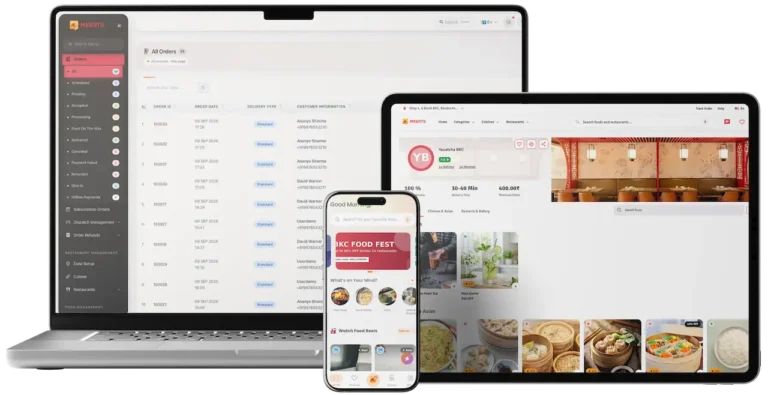 01
A food delivery marketplace with a customer app, a restaurant console, a courier app and an admin panel.
Explore Solution 02
Food ordering and delivery with customer, store and delivery apps in the same three-app pattern.
Explore Solution 03
An online pharmacy and medicine delivery platform for stores that sell regulated health products.
Explore Solution 04
Quick-commerce grocery delivery built around fast, small orders from nearby stores.
Explore Solution09The business case
Market Benchmarks
Cannabis Marketplace Market Benchmarks - Independent 2025-2026 Data
The revenue models above are ours. The figures below are not. They come from the WM Technology (Weedmaps) and Leafly annual reports on Form 10-K, the Colorado Department of Revenue and the California Department of Tax and Fee Administration, reproduced as published. Together they show what listing platforms earn per paying retailer and what the state tax stack takes from each sale.
$2,805 Monthly Revenue per Weedmaps Paying Client
WM Technology, the parent of Weedmaps, reports 2025 revenue of $174.7 million, down 5 percent, from 5,190 average monthly paying clients. Average monthly revenue per paying client was $2,805, against $3,029 in 2024. Featured Listing and WM Deal products made up about 61 percent of revenue, Weedmaps for Business subscriptions and other SaaS about 31 percent, and other ad solutions about 8 percent.
Over 3,300 of 14,000 Leafly Retail Listings Pay
Leafly's annual report on Form 10-K for 2024 states that it had over 14,000 retail listings on its platform at 31 December 2024, of which over 3,300 were paid. Revenue was $34.6 million, down 18 percent from $42.3 million in 2023, of which Retail was $29.9 million. Retailers buy monthly subscriptions, so the paid share of listings is the number to model.
$236.4m in Colorado Marijuana Tax and Fees in 2025
The Colorado Department of Revenue reports $236,449,405 of marijuana tax and fee revenue for calendar year 2025, in its release of 19 February 2026. Colorado levies a 2.9 percent state sales tax on marijuana sold in stores, a 15 percent state retail marijuana sales tax, and a 15 percent excise tax on wholesale transfers, the tax stack a dispensary menu price has to carry.
$255.1m in California Cannabis Tax in Q4 2025
The California Department of Tax and Fee Administration reports that cannabis retailers sent $255.1 million in tax revenue to the state in the fourth quarter of 2025, made up of $145.5 million in cannabis excise tax and $109.6 million in sales tax. The excise tax rate was temporarily 19 percent in the third quarter and returned to 15 percent on 1 October 2025.
WM Technology, Inc., Annual Report on Form 10-K for the year ended 31 December 2025, signed 12 March 2026 - sec.gov
Leafly Holdings, Inc., Annual Report on Form 10-K for the year ended 31 December 2024, signed 31 March 2025 - sec.gov
Colorado Department of Revenue, Marijuana Sales Generate Over $236M in Tax, Fee Revenue: Figures for 2025, press release, 19 February 2026 - tax.colorado.gov
California Department of Tax and Fee Administration, California Cannabis Sales Bring in $255.1 Million in Tax Revenue for Fourth Quarter 2025, news release NR 26-01, 26 February 2026 - cdtfa.ca.gov
All figures are the publishers’ own, reproduced as published from annual filings and state tax releases. Metric definitions differ by company and are as each publisher states them. They describe the companies and states named, not any platform Miracuves builds, and nothing here is a revenue projection for your business.
The Commercial Case
Marketability, Revenue Potential & Business Prospects
In the Miracuves Weedmaps clone, revenue rests on two kinds of trust: licensed stores paying for a listing, and age-checked shoppers placing orders. What follows is about making both decisions easier and about keeping the relationship once it exists.
- 01
Recurring Income From Stores
Listing plans bring income that repeats every month and does not depend on any single order, so revenue grows with the number of stores that stay.
- 02
Placement Has a Natural Ceiling
Only so many spots exist on a home page or in a market, which is why placement tends to go to the stores that value it most.
- 03
Owned Stores and Customers
Store accounts, reviews and order history sit in your database, so the platform's value builds up with you and not with a third-party listing site.
- 04
Exit Optionality
Holding the complete source code means you can change host, team or direction later without anyone's consent.
- Store Listing Plans
- Featured Placement
- Display Ads
- Brand Profiles & Campaigns
- Order Commission
- Delivery Fees
Defensibility comes from licensed supply and trust rather than features.
- 01Stores that built listings and reviews here do not casually move
- 02Customers with a wishlist and order history have a reason to return
- 03Records of stores and customers build from launch, in your own database
- 04Careful store approval and review moderation is the second moat
The three cases below differ in store count only, and each names the lever that leads at that size. Use them to frame a planning talk; none of them forecasts what a marketplace will earn.
Listing plans carry early revenue.
A small directory in one lawful market where a handful of stores pay to be listed and the plans cover running costs. Illustrative size, not a forecast.
Listing plans plus featured placement.
A regional marketplace where many stores compete for the same neighborhoods, so featured spots and ads start to matter beside listing plans. Illustrative size, not a forecast.
Several markets, with plans, placement and orders all active.
A platform spanning several lawful markets, where placement, ads, order commission and delivery fees add up beside listing plans, and the admin reports show where to focus. Illustrative size, not a forecast.
10Why Miracuves
Why Miracuves
Miracuves Compared With Other Weedmaps Clone Developers
A cannabis marketplace can come from a generic delivery script, a freelancer, an agency or Miracuves, a team that has delivered store and delivery platforms before. A cheap script rarely includes the age check, store panels and photo handover, and a from-scratch agency build has to write them first, which is where months and budget go.
Why Founders Choose Miracuves
- 01
Stores Get Their Own Surface
Retailers have a store app and a store panel with their own orders, stock and POS view, where generic scripts often stop at the customer site.
- 02
Delivery Is Part of the Product
A delivery app, live order tracking and a photo-and-code hand-over come with the base, so the last mile is not a separate project.
- 03
Age Check Built In
The customer app carries an 18+ check from the start, and this page says plainly that the age rule and the licence are yours to confirm.
- 04
Full Source Code Ownership
The codebase arrives unencrypted, so no one can reprice it or rewrite the terms after the fact.
- 05
Three Apps, One Codebase
User, store and delivery apps and four web panels already talk to each other, instead of being three projects to join.
- 06
Clear Scope, Clear Duties
Base features, priced add-ons and what you bring, from licenses and a payment route to hosting and store developer accounts, are set apart here before you commit.
How to Choose a Weedmaps Clone Development Company
A cannabis marketplace developer should show every surface working and be plain about what the law leaves to you.
What to look for Miracuves
- Proof you can check Customer, store and driver logins here, admin on a guided call
- Age check and hand-over proof An 18+ check and a photo-and-code hand-over
- No borrowed results Shows only clients it can name, with every control visible in the demo
- Stores with their own tools Store app and panel with orders, stock and POS
- Source ownership Unencrypted web and app source
- Support after launch 60-day guidance, 6-month fixes, 12-month updates
Walk away from any vendor who
- Guarantees approval on Google Play or the App Store
- Calls its software certified or compliant
- Borrows another client's results
- Leaves drivers without a hand-over record
- Assumes any card processor will take the category
How the Weedmaps Clone Compares With Other Routes, Line by Line
| Criteria | MiracuvesMiracuves Weedmaps Clone | Generic Delivery Script | Custom Dev Agency |
|---|---|---|---|
| Time to Launch | 6 days, our build window | Unknown or DIY | Scoped per project, usually months |
| Source-Code Ownership | Complete, unencrypted | Often limited or locked | Usually yes |
| Directory & Reviews | Stores, search, availability and reviews | Plain product lists | Whatever the budget allows |
| Delivery & Hand-Over | Delivery app, tracking and photo-and-code proof | Rarely included | Built to order |
| Age Check | 18+ check in the app; other ages scoped | Varies by script | Custom build |
| Admin & Reports | Dashboard, approvals, exports and analytics | Thin or absent | Built to order, extra cost |
| Payments | Gateway you connect, cash on delivery switch | Varies by script | Custom integration |
| Cost vs Speed vs Quality | Fixed price, fast, tested base | Low price, high risk | Expensive and slow |
| Ongoing Support & Updates | 60 days guidance, 6 months bug fixes, 12 months updates | Rarely offered | Set by the contract |
Many routes to a regulated-goods marketplace stall before launch. The rows above show where they differ.
Talk to Our TeamChangelog
Release Log for This Cannabis Marketplace Software - Versions & Updates
Release notes for the store and delivery platform underneath, newest first. The notes carry no dates, and entries about modules this page does not describe are left out.
| Version | Changes | What changed |
|---|---|---|
| V15.0 | 7 updates, 2 fixes | Added or updated A clearance discount section for stock, shown on store pages and the home page A call-to-action section placed on product pages Support for Google Tag Manager, Google Analytics and the Meta, LinkedIn, TikTok, Snapchat, X and Pinterest pixels The admin panel now has a toggle for cash on delivery The refund details page has a new design A smoother login page along with small interface refinements Flutter SDK 3.27.1 now underpins the Flutter apps Fixed POS order calculation corrected A number of performance and reliability problems resolved |
| V14.9.1 | 5 updates, 1 fix | Added or updated Caching in the backend and the front end, starting with business settings and list APIs Refined asset files for a more responsive app Clearer system messages and labels Interface refinements Flutter SDK 3.24.5 Fixed Various stability issues |
| V14.9 | 7 updates, 1 fix | Added or updated Admin and store can handle restock requests, and the customer is notified once the product is back Customers find their restock requests on their profile page Customer and subscriber exports now accept filters The POS inside the admin panel, store panel and store app displays the amount paid and the change due New design for the admin login Faster database queries through caching Flutter SDK 3.24.4 in use Fixed Assorted stability problems |
| V14.8 | 6 updates, 1 fix | Added or updated Tapping a push notification opens a chosen page Advanced maintenance mode with control by module One login for manual, one-time code and social methods, all managed by admin Firebase authentication with mobile one-time code Shipping policy page Flutter SDK 3.24.3 Fixed Some issues and slow queries |
| V14.7 | 7 updates, 1 fix | Added or updated Connect Amazon S3 for storage Control over the SEO section Improved support for translations Sellers can respond to customers through review replies Chat refined Emailed invoices in printable form Flutter SDK 3.22.2 Fixed Problems across the admin panel, vendor panel, website and vendor app |
| V14.6 | 10 updates, 1 fix | Added or updated Lists can be sorted your own way Email templates that fill in dynamically Pop-up warnings for low stock inside the admin and vendor panels Buyers can check out chosen products while the others stay in the cart Buy-now orders go through checkout without touching the cart Vendor data exports to Excel come out tidier Guests see a checkbox at checkout to open an account A seller sign-up page with more detail Firebase push notifications now run on HTTP v1 Flutter SDK 3.19.6 Fixed Problems in the web panels and in the apps |
| V14.5 | 8 updates, 1 fix | Added or updated While maintenance mode is active, admins keep access to the site Upgraded chat in the admin and seller panels Toggle for showing Google Map Users can be blocked, unblocked, approved or denied, and each action triggers an email Invoices redone with translation support Screens with no data are handled throughout the system The in-house shop leads the vendor list Flutter SDK 3.19.4 Fixed Defects affecting the web panels and the apps |
| V14.4 | 5 updates, 1 fix | Added or updated Users can message the admin from the website and the app Fresh email and push notifications covering more situations The order review section was improved Numerous database queries were tuned Flutter SDK 3.16.9 Fixed Defects across the web panels, websites and apps |
| V14.0 | 12 updates, 1 fix | Added or updated New look for the user app Wallet top-ups from the website or the app, including a bonus on added funds Checkout as a guest Customers can change their delivery and billing addresses Both admin and sellers can set a minimum order amount Delivery is free once an order passes a set amount Order again from past orders Refer and earn feature Deliveries confirmed with a photo and a one-time code The user app supports Sign in with Apple Admin and employee logins use a dynamic route Flutter SDK 3.13.6 Fixed Translation problems and a few minor ones |
Let's build together
Let's turn your cannabis marketplace plan into a working platform.
Book a free consultation and leave with a clear timeline and plain answers on licensing, age checks and app stores.
- Reply in under 2 hrs
- Free consultation
- No lock-in contracts
- Full source code ownership
11Learn more
Blog & Resources
Newest Guides on Building Apps Like Weedmaps
Guides on how cannabis directories earn, how an app like this is built and which features keep customers returning.



The product5 questions
01What does a Weedmaps Clone solution consist of?
A Weedmaps clone is a ready-made cannabis directory and delivery marketplace. The Miracuves Weedmaps Clone lets stores list their products and collect reviews, lets customers search nearby stores, order and follow the delivery, and gives the operator an admin panel to approve stores and run the business. It ships as a user app, a store app and a delivery app, plus web, admin, store and delivery panels, white-labeled to your brand.
02In what ways does your Weedmaps Clone differ from the real Weedmaps platform?
Miracuves built the software itself, and it contains no code, design or content taken from Weedmaps. The structure is the familiar one of a store directory with reviews and ordering; from there you rebrand it, write your own rules, pick your own payment route and edit the source code, which arrives complete and unencrypted. Your own branding must not carry the Weedmaps name or logo.
03Who is the Weedmaps Clone solution meant to help?
Directory startups that want to list licensed stores and earn from listing plans, delivery operators in places where cannabis is legal, dispensary groups that want one branded storefront, existing retailers going online, brands that want to buy placement, and review communities that want ordering as a next step.
04Is it legal to run a cannabis marketplace with this software?
Cannabis is legal only in some jurisdictions, and licensing and delivery rules differ by state and country. The software is lawful to build and sell, but whether you may operate, which licence you and your stores need and whether delivery is allowed are decisions for you and your advisers. The age check and the hand-over proof are features, not compliance. Miracuves gives no legal advice.
05How do drivers handle age verification for cannabis deliveries?
The customer app carries an 18+ age check, and the delivery app closes each delivery with a photo and a one-time code. ID-document scanning is available as a scoped integration, and the demo age is set at 18+ while many markets set a higher legal age. What a driver must check at the door is set by your licence conditions and local law, so the operator writes that rule and enforces it. A different minimum age or an ID-check integration is a scoped change.
Customers & stores6 questions
06How do users find and review products on the platform?
Customers search across stores and products, look at stores near them and open a product page with its details, ratings and availability. After a delivery they can rate the products and the service and leave a written review, and a store can reply to a review.
07Can users create personal collections or wish lists?
Yes. Customers can save items to a wishlist for later, reorder from an earlier order and ask to be told when an out-of-stock product returns. Restock requests are listed in the customer profile.
08What payment methods are supported for purchases?
Customers can pay online through the gateway you connect, pay from a wallet they have topped up, or pay on delivery, and the admin panel can switch cash on delivery on or off. You need your own onboarded gateway account. Mainstream card processors may refuse this category (Stripe lists cannabis dispensaries as prohibited), so confirm a payment route that accepts it before launch.
09How do stores get listed on the platform?
Stores register through the store sign-up and the admin approves or denies them, with an email notice about the decision. Once approved, a store works from its store app or store panel, where it lists products, manages stock and handles orders.
10Can merchants manage inventory and track sales analytics?
Yes. Stores have inventory tools and a point-of-sale view that shows the paid amount and the change, low-stock warnings appear in the admin and vendor panels, and the admin panel tracks sales and revenue and reports on how customers behave.
11Which marketing tools come with the platform for promoting products?
The platform has a stock clearance discount section on store pages and the home page, a call-to-action section on product pages, free delivery above a set amount, restock notifications and push messages. It also works with Google Tag Manager, Google Analytics and the Pixels for Meta, LinkedIn, TikTok, Snapchat, X and Pinterest.
Delivery, admin & revenue7 questions
12How are delivery orders allocated to drivers?
Drivers use the delivery app to take jobs, follow the pickup and the drop-off and close the order. How jobs are offered to drivers is a configuration question, so tell us the assignment rule you want to see and we will show it on a guided call.
13What steps does a driver go through when making a delivery?
A driver opens the delivery app, takes a job, collects the order from the store, follows the route to the customer and confirms the hand-over with a photo and a one-time code. The customer sees each status change as it happens.
14What level of customization is available in the admin panel?
The admin panel covers users, stores, inventory, sales, payments, refunds, content, SEO, email templates, translations and settings. You can approve or deny stores, block or unblock users, switch cash on delivery on or off, set sign-in methods and use maintenance mode. Because you receive the complete source code, anything else is ordinary development work.
15Is the Weedmaps Clone solution scalable for large operations?
The platform has caching in the backend and the front end, optimized queries, an Amazon S3 storage option and tools for many stores such as low-stock warnings and filtered exports. Capacity beyond the base is a hosting and configuration decision, and large custom needs are scoped and quoted separately.
16How do admins ensure data security and compliance?
The platform separates customer, store, driver and admin logins, lets the admin choose the sign-in methods and block or approve users, and sends card payments to the gateway you connect. A pen test, rotation of secrets and a restore test get written into the launch plan, while cannabis licensing, your license conditions and your privacy policy stay with your operating entity.
17What is the realistic path to first revenue?
Most cannabis directories start with listing plans, because stores will pay once the directory shows them customers. Featured placement and ads follow when enough stores compete for the same market. Order commission and delivery fees come with ordering, and brand campaigns and licensing the white-label platform to another operator are commercial arrangements you agree rather than modules the platform includes.
18How defensible is a cannabis marketplace?
Defensibility comes from licensed supply and trust rather than features. Stores that have built their listings, stock and reviews on your platform do not casually move, and customers with reviews, a wishlist and an order history have a reason to return. The platform lets that record start at launch and keeps it in your own database. Careful approval of stores and moderation of reviews is the second moat, because a directory people trust is hard to copy.
Launch & Miracuves12 questions
19How long does it take to deploy the solution?
Ready-made delivery takes 6 days of Miracuves build time, covering rebranding, deployment to your hosting and publishing support from your developer accounts. App store review, your licences and gateway onboarding are controlled by others and sit outside that window. Custom changes are scoped separately.
20Can I publish the apps on Google Play and the App Store?
We submit the apps from your own developer accounts, but approval is each store's decision and the policies on cannabis differ. Google Play says it does not allow apps that facilitate the sale of marijuana products regardless of legality. Apple allows licensed or otherwise legal cannabis dispensaries and asks that such apps be geo-restricted to the legal jurisdiction. Plan your distribution around those rules, for example a web app or a directory-only app where sales are not allowed in a store.
21Will the source code be handed to me?
Yes. You receive the complete source code for the web platform and the Flutter apps with no encryption, and no per-seat fee or runtime license applies.
22Which items must I bring ahead of launch?
Hosting and a domain, a verified developer account the apps are published from, your branding and business details, every licence your market requires, a payment route that accepts your category with KYC complete, and any third-party keys such as Google Maps, Twilio or Firebase. Applying to payment gateways for you, or drafting your privacy policy and terms, is outside what Miracuves does.
23Why hire Miracuves for your Weedmaps clone?
Because the store app, the delivery app, the hand-over proof and the admin panel arrive working, from a team that has built software since 2010, with 9,000+ projects delivered, 6,000+ clients served and 90+ ready-made solutions on offer. The Weedmaps Clone is a fixed $2,799, goes live in 6 working days, and comes with 60 days of guidance, 6 months of priority bug fixes and 12 months of product updates, with a first response in under 2 hours Monday to Saturday, 10:00-19:00 IST.
24How much does a Weedmaps clone cost?
The ready-made Weedmaps clone is $2,799, paid once. It includes the user, store and driver apps in Flutter, the customer website, the admin, store and delivery panels and every line of source code, running in 6 working days. An ID-scanning or third-party age-verification integration, or a higher minimum age, gets its own written quote first.
25Is a ready-made Weedmaps clone better than custom development?
For most licensed operators, yes. A from-scratch dispensary marketplace needs a store directory, menus, an 18+ age check, ordering, delivery and an admin panel before anyone can buy, which typically takes months. This base ships all of that at a fixed price, and since the full source is yours, market-specific compliance steps can be added on top as scoped work.
26What is the business model of a cannabis marketplace like Weedmaps?
Directories like this earn mainly from stores. Listing plans charge each store a recurring fee to appear, and featured placement sells a top spot in a market or on the home page. Display ads and brand campaigns follow once stores compete for attention. With ordering switched on, you can also keep a commission per order and charge delivery fees with a minimum basket.
27What is the step-by-step process to launch my Weedmaps clone?
Open the demo and try the user, store and driver apps. Then confirm your legal markets, store list, minimum age and payment route. Within 6 working days the apps, website and panels carry your brand on your hosting, with stores and admin logins ready. The apps are then submitted from your developer accounts. Approval rests with Apple and Google, whose cannabis rules differ, so the website keeps orders flowing where a store declines.
28How does a Weedmaps clone work for dispensaries?
A dispensary signs up through the store sign-up, gets approved by the admin, then runs its shop from the store app or store panel. It lists products, manages stock with a point-of-sale view, collects reviews and receives orders from nearby shoppers. Drivers in the delivery app complete each order, so one platform covers the listing, the sale and the drop-off.
29Can this replace Weedmaps for my dispensary group?
Yes, if you want your own branded storefront rather than a listing on someone else's directory. Several licensed locations can sit behind one storefront, each with its own store panel, stock and POS view. Your group keeps the customer relationship, the reviews and repeat orders, and you keep the margin a listing site would take.
30How does a Weedmaps clone make money?
Income comes mostly from stores, so revenue follows how many licensed stores you sign. Listing plans and featured spots bring in recurring revenue, brands can pay for placement, and ordering with delivery adds a further line. Each revenue line can be switched on separately, so turning one on leaves the others unchanged as your marketplace grows.
Go Deeper on a Weedmaps Alternative
Planning guides, a Miracuves service, neighboring products and an industry it fits.
Marketplace development
See the service→GuideLybrate vs Weedmaps: Business Model Comparison
Read the guide→Revenue model
How a Weedmaps-style app earns from listings, ads, delivery fees and subscriptions.
Read the guide→Related platformDrizly Clone
Alcohol delivery with the same store, driver and customer apps, for another age-restricted catalog.
See the platform→Disclaimer
Miracuves is an independent software development company. We are not affiliated with, connected to, sponsored by, or endorsed by Weedmaps.
Read our full Legal Notice & Disclaimer →“Weedmaps Clone” is used descriptively. It is how the software industry refers to building a platform with functionality similar to Weedmaps, and how clients search for it.
The entire design and codebase is built by our own team. The product contains no code, design, graphics, or content originating from the Weedmaps website or applications.
Weedmaps and all other third-party names and marks are the property of their respective owners, referenced here solely to describe the category of software offered.