


Key Takeaways
- Trust and safety design for community platforms should be part of the product foundation before launch, not added only after user activity grows.
- A complete safety system needs community rules, reporting, moderator queues, warnings, restrictions, bans, appeals, automated checks, and audit logs.
- Report workflows should capture enough context for moderators to understand the issue, prioritize cases, review user history, and record final actions.
- Automated moderation works best for obvious spam and suspicious behavior, while sensitive enforcement decisions should retain human review and escalation.
- Role-based permissions and admin dashboards help founders delegate moderation while maintaining platform-wide governance and operational visibility.
Safety Signals
- Community rules should connect directly with report categories, removal reasons, warnings, moderator actions, and appeal decisions.
- Moderator queues should support priority sorting, report filters, content context, user history, notes, escalation, restrictions, and resolution tracking.
- Enforcement should be proportional, ranging from warnings and content removal to temporary restrictions, community-level limits, and permanent bans.
- Audit logs should record who took an action, what changed, when it happened, why it happened, and whether the decision was later reversed.
- Founders should track report volume, review time, resolution time, repeat offenders, appeal rates, reversal rates, moderator workload, and automated flag accuracy.
Real Insights
- A report button alone is not a moderation system; reports need categories, queues, review states, moderator actions, notes, and resolution history.
- Appeals improve fairness while also revealing unclear rules, inconsistent enforcement, and areas where moderator training may need improvement.
- Automated rules should reduce moderator workload without allowing algorithms to make every sensitive enforcement decision.
- Trust and safety also protects monetization because premium spaces, sponsored communities, wallets, awards, and paid access can introduce additional abuse and fraud risks.
- The strongest launch foundation connects rules → reports → moderator review → enforcement → appeals → audit logs → safety analytics.
A community discussion platform can only grow when members feel safe enough to participate.
Founders often focus first on visible product features: communities, posts, comments, voting, profiles, notifications, and monetization. These features are important, but they are not enough. Once real users begin posting, replying, reporting, disagreeing, sharing media, creating groups, and inviting others, the platform needs a trust-and-safety system that keeps the community usable.
trust and safety design for community platforms is not only about removing harmful content. It is about building the operating layer that protects members, moderators, platform operators, and the business itself.
Before launch, founders should think carefully about:
- How members report content.
- How moderators review reports.
- What happens when a post is removed.
- When users receive warnings.
- How temporary and permanent restrictions work.
- How appeals are submitted and reviewed.
- What automated rules should detect.
- Which actions need audit logs.
- How admins monitor safety trends.
- How community rules are enforced consistently.
If these workflows are missing, the platform may still launch, but it will become harder to manage once activity grows.
A strong community discussion platform should not treat moderation as a phase-two feature. Reports, bans, appeals, automated rules, role-based permissions, and audit logs should be part of the foundation.
Why Trust and Safety Should Be Designed Before Launch
Many founders believe moderation becomes important only after the platform grows. That is a risky assumption.
The first users shape the culture of a community. If spam, harassment, low-quality posting, scams, repeated self-promotion, impersonation, or hostile behavior becomes normal early, new members may decide the platform is not worth joining.
Trust and safety should be planned before launch because early community behavior creates lasting expectations. Members learn what is allowed, what is ignored, how quickly reports are reviewed, and whether rules apply consistently.
A community discussion platform without a trust-and-safety layer may face:
- Spam-heavy discussions.
- Repeated rule violations.
- Unsafe comments.
- Unclear content removal decisions.
- Moderator confusion.
- Disputes with no appeal path.
- Poor member trust.
- Inconsistent enforcement.
- Admin teams lacking visibility.
- Public reputation risk.
Founders should treat safety design as part of product strategy, not only operations. It directly affects retention, contribution quality, monetization, and long-term brand trust.
Read more – Community-Led Growth Strategy: Seed Content, Moderators, and Referral Loops for Discussion Platforms
The Trust-and-Safety System Founders Actually Need
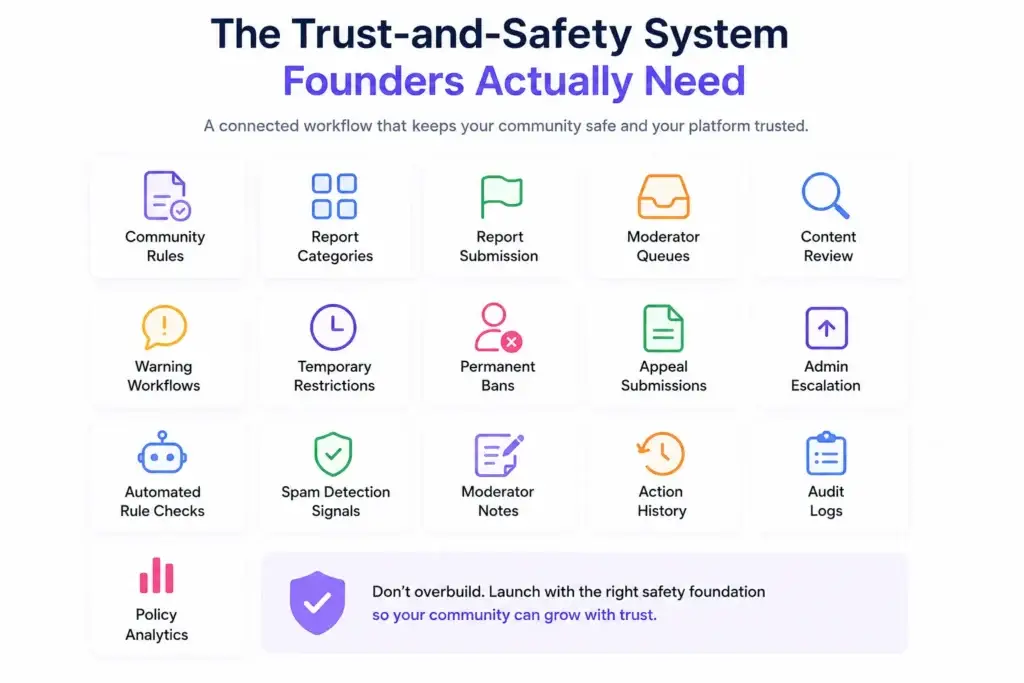
A trust-and-safety system is more than one report button.
It is a connected workflow that begins when a user notices a problem and ends when the platform records what happened, why action was taken, and whether the case needs further review.
A complete safety system usually includes:
- Community rules.
- Report categories.
- Report submission.
- Moderator queues.
- Content review.
- Warning workflows.
- Temporary restrictions.
- Permanent bans.
- Appeal submissions.
- Admin escalation.
- Automated rule checks.
- Spam detection signals.
- Moderator notes.
- Action history.
- Audit logs.
- Policy analytics.
Before finalizing platform scope, founders should understand which community platform features are required to support safe member participation, moderation workflows, role-based controls, admin oversight, and future monetization.
The goal is not to overbuild every safety feature on day one. The goal is to launch with enough structure to protect the platform as real community behavior begins.
Community Rules Are the Foundation of Moderation
Moderation cannot work well if the rules are vague.
A community discussion platform should define rules at two levels:
- Platform-wide rules
These apply across the entire product. They usually cover abuse, spam, illegal content, impersonation, harassment, privacy violations, fraud, and repeated harmful behavior. - Community-level rules
These apply inside individual topic spaces. For example, a startup advice community may ban promotional pitches, while a product feedback community may require structured feedback formats.
Rules should be visible, simple, and connected to moderation actions. If a moderator removes a post, the removal reason should map back to a rule. If a user appeals, the reviewer should understand which rule was applied.
Good rules help members know how to participate. They also help moderators act consistently.
Weak rule:
“Be respectful.”
Better rule:
“No personal attacks, targeted harassment, slurs, doxxing, or repeated unwanted contact. Critique ideas, not members.”
The second rule is easier to enforce because it explains specific behavior.
Report Workflows: Turning Member Signals Into Action
Reports are the front door of community safety.
When a member reports a post, comment, profile, message, or community, the platform should capture enough information for a moderator to review the issue properly.
A strong report workflow should include:
- Reported content ID.
- Reporting user ID.
- Reported user ID.
- Community or topic space.
- Report category.
- Optional user explanation.
- Time of report.
- Current content state.
- Related previous reports.
- Moderator assignment.
- Report status.
- Final action.
- Resolution timestamp.
Report categories may include:
- Spam.
- Harassment.
- Hate or abuse.
- Impersonation.
- Scam or fraud.
- Misinformation.
- Self-promotion.
- Privacy violation.
- Copyright concern.
- Sensitive content.
- Community rule violation.
- Other issue.
The report queue should not be a messy inbox. It should help moderators prioritize what matters.
For example, reports involving user safety, privacy, fraud, or repeated abuse may need faster review than low-priority formatting issues.
Moderator Queues: How Review Work Should Be Organized
A moderator queue is where trust-and-safety work becomes operational.
Without a proper queue, reports may be missed, duplicated, reviewed inconsistently, or handled by the wrong person.
A strong moderator queue should allow reviewers to:
- Filter by report type.
- Sort by priority.
- View reported content in context.
- See user history.
- See previous reports.
- Add notes.
- Choose removal reasons.
- Escalate to admins.
- Apply warnings.
- Restrict users.
- Mark reports as resolved.
- Track pending appeals.
- View audit history.
Trust-and-Safety Workflow Map
| Workflow Layer | What It Should Include | Founder Impact |
|---|---|---|
| Community rules | Platform policies, community-specific rules, removal reasons | Creates clear expectations for members and moderators |
| Report intake | Report categories, user notes, content context, timestamps | Turns member concerns into reviewable safety cases |
| Moderator queue | Priority, filters, reviewer assignment, status, notes | Helps teams review issues quickly and consistently |
| Action system | Warnings, removals, restrictions, bans, locks, escalations | Gives moderators structured enforcement options |
| Appeals | Appeal form, review state, decision history, admin escalation | Improves fairness and reduces unresolved disputes |
| Automated rules | Spam signals, keyword filters, rate limits, duplicate checks | Reduces manual workload and catches obvious abuse earlier |
| Audit logs | Who acted, what changed, when it happened, why it happened | Protects operational trust and helps reconstruct decisions |
Ban Workflows Should Be Flexible, Not One-Size-Fits-All
Not every violation deserves the same response.
A community discussion platform should support a range of enforcement actions so moderators can respond proportionally.
Common enforcement actions include:
- No action.
- Content warning.
- Post removal.
- Comment removal.
- Thread lock.
- Community-specific restriction.
- Temporary posting pause.
- Temporary account suspension.
- Permanent ban.
- Device or IP risk flag where appropriate.
- Admin review.
- Appeal eligibility.
A flexible ban system matters because community behavior is not always black and white.
For example, a new member who breaks formatting rules may need a warning. A spam account may need immediate removal. A repeated harasser may need a platform-level ban. A respected contributor who crosses a line may need a temporary restriction and moderator note.
The system should help moderators choose the right response without giving them unlimited, untracked power.
Appeals Protect Fairness and Reduce Community Friction
Appeals are important because moderators can make mistakes, context can be misunderstood, and members may need a fair way to challenge decisions.
A good appeal workflow should answer:
- Which action is being appealed?
- Who submitted the appeal?
- What reason did they provide?
- Who reviewed the appeal?
- Was the decision upheld, changed, or reversed?
- Was the user notified?
- Was the audit record updated?
- Is further escalation needed?
Appeals are not only about reversing decisions. They are about building trust in the system.
If members believe enforcement is arbitrary, they may stop participating. If moderators have no structured appeal path, disputes may move to public complaints or support chaos.
Appeals also help founders learn where rules are unclear. If many users appeal the same type of decision, the rule or enforcement process may need improvement.
Read more – Forum Software Alternatives for Startups: When a Community Discussion Platform Makes More Sense
Automated Rules Should Assist, Not Replace Moderators
Automated moderation can help a community discussion platform manage scale, but it should be designed carefully.
Useful automated rules may include:
- Spam keyword detection.
- Duplicate post detection.
- Link frequency limits.
- New-account posting limits.
- Excessive comment rate alerts.
- Repeated report triggers.
- Suspicious voting behavior.
- Blocked phrase filters.
- Media upload limits.
- Community-specific rule checks.
- High-risk content flagging.
- Auto-hide pending review for certain signals.
Automation is helpful for clear patterns: spam, obvious abuse, repeated links, duplicate posts, and suspicious activity spikes.
But automation should be used carefully for sensitive decisions. A false positive can frustrate legitimate members. A false negative can allow harmful behavior to spread.
A practical approach is:
- Automatically block obvious spam.
- Automatically flag suspicious content for review.
- Automatically slow down risky behavior.
- Let moderators review sensitive cases.
- Let admins tune rules over time.
The strongest automated moderation system is not the strictest one. It is the one that reduces workload without damaging legitimate participation.
Audit Logs Are Essential for Trust, Accountability, and Support
Audit logs are often invisible to users, but they are essential for platform operations.
An audit log records important actions such as:
- Content removal.
- Moderator warnings.
- User restrictions.
- Ban creation.
- Ban reversal.
- Appeal decisions.
- Admin overrides.
- Community rule changes.
- Role changes.
- Report status updates.
- Automated rule triggers.
- Payment or access changes where relevant.
Audit logs should answer:
- Who took the action?
- What action was taken?
- Which content or user was affected?
- When did it happen?
- Why did it happen?
- Was the action manual or automated?
- Was it later reversed?
Without audit logs, disputes become difficult to investigate. Moderators may disagree. Users may claim unfair treatment. Admins may not know which actions caused platform issues.
A trust-and-safety system should not rely on memory. It should rely on records.
Role-Based Access Prevents Moderation Chaos
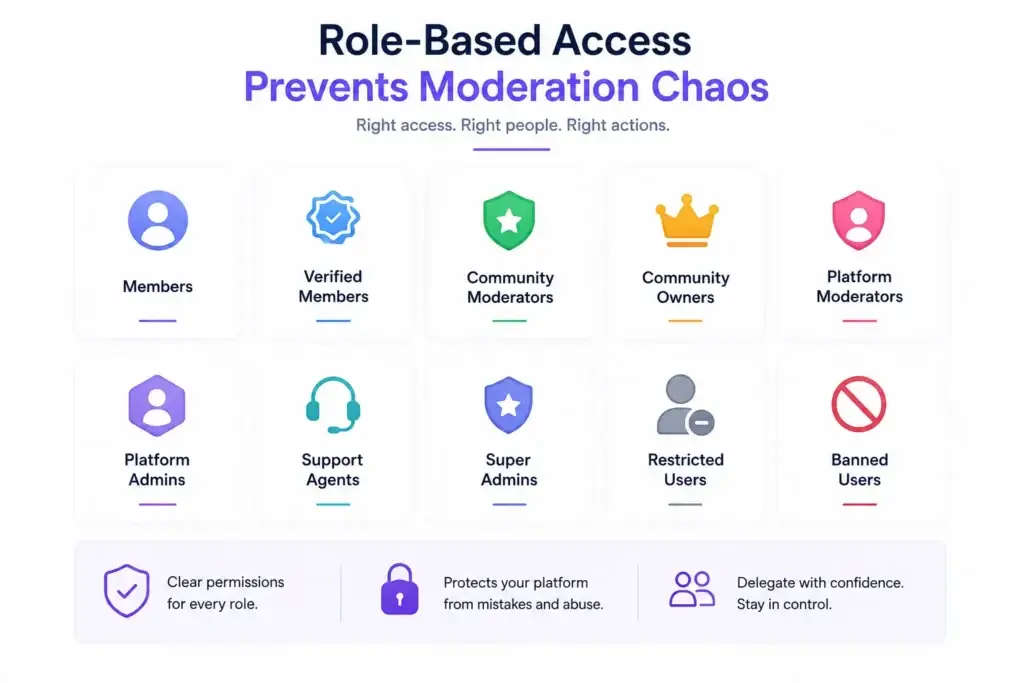
Moderation teams need permissions, but not everyone should have the same power.
A scalable community discussion platform may include:
- Members.
- Verified members.
- Community moderators.
- Community owners.
- Platform moderators.
- Platform admins.
- Support agents.
- Super admins.
- Restricted users.
- Banned users.
Each role should have clear permissions.
For example, a community moderator may remove posts inside one topic space but should not access platform-wide settings. A platform admin may manage all communities but should not need direct database access for routine moderation. A support agent may view appeal status but not change monetization settings.
Role-based access protects the platform from mistakes, abuse, and operational confusion.
It also helps founders delegate moderation work without losing central control.
Moderation Metrics Founders Should Track
Trust and safety should be measurable.
A founder should not only ask whether moderators are “handling reports.” They should understand whether safety workflows are improving or breaking down.
Important moderation metrics include:
| Metric | What It Measures | Why It Matters |
|---|---|---|
| Report volume | Number of reports submitted | Shows safety workload and community friction |
| Report categories | Types of issues being reported | Reveals where rules or automation may need improvement |
| Time to first review | How quickly reports are opened | Affects member trust and safety response |
| Time to resolution | How long cases take to close | Shows operational efficiency |
| Repeat offender rate | Users repeatedly violating rules | Helps identify enforcement gaps |
| Appeal rate | How often actions are challenged | Shows whether enforcement may feel unclear or unfair |
| Appeal reversal rate | How often decisions are changed | Reveals potential moderator training issues |
| Moderator action volume | Work handled by each moderator | Helps balance workload |
| Automated flag accuracy | Quality of automated rule triggers | Helps tune filters and reduce false positives |
| Community-level risk | Which spaces generate more reports | Helps prioritize governance support |
These metrics help founders move from reactive moderation to operational safety management.
Safety Design Should Support Monetization
Trust and safety becomes even more important when monetization is involved.
If a community discussion platform supports premium spaces, memberships, sponsored communities, paid visibility, wallet credits, awards, or private groups, the safety layer must protect both members and revenue workflows.
For example:
- Premium communities need access control.
- Sponsored spaces need brand-safe moderation.
- Paid visibility needs abuse prevention.
- Wallet credits need fraud monitoring.
- Awards may need spam and manipulation checks.
- Private groups need permission-based access.
- Creator or expert spaces may need stronger identity controls.
Once founders connect access, trust, and revenue, moderation becomes part of the business model. The community platform business model guide can help founders understand how memberships, premium spaces, sponsored communities, wallet-based engagement, and paid access models affect product planning.
Founder Decision Signals
Launch Readiness
If users can post, comment, vote, or create communities, basic reports, moderation queues, restrictions, and admin controls should exist before launch.
Governance
If different communities have different rules, the platform needs role-aware governance so moderators can act locally while admins retain central oversight.
Fairness
If users can lose access or have content removed, appeals and audit logs help create a more transparent enforcement process.
Scalability
If the community may grow quickly, automated rules should reduce obvious spam and abuse while keeping sensitive cases available for human review.
Admin Dashboards Should Give Operators Real Control
Trust and safety cannot depend only on backend developers.
Founders and platform operators need admin dashboards that allow them to manage moderation workflows directly.
A useful admin dashboard should include:
- Report queue overview.
- User safety history.
- Moderator action logs.
- Ban and restriction management.
- Appeal review panel.
- Community rule configuration.
- Automod rule settings.
- Content removal reasons.
- Spam and abuse signals.
- Community-level risk reports.
- Role and permission control.
- Admin escalation notes.
- Safety analytics.
- Notification templates for enforcement decisions.
This is where the platform becomes operationally manageable.
Without admin control, every moderation change becomes a development request. That slows down response time and increases risk during active community disputes.
What Trust and Safety Adds to Build Scope
Trust-and-safety design affects product scope, timeline, testing, admin planning, and budget.
Founders should account for:
- Report intake workflows.
- Moderator queue design.
- Role-based permissions.
- Ban and restriction logic.
- Appeal workflows.
- Automated rule configuration.
- Admin dashboards.
- Notifications for moderation outcomes.
- Audit logs.
- Safety analytics.
- Spam prevention.
- Abuse monitoring.
- Community rule management.
If budget planning is part of the launch decision, the community platform development cost guide can help founders understand how moderation depth, admin control, custom workflows, integrations, and launch scope affect investment.
The key point is not that every startup needs an enterprise-level safety system from day one. The point is that every user-generated content platform needs a reliable safety foundation before real users arrive.
Mistakes Founders Should Avoid
Adding a report button without a review workflow
A report button only collects complaints. Founders also need queues, categories, statuses, reviewer actions, notes, and resolution history.
Treating bans as permanent by default
Not every issue requires a permanent ban. Warnings, temporary restrictions, community-level limits, and appeals create a more flexible enforcement system.
Using automation for every sensitive decision
Automated rules are useful for spam and obvious abuse, but sensitive cases should allow human review and admin escalation.
Skipping audit logs
Without audit logs, the team may not know who removed content, why a user was restricted, or how an appeal was handled.
Giving moderators too much or too little control
Moderators need enough access to act quickly, but role-based permissions should prevent accidental or unauthorized platform-level changes.
How Trust and Safety Applies Beyond Community Platforms
Trust-and-safety workflows are not limited to one type of product. Any platform with user-generated content, member profiles, comments, messaging, media uploads, or public feeds needs some form of moderation and governance.
This includes social networks, creator communities, discussion apps, private membership spaces, media communities, learning groups, local networks, and professional communities.
For founders exploring broader engagement products, Miracuves also provides social media app development company that can support feeds, profiles, content publishing, notifications, reporting tools, moderation workflows, and scalable social product architecture.
The platform format may change, but the trust question remains the same: can users participate safely, and can operators manage the community responsibly?
How Miracuves Helps Founders Build Moderation-Ready Community Platforms
Miracuves helps founders build white-label solution with source code, branded design, member workflows, moderation tools, admin dashboards, monetization options, and faster deployment. For founders building a community discussion platform, this means the product foundation can be planned around trust from the beginning: report queues, moderator roles, appeals, ban logic, audit logs, admin control, community rules, automated filters, and future customization.
This matters because community growth becomes harder when trust-and-safety workflows are added late. A platform may launch quickly, but if reports are unmanaged, bans are inconsistent, appeals are missing, and admins cannot see safety activity, the operator may lose control at the exact moment the community begins growing.
For founders comparing service partners before launch, the community platform development company page can help evaluate technical capability, moderation depth, source-code ownership, admin control, and post-launch customization support.
A stronger approach is to build the community foundation with safety, governance, and operations in mind from day one. For founders who want a branded, launch-ready product foundation, the community discussion platform with moderation tools from Miracuves is the natural next step.
Final Thoughts: Build Trust Before You Chase Growth
A reddit should not launch with posting features alone.
If users can publish, comment, vote, report, join communities, or create public identity, the platform needs a safety foundation. Reports should go somewhere. Moderators should have clear actions. Bans should be proportionate. Appeals should be possible where appropriate. Automated rules should reduce obvious abuse. Audit logs should preserve accountability. Admin dashboards should give operators real visibility.
Trust and safety is not separate from growth. It protects growth.
When members trust the environment, they are more likely to contribute. When moderators have structure, they can protect quality. When admins have visibility, they can improve policy and operations. When enforcement is traceable, the platform becomes easier to manage as it scales.
For founders, the best time to design trust-and-safety workflows is before launch, not after the first major moderation issue.
Miracuves can help founders build a community platform foundation where moderation, governance, admin control, and source-code ownership are planned as part of the product from the start.
FAQs
What is trust and safety in a community discussion platform?
Trust and safety refers to the workflows, rules, tools, and admin controls that help protect members, manage abuse, review reports, enforce policies, process appeals, and keep user-generated content communities safe and usable.
What moderation features should founders build before launch?
Founders should plan report categories, moderator queues, content removal reasons, warnings, temporary restrictions, bans, appeals, automated rule checks, audit logs, role-based access, and admin dashboards before launch.
Why are report queues important?
Report queues help moderators review user concerns in an organized way. They allow teams to sort issues by priority, category, community, content type, user history, and review status.
Should automated moderation replace human moderators?
No. Automated moderation should help detect spam, duplicate content, suspicious behavior, and obvious rule violations. Sensitive cases should still allow human review, appeal handling, and admin escalation.
Why do community platforms need appeal workflows?
Appeals give users a fair way to challenge removals, restrictions, or bans. They also help admins identify unclear rules, inconsistent moderation, or decisions that need review.
What are moderation audit logs?
Moderation audit logs record actions such as removals, warnings, bans, appeals, admin overrides, rule changes, and automated flags. They help teams understand what happened, who acted, and why.
How does trust and safety affect monetization?
If a platform supports premium communities, sponsored spaces, paid access, wallet credits, or awards, trust and safety protects members, advertisers, creators, and revenue workflows from abuse or manipulation.
How can Miracuves help with moderation-ready community platforms?
Miracuves helps founders launch white-label community platforms with source code, branded design, member workflows, moderation tools, report queues, admin dashboards, monetization options, and faster deployment support.
Miracuves is an independent software development company. We are not affiliated with, connected to, sponsored by, or endorsed by any company or product named in this article.
Terms such as “X Clone” are used descriptively. It is how the software industry refers to building a platform with functionality comparable to a known service, and how clients search for it.
The entire design and codebase of our products is built by our own team. Our products contain no code, design, graphics, or content originating from any third-party website or applications.
All third-party names and marks referenced in this article are the property of their respective owners, referenced solely to identify the services discussed.