
Job Portal - White-Label Job Board Software
Built by Miracuves, this ready-made, white-label job portal runs an employer-paid hiring board: the public website, employer and admin panels, and native candidate and employer apps for Android and iOS, in unencrypted source you own, ready for employers after six working days.
Employers register, confirm their email and buy a plan, which decides what they may publish and promote; candidates narrow the listings, apply with a resume and a cover letter and track each application. Video interviews and skill tests are available add-ons, and gateway onboarding stays with you. AI candidate matching or interview scheduling would be built to order once scope and price are fixed in writing, typically within 2-8 weeks.
Launch in 6 Days with
- Source Code
- Job Board Website
- Employer Panel
- Admin Console
- Candidate Apps
- Employer Apps
StackKotlin · Java · Swift · PHP · Bootstrap · MySQL · Firebase · Twilio
Marketplace activity
- New employer registeredEmployers
- Plan upgraded to a higher tierOrders
- Listing waiting for approvalApprovals
- Listing expires tomorrowListings
- Candidate application receivedApplications
- Featured slot activatedPromotion
- Single listing paid by cardPayments
- Candidate email verifiedVerification

- 5Search Filterskeyword, place, type, salary and category
- 4Plan Allowanceslistings, featured slots, highlights and candidate profile views
- 0%Revenue Share With Miracuvesno share of any plan or listing fee employers pay
- 2Live DemosMXHire for the full board and MXHireX with an intern panel
- 6Days to Launchand if the delay is ours, we keep going free
- $2,499Paid Once, Not Rentedsource code yours, no per-seat fee, no monthly rental
Live in six working days, or we keep working free until you launch. Every build carries 60 days guidance, 6 months bug fixes and 12 months updates.Verify every figure
Native Code on Both Phones
The Android apps are Java and Kotlin projects and the iOS apps are Swift, built in Xcode, so neither is a website inside a wrapper.
One Listing, No Subscription
A company that skips plans can pay once to promote a single job, and every purchase lands in the Order menu with its plan, provider and paid state.
Gateways Run on Your Accounts
Demo orders were paid offline or through Stripe, PayPal and Mollie; live plan payments use gateways you onboard, and card handling follows that provider and your contract with it.
01See it working
Try It Yourself
Try the Job Portal Live - Candidate, Employer & Admin Demos
Open the MXHire demo for the full job portal Miracuves delivers, or MXHireX for the variant with an intern panel. Candidate and employer logins appear on the cards below; admin credentials are shared on a guided call.
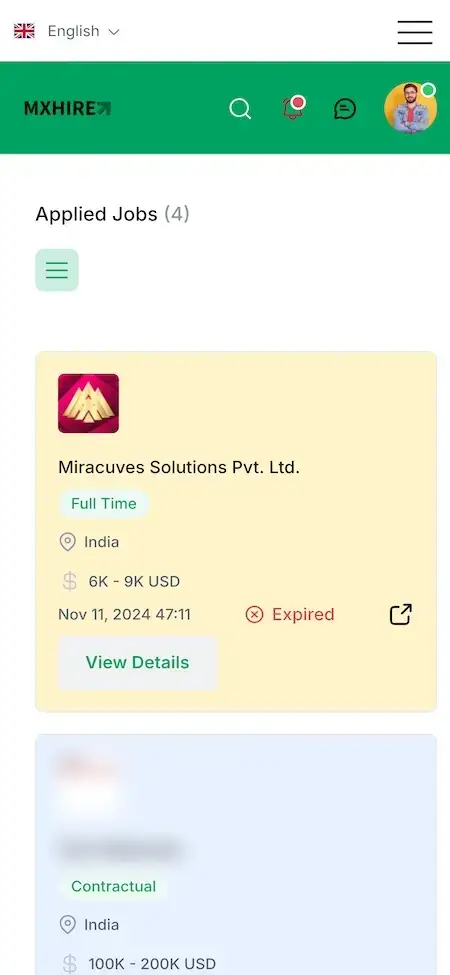
Candidate App for Android & iOS
A job hunter searches listings on a handset, opens one, applies with a resume and a cover letter and tracks every application from a status list. Internships sit next to jobs.
- 1Request the Android or iOS demo build
- 2Use the candidate login printed below
- 3Check: Jobs, Job Details, Applied Jobs
user@demo.com | User_321
Employer App for Listings & Applicants
A hiring manager on a phone publishes a listing, decides how heavily to promote it and reads the applications as they arrive.
- 1Request the Android or iOS demo build
- 2Pick one of the employer logins below
- 3Check: Post a Job, Applicants, Company Profile
MXHire: employer@demo.com | Employer_321
MXHireX: company1@demo.com | Company_321
Public Site & Employer Panel
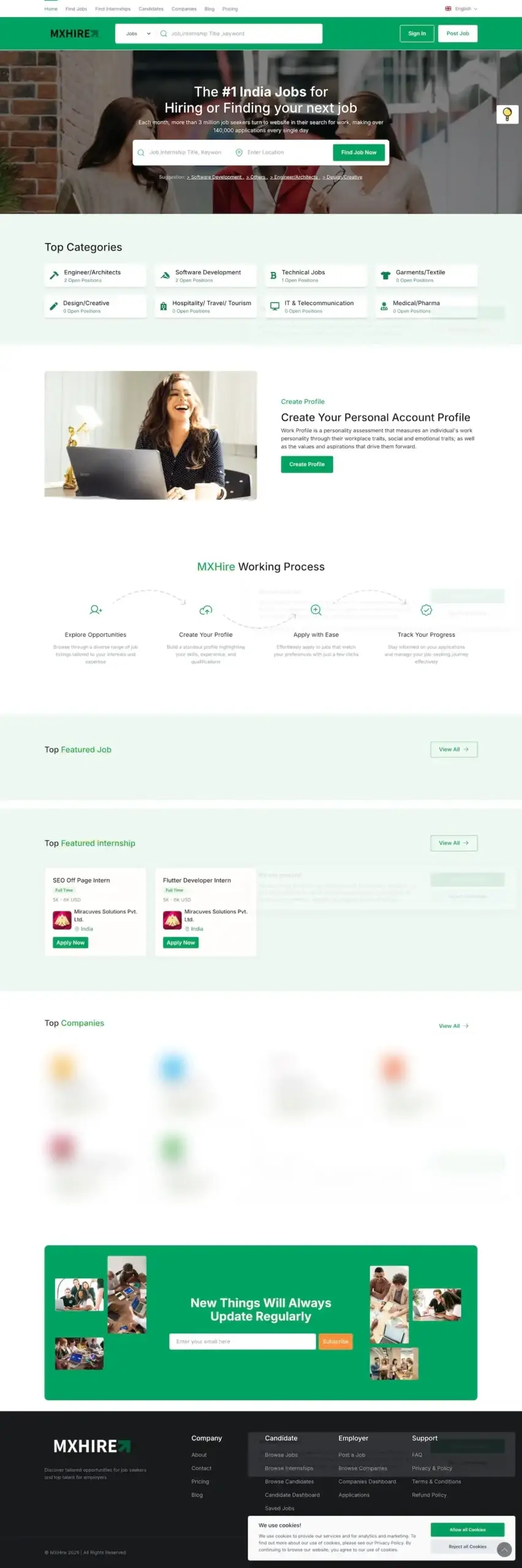
The responsive website with job search, a candidate list, a Pricing page and a Companies directory, plus the employer panel behind the sign-in. The MXHireX web edition puts the intern panel on the same site, ready to open on a guided call.
- 1Open MXHire in a separate browser tab
- 2Try Find Job, then Pricing
- 3Check: Filters, Candidates, Companies
Candidate: user@demo.com | User_321
Employer: employer@demo.com | Employer_321
Admin Panels for Listings, Plans & Orders
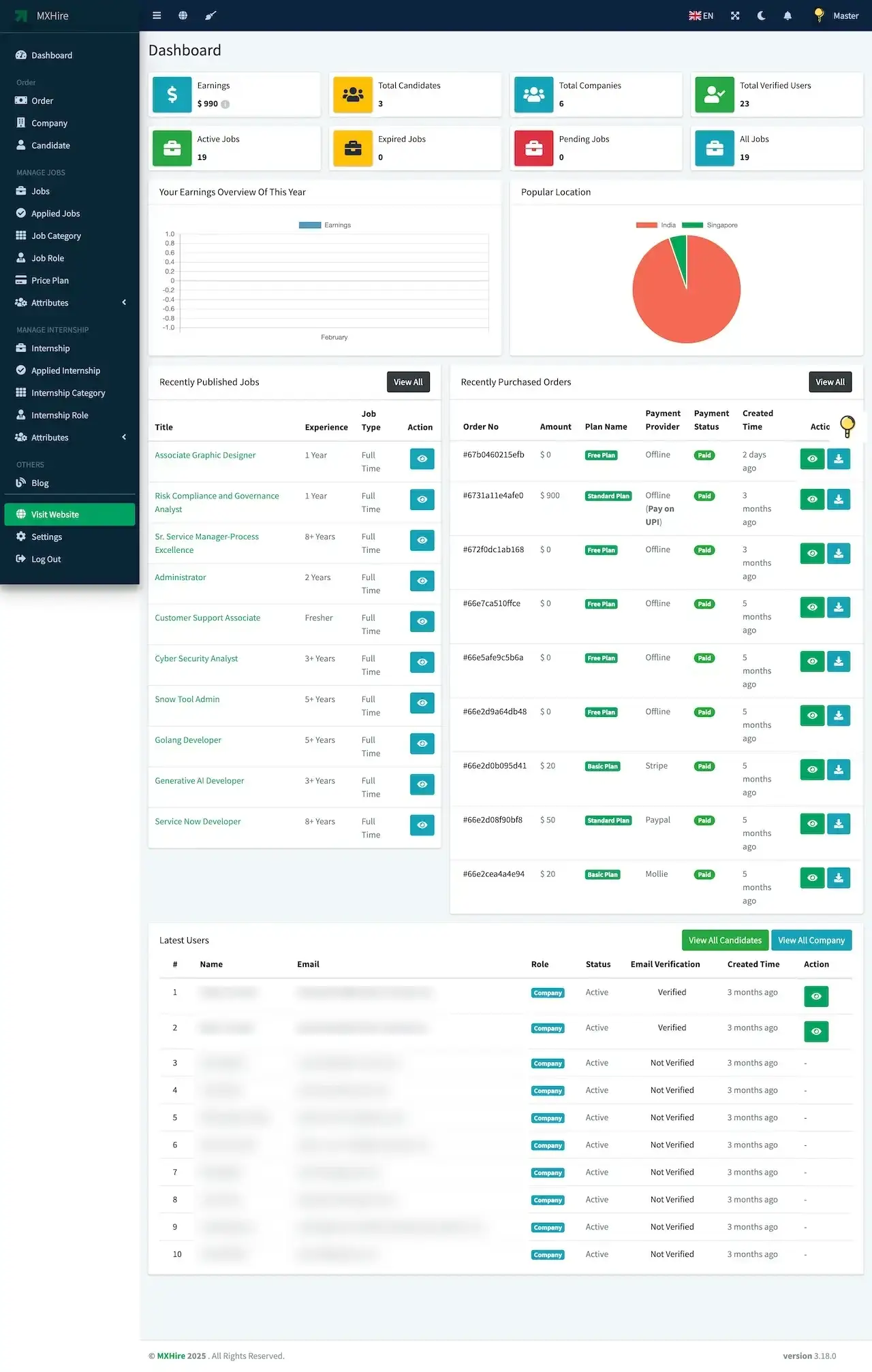
This is the admin panel of the white label job board software, where the operator works. It offers dashboard tiles, candidate and company lists, a queue of jobs, price plans, order history and settings; each demo host carries its own admin login page.
- 1Go to the login page on either demo host
- 2Ask the team for credentials
- 3Check: Price Plan, Order, Job Category
shared on a guided call
Seen on a Call
Job Portal Walkthrough: Candidate, Employer & Admin Panels With You at the Controls
A short live call shows more than any recording could. We search for a job as a candidate, post a listing as an employer, apply with a resume, then trace the order and the dashboard tiles in the admin console, all using your own plan names, categories and approval rules.
Book a live walkthrough.Real Screens
Recruitment App Screens - Candidate Journey, Admin Console & Public Home Page
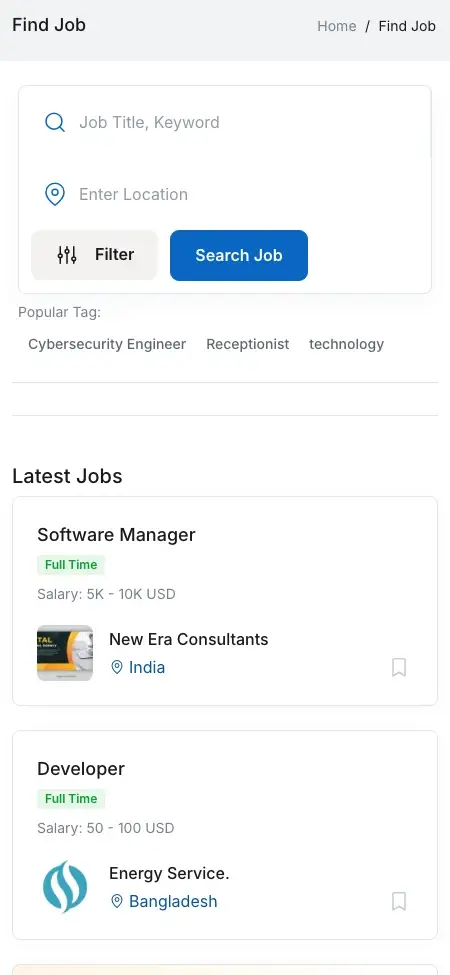
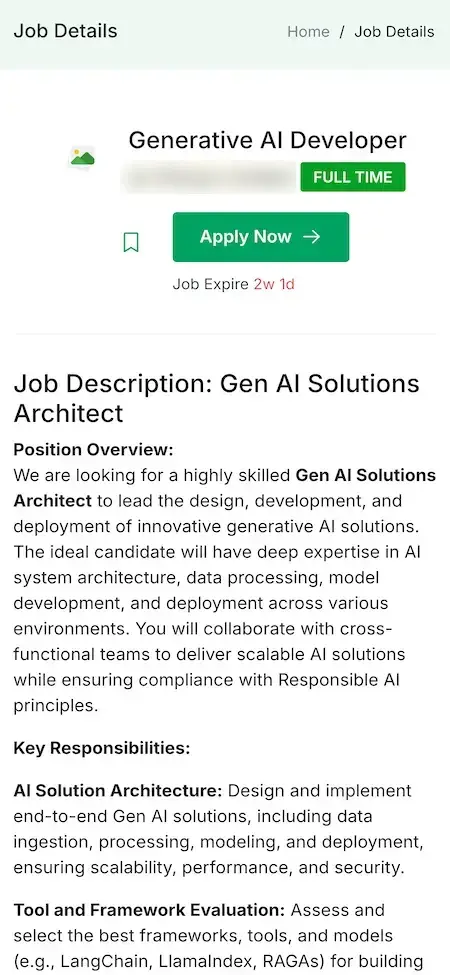
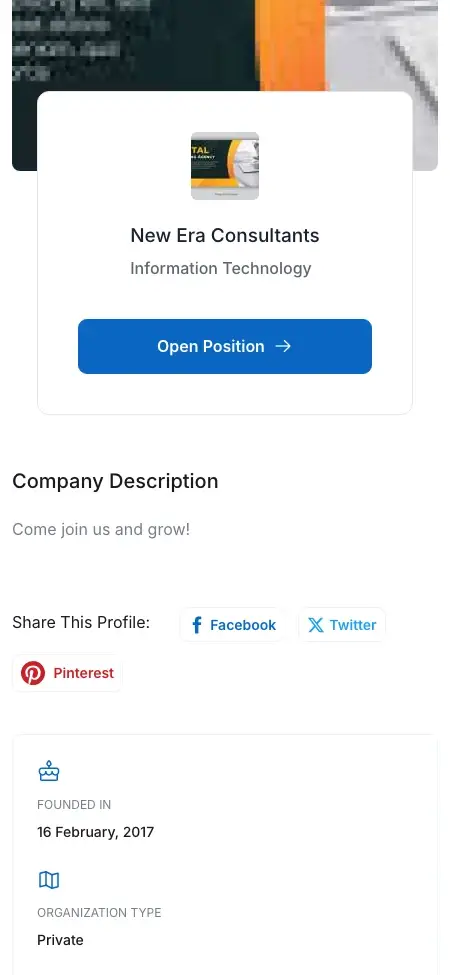
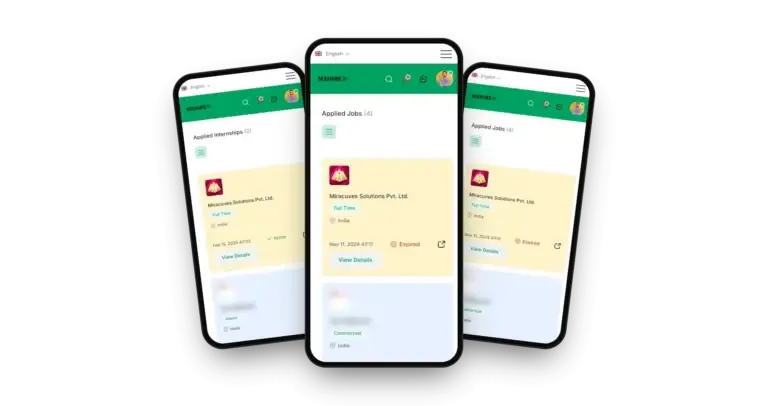
Demo screenshots with employer details blurred or neutral, in the order a candidate meets them: menu, search results, job page, employer page and application lists on a phone, then the operator console and the front page of the site.
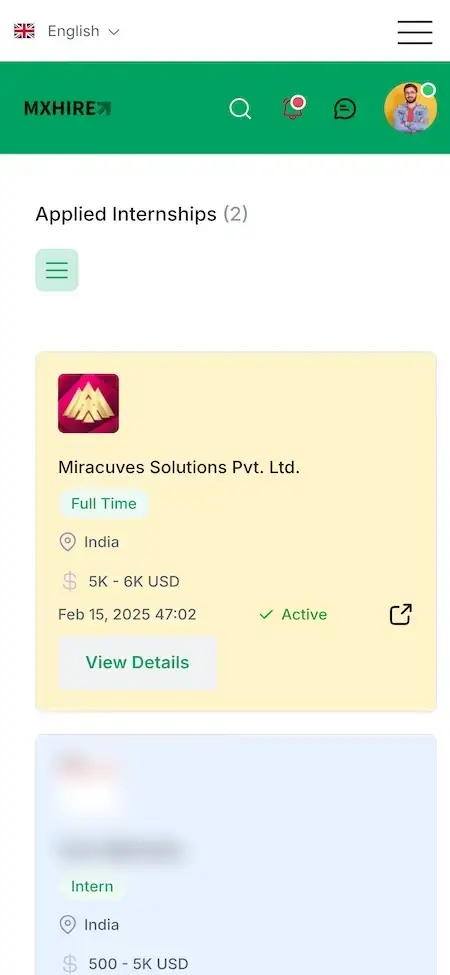


Follow one candidate from the app menu to a listing, on to the employer behind it and then to an application waiting in the applied list. Switch tabs to see the counters an operator watches to keep the whole board in view.
02Evidence
Client Voices
Job Portal Client Reviews - Founders in Their Own Words
No client on file runs a job board. The single quote shown comes from Truxfinder, a creator marketplace where creators list themselves, brands search and book them, and the platform handles briefs, deliverables and payouts, the closest operating model we have.
“We were building a creator marketplace — influencers list themselves, brands search and book them, the platform handles briefs, deliverables, and payouts. Building the matching, messaging, escrow, and the brand/creator apps from scratch was always going to be the slowest part. Miracuves's MXInfluencer suite gave us exactly that foundation. We added our own brief-template engine, the escrow-with-milestones flow, and our branding. We launched in 6 working days and had paying brands on the platform within the first month. We estimate it saved us 4–5 months of build time.”
Plain Status
Job Portal Case Study - The Evidence Available Today
No client has agreed to a public story about a job board built on this product. So instead of lending you another business's outcome, this block lists what exists and what you can inspect on your own.
The portfolio holds no write-up of a live launch of this exact product, so this page names no client and shows no logo or outcome. Two working demos and the six-day record we hold on other Miracuves bases are the proof we can point to.

- Filter the job list by type, salary, category and remote work
- Open a listing and follow its link to the employer
- Read the allowances on the Pricing page
- Find the Price Plan and Order menus behind an admin login
- Request the intern panel in MXHireX
- We write a case study only for a finished launch that exists
- What other business models achieved says little about a job board
- We do not make up clients, logos or figures
- Once a hiring client agrees, this block can become a real case study
- Quotes and figures only with a real client behind them
- No presenting a demo screen as a customer result
- No promises about applications, hires or earnings
- No hiding that demo accounts are shared and open to everyone
03What you get
In Short
Meet Your White-Label Job Board App - A Branded Board With Three Panels
Miracuves ships this job portal as finished job-board software, a job portal, that launches under your name. Candidates search and apply as job seekers, employers publish listings and buy plans, and one admin console lets you run the whole marketplace, with lists for companies, candidates, jobs, plans and orders.


Straight Search, No AI Ranking
Candidates filter by keyword, place, type, salary and category, then apply with a resume. The base build does not rank, match or score people with AI; anything like that would be separate scoped work.
Salary Set by the Employer
Each listing carries the salary range its employer chooses. There is no salary survey, comparison tool or reviews module in the base product.
Source You Control
Everything is delivered unencrypted, so your developers can alter any screen, field or plan and shape a custom job portal solution when the board needs it. Seat fees do not exist.
Web, Apps & Admin
What Is a White-Label Job Portal Script?
It is job-board software that you rename and launch as your own business, with full control. Listings, applications, plans and payments are already wired together, so what remains for you is finding employers, attracting candidates and deciding what to charge.

- 01Job search, a candidate list and a Pricing page on the public site
- 02Listings that can be featured or highlighted
- 03Resume and cover letter applications followed in an applied list
- 04Employer panel where plan allowances limit posting and promotion
- 05Admin panel with company, candidate, plan and order lists
The package holds the public website, an employer panel, an admin panel, a candidate app and an employer app for Android and for iOS, plus all of the source. Both demos can be opened today.
What It Can Do
Job Portal Features - Search, Applications, Employer Panel, Listings, Plans & Admin
All of these job portal features from Miracuves can be checked in the public demo, the admin screens or the release notes. Anything that needs an extra module is named in the add-ons section below.
Searching the Job List
Visitors type a keyword and a place, then narrow the Latest Jobs list by job type, salary band, category or remote work. Each result names the employer and its country, and popular tags above the list act as quick jumps.
- Five job types, from full time to freelance
- Salary range slider with preset bands
- Category picker and a remote-only choice
- Load More under the results instead of page numbers
- Popular tags as one-tap shortcuts
Applying With a Resume
Pressing Apply brings up a short form that collects a resume and a cover letter. The submitted application is parked in the applied list, dated and carrying a status, and View Details returns to the job.
- Two upload fields: resume and cover letter
- Separate lists for applied jobs and applied internships
- Every entry marked Active or Expired
- A date stamped on each application
Candidate Account & Alerts
The candidate dashboard keeps count of applications, favorites and alerts, while a menu entry looks after job alerts. On phones, push notifications carry the news.
- Bookmark a job to come back to it
- Dashboard totals: applications, favorites, alerts
- A Job Alert entry inside the candidate menu
- Phone apps push notifications to the handset
Employer Panel & Posting
Employers register, complete a company profile and publish listings from their own panel, picking how prominent each one should be. When approval is on, an admin checks every listing before it appears.
- Post Job form with a free, paid or featured choice
- Admin approval can be required before going live
- Incoming applications read inside the panel
- Message Candidate form on each candidate profile
- Email delivery of applications when preferred
Featured & Highlighted Listings
Featured listings rise in the results under a badge. Plans track featured and highlighted slots as two separate allowances, and a company that skips subscriptions can pay once and promote that one listing.
- A Featured badge on the jobs list
- Separate allowances for featured and highlighted slots in each plan
- Pay Per Job for employers without a subscription
- Promotion can be added while paying for a single listing
Price Plans & Order Records
Plan cards on the Pricing page spell out allowances for listings, promotion and candidate profile views. In the admin, the Price Plan menu creates them and the Order menu logs every purchase.
- Plan cards laid out on the Pricing page
- Limits for listings, boosted slots and profile views
- Orders listing plan, provider and whether it is paid
- Demo orders paid offline or through Stripe, PayPal and Mollie
Candidate Directory
On the Candidates page people are grouped by profession, availability and experience, and employers can narrow them with advanced search by skills, length of experience, schooling and remote preference.
- An availability marker on profiles
- Skill, experience and education filters
- Resume view and download buttons
- Candidates saved into categories with Save To
- Names partly masked for signed-out visitors
- Shortcuts to popular professions
Company Pages & Directory
Employers can have a public page and a spot in a Companies directory that visitors search and filter, while a Top Companies row on the home page highlights some of them.
- A Companies page with a search box of its own
- Cards for country, industry and open positions
- Narrow by industry, organization type and team size
- Profile with description, founding year, website and map
- Share buttons for Facebook, Twitter and Pinterest
Verified Accounts
Accounts confirm their email address, and a green tick can mark a verified company. Company verification is also listed as a perk on every plan card.
- A green tick on verified companies
- Company verification named on every plan card
- An email status column in the admin user list
- A dashboard tile counting verified users
Native Mobile Apps
One app for candidates and a second for employers are built natively for Android and for iOS. Between them they handle searching, applying, posting, notifications and in-app messaging.
- Android: one app per audience
- iOS: one app per audience
- Push notifications for both audiences
- In-app messaging between the two sides
- Location search from the phone
Admin Console & Tiles
The first screen of the console totals up earnings, candidates, companies and verified users, then counts jobs by state: active, expired, pending and all. Menus branch out to jobs, plans, internships, the blog and the platform settings.
- Earnings and candidate totals at a glance
- Company and verified-user totals
- Counters for active, expired, pending and all jobs
- Lists of recent jobs and recent orders
- A yearly earnings chart beside a popular locations chart
Look, Catalog & Languages
The operator can restyle the board and shape its catalog. Categories, roles and attributes sit in their own admin menus, and a language switcher serves visitors in more than one language.
- Categories, job roles and custom attributes managed in admin
- Interface language switcher in the top bar
- A blog section for articles
- A help widget that can be toggled on or off
- Your logo, icons and colors applied at delivery
Before you decide: What you get is the finished platform in your brand. What you bring is hosting and a domain, your own verified Apple and Google developer accounts, logo and company details, a payment gateway that has finished onboarding and KYC, and any third-party keys. Store reviews take as long as the stores take, outside our 6-day build.
How Operators Earn
Job Portal Revenue Models - Subscription Plans, Featured Listings, Single Listings & Checkout
On an employer-funded board such as the Miracuves job portal, the companies pay while candidates search for free. Each revenue line carries its own price, so changing one leaves the others untouched.
Subscription plans form the steady base. Boosted listings add the upside once several employers chase the same candidates.
- 01
Subscription Plans for Employers
Each tier limits the listings an employer can publish, the slots it may promote and the candidate profiles it may open. You define tiers and prices in the Price Plan menu.
- 02
Free Tier, Paid Upgrades
Offer a free plan with a modest allowance next to paid tiers with higher caps. Teams that keep hiring run out of room and have a reason to upgrade, at prices you decide.
- 03
Featured Listings
A Featured badge lifts a listing in the results. Because featured and highlighted slots are counted apart, an employer can purchase just the exposure a campaign calls for.
- 04
Single Paid Listings
Employers who dislike recurring fees can pay for one listing at a time and add a highlight or feature to it.
- 05
Candidate Profile Access
Every plan caps the number of candidate profiles an employer can open, so browsing the candidate list becomes a priced benefit.
- 06
Banner Advertising
Sell ad positions to training providers, HR service firms and any other brand that wants the attention of people searching for work.
| Revenue line | How it is charged | Take rateTypical take rate | What caps it |
|---|---|---|---|
| Subscription Plans & Upgrades | A fixed-term plan that bundles listings, promoted slots and profile views. | ZipRecruiter reports $345.2m of subscription revenue in 2025, about 77% of its $449.0m total. | Willingness to pay while free listings exist. ZipRecruiter sells terms of a day up to a year, and its own metric for Q4 2025 puts Revenue per Paid Employer at $1,889. |
| Featured & Highlighted Listings | Paid placement over unpaid results, charged per click or per job view within the employer's budget. | ZipRecruiter earned $103.8m from pay-per-click in 2025, about 23%. LinkedIn charges by views of a promoted job. | The employer's chosen budget. ZipRecruiter caps clicks per campaign, while LinkedIn's sample of $10 daily for 30 days costs at most $300. |
| Single Paid Listings | A one-off fee for one listing, with no plan needed. | LinkedIn lets one free job post stay open at a time and charges promoted posts per job view. | The free alternative. A paid listing must beat the free one on reach, or employers will stay free. |
| Card Checkout Fees | A card processing charge on every plan or boost bought on the site, either absorbed by you or passed to the buyer. | Stripe's US rate starts at 2.9% plus 30 cents per card payment. | It depends on which gateway you use, where you operate and what cards your customers pay with. The Stripe rate quoted applies to the US; other markets carry different pricing. |
| Plans Bought in the Apps | Store commission on a plan bought as an in-app digital item on iPhone or Android. | Apple: 30% standard; 15% if you are in the Small Business Program or the product is a qualifying subscription. Google Play: in the US, UK and EEA a 10% commission plus a 5% billing fee applies to subscriptions, while other markets pay 15%. | Each store sets when its billing is mandatory and which tier applies, so check your plan type and your country before pricing. |
How to read this. Job board numbers are taken from the fiscal 2025 annual report of ZipRecruiter and the job posting pricing page of LinkedIn. The card rate comes from a Stripe help page, and store commissions from Apple and Google Play. We calculated the 77 and 23 percent shares ourselves from reported revenue. Treat each row as input for your own model, not as an offer and not as a forecast of any board's income.
Job Portal Revenue Model, Stage by Stage
In the Miracuves job portal each employer charge carries its own price, and a branded board brings them in one after another as hiring teams keep coming back.
Day one
Early income comes from subscription tiers and single paid listings, with a free tier that lets a new employer test the board before upgrading.
Growing board
When hiring teams run out of listing allowance, upgrades follow, and featured or highlighted slots start to sell as employers outbid each other for candidates.
Network scale
On a multi-country board, paid access to candidate profiles and banner advertising add up beside plan fees, and the dashboard shows where effort pays.
Plan orders, featured slots and single listings each land in the admin's order records, and Miracuves takes 0% of that income.
Behind the Brand
Job Board Software Admin Panel - Run Companies, Candidates, Plans & Orders From One Place
Miracuves built a single console for the daily routine of whoever runs the board: new company sign-ups, listings that are live or queued, candidate registrations and plan purchases.


Admin Panel Sections
- 01
Dashboard Tiles & Charts
The top row shows eight tiles: earnings, candidates, companies and verified users, plus four job counts. Below sit a yearly earnings chart and a chart of popular locations.
- 02
Company List
The Company menu lists every employer account, showing its role, its status and whether the email was verified.
- 03
Candidate List
Registered job hunters are listed in the Candidate menu, and a dashboard total tells you how big that audience has become.
- 04
Jobs & Applied Jobs
Jobs and applied jobs each have a menu, and categories, roles and attributes have theirs, so the catalog can be reorganized without code.
- 05
Price Plan Menu
Here you define what employers may buy: how many listings, featured slots, highlights and profile views a plan allows. The public Pricing page mirrors it.
- 06
Orders
The Order menu logs each purchase: number, amount, plan, provider and paid state. The newest ones are also shown on the dashboard.
- 07
Internship Group
A group of four menus covers internships: the postings, the applications received, plus categories and roles for sorting them.
- 08
Blog, Language & Settings
The blog has its own menu, a shortcut jumps to the public site, visitors can switch language from the header and Settings covers the remaining platform options.
Keeping Listings in Order
Controls that stop the job list and the company list from filling with clutter. With approval switched on, nothing goes public unchecked, and the Company menu shows which employers have confirmed their address.
- A switch that makes new listings wait for approval
- Separate tallies for pending, active and expired jobs
- Lists of companies and candidates with verification state
- Admin menus for categories, roles and attributes
Plans & Earnings
The finance side of the console: define a plan, then watch the money arrive.
- Price Plan menu holding the employer tiers
- Orders showing provider and payment state
- Earnings tile with a chart across the year
- Gateways configured in settings
If the console needs to go further, say so: more reports, a two-stage approval, extra languages or a redesigned plan layout can each be scoped as separate work, and the quote is put in writing.
04Price and delivery
What Is in the Box
What Is in the Package: Code, Apps, Deployment & Handover for Your Recruitment Platform
What Miracuves, a job portal app development company, delivers is a working job board, not a bundle of loose parts. It spans the public site, apps for candidates and for employers, employer and admin panels, and all of the code beneath. Ownership is yours, with no seat or usage fees. Hosting, store developer accounts, gateway charges and any maps or texting keys are paid straight to those suppliers.
$ git clone your-recruitment-portal Complete Source Code
Web code and both mobile app codebases arrive unencrypted, so your developers can reshape whatever your model requires.
- Unencrypted web and admin code
- Android codebase, Kotlin and Java
- iOS codebase, Swift for Xcode
- Free to modify and redeploy
Rebranding & Deployment
We dress the web platform and both apps in your logo, icons and colors, then put the lot on your own hosting.
- Your identity across every surface
- Installed on hosting under your control
- Domain and SSL wired in
- Demo employers and listings replaced with yours
App Publishing Support
We support the publishing of both apps through your own developer accounts. Apple and Google review in their own time, which is not part of the 6 days.
- Apps are submitted from your Google and Apple developer accounts
- Store descriptions and artwork prepared with you
- Waiting for store review is not part of the 6 days
- You keep control of every account and key

Public Site & Employer Panel
A responsive website offering job search, a candidate list, a Companies directory and a Pricing page, with the employer panel behind the login.
- Job search with type, salary and category filters
- A candidate list with filters of its own
- Companies directory with profile pages
- Pricing page and blog
Candidate & Employer Apps
A native app for candidates and another for employers handle searching, applying, tracking, posting and messaging.
- Candidates search, apply and track in one app
- Employers post and review applicants in another
- Alerts by push and chat inside the app
- Separate native builds for Android and iOS


Operator Console
The back office in one place: a tile dashboard, job counts, lists of companies and candidates, plus menus for categories, roles, plans, orders and settings.
- Earnings tiles and job counters
- Lists for both companies and candidates
- Menus for plans and purchases
- Blog, settings and internship sections
Plan Tiers & Gateways
The Price Plan and Order modules connect to payment gateways, leaving you to name the tiers and set a price for single listings.
- Allowances for listings, promotion and profile views
- A Pay Per Job option
- Orders store provider and payment state
- Gateway onboarding and KYC are for you to complete
Handover & Support
After the source is handed over, three support periods run alongside each other from launch.
- 60 days of platform guidance
- 6 months of priority bug fixes
- 12 months of product updates
- Sample accounts cleared out before you go live
Want to test it first? Sign in to a demo as a candidate or as an employer, or book a guided tour. We will take you through a search, an application, a plan order and the admin counters, with your own prices always in view.
Transparent Pricing
How Much Does a White-Label Job Board Cost to Launch?
A flat $2,499 buys the launch-ready white-label Job Portal Clone. Add-ons, extra integrations and custom flows lie outside that figure and are priced separately after a written scope.
Launch
Ready-to-Run PackageSuits: First-time job board founders, industry and city boards, recruitment agencies that want their own hiring site
You receive what the demos show, dressed in your logo, icons and colors and running on hosting you own.
Start HereEnterprise
Custom Work for Larger PlansSuits: Staffing groups, multi-country networks, boards with unusual workflows
Need something the base lacks, like AI candidate matching or interview scheduling? We define the work with you and settle the price before any build begins.
Request a QuoteJob Portal Development Cost in 2026
A flat $2,499, paid once, buys the ready-made job portal from Miracuves: the public website, the employer panel, the admin console, two native apps, one for candidates and one for employers on Android and iOS, plus the full unencrypted source, set up on your hosting within six working days.
What moves your total sits outside the software invoice
- Hosting and a domain under your own name
- Store developer accounts for both apps, plus the Apple or Google commission on plans bought in-app
- Gateway charges on employer card payments, through an account that has passed KYC in your name
- Maps, texting and push keys from their suppliers
- Video interviews, skill tests, analytics or other add-ons
AI candidate matching or interview scheduling is built to order, with price and scope agreed in writing, typically 2-8 weeks.
Compare Your Options
Ready-Made Job Portal vs Custom Development vs SaaS
Founders starting a job board usually weigh three paths: a ready-made job portal they own from Miracuves, a bespoke build, or a hosted job-board subscription. The rows below compare cost, speed and control.
| Criteria | MiracuvesReady-Made Job Portal | Custom Development | SaaS |
|---|---|---|---|
| Launch time | Six working days, ours to deliver | Written schedule, typically far longer | Online soon, limited setup |
| Upfront cost | One payment of $2,499 | Priced in writing per feature | Low entry, billed every month |
| Source code ownership | Complete code for site and apps | Negotiated with the developer | Stays with the provider |
| Customization | Unencrypted code, change anything | Fully bespoke, at bespoke cost | Template choices only |
| Ongoing fees | No license, no per-seat charge | Hosting plus your developers | Subscription for the life of the board |
| Branding & app-store listing | Your brand, your developer accounts | Your brand once apps exist | Provider branding often stays visible |
| Best for | Niche, regional or campus boards | Matching or workflows no base has | Validating an idea without apps |
Same product, other editions: Indeed Clone · Glassdoor Clone · Browse all Job Board solutions
One Product, Many Shapes
White-Label Job Portal Use Cases - General, Niche, Regional, Campus, Staffing & Paid-Listing Boards
One Miracuves codebase takes several business shapes: a general board leans on search and plans, a niche board on categories and approvals, a campus site on internships. Choosing among them is configuration, not new development.
Swipe · 6
Open the doors to every category and let search, filters and plans do the sorting. Candidates browse for free while employers pay for listings and promotion.

Serve one field only: tune the categories and roles, switch approvals on and charge employers for featured listings.

Collect the employers of one city or country, price the plans in the local currency and keep every listing relevant to the area.

Present internships and entry-level roles, point candidates to Applied Internships, and bring in the internship module if you want an intern panel of your own.

Hand a staffing firm its own branded site where every client posts its openings and one admin console counts and approves them all.

Build revenue on employer spend alone: plan tiers, boosted listings, one-off paid listings and paid access to candidate profiles.

Job Portal Business Model: Three Ways to Run It
Here companies pay and job hunters do not, and the MXHire codebase behind this job portal fits three employer-funded businesses, each tuned through categories, approvals and plan tiers.
General board
Every category open, with search, filters and plan tiers doing the sorting, and employers paying for listings and promotion while candidates browse free.
Staffing firm portal
A recruitment agency runs the board in its own brand: each client company gets an employer login to publish roles, the agency's admin approves every listing, and the plans those clients buy fund the site.
Campus and fresher board
Internships and entry-level roles up front for colleges and skills academies, with the internship module added when an intern panel of its own is needed.
Prices for tiers, boosts and profile access live in the admin panel, so one line changes without touching the rest.
Six ways to run one product. They all use the same public site, employer panel, apps and admin panel; only the invited employers, the filters in front, the prices and the styling change, so there is a single codebase to maintain.
Talk to Our TeamMarket Timing
Why Launch a Branded Job Board in 2026?
Two audiences use a job board, yet only employers bring money, so Miracuves set this one up to bill them from day one. Plans and boosted listings give them reasons to pay, and with a branded site the audience you gather is yours to keep.
01Employers Pay, Candidates Do Not
The money on a job board comes from the hiring side, while candidates search for nothing. That gives you a clear customer to sell plans and boosts to.
02Promotion Is Easy to Price
Featured listings, highlighted listings, single paid listings and candidate profile views are separate purchases, each priced on its own in the admin panel.
03Plans Make Income Repeat
A hiring team that exhausts its listing allowance has a plain reason to renew or step up a tier, which turns one-off posts into a steady base.
04A Niche Beats a Giant
A board for one sector or one city can offer relevance that a general giant cannot, and a focused audience is easier to sell to employers.
05Your Name Keeps the Relationship
Employer accounts, the candidate base and every renewal stay with you when the platform carries your name.
06Buying Is Faster Than Building
Search, applications, plans, apps and the admin console make up most of this product already. Six build days later, your branded copy is live on your own hosting.
The Platform in Numbers
Panels: Candidate, Employer, Admin
Live Demos
Native Apps per Platform
Days of Build Time
The plain core of an employer-funded board is search, the application, the plan allowance and the order list. Those parts exist here already, and two demos let you try them.
Industries
Hiring Niches It Fits
The demo offers 26 industry choices, ranging across agriculture, energy, hospitality, retail, construction, logistics, banking, healthcare, government and AI and data science. Edit the list to fit your niche. Your board may focus on one field, one city or an entire country, always under its own name.
in the demoMXHire
- 01EpEnergy & Power
- 02HhHotels & Hospitality
- 03AgAgriculture
- 04AdAI & Data Science
- 05RwRetail & Wholesale
- 06CoConstruction
- 07MaMedia & Advertising
- 08PhPharma & Hospitals
- 09LtLogistics & Transport
- 10BfBanking & Finance
- 11GpGovernment & Public Sector
- 12ItInformation Technology
Miracuves’ Job Portal Clone is a white-label hiring board that adapts to any niche, with your name on the site, the apps and the admin panel from the first day.
06Inside the build
Step by Step
How the Job Portal Works - Sign Up, Publish, Search, Apply & Review
For an employer on the job portal app Miracuves builds, getting started takes a form and a plan. Underneath runs a chain of company, listing, application and order records. The journey from sign-up to a reviewed application comes first, and the architecture below it follows.
The Hiring Journey - From a New Employer Account to a Reviewed Application
Swipe · 6
- 1Register as an Employer and Choose a Plan
On the job portal app a hiring company creates an account, verifies its email, completes its profile and buys a plan or a single listing, which decides how many jobs it can post.
- Email-verified account
- Profile with description and location
- Plan or Pay Per Job selection
- 2Post a Job Vacancy
The employer panel is where a vacancy is written and its visibility set to free, paid or featured, and an admin can be required to approve it before candidates see it.
- Visibility: free, paid or featured
- A review step you can switch on
- Deducted from the plan allowance
- 3Find Jobs Near You
Candidates look for work by job title and location, then refine the list by job type, salary range, category or remote-only roles.
- Keyword and place fields
- Filters: type, pay, category, remote
- Popular tags plus Load More
- 4View the Job Details
Every vacancy page carries the complete description, a countdown to its closing date, a bookmark button and a link to the hiring company.
- Description and expiry countdown
- A bookmark to save it
- Link back to the employer page
- 5Apply Online
Applying online means pressing Apply and uploading a resume and cover letter, after which the application sits in the candidate's applied list with its date and status.
- Resume and cover letter fields
- Active or Expired status
- View Details leads back to the job
6Screen and Message ApplicantsEmployers screen each application as it arrives, shortlist good fits, send messages and search the candidate directory when they need a wider pool.
- Applications inside the employer panel
- Message Candidate from any profile
- Skill, experience and education filters
What Runs Beneath
Recruitment Platform Architecture & How Records Move
- 01Part 01
Three Panels, Three Logins
Candidates, employers and admins each sign in separately, with a demo login of their own, so an applicant has no route into the back office.
- 02Part 02
Phones Get Real Apps
Both mobile apps are native projects that sit next to the website, so handset users get an actual app instead of a wrapped web page.
- 03Part 03
Employer Lifecycle
From sign-up to first listing an employer passes through registration, email verification, a completed profile and a plan purchase, and the admin lists reflect each state.
- 04Part 04
How a Listing Moves
A listing is written, may wait for approval, goes live, gathers applications and finally lapses. The dashboard counts jobs separately for each of those states.
- 05Part 05
Search Over Shared Records
Job filters and directory filters query one set of company and job records, which lets each company page display its vacancies automatically.
- 06Part 06
Plans & Orders
Paying for a plan creates an order that stores plan, provider and paid state, and the plan's allowances then decide what that employer can do.
Under the Hood
PHP, MySQL, Kotlin & Swift: The Job Board Script Stack
Behind a job board sit a steady web tier, a database that stays consistent across jobs, applications and orders, and phone apps that feel native. The stack Miracuves uses, a PHP job portal script with native Kotlin and Swift apps, is shown below as the product pages list it.
Website & Panels
- The public site and the employer panel
- The admin panel on the same code base
- Responsive layouts from the Bootstrap framework
- A language switcher for visitors
Database
- Records for candidates, companies, jobs and applications
- Plans and orders with their provider and state
- Expiry and verification fields
- Can be rebuilt from the code you receive
Android Client Apps
- One app for candidates and one for employers
- Complete components on current dependencies
- Push alerts and chat in the app
- Released through your developer account
iOS Client Apps
- Candidate and employer apps as native projects
- Swift 4 and 5 code, opened and built in Xcode
- Matching the Android pair in capability
- Released through your Apple account
Outside Services
- Location features powered by Google Maps
- Firebase and Twilio listed as integrations
- Social sign-in and translation support
- Gateway APIs that run on your own accounts
Code & Docs
- Complete code for web, Android and iOS
- Deployment settings written down
- Signing steps for the mobile apps documented
- Architecture notes included
Per the product pages, the website and admin run on PHP with the Bootstrap framework, backed by MySQL. The Android apps are Java and Kotlin projects, and the iOS apps use Swift 4 and 5 in Xcode. Firebase, Twilio, Google Maps, social sign-in, translation and payment gateway integrations all require accounts and keys that you hold, supplied at deployment. Because the stack is mainstream, finding developers is straightforward.
Growing Up
Built to Scale - From a Handful of Listings to Thousands of Orders
A job board from Miracuves expands in three directions: more employers, more listings, and applications that outnumber both. Each lives in separate records on a conventional stack, so growing means planning capacity and tuning, never rewriting.
Search Is Mostly Reads. Visitors search and filter listings far more often than employers publish them, so caching results and indexing filters is the first and least costly way to speed things up.
Search Shares Its Data. Job filters and the companies directory read from common company and job tables, so an index on category, location or industry speeds up both.
Applications Pile Up. Each application is stored with its own date and status, so applied lists stay quick for a candidate who has applied many times.
Orders Must Add Up. A purchase is saved together with its provider and paid state, which allows the earnings tile to be reconciled with the order list.
Separate Panels
Each of the three audiences has its own login and panel, so one of them can change without touching the others.
Search You Can Cache
Job search and the directory are mostly reads, so they are easy to cache and index, and the full source code is open for you to tune.
- Caching in front of the job list
- Directory results that rarely change
- Database indexes on category and location
- Tuning that fits your traffic
Application History
Each application carries its date and status, and both applied lists, jobs and internships alike, draw on those records.
- Timestamp on each application
- Active or Expired state
- Link from the entry back to the job
- Applicant list for the employer
Independent App Releases
The Android and iOS apps are separate projects, each released and updated on its own schedule, apart from the web platform.
- Android codebase in Kotlin and Java
- iOS codebase in Swift
- Push alerts supported on both
- Updates go out via your store accounts
Jobs That Lapse
When the posting period is over, a job is marked expired, which keeps the active list limited to roles people can still apply for.
- A countdown on each job
- A counter for expired jobs
- A counter for jobs pending
- Optional approval for new listings
Handover Pack
You receive the code, the deployment settings and the architecture notes, so another team could take over operations without our help.
Free to Adapt. Each sector or region eventually wants something of its own. Since the source is complete and the stack is conventional, a new filter, field or integration counts as ordinary development for your team or ours.
Heading for launch? Begin with the employers you can bring on board, on the one deployment you already own. As traffic grows, capacity becomes a matter of hosting, indexing and caching, and work beyond the base is scoped and quoted in writing.
07Safety and duties
Nothing Hidden
Job Board Security - Role Separation, Account Checks & Honest Limits
A job board holds employer details, candidate resumes, contact data and plan payments. What matters is access (who signs in where), identity (which accounts are verified) and the work still outstanding before launch. The cards below split the duties of the Miracuves platform from yours.
- 01 · AccessThree Separate Logins
Each audience has its own surface and its own demo login, so an applicant cannot wander into the admin console.
- Shared Demo Logins: The demo logins are public, so swap them for accounts of your own before launch and give the admin login to as few people as you can.
- 02 · IdentityEmail Verification
Signing up requires confirming an email, and unverified users can be deleted by the base, so throwaway sign-ups do not clutter the lists.
- Account Verification: Accounts that never confirm their email can be removed by the base.
- 03 · ReviewModeration Switch
An admin chooses between letting listings go live at once and holding each one for approval, depending on how closely you want to moderate.
- Listing Approval: Letting listings publish instantly or holding them for review is your decision. For a new board, review is the easiest defence against fake or misleading jobs.
- 04 · PrivacyProfile Privacy
Candidates can set privacy options on their profile, and signed-out visitors see candidate names only in part, so exposure is chosen, not assumed.
- Candidate Records: A resume or profile counts as personal data. Retention, access and what candidates are told are policy matters for you and your legal adviser.
- 05 · PaymentsGateway Payments
Plan purchases run via the gateways you set up, and the admin receives each order with its provider and paid state.
- Gateway Accounts: Plan payments run through gateways under your own onboarding and KYC, and card handling follows that provider and your contract with it.
- 06 · Pre-launchPre-Launch Hardening
From day one the site faces the open internet, so the weeks before launch go to penetration tests, secret rotation and a trial restore of the backups.
- Named Launch Tasks: Restore drills, key rotation, penetration tests and a review of domain and HTTPS settings count as launch tasks that are still to do.
Privacy options for job seekers, optional listing approval, email verification and gateway-run payments come built in, and the evidence is open to review. A penetration test, rotated secrets and a restore rehearsal are planned into go-live with you. Applicant privacy options and email verification are written to control requirements from ISO 27001, SOC 2 and GDPR. The audit itself runs with independent audit partners from outside Miracuves, and your own organization holds the attestation. Look at the audit support entry.
Plan the Launch Checks With UsBefore Launch Day
Running Your Own Job Site - What the Software Does and What You Must Handle
People share personal details when they hope to find work, and companies share theirs when they hope to find staff. Miracuves provides the search, posting, application, plan and admin tooling. Which employers you admit, what a listing may claim, how candidate data is treated and which hiring laws apply where you operate are decisions that belong to you as operator.
Ready here means features that show up when you click through the demo or the admin dashboard. Hiring-law duties belong to your operating entity. This is not legal advice.
What the Software Covers
The software covers job search and filters, a candidate list, the employer panel, featured and highlighted listings, tracked applications, plans with orders, moderation approval, account verification, two native apps and an operator dashboard.
Your Responsibility
Terms of use and a privacy policy written by you, how you vet an employer before it appears, what you do about a misleading listing, how complaints are dealt with and the cases in which a plan is refunded.
Employer Content
Employers type in their own job descriptions, names and logos. Making sure they have the right to use them, and removing a listing that breaches someone else's rights, is your duty. Since the base build offers no reviews or ratings, opinions about employers cannot be posted on it.
Where You Operate
Laws on advertising jobs, discrimination, employing minors as interns, candidate data protection and paid job listings change from one country to the next, and often from state to state. Check every market before you launch the board there.
08Grow the platform
- Search, apply & track
- Apps for both audiences
- Plans, orders & verified accounts
- Admin panel & job counters
How a module is added
- 1Select an add-on
One or all five, at launch or afterwards.
- 2Quote first
A written scope and price come before any work.
- 3Delivered in code
The finished module becomes part of the codebase you own.
Go Further
Add-Ons for the Job Board Software: Internships, Skill Tests, Video Interviews, Analytics & Gamification
Both demos show the base job portal from Miracuves working from end to end. Five add-ons sit on top of it, each quoted separately because the scope varies from board to board.
Drag to explore · hover to pause
- 01Talent
Internship Module
Brings internship-only listings, categories, roles and applications to boards that target students and fresh graduates, with an intern panel that the MXHireX demo lets you view.
Internships - 02Talent
Skill Assessment Modules
Candidates sit tests on the board and employers weigh objective scores alongside the resume when comparing applicants.
Assessment
- 03Talent
Video Interviewing Platform
Video calls happen inside the platform, so employers can meet candidates from a distance without switching to another tool.
Video Calls - 04Engagement
AI-Driven Predictive Analytics
Predictions of how well a candidate fits a role, drawn from past hiring data and performance signals, to help an employer judge likely success.
Analytics - 05Engagement
Gamification Features
Points, badges and challenges that bring both sides back and keep profiles up to date.
Gamification
Work & Talent Family
Thinking Bigger Than a Job Board? Look at These Siblings.
This job portal belongs to a Miracuves family built around work and talent. If your idea reaches past listings and applications, any of these four can run alongside it.
01A professional network where people and companies hold profiles, post to a feed and use an admin console, with jobs as one feature.
See This Solution
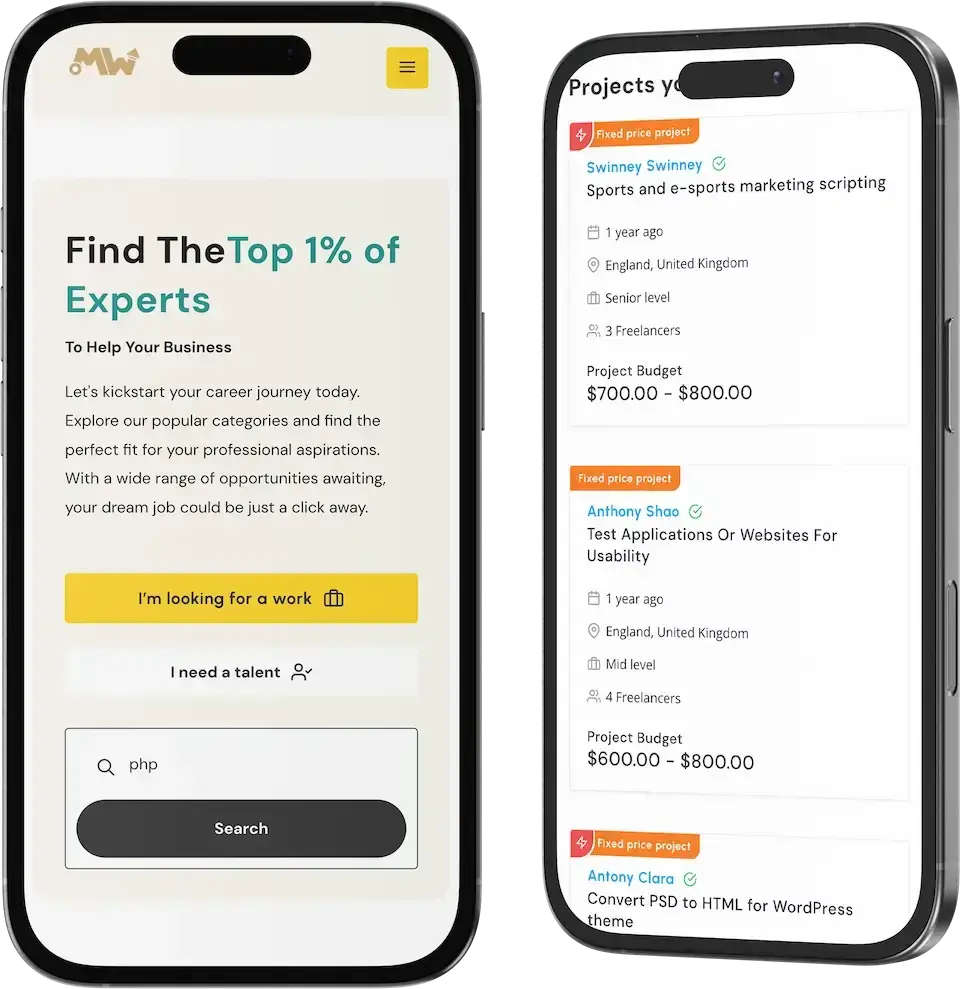
02Clients post projects, freelancers answer with proposals, and each side keeps a profile; pay is per project.
See This Solution
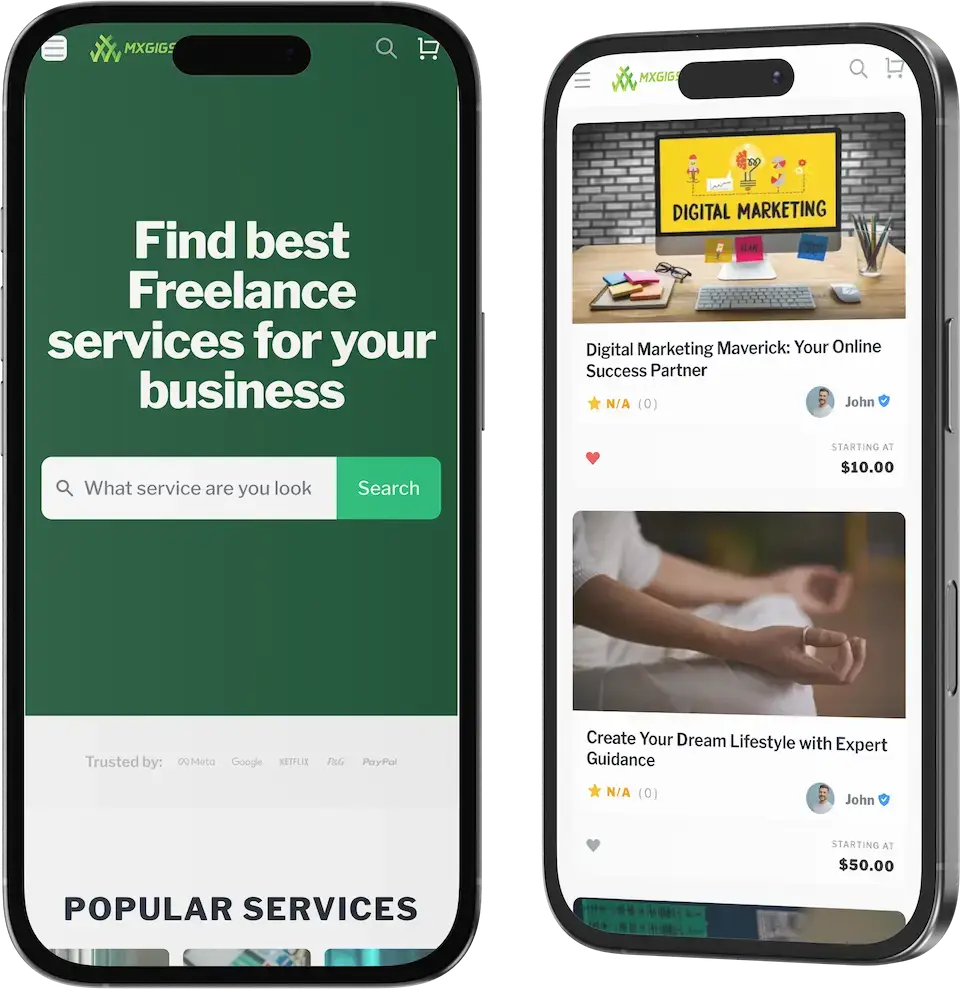
03Freelancers list services with fixed prices, and buyers pick a listing and order it.
See This Solution
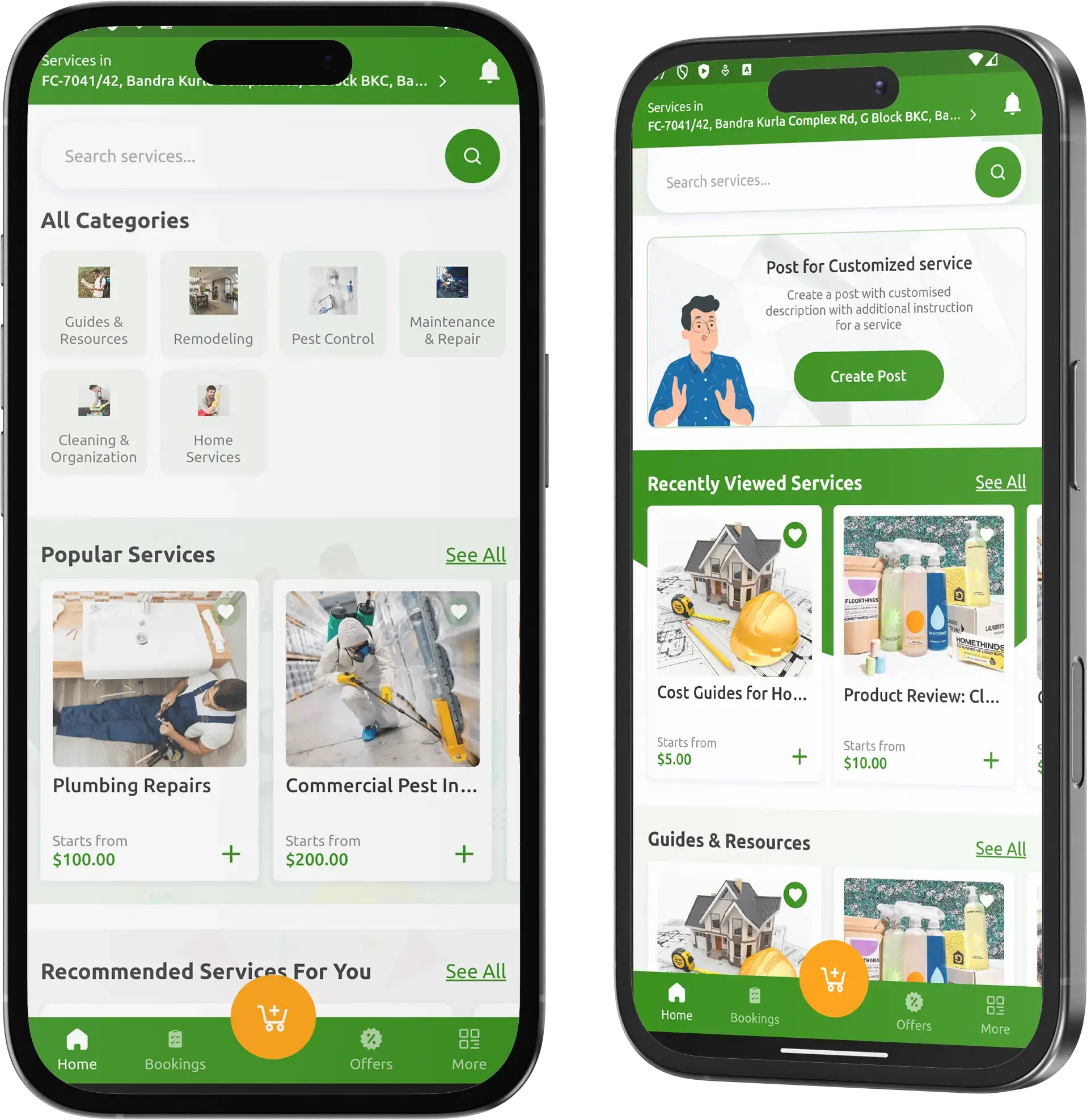
04Customers browse service categories, compare providers and book a home service or ask for a custom job.
See This Solution09Earnings and market
Market Benchmarks
Online Recruitment Market Benchmarks - Independent 2025-2026 Data
The revenue models above are ours. The figures below are not. They come from the ZipRecruiter and Microsoft (LinkedIn) annual reports on Form 10-K, the US Bureau of Labor Statistics and Indeed Hiring Lab, reproduced as published. Together they show how a listed job board earns its revenue and what hiring demand looks like in the US, so you can test a business case against numbers you can check.
$449.0m in ZipRecruiter Revenue in 2025
ZipRecruiter reports in its 2025 annual report on Form 10-K that revenue was $449.0 million, down 5 percent. Subscription revenue, from flat-rate job posting plans, was $345.2 million; performance-based revenue, paid per click, was $103.8 million. Quarterly Paid Employers reached 59,104 in the fourth quarter, up 2 percent, and Revenue per Paid Employer was $1,889, down 2 percent.
7.1m US Job Openings in August 2026
The US Bureau of Labor Statistics JOLTS release of 29 September 2026 reports 7.1 million job openings in August, a rate of 4.3 percent. Hires were 5.2 million, a rate of 3.3 percent, and quits were 3.1 million, a rate of 1.9 percent. The figures show the size of the demand an employer-paid job board sells into.
LinkedIn Revenue Up 11% in Microsoft FY2026
Microsoft's annual report on Form 10-K for the year ended 30 June 2026 states that LinkedIn revenue increased 11 percent. Microsoft defines LinkedIn revenue as the sum of Talent Solutions, Marketing Solutions, Premium Subscriptions and Sales Solutions, so hiring products are one of four revenue lines, and says it is mainly affected by demand from enterprises and professionals.
Indeed Job Postings Index at 103.5 in Sept 2026
Indeed Hiring Lab's US Labor Market Snapshot of 24 September 2026 puts its Job Postings Index at 103.5, the highest level since late March and about 3 percent above the pre-pandemic level. The index showed 1.5 percent monthly growth as of 18 September, and 60 percent of occupational sectors were above their pre-pandemic baseline.
ZipRecruiter, Inc., Annual report on Form 10-K for the fiscal year ended December 31, 2025, filed 25 February 2026 - sec.gov
US Bureau of Labor Statistics, Job Openings and Labor Turnover Summary - August 2026, 29 September 2026 - bls.gov
Microsoft Corporation, Annual report on Form 10-K for the fiscal year ended June 30, 2026, filed 29 July 2026 - sec.gov
Indeed Hiring Lab, US Labor Market Snapshot, September 2026, 24 September 2026 - hiringlab.indeed.com
All figures are the publishers’ own reported results and statistics, reproduced as published. They describe the market, not the performance of any platform Miracuves builds, and nothing here is a revenue projection for your business.
What It Earns You
Marketability, Revenue Potential & Business Prospects
Income begins when employers see value in a listing and candidates trust the site enough to apply. The four points that follow help with both, and they keep the relationships with you.
- 01
Several Ways to Charge an Employer
Plans, promoted listings, single paid listings and paid profile access each pull a different lever, so income climbs as more employers join. Every sale is written to the order log, and Miracuves never claims a percentage of it.
- 02
Something to Return For on Both Sides
Candidates find a steady flow of listings to search and apply to, with AI-based job recommendations available as an add-on, while employers get a candidate pool worth renewing a plan for.
- 03
An Audience You Own
Accounts, listings and application history sit in your own database, so the value stays with you and not with someone else's platform.
- 04
Freedom to Leave
Switching host, team or direction needs nobody's approval, because you hold the entire source.
- Subscription Plans for Employers
- Free Tier, Paid Upgrades
- Featured Listings
- Single Paid Listings
- Candidate Profile Access
- Banner Advertising
The moat is the employer base and the candidate audience, not the feature list.
- 01Employers with a plan and history seldom move
- 02Candidates with a profile tend to stay
- 03Accumulation begins on launch day, inside your own database
- 04Careful moderation is a second moat
Three examples that differ only in the count of active employers. Each shows which lever leads at that size. They are meant for planning talks and say nothing about what a particular board will earn.
Plans and single listings carry the early income.
A sector board where a few dozen employers hold a plan and pay to publish, with approvals keeping content relevant. Example sizes, not a forecast.
Plans, with featured and highlighted slots rising in value.
A regional hub where many employers compete for the same visitors, so boosted listings begin to count next to plan fees. Example sizes, not a forecast.
Several markets, where both plans and promotion contribute.
A multi-country site on which plans, boosts and ad slots add up, with the dashboard showing where to put your effort. Example sizes, not a forecast.
10Why choose us
Why Miracuves
Choosing a Job Portal Developer: Miracuves Against the Alternatives
Job portals reach the market as generic scripts, freelance or agency builds, or a proven base licensed from a vendor with deliveries behind it. Whichever you weigh, ask two things early: does the builder take a cut of employer payments, and whose store accounts will carry the apps? Here the answers are no cut and your own accounts.
What Founders Value in Miracuves
- 01
Three Panels Built
Candidate, employer and admin panels already work together, and the demo lets you click through each one.
- 02
Real Native Apps
Both apps are real native projects, not websites wrapped in a frame.
- 03
Plans From Day One
Plans, allowance limits, a single-listing option and an order history already exist in the base, so employers can be billed on day one.
- 04
You Own the Source
Every file is handed over unencrypted, which means no one can raise the price or rewrite the terms afterwards.
- 05
A Single Code Base
The site, the employer panel and the admin console are one product with separate logins, so there is nothing to integrate.
- 06
Clear Boundaries
This page keeps base features, add-ons and your own responsibilities (developer accounts, gateway accounts, hosting) clearly separate.
How to Choose a Job Portal Development Company
Before signing with a job portal developer, check who keeps the plan and listing fees employers pay and who owns the two apps in the stores.
What to look for Miracuves
- No cut of employer payments 0% revenue share on any plan or listing fee
- Apps under your accounts Both apps listed under your brand's store accounts
- Plans that limit posting Plan allowances for listings, featured slots, highlights and profile views
- Three panels already joined Candidate, employer and admin panels working together in the demo
- Code with no lock All files handed over unencrypted, open to your own developers
- Support you can count on Guidance, priority fixes and updates in three overlapping periods
Walk away from any vendor who
- Takes a percentage of what employers pay you
- Lists the apps under its own store name
- Shows no plan allowances behind its posting form
- Exposes full candidate names to signed-out visitors
- Delivers obfuscated or encrypted code
Job Portal Compared With Scripts and Agency Builds
| What you compare | MiracuvesMiracuves Job Portal | Generic Script | Custom Agency Build |
|---|---|---|---|
| Speed to Launch | Six days of build time on our side | Unclear, or self-service | Priced per project, often taking months |
| Who Owns the Code | Full, unencrypted source | Often locked or limited | Usually handed over |
| Listings & Plans | Featured, highlighted and paid listings with plan allowances | A basic posting form | Scope follows the budget |
| Employer Tools | Employer app, panel and purchase history | A posting form at best | Designed and built per project |
| Mobile Apps | Native for Android and iOS | Hardly ever included | Extra, built per project |
| Admin Tools | Tile dashboard plus company, plan and order lists | Thin or missing | Extra, built per project |
| Moderation & Trust | Approval switch and verified accounts | Hardly any | Depends on the vendor |
| Price, Speed & Quality | Fixed price, fast, tested base | Cheap but risky | Expensive and slow |
| Ongoing Support & Updates | 60 days guidance, 6 months bug fixes, 12 months updates | Seldom offered | Set out in the contract |
Very few paths to a job board look the same a year later. This table shows where they split.
Talk to Our TeamVersion History
Job Board Release History - Updates & Fixes
Web platform changes, latest at the top. Every line below restates one of the platform's change notes in plain words.
| Release | What changed |
|---|---|
| V3.23.6 | Added or improved Sealed a hole that permitted unauthorized account creation |
| V3.23.5 | Fixed Price digit limit on plans corrected Stray page menu item removed |
| V3.23.3 | Added or improved Job location search works better Fixed Removing a bookmark now confirms with a message Videos on job pages now render |
| V3.23.0 | Added or improved The help widget can be switched on or off Fixed Translation glitches |
| V3.22.0 | Added or improved Users who never verify are deleted automatically |
| V3.21.5 | Fixed HTTPS requests failing Candidate pop-up missing some data |
Start the conversation
Ready to open a job board under your own name?
Book a free consultation to leave with a realistic timeline and honest answers, with no sales pressure attached.
- Under 2 hours to a first reply, Mon-Sat
- A free first consultation
- No contract lock-in
- You own the complete source code outright
11Read next
Blog & Resources
Job Portal Reads - Business Model, Scripts & Security
Three posts on how a job portal runs as a business, what ready-made scripts include and how to keep one safe.

Basics7 questions
01What is the Job Portal Clone?
A ready-made job board that opens under your own brand. Candidates search and apply, employers publish jobs and buy plans, and an admin console governs the marketplace. Miracuves delivers it white-label: public site, employer and admin panels, native Android and iOS apps and every line of source.
02Is the Job Portal Clone customizable?
Yes. Because every file is unencrypted, your developers or ours can change the design, fields, filters, plans and flows. Work beyond the base build is scoped and quoted in writing before it starts.
03Can my team run the platform without developers?
Yes. Everyday work happens in the admin panel through menus for companies, candidates, jobs, plans and orders. Documentation ships with the package, and 60 days of platform guidance has us helping your team learn the console.
04Does the Job Portal Clone match candidates to jobs with AI?
No. Search is by keyword and place, with filters for job type, salary, category and remote work. Resumes are not parsed and candidates are not ranked by AI. AI-driven predictive analytics exists only as an add-on, priced on its own.
05Does it offer interview scheduling or video interviews?
The base build has no interview scheduling. Video interviewing is an add-on that places video calls inside the platform and is quoted on its own. Employers can still write to candidates from the candidate directory, the apps include in-app messaging and applications can arrive by email.
06Are the phone apps really native?
Yes. The Android apps are Java and Kotlin projects and the iOS apps are Swift projects built in Xcode, with one app for candidates and one for employers on each platform. They are native projects, not a website inside a wrapper.
07Is running a job board lawful?
Generally yes, though the rules turn on where you operate. Laws on advertising jobs, discrimination, using minors as interns, candidate data and paid listings differ between countries and often between states. The software provides tooling, Miracuves gives no legal advice, and you should get local advice before opening the board.
Candidates & employers8 questions
08How does a candidate sign up?
The candidate taps Sign Up, enters their details and confirms an email address. Once registered, a candidate may store a resume, bookmark jobs, create job alerts and apply, and the dashboard tallies applications, favorites and alerts.
09How does a candidate apply for a job?
Open a listing, press Apply and attach a resume and a cover letter. After submission the entry appears in the applied list with a date and status, and View Details brings the job back. Employers may also take applications by email.
10How does an employer publish a job?
Employers open Post Job, type in the details, choose free, paid or featured exposure and publish. If approval is on, an admin reviews the listing first, and each listing counts against the employer's plan allowance.
11How can employers get in touch with applicants?
They read applications in the employer panel and write to a candidate through Message Candidate, or take applications by email. The candidate directory, narrowed by skill, experience level and education, also finds people who never applied.
12Can employers pay to get listings seen by more people?
Yes. Plans carry separate allowances for featured and highlighted listings, and an employer may pay for a single listing and feature or highlight it. Candidate profile views are limited by plan too, and every price is set in the admin panel.
13What can employers see in the candidate directory?
People are listed by profession, availability and experience, and employers filter by skills, years worked, education and remote preference. A resume can be viewed or downloaded, a candidate can be saved into a category, and names stay partly hidden for visitors who are signed out.
14What does a company page show?
An employer registers and confirms its email, then completes the page: name, industry, a description, when it was founded, what type of organization it is, its size, website and location. The page presents a banner and logo, lists open positions and takes its place in the Companies directory.
15How is candidate data protected?
Job seekers control privacy options on their profile, signed-out visitors see names only partially, and unverified users can be removed automatically. Payments go through your own gateways. A pen test and a restore drill join the schedule we agree with you.
Operator & money7 questions
16What can be managed from the admin panel?
The admin menus reach companies, candidates, jobs and their applications, categories, roles and attributes, price plans, orders, an internship group, the blog and the settings. A dashboard shows earnings, candidate, company and verified-user totals together with job counts by state.
17Can listings go live without admin approval?
Yes. Approval is a switch: an admin decides whether new listings publish immediately or wait for review. New boards often start with approval on and loosen it as they learn which employers to trust.
18How does the platform make money?
You set prices in the admin panel for each plan, for featured and highlighted listings, for single listings and for candidate profile views, and you can sell advertising space on top. Employers pay via the gateways you connect, and each purchase is listed under Orders.
19Which payment providers work for employers?
Offline payment, Stripe, PayPal and Mollie all appear as providers on the demo orders, and gateways are administered in the admin panel. What you can actually use depends on your country and on accounts that you open and complete onboarding for yourself.
20Which revenue line usually pays first on a job board?
Most often from subscription plans and single paid listings, since a company sees what one listing is worth straight away and you can price it on day one. Boosted listings come next, once enough employers want to outbid each other for the same candidates. Banner advertising, or selling a licence for your white-label setup to another operator, depends on your own commercial deals, so it is negotiated rather than built in.
21What protects a job board against copycats?
The moat is the employer base and the candidate audience, not the feature list. Employers that already hold a plan and have applications on file seldom leave, and a candidate whose profile and application trail already live on your board has little reason to start again elsewhere. With your platform, that loyalty begins accumulating at launch, stored in your own database. Careful moderation of listings is a second moat, since a board people trust is hard to imitate.
22What do the two demos show, and is there an internship one?
Open MXHire to see the entire board in action (search, companies, candidates, Pricing) and MXHireX to see the same board with an intern panel added. Both demos already include internship screens and menus, while the dedicated internship module ships as an add-on.
Delivery11 questions
23How fast can the platform be launched?
Our build takes six days. That covers rebranding, putting the platform on your hosting and help with publishing; app store review is separate because Apple and Google set their own pace.
24Is the source code included?
Everything: the web and admin code plus both mobile apps, unencrypted. There are no per-seat or per-run charges, and your developers are free to modify anything.
25What do I need to bring?
Hosting and a domain, your own Apple and Google developer accounts, your branding and business details, a payment gateway you have onboarded and cleared KYC for, plus any third-party keys you want for maps, texting or push.
26What support do I get after launch?
Three periods begin on launch day and overlap at no extra cost: 60 days of platform guidance, 6 months of priority bug fixes and 12 months of product updates.
27What happens between the first call and launch day?
We confirm your requirements, settle the design and branding, then rebrand and set up the platform, test it and install it on your servers. Support periods begin once you launch, and extras follow written scopes of their own.
28Why build your job portal clone with Miracuves?
The whole loop works on delivery, from search and applications to plans, native apps and the admin console, and you can try it in two demos first. We have completed 9,000+ projects, charge a flat $2,499 for this product, include all the source and draw clear lines between base features, add-ons and what you provide.
29How much does a job portal cost?
Our ready-made job portal is $2,499 as a single payment. It includes the public site, native apps for candidates and for employers, the employer panel, the admin console and the full source, set up on your hosting within 6 working days. Internships, skill tests, video interviews and analytics are add-ons, and any custom change is scoped in writing before work begins.
30Is a ready-made job portal better than custom development?
For a niche, regional or campus board it usually is. Search, applications, plans, featured listings, the candidate directory and the admin console are already proven in the MXHire demo, so you spend on finding employers rather than on rebuilding a job board. Custom development pays off only when you need matching or workflows the base lacks, and that work can still follow later, after a written quote, in roughly 2-8 weeks.
31What is the business model of a job portal app?
Companies pay and job hunters do not. A job portal sells employer subscription tiers, a free tier with paid upgrades, featured and highlighted slots, single Pay Per Job listings and paid access to candidate profiles, and you can add advertising sold through your own deals. All prices live in the admin panel, so you can change one line without touching the rest.
32What is the step-by-step process to launch my job portal?
Start in the MXHire and MXHireX demos and try every panel. Tell us who your board serves and send branding, categories, plan prices, hosting details and developer accounts. Across 6 working days your name goes onto each screen, our team installs the platform on your server, swaps demo content for your setup and submits both apps, after which store approval rests with Apple and Google.
33What is the difference between a job portal script and finished job board software?
A bare script gives your developers code to finish. The Miracuves Job Portal Clone arrives as a working marketplace under your brand: candidates search and apply, employers publish listings and buy plans, and one admin console manages companies, candidates, jobs, plans and orders. It also includes native apps for candidates and employers, so you can launch in six days.
Go Deeper on the Job Board Software
Guides, related platforms and services that surround it.
Security
A look at how safe a white-label job board is and which security tasks stay with you.
Read the post→Script contents and cost
The features a ready-made job portal script bundles, how they are grouped and the price of a launch.
Read the post→ServiceWhite label app development
See the service→Speak to an expert →Disclaimer
Miracuves is an independent software development company. We are not affiliated with, connected to, sponsored by, or endorsed by any of the brands or platforms named on this page.
Read our full Legal Notice & Disclaimer →Names of the form “Brand Clone” are used descriptively. It is how the software industry refers to building a platform with functionality comparable to a known service, and how clients search for it.
The entire design and codebase of our products is built by our own team. Our products contain no code, design, graphics, or content originating from any third-party website or application.
All third-party names and marks listed on this page are the property of their respective owners, referenced solely to describe the category of software offered.

















