White Label Food Delivery App - Customer, Restaurant & Rider Apps With Settlement Built In

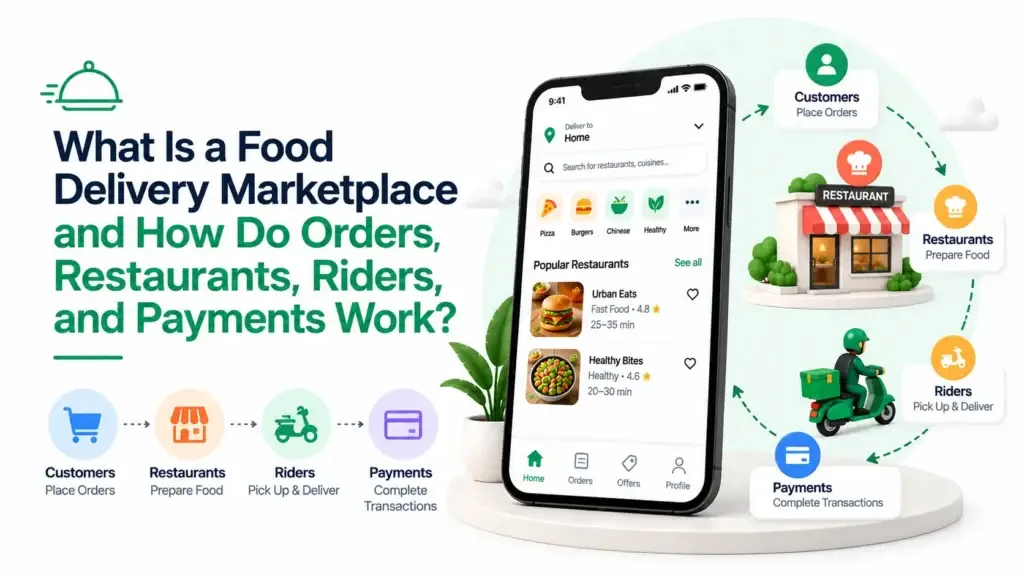
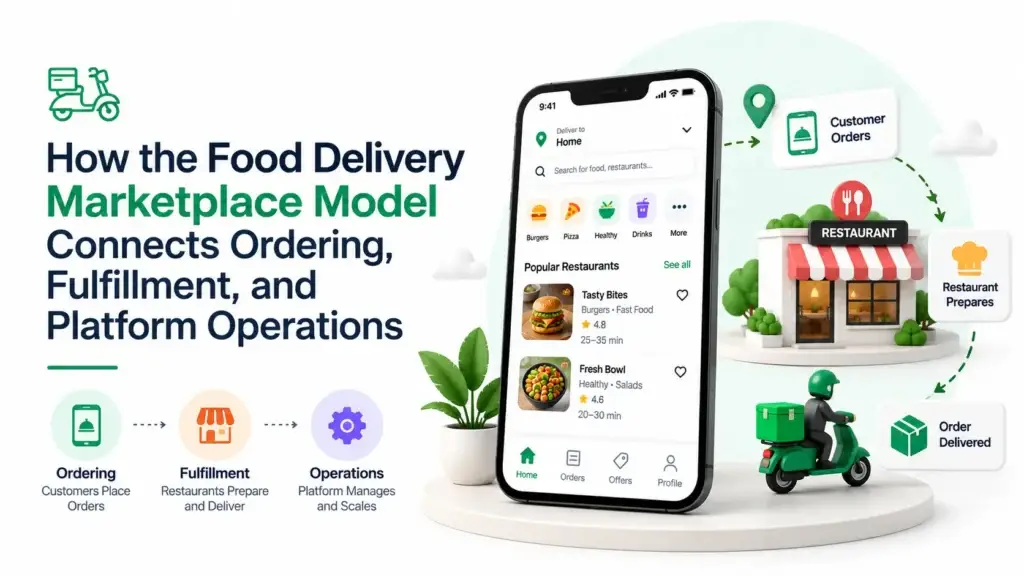
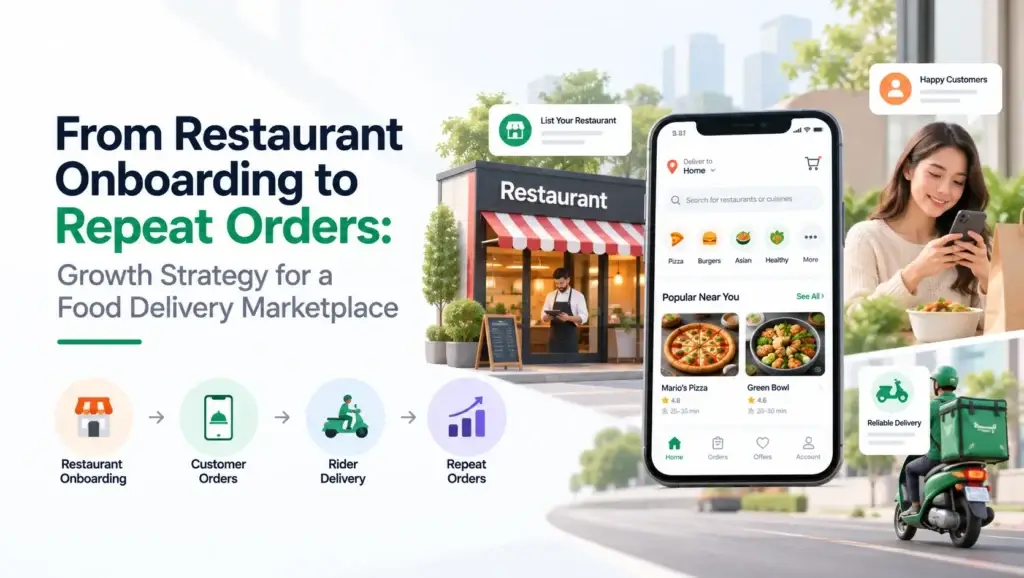
A white label food delivery app you launch under your own name, with the source code handed over rather than rented by the month. Customers order on your apps and website, restaurants run their own menus and orders, riders get a proper app with navigation and proof of delivery, and you run the marketplace from one console.

Commission frozen onto every settlement, scheduled payouts to restaurants and riders, refunds with an approval trail and 13 payment gateways, all built from the first order. Rebrand it, onboard your restaurants and start trading.

Go Live in 6 Days with OrderingDispatchPOS & Dine-InWallet & LoyaltySubscriptionsWhite-Label

⚡ Platform at a Glance

6

Revenue Streams
commission, plans, delivery, ads, campaigns, membership

13

Payment Gateways
alongside wallet, cash on delivery and offline methods

0

Revenue Share
the source is yours outright, so no per-order cut

4

Apps Included
customer, restaurant and rider apps plus your console

Delivery, Takeaway and Dine-In in One Build

Delivery, collection and table ordering all run through one order pipeline, so the mode you forgot to plan for is not a second invoice later.

Run Several Cities From One Platform

Each city is a delivery zone drawn on a map with its own charges, cash limits and rules, so a second market is setup work rather than a second build.

🚀 Ready to launch a food delivery app under your own brand?

More than 6,000+ Companies Trust us Worldwide

Live in Action

Live Demo - Customer, Restaurant, Operator Console & Android

Open the platform yourself. Four working logins are seeded, one per role, and none of them needs anything installed. The run worth doing is one real order: place it on the website, accept it as the restaurant, then open that same order in the console and watch your commission and the payout line for the restaurant calculate against it.
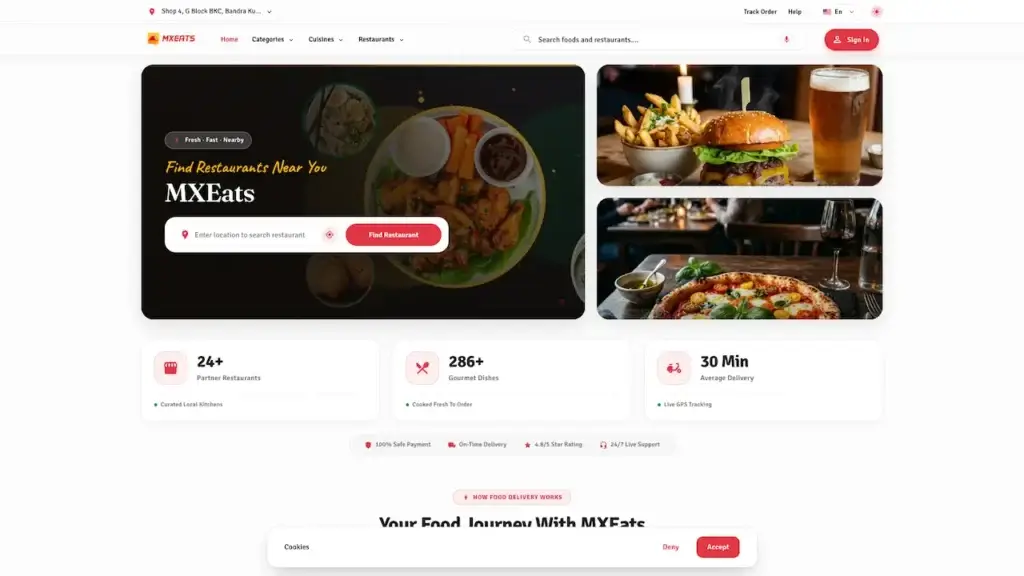
CUSTOMER EXPERIENCE

Storefront, Cart & Live Tracking

The customer side. They only ever see restaurants that deliver to their address, search by dish or cuisine, build a basket with sizes and extras, and check out for delivery, collection or a table before following the order to the door. Wallet, loyalty points and coupons come built in.

  • Open the web storefront in your browser
  • Login with the customer credentials below
  • Explore: Cart, Checkout, Tracking, Wallet
  • Try: user@demo.com | User_321

RESTAURANT PANEL

Orders, Menu, POS & Payouts

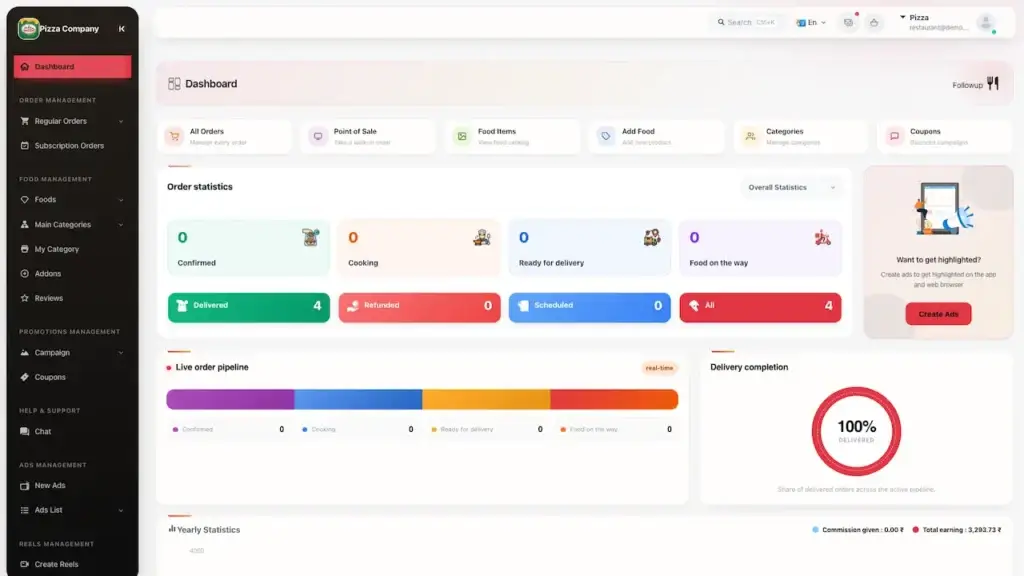
The restaurant side. Accept and prepare orders, edit the menu with photos, sizes and extras, sell out an item in one tap, set opening hours, run their own offers, ring up walk-in and phone orders on the built-in till, and see exactly what they are owed.

  • Open the store panel in your browser
  • Login with the store credentials below
  • Explore: Orders, Menu, POS, Disbursements
  • Try: restaurant@demo.com | Restaurant_$321

OPERATOR CONSOLE

Zones, Commissions, Dispatch & Settings

The operator side. Approve restaurants and riders, draw delivery zones and set their charges, choose commission, monthly plans or both, step into any live order, schedule payouts, handle refunds, and sell promotions and paid placement.

  • Open the admin console in your browser
  • Login with the operator credentials below
  • Explore: Zones, Settings, Dispatch, Payouts
  • Try: admin@demo.com | Admin_$321

ANDROID BUILDS

Three Branded Android Apps

Three separate Android apps under your brand. Customers order and track, restaurants run orders and menus, and riders get their jobs, navigation, the delivery code and their daily earnings. Each ships as its own store listing.

  • Download the build you want to try
  • Install on an Android device
  • Login with the credentials below
  • Try: delivery1@demo.com / +919876543201 | Delivery_$321

Watch It Work

Platform Walkthrough: Order, Dispatch, Settle & Pay Out

A walkthrough of a trading day rather than a feature reel. A customer enters an address, sees only the restaurants that serve it, applies a coupon and pays partly from their wallet. The restaurant accepts and prepares, a rider is assigned, follows the map and closes the job with the code the customer reads out. Then that same order is opened in the console to show the part most delivery software skips: your commission frozen onto the settlement, what the restaurant is owed, and which payout run will pay it. A counter order rung up on the till lands in the same books beside it. If one flow matters more than the rest, book a call and we will run that one with real data.

Every Screen Mapped

Platform Flows - Customer, Restaurant, Rider & Operator Screens

The screens your customers, restaurants and riders will use every day. Customers get browsing and search, restaurant and dish pages with sizes, extras and allergens, and a checkout covering delivery, collection or a table with scheduled times, tips, coupons and points, then live tracking, chat and the wallet behind it. Restaurants get the order board, a menu editor with bulk upload, the till for counter orders, staff logins and payout history. Riders get assigned jobs, the delivery code and a running cash total.

Plus custom device
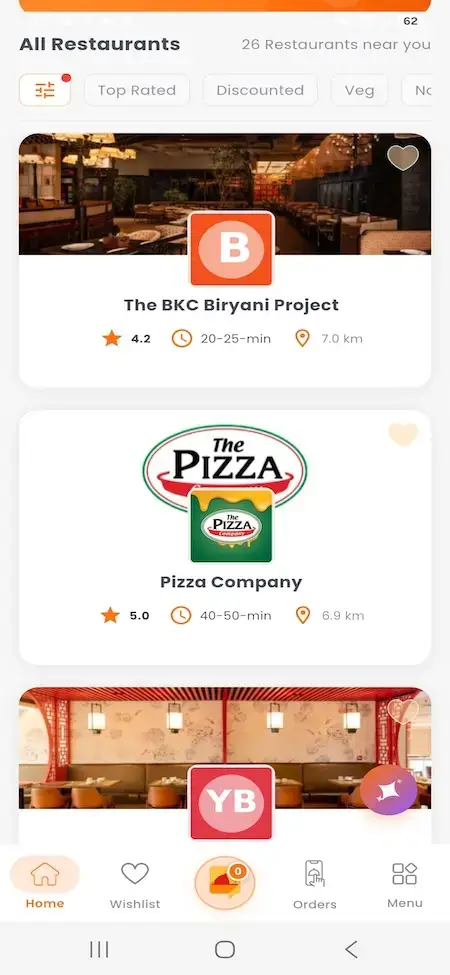
UberEats Clone All Restaurants List showing restaurant cards with ratings, delivery time, distance and cuisine filters
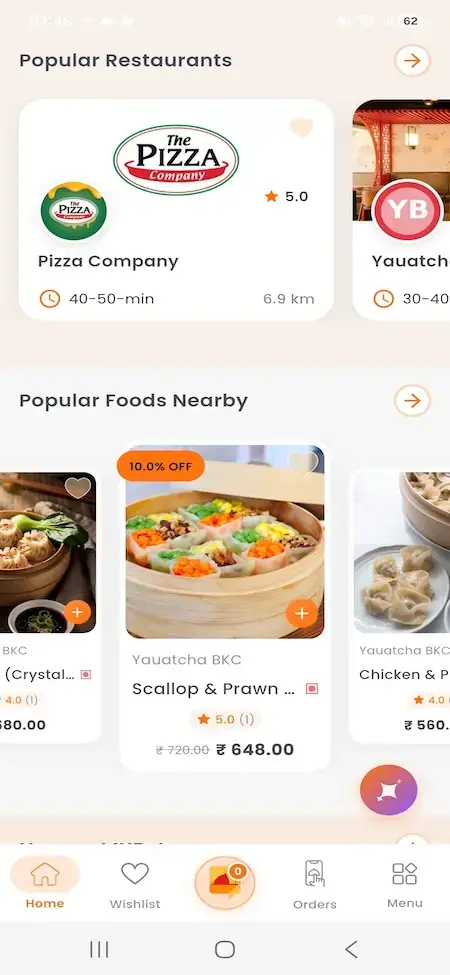
UberEats Clone Popular Restaurants and Foods showing popular restaurant cards and nearby dish recommendations with prices
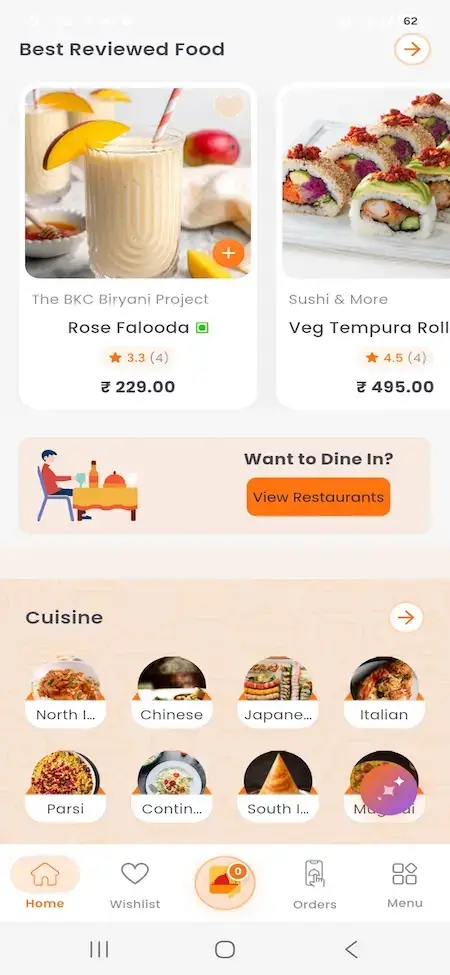
UberEats Clone Customer Food Discovery showing best-reviewed dishes, cuisine categories and restaurant discovery action
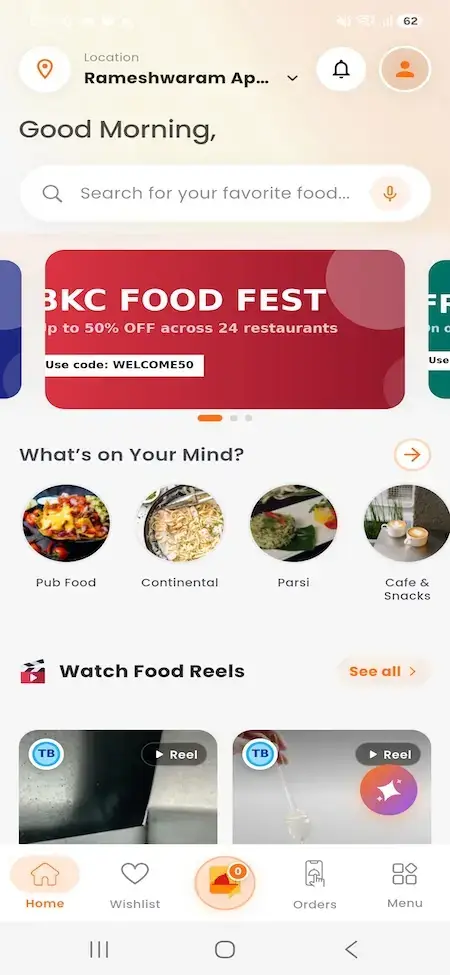
UberEats Clone Customer Mobile Home showing location search, promotional banner, cuisine shortcuts and food reels
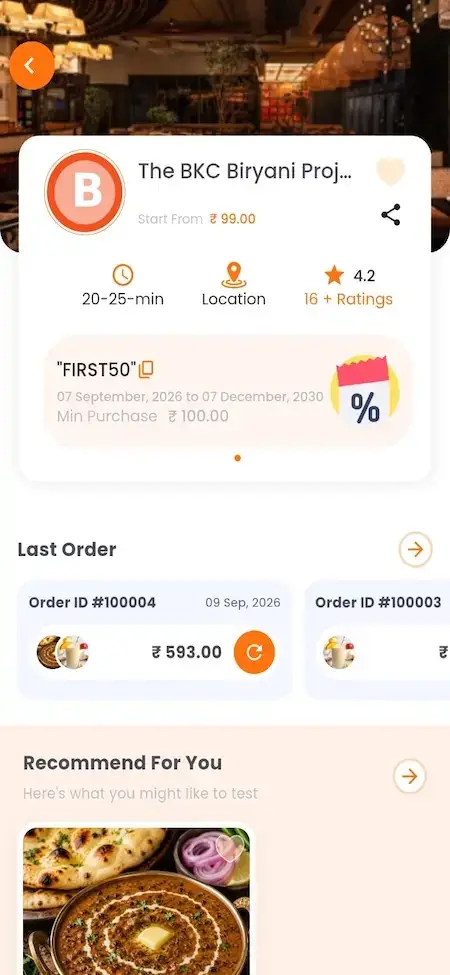
UberEats Clone Mobile Restaurant Details showing restaurant information, ratings, last orders and personalised food recommendations
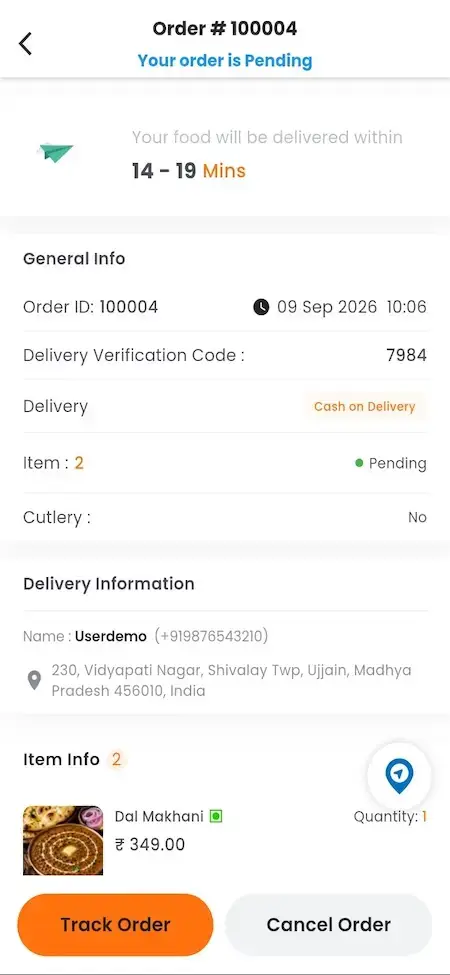
UberEats Clone Customer Order Details showing delivery estimate, verification code, order status, address, items and tracking controls
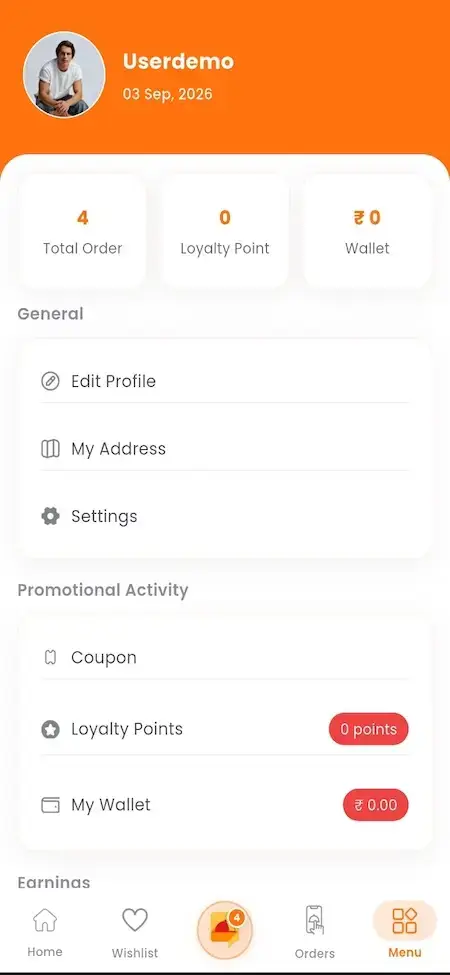
UberEats Clone Customer Account Menu showing profile, addresses, settings, coupons, loyalty points and wallet balance
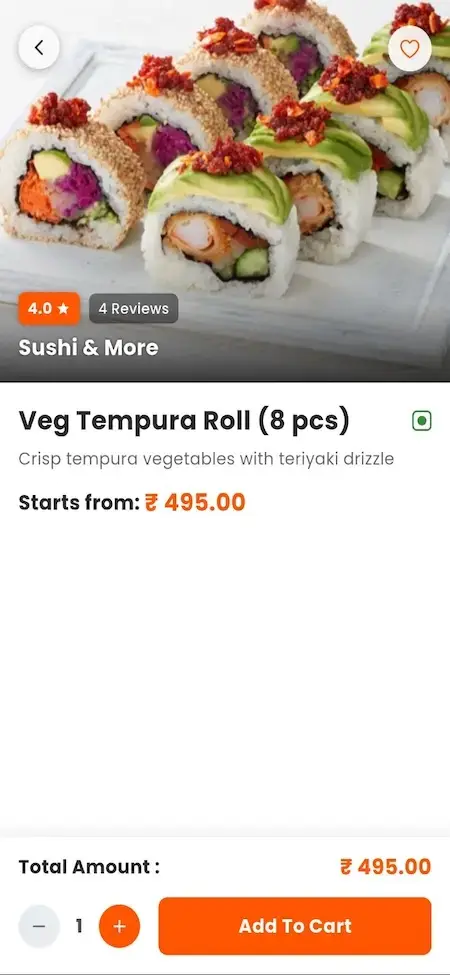
UberEats Clone Customer Food Details showing sushi image, rating, description, price, quantity and add-to-cart action
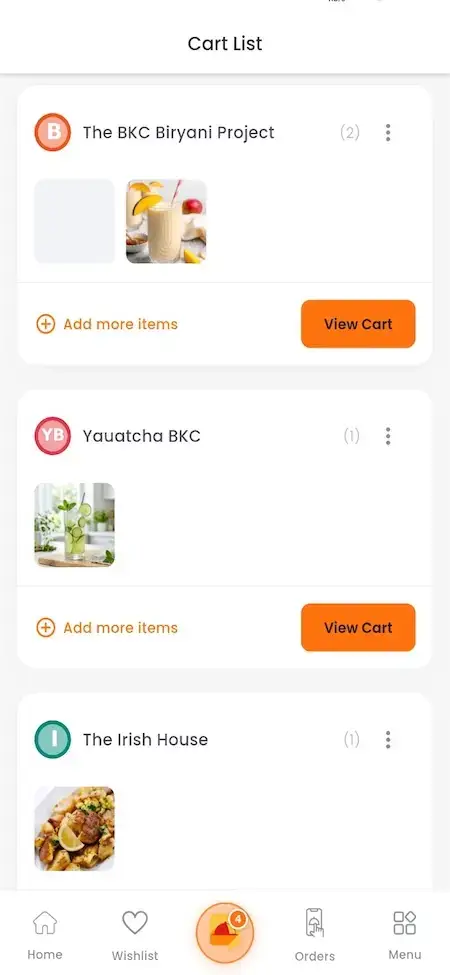
UberEats Clone Customer Cart List showing restaurant-grouped cart items with add-more and view-cart actions
Plus custom device
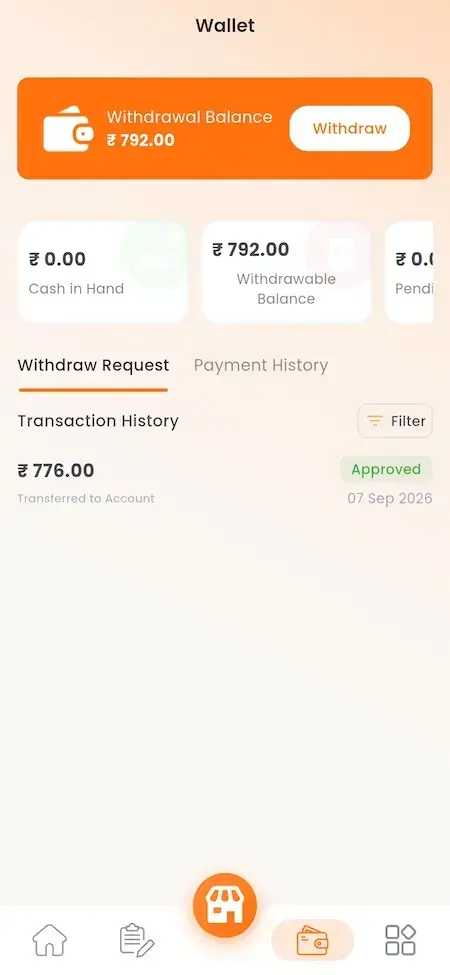
UberEats Clone Restaurant Wallet showing withdrawable balance, cash in hand, pending amount and transaction history
UberEats Clone Restaurant App Splash Screen showing MXEats Restaurant branding over a commercial kitchen scene
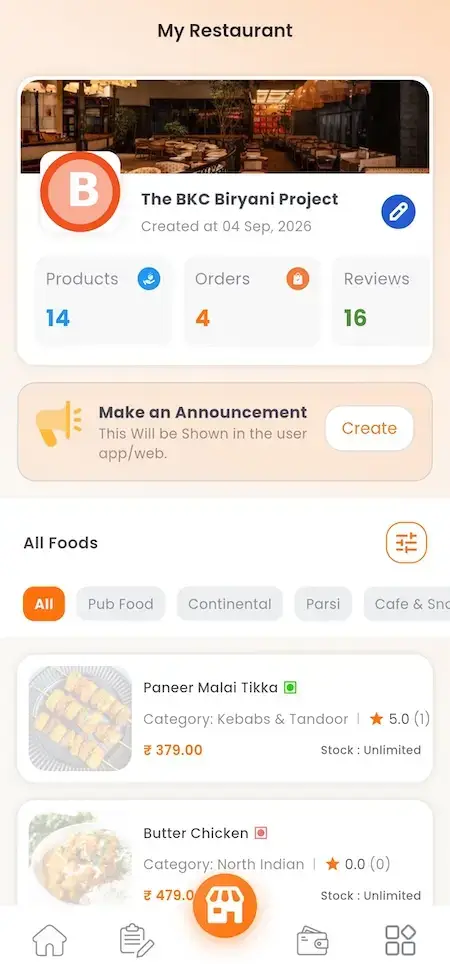
UberEats Clone Restaurant Profile and Foods showing restaurant statistics, announcement tools and listed menu items
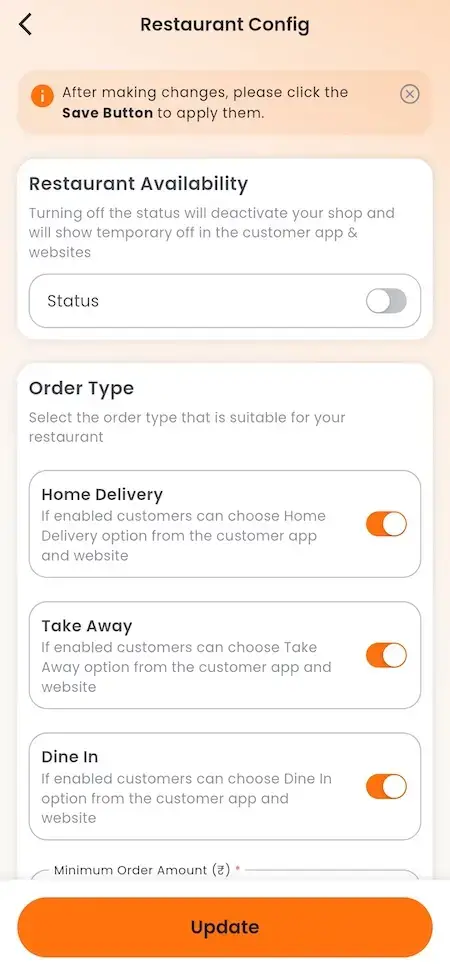
UberEats Clone Restaurant Configuration showing availability, delivery type, home delivery, takeaway and dine-in controls
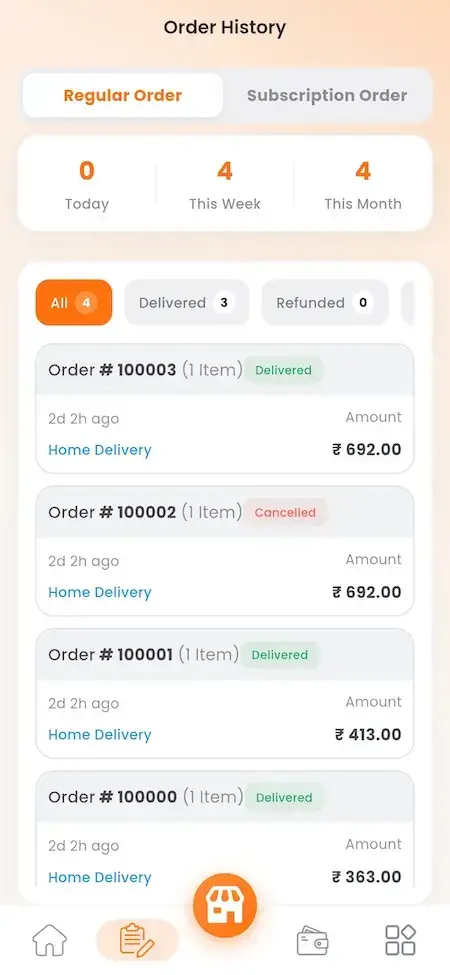
UberEats Clone Restaurant Order History showing regular and subscription orders with delivery, cancellation and refund filters
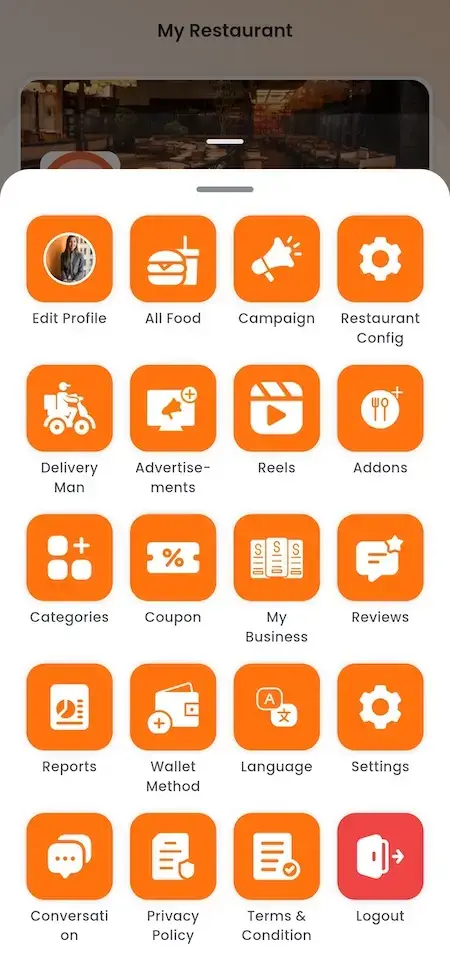
UberEats Clone Restaurant Management Menu showing profile, food, campaign, configuration, delivery, advertising, reports and wallet shortcuts
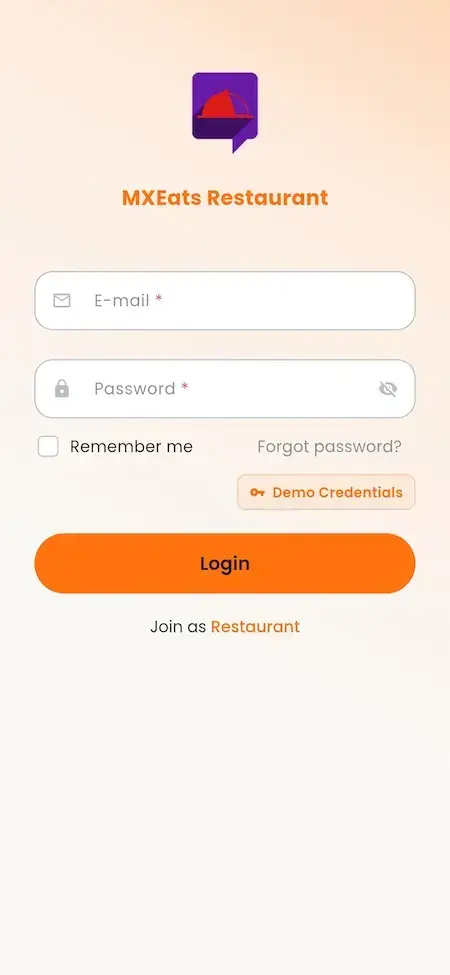
UberEats Clone Restaurant Mobile Login showing email, password, remember-me and demo credentials
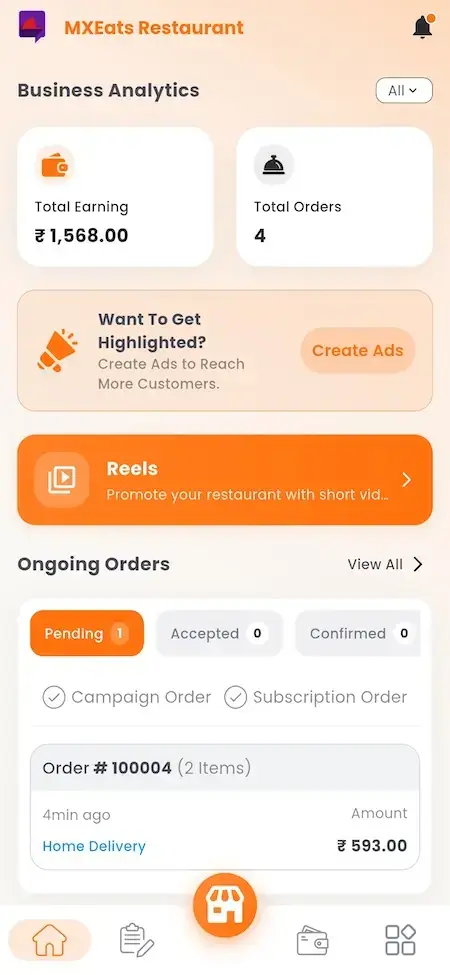
UberEats Clone Restaurant Mobile Dashboard showing earnings, total orders, advertising, reels and ongoing order status
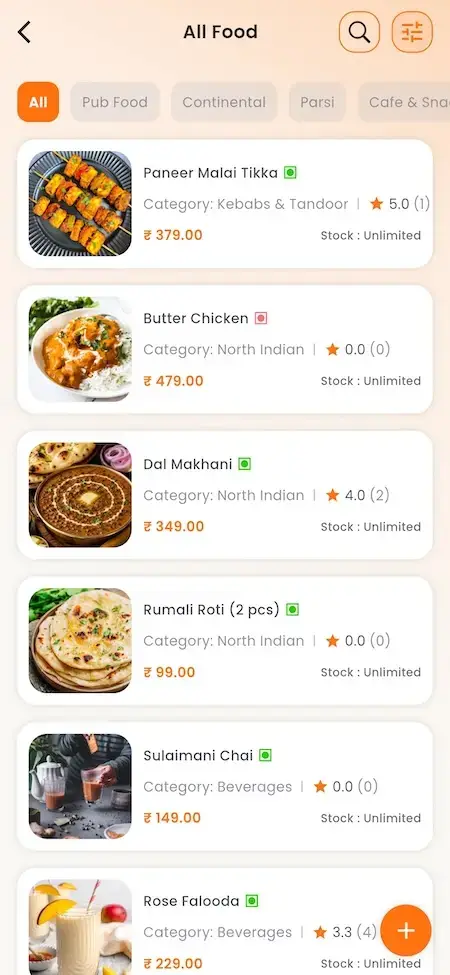
UberEats Clone Restaurant Food Catalogue showing menu filters, dish images, prices, ratings, stock and add-item control
Plus custom device
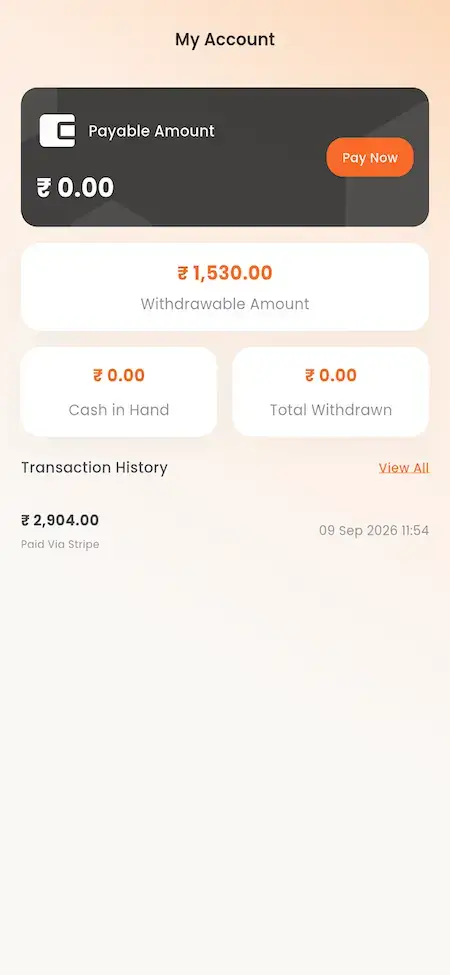
UberEats Clone Delivery Partner Wallet showing payable amount, withdrawals, cash in hand and transaction history
UberEats Clone Delivery App Splash Screen showing MXEats Delivery branding over a courier collecting an order
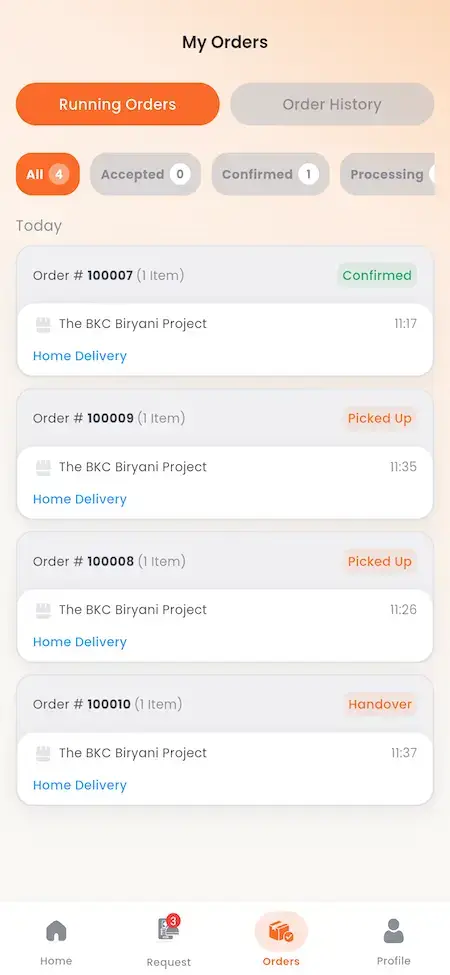
UberEats Clone Running Delivery Orders showing accepted, confirmed, picked-up and handover orders with live status
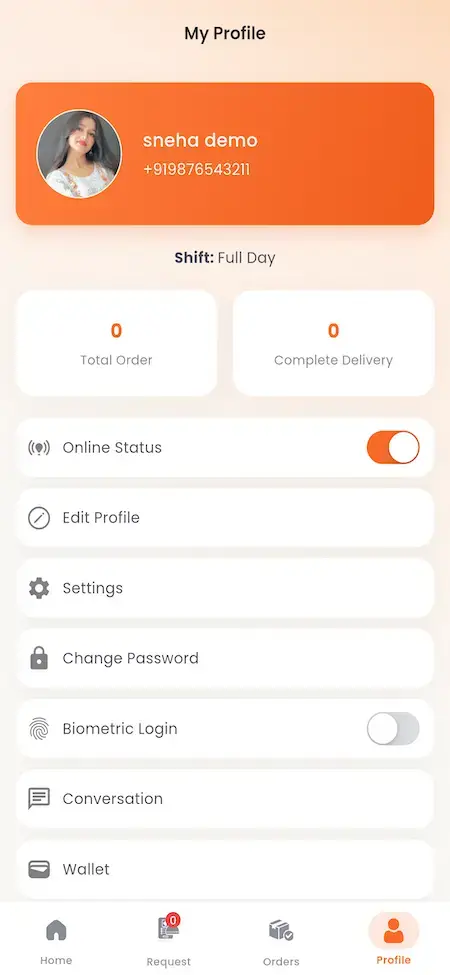
UberEats Clone Delivery Partner Profile showing shift status, completed deliveries, profile, password, wallet and settings options
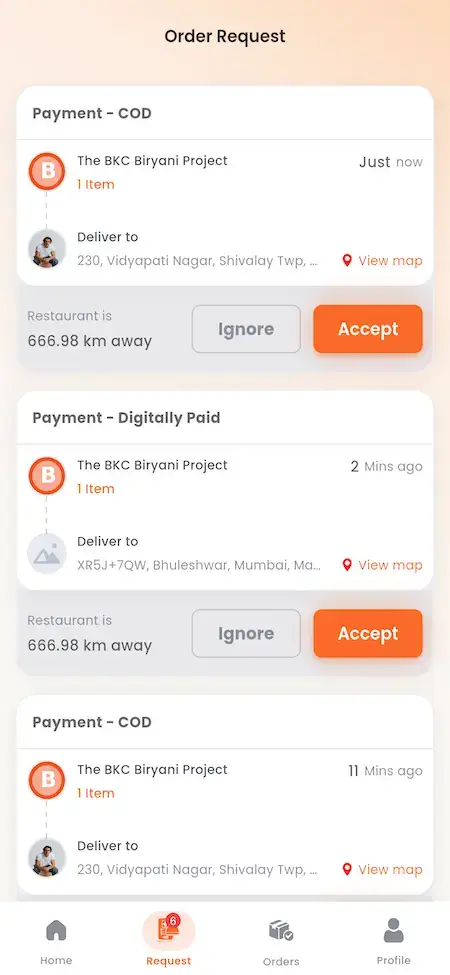
UberEats Clone Delivery Order Requests showing available COD and prepaid jobs with pickup location, distance and accept controls
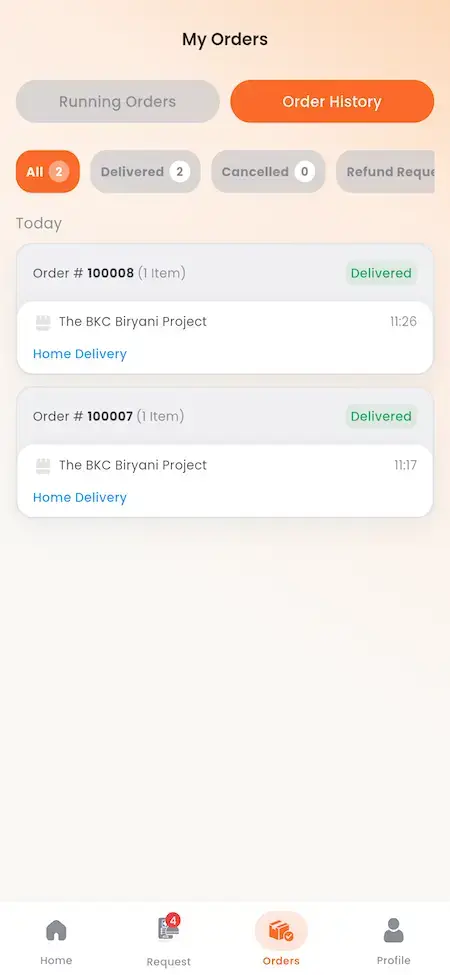
UberEats Clone Delivery Order History showing delivered orders grouped by status with restaurant, time and amount
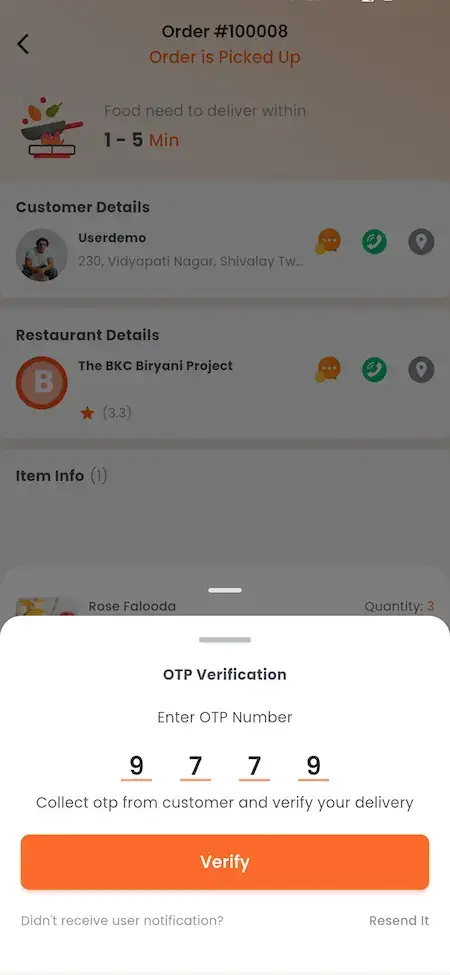
UberEats Clone Delivery OTP Verification showing customer and restaurant order information with a delivery verification code form
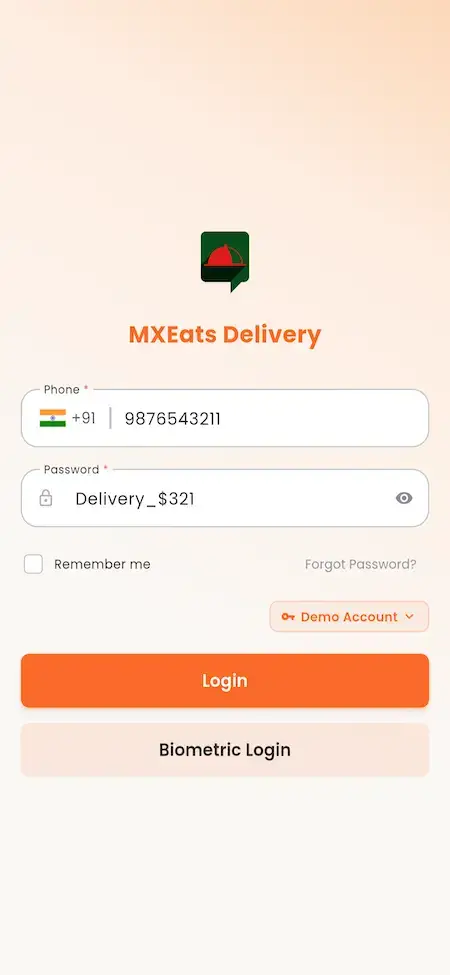
UberEats Clone Delivery Partner Login showing phone, password, remember-me and biometric sign-in controls
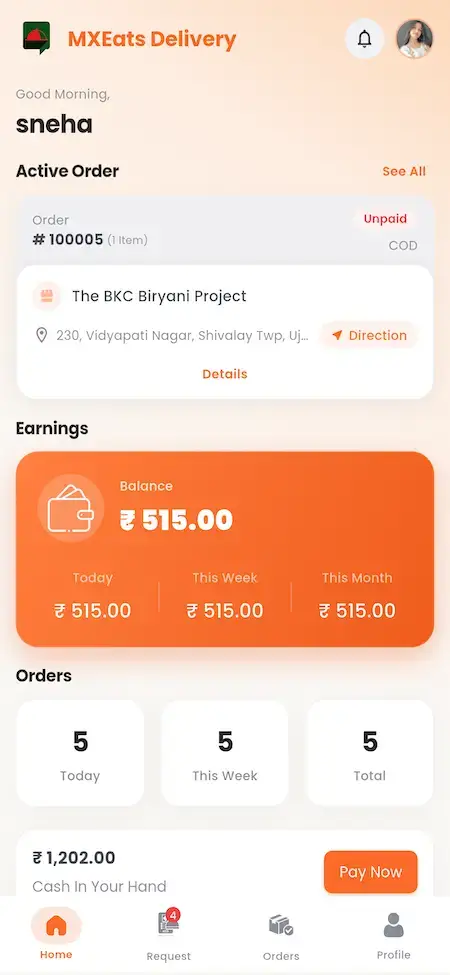
UberEats Clone Delivery Partner Home showing active order, delivery location, earnings, order totals and payout action
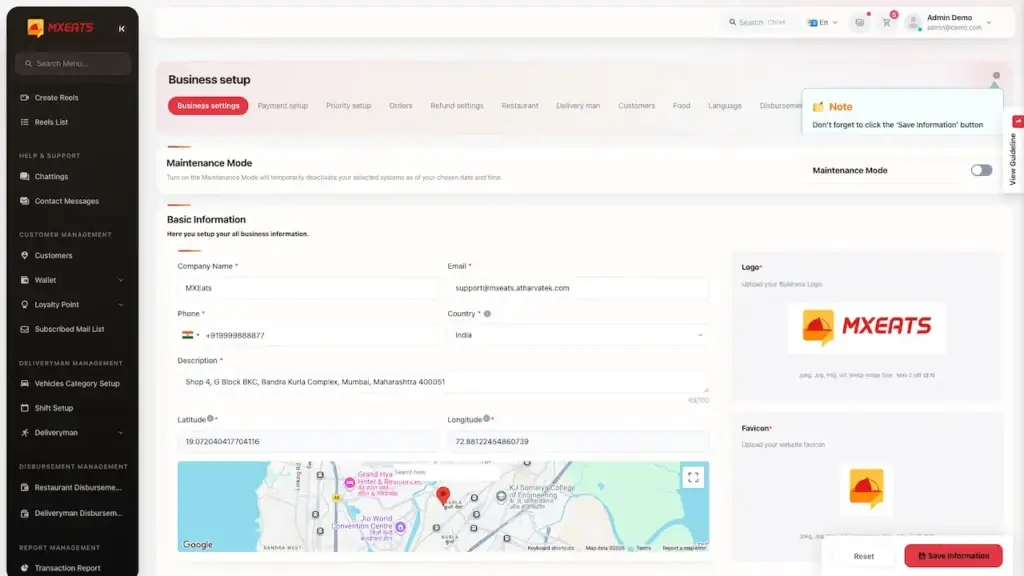
UberEats Clone Admin Business Settings showing maintenance mode, company information, branding assets and location map
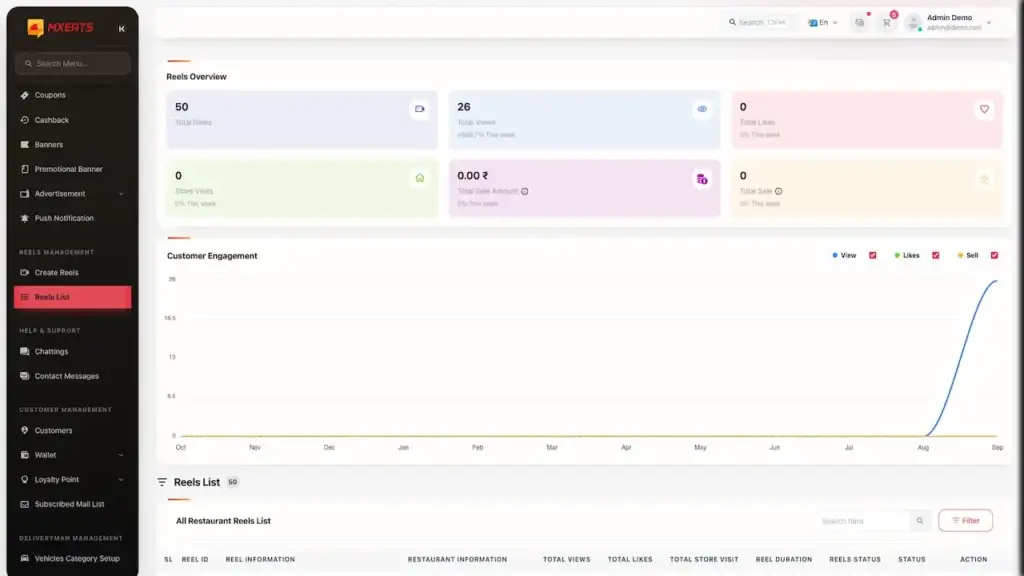
UberEats Clone Admin Reels Analytics showing food reel totals, engagement chart and restaurant reel records
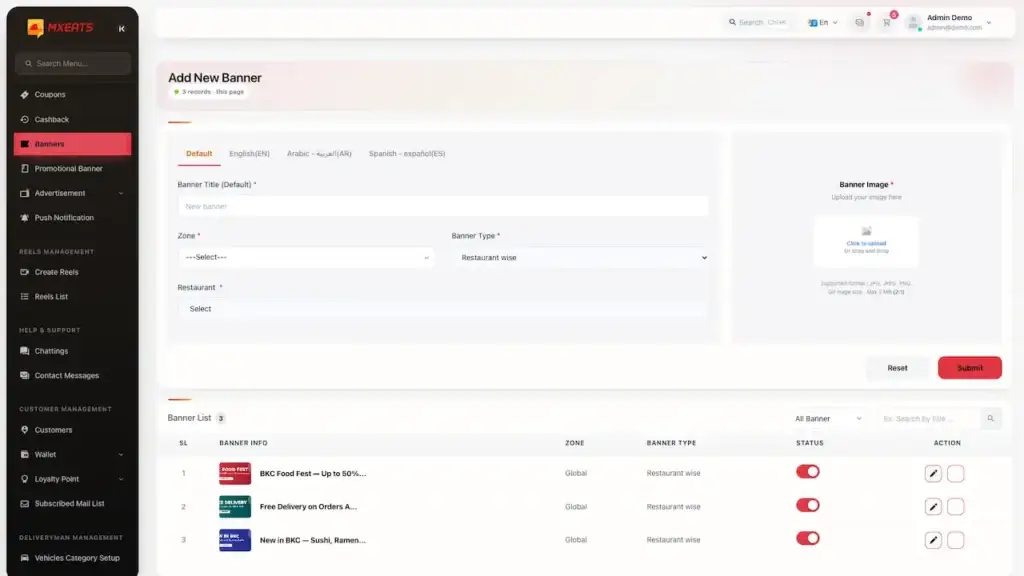
UberEats Clone Admin Banner Management showing banner creation fields, image upload, scheduling and existing promotional banners
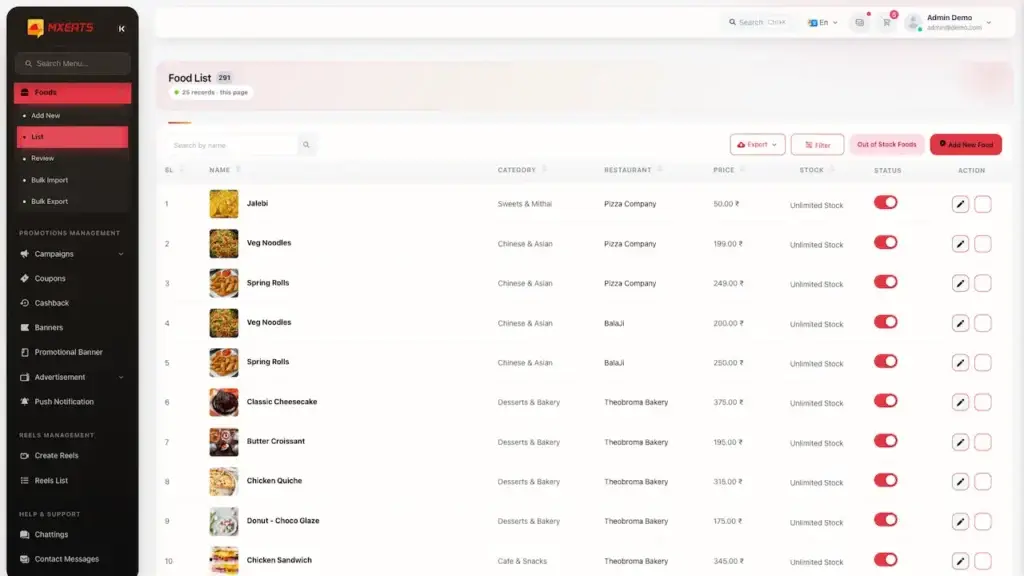
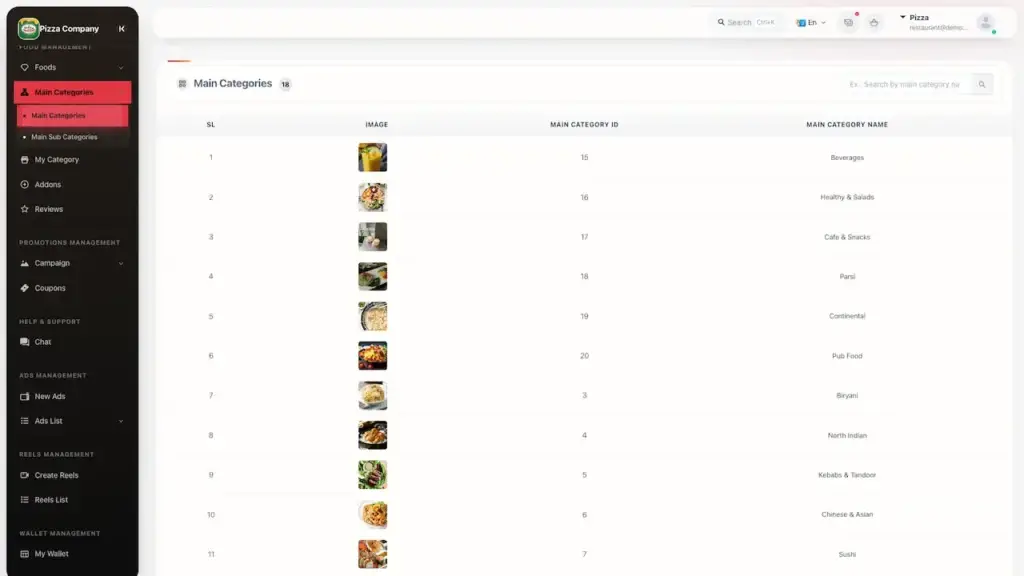
UberEats Clone Admin Food Catalogue showing food images, dishes, restaurants, prices, availability and edit actions
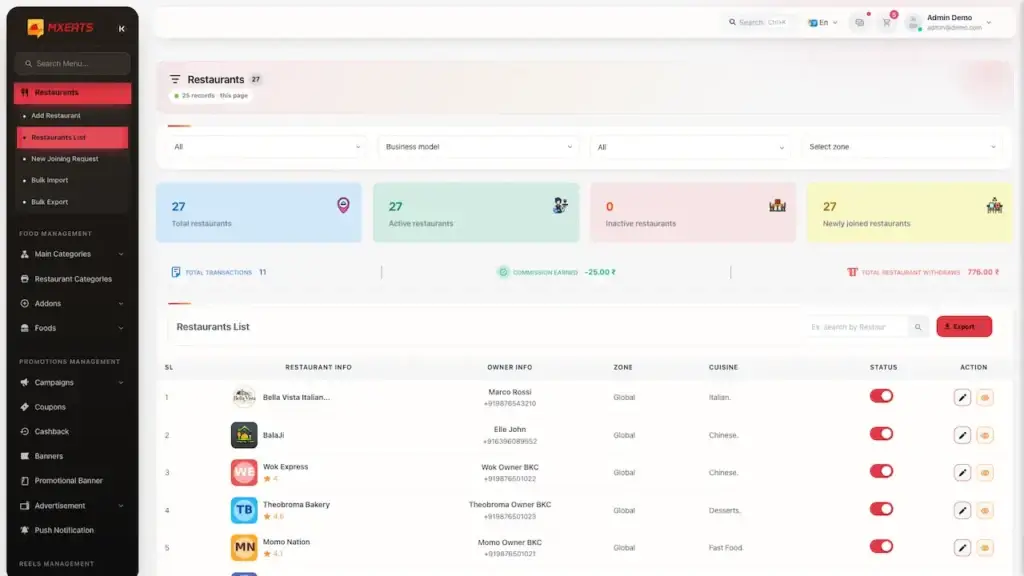
UberEats Clone Admin Restaurant Management showing restaurant totals, partner records, cuisine, status and edit controls
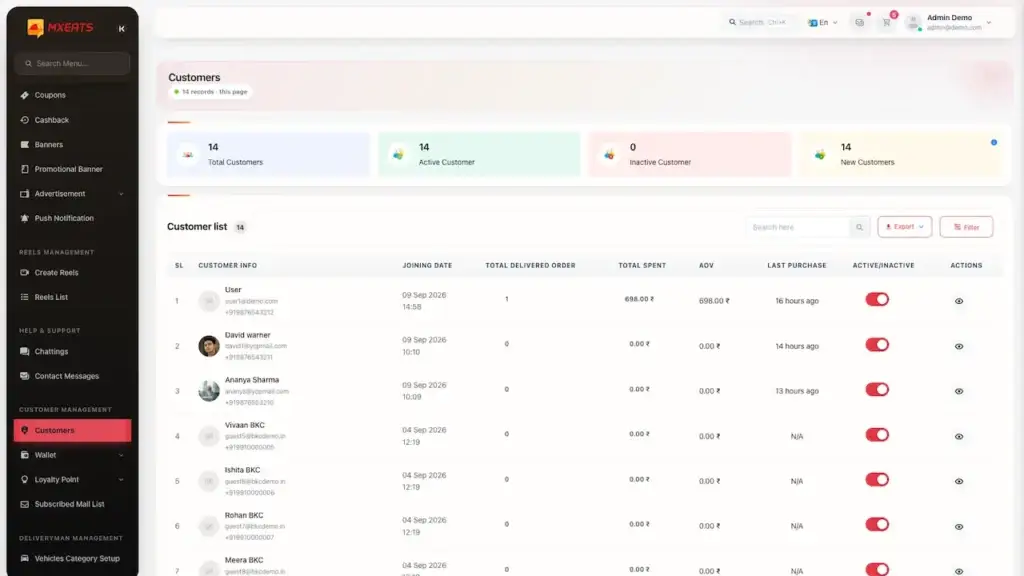
UberEats Clone Admin Customer Management showing customer totals, profiles, contact details, wallet balances, status and actions
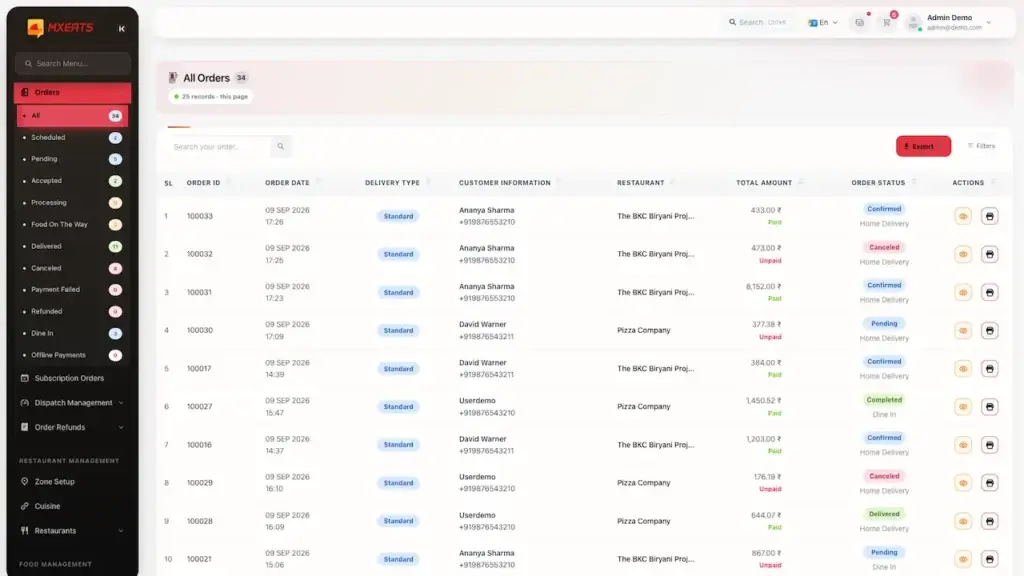
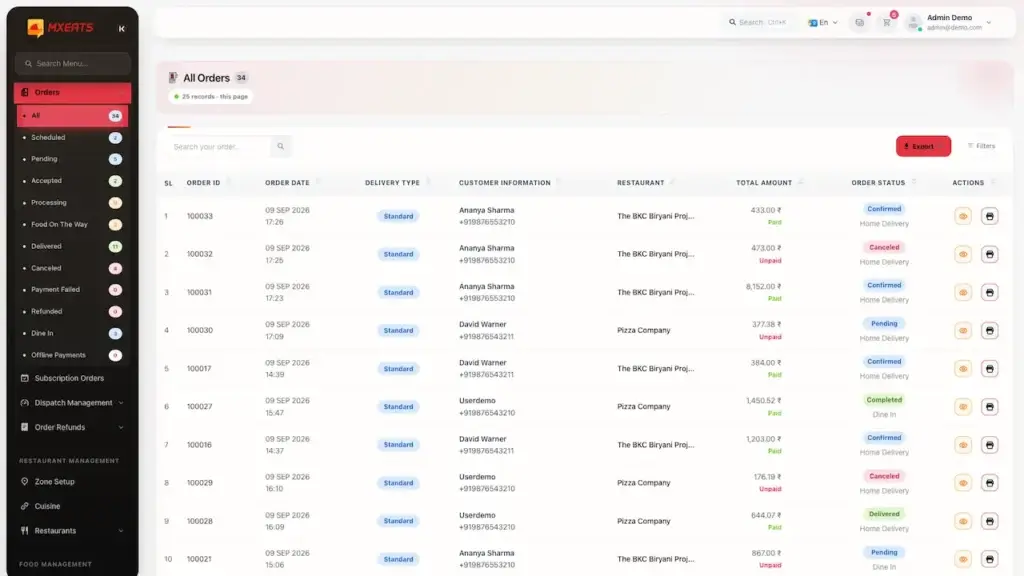
UberEats Clone Admin All Orders showing a filterable order table with payment type, restaurant, totals and delivery status
UberEats Clone Admin Order Dashboard showing food orders with customer, restaurant, amount, status and management actions
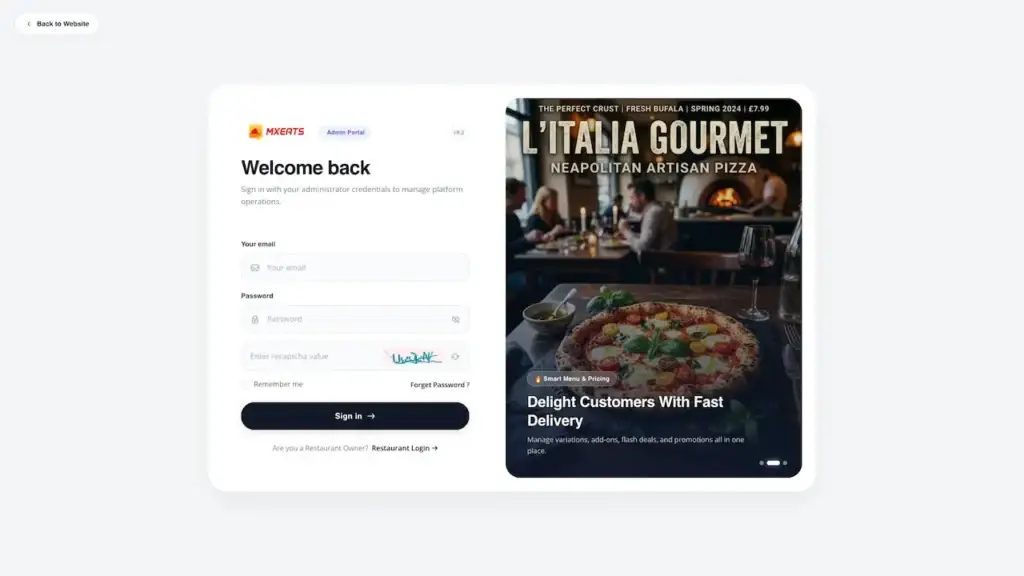
UberEats Clone Admin Login showing a secure sign-in form beside a restaurant delivery promotional panel
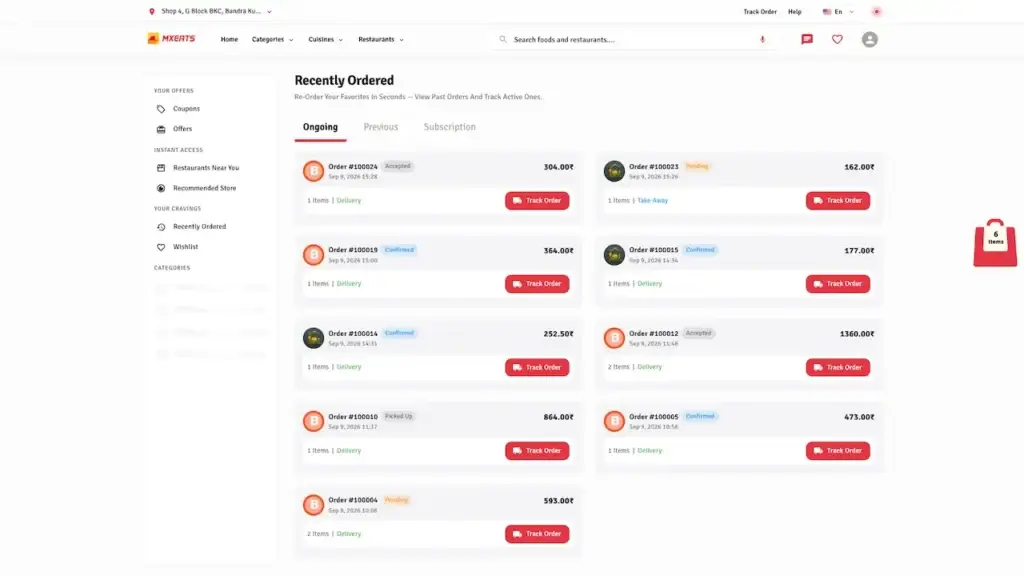
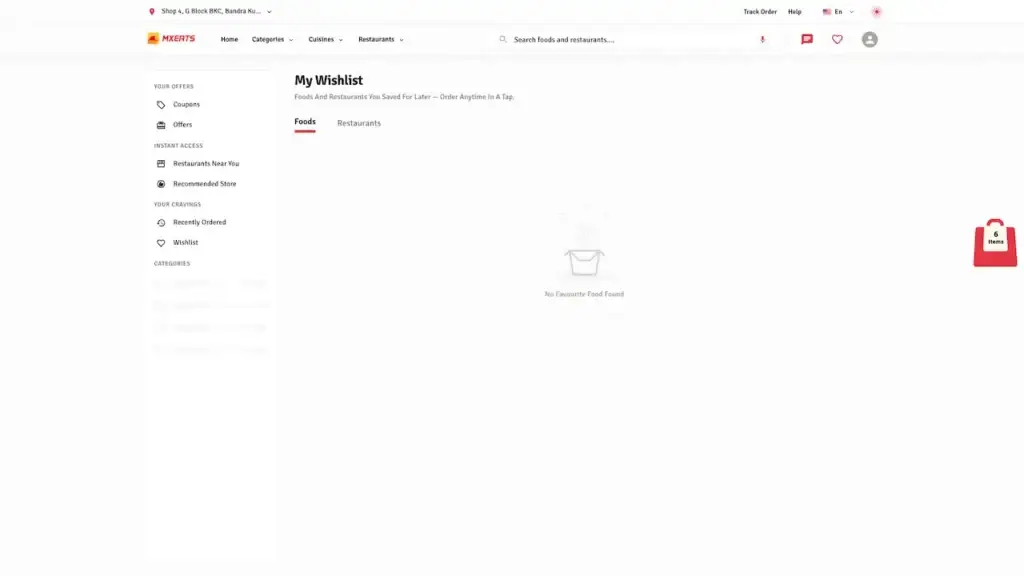
UberEats Clone Customer Order History showing ongoing and past restaurant orders with totals, status and track-order buttons
UberEats Clone Customer Wishlist showing saved food and restaurant tabs with an empty wishlist state
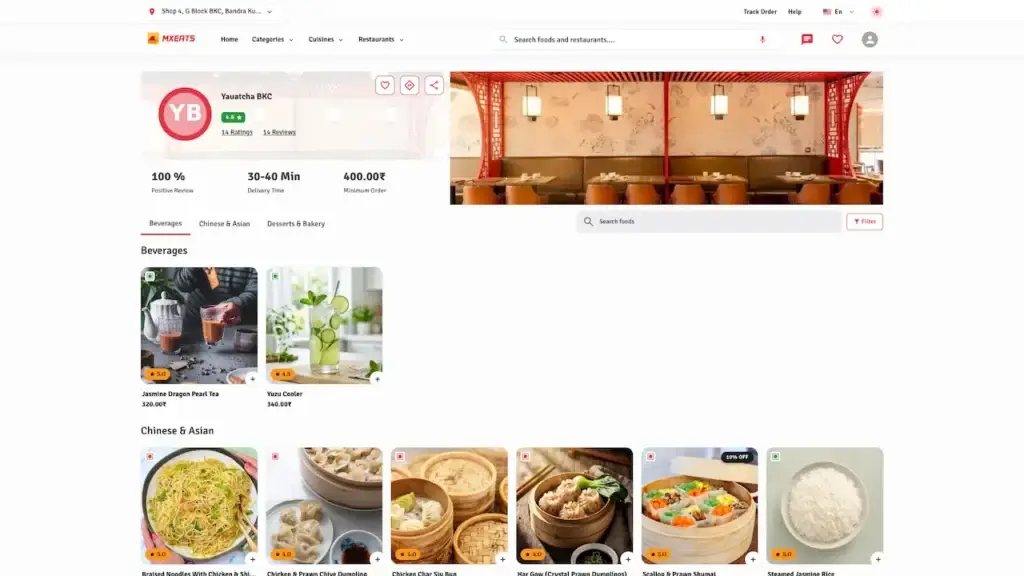
UberEats Clone Desktop Restaurant Menu showing restaurant information, category filters and a grid of menu dishes
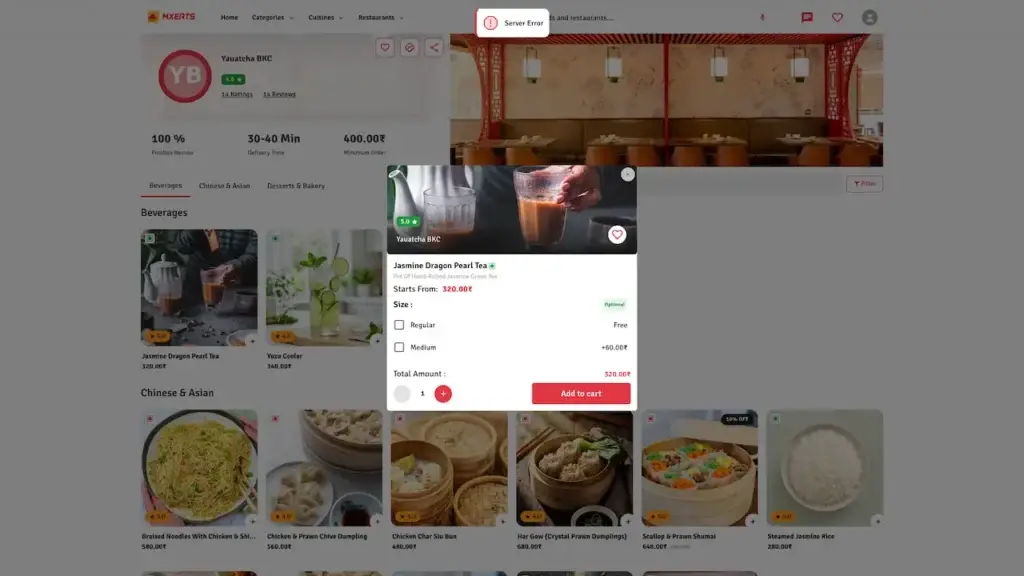
UberEats Clone Desktop Food Item Details showing dish image, description, variation choices, add-ons and add-to-cart action
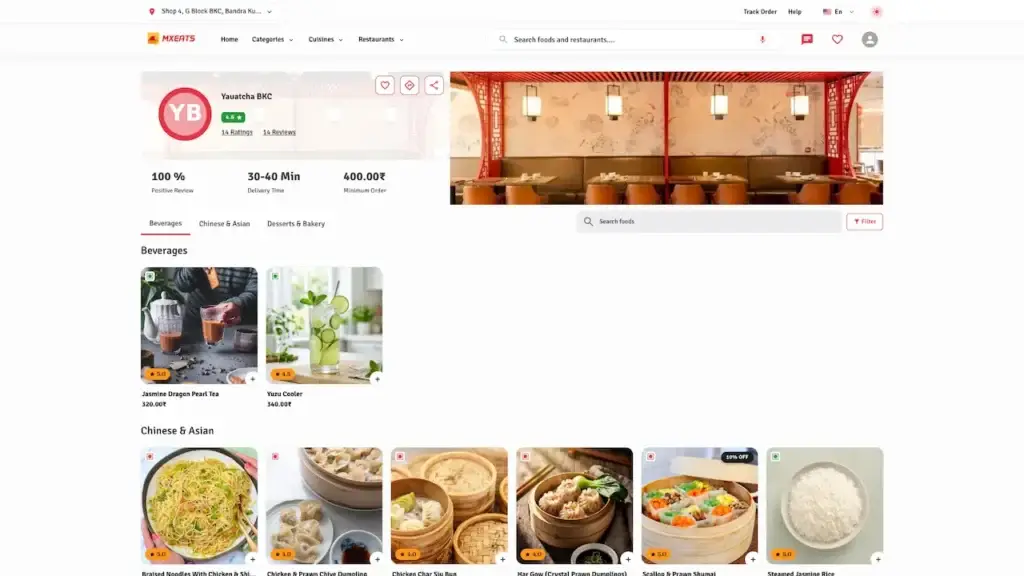
UberEats Clone Desktop Restaurant Details showing restaurant banner, reviews, delivery details, categories and menu cards
UberEats Clone Logged-In Store Home showing customer navigation, address tools, cuisine filters and restaurant search
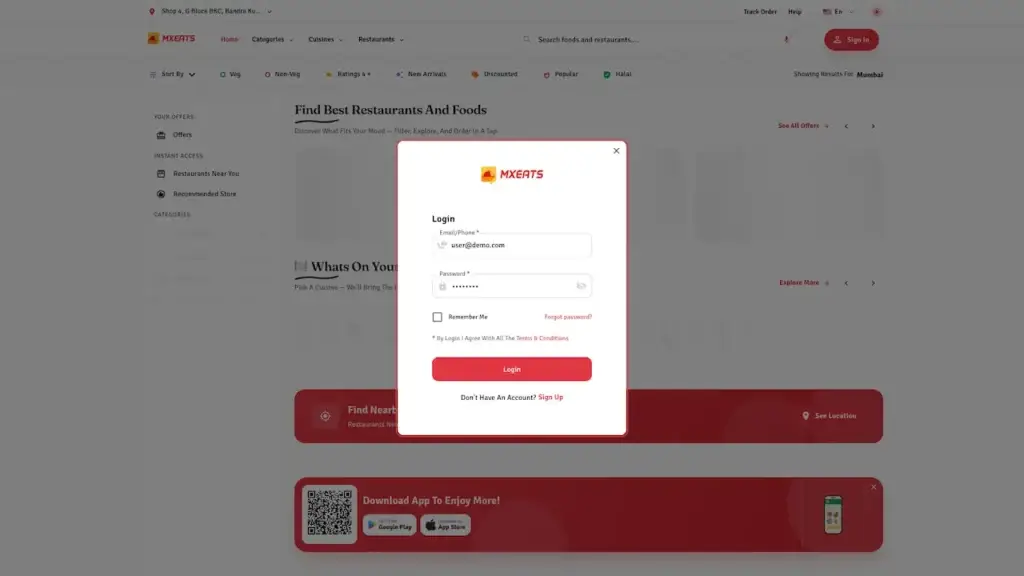
UberEats Clone Customer Desktop Login showing a modal login form over the food-delivery search page
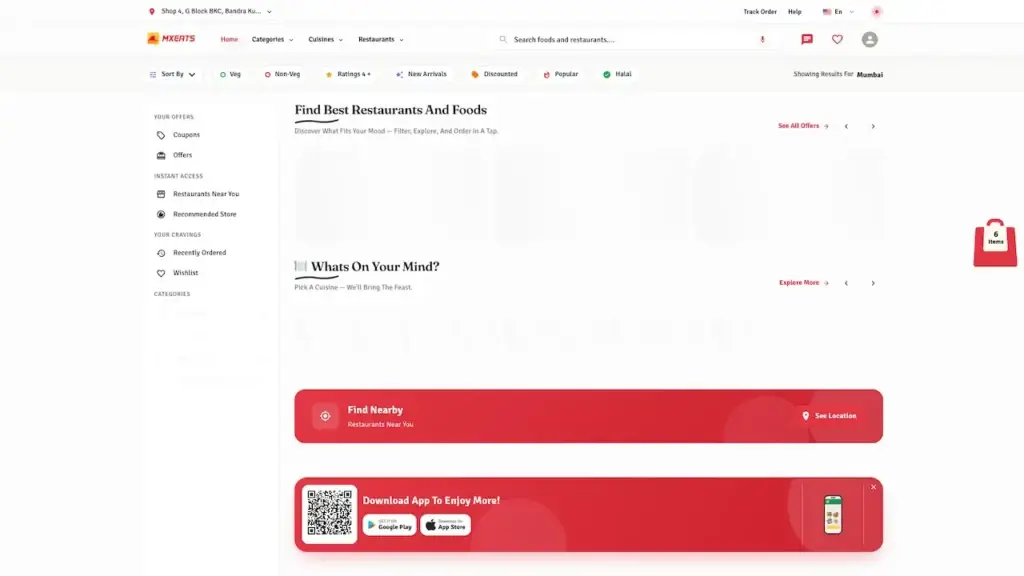
UberEats Clone Customer Desktop Home showing food-delivery search hero, restaurant imagery, service metrics and location finder
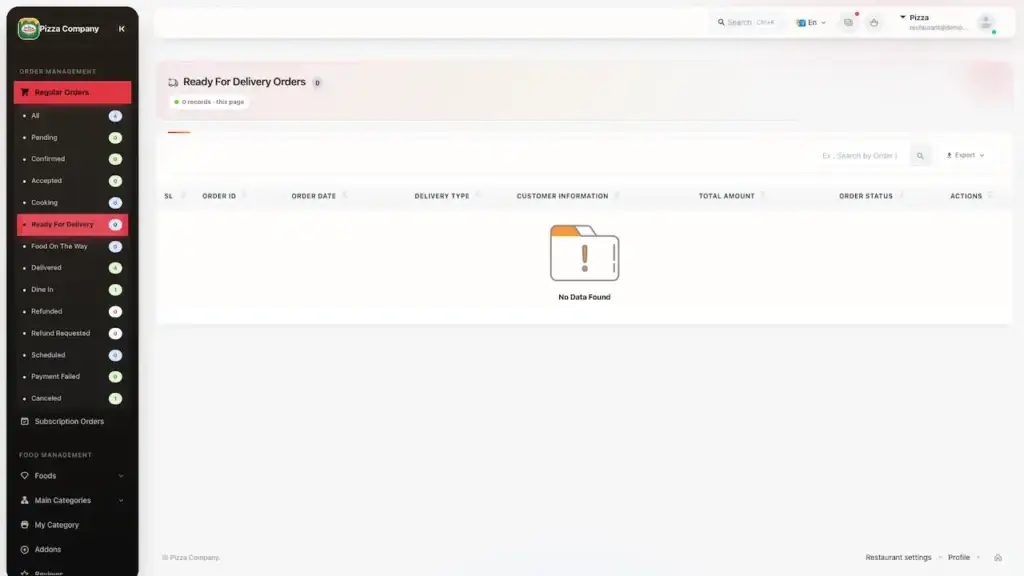
UberEats Clone Orders Ready for Delivery showing ready-for-delivery order table with status and management actions
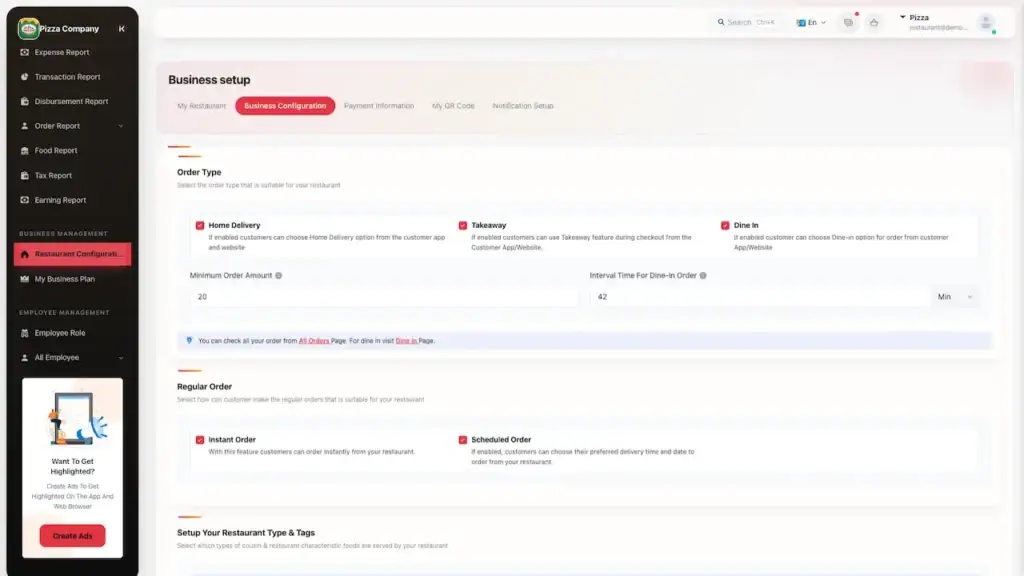
UberEats Clone Restaurant Desktop Settings showing order types, delivery options, preparation time and service configuration
UberEats Clone Restaurant Food Categories showing category images, item counts and parent-category information
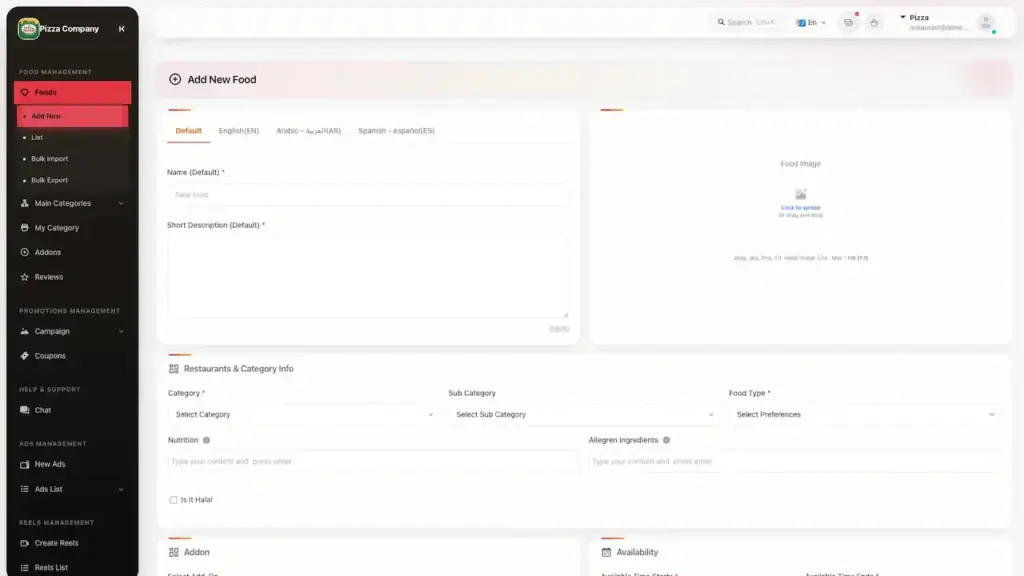
UberEats Clone Restaurant Add Food Form showing dish name, description, image, category, food type, price and availability fields
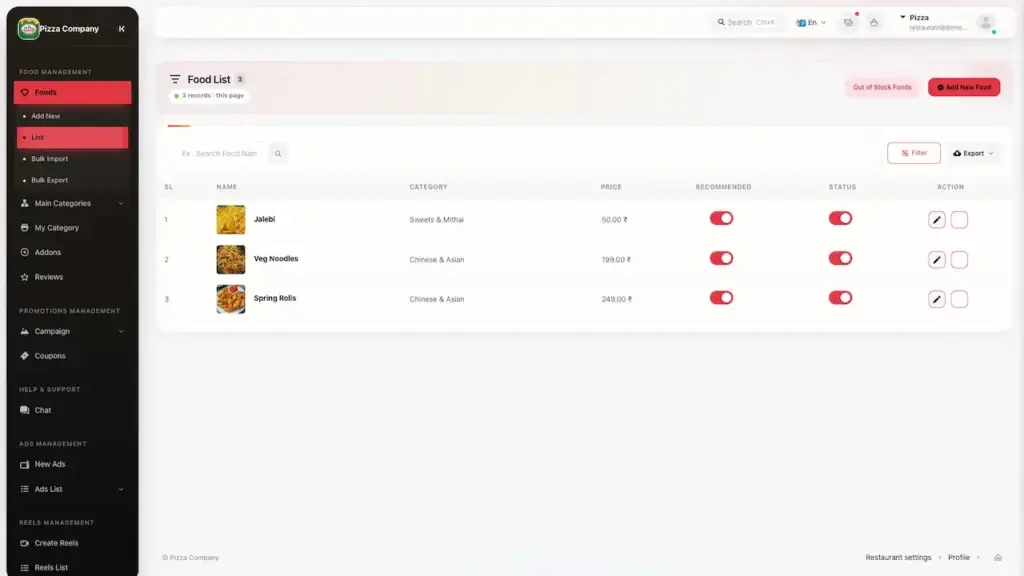
UberEats Clone Restaurant Desktop Food Items showing menu dishes with images, category, price, availability and edit controls
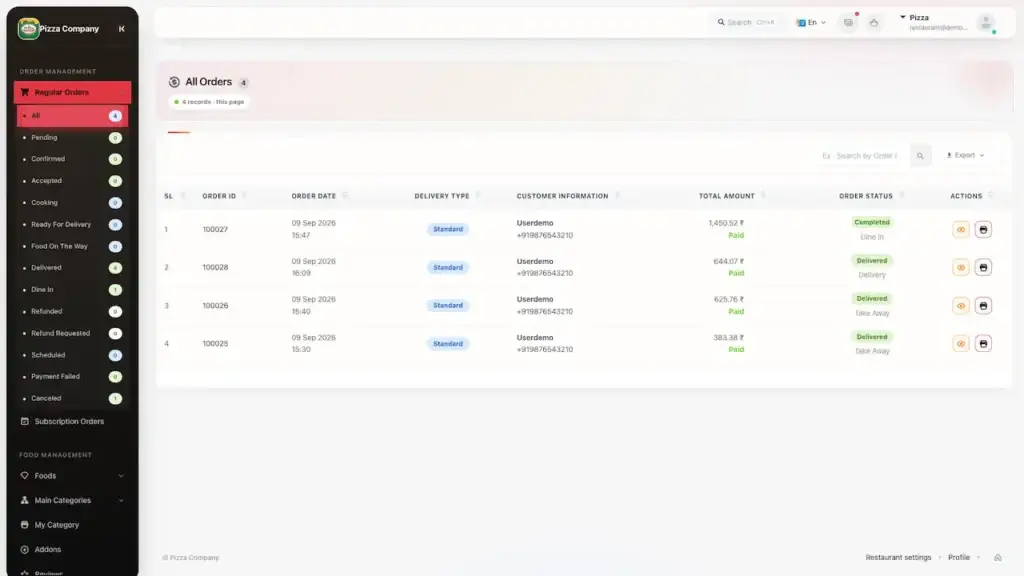
UberEats Clone Restaurant Desktop Orders showing order records with customer, payment, amount, status and actions
UberEats Clone Restaurant Desktop Dashboard showing order statistics, live order pipeline, delivery completion and sales analytics
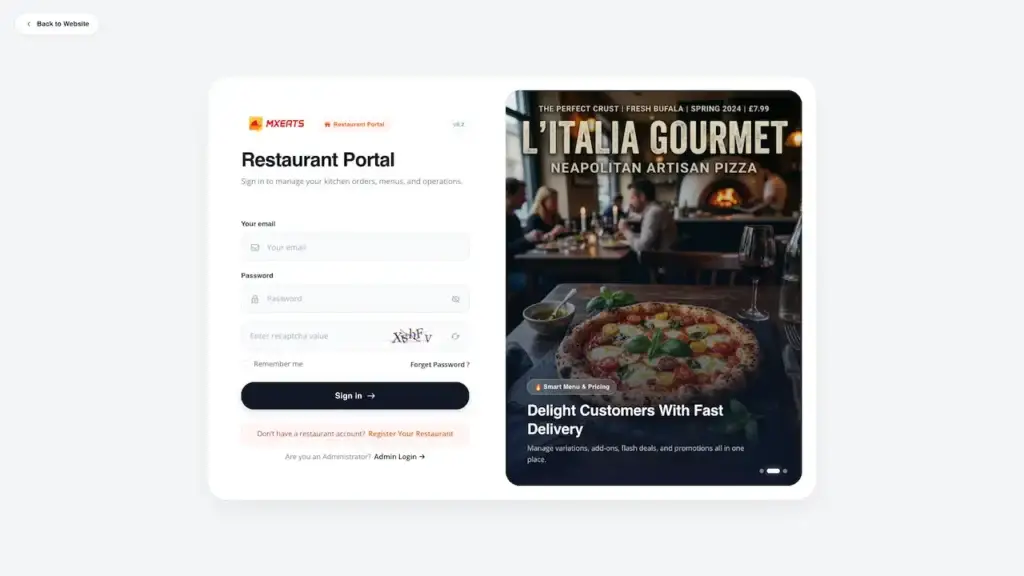
UberEats Clone Restaurant Portal Login showing restaurant email, password, captcha, demo credentials and sign-in controls

Trace a customer from a first search to a delivered order and the points it earned. Trace a restaurant owner from accepting an order to the payout that settles it. Trace a rider from assignment to a proven drop-off and a settled cash balance. Trace yourself from redrawing a delivery zone to the new charge customers see and the commission it earns. Each is a separate app rather than one set of screens reskinned four ways, and every one is live in the demo. Want a particular flow walked through? Book a call and we will open it with real data.

Client Voices

Client Reviews - Real Platforms, Real Results

Operators who launched delivery platforms under their own names, in their own markets. Every quote below comes from a client we built for.

A Real Engagement

Flyereats - A Multi-Vendor Food Ordering Platform We Delivered

Flyereats is a real client, delivered in 2025, and it is worth being precise about what they bought. They had outgrown their own platform: order confirmation was lagging, vendors were being managed by hand, and customers could not see where an order was. What they needed did not fit a ready-made base, so it was designed and built to their specification as a custom engagement, quoted fixed after a free feasibility study, with a launch date agreed in writing before work started. Three applications shipped, six integrations each isolated, three environments, and the source code transferred to their own account. That is a different purchase from the platform on this page, which is why it is labelled as one.

Client Engagement, Custom Build

Flyereats
Multi-Vendor Food Ordering Platform

A multi-vendor food ordering platform built to Flyereats specification after a free feasibility study, delivered on a fixed quote with the source code transferred to their own account.

Flyereats Client, custom build
2025 Delivered
Food Ordering, Multi-Vendor Industry
3
Applications shipped
6
Integrations, isolated
100%
Source code transferred
Challenges
  • Order confirmation lagging behind what customers expected to see
  • Vendors onboarded and managed by hand as the platform outgrew itself
  • Customers with no way to see where their order actually was
🎯 Goal
  • Replace a platform the business had outgrown, without a rebuild pause
  • Put vendor management on rails instead of on somebody desk
  • Give customers order visibility from confirmation through to arrival
🛠 Solution by Miracuves
  • Three applications shipped, each with its own permissions and release path
  • Six integrations, each isolated so one failure cannot take the rest down
  • Three environments: development, staging and production
  • Seventeen platform modules reused unchanged, four decisions built for Flyereats
  • Source code transferred in full to the client own account at handover

Every figure here is what the engagement delivered. Flyereats was a custom build rather than a deployment of the ready-made platform on this page.

OY
Flyereats, delivered 2025 Custom build, no inherited base. Read the full case study for the architecture and the decisions behind it.
Read the full case study See how zones, commission and the disbursement run are configured end to end.
Open the live demo

The Basics

What Is a White Label Food Delivery App?

A white label food delivery app is a finished multi-restaurant ordering and delivery marketplace that ships under your brand instead of the vendor name. Restaurant discovery, ordering, live tracking, rider dispatch, payments, commission and payouts are already built, so the work left is branding, configuration and onboarding restaurants rather than engineering.

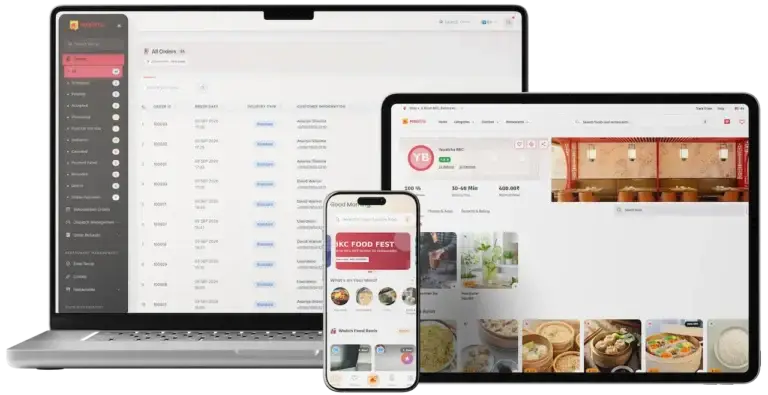
UberEats Clone Cross-Platform Solution showing admin order management, restaurant discovery and customer ordering interfaces on laptop, tablet and mobile

Built for Android, iOS & Web

Customer, restaurant and rider apps, a search-friendly web storefront and your admin console all run on one backend and one schema, so every side of the marketplace agrees about every order from the first day.

Your Brand, Your Source Code

Your name, logo, colours, domains and app store listings. The full source transfers to you and runs on your own servers, which is the difference between an asset you own and a subscription you rent from a SaaS vendor.

Earn From Day One

Per-order commission, monthly restaurant plans, delivery fee margin, paid placement and a customer membership, each switched on and priced from your console, with nothing routed back to us.

Built for Web, Mobile & API

One Schema, Five Surfaces

It suits restaurant groups going direct, regional delivery startups, cloud kitchens, grocery and pharmacy chains, and franchise networks tired of paying an aggregator commission on customers they already brought in.

  • Customer, restaurant and delivery partner apps
  • Commission, subscriptions, or both, your choice
  • Delivery, takeaway and dine-in ordering
  • Search-friendly website built to rank
  • Full source code, no revenue share
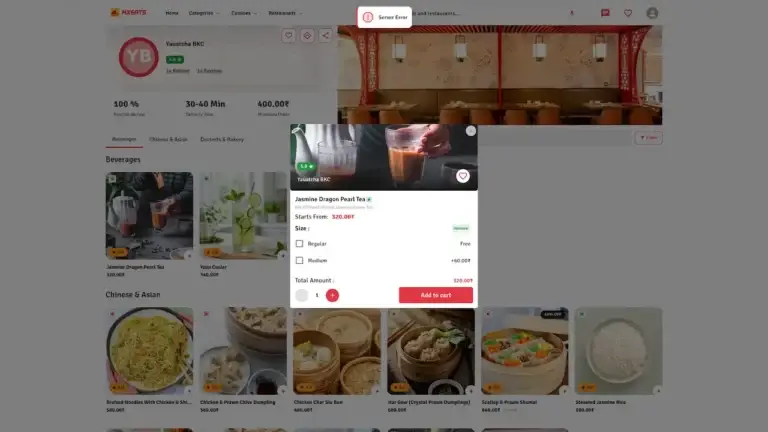
UberEats Clone Desktop Food Item Details showing dish image, description, variation choices, add-ons and add-to-cart action

Miracuves delivers it as a white label, source-owned platform: Android, iOS and web, rebranded under your name, complete from day one, and earning from the first order through commission, restaurant plans, delivery fees and advertising.

Everything Included

Platform Features - Ordering, Dispatch, Settlement & Operator Control

Everything below is built and running in the live demo, from restaurant discovery and live tracking to menu control, dispatch, settlement and marketing tools. What you see there is what you launch with, not a roadmap.

Restaurant Discovery & Search

Get customers to the right restaurant quickly with dish and cuisine search, category browsing, filters, offers and a home feed you curate.

  • Search across dishes, restaurants and cuisines
  • Filter by rating, price and delivery time
  • Only restaurants that deliver to the address
  • Offers and campaigns on the home feed

Delivery, Takeaway & Dine-In

Customers choose delivery to the door, collection in person or ordering at the table, all through the same pipeline.

  • Order now or schedule a slot
  • Table ordering for dine-in guests
  • Standing weekly orders that repeat themselves
  • One order system behind all three

Menu, Variations & Add-Ons

Restaurants control their own menu, from sizes and toppings to allergens, photos and daily stock, without raising a ticket with you.

  • Sizes, crusts, toppings and add-ons
  • Allergen and nutrition details
  • One-tap sold out for any item
  • Bulk upload for long menus

Live Order Tracking

Customers watch every stage from accepted to preparing to on the way, and handover is confirmed with a delivery code rather than a tap.

  • Status updates at each stage
  • Rider position on a live map
  • Delivery code to confirm handover
  • In-order chat with rider or restaurant

Restaurant Panel & POS

One place for restaurants to accept orders, manage the menu, ring up counter and phone sales, and see what they are owed.

  • Accept, prepare and hand over
  • Built-in till for walk-in and phone orders
  • Opening hours and holiday closures
  • Earnings and payout history together

Wallet, Loyalty & Referrals

Retention built in: points, cashback, wallet credit and refer-a-friend rewards at rates you set.

  • Loyalty points earned and redeemed
  • Wallet top-ups and instant refunds
  • Cashback on qualifying orders
  • Referral rewards for both sides

Payments & Checkout

Thirteen payment gateways, cash on delivery, wallet credit and split payment, all live out of the box.

  • Thirteen gateways ready to connect
  • Cash on delivery with limits you set
  • Split payment across wallet and card
  • Rider tips at checkout

Delivery Partner App

A real rider app: assigned jobs, navigation, proof of delivery, daily earnings and the cash they owe, in one place.

  • Accept or decline assigned jobs
  • Navigation to pickup and drop-off
  • Delivery code as proof of handover
  • Earnings, incentives and cash summary

Payouts & Settlements

Restaurants and riders are paid automatically on the cadence you choose, with every payment traceable and nothing reconciled in a spreadsheet.

  • Weekly or monthly payout runs
  • Commission deducted before payment
  • A full statement per restaurant
  • Refunds with an approval trail

Offers, Coupons & Promotions

The promotions that move orders: discount codes, free delivery, featured placement and campaigns you sell to restaurants.

  • Discount codes and first-order offers
  • Free delivery over a basket value
  • Featured slots restaurants pay for
  • Offers restaurants run themselves

Admin Dashboard & Reports

One console for restaurants, riders, orders, delivery zones, pricing rules, payouts and reports.

  • Approve restaurants and riders
  • Set zones, fees and commission
  • Step into any order and fix it
  • Sales, commission and payout reports

AI Assistant, Reels & Tax

Three extras that usually cost more elsewhere: an AI ordering assistant, a short-video food feed, and tax handling with reports.

  • AI assistant that helps customers order
  • Short-video feed for food discovery
  • Menu descriptions drafted automatically
  • Tax rules, invoices and exports

Every notification, from order confirmations to promotional pushes, is editable text in each language you support, so the platform speaks in your brand voice rather than ours.

How Operators Earn

Revenue Models - Commission, Restaurant Plans, Delivery Margin & Ads

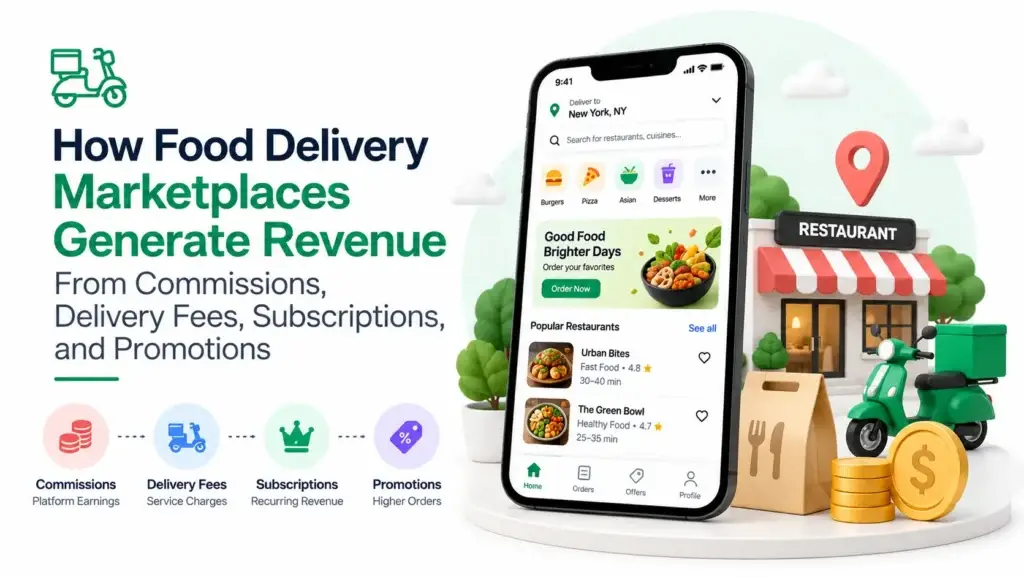
A delivery marketplace is sturdiest when it earns from several places at once. Each line below is switched on and priced from your console, and you decide which ones run.

Commission per Order

A percentage of every order, platform-wide or negotiated per restaurant, so your most valuable partners can carry their own rate.

Store Subscription Plans

A monthly fee in place of commission. You design the plans, decide what each unlocks, and billing runs on its own.

Delivery Fee Margin

Keep the gap between what customers pay for delivery and what you pay riders, with free delivery above a basket value you choose.

Paid Advertising

Prime positions in the app sold to restaurants that want to be seen first. High margin, and it grows with your customer base.

Featured Campaigns

Seasonal campaigns and festival menus that restaurants pay to join, turning your marketing calendar into a revenue line.

Pro Customer Membership

A customer membership with free delivery and member-only deals, which buys predictable monthly income and much better retention.

Most operators open on commission, because it is the easiest thing to sell a restaurant with no volume yet, and move their busiest partners to monthly plans once a flat fee suits them better. Both can run at once, you can change course later, and none of it needs a developer. Because the source is yours, every rupee or dollar the platform earns stays with you.

Run It Without a Dev Team

Admin Console - Delivery Zones, Settings, Dispatch & Payouts

The console is where the business actually runs, and it is built for an operations team rather than engineers. Delivery charges, commission rates, the zones you serve and most other behaviour are settings you change yourself and see take effect straight away.

Admin Console Sections

The Settings Surface

About 120 named keys across business, customer, rider, order, store, disbursement, payment, mail, theme, policy and third-party tabs. A behaviour toggle is a settings row, never a redeploy.

Your Delivery Areas

Draw every zone you deliver to on a map and give it its own charges, its own cash-on-delivery limit and its own notifications. Add zones as you expand.

The Business Model Switch

Commission, subscription or both, held as a setting with a guard that refuses to switch both off, so restaurant economics can never be left undefined.

Dispatch and Intervention

A dispatch list with direct control over any order: reassign it, move it on, cancel it with a recorded authority, or edit it before preparation locks it.

Disbursement Runs

Scheduled payout runs for restaurants and riders with cadence, minimum amount, waiting period and week start all configurable, and a transaction history behind every run.

Refunds and Policies

Refund activation, policy wording, cancellation authority per actor and the order confirmation model are operator toggles, not behaviour the vendor decides.

Staff Roles

Custom staff roles with module-level permissions, plus a separate employee layer that scopes restaurant staff below the owner.

Reports and Exports

Exportable sales, commission, payout, tax and order reports that show what was charged at the time, so a later rate change never rewrites old numbers.

Notification Content

Push, email and SMS wording sits in editable templates keyed by message and audience, so tone and language are data rather than code.
  • Delivery zones drawn on a map
  • Charges set per zone
  • Commission, monthly plans, or both
  • A different rate for different restaurants

Storage and Theme

Local disk or S3-compatible storage chosen at runtime, with brand colour, logo and invoice layout held as settings rather than stylesheet edits.

  • Approve or reject refunds
  • Reassign a live order
  • Schedule automatic payouts
  • Launch coupons, campaigns and paid placement

Running a team? Give each staff account exactly the access it needs, so support sees orders, finance sees payouts, and nobody sees more than they should.

Transparent Pricing

How Much Does a White Label Food Delivery App Cost in 2026?

Building this from scratch means three mobile apps, a customer website, a restaurant panel, a delivery partner app and an admin system, and then all the money handling that only shows up at your first payout run: commission, restaurant statements, rider settlements, refunds and tax. Quotes for that work usually start with a discovery phase and grow through change requests, because the expensive parts are the ones nobody thinks to demo. The fixed price below is the alternative to discovering that scope one invoice at a time.

Most Popular
Professional
ReadyMade Turnkey Solution
$2,199/- one-time
⚡ Go-live: 6 days
Best for: Regional delivery operators, restaurant groups & grocery chains
You get the solution as you see our demo with your own branding and self-hosted on your end.
Get Started →
Enterprise
Custom, Compliance & High-Scale
Custom quote
⚡ Go-live: Based on final scope
Best for: Franchise networks, multi-city operators & white-label resellers
Get it built as you situation demand and business need , as per custom needs.
Request a Quote →
Still deciding?

Not sure which option
is right for you?

Talk to us - we'll understand your goals, timeline, and budget, and point you to exactly what you need. No upselling, just honest advice.

Free 30-min call
Reply within 24 hrs
No pressure, no commitment

The Full Package

What's Included - Full Source Code, Three Apps & Deployment

One fixed price with everything below included and no conditions on what you do with it later. Unlike a white label SaaS subscription, nothing here stops working when a monthly payment does.

Full Source Code

The Laravel application, three Flutter builds, the Next.js storefront and both panels, yours to modify, rebrand and redeploy with no licence strings.

  • The complete source, yours to keep
  • Rebrand, change or resell it freely
  • No licence fees and no lock-in
  • Host it wherever you choose

Three Android Builds

Customer, restaurant and rider apps as separate builds against one API, each designed for its job rather than one app wearing three hats.

  • Customer app for ordering and tracking
  • Restaurant app for orders and menus
  • Rider app with navigation
  • All three under your name and logo

The Indexed Storefront

A server-rendered Next.js storefront with 33 routed pages, including policies, sign-up funnels and tracking, so organic search is a real channel from launch.

  • A website customers order from
  • Built to be found on Google
  • Sign-up pages for restaurants and riders
  • Multi-language out of the box

The Money Machinery

Commission snapshotting, subscription billing, payout scheduling, refunds and per-order tax, all shipped rather than quoted as phase two.

  • Commission taken on every order automatically
  • Monthly plans billed and invoiced for you
  • Restaurant and rider payouts on schedule
  • Refunds and tax handled properly

Zone and Dispatch Model

Zone geometry, per-zone pricing and the dispatch surface, the part that decides whether a second city is a setting or a project.

  • Zones drawn on a map
  • Different charges per zone
  • Assign and reassign riders yourself
  • Cap the cash a rider carries

Thirteen Gateways

Stripe, PayPal, Razorpay, Paystack, Flutterwave, Paytm, PayTabs, MercadoPago, Paymob, SenangPay, SSLCommerz, LiqPay and bKash, plus wallet, cash and offline methods.

  • Thirteen gateways ready to connect
  • Cash on delivery and wallet credit
  • Bank transfer and custom methods
  • Split payment across wallet and card

Deployment and Settings

Installed on your servers with the configuration pass done together, because an unconfigured marketplace is not a launched one.

  • Installed and configured alongside you
  • Your branding across every surface
  • Your domains and store listings
  • Live in about six working days

Documentation That Matches

Schema, API and security documentation written against the code you receive, gaps included, so your developers and any assessor share one map.

  • Documentation your developers can use
  • An honest security report, gaps listed
  • Written against the delivered code
  • Handover call and post-launch support

If any of this matters enough to see working before you commit, open the live demo, or ask us to walk you through the exact part you care about.

Know Your Buyer

Who Is This White Label Food Delivery App Built For?

This white label food delivery app is for restaurant groups, regional delivery operators, cloud kitchen brands, grocery and pharmacy chains, franchise networks and software resellers who want a branded delivery marketplace without spending months rebuilding the same foundation.

If your business lives on taking orders, delivering them and bringing customers back, owning the platform turns delivery from a channel you rent into an asset you control, along with the customer records and the margin that come with it.

Where It Fits

Use Cases - Restaurants, Grocery, Pharmacy & Multi-City

The business the platform was designed around. Restaurants, cloud kitchens and franchise groups all run here, and the main difference between them is whether any restaurant can sign up or you onboard each one yourself, which is one setting rather than another product.

Food Delivery Marketplace

Larger baskets, thinner margins, and stock that has to be right. Daily stock counts, per-size availability, bulk menu upload and packaging charges all carry across unchanged, and you choose how substitutions work when something runs out.

Grocery and Quick Commerce

Order notes and delivery instructions carry prescription details, and the delivery code proves a regulated item reached the right person, with a timestamp on every step if anyone queries it later.

Pharmacy and Essentials

Table orders and collection run through the same system as delivery with the rider steps simply skipped. The built-in till catches walk-in and phone orders as well, so nothing happens outside your books.

Dine-In and Takeaway

Customers book a slot for later or set up a standing weekly order, both on the core order system rather than a bolt-on, so repeat business shows up properly in your reports.

Recurring and Scheduled

Every city is its own zone with its own charges, payment methods and language, so a second market is a setup task rather than a second platform to maintain and upgrade.

Multi-Market Operations

All of these are one platform with different settings switched on. Nothing in the order pipeline is specific to food, so moving into groceries or pharmacy is configuration rather than a second purchase.

What it does not include is a storefront design tailored to a particular vertical, courier shipping or cold chain for goods sent beyond your delivery zones, or regulatory certification for a controlled category. Those are honest limits, and we will say plainly where your market needs more than configuration.

Market Timing

Why Launch Your Own Food Delivery App in 2026?

New local delivery players keep appearing for one reason: the commission that funds a global app comes straight out of a restaurant margin that was never large. A kitchen earning single-digit profit cannot keep handing over a double-digit cut, and the moment a credible local alternative exists, restaurants have every reason to move to it.

Commission Is the Whole Argument

Run your own marketplace and you keep the percentage an aggregator would take. On thin restaurant margins that is not an optimisation, it is the business case.

Owning the Customer Record

Order history, addresses, preferences and loyalty balances live in your database. That is the asset an aggregator never hands over, and it is what makes retention marketing possible.

Coverage as a Setting

A second city is just another zone with its own map, pricing and cash rules, so expansion is configuration rather than engineering.

Supply-Side Flexibility

Commission suits a marketplace chasing breadth, subscriptions suit a curated set of committed restaurants. Running both, or switching later, beats guessing right on day one.

The Vertical Is Not Fixed

The order pipeline is not tied to food, so grocery, pharmacy and local retail are configuration rather than a second acquisition.

Source as an Asset

One transfer with no per-order royalty, so the unit economics you model at launch still hold at scale, which is exactly where a percentage-based subscription stops working.

Platform by the Numbers

300
Database Tables
136
Eloquent Models
378
Migrations
764
Admin Routes

The technology is no longer the hard part. Ordering, tracking, dispatch, wallets and payouts are solved problems you can buy for a fixed price instead of building over years, which moves the advantage to whoever is closest to the restaurants and riders. In most cities that is a local operator, not a global app. What still decides the winner is relationships, rider supply and knowing what your own city will pay for delivery.

Under the Hood

Tech Stack - Laravel 12, MySQL, Next.js & Flutter

Deliberately ordinary and easy to hire for: Laravel 12 on MySQL behind a Passport-guarded JSON API, a server-rendered Next.js storefront and three Flutter builds, chosen so the operating knowledge is common rather than rare.

Application Core

Laravel 12 · PHP 8.2+ · MySQL · Passport

  • About 300 tables under 378 migrations, run in date order
  • 136 Eloquent models over eleven business domains
  • 62 admin, 55 API and 29 restaurant-web controllers
  • Pricing and delivery-fee logic in one central seam
  • AI, Reels and Tax as modules that own their tables

Surfaces and Routing

API v1 · Admin · Restaurant panel

  • 326 route definitions on v1, v2 held for update endpoints
  • 764 console routes behind role and module gates
  • 258 restaurant panel routes under plan entitlements
  • 33 server-rendered storefront pages
  • Middleware per surface so tokens never cross over

Client Applications

Flutter · GetX · Next.js 15 · React 18

  • Customer app: 727 Dart files over 36 feature modules
  • Restaurant app: 503 files over 29 modules
  • Rider app: 234 files over 17 modules
  • Feature folders for controllers, screens and widgets
  • Storefront on MUI and Redux Toolkit with i18n and RTL

Money and Settlement

13 gateways · wallet · cash · offline

  • Commission and discount split frozen at settlement
  • Split tender stored as separate payment legs
  • Live and test credentials per gateway with a mode switch
  • Scheduled payouts guarded by overlap locks
  • Tax module computing and exporting per order

Realtime and Messaging

FCM HTTP v1 · websockets · Echo

  • Service-account auth per project, not a legacy server key
  • Zone-scoped topics so a push reaches one city
  • Pusher-compatible websocket server with Laravel Echo
  • In-order chat across customer, restaurant and rider
  • Notification wording editable per message and role

Configuration and Storage

~120 settings keys · local / S3

  • Settings read at decision points, not compiled in
  • Local disk or S3-compatible storage, switched at runtime
  • Queue workers for webhooks and personalisation
  • Scheduler gated on live settings rather than crontab edits
  • Theme, logo and invoice layout as settings rows

Why this stack: Laravel and MySQL are the least exotic choices for a marketplace shaped like this, and that matters most on the day you need to hire someone who is not us.

End to End

How the Platform Works - Discover, Order, Deliver & Settle

Six stages, each a named part of the code rather than a diagram drawn afterwards.

The Commercial Loop, From Discovery to Settled Payout

UberEats Clone All Restaurants List showing restaurant cards with ratings, delivery time, distance and cuisine filters
Discover Within a Zone

A customer opens the app and sets their address. They immediately see only the restaurants that actually deliver to them, along with the right delivery charge for where they are. From there they browse by cuisine or category, search for a dish, or tap through the offers and featured restaurants you have chosen to promote on the home screen.

1
UberEats Clone All Restaurants List showing restaurant cards with ratings, delivery time, distance and cuisine filters
UberEats Clone Customer Cart List showing restaurant-grouped cart items with add-more and view-cart actions
Build a Cart

They pick a dish, choose the size, add extras and drop it in the basket. Prices and availability are checked again at checkout, so a customer can never order something that has just sold out or pay yesterday’s price on a menu the restaurant has since updated.

2
UberEats Clone Customer Cart List showing restaurant-grouped cart items with add-more and view-cart actions
UberEats Clone Customer Order Details showing delivery estimate, verification code, order status, address, items and tracking controls
Check Out and Pay

At checkout they choose delivery, collection or a table, apply a coupon or loyalty points, add a tip for the rider, and pay by card, wallet or cash. You decide which payment methods appear, and adding a new one later is a setting rather than an app update.

3
UberEats Clone Customer Order Details showing delivery estimate, verification code, order status, address, items and tracking controls
UberEats Clone Restaurant Order History showing regular and subscription orders with delivery, cancellation and refund filters
Store Accepts and Prepares

The restaurant gets the order instantly on their tablet or phone, accepts it, and starts preparing. The customer watches each step happen. If something needs changing, it can be edited before the kitchen starts, and you decide who is allowed to cancel an order and when.

4
UberEats Clone Restaurant Order History showing regular and subscription orders with delivery, cancellation and refund filters
UberEats Clone Running Delivery Orders showing accepted, confirmed, picked-up and handover orders with live status
Dispatch and Handover

A nearby delivery partner is assigned and collects the order. The customer follows them on the map. At the door, the customer gives a short code that confirms delivery, so there is no argument later about whether an order arrived. Cash collected is tracked automatically against what each rider owes you.

5
UberEats Clone Running Delivery Orders showing accepted, confirmed, picked-up and handover orders with live status
UberEats Clone Delivery Partner Wallet showing payable amount, withdrawals, cash in hand and transaction history
Settle and Disburse

Your commission comes off the order automatically, and the restaurant sees exactly what they are owed. Payouts to restaurants and riders run on whatever schedule you set, weekly or monthly, with a full statement behind every payment. Change your commission next year and last year’s books stay exactly as they were.

6
UberEats Clone Delivery Partner Wallet showing payable amount, withdrawals, cash in hand and transaction history

The loop closes on itself: what a customer pays becomes what the restaurant is owed becomes what you pay out, all read from the same order record.

How It's Built

Platform Architecture & Backend Flow

One Backend, Five Clients

One Laravel application owns every business rule, and the five surfaces are presentation layers over one versioned API. One deploy, one schema, one rule set, which keeps four clients from drifting apart.

Snapshot at Settlement

Commission and discount split are frozen onto the transaction row, and item revenue reads the order line rather than the current menu price, so a rate change never rewrites last quarter.

Surface-Isolated Credentials

Customer tokens cannot reach restaurant routes, restaurant and rider tokens resolve through their own middleware, and machine-to-machine ERP access uses a separate key pair compared in constant time.

Delivery Areas as the Operating Unit

A zone governs coverage, dispatch, staff access, marketing and notifications. It is the nearest thing to a tenant boundary in the data model, and why several cities are configuration rather than a second deployment.

Configuration as Architecture

About 120 named settings are read at decision points rather than compiled in, which makes the platform unusually tunable and makes the settings pass a genuine part of going live.

Modules Without Entanglement

AI, Reels and Tax each own their tables and attach to existing hubs rather than threading through the core, the structural proof that new business lines are additive.

Performance Targets

Built to Scale - Queue Workers, Scheduled Runs & Object Storage

Nothing exotic in the topology: a Laravel application behind a web server, MySQL as the system of record, a queue for work that must not block a request, and a scheduler for recurring jobs. None of it needs a specialist to run.

Order Tables Outgrow Everything Else

On a delivery marketplace the fastest-growing tables are the order tables, not the catalogue, because every order writes a header, a row per line item and a settlement record that must still reconcile a year later.

What the order side carries:

  • A named timestamp per status change
  • Commission percentage frozen at settlement
  • Item price and discount captured per line
  • Separate payment legs for split tender

Dispatch Is the Concurrency Problem

Food delivery load arrives in two narrow windows a day, and what saturates first is assignment rather than the catalogue. Zone geometry is what keeps that bounded.

What keeps dispatch cheap:

  • Coverage resolved from zone polygons, not scans
  • Restaurant visibility scoped to the ordering zone
  • Riders filtered by zone before assignment
  • Cash ceilings enforced per rider and per restaurant

Payout Runs Must Never Double-Pay

Disbursement is the job where a retry costs real money, so cadence is a setting and every run carries an overlap lock instead of trusting a tidy crontab.

How the scheduler is arranged:

  • Restaurant and rider runs registered in one provider
  • Cron-expression gates that read live settings
  • Overlap locks so a slow run never repeats
  • Subscription and cart reminders on the same spine

Discovery Is Read-Heavy by Design

Most visitors browse rather than order, so discovery is where query discipline pays off. Search is database-backed with index-hinted scopes rather than an external engine, the right trade until it is not.

What keeps reads bounded:

  • Eager loading on translations and relations
  • Index-hinted scopes on restaurant and item queries
  • Recent searches stored per user, not recomputed
  • An external engine documented as the extension point

Queue Workers

Point the queue at database or Redis, run a worker under supervisor, and webhook dispatch, AI recompute and queued mail leave the request path.

Scheduled Disbursements

Restaurant and rider payout runs fire on cron-expression gates with overlap locks, so a slow run never pays twice.

Object Storage

Local disk for a small deployment, S3-compatible buckets for a large one, switched from the console without touching code.
Bounded Queries

Eager loading and index-hinted scopes keep discovery queries bounded, with an external search engine documented as the next step rather than assumed.

Reports That Stay True

Revenue reads snapshot columns and cycle time reads named timestamps, so dashboards keep their meaning when a commission rate changes.

Health and Recovery

Failed-job capture, export pipelines and health checks ship in the code, so the operational surface an enterprise expects is present, not promised.

Queues, Media and Cache

The first-party queue load is small on purpose: external webhook dispatch and personalisation recompute, with mail and SMS joining it once the connection is moved off sync.

The infrastructure calls left to you:

  • Queue on database or Redis, worker under supervisor
  • Local or S3-compatible storage, switched at runtime
  • Framework cache backend, with Redis already in the stack
  • Failed-job capture and export pipelines included

The honest summary: everything enterprise operation needs already exists in code, from queue workers and scheduled payouts to webhook jobs, export pipelines and health checks. What is left in any deployment is configuration and infrastructure hardening, not feature building.

Built to Be Audited

Platform Security - OWASP-Mapped and Candidly Documented

The platform starts from Laravel 12 defaults and adds a surface-aware trust model on top: five surfaces, five credential domains, and middleware that never lets them mix.

Separated Trust Domains

The console and restaurant panel are session-guarded Blade applications under their own route prefixes. Customers authenticate against a Passport token API, while the restaurant and rider apps carry separately issued bearer tokens resolved by middleware that never accepts a credential from another surface.

Machine-to-Machine Keys

ERP access uses a key and secret pair compared in constant time, outside the human credential domains entirely. A partner system polling for orders can never escalate into a panel session, and revoking its key touches nothing a person uses.

Parameter Binding Throughout

Parameter binding runs through the whole application. The few raw queries that exist, in the auth controllers around verification tables, use fixed column keys with bound values and pin a tenant tuple so storefront and host rows can never read across.

Zone and Policy Enforcement

Coverage and delivery pricing come from zone geometry, not from anything the client claims, so an address outside the map cannot order into it by editing a request. The server re-runs cart, stock, discount, tax and payment checks at placement, which is why no client can price its own order.

Rate Limiting Where It Counts

A route-aware limiter, targeted throttles on panel password resets, a sixty-second OTP resend interval per phone and an attempt counter on each verification row. The threat here is SMS-pumping economics: an operator paying per message feels that attack on the invoice first.

Approval Gates for New Actors

Open registration is an operator toggle, new restaurants and riders must be approved, and that status is re-checked by middleware on every request, so an account suspended mid-session stops working on its next call.

The documentation lists its own gaps instead of claiming a clean sheet, which makes an external assessment cheaper and a procurement review shorter.

Go Further

Add-Ons - Hardening, Integrations & Enterprise

Work outside the base build, quoted separately and named plainly instead of implied. A fixed price means something only when its boundary is written down, so this is the boundary. None of it is a gap in the platform: each item depends on your accounts, your developer identity, or a need that a particular deployment has and most do not.

The Pre-Launch Hardening Pass

Production-mode confirmation, CORS narrowing, security headers, session flags, secret rotation and attaching the global limiter, completed with you before the platform faces the public.

Additional Payment Rails

Thirteen gateways ship in the code; a market that needs a fourteenth processor, a regional wallet or a bank rail is integration work against your own merchant accounts.

Third-Party Fleet Integration

If deliveries are outsourced rather than run by your own riders, connecting an external logistics provider to dispatch is a scoped integration.

Operator Two-Factor

A second factor on console and panel sign-in, which is not shipped and which most enterprise reviews will ask for.

iOS Builds and Store Releases

The Flutter source builds for both platforms, but signing, store listings and release management on iOS are delivery work rather than a compile step.

External Search Engine

Discovery is database-backed by design; operators who outgrow that can have an external engine wired at the documented extension point.

Warehouse and BI Feeds

The ERP read API and export pipelines ship; shaping them into a warehouse feed for your reporting stack is scoped separately.

Assessment Support

Support through your penetration test or compliance review, working from the control map the platform already documents.

Building in Food Delivery? We Have the Whole Market Covered.

The white label food delivery app is one platform in a complete food delivery suite. If your roadmap extends beyond a single market or ordering model, these connect naturally.

UberEats Clone Cross-Platform Solution showing admin order management, restaurant discovery and customer ordering interfaces on laptop, tablet and mobile
UberEats Clone

Food delivery marketplace with restaurant onboarding, live rider dispatch and automatic settlement.

Explore Solution
Zomato Clone food delivery platform featuring restaurant search, online ordering, secure payments, and fast delivery.
Zomato Clone

Restaurant discovery and ordering platform with searchable listings, verified reviews and delivery.

Explore Solution
Grubhub Clone restaurant portal login for managing food orders, menus, pricing, promotions, and kitchen operations.
Grubhub Clone

Food delivery platform built around dispatch, with a dedicated rider app and live order tracking.

Explore Solution
Goldbelly Clone restaurant dashboard for managing food listings, categories, prices, availability, recommendations, and promotions.
Goldbelly Clone

Multi-vendor speciality food marketplace with maker storefronts, gifting and local order fulfilment.

Explore Solution

The Commercial Case

Marketability, Revenue Potential & Business Prospects

The real commercial question is not whether food delivery works but whether the margin lands with the operator or with the platform they rent. On restaurant economics that difference is the business case, not an optimisation.

Margin Is a Setting, Not a Contract

Commission, delivery fee margin, subscription pricing and advertising rates are all yours to set, so what you earn per order is a number you choose rather than one deducted before you see it.

Two Sides, Two Economics

Commission and restaurant plans earn on the supply side, the Pro membership earns on the demand side, so the business is not betting on a single behaviour.

Expansion Without Replatforming

A new city is a zone and a new vertical is a settings pass. The costly kind of growth, the kind that needs a fork, is the kind this model is built to avoid.

An Asset on the Balance Sheet

A one-time purchase with the source transferred and no per-order royalty, which is a very different financial object from a SaaS tenancy that ends when payments stop.

What is the realistic path to first revenue?

Most operators open one zone with a handful of restaurants on commission and a single gateway live alongside cash on delivery, since cash removes the payment barrier in exactly the markets where aggregators are weakest. Revenue starts as commission on completed orders with delivery margin behind it, both numbers you set rather than negotiate. Restaurant subscriptions usually come second, once some partners prefer a predictable monthly cost to a percentage. Advertising and featured campaigns come last, because placement is only worth buying once there is enough supply for position to matter, and the customer membership tends to follow order frequency rather than lead it.

Most of it, and that cuts both ways. About 120 named settings drive pricing policy, delivery economics, payout cadence, verification channels, open registration, refund policy, loyalty rules and what the storefront home feed shows, and the code reads them at decision points rather than compiling behaviour in. Changing a free-delivery threshold or payout timing is an afternoon in the console, not a release. The honest corollary is that an unconfigured install is unfinished rather than merely undecorated, which is why the settings pass is part of delivery here instead of homework.

Example Revenue Scenarios

That is the case for owning the software rather than renting it. Commission, delivery margin, subscription price and advertising rate are levers you set, and none of them sends a share back to us.

Single Zone Launch

1

Payment Rail Live

Commission with cash on delivery beside it.

An operator opening one city with a few restaurants on per-order commission and one gateway live, keeping subscriptions and advertising switched off until there is enough supply for placement to be worth buying.

Full Marketplace

3

Branded Apps Live

Commission, plans, delivery margin, ads and membership together.

A mature single-market operator running commission and restaurant subscriptions side by side, selling placement and featured campaigns, and carrying a customer membership as a recurring demand-side line.

Multi-City Network

13

Gateways Available

Several cities on different economics, one deployment.

A multi-market operator running each city as a zone with its own delivery pricing, cash ceiling and gateway mix, plus language packs and three store listings per market, all from one codebase.

Why Miracuves

Miracuves vs Other White Label Food Delivery Vendors

Several routes lead to a delivery app: a monthly SaaS subscription, a generic script, a freelancer, an agency, or owning the source outright.

The difference shows up the day the first payout runs, not during the demo.

The Payout Run Ships, It Is Not Quoted

Automatic commission, scheduled payouts, refunds and tax arrive built. Elsewhere they appear as a change request after launch, usually after the first payout has already gone out wrong.

Four Applications, Not One Skinned Three Ways

Customers, restaurants and riders each get an app built for their job, plus a website built to be found on search. One app trying to serve all three always fails someone.

The Gaps Are Written Down

Wildcard CORS, missing security headers, no operator two-factor and a test-mode OTP are all listed in the documentation. A vendor who lists nothing has usually not looked.

Zone Model Rather Than a City Field

Zones are drawn on a map, each with its own charges and rules. Platforms that store a city as a text field find out the difference the day their second city needs different pricing.

Source Transferred Outright

No per-order royalty, no seat fee, no licence conditions on what you build next, and no monthly SaaS bill that switches your app off if it lapses.

Configuration Depth Is Documented

About 120 named keys the code genuinely reads, listed tab by tab. Depth you cannot find is depth you cannot use.

Compare & Discover Why Clients Choose Us as
#1 Ready-Made Clone Solution Partner

Criteria Miracuves White Label Food Delivery App Generic Clone Script Custom Dev Agency
Time to Launch 6 days (Production) Unknown / DIY 6-9+ months
Source-Code Ownership ✔ Full Often limited / encrypted Usually yes
Feature Depth (delivery marketplace) High (zones, dispatch & store payouts) Basic (ordering & feed only) Depends on budget
Security & Compliance Strong (ISO mindset, GDPR-ready) Minimal Varies widely
Scalability & Performance Cloud & CDN-optimized Rarely considered Depends on architecture
Monetization Options Multiple (ads, gifts, subs) Limited / needs custom work Custom (more time & cost)
Admin & Analytics Full-fledged dashboard Very basic or missing Custom build (extra cost)
Cost vs Speed vs Quality Balanced Cheap but risky High cost, slow
Ongoing Support & Updates Available with clear plans Usually none Depends on contract

Any demo proves ordering works. What separates platforms is the machinery that only runs after the money has moved.

Industries

Industries We Serve

This white label food delivery app suits anyone moving goods from many independent sellers to customers in a defined area. Regional operators compete with a global app on service while keeping the commission that would otherwise leave their market. Restaurant groups go direct and stop paying a percentage on customers they already own. Grocery and quick-commerce businesses use the same menu, sizes and stock tools with a different setup around units and delivery windows. Pharmacies rely on the order notes and the delivery code for the proof a regulated category needs. Cloud kitchens and franchise networks run many outlets under shared brands, where monthly plans and per-outlet reporting matter more than a public marketplace. Courier and parcel operators use the same dispatch and delivery areas without a menu at all. Multi-city operators treat a second market as another delivery area, because the payment methods, languages and rules are already there. And white-label resellers run several branded platforms from one codebase.

The Miracuves white label food delivery app is built as a delivery marketplace that adapts to any on-demand category, earning through commission or monthly plans as your business needs, and branded entirely as your own.

Changelog

Platform Release Log - Version History & Updates

Version Date <span style="color: rgb(6, 6, 8); font-family: Montserrat, sans-serif; font-size: 13px; font-style: normal; font-variant-ligatures: normal; font-variant-caps: normal; font-weight: 700; text-align: left; white-space-collapse: collapse; background-color: rgb(255, 255, 255);">What's New</span>
v2026.1 Sep 2026 Rebuilt on the current design. Delivery areas, commission and monthly plans, 13 gateways, built-in till, dine-in and a full admin dashboard.

Blog & Resources

Food Delivery Software - Latest Insights & Guides

Research, build notes and commercial analysis on running a food delivery marketplace under your own brand.

FAQ

White Label Food Delivery App FAQ - Source, Economics, Apps & Rebranding

What operators ask before committing to a white label food delivery app, answered against what the code actually does.

What is a white label food delivery app?

It is a complete multi-restaurant ordering and delivery marketplace that ships under your brand rather than the vendor name: a customer app, a restaurant app, a rider app, a web storefront and an operator console on one backend. What separates it from an ordering widget is everything after checkout. Commission is calculated and frozen onto a settlement row, restaurant and rider balances move, refunds carry reasons and an approval path, rider cash is reconciled against a ceiling, and tax is computed per order. Those are the expensive parts to retrofit, and they ship built.

Most products sold as white label food delivery software are subscriptions: the vendor hosts the platform, you pay monthly, and your apps stop working if the payments do. Here the source code transfers to you in full and runs on your own servers. There is no monthly platform fee, no per-order cut and no licence condition on changing, reselling or redeploying it. The trade-off is that hosting and the third-party accounts are yours to run, which is exactly what makes the platform an asset rather than a tenancy.

No. It is a one-time purchase at $2,199 with no per-order royalty or seat fee afterwards. On restaurant margins this matters more than it sounds: a platform that takes a cut of every transaction scales that deduction with your success. Here commission, delivery margin, subscription price and advertising rates are numbers you set, so the unit economics you model before launch are still yours at scale.

Everything a customer, restaurant or rider sees. The three app names, icons, splash screens and store listings, the web storefront on your domains, your logo, primary colour and invoice layout, and every push, email and SMS template in each language you support. Most of it is settings rather than code, so rebranding is part of the configuration pass. What does not carry your brand is the third-party services behind the platform, such as payment gateways, maps and messaging providers, because those accounts are opened in your name from the start.

Thirteen ship in the code: Stripe, PayPal, Razorpay, Paystack, Flutterwave, Paytm, PayTabs, MercadoPago, Paymob, SenangPay, SSLCommerz, LiqPay and bKash, alongside the customer wallet, cash on delivery and operator-defined offline methods with a proof-and-approval flow. Checkout reads the active list from configuration, so which gateways appear is deployment state, not a code change. Each gateway holds separate live and test credentials with a mode switch, and activating one means entering your own merchant keys in the console.

Yes, or both. Restaurant economics are a setting: per-order commission with per-restaurant overrides, flat subscription plans, or the two side by side across different restaurants. You design the plans and decide what each includes, from monthly order and menu-item limits to access to the till, own-rider delivery and customer chat. Restaurants subscribe, renew and are invoiced automatically, and the console refuses to switch both models off at once, so restaurant economics can never be left undefined.

What do the three apps actually do?

They are three separate apps, not one app wearing three hats. Customers get ordering, saved addresses, live tracking, chat, wallet, loyalty, referrals and a membership programme. Restaurants get incoming orders, menu management with photos and stock, a built-in till for walk-in and phone orders, staff logins, expenses and payout history. Riders get assigned jobs, navigation to pickup and drop-off, the delivery code, daily earnings, incentives and a running total of the cash they owe you. All three carry your brand and are released under your own developer accounts.

Through scheduled payout runs whose cadence, minimum amount, waiting period and week start are set in the console rather than a crontab. Every run carries an overlap lock so a slow execution never pays twice, and leaves a transaction history behind it. What makes the numbers trustworthy is that each order records what was charged at the time instead of recalculating from current rates, so changing your commission next quarter leaves last quarter exactly as it was paid.

Through zones, the design decision that most affects how fast you can expand. A zone carries its own coverage polygon, delivery pricing, cash-on-delivery ceiling and notification topics, and which restaurants a customer sees, which riders get assigned and which staff can act on an order all follow from it. Opening a second city means drawing another zone and setting its charges, not installing the platform again, and two cities on one deployment can price completely differently.

Food is the core vertical, but nothing in the order pipeline is food-only. Items carry option stock, add-on groups, attributes, allergens, tags and daily stock counters, so grocery, pharmacy and local retail run on the same machinery through configuration. Two honest limits: there are no vertical-specific storefront skins, and fulfilment is local to your delivery zones, so courier shipping and cold-chain delivery beyond them are not built.

The documentation names its own gaps, which makes an external assessment cheaper. CORS ships with wildcard origins on the API and needs narrowing to your domains. Content-Security-Policy and related hardening headers belong at the web server or middleware layer because the application does not emit them. Session cookies ship with the same-site attribute unset, operator two-factor is not implemented, a framework-level API throttle is defined but not attached, and the platform must run in live mode because test mode accepts a fixed OTP by design. All of it is deployment configuration, and it is the first work we do with you.

Outside the base package: publishing to the Apple App Store on your behalf, connecting an outside courier company, two-step login for admin staff, a dedicated search engine for very large catalogues, custom warehouse feeds, and any gateway beyond the thirteen included. The pre-launch hardening pass is scoped work too. Deployment onto your infrastructure takes about six working days, because the build already exists and the work is installation, branding and configuration, including mapping the delivery zones for your launch city.

Let's build together

Let's turn your idea into
a live platform.

Get a free consultation, a clear timeline, and honest answers. We'd rather earn your trust than rush a sale.

Reply in 24 hrs
Free consultation
No lock-in contracts
Full source code ownership
Ownership

What White Label Actually Means Here

The phrase gets used loosely, and most white label food delivery software is rented. Here is exactly where the line falls on this platform.

What carries your brand

The three app names, icons, splash screens and store listings, the web storefront on your own domains, and the wording of every push, email and SMS in each language you support. Logo, primary colour and invoice layout are settings rows, so rebranding is part of the configuration pass rather than a code change.

What you own outright

The Laravel application with about 300 tables and 378 migrations, the Next.js storefront, the console and restaurant panel, and all three Flutter apps, plus documentation written against the delivered code. There is no per-order royalty, no seat fee and no licence condition on changing, reselling or redeploying it.
What white label does not mean

It is not a monthly SaaS tenancy that switches your apps off when a payment lapses, and it does not include the accounts behind it: merchant accounts per gateway, SMS and push credentials, maps keys and your Apple and Google developer identities are yours, in your name. It does not skip the pre-launch hardening pass either, and courier shipping or cold chain beyond your delivery zones is not built.
Disclaimer

Miracuves is an independent software development company. We are not affiliated with, connected to, sponsored by, or endorsed by Uber Eats, Talabat, Zomato, Grubhub, ChowNow, Goldbelly, or any other food delivery or restaurant ordering service.

About this category

“White label food delivery app” describes a category of product, not any one company. Brand names appear elsewhere on this site only to describe the kind of platform being built and the terms buyers search for.

Who built this

The entire design and codebase is built by our own team. The product contains no code, design, graphics, or content originating from any third-party food delivery website or application.

Restaurants, riders and food safety are yours

No restaurants, menus, riders or delivery fleet are supplied with the platform. Onboarding and verifying restaurants, food safety and allergen accuracy, rider classification and insurance, and the tax and consumer rules for delivery in every market you operate in are your responsibility. All third-party names and marks are the property of their respective owners.