


Key Takeaways
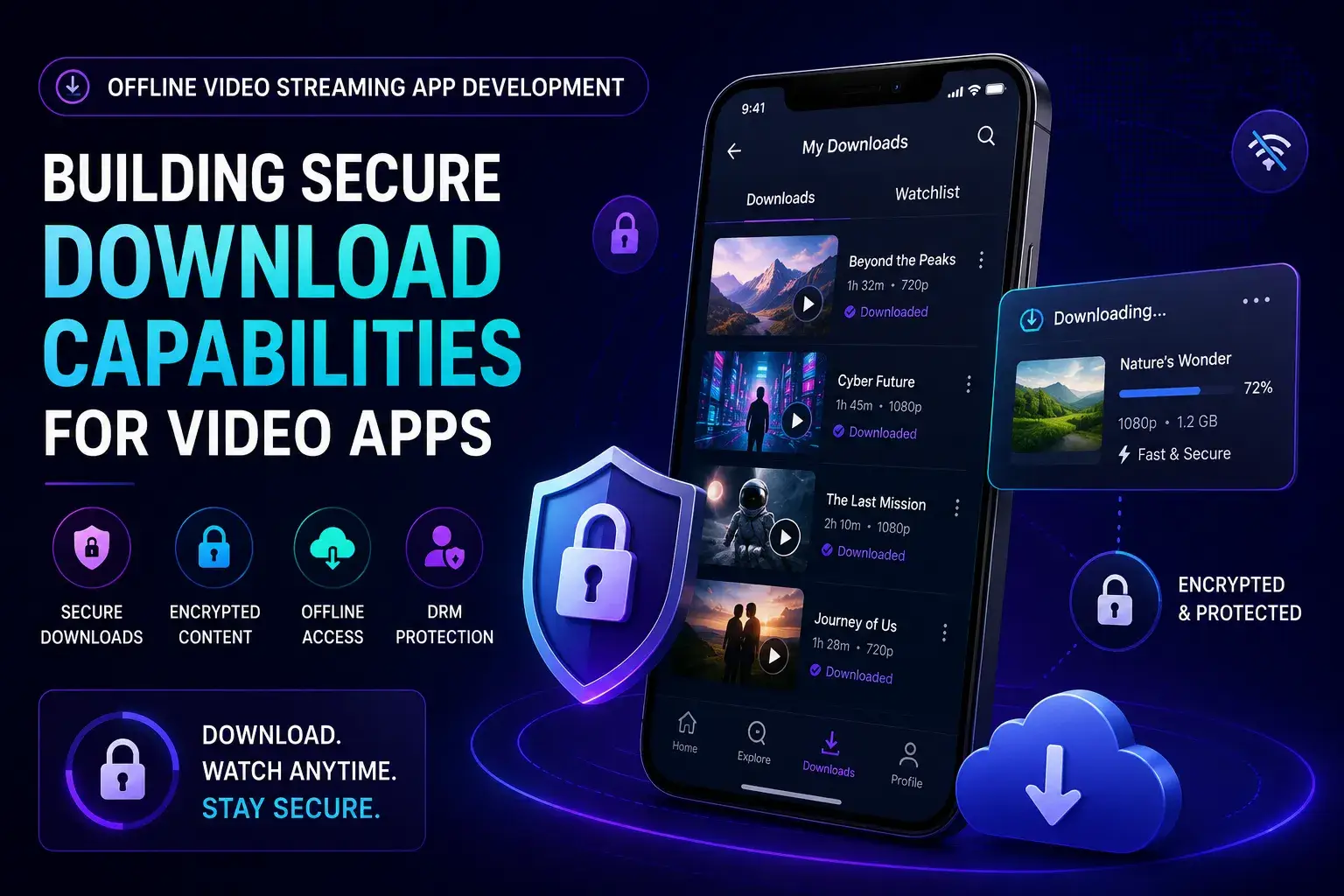
- Offline video streaming app development helps users download videos securely and watch them later without an internet connection.
- The real challenge is not the download button itself; it is building secure storage, DRM protection, expiry logic, sync controls, and offline playback management.
- Core components include encrypted downloads, device-level storage, token validation, download limits, content licensing, and playback authorization.
- Offline viewing improves user retention because people can watch content during travel, low-network conditions, or unstable mobile connectivity.
- Long-term success depends on balancing security, storage efficiency, playback quality, licensing rules, and smooth offline user experience.
Infrastructure Signals
- Secure offline streaming usually requires DRM systems, encrypted video files, temporary access tokens, and device-based authorization controls.
- Download management should support pause/resume capability, storage optimization, quality selection, expiry timers, and automatic cleanup.
- Content licensing rules may control how long users can keep downloads, how many devices are allowed, and whether internet revalidation is required.
- Offline video support becomes especially valuable for eLearning apps, OTT platforms, kids’ content, fitness apps, and regional streaming businesses.
- Development complexity changes based on DRM provider, video format, CDN setup, encryption flow, mobile platform support, and offline sync architecture.
Real Insights
- Offline streaming works best when it feels invisible to the user, with fast downloads, reliable playback, and minimal manual management.
- Many streaming apps fail because downloaded videos are stored insecurely, making piracy, file extraction, or unauthorized sharing easier.
- Founders should treat offline video as part of the full streaming architecture, not as a standalone mobile feature added later.
- User trust improves when downloads are stable, storage usage is transparent, and offline playback works smoothly across sessions.
- The strongest offline streaming platforms combine secure video delivery, encrypted storage, DRM protection, smart download management, and scalable mobile infrastructure.
Offline downloads have become one of the most valuable features in modern video streaming apps. Users do not always have stable internet access. They travel, commute, face data limits, or live in regions where network quality changes throughout the day. For a streaming business, that creates a simple product question: should users stop watching when the internet stops working?
That is where offline video streaming app development becomes important.
Offline viewing is not just a “download video” button. A reliable offline streaming feature needs secure content storage, encrypted playback, license validation, expiry rules, storage control, subscription checks, and a smooth user experience across Android and iOS. Android Media3/ExoPlayer supports offline media downloads, while Apple’s AVFoundation supports offline HLS playback with FairPlay protection, which shows how platform-specific this feature can become.
For founders building an OTT, e-learning, entertainment, fitness, sports, or creator-led video platform, offline downloads can improve retention and subscription value. If the goal is to launch a premium subscription-based streaming product, a Netflix clone app can provide a ready-made foundation for content management, user access, subscriptions, and admin control. But if implemented poorly, they can increase piracy risk, infrastructure cost, storage issues, and support complaints.
Miracuves helps founders build ready-made and white-label video streaming app solutions with scalable backend workflows, admin control, branded user experiences, and monetization-ready features. If offline viewing is part of your product strategy, it should be planned as a secure product layer, not added as an afterthought.
What Is Offline Video Streaming App Development?
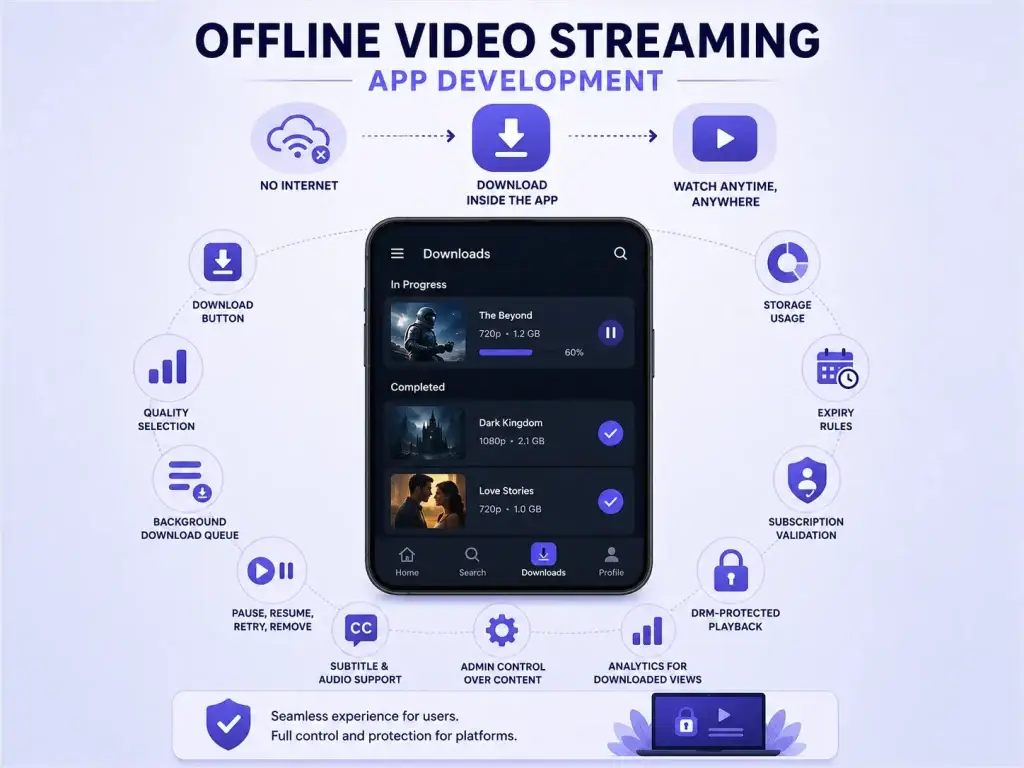
Offline video streaming app development is the process of building a feature that allows users to download videos inside a streaming app and watch them later without internet access.
The important phrase is inside the app.
A secure offline video feature does not usually give users a normal MP4 file they can share freely. Instead, the app downloads protected video segments, stores them in a controlled app environment, validates user access, and plays the content through the app’s video player.
In a professional OTT app, offline mode usually includes:
- Download button on eligible videos
- Quality selection such as low, medium, HD, or full HD
- Background download queue
- Pause, resume, retry, and remove download options
- Storage usage visibility
- Expiry rules
- Subscription validation
- DRM-protected playback
- Subtitle and audio-track support
- Admin control over downloadable content
- Analytics for downloaded views
The goal is simple: users should feel like playback is effortless, while the platform operator still protects content rights and business rules.
Why Offline Downloads Matter for Video Streaming Apps
Offline downloads solve a real user problem. Streaming depends on network quality, and network quality is not always predictable. Even users with strong home internet may lose connection while travelling, commuting, or watching in crowded public networks.
For founders building a Netflix-style video streaming app, offline downloads can support three business outcomes.
First, they increase content accessibility. Users can prepare content in advance and watch it when streaming is not practical. This is especially useful for long-form content, learning videos, kids’ content, fitness sessions, religious content, and regional entertainment.
Second, offline downloads can improve retention. When users have downloaded content inside the app, they have a reason to return. The app becomes part of their daily viewing routine instead of depending on real-time connectivity.
Third, offline downloads can support premium monetization. Many streaming platforms make downloads available only for paid users, higher subscription tiers, or selected content categories. Appscrip’s video streaming launch guide even frames offline downloads as a feature that may be added after the first launch depending on user feedback and product maturity.
For a founder, the decision is not simply “should we add offline downloads?” The better question is: will offline viewing create enough retention, subscription value, or regional access advantage to justify the added complexity?
How Offline Video Downloading Works Inside a Streaming App
A smooth offline video experience inside an OTT platform or Netflix clone depends on several connected systems working together.
Here is the typical flow:
| Step | What Happens | Why It Matters |
|---|---|---|
| User taps download | The app checks access, subscription, device limit, and content eligibility | Prevents unauthorized downloads |
| App requests video manifest | The backend returns HLS or DASH details | Helps the player understand available video segments |
| App selects quality | User or app chooses file size and resolution | Balances storage, speed, and viewing quality |
| Download begins | Video segments are saved in protected app storage | Enables offline playback |
| DRM license is stored | The app receives an offline or persistent license where supported | Protects premium content |
| User watches offline | The player uses local segments and license rules | Allows playback without internet |
| License expires | The app blocks or renews access based on rules | Protects subscription and licensing rights |
For Android, ExoPlayer’s Media3 library provides offline downloading functionality and recommends using DownloadService so downloads can continue in the background.
For iOS, Apple provides AVFoundation workflows for downloading and playing HLS content offline, including guidance around protecting offline audio and video with FairPlay Streaming.
This means offline downloading is both a product feature and a platform engineering decision.
Core Features Every Offline Video Streaming App Should Include
Offline video streaming app development should be planned across user experience, admin control, backend logic, and security. A download button alone is not enough.
Offline Video Feature Requirements
| Feature | Business Value | Founder Impact |
|---|---|---|
| Download eligibility control | Allows only selected videos to be downloaded | Protects licensing rules and premium content strategy |
| Video quality selection | Lets users choose between storage saving and higher quality | Improves user satisfaction across different devices |
| Background download queue | Allows downloads to continue while users browse or leave the app | Reduces failed downloads and support issues |
| DRM-protected playback | Restricts unauthorized sharing and copying | Supports content-owner trust and paid access models |
| Expiry and renewal rules | Controls how long downloaded videos remain playable | Aligns offline access with subscription and licensing policies |
| Storage management | Shows file size, remaining storage, and delete options | Prevents app bloat and poor device experience |
| Offline analytics sync | Syncs viewing data when the user reconnects | Improves content insights and recommendation logic |
HLS, DASH, DRM, and Offline Playback: What Founders Should Know
Most founders do not need to know every technical detail of video packaging, but they should understand the core building blocks.
HLS and DASH
HLS and MPEG-DASH are adaptive streaming formats. Instead of sending one large video file, they break video into smaller segments and allow the player to choose the right quality based on network conditions or device capability.
For offline playback, those segments can be downloaded and stored locally. The app then plays the saved segments instead of fetching them from the internet.
DRM
DRM, or Digital Rights Management, protects premium video content by controlling who can play it, on which device, and for how long. Vimeo’s DRM guide explains that DRM-managed libraries commonly need compatible streaming formats such as HLS or MPEG-DASH.
For Android, ExoPlayer uses Android’s MediaDrm API for DRM-protected playback.
For iOS, FairPlay Streaming is Apple’s DRM system for protected playback and offline use. Apple’s offline HLS guidance specifically covers FairPlay protection for offline audio and video.
Offline License Windows
A downloaded video should not stay playable forever unless your business model allows it. Many platforms use license windows such as:
- Download valid for 7, 15, or 30 days
- Playback must be completed within a shorter period after first play
- Download expires when subscription ends
- Download is removed after logout
- Download is limited to a fixed number of devices
These rules protect the content owner and help the platform maintain control over paid access.
Admin Controls Needed for Offline Video Downloads
Offline downloading should not be managed only from the app. The admin panel is where the platform operator controls the business rules.
For a scalable Netflix clone app, the admin dashboard should allow operators to:
- Mark videos as downloadable or streaming-only
- Set download availability by subscription plan
- Define expiry windows
- Limit download count per user
- Limit devices per account
- Disable offline access for specific regions
- View download analytics
- Remove access to expired or restricted content
- Manage complaints and playback issues
This matters because offline downloads touch licensing, monetization, storage, and customer support. Without admin control, founders may need developer help for every small policy change.
A ready-made Netflix clone script foundation from Miracuves can help founders plan these control layers earlier, especially when offline downloads are part of a paid subscription or premium content strategy.
Founder Decision Signals: Should You Build Offline Downloads Now or Later?
Not every video app needs offline downloading on day one. The right decision depends on audience behavior, content type, and business model.
Founder Decision Signals
Speed
If your first launch must happen quickly, offline downloads can be planned as a second-phase feature unless your audience strongly depends on low-connectivity access.
Cost
Offline downloads add engineering, DRM, storage, testing, and support complexity. The cost should be tied to subscription value or retention impact.
Scalability
If you expect heavy content consumption, offline downloads need careful backend, CDN, license, and analytics planning from the start.
Market Fit
If your users commute, travel, study, train, or live in unstable network regions, offline access can become a strong product differentiator.
Monetization Models That Work With Offline Video Streaming
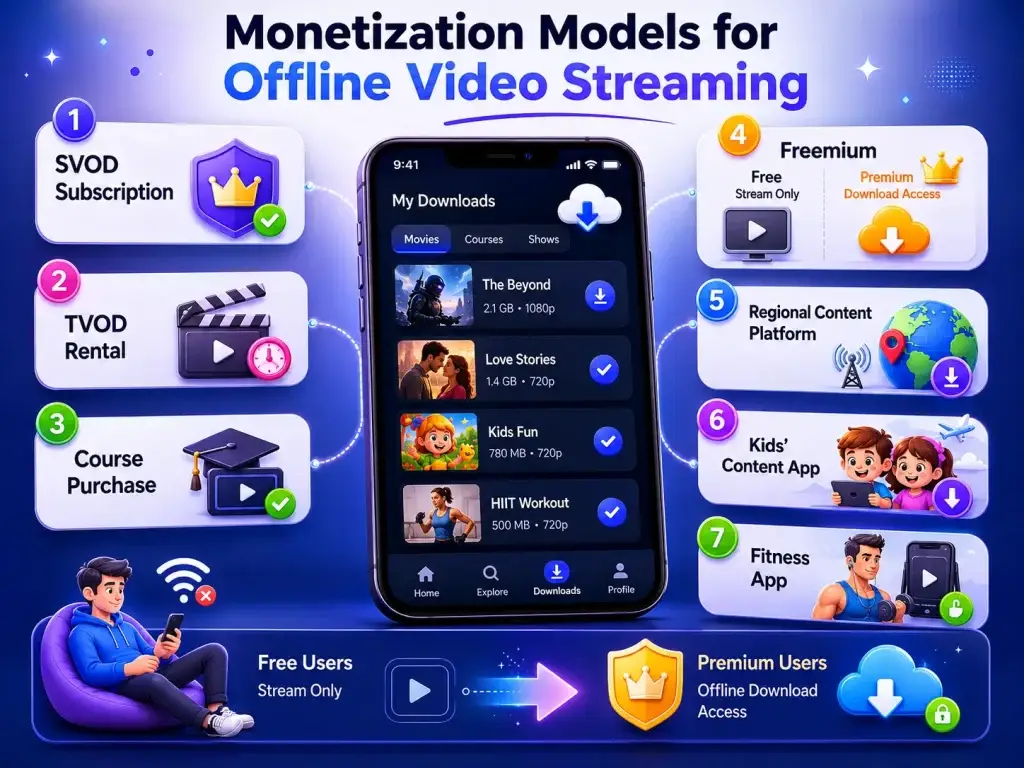
Offline downloads on a Netflix clone can support multiple monetization models, but they should be connected to clear access rules.
| Monetization Model | How Offline Downloads Help |
|---|---|
| SVOD subscription | Downloads can be limited to paid users or higher-tier plans |
| TVOD rental | Users can download rented content with a fixed viewing window |
| Course purchase | Students can access lessons offline after purchase |
| Freemium | Free users stream only, premium users download |
| Regional content platform | Offline access helps users in low-bandwidth areas |
| Kids’ content app | Parents can download videos before travel |
| Fitness app | Users can save workout videos before training sessions |
Offline downloads often work best when they are treated as a value-added benefit, not a universal free feature. For example, a founder could allow free users to stream content but reserve offline downloads for paid subscribers. This creates a practical upgrade reason without forcing aggressive sales messaging.
Security Risks in Offline Video Streaming App Development
Offline video introduces one major challenge: once content is stored on a user’s device, the platform must protect it carefully.
Important security layers include:
- Encrypted local storage
- DRM-protected playback
- Tokenized download access
- License expiry
- Device binding
- Rooted or jailbroken device checks where appropriate
- Screen recording restriction where supported
- Secure API integration
- Role-based admin access
- Audit logs for content access
- Abuse reporting and suspicious activity monitoring
Security should be positioned as a foundation, not a marketing add-on. A streaming platform should avoid claims such as “piracy-proof” because no digital system can guarantee absolute protection. The practical goal is to reduce unauthorized access, enforce business rules, and protect content-owner trust.
Common Mistakes Founders Should Avoid
Mistakes Founders Should Avoid
Adding offline downloads without DRM planning
Saving videos without proper protection can create content leakage risk, especially for paid, licensed, or creator-owned content.
Ignoring storage experience
If users cannot see file size, storage usage, or delete options clearly, offline downloads can make the app feel heavy and frustrating.
Making every video downloadable
Some content may have licensing, regional, or monetization restrictions. Admin-level download eligibility control is important.
Not syncing offline analytics
If offline viewing data is not synced later, the platform loses important signals for recommendations, completion rates, and content planning.
Offline Video Streaming App Development Tech Stack
The exact tech stack depends on your platform, content model, budget, and scaling plan. But a practical offline video streaming architecture usually includes:
| Layer | Technology Considerations |
|---|---|
| Mobile app | Flutter, React Native, Swift, Kotlin |
| Video player | AVPlayer/AVFoundation for iOS, Media3/ExoPlayer for Android |
| Streaming format | HLS, MPEG-DASH |
| Backend | Node.js, Laravel, Python, or similar backend framework |
| Storage/CDN | Cloud storage, CDN delivery, signed URLs |
| Encoding | Adaptive bitrate transcoding, multiple resolutions |
| DRM | Widevine for Android, FairPlay for Apple ecosystems |
| Admin panel | Content, users, subscriptions, downloads, analytics |
| Analytics | Watch time, download count, completion rate, offline sync |
| Security | Encrypted storage, tokenized access, role-based permissions |
Founders should avoid choosing technology only by trend. The better decision is to choose a stack that supports your content rights, monetization model, user devices, and long-term scaling plan.
How Miracuves Helps Founders Build Offline-Ready Video Streaming Apps
Building offline downloads from scratch can take significant planning because the feature touches playback, backend, content security, app storage, admin rules, and subscription access.
Miracuves helps founders launch video streaming and creator platform products using ready-made, white-label, source-code-owned app foundations that can be customized around business goals. For streaming apps, this may include user apps, admin dashboards, video content management, monetization workflows, creator or publisher controls, and scalable backend planning.
If your roadmap includes a Netflix-style app, OTT platform, e-learning video app, fitness streaming app, or creator-led video platform, Miracuves can help you build a Netflix clone with offline downloads as part of a larger product strategy rather than treating offline access as an isolated feature.
Final Thoughts
Offline video streaming app development is valuable because it helps users keep watching when internet access is unreliable. But the business value comes from more than convenience.
A well-built offline feature can improve retention, strengthen subscription plans, support regional growth, and create a better viewing experience. A poorly built feature can increase piracy risk, storage complaints, development complexity, and operational confusion.
The smarter founder decision is to connect offline downloads with content rights, user behavior, monetization, and admin control from the beginning. Miracuves can help founders build a scalable video streaming app solution that supports faster launch, branded experience, source-code ownership, and future-ready customization.
FAQs
What is offline video streaming app development?
Offline video streaming app development is the process of building download and offline playback features inside a video streaming app. It allows users to save eligible videos and watch them later without an active internet connection.
Is offline playback the same as downloading an MP4 file?
No. In a secure streaming app, offline playback usually stores protected video segments inside the app rather than giving users a shareable MP4 file. This helps protect paid or licensed content.
Do offline video downloads need DRM?
For premium, licensed, subscription, or creator-owned content, DRM is strongly recommended. DRM helps control playback access, device usage, and expiry rules.
Which is better for offline playback: HLS or DASH?
Both can support offline playback depending on the platform and implementation. HLS is especially important for Apple ecosystems, while DASH is widely used with Android and DRM workflows. The right choice depends on device support, DRM needs, and content delivery strategy.
Can users watch downloaded videos after their subscription expires?
That depends on the app’s business rules. Most subscription platforms restrict offline playback when a subscription ends or when the download license expires.
How do apps prevent users from sharing downloaded videos?
Apps can reduce sharing risk with encrypted storage, DRM-protected playback, tokenized download access, device binding, and license expiry. No system should claim absolute piracy prevention, but these controls reduce unauthorized use.