


Key Takeaways
What You’ll Learn
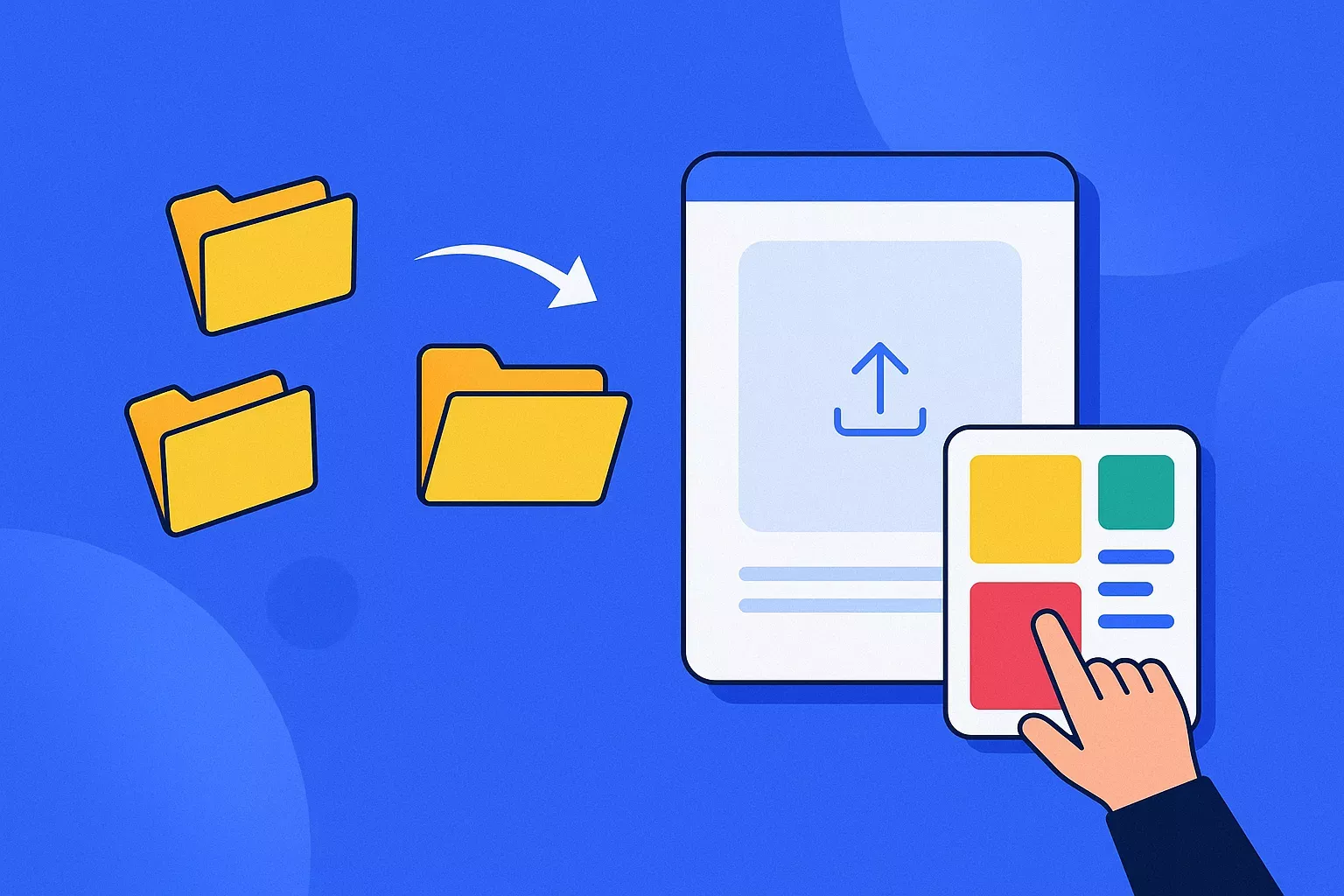
- Easy file upload helps users send files quickly.
- Large file sharing supports images, videos, and documents.
- Shareable links make file access simple.
- Email transfer adds a direct sharing option.
- Clean design keeps the user journey smooth.
Stats That Matter
- File transfer speed improves user experience.
- No complex setup makes sharing easier.
- Expiry links help control file access.
- Password protection improves private sharing.
- Download tracking gives better file visibility.
Real Insights
- Simplicity drives repeat file sharing.
- Users want speed more than complexity.
- Secure sharing builds user confidence.
- Minimal UX reduces confusion and drop-offs.
- The best feature mix balances speed, control, security, and ease.
Imagine this: You’re a solo founder wrapping up a 2-minute explainer video that’ll (hopefully) go viral. It’s 4K. It’s chunky. It’s 2.1GB. And your email client? Laughs in your face. Slack? Nope. Drive? Takes ages. Time’s ticking, your pitch window’s closing, and you mutter: “There’s gotta be an easier way to send this.”
Enter WeTransfer.
It’s the digital hero creators, marketers, and entrepreneurs didn’t know they needed — until the moment they did. Born out of a simple idea in 2009 — “make big file sharing stupidly easy” — WeTransfer has grown into a creative toolkit quietly powering everything from agency pitch decks to music video drafts. And the best part? It doesn’t overwhelm you with bloatware and feature fatigue. Inspired to launch your own file-sharing platform? Now’s the time.
The ‘Do One Thing Well’ Philosophy of WeTransfer
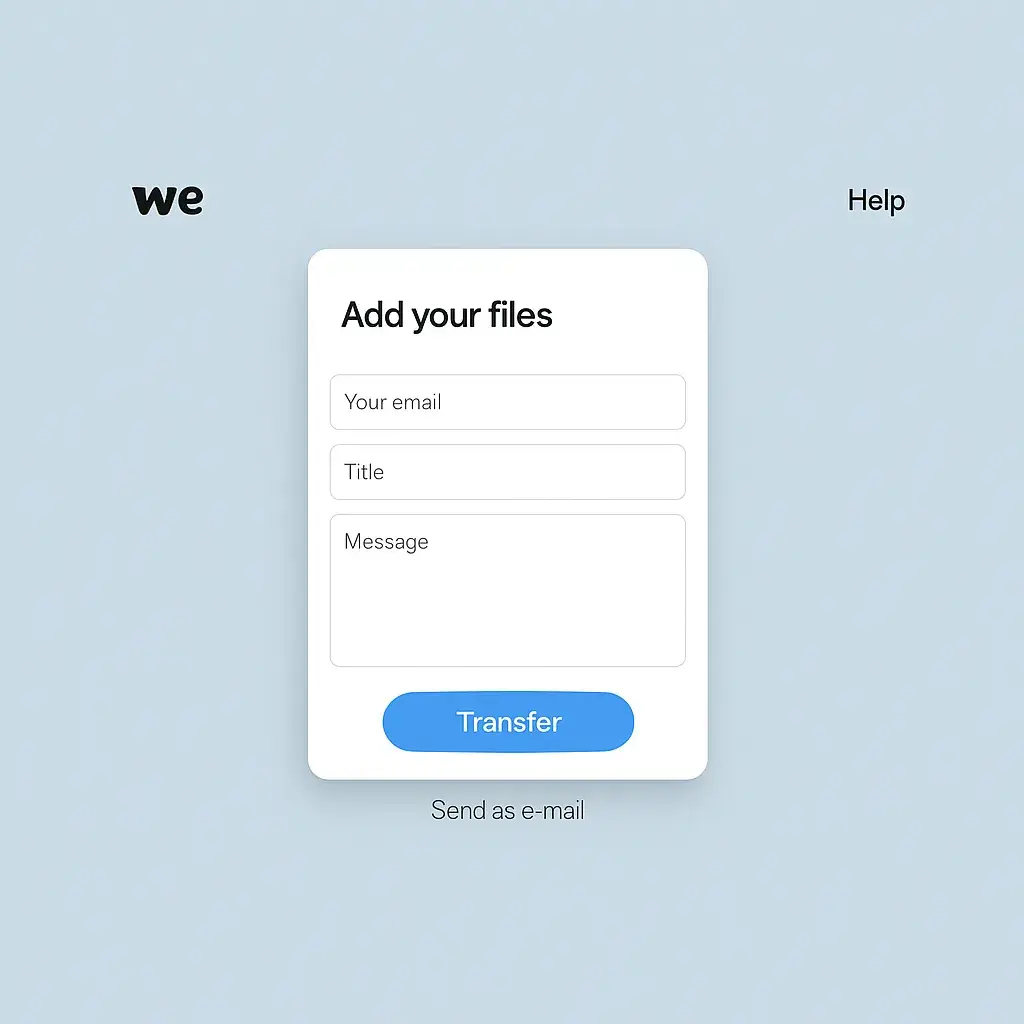
In a world of complex dashboards and UX labyrinths, WeTransfer plays it cool. It’s minimal, almost soothing. You open it, drag your file, type an email, hit send. Done. That’s why it resonates with creators and startups who just want tools to work, not waste time explaining themselves.
And if you’re thinking about building a WeTransfer-style app — or want to clone its brilliance for your own niche — knowing exactly what makes it tick is step one. Let’s unpack that feature list, shall we?
At Miracuves, we specialize in helping visionaries craft lightweight, high-performance app clones that pack power without the clutter. Let’s dive into what makes WeTransfer the gold standard in frictionless file sharing.
Read more: What Is a WeTransfer App and How Does It Work?
Core Features of WeTransfer
1. Effortless File Transfers (Up to 2GB Free)
WeTransfer’s signature move? No signup required. Users can send up to 2GB of files by simply visiting the homepage. It’s the definition of low-friction UX.
2. Link Sharing or Email Delivery Options
Once uploaded, users can either:
- Generate a download link
- Or send the files directly via email
The flexibility suits both anonymous users and professionals.
3. WeTransfer Pro (Paid Tier with Upgrades)
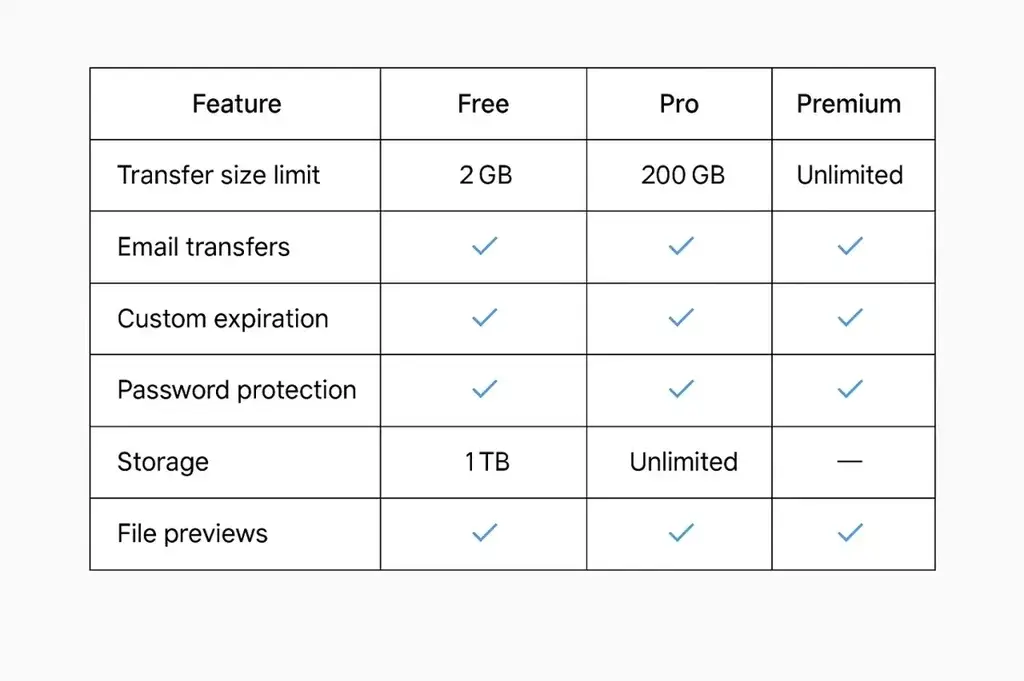
With WeTransfer Pro, users unlock:
- 200 GB transfer limit
- 1 TB storage space
- Password protection
- Custom expiration dates
- Branded background and emails
Perfect for businesses or creators who value control and polish.
4. Auto-Expiration and Clean-Up
Files don’t live forever. In free mode, they expire in 7 days. This keeps servers lean and user data tidy — a clever move from both UX and infrastructure perspectives.
5. Real-Time Email Notifications and Download Alerts
Senders receive:
- Confirmation when files are sent
- Notification when they’re downloaded
This feedback loop builds trust — especially for time-sensitive transfers.
6. Paste by WeTransfer (Visual Storyboarding Tool)
Great for creative teams. Think: moodboards, pitch decks, visual collabs. Paste makes sharing ideas as easy as sharing files.
7. Collect (Save Inspiration Across Devices)
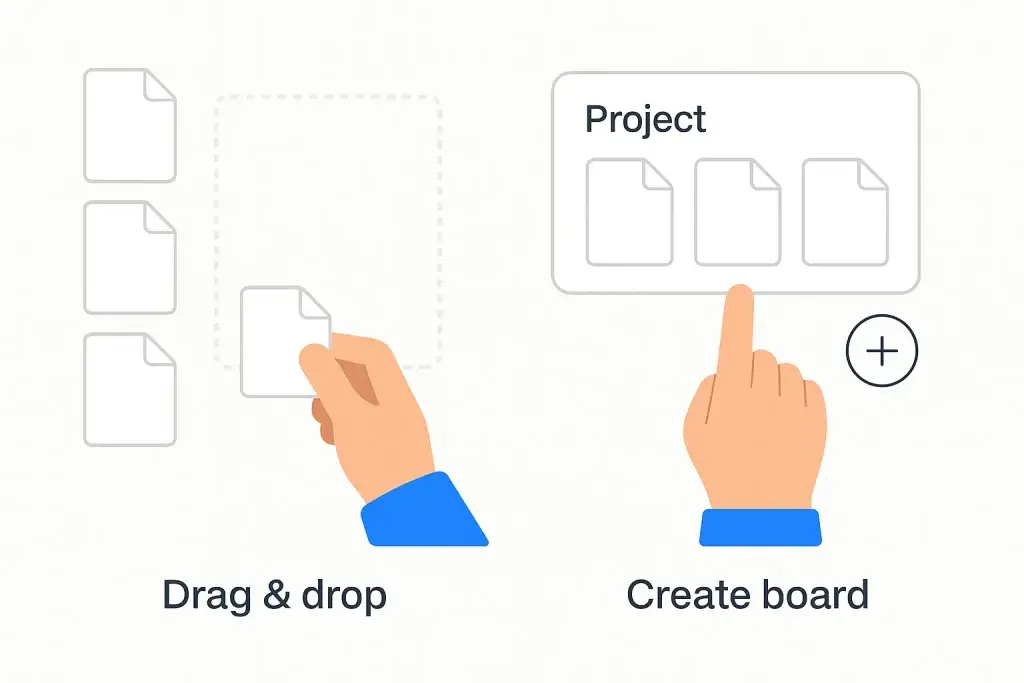
Collect lets users:
- Save images, videos, articles
- Organize them into boards
- Access from mobile or desktop
Ideal for content creators or marketers mid-ideation phase.
8. Paper (Minimalist Note-Taking App)
For sketching, annotating, and notetaking. Paper helps users ideate without distraction. It’s not Dropbox Paper — it’s more tactile and drawing-focused.
9. End-to-End Encryption
WeTransfer employs robust encryption during transit and at rest. No frills, just silent security — exactly what users expect today.
10. GDPR Compliance and EU Hosting
Built with European privacy laws in mind, a key selling point for users wary of U.S. cloud providers.
Usage Scenarios for Different Users
Startups & Agencies:
- Pitch decks
- Video intros
- Product demos
- Branded file transfers (Pro)
Creators & Designers:
- Moodboards (Paste)
- Client review links
- Project backups
Educators & Students:
- Assignment submissions
- Group project transfers
- Cloudless sharing
Read more: Best WeTransfer Clone Scripts in 2025: Features & Pricing Compared
UX-First Principles: Why Simplicity Wins
Unlike Dropbox or Google Drive which emphasize storage, WeTransfer focuses on movement. You don’t manage folders. You don’t organize. You just send. This has made it the darling of users who want tools to be invisible.
It also means the app is fast. No clunky onboarding. No setup drama. It’s made for mobile creators, remote-first teams, and ADHD-era attention spans.
Thinking of Building a WeTransfer Clone?
Good news — you don’t need a rocket lab. What you do need is:
- A clean UI/UX with drag-n-drop flow
- Strong backend for encrypted, resumable uploads
- Smart file expiration and storage management
- Admin panel to track file activity
- Monetization logic (freemium + premium)
At Miracuves, we help builders craft WeTransfer-like experiences with added customization, monetization, and branding capabilities. Want dark mode? Custom domain? AI-driven content screening? We’ve got you covered.
Read more: Pre-launch vs Post-launch Marketing for Wetransfer Clone Startups
What’s Next for File-Sharing Apps?
- AI file summarization: Imagine sending a PDF and getting a TL;DR for the receiver.
- Blockchain timestamping: For verification & legal records.
- Voice-activated transfer (via smart speakers).
- In-app monetization for creators (e.g., paid file downloads).
The future of file sharing isn’t just about speed — it’s about intelligence, security, and creator-focused features.
If you’re inspired by WeTransfer’s minimalist design and want to build a similar platform tailored to your business, explore our file-sharing app solutions to get started with a custom-built product.
Final Thoughts
WeTransfer proves that simplicity scales. It’s not trying to be your everything — just your send-anything.
If you’re dreaming of launching your own file-sharing platform, don’t start from scratch. Start with Miracuves.
At Miracuves, we help innovators launch high-performance app clones that are fast, scalable, and monetization-ready. Ready to turn your idea into reality? Let’s build together.
FAQs
Q:1 What’s the max file size on WeTransfer?
Free users can send up to 2GB, while Pro users enjoy up to 200GB per transfer.
Q:2 Can I password-protect my files?
Yes, with the WeTransfer Pro plan, you can add passwords and expiration dates.
Q:3 Does WeTransfer keep my files forever?
Nope. Files expire after 7 days on free plans. Pro users can customize expiry dates.
Q:4 What makes WeTransfer different from Google Drive or Dropbox?
Simplicity. No folders. No setup. Just send and forget — it’s built for quick transfers.
Q:5 Can I use WeTransfer without creating an account?
Absolutely. That’s one of its signature features — anonymous file sending.
Q:6 Is it safe to use for business files?
Yes. WeTransfer uses encryption and follows strict privacy standards, including GDPR compliance.
Related Articles: