


Key Takeaways
What You’ll Learn
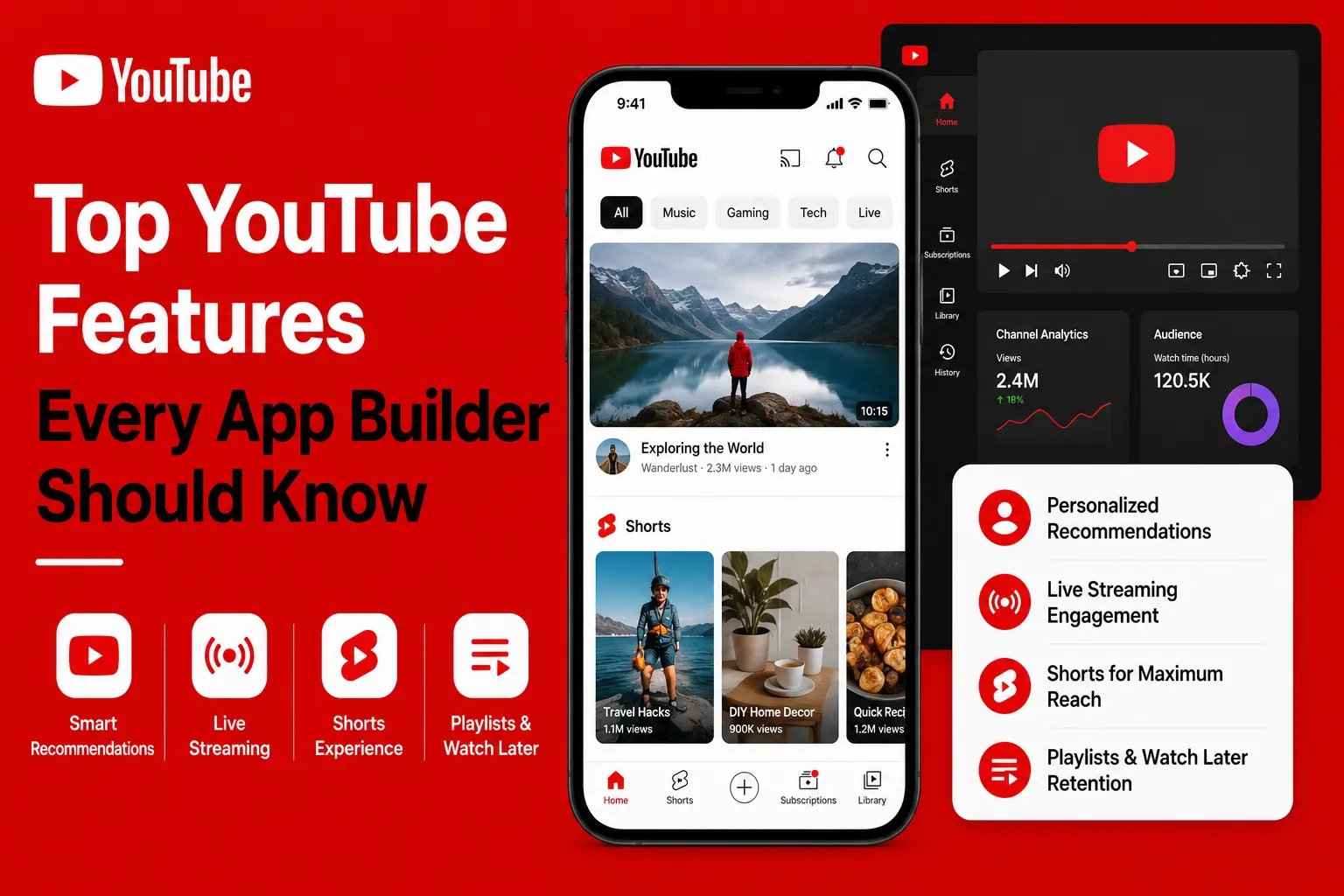
- A YouTube-like app needs more than video uploads because users expect discovery, engagement, creator tools, and monetization.
- User profiles improve personalization through subscriptions, playlists, history, and watch behavior.
- Video processing is essential because uploaded videos must work across devices and internet speeds.
- Engagement features drive retention with likes, comments, shares, saves, playlists, and recommendations.
- The main lesson for founders is to build a full video ecosystem, not just a video player.
Stats That Matter
- Core features include profiles, uploads, thumbnails, captions, adaptive streaming, and video processing.
- Discovery depends on recommendations powered by watch history, behavior, and engagement signals.
- Monetization options include ads, partner programs, memberships, Super Chat, affiliate links, and merch.
- Creator tools include YouTube Studio, analytics, live streaming, Shorts, and comment management.
- Admin tools support safety through moderation, copyright detection, analytics, and reporting.
Real Insights
- YouTube works because every feature supports repeat viewing from recommendations to playlists and notifications.
- Creators need control through upload tools, analytics, monetization, copyright handling, and live options.
- Viewers need comfort features such as captions, dark mode, speed control, chapters, and watch later.
- Moderation protects platform quality by managing harmful content, comments, and copyright risks.
- For founders, build a YouTube clone around uploads, discovery, engagement, monetization, creator tools, and scalable video infrastructure.
Ever thought to yourself, “If only I could build the next YouTube…” and then promptly drowned in a sea of features, filters, formats, and fancy acronyms? You’re not alone. Whether you’re a startup founder bootstrapping your first video platform or a creator looking to finally control your own content kingdom, understanding what makes YouTube tick is half the battle. The other half? Actually building something users will binge for hours.
Let’s face it—video content is king, and YouTube is its throne. But there’s more to this platform than just uploading cat videos or watching late-night podcast rants. It’s a finely tuned ecosystem packed with powerful features designed to keep viewers watching, creators creating, and advertisers spending.
So if you’re eyeing the YouTube clone development path, grab your metaphorical popcorn. This guide unpacks the core and cutting-edge features of YouTube—sprinkled with startup-friendly insights and real-world relevance. And yes, Miracuves is your co-pilot for turning that vision into a working product.
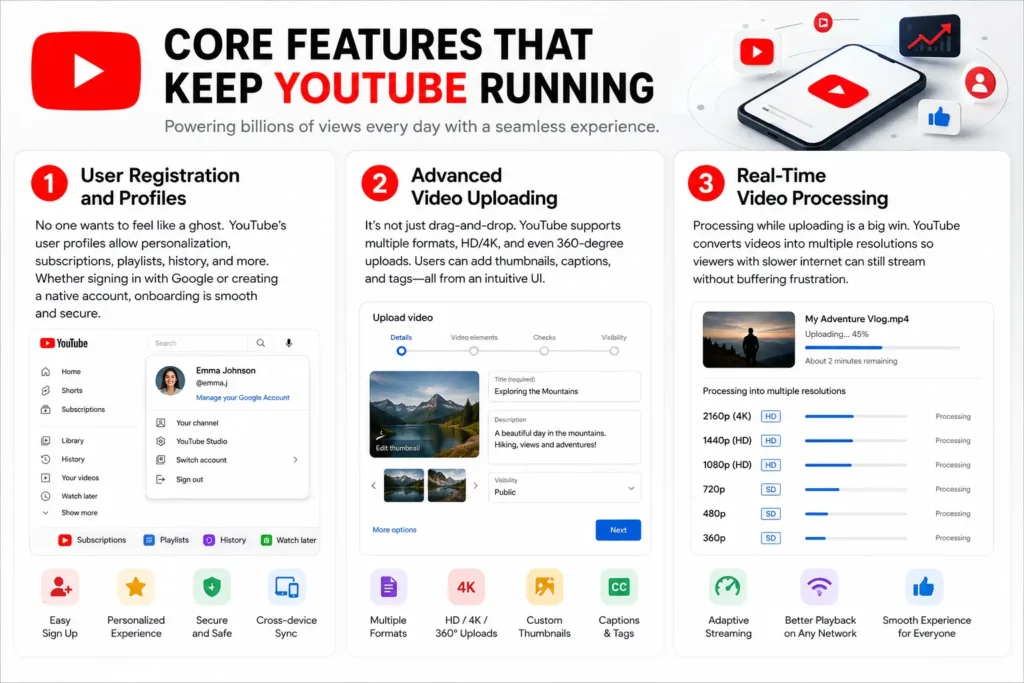
Core Features That Keep YouTube Running
1. User Registration and Profiles
No one wants to feel like a ghost. YouTube’s user profiles allow personalization, subscriptions, playlists, history, and more. Whether signing in with Google or creating a native account, onboarding is smooth and secure.
2. Advanced Video Uploading
It’s not just drag-and-drop. YouTube supports multiple formats, HD/4K, and even 360-degree uploads. Users can add thumbnails, captions, and tags—all from an intuitive UI.
3. Real-Time Video Processing
Processing while uploading is a big win. YouTube converts videos into multiple resolutions so viewers with slower internet can still stream without buffering frustration.
Read more: YouTube App Marketing Strategy: How to Launch, Grow & Dominate
Engagement Features That Hook Viewers
1. Recommendations and Algorithms
Ever wonder why you’re suddenly deep into beekeeping videos? That’s the magic of YouTube’s AI-based recommendation engine. It uses watch history, engagement metrics, and user behavior to push hyper-personalized content.
Statista reports 500+ hours of content are uploaded to YouTube every minute.
2. Like, Comment, Share, Save
These simple buttons form the foundation of engagement. Comments build community, likes boost reach, and shares bring new eyeballs. Every startup building a short-form or long-form video app should make these features non-negotiable.
3. Playlists and Watch Later
Playlists encourage binge-watching. They also allow creators to categorize content meaningfully, from travel vlogs to educational series.
Read more: What is the YouTube App and How Does It Work?
Monetization Features That Make It Sustainable
1. Ads and Partner Programs
YouTube’s bread and butter. From skippable to bumper ads, the platform integrates monetization smoothly. The Partner Program gives creators a cut of the pie, fostering loyalty.
2. Channel Memberships and Super Chat
Think Patreon, but inside YouTube. These features allow creators to receive direct support from their fans through tiered perks and shoutouts during live streams.
3. Affiliate Links and Merch Shelf
Beyond ads, creators can integrate affiliate products and sell their own merchandise—a must-have for modern influencer marketing.
Creator Tools That Fuel Content Production
1. YouTube Studio
This is a creator’s command center. Analytics, subscriber growth, average watch time, revenue—it’s all there. Creators can edit videos, manage comments, and handle copyright issues.
2. Live Streaming with Chat
Going live is no longer just for gamers. YouTube supports live Q&As, webinars, and music gigs with integrated live chat, moderation tools, and stream scheduling.
3. Shorts
Short-form content is the new black. YouTube Shorts takes a direct swing at TikTok and Instagram Reels with vertical video, music overlays, and looped playback.
Viewer Features That Keep People Coming Back
1. Subscriptions and Notifications
Viewers can subscribe and enable the bell icon for alerts. Simple? Yes. Effective? Hugely. This builds user retention and strengthens creator-fan relationships.
2. Video Chapters and Timestamps
Used in tutorials, podcasts, and long-form content, these features make navigation easy and boost engagement time.
3. Dark Mode, Captions, and Speed Control
Comfort and accessibility. Features like closed captions (auto-generated too!), dark mode, and playback speed customization are often overlooked but massively appreciated.
Admin Features That Ensure Safety and Scale
1. Content Moderation Tools
Automated AI flagging, community guidelines enforcement, comment filters—YouTube doesn’t mess around with toxic content.
2. Copyright Detection (Content ID)
One of the most robust copyright systems in the world. It scans uploaded videos for protected content and gives rights holders control.
3. Analytics and Reporting
YouTube’s admin backend gives bird’s-eye views of platform health—uploads per day, bandwidth usage, ad performance, and more.
Bonus Features That Surprise and Delight
1. Community Tab
It’s like a mini social network within a channel—polls, images, and quick updates keep fans in the loop even between uploads.
2. Premieres
Pre-scheduled video drops with live chat. It builds anticipation and mimics the experience of “watching together.”
3. Multi-language and Regional Features
Smartphone penetration is global, and YouTube caters to it. Local languages, region-specific recommendations, and ad targeting all help creators scale.
Read more: Top 5 Mistakes Startups Make When Building a YouTube Clone
Conclusion
Building a YouTube clone isn’t about copying and pasting features. It’s about understanding why those features exist, how they shape user behavior, and what viewers, creators, and advertisers expect from a modern Video Content Platform. From engagement drivers like likes, comments, subscriptions, and watch history to monetization hooks such as ads, memberships, premium content, and creator payouts, these 21 features form the blueprint behind YouTube’s global dominance.
For startups, the real opportunity is not just to recreate YouTube, but to build a scalable Video Content Platform around a specific audience, niche, or business model. When features are planned with purpose, your app becomes more than a video-sharing product; it becomes a content ecosystem that can attract creators, retain viewers, and generate long-term revenue.
The next wave of creators, educators, and entertainers is already here. Are you ready to give them a platform?
At Miracuves, we help innovators launch high-performance app clones that are fast, scalable, and monetization-ready. Ready to turn your idea into reality? Let’s build together.
FAQs
Q:1 What are the most essential features of a YouTube-like app?
Start with video uploading, user profiles, engagement tools (likes/comments), and content discovery algorithms. These are your non-negotiables.
Q:2 Can I monetize my YouTube clone?
Absolutely. Ads, memberships, affiliate links, and merch integration are just a few ways to generate revenue.
Q:3 How long does it take to build a video-sharing platform?
It depends on complexity. A basic MVP might take 2–3 months, while a full-scale solution could take 6 months or more.
Q:4 What tech stack does YouTube use?
Primarily Python, C++, Java, and a mix of backend services on Google Cloud. For your project, Miracuves offers custom stack recommendations.
Q:5 What’s the difference between YouTube and Shorts?
YouTube hosts long-form and short-form content, but Shorts is specifically designed for vertical, under-60-second videos—similar to TikTok and Moj.
Q:6 Why should I choose Miracuves to build my app?
Because we blend clone tech expertise with real-world startup sense. We don’t just build apps—we build platforms that perform.
Related Articles: