




















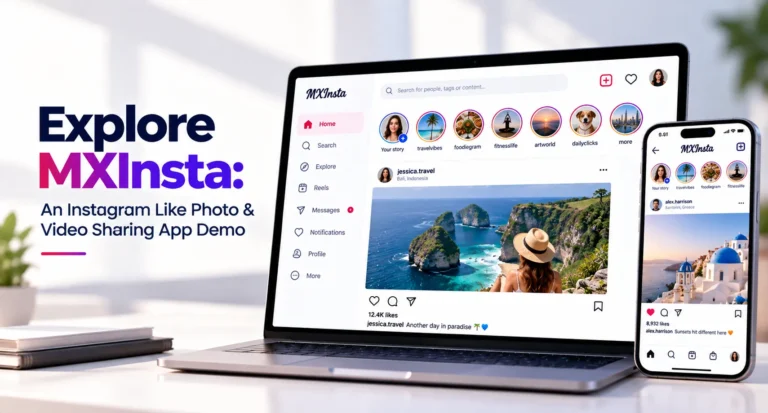
If you are planning a visual social networking product, a live demo gives you a better understanding of the user journey than a simple feature list. You can review how profiles, content publishing, discovery, engagement and communication work together inside the platform.
This Instagram Like Photo & Video Sharing App Demo explores MXInsta, a working social media platform experience designed around visual content, user profiles and social interaction.
The MXInsta demo helps founders review the platform experience before evaluating deeper requirements such as white-label branding, moderation, monetization, integrations and platform ownership.
What Is the MXInsta Demo?
MXInsta is a working demo environment for exploring how an Instagram Like Photo & Video Sharing App can be structured from the user’s perspective.
Instead of reviewing features only as text, the demo allows you to see how different social media areas can connect inside a single user experience.
You can use the demo to understand the overall navigation, account experience, content flow and social interaction before discussing customization or launch requirements.
What to Explore in the MXInsta Demo
User Profiles
Review how users create a social identity and organize their content and activity.
Social Feed
Explore how photo and video content can be presented through a scrolling social feed.
Content Publishing
Understand how users can add visual content and share it with their audience.
Stories & Short Content
Review how temporary and short-form content can fit into the wider social experience.
Social Engagement
Explore how likes, comments and other interactions connect audiences with content.
Messaging
Understand how private conversations can complement public content interaction.
How to Review the MXInsta Demo
When testing a social media demo, it is useful to review the platform as a complete user journey rather than testing individual screens in isolation.
1. Start With the Account Experience
Begin by reviewing how users enter the platform and move into their account experience.
Look at how profile information, account activity and navigation are presented once the user is inside the platform.
2. Explore the Main Content Feed
The feed is one of the most important parts of a visual social platform. It connects users with content from creators, followed accounts and the wider community.
Review how content is presented and how easily users can move from discovery into engagement.
3. Review Photo and Video Publishing
Content creation is central to an Instagram-style platform. Review how a user can move from consuming content to publishing their own visual posts.
A simple publishing journey can make it easier for users and creators to remain active on the platform.
4. Check Profile and Follow Relationships
Profiles connect content with identity. Following relationships then help users build a personalized social network around people, brands and creators they want to see.
Review how profile activity connects back to the main discovery and engagement experience.
5. Test Engagement Workflows
Likes, comments and sharing are important because they turn content consumption into community activity.
While using the demo, review how easily users can move from viewing a post to interacting with it.
6. Review Messaging and Communication
Social platforms can also create direct communication between users. Messaging allows conversations to continue outside the public feed.
This is useful when evaluating whether the platform supports both public engagement and more private user interaction.
MXInsta Demo Workflow Overview
The table below summarizes the main areas you can evaluate while exploring the MXInsta social media demo.
| Demo Area | Main User | What to Review |
|---|---|---|
| Account & Profile | User | Review user identity, profile information and account navigation. |
| Social Feed | Viewer | Explore how users discover and browse photo and video content. |
| Content Publishing | User / Creator | Review the journey for adding and sharing visual content. |
| Stories | User / Creator | Evaluate how temporary content can complement the main feed. |
| Short Video | User / Creator | Review how short-form video can support content discovery and engagement. |
| Likes & Comments | Community | See how users interact directly with published content. |
| Following | User | Understand how audience relationships influence the social experience. |
| Messaging | Users | Review private communication between users. |
Why Test the MXInsta Demo Before Choosing a Social Media Platform?
A feature list can explain what a platform offers, but a demo helps you understand how those features actually connect.
By exploring the MXInsta live demo, you can review the relationship between content creation, feed discovery, user profiles, social engagement and communication.
This makes the demo useful for founders who want to evaluate the basic product experience before discussing branding, customization, monetization, moderation or technical integrations.
Explore the MXInsta live demo to review the platform directly.
From MXInsta Demo to a White-Label Social Media Platform
The MXInsta demo is designed to help you understand the working user experience. The next stage is deciding how that foundation should be adapted for your own audience and business model.
Miracuves can provide a broader white-label social media foundation that can be configured around your branding, feature priorities, content strategy and operational requirements.
For commercial details about the complete platform, customization, source-code ownership and deployment, visit the Miracuves Instagram-style social media platform .
Frequently Asked Questions
What is the MXInsta demo?
MXInsta is a working social media demo that helps users explore the structure and experience of a visual photo and video sharing platform.
Where can I access the MXInsta demo?
You can access the live MXInsta demo at mxinsta.mimeld.com .
What should I check in the MXInsta demo?
Review the account experience, user profiles, feed, content publishing, photo and video discovery, following, engagement and communication workflows.
What is an Instagram like photo and video sharing app?
It is a visual social networking platform where users can create profiles, publish photos and videos, follow other accounts, discover content and interact with a wider community.
Can MXInsta be used to evaluate a white-label social platform?
The demo can help you understand the user-facing experience before discussing branding, customization, integrations and wider commercial requirements for your own platform.
Where can I review the complete Miracuves social media solution?
The Miracuves Instagram-style platform page contains the broader commercial information about capabilities, customization, ownership and deployment.
Try the MXInsta Live Demo
Explore MXInsta to review the user experience directly, then evaluate the complete Miracuves platform when you are ready to discuss your branding, features, customization and launch requirements.
Explore Related Social Platform Resources
Continue your research with these related Miracuves platform pages.
- Instagram-Style Social Media Platform — Explore the complete commercial platform for visual content, social interaction and community engagement.
- Short Video Social Platform — Review a related platform focused on vertical video and creator-led discovery.
- Social Conversation Platform — Explore a related platform designed around public conversations and community interaction.