


















v2026 - Production Ready

DoorDash Clone App - White-Label Food Delivery Marketplace

Restaurant Delivery Clone Script with Customer, Restaurant and Courier Flutter Apps

An off-the-shelf food delivery marketplace for operators who run all three sides. Customers order, restaurants prepare and delivery partners carry, each from a separate app, while an admin console sets the commission, approves who joins and charts what each order earned.

One codebase produces Flutter apps for customers, restaurants and delivery partners, plus a storefront on the web together with panels for admin, restaurants and users. All of it is white-label, and the entire source code comes with it.

Launch in 6 Days with

  • 60 Days of Platform Guidance
  • Complete Source Code
  • Full Rebranding
  • White-Label Ready
  • Store Publishing Help
  • 6 Months Bug Fixes + 12 Months Updates
MXEats console · CommissionLive
Orders today124
Out for delivery17
Restaurants live46

Order activity

  • Order accepted by a delivery partnerDelivery
  • Commission recorded on a delivered orderMoney
  • Restaurant application awaiting approvalNetwork
  • Payment failed counter updatedOrders
  • Delivery partner sign-up receivedCouriers
  • Coupon applied at checkoutPromotions
  • Order refund recordedRefunds
  • Restaurant marked Closed NowMenus
  • Order accepted by a delivery partnerDelivery
  • Commission recorded on a delivered orderMoney
  • Restaurant application awaiting approvalNetwork
  • Payment failed counter updatedOrders
  • Delivery partner sign-up receivedCouriers
  • Coupon applied at checkoutPromotions
  • Order refund recordedRefunds
  • Restaurant marked Closed NowMenus
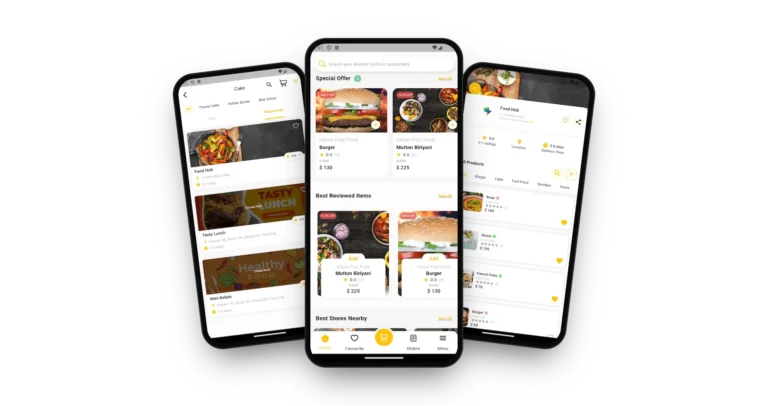
DoorDash Clone customer app home screen with a Special Offer row of discounted dishes, a Best Reviewed Items row and a bottom bar with Home, Favorites, Cart, Orders and Menu.
One order, three appscustomer, restaurant and courier

The Platform in Numbers

3
Role Apps

one each for customer, restaurant and courier

8
Status Counters

from unassigned to delivered, with canceled, refunded and failed

4
Web Panels

for the storefront, admin, restaurant and users

6
Days Until Launch

our build time, with store review a separate matter

Commission You Can Read

The admin sales chart sets gross sales against the admin commission and the delivery commission, so a rate change shows up in the figures.

Delivery Partners Join Through the App

Couriers use an app with a demo login of its own; sign-up starts from a link in the customer account menu and the admin hands out deliveries.

Want customers, kitchens and couriers working through one platform of yours?Speak to a Product Expert

6,000+ clients across the world rely on Miracuves
Miracuves is listed by Expertise.com as a managed IT service provider.Miracuves is an official member of the Forbes Business Council.Miracuves is a verified agency on DesignRush, listed among top design agencies in India.Miracuves is reviewed on Trustpilot as a software development company.Miracuves is listed by The Manifest among top managed software development companies.Miracuves is listed by DesignRush as a top software development company.Miracuves is recognized by GoodFirms as a top software development company.Miracuves is ranked among the top 1000 companies globally by Clutch.Miracuves is a top managed service provider in the United States on Clutch.

01Try it out

Try It Hands-On

DoorDash Clone Demo - Customer, Restaurant & Delivery Partner Apps, Web Storefront & Admin

Sit in each chair of a delivery order. Three app logins put you in the customer, restaurant or courier seat, the storefront on the web opens with no more than a browser, and logins for the admin and restaurant panels are handed out in a guided call. Order first, then watch the same order from the other two chairs.

DoorDash Clone customer app home screen with a Special Offer row of discounted dishes, a Best Reviewed Items row and a bottom bar with Home, Favorites, Cart, Orders and Menu.DoorDash Clone restaurant page with rating, location, delivery time, category chips and a list of dishes with prices and favorite hearts.
Live demo
CUSTOMER APP

Customer App - Where the Order Starts

Look for a dish or a restaurant, scan the offers and cuisines, open a menu, tweak an item, follow the delivery and see the points and wallet balances in the account menu.

  1. 1Choose your phone type on the portal page
  2. 2Log in with the details shown here
  3. 3Look at Home, a restaurant page, Orders and Menu
Demo login:+91 9876543210 | User_321
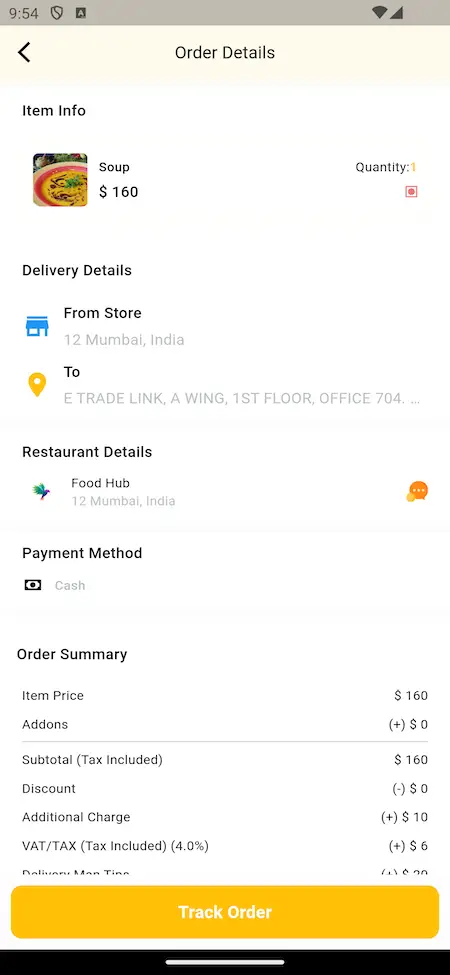
DoorDash Clone order details screen with item info, delivery details, restaurant details, payment method, an order summary with add-ons, discount, charges and tax, and a Track Order button.DoorDash Clone account menu with profile, address, language, coupon, loyalty points, wallet, refer and earn and a Join as a Delivery Man link.
Live demo
RESTAURANT + DELIVERY SIDE

Restaurant App and Delivery Partner App

The fulfillment end. A restaurant takes in and prepares the order in its app, and a courier uses the delivery app to collect it and carry it to the address. Each app has a separate login and portal page.

  1. 1Start from the portal page of the app you want
  2. 2Sign in with the restaurant or the delivery details
  3. 3Check incoming orders plus pickup and drop-off information
Logins:Restaurant: food@demo.com | Store_321. Delivery: +919876543211 | Driver_321
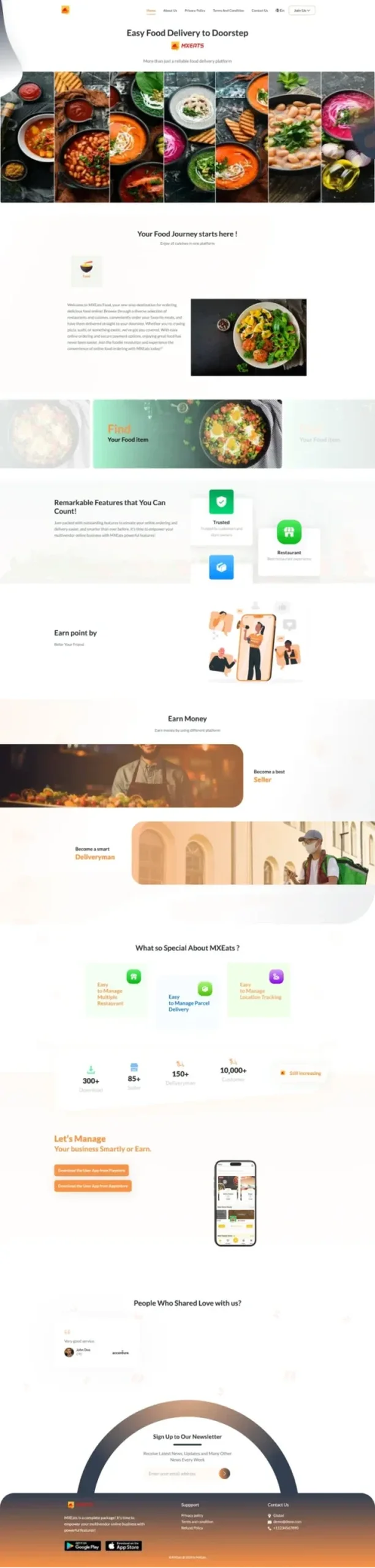
mxeats.mimeld.comDoorDash Clone web storefront landing page with a food journey headline, restaurant search, referral points, and sign-up sections for sellers and delivery partners.
Live demo
BROWSER VERSION

Browser Storefront & User Panel

The customer side in a browser, with restaurant search and a landing page that invites visitors to start ordering, earn referral points, sell food or sign up as a courier.

  1. 1Load the storefront in any browser
  2. 2Look up restaurants, or log in as a user
  3. 3Check Search, Restaurants and Referral points
Web demo:mxeats.mimeld.com
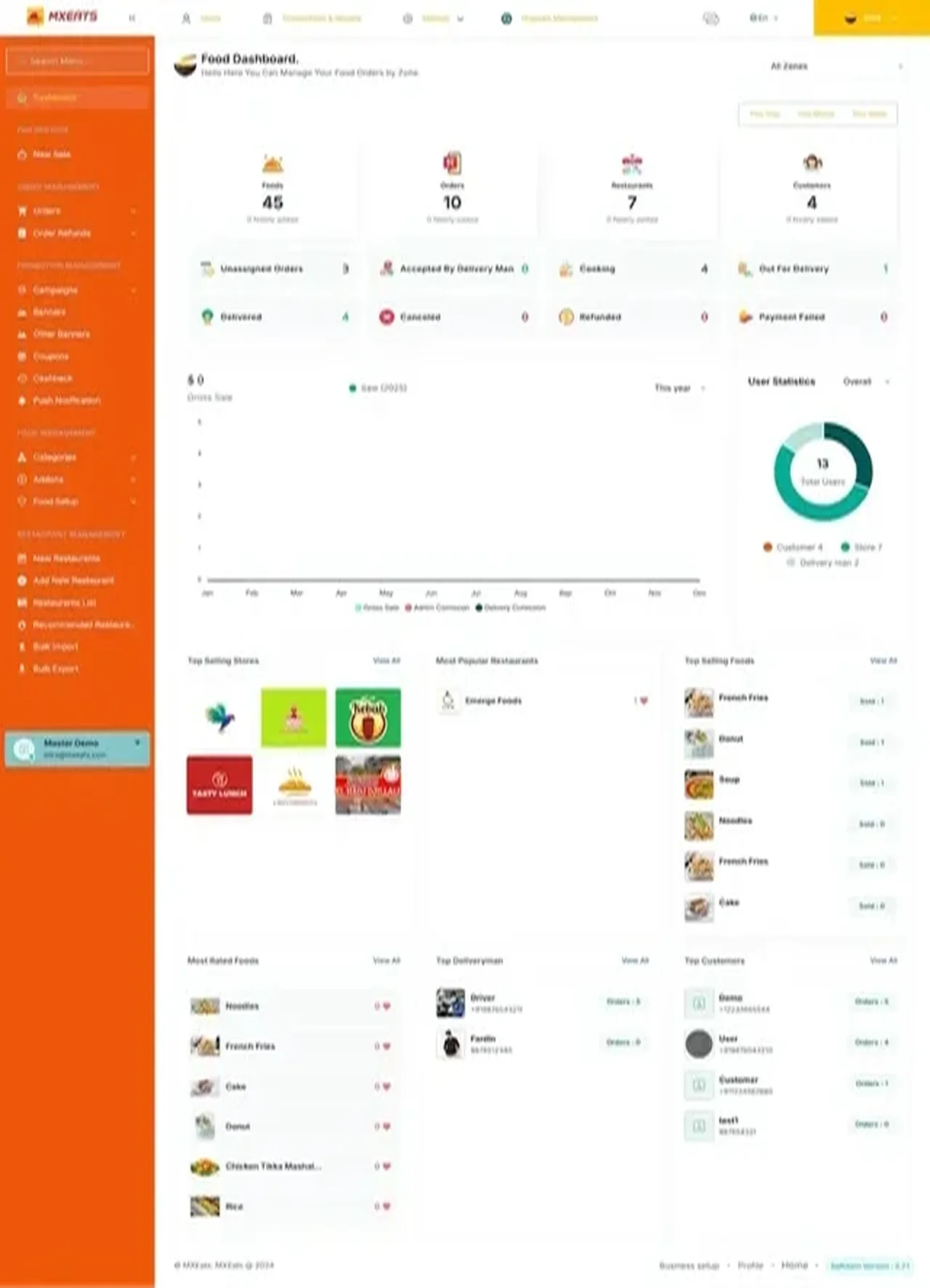
mxeats.mimeld.comDoorDash Clone admin dashboard with food, order, restaurant and customer counts, order status counters, a sales and commission chart, user statistics and top store, food, courier and customer lists.
Live demo
OPERATOR CONSOLES

Admin Console - Orders, Commission, Restaurants & Reports

This is the operator chair: a status counter for each order, a sales chart showing admin and delivery commission, restaurant onboarding, banners, coupons, cashback and ranked lists. The restaurant panel has its own sign-in.

  1. 1Arrange a guided call to receive the panel logins
  2. 2Both panels are opened together with you
  3. 3Check the Dashboard, Restaurants, Promotions and Reports
Panel logins:handed over in a guided call
DoorDash Clone on three phones: the customer app home with special offers and best reviewed items, the cake category with restaurant cards and the restaurant page with menu items and track order button

Watch an Order Travel

DoorDash Clone Guided Tour: Place an Order, Prepare It, Deliver It, Then Read the Numbers

Reading about a three-sided platform tells you little; watching one order cross it tells you a lot. On a call we order as a customer, accept as a restaurant, collect as a courier and finish in the admin dashboard to see where the order and its commission landed, all against the city, the fee model and the date you are planning for.

Book a guided tour

Screens in Order

What the DoorDash Clone Looks Like - Customer App, Admin Dashboard & Web Storefront

Authentic MXEats screens. First the customer app in the order a customer meets it, then the dashboard the operator uses and the storefront the public sees.

DoorDash Clone customer app home screen with a Special Offer row of discounted dishes, a Best Reviewed Items row and a bottom bar with Home, Favorites, Cart, Orders and Menu.
DoorDash Clone customer app list of restaurants in the Cake category with ratings, locations, delivery times and a Closed Now label.
DoorDash Clone restaurant page with rating, location, delivery time, category chips and a list of dishes with prices and favorite hearts.
DoorDash Clone order details screen with item info, delivery details, restaurant details, payment method, an order summary with add-ons, discount, charges and tax, and a Track Order button.
DoorDash Clone account menu with profile, address, language, coupon, loyalty points, wallet, refer and earn and a Join as a Delivery Man link.
5 frames · scroll →
DoorDash Clone admin dashboard with food, order, restaurant and customer counts, order status counters, a sales and commission chart, user statistics and top store, food, courier and customer lists.
1 frame
DoorDash Clone web storefront landing page with a food journey headline, restaurant search, referral points, and sign-up sections for sellers and delivery partners.
1 frame

Follow one order from menu to dashboard: the dish list, an order summary with charge and tax lines, a restaurant labeled Closed Now and, last of all, the admin dashboard, where the order is tallied under a status.

Explore Our Solutions

02Client voices

Straight From Clients

DoorDash Clone Client Reviews - Delivery Founders in Their Own Words

Clients describe what they built on Miracuves bases. Two of the speakers run delivery businesses, one in food and grocery and one a courier network, and the rest work in other fields. Each quote is shown precisely as its author gave it.

CCharles EveillardManaging Partner, Izi Technologies
“Talokitoko is grocery and food delivery for the African diaspora market in Europe. The rider app, dispatch and the merchant console were already built, so we spent the engagement on our own local payment mix, the vendor onboarding flow and the regions we actually operate in. The platform was live inside a month, which was months faster than our internal estimate.”
MMarsha WilliamsFounder, Bmore On Demands LLC
“The team was running it on a dispatcher and a Google Sheet, and we needed a real platform quickly, because we were about to onboard a major retail client. Miracuves’s Delivery Genie base gave us the rider app, the dispatch console, and live tracking. We launched in 6 weeks and cleared 4x the previous order volume in the first month.”
MMustafa H.CTO, Speedyven Networks
“Speedyven is a hyperlocal courier network — packages, food, and same-day essentials across a few metros. The dispatch and rider app were the parts where we needed to move fastest, because riders have low tolerance for clunky tools. Miracuves's Delivery Genie base gave us the rider app, the dispatch console, and live tracking. We added our custom surge-pricing engine, our multi-merchant order router, and a custom rider-incentives module. We launched in 7 weeks. Rider activation is high and the platform's been stable through weekend peaks.”
DDr. Vivek RungtaFounder & Chief Dermatologist, Dermacian
“Every HMS I tried was built for general physicians, with no lesion mapping, no before/after tracking, and no procedure-based billing. Their MXHealth base gave us the patient app, doctor app, EMR and video consult out of the box. Front-desk time on scheduling and follow-ups is down ~70%, and we went fully digital in 9 months, where a fully custom job would have been 18.”
AAndre GittensCEO, Ride Corporation
“Turo is the obvious reference, but the Caribbean specifics, from different insurance norms to different payment rails, meant we needed a real partner, not just a clone. Miracuves’s MXCar base covered the listing, the trip flow, and the host payouts. We launched in 6 working days and are live in three islands.”
TTiffany DandreaOperations Director, Best Cabo Yacht Rentals
“We were running it on phone calls and a paper calendar, and we were losing bookings to bigger OTAs. Miracuves’s GetmyBoat Clone base gave us the calendar, the booking flow, and the payment engine. Online bookings are up roughly 70% in the first six months, and the ops team finally has a live view of the fleet.”
DDr. Carlos A. PalermoCo-founder & CEO, Doctta Health
“Building a compliant telehealth stack from scratch in three markets would have been a year-plus effort. Miracuves’s MXHealth base covered the patient and doctor apps, video consult, e-prescription and the pharmacy integrations. We launched in our first market in 9 weeks and rolled out to two more in the following six months.”
BBrian LatailleVP Logistics Technology, IBC Tanks Canada
“We were juggling spreadsheets, a third-party GPS provider, and a phone. We needed a single operations console. Miracuves’s MXLogistics base covered the trip lifecycle, the driver app, and the customer tracking page. We’ve cut operations admin time by about 40%.”
Read More Client TestimonialsFounders and operators in their own words

Proof Within Reach

Checking the DoorDash Clone Yourself - Demo Evidence Before You Commit

Since no operator running this model has agreed to be named, the section below sets out what you can check with your own hands, not what we could only claim.

Demo Build
What You Can Verify Yourself

No client deployment of this product has been published by name, and we will not fabricate one. The open MXEats demo is what exists, and anyone may try it.

Open demoKind
Apps, web, panelsSurfaces
Three-sided deliveryScope
3Role apps to enter
8Status counters
3Commission series charted
DoorDash Clone admin dashboard with food, order, restaurant and customer counts, order status counters, a sales and commission chart, user statistics and top store, food, courier and customer lists.
Try It Yourself
  • Use the demo logins to enter all three apps in turn
  • Study an order summary and its charge, discount, tax and tip lines
  • Look in the account menu for the delivery partner sign-up entry
Ask for a Demo of
  • Ask on a call for the logins to the admin and restaurant panels
  • Examine the chart that divides admin from delivery commission
  • Step through restaurant approval and the promotions menus
What We Will Not Do
  • Anything not visible in the demo or release log goes unclaimed
  • Extras are named add-ons and never passed off as base features
  • A custom change gets a written quote ahead of the work

We will not borrow another client's name, numbers or screenshots to stand in for a deployment nobody has published, and the demo is never passed off as a client result. When a named deployment exists, it will replace this note.Miracuves product team · about this section

See it firstReserve a tour and we fill each app and panel with restaurants and rules taken from your own plan.

03What is inside

The Product at a Glance

What the DoorDash Clone App Gives Customers, Restaurants & Delivery Partners

A DoorDash Clone is a ready-made food delivery marketplace with three sides. Customers place orders, restaurants cook them and couriers take them out, while you, the operator, decide who may join, what commission applies and which counters to watch.

DoorDash Clone on three phones: the customer app home with special offers and best reviewed items, the cake category with restaurant cards and the restaurant page with menu items and track order button

One Order, Three Seats

Customer, restaurant and courier each use an app of their own, but all three read a single order. When one of them moves its status, the other two see the change.

Source Code, Unlocked

The whole codebase comes unencrypted. Your developers may change commission rules, screens or styling whenever the business needs it, and nothing is charged per user.

Add-Ons Are Labeled

Four extras carry their own prices: virtual tastings, nutritional insights, eco-friendly packaging options and a Chef's Table subscription. They are add-ons throughout this page and never part of the base.

Android, iOS & Web

So What Exactly Is a DoorDash Clone Script?

Three parties must agree on one order: what was bought, who prepares it, who delivers it and what each is paid. Getting that shared record right, with the money lines next to it, is where most delivery projects stall, and it comes working.

DoorDash Clone admin dashboard with food, order, restaurant and customer counts, order status counters, a sales and commission chart, user statistics and top store, food, courier and customer lists.
  1. 01One app each for customers, restaurants and delivery partners
  2. 02Admin approval for restaurants and delivery partners
  3. 03Dashboard counters from unassigned to delivered
  4. 04A sales chart separating admin and delivery commission
  5. 05One console for restaurant and delivery partner payments

What is handed over: Flutter apps for Android and iOS, three of them, a web storefront, panels for admin, restaurants and users, and all of the source.

Everything in the Build

DoorDash Clone Features: Role Apps for All Three Sides, Commission Controls, Orders, Payments & Admin

Look for any entry below in the demo, on the admin dashboard or in the release log. A feature that depends on an extra module is described further down, under add-ons.

Feature 01 / 12

Customer App: Search, Menus & Offers

A customer arrives at a search bar for dishes or restaurants, with cuisine icons, an offers row and top-rated items beneath. A restaurant page then lists dishes, each showing a price, a rating and a marker for its food type.

  • One search bar on the home screen covers dishes and restaurants
  • Cuisine icons for curries, burgers, biryani and cakes open into lists
  • Menus of restaurants, cafes and food trucks sit side by side
  • Narrow the list by cuisine, location, rating or delivery time
  • A Closed Now label marks restaurants that are not taking orders
  • Chips across a menu split it into Burger, Cake, Fast Food, Noodles and Pasta
  • A Best Stores Nearby strip further down the home screen
Feature 02 / 12

Add-Ons, Options & Notes

Before an item reaches the cart the customer can pick its add-ons and options and write a note. The order summary then charges each add-on on a line of its own, so the kitchen sees what to prepare.

  • Every add-on has its own priced line
  • Options are picked before checkout
  • A note travels with the item
  • Dietary needs reach the kitchen directly
Feature 03 / 12

Cart, Checkout & Payment Control

A cart button takes the center slot of the bottom bar. When checking out, the customer goes over the order and pays through your connected gateway; offering cash on delivery or not is the admin's call.

  • Cart in the middle of the bottom bar
  • Delivery options chosen before the order is placed
  • The admin can enable or disable cash on delivery
  • Gateways are wired in through third-party APIs
  • Every order displays how it was paid
  • Card handling happens in your own gateway account
  • Payment status stays with the order
Feature 04 / 12

Live Tracking & Notifications

On the order details screen a Track Order button appears at the bottom. The app shows the delivery on a map, and push notifications report each status change between kitchen and door.

  • The order details screen ends with a Track Order button
  • GPS powers the map view of a delivery
  • Push messages announce status changes and offers
  • Tapping a notification can open a page you pick
  • Each order lays out the route from store to address
  • A delivery time appears on every restaurant card
  • A chat link on the same screen handles questions about the order
Feature 05 / 12

In-App Chat Between All Three

The order carries a chat link that connects the customer, the restaurant and the delivery partner, so a missing detail gets settled inside the app and not by phone.

  • The restaurant block of an order links straight into the chat
  • All three parties write in the same thread
  • Requests and questions are kept together in it
Feature 06 / 12

Restaurant App & Panel

A phone app and a web panel give restaurants control of menu, prices, availability and incoming orders. Customers see nothing of a restaurant until the admin has approved it.

  • New restaurants wait for admin approval
  • Restaurants maintain their own menus, prices and availability
  • A pause shows customers a Closed Now label
  • Incoming orders are handled in the restaurant panel
  • The admin adds restaurants one at a time or in bulk
  • Recommended Restaurants lets you push forward kitchens you trust
  • Lists can be exported when networks grow large
Feature 07 / 12

Delivery Partner App

Couriers use an app that has its own demo login. A courier begins at the Join as a Delivery Man entry in a customer account menu; after that the admin handles the application and hands out deliveries.

  • The delivery app runs on Android and iOS
  • Sign-up begins at an entry in the customer account menu
  • The admin panel assigns each delivery
  • Location and tracking views come from Google Maps
Feature 08 / 12

Commission & Sales Dashboard

The food dashboard puts gross sales beside the admin commission and the delivery commission in one chart, and a zone selector narrows every counter and chart to a single area.

  • A single sales chart carries admin and delivery commission
  • Counters follow orders from unassigned to delivered
  • Choose a zone to read one area at a time
  • Ranked lists cover stores, foods, couriers and customers
  • A user chart sorts people by role
  • Orders accepted by a delivery partner get a counter of their own
  • Commission rate is an admin setting, so a change can be read straight off the chart
Feature 09 / 12

Payments, Refunds & Point of Sale

The admin settles what restaurants and delivery partners are paid, logs refunds and rings up counter orders under New Sale, all in one console.

  • Restaurant and delivery partner payments handled together
  • A dedicated Order Refunds menu
  • A New Sale entry records point-of-sale orders
  • The cash on delivery switch sits close by
Feature 10 / 12

Promotions Menu

One menu group holds both kinds of banner, campaigns, coupons, cashback and push messages. What a customer sees of it is a Special Offer row on the home screen and a coupon entry in the account.

  • Discount badges decorate the Special Offer row high on the home screen
  • The account menu has a coupon entry
  • The admin manages campaigns, banners, coupons and cashback
  • Referral programs are set up in the admin panel
  • A push message can advertise an offer
  • Banners come in two kinds, both set up by the admin
  • Cashback is configured beside coupons
Feature 11 / 12

Loyalty, Wallet & Reviews

In the account menu a customer finds a points balance, a wallet balance and a refer-and-earn link; ratings given to restaurants and deliveries then appear on restaurant and dish rows.

  • Points balance listed in the account menu
  • Wallet balance listed beside it
  • Refer and Earn link to invite friends
  • Star ratings shown on restaurant and dish rows
  • Restaurants can answer reviews since release 14.7
  • A reorder prompt brings back a recent restaurant
  • Best Reviewed Items give rated dishes a shelf of their own
Feature 12 / 12

Access, Languages & Settings

Customers sign in by password, one-time code or social account, whichever the admin has opened. The account menu holds a language setting, supported by the translation integration.

  • Three ways in: password, code sent to the phone, social account
  • The mobile code goes through Firebase Authentication
  • Language choice lives in the account menu
  • Single modules can be put into maintenance mode
  • The web platform has SEO controls and takes analytics pixels
  • Dishes and orders can be posted to social media
  • The admin decides which sign-in methods are active

Planning the launch? The platform reaches you finished and in your branding. Bring hosting with a domain, verified store accounts, brand assets and company details, a gateway that has cleared KYC and keys for third-party services. App review at Apple and Google keeps its own timetable and sits outside our 6-day build.

Discuss Your Launch With Us

Your Seat as Operator

DoorDash Clone Admin Panel - Orders, Commission, Restaurants, Delivery Partners & Reports

The operator's day fits in one console: orders waiting, restaurants live, promotions running and how the commission splits.

DoorDash Clone admin dashboard with food, order, restaurant and customer counts, order status counters, a sales and commission chart, user statistics and top store, food, courier and customer lists.
DoorDash Clone web storefront landing page with a food journey headline, restaurant search, referral points, and sign-up sections for sellers and delivery partners.

Admin Panel Sections

  • 01

    Food Dashboard

    The page opens with totals for foods, orders, restaurants and customers, then a sales chart that lays gross sales over admin and delivery commission. Pick a zone and everything narrows to that area.

  • 02

    Order Status Counters

    Eight tiles chart an order's life: still unassigned, taken by a delivery partner, in the kitchen, on the road, delivered, canceled, refunded or halted by a failed payment.

  • 03

    Restaurant Network Tools

    The restaurant side of the menu has entries for new applications, adding one yourself, the full list and a Recommended set, plus bulk import and export for large networks.

  • 04

    Delivery Partner Side

    Delivery partners show up in the user chart and the ranked lists, and the people who join through the app receive their deliveries by assignment from this console.

  • 05

    Promotions Menu

    One menu group holds campaigns, two banner types, coupons, cashback and push messages, all within reach for a quiet weekday or a restaurant that has just signed.

  • 06

    Add-Ons, Categories & Food Setup

    Under Food Management sit Categories, Addons and Food Setup, the spot where add-ons and options for each restaurant item are defined.

  • 07

    Leaderboards

    Ranked lists show which stores sell best, which restaurants are popular, which foods sell and rate highest and which delivery partners are busiest, with a View All link under each.

  • 08

    Orders, Refunds & POS

    Orders, Order Refunds and New Sale (for counter orders) are neighbors in the menu, so money in, money back and in-store sales share one console.

Money Movement

The console's finance half, running from a customer's payment through to what each restaurant and courier is owed.

  • Orders and refunds in neighboring menus
  • Amounts owed to restaurants and couriers
  • Admin and delivery commission plotted on the sales chart
  • A switch for cash on delivery

Settings & Tools

Settings that support the storefront and the daily routine.

  • Business setup, with profile links in the footer
  • A language selector in the header
  • A search box that finds admin menu items
  • Maintenance mode for selected modules

Want the console to do more? More reports, a different payout rhythm, further languages or a bespoke approval step are each scoped on their own. Describe what your operations team needs and we put a price on it in writing.

Discuss Your Launch With Us

04Price and contents

In the Box

Inside the DoorDash Clone Package: Three Apps, Web Panels, Source Code & Deployment

What changes hands is a marketplace that works on all three sides, not a bag of parts: apps, a web storefront with its panels and every bit of source under them. Ownership is yours outright, so there is no charge per user or per use and no licence to run it.

01

Full Source Code

Everything underneath the web platform and the mobile apps, delivered without encryption so your developers can shape it to the business.

  • Source for the web platform, readable and unencrypted
  • The Flutter code of the mobile apps
  • Edit it, build on it, and redeploy it as needed
  • Project code included
02

Project Code & Data Tier

The files that join web platform, apps and data tier into one project on the stack the platform lists.

  • MySQL and MongoDB act as the data stores
  • One project file set per web panel and app
  • Installed on hosting you own
  • Branded to you before launch
03

Chat & Notifications

Chat that links customers, restaurants and delivery partners, together with push notifications telling a customer where the order is.

  • Chat inside the app for all three parties
  • Notifications about order status and offers
  • A notification tap can open a page of your choosing
  • Firebase carries the notices
DoorDash Clone web storefront landing page with a food journey headline, restaurant search, referral points, and sign-up sections for sellers and delivery partners.
04

Web Storefront & Panels

A responsive web storefront, with the admin, restaurant and user panels beside it.

  • A storefront that lets visitors search restaurants
  • The admin panel for you as operator
  • A panel for every restaurant
  • A user panel for customers
05

Customer, Restaurant & Delivery Apps

One Flutter app per party to an order, three in total, built for Android and iOS and each with a sign-in of its own.

  • The customer app covers search, menus, orders and points
  • The restaurant app takes orders as they arrive
  • The delivery app deals with pickups and drop-offs
  • Listings are made under your developer accounts
DoorDash Clone customer app home screen with a Special Offer row of discounted dishes, a Best Reviewed Items row and a bottom bar with Home, Favorites, Cart, Orders and Menu.
DoorDash Clone admin dashboard with food, order, restaurant and customer counts, order status counters, a sales and commission chart, user statistics and top store, food, courier and customer lists.
06

Admin Panel

Where you run the marketplace from: counters for orders, a chart of sales and commission, tools for restaurants, promotions, food setup and ranked lists.

  • Counters from the first status to delivered
  • Banners, coupons and cashback next to the restaurants
  • Food setup, with categories and add-ons
  • Ranked stores, foods, couriers and customers
07

Access & Security Layer

Every side, admin, restaurant, customer and courier, has a login of its own, and the admin switches sign-in methods on or off.

  • A login page for each role
  • Password, one-time code and social account sign-in
  • A cash on delivery switch held by the admin
  • Your gateway handles card entry
08

Handover & Support

We apply your branding and deploy the platform, and three support periods start together on launch day.

  • Logo, icons and colors on every screen
  • Installation on the hosting you select
  • Help in getting both store listings live
  • 60 days guidance, 6 months bug fixes, 12 months updates

Rather look first? The demo lets you act as a customer, restaurant or courier, or you can reserve a guided tour in which we carry an order from menu to dashboard counter with your launch plan in mind.

Discuss Your Launch With Us

One Fixed Price

How Much Does a DoorDash-Style Food Delivery Marketplace Cost?

The white-label DoorDash Clone, ready for launch, has one fixed price: $3,399. Add-ons, additional integrations and custom flows go beyond that and are each scoped and quoted in writing first.

Best Value

Launch Plan

Ready-Made at a Fixed Price
$3,399/-one payment
Go live in 6 days

Suits: City delivery startups, restaurant groups, courier-backed food marketplaces

You receive the platform just as the demo shows it, wearing your logo, icons and colors and installed on hosting you pick.

Get Started

Enterprise

Custom Builds for Wider Scope
Customquote
Launch date follows the scope you agree

Suits: Multi-city operators, franchise networks, hospitality groups

A flow the base does not have? We build it from your brief, and you approve scope and price before work starts.

Request a Quote

More to Read

Four Blog Guides on Building Like DoorDash

Four longer reads covering the script, how the app works, how the model earns and how to build one.

05Who it is for

The Buyers

Who Is the DoorDash Clone App For?

The buyer is anyone who would rather run the whole delivery chain, customers, restaurants and couriers included, on a platform they own than rent a corner of a bigger one.

Audience 01 / 06Single-City Launches

People opening one city who want a customer app, a restaurant app, a delivery partner app and an admin console from the first day, not built one after another.

Audience 02 / 06Restaurant Groups With Several Outlets

Operators wanting their own delivery channel, with commission, offers and order history staying in their hands and no third-party listing in the middle.

Audience 03 / 06Local Courier Businesses

Fleets that already carry goods and want food as well: their delivery partners get an app and a stream of orders, with a restaurant side attached.

Audience 04 / 06Cafe & Bakery Groups

Independent shops joining under a shared brand, each with its own menu and hours, while customers see one app and one points balance.

Audience 05 / 06Street-Food Truck Fleets

Trucks and pop-ups on the move that want a place in the listings beside restaurants, their orders passed to a delivery partner.

Audience 06 / 06Cloud Kitchen Operators

Online-only kitchens that need a storefront, a restaurant panel and status counters and would rather not write them.

If your edge lies in bringing restaurants and couriers together, owning the platform means owning the commission rules, the order history and the source code.

Discuss Your Launch With Us

Fit by Use Case

Ways to Use a DoorDash Clone: City Marketplaces, Own-Fleet Delivery, Food Trucks & Promotions

A city marketplace leans on commission and approvals, an own-fleet business on couriers and assignment, a new launch on promotions. The platform beneath is the same each time; only the settings and the emphasis move.

CityCommissionCommission-Led City Marketplace

Approve restaurants as they apply, set the commission in the admin panel and see its effect on the sales chart, so the marketplace earns from the very first paid order.

01
DoorDash Clone admin dashboard with food, order, restaurant and customer counts, order status counters, a sales and commission chart, user statistics and top store, food, courier and customer lists.
CouriersFleetDelivery With Your Own Couriers

Recruit local delivery partners through the app, assign their deliveries from the admin panel and keep what they are paid in the same console as the restaurants.

02
DoorDash Clone account menu with profile, address, language, coupon, loyalty points, wallet, refer and earn and a Join as a Delivery Man link.
BrandChannelRestaurant Group Channel

Give a restaurant brand a storefront, a restaurant panel and a customer app of its own, so orders, offers and reviews remain with the brand that earned them.

03
DoorDash Clone web storefront landing page with a food journey headline, restaurant search, referral points, and sign-up sections for sellers and delivery partners.
TrucksCafesFood Truck & Cafe Clusters

List trucks and small cafes next to restaurants; a Closed Now label shows when one is not serving, and category chips steer the customer.

04
DoorDash Clone restaurant page with rating, location, delivery time, category chips and a list of dishes with prices and favorite hearts.
PromotionsGrowthPromotion-Driven Growth

Use banners, coupons, cashback and referral points from the Promotions menu to carry a new district through its first repeat orders.

05
DoorDash Clone customer app home screen with a Special Offer row of discounted dishes, a Best Reviewed Items row and a bottom bar with Home, Favorites, Cart, Orders and Menu.
ZonesExpansionZone-by-Zone Expansion

Open one area, read its counters through the zone selector, then add the next one on the same apps and admin panel.

06
DoorDash Clone admin dashboard with food, order, restaurant and customer counts, order status counters, a sales and commission chart, user statistics and top store, food, courier and customer lists.

Six directions, one platform. All six cases run on identical apps, storefront and admin panel. What sets them apart is which restaurants you approve, which commission you set, which partners you sign and how you brand it, which leaves a single codebase for you to look after.

Discuss Your Launch With Us

Industries

Businesses That Fit

If you sell cooked food from a set of kitchens and bring it to the door, the DoorDash Clone can run it. Restaurant groups launch a delivery channel under their own name, courier firms take on food alongside their usual loads, cafes and bakeries pool a storefront and cloud kitchens sell online only. Trucks sit in the listings next to restaurants, franchises give each outlet a panel, hotels send their kitchens out to the district, and city startups begin with all three apps together.

  1. 01Restaurants
  2. 02Courier Businesses
  3. 03Cafes
  4. 04Bakeries
  5. 05Food Trucks
  6. 06Cloud Kitchens
  7. 07Franchise Brands
  8. 08Hotels & Resorts
  9. 09Fast Casual
  10. 10Health Kitchens
  11. 11Dessert Shops
  12. 12Delivery Startups

Many sorts of food business can run on the Miracuves DoorDash Clone, whose commission settings, promotions and admin console carry your brand from the first screen on.

06Under the hood

From Tap to Door

How a DoorDash Clone Order Moves - Place, Prepare, Assign, Deliver & Settle

A customer experiences an order as a few taps. Underneath, three apps and an admin console work from one record of it. First come the steps from home screen to repeat order, then the architecture they rest on.

One Order Across Three Apps - From the Customer's Home Screen to the Dashboard Counters

  1. DoorDash Clone customer app home screen with a Special Offer row of discounted dishes, a Best Reviewed Items row and a bottom bar with Home, Favorites, Cart, Orders and Menu.
    1Sign Up & Browse

    New customers register, store an address and arrive at a home screen holding a search bar, offers, cuisines, a prompt to reorder and top-rated dishes.

    • Search looks for dishes as well as restaurants
    • Discount badges mark the Special Offer row
    • Best Reviewed Items and Best Stores Nearby are two further shelves
  2. DoorDash Clone customer app list of restaurants in the Cake category with ratings, locations, delivery times and a Closed Now label.
    2Pick a Restaurant

    Tap a category such as Cakes to see the restaurants serving it. Each lists its rating, where it is and how long delivery takes, and shows a Closed Now label once it has stopped taking orders.

    • Category chips run across the top
    • Every restaurant shows rating, place and delivery time
    • Every card has a favorite heart
  3. DoorDash Clone restaurant page with rating, location, delivery time, category chips and a list of dishes with prices and favorite hearts.
    3Fill the Cart

    On a restaurant page, products are sorted by category chips. Products carry a price, stars and a food-type marker, and an item's add-ons, options and any note are settled before it is carted.

    • Burger, Cake and Fast Food chips group the products
    • Each item takes add-ons, options and notes
    • A search and filter work inside the restaurant
  4. DoorDash Clone order details screen with item info, delivery details, restaurant details, payment method, an order summary with add-ons, discount, charges and tax, and a Track Order button.
    4Place & Follow the Order

    The order screen shows the item, the route running from store to address, the restaurant and its chat link, how it was paid and a summary, and finishes with a Track Order button.

    • In the summary: the price of the item, add-ons, a discount and an additional charge
    • A tax line and the courier tip finish it off
    • Track Order sits underneath
  5. DoorDash Clone account menu with profile, address, language, coupon, loyalty points, wallet, refer and earn and a Join as a Delivery Man link.
    5Rate & Come Back

    The customer rates the order once the food has arrived. The account menu, meanwhile, keeps the points and the wallet, plus coupons and a refer-and-earn link, ready for the next order.

    • Points and wallet balances show in the menu
    • Coupon and Refer and Earn entries sit alongside
    • Past orders and saved addresses are stored as well
Visual Flow DiagramOrderPrepareAssignDeliverSettle

Under the Surface

The DoorDash Clone Platform Architecture and Order Flow

Discuss Your Launch With Us
  1. Part 01

    Seven Surfaces, Separate Logins

    Each of the three apps and four web panels has its own sign-in and its own screens, which keeps a restaurant out of the operator console.

  2. Part 02

    The Order Status Chain

    Orders start unassigned, then a delivery partner accepts, the kitchen cooks, the courier takes it out and it arrives; canceled, refunded and payment-failed orders get their own tallies on the dashboard.

  3. Part 03

    Operating Zones & Approvals

    Narrow the food dashboard to a zone; restaurants become visible only after approval, which lets you steer where the network grows.

  4. Part 04

    Itemized Order Lines

    Every order is built from its own lines, namely the item's price, add-ons, subtotal, discount, an additional charge, tax and the courier tip, each readable alone.

  5. Part 05

    Money Flows & Commission

    The sales chart keeps gross sales apart from the admin and delivery commissions, and payment goes through the gateway or through cash if the admin has left that enabled.

  6. Part 06

    Live Location & Notifications

    Firebase sends the push notifications, and Google Maps provides the views that follow a courier from collection to the customer's door.

Built With

The DoorDash Clone Technology Stack: Web Tier, Data Stores, Mobile Apps & Integrations

What does a delivery marketplace need underneath? A dependable web tier, data stores that keep each order consistent and apps that feel at home on a phone. The list that follows names what this platform is built on, taken from its product pages.

WEB TIER

Web & Admin Layer

PHP + Bootstrap · Node.js
  • Home of the storefront and of the admin, restaurant and user panels
  • The interface adapts to screen size through Bootstrap
  • Release 14.9.1 brought caching on server and browser
  • Analytics pixels and an SEO section are supported
DATABASE

Data Layer

MySQL · MongoDB
  • The stack names MySQL and MongoDB for data
  • Queries were tuned, with caching added, in release 14.9
  • The admin panel exports customer lists through filters
  • The whole thing runs on hosting under your control
MOBILE

App Layer

Flutter · Android · iOS
  • The Flutter apps rest on up-to-date dependencies
  • Customer, restaurant and delivery partner each get one
  • A customer sees Home, Favorites, Cart, Orders and Menu along the bottom
  • Publication happens under developer accounts you own
PAYMENTS

Checkout Layer

Your gateway · Cash on Delivery
  • Gateways attach by way of third-party APIs
  • Offering cash on delivery is switched by the admin
  • The way an order was paid is recorded on it
  • Your gateway account must have KYC completed
SERVICES

Third-Party Services

Maps · Firebase · Twilio
  • Location and tracking views are fed by Google Maps
  • Among the integrations, Twilio is named
  • Firebase sends push notices and the one-time codes
  • The language setting is backed by translation
STORAGE

Files & Handover

S3 storage · Source · Project files
  • Since release 14.7 Amazon S3 can hold stored files
  • You are given the source as well as the project code
  • Every release names the Flutter SDK the apps match
  • Your branding is applied ahead of launch
For technical buyers:

On the web and admin side you have PHP with Bootstrap and Node.js; MySQL and MongoDB keep the data; Flutter builds the apps. Google Maps, Twilio, Firebase, payment gateways and translation come from outside, so deployment needs your own accounts and keys for them. Hiring developers who know this toolset is straightforward.

Discuss Your Launch With Us

Growth Headroom

Built to Scale: Zones, Caching, Storage & Headroom for More Orders

Every app and panel draws on one shared set of data. Adding restaurants, couriers and orders therefore means more capacity and different settings, not starting over.

One Order Record, Seven Surfaces. A single order is read by three apps and four panels, so the status a restaurant sets is the one the customer and admin see.

Zones Make Counters Readable. Filter the food dashboard by zone and an operator that is growing reads one area at a time, not one swollen total.

Two Places for Caching. With release 14.9.1 both the server and the browser cache, and release 14.9 tuned its queries and cached them as well, so repeat load stays light while listings multiply.

Media Away From the Web Server. Release 14.7 permitted Amazon S3 as storage, so dish photos and banners need not use the web server's disk.

01

Shared Order Record

Apps and panels read the same order, which keeps restaurant, courier and admin in agreement about its status.

02
AreasTilesCharts

Zone-Based Dashboard

Pick a zone on the food dashboard and the counters and charts adjust to it.

  • Zone selector at the head of the dashboard
  • Eight counters for order status
  • Lists of top stores and top foods
  • Statistics for users, split by role
03

Two Caching Layers

Caching came to server and browser in release 14.9.1 and to database queries in 14.9.

  • Server caching
  • Browser caching
  • Queries tuned in 14.9
  • Repeat visits load faster
04
MediaS3Files

Files Off the Server

Media can be held in Amazon S3 instead of on the web server itself.

  • Amazon S3 supported from release 14.7
  • Media kept apart from the web server
  • Restaurants importable in bulk
  • Reports exportable in bulk
05

Commission on the Record

A single chart holds gross sales along with admin and delivery commission, and the same console settles what restaurants and couriers are paid.

  • A chart with three series
  • The rate comes from the admin
  • Pay for restaurants and for delivery partners
  • An Order Refunds menu
06

Handed-Over Source

All the source and project code goes with the platform, which means a different team could run it without any help from us.

Reshape What You Outgrow. Sooner or later each delivery business needs something specific to its own city or kitchens. The full source is yours and the stack is a common one, so a new screen, rule or integration is routine development, handled by your people or by us.

Only starting? Launch with whichever restaurants and couriers you can sign today and grow on that single deployment. When orders increase, extra capacity is mostly hosting and settings; work beyond the base is scoped and priced apart.

Discuss Your Launch With Us

07Trust and readiness

Security, Stated Plainly

How Secure Is the DoorDash Clone? Role Separation, Sign-In Control, Gateway Payments & Stated Limits

Addresses and phone numbers, along with order histories and payment references, belong to three kinds of user in a delivery marketplace. Three questions matter most: which role may enter which screens, how money is collected and what remains to be done before launch. The platform's part and yours are kept separate below.

  1. 01 · Access
    Separate Roles

    Admin, restaurant, customer and delivery users each get a sign-in page of their own and only their own screens, which keeps a restaurant out of the operator console.

    • Approval Gate: Nobody joins before the admin has looked at the application and said yes, restaurants and delivery partners alike, so what the marketplace lists is what you have checked.
    • Order Status Trail: Each order holds a status, and the dashboard counts the canceled, refunded and payment-failed ones, so a dispute starts from a record.
  2. 02 · Entry
    Sign-In Options

    Customers can enter with a password, with a one-time code delivered to their phone or with a social account, and the admin controls which of those three exist.

  3. 03 · Checkout
    Payments at the Gateway

    Your connected gateway handles online payment, and card details are entered on its side. The platform stores the order together with its payment status.

    • Cash Control: Whether cash orders are accepted at all is one switch in the admin panel, so the decision stays with you.
    • Refund Records: The admin panel contains an Order Refunds menu, and release 15.0 gave the refund details page a clearer layout.
  4. 04 · Alerts
    Messages & Notices

    Firebase delivers push notifications over its current HTTP v1 interface, and tapping one can open a page you have chosen.

  5. 05 · Files
    Files & Maintenance

    Media may be stored on Amazon S3, and selected modules can enter maintenance mode, which confines a change while the rest keeps working.

    • Maintenance Mode: Chosen modules can be put into maintenance mode with finer controls, leaving the rest of the platform online.
  6. 06 · Go-live
    Before You Launch

    The base provides the controls above. Checks that rest on your hosting, keys and gateway are planned with you and finished before orders flow.

    • Launch Checklist: Work for before launch is written down: a penetration test, a key rotation, a restore drill for backups and a gateway settings check, so nothing is taken as done.

No security framework has certified this platform, and Miracuves does not claim ISO 27001. The controls in the base are of the kind such frameworks expect; a restore test, key rotation and penetration testing are launch tasks we plan with you.

Talk Through Security Before You Launch

Operator Readiness

Operating a DoorDash Clone Marketplace - What the Software Covers and What Stays With You

Customers, kitchens and couriers depend on each other without ever meeting. The ordering, payment and review tooling is what Miracuves supplies. You, the operator, remain responsible for which restaurants may list, for safe handling and handover of food, for how couriers are engaged and for what the law demands in your market.

Made for marketplaces, certified by nobody.

Ready, as used in this section, describes what is visible in a working demo or admin dashboard. It gives neither Miracuves nor the platform any licence, certificate or approval, and the text is not legal advice.

Built Into the Software

Menus and ratings in listings, add-ons and notes, tax lines in order summaries, map tracking, a login for each side, chat between the three parties, commission on the sales chart, and an admin console that approves restaurants and delivery partners.

Left to the Operator

Writing your terms and privacy policy, choosing which restaurants and couriers to accept, deciding what documents to ask of them, settling complaints and refunds, and publishing any cancellation rules beyond the configured defaults.

Couriers & Commission Rules

Whether delivery partners are contractors or employees, minimum pay and caps on what apps charge restaurants are all set by local law, and some cities already have such rules. The platform records commission and payments; it cannot decide what is lawful.

Where You Operate

Food hygiene, restaurant licences, allergen information, consumer protection and data privacy vary by country and often by city. Ask qualified local advisers to review every market you mean to serve before orders open.

08Extend it

The core buildMXEats
  • Role apps and web panels
  • Orders, chat and tracking
  • Commission, payouts and refunds
  • Admin console and reports

How an add-on joins the build

  1. 1
    Pick a module

    Tasting, nutrition, packaging or membership, now or later.

  2. 2
    Settle the price

    You receive a written scope and quote, and nothing starts before you approve it.

  3. 3
    Get it as source

    Once built, the module is added to the code that is already yours.

Ask About a Custom Module

Add More

Optional Extras for the DoorDash Clone: Chef's Table, Green Packaging, Nutrition Facts & Virtual Tastings

The base platform handles an order from placement to delivery, and the demo lets you test it. Clients ask most often for these four modules; each carries its own price because the effort depends on your restaurant and courier network.

  • Choice

    Virtual Tasting Experiences

    Customers try dishes from different restaurants in AR or VR before they order, with the experience sitting next to the menu they are already reading.

    Virtual · Tasting
  • Choice

    Nutritional Insights

    Nutrition details are attached to each menu item, so customers watching their diet can choose from facts, not guesses.

    Diet · Facts
  • Fulfilment

    Eco-Friendly Packaging Options

    At checkout a customer may choose sustainable packaging, which suits kitchens that already provide it.

    Green · Packaging
  • Fulfilment

    Chef's Table Subscription

    Members pay for premium access to a rotating selection of chef-curated dishes, charged as a recurring plan that sits above commission.

    Chef · Membership

Delivery Platforms

Weighing Another Delivery Model? Four Platforms Worth a Look.

The DoorDash Clone joins customers, restaurants and delivery partners in one marketplace. If your plan leans toward dispatch, several countries or parcels, one of these may be the closer fit.
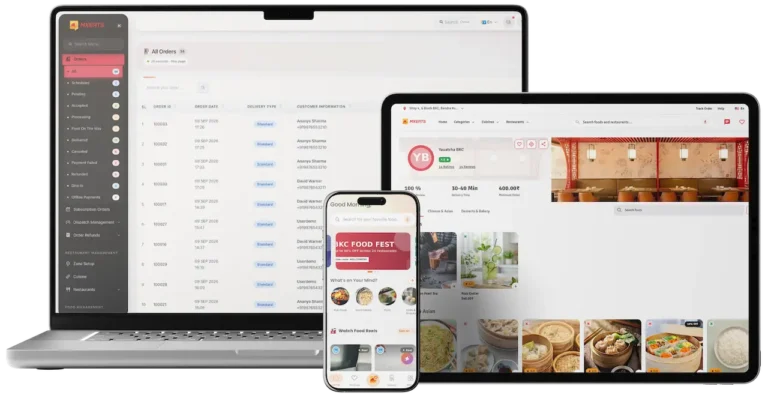
UberEats Clone shown on a laptop, a tablet and a phone with an order table and a food-ordering screen.01
Choose it when: You want to compare it side by side with this oneUberEats Clone

Another take on the restaurant-first marketplace, pairing a customer app with restaurant and delivery sides under an operator console.

See This Platform
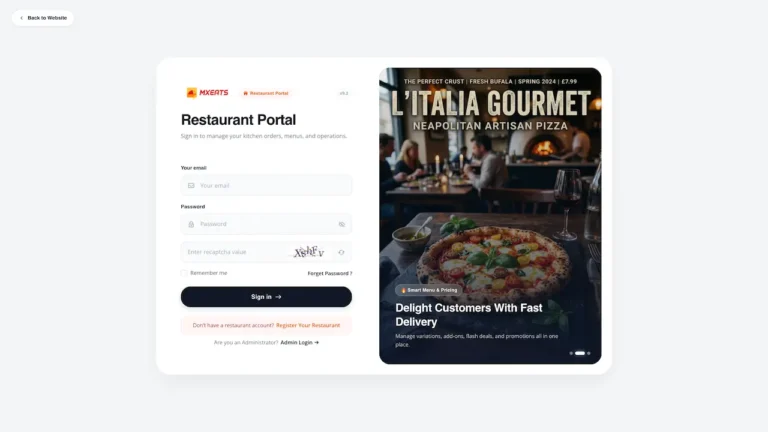
Grubhub Clone restaurant portal sign-in page with a pizza promotion panel.02
Choose it when: Dispatch and the rider app come firstGrubhub Clone

A food delivery product built around dispatch, giving restaurants a portal of their own and riders an app for pickups and drop-offs.

See This Platform
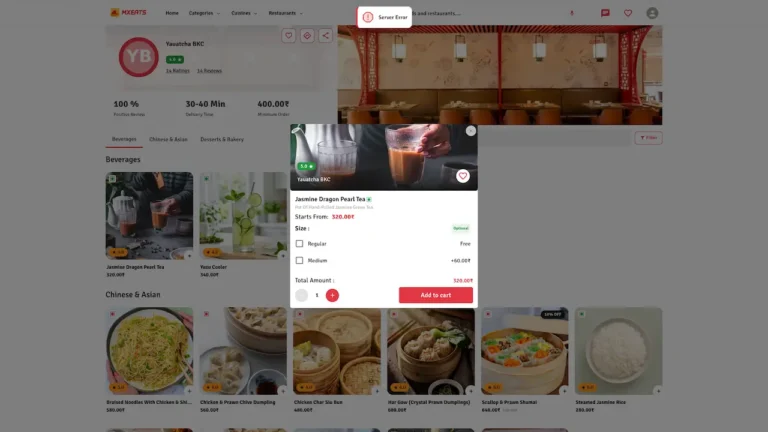
Talabat Clone restaurant page with a dish pop-up showing options and an add to cart button.03
Choose it when: You are opening more than one countryTalabat Clone

A food delivery product aimed at launches across several countries, with restaurant listings and ordering for each market.

See This Platform
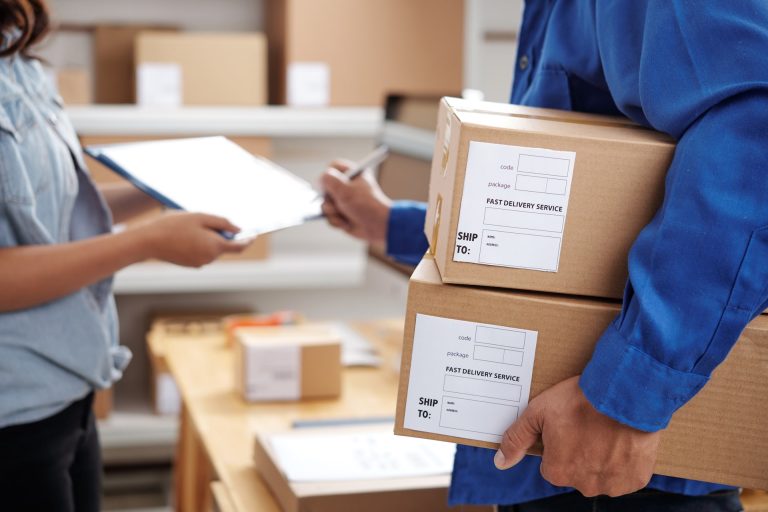
Uber Delivery Clone: a courier hands two parcel boxes to a staff member who signs a clipboard.04
Choose it when: Your riders carry parcels as well as mealsUber Delivery Clone

Parcel and courier delivery, with dispatch spread across a fleet of riders who collect and drop off packages.

See This Platform
Everything we buildBrowse all 90+ solutions

09Money matters

Where the Money Comes From

How a DoorDash Clone Earns - Restaurant Commission, Customer Charges, Courier Split, Placement & Membership

Money in a three-sided platform is made where the sides meet. Every line below is its own setting, so enabling one leaves the others exactly as they were.

Commission carries the weight; customer charges, the courier split and placement then shape what each single order is worth to you.

  1. 01

    Commission From Restaurants

    You keep a percentage of each order and pay the restaurant what is left. The admin sets the rate, and the dashboard plots it next to gross sales, so you see a change take effect at once.

  2. 02

    Customer Delivery & Extra Charges

    The order summary gives a line to each of four items: delivery charge, additional charge, tax and courier tip. Anything a customer pays beyond the food stays visible, apart from the menu price.

  3. 03

    Courier Split & Payouts

    The sales chart plots delivery commission next to admin commission, and the console handles what delivery partners are paid. The courier side stays a line you can read rather than disappearing into one total.

  4. 04

    Banner & Featured Placement

    Banner space and the Special Offer row on the home screen are controlled from the admin panel, alongside campaigns. That visible real estate can be sold to restaurants for a set period.

  5. 05

    Repeat-Order Rewards

    Points, wallet balance, coupons and cashback are paid for out of your margin. They earn it back when a customer comes to you for the next meal and not to another app.

  6. 06

    Chef's Table Membership

    One of the four add-ons is a premium subscription for dishes curated by chefs. It lays a recurring charge over commission, and its scope and price are set separately.

Five lines of a three-sided delivery business, each paired with what published platforms charge, what a city regulator caps and what it obliges them to pay couriers.
StreamBillingRatePublished figureCeiling
Commission From RestaurantsA share of each order value, deducted from what the restaurant is paid, at the rate set in the admin panel.DoorDash publishes 15%, 25% and 30% for its Basic, Plus and Premier plans, and 6% on pickup. Uber Eats publishes 20%, 25% and 30%, with 15% where the restaurant delivers.What a restaurant will tolerate before it walks away. New York City limits app charges to restaurants: delivery fees up to 15%, basic service up to 5%, enhanced service up to 20%.
Customer Delivery & Extra ChargesTwo charges, delivery and additional, each shown on a line of its own in the customer's order summary.No standard rate exists. Both Uber Eats and DoorDash say customers pay a lower delivery fee when the restaurant is on a higher-priced plan.What a customer tolerates before ordering elsewhere, which depends on the plan each restaurant has chosen.
Courier Split & PayoutsDelivery commission logged beside admin commission, with payment records for restaurants and delivery partners.New York City requires apps to pay delivery workers on restaurant and grocery orders at least $22.13 an hour, not counting tips, and the minimum rises every 1 April.Where a pay floor applies, it decides how much of the delivery charge you can keep. Where none does, whatever couriers are willing to accept.
Banner & Featured PlacementA fee charged for banner or Special Offer space, or for a campaign, settled with one restaurant at a time.Uber Eats lets merchants on any plan buy in-app ads and matches Premium ad spend up to $100 a month. DoorDash includes a Sponsored Listing with Premier and offers Promotions and Sponsored Listings as optional extras.Advertising budgets among restaurants, and the point at which extra home screen placements stop helping customers.
Chef's Table MembershipA subscription fee each month, delivered through the Chef's Table add-on and absent from the base.Uber One costs $9.99 a month and offers $0 delivery fee above a minimum subtotal for standard delivery within at least 3 miles, plus up to 10% off.The discounts and fees waived for members, which limit what a membership can add beyond commission.

How to read this. Commission tiers are from the merchant pricing pages of DoorDash and Uber Eats. The caps on what apps may charge restaurants come from the Consumer and Worker Protection department of New York City, and the courier pay floor from that department's delivery worker page. The membership price is taken from the Uber One page. Use them as other companies' published figures when you build your own model; they are no quote, and they say nothing certain about what your platform will earn.

Want the commission split planned for your own market?Plan My Revenue Model

Market Benchmarks

Food Delivery Market Benchmarks - Independent 2025-2026 Data

The revenue models above are ours. The figures below are not. They come from the DoorDash and Uber annual reports on Form 10-K, Eternal's Q4FY26 results and talabat's Q4 2025 results, reproduced as published. Together they show what delivery platforms at scale keep from each order in the US, India and the Middle East, so you can test your own business case against numbers you can check.

DoorDash 10-K01

13.4% Net Revenue Margin at DoorDash in 2025

DoorDash reports Marketplace GOV of $102.0 billion in 2025, up 27 percent, and 3.2 billion Total Orders, up 23 percent, in its annual report on Form 10-K. Revenue was $13.7 billion. DoorDash defines Net Revenue Margin as revenue expressed as a percentage of Marketplace GOV, and reports 13.4 percent for 2025, consistent with 2024.

Uber 10-K02

$17.2bn in Uber Delivery Revenue in 2025

Uber's 2025 annual report on Form 10-K shows Delivery segment revenue of $17.2 billion, up 25 percent from $13.8 billion in 2024, on Delivery Gross Bookings growth of 22 percent. Uber attributes part of the rise to a $568 million increase in advertising revenue, and reports Delivery Adjusted EBITDA of $3.6 billion, up $1.1 billion.

Eternal Ltd.03

5.5% Adjusted EBITDA Margin in Zomato Food Delivery

Eternal, the parent of Zomato, reports that food delivery net order value grew 18.8 percent year on year and gross order value 22.5 percent in the quarter ended 31 March 2026. Adjusted EBITDA margin, as a percentage of net order value, was 5.5 percent, an absolute INR 532 crore, up 24 percent year on year.

talabat04

$9.5bn in talabat GMV Across MENA in 2025

talabat reports 2025 GMV up 28 percent to US$9.5 billion and revenue up 33 percent to US$3.9 billion, both at constant currency, with Adjusted EBITDA of US$615 million, or 6.5 percent of GMV. In the fourth quarter its GMV-to-revenue conversion ratio was 42 percent, as grocery and subscription revenue outweighed lower commission rates.

Where each figure comes from.

DoorDash, Inc., Annual Report on Form 10-K for the year ended 31 December 2025, filed 18 February 2026 - sec.gov

Uber Technologies, Inc., Annual Report on Form 10-K for the year ended 31 December 2025, filed 13 February 2026 - sec.gov

Eternal Limited, Q4FY26 shareholders' letter and results, 28 April 2026 - eternal.com

Talabat Holding plc, talabat reports resilient results for Q4 2025, press release, 13 February 2026 - ir.talabat.com

All figures are the publishers’ own, reproduced as published from annual filings and results releases. Metric definitions differ by company and are as each publisher states them. They describe the companies named, not any platform Miracuves builds, and nothing here is a revenue projection for your business.

The Timing

Why Launch Your Own Food Delivery Marketplace in 2026?

Ordering food is a local habit that a few big apps dominate. Under your own name you keep the restaurant list, the courier relationship and the order data those apps hold today.

01

Customers Already Order by Phone

People find a dish, weigh a few restaurants and pay inside an app. A search bar, an offers row and a short checkout meet them right where they start.

02

Restaurants Want Their Own Terms

Handling its own menu, prices and availability, with the commission written down, a restaurant stays listed with you and not just with a bigger platform.

03

Couriers Are Half the Business

A marketplace that signs up its own delivery partners and assigns the deliveries controls the slowest, costliest step of an order instead of renting it.

04

The Commission Is Visible

With gross sales charted against admin and delivery commission, a rate change is judged on the figures and not on a hunch.

05

Rewards Bring Customers Back

A points balance, a wallet and a referral link are reasons for a customer to open your app tonight rather than a competitor's.

06

Buying Beats Building

Writing three apps, four panels and a dashboard that understands commission takes ages. Our build takes six days, and then a white-label copy is running on your hosting.

The Platform at a Glance

3

Apps From One Codebase

8

Order Status Tiles

4

Web Panels

6

Build Days

The slowest part to build is the middle of the business, where customer, kitchen, courier and commission have to agree. That middle already exists and works.

Business Case

Marketability, Revenue Potential & Business Prospects

A three-sided marketplace starts paying when restaurants trust it enough to list, customers enough to return and couriers enough to carry for it. These four points address that and leave the relationships in your hands.

  1. 01

    Commission on Every Order

    A share of every order is yours, so income tracks the number of restaurants and orders and not the size of your team.

  2. 02

    A Courier Side You Control

    Delivery partners join through your app, are assigned from your console and are paid via your admin panel, so the slowest leg of an order is not outsourced.

  3. 03

    Customers and Restaurants Stay Yours

    Customer accounts, loyalty balances and restaurant menus are stored in your own database, which keeps the value they build up with you rather than with a listing site.

  4. 04

    Freedom to Move

    Holding the full source code means you can change host, team or direction without asking anyone.

Main Revenue Levers
  • Commission From Restaurants
  • Customer Delivery & Extra Charges
  • Courier Split & Payouts
  • Banner & Featured Placement
  • Repeat-Order Rewards
  • Chef's Table Membership
Long-Term Value

What a rival cannot copy quickly is the supply, not the feature list.

  1. 01Restaurants with menus and add-ons in place rarely move
  2. 02Customers with points, a wallet and past orders return
  3. 03Signed delivery partners are supply a newcomer must rebuild
  4. 04Vetting restaurants and couriers is the second moat
Example Revenue Scenarios

The three cases below differ only in how many restaurants are listed, and each points to the lever that matters at that size. Treat them as prompts for planning, never as predictions of what any marketplace will earn.

District Pilot10Restaurants Listed

Commission carries the early revenue.

One district, a few restaurants with their menus listed. Commission on every paid order is the entire income, enough to cover what the platform costs to run. Illustrative count only, not a forecast.

Citywide Launch100Restaurants Listed

Commission, banners and repeat orders from rewards.

A whole city, with restaurants competing for the same customers. Banners and rewards-won repeat orders begin to add to what commission earns. Illustrative count only, not a forecast.

Regional Network1,000Restaurants Listed

Many zones, with charges, placement and a membership running.

Many zones at once. Commission is joined by delivery charges, placement fees and a premium membership, and the dashboard shows where effort pays off. Illustrative count only, not a forecast.

10The Miracuves case

The Comparison

How Miracuves Stacks Up Against Other DoorDash Clone Developers

You can source a delivery platform four ways: buy a packaged ordering script, hire a freelancer, commission an agency, or start from a ready-made base made by people who have already shipped delivery products.

Why Founders Choose Us

  • 01

    All Three Sides Included

    Customers, restaurants and couriers each receive an app and a login. Generic ordering scripts frequently stop at the customer side.

  • 02

    Commission You Can Watch

    The admin dashboard plots admin and delivery commission against gross sales, in place of an empty page for you to fill.

  • 03

    Admin Console With Real Counters

    The admin panel brings order status counters, restaurant management and ranked lists, all usable from the first order.

  • 04

    The Source Code Is Yours

    The codebase reaches you without encryption, so nobody can reprice it or alter the terms down the road.

  • 05

    A Demo Open Today

    Sign into three apps with demo details and open a public web storefront, all before a cent changes hands.

  • 06

    Scope Drawn Clearly

    This page keeps three things apart: base features, add-ons, and whatever you supply yourself, such as gateway accounts, hosting and store developer accounts.

Weighing the Routes Script, Agency or Miracuves

Compared onMiracuvesMiracuves DoorDash ClonePackaged ScriptAgency Project
Time to go liveSix days of our build timeSeldom stated, or left to youFixed per project, commonly months
Ownership of the codeYours, whole and unencryptedFrequently restricted or lockedUsually yours
Apps beyond the customer oneRestaurant and courier apps come with itOften absentMade to order
Seeing the commissionA sales chart with admin and delivery commissionDepends on the scriptDepends on what is written
Depth of a menuAdd-ons, item options, notes and food-type markersFlat lists of itemsWhatever the budget allows
Reporting and adminOrder counters, commission chart, ranked listsThin or absentBuilt to order at added cost
Security stanceSeparate role logins, card entry at your gateway, limits statedThe bare minimumDiffers widely
Cost against speed and qualityA fixed price, a quick start, a proven baseInexpensive but riskyExpensive and slow
Support and updates60 days guidance, 6 months bug fixes, 12 months updatesRarely offeredOnly what the contract says

The real test of a delivery marketplace is its first busy Friday evening, and the rows above show which route survives it.

Discuss Your Launch With Us

Release Notes

DoorDash Clone Change History - Versions & Updates

Changes to the base platform, latest release first. No dates are shown, and lines about digital goods, flash deals or other things the demo does not display are not repeated here.

ReleaseSummaryDetails
V15.05 items plus 3 repairsWhat is new
A section for stock-clearance discounts, shown on store details and the home page
Google Tag Manager and Google Analytics, along with Pinterest, X, Snapchat, TikTok, LinkedIn and Meta pixels, now work with the platform
Cash on delivery becomes a switch in the admin panel
A refund details page with a new layout
The Flutter apps move to Flutter SDK 3.27.1
What was repaired
Totals that were miscalculated on the point-of-sale screen
How the sign-in page behaves
Assorted reliability faults
V14.9.14 items plus 1 repairWhat is new
Caches added at both ends, server and browser
Asset files made smaller
System messages and labels reworded for clarity
The Flutter app moves to Flutter SDK 3.24.5
What was repaired
Assorted stability faults
V14.95 items plus 1 repairWhat is new
Better point of sale across the admin panel, store panel and store app, including a paid amount and a change amount
A fresh design for the admin sign-in and the pages around it
Caching applied to database queries
Filtered exports of customers and subscribers from the admin panel
The Flutter app moves to Flutter SDK 3.24.4
What was repaired
Assorted stability faults
V14.86 items plus 2 repairsWhat is new
Push notifications that open a particular page when tapped
Maintenance mode with finer control, down to single modules
One sign-in screen with three routes (manual, one-time code, social media), each switched by the admin
Firebase Authentication using a one-time code on mobile
A page for the shipping policy
The Flutter app moves to Flutter SDK 3.24.3
What was repaired
A few faults
Some queries sped up
V14.77 items plus 2 repairsWhat is new
Amazon S3 can now serve as the storage backend
The SEO section is now controllable
Translation across languages is better
Sellers are able to respond to reviews
Chat runs more smoothly
Invoices can be both printed and sent by email
The apps have moved up to Flutter 3.22.2
What was repaired
A few faults fixed in the admin panel, vendor panel and website
A few faults fixed in the vendor app
V14.66 items plus 1 repairWhat is new
Admin panel lists can be sorted your own way
Templates for each kind of email can be edited
Guests at checkout see a create-account checkbox
Firebase push moved off legacy FCM onto HTTP v1
Vendor export files laid out more neatly
The apps move to Flutter SDK 3.19.6
What was repaired
Polish across the web panels and the apps

Start the conversation

Ready to bring customers, restaurants and couriers onto a platform of your own?

Reserve a free consultation and you leave with a firm timeline and frank answers. Gaining your trust matters more to us than a quick close.

  • Answers in under two hours
  • Consultation costs nothing
  • No contract lock-in
  • Source code transferred to you

11Further reading

From the Blog

DoorDash Clone App: Latest Guides & Insights

More to read about building delivery apps, the scope of a ready-made script and the places where a cheap script fails restaurants.

About the product4 questions

01What is meant by a DoorDash Clone, and how does the platform run?

It is a food delivery marketplace that arrives already built, so you launch it instead of designing it. Each of three sides gets an app (customers, restaurants and delivery partners), a web storefront runs beside them and an admin panel approves restaurants, follows orders and charts the commission. The Miracuves version is white-label and rebranded, and comes with the entire source code for a fixed $3,399.

02Can I customize the DoorDash Clone as per my business needs?

Before deployment we apply your logo, icons and colors to the web platform and all three apps. Since the source is unencrypted, you or we can change flows, screens and integrations afterward. Anything past the base begins with a written scope and a quote.

03Is the DoorDash Clone offered on Android as well as iOS?

Yes. Flutter apps cover Android and iOS, one per role, and the web storefront needs only a browser. We publish the apps under your own developer accounts, and Apple and Google review them on their own calendar, outside our 6-day build.

04What technology stack do you use for the DoorDash Clone?

Its product pages name PHP with Bootstrap and Node.js for the web and admin side, MySQL and MongoDB for data and Flutter for the apps. Mapping, texting, push messages, payments and translation come from outside providers: Google Maps, Twilio, Firebase, your payment gateway and a translation service. Their accounts are yours to open, and the keys come to us at deployment.

Customers & orders5 questions

05How does a customer place an order in the app?

A customer finds a dish or a restaurant, opens the restaurant page, adds items along with any add-ons and notes, reads the order summary and pays, or takes cash on delivery where the admin allows it. The order screen afterwards offers a Track Order button.

06What payment methods are supported in the app?

Gateways you choose are attached through third-party APIs, while cash on delivery is a switch the admin controls. You need your own gateway account, KYC completed. Other gateways can be integrated as custom work.

07Is it possible to follow my order once it has been placed?

It is. A Track Order button waits on the order screen, GPS drives a map showing the delivery, and push notifications mention each change of status along the way.

08What can I do if something goes wrong with an order?

A chat link to the restaurant is on the order screen, customer questions go to a support interface in the admin panel, and refunds are logged under Order Refunds. The support and refund rules around those tools are yours to write and publish to customers.

09Do customers get loyalty rewards or discounts?

Yes. Discount badges appear on a Special Offer row at home, loyalty points, coupons, a wallet balance and refer-and-earn are in the account menu, and the admin panel runs campaigns, banners, coupons and cashback. A Chef's Table membership would be an add-on beyond the base.

Restaurants3 questions

10How does a restaurant get listed on the platform?

Restaurants apply in the restaurant panel or app, and their menu goes live once the admin approves. The operator can also create restaurants directly, bring them in through bulk import and mark trusted ones as Recommended Restaurants.

11Can a restaurant change its menu and prices at any time?

Yes. The restaurant panel and app let a restaurant edit menu, prices and availability whenever it likes, and customers see a Closed Now label while it is not taking orders.

12How do I receive payments for orders placed?

Payments to restaurants are handled in the admin console, which also records the commission, and the sales chart puts gross sales beside admin and delivery commission. When you pay restaurants out is a business decision between you and them; the base sets no daily, weekly or monthly cycle.

Delivery partners4 questions

13How do I sign up as a delivery partner?

Couriers can begin at the Join as a Delivery Man entry in a customer's account menu, or by launching the delivery app, which has a demo login of its own. The admin handles the application and assigns deliveries in the admin panel.

14How does the earnings and payout system work?

The admin console manages pay for delivery partners beside pay for restaurants, and the dashboard charts a delivery commission next to the admin commission. Peak-hour incentives, withdrawal schedules and similar pay rules are outside the base and would be custom work, so raise them on a call.

15Is real-time navigation available for deliveries?

Location and tracking views come from Google Maps, and customers watch the delivery on a map driven by GPS. The product pages never mention turn-by-turn directions in the delivery app, so if routing guidance matters to your couriers, check it in a live walkthrough.

16What happens if a customer cancels an order mid-delivery?

Each order holds a status, canceled and refunded orders are counted on the dashboard and the admin panel offers an Order Refunds menu. What a cancellation costs the customer, the restaurant and the courier is a policy you decide and publish.

Operator, payments & launch11 questions

17What features are included in the admin panel?

The panel combines the food dashboard with its order counters, restaurant management, promotions (campaigns, banners, coupons, cashback, push notifications), food setup for categories and add-ons, orders and refunds, point-of-sale entry, plus ranked lists of stores, foods, couriers and customers. More reports, or a custom approval step, are scoped separately.

18How do I approve vendors and delivery partners?

New restaurants appear in the New Restaurants menu for you to review, and delivery partner sign-ups pass through the admin as well, so only those you accept join the marketplace. The papers or checks you demand before approval are your own rule.

19Can I manage operations in multiple regions?

A zone selector on the food dashboard narrows its counters and charts to one area, which helps when you serve several districts. Spreading across cities or countries goes past what the demo shows and would be scoped as separate work.

20Does the admin panel provide performance analytics?

It does. Counters run from unassigned to delivered, a chart places gross sales against admin and delivery commission, user statistics are split by role and stores, foods, couriers and customers are ranked. Customer lists export with filters.

21Can I integrate custom payment gateways?

Gateways attach through third-party APIs. Others, including ones specific to a region, can be integrated as custom work, which we scope and price in writing ahead of time.

22How does a three-sided delivery marketplace reach its first revenue?

The usual start is commission on each order, because nothing extra has to be sold: the first order that gets paid earns it. Delivery and additional charges ride on the same order summary, and once enough restaurants chase the same customers, banner placement and campaigns can follow. A premium membership like the Chef's Table add-on is a later, separately scoped project. Licensing your white-label deployment to another operator, or striking partner deals, relies on agreements you make yourself and not on anything built in.

23What keeps a marketplace with restaurants and couriers hard to copy?

What a rival cannot copy quickly is the supply, not the feature list. A restaurant whose menus, add-ons and hours are already in place rarely moves; a customer sitting on points, wallet money and a history of orders has a reason to come back; and delivery partners who have signed up are a workforce a newcomer must recruit again. All of that starts accumulating on launch day, inside your own database. Careful vetting of restaurants and couriers is the second moat, as a trusted network is slow to replace.

24How long does it take to launch my food delivery platform?

Miracuves needs 6 days for a ready-made launch: rebranding, deployment on your hosting and putting the apps up under your developer accounts. App review by Apple and Google, and gateway onboarding by your payment provider, run on their clocks outside those 6 days. Custom changes are scoped separately.

25Do I end up holding the source code?

You do, and all of it: the web platform and the mobile apps arrive unencrypted. Per-user and per-run charges do not exist, and your developers can alter and redeploy the code freely.

26What must I provide before launch?

We provide the platform and deploy it. You bring hosting and a domain, verified developer accounts at the app stores, your logo and company details, a payment gateway that has cleared KYC, and keys for Firebase, Twilio and Google Maps. Opening gateway accounts for you, or writing your privacy policy and terms, is not something we do.

27Why should I build my DoorDash clone with Miracuves?

You get three role apps, the order flow and the admin panel in working order, and a public demo to test every side first. Miracuves has been at it since 2010, with 9,000+ projects delivered, more than 6,000 clients and 90+ ready-made solutions. A fixed $3,399 buys the DoorDash Clone live in 6 working days, with 60 days of guidance, 6 months of priority bug fixes and 12 months of product updates. Replies come within two hours, Monday to Saturday, 10:00 to 19:00 IST.

Disclaimer

Miracuves is an independent software development company. We are not affiliated with, connected to, sponsored by, or endorsed by DoorDash.

Read our full Legal Notice & Disclaimer →
Why this name

“DoorDash Clone” is used descriptively. It is how the software industry refers to building a platform with functionality similar to DoorDash, and how clients search for it.

Who built this

The entire design and codebase is built by our own team. The product contains no code, design, graphics, or content originating from the DoorDash website or applications.

Trademarks

DoorDash and all other third-party names and marks are the property of their respective owners, referenced here solely to describe the category of software offered.