Building a video streaming platform is not priced like a simple content app. The real cost comes from the systems that make video play smoothly, protect premium content, collect payments correctly, and keep the same viewer experience working across mobile, web, tablet, and TV screens.
For founders, this matters because the first quote you receive may look attractive until the hidden layers appear later. Playback quality, DRM, billing logic, entitlement checks, app store payment rules, offline viewing, Smart TV support, and device testing can all change the final scope.
This guide breaks down the major video streaming platform cost drivers so you can plan your build with more clarity before choosing between custom development, ready-made software, or a hybrid approach.
Key Takeaways
- Video streaming platform cost drivers are mostly shaped by playback architecture, DRM, payments, and device coverage.
- Playback cost increases when you need adaptive bitrate streaming, CDN integration, analytics, subtitles, offline viewing, and high-concurrency support.
- DRM becomes important when the platform hosts premium, licensed, paid, or partner-owned video content.
- Payment complexity depends on subscriptions, rentals, purchases, coupons, refunds, failed-payment recovery, and entitlement logic.
- Multi-device support is not just responsive design. Every platform needs playback QA, payment handling, session management, and device-specific testing.
- Miracuves helps founders launch video streaming platforms faster with ready-made, white-label, source-code-owned app foundations that can be customized around business goals.
Prefer to start from the platform itself? See our white label video streaming platform.
Why Video Streaming Platform Cost Is Different From Normal App Development
A normal mobile app mainly needs screens, APIs, user accounts, notifications, payments, and an admin panel. A video streaming platform needs all of that, plus a media delivery layer.
That media layer includes upload workflows, encoding, transcoding, storage, CDN delivery, adaptive playback, player SDKs, watch history, entitlement checks, content protection, and performance monitoring. The more serious your platform becomes, the more these systems affect cost.
A founder should not ask only, “How much does a streaming app cost?” A better question is, “Which streaming systems do I need at launch, and which ones can wait?”
That decision can protect your budget from unnecessary scope while still keeping the product scalable.
The Four Cost Layers Founders Should Understand First
The cost of a streaming platform usually grows around four layers:
| Cost Layer | What It Controls | Why It Affects Budget |
|---|---|---|
| Playback | How video loads, buffers, adapts, resumes, and tracks viewing | Requires video player integration, encoding logic, CDN setup, and playback QA |
| DRM and security | How paid or licensed content is protected | Adds encryption, license handling, secure playback rules, and device compatibility checks |
| Payments and entitlements | Who can watch what, for how long, and under which model | Needs subscriptions, one-time purchases, refunds, coupons, billing events, and access rules |
| Multi-device support | Where users can watch content | Each platform adds UX, development, testing, app-store handling, and maintenance scope |
These are not isolated features. They connect. For example, a paid rental flow needs payment integration, entitlement expiry, secure playback, user notifications, and multi-device resume support.
Playback Cost: The Foundation Behind Smooth Viewing
Playback is the first layer users notice. If the video buffers, opens slowly, fails on certain devices, or loses progress, users blame the product, not the infrastructure.
Playback cost depends on how advanced the viewing experience needs to be.
Basic Playback
A basic playback setup may include:
- Video player integration
- Basic video upload
- Standard streaming format
- Resume watching
- Watch history
- Basic quality selection
This works for early-stage platforms with smaller libraries and limited audience size. It is usually the most cost-efficient starting point.
Advanced Playback
Advanced playback requires deeper engineering:
- Adaptive bitrate streaming
- CDN-backed delivery
- Multiple resolutions
- Subtitle and audio track support
- Resume across devices
- Offline viewing
- Playback analytics
- Error tracking
- Content availability by region
- High-concurrency support
Adaptive streaming and CDN delivery are often mentioned in OTT cost guides because they affect both build cost and recurring operating cost. Recent OTT development resources also highlight CDN, transcoding, DRM, multi-device support, and monetization as major pricing variables.
Founder Decision Signal
If your first release is focused on a niche audience and owned content, you may not need every advanced playback feature on day one. But if you are launching paid premium video with mobile, web, and TV viewing, playback architecture should be planned from the start.
DRM Cost: When Content Protection Becomes a Business Requirement
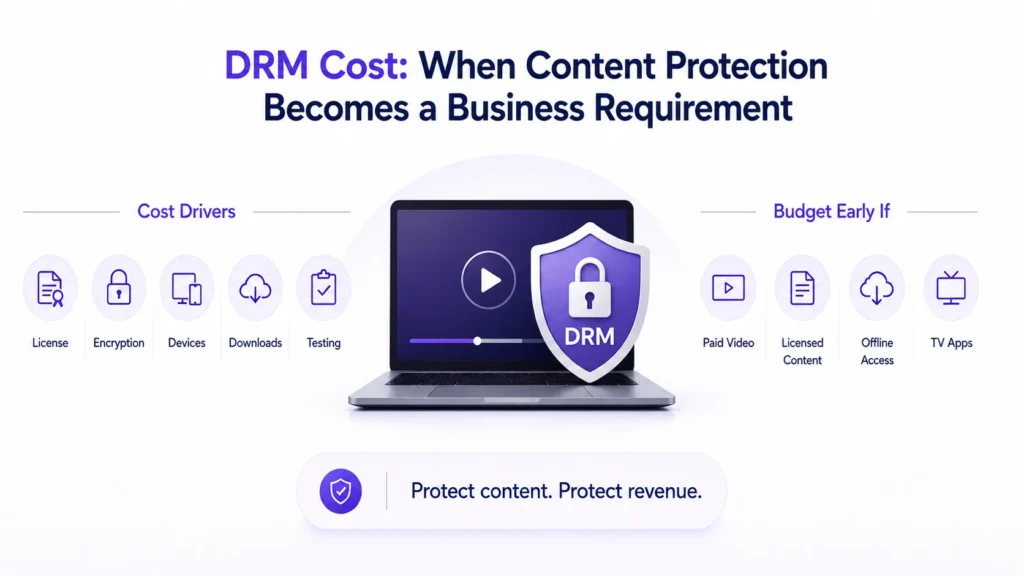
DRM stands for Digital Rights Management. It helps protect video content from unauthorized access, copying, and misuse.
For a simple internal training platform or owned video library, signed URLs and server-side access checks may be enough at the early stage. But for premium entertainment, paid titles, partner content, licensed content, or offline downloads, DRM becomes much more important.
Widevine is widely used for protected playback across consumer devices, and device-level DRM support varies across ecosystems. Industry guidance also notes that major DRM systems such as Widevine, FairPlay, and PlayReady are used to cover different device environments.
What Adds Cost in DRM Implementation?
DRM cost may increase because of:
- License server integration
- Video encryption workflow
- Player compatibility
- Device-specific DRM support
- Offline download protection
- Watermarking
- Secure token handling
- Key rotation
- Content rights rules
- Testing across browsers, mobile devices, and TV devices
The mistake many founders make is treating DRM as a plugin. In reality, DRM affects upload, encoding, storage, playback, access control, and QA.
When Should You Budget for DRM?
You should plan DRM early if:
- Users pay to watch premium videos
- Content comes from partners or distributors
- Offline downloads are required
- You need device-based viewing limits
- You plan to expand into TV apps
- You want stronger protection against unauthorized sharing
- Licensing partners expect secure playback workflows
If your platform is still validating demand with owned content, DRM can sometimes be scoped later. But it should not be ignored if your business depends on content rights.
Payment Cost: Subscriptions Are Only One Part of the System
Payment integration sounds simple until you map the business model.
A streaming platform may need subscriptions, one-time purchases, rentals, pay-per-view, coupons, free trials, refunds, upgrades, downgrades, failed-payment recovery, regional pricing, taxes, and app store billing rules.
Apple’s In-App Purchase system supports digital goods, services, and subscriptions inside apps, while Google Play Billing supports selling digital products and subscriptions in Android apps. Google also recommends using a secure backend for purchase verification and subscription-related billing tasks.
That means payment cost is not only about connecting Stripe, Razorpay, PayPal, or another gateway. It is about building a reliable access-control system around payments.
Payment Features That Increase Development Scope
| Payment Feature | Why It Adds Scope |
| Monthly and annual subscriptions | Needs recurring billing, renewal status, cancellation handling, and plan access |
| Rentals | Needs start timer, expiry timer, reminders, and post-expiry access lock |
| One-time purchases | Needs lifetime or defined access rules |
| Pay-per-view | Needs event-based entitlement and restricted replay windows |
| Coupons and promotions | Needs validity rules, usage limits, and plan/title mapping |
| Failed-payment recovery | Needs billing webhooks, reminders, grace periods, and account holds |
| Refund handling | Needs entitlement reversal and financial reporting logic |
| In-app purchases | Needs platform-specific purchase validation and store compliance |
| Multi-currency payments | Needs currency display, gateway support, taxation logic, and reconciliation |
The Entitlement Engine Is the Real Payment Cost Driver
An entitlement engine decides who can watch a title and why.
For example, one viewer may have access because they subscribed. Another may have access because they rented a title for 48 hours. A third may have purchased it permanently. A fourth may only see the free ad-supported version.
Without a strong entitlement layer, payment data and viewing access become messy. This creates support tickets, refund disputes, partner settlement issues, and user frustration.
For founders, this is where Miracuves’ platform approach becomes useful. Instead of treating payments as a standalone checkout button, the build can be planned around monetization logic, admin control, and source-code ownership.
Read more: How Should Video Streaming Platforms Protect Content, Accounts, Payments, and Viewer Data?
Multi-Device Support Cost: More Screens Mean More Workflows
Multi-device support is one of the biggest misunderstood cost drivers.
Many founders assume that if the app works on mobile and web, extending it to more devices is straightforward. In streaming, each device surface brings its own playback rules, UI behavior, remote-control navigation, performance constraints, store requirements, and testing demands.
Common Device Layers
| Device Layer | Cost Impact |
| Web browser | Needs responsive UI, browser player compatibility, payment integration, and SEO-friendly pages if public |
| iOS app | Needs Apple ecosystem purchase handling, player testing, device QA, and App Store release process |
| Android app | Needs Android device testing, Play Billing rules, player testing, and OS-version compatibility |
| Tablet | Needs layout changes, orientation handling, and playback state testing |
| Smart TV apps | Need remote-first navigation, TV player support, app-store review, performance optimization, and dedicated QA |
| Streaming devices | Need separate app packaging, playback compatibility, and device certification checks |
| Casting | Needs session handoff, playback control sync, and device discovery testing |
The wider your device coverage, the higher your development and QA cost. The cost is not only in building screens. It is in making playback, payments, login, watch history, subtitles, and entitlements work consistently everywhere.
How Playback, DRM, Payments, and Devices Connect
The real cost of a video streaming platform appears when these systems overlap.
Example:
A user rents a premium title on mobile, starts watching on web, resumes on tablet, downloads for offline viewing, and tries to cast it to a TV.
That single journey touches:
- Payment confirmation
- Rental entitlement
- Expiry timer
- DRM license rules
- Offline access rules
- Watch progress sync
- Device session handling
- Casting permissions
- Playback analytics
- Customer support records
This is why founders should avoid scoping streaming platforms as a collection of features. The better approach is to define viewer journeys and then build the technical systems around them.
Founder Decision Signals
Speed
If you need to validate demand quickly, start with the most important platforms and monetization flows instead of launching every device experience at once.
Cost
Playback, DRM, payments, and device support should be scoped separately so you can see what is essential now and what can be added after traction.
Scalability
A scalable streaming build needs a backend that can support content growth, user growth, billing events, and higher viewing traffic without constant rework.
Market Fit
Your first release should prove whether viewers will pay, return, and watch repeatedly before you invest heavily in every advanced streaming layer.
Build Scope Comparison: Lean Launch vs Growth-Ready Streaming Platform
Video Streaming Platform Cost Driver Comparison
| Cost Area | Lean Launch Scope | Growth-Ready Scope | Founder Impact |
|---|---|---|---|
| Playback | Standard player, basic quality, watch history | Adaptive bitrate, CDN, subtitles, resume across devices, analytics | Better viewing quality but higher infrastructure and testing scope |
| DRM | Signed URLs and access checks for owned content | Multi-DRM, encrypted streams, offline protection, device rules | Needed for premium, paid, or partner-owned content |
| Payments | Single subscription or simple payment gateway | Subscriptions, rentals, purchases, coupons, refunds, failed-payment handling | More monetization flexibility but more backend complexity |
| Devices | Web, Android, iOS | Web, mobile, tablet, TV apps, casting, streaming devices | Wider reach but significantly more QA and release management |
| Admin Control | Basic content and user management | Content rights, pricing, plans, analytics, user disputes, partner access | Improves operational control as the platform grows |
Read more: How Can a Video Streaming Platform Monetize Through Subscriptions, Rentals, Ads, and Purchases?
Hidden Costs Founders Often Miss
Mistakes Founders Should Avoid
Budgeting only for app screens
A streaming platform is not just a viewer interface. The backend, video pipeline, CDN, payment logic, admin tools, and QA process can carry a large part of the cost.
Adding DRM after signing content partners
If premium content partners expect secure playback, DRM should be discussed early. Adding it late can delay launch and require changes to playback workflows.
Launching too many devices at once
TV apps, casting, and streaming devices are valuable, but they can expand testing and maintenance. A phased rollout often protects budget and launch speed.
Treating payments as a simple checkout
Subscriptions, rentals, refunds, coupons, and access expiry all need entitlement logic. Without this, payment success does not automatically mean access accuracy.
How to Reduce Streaming Platform Cost Without Weakening the Product
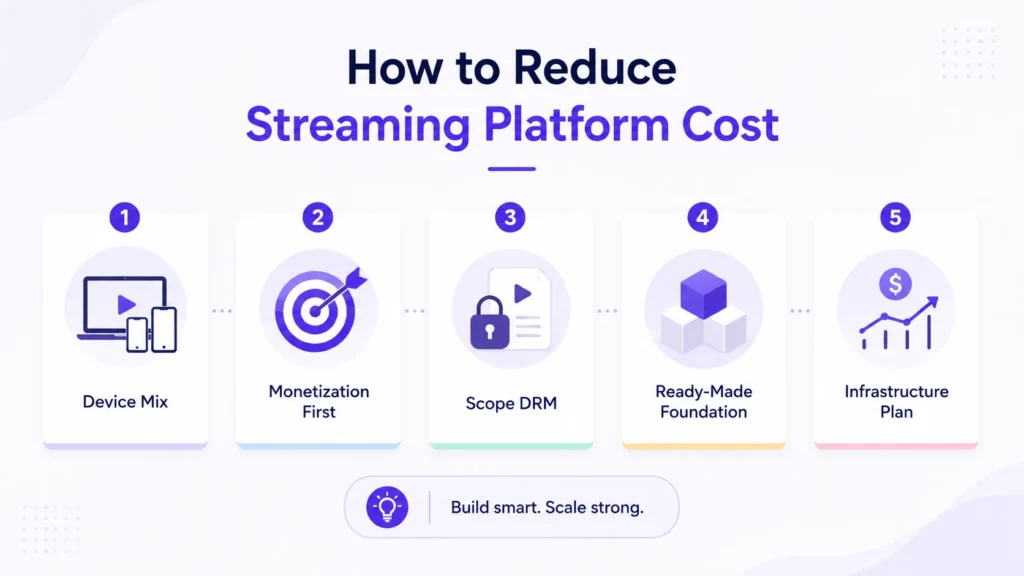
The goal is not to build the smallest product. The goal is to avoid paying for the wrong complexity too early.
Here are practical ways founders can control cost:
1. Start With the Right Device Mix
Instead of launching on every screen, start with the devices your target audience is most likely to use. For many early-stage streaming businesses, web, Android, and iOS are enough for launch. TV apps can be added once viewing behavior justifies the investment.
2. Choose Monetization Before Development
A subscription-only platform has different logic from one that supports rentals, purchases, pay-per-view, or ads. Decide the revenue model before development so the entitlement engine is not rebuilt later.
For founders comparing monetization options, Miracuves’ video platform business model guide can help you think through subscription, rental, purchase, advertising, and partner-led revenue flows.
3. Scope DRM Based on Content Risk
Do not overbuild DRM for low-risk internal content. But do not underbuild protection for premium paid content. Match security depth to content value, licensing expectations, and device needs.
4. Use a Ready-Made Foundation Where It Fits
A ready-made platform foundation can reduce build time because the core user flows, admin controls, monetization logic, and app structure already exist. Custom development is still useful for unique workflows, but founders do not always need to build every module from zero.
Miracuves supports founders with white-label video streaming app development foundations that can be customized for branding, monetization, admin control, and source-code ownership.
5. Plan Recurring Infrastructure Cost Early
Development cost is only one side of the budget. Streaming platforms also carry recurring costs such as storage, encoding, CDN usage, monitoring, player services, DRM licenses, analytics, support, and maintenance.
A cost-efficient launch plan should separate one-time build cost from monthly operating cost.
When a Ready-Made Streaming Platform Makes More Sense
A ready-made route makes sense when:
- You want to launch faster
- Your business model follows proven streaming patterns
- You need source-code ownership
- You want branding control
- You need subscriptions, rentals, purchases, or mixed monetization
- You want admin control without building every backend module from zero
- You prefer to spend more budget on content, marketing, and growth instead of rebuilding common app infrastructure
Custom development makes more sense when:
- You have a highly unusual viewing experience
- You need complex enterprise workflows
- You need deep proprietary video infrastructure
- You are building for unique device hardware
- You have internal engineering capacity for long-term ownership
For many founders, the strongest route is not purely custom or purely template-based. It is a launch-ready foundation with customization around monetization, design, security, and growth logic.
Final Thoughts: The Smartest Cost Decision Is Scope Clarity
The cost of a video streaming platform is not decided by one feature list. It is decided by how deeply you build playback, DRM, payments, and multi-device support.
A founder launching with owned content, a focused audience, and a simple subscription may not need the same architecture as a platform handling licensed content, TV apps, offline downloads, rentals, and partner settlements.
The smarter move is to separate what must ship now from what can be added after traction. Miracuves helps founders make that decision with ready-made, white-label, source-code-owned app foundations designed for faster launch and practical customization.
FAQs
What are the biggest video streaming platform cost drivers?
The biggest cost drivers are playback architecture, DRM, payment logic, entitlement rules, multi-device support, CDN setup, admin dashboard depth, and testing scope. These systems decide how reliably users can watch content and how easily the business can monetize it.
Does DRM always increase streaming platform cost?
Yes, DRM usually increases development scope because it affects video encryption, license handling, player integration, offline downloads, and device compatibility. However, not every early-stage platform needs full DRM from day one.
Why do payments increase OTT app development cost?
Payments increase cost when the platform supports subscriptions, rentals, purchases, refunds, coupons, free trials, failed-payment recovery, and app store billing validation. The real complexity is not the payment gateway; it is the entitlement system that controls access after payment.
Is multi-device support expensive for a streaming app?
Multi-device support can become expensive because every device needs separate UI adjustments, playback testing, login/session handling, payment validation, and release management. Smart TV and streaming-device apps usually add more scope than mobile and web.
Can I launch a video streaming platform without Smart TV apps?
Yes. Many founders start with web, Android, and iOS first, then add TV apps after validating demand. This phased approach helps reduce initial development and QA cost.
What is the difference between build cost and running cost?
Build cost includes design, development, backend, apps, integrations, and launch work. Running cost includes CDN usage, storage, encoding, DRM licenses, payment fees, monitoring, support, updates, and infrastructure scaling.
How can founders reduce video streaming platform cost?
Founders can reduce cost by choosing the right launch devices, avoiding unnecessary advanced features, using a ready-made foundation, scoping DRM based on content risk, and planning monetization before development begins.
When should I choose a ready-made video streaming platform?
Choose a ready-made platform when your goal is faster launch, lower build risk, source-code ownership, branding control, and proven streaming workflows. Custom development is better when the viewing experience or backend logic is highly unique.
Miracuves is an independent software development company. We are not affiliated with, connected to, sponsored by, or endorsed by any company or product named in this article.
Terms such as “X Clone” are used descriptively. It is how the software industry refers to building a platform with functionality comparable to a known service, and how clients search for it.
The entire design and codebase of our products is built by our own team. Our products contain no code, design, graphics, or content originating from any third-party website or applications.
All third-party names and marks referenced in this article are the property of their respective owners, referenced solely to identify the services discussed.