






















When someone asks what the WhatsApp app is and how it works, the deeper question is usually bigger than one app: how do modern messaging platforms make conversations feel instant across chats, calls, groups, media, notifications, and multiple devices?
A messaging platform is not just a chat screen. It is a communication system that connects users in real time, routes messages securely, manages media, handles online presence, supports calls, keeps groups organized, sends notifications, and gives operators the controls needed to manage privacy, abuse, user growth, and business workflows.
For founders, this matters because communication is often the retention layer of an app. People may discover a platform through content, community, commerce, or services, but they stay when conversations become useful, reliable, and easy to continue.
Key Takeaways
- A messaging platform is a real-time communication system for chats, calls, groups, media sharing, notifications, and user interaction.
- Real-time chat usually depends on persistent connections, event delivery, delivery states, and push notifications when users are offline.
- Voice and video calls work differently from text chat because they need call signaling, media permissions, network negotiation, and fallback routing.
- Group communication is more complex than one-to-one chat because permissions, roles, mentions, moderation, and delivery fan-out must be managed carefully.
- For founders, the strongest messaging products combine speed, privacy, moderation, admin control, and a clear monetization or retention purpose.
What Is a Messaging Platform?
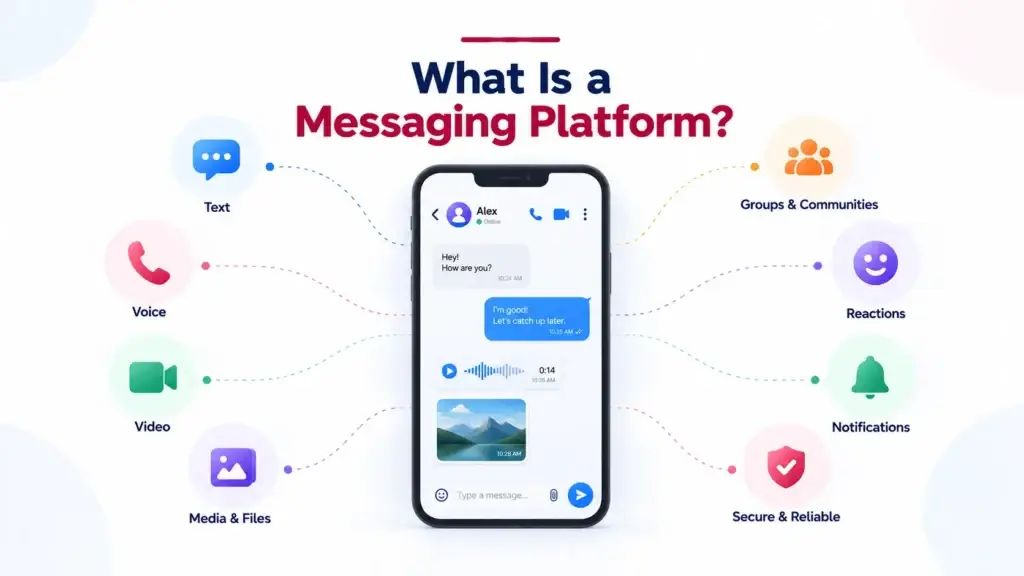
A messaging platform is a software ecosystem that allows people, groups, teams, communities, or businesses to exchange information through text, voice, video, media, files, reactions, and notifications.
At a user level, it looks simple. You open the app, choose a contact or group, send a message, and see replies appear almost instantly. At a product level, several systems are working together: authentication, contact discovery, message storage, real-time delivery, encryption, media uploads, push notifications, moderation, and admin reporting.
That is why messaging platforms are used across consumer chat apps, community platforms, social networks, customer support tools, workplace collaboration products, education platforms, telehealth systems, marketplace apps, and membership communities.
Why Real-Time Communication Matters More Than “Just Chat”
Real-time communication means the platform sends and receives updates with minimal delay. In a messaging app, that includes new messages, typing indicators, online status, read receipts, incoming calls, missed calls, message reactions, group mentions, and push notifications.
The difference between a weak chat feature and a strong messaging platform is not only the interface. It is whether the platform can keep communication reliable when users switch devices, go offline, rejoin later, upload media, join groups, receive calls, and expect privacy controls to work correctly.
For founders, poor real-time communication creates product risk. Slow messages reduce trust. Missed notifications reduce engagement. Broken group permissions create confusion. Weak moderation creates safety issues. A good messaging platform is not only about speed; it is about consistency.
How Real-Time Chat Works Behind the Screen
A normal chat message passes through several layers before the other person sees it. The app first confirms who is sending the message, which conversation it belongs to, whether the sender has permission to post, whether the recipient exists, and whether the message includes text, media, reply context, reactions, or attachments.
Once the message is accepted, the backend records it, assigns a message ID, stores its delivery state, and sends it to connected users through a real-time channel. If the recipient is online, the message can appear instantly. If the recipient is offline, the system stores the message and triggers a push notification so the user can return to the app.
The Simple Flow of a Chat Message
- User writes a message: The app captures text, media, reply context, or attachments.
- Backend validates the action: The server checks user identity, conversation access, and message rules.
- Message is stored: The system saves the message, timestamp, sender, conversation ID, and delivery status.
- Real-time event is sent: Online participants receive the message through a persistent connection.
- Offline users are notified: Push notifications bring users back when the app is closed.
- Status updates follow: Sent, delivered, read, edited, deleted, or reacted states update the conversation.
This is why founders should not evaluate chat only by looking at the screen. The real quality sits in the backend flow, event handling, delivery states, and how consistently the app behaves under real usage.
For a deeper technical angle, read Miracuves’ guide on real-time messaging latency and protocol efficiency.
How Voice and Video Calls Work in a Messaging Platform
Voice and video calls are different from text messages because they involve live audio and video streams. A message can be stored and delivered later, but a call must connect people at the same time with minimal delay.
A calling system usually starts with signaling. Signaling is the process of telling the other user that a call is starting, checking whether they are available, exchanging connection details, and deciding how the two devices should connect. After that, the media layer carries the actual audio and video.
In many modern real-time communication platforms, WebRTC is used for browser and app-based calling. It helps devices exchange audio, video, and data in real time. When a direct connection is possible, devices can communicate more efficiently. When networks are restrictive, relay infrastructure may be required as a fallback.
What Happens During a Call?
- The caller taps the audio or video call button.
- The backend creates a call event and notifies the receiver.
- The receiver sees a ringing screen or call notification.
- Both devices exchange connection information through signaling.
- Microphone and camera permissions are checked.
- The media stream begins when the call is accepted.
- The platform records call status such as missed, declined, accepted, or ended.
If your product depends more on scheduled meetings, webinars, and screen sharing, a video conferencing platform may be a better reference point. If it depends on one-to-one and small-group voice/video communication, a calling and instant messaging platform may be more relevant.
Read more: What Makes a Ready-Made Messaging Platform a Practical Choice for Startups?
How Group Chats Work Across Members, Roles, and Permissions
Group chat looks like one conversation, but technically it is a shared space with multiple participants, permissions, delivery rules, and moderation needs.
When one person sends a message in a group, the platform must identify every active member, check whether the sender can post, decide who should receive the message, update unread counts, trigger mentions, notify offline users, and keep the conversation history consistent for everyone.
As groups grow, the challenge is not only message delivery. It is community control. Founders need to think about admins, member roles, invite links, join requests, reporting, blocking, pinned messages, announcements, group descriptions, media permissions, and spam prevention.
Messaging Platform Modules and Business Value
| Module | What It Does | Why It Matters for Founders |
|---|---|---|
| Real-Time Chat | Delivers messages, reactions, replies, edits, and read states quickly. | Creates trust and keeps users returning to active conversations. |
| Voice and Video Calls | Connects users through live audio and video communication. | Adds deeper engagement for communities, teams, consultations, and support. |
| Group Messaging | Manages many-to-many conversations, roles, mentions, and permissions. | Supports communities, membership groups, learning cohorts, teams, and local networks. |
| Media Sharing | Handles images, videos, files, voice notes, documents, and previews. | Makes communication richer and more useful than plain text. |
| Push Notifications | Alerts users when messages, calls, or mentions arrive while offline. | Improves retention by bringing users back at the right moment. |
| Privacy Controls | Manages blocking, reporting, profile visibility, encryption, and user settings. | Builds user trust and reduces operational risk. |
| Admin Dashboard | Lets operators manage users, reports, groups, settings, analytics, and moderation. | Gives the business control without depending on developers for every action. |
The Technical Layers That Make Messaging Feel Instant
A reliable messaging platform depends on multiple technical layers working together. The frontend creates the user experience, but the backend decides whether conversations are fast, consistent, secure, and manageable.
1. Authentication and User Identity
The platform must know who the user is before allowing messages, calls, group access, or profile changes. Depending on the business model, identity can be based on phone numbers, email, social login, organization accounts, invite codes, or internal membership IDs.
2. Persistent Connections
Real-time messaging often uses persistent connections so the server can push events to users as they happen. This reduces the need for the app to repeatedly ask the server whether something new has arrived.
3. Message Storage and Sync
Messages need to be stored with sender details, timestamps, conversation IDs, status, attachments, and delivery metadata. Multi-device sync matters because users expect conversations to remain consistent across phone, desktop, and web.
4. Notification Logic
Notifications should not simply blast every user. A strong platform checks whether the user is online, whether the conversation is muted, whether the person was mentioned, whether the app is in the background, and whether the notification should hide sensitive content.
5. Media Handling
Images, videos, files, voice notes, and documents need storage, upload limits, previews, thumbnails, compression, download permissions, and content controls. Media can quickly become one of the biggest infrastructure cost drivers if it is not planned properly.
6. Moderation and Reporting
Any communication platform that allows user-generated conversations needs reporting, blocking, admin review, group controls, spam prevention, and activity logs. Moderation is not only a safety feature; it protects retention, trust, and brand reputation.
Privacy, Security, and Trust in Messaging Platforms
Users share personal conversations, files, media, business information, and sometimes sensitive documents inside messaging platforms. That makes security a product foundation, not a marketing add-on.
Important trust layers may include encrypted data transfer, secure data storage, role-based access control, admin access controls, abuse reporting, user blocking, audit logs, and privacy-conscious notification settings. For regulated industries, final compliance depends on jurisdiction, integrations, operating model, and legal review.
Founders should also think about what administrators can and cannot see. A consumer community app, an internal enterprise messenger, and a healthcare communication product may all need different privacy rules. The right architecture should match the business risk.
How Messaging Platforms Create Business Value
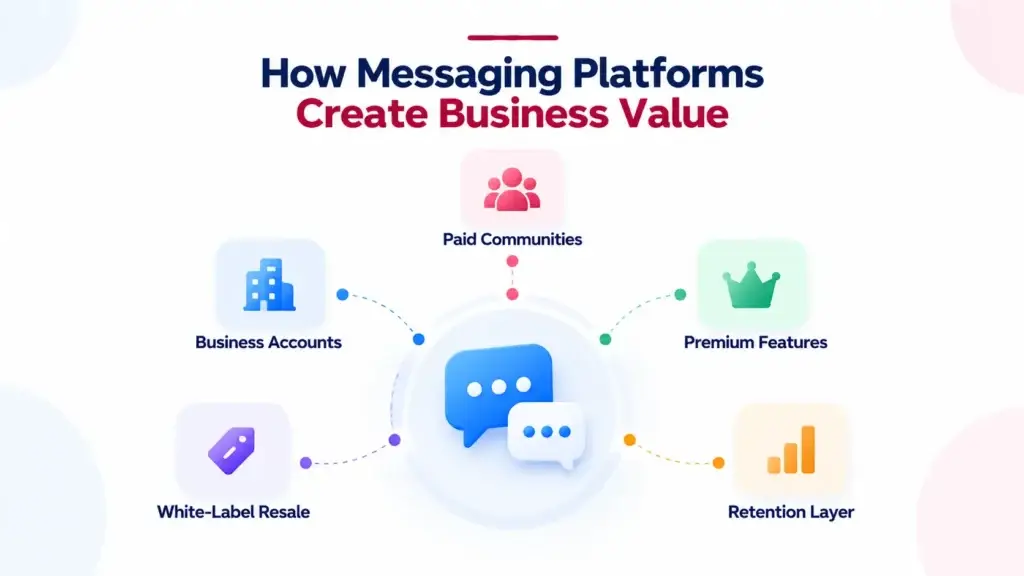
A messaging platform does not always monetize like a marketplace or ecommerce app. There may be no commission on a message. Instead, the business value usually comes from retention, community ownership, paid access, premium workflows, business accounts, white-label deployments, or deeper customer engagement.
For example, a membership community can use messaging to keep members active. An education platform can use group chat for classes. A service marketplace can use chat to coordinate bookings. A creator platform can use messaging to strengthen fan engagement. An enterprise can use a private communication system to reduce dependency on third-party channels.
Common Monetization Paths
- Paid communities: members pay for access to private groups, expert channels, or niche networks.
- Business accounts: companies pay for branded profiles, team inboxes, automation, or higher usage limits.
- Premium features: users pay for storage, advanced privacy, custom themes, larger groups, or special tools.
- White-label resale: agencies and software companies deploy branded communication platforms for clients.
- Retention layer: the messenger supports another business model by keeping users inside the owned ecosystem.
Founder Decision Signals Before Building a Messaging Platform
Founder Decision Signals
Speed
If your market test depends on launching quickly, avoid spending months rebuilding standard chat, call, group, and admin workflows from zero.
Cost
Messaging cost is not only development. Media storage, call infrastructure, notifications, moderation, and maintenance also affect long-term spend.
Scalability
Real-time products must handle spikes, online presence, group activity, media growth, and offline delivery without breaking the user experience.
Market Fit
The strongest product is not the one with the longest feature list. It is the one built around a clear audience, use case, and retention loop.
Ready-Made vs Custom Messaging Platform Development
Founders usually have two development paths. The first is building every layer from scratch. This gives deep flexibility, but it can take longer and requires careful planning across chat, calls, groups, notifications, moderation, admin control, and infrastructure.
The second path is starting with a ready-made, white-label foundation and customizing branding, workflows, monetization, and integrations. This can be useful when the standard communication flows are already known and the real business risk is market validation, positioning, and user acquisition.
For founders who want a branded communication app with chat, calls, groups, moderation, and source-code ownership, Miracuves offers a WhatsApp like messaging platform that can help shorten the path from idea to launch while still allowing customization around the business model.
You can also explore Miracuves’ broader communication app solutions if your roadmap includes video meetings, voice calling, email automation, or real-time collaboration tools.
Mistakes Founders Should Avoid When Planning a Messaging Platform
Mistakes Founders Should Avoid
Treating chat as a small add-on
Messaging looks simple on the surface, but real-time delivery, notifications, read states, group logic, and moderation need serious product planning.
Ignoring moderation until after launch
Reporting, blocking, spam control, and admin review should be part of the first platform plan because trust problems appear quickly in communication products.
Building every standard module from zero
If the product does not depend on unusual messaging technology, founders may move faster by customizing a ready-made foundation instead of rebuilding common workflows.
Choosing features without a business model
Large groups, calls, media, storage, and notifications create ongoing infrastructure demands. Monetization and retention logic should be planned early.
Where Miracuves Fits Into the Messaging Platform Journey
Miracuves helps founders, startups, agencies, and businesses turn communication app ideas into launch-ready products with branded design, admin control, source-code ownership, and faster deployment support.
If your goal is to validate a messaging-based product, community app, private communication network, or real-time engagement layer, the first step is not choosing every feature. The first step is mapping the communication model: who talks to whom, why they return, what needs moderation, how calls fit, and how the platform creates business value.
For wider social product planning, you may also find Miracuves’ guide on building a social networking and community platform useful.
Final Thoughts: Messaging Platforms Are Retention Infrastructure
A messaging platform is not only a place to send text. It is the communication layer that connects people, groups, calls, media, notifications, trust, and business workflows in one experience.
For users, the value is simple: conversations feel instant and reliable. For founders, the value is strategic: stronger retention, owned communication, community control, and a product experience that does not depend entirely on third-party platforms.
The strongest path is not to copy a famous app feature by feature. It is to understand the communication model, decide what your audience actually needs, and build a platform foundation that can support real conversations from day one.
FAQs
What is a messaging platform?
A messaging platform is a software system that allows users to communicate through real-time chat, voice calls, video calls, group conversations, media sharing, file sharing, notifications, and user interaction tools. It usually includes frontend apps, backend APIs, message storage, real-time delivery, privacy controls, and admin management.
How does real-time communication work in a messaging app?
Real-time communication works by keeping users connected through persistent communication channels. When a message, call, typing status, or notification event happens, the backend sends updates to connected users immediately. Offline users can receive push notifications and see stored messages when they return.
What is the difference between chat messaging and voice or video calling?
Chat messaging can be stored, delivered, synced, and read later. Voice and video calling require live connection setup, call signaling, microphone and camera permissions, network negotiation, and media streaming while users are connected at the same time.
Why are WebSockets important for real-time chat?
WebSockets help real-time chat because they allow a persistent two-way connection between the app and server. This lets the server push new messages and conversation events instantly instead of forcing the app to repeatedly check for updates.
How do group chats work in a messaging platform?
Group chats work by connecting multiple users inside one shared conversation. The platform manages members, roles, permissions, message delivery, unread counts, mentions, notifications, pinned messages, reporting, and admin controls for that group.
Can a business build its own branded messaging platform?
Yes. A business can build its own branded messaging platform using custom development or a ready-made white-label foundation. The right path depends on the business model, target users, required features, privacy needs, integrations, launch timeline, and customization scope.
How can messaging platforms make money?
Messaging platforms can make money through paid communities, premium accounts, business messaging tools, storage upgrades, white-label resale, subscriptions, sponsored channels, or by improving retention for another core business such as education, services, marketplaces, or memberships.
Miracuves is an independent software development company. We are not affiliated with, connected to, sponsored by, or endorsed by any company or product named in this article.
Terms such as “X Clone” are used descriptively. It is how the software industry refers to building a platform with functionality comparable to a known service, and how clients search for it.
The entire design and codebase of our products is built by our own team. Our products contain no code, design, graphics, or content originating from any third-party website or applications.
All third-party names and marks referenced in this article are the property of their respective owners, referenced solely to identify the services discussed.