




















v2026 - Production Ready

White Label Messaging App - Encrypted Chat, Voice & Video Calls, Groups & Stories

Your own messaging app: stories, voice and video calls and encrypted chat across iPhone, Android and the web, hosted on your servers under your name.

It ships complete: encrypted private and group chat, voice and video calls, 24-hour stories, media, voice notes, files, polls, reactions, read receipts, moderation and an operator console. Add your brand and launch.

Launch in 6 Days with

  • Messaging
  • Voice & Video Calls
  • Groups
  • Stories
  • Moderation
  • White-Label
Control room · Daily activityLive
Engaged users1,284
Calls placed today846
Languages16

Running event stream

  • Account registeredSignups
  • Video call startedCalling
  • Story publishedStories
  • Member report loggedModeration
  • Group set upGroups
  • Poll endedGroups
  • Language switched onConsole
  • Report checkedModeration
  • Account registeredSignups
  • Video call startedCalling
  • Story publishedStories
  • Member report loggedModeration
  • Group set upGroups
  • Poll endedGroups
  • Language switched onConsole
  • Report checkedModeration
App in action
Calls go straight between devicesso there is no charge for talking

Hosted Stack Overview

16
Languages

right-to-left included, toggled from the console

4
Clients in the Package

iPhone, Android, browser and your operator console

0
Minute-Based Charges

calls connect phone to phone, so minutes are free

12
Content Formats

text, photos, video, voice notes, files, pins, cards

Calls That Never Meter by the Minute

Voice and video run straight between the two devices instead of through a paid calling vendor, so heavy use costs no more than light use. Group calls behave the same way.

Rebranding Is a Console Task, Not a Release

A non-technical operator can change name, logo, colors, languages, privacy policy and sign-in methods, since all of them are settings. Launching a new brand takes an afternoon, not a release.

Ready to launch a messaging app under your own name?Book a Free Strategy Call

Companies worldwide, more than 6,000+ of them, rely on Miracuves

MediaCube is the best managed IT service provider in New York City by Expertise.comMiraQs as an official member of Forbes Business Council Miracuves is a verified agency with design rush. MiraQs is ranked as a trustworthy service provider with Trustpilot. Miracuves is one of the top managed service providers, companies by themanifest. Miracuves ranked as a top software development company by Design Rush. Miracuves is recognized as top software developed company by goodfirms. Miracuves Ranked among top 1000 companies globally by ClutchMiracuves is a top-minus service provider in the United States by Clutch

01See it live

Live in Action

Live Demo - Two Accounts, the Operator Console & an Android Build

Open the platform yourself. Two working accounts are live, and that matters more for messaging than for any other product, because a messenger only proves itself with two people in the thread. Load one account in your browser and the other in a private window, then send a message across: it lands instantly, the ticks update when it is read, and the typing indicator appears as the other side answers.
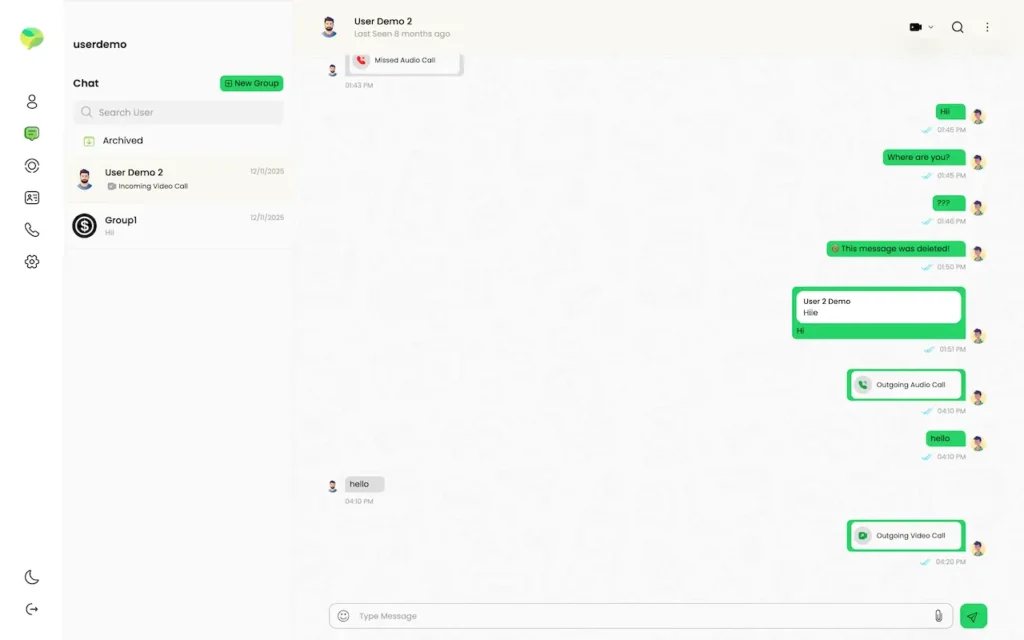
mxwhatz.mimeld.comDesktop chat window showing the conversation list, messages, deleted-message notice and audio or video call cards.
Live demo
FIRST ACCOUNT

Chats, Calls, Stories & Media

What members see. A chat list with the story tray on top, private and group conversations, voice and video calls, photos, video, voice notes, files, location and contact cards, polls, reactions, replies, forwarding, starring and pinning, plus wallpaper, avatar and language choices.

  1. 1Launch the browser-based web app
  2. 2Sign in using the first phone number listed below
  3. 3Explore: Chats, Calls, Stories, Media
Try:+919876543210 | 123456
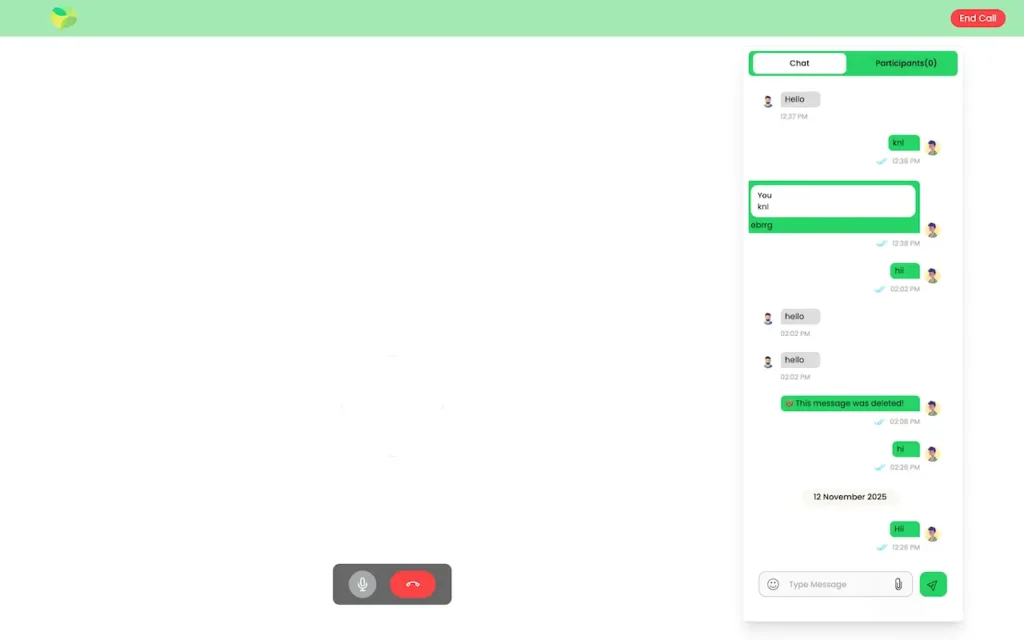
mxwhatz.mimeld.comDesktop call interface with an in-call chat panel, participant tab, message composer, microphone and end-call controls.
Live demo
SECOND ACCOUNT

The Receiving End of the Conversation

For a genuine two-way test, open this account in a second browser or a private window. Message it from account one and watch it arrive live, then reply and see the first account's receipts and typing indicator change; place a call and post a story to see the viewer list fill.

  1. 1Start a second browser, or a private window in this one
  2. 2Sign in using the second phone number listed below
  3. 3Test: delivery, read receipts, typing, calls
Try:+911234567890 | 123456
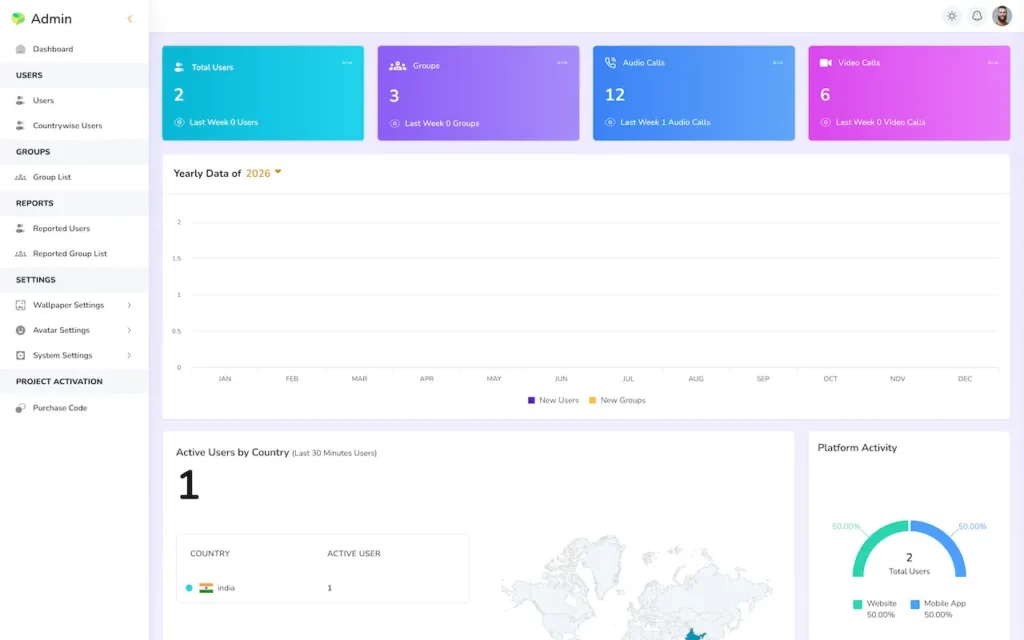
mxwhatz.mimeld.com/adminAdmin dashboard with user, group, audio-call and video-call totals plus yearly and country activity charts.
Live demo
ADMIN SIDE

Users, Moderation, Analytics & Brand Controls

Where the platform is actually run. Fifteen dashboard figures for signups, active users, groups and call volume, reported-user and reported-group queues, blocking, your report reasons, language management, branding and integration keys. We show this one live rather than leaving an operator login public.

  1. 1Arrange a walkthrough session with our team
  2. 2Our team opens the console and operates it on your behalf
  3. 3Covers: Analytics, Moderation, Branding, Languages
Operator access is revealed live on a call, never posted on this page
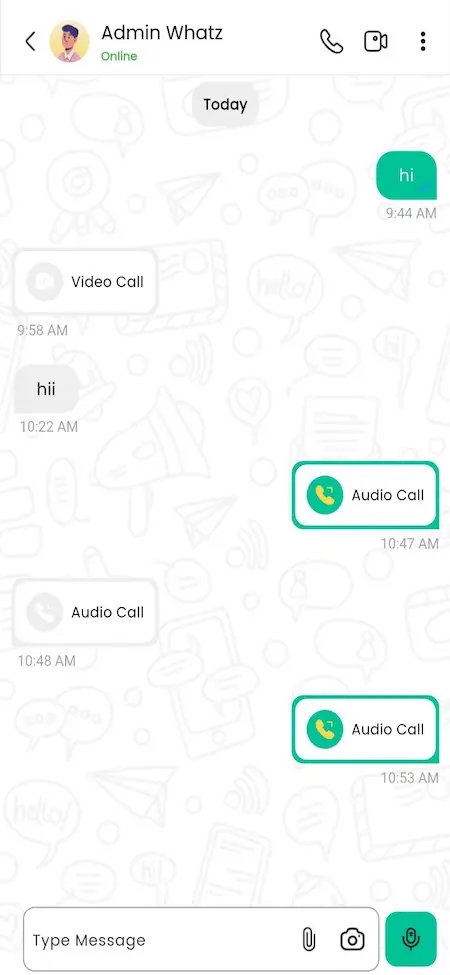
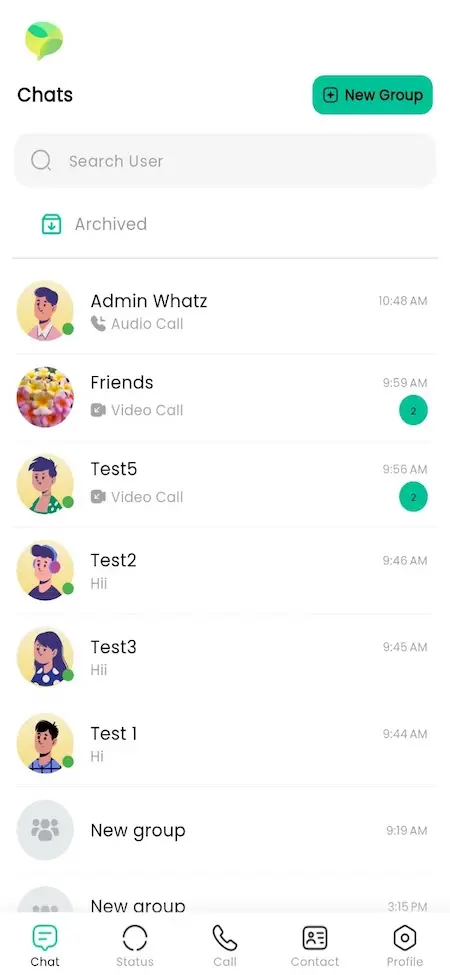
Mobile chats list with search, archived chats, recent conversations, groups and a New Group button.Mobile chat conversation with text messages, audio-call cards, video-call actions and message composer controls.
Live demo
ANDROID BUILD

The Native App on an Actual Phone

The browser shows the product and the phone shows the experience. The Android build brings push alerts naming the sender, ringtones for incoming calls, camera and gallery in the composer, in-app voice notes, phone-book contact sync, and a local cache so the app opens instantly and survives a dropped signal.

  1. 1Download the Android build
  2. 2Use either of the demo numbers listed above to log in
  3. 3Test: push, calls, camera, contacts, offline
The app accepts these same demo numbers

Demo in Motion

Platform Walkthrough - Messaging, Calling & the Operator Console

A walkthrough of an ordinary day on the platform rather than a feature reel. It starts from a phone number plus a one-time code, moves into a first conversation with photos and a voice note, creates a group and promotes a second admin, places a video call, posts a story and checks who saw it, then ends in the operator console where the same activity appears as numbers and a reported account is reviewed and blocked.

Book a Free Strategy Call

All Client Screens

Platform Screens - Chats, Calls, Stories & the Control Panel for Admins

The screens that matter across every surface: the chat list and story tray, a private conversation with replies, reactions and receipts, a group with its members and admin controls, the story viewer with its viewer list, the voice and video call screens, settings and profile with wallpaper, avatar and language pickers, and the operator console with its dashboard, moderation queues and branding panels.
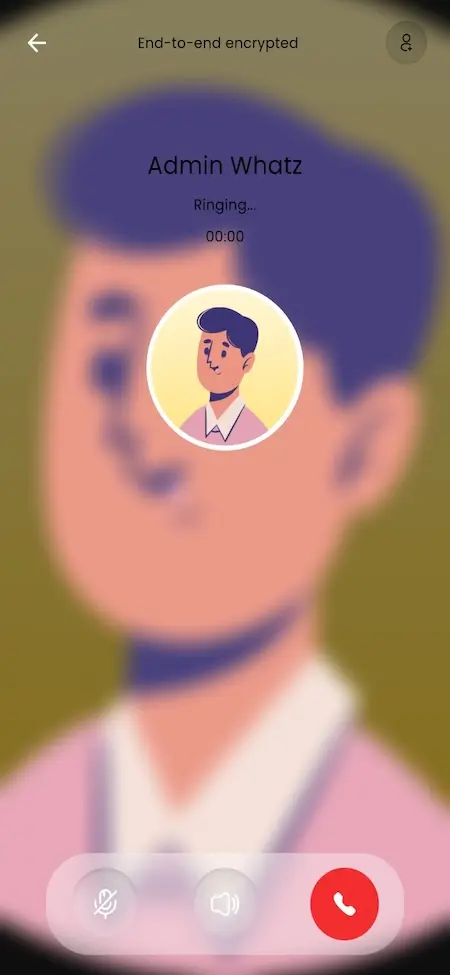
Mobile audio-call screen showing an encrypted call ringing with mute, speaker and end-call controls.
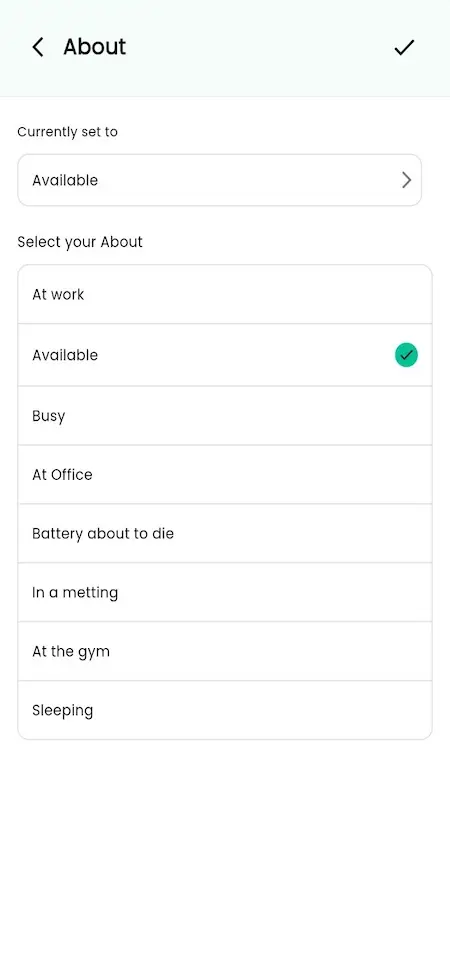
Mobile About screen showing the selected availability status and available profile status choices.
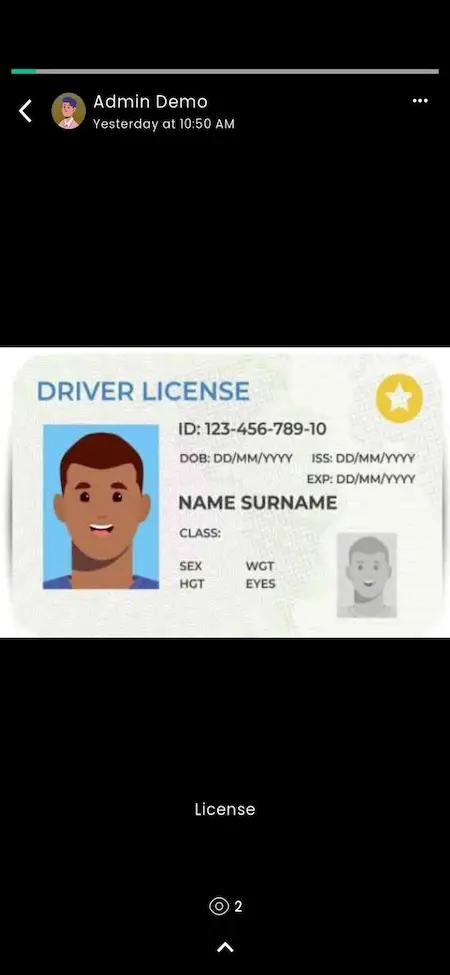
Mobile status viewer showing a contact status post with a driver-license graphic and status progress controls.
Mobile splash screen displaying the green and yellow messaging app logo on a white background.
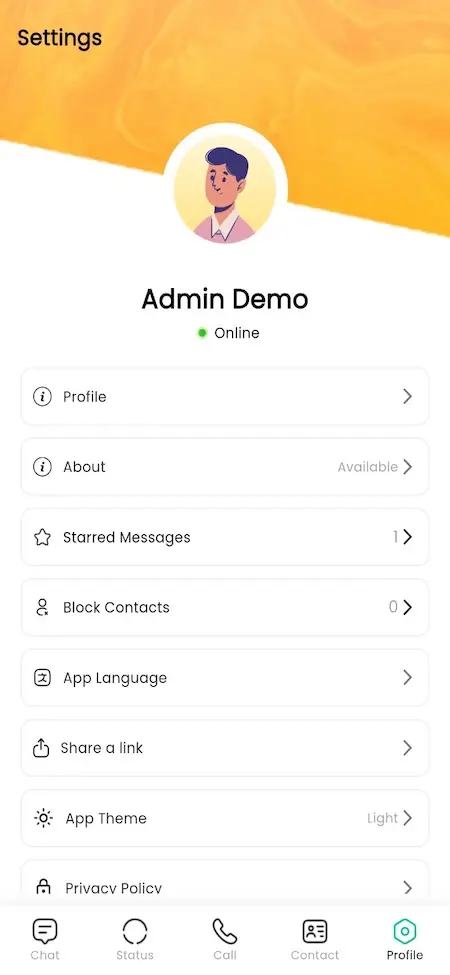
Mobile profile settings showing the user profile, About status, starred messages, privacy, language, theme and policy options.
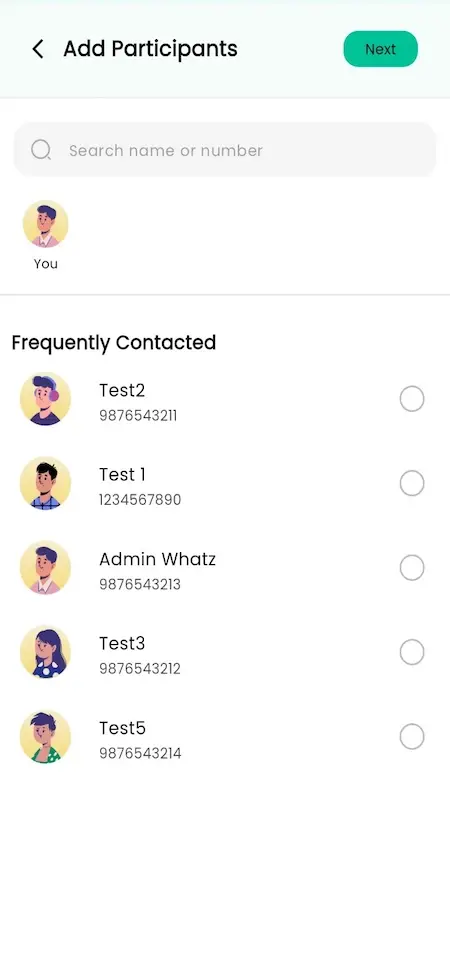
Mobile Add Participants screen with contact search, frequently contacted users and selection controls.
Mobile chats list with search, archived chats, recent conversations, groups and a New Group button.
Mobile chat conversation with text messages, audio-call cards, video-call actions and message composer controls.
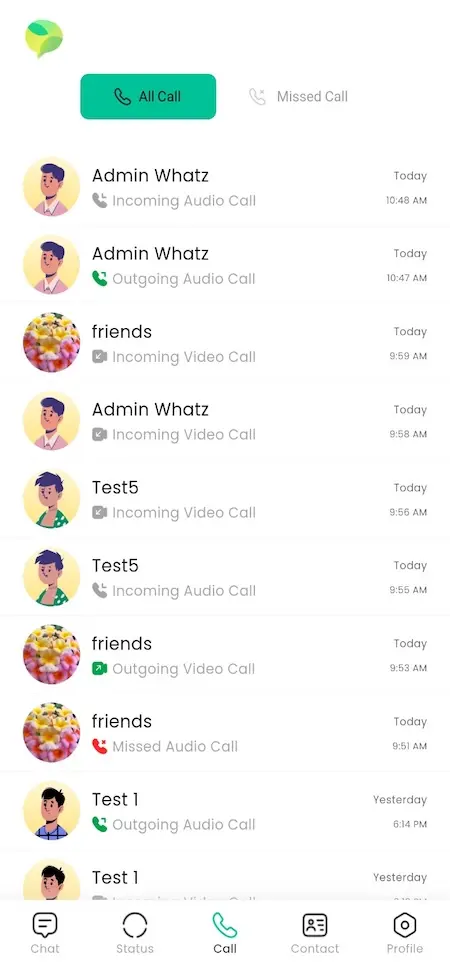
Mobile call history showing incoming, outgoing, missed audio and video calls with dates and times.
9 screens · scroll →
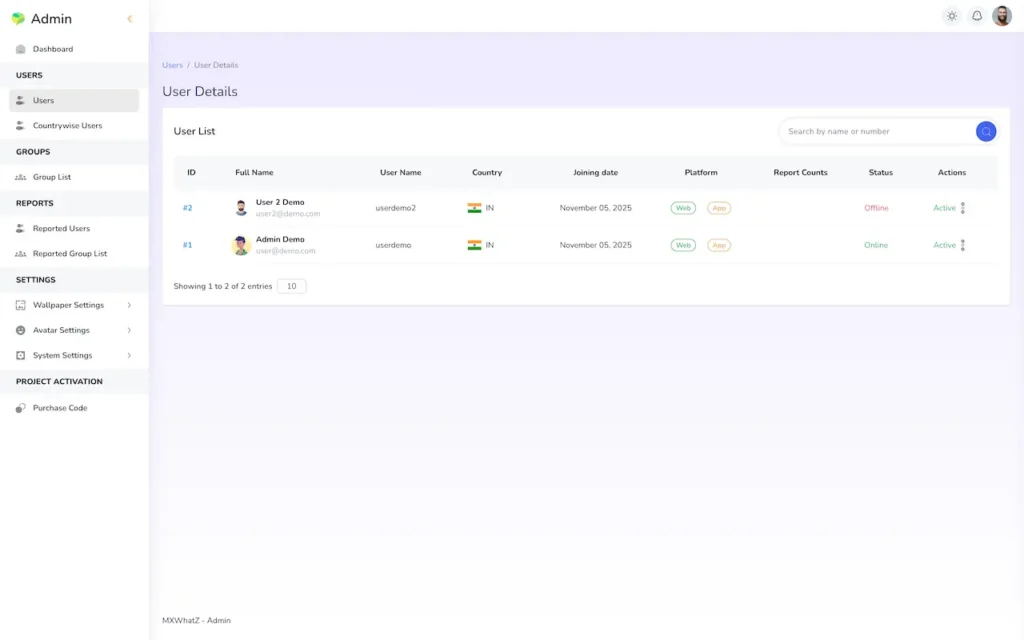
Admin user details screen showing a searchable user list with country, platform, report count, status and account actions.
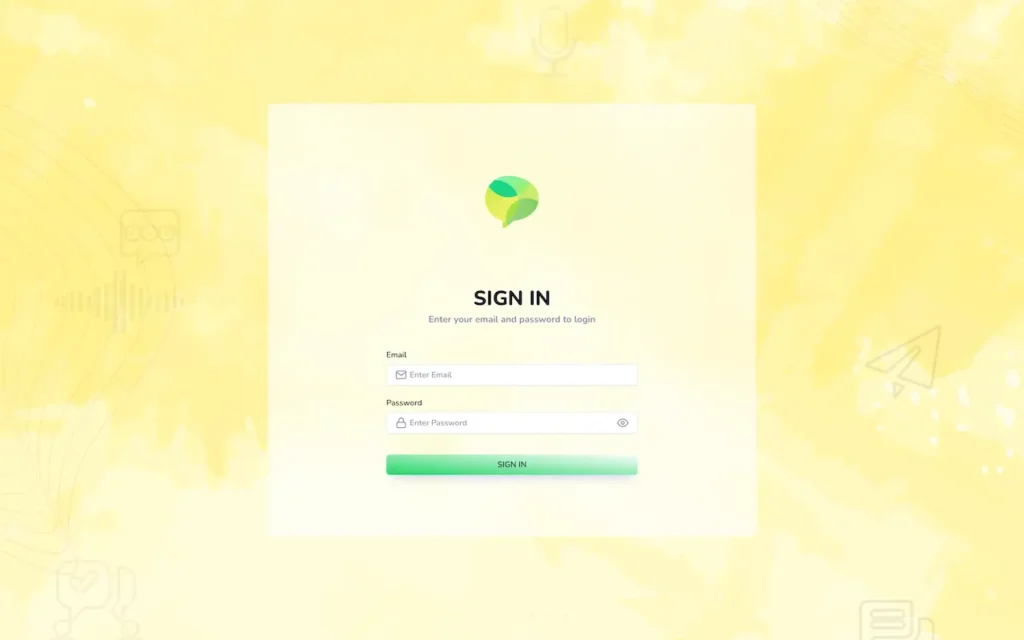
Admin sign-in screen with email and password fields on a branded authentication background.
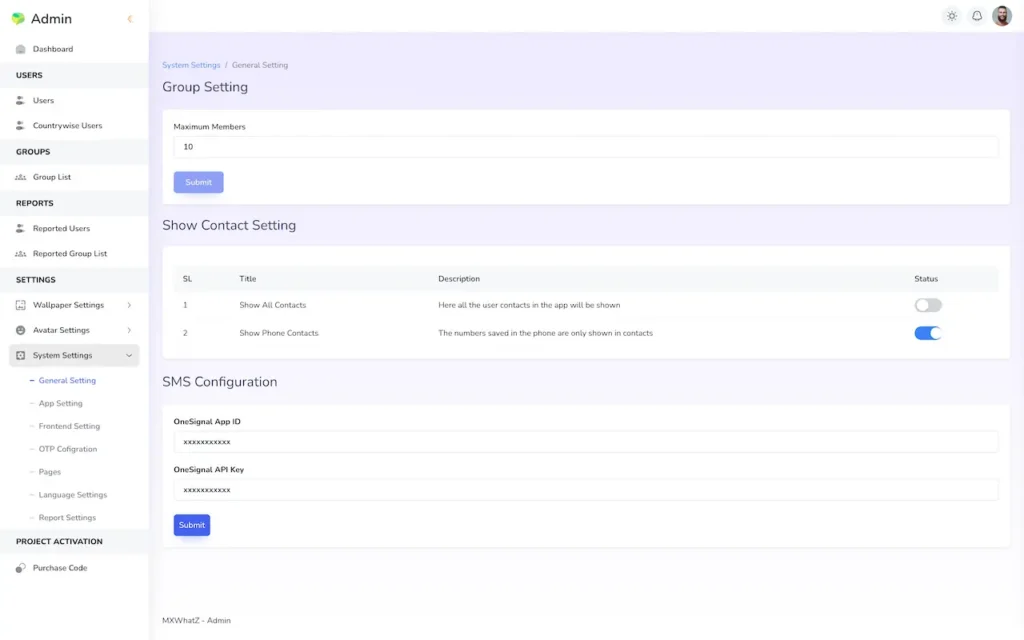
Admin settings screen for maximum group members, contact visibility and SMS configuration.
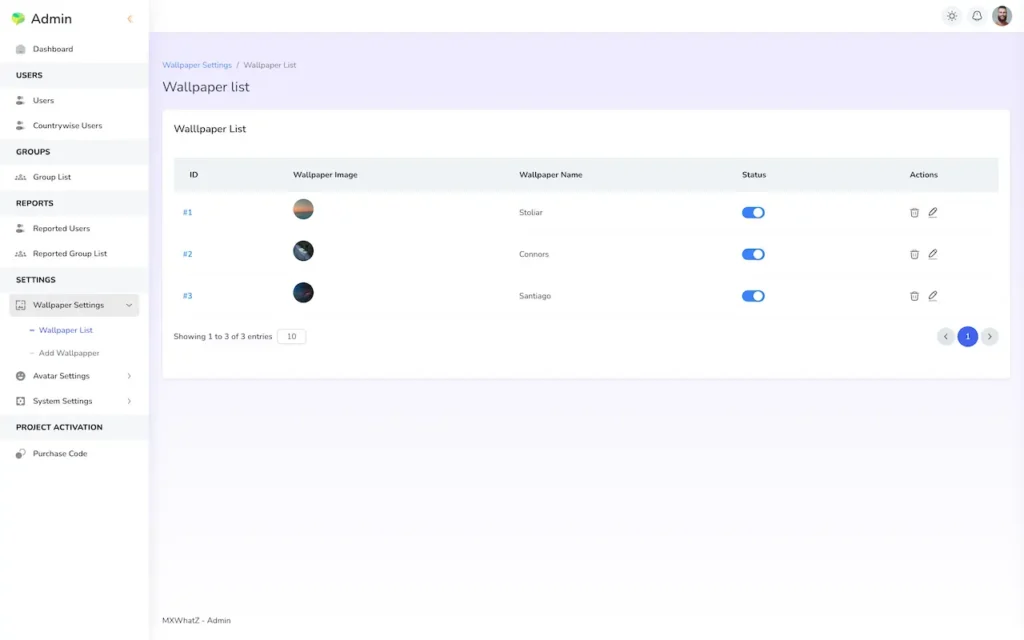
Admin wallpaper list showing wallpaper thumbnails, names, active status toggles and edit or delete actions.
Admin dashboard with user, group, audio-call and video-call totals plus yearly and country activity charts.
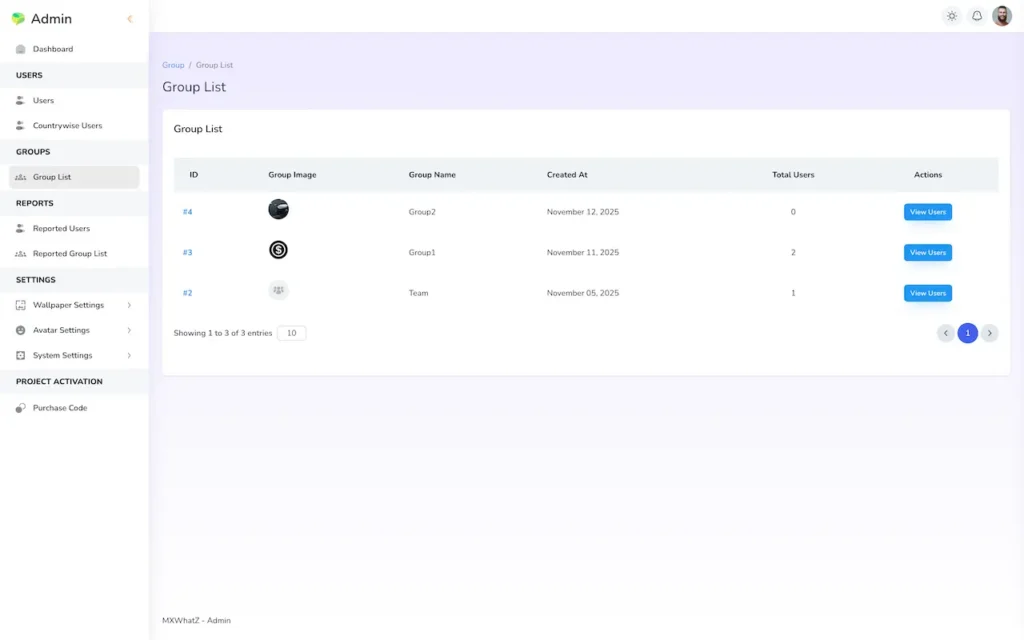
Admin group list showing group images, names, creation dates, member totals and view-user actions.
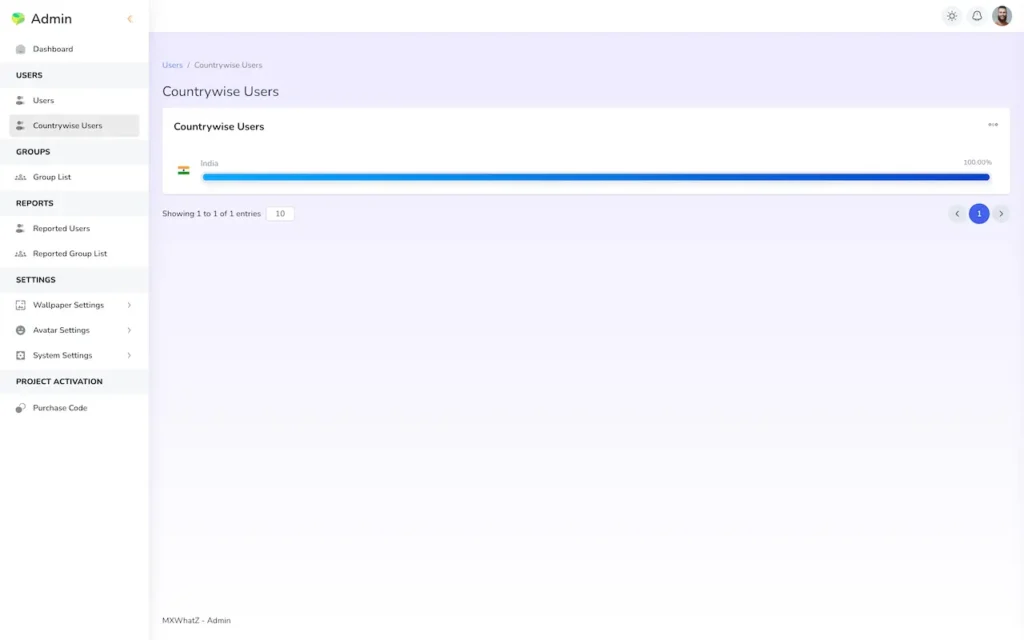
Admin countrywise users screen showing the user distribution by country.
7 screens · scroll →
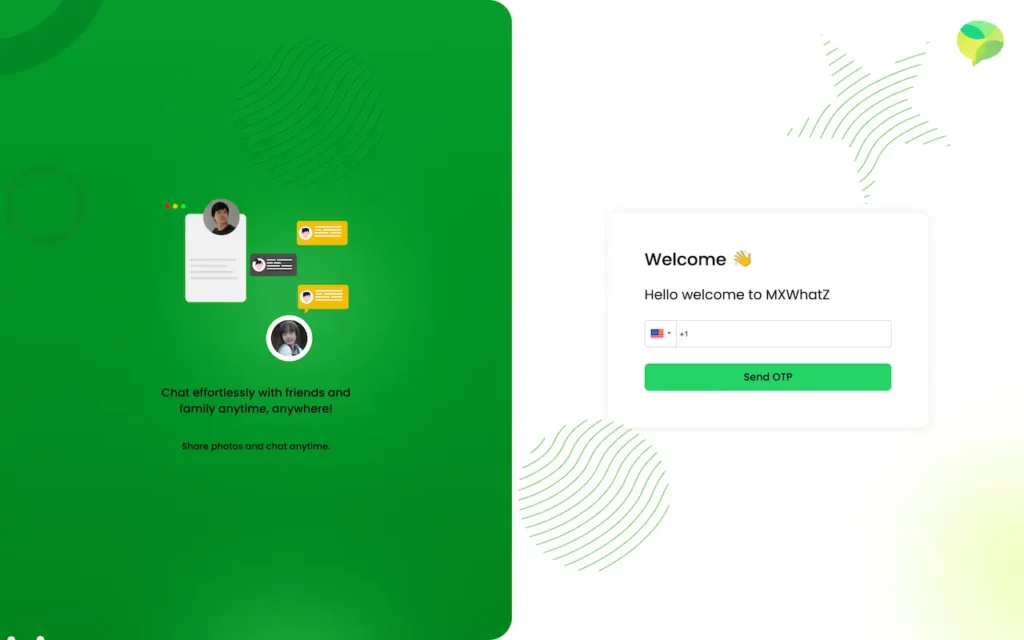
Desktop welcome and phone verification screen with an OTP request form beside a chat illustration.
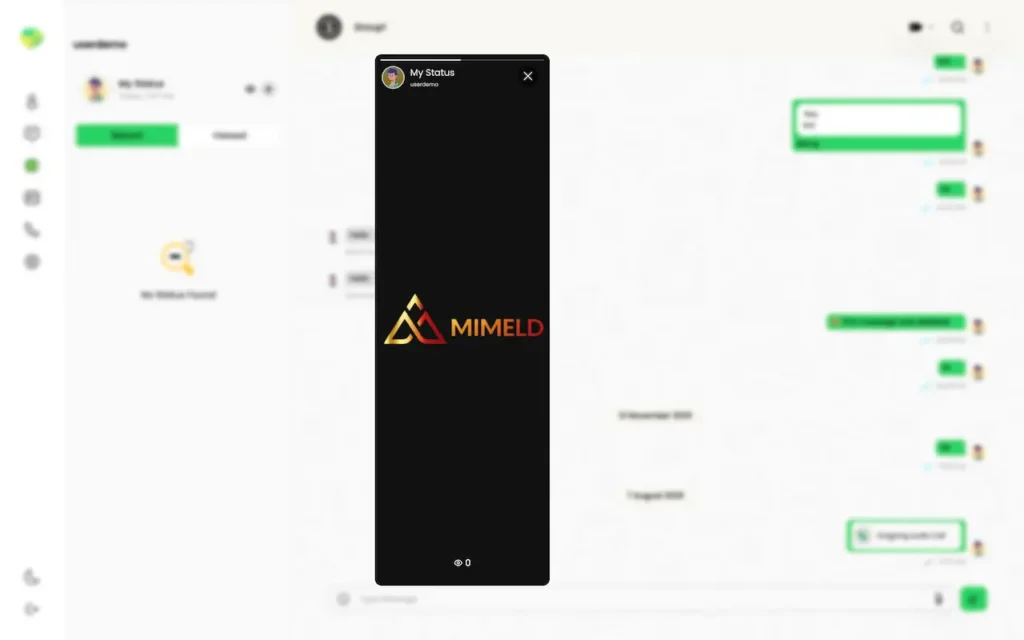
Desktop status viewer showing a branded status post in a centered vertical viewer over the chat workspace.
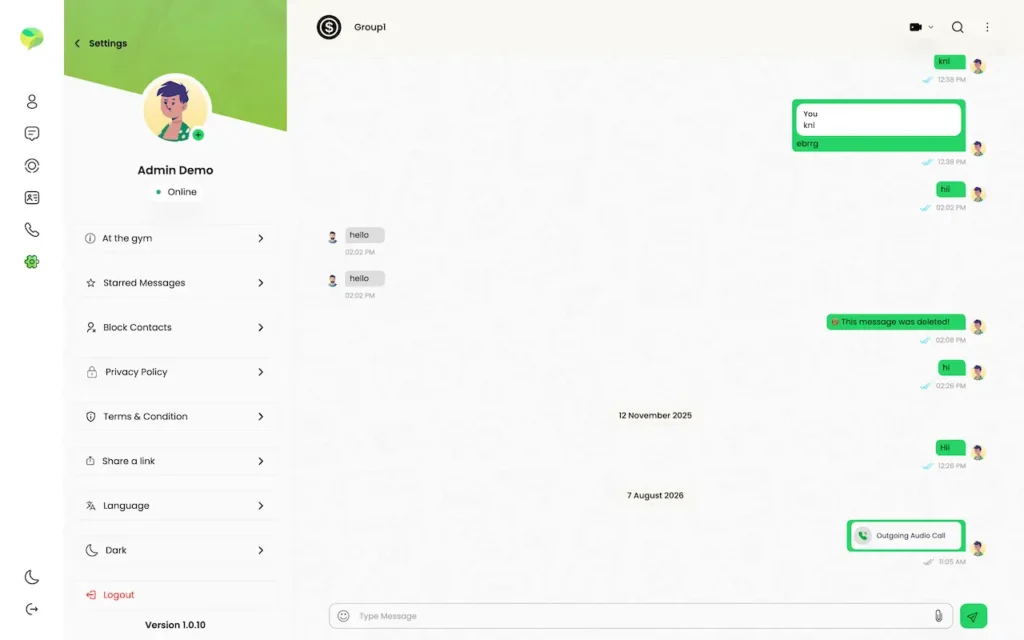
Desktop settings menu showing About status, starred messages, blocked contacts, privacy, terms, language, theme and logout.
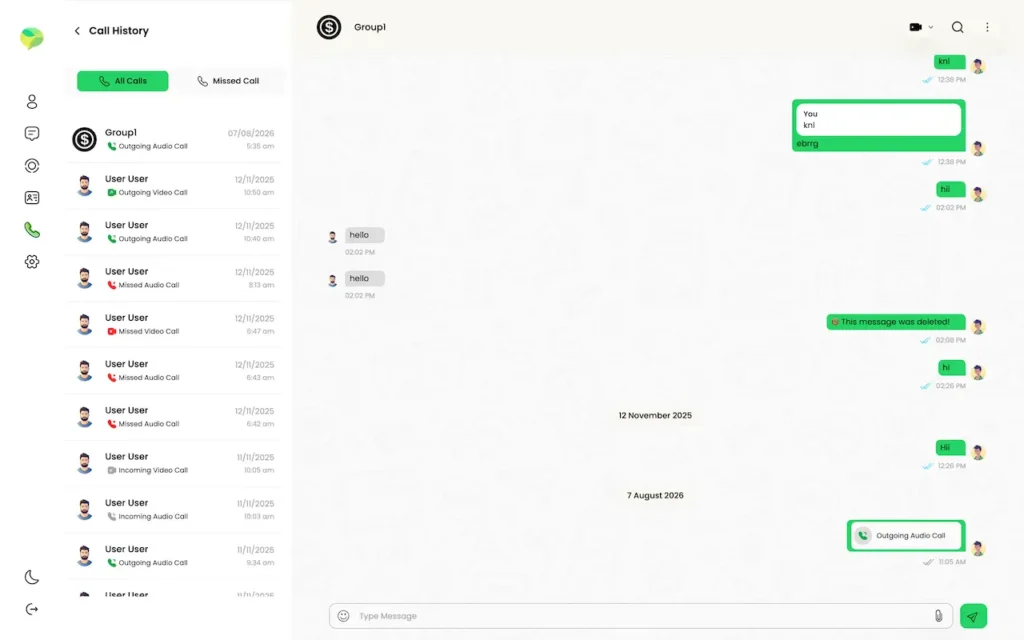
Desktop call history listing incoming, outgoing and missed audio or video calls beside an open group conversation.
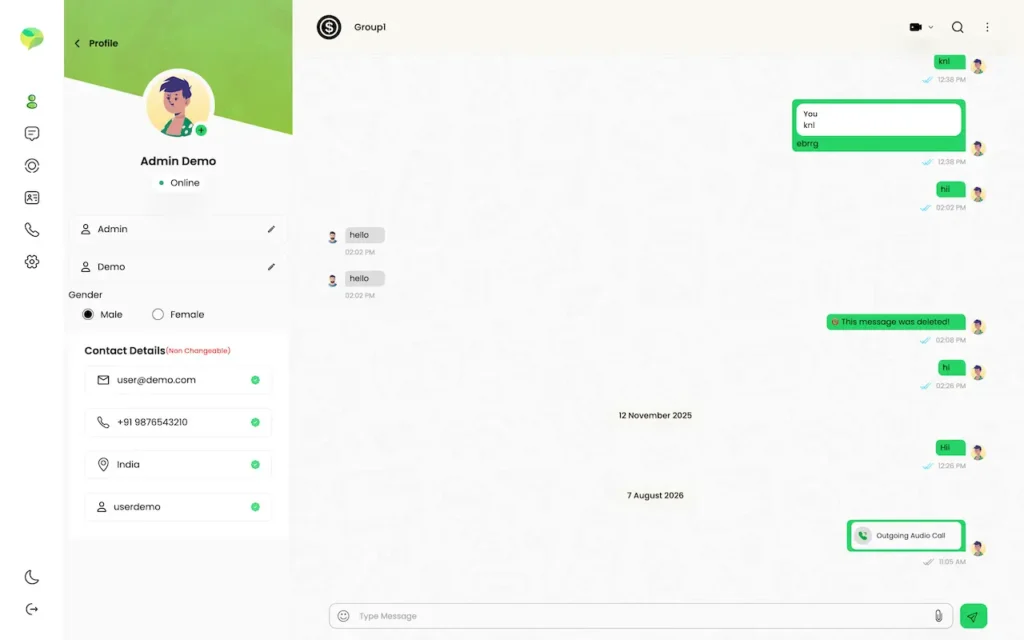
Desktop group conversation with an open profile panel showing avatar, contact details and chat history.
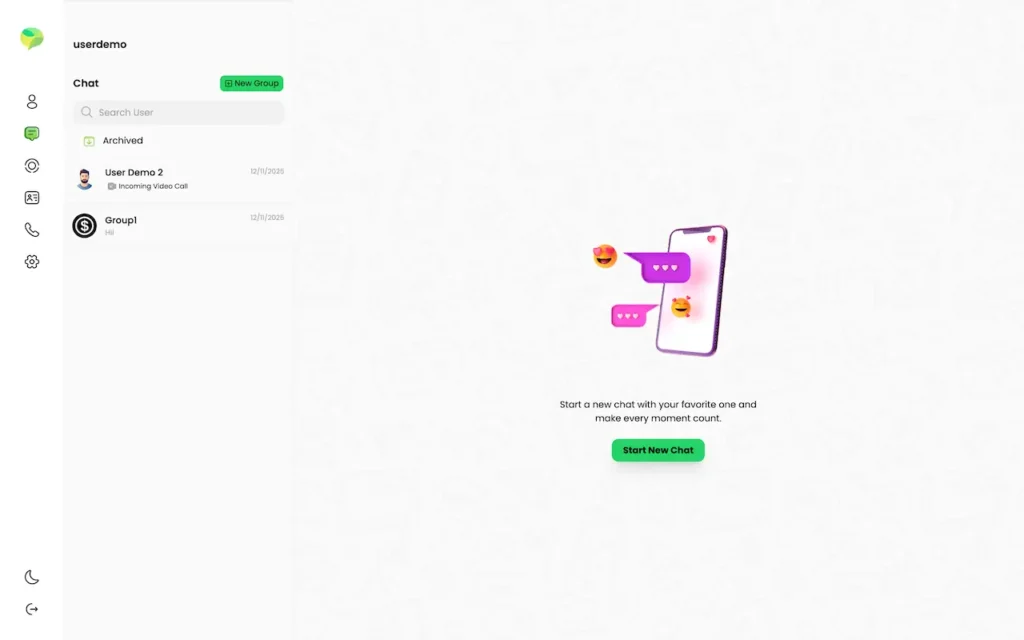
Desktop empty chat state with a new-chat illustration, conversation list and Start New Chat button.
Desktop call interface with an in-call chat panel, participant tab, message composer, microphone and end-call controls.
Desktop chat window showing the conversation list, messages, deleted-message notice and audio or video call cards.
8 screens · scroll →

iPhone, Android and the browser show the same screens because all three talk to a single API and a single real-time layer, instead of each keeping its own idea of what a message is.

Explore Our Solutions

02Proof

Demonstrable in the Demo

Platform References - What the Build Does in Practice

Messaging has been one component of marketplaces, social platforms and consultation products Miracuves has shipped, and those engagements sit in the portfolio with their own figures. None was a pure messenger, so instead of borrowing proof from a different kind of product, everything below is a property of this build that you can check in the two live accounts above.

Real-Time DeliveryBase build capability

Messages move over a persistent socket connection rather than by polling, so delivery is effectively instant, and one account can be signed in on a phone and a browser at once with both receiving every message. Demonstrable in the two demo accounts.

Calling Without Call ChargesBase build capability

Voice and video calls connect directly between devices using WebRTC, with a relay server as fallback when a restrictive network blocks the direct route. No per-minute charge from a calling vendor sits between you and your users.

Sixteen Languages, ExtensibleBase build capability

Sixteen languages ship in the build, including right-to-left layouts, and a seventeenth can be added and translated from the operator console without a code change or an app-store resubmission.

Moderation Ships Built InBase build capability

Reporting, blocking, per-conversation locks, an operator-managed list of report reasons and a moderation queue for both users and groups all arrive built, rather than being retrofitted after the first incident.

Browse more client reviewsWhat clients say about Miracuves, across every product

Illustrative Scenario

Modeled Reference - A Self-Hosted Community Messenger

An illustrative configuration showing how the platform would be set up for an organization that wants its community talking inside its own app rather than in an unmanaged group on another company’s service. It describes no client engagement, and every figure is a property of the software rather than a reported result.

Illustrative Launch Plan
Membership Sector
Branded Community Messenger

An organization whose members already talk every day in an unofficial group chat moves that conversation into its own app, because moderation, language and ownership now matter.

Sample example caseNo client engagement is involved
Member-based bodyPresumed audience
Chat, Calls and Community ModerationIndustry
16Languages included in the standard build
4Clients provided
6 daysCalendar to go-live
Desktop group conversation with an open profile panel showing avatar, contact details and chat history.
Challenges
  • Members talking in an unofficial group chat that nobody owns or can moderate
  • No view of who is active, and no way to remove someone from the whole community
  • A group size limit set by someone else, and rules that can change overnight
Goal
  • One branded app for private chat, groups, calls and stories
  • A review queue for moderators, built on the report reasons the organization itself defines
  • Members, messages and media held on infrastructure the organization runs
Authored by Miracuves
  • Private and group chats that show read receipts, typing status and presence
  • Voice and video calls over WebRTC, with no calling vendor billing you by the minute
  • Right-to-left scripts are handled correctly across sixteen languages
  • Members can pin, star, forward and reply to messages, react to them, run polls and post stories
  • Hosting on your own infrastructure, with the database and media kept within the operator's jurisdiction

This is a modeled reference deployment, not work done for a real client. Every capability shown earlier is part of the base build, and each can be tried through the two live demo accounts. The figures characterize the platform; none was reported by a customer.

Named-client deployments live on another pageActual engagements, each with the figures its client reported, are covered in the Miracuves portfolio.
Test the fit with your own communityTogether we will check chat, calls, moderation and language coverage against the community you serve.

03The product

Owning Versus Renting

Why Organizations Move Their Messaging In-House

Most organizations let their community live inside a consumer messenger because it was free and everybody already had it. That holds until the day it does not: nobody can see who is active, nobody can properly remove a member, none of it carries your brand, someone else sets the group cap, and a company you never signed with owns the relationship with your own members.
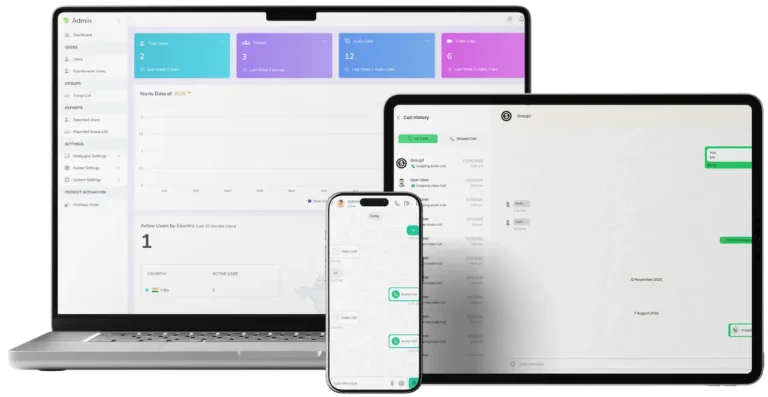
Cross-platform messaging solution with admin dashboard, web chat, mobile messaging, and audio and video calling.

Visibility Into Your Own Community

You can track weekly and monthly signups, plus who is active now and in the last half hour. Also covered are the number of groups created, how much audio and video calling happens, where your users are, and whether they arrive on mobile or web.

Rules You Write Yourself

Report reasons you write, a moderation queue for people and groups, the power to block either, and a group size limit you choose instead of one imposed on you.

Members Who Stay Yours

Accounts, conversations and media sit in your database on your servers, so nobody else is able to change the terms, throttle your reach or shut your community down.

What Renting a Community Actually Costs

What Changes When You Own It

Ownership changes the shape of the problem. Members, data, rules and name are all yours. The everyday experience is no worse for the people who use it: they still just open an app, tap a name and talk. Your position as the organizer improves on every axis.
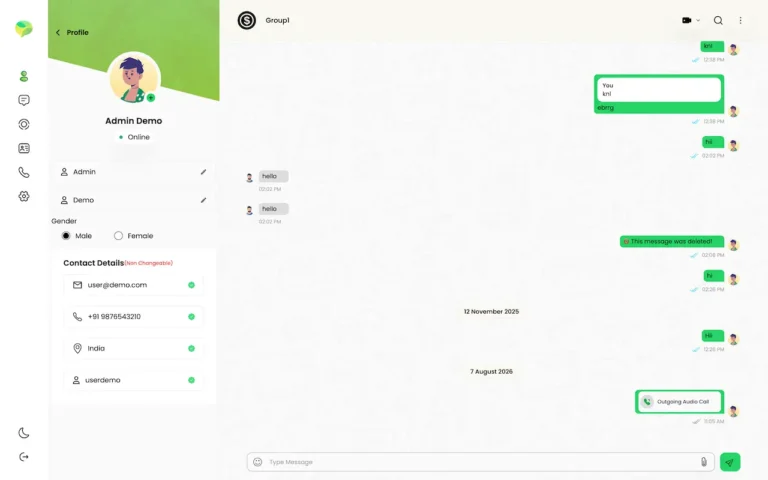
Desktop group conversation with an open profile panel showing avatar, contact details and chat history.
  1. 01Your branding across the app, its splash screen and its notifications
  2. 02Add your own languages, right-to-left ones too, with no app release needed
  3. 03Moderation rules you define, with report reasons of your choosing
  4. 04Servers and database of your own, so residency is yours
  5. 05The source code is yours, and no license conditions come with it

That is the difference between merely having a community and actually hosting one. Hosting means you decide who belongs, where the limits sit, the languages it speaks and how misbehavior is handled, and it means you can see what is going on: signups, active users, groups and calls on a dashboard instead of guesswork.

Everything Included

Platform Features - Encrypted Chat, Calling, Stories & Group Features

The platform ships with everything people expect from the messenger they already use every day, plus everything an operator needs to run one properly. Nothing below is an optional module waiting on a second invoice.

Feature 01 / 12

Private Conversations

The reason people open the app. Messages move from delivered to read, the typing indicator shows when the other person is answering, and search reaches back through the history when something from last month is needed.

  • Private conversations with anyone on the platform
  • Delivered and read ticks with typing indicators
  • Online status and last seen
  • Search within a conversation
Feature 02 / 12

Groups and Public Communities

Start a group, name it, add a photo and invite members. Make trusted people admins, remove anyone who should not be there, and open a group publicly so new members can discover it.

  • Named groups with a photo and member list
  • Promote, remove, or leave as an admin
  • Public groups people can discover and join
  • A group size limit you set
Feature 03 / 12

Voice and Video Calls

Ring one person or a whole group over voice or video, with a real incoming-call screen and ringtone, and every call logged as missed, answered or declined with its duration.

  • Voice and video, private and group
  • A real incoming-call screen with ringtone
  • Missed, answered and declined all logged
  • Call history filtered by type
Feature 04 / 12

Media of Every Kind

Photos, video, documents, GIFs, voice notes, a contact card and a location pin. Video is compressed and thumbnailed on the phone before upload, which keeps sending quick on a weak connection.

  • Camera or gallery photos and video
  • Record voice notes inside the app
  • Documents including PDFs
  • Contact cards, location pins and GIFs
Feature 05 / 12

24-Hour Stories

Photos and videos that disappear after a day, each with its own caption. The poster sees exactly who viewed, and any reply lands straight in a private chat.

  • Stories that expire after a day
  • Several photos or clips per story
  • A caption on each item
  • A full list of who viewed
Feature 06 / 12

Replies, Reactions and Polls

React with an emoji, forward something elsewhere, answer one message inside a busy thread, or ask a group a question through a poll and see the votes update live.

  • Reply to one message in a thread
  • Forward to another chat
  • Emoji reactions
  • Live polls
Feature 07 / 12

Star, Pin, Archive and Lock

Star what you will need later, pin something important for a day or permanently, move a quiet chat into the archive, and put a private conversation behind its own password.

  • Star messages to find them later
  • Pin a chat for a day, a week or a month, or for good
  • Archive quiet conversations
  • Password-lock a private chat
Feature 08 / 12

Deletion, Done Properly

Delete a message only for yourself, withdraw it for everyone, clear a whole conversation, or close the account entirely, each as a separate deliberate step.

  • Delete for yourself
  • Delete for everyone
  • Clear a conversation
  • Close the account
Feature 09 / 12

Contact Sync and Discovery

Sync the phone book, see which contacts are already on your platform, give someone your own label, and search for people who are not saved yet.

  • Phone-book sync
  • Your own label for a contact
  • See which contacts are already here
  • Search by name or number
Feature 10 / 12

Notifications With Context

Alerts name the sender and say what arrived, whether a photo, a video or a document, instead of a blank ping, and calls ring properly when they come in, even with the app closed.

  • Push alerts that name the sender
  • Different wording per media type
  • Answer calls from the lock screen
  • Ringtones and in-app sounds
Feature 11 / 12

Encrypted by Default

End-to-end encryption covers every conversation, so message content cannot be read in transit or in your own database. On top of that, anyone can block a person, report a person or group with a reason, and lock a sensitive chat behind a password.

  • End-to-end encrypted conversations
  • Block and unblock
  • Report either a user or a group
  • Password-lock a private chat
Feature 12 / 12

16 Languages Built In

Arabic, Chinese, Danish, English, French, German, Greek, Hungarian, Italian, Japanese, Polish, Portuguese, Russian, Spanish, Swedish and Turkish, with right-to-left layouts handled properly.

  • Phone number and one-time code sign-in
  • Email, Apple, Google or Facebook sign-in
  • Phone and browser signed in together
  • Sixteen interface languages

Everything here is included in the platform at the fixed price, end-to-end encryption among it. The missing pieces, for instance payment processing, subscription billing or anything tied to your market, are named openly further down rather than implied.

Talk to Our Team

One Platform, Four Ways In

Four Surfaces - iPhone, Android, Web & the Control Panel for Admins

Members will arrive on whatever device they are holding, so the four surfaces all ship together and stay aligned. Both mobile apps are built from a single Flutter codebase, so iPhone and Android receive each feature at the same moment instead of one trailing the other.

  1. 01

    The iPhone Client

    A native iOS build that handles push alerts, camera and gallery access and voice-note recording, along with contact sync and background call handling. It is published under your own developer account.

  2. 02

    The Android Client

    The same features, built from the same codebase: an APK to install for testing, and a build publishable to Play under your account. You can try it on this page now.

  3. 03

    The Browser Client

    Messaging, calling, stories and settings in a browser for people who sit at a desk all day, with no install, no extension and nothing to update.

  4. 04

    The Admin Panel

    The operator dashboard: fifteen live figures, moderation queues, user and group management, language tools, branding, legal links and integration keys.

  5. 05

    Phone and Browser at the Same Time

    One account keeps several live connections, so a message reaches phone and browser at once. When you read it on one, the other clears, instead of showing unread all day.

  6. 06

    Readable Through a Dead Spot

    Conversations are cached on the phone, so the app opens instantly, stays readable through a dead spot, and catches up the moment the connection returns.

Nor is the browser version a reduced copy: a person at a desk has the same stories, calls, conversations and settings that a phone user has, and can stay signed in on both with messages landing on each.

Talk to Our Team

Messaging Runs Without an In-House Dev Team

Operator Console - Analytics, Moderation, Identity & Locales

The console is where the platform is actually run, and it is built for an operations team rather than engineers. How the app looks, which languages it speaks, who is allowed in and what happens after a report are all forms in a browser rather than change requests.

Admin dashboard with user, group, audio-call and video-call totals plus yearly and country activity charts.
Admin group list showing group images, names, creation dates, member totals and view-user actions.

Control Panel Sections

  • 01

    The Overview Screen

    Fifteen live figures: total users with the week-on-week change, audio and video call counts, groups with their trend, newest users and groups, signup curves by week, month and year, and where your traffic comes from.

  • 02

    Currently Connected Users

    Who is active right now and in the last half hour, the mobile and web split, and which sign-in method people actually chose, so you know whether SMS is worth paying for.

  • 03

    Flagged Accounts

    Each incoming report with who filed it, who it concerns, the reason picked and the conversation it came from. Review it, mark it seen and block the account where needed.

  • 04

    Flagged Groups

    An equivalent queue for groups, holding every report against a group in one place, with the option to block the whole group instead of chasing members one by one.

  • 05

    Your Flag Categories

    The reasons offered when reporting are yours to write, separately for people and for groups, so the categories fit what actually goes wrong on your platform.

  • 06

    Account Administration

    A searchable directory with block and unblock, plus a record of which accounts your team has already reviewed so two moderators never duplicate work.

  • 07

    Backgrounds & Profile Pictures

    Choose the chat wallpapers and default avatars members can pick from, along with the ringtones and alert sounds the apps play.

  • 08

    Third-Party Keys

    Credentials for SMS, push, maps and email are entered once and stored on the server side only. They appear masked in the console, so operators manage keys without ever reading them.

Look & Identity

Everything editable by someone who has never opened a terminal: app and site name, light and dark logos, primary and secondary colors, favicon, banner, copyright text and store links.

  • App name, logo and brand colors
  • Light and dark logos, favicon and banner
  • Privacy policy and terms links
  • Store links and copyright line

Locales & Localization

Add a language, translate it key by key or in bulk, switch it on or off, and choose which one new members see first.

  • Add and translate a language in place
  • Enable, disable and set the default
  • Right-to-left per language
  • Wording changes with no store resubmission

Since all of it is configuration rather than code, one build can serve an entirely different brand in an entirely different market the same afternoon, which is what makes the platform resellable and not merely reusable.

Talk to Our Team

04Messaging app package contents and cost

The Full Package

What's Included - Full Source Code, Four Surfaces & Deployment

One fixed price that includes everything below, with no strings attached to what you do with it afterwards. Unlike a hosted chat service billed per user, nothing here stops working when a subscription lapses.

01

Source Tree in Full

The operator console, the browser client, the Flutter mobile app and the Node.js API, all yours to modify, rebrand, redeploy and resell, with no license strings attached.

  • The full source, yours to keep
  • Change, rebrand or resell it
  • No license fee or revenue share
  • Host it anywhere
02

A Pair of Mobile Apps

iPhone and Android from a single Flutter codebase, so features land on both together, published under your own Apple and Google accounts with your name on them.

  • Two mobile apps, one Flutter codebase
  • Your own developer accounts
  • Feature parity on iPhone and Android
  • Launcher icon, name and splash screen set by you
Mobile chats list with search, archived chats, recent conversations, groups and a New Group button.
Desktop chat window showing the conversation list, messages, deleted-message notice and audio or video call cards.
03

The In-Browser Client

A complete web client for desk users that mirrors the phone's conversations, calls, stories and settings, served from your domain with nothing to install.

  • A browser app for desk users
  • Messaging, calling and stories
  • No install, nothing to update
  • On your own domain
Admin dashboard with user, group, audio-call and video-call totals plus yearly and country activity charts.
04

The Admin Panel

A single browser interface for the dashboard, moderation queues, branding, language tools, integration keys, and user and group management.

  • An operator console
  • Fifteen live dashboard figures
  • User and group moderation queues
  • Branding, languages and keys
05

16 Languages Built In

Ready to switch on already translated, including right-to-left, and the console includes a translation engine so you can add a seventeenth yourself.

  • Sixteen translated languages
  • Right-to-left layouts
  • More added from the console
  • No resubmission for wording changes
06

Rollout & Transfer

We deploy it on your infrastructure, connect database and storage, set up end-to-end encryption, enter your credentials for SMS, push, maps and email, and hand over to your team.

  • Deployed on your infrastructure
  • Database and media storage configured
  • Your SMS, push, maps and email keys connected
  • A handover with your team
07

The Written Guides

Documentation written for your engineers to work from: requirements, a data model, an API reference, a VAPT compliance document and a developer and security handbook.

  • Product, schema and API docs
  • Developer and security handbook
  • VAPT and compliance reference
  • Written for your engineers
08

Deployed in Six Days

A running platform in six working days from kickoff, provided your infrastructure and third-party accounts are in place. Custom work is quoted separately on top.

  • Six working days to a live deployment
  • A post-launch support window
  • A named engineer at handover
  • Custom work quoted openly

Left out on purpose is anything we would have to make up to claim it. Payment processing and subscription billing are not included, because a messenger needs neither and which provider is right depends on your market; both appear in the add-ons below with an honest account of what they involve.

Talk to Our Team

Open Price Sheet

Pricing a White Label Messaging App: What Will It Cost in 2026?

Starting from zero, you would need an operator console, a browser client, an Android app and an iPhone app, plus the pieces nobody asks to see in a demo: a live messaging layer that keeps thousands of connections open, WebRTC calls that work across restrictive networks, right-to-left layouts across sixteen translated languages, typing indicators and read receipts that remain accurate on two devices at once, plus a moderation system that holds up the first time someone must be removed. Quotes for that scope open with a discovery phase and expand through change requests, as the costly parts stay hidden until they fail. The fixed price below replaces discovering that scope invoice by invoice.

Popular Selections

Professional

ReadyMade Complete Package
$3,099/-one-off charge
Go-live: 6 days

Fits when: Regional messaging operators, enterprises & membership bodies

The product matches what our demo shows, carrying your branding and hosted on your side.

Get Started

Enterprise

Bespoke, Regulatory & Large-Scale
Customquote
Go-live: Based on final scope

Fits when: White-label agencies, telcos, government & education groups

We build it to fit your circumstances and business requirements, tailored to what you specify.

Request a Quote

Ownership

What the Term White Label Covers on This Platform

Much of the white label messaging software on the market is leased by the month, and the term is used loosely. This is precisely where the boundary sits on this platform.

What bears your name

The iPhone and Android app names, icons, splash screens and store listings, the browser client on your own domain, and the logos, colors, favicon, banner, legal links and sign-in methods set in the console. The interface speaks whichever of the sixteen languages you switch on, so a new brand is an afternoon of settings rather than a release.

What belongs to you

You receive the Node.js API on MySQL with its Socket.IO real-time layer, along with the React operator console, the browser client and the Flutter mobile app. Product, schema, API and security documentation comes with them. Nothing is charged per user, per message or per minute, and no license condition limits changing, reselling or redeploying it.

What the term does not cover

It is not a hosted chat SDK or a SaaS tenancy that switches off when a payment lapses, and it does not include the accounts behind it: your SMS, push, maps and email credentials and your Apple and Google developer identities are yours, in your name. It does not skip the pre-launch hardening pass either, and payment processing is not in the base build.

05Who it is for

Where It Fits

Who Is This White Label Messaging App Built For?

It suits any organization whose people are already in constant conversation with each other and would rather that conversation happened somewhere it controls than in a group on a consumer app.

Audience 01 / 06Local & Native-Language Messengers

For operators targeting a market that global apps underserve. The build includes sixteen languages and proper right-to-left support, and adding a seventeenth takes a console entry, not a development project.

Audience 02 / 06Schools & University Networks

For schools, colleges and training providers that need class groups, notices and teacher-to-student contact in a space with moderation that keeps a record, not through personal phone numbers.

Audience 03 / 06Agencies & Channel Resellers

For studios wanting a messaging product to resell to their own clients. Apply each client's branding from the console, deploy every instance on its own, and retain the full relationship and the full fee.

Audience 04 / 06Public Sector & Regulated Entities

For organizations unable to move their internal messaging onto a foreign consumer platform. Host everything yourself, hold the data within your own jurisdiction, and operate it under your own network controls.

Audience 05 / 06Communities & Member Groups

For associations, clubs, congregations, alumni bodies and special-interest groups whose members already chat in some informal group elsewhere. Bring that conversation inside your organization, branded as yours and genuinely moderated and a group size limit you set.

Audience 06 / 06Companies & Staff Groups

For companies whose staff should talk on a channel the business really owns: messages sit on its own servers, accounts can be shut down on an employee's final day, and you do not depend on the terms of a consumer app.

What these buyers share is not an industry. It is that the conversation already exists, it matters to them, and today it runs somewhere they can neither see, brand, moderate nor keep.

Talk to Our Team

Matching Use Cases

Use Cases - Community, Enterprise, Education, Resale & Sovereign Hosting

CommunityMembershipA Community Messenger Under Your Name

The case the platform was designed around. Here an organization with an active membership moves its conversation in-house under its own app, name, rules, group limit and moderation queue. Members keep the experience they know, and you gain a directory, a dashboard and the ability to remove someone properly rather than from a single group.

01
Mobile chats list with search, archived chats, recent conversations, groups and a New Group button.
EnterpriseInternalClosed In-House Messaging

A channel for staff conversation that the business itself owns. Messages remain on your servers, operators create and close accounts, you set the group limit, and no consumer platform stands between you and your people with terms that may change. Email sign-in fits an internal rollout, where SMS carries a cost and everybody already has a work address.

02
Desktop group conversation with an open profile panel showing avatar, contact details and chat history.
RegionalLanguageA Messenger Tailored to One Market

A messenger for a market the global apps treat as an afterthought. Sixteen languages arrive translated with right-to-left done properly, and adding another is a console job, not a release. Sign-in by phone number matters here, because in many markets people are identified by phone number and not by email.

03
Mobile profile settings showing the user profile, About status, starred messages, privacy, language, theme and policy options.
EducationCampusMessaging for Schools and Lecture Halls

Teachers can keep parent notices, staff rooms, year groups and class groups inside one moderated app, so they stop handing out personal numbers. Public groups let students find the right one, report reasons follow school policy, and an operator can block an account the day it becomes a problem.

04
Mobile Add Participants screen with contact search, frequently contacted users and selection controls.
AgencyResaleOffering White-Label Messaging to Your Own Clients

An agency runs a separate deployment per client, rebrands each one in an afternoon from the console and bills the relationship itself. Branding, languages, limits and keys are all configuration, so one build serves many clients with no fork and no code change per brand.

05
Admin settings screen for maximum group members, contact visibility and SMS configuration.
GovernmentSovereignSovereign, Self-Hosted Rollout

For organizations that cannot place internal communication on a foreign consumer service at all. The whole stack self-hosts on your servers, database and storage, in your jurisdiction and behind your network controls, and calls go straight from device to device, so conversation content never passes through a third-party calling vendor.

06
Admin countrywise users screen showing the user distribution by country.

In every one of these cases people simply open the app and talk. What differs is whose name is on the app, who writes the rules and who holds the data, and the platform hands exactly those three things to the operator.

A case missing from this list is usually a variation of one above. The useful question is where your community talks today, and what would change if that place belonged to you.

Talk to Our Team

Industries

Industries We Serve

Any operator with an audience that already talks together is a fit. Membership organizations draw on groups and moderation, enterprises on private hosting and account control, and schools on class groups and public discovery. Regional operators use the language engine, agencies redeploy it for each client, and public bodies self-host the whole thing to keep data resident. Our technology and SaaS platform development page covers the wider sector. Work that goes past this product is handled by our social media app development service.

  1. 01Member Networks
  2. 02Company Internal
  3. 03Schools & Universities
  4. 04Local Messengers
  5. 05State & Public Bodies
  6. 06Clinical Staff Groups
  7. 07Member Associations
  8. 08Influencer Circles
  9. 09Studios & Partners
  10. 10Religious Groups
  11. 11Societies & Leagues
  12. 12Carriers & MVNO

A sector missing here rarely means a poor fit. It usually means the conversation in that industry is happening somewhere nobody has yet thought to bring in-house.

06Under the hood

How It Is Put Together

How the Platform Works - Sign Up, Message, Call & Moderate

From outside a messenger looks like a list of names; underneath it is a tightly sequenced pipeline of identity, delivery, presence and moderation. Here is the route a phone number takes to become a running, moderated community.

The User Journey, from Phone Number Through to a Moderated Community

Every stage below is a real part of the build rather than an idealised flow, and each is visible in the two demo accounts at the top of the page.

  1. Mobile profile settings showing the user profile, About status, starred messages, privacy, language, theme and policy options.
    1Registration

    Before doing anything else, a new user installs the app and shows they can be reached.

    • They type in a phone number plus country code, or an email if you favor that route
    • The server verifies a one-time code delivered by SMS or email
    • A session token is created and saved, while the device gets registered for notification delivery
    • They pick a display name, an avatar and their language, then agree to your privacy policy and terms
  2. Mobile Add Participants screen with contact search, frequently contacted users and selection controls.
    2Locating Contacts

    Nobody wants a messenger with no one in it, so the first task after signup is filling it with contacts.

    • When that flow is enabled, the phone's existing contacts are synced and compared with your user base
    • At once they can tell which contacts have joined and which have not
    • Each person can store a contact under a name of their own choosing, whatever that contact calls themselves
    • Search by name or number turns up people who are not in the address book, and public groups are open to browse and join
  3. Mobile chat conversation with text messages, audio-call cards, video-call actions and message composer controls.
    3Delivering a Message

    This is the central loop, and it has to feel instant on every occasion.

    • A conversation, one-to-one or group, comes into existence on its own with the first message
    • After the message is saved, it travels over the live connection to each device the recipient has open
    • Should no one be connected, a push notification names the sender and describes what came in
    • Delivery and read ticks update live, and a typing indicator shows while the other person composes a reply
  4. Mobile status viewer showing a contact status post with a driver-license graphic and status progress controls.
    4Forwarding and Responding

    Chat covers more than text, so media and interactions share the same delivery pipeline.

    • Voice notes, photos, videos, GIFs, documents, a pinned location or a contact card, with every type stored in a folder of its own
    • On the phone, video gets compressed and a thumbnail is generated before upload, which keeps sending fast on a poor connection
    • A reply targets one particular message, a forward brings its media along, and reactions and polls hang off the message they belong to
    • Each person's own record holds their stars, pins, archives and per-conversation locks, so one user's choices never alter what another sees
  5. Mobile audio-call screen showing an encrypted call ringing with mute, speaker and end-call controls.
    5Calls and Story Posts

    Calls and stories look hard to build; both are included, and both run on servers you own.

    • Starting a call opens a room, rings all of the other person's devices, and links the two endpoints straight to each other
    • A relay server is used only when a restrictive network stops the direct path from working
    • Each call lands in history with its outcome (missed, accepted or declined) and its duration
    • A story can carry multiple photos or videos, each with a caption, logs who viewed it, and disappears on its own after 24 hours
  6. Mobile call history showing incoming, outgoing, missed audio and video calls with dates and times.
    6Reviewing and Reporting

    This is the operator's side, the area many messaging products only address once an incident has happened.

    • Users can block one another, and from that point the block applies to both messages and calls
    • Reports land in the console, and attached to each are the reporter, the stated reason, the account involved and the conversation
    • Operators can block a single user or a whole group, and flag records as reviewed so moderators do not repeat each other's work
    • The dashboard shows call volume, groups, active users and signups, giving you measured growth instead of guesses
Journey ChartAccount CreatedCode Checked on the ServerContact SyncReal-Time Message PushRead ReceiptsVoice, Video & StoriesContent Review Queue

How It’s Built

Platform Architecture & Live Message Path

Talk to Our Team
  1. Layer 01

    Four Clients, One API

    Every rule is owned by one Node.js application, and the clients on iPhone, Android, browser and console are presentation layers over a single API: one deploy, one schema, one rule set, which keeps four clients from drifting.

  2. Layer 02

    Chats Anchor Everything

    Private chats and groups are one object distinguished by a flag, which means permissions, delivery, moderation and retention behave identically for both and nothing is built twice.

  3. Layer 03

    My Edits Stay Mine

    Delete-for-me, clearing, archiving, pinning and starring are all stored against the person, not the message, which is why clearing your copy never erases the copy on the other side.

  4. Layer 04

    Online Status in the Database

    Live connections and typing state sit in the database rather than in the memory of one server, which is the groundwork for spreading the real-time layer across several servers.

  5. Layer 05

    Media Stored as Relative Paths

    Uploads are stored as relative paths and expanded when read, so a new domain or a move to object storage needs no rewrite of existing rows.

  6. Layer 06

    Timed Housekeeping Jobs

    An hourly job clears stories older than a day and pins past their expiry, so ephemeral content really disappears instead of piling up for years.

Under the Hood

Tech Stack - Node.js, MySQL, Flutter & Socket.IO

Deliberately ordinary and easy to hire for: Node.js and Express on MySQL with Socket.IO for live delivery, one Flutter codebase for both phones, a browser client and a React console, chosen so the operating knowledge is common rather than rare.

Node.js

API & App Logic

Node.js · Express · Sequelize · MySQL
  • A single JSON API for mobile, web and the console
  • Public, signed-in and operator privilege tiers
  • Sequelize with parameterized queries everywhere
  • PM2 handling restarts, clustering and logs
Socket.IO Messaging Layer

Live Delivery Layer

Socket.IO
  • Persistent connections instead of polling
  • Several live connections per account, phone and browser alike
  • Typing, presence and read receipts as events
  • A connection registry in the database, ready for more servers
Flutter

iOS and Android Clients

Flutter · Dart
  • One codebase for iPhone and Android
  • On-device caching for instant open and dead spots
  • Camera, gallery, voice and contacts wired in
  • Video compressed and thumbnailed before upload
WebRTC

Calling

WebRTC · Relay fallback
  • Voice and video straight between devices
  • A relay takes over when a network blocks the direct path
  • Call setup signalled on the messaging connection
  • Each call logged as missed, answered or declined, with duration
MySQL

Records & Files

MySQL · Typed file storage
  • Nine data domains from identity to moderation
  • Uploads sorted by type with sanitized filenames
  • Relative media paths that survive a domain move
  • Hourly cleanup of expired stories and pins
React

Control Panel for Admins

React
  • Separate credentials and privilege tier
  • Sixteen locales inside the console too
  • Analytics computed from the live database
  • Integration secrets always shown masked

Nothing here is unusual, and that is deliberate. Any capable team that knows Node and Flutter can pick it up, so you are not tied to us or to a niche framework after handover.

Talk to Our Team

Build to Scale

Scaling Path - Live Connections, Growing Media & Several Servers

Nothing exotic in the topology: MySQL as the system of record, a Node.js application sitting behind a web server, a scheduled cleanup job and file storage for media. None of it needs a specialist, and nothing unusual has to exist before your first thousand users.

01

Open Socket Load

Persistent sockets instead of polling, with connection state kept in the database so that several application servers can share load behind a balancer when needed.

  • One server holds a great many sockets comfortably
  • Growing to several servers means an adapter and a load balancer, not a redesign
02

Growing Message Tables

The conversation tables grow fastest, and adding secondary indexes to the columns that messages are fetched by is the highest-value tuning step, cheap when done early.

  • Every conversation keeps writing rows
  • As with any application of this shape, the database is the natural limit
  • Pooling is already in place
  • Read replicas for heavier dashboard queries
03

Files in Object Storage

Relative media paths turn a move to S3-compatible storage into a configuration change instead of a migration that rewrites every row.

  • Every photo, clip and voice note lands on disk
  • A plan to move media to object storage before disk becomes the limit
  • A retention policy for media you no longer need
04
VoiceVideoRelay fallback

Calls Kept Off the Main Path

Voice and video flow between devices rather than through your servers, so a heavy calling day costs bandwidth you never paid for.

  • Calling is designed not to grow your bill
  • Call volume uses almost no server bandwidth
  • The relay handles just the minority of calls in which a restrictive network blocks the direct route
05
Expired storiesExpired pinsHourly job

Automated Purge Jobs

Story and pin expiry run on an hourly schedule.

  • Pinned to one instance in a multi-server deployment
  • Duplicate runs of the same cleanup are prevented
06

Keeping Processes Alive

PM2 manages restarts, clustering across cores and logs, the baseline reliability layer before any extra infrastructure.

None of it is needed on day one. A single modest server can run the whole platform for a launch community, while every step above is taken only when a real number calls for it, not in advance.

At handover we size the first deployment with you and record which measurement should trigger each step, so the scaling plan stays with your team and does not live only in our heads.

Talk to Our Team

07Security and trust

Security Posture

Platform Safety & Assurance

A messenger holds identities, conversations and media, so its security posture is written down instead of simply claimed. Messages are encrypted end to end, WebRTC encrypts call media as standard, and a developer and security handbook together with a VAPT compliance reference spell out what the code does and what is your deployment work.

Documented, Not Promised: The build includes a developer and security handbook along with a VAPT compliance reference, aligned to the OWASP Top 10 and clear on which controls live in code and which depend on deployment configuration.

We would rather state plainly where the line falls than let your penetration test find it. The cards describe what the platform contains; what follows draws the line between our delivery and the work that sits with your infrastructure team.

  1. 01 · Identity

    Authentication

    Sign-in uses a one-time code to a phone or email, so there is no user password table to steal. Operator passwords are bcrypt-hashed and sessions are signed tokens that break if edited.

  2. 02 · Access

    Permissions by Role

    The API has three tiers, public, signed-in and operator, with separate operator credentials. Identity comes from the session token, never a request field, which stops one account acting as another.

  3. 03 · Conversations

    Chat Membership Checks

    Only members can read a conversation, group admin rights sit on the membership record, and blocking takes effect for messages and calls as soon as it is set.

    • Messages Locked End to End: Encryption happens on the sender's device and decryption on the recipient's, which means your servers store and pass along ciphertext, not message text anyone could read. The WebRTC stack encrypts call media by default. Encryption is set up during delivery rather than resold later as an add-on module.
  4. 04 · Database

    Safe Data Layer

    All database access runs through a parameterizing ORM, which removes SQL injection structurally. Message content is stored as ciphertext, so a database breach does not yield readable conversations.

  5. 05 · Uploads

    Handling Uploads

    Files go to a folder by type with sanitized names, so an upload cannot escape its path, and when a profile photo is replaced, the old file is deleted.

  6. 06 · Secrets

    Keys Never Leave the Server

    Credentials for SMS, push, maps and email sit in server configuration and appear masked in the console, so operators manage integrations without seeing keys.

Left to You as Operator: TLS on your reverse proxy, a vault for secrets, site-wide rate limiting and a WAF, caps on upload size and type, database backups whose restore has been tested, aggregated logs, plus operator console access limited by network or an extra factor. The handbook lists these by name instead of implying they are covered.

Talk to Our Team

Abuse Handling

Trust & Safety - What the Software Provides and What Is Owned Entirely by You

A white label messaging app gives you software and not a compliance status. Miracuves builds and hands over the controls that a moderated messaging service relies on: blocking, locks on single conversations, reports whose reasons you define, operator blocks of one user or a whole group, moderation queues for users and groups, a reviewed state on each report, and privacy policy and terms links presented to users at signup. Running the service lawfully falls to you as operator - that covers your policies, your moderators, how you handle reports and requests, and the law wherever your users are based. Miracuves is not a source of legal counsel.

Prepared for the safeguards a messenger is expected to offer; the software on its own carries no certification.

“Ready” means the platform already has the moving parts those duties depend on: a report button on people and groups, your own report reasons, a queue an operator works through, blocking that takes effect on messages and calls, account deletion by the user, self-hosting so the data sits in the jurisdiction you choose, and a VAPT compliance reference and security handbook mapped against the OWASP Top 10. It is not a certificate, and no regulator or app store approves the software in advance. Compliance is judged against the operating entity: its policies, its moderators, its hosting and how it acts on what is reported.

What the Codebase Gives You

Blocking between users applies to messages and calls; people or groups can be reported with a reason, with separate reason lists for each; moderation queues display reporter, account and conversation alongside each report; operators can block users and whole groups. You also get a group size cap you set, password locks per conversation and account deletion, all supplied as source code you own.

Duties That Stay on the Operator's Side

Privacy policy and terms of use come from you (the console links to them), as do the report reasons. You also staff the moderation queue and set how quickly it acts, handle user and authority requests, meet app-store listing requirements, and put in place the infrastructure controls that deployment requires, as the security handbook sets out.

Where Records Are Kept

Every row stores reports, timestamps and the operator's review state, which gives a reasonable audit baseline. With self-hosting, the database and media stay in whichever jurisdiction you pick. For regulated buyers, SIEM forwarding and append-only audit logging are available as scoped add-ons, listed in the add-ons section.

Jurisdiction Defines Obligations

Which obligations apply varies with the location and identity of your users. Examples are the UK Online Safety Act for user-to-user services, the EU Digital Services Act, the GDPR and similar data-protection law, COPPA in the US when under-13s can register, and the IT Rules 2021 of India, which reach messaging intermediaries. Confirm where you stand with qualified counsel; Miracuves cannot advise on legal or regulatory matters.

08Grow the platform

Standard bundleYour messenger
  • Chats & group rooms
  • Audio & video calling
  • Status posts & files
  • Review tools & admin

How add-ons work

  1. 1
    Select optional modules

    Choose them at go-live or attach them afterward; nothing in the core needs rebuilding.

  2. 2
    Add-ons priced one by one

    Scoping and pricing are done per module, in writing.

  3. 3
    Delivered as source

    As with the core, every one is delivered as source code you own.

Ask About Custom Modules

Go Further

Add-Ons - Payments, Key Recovery, Hardening & Enterprise

Anything outside the base build is quoted on its own and named plainly instead of implied. A fixed price only means something when its boundary is written down. None of these are gaps: each is a deliberate call about what belongs in a base messenger and what is so specific to your market that it needs doing properly.

  • Privacy & protection

    The Hardening Sweep Before Launch

    TLS termination, rate limiting across the whole platform, limits on upload size and type, secret vaulting, security headers, restricted console access and a tested backup restore, completed with you before launch.

    Security · Release Check
  • Privacy & protection

    Backups With Key Recovery

    Encryption ships with the platform. The operational layer around keys sits outside it: encrypted backup and restore across a new device, and recovery for a lost phone, both worth scoping carefully because a weak recovery route undoes the encryption behind it.

    Privacy · Key Restore
  • Income & connections

    Billing & Plans

    No payments or subscription billing ship in the base build, because a messenger does not need them and which provider is right depends on your market. Paid tiers, in-app purchases or peer transfers are an integration against your own merchant accounts.

    Billing · Revenue
  • Corporate & records

    Single Sign-On for Companies

    Sign-in by phone, email and social accounts is included. Internal enterprise rollouts usually add directory sync, automated provisioning and corporate SSO, scoped against your identity provider.

    Identity · Company SSO
  • Growth & file hosting

    Real-Time Across Many Servers

    The connection registry already lives in the database, which was the hard part. Adding a real-time adapter so several servers fan out messages is scoped when your concurrency needs it.

    Growth · Many Servers
  • Growth & file hosting

    Moving Files to Object Storage

    With relative media paths, moving uploads onto S3-compatible storage, using signed URLs and a CDN, is straightforward, and best done before disk becomes the limit.

    Files · Bucket Hosting
  • Corporate & records

    Tamper-Proof Activity Logs

    Reports, review state and timestamps are recorded on every row, a sound audit baseline. Append-only audit logs and SIEM forwarding are additions for regulated buyers.

    Records · Oversight
  • Income & connections

    Bots, Workflows & Connectors

    The API and real-time events make automation easy: broadcast bots, CRM hooks, ticketing and scheduled announcements. Outbound webhooks are added as scoped work.

    Workflows · Connectors

Other Communication Platforms

Joining the Communication Space? We Cover All Corners of the Market.

The white label messaging app is one platform within a complete communication suite. If your roadmap extends beyond chat, these connect naturally.
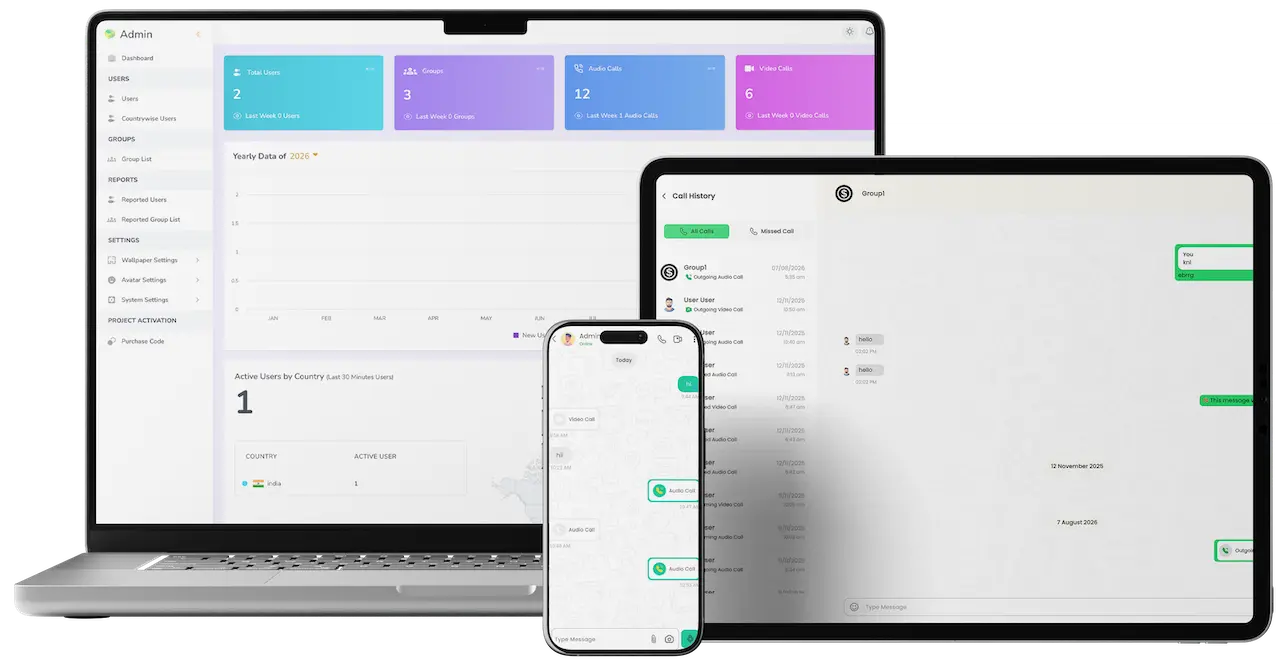
Cross-platform messaging solution with admin dashboard, web chat, mobile messaging, and audio and video calling.01
Pick it if: You want this platform explained against WhatsAppWhatsApp Clone

Branded messaging app with encrypted chat, voice and video calls, stories and an operator console.

Explore Solution
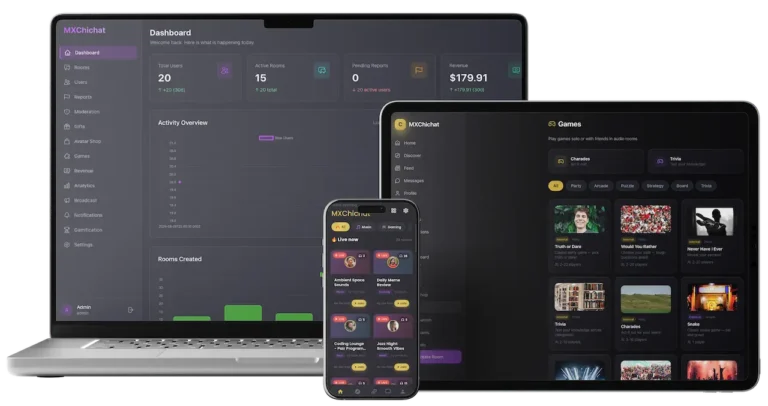
ChillChat social chat platform with admin dashboard, live audio rooms, games, messaging, moderation, gifts, and analytics across devices.02
Choose it if: you need virtual gifts and live audio roomsChillChat Clone

Live-streamed social audio rooms for creator communities, with gamification and an economy built on virtual gifts.

Explore Solution
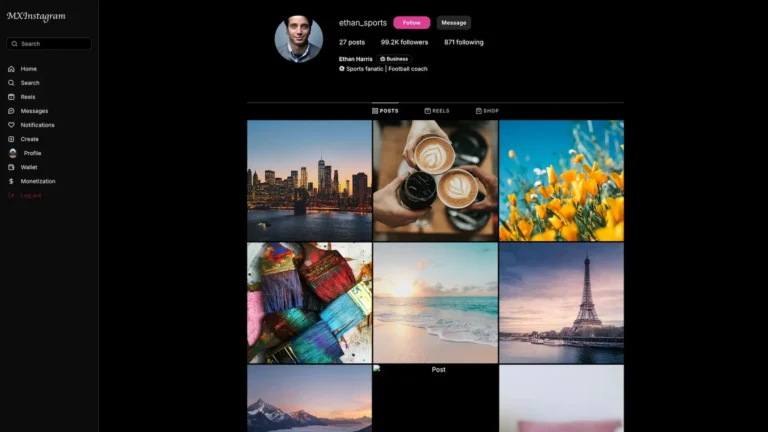
MXInstagram business profile with follower statistics and Posts, Reels and Shop tabs03
Choose it if: your users publish publicly to followersInstagram Clone

Feeds, stories and follows make up this photo and video social network, topped by a creator layer.

Explore Solution
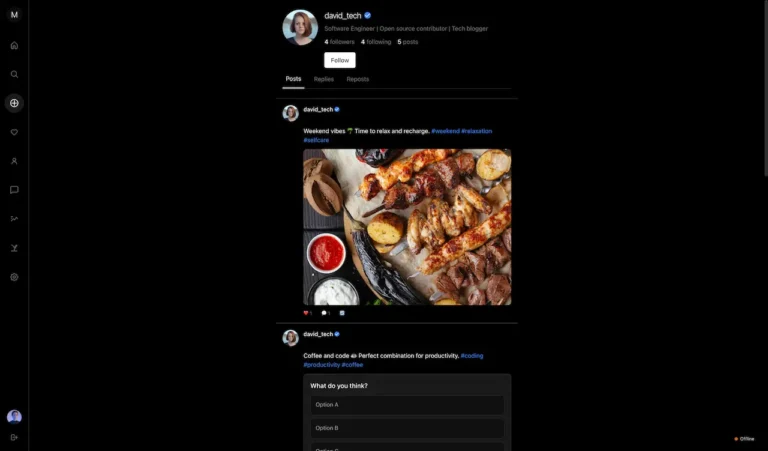
Member profile feed featuring photo-based posts, captions, hashtags, follower information, and engagement actions04
Pick it if: Public text conversation is the productThreads Clone

Text-first social network with threaded replies, polls, reposts and follows for public conversation.

Explore Solution
CatalogAll 90+ solutions

09The business case

The Opportunity

Why Launch Your Own Messaging App in 2026?

On nearly every phone, messaging is the category opened most often, and that is why organizations keep finding their own community inside an app run by a company they have no connection to. Operators who change this are not competing with a global messenger on global scale. They pick one audience that is already in constant conversation and provide a home that they own for that conversation.

01

Daily Use Wins Over Reach

People open a messenger dozens of times each day with no notification prompting them. No other category comes with that habit already built in, and that is why messaging becomes the surface everything else attaches to.

02

Calls Carry No Per-Minute Fee

Voice and video connect device to device, so talk time never appears on your bill. Products built on a paid calling vendor grow more expensive exactly as they succeed.

03

Groups Are Seeking Options

Group caps, moderation that cannot be managed and sudden rule changes push organizations to look elsewhere for their community. They are already searching, and most do not realize owning it is affordable.

04

Native Language Is Underserved

Global messengers translate an interface without building for a market. Sixteen languages with real right-to-left support, plus more added from a console, is a genuine edge in regions served last.

05

Data Residency Drives Buying

Public bodies, regulated sectors and large enterprises increasingly cannot run internal communication on a foreign consumer platform. For them self-hosting is a requirement, not a preference.

06

One Codebase, Several Brands

With branding, languages and limits held as configuration, one platform can be deployed again and again for different clients or markets, turning one purchase into a repeatable business.

Product Numbers

16

Built-In Translations

12

Content Formats

15

Admin Dashboard Counts

6

Days Until Launch Day

The economics are unusually kind compared to most app categories, since the expensive part of a messenger is not what it costs to run. Calls connect directly between devices, so voice and video never meter, and you pay for the platform once and then for hosting.

Market Benchmarks

Messaging Market Benchmarks - Third-Party 2025-2026 Figures

Our own product is described in the sections above, whereas the figures that follow originate elsewhere. Meta's investor materials, DataReportal and Ofcom published them, and they are quoted as released. They indicate how big messaging has become, how routine it is, and where business messaging begins to generate revenue, letting you set your plan beside sources you can check.

Meta01

WhatsApp Passes 2bn+ Daily Active Users

On its earnings call for the fourth quarter of 2025, held on 28 January 2026, Meta reported that one or more of its apps is used daily by over 3.5 billion people, and that Facebook and WhatsApp each have over 2 billion daily actives. In the accompanying press release, Family daily active people reached 3.58 billion in December 2025, a 7 percent rise year over year.

DataReportal02

WhatsApp Reaches 54% of Online Adults Each Month

In the Digital 2026 Global Overview Report from DataReportal, authored by Simon Kemp using a Q2 2025 GWI survey covering adults aged 16+ who are online, WhatsApp ranks fourth of the social platforms with 54 percent, with Messenger behind it at 38.4 percent. A person counts as a user if active at least once in the prior 30 days.

Ofcom03

WhatsApp Is Used by 90% of UK Adults

Ofcom's 2025 report covering how the UK goes online, released on 10 December 2025, names Google Maps, Facebook and WhatsApp as the three most-used apps among adults. At 90 percent of adults, WhatsApp sits just below Facebook and Messenger combined at 93 percent. For children aged 8 to 14, Ofcom reports WhatsApp at 63 percent.

Meta04

WhatsApp Paid Messaging Reaches a $2bn Run-Rate

Meta stated during its call for the fourth quarter of 2025 that WhatsApp paid messaging passed an annual run-rate of US$2 billion, and that growth in click-to-message ads revenue sped up, with the US growing over 50 percent compared with a year earlier. Other revenue for Family of Apps, led by Meta Verified and WhatsApp paid messaging, came to US$801 million for the quarter, a 54 percent increase.

Sources, listed as released.

Meta Platforms, Inc., Fourth Quarter 2025 Results Conference Call (transcript), 28 January 2026 - s21.q4cdn.com

Meta Platforms, Inc., Form 8-K, Exhibit 99.1: Meta Reports Fourth Quarter and Full Year 2025 Results, 28 January 2026 - sec.gov

DataReportal (Kepios, with Meltwater and We Are Social), Digital 2026: Global Overview Report, October 2025 - datareportal.com

Ofcom, From apps to AI search: how the UK goes online in 2025, 10 December 2025 - ofcom.org.uk

Every figure is a statistic, survey result or run-rate that its publisher reported, shown as published. The numbers describe the market. They say nothing about how any app Miracuves builds will perform, nor should any of them be read as projected revenue for your business.

Revenue Logic for Hosts

Marketability, Revenue Potential & Appetite in the Market

Messaging economics are unusual, so it is worth being direct. A messenger does not earn like a marketplace: no commission applies to a conversation and no take rate applies to a call. What it produces is attention and dependency, since people open it many times each day while their relationships live inside it; the operators who do well are those who can say what that attention is worth to them.

  1. 01

    Reselling Under Your Name

    A separate deployment per client, each rebranded from the console in an afternoon and billed by you, turning one purchase into a repeatable line of business.

  2. 02

    Paid Memberships & Entry

    Where the community is the product, access is what people pay for. That calls for a payment integration added on top, which counts as scoped work and not a base feature.

  3. 03

    Keeping Current Customers

    Tie the messenger into a business you already run, giving customers, members or staff a reason to stay in your app. The return shows up in that parent business.

  4. 04

    Fixed Running Costs

    No license fee, revenue share, per-message charge or per-minute calling bill. Scaling costs you hosting, both the rarest and the most valuable property in this category.

A host's view of renting messaging: chat APIs priced by active user, voice minutes, sign-in text messages and store billing, each placed against a self-hosted deployment.
Rented capabilityHow the vendor billsPublished priceList priceWhat changes if you host it
Chat API (Sendbird)A subscription tier covers a block of monthly active users; the tier you land in rises as your audience grows.Starter $349 a month on annual billing, 5K active users; Pro $499.A hosted deployment has no active-user tiers. Your spend follows infrastructure and staff time, which is why the break-even point depends on audience size and cannot be stated in general.
Chat API (CometChat)A base plan plus a per-user overage that falls as the active-user tier rises. Concurrent connections are metered separately.Basic $239 a month on annual billing; $0.10 per extra active user; $1 per extra concurrent connection.Neither meter exists on a deployment you run. Capacity planning replaces them: you size servers for peak connections yourself and carry the on-call work.
Calling minutes (Twilio Voice)Per-minute charges, split by direction and number type, plus a monthly rental for each inbound number.Inbound local $0.0085 per minute plus $1.15 a month per number; browser or app calls $0.0040 per minute.Calls between accounts on your own platform are routed by your own media servers rather than sold by the minute. Reaching an outside phone number still means paying a carrier.
Sign-in text messages (Twilio SMS)Each text is billed by 160-character segment, in both directions, with carrier surcharges added.$0.0083 per segment on US local, toll-free or short code numbers.Self-hosting does not make a one-time code free if it travels by SMS. Email sign-in, which the platform supports, avoids the per-text charge; phone-number sign-in keeps it.
Paid access inside the app (store billing)Apple and Google deduct a share of digital purchases made through their billing, and Google adds a separate billing fee.Apple: 85% kept after year one. Google Play US: 20% plus 5% billing on other in-app purchases beyond a developer's first USD 1 million a year, and 10% plus 5% within it.Hosting your own code leaves these deductions in place for sales made inside a store app. They apply to the host's customers' payments, so price memberships with them in mind.

How to read this. Chat-API prices were copied from the Sendbird and CometChat pricing pages, and calling and text rates from Twilio Voice and Twilio SMS. Store terms come from Apple's subscription page and Google Play's fee table. Each figure is a vendor list price at the time of reading, with enterprise and negotiated terms left out. Treat the table as a reference point for your own costing, not an offer from these vendors or from us, and not a prediction of what you would save.

Primary Income Sources
  • Resale & White-Label
  • Membership & Access
  • Retention for an Existing Business
Multi-Year Payback

For most operators the return is control and retention.

  1. 01A repeatable line of business
  2. 02The community, the data and the rules are theirs
  3. 03No platform policy change can take members away
  4. 04Growth costs you hosting, an exceptionally rare and valuable property in this category
Modeled Earnings Examples

For most buyers the payoff is not advertising. It is that the community, members and data belong to them, that group size is no longer a limit set by another company, that a bad actor can actually be removed, and that the organization is no longer one policy change from losing its audience. Direct revenue, where it appears, comes from resale, paid access or keeping customers of a business you already run.

One Community Debut1Organization Rollout

One membership moved in-house on one deployment.

An association or club moving its group chat onto an app of its own: phone-number signup, groups capped at a size it chooses, its own report reasons behind the moderation queue, and a dashboard that finally shows who is active. No payment integration, because nothing is for sale yet.

Company-Wide Deployment16Supported Locales

Staff communication the business genuinely owns.

A company running internal messaging on infrastructure it owns, signing users in by email instead of SMS, so each new user costs nothing to onboard. Its operators open and close accounts, messages stay in its jurisdiction, and each office uses whichever of the sixteen languages it works in.

Our White-Label Range4Apps for Each Client

A single platform, redeployed and rebranded for each customer.

An agency deploying separately for each client and rebranding in an afternoon from the console. Each client receives iPhone, Android, browser and console under its own name, without a fork per customer and with nothing flowing back to us.

10Why Miracuves

Why Miracuves

Miracuves vs Other White Label Messaging Vendors

Several routes lead to a messaging app: a hosted chat SDK billed per user, a generic script, a freelancer, an agency, or owning the platform outright.

The difference appears the first time someone has to be removed, not during the demo.

  • 01

    Moderation Is Included, Not Priced Separately

    Reporting, blocking, operator-written report reasons and review queues for people and groups arrive built. Elsewhere they turn up as a post-launch change request, typically the week after the first serious incident.

  • 02

    Four Separate Surfaces, Not a Single One Re-skinned

    iPhone, Android, browser and an operator console kept in step by one API. A messenger that only ships a phone app leaves desk users and operators with no way in.

  • 03

    Calls Built In, Never Billed

    Voice and video are built in and connect device to device. Many scripts skip calling or wire it to a per-minute vendor, which quietly makes success expensive.

  • 04

    Sixteen Ready Translations

    Not an empty language file. Sixteen locales arrive translated with proper right-to-left, and a seventeenth can be added in the console without waiting for a release.

  • 05

    Encryption Comes Standard

    End-to-end encryption comes with the delivery and is not a premium module priced after you have committed. Many competing scripts omit it or sell it as the upgrade behind a cheap headline price.

  • 06

    The Source Code Is Actually Handed to You

    Full source with no license conditions, revenue share or dependency on us, built on Node and Flutter so any capable team can carry it forward.

Compare and See Why Clients Pick Us as the #1 Partner for Ready-Made Clone Solutions

CriteriaMiracuvesMiracuves White Label Messaging AppGeneric Clone ScriptCustom Dev Agency
Time to Launch6 days (Production)Unknown / DIY6-9+ months
Source-Code Ownership✔ FullOften limited / encryptedUsually yes
Feature DepthHigh (chat, calls, stories, moderation)Basic (text chat only)Depends on budget
Security & ComplianceEncryption end to end, with controls documentedMinimalVaries widely
Scalability & PerformanceCalls go device to device, with a documented scale pathRarely consideredDepends on architecture
Monetization OptionsResale, paid access, retentionLimited / needs custom workCustom (more time & cost)
Admin & AnalyticsFull-fledged dashboardVery basic or missingCustom build (extra cost)
Cost vs Speed vs QualityBalancedCheap but riskyHigh cost, slow
Ongoing Support & UpdatesAvailable with clear plansUsually noneDepends on contract

Any demo proves messages arrive. What separates platforms is what has to hold on day ninety: working moderation, support for a second language, an operator who need not be a developer, and a bill that did not grow with call volume.

Talk to Our Team

Changelog

Release Notes - Platform Versions & Changes

VersionDateWhat’s New
v2026.1Sep 2026First release, covering groups, messaging, voice and video calls over WebRTC, stories that last 24 hours, moderation queues, polls and reactions, and a console in 16 languages.

Let’s build together

Let’s move your idea toward a service you operate.

You get a free consultation, a clearly stated timeline and direct answers. For us, gaining your trust outweighs rushing a deal.

  • Reply in 24 hrs
  • Free consultation
  • No lock-in contracts
  • Full source code ownership

11Learn more

Blog & Resources

Messaging Platforms - Latest Insights & Guides

Research, build notes and practical guidance on running a messaging platform you own and host yourself.
Product6 questions

01What is a white label messaging app?

A white label messaging app is a finished messaging platform you publish under your own name and run on your own servers. In the Miracuves White Label Messaging App, people register with their phone number and a one-time code, then find their contacts and open private or group chats with photos, video, voice notes, documents, location and contacts. Voice and video calls, 24-hour stories, polls, reactions, typing indicators and read receipts are all included. You run it from an operator console that offers fifteen dashboard metrics and moderation queues. It is delivered as iPhone, Android and browser apps plus the console, in sixteen languages.

02How is this different from a hosted chat SDK or SaaS messenger?

A hosted chat SDK or SaaS messenger bills per monthly active user or per message, keeps the conversations on its own infrastructure and can change its terms or pricing whenever it likes. With the Miracuves White Label Messaging App you receive the complete source code, the database sits on your servers, and there is no per-user, per-message or per-minute charge. If you stop working with Miracuves, nothing switches off.

03Which parts carry your brand?

Everything your users see: the app name, icon and splash screen, the store listings in your own Apple and Google developer accounts, logos, primary and secondary colors, favicon, banner, copyright line, privacy and terms links, sign-in methods and the language set. Most of it is a form in the operator console, and no Miracuves name appears anywhere in the product. Deeper visual changes, for example new screens or a navigation redesign, are code work that Miracuves quotes as customization.

04How does the sixteen-language support work?

Sixteen translated locales are included: Chinese, Turkish, Swedish, Russian, Portuguese, Polish, Japanese, Italian, Hungarian, French, Spanish, English, Greek, German, Danish and Arabic, with proper right-to-left layouts. You enable the locales you need, choose a default and edit any wording in the console. Because the apps load their wording from the server, a seventeenth language can be added, or a phrase changed, with no app-store resubmission.

05What moderation tools do we get?

Users can block one another, and the block applies to messages and calls straight away. They can also file a report against an individual or a group, choosing from reasons you write. Every report reaches the operator console carrying the reporter, account, reason and conversation. Operators are able to block an individual user or a full group, and reports marked as reviewed keep two moderators from handling the same case. A sensitive chat can also be locked behind its own password. How you moderate and who staffs the queue are decisions that stay with you.

06Can one person be signed in on phone and laptop at once?

Yes. One account keeps several live connections open simultaneously, and every message goes to all of them. Read a message on the laptop and the phone updates, instead of showing it unread all day. This comes from the real-time architecture itself and is not a sync trick, so messages, typing indicators and incoming calls all behave the same way.

Hosting, encryption & calling4 questions

07Is it end-to-end encrypted?

Yes. Messages are encrypted on the device that sends them and decrypted on the device that receives them, which makes everything crossing the network or stored in your database ciphertext. Call media is protected by the WebRTC stack's built-in encryption. Combined with self-hosting, conversations cannot be read on the wire or on disk, on infrastructure under your control. Encryption is configured during delivery and does not cost extra. Outside the base build sits the operational layer for keys - restoring encrypted backups onto a new device, plus recovery after a phone is lost - which is handled as a separately scoped add-on.

08Do voice and video calls cost anything per minute?

No. Calls connect directly between the two devices over WebRTC, so on a direct connection the audio and video never touch your servers and no calling vendor meters them. A relay server picks up the smaller share of calls where a restrictive network cuts off the direct route; that relay is the only part of the calling setup with a running cost.

09Can we host it on our own servers and in our own country?

Yes. The whole white label messaging app is self-hosted: the Node.js API, the MySQL database, media storage and the call relay all run on infrastructure you choose, in the jurisdiction you choose, behind your own network controls. That is why public bodies and regulated enterprises can use it where a foreign consumer app is not allowed. The legal duties of running a messaging service in that country, such as data retention and lawful-access rules, stay with you as the operator.

10Does it handle payments, and how many users can it take?

Payments are excluded from the base build on purpose. Messaging functions fine without them, and the best provider varies by market, Paid tiers or transfers therefore come as an integration that Miracuves scopes and quotes on its own. For capacity, a single modest server can run a launch community. Connection state is held in the database, so growing means adding a load balancer plus a real-time adapter, while the database side relies on object storage for media, read replicas and the usual indexes. Miracuves works out the size of the first deployment together with you, and writes down which measurement calls for which step.

Pricing, ownership & Miracuves5 questions

11How much does it cost, and how long does launch take?

Your white label messaging app from Miracuves costs $3,099 for a single payment. That price includes all four surfaces, the complete source code, sixteen languages, the documentation set and deployment on your infrastructure, with no license fee or revenue share. Standard delivery takes six working days from the point your infrastructure is up and your third-party accounts are set. Timing in practice depends on a Google Play account and an SMS provider approved in your country, your brand assets and App Store review. Custom work gets its own scope and quote.

12Do we own the source code, and can we resell it?

Yes. You receive the Node.js API and the Flutter mobile app, along with the operator console and the browser client, with no license conditions attached. Change it, rebrand it, host it anywhere, hand it to another team, or deploy it again and again for your own clients. Miracuves takes nothing from what you earn, and the platform is built on ordinary Node and Flutter so nobody depends on us after handover.

13What does Miracuves bring to a white label messaging app build?

Miracuves has completed 9,000+ projects across 6,000+ clients since 2010 and offers 90+ ready-made solutions. This white label messaging app includes items that other messaging builds often quote after launch: voice and video calling without a per-minute vendor, moderation queues using your own report reasons, end-to-end encrypted messaging and sixteen translated languages. It brings four surfaces on one API and complete source code free of license conditions or revenue share. Delivery takes six working days. Support covers priority bug fixes for 6 months, product evolution for 12 months, and 60 days of platform guidance.

14How does a messenger platform earn revenue in practice?

Mostly not directly. For most operators the return is control and retention: the community, the data and the rules are theirs, and no platform policy change can take members away. Direct revenue, where it exists, usually comes from selling deployments on to your own clients, from charging for community access, or from using the messenger to hold on to the customers of a business you already run. In addition, advertising can work, but it needs real scale first.

15What are the running costs after launch?

Hosting and your third-party accounts, and little else. A server, a MySQL database, media storage, and whatever your SMS provider charges for sign-up codes, which is the one cost that rises as users are added, and the reason email sign-in suits internal rollouts. Calls are not metered, because they connect device to device rather than through your servers.

Disclaimer

Miracuves is an independent software development company. We are not affiliated with, connected to, sponsored by, or endorsed by WhatsApp, or any other messaging, chat or calling service.

Read our full Legal Notice & Disclaimer →
Section overview

“White label messaging app” describes a category of product, not any one company. Brand names appear elsewhere on this site only to describe the kind of platform being built and the terms buyers search for.

Builders of this app

The entire design and codebase is built by our own team. The product contains no code, design, graphics, or content originating from any third-party messaging website or application.

Messages, members and compliance are yours

No users, contacts or phone numbers are supplied with the platform. Data retention and lawful-access obligations, age and consent rules, content moderation, SMS sender registration, and the privacy and telecoms rules in every market you operate in are your responsibility. All third-party names and marks are the property of their respective owners.