v2026 - Production Ready

Triller Clone App - White-Label Sound-Led Short Video Platform

Build the feed around the track, not only around the poster.

Every reel on this build is made from a video, a track, a caption, hashtags and a place. The track is a row in a music library you curate by category, or audio the creator uploaded themselves, and it stays attached to the reel so anyone can open the sound and see every other reel that used it.

Be live in 6 Days, backed by

  • 60 Days Platform Guidance
  • Complete Source Codes
  • Complete Rebranding
  • Complete Whitelabeling
  • App Publishing Support
  • Bug fixes for 6 Months, product updates for 12 Months
MXTok admin · Music libraryLive
Sounds in the library1,860
Reels on the top track412
Sound categories24

Music library activity

  • Track added with title and artistAdmin music
  • Original audio extractedCreator upload
  • Reel published against a soundReel pipeline
  • Sound saved for reuseSaved list
  • Category createdSound taxonomy
  • Story posted carrying a trackStories
  • Reels-by-music page openedDiscovery
  • Sound removed from the pickerAdmin music
  • Track added with title and artistAdmin music
  • Original audio extractedCreator upload
  • Reel published against a soundReel pipeline
  • Sound saved for reuseSaved list
  • Category createdSound taxonomy
  • Story posted carrying a trackDiscovery
  • Reels-by-music page openedDiscovery
  • Sound removed from the pickerAdmin music
App in action
Usage counted per sounda usage count sits on the sound row itself

The Sound Layer in Brief

12
Admin Music Screens

a dashboard, four category screens, four sound screens and three Jamendo pages

2
Routes Onto a Reel

a category in the curated library, or audio the creator uploads as their own

Your Key
Jamendo Stays Optional

importing a licensed catalog runs on a client ID you register yourself

sound_id
The Field That Joins Them

one optional column points a reel, and a story, at the track it plays

Discovery Runs Through the Track

Open a sound and the build answers with every reel using it, which is a second way into the catalog that has nothing to do with who posted. Search, a music explore listing and a browse-by-category view feed the same picker, and anything a creator liked goes to a saved list they can pull from on the next upload.

Music Rights Stay With the Operator

No catalog ships with the code. Licensed import is an integration you switch on with your own Jamendo client ID, original audio belongs to whoever recorded it, and clearing any track for the markets you serve is your job, not ours.

Want the track to be a first-class object in your feed?Talk to Product Expert

Relied on by 6,000+ companies the world over

MediaCube is the best managed IT service provider in New York City by Expertise.comMiraQs as an official member of Forbes Business Council Miracuves is a verified agency with design rush. MiraQs is ranked as a trustworthy service provider with Trustpilot. Miracuves is one of the top managed service providers, companies by themanifest. Miracuves ranked as a top software development company by Design Rush. Miracuves is recognized as top software developed company by goodfirms. Miracuves Ranked among top 1000 companies globally by ClutchMiracuves is a top-minus service provider in the United States by Clutch

01See it live

Live in Action

Open the Picker, the Library and the Admin Music Pages

Three running surfaces, nothing to install on our side. In the app, start a reel and open the sound picker; in the admin panel, open the music pages and look at how categories, titles and artists are stored.

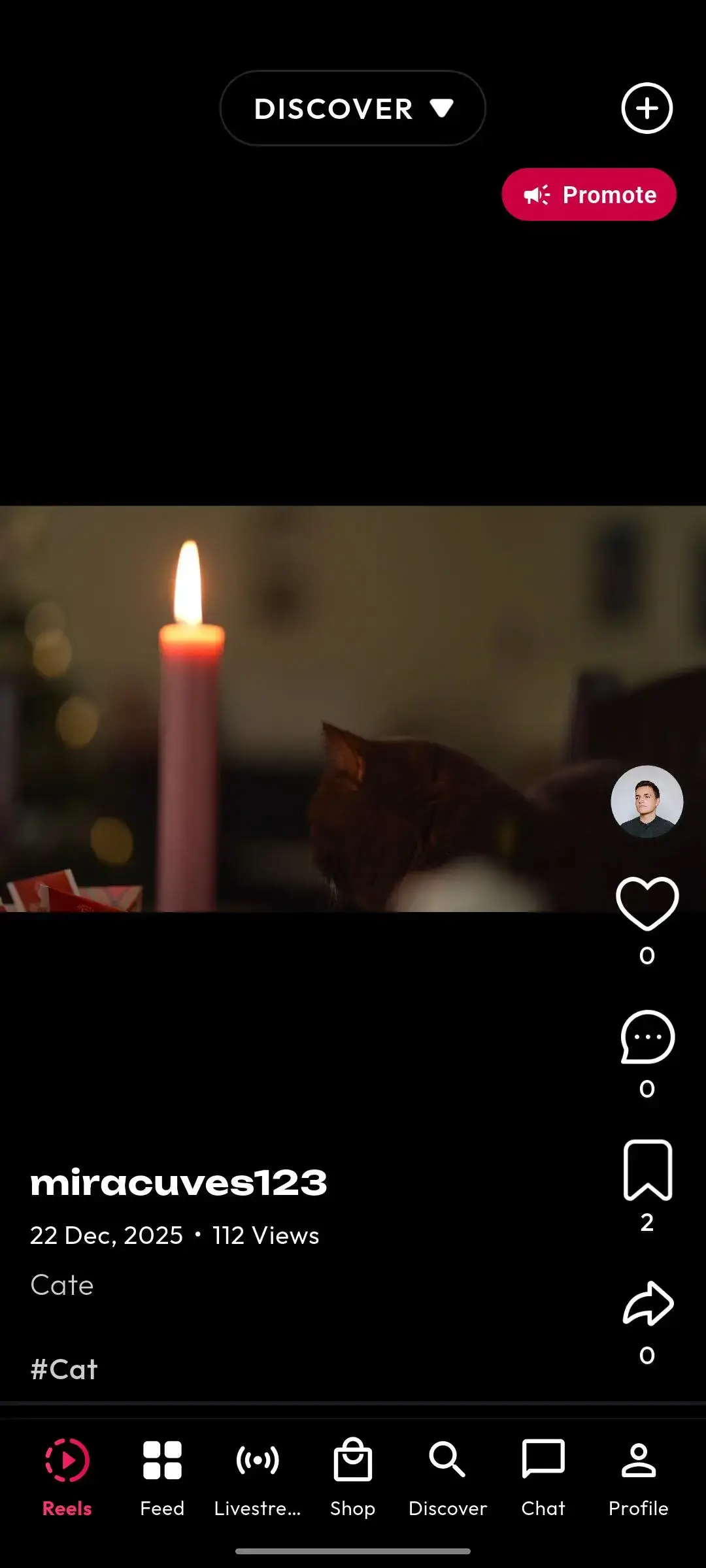
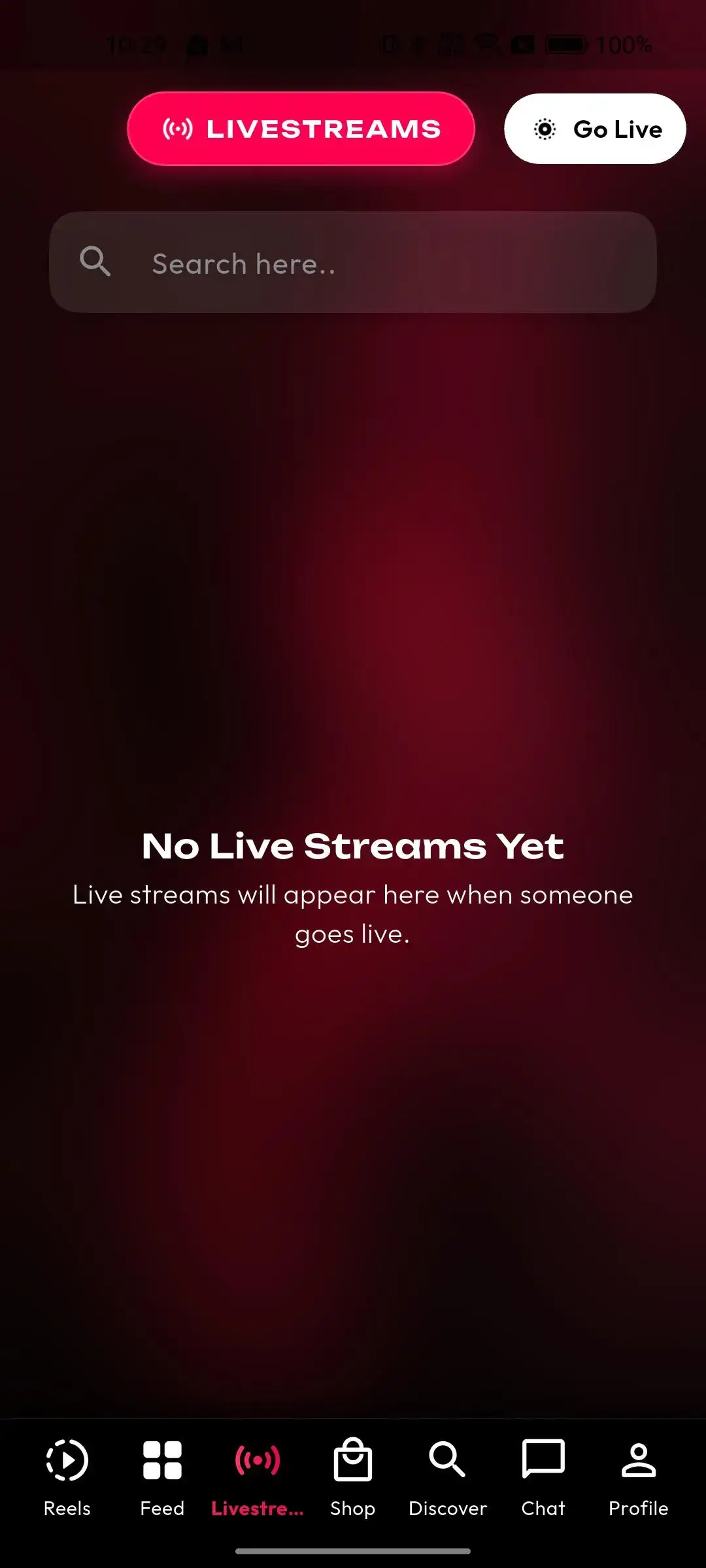
Mobile vertical-video feed with creator details, caption, engagement actions, discovery mode, and content navigationMobile live-video hub with livestream discovery, go-live controls, search, and current broadcast availability
Live demo
Viewer and Creator App

Triller Clone - Mobile App

The reel feed, the sound picker with its categories and saved list, original-audio capture, stories, live rooms, the coin wallet and the in-app shop.

Try:miracuves@yopmail.com | User_321
  1. 1Get the APK onto your Android device
  2. 2Sign in using the demo credentials listed above
  3. 3Start a reel, then open the sound picker and the saved list
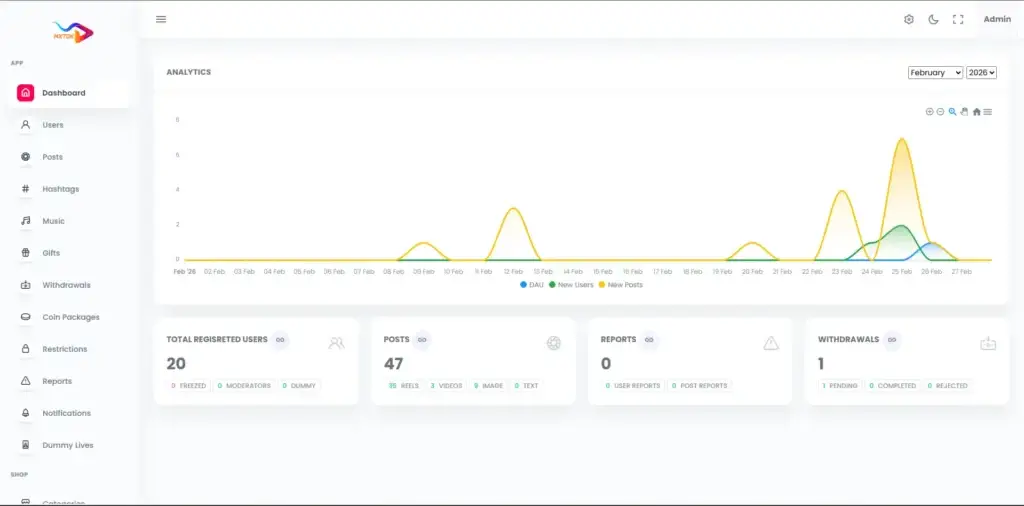
mxtok.mimeld.com/adminAdministrator analytics dashboard with user and post trends, registered-user totals, content totals, reports, withdrawals, and moderation status
Live demo
Operator Music Desk

Admin Panel in the Browser

Music categories and sound records with title, artist and file, plus users, posts, reports, withdrawals, coin packages, gifts and every global setting.

Try:admin | Admin_$321
  1. 1Launch the admin panel in a browser
  2. 2Open Music, then its categories, then the Jamendo page
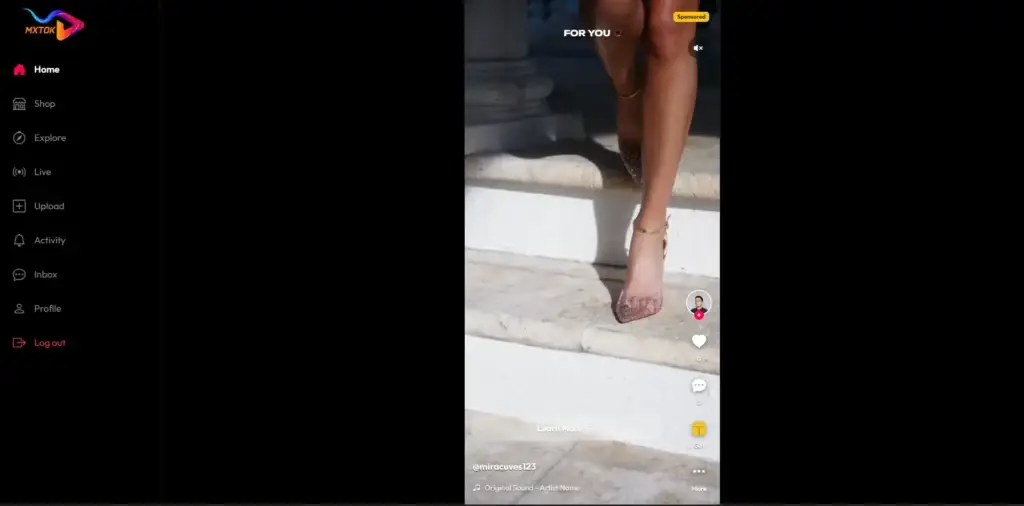
mxtok.mimeld.comDesktop short-video feed with For You content, sponsored labels, engagement controls, and platform navigation
Live demo
Browser Edition

Web App on Laravel Blade

The same backend seen from a browser: explore, reel pages, creator profiles, hashtag and location feeds, wallet and shop.

  1. 1Load the web app in a browser.
  2. 2Open a reel, then its creator profile and the explore tab

Walkthrough on Video

Triller Clone Video Demo: Sound Library, Reel Flow and Admin

Rather have someone drive? Book half an hour and we will open the sound tables, the reel create call and the music admin pages against your own questions.

Schedule a live walkthrough call.

Swipe Journeys

Screens From the Build: Viewer, Creator, Operator & Browser

Screenshots taken from the running build, grouped by the surface each belongs to: Viewers, Creators, Operators, plus the Browser Edition. Start with the creation set, because that is where the sound picker sits.

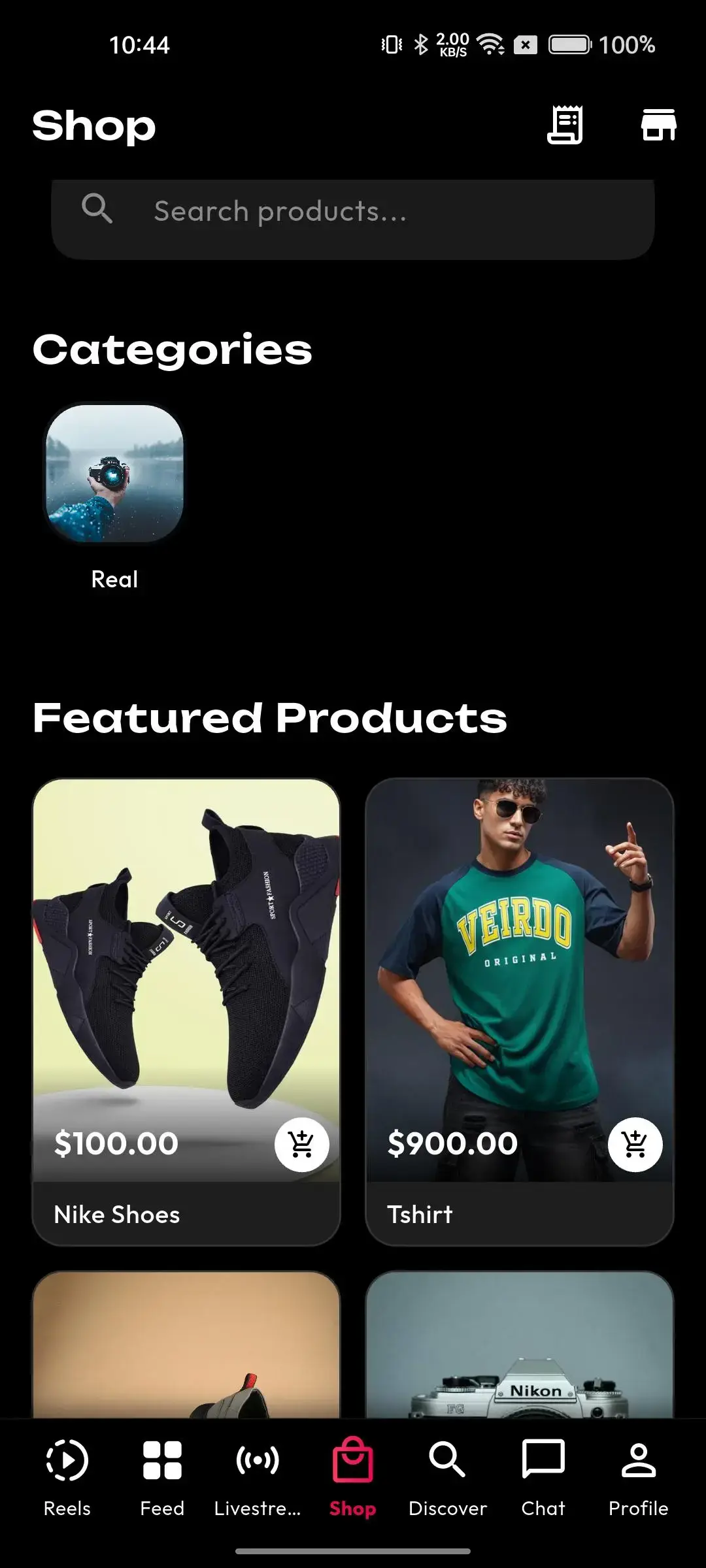
Mobile social-commerce shop with category search, featured products, images, prices, and marketplace navigation
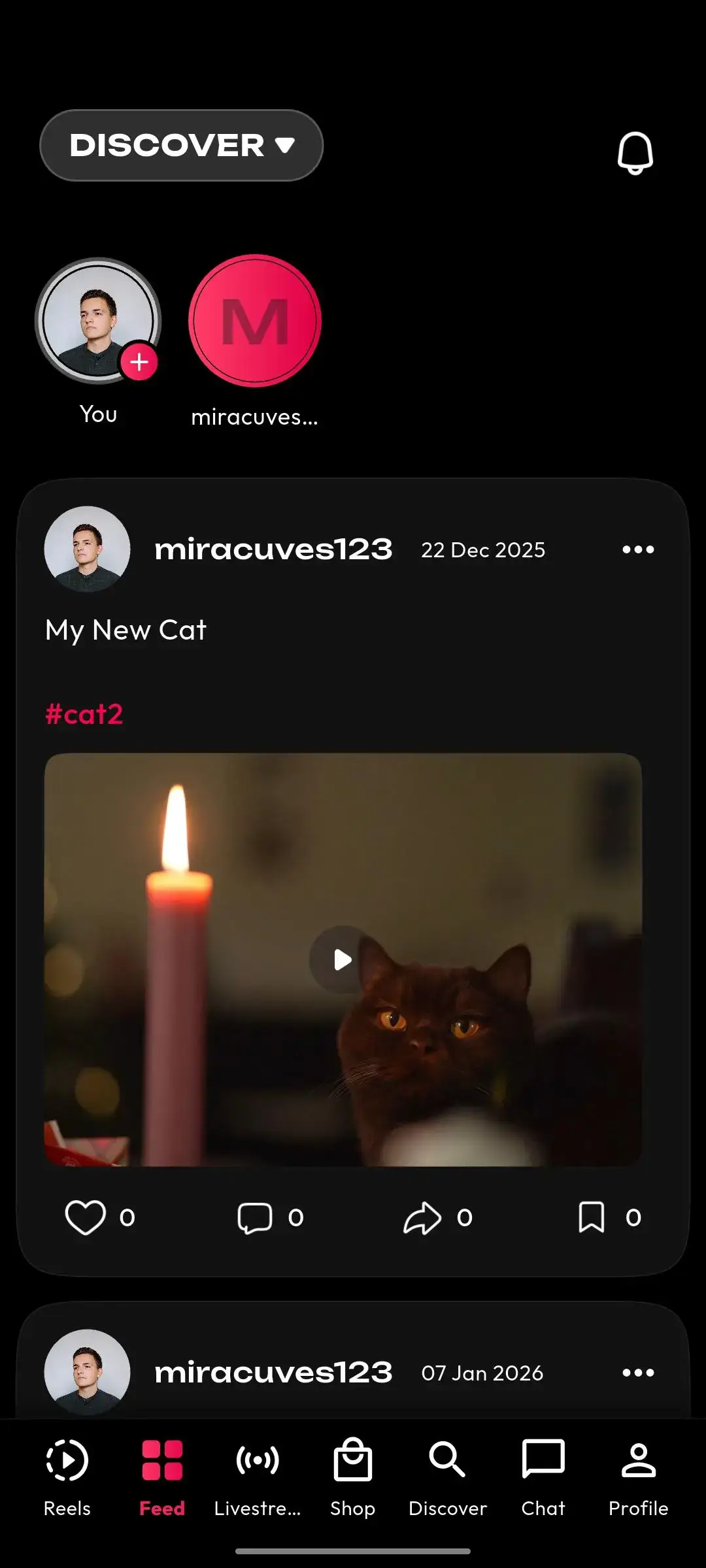
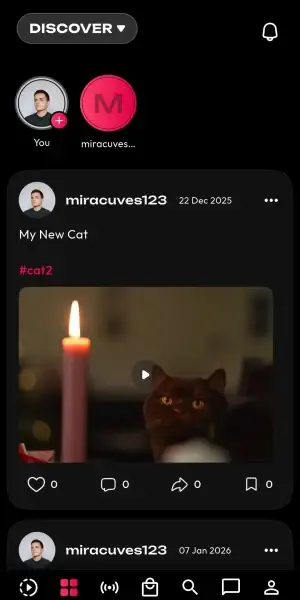
Mobile discovery feed with creator stories, user posts, hashtags, video engagement, and account navigation
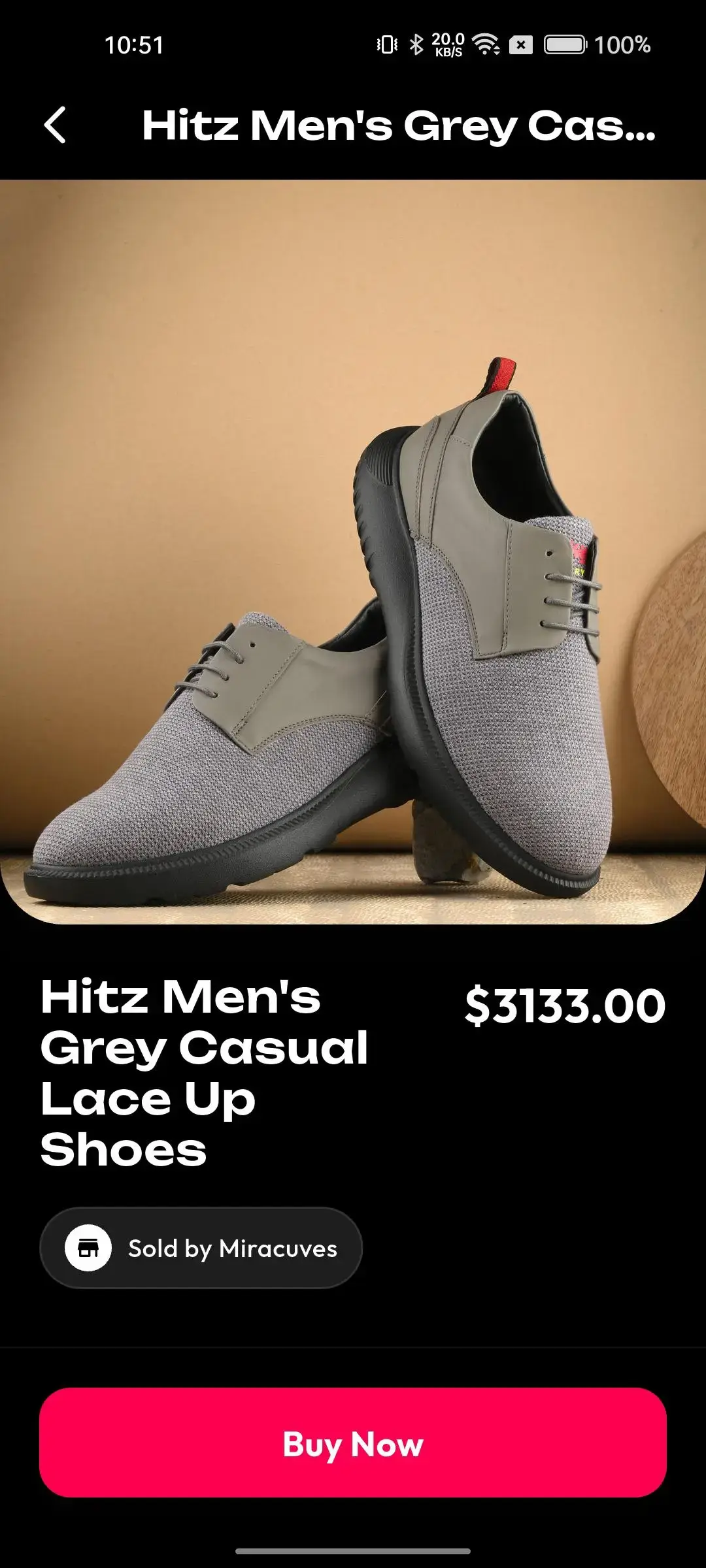
Mobile product page displaying footwear imagery, shopping details, price, seller information, and purchase actions
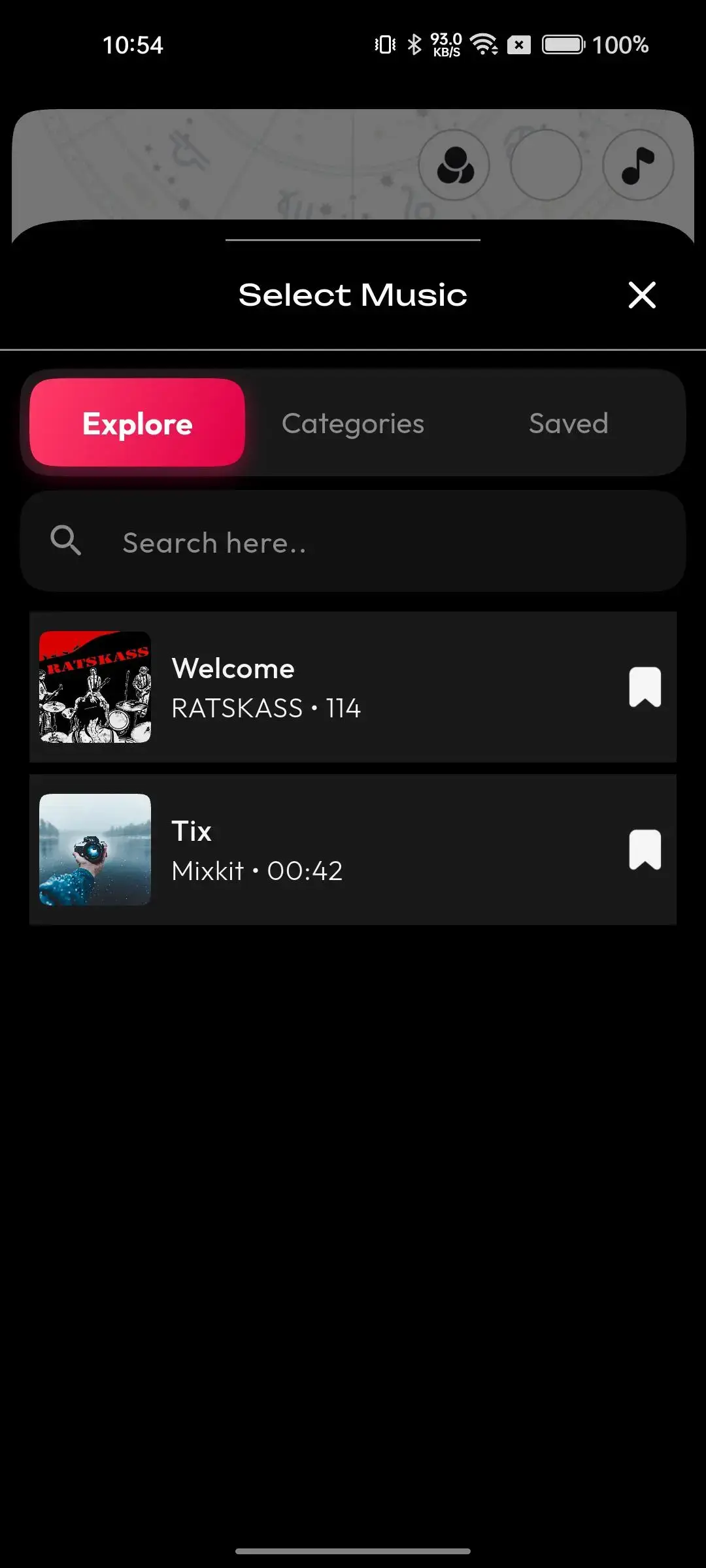
Mobile music picker with explore, category, and saved tabs plus track search, preview, duration, bookmarking, and selection
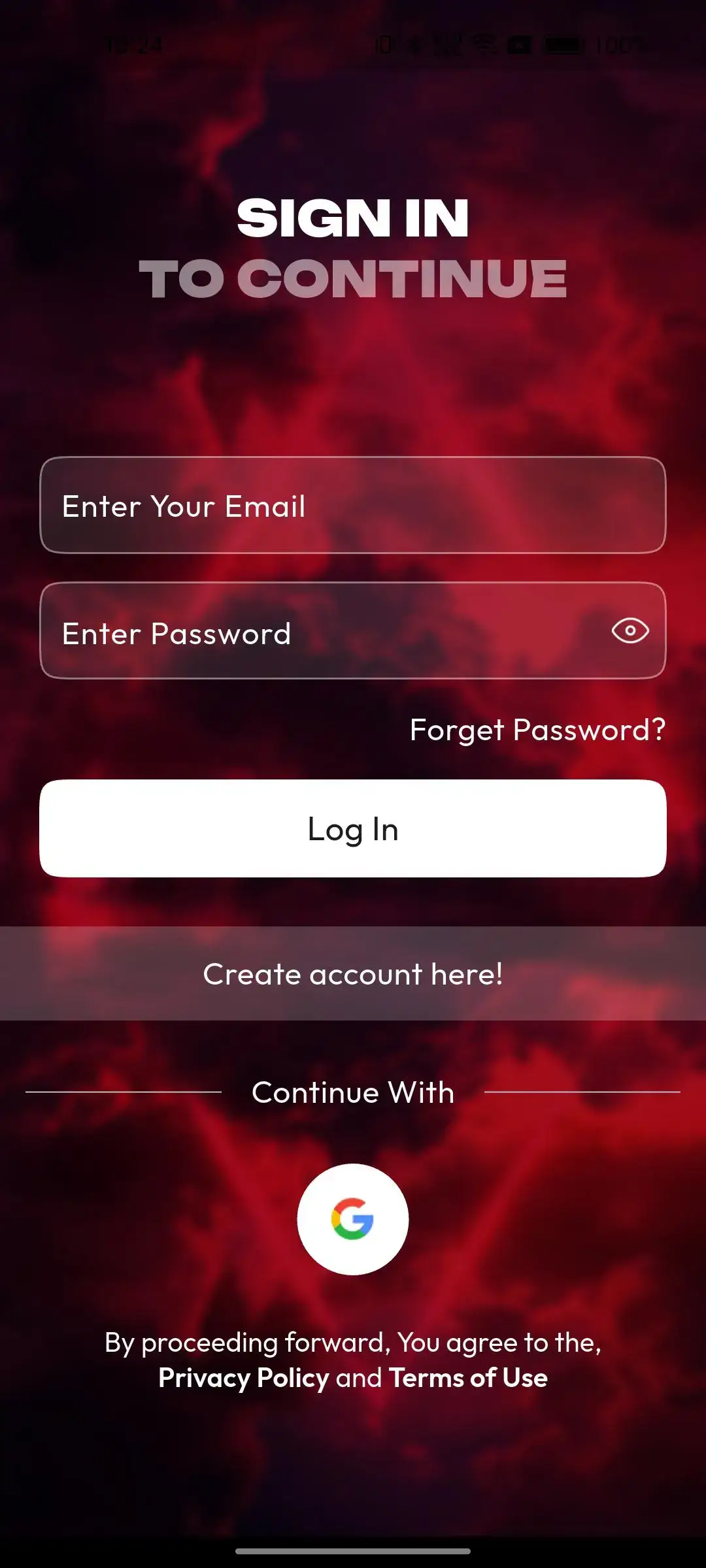
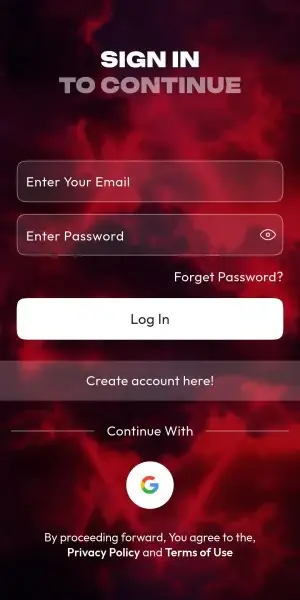
Mobile sign-in screen with email, password, recovery, account registration, and alternative authentication options
Mobile live-video hub with livestream discovery, go-live controls, search, and current broadcast availability
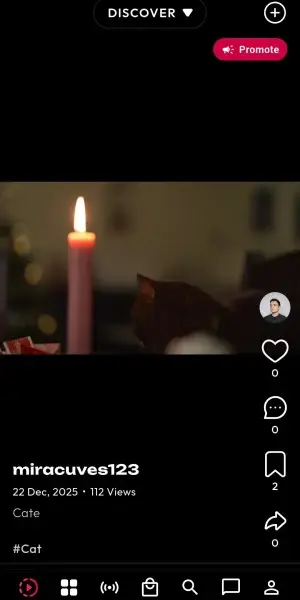
Mobile vertical-video feed with creator details, caption, engagement actions, discovery mode, and content navigation
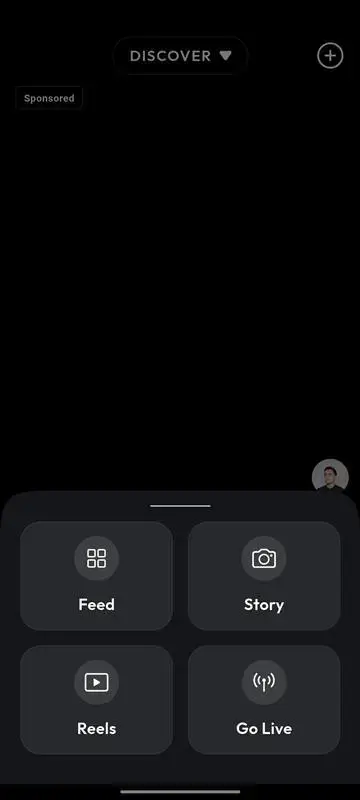
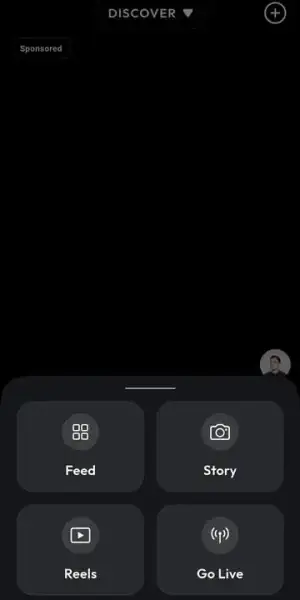
Mobile create menu providing quick access to feed posts, stories, reels, camera capture, and other publishing formats
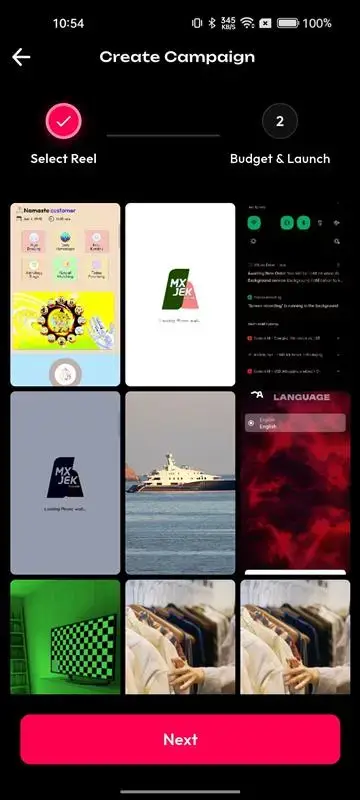
Mobile campaign builder with deal selection, budget and launch stages, creative previews, and promotional assets
9 screens · scroll →
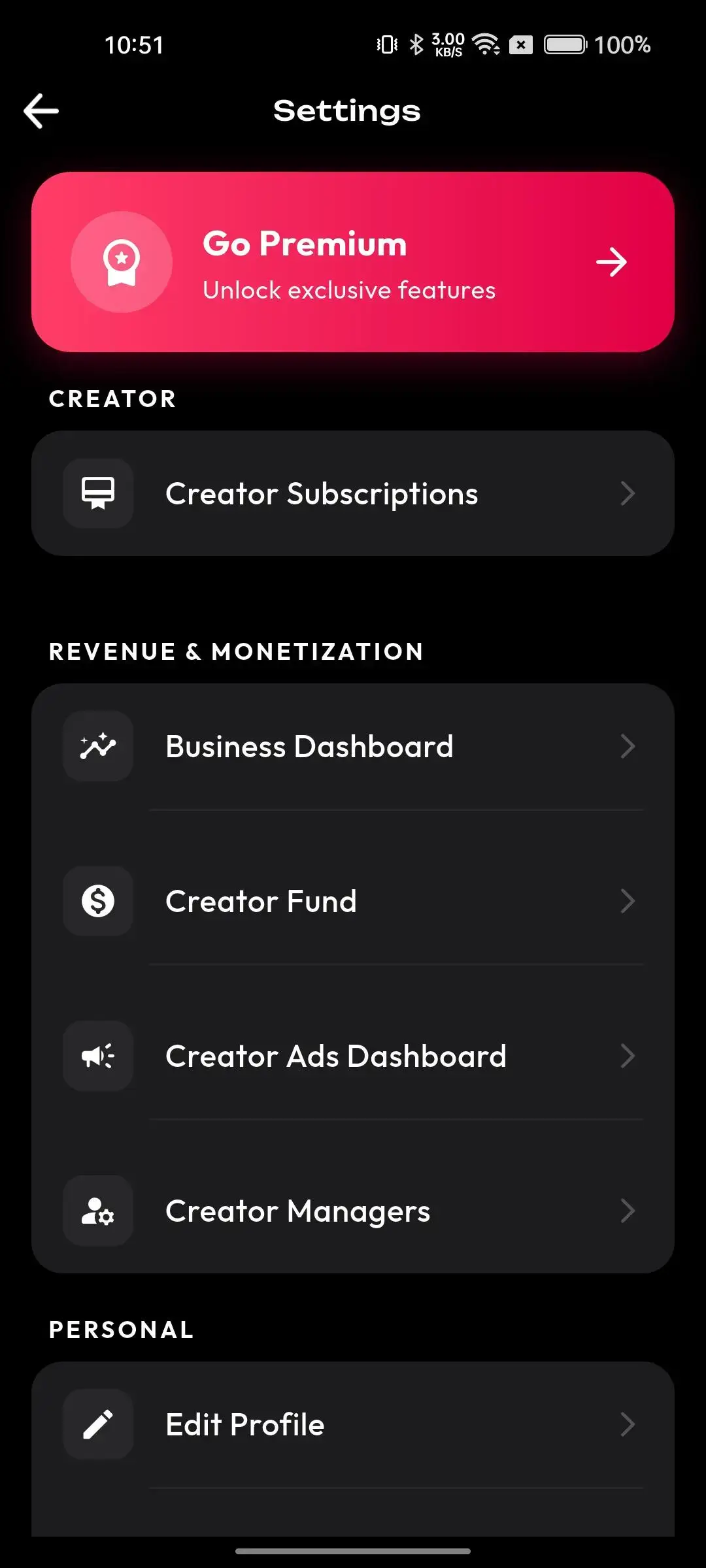
Mobile settings screen linking premium access, creator subscriptions, business dashboard, creator fund, and creator advertising tools
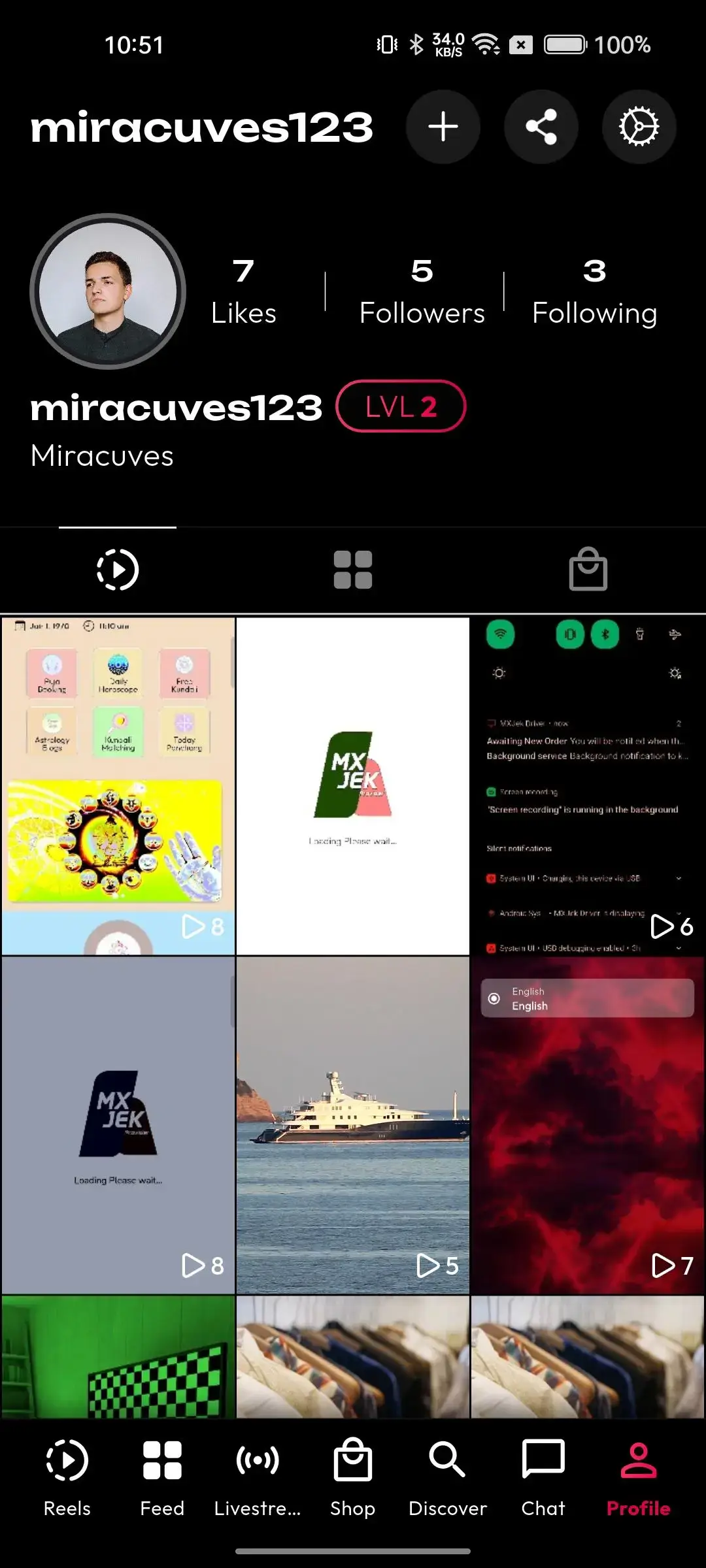
Mobile user profile showing biography, account level, likes, followers, following, videos, saved content, and profile actions
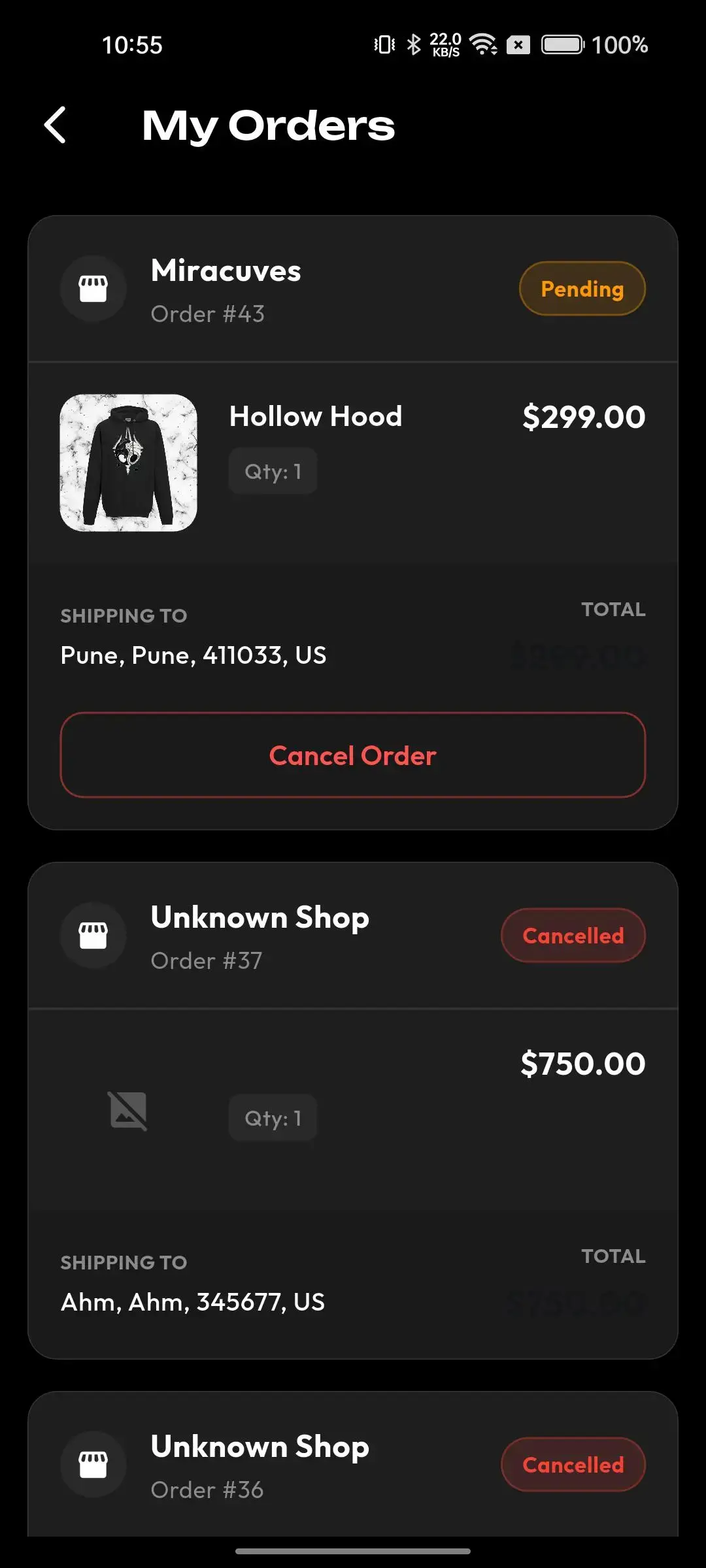
Mobile order-tracking screen showing purchased product, quantity, price, delivery address, total, and cancellation control
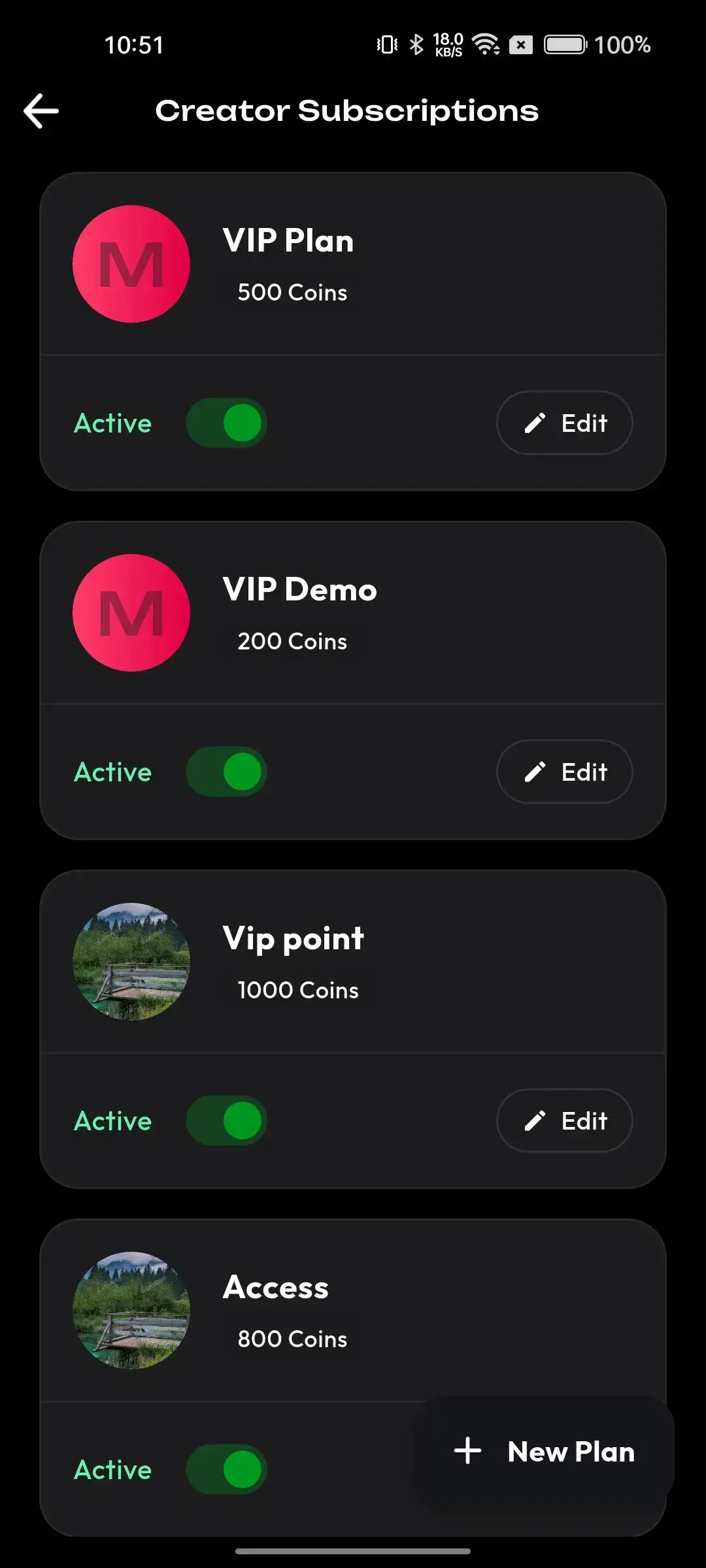
Mobile creator subscriptions screen with active VIP plans, coin pricing, promotion, and plan-editing controls
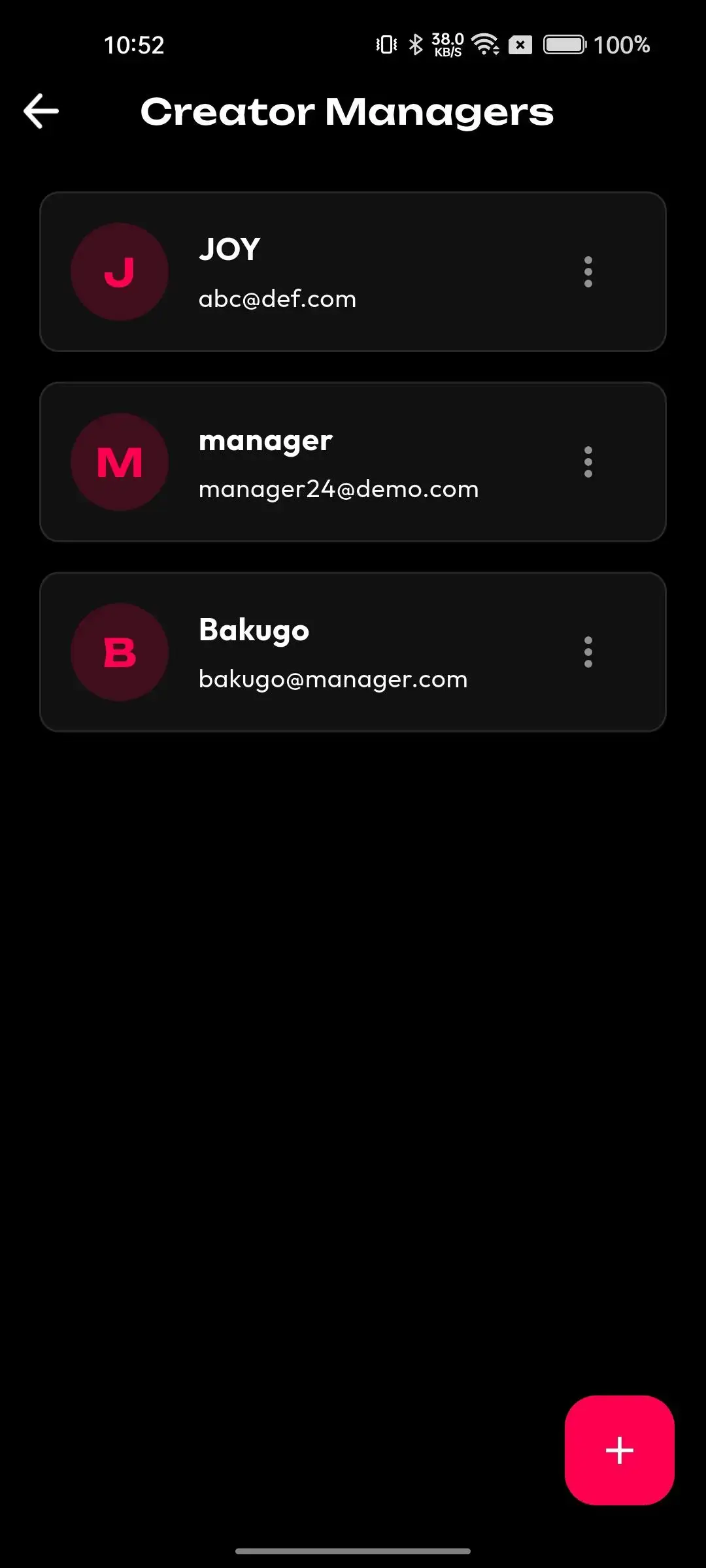
Mobile creator manager listing managed accounts with identities, email addresses, and account actions
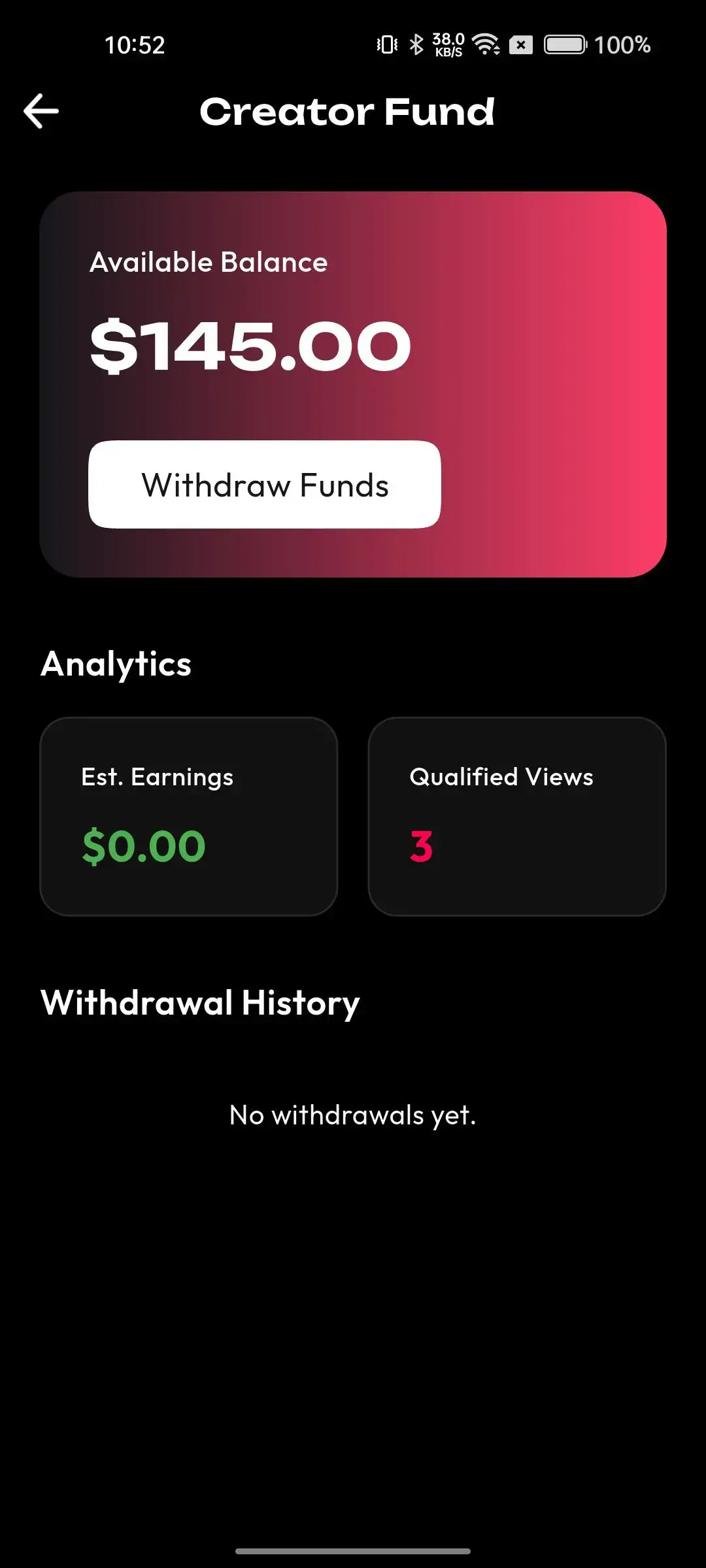
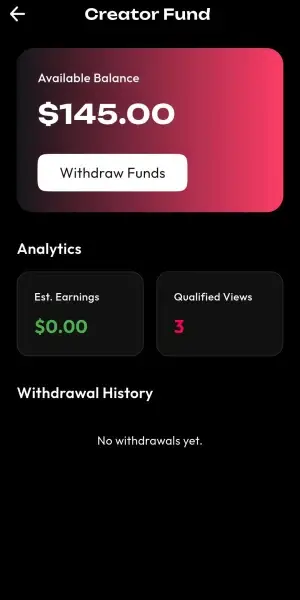
Mobile creator-fund dashboard showing available balance, withdrawals, estimated earnings, qualified views, and performance analytics
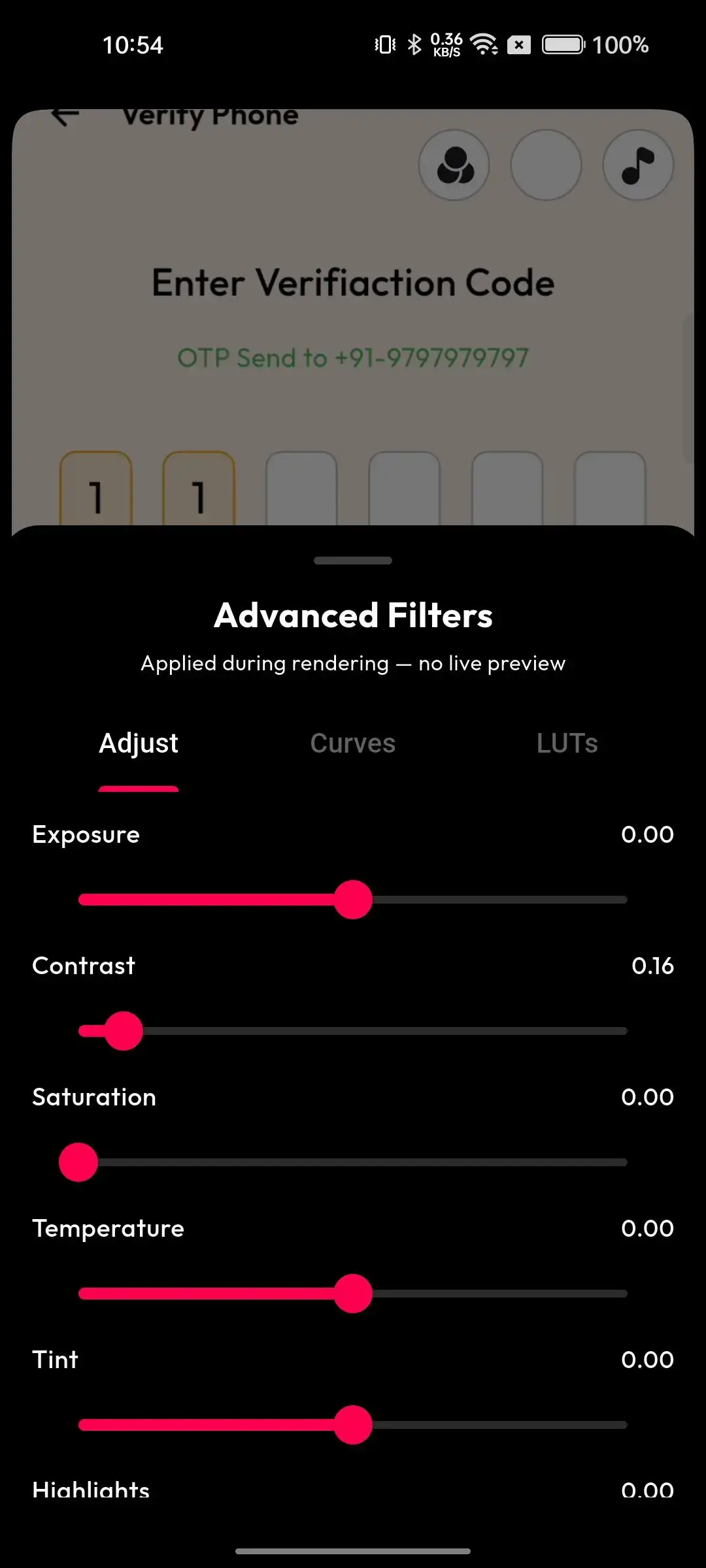
Mobile video editor with adjustment, curves, LUT presets, exposure, contrast, saturation, and live preview controls
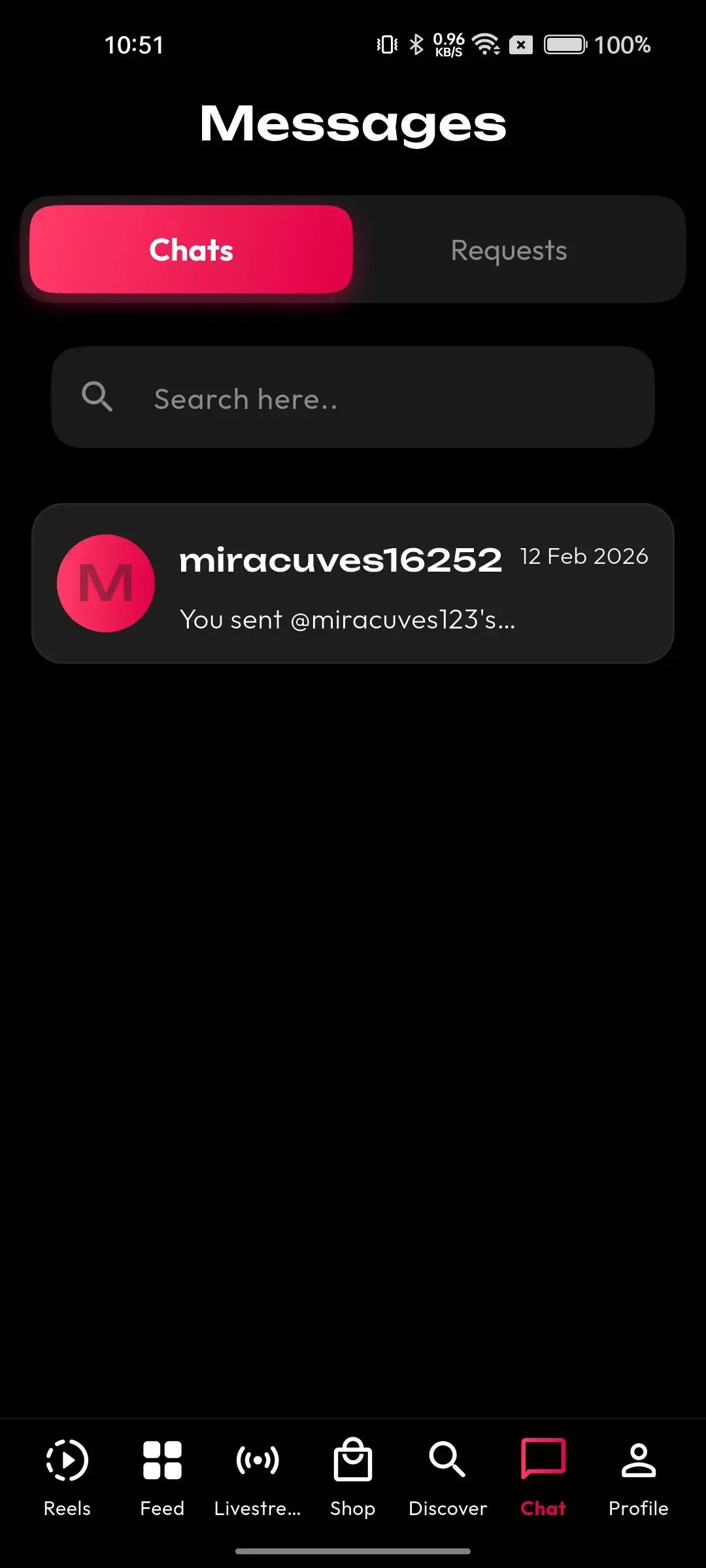
Mobile messaging inbox with chat and request tabs, conversation search, user threads, and recent-message details
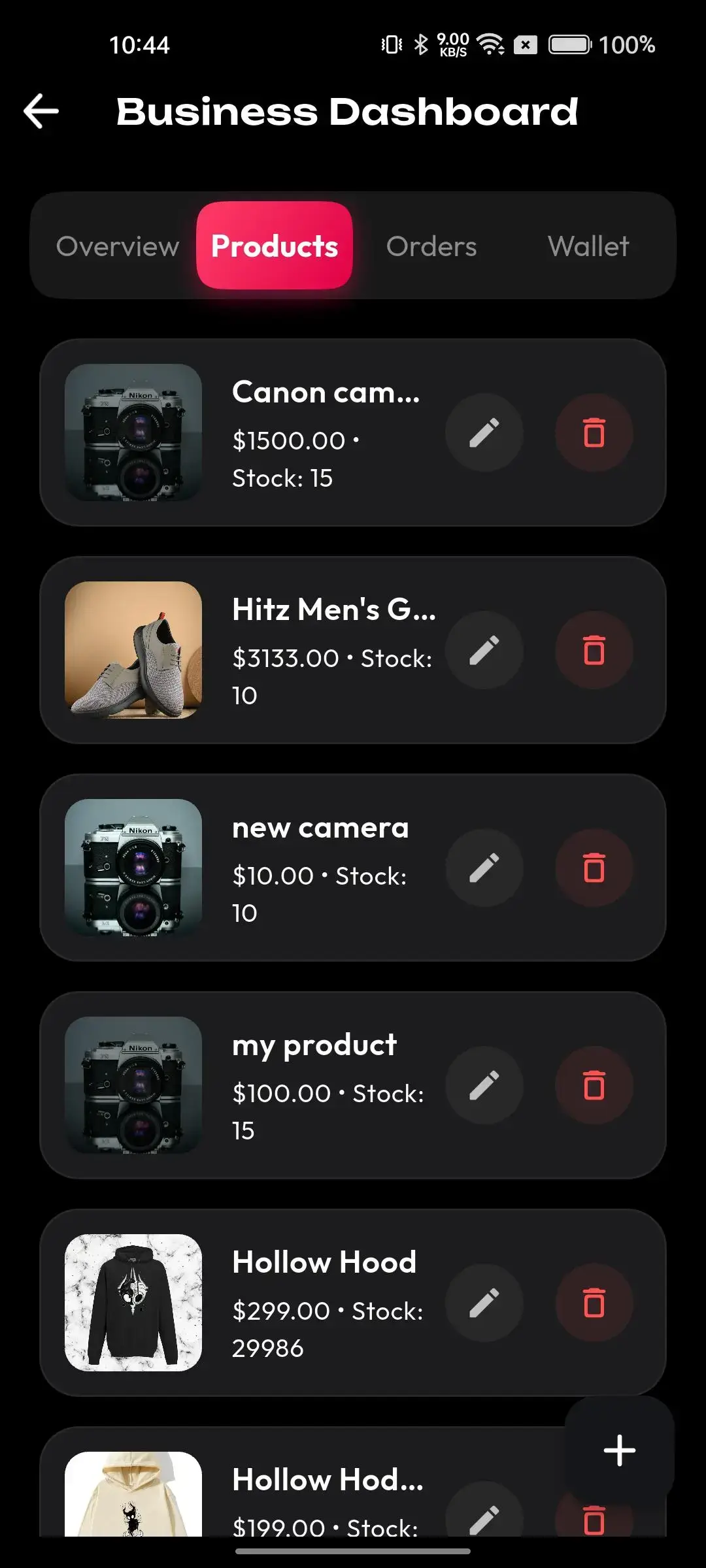
Mobile business dashboard listing products, prices, inventory, images, editing, and deletion controls
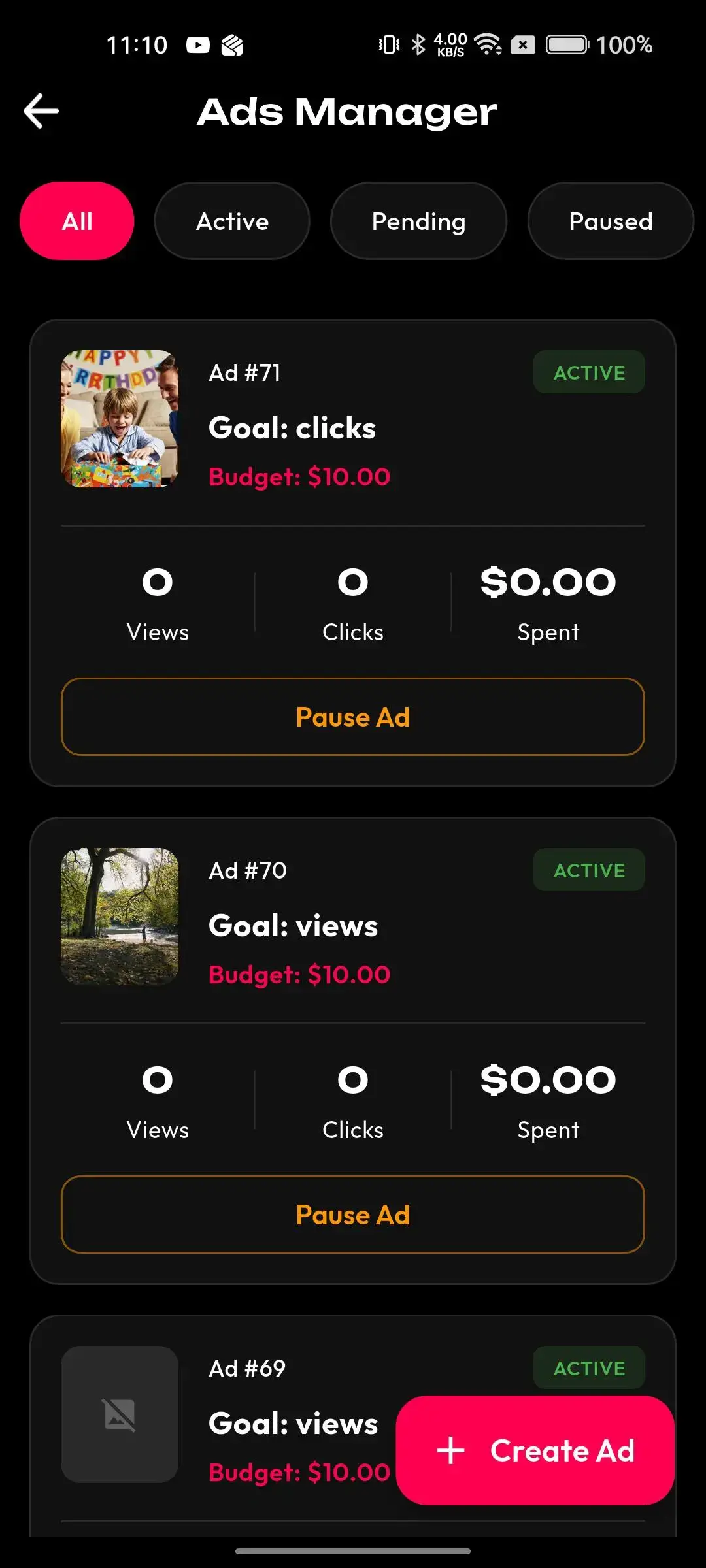
Mobile creator advertising dashboard showing active campaigns, goals, budget, views, clicks, spend, and pause controls
10 screens · scroll →
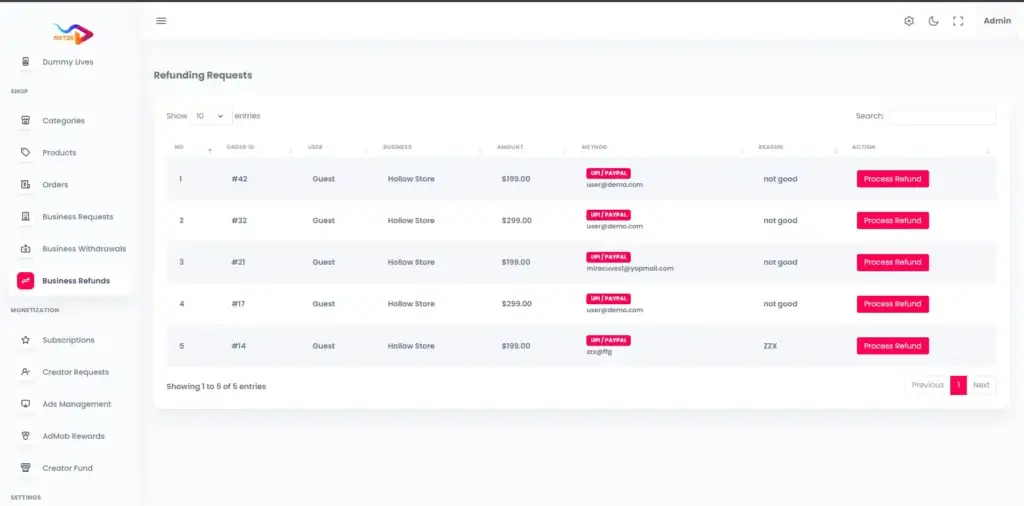
Administrator refund queue showing orders, customers, stores, amounts, payment methods, reasons, and refund-processing actions
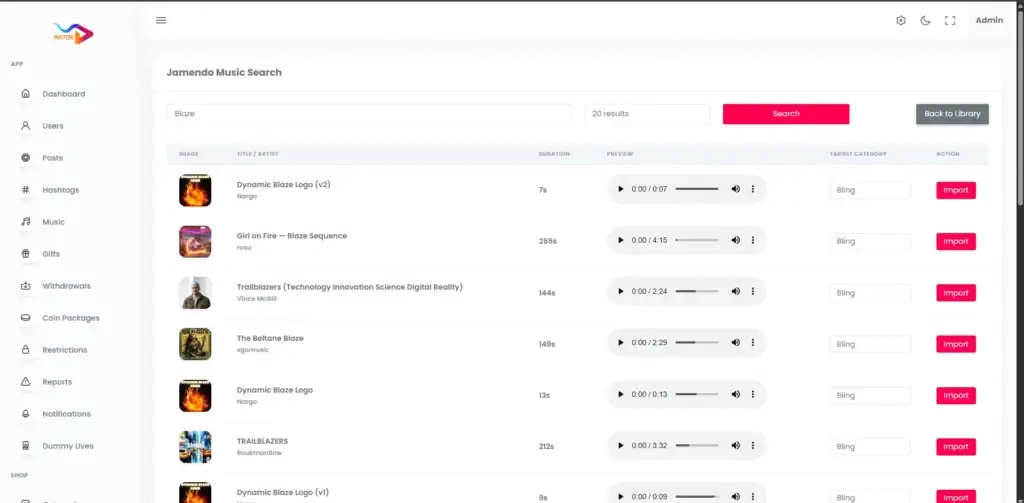
Administrator Jamendo music search with track artwork, artist, duration, audio preview, category assignment, and import actions
Administrator analytics dashboard with user and post trends, registered-user totals, content totals, reports, withdrawals, and moderation status
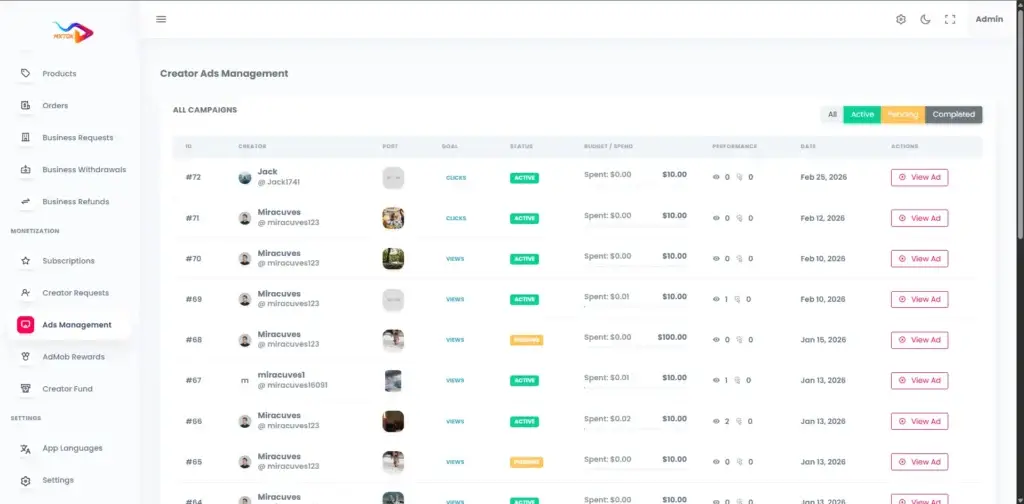
Administrator creator-ad campaign table showing creators, post goals, status, budget, spend, performance, dates, and ad review
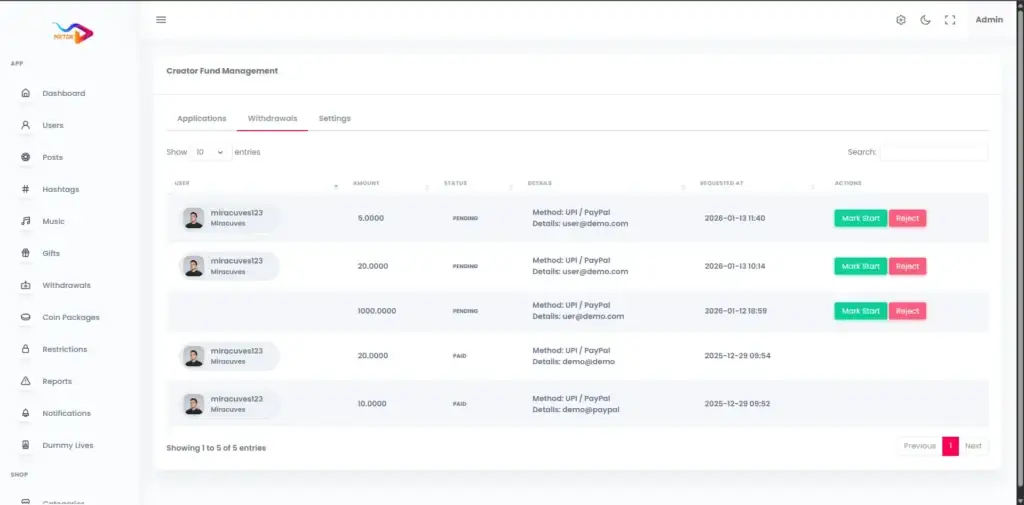
Administrator creator-fund payout queue listing users, amounts, payment methods, request dates, statuses, and approval or rejection actions
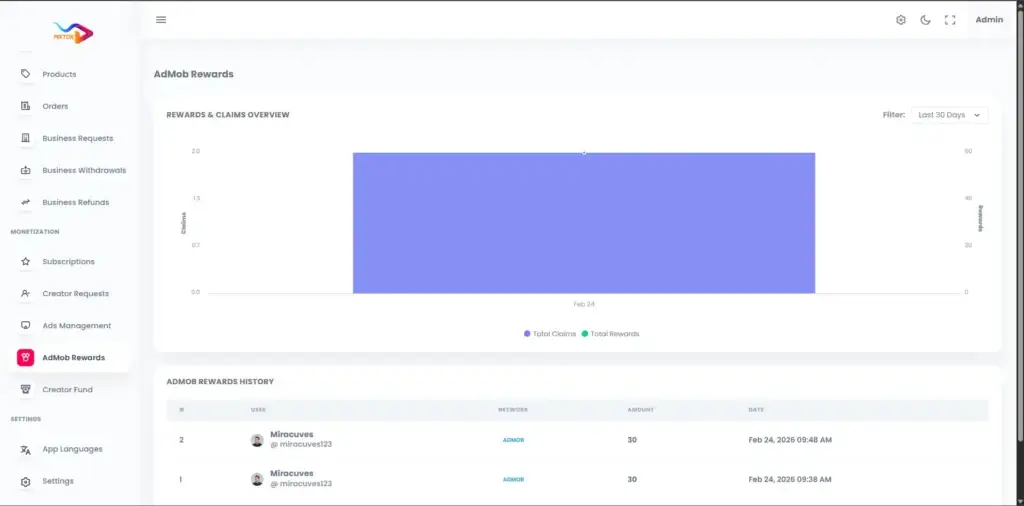
Administrator AdMob rewards dashboard charting claims, reward totals, reporting periods, and reward history
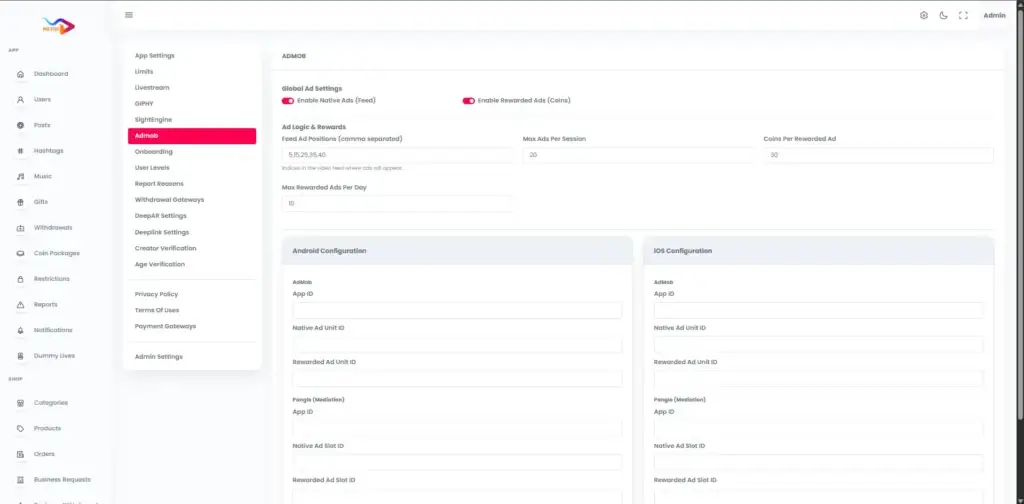
Administrator mobile-ad settings for feed and rewarded ads, ad frequency, rewards, Android identifiers, and iOS identifiers
7 screens · scroll →
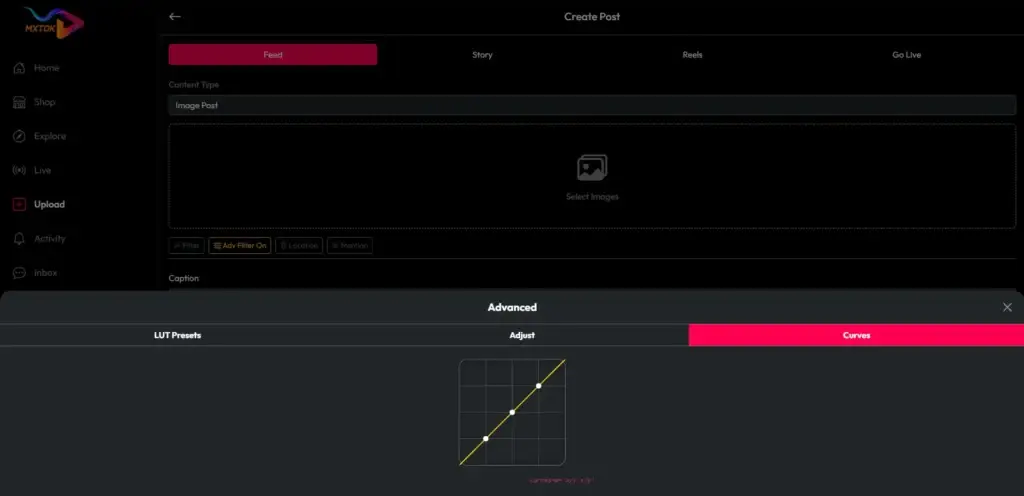
Desktop upload composer with feed, story, reel, and live formats plus media selection, captioning, effects, location, mentions, and color curves
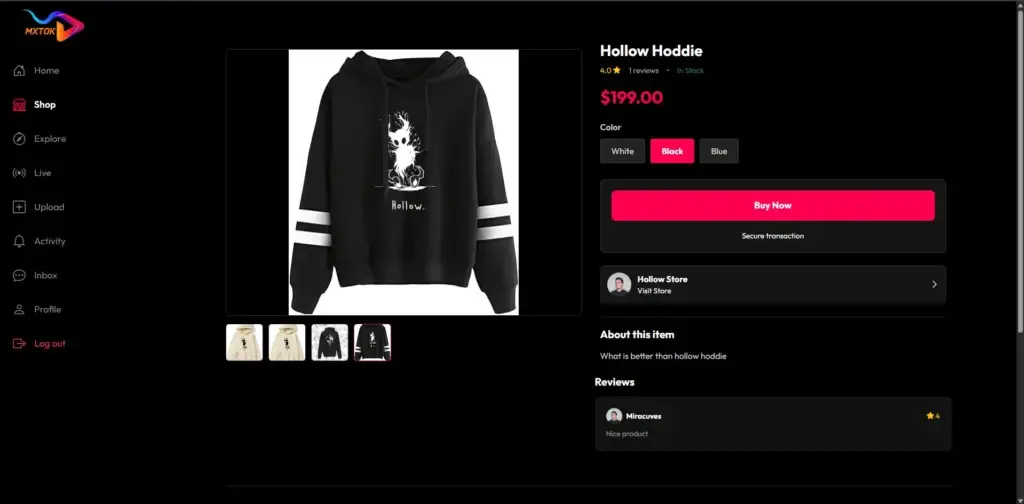
Desktop product-detail page with item gallery, color selection, price, stock, reviews, seller storefront, and secure buy-now action
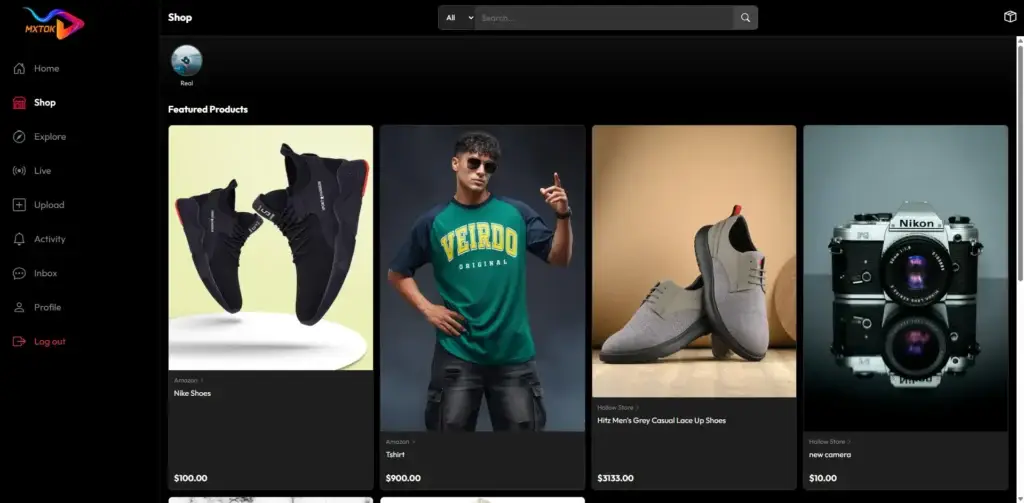
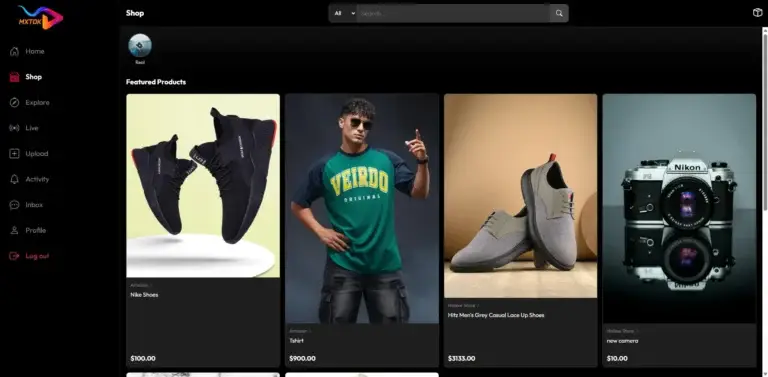
Desktop social-commerce marketplace featuring footwear, apparel, cameras, categories, prices, and product browsing
Desktop short-video feed with For You content, sponsored labels, engagement controls, and platform navigation
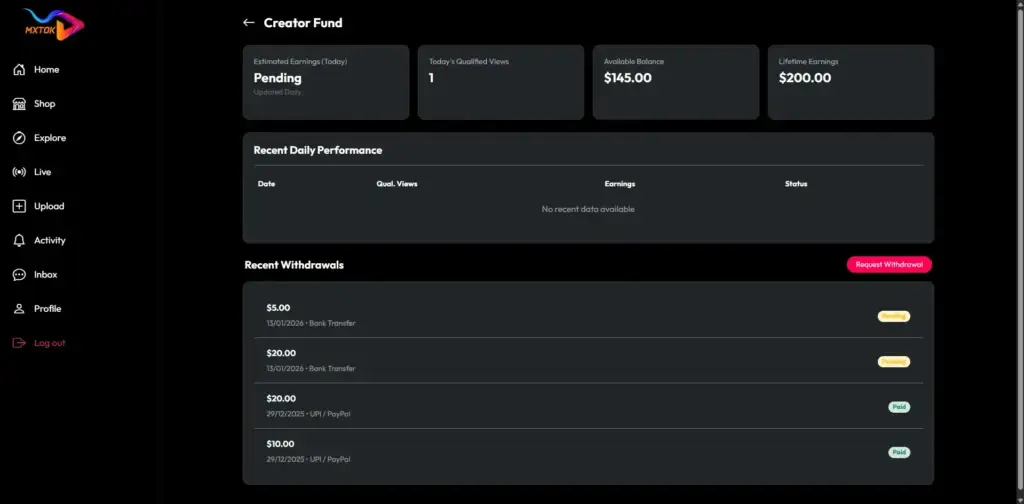
Desktop creator-fund dashboard with daily earnings, qualified views, available balance, lifetime earnings, performance records, and withdrawal history
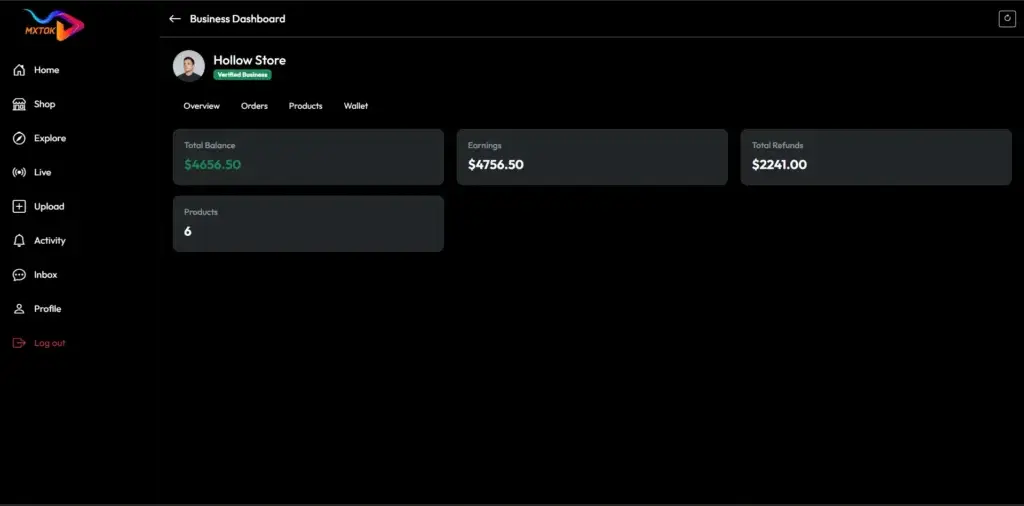
Desktop business dashboard showing store balance, earnings, refunds, product count, orders, products, wallet, and merchant performance
6 screens · scroll →
Want us to walk one of these flows in detail?Browse Our Solutions

02Proof

Client Reviews

Client Reviews - Platforms That Shipped

Real feedback from founders and brands who launched their short-video platforms with Miracuves.

AAnanya KapoorProduct Head, VibeStream Technologies
“Miracuves didn’t just build an app, they helped us shape a product. The short video platform they delivered was incredibly stable from day one, which is rare. Features like reels, filters, and real-time engagement worked seamlessly. Their team was responsive, detail-oriented, and actually cared about long-term scalability - not just delivery.”
DDavid FernandesCo-founder, LoopShorts
“We were initially skeptical about building a TikTok clone, but Miracuves exceeded expectations. The UI/UX feels premium, and users immediately connected with the platform. What stood out was their backend architecture - it handled traffic spikes effortlessly during our launch campaign. They clearly understand both tech and business.”
AAnton GruelaCEO, TrendFlix App
“Working with Miracuves was smooth from start to finish. They delivered exactly what we envisioned - a scalable, feature-rich short video app with strong performance. The customization flexibility they offered helped us differentiate in a competitive market. Even post-launch, their support team has been proactive and reliable.”
RRajesh MehtaFounder, SocialSpark Media
“We evaluated multiple vendors before choosing Miracuves, and honestly, it turned out to be the best decision. Their TikTok-style app was not just visually polished but technically solid - smooth video playback, fast uploads, and a clean admin panel. What impressed me most was how quickly they adapted to our custom monetization needs. Within 3 months, we had a fully functional platform with real user engagement.”
Read More Client TestimonialsFounders, CTOs and operator teams on our testimonials page

Case Studies

Short-Video Platform Case Studies - Creator Platforms & Social Commerce Apps

See how founders and brands have used the Miracuves short-video platform to build real, revenue-generating short-video platforms across industries and regions.

Case Study
QifQif - Regional Short Video Platform

A scalable short-video app built for multi-language audiences and low-bandwidth regional markets.

QifQif Media Pvt. Ltd.Client
UAERegion
Short Video & Creator EconomyIndustry
250K+Downloads in 90 days
+38%Session time increase
4 moTo early monetization
Desktop short-video feed with For You content, sponsored labels, engagement controls, and platform navigation
Challenges
  • Low-bandwidth video performance in regional markets
  • Multi-language UI support from launch
  • Rapid and reliable scalability post-launch
Goal
  • Launch a scalable regional short-video platform
  • Drive strong market entry and real engagement
  • Enable sustainable creator monetization
Delivered by the Miracuves Team
  • Optimized video streaming for low-bandwidth
  • Ad-based & creator incentive monetization
  • Full multi-language UI support
  • Engagement features: likes, comments & shares
  • Cloud auto-scaling backend infrastructure
“Fast, scalable, and built for real users - Miracuves gave us a strong market entry.”Omar Yassa · Co-founder, QifQif Media Pvt. Ltd.
See QifQif liveExplore the platform built for regional short video audiences.

03The product

What Is It

What Does a Triller Clone App Mean?

A Triller clone app is a ready-made short-video platform in which the soundtrack is structured data rather than decoration. Reels are built the way the product specification describes them, from a video plus a track plus a caption plus hashtags plus a place, which is the same assembly order used by TikTok, Instagram Reels and YouTube Shorts. The difference here is that the track is stored as its own record, so it can be curated, searched, saved and browsed on its own terms.

Two tables carry that idea. One holds sound categories; the other holds the sounds, each with a title, an artist, a file, a duration, an image, the category it belongs to, a usage count and a flag saying whether an operator or a creator put it there.

What arrives with the build:

  • Flutter apps for Android and iOS, a Laravel web app and an admin panel
  • your name, logo, palette, languages and regions throughout
  • the sound library, reels, stories, live, wallet and shop already wired
  • one Laravel API and one MySQL database serving every surface
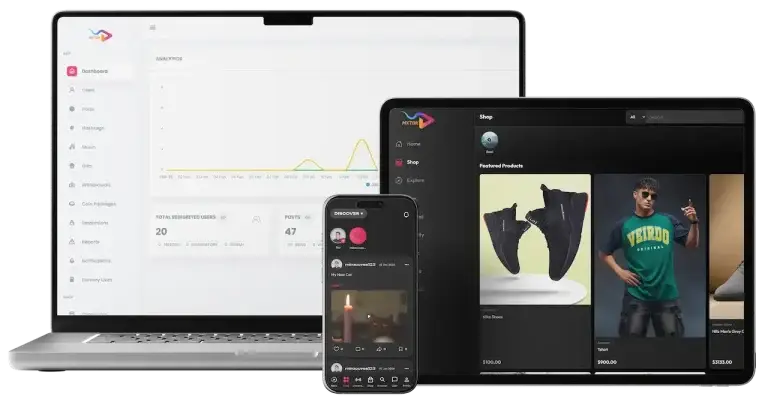
TikTok clone shown across desktop, tablet, and mobile with platform analytics, social commerce, creator video feeds, products, and business tools

Four Surfaces, One Laravel API

Apps, web and admin all talk to the same backend and the same database, so a sound added once appears in every picker.

Yours Down to the Sound Categories

Branding, copy, languages and the category names your creators browse are all yours to set from the panel.

The Library Ships Empty On Purpose

Tables, screens and the import page are built; which tracks go in them is a decision only you can make.

The Engine

What Is a Triller Clone Script?

The short-video clone script is the source you receive: a Laravel 10 API, Blade and JS for the web, a Flutter client and the MySQL schema under all of it. Because the sound layer is plain tables and plain endpoints, your developers can change how it behaves without fighting a closed engine.

Desktop social-commerce marketplace featuring footwear, apparel, cameras, categories, prices, and product browsing

Taking the script means you get:

  1. 01the full source, including the music and sound tables
  2. 02a branded launch inside 6 working days
  3. 03no revenue share and no per-seat charge afterwards
  4. 04room to add your own rules on top of the sound records

Put plainly: a Triller clone app gives you a short-video product where the music library is an asset you own and operate, with the code to change how it behaves.

Features

Triller Clone Features - Sound Library, Reel Flow & Discovery by Track

Twelve groups, read in the order a track travels: it enters the library, a creator picks it or records their own, a reel is assembled around it, and from then on it is a way for other people to find that reel. Live rooms, the wallet, comments and notifications sit underneath, because a sound-led feed still needs somewhere for the attention to go.

Feature 01 / 12

Music & Sound Library

Two tables and twelve admin screens, counting the optional import pages at the end.

  • Sound categories with a name and an image, created and edited from the panel
  • Each sound stores a title, artist, file, duration, image and category
  • A usage count sits on the sound row and rises as reels adopt it
Feature 02 / 12

Original Audio From Creators

A creator can record their own audio and publish a reel against it instead of the library.

  • Upload or extract your own audio for a reel
  • A flag on each sound records whether an operator or a creator added it
  • Creator-made sounds behave like library sounds everywhere else
Feature 03 / 12

Reel Assembly

A reel is one call carrying a video, a thumbnail, a description, a sound, hashtags and a place.

  • Video plus music plus caption plus hashtags plus location
  • Hashtags parsed from the caption; mentions recorded against the post
  • Optional pay-per-view price in coins, set at publish time
Feature 04 / 12

Reels by Music

Open any track and the feed answers with every reel that used it.

  • A reels-by-music listing keyed to a single sound
  • Hashtag, location and nearby feeds work the same way
  • An explore tab mixes content for people with no follows yet
Feature 05 / 12

Search, Explore & Saved Sounds

Four ways into the library before a creator even opens the camera.

  • Search music by title or artist
  • A music explore listing and a browse-by-category view
  • A personal saved-sound list to pull from on the next upload
Feature 06 / 12

Stories That Carry a Track

Stories take an optional sound through the same field a reel uses.

  • Photo or video story with an optional sound attached
  • Stories expire on a scheduled cleanup job
  • Viewers are recorded as a story is marked viewed
Feature 07 / 12

Camera, Trim & Filters

In-app capture with trim and filters before publish; AR filters are an optional key.

  • Front and rear capture, then trim and filters before publishing
  • Optional DeepAR filters, switched on with your own DeepAR keys
  • Optional server-side compression, toggled from global settings
Feature 08 / 12

Live Rooms

Live is a provider integration: tokens come from the backend, the room comes from Zego.

  • Host or join a live room with in-room chat
  • Gifts sent during a live credit the creator wallet
  • A follower minimum for going live is set in global settings
Feature 09 / 12

Comments, Pins & Daily Caps

Replies and likes on comments, pinning by the post owner, and caps the server enforces.

  • Add, reply, like, delete; the post owner can pin up to a configured limit
  • Daily caps on uploads, stories, comments and replies
  • Optional GIFs in comments and chat through your own Giphy key
Feature 10 / 12

Coins, Gifts, Tips & Wallet

Coins buy gifts, gifts credit a creator wallet, and withdrawals wait on admin approval.

  • Coin packages bought through Stripe, PayPal or in-app purchase
  • Gifts on posts and in live rooms; real-money tips alongside them
  • Withdrawal requests approved or rejected by an admin, gateways configurable
Feature 11 / 12

Activity Notifications

Every interaction can raise a stored notification and a push.

  • Stored activity on likes, comments, follows and gifts
  • Push delivery over Firebase Cloud Messaging
  • Per-type preferences the user controls, plus admin broadcasts
Feature 12 / 12

Languages & Regional Setup

Language lists come from the backend, so a market can be added without a release.

  • Languages managed from the panel, with one marked default
  • Translations loaded from CSV rather than hard-coded strings
  • Onboarding slides configured per deployment
Before you ask:

Every group here is configurable and the code is yours, so modules can be switched off, re-scoped or rebuilt for your market. Two honest caveats: the library arrives empty, and audio mixing inside the browser editor is unfinished, so web-side audio work is quoted separately.

Need the sound layer extended, say per-territory track rules or a rights register?

Request Custom features

Control Center

Triller Clone Admin Panel - Music Library, Reports & Payouts

The panel is where the sound layer is actually operated. Categories are created, tracks are filed with a title and an artist, the import page is pointed at your own account, and everything else a short-video business needs sits in the same navigation.

Administrator analytics dashboard with user and post trends, registered-user totals, content totals, reports, withdrawals, and moderation status
Administrator creator-fund payout queue listing users, amounts, payment methods, request dates, statuses, and approval or rejection actions

What the Operator Opens

  • 01

    Music, Categories & Jamendo

    The sound library desk: categories, sound records, and the optional import page.

  • 02

    Posts, Stories & Comments

    List by type, open one, read its comments and replies, remove any of them.

  • 03

    Reports & Report Reasons

    Post and user reports arrive with the reason you defined, to accept or reject.

  • 04

    Users, Moderators & Freezing

    Edit a user, grant moderator status, freeze an account, credit coins by hand.

  • 05

    Withdrawals, Packages & Gifts

    Pending, completed and rejected payouts, plus coin packages, gifts and gateways.

  • 06

    Dashboard & Daily Active Users

    Key metrics with chart data, and a DAU figure a scheduled job writes each day.

  • 07

    Shop, Business & Refunds

    Approve products, read orders, handle business requests, withdrawals and refunds.

  • 08

    Global Settings

    Daily caps, commissions, live access, age gate, payment and integration keys.

The Browser Surface

Laravel Blade and JS give the same backend a web face, for people who will not install an app.

  • Explore, search, reel pages, creator profiles and the network view
  • Hashtag and location feeds, saved posts and the liked-posts tab
  • Live list and live player through Zego UIKit and Firestore
  • Share links that resolve through an encrypted deeplink route

The Flutter Apps

Android and iOS come from one Flutter codebase, with the integration keys read from your settings row.

  • Store download links held in settings rather than hard-coded
  • Apple app-site-association and Android assetlinks served for deep links
  • Onboarding slides, language list and user levels configured per deployment
  • Optional rewarded ads and in-app purchase, each behind its own key
Need a governance layer the base build does not have, say a per-territory rights register?Discuss Your Compliance & Control Requirements

04Inclusions and what you pay

Deliverables

In the Package - Four Surfaces, the Sound Tables & Your Own Keys

Choosing this build is not buying an APK. You receive a complete short-video platform with its music layer intact , plus the source and the credentials to run all of it yourself.

01

Android App

Flutter build carrying your name and icon, with the sound picker in the create flow.

  • Reels, feed, stories, live, discover, chat, profile and shop
  • Music picker, saved sounds and original-audio capture
  • Play Store build prepared with your icon, splash and name
Mobile vertical-video feed with creator details, caption, engagement actions, discovery mode, and content navigation
02

iOS App

The same Flutter codebase, submitted to Apple with your assets.

  • One codebase, so a change lands on both phones at once
  • In-app purchase through RevenueCat where you enable it
  • App Store build prepared with your brand assets
Mobile user profile showing biography, account level, likes, followers, following, videos, saved content, and profile actions
Desktop short-video feed with For You content, sponsored labels, engagement controls, and platform navigation
03

Web App

Laravel Blade and JS over the same API, for browser visitors and search engines.

  • Explore, reel pages, profiles, hashtag and location feeds
  • Wallet, withdrawals, shop, orders and settings in the browser
  • Live list and player through Zego UIKit and Firestore
Administrator analytics dashboard with user and post trends, registered-user totals, content totals, reports, withdrawals, and moderation status
04

Admin Panel

The operator console, including the music pages that make this build sound-led.

  • Music categories, sound records and the optional import page
  • Users, posts, reports, withdrawals, shop, business and creator fund
  • One settings form holding limits, commissions and integration keys
05

API & Integration Keys

One Laravel API serves every surface; third-party services read keys you supply.

  • Api-Key plus a per-session auth token on every client call
  • Stripe, PayPal, Zego, Firebase and FCM configured to your accounts
  • Optional Jamendo, DeepAR, Giphy, Yoti and Sight Engine keys
06

Rebranding & Localization

Name, logo, palette, launch screens and the languages your market reads.

  • App name and currency set in the settings row, not in code
  • Languages managed from the panel with one marked default
  • Translations loaded from CSV, and onboarding slides you write
07

Deployment & Store Submission

Servers, storage, cron entries and the two store listings, done with you.

  • Storage pointed at a local disk, AWS S3 or DO Spaces
  • Cron entries for story expiry, notification cleanup and the DAU count
  • Credentials, technical docs and a handover walkthrough
08

After Launch

Fixes and configuration help on a schedule, with longer maintenance quoted separately.

Platform guidance on a dedicated basis, lasting 60 days
Priority bug fixing for 6 months
Ongoing product updates across 12 months
Want to see the sound picker and the music admin pages wearing your branding?Request a Branded Live Demo

Pricing

What Does a Sound-Led Short Video App Cost in 2026?

A branded launch of this build starts from around $3,999 and covers the four surfaces, the music and sound tables and the full source. Anything past that is scoped in writing first.

What moves the number: how many languages and regions · which optional keys you want wired · whether the sound layer needs rules the base build has no field for · infrastructure size · how much of the branding work you hand over.

Our Bestseller Tier

Professional

Launch-Ready Package
$3,999/-one-time full payment
Go-live: 6 days

Suits: operators who want the sound layer live and then want to tune it

What you receive is the build the demos run on, wearing your brand and hosted on infrastructure you control.

Get Started

Enterprise

Scoped, Extended & Large-Scale
Customquote
Go-live: Based on final scope

Suits: labels, broadcasters, agencies and anyone with rights obligations to model

Or have the sound layer extended first, say a rights register or per-territory track rules, under a written scope.

Request a Quote

05Who it is for

Who It’s For

Who Gets the Most From a Sound-Led Build?

This build suits operators whose audience already organizes itself around music: a roster, a scene, a lineup, a routine. The sound is not a filter on top of the feed, it is the thing people search for.

If your content is only incidentally musical, the generalist short-video build will serve you better and costs the same, because it is the same codebase.

Audience 01 / 06Independent Labels & Artist Rosters

A roster needs its catalog in front of creators, and needs to see which track they used. Categories become your releases; the usage count becomes your signal.

  • File each release as a sound with its title, artist, artwork and category
  • Open a track and read every reel built on it from one listing
  • Keep the import page pointed at a catalog you actually control
Audience 02 / 06Radio, Podcast & Audio Brands

Audio brands already own the sound and have nowhere short-form to put it. The picker is that place, and stories take a track too.

  • Publish clips and let your own audio become the sound others reuse
  • Run live rooms where the host responds to in-room chat
  • Attach a track to a 24-hour story as well as to a reel
Audience 03 / 06Regional Music Scenes

A scene is defined by its sound before it is defined by its language. Both are settings you control from the panel.

  • Name the categories after local genres rather than global ones
  • Add languages from the panel and mark one as default
  • Browse feeds by hashtag, by place and by nearby location
Audience 04 / 06Festivals, Venues & Promoters

A lineup is a list of artists, and each artist is a sound. That makes the catalog the program and the program the catalog.

  • Seed the library with the lineup before the gates open
  • Let attendees post reels that carry the set they were standing in
  • Keep a usage count per track to see which stage travelled
Audience 05 / 06Sound Designers & Sample Sellers

People who sell audio need it discoverable on its own, not buried inside a stranger video post. The sound record does exactly that.

  • Every sound carries a duration, an artist field and its own artwork
  • Creators save a sound to a personal list and reuse it later
  • Sell alongside it through the built-in shop and seller dashboard
Audience 06 / 06Dance, Fitness & Choreography Platforms

Choreography is reuse by definition: one track, many versions. A reels-by-music listing is the format that argument needs.

  • One track, every version of the routine, on one page
  • Daily upload caps keep a challenge from drowning the feed
  • Comment pinning lets the originator highlight the best attempt

All six of these run on one product core, so the question is never which codebase but which argument you are making to creators.

Book a Free Strategy Call

Where Teams Use It

Where Operators Use It - Catalogs, Challenges, Scenes & Marketplaces

Six ways to run the same sound layer. What changes between them is who fills the library and what the usage count is being read for.

LabelsArtistsPublishersCatalog Promotion Feed

Load the releases you own into the library and let creators do the promotion for you.

  • Each release filed as a sound with artist, artwork and category
  • A usage count per track, rising as creators adopt it
  • One listing showing every reel that used a given release
01
Desktop short-video feed with For You content, sponsored labels, engagement controls, and platform navigation
BrandsCampaignsSound Challenge Platform

One track, a hashtag and a deadline; the reels-by-music page becomes the leaderboard.

  • Hashtags parsed from the caption, with their own feed
  • Server-side daily upload caps so one account cannot flood it
  • Comment pinning so the host can surface the best entry
02
Mobile discovery feed with creator stories, user posts, hashtags, video engagement, and account navigation
Local MediaScene BuildersLocal Genre Network

Name the categories after the scene, set the language, and the app stops feeling imported.

  • Category names, app name and currency all held in settings
  • Languages added from the panel, translations loaded from CSV
  • Feeds by hashtag, by place and by nearby location
03
Mobile vertical-video feed with creator details, caption, engagement actions, discovery mode, and content navigation
VenuesClubsHostsLive Session Network

Sessions go out live, gifts arrive during them, and the audio can live on as a sound.

  • Host or watch a live room with in-room chat
  • Gifts during a live credit the creator wallet in coins
  • A follower minimum for going live, set in settings
04
Desktop product-detail page with item gallery, color selection, price, stock, reviews, seller storefront, and secure buy-now action
ProducersSound DesignMarketplacesSample & Loop Marketplace

Creators discover the audio in the picker and buy the pack in the same app.

  • Products, cart, orders and reviews with a seller dashboard
  • Business registration with a name, license and address
  • A business wallet with withdrawals and refunds behind admin review
05
Mobile live-video hub with livestream discovery, go-live controls, search, and current broadcast availability
TeachersCoachesStudiosLesson-by-Sound Platform

A track is a lesson unit: the same audio, many attempts, one page holding all of them.

  • Every attempt against one track, listed together
  • Pay-per-view unlocking in coins on individual posts
  • Creator subscription plans priced in coins, with perks you define
06
Mobile creator subscriptions screen with active VIP plans, coin pricing, promotion, and plan-editing controls

Each of these is a configuration of one codebase, not a different product. Pick the argument, then tell us which optional keys you want wired before the launch window rather than after it.

Book a Free Strategy Call

Industries

Where Sound-Led Feeds Land

Twelve sectors where the track is the reason people came, not a background layer.

  1. 01Music & Labels
  2. 02Audio & Podcasting
  3. 03Dance & Choreography
  4. 04Festivals & Events
  5. 05Fitness & Movement
  6. 06Gaming & Streaming
  7. 07Regional & Vernacular
  8. 08Education & Coaching
  9. 09Fashion & Beauty
  10. 10Food & Lifestyle
  11. 11Commerce & D2C
  12. 12Brands & Agencies

What the build actually is: one Laravel 10 API and one MySQL database behind a Flutter client, a Blade and JS web app and an admin panel. Reels, feed posts, images, text posts and stories all live in the same post table, and a reel points at its track through a single optional sound column.

The music layer is two tables. Categories carry a name and an image. Sounds carry a title, an artist, a file, a duration, artwork, the category they sit in, a usage count and a flag recording whether an operator or a creator added them. Discovery reads the same rows four ways: search, an explore listing, a browse-by-category view and a reels-by-music page for one track.

Around that sits everything a short-video business needs to keep the attention it earns. Coins buy gifts on posts and in live rooms; tips move real money through Stripe; subscription plans and pay-per-view posts are priced in coins; a creator fund tracks qualified views; creators can promote their own posts as ads. A full shop with orders, reviews and a seller dashboard sits beside a business account with its own wallet, withdrawals and refunds.

Safety is operator-run with code support: reports with reasons you define, moderation queues, a moderator role that can freeze accounts and remove posts and stories, server-side daily caps on uploads and comments, an optional age gate, and an optional automated moderation service. Optional integrations, each on keys you register yourself, cover licensed music import, AR filters, GIFs and age verification. Nothing here is certified on your behalf, and no music catalog is bundled.


06Under the hood

Process Overview

How It Works - Picker, Publish, Sound Join & Discovery

Follow one track through the build and the architecture explains itself: it enters the library, a creator attaches it, the reel keeps the reference, and from then on the reference is what other people search.

From Install to a Track With a Following

  1. Mobile sign-in screen with email, password, recovery, account registration, and alternative authentication options
    1Install and Sign In

    Android, iOS or the browser, with the age gate in front if you switched it on.

    • Sign up with email, Google or Apple; a session token is issued
    • Optional age gate, by manual entry or an age-verification key
    • Onboarding slides you wrote, then a language picked from your list
  2. Mobile vertical-video feed with creator details, caption, engagement actions, discovery mode, and content navigation
    2The Feed Loads

    Two feeds arrive, both paginated: one mixes discovered content , the other shows only who you follow.

    • Discover and following are two separate calls
    • Hashtag, location and nearby feeds narrow the same pool
    • An explore tab for people who have not followed anyone yet
  3. Mobile create menu providing quick access to feed posts, stories, reels, camera capture, and other publishing formats
    3Open the Picker

    Before the camera matters, the track does: search it, browse it or record your own.

    • Search by title or artist, or browse a category
    • Save a sound so the next upload starts from it
    • Or upload your own audio and become the sound yourself
  4. Mobile discovery feed with creator stories, user posts, hashtags, video engagement, and account navigation
    4Assemble the Reel

    One publish call carries the video, the thumbnail, the caption, the sound, tags and place.

    • Trim and filter in the camera before publishing
    • Hashtags come out of the caption; mentions are stored on the post
    • Mark it pay-per-view with a coin price, or subscriber-only
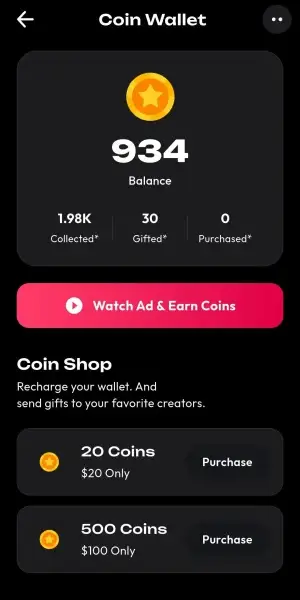
  5. Mobile coin wallet showing balance, collected and gifted coins, purchase activity, and rewarded-ad earning access
    5People Find It Through the Sound

    The track becomes a second route in, independent of who posted it.

    • Opening a sound lists every reel that used it
    • Likes, comments, saves and shares raise notifications
    • The usage count on the sound row moves as adoption grows
  6. Mobile creator-fund dashboard showing available balance, withdrawals, estimated earnings, qualified views, and performance analytics
    6Money and Caps Both Apply

    Gifts and tips arrive while the server quietly enforces the limits you set.

    • Coins buy gifts on the post or during a live room
    • Tips move real money; commission percentages are yours to set
    • Daily caps on uploads, stories, comments and replies hold the line
The Path a Track TakesInstallSound PickerReel PublishSound JoinDiscoveryGifts & CapsScheduled Jobs

Behind The Scenes

Under the Triller Clone - Six Layers, Plainly Described

Book a Live Walkthrough
  1. Layer 01

    Upload & Storage

    Media posted to the API, written to the disk you configured, path returned to the client

  2. Layer 02

    Sound Join

    The reel row keeps an optional sound id, so track and post stay addressable apart

  3. Layer 03

    Feed Assembly

    Discover, following, hashtag, location, nearby and reels-by-music, each its own call

  4. Layer 04

    Reports & Moderation

    A report arrives with your reason list; queues, freezes and removals happen in the panel

  5. Layer 05

    Coins & Payouts

    Coin buys, gifts, tips and unlocks recorded as transactions; withdrawals await approval

  6. Layer 06

    Scheduled Jobs

    Cron expires stories, clears old notifications, counts daily actives, refreshes tokens

Technology

Triller Clone Tech Stack - Flutter, Laravel 10, MySQL & Zego

The stack is deliberately ordinary: one API, one database, one Flutter client, and every third-party service behind a key you own.

Clients

Flutter Apps and a Blade Web App

Flutter 3.10+ · Blade + JS
  • Android and iOS from one Flutter codebase
  • The sound picker, saved sounds and original-audio capture live here
  • A Blade and JS web app over the same endpoints
API

One Laravel API for Every Surface

Laravel 10 · PHP 8.1+
  • App, web and admin all call the same routes
  • Reels, sounds, feeds, wallet, shop and moderation in one codebase
  • No queue workers: scheduled commands and cron do the background work
Data

Sounds, Posts and Transactions

MySQL / MariaDB
  • Sound categories and sounds as two plain tables
  • An optional sound column on both posts and stories
  • Coin, gift, tip, subscription and order rows kept as records
Live & Media

Live Rooms and Media Handling

Zego · Firestore · FFmpeg
  • Live tokens issued by the backend, rooms run by Zego
  • Firestore carries chat, the inbox list and the web live state
  • FFmpeg handles app-side media work such as speed and overlay
Storage & Jobs

Where Files and Timers Live

Local / AWS S3 / DO Spaces
  • Storage target chosen by configuration, not by code change
  • Cron expires stories, clears notifications and counts daily actives
  • A scheduled command calculates creator-fund figures daily
Auth & Keys

How Calls Are Authorized

Api-Key + AuthToken · Firebase Auth
  • Every client call carries an Api-Key plus a per-session auth token
  • Firebase Auth handles web sign-in and password reset
  • Admin is a session login; provider secrets stay server-side
For the technical reader:

Because the sound layer is two tables and a handful of endpoints, extending it is ordinary Laravel work. If you need something the schema has no field for, a rights register or a per-territory availability rule, that is a migration and a few routes, not a rewrite.

Request A Technical Architecture Call

Build to Scale

Built to Run - One API, Configurable Storage & Caps The Server Enforces

A short-video platform fails on the boring parts, so this section covers what the build does, and what it does not rather than adjectives about scale.

The architecture is one Laravel API over one MySQL database, with Flutter and Blade clients on top and storage pointed wherever you choose. That is small enough to understand and large enough to grow by ordinary means.

Where a capability is listed in the product documentation as flagged, off or out of scope, you will find it named below rather than implied. That is the only way a capacity claim is worth reading.

01

One API, Scaled Horizontally

Laravel in front of MySQL, with no exotic moving parts to hold a launch back.

  • A single Laravel API serves the apps, the web app and the panel
  • The same stack runs on a modest server and on a large one
  • Scope grows by adding capacity, not by changing the architecture
02

Storage Decided by Configuration

Media does not live with the application, so growing the library is a storage decision.

  • A local disk, AWS S3 or DO Spaces, chosen by configuration
  • Upload and delete go through the configured disk, not a hard-coded path
  • File paths come back from the backend, so the target can change later
03
Upload capsComment capsPin ceilings

Caps Enforced Server-Side

The limits that keep a feed usable are backend settings, not client-side politeness.

  • Daily caps on uploads, stories, comments and replies
  • Ceilings on pinned posts, pinned comments, images per post and profile links
04
Story expiryNotification purgeDaily actives

Scheduled Work Instead of Queues

Background jobs run on cron and a scheduled command; there are no queue workers.

  • Expired stories removed and old notifications cleared on a schedule
  • Daily actives counted once a day, creator-fund figures calculated daily
05

Honest About Media Readiness

Two media items are known work rather than shipped behavior, and we say so up front.

  • A server-side quality ladder is not enabled in the shipped configuration
  • Live replay is separate work, not part of the base build
  • Audio mixing inside the browser editor is unfinished and quoted separately
06

One Deployment Per Brand

The documentation is explicit: a deployment serves one app, and that is deliberate.

  • One instance, one database, one brand, with no shared tenancy
  • Running a second brand means a second deployment, scoped on request
  • Regions and languages still vary inside a deployment, from the panel

For Founders and Engineering Leads

Starting on one server does not corner you. You own the source and the schema , so capacity, storage target and background scheduling are all yours to change without asking us for permission.

Discuss Your Scale & Infrastructure Plan

07Security and trust

Security

Triller Clone Security - Auth, Uploads, Payouts & the Hardening List

Running a sound-led platform means holding audio people uploaded, money people spent and reports people filed. This section states what the code does, and what you still have to do.

  1. 01 · Auth
    How a Request Proves Who It Is

    Every client call carries two things: a deployment Api-Key and a per-user auth token held server-side. Web sign-in and password reset run through Firebase Auth, the admin panel is a session login with its password stored encrypted, and provider secrets never leave the backend.

    • Api-Key per deployment, plus a per-session token validated on each request
    • Firebase Auth for web sign-in, Google included, with password reset
    • Admin session login; Stripe, Zego, PayPal and FCM credentials stay backend-side
    • Change the Api-Key before launch: the documentation ships a default value and tells you to rotate it per environment and keep it off the client. Do that on day one.
  2. 02 · Access
    Seven Roles, Checked Server-Side

    The role list is explicit: viewer, creator, seller, business, manager, moderator and admin. A moderator can freeze an account and remove a post or a story; a manager acts for a creator within permission bits; an admin reaches everything.

    • A moderator role scoped to freezing users and removing posts and stories
    • Manager permissions expressed per action rather than as blanket access
    • Admin actions on freezes, removals, payouts and settings worth logging
    • What a reviewer should test: object-reference checks on user, post, order and business resources, and whether a manager can act outside its own creator. Both are named in the VAPT notes as focus areas.
  3. 03 · Uploads
    Media Arrives From Strangers

    A sound-led product takes audio and video from the public, so the upload path is the one that deserves the most attention. Files are written to the disk you configured and are not served as executable code.

    • Uploads land on a local disk, AWS S3 or DO Spaces, by configuration
    • Paths are issued by the backend rather than composed on the client
    • Optional automated image and video moderation on your own provider key
    • Harden before you open the doors: whitelist the types you accept, store files under generated names, and serve them with an explicit content type. The hardening checklist lists each of these.
  4. 04 · Payments
    Coins, Tips and Payouts

    Card details never reach your server: Stripe and PayPal handle them, which keeps your payment-compliance scope small. Coin purchases, gifts, tips, unlocks and subscriptions are recorded as transactions, and every withdrawal waits on an admin decision.

    • Card data handled by the payment provider, not stored by the platform
    • Coin, gift, tip, unlock and subscription movements written as rows
    • Creator and business withdrawals approved, rejected or marked paid by an admin
    • Two things to get right: verify provider webhook signatures and make payment completion idempotent, and keep balance debits inside a transaction so a double send cannot go negative.
  5. 05 · Privacy
    Personal Data and Minors

    Identity, profile, content, messages and payment references are all personal data, and the tools to honor a request are in the build: account deletion, the privacy policy and terms held as settings, and story and notification retention handled by scheduled cleanup.

    • Account deletion available to the user from their own settings
    • Privacy policy and terms stored as settings, editable without a release
    • An optional age gate with a minimum age and a verification method you pick
    • Still your responsibility: consent where your market requires it, a retention policy for logs and backups, and a data processing agreement with each provider you switch on.
  6. 06 · Hardening
    The Checklist We Hand Over

    The documentation includes a pre-assessment hardening list and the scope for a proper penetration test. We would rather give you that than a badge, because the badge would be ours and the deployment is yours.

    • HTTPS only, debug off, and the Api-Key rotated away from its default
    • Rate limiting on login and sensitive routes, which is not in the shipped routes
    • Admin CSRF on every form, with 2FA and an audit log listed as next steps
    • No certification is claimed: the security document says in its own words that it does not replace a third-party assessment or a compliance audit. Any certificate you need is issued to your entity.

For the Operator Reading Closely: From the upload path to the payout approval screen, the build gives you controls and a written hardening list. It does not give you a certificate, and we will not pretend otherwise before you have asked . Commission your own assessment and treat our list as the starting point.

Put Your Security Questions to Us

Trust and Content Review

Trust, Safety and Music Rights - What Ships, and What Stays Yours

You are buying software. No moderators arrive with it, no catalog arrives with it, and nothing in it is a legal opinion. Miracuves builds the controls and hands them over with the source; the policies, the people and the clearances are the operator job.

The controls exist in the code. Turning them into a program takes your rules, your reviewers and, for a sound-led product, your rights position.

What is actually built: reports on posts and users against reason codes you define; a moderator role that can freeze an account and remove a post or a story; admin deletion of any comment or reply; server-enforced daily caps on uploads, stories, comments and replies; an optional age gate with a minimum age and a verification method; optional automated media moderation on a provider key you register; account deletion from the user settings; and the privacy policy and terms stored as editable settings. That is a control set, not an accreditation. Nothing here is certified, audited or approved on your behalf.

What the Code Covers

Reporting with your own reason list, a moderation surface in the panel, a moderator role with freeze and removal powers, admin comment deletion, daily caps the server applies, an optional age gate, optional automated media checks, and account deletion. All of it arrives as source you own, so a rule we did not anticipate is yours to add.

What You Still Run

Writing the policies, staffing the queue and answering within whatever time you promise. Handling takedown and law-enforcement requests. Deciding what happens on a second strike. Publishing community guidelines and terms. Software can route a report to a human; it cannot be the human.

The Music Rights Question, Answered Plainly

No music ships with this build. The library tables and the admin screens are there and they start empty. Licensed import is an optional integration you enable with your own client ID for a third-party music service, which means the relationship and the terms are between you and that service. Creator-uploaded audio belongs to whoever recorded it. Clearing any track for the territories you operate in, and responding when a rights holder objects, is your work and not something the code can do for you.

Local Law Sets the Duties

Obligations differ by market. Transparency, reporting and response duties can come from the EU Digital Services Act alongside GDPR, the UK Online Safety Act, India IT Rules 2021, and US COPPA where children can reach the service. Copyright regimes add their own notice and takedown duties on top. Have counsel review the markets you target; Miracuves gives no legal or regulatory advice.

08Grow the platform

In the base packageMXTok
  • Sound library and picker
  • Reels, feed and stories
  • Live rooms and chat
  • Coins, gifts and wallet

How a module is added

  1. 1
    Say which module you want

    At launch or later; the core is not rebuilt either way.

  2. 2
    We scope and price it in writing

    One document per module, before any work starts.

  3. 3
    It lands inside your own codebase

    Source you own, same as everything else in the package.

Ask About Custom Modules

Advance Add-Ons

Triller Clone Add-Ons - Rights Registers, Fingerprinting & Captions

The base build covers the sound layer as documented. These modules go past the documentation and each one is a separate written scope, not a switch we flip.

  • Sound rights

    Rights Register & Territory Rules

    A per-track rights record with availability by territory, enforced in the picker.

    Labels · Publishers
  • Sound discovery

    Audio Fingerprint Matching

    Recognize a track in an uploaded video and attach the right sound record to it.

    Catalog Owners · Rights Teams
  • Creation

    Browser Audio Mixing

    Finishing the web editor audio controls that ship as placeholders today.

    Web-First Operators
  • Creation

    Automatic Captions & Subtitles

    Speech turned into captions, with translated subtitle tracks for other markets.

    Education · Cross-Border
  • Live & rooms

    Multi-Host Live Sessions

    More than one host in the same room, for interviews, b2b sets and panels.

    Venues · Hosts
  • Growth

    Referral & Affiliate Tracking

    Scoped and quoted on request, like every module on this wall.

    Upon request
  • Reach

    Per-Region Track Availability

    Show or hide a sound by country or city, with its own trending list per region.

    Multi-Country · Regulated
  • Expansion

    Second Brand, Second Deployment

    A separate instance for a second brand, since one deployment serves one app.

    Agencies · Groups

More Entertainment Products

Sound Is One Argument. The Catalog Covers the Others.

This page argues that the track should organize the feed. If that is not your argument, one of these probably is, and several of them are separate products rather than different angles on this one.
Youtube Clone, Video Sharing by Miracuves, Video Sharing Platform01
Pick it if: The upload, not the sound, is what people subscribe toYoutube Clone

A YouTube clone is a video-sharing platform built for uploading, managing, streaming, and discovering content across channels and categories.

Explore Solution
Netflix Clone, OTT by Miracuves, Netflix Clone Script02
Pick it if: A licensed catalog you paid for is the whole productNetflix Clone

A Netflix clone is a subscription-based streaming platform designed for watching movies, series, and premium video content on demand.

Explore Solution
Cameo Clone Celebrity shoutouts.03
Pick it if: Fans pay a named person for a video made to orderCameo Clone

A Cameo clone is a platform for personalized celebrity video, on which users pay to request shoutouts from influencers, athletes, creators and actors.

Explore Solution
Onlyfans clone04
Pick it if: Access to a creator feed is what gets billed monthlyOnlyfans Clone

An OnlyFans clone is a creator monetization platform where fans subscribe to access exclusive content, private interactions, and premium media.

Explore Solution
CatalogAll 90+ solutions

09The business case

Monetization Machinery

Triller Clone Revenue - Coins, Tips, Subscriptions & Commerce

Eleven revenue lines are documented for this build, and the commission on each one is a setting rather than a code change. Grouped, six cards cover the ground.

The sound layer changes who earns, not how. A track that gets reused pulls attention back to whoever uploaded it, and every line below is a way for that attention to settle somewhere you take a share of.

  1. 01

    Coins Bought, Gifts Sent

    You price the coin packages; a gift spends coins and credits the creator wallet.

  2. 02

    Subscriptions and Pay-Per-View

    A plan or a locked post is priced in coins, and your commission comes off each one.

  3. 03

    Creator Ads and Rewarded Ads

    Creators pay to promote their own posts; viewers earn coins by watching an ad.

  4. 04

    Live Rooms and Gifts

    Gifts sent during a live credit the host, with your share taken on the way.

  5. 05

    Wallet, Tips and Withdrawals

    Real-money tips through Stripe, and payouts that wait on an admin decision.

  6. 06

    Shop, Business and the Creator Fund

    Commission on orders and business sales, plus a fund pool you set the rules for.

Published store, creator-split and payout benchmarks for the coin, fan-club, brand, live and wallet lines of a short-video platform.
Revenue streamHow it is chargedTake rateTypical rangeWhat sets the ceiling
In-App Coins & Virtual GiftsViewers buy coin packs through the store, and its commission is settled before revenue reaches you.Apple: 15% up to $1M proceeds, else 30%. Instagram pays creators $0.01 per Star.Apple publishes 30% as standard and 15% for developers under $1M in proceeds. Crossing the threshold mid-year applies the standard rate to later sales, and requalifying waits until the following year.
Subscriptions & Fan ClubsA monthly fee gives fans premium access, and the creator and platform divide what the store leaves.YouTube pays creators 70% of net membership revenue.Net basis. YouTube's 70% applies to revenue after taxes and fees, and Apple's own cut on an iOS subscription is 30% in year one and 15% from year two.
Sponsored Content & Brand CollaborationsBrand deals are priced between brand and creator, and a platform takes a published share only on ads it serves.No published rate for private deals. YouTube pays 45% on Shorts feed ads.Negotiation. For platform-served ads, YouTube lists 55% of net revenue on watch-page ads and 45% of allocated revenue on Shorts, a published split to price a rival program against.
Live & Premium EventsViewers pay to pin messages or join a live session, and the platform keeps its share of each payment.YouTube pays 70% of the Super Chat revenue Google confirms.Tax and iOS fees. YouTube computes its 70% after local sales tax and App Store fees on iOS and absorbs card costs, so a creator's cut of a viewer's gross payment is lower.
Creator Wallet & EarningsA fee can apply when a creator moves a balance out to a bank or PayPal account.PayPal Payouts: 2% of the payment, capped at $1.00 on US sends.Rail cost. PayPal also offers a 0.25 USD flat fee through its API and caps international sends at 20.00 USD, so payout fees stay small against typical balances.

How to read this. App-store rates are Apple's own published policy: the Small Business Program page and subscription terms, with the 30% standard rate in its newsroom release. Creator splits come from YouTube's earnings overview and its Super Chat page, the gift payout from Instagram Help, and the withdrawal fee from PayPal's fee table. Everything cited is a published rate. Brand-deal pricing has no public benchmark, so it is described rather than quoted. Keep these numbers as modeling inputs only, never as a quote or a statement of expected earnings.

Want the commission percentages modelled against your own catalog and market?Talk to Us About Monetization

Market Benchmarks

Short-Video App Market Benchmarks - Independent 2025-2026 Data

Our own revenue models appear earlier; the statistics below have other origins. YouTube, Meta, DataReportal and Pew Research released them, and we show them unaltered. From these, operators can gauge how much attention short-form video already commands, the advertising volume it supports at scale and how many users it has, which lets you check the business case against sources anyone can verify.

YouTube01

200bn Daily Views on YouTube Shorts

YouTube CEO Neal Mohan announced on 18 June 2025 that YouTube Shorts were averaging over 200 billion daily views, and YouTube's 2026 CEO letter, published on 21 January 2026, repeats that Shorts now averages 200 billion daily views. It is a publisher-reported measure of how much of a major platform's viewing now happens in the short-form vertical feed.

Meta02

Reels at an Annual Run Rate Over $50bn

On its third-quarter 2025 earnings call on 29 October 2025, Meta said Reels now has an annual run rate of over US$50 billion. In the same remarks it reported that video time spent on Instagram was up more than 30 percent year on year. A run rate is Meta's own extrapolation of current revenue, not realized annual revenue.

DataReportal03

1h 37m a Day: Time per TikTok User

DataReportal's Digital 2026 Global Overview Report, published in October 2025, uses Similarweb App Intelligence data for August 2025 to report that the typical TikTok user spends 1 hour and 37 minutes per day using the platform's Android app. That is the highest daily average among the leading social apps the report compares, and it is for Android usage only.

Pew Research04

37% of US Adults Use TikTok

Pew Research Center reports in a short read published on 2 March 2026 that about four-in-ten US adults (37 percent) say they use TikTok, up from 21 percent in 2021, based on a survey of US adults conducted from 5 February to 18 June 2025. About six-in-ten adults under 30 (63 percent) are on the platform, and 68 percent of teens aged 13 to 17 use it.

Cited sources, as published.

YouTube Blog, Neal Mohan at Cannes Lions 2025: What 20 years of YouTube reveals about creativity’s future, 18 June 2025 - blog.youtube

YouTube Blog, YouTube CEO Neal Mohan’s 2026 Letter: The Future of YouTube, 21 January 2026 - blog.youtube

Meta Platforms, Inc., Third Quarter 2025 Results Conference Call transcript, 29 October 2025 - s21.q4cdn.com

DataReportal (Kepios), Digital 2026 Global Overview Report, October 2025, citing Similarweb App Intelligence data for August 2025 - datareportal.com

Pew Research Center, 8 facts about Americans and TikTok, 2 March 2026 - pewresearch.org

Every figure is a publisher’s own estimate, survey result or company statement, shown unaltered. Meta defines the Reels figure as a run rate rather than reported annual revenue. The TikTok time figure covers only the Android app. These describe the market and say nothing about how any Miracuves-built platform performs; none of it projects revenue for your business.

2026 Opportunity

Why Build a Sound-Led Short Video App in 2026?

Short-form video is settled territory; the audio layer inside it is not. Most clones treat music as a filter applied at the end, which means the track leaves no trace once the reel is published and no one can navigate by it afterwards.

This build treats the track as a record, with a category, an artist, a duration and a usage count. That single decision changes what the feed can be asked.

01

The Track Becomes an Index

Reuse is the whole mechanic. One listing per sound turns a hit into a directory of everyone who answered it, which is a kind of discovery a follower graph cannot produce.

02

A Catalog Is a Reason to Join

Creators pick a platform partly for what they are allowed to use. Which categories exist, and what sits inside them, is an editorial decision you make from the panel.

03

Creators Can Be the Catalog

Original audio uploaded by a creator behaves exactly like a library track, so a scene can supply its own sounds without you licensing anything at all.

04

Audio Travels Across Surfaces

The same sound field sits on reels and on stories, so a track can run through a twenty-four hour post as readily as through a permanent one.

05

Rights Are a Position, Not a Blocker

Plenty of viable catalogs need no label deal: creator uploads, your own recordings, commissioned work, or a service you contract with directly on your own key.

06

The Economics Already Exist

Eleven documented revenue lines sit underneath, with every commission percentage a setting, so a sound strategy does not need a monetization project behind it.

The Sound Layer in Numbers

2

tables carry the entire music layer: sound categories, and the sounds inside them

4

ways into the library: search, explore, browse by category, and reels by one track

12

admin screens for music, counting the dashboard, both CRUD sets and the import pages

0

tracks bundled, because a catalog you did not choose is a liability, not a feature

None of the four figures above is a market statistic. They are facts about this codebase, which is the only thing we can state without a citation. The sourced market data sits in the benchmarks block above , with every publisher and date named.

Commercial Upside Here

What Decides Whether a Sound-Led Platform Actually Earns

A music-first feed is not automatically a business. Three questions decide it, and none of them is answered by the code . This section is the questions rather than a projection.

  1. 01

    Reuse Is Measurable

    A usage count per sound tells you which track travelled, before any analytics project.

  2. 02

    The Catalog Is an Asset

    What creators may use is yours to curate, and curation is a reason to come back.

  3. 03

    Audio Carries Across Posts

    One sound field serves reels and stories, so a track is not locked to one format.

  4. 04

    Commerce Sits Beside It

    Sample packs, merchandise and tickets sell in the same app through the built-in shop.

What the Platform Can Charge For
  • coins spent on gifts
  • real-money tips
  • subscription plans
  • pay-per-view unlocks
  • shop and business commission
  • creator ads and rewarded ads
What It Can Become

Run well, a sound-led platform turns into:

  1. 01a catalog with reach
  2. 02a scene with a home
  3. 03a storefront for audio
  4. 04an audience you can address
The Three Questions

No revenue figures appear below, because we have no audience data for your market and any number we invented would be a guess dressed as a forecast.

Question OneWho fills the library?Catalog supply

If the answer is your own creators, you can start on nothing more than the upload path and the original-audio flow.

If it is a licensed catalog, the client ID, the contract and the territory terms all come before launch, and they come from a music service rather than from us.

Question TwoWhat is a track worth to you?Commission design

Coins, tips, subscriptions, unlocks, creator ads and shop commission are each a configurable percentage in this build.

Deciding which of them a music-first audience will actually use is a pricing exercise, and it is the one worth finishing before the build gets branded.

Question ThreeWho answers a rights holder?Operating duty

Notice and takedown is a process with people in it, and it arrives whether or not you were ready for it.

The build routes a report and records the action taken; the reply, the judgement and the note explaining why belong to your team. Decide who that is while the launch is still a plan.

10Why Miracuves

Why Miracuves

Miracuves Compared With Other Short-Video Clone Vendors

A music-first short-video app can be bought as a generic script, commissioned from an agency, or taken as a product that already has the sound layer in its schema. The comparison below is about that third option, and about what it does not claim.

Where the Difference Actually Sits

  • 01

    The Sound Tables Are Not an Add-On

    They are in the schema on day one, with their admin screens already built.

  • 02

    Source You Own, Schema Included

    Add a rights column or a territory rule yourself; nothing here is encrypted.

  • 03

    We Name the Unfinished Parts

    Browser audio mixing and the quality ladder are listed as work, not as features.

  • 04

    One Codebase, Several Arguments

    This page, the generalist page and the sibling angles all ship from one product core.

  • 05

    Modules Priced in Writing

    A rights register or fingerprint matching gets its own scope document first.

  • 06

    Documentation You Can Check Us Against

    Every claim on this page traces to the product documents, not to a sales deck.

Read the row that matters to you, which is probably the one about the music layer

CriteriaMiracuvesMiracuves Triller CloneGeneric Clone ScriptCustom Dev Agency
Music LayerTwo tables, twelve admin screensUsually a filter at exportBuilt to brief
Discovery by TrackReels-by-music listingRarely presentNeeds specifying
Creator-Uploaded AudioFlagged on the sound rowOften missingDepends on scope
Licensed ImportOptional, on your own keySometimes bundled, unclear termsYour integration
Source and SchemaFull, migrations includedOften limited or encryptedUsually yes
Unfinished Parts NamedListed on this pageNot disclosedFound during build
Revenue LinesEleven, each a settingOne or two, hard-codedCustom, more time
Time to a Branded Launch6 working daysUnknown or do it yourselfMonths of scoping
Support Window60 days, 6 months, 12 monthsUsually nonePer contract
Comparing vendors, or weighing this against a commissioned build?Send Us the Questions You Have Left

Changelog

Change Log

VersionDateWhat’s New
v2026.1Jan 2026Updated UI, smarter AI feed, new monetization & live streaming modules
v2025.3Oct 2025Multi-host live rooms, AR lens pack support, referral module added
v2024.2Jun 2024GDPR compliance updates, 2FA for admin, geo-based content controls
v2024.1Feb 2024Creator analytics dashboard, in-app affiliate module, PWA support

Let’s build together

Put the track at the center of a feed you own.

Bring the catalog question and we will answer it straight, including when the answer is that you do not need us yet. A first call costs nothing and ends with a date.

  • Reply in 24 hrs
  • Free consultation
  • No lock-in contracts
  • Full source code ownership

11Learn more

Blog & Resources

Short-Video Platform Insights: Blog Posts & Tutorials

Stay updated with the latest trends, guides and case studies on short-video platform development.

The product4 questions

01What is a Triller clone app, in one paragraph?

It is a ready-made short-video platform in which the soundtrack is a stored record rather than an effect. A music library with categories sits behind the camera, a reel is published with a reference to the track it used, and opening that track lists every reel built on it. You receive Flutter apps for Android and iOS, a Laravel web app, an admin panel and the full source, launched under your own name.

02Does a licensed music catalog come with it?

No, and this is the question worth being blunt about. The library tables and the admin screens ship empty. Importing a licensed catalog is an optional integration you switch on with your own client ID for a third-party music service, so the agreement and its terms are between you and that service. Creator-uploaded audio belongs to whoever recorded it. We clear nothing on your behalf.

03How does discovery by sound actually work?

A reel stores an optional reference to its track, so the platform can answer two different questions from the same row: what did this person post, and who else used this track. The second one is a listing keyed to a single sound. Four more routes feed the same library: search by title or artist, an explore listing, a browse-by-category view, and a personal saved-sound list a creator builds up.

04What is the technology underneath?

One Laravel 10 API on PHP 8.1 or newer over a single MySQL or MariaDB database, Flutter 3.10 or newer for both phones, and Blade with JS for the web app. Live rooms run on Zego with tokens issued by the backend; Firebase covers web auth, chat and the web live state; payments go through Stripe and optionally PayPal; files sit on a local disk, AWS S3 or DO Spaces. Background work runs on cron and a scheduled command rather than queue workers.

Cost and go-live4 questions

05What does a sound-led build cost in 2026?

The launch-ready package starts from around $3,999, a one-time price with go-live in six working days. What moves it: how many languages and regions, which optional integration keys you want wired, infrastructure size, and whether the sound layer needs a field the base schema does not have. Scoped and large-scale builds are quoted against a written scope.

06How quickly can it be live under our brand?

Six working days for the branded ready-made launch, app publishing support included. Each customization you add moves that date, and anything beyond configuration gets a written scope and a quote before work starts.

07Can it run on our own cloud account?

Yes, and it is designed to. Storage points at a local disk, AWS S3 or DO Spaces by configuration, the database is yours, and the integration keys are registered in your own accounts. One deployment serves one brand, which the product documentation states plainly, so a second brand means a second instance.

08Why pick Miracuves for this?

Since 2010 we have delivered 9,000+ projects for 6,000+ clients, and this build is one of 90+ in the catalog. It has already shipped as QifQif, a regional short-video platform operating in the UAE. For a sound-led launch specifically: the music tables and their admin screens are in the schema already, the unfinished parts are named on this page rather than discovered mid-project, and the package carries 60 days of guidance, 6 months of priority fixes and 12 months of product updates.

Earning and the law2 questions

09How do creators earn here?

Eleven documented lines, each with a commission percentage you set: coin purchases, gifts on posts and in live rooms, real-money tips, subscription plans, pay-per-view unlocks, a creator fund paying on qualified views, creator ads, shop and business commission, and margin on rewarded ads. Coins and gifts credit a creator wallet, and every withdrawal waits on an admin decision.

10Is launching a Triller-style app lawful?

Building a short-video app with similar features is ordinary practice. What matters is that your platform carries its own name, branding, assets and content, that you follow the law and the store rules in each market, and that you hold the rights to whatever audio you put in the library. This build is written by our own team and contains no code, design or content taken from anyone else. Confirm your position with counsel; Miracuves gives no legal advice.

Source, security and support3 questions

11Do we own the source, including the schema?

Yes. The full source arrives with the database schema and its migrations, with no revenue share and no per-seat charge. That matters for a sound-led product specifically: adding a rights column, a territory rule or a per-track expiry is a migration and a few routes, work your own team can do.

12How secure is it, honestly?

The documented position: HTTPS for client traffic, a deployment Api-Key plus a per-session auth token on every call, Firebase Auth on the web, an admin session login with its password stored encrypted, provider secrets held server-side, and uploads written to a configured disk rather than served as code. The same document ships a hardening list, which includes rotating the default Api-Key, adding rate limiting to login and sensitive routes, and adding admin two-factor and an audit log. Those are presented as your work because they are. No certification is held or claimed.

13What happens after go-live?

Sixty days of dedicated platform guidance, six months of priority bug fixes and twelve months of product updates, with a first response in under two hours Monday to Saturday, 10:00 to 19:00 IST. Longer maintenance is quoted as an option.

Disclaimer

Miracuves is an independent software development company. We are not affiliated with, connected to, sponsored by, or endorsed by Triller.

Read our full Legal Notice & Disclaimer →
The story of our name

“Triller Clone” is used descriptively. It is how the software industry refers to building a platform with functionality similar to Triller, and how clients search for it.

The builders of this

The entire design and codebase is built by our own team. The product contains no code, design, graphics, or content originating from the Triller website or applications.

Trademarks

Triller and all other third-party names and marks are the property of their respective owners, referenced here solely to describe the category of software offered.