v2026 - Production Ready

Fanfix Clone App - White-Label Creator Shop & Subscription Platform

Give every creator a catalog as well as a feed: physical goods, digital files, custom content and auction listings, filed into nested shop categories, discounted with coupons and funded through campaigns.

Miracuves builds your branded creator platform on MXFans, where the storefront is part of the product instead of a link out to somebody else's checkout. A creator publishes listings, files them under nested shop categories, prices them, attaches a coupon, and then works the resulting sales through an order list that carries the buyer's shipping address. Shop revenue is recorded in the same transaction ledger that holds subscriptions, unlocks and tips, so one statement covers the whole account.

Launch within 6 days using

  • 60 Days Platform Guidance
  • Complete Source Codes
  • Complete Rebranding
  • Complete Whitelabeling
  • App Publishing Support
  • 6 Months Bug Fixes + 12 Months Updates
MXFans admin · Shop and order operationsLive
Listings published1,284
Shop orders paid3,912
Coupons redeemed48

Real-time activity strip

  • Listing publishedCatalog
  • Digital file deliveredDownloads
  • Shop order paidOrders
  • Sale rejected by creatorFulfillment
  • Coupon redeemedDiscounts
  • Bid placed on auctionAuctions
  • Campaign donation receivedCampaigns
  • Shop category addedAdmin
  • Listing publishedCatalog
  • Digital file deliveredDownloads
  • Shop order paidOrders
  • Sale rejected by creatorFulfillment
  • Coupon redeemedDiscounts
  • Bid placed on auctionAuctions
  • Campaign donation receivedCampaigns
  • Shop category addedAdmin
App in action
Every shop saletracked from order to payout

Platform in Brief

4
Product Types, One Shop

physical goods, digital files, custom content and auction listings

12
Coupon Rules Shipped

percent or fixed, per product, per category, usage cap, date window

Nested
Shop Category Tree

categories sit inside categories, so a growing catalog stays browsable

Tax
By Country or State

shop tax rates are configured per jurisdiction, never hard-coded

The Storefront Lives Inside the Account

Goods, files, commissioned work and auction lots are listed from the same creator account that holds the feed and the subscription, so a buyer browses a catalog instead of being pushed to a separate store.

Orders Somebody Has to Work

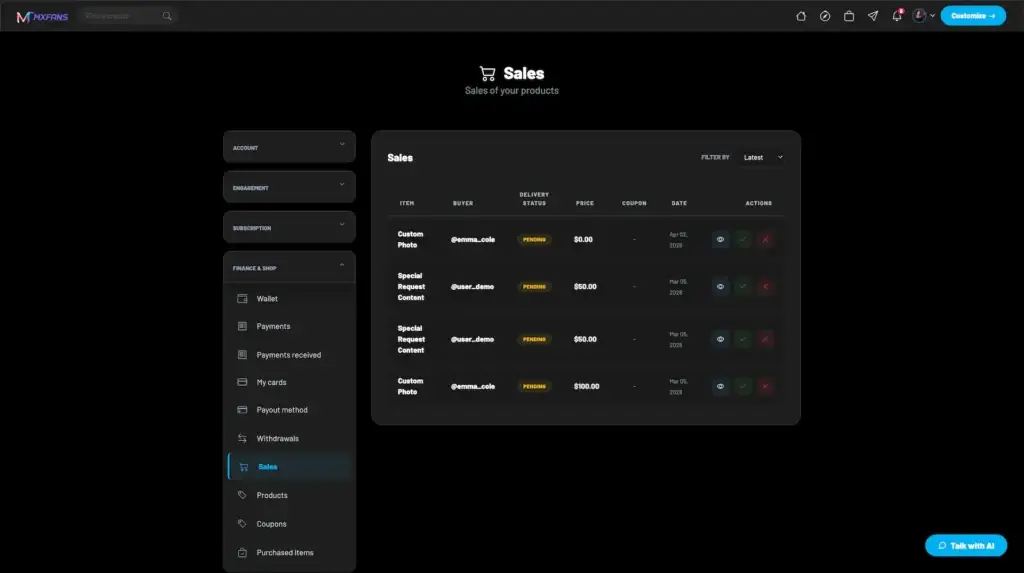
A physical sale arrives with a shipping address, the creator accepts or rejects it, and the operator keeps a sales list with fulfillment tracking beside the coupon and category screens.

Want a creator platform where the shop ships with it, not after it?Talk to Product Expert

Our clients include 6,000+ companies across the globe

MediaCube is the best managed IT service provider in New York City by Expertise.comMiraQs as an official member of Forbes Business Council Miracuves is a verified agency with design rush. MiraQs is ranked as a trustworthy service provider with Trustpilot. Miracuves is one of the top managed service providers, companies by themanifest. Miracuves ranked as a top software development company by Design Rush. Miracuves is recognized as top software developed company by goodfirms. Miracuves Ranked among top 1000 companies globally by ClutchMiracuves is a top-minus service provider in the United States by Clutch

01See it live

Live in Action

Fanfix Clone Demo - Live App, Creator Shop, Admin Dashboard & Screenshots

Read the product before you price it. The demo below opens the running build, so you can walk a listing from the creator's product form to the fan-facing shop screen, into the sales list, and out through the admin screens that curate categories and watch coupons.

What you are checking is whether the commerce half holds up: product types, nested shop categories, inventory and variants, coupon rules, auction listings, campaign goals, the buyer and delivery columns on a sale, and the subscription and unlock surfaces the catalog sits alongside.

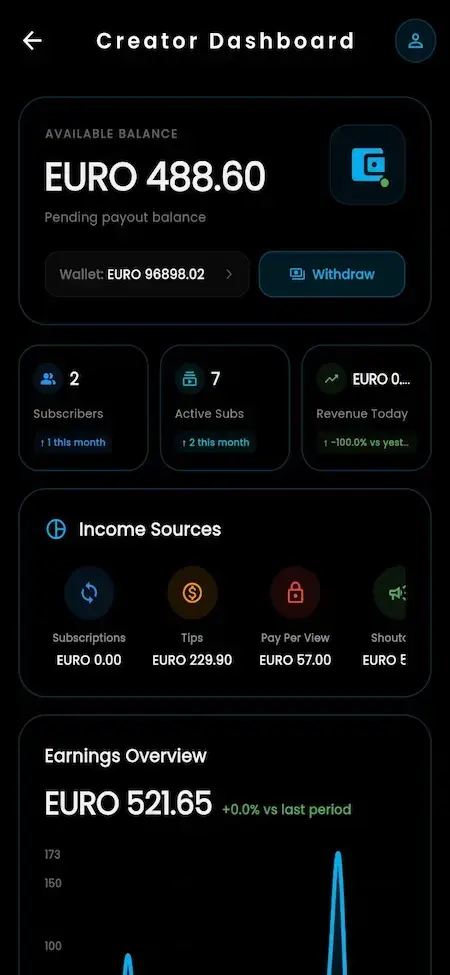
Fan-facing home feed with creator stories, pinned profile posts, premium media, and engagement actionsCreator dashboard showing available balance, subscriber totals, active subscriptions, revenue, income sources, and withdrawal controls
Live demo
UNIFIED FAN & CREATOR APP

Fanfix Clone - Mobile App

One app carries both sides of the sale. A fan browses the shop by category, opens a listing, applies a coupon and pays; the same app, once creator access is on, is where that listing was written, priced, stocked and later marked fulfilled.

  1. 1Fan side: shop browsing by category, listings, coupons, wallet and orders
  2. 2Creator side: product form, prices, stock, auctions, campaigns and sales
  3. 3One account, with the creator tools unlocked by permission
Try:user@demo.com | User_321
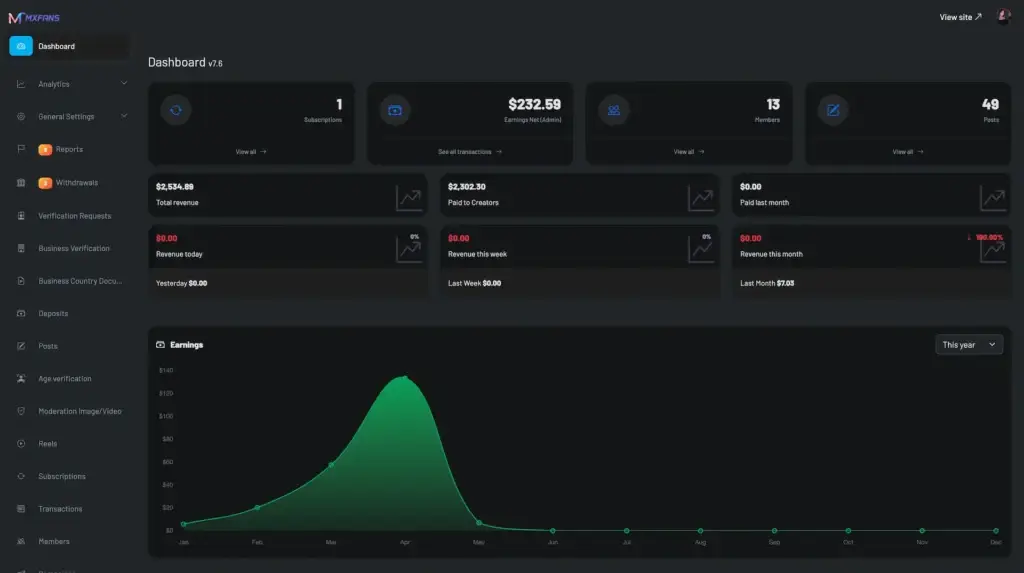
mxfans.mimeld.comAdministrator dashboard summarizing subscriptions, total earnings, members, posts, revenue trends, creator payouts, and verification activity
Live demo
ADMIN DASHBOARD

Web-Based Admin Panel

The operator's side of the shop: product moderation, shop category management, the sales list with fulfillment tracking, coupon monitoring and campaign curation, next to the gateway, tax-rate, payout and verification screens the catalog depends on.

  1. 1Product moderation, shop categories, sales and fulfillment tracking
  2. 2Coupon monitoring, campaign and shoutout category curation
  3. 3Tax rates, currencies, gateways, payouts and the wallet ledger
Try:admin@demo.com | Admin_$321
mxfans.mimeld.comPublic platform homepage promoting audience growth, paid subscriptions, exclusive content, creator discovery, login, and onboarding
Live demo
WEBSITE APP

Browser-Based Creator Platform

The browser build is where a catalog is easiest to run: a wider product form, bulk CSV import where you need it, and a sales screen with buyer, product, delivery status, price, coupon and date in one row. Shop and subscription pages share the login.

  1. 1Public creator pages with the shop tab beside the feed
  2. 2Checkout for listings, subscriptions and unlocks on one balance
  3. 3Browser-installable experience for buyers on a phone
Try:creator@demo.com | Creator_321

Video Walkthrough

Fanfix Clone Video Demo: Shop, Catalog, Orders, Admin Workflow & Code Overview

Prefer a guided pass? Take a 30-minute call and we will open the catalog screens on your questions.

Schedule a live walkthrough call.

App Flows

Fanfix Clone App Flows - Shop, Listing, Sales & Admin Screens

These are the real screens, in the order a sale moves through them: the fan-facing shop and its categories, the creator product form and price fields, the live auction listing, the campaign goal, the sales table with its delivery column, and the admin screens behind all of it.

Fan-facing home feed with creator stories, pinned profile posts, premium media, and engagement actions
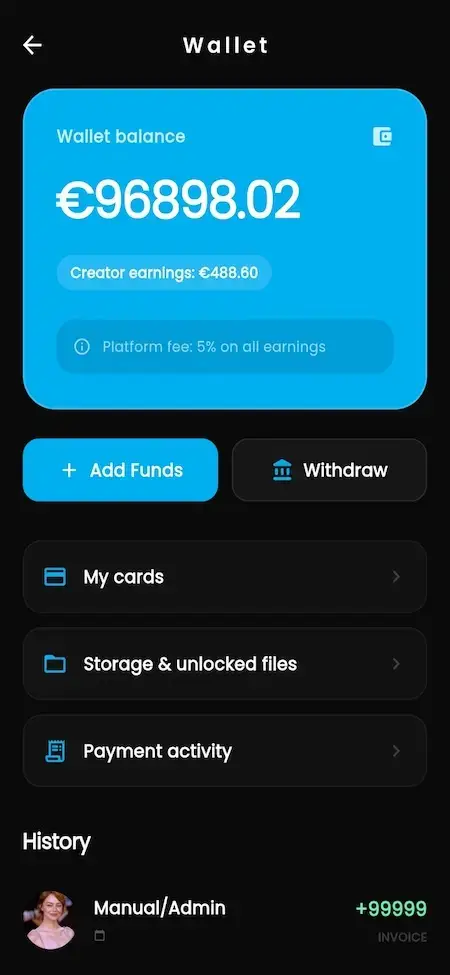
Creator wallet showing platform balance, earnings, fees, funding, withdrawals, saved cards, and unlocked-file storage
Secure direct-messaging interface for creator and fan conversations, media sharing, subscriber communication, and paid interactions
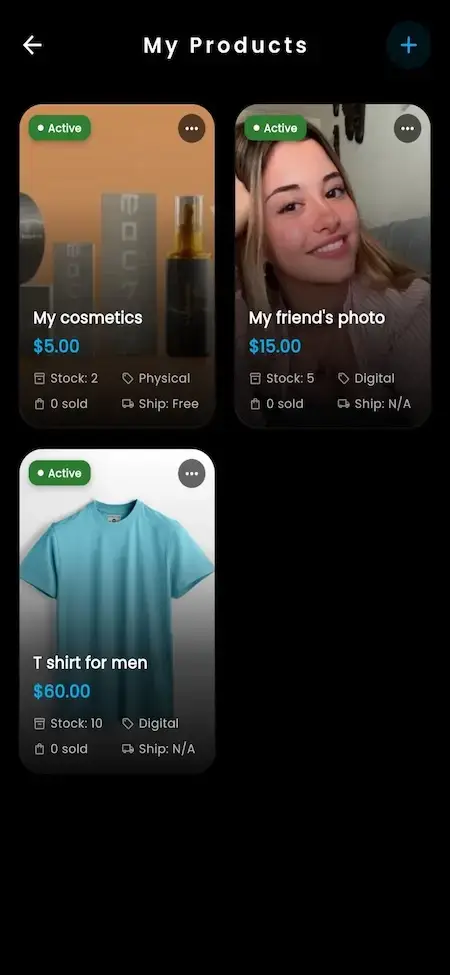
Creator shop dashboard for managing physical merchandise, digital products, prices, inventory, fulfillment, and storefront listings
Creator dashboard showing available balance, subscriber totals, active subscriptions, revenue, income sources, and withdrawal controls
Creator profile with cover media, biography, verification, subscriber totals, photos, videos, likes, and profile actions
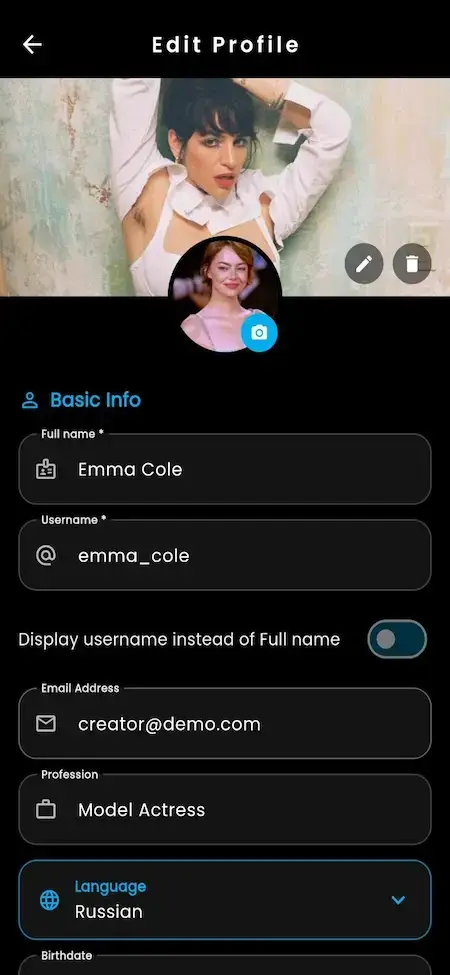
Profile-editing screen for cover and avatar images, name, username, email, display preferences, and creator account details
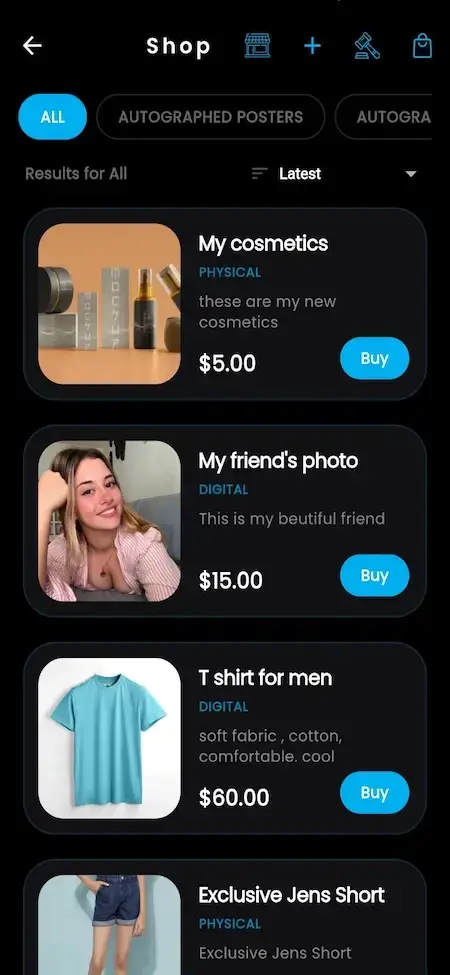
Fan-facing marketplace listing physical merchandise and digital products with categories, pricing, sorting, and purchase actions
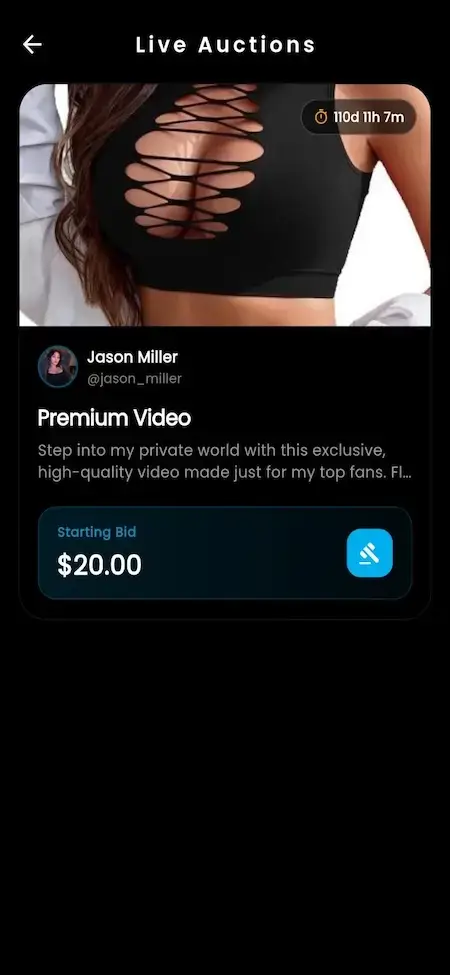
Live-auction listing for exclusive creator video content with starting bid, creator identity, and real-time bidding access
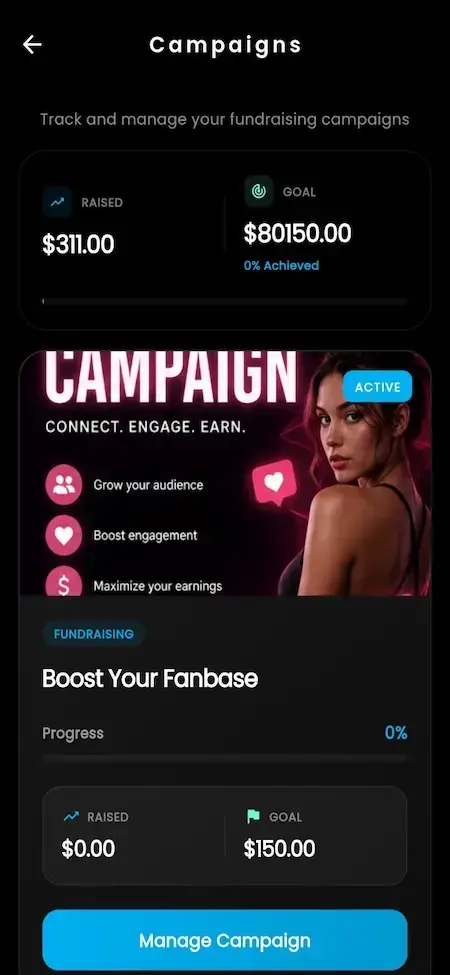
Campaign dashboard showing fundraising goals, amount raised, active status, audience growth, and engagement tools
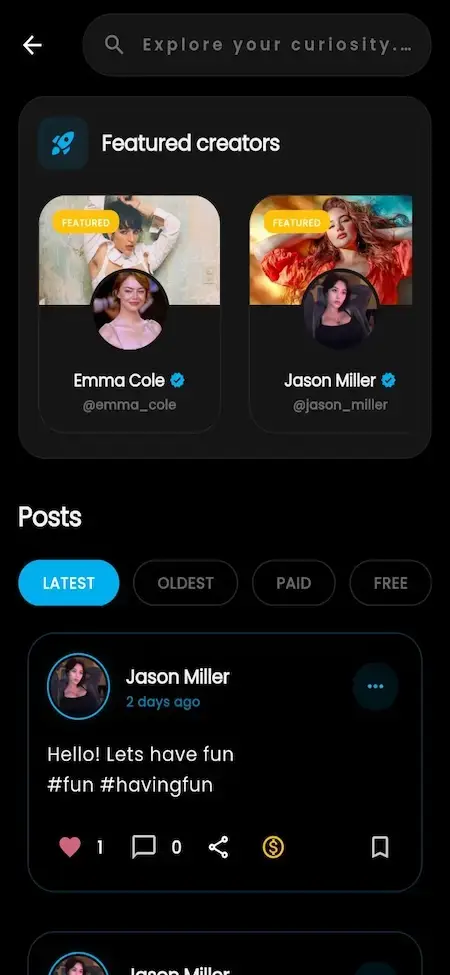
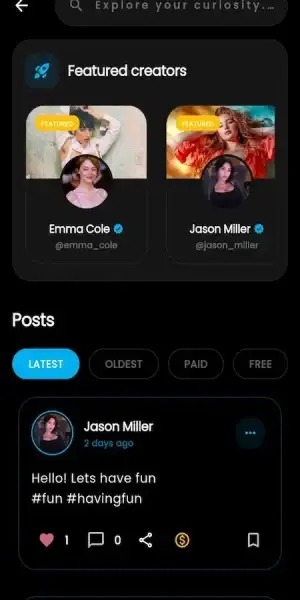
Content-discovery screen highlighting featured creator profiles and premium posts for fan exploration
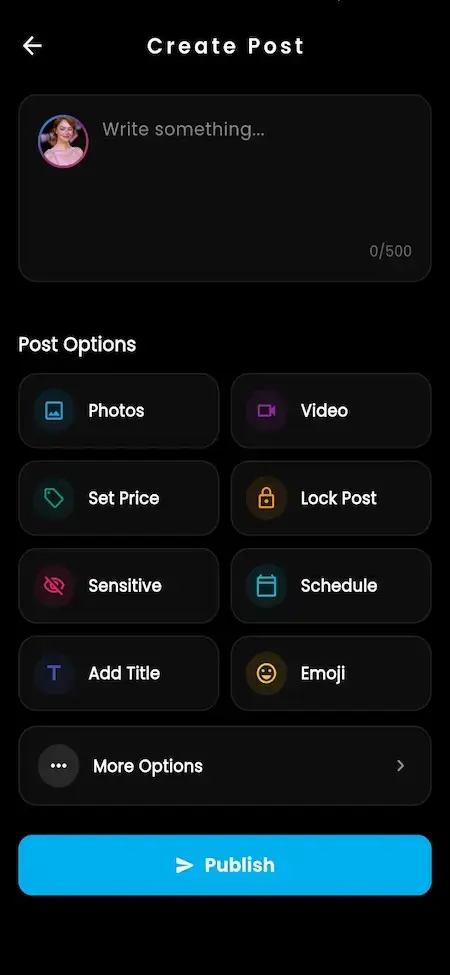
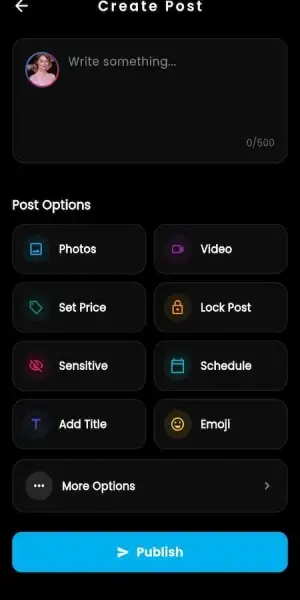
Creator post composer with text, photo and video uploads, pricing, locked-content controls, and publishing options
12 screens · scroll →
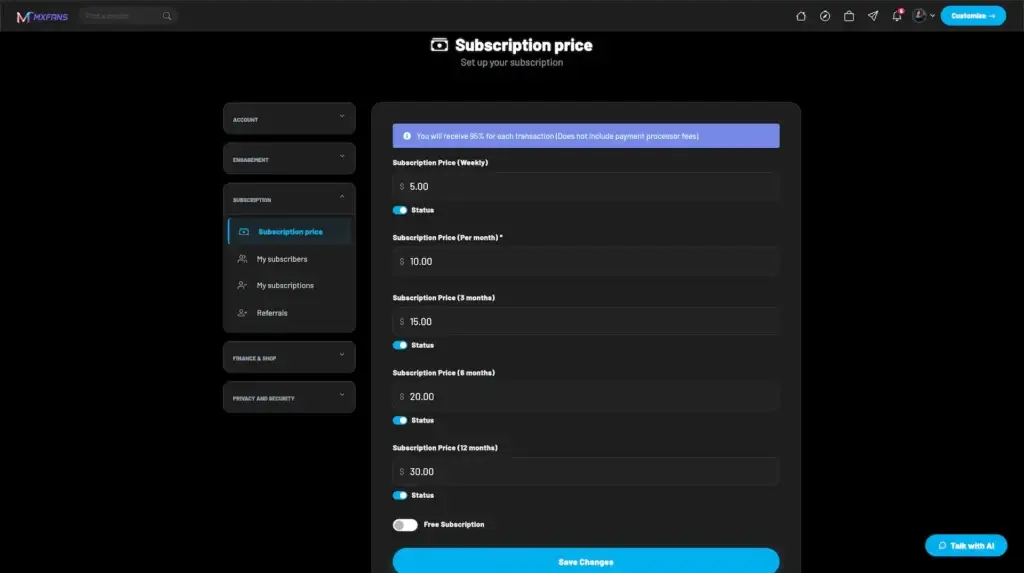
Creator settings for weekly, monthly, three-month, six-month, and annual subscription prices and availability
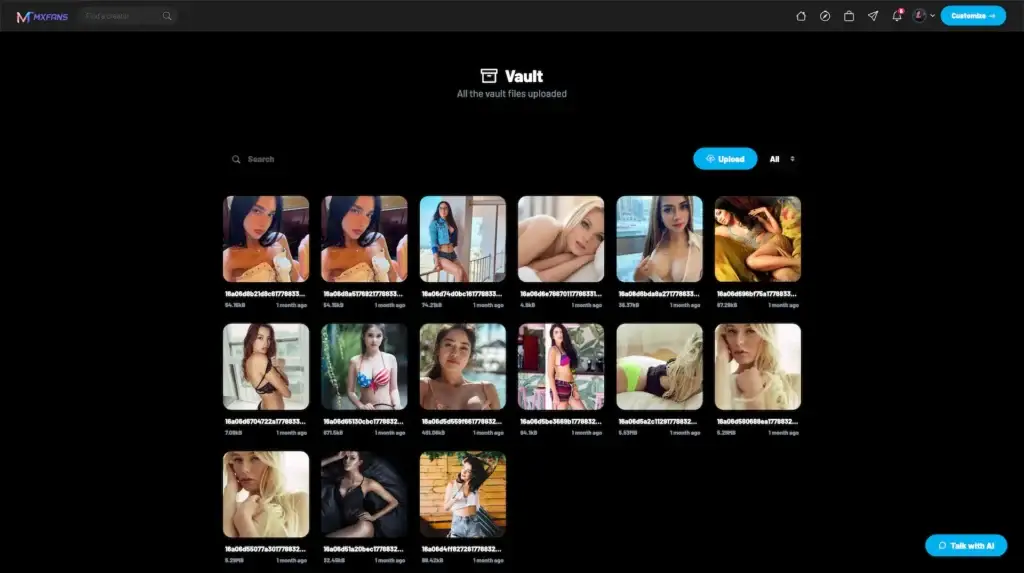
Creator vault displaying uploaded photos and videos with search, upload controls, media filters, and file management
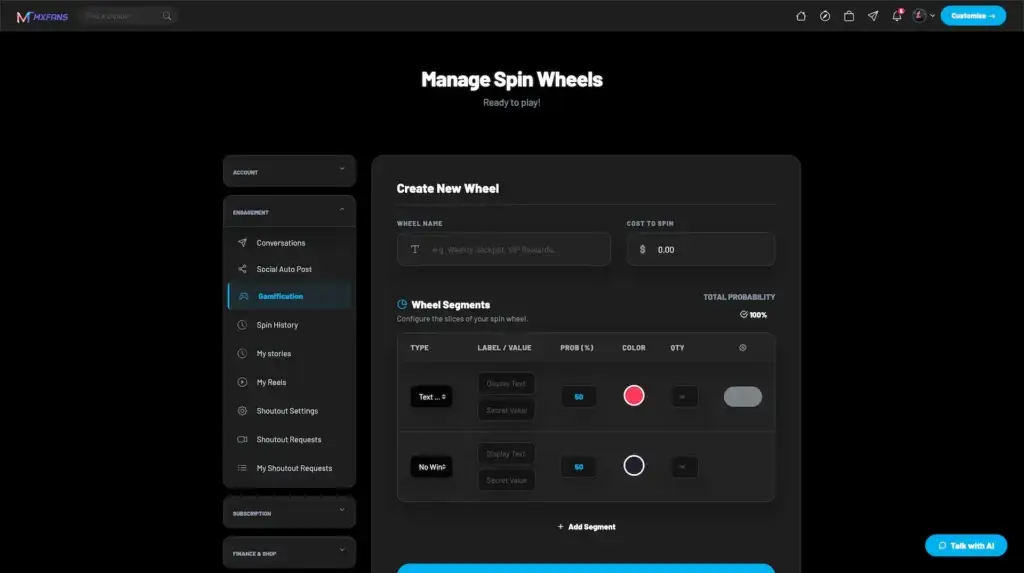
Gamification dashboard for creating a prize wheel with a name, spin cost, configurable segments, probabilities, colors, and rewards
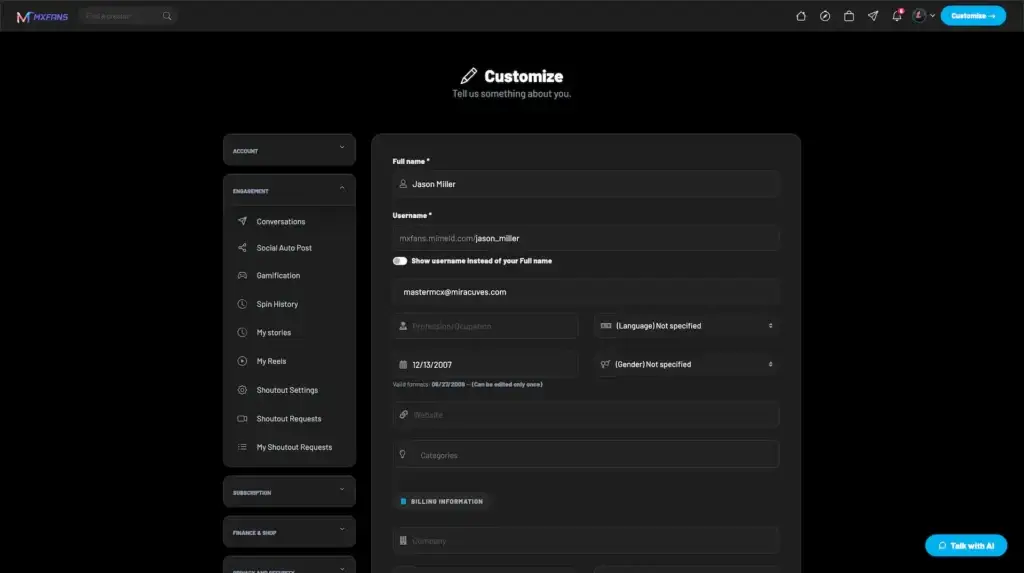
Creator customization screen for name, username, display choice, email, occupation, language, gender, and birth-date details
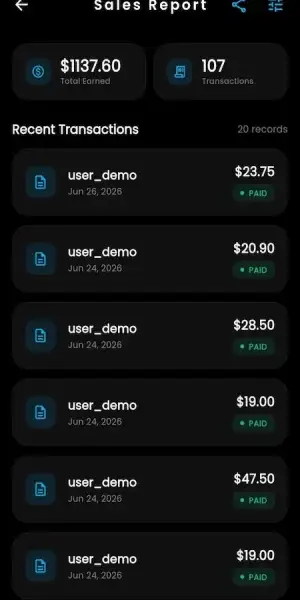
Creator sales dashboard listing buyers, products, delivery status, price, coupons, dates, and fulfillment actions
5 screens · scroll →
Administrator dashboard summarizing subscriptions, total earnings, members, posts, revenue trends, creator payouts, and verification activity
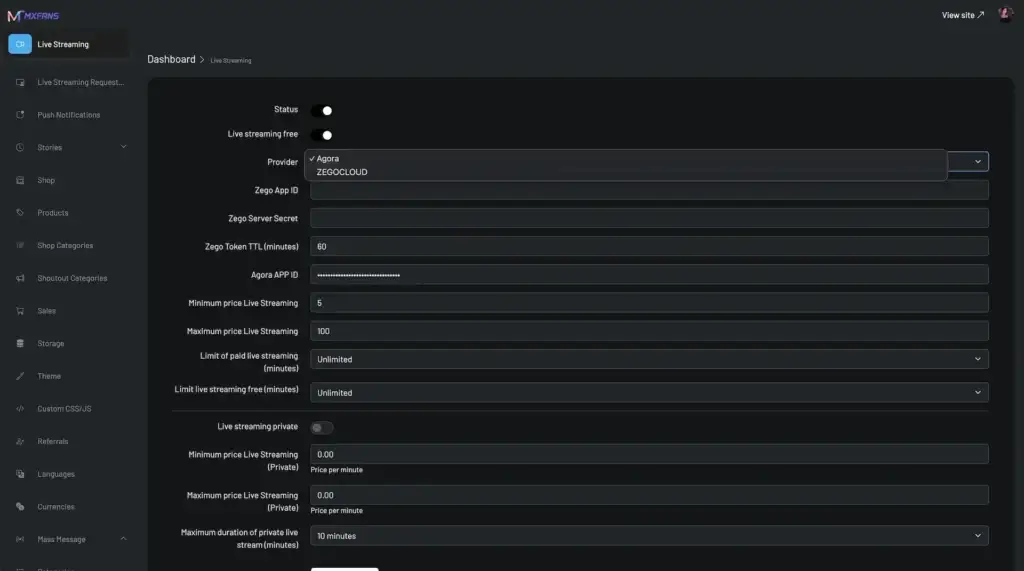
Administrator live-streaming settings for provider credentials, token lifetime, pricing limits, duration limits, and public or private broadcasts
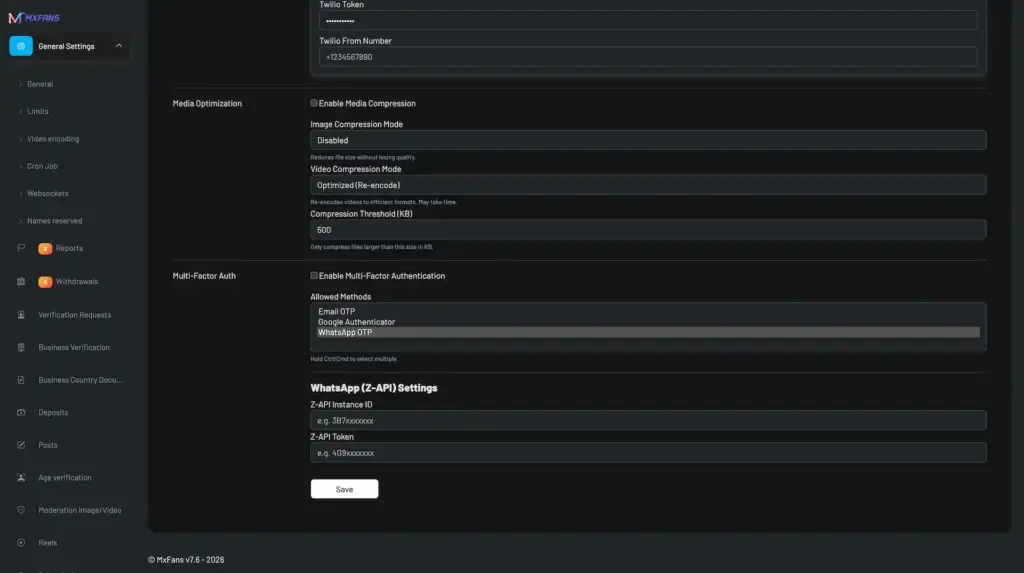
Administrator general settings for media compression, image and video optimization, multi-factor authentication, and messaging integration
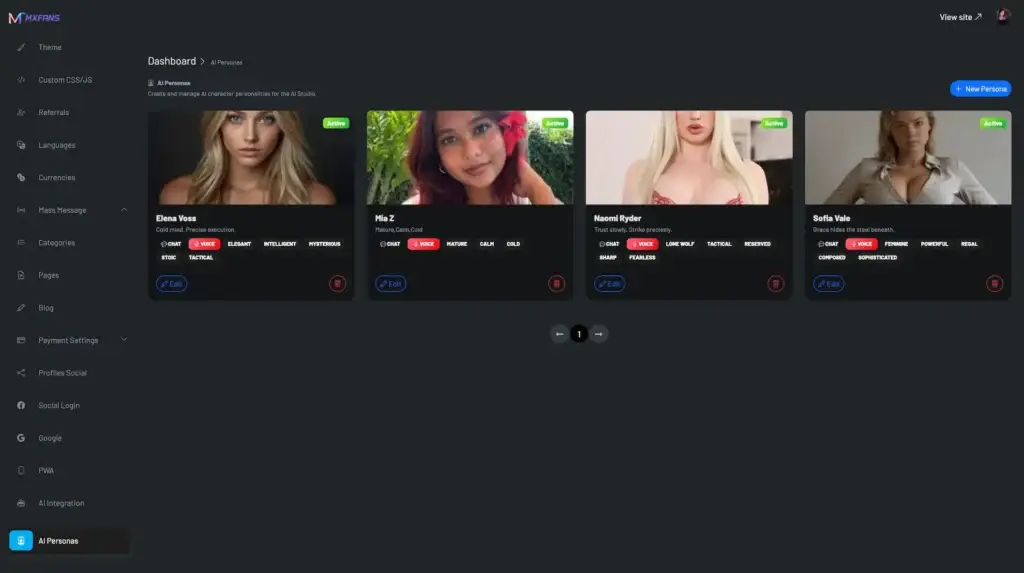
Administrator persona gallery for creating and managing AI characters with images, status, names, attributes, and editing controls
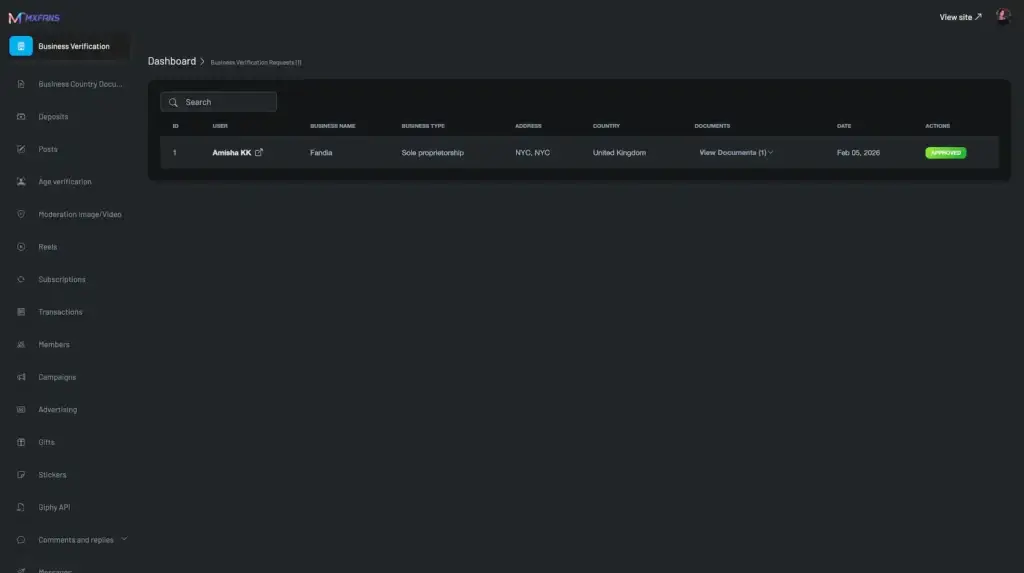
Administrator business-verification queue with applicant details, business type, address, country, documents, dates, approval status, and review actions
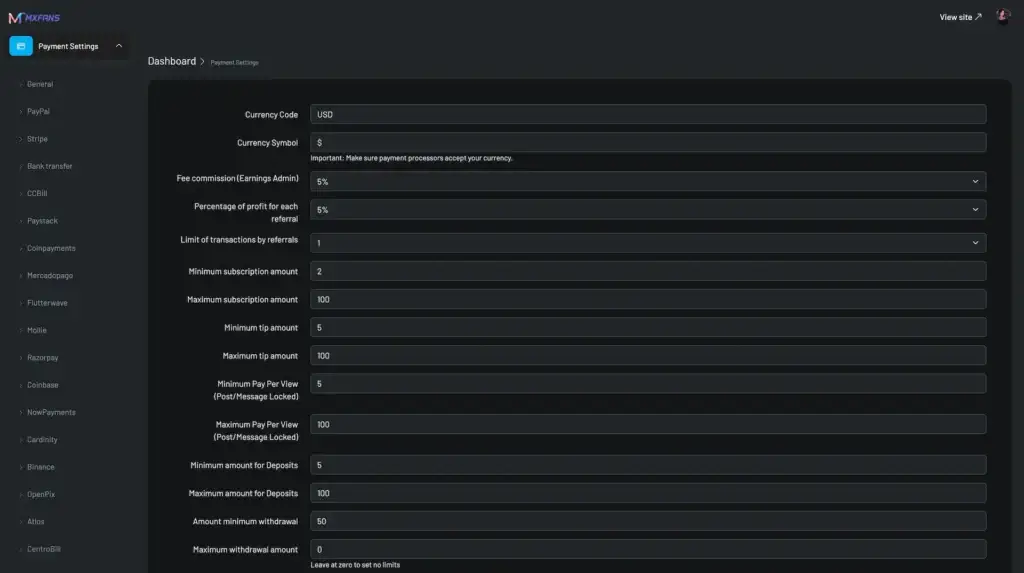
Administrator payment configuration for currency, platform commission, referral share, transaction limits, subscriptions, tips, and pay-per-view pricing
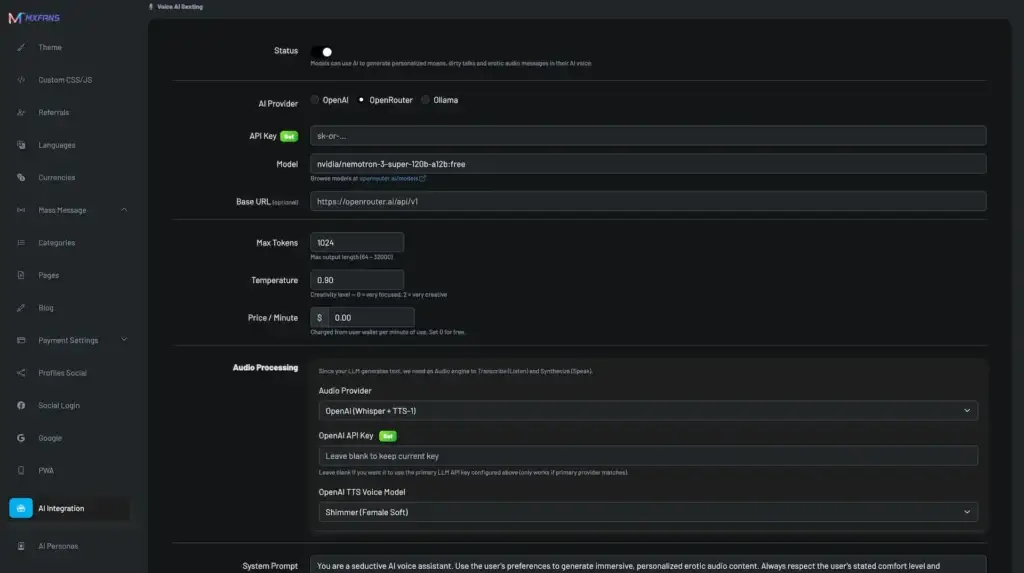
Administrator AI voice configuration for providers, models, API access, token limits, temperature, pricing, and audio processing
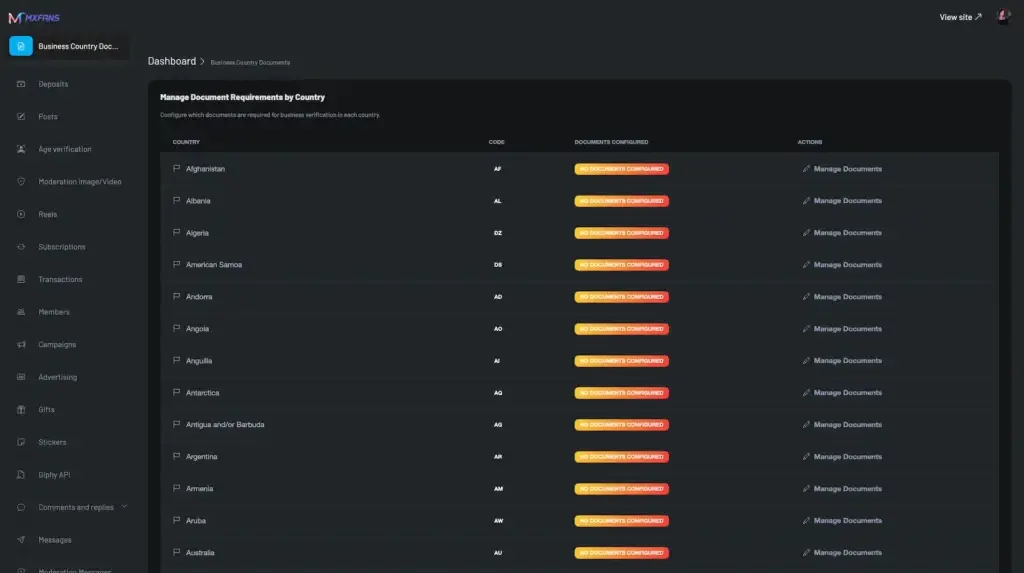
Administrator country-document manager for configuring business-verification requirements across supported jurisdictions
8 screens · scroll →
Public platform homepage promoting audience growth, paid subscriptions, exclusive content, creator discovery, login, and onboarding
1 screen
Want us to open one of these catalog screens on a call?Browse Our Solutions

02Proof

Client Reviews

What Our Clients Say About the Creator Platform

Real feedback from international founders, creator economy operators, agencies, and digital media businesses evaluating or launching white-label creator monetization platforms with Miracuves.

userAshley ManureCreator Platform Founder, United States

Building the Creator Economy

“We wanted a creator monetization platform without spending a year building subscriptions, PPV, wallet payments, and messaging from scratch.” Miracuves helped us start with a working white-label foundation and then shape the product around our creator category, branding, and payment requirements. The biggest validation for us was that we could review real app and admin flows before committing to deeper customization.
userFlinch MacDMO, United Kingdom

Tired of Paying Commissions

“Our goal was not to buy a simple clone script. We needed a platform that could support creators, fans, moderation, payments, and admin operations together.” The Miracuves team understood the difference between a content app and a creator economy business. The unified Fan and Creator App approach made sense for our rollout because users could consume content and creators could manage monetization from one connected experience.
PragPlayJohn AustenCAO, Australia

Local Creator Network

“For an agency model, the backend matters as much as the app. We needed creator controls, fan payments, reporting, moderation, and room to expand.” Miracuves gave us a solution that could be branded for our market and extended around our agency workflows. Instead of coordinating separate vendors for payments, media, live features, and admin tools, we had one product foundation to build from.
Portrait of Daniel Grogan from OnlyAlphas testimonial about Miracuves creator platform with subscriptions, pay-per-view posts, DMs, creator analytics, and moderation toolsDaniel GroganDirector of Operations, Bigr Impact Media LTD

A premium offering where moderation finally lived under the hood

OnlyAlphas is a creator platform for premium content - subscriptions, pay-per-view posts, DMs, and creator-side analytics. Building that with proper payment, DM, and content moderation, all on day one, is a serious effort. Miracuves’s MXFans base covered the subscription engine, the DM layer, the pay-per-view post flow, and the moderation tools. We added our branding, our local payment methods, and a custom creator-analytics dashboard. We launched in 6 weeks. Creator onboarding has been strong and the platform’s been stable through our traffic peaks.
See What More Clients SayWords from founders, CTOs and operator teams, collected on our testimonials page

Case Studies

Creator Platform Case Studies - Pixxie & OnlyAlphas Creator Platforms

Discover how international founders and creator economy operators used the Miracuves creator platform to launch and customize white-label creator monetization platforms with premium fan access, subscriptions, PPV messaging, creator vaults, moderation workflows, custom design, and scalable platform operations.

Case Study

Miracuves Creator Platform

Pixxie - Custom Creator Monetization Platform

A custom subscription-based creator platform enhanced with creator vault, PPV messaging, regional blocking, rewards, staff access, consent forms, age verification, and AWS deployment.

SwazeyClient
May 2025Delivery
Creator EconomyIndustry
60+Custom platform refinements
AWSServer deployment and go-live
UnifiedFan, creator, staff and admin flows
Creator vault displaying uploaded photos and videos with search, upload controls, media filters, and file management
Challenges
  • Create a creator-first experience with vault storage, PPV media, mass messaging, and subscription tiers
  • Add stronger governance through age verification, release forms, geo-blocking, email confirmation, and bot protection
  • Improve creator profile UX, feed behavior, dark mode, FYP video discovery, pinned posts, stories, and desktop navigation
  • Support creator operations with rewards, staff access, statistics, referrals, bookmarks, lists, and archive workflows
Goal
  • Launch Pixxie as a differentiated creator monetization platform with premium fan access
  • Give creators stronger tools for content storage, paid distribution, messaging, ranking, and audience growth
  • Build a policy-aware platform with consent, age verification, geo-blocking, and regional control
🛠 Engineered end to end by Miracuves
  • Creator Vault with media naming, renaming, pricing, posting, and PPV messaging support
  • Mass messaging with PPV vault content for creators and paid fan engagement
  • Subscription tiers, pinned posts, archived posts, scheduled posts, polls, quizzes, and story refinements
  • Granular geo-blocking by region, city, state, and country instead of country-only restriction
  • Creator rewards program with Bronze, Silver, Gold, and Diamond tiers based on subscribers, videos, and referrals
  • Staff access module for creators to grant limited access to selected account sections
  • Release form workflow for tagged creators with age verification, consent, and revenue split support
  • Ondato age verification, Google login, Twitter login, Google reCAPTCHA, email confirmation, and AWS deployment
“Pixxie needed more than a standard clone. We wanted creator vaults, PPV messaging, consent workflows, rewards, staff access, geo-blocking, and a custom user experience. Miracuves helped shape the platform around the way our creator business actually needed to operate.”Swazey · Founder, Pixxie
Explore PixxieSee how a custom creator monetization platform was shaped around creator workflows, policy controls, and premium fan engagement.
Case Study

Miracuves Creator Platform

OnlyAlphas - Custom Creator Platform Design & Feature Build

A custom creator monetization platform delivered for an international buyer with a tailored design direction, premium fan experience, and multiple custom feature enhancements.

JasonClient
Dec 2025Delivery
Premium Creator PlatformIndustry
CustomDesign direction and UI experience
MultiFeature customization scope
VIPPremium fan platform positioning
OnlyAlphas project screens
Challenges
  • Create a premium creator platform that did not feel like a generic clone script
  • Support custom design expectations around brand identity, user flow, and premium presentation
  • Adapt creator monetization features around the client’s platform concept and fan experience
  • Prepare the platform for a differentiated launch with custom workflows instead of a fixed template
Goal
  • Launch OnlyAlphas as a premium white-label creator monetization platform
  • Build a custom design experience around the client’s brand and audience positioning
  • Use the ready-made product foundation while extending features based on business needs
🛠 Engineered end to end by Miracuves
  • Custom design adaptation for OnlyAlphas brand positioning and premium platform feel
  • White-label creator monetization foundation configured around the client’s concept
  • Creator profile, fan subscription, premium content, and paid engagement workflows
  • Admin-controlled platform setup for users, creators, content, payments, and operations
  • Multiple custom feature refinements based on Jason’s launch requirements
  • Platform prepared for future expansion through additional modules and custom development
“We did not want a copy-paste creator platform. The goal was to create a premium branded experience with custom design and feature changes that matched the OnlyAlphas concept. Miracuves gave us a strong ready-made foundation and then customized it around our business direction.”Jason · Founder, OnlyAlphas
Explore OnlyAlphasSee how a premium creator platform was customized with brand-specific design and feature enhancements.

03The product

The Build

What Is a Fanfix Clone App?

A Fanfix Clone App is a ready-made creator platform in which the shop is a first-class surface rather than an afterthought. A creator sells recurring access to a feed and, in the same account, runs a catalog: physical goods that ship, digital files that deliver on payment, commissioned work, and auction lots. Categories, coupons, campaigns, tax rates and a sales list come with it.

Miracuves hands it over white-label and source-code-owned, so the catalog rules, the category tree, the discount policy and the fulfillment workflow are yours to set and to change later.

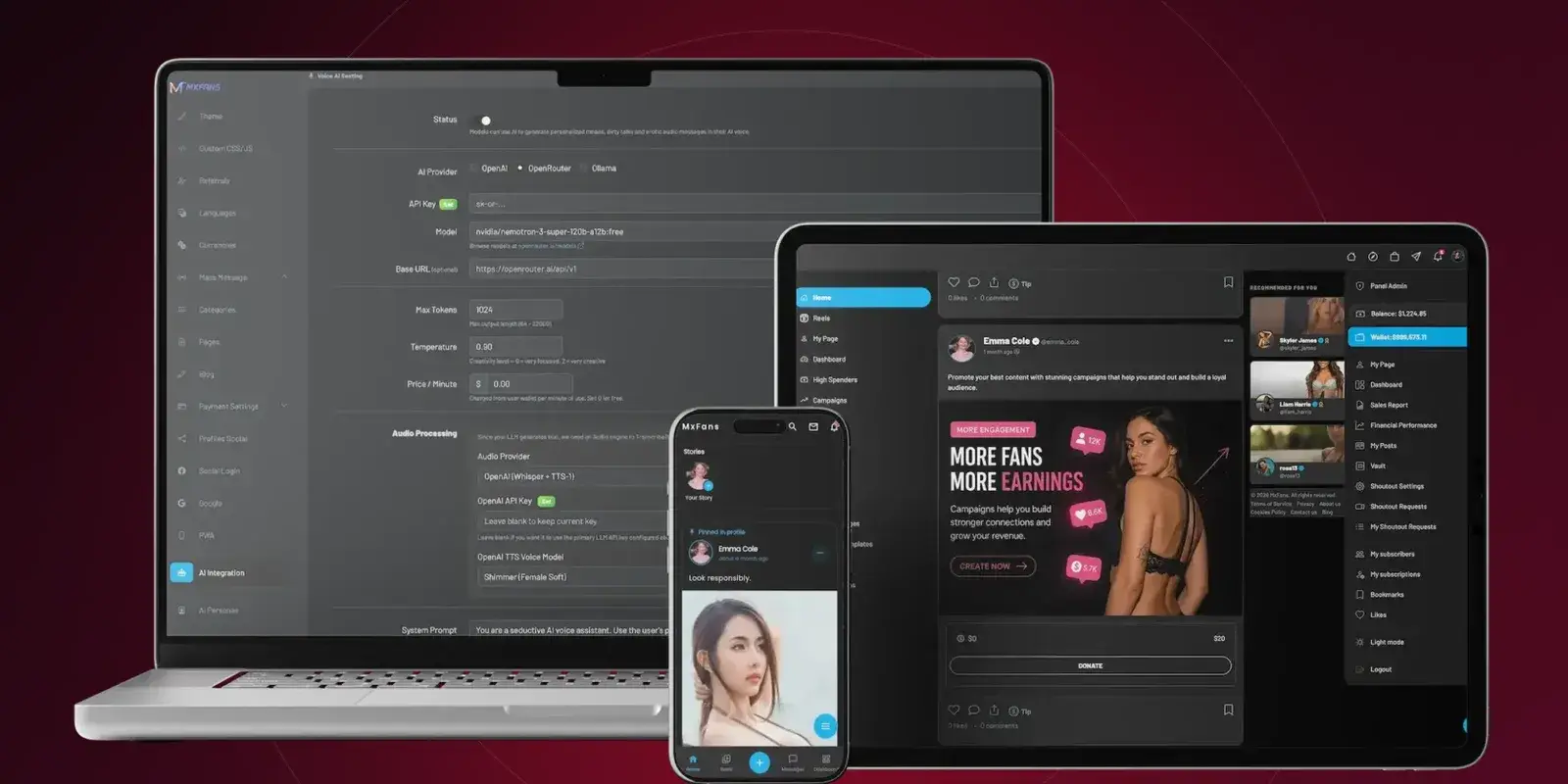
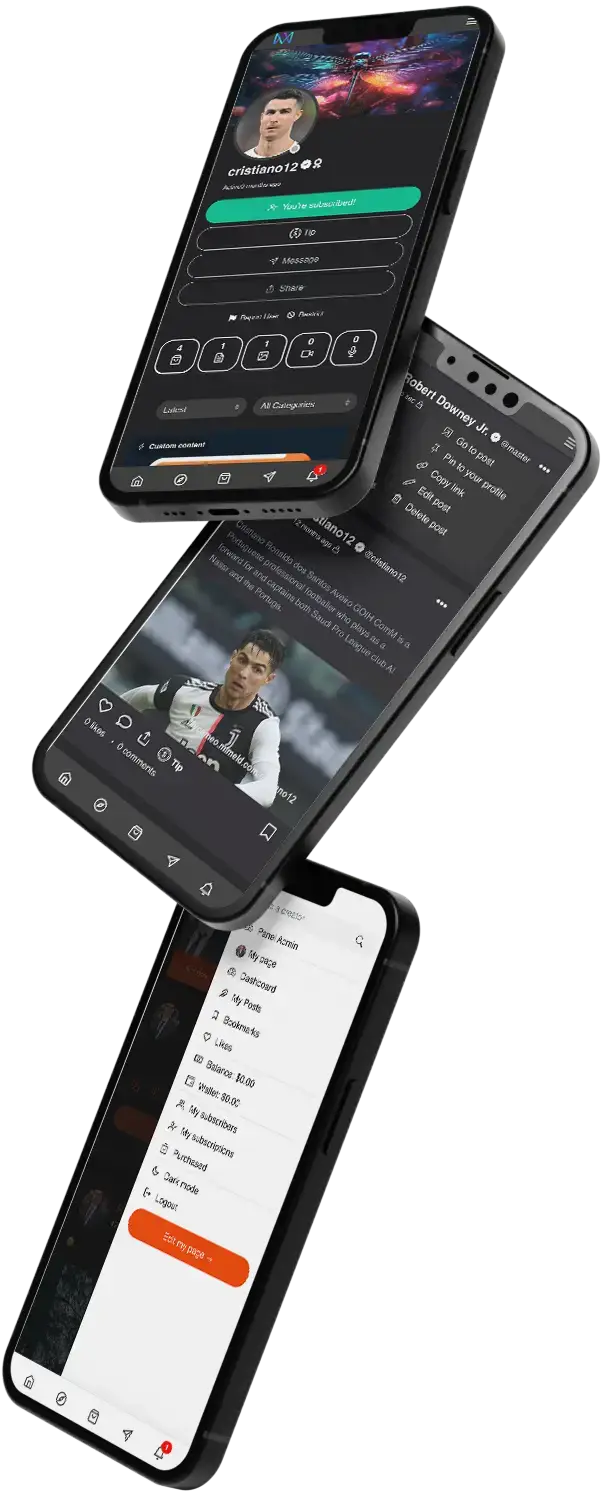
Creator subscription platform shown across desktop, tablet, and mobile with administration, creator profiles, products, content, and fan engagement tools

Buy and Sell on Any Screen

The shop endpoints sit under one API, so the phone app, the browser build and the admin panel read the same catalog.

Your Store, Your Name

Logo, colors, domain, category names, product policy and refund terms all read as yours, with no supplier name anywhere a buyer looks.

A Catalog on Day One

Product types, stock, variants, pre-orders, reviews, wishlists, coupons, tax rates, refunds and sales reporting are already written.

The Engine

What Is a Fanfix Clone Script?

A Fanfix Clone Script is the source code behind that storefront: the product, media-gallery, bid, purchase, coupon, campaign and shop-category tables, the endpoints that drive them, the admin screens that govern them, and the buyer-facing pages on top.

Rather than modelling a catalog from nothing, you inherit one that already distinguishes a shippable item from a downloadable file, a commissioned piece from an auction lot, and already knows what a coupon may and may not be applied to.

The documented build is a Laravel stack with Sanctum-authenticated endpoints, a MySQL or MariaDB schema whose commerce tables cover products, product media, bids, purchases and coupons, and an admin layer for product moderation, categories, sales and tax.

Public platform homepage promoting audience growth, paid subscriptions, exclusive content, creator discovery, login, and onboarding

What Becomes Yours

  1. 01The commerce schema and all of its source
  2. 02Buyer and seller journeys in one app
  3. 03Browser storefront and installable web build
  4. 04Admin screens for products, categories and sales
  5. 05Shop, coupon and campaign endpoints
  6. 06Category names, labels and theme under your brand
  7. 07Your own pricing, discount and fulfillment rules
  8. 08Room to add product types and integrations later

Treat it as a shortcut to a working creator storefront: a catalog with four product types, a nested category tree, coupon and campaign objects, tax by jurisdiction, an order list with fulfillment tracking, and the subscription and unlock surfaces the catalog sells alongside, all under your brand and your source control.

Features

Fanfix Clone Features - Shop, Catalog, Coupons, Campaigns, Subscriptions & Admin

Twelve modules ship in the base build. Read them from the shop outward: a catalog with four product types, a nested category tree, inventory and variants, coupons with twelve configurable rules, campaign goals with a donor trail, and a sales list the creator works order by order. The subscription, unlock, messaging, live and wallet modules are what the catalog sells alongside, and the admin layer is where products are moderated, categories curated and coupons watched. Anything marked as needing configuration or an outside service is labeled that way below.

Feature 01 / 12

Subscriptions

Recurring access is the other half of the storefront, and it can itself be sold as a product.

  • Weekly, monthly, quarterly, biannual and yearly intervals
  • A free plan per creator where you allow one
  • Subscription products: a listing that rebills rather than ships
Feature 02 / 12

Pay-Per-View Content

A single item can be sold once, priced by the creator, outside any plan.

  • Locked posts and private media priced per item
  • One payment, one entitlement, recorded against the account
  • Same ledger as a shop purchase, so reporting lines up
Feature 03 / 12

Tips, Gifts & Wallet

A stored balance is what makes a second purchase easier than the first.

  • Direct top-up through the gateways you enable
  • Tips and an admin-managed gift catalog with set prices
  • Wallet ledger review and deposit history in admin
Feature 04 / 12

Messaging & Paid Communication

The thread is where a buyer asks about a listing before paying for it.

  • One-to-one and group threads with rich media
  • Reusable reply templates for repeat product questions
  • Saved segments, bulk sends and scheduled sends for a drop
Feature 05 / 12

Stories, Reels & Feed

The feed is the shop window: this is where a listing gets seen.

  • Posts, stories and reels with comments, likes and bookmarks
  • Photo, video, audio and file uploads with admin size limits
  • Hashtags parsed from titles, mentions, and a trends page
Feature 06 / 12

Live Streaming & Private Sessions

A live session is a usable sales channel for a timed offer.

  • Public and paid streams through Agora or Zego
  • Private requests a creator accepts or declines
  • In-stream tips, real-time comments and archived history
Feature 07 / 12

Audio & Video Calls

Booked time is a product with a per-minute price instead of a unit price.

  • Paid audio calls, billed per minute
  • Paid video calls with provider-issued tokens
  • Per-user call rules, plus duration and charge records
Feature 08 / 12

Creator Shop & Catalog

Four product types, a nested category tree, stock, variants and an order list the creator works.

  • Physical goods with a shipping address and sale tracking
  • Digital products delivered as a file once payment clears
  • Custom content orders a fan starts and the creator accepts
  • Auction listings backed by a bid table; the auction flow needs configuration
  • Nested shop categories, operator-configurable, for product discovery
  • Inventory tracking, variants, pre-orders and wishlists
  • Tax rates set at country or state level
  • Sale acceptance or rejection, refunds and sales reporting
  • Featured listings and flash sales; bundles are supported
  • CSV import for a large catalog is supported, not preconfigured
  • Shipping zones ship; carrier integration is supported on setup
Feature 09 / 12

Coupons, Campaigns & Promotions

Coupons, campaigns and boosts are stored objects, not hand-run promises.

  • Coupons: percent or fixed, scoped to a product or a category
  • Usage caps, date windows, minimum spend, first-time-only rules
  • Campaign goals with a donor list and progress tracking
  • Shoutout requests in personal and business types
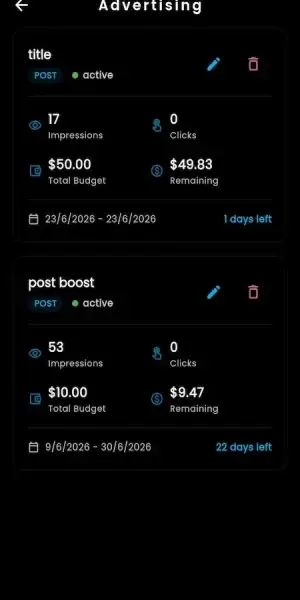
  • Per-product boost with its own budget and a badge on the listing
  • Spin wheel promotions, and referral commissions at a rate you set
Feature 10 / 12

AI Personas & AI Studio

An AI layer exists and is billed by the minute; it is not part of the catalog.

  • Admin-managed persona library and session history
  • Per-minute billing recorded against the session
  • Third-party AI services need integration: you connect and pay the provider
Feature 11 / 12

Verification, Moderation & Trust

Selling raises the bar: business verification is what opens the shop tier.

  • Business verification, with shop features on the business tier
  • Per-country document lists an admin maintains
  • ID checks through Yoti or Didit, as integrated
  • Product moderation beside post, comment and media queues
Feature 12 / 12

Stats & Insights

Sales reporting is a named report, not a number you work out by hand.

  • Sales, financial, user-growth and activity sub-reports
  • Coupon usage tracking and a high-spender list
  • CSV and PDF export, where the export permission allows it
Quick buyer caveat:

Every module above can be switched on, switched off or extended. A catalog-first launch can run with the shop, subscriptions and coupons enabled and leave live, calls and the AI layer dark until you want them, because the modules are configuration rather than a fixed template.

Need something the base catalog does not cover, such as a carrier integration, a warehouse handoff, a marketplace-wide shipping policy, per-region product rules or a deeper discount engine? Those are scoped as modules.

Request Custom features

Control Center

Fanfix Clone Admin Dashboard - Products, Categories, Sales, Coupons, Payouts & Settings

A storefront is only as good as the back office behind it. The admin panel carries a commerce oversight group of its own: product moderation, shop category management, a sales list with fulfillment tracking, coupon monitoring, and campaign and shoutout category curation. Tax rates, currencies, gateways, the wallet ledger and the withdrawal queue sit next to it.

Access is scoped. A super admin holds everything; a limited admin holds only the sections you grant through the permission editor, so the person curating categories and watching coupons need never see a payout queue.

Administrator dashboard summarizing subscriptions, total earnings, members, posts, revenue trends, creator payouts, and verification activity
Administrator payment configuration for currency, platform commission, referral share, transaction limits, subscriptions, tips, and pay-per-view pricing

The integrations a storefront build leans on: payment gateways and their per-gateway fee setting, wallet funding, object storage for product media, tax configuration, identity and business verification providers, media moderation, email for new-sale and tip notices, push delivery, and the AI services you connect and pay for yourself.

Admin Dashboard Features

  • 01

    Product Moderation

    Review listings before or after they go live, with product reports routed into the same queue as post, comment and media reports.

  • 02

    Shop Category Management

    Build and reorder the nested category tree buyers browse. Categories are operator-configurable, so the taxonomy is a business decision, not a code change.

  • 03

    Sales and Fulfillment Tracking

    Work the sales list by buyer, product, price, coupon, date and delivery state, and see which orders a creator has accepted, rejected or shipped.

  • 04

    Coupon Monitoring

    See which codes are live, what they are scoped to, how often they have been redeemed and when they expire, with usage tracking per code.

  • 05

    Tax, Currency and Gateway Setup

    Set tax rates by country or state, manage currencies, and configure the gateway list, including the per-gateway fee that decides the platform's cut on a product sale.

  • 06

    Deposits, Withdrawals and the Ledger

    Approve or reject withdrawal requests, review the deposit queue, and read the transaction ledger that anchors subscriptions, unlocks, tips, gifts, product purchases and payouts together.

  • 07

    Campaign and Shoutout Curation

    Curate campaign and shoutout categories, follow a campaign against its goal, and read the donation trail that links each contribution to its transaction.

  • 08

    Members, Roles and Permission Editor

    Assign super admin or limited admin, edit the permission list per admin user, review business verification, and switch into a managed account where a creator has granted it.

  • 09

    Brand, Theme and CMS

    Theme editor, custom CSS and JS, email templates, CMS and blog pages, reserved usernames, and the language, country and timezone lists your storefront reads.

  • 10

    Sales and Financial Reports

    Sales, financial, user-growth and activity sub-reports with KPI cards, a high-spender list, and CSV or PDF export where the permission allows it.

  • 11

    Commission and Referral Rates

    Set the platform fee that applies to a sale, a referral commission rate, and the transaction, subscription, tip and unlock limits the gateways enforce.

  • 12

    Reports, Restrictions and Account State

    Handle reports against users, posts, reels and products, apply bidirectional blocks, change account status, and record why a listing or an account was acted on.

Browser Storefront

The browser build is the practical place to run a catalog: a full product form, the category tree, coupon setup, and a sales table wide enough to read buyer, product, price, coupon, date and delivery state in one row.

  • Public creator pages with the shop tab beside the feed
  • Listing pages, variants, wishlists and product reviews
  • Checkout against wallet balance or a saved payment method
  • Creator vault, product form, coupon screen and sales table

Mobile Apps (Android & iOS)

Decide centrally which commerce modules a given platform shows, which app versions must update, and which regions see which part of the catalog.

  • Version and update control for both stores
  • Forced or optional updates when a checkout change ships
  • Module flags, so the shop can be on where the store policy allows it
  • Country rules, so a territory you cannot ship to is not sold to
Need tighter commerce governance: per-country product rules, a carrier or warehouse handoff, stricter refund policy, marketplace-wide shipping terms, or on-premise hosting for the order data?Discuss Your Compliance & Control Requirements

04Package scope and its price

Deliverables

What's Included - Fanfix Clone Source Code, Mobile Apps & Rollout

The delivery is a stack, not an app. You receive the Android and iOS builds, the browser storefront, the admin panel with its commerce screens, the shop, coupon and campaign endpoints, the branding pass, and the deployment and store-submission work that puts all of it in front of buyers.

Every line below arrives as source you own, so the catalog rules, the discount logic and the fulfillment workflow can be changed by your team without asking us first.

01

Android App

Your Android build, carrying both sides of a sale: shop browsing and checkout for buyers, and the product form, stock fields and sales list for creators.

  • Your name, icon and theme throughout
  • Shop, categories, listings, coupons and orders on the phone
  • Play Store-ready, with the module flags you want set
Fan-facing home feed with creator stories, pinned profile posts, premium media, and engagement actions
02

iOS App

The matching iOS build, with the same catalog, the same checkout and the same creator sales screens as Android.

  • Catalog, checkout and order screens at parity with Android
  • Wallet, subscriptions and unlocks on the same balance
  • App Store-ready build under your brand assets
Creator dashboard showing available balance, subscriber totals, active subscriptions, revenue, income sources, and withdrawal controls
Public platform homepage promoting audience growth, paid subscriptions, exclusive content, creator discovery, login, and onboarding
03

Web App / PWA

The browser storefront, which is where most catalog work actually gets done and where a listing is easiest to share.

  • Shareable creator pages with the shop beside the feed
  • Full product form, variants, categories and coupon setup
  • Installable browser experience, depending on deployment scope
Administrator dashboard summarizing subscriptions, total earnings, members, posts, revenue trends, creator payouts, and verification activity
04

Admin Panel

The operator console, including the commerce oversight group: product moderation, shop categories, sales and fulfillment, coupons, and campaign curation.

  • Products, categories, sales, coupons and campaigns in one place
  • Tax rates, currencies, gateways, deposits and withdrawals
  • Super admin and limited admin, scoped by the permission editor
05

APIs & Integration Layer

The Sanctum-authenticated endpoints the storefront runs on, including the shop product, coupon and campaign routes your own tools can call.

  • Shop product, coupon, campaign and donation endpoints
  • Coupon validation as its own call, so a client can check before charging
  • Gateway, storage, verification, moderation and notification hooks
06

Theme & Brand Setup

Name, logo, colors, splash screens, landing pages and store positioning, plus the category names and labels a buyer reads while browsing.

  • App name, logo, splash screens and color theme
  • Fonts, icons, banners and store creatives
  • Language, country, currency and category naming for your market
07

Deployment & App Store Publishing Support

Cloud setup, gateway and storage configuration, build preparation, store submission support, documentation and credential handover.

  • Server and object storage set up on the provider you pick
  • Help with both store listings and their content questions
  • Docs, a walkthrough of the commerce screens, and handover
08

Help Once You Launch

Bug fixes, help with gateway, tax and category configuration, update guidance, and options for longer maintenance.

60 days tech support
Free 1 year updates where applicable
Options for extended support, custom changes, and ongoing platform evolution
Want to see your own catalog and checkout, with your brand on it, before you decide?Request A Branded Live Demo

Pricing

How Much Does It Cost to Build a Creator Shop Platform in 2026?

A launch-ready white-label Fanfix Clone starts from $3,699 with the catalog, coupons, campaigns, subscriptions and admin commerce screens already built. It moves up with the things that are genuinely yours to decide: how many gateways and currencies, which tax jurisdictions, whether a carrier or warehouse has to be wired in, how deep the discount rules go, how much product media you will store, and which modules beyond the shop you want live on day one.

What moves the number: catalog depth and variant rules · platforms Android/iOS/Web · number of gateways and currencies · tax jurisdictions · shipping zones and any carrier handoff · coupon and campaign complexity · product media storage · auction flow configuration · verification providers · branding work · infrastructure and scale · support level.

Favorite Package

Professional

Ready-Made Turnkey Solution
$3,699/-one payment total
Go-live: 6 days

Suited for: merch-led creator brands, digital-product sellers, coaching and fitness catalogs, limited-drop and auction sellers, and operators who want a shop and a subscription in one account

You get what the demo shows, under your own brand, hosted on your own infrastructure, with the catalog and checkout working as delivered.

Get Started

Enterprise

Custom, Governance & High-Scale
Customquote
Go-live: Based on final scope

Suited for: multi-creator marketplaces, catalogs that need carrier or warehouse integration, operators selling across several tax jurisdictions, and policy-sensitive product categories

Built around your commerce rules instead: regional gateway routing, deeper discount logic, fulfillment integrations, product-category policy, and the scale your catalog actually needs.

Request a Quote

05Who it is for

Who It’s For

Who Are the Target Buyers of Our Fanfix Clone App?

This page is for operators whose creators have something to sell as well as something to post: merchandise, downloadable files, commissioned work, limited drops. If your plan already includes a product catalog, a discount policy and somebody packing boxes, you need the commerce half of a creator platform to be real rather than a placeholder, and that is the half this build is argued from.

Audience 01 / 06Merch-Led Creator Brands

For brands whose audience already buys objects, not only access.

  • List shippable goods with stock, variants and a buyer address
  • Group them under nested categories buyers can browse
  • Run flash sales and featured placements against the catalog
Audience 02 / 06Digital Product Sellers

For presets, samples, guides, courses and templates that deliver as a file.

  • Deliver the file automatically once payment clears
  • No shipping, no stock, and coupons scoped per product
  • Bundle a download with a subscription product where it helps
Audience 03 / 06Multi-Jurisdiction Operators

For anyone whose buyers and tax obligations sit in more than one place.

  • Tax rates set per country or state, with taxes stored on the sale
  • Shipping zones that exclude a territory you cannot serve
  • Regional gateways and currencies, and per-currency coupon codes
Audience 04 / 06White-Label Agencies & SaaS Operators

For agencies shipping a branded storefront for a client rather than building one.

  • Start from a catalog that already works and theme it
  • Sell the category design, pricing and launch merchandising as service
  • Own the source, so each deployment can diverge
Audience 05 / 06Limited-Drop and Auction Sellers

For catalogs built on scarcity: timed releases, single pieces, bidding.

  • Auction listings backed by a bid table, with the flow configured at setup
  • Pre-orders for a release that is not in hand yet
  • Flash sales and date-windowed coupons for a timed drop
Audience 06 / 06Multi-Creator Marketplaces

For a shop whose listings come from many sellers rather than one.

  • Scope a helper to the shop section and nothing else
  • Moderate listings centrally while sellers keep their own catalog
  • One sales report across every seller, exportable

If part of your revenue arrives as an order rather than a renewal, the catalog needs to be owned rather than rented from a storefront plugin bolted to the side. For a short-form video and creator discovery product instead, see our TikTok Clone.

Book a Free Strategy Call

Use Cases

Real-World Use Cases for a Creator Shop and Subscription Platform

Because the catalog is a real one, the same build supports several quite different businesses. A merch store, a download shop, an auction house, a crowdfunding page and a multi-seller marketplace are all the same four product types, the same category tree and the same sales list, configured differently. The six patterns below are the ones operators ask for most, and each is reachable from the base build rather than from a rewrite.

Physical GoodsStockShippingCreator Merch Storefront

A shop for things that ship, run by the creator who made them.

  • Shipping address captured, sale tracked to delivery
  • Inventory and variants on each listing
  • Creator accepts or rejects each order
01
Creator profile with cover media, biography, verification, subscriber totals, photos, videos, likes, and profile actions
Digital FilesInstant DeliveryNo StockDigital Goods and File Delivery

A download store: the buyer pays, the file is released, nothing is packed.

  • File delivery once the payment clears
  • Product reviews and a wishlist on the listing
  • Per-product and per-category discount codes
02
Creator vault displaying uploaded photos and videos with search, upload controls, media filters, and file management
AuctionsBidsPre-OrdersAuction and Limited Drop Shop

Scarcity as the model: one piece, a bid history, a closing time.

  • Auction listings with a bid record per offer
  • The auction flow is configured during setup
  • Pre-orders and flash sales for a timed release
03
Creator sales dashboard listing buyers, products, delivery status, price, coupons, dates, and fulfillment actions
CampaignsGoalsDonor TrailCrowdfunding and Campaign Platform

Fund a project against a target instead of selling a finished item.

  • Campaign goals with progress tracking and donation tiers
  • A donor list, with each contribution tied to its transaction
  • Admin curation of campaign categories
04
Live-auction listing for exclusive creator video content with starting bid, creator identity, and real-time bidding access
SubscriptionsCatalogOne BalanceSubscription Platform With a Shop

Recurring access on one tab, a catalog on the next, one wallet behind both.

  • Weekly to yearly intervals, plus a free tier where allowed
  • Subscription products: a listing that rebills
  • Shop sales and renewals in one transaction ledger
05
Fan-facing marketplace listing physical merchandise and digital products with categories, pricing, sorting, and purchase actions
Many SellersShared CatalogScoped AccessMulti-Creator Marketplace

Many sellers, one storefront, and one person able to moderate all of it.

  • A manager scoped to the shop section alone
  • Central product moderation across every seller
  • Platform fee applied per sale, at the rate you set
06
Administrator persona gallery for creating and managing AI characters with images, status, names, attributes, and editing controls

All six are the same deployment with different settings, which is the point: you can open as a merch store, add downloads when the files exist, switch on auctions for a drop, and bring in other sellers later, without replacing the catalog you started with.

Book a Free Strategy Call

Industries

Industries We Serve

The same catalog, category tree and order list serve a wide spread of sellers. These are the sectors that buy a creator storefront.

  1. 01Creator Merch Brands
  2. 02Digital Product Studios
  3. 03Subscription Box Sellers
  4. 04Print and Apparel Sellers
  5. 05Preset and Sample Shops
  6. 06Course and Workbook Sellers
  7. 07Collectible and Auction Sellers
  8. 08Membership Shops
  9. 09Limited Drop Labels
  10. 10Creator Commerce Brands
  11. 11Coaching & Expert Catalogs
  12. 12Fitness & Lifestyle Creators
  13. 13Regional Marketplaces
  14. 14White-Label Agencies & SaaS Operators
  15. 15Crowdfunded Creator Projects

Miracuves ships a launch-ready Fanfix clone app, creator shop platform, creator storefront software, white-label creator marketplace, digital product selling platform, merchandise platform for creators, auction and bidding shop script, crowdfunding campaign platform, subscription and shop platform, multi-seller creator marketplace, coupon and promotion engine, and creator commerce software for operators who want a catalog on launch day rather than in phase two.

The foundation is four product types, nested shop categories, inventory and variants, pre-orders, product reviews and wishlists, coupons with usage caps and date windows, campaign goals with a donor trail, auction bids, tax rates by country or state, shipping zones, refunds, sales reporting, subscription intervals, pay-per-view unlocks, wallet top-ups, business verification and scoped admin permissions. Our ready-made Fanfix Clone, white-label creator shop script, creator marketplace software and custom commerce development puts that in your name, on your infrastructure, with the source in your hands.

06Under the hood

Step-by-Step Process

How the Fanfix Clone Works - Listing, Checkout, Fulfillment & Payout Path

Buying from a creator shop looks like two taps. Behind those taps sit account and verification checks, a catalog entry with a type, a category, stock and tax, a coupon validated before the charge, a gateway with its own fee, an order record with an address, and a creator who has to accept the sale before anybody packs anything.

Order Journey - From Listing to Settled Payout

  1. Fan-facing home feed with creator stories, pinned profile posts, premium media, and engagement actions
    1Seller Gets Cleared to Sell

    An account signs up, then reaches the tier that opens shop features through business verification.

    • Email, phone OTP or social sign-in creates the account
    • Business documents are reviewed against a per-country list
    • The business tier is what carries shop features and higher payout limits
  2. Content-discovery screen highlighting featured creator profiles and premium posts for fan exploration
    2The Listing Goes Up

    The seller writes the product, picks its type, files it under a category and sets a price.

    • Physical, digital, custom content or auction
    • A product media gallery, variants and stock where they apply
    • Nested categories, and a boost or featured slot if you sell one
  3. Sales reporting screen with total earnings, transaction volume, recent purchases, payment status, and revenue records
    3The Buyer Checks Out

    A coupon is validated, tax is applied, and the charge runs against a wallet balance or a gateway.

    • Coupon checked for scope, cap, date window and minimum spend
    • Tax resolved from the country or state rate and stored on the sale
    • A purchase record and a ledger entry, with the gateway fee applied
  4. Creator post composer with text, photo and video uploads, pricing, locked-content controls, and publishing options
    4The Seller Works the Order

    The sale appears in the seller's list, where it is accepted or rejected before anything moves.

    • Buyer, product, price, coupon, date and delivery state in one row
    • Shipping address on a physical order; a file release on a digital one
    • Stock decremented, and a refund path if it goes wrong
  5. Secure direct-messaging interface for creator and fan conversations, media sharing, subscriber communication, and paid interactions
    5The Shop Gets Promoted

    Discounts, campaigns and boosts are the levers that move a catalog, and all three are stored objects.

    • Coupon codes, flash sales and featured placements
    • Campaign goals with a donor trail; spin wheel promotions
    • Bulk and scheduled sends to a saved buyer segment
  6. Advertising dashboard with active post promotions, impressions, clicks, total budget, remaining spend, dates, and campaign controls
    6The Operator Settles Up

    Admin moderates listings, watches coupons, reads the sales report and clears the withdrawal queue.

    • Product moderation and shop category curation
    • Sales, financial and activity reports, exportable
    • Withdrawal approval against the wallet ledger
Request Flow ChartBuyer AppShop BrowseCategory FilterListing PageCoupon ValidationTax and CheckoutPurchase RecordSeller AcceptsDelivery or File Release

Seller Flow

Seller AccountBusiness VerificationShop SetupProduct FormCategory and MediaPrice, Stock, TaxCoupon or BoostSales ListWithdrawal Request

Admin Flow

Admin DashboardProduct ModerationShop CategoriesSales and FulfillmentCoupon MonitoringTax and CurrenciesGateways and FeesSales ReportsWithdrawal Queue

Platform & Tech Flow

Fanfix Clone Platform Architecture & Order Request Path

Book a Live Walkthrough
  1. Layer 01

    Account and Seller Access

    Registration, social sign-in, phone OTP, two-factor, session limits, role checks, and the permission groups that can scope somebody to the shop section alone.

  2. Layer 02

    Catalog and Category Layer

    Products carry a type, a price, stock, variants and a category. The category tree is nested and operator-configurable, so changing the taxonomy is an admin task rather than a deployment.

  3. Layer 03

    Product Media Layer

    Listing images and video go through upload validation into S3-compatible storage with a product media gallery per item, and into the same moderation queues as the rest of the platform's media.

  4. Layer 04

    Checkout and Ledger Layer

    Coupon validation, tax resolution, the gateway fee, the purchase row and the ledger entry happen in one pass, which is why a shop sale reconciles against a renewal without a second system.

  5. Layer 05

    Fulfillment and Delivery

    A digital purchase releases its file; a physical one waits on the seller to accept, with the address, delivery state and sale record kept together. Email and push fire on a new sale.

  6. Layer 06

    Commerce Oversight Layer

    Product moderation, shop category management, the sales list, coupon monitoring and campaign curation, with the sales and financial reports and the withdrawal queue beside them.

Technology

Fanfix Clone Tech Stack - Laravel, PHP, MySQL/MariaDB, Sanctum APIs, Queues & S3-Compatible Product Media

A storefront puts different pressure on a stack than a feed does. Money has to be exact, stock has to be consistent, a coupon has to be validated before a charge rather than after it, and product media has to be served fast from storage you can grow. The build below is a Laravel application with Sanctum-authenticated endpoints, a relational commerce schema, queue workers for the slow parts, and object storage for listing media.

Frontend

Mobile & Web Experience

Unified Mobile Apps • Blade / Livewire Web • PWA
  • One app for buyers and sellers on Android and iOS
  • Browser storefront with the full product form, category tree and sales table
  • Screens that change with the permission group, so a shop-only helper sees a shop
Backend

API & Business Logic

Laravel 12 • PHP 8.2+ • Sanctum APIs
  • Shop product, coupon and campaign routes under one versioned API
  • Coupon validation as its own endpoint, callable before a charge is attempted
  • Sanctum tokens, with buyer, seller, manager and admin scopes enforced server side
Database

Products, Orders, Coupons & Ledger

MySQL / MariaDB
  • Commerce tables for products, product media, bids, purchases and coupons
  • Shop categories as reference data, plus campaign and donation tables
  • One transaction ledger anchoring subscriptions, unlocks, tips, sales and payouts
IntegrationsGateways, Tax, Storage & VerificationPayment Gateways • Webhooks • Agora / Zego • AI Providers
  • A gateway list with a per-gateway fee, plus webhook reconciliation on every charge
  • Tax rate configuration per country or state, with the tax amount stored on the sale
  • Verification, media moderation, email, push and storage providers you contract separately
Cloud & DevOps

Infrastructure & Scaling

AWS / GCP / DigitalOcean • Redis • Queues
  • Queue workers for the jobs a checkout should not wait on, including rebilling
  • S3-compatible storage for listing images, video and the files a digital sale delivers
  • Redis caching, backups, and a staging path before a pricing change reaches buyers
CDN & Security

Performance, Protection & Governance

CDN • HTTPS/TLS • 2FA/OTP • API Protection
  • CDN-ready delivery for listing images, so a catalog page is not slow to open
  • HTTPS and TLS throughout, token auth, rate limiting and protected webhooks
  • Validated numeric limits on coupon, wallet and payment amounts before they are applied
Heads-up for Tech Teams:

The commerce schema is the part your engineers will touch most, and it is open to them: products, product media, bids, purchases, coupons and shop categories are ordinary tables with ordinary relations, so a new product attribute, a different discount rule or a carrier webhook is a change rather than a workaround. Where the model layer needs configuration before a flow is live, the auction path being the clearest case, the documentation says so instead of implying it is finished.

Request A Technical Architecture Call

Build to Scale

Built to Scale - Catalog Growth, Order Volume and Product Media

A shop scales along axes a content app never meets. Listings multiply faster than creators do. A category tree that was fine at two hundred products becomes unusable at twenty thousand unless it nests. Stock has to stay honest during a flash sale. Product images are the heaviest thing on the page and the first thing a buyer judges. And every order creates work for a person, not just a row. The build below is sized for those axes rather than for raw signups.

01

Built for a Catalog That Keeps Growing

Listings, categories, orders, coupons and the reports over them are separate concerns, so a large catalog does not slow a checkout.

  • Nested categories keep discovery usable as the product count rises
  • Catalog, checkout, fulfillment and reporting stay separable, so the slow one does not hold up the fast one
02

Hosting You Choose and Control

Runs on AWS, GCP, DigitalOcean or a comparable provider.

  • Compute, object storage, queues and cache sized to your catalog
  • Listing media served from the provider you pick
03
StagingDemoProduction

Queues for the Work a Buyer Should Not Wait On

Image processing, new-sale email, push delivery and automated rebilling run as background jobs, with staging, demo and production kept apart so a pricing change can be rehearsed.

04
Payment eventsSubscription updatesProvider callbacks

Checkout Accuracy Under Load

Stock, coupon caps and tax have to stay correct when a drop lands, which is a correctness problem before it is a performance one.

  • Coupon, wallet and payment amounts validated as positive and within limits
  • Gateway webhooks reconciled against the purchase and ledger rows
05

Product Media Without a Slow Catalog Page

Listing images and video sit in object storage and are served CDN-ready.

  • A media gallery per listing, plus the files a digital sale delivers
  • Compression and optimization settings are admin-controlled, which matters most on a category page showing dozens of products at once
06

More Territories, More Catalogs

Add a country, a currency, a tax rate, a shipping zone or a second branded deployment without reworking the catalog you already run.

  • Tax rates, currencies and gateways configured per market
  • Shipping zones that exclude what you cannot deliver
  • Separate branded stores from one owned codebase

Note for Founders & CTOs

Open with twenty listings if that is what exists. The schema does not care, and neither does the category tree. What you add later, more gateways, a tax jurisdiction, a carrier handoff, deeper discount logic, another seller cohort, attaches to the same tables rather than replacing them, which is the practical reason to own the source instead of renting the storefront.

Discuss Your Scale & Infrastructure Plan

07Security and trust

Security

Fanfix Clone Security - VAPT-Ready, Privacy-Aware and Operator-Controlled

Running a shop means holding things you would rather not lose: buyer addresses, order history, business verification documents, coupon codes that are worth money, and a ledger somebody will eventually audit. The controls below are part of the base build rather than a later hardening pass: token-authenticated endpoints, scoped admin permissions, validated payment amounts, upload checks on product media, moderation queues that include listings, and records that say who did what.

  1. 01 · APIs
    Secure APIs, Encryption & Communication

    Every shop, coupon and campaign route sits behind Sanctum token authentication over TLS, with input validation ahead of the handler and gateway webhooks treated as untrusted until verified.

    • Authenticated JSON over HTTPS on the commerce endpoints
    • Coupon, wallet and payment amounts validated as positive and in range
    • Signature and idempotency posture on payment callbacks
  2. 02 · Access
    Authentication & Role-Based Access

    Buyers, sellers, delegated helpers and admins are separated by role, and a helper can be granted the shop section without the earnings or profile sections.

    • Social sign-in, phone OTP, two-factor with recovery codes
    • Permission groups listing the sections a delegate may touch
    • Super admin and limited admin, edited per admin user
  3. 03 · Abuse
    DDoS, Abuse & Bot Protection

    Rate limits, upload size and frequency caps and OTP attempt controls keep a catalog from being scraped, spammed with listings or probed through the checkout.

    • Login and OTP throttling on the seller side
    • Product media upload limits set in admin
    • Rate limiting on the public catalog and coupon routes
  4. 04 · Safety
    Content Safety, Moderation, Age Verification & Governance Controls

    Listings are moderated like any other content: product reports route into the queue beside post, comment and reel reports, media screening runs on upload, and age and identity checks sit in front of the seller tier.

    • Product moderation plus bulk approve and bulk delete
    • Business verification against a per-country document list
    • Your product policy, enforced by your own queue
  5. 05 · Standards
    Security Practices Aligned with Industry Standards

    The commerce tables are the sensitive ones, and they are treated that way: least-privilege access, audit logging and a retention policy are the documented posture for anything holding revenue or identity.

    • Framework-level protections, kept rather than bypassed
    • Admin routes gated by the permissions column
    • Logging on refunds, payouts and verification decisions
  6. 06 · Privacy
    Privacy-Minded Data Handling

    Order records contain addresses, so deletion, export and retention are product questions rather than legal footnotes. The platform supports account deletion, profile privacy and deployment-specific retention settings.

    • Delete and deactivate paths for buyer and seller accounts
    • Consent records kept against the account
    • Retention windows set per deployment, not fixed in code

Plainly, for operators: a storefront holds buyer addresses, order history, verification documents and a money ledger, and all four will be asked about by somebody eventually. The controls above ship with the build. What they cannot do is choose your retention policy, contract your verification provider or staff your review queue, and none of this is legal advice about your obligations.

Ask Us About Order Data & Retention

Age Verification & Content Governance

A Shop Raises the Bar Your Processor Sets

Selling goods adds a second set of expectations to the first. An acquirer looking at a creator platform asks about age assurance and content review; one looking at a storefront also asks who ships, who refunds, and what happens when a buyer disputes a charge. The platform supplies the queues, the verification tier, the refund path and the sale record. Staffing them scales with listing count, and leaving that under-resourced costs you the processor long before it costs you a backlog.

Business Verification Is the Shop Gate

Shop features and higher payout limits sit on the business-verified tier, reached with business documents plus ID against a per-country document list an admin maintains. Age gating and consent records sit in front of that. Verification runs through the provider you contract; the build is written around Yoti and Didit patterns.

Listings Are Moderated, Not Just Posts

Product moderation is its own admin surface, and a report against a listing routes to the same queue as one against a post or a reel. Uploaded product media is screened automatically through SightEngine first, then reviewed by a person, with bulk approve and bulk delete for a large catalog.

Refunds, Rejections and a Readable Record

A seller can reject a sale rather than fail it silently, refunds are a managed workflow, and a removed listing leaves a record of what went, who removed it and on what ground. That record is what you show a processor or a buyer, which is why it is not a delete button.

Territory Control, Priced and Taxed

Shipping zones restrict where a physical listing can go, tax rates are configured at country or state level with the tax stored on the sale, and geo-blocking applies by country, state, city or region. A market you are not ready to serve can be excluded rather than sold to.

Where the build stops.

All four controls above are in the base build. Advanced KYC and AML integration is a paid add-on, and carrier or warehouse integration for physical fulfillment is supported rather than preconfigured, so it is scoped as work. We supply the software and the workflows. The verification provider, the acquirer relationship, consumer and distance-selling rules in your territory, tax registration, and whoever actually packs a parcel stay with you. None of this is legal advice, and obligations differ sharply by jurisdiction and by product category.

08Grow the platform

Base bundle includedMXFans
  • Catalog & 4 product types
  • Coupons & campaigns
  • Sales & fulfillment
  • Subscriptions & unlocks

How add-ons work

  1. 1
    Pick what the catalog needs

    Take one at the start, or wait until the orders tell you which one earns its cost.

  2. 2
    Priced per module

    Each one is scoped and quoted in writing on its own, never as a bundle.

  3. 3
    Shipped as source

    A module arrives as readable source you own, exactly like the base build.

Ask About Custom Modules

Advance Add-Ons

Fanfix Clone Add-Ons - Fulfillment, Discount Logic, Live Commerce & More

The base build already carries the catalog, the category tree, coupons, campaigns, auctions, tax, refunds and the sales list, so the modules below are not gaps in a storefront. They are the things a particular storefront needs: a carrier or warehouse on the back end, discount rules deeper than a code and a cap, a live selling surface, or a stricter identity stack for a regulated product category. Take any of them at the start or bolt them on once the catalog tells you which one you actually need.

  • Fulfillment

    Fulfillment and Carrier Integration

    Wire the order list to a carrier or warehouse so labels, tracking numbers and delivery states arrive on the sale instead of being typed in. Shipping zones and sale tracking are in the base build; the carrier connection is supported rather than preconfigured, so it is scoped here.

  • Safety Controls

    Advanced KYC / AML Integrations

    Layer KYC and AML providers over the base age and business verification, so seller identity and company checks run through the provider you contract and their verdicts sit on the account for admin review.

  • Promotions

    Advanced Discount and Promotion Engine

    Go past code-plus-cap: tiered bundles, buy-one-get-one logic, affiliate codes, CSV coupon import and campaign-linked offers. Several of these exist in the base build as supported rather than configured, and this module is where they get wired up properly.

  • Catalog safety

    Advanced Listing Review Suite

    Stricter review before a listing goes live: escalation rules, policy-specific queues for restricted product categories, reviewer workload analytics and transparency reporting.

  • Payments & integrations

    Advanced Payment and Tax Routing

    Route each sale to the right gateway by region, add invoice documents, tighten wallet limits, extend the tax logic past country and state rates, and add a fraud review step before a high-value order is accepted.

  • Live commerce

    Live Selling and Timed Drops

    Sell from inside a stream: a listing pinned to the live room, a countdown on a limited run, checkout without leaving the session, and a drop tied to a campaign goal.

  • Storefront UX

    Storefront UX Customization

    Rework the shop journey itself: category landing pages, filter and sort behavior, listing layout, the checkout steps, and the notifications a buyer gets between paying and receiving.

  • Reporting

    Advanced Commerce Analytics

    Go past the built-in sales report: margin by product type, discount cost against incremental revenue, repeat-purchase rate per seller, category performance and return rates.

  • Payments & integrations

    Custom Integrations

    Connect an ERP, an inventory system, a print-on-demand supplier, an accounting ledger, a CRM, single sign-on or your own gateway.

More Creator Platforms

Selling As Well As Posting? Our Lineup Covers The Neighbours.

A Fanfix clone is a creator platform argued from its shop: a catalog, a category tree, discounts and orders beside the subscription. If your roadmap sits next door to that, these are the adjacent products we build.

Patreon Clone01
Pick it if: Tiered membership, not a catalog, is the productPatreon Clone

A Patreon clone sells graded membership: each tier carries its own posts, perks and community access, and the money arrives as a renewal rather than an order.

Explore Solution
Thrillz Clone.02
Pick it if: The thing sold is a recorded request, not stockThrillz Clone

A Thrillz clone runs on requests: a fan commissions a short video or a one-to-one moment, and the talent delivers it to order.

Explore Solution
Cameo Clone Mobile App Triple App Screens.03
Pick it if: Named talent and booked video are the whole offerCameo Clone

A Cameo clone is built around recognizable names: actors, athletes, musicians and creators taking paid video requests from their audience.

Explore Solution
White label creator monetization platform with subscriptions, tips, paid content, live streams, messaging, analytics, and payouts.04
Pick it if: You want this build with no brand framing at allWhite Label Creator Monetization Platform

The identical build with the comparison removed: catalog, subscriptions, unlocks, messaging and live, described generically and delivered under your name.

Explore Solution
CatalogAll 90+ solutions

09The business case

Income Models

Fanfix Clone Revenue Models - Shop Sales, Coupons, Campaigns, Subscriptions & Unlocks

The shop changes the shape of the revenue, not just its size. A renewal is predictable and thin; an order is lumpy, carries a cost of goods, and can be promoted with a discount you control. Running both from one account means a quiet month on subscriptions can be answered with a drop, and a slow catalog can be carried by renewals, without either side needing its own checkout.

The operator's own income sits on top: a platform fee applied per sale through the gateway configuration, referral commissions at a rate you set, paid product boosts with their own budgets, and featured placements that are priced flat rather than taken as a share.

  1. 01

    Commission on Every Sale

    The platform fee is held in the gateway configuration and applied to product sales alongside subscriptions, unlocks, tips and bookings, so one setting governs the whole catalog rather than a per-listing arrangement.

  2. 02

    Product Sales Across Four Types

    Physical goods that ship, digital files that deliver on payment, commissioned work a buyer starts, and auction lots. Four different margin profiles from one catalog.

  3. 03

    Digital Goods With No Unit Cost

    A file sells repeatedly without stock, packing or postage, which makes it the highest-margin line in the catalog and the easiest to discount aggressively.

  4. 04

    Coupons as a Deliberate Lever

    Percent or fixed, scoped to one product or a whole category, capped by redemption count, bounded by a date window and gated on minimum spend. Discounting becomes a measured decision with usage tracking behind it.

  5. 05

    Campaigns and Crowdfunding

    Fund something before it exists: a goal, progress tracking, donation tiers and a donor list, with each contribution linked to its own transaction row.

  6. 06

    Wallet Balances That Shorten Checkout

    A funded balance removes the gateway step from the second purchase, which matters more in a shop than anywhere else, because the second purchase is the one that makes the catalog worth running.

  7. 07

    Auctions and Pre-Orders

    Bidding lets scarcity set the price instead of the seller, and a pre-order takes money before stock exists. The auction flow is configured during setup rather than arriving switched on.

  8. 08

    Subscriptions and Unlocks Alongside

    Weekly to yearly plans, a free tier where you allow one, per-item unlocks, tips, gifts and paid bookings. These are what give the catalog a return audience rather than one-off traffic.

  9. 09

    Boosts, Featured Slots and Referrals

    Sell visibility inside your own catalog: a per-product boost with its own budget and a badge, featured and flash-sale placements, platform ads, spin wheel promotions, and referral commissions at a rate you configure.

Fanfix clone revenue model breakdown: eight streams a creator storefront earns from, what the buyer is paying for in each, the commission rate the market charges, and what decides the ceiling on each one.
Revenue streamWhat the buyer pays forCommissionTypical platform commissionWhat sets its ceiling
Creator SubscriptionsOngoing access to a creator feed on an interval the creator picks, from weekly to yearly.The big adult-content platforms publish 20%; the mainstream creator platforms publish 8%-12%.Renewal rate, not list price. It is also the line an acquirer looks at first, because a recurring charge is where disputes concentrate.
Pay-Per-View UnlocksA single payment that opens one post, set, reel, file or bundle, with no plan attached.Taken at whatever the platform charges elsewhere, and 20% is the category norm.How much the creator publishes. The commission goes unnoticed here because the buyer is shown a price, never a deduction.
Paid Messaging and PPV DMsPriced media and replies inside a thread, including a bulk send to a saved buyer segment.The same rate as the rest of the platform, which here means 20%.Time. Someone has to write the message, which caps it in a way a catalog listing is not capped.
Tips and Virtual GiftsUnprompted support, including a tip sent while a stream is running.Nominally the standard rate, though operators commonly take less than the headline here.Goodwill, which a visible deduction erodes faster here than anywhere else. Charging less on this line often returns more in total.
Live StreamingEntry to a paid stream, a private session request, premium viewer access, and tips during the broadcast.The standard rate on entry, and again on any tip sent mid-stream.Provider minutes, billed while people watch. The margin you keep is below the headline rate by whatever concurrency cost.
Paid Calls and ShoutoutsA scheduled audio or video call, or a commissioned shoutout, at a price the creator sets.The standard rate, applied to the value of the booking.Hours in a day. High ticket, low count, and the stream that generates the most rescheduling and refund work.
Shop Sales and PlacementsGoods, files, commissioned pieces and auction lots, plus the boosts and featured slots a seller buys from you.A share of each sale, applied through the gateway fee setting. Boosts and featured slots are usually sold at a flat price instead.Cost of goods and fulfillment on the physical half, and nothing at all on the digital half. Boosts and featured slots are the one line you can earn on without a seller earning.
AI Personas and AI Chat CreditsBundled credits for AI persona chat and voice sessions, billed by the minute consumed.Operator-priced. No market band has settled on this line, so the number is entirely yours.Your provider invoice. You connect and pay for the AI service yourself, so credits have to be priced against that bill rather than as a share of a seller's take.

How to read this. You set the commission on every stream above, including every shop sale, and Miracuves takes 0% of it. The percentages are there for orientation, because they are the band your sellers already expect: OnlyFans and Fansly publish a flat 20%, Fanvue starts new creators at 15% before moving them to 20%, and the mainstream platforms sit lower, roughly 8%-12% at Patreon and 10% at Substack. Those are their own published rates as widely reported, offered as context rather than as advice or a quote. One warning specific to a storefront: a share of a product sale is not the same thing as a share of a subscription, because the seller has a cost of goods and you do not, so a rate that looks fair on a renewal can make physical listings unsellable.

Want the commission modeled against your own catalog and margins?Talk to Us About Monetization

2026 Opportunity

Why Launch a Creator Shop Platform in 2026?

Creators who have been earning for a few years rarely earn from one thing. The ones with a durable business sell access and objects: a subscription, a few downloads, a merch line, the occasional commissioned piece. The tooling has not kept up, so most of them run a creator platform and a separate storefront that know nothing about each other.

That gap is the opening. A platform where the catalog and the subscription share an account, a wallet, a category system, a discount engine and one ledger is a materially better product than two tools stitched together, and it is the thing a seller notices within a week of using it.

01

Own the Catalog Instead of Renting a Storefront

A hosted store charges a monthly fee, owns the checkout and decides what you may sell. Owning the source means the category tree, the discount rules, the refund policy and the product types are yours to change, and nobody can reprice the platform you built your catalog on.

02

Sell Objects to an Audience That Already Pays

A subscriber has already given you a payment method and a reason to trust you. Selling them a print, a preset pack or a signed item is a shorter step than acquiring a new buyer, and it is the step most creator platforms make needlessly hard.

03

Four Product Types, Four Different Businesses

Physical, digital, custom and auction behave nothing alike: one needs stock and postage, one needs neither, one needs a conversation, one needs a clock. Shipping all four means you can serve a merch brand, a download shop, a commission desk and a collectibles seller from one deployment.

04

Start With a Catalog, Not a Roadmap Item

Inventory, variants, pre-orders, reviews, wishlists, coupon rules, tax tables, refunds, shipping zones and a sales report are months of unglamorous work that nobody funds twice. They are already written here, and the go-live is 6 working days.

05

One Account for Buying and Selling

The same account browses the shop and runs it, with the seller tools opened by business verification rather than by a second signup. A buyer who decides to start selling does not change apps, and a seller checking a competitor does not either.

06

Win on Category, Territory or Product Type

The large platforms are deliberately generic about commerce. A store built for one craft, one country's tax and shipping reality, or one product type can beat them on the details that decide a purchase: local gateways, honest delivery terms, and categories that read like the trade they serve.

Creator Commerce Market - 2026 Statistics & Growth

$310.4B+

Projected global creator economy market size for 2026. The relevant part for a storefront is that a growing share of it is transacted rather than subscribed.

23.3% CAGR

Projected creator economy CAGR to 2033. Compounding at that pace favors operators who own their checkout rather than rent it from a platform that can reprice.

$1.34T+

Projected global creator economy value by 2033. A catalog you own and can extend is the asset that compounds inside that number.

$738.82B+

Projected subscription economy market size in 2026. Recurring access is what gives a storefront a returning audience instead of one-off traffic.

The short version: creators who sell things need a platform that treats selling as a built-in rather than an integration, and nobody is well served by running a feed in one place and a shop in another. A Fanfix Clone build gives you both halves on day six, under your brand, with the catalog rules in your own hands.

Independent Benchmark

What Goldman Sachs Research Puts Behind the Creator Economy

Goldman Sachs Research sizes this market on its own basis, separately from the projections above. Analyst Eric Sheridan put the total addressable market of the creator economy at $250 billion, roughly doubling to $480 billion by 2027 - growth the bank described as broadly in line with its forecast for global digital advertising spend over the same period.

Goldman Sachs01

50M Global creators, which Goldman Sachs expects to grow at a 10–20% compound annual rate.

Goldman Sachs02

~70% Share of creator income that comes from brand deals rather than direct fan payment.

Goldman Sachs03

~4% Share of global creators deemed professional, meaning they earn more than $100,000 a year.

The last two figures are the ones that matter if you are building a direct-payment platform. Most creator income still runs through sponsorship, and the professional tier is small. That makes the opportunity a specific one: move a creator's earnings mix from brand deals toward direct fan payment, and make the non-professional tier worth serving. It is also the argument for shipping subscriptions, pay-per-view and paid messaging as a bundle rather than betting the platform on a single hero feature.

Source. Goldman Sachs Research, The creator economy could approach half-a-trillion dollars by 2027, 19 April 2023, by Eric Sheridan - goldmansachs.com. Figures are Goldman Sachs' own estimates as published, and describe the total addressable market rather than what any individual creator or platform earns. The counters above this block are separate market projections on a different basis and do not come from this report.

Business Value

Marketability, Revenue Potential & Market Direction

A storefront makes a creator platform easier to sell, because it gives a seller something to do on a day when nothing is posted. The catalog, the discount engine and the campaign goal are all levers a seller can pull on their own, which is what keeps them logging in.

It also widens who you can recruit. A ceramicist, a sample-pack producer, a coach selling workbooks and a vintage dealer have almost nothing in common as creators, but they are the same four product types to this build, so one deployment can hold all of them.

  1. 01

    Built the Way Sellers Already Work

    Sellers already think in listings, categories, stock, discount codes and orders. Giving them exactly those objects, rather than a content tool with a buy button attached, removes the translation step that usually loses them in week one.

  2. 02

    One Account Instead of Three Tools

    Most creators currently run a membership somewhere, a store somewhere else and a link page between them. Collapsing that into one account with one balance, one category system and one sales report is a concrete saving you can describe in a sentence.

  3. 03

    Lumpy Order Revenue Plus a Flat Floor

    Orders spike around drops and go quiet between them; renewals do neither. Carrying both means the platform fee has a predictable floor under an unpredictable line, and a bad month in one does not read as a failing business.

  4. 04

    Room to Add Product Types and Markets

    A new product attribute, a second tax jurisdiction, a carrier handoff or another seller cohort attaches to the tables that already exist. Because you hold the source, none of that needs our permission or our timetable.

Main Earnings Engines
  • Commission on Every Sale
  • Product Sales Across Four Types
  • Digital Goods With No Unit Cost
  • Coupons as a Deliberate Lever
  • Campaigns and Crowdfunding
  • Wallet Balances That Shorten Checkout
  • Auctions and Pre-Orders
  • Subscriptions and Unlocks Alongside
  • Boosts, Featured Slots and Referrals
Value Down the Road

Long-Term Business Assets

  1. 01A verified seller base and the catalog they built
  2. 02Buyer accounts with order history, addresses and wishlists
  3. 03Renewals running underneath the order volume
  4. 04Category and listing performance data nobody else holds
  5. 05Gateway approvals, tax setup and a working payout path
  6. 06Brand, domain, product policy and the trust behind a refund
  7. 07Listing review, fulfillment tracking and support workflows
  8. 08The commerce source, owned outright, with no license above it
Illustrative Earnings

Worked examples, not forecasts. The arithmetic is shown so you can disagree with the assumptions.

Scenario A: One Craft, One Catalog50 Creators~$7.5K-$15K / month platform revenue potential

Take 50 active sellers, each holding 100 subscribers at $10 a month. That is about $50,000 a month of recurring volume on its own. At a 15%-20% platform fee the operator models roughly $7,500-$10,000 a month from the recurring line, before a single order. Shop sales, coupon-driven drops and campaign contributions sit on top of that floor, and on a merch-led catalog they usually exceed it within two quarters.

Fits a single-trade store: one craft, one region, a few dozen sellers, and a catalog you can still curate by hand.

Scenario B: A Catalog With Real Depth250 Creators~$50K-$125K / month platform revenue potential

At 250 sellers averaging 150 subscribers at $12, recurring volume is about $450,000 a month, which models at roughly $67,500-$90,000 a month in platform fees. At this size the catalog starts behaving like a shop rather than a side feature: category pages carry traffic, discount codes need governing, and digital listings begin to outperform physical ones on margin because they carry no cost of goods.

Fits an operator past launch: several hundred sellers, a category tree that needs maintaining, and discounting that needs a policy.

Scenario C: A Multi-Seller Marketplace1,000+ Creators~$250K-$700K+ / month platform revenue potential

At 1,000 sellers averaging 200 subscribers at $15, recurring volume is around $3,000,000 a month, modelling at roughly $450,000-$600,000 a month in platform fees. At this scale the storefront earns in its own right: boosts and featured placements are sold rather than given, referral commissions compound, and listing review becomes a staffed function instead of a task somebody picks up.

Fits a genuine marketplace: seller acquisition as a function, staffed listing review, multi-jurisdiction tax, and a fulfillment path that is somebody's job.

10Why Miracuves

Why Miracuves

Miracuves vs Other Fanfix Clone Developers

Most creator scripts treat the shop as a stub: a product name, a price, a button. You find out it was a stub the first time somebody asks for a variant, a nested category, a coupon with a usage cap or a tax rate for a second state. Our build ships those as working objects because the documented schema carries them, and we will tell you which parts need configuration, the auction flow being the obvious one, rather than letting you discover it after launch.

Why Founders Pick Miracuves for This

  • 01

    Six Days to a Working Catalog

    The ready-made package goes live in 6 working days with the catalog, categories, coupons and sales list already functioning.

  • 02

    The Commerce Source Is Yours

    Product, coupon, campaign and order code arrives readable and owned, so a pricing rule or a refund policy is a change you make, not a ticket you file.

  • 03

    Order Data Treated Properly

    Token-authenticated endpoints, scoped admin permissions, validated payment amounts, listing moderation and logged refunds, because an order record holds an address and a charge.

  • 04

    A Catalog That Is Actually Finished

    Four product types, nested categories, inventory, variants, pre-orders, reviews, wishlists, twelve coupon controls, tax by jurisdiction, shipping zones, refunds and sales reporting, with subscriptions and unlocks beside them.

  • 05

    Named Modules, Priced One by One

    Carrier fulfillment, a deeper discount engine, live selling, commerce analytics and stricter identity checks are scoped and quoted individually, in writing, never as a bundle you did not ask for.

  • 06

    Help With the Commercial Questions Too

    Not only delivery: what to set the platform fee at when sellers carry a cost of goods, how to structure the category tree, and what a store listing needs to clear app review.

How This Compares, and Why Operators Pick a Ready-Made Build

CriteriaMiracuvesMiracuves Fanfix CloneGeneric Creator Clone ScriptCustom Dev Agency
Time to Launch6 days (Production-ready)Unknown / DIY3-9+ months
Source-Code Ownership✔ FullOften limited / encryptedUsually yes
Catalog Depth4 product types, nested categories, stock, variants, coupons, tax, refundsA product name and a price fieldWhatever the budget reached
Shop and Feed, One AccountOne account, one wallet, one ledgerUsually two systems bolted togetherAchievable, at the cost of months
Order and Buyer DataScoped admin, logged refunds, validated amountsRarely considered at allDepends who wrote it
Growth of the CatalogNested categories, queues, object storage for product mediaFlat category list, slow at scaleDepends on the architecture chosen
Ways to Take MoneyOrders, auctions, campaigns, subscriptions, unlocks, boostsOne or two, the rest quoted laterAny of them, at full build cost
Commerce Back OfficeProduct moderation, categories, sales, coupons, campaignsA product list, if anythingBuilt on request, billed separately
Cost vs Speed vs QualityBalancedCheap but riskyHigh cost, slow
Ongoing Support & UpdatesAvailable with clear plansUsually noneDepends on contract
Still weighing a hosted store against owning the catalog?Send Us Your Catalog Requirements

Changelog

Fanfix Clone Release Log - Version History & Updates

VersionDateWhat’s New
v2026.2Jun 2026Listing moderation brought into the shared report queue, geo-blocking by territory, scoped admin permissions over the commerce screens, audit-friendly records on removals and refunds, and VAPT-ready security positioning.
v2026.1Jan 2026Live streaming, private session requests and per-minute calls added as sellable surfaces beside the catalog, plus the AI persona and session layer with per-minute billing.
v2025.2Jul 2025Seller vault for reusable media, priced messages, bulk and scheduled sends to saved buyer segments, referral commission tracking, wishlists and seller statistics.
v2025.1Jan 2025Buying and selling consolidated into one account, with shop features gated behind the business-verified tier and a shorter path from signup to a first listing.
v2024.2Jul 2024Coupons, tax rates, auction bidding and campaign goals added to the shop, with wallet spending, per-item unlocks and gifts recorded in the same transaction ledger as a sale.
v2024.1Jan 2024First release of the catalog: products with physical and digital types, a shop category reference, purchase records, seller profiles, buyer accounts and subscription plans.

Let’s Build Together

Ready to Launch a Creator Platform With a Real Shop In It?

Whether you are opening a merch store, a download shop, an auction house, a crowdfunded project or a multi-seller marketplace, the next step is the same: open the demo, name what you intend to sell, and we will tell you which parts are configuration and which are work.

  • Reply in 24 hrs
  • Free consultation
  • No lock-in contracts
  • Full source code ownership

11Learn more

Blog & Resources

Creator Platform Insights - Latest Further Reading

Stay updated with the latest trends, guides, and case studies on creator economy platforms, fan monetization, subscription-based content apps, paid messaging, PPV content, live engagement, AI creator tools, and white-label creator platform development.

Product5 questions

01What is a Fanfix Clone App?

It is a ready-made creator platform in which the shop is a first-class part of the product. A seller lists physical goods, digital files, commissioned work or auction lots, files them under nested shop categories, prices them, discounts them with coupons and works the resulting orders from a sales list. Recurring access, per-item unlocks, messaging, live and wallet payments run alongside. The Miracuves build (MXFans) is white-label and arrives with Android and iOS apps, a browser storefront, the admin panel, the APIs and the full source.

02How is this different from a creator script with a shop bolted on?

The difference shows up on the second question a seller asks. A bolted-on shop has a product name and a price. This one has four product types, a nested category tree, inventory, variants, pre-orders, reviews, wishlists, twelve configurable coupon rules, tax at country or state level, shipping zones, refunds, a sales list with fulfillment tracking, and admin screens for product moderation, category curation and coupon monitoring. All of that is in the base build rather than quoted later.

03Are buying and selling separate apps?

No, it is one app and one account. A buyer browses the shop, applies a coupon and checks out; the same account, once it reaches the business-verified tier, gains the product form, the stock fields and the sales list. Nobody signs up twice, and a buyer who decides to start selling does not have to move anywhere.

04What product types can a seller actually list?

Four. A physical product, which carries a shipping address and is tracked as a sale. A digital product, where the file is delivered once payment clears. Custom content, which a buyer initiates as an order the seller then accepts. And an auction listing, backed by a bid table, where the auction flow itself is configured during setup rather than arriving switched on. A subscription can also be sold as a product, meaning a listing that rebills instead of shipping.

05How do shop categories work?

Shop categories are a nested taxonomy built for product discovery, held as reference data and operator-configurable, which means the tree is something you shape in admin rather than a developer change. Category management is its own admin surface, and a coupon can be scoped to a category as well as to a single product.

Fees and rollout5 questions

06How much does the Fanfix Clone cost?

From $3,699 for the ready-made Professional package, paid once. That includes the catalog with all four product types, the nested category tree, coupons and campaigns, tax configuration, the sales list, the subscription and unlock surfaces, both mobile apps, the browser storefront, the admin panel, branding, deployment and store-submission support. Carrier integration, a deeper discount engine, regional gateway routing or a multi-jurisdiction tax setup are quoted on your scope.

07How long does it take to launch?

Six working days for the ready-made Professional package, which is the platform live under your brand with a working catalog and checkout. Your own launch date usually depends on the things we cannot do for you: gateway approval for your product category, tax registration, and having the listings and category names ready. Custom work and Enterprise go-live are set by the final scope.

08Do I get full source-code ownership?

Yes, including the commerce code. The product, product media, bid, purchase, coupon and shop category tables and everything that reads them arrive as readable source with no revenue share and no per-seat fee. That is the practical difference from a hosted store: your pricing rules, refund policy and category structure cannot be changed or repriced by anyone above you.

09Can I use my own brand name, logo, colors and domain?

Yes. App name, logo, colors, splash screens, domain, store pages, product policy and the category names a buyer browses are all yours to set. No supplier name appears anywhere a buyer or a seller can see, in the apps, the storefront or the admin panel.

10Who is responsible for shipping, tax and refunds?

You are, and the software supports you doing it. The platform captures the shipping address, applies the tax rate you configure per country or state, stores the tax on the sale, lets a seller accept or reject each order, and provides a refund workflow and a sales list with fulfillment tracking. Carrier or warehouse integration is supported rather than preconfigured, so it is scoped as work. Tax registration, consumer and distance-selling obligations and whoever packs the parcel stay with you, and none of this is legal advice.

Monetization & payments8 questions

11Which payment gateways can the shop use?

The gateway list is admin-managed and holds a per-gateway fee setting, which is where the platform's cut of a product sale is applied. Which providers you can actually use depends on your market and on approval for your product category: Stripe, PayPal, Paystack, CCBill, Flutterwave, MercadoPago, crypto gateways and regional providers are all integration paths. Wallet funding runs through the same list. The acquirer relationship is yours to hold, and for a storefront it is worth settling before you build the catalog.

12What can the platform take money for?

Product sales across all four types, auction bids, campaign donations, subscription intervals from weekly to yearly, per-item unlocks, tips, an admin-managed gift catalog, paid messages, live entry, per-minute calls, per-product boosts with their own budgets, featured and flash-sale placements, platform ads, spin wheel promotions, referral commissions and AI session credits. The platform fee on each is yours to set, and Miracuves takes 0% of it.

13How do coupons and discounts work?

Coupons are first-class objects with their own endpoints, including a validation call a client can make before attempting a charge. Twelve controls ship configured: percentage or fixed amount, scoped to a product or a category, a redemption cap, a start and end date, a minimum spend, a first-time-buyer restriction, free shipping, per-currency codes, a product blacklist and usage tracking. Bundle discounts, buy-one-get-one and CSV coupon import are supported rather than preconfigured.

14What does an order look like once it is paid?

A purchase row is written, the tax you configured is stored against it, the gateway fee is applied, and a ledger entry is created in the same transaction table that holds renewals, unlocks and tips. A digital listing releases its file at that point. A physical one appears in the seller's sales list with the buyer, product, price, coupon, date and delivery state, waiting on the seller to accept or reject it. Admin sees the same sale with fulfillment tracking.

15Can a seller run subscriptions as well as the shop?

Yes, and it is the point of the build. Subscription intervals run weekly, monthly, quarterly, biannual and yearly, with a free plan per seller where you allow one. A subscription can also be listed as a product, so a recurring physical item is possible, and shop sales and renewals land in the same ledger so one report covers both.

16Does the shop handle stock, variants and pre-orders?

Yes. Inventory tracking, product variants for things like size and color, pre-orders for items not yet in hand, product reviews, wishlists, featured listings and flash sales are all in the base build. Pre-order deposits, bundle pricing and CSV bulk upload are documented as supported rather than preconfigured, so treat those as setup work rather than as switches.

17Can I give someone access to the shop only?

Yes. Permission groups are a comma-separated list of sections, and shop is one of them alongside media, messages, earnings and profile. A seller can grant a helper the shop section and withhold earnings and profile, then revoke it at any time. On the operator side, a limited admin can be given the commerce screens through the permission editor without seeing the payout queue.

18What are the main revenue levers of a creator storefront?

Eight, and they behave very differently from one another. Commission on product sales, applied through the per-gateway fee setting, which is the lever most operators under-think because a seller carrying a cost of goods cannot absorb the same rate as one selling access. Digital goods, where there is no unit cost at all and the margin is whatever you charge. Coupons, which are a revenue lever rather than a giveaway once you can cap redemptions, bound the date window and measure usage per code. Campaign donations, which fund work before it exists. Auctions and pre-orders, where scarcity sets the price instead of the seller. Subscriptions and per-item unlocks, which give the catalog a returning audience. Wallet balances, which shorten the second checkout and are the reason a buyer comes back. And the things you sell to sellers: per-product boosts with their own budgets, featured and flash-sale placements, platform ads and referral commissions, which are the one line that earns without a seller earning.

Choosing Miracuves1 questions

19Why choose Miracuves to build a Fanfix clone?

Miracuves has been building software since 2010, with 9,000+ projects delivered for 6,000+ clients and 90+ ready-made solutions. This build goes live in 6 working days at a fixed one-time price, arrives with the commerce source owned outright and no revenue share, and carries 60 days of platform guidance, 6 months of priority bug fixes and 12 months of product updates. Pixxie and OnlyAlphas, in the case studies above, were both built on the same codebase, as are this page's sibling hubs: one deployment, never presented as two. What we supply is software. The acquirer relationship, the verification provider, tax registration, consumer obligations in your territory and whoever ships the parcel stay with you, and nothing here is legal advice.

Disclaimer

Miracuves is an independent software development company. We are not affiliated with, connected to, sponsored by, or endorsed by Fanfix.

Read our full Legal Notice & Disclaimer →
Where this name came from

“Fanfix Clone” is used descriptively. It is how the software industry refers to building a platform with functionality similar to Fanfix, and how clients search for it.

Engineering team credits

The entire design and codebase is built by our own team. The product contains no code, design, graphics, or content originating from the Fanfix website or applications.

Trademarks

Fanfix and all other third-party names and marks are the property of their respective owners, referenced here solely to describe the category of software offered.