Conversation-First Video App · Production Ready

Clapper Clone App - White-Label Comment-Led Video Platform

Built by Miracuves, the Clapper clone is ready-made and white-label, with the comment thread first: you own the source code for Android and iOS apps, a web build and an admin panel that works the reports, rebranded and taking posts within six working days.

Readers reply, like and mention; post owners pin; a banned-word list refuses matching comments on submit, and reports on posts, accounts and comments reach their own admin queues. Coins, gifts and creator subscriptions earn alongside. A strike ladder or moderation log is available as a separately quoted add-on. Need extra moderator permissions or a stricter age gate? That change is priced in writing before work starts and usually lands in 2-8 weeks.

Launch in 6 Days with

  • Source Code
  • Android + iOS Apps
  • Web Build
  • Admin Panel
  • Your Branding
  • Publishing Help

StackFlutter · Blade · Laravel 10 · MySQL · Redis · Firestore · Zego · FFmpeg

MXTok admin · ModerationIllustrative
Comment reports open37
Posts awaiting approval128
Banned words listed15

Comment and report activity

App in action
Reports reach an admin queueposts, users and comments, with reasons you define
  • 3Report Queuesreports on posts, accounts and single comments
  • 4Daily Ceilings Per Accounton uploads, stories, comments and replies
  • 0%Revenue Share With Miracuvesno per-seat fee and no cut of coins, gifts or subscriptions
  • FreezeModerators, Not Adminsfreezes accounts and removes posts and stories without full admin access
  • 6Days to Launchand if the delay is ours, we keep going free
  • $3,999Paid Once, Not Rentedsource code yours, no per-seat fee, no monthly rental

Live in six working days, or we keep working free until you launch. Every build carries 60 days guidance, 6 months bug fixes and 12 months updates.Verify every figure

Already Shipped as QifQif

QifQif Media used this codebase for a regional short-video platform in the UAE, built for several languages and slow connections; session time rose 38%.

Controls That Grow With You

Admin two-factor, route-level throttling and an admin audit log are set up as you scale, and groups or community spaces are available as an add-on.

Store Billing, Your Own Keys

Coin packs are bought through the app store, which settles its commission first; Stripe and PayPal run on keys you register, held server-side as settings.

Want the comment layer and its controls running under your brand?Talk to Product Expert

Chosen by 6,000+ client companies since 2010

Miracuves named one of the best managed IT service providers in New York City by Expertise.comMiracuves is an official member of Forbes Business CouncilMiracuves is a verified agency with design rush. Miracuves is reviewed on TrustpilotMiracuves is one of the top managed service providers, companies by themanifest. Miracuves ranked as a top software development company by Design Rush. Miracuves is recognized as top software developed company by goodfirms. Miracuves Ranked among top 1000 companies globally by ClutchMiracuves is a top-minus service provider in the United States by Clutch

01See it live

See It Running

Open the Clapper Clone: App, Admin Panel and Web Build

Inside Miracuves' Clapper clone demo you can post a comment, reply to it, pin it and report it, and see that same record surface in the admin panel. Every layer below is a running build, so nothing needs installing before you try it.

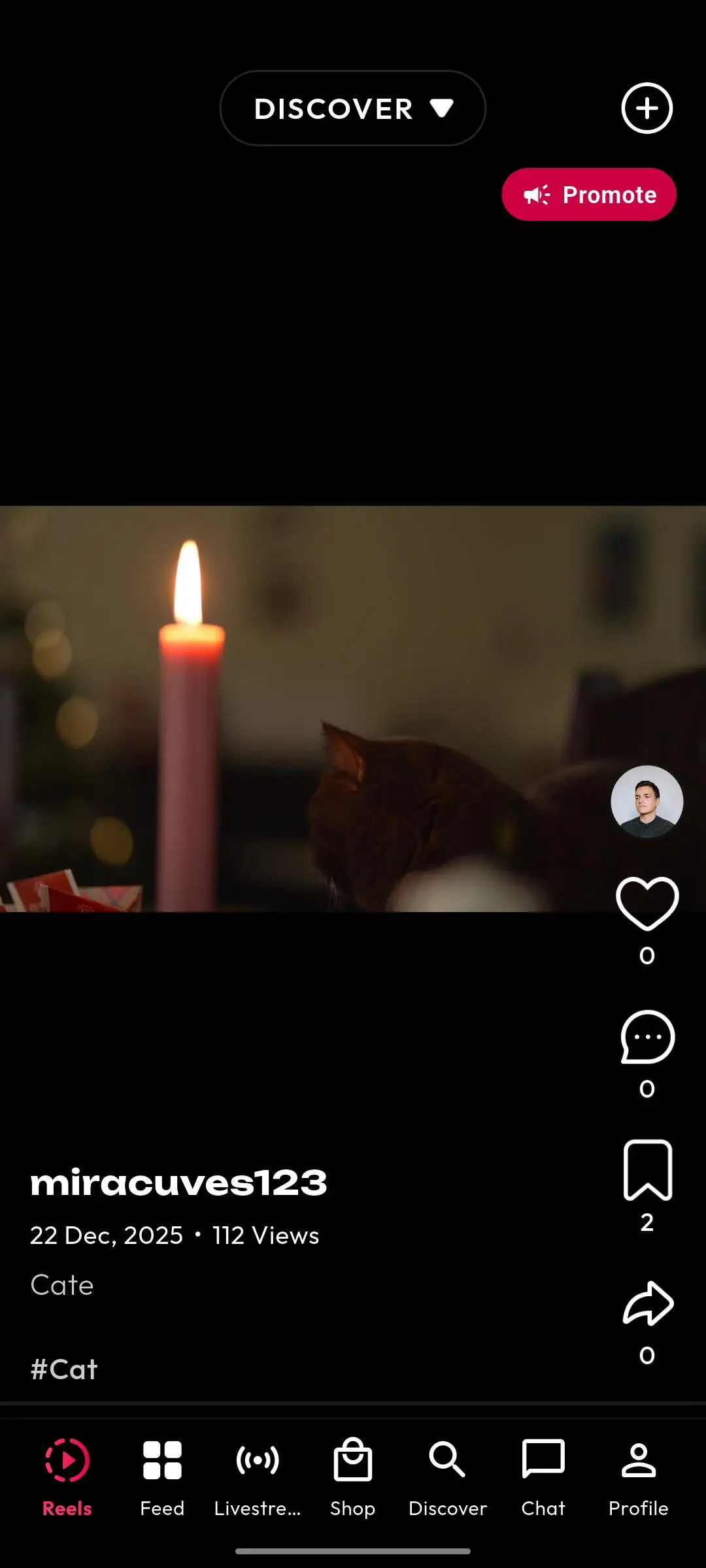
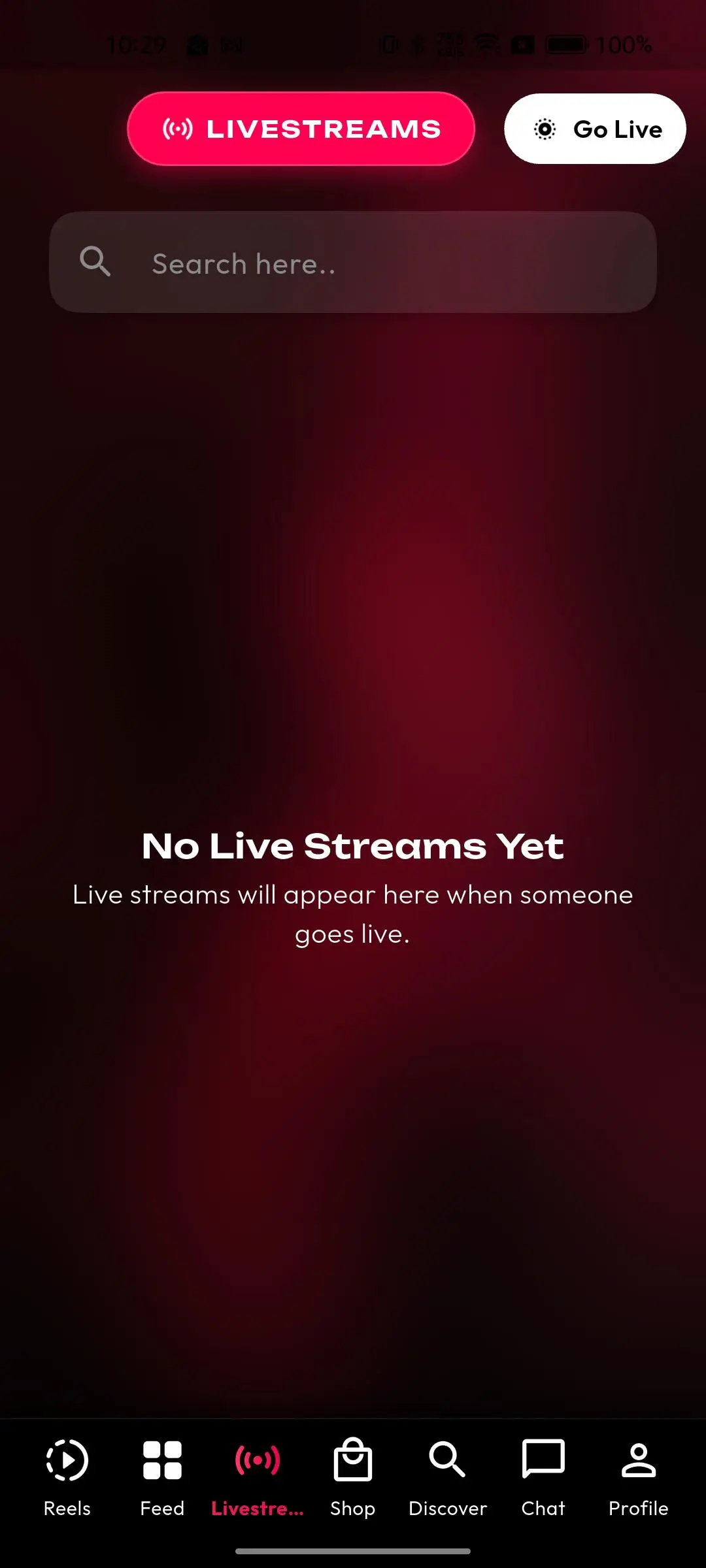
Mobile vertical-video feed with creator details, caption, engagement actions, discovery mode, and content navigationMobile live-video hub with livestream discovery, go-live controls, search, and current broadcast availability
Viewer-Facing App

Clapper Clone - Viewer App

The mobile build: comment threads with replies and likes, pins the post owner controls, mentions, a block list, report sheets on posts, users and comments, and the activity list that carries the alerts.

Try:miracuves@yopmail.com | User_321
  1. 1Install the APK on an Android device
  2. 2Sign in with the demo credentials printed above
  3. 3Open a video, comment, reply, then report your own comment
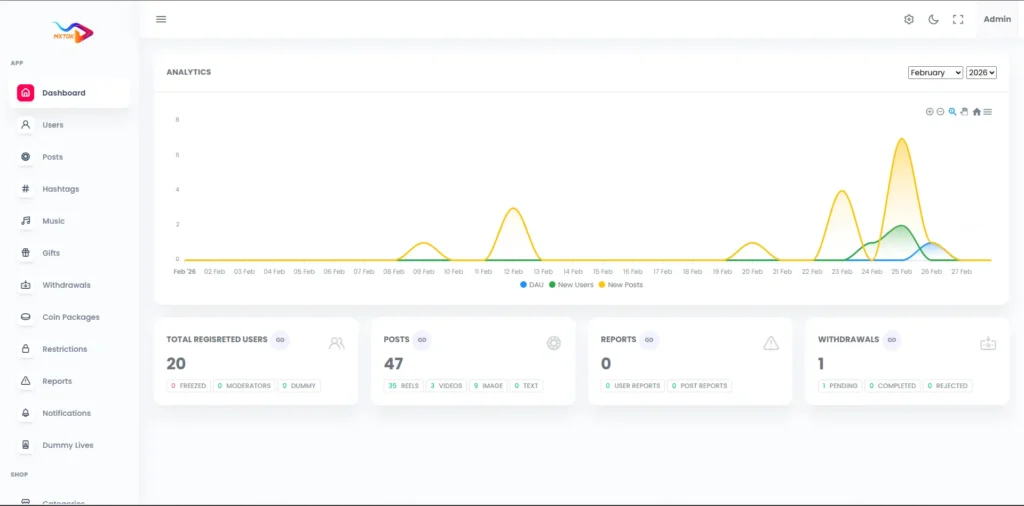
Administrator analytics dashboard with user and post trends, registered-user totals, content totals, reports, withdrawals, and moderation status
Moderator Command Center

Admin Panel for Reports and Comments

Where the reports land: post, user and comment report tables, accept or reject on each one, the reason list you maintain, comment and reply deletion, the banned-word list, freeze and unfreeze, and moderator assignment.

Try:admin | Admin_$321
  1. 1Open the admin panel in any browser
  2. 2Walk Reports, Users, Content and the Banned Words tab
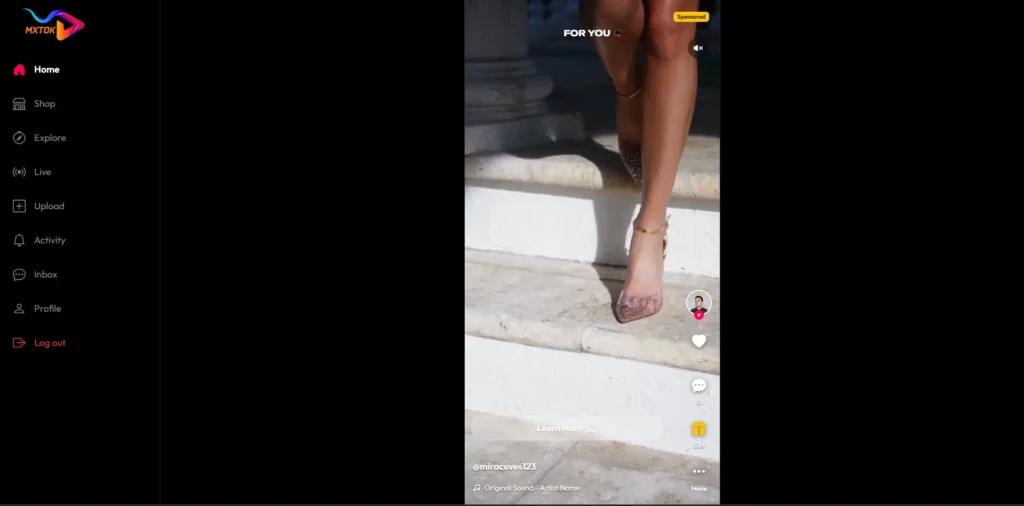
Desktop short-video feed with For You content, sponsored labels, engagement controls, and platform navigation
In-Browser Edition

Web Build in the Browser

The same comment thread on a desktop page, with the report sheet, the inbox built on Firestore, and video pages a search engine can read.

  1. 1Open the web build in a browser.
  2. 2Comment on a video page, then open the inbox

Demo Video Tour

Video Walkthrough of an App Like Clapper: Comment Thread, Report Queue & Admin

Prefer a guided pass? Take 30 minutes with the product team and we will walk the thread, the caps and the report queue against your own policy.

Schedule a live walkthrough call.

Screen By Screen

Every Screen in the Clapper-Like App: Viewer, Creator, Admin and Web

Every screen below comes from the running Clapper clone build Miracuves ships, not from mock-ups. Step through what a viewer sees, what a creator manages, what an admin works through, and what the web build serves, so nothing about the thread or the queue is a surprise after you buy.

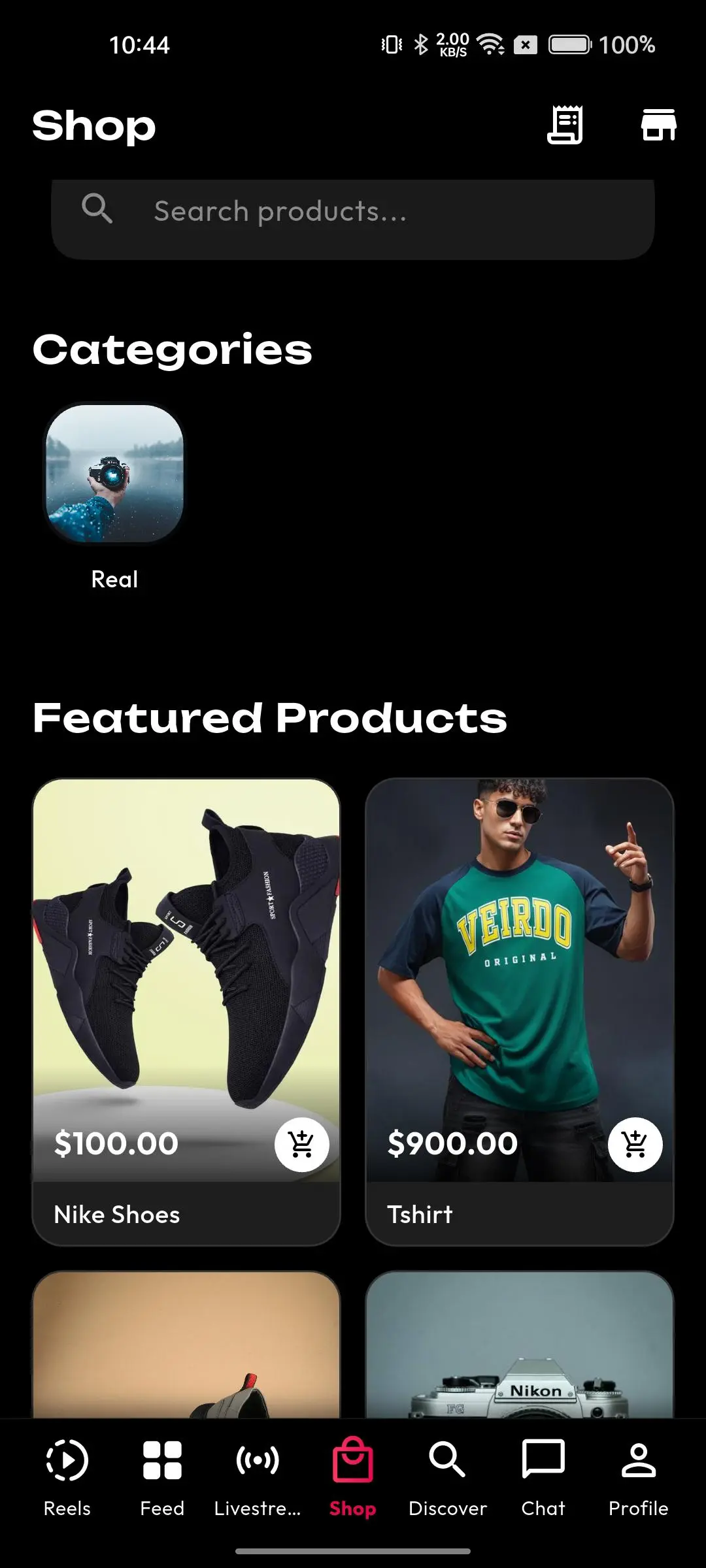
Mobile social-commerce shop with category search, featured products, images, prices, and marketplace navigation
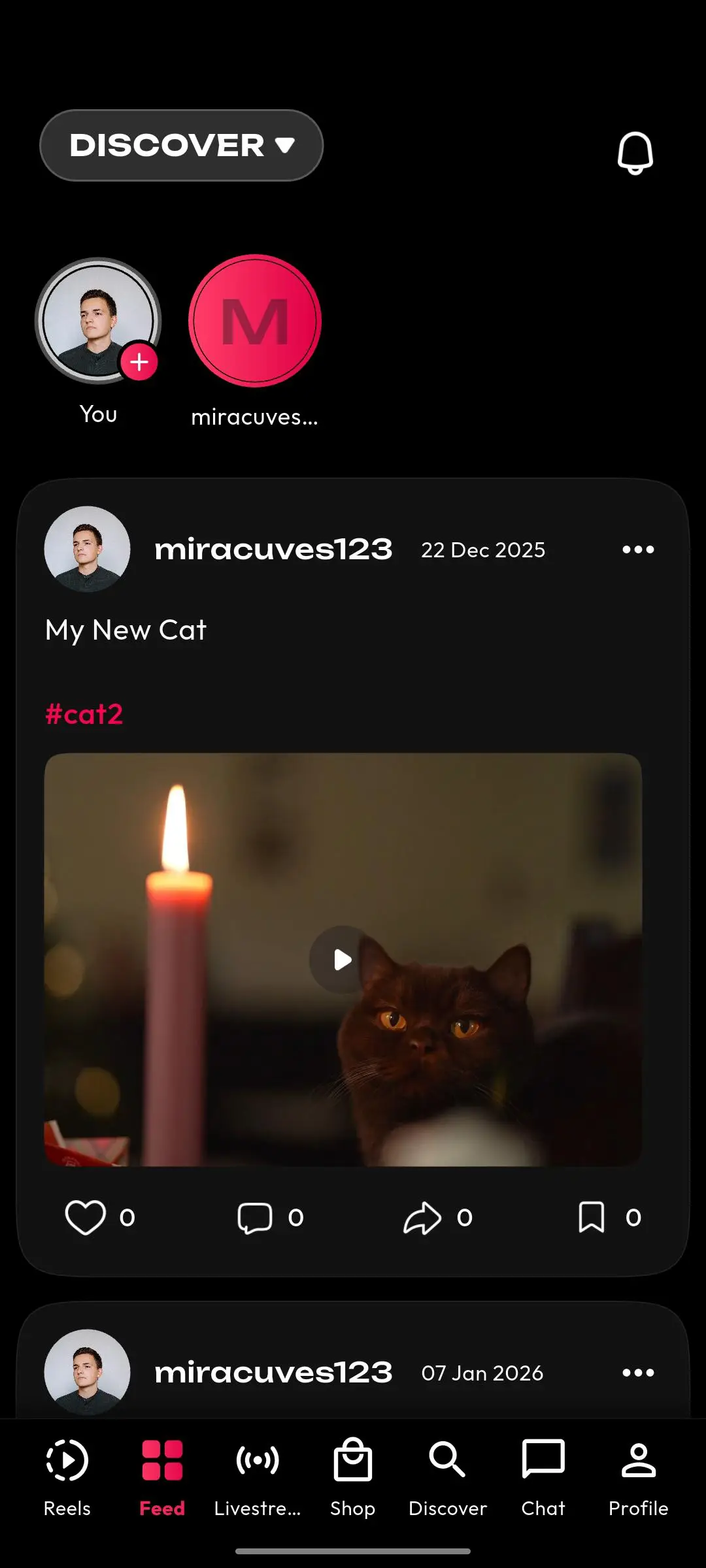
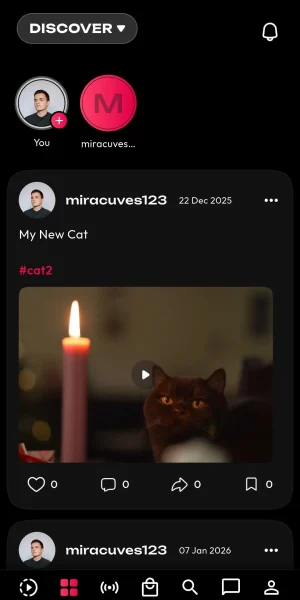
Mobile discovery feed with creator stories, user posts, hashtags, video engagement, and account navigation
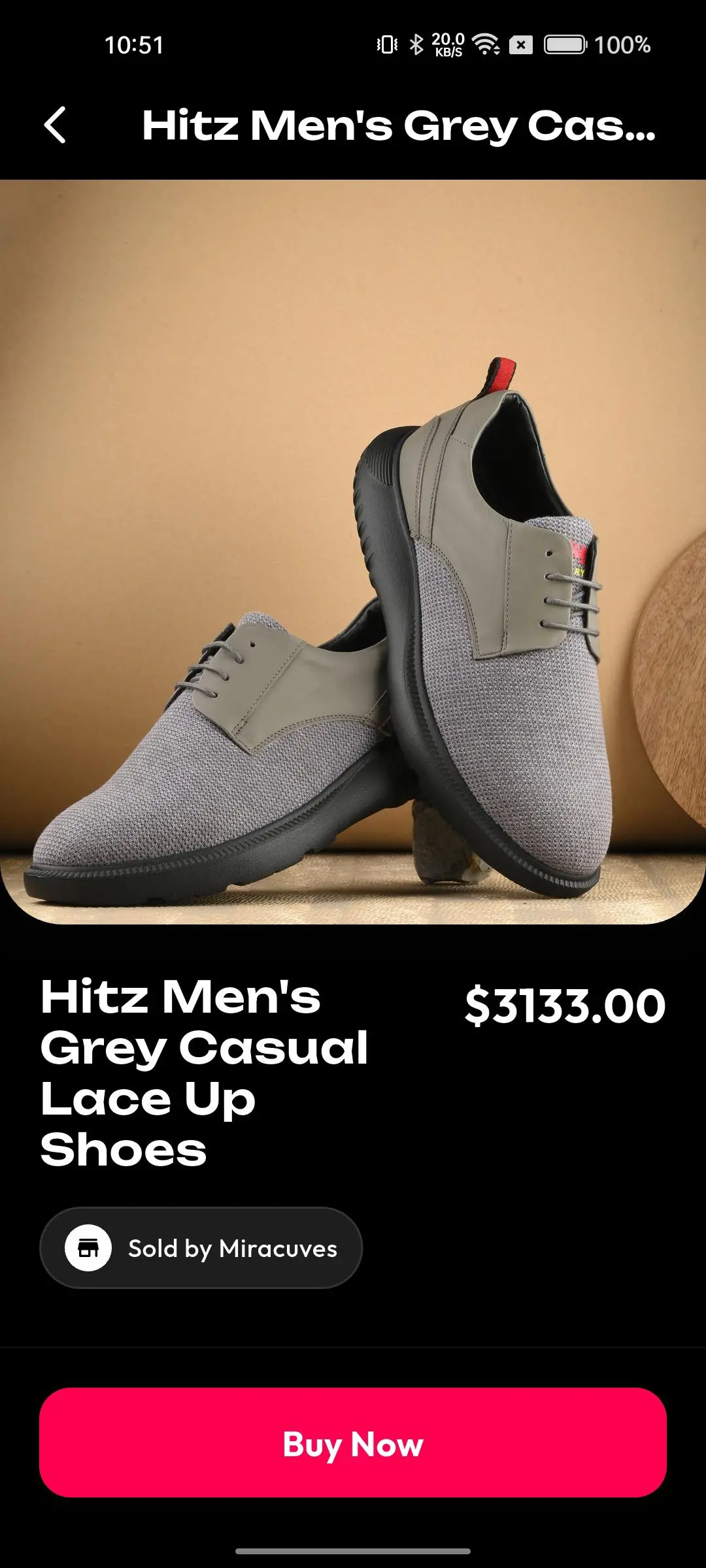
Mobile product page displaying footwear imagery, shopping details, price, seller information, and purchase actions
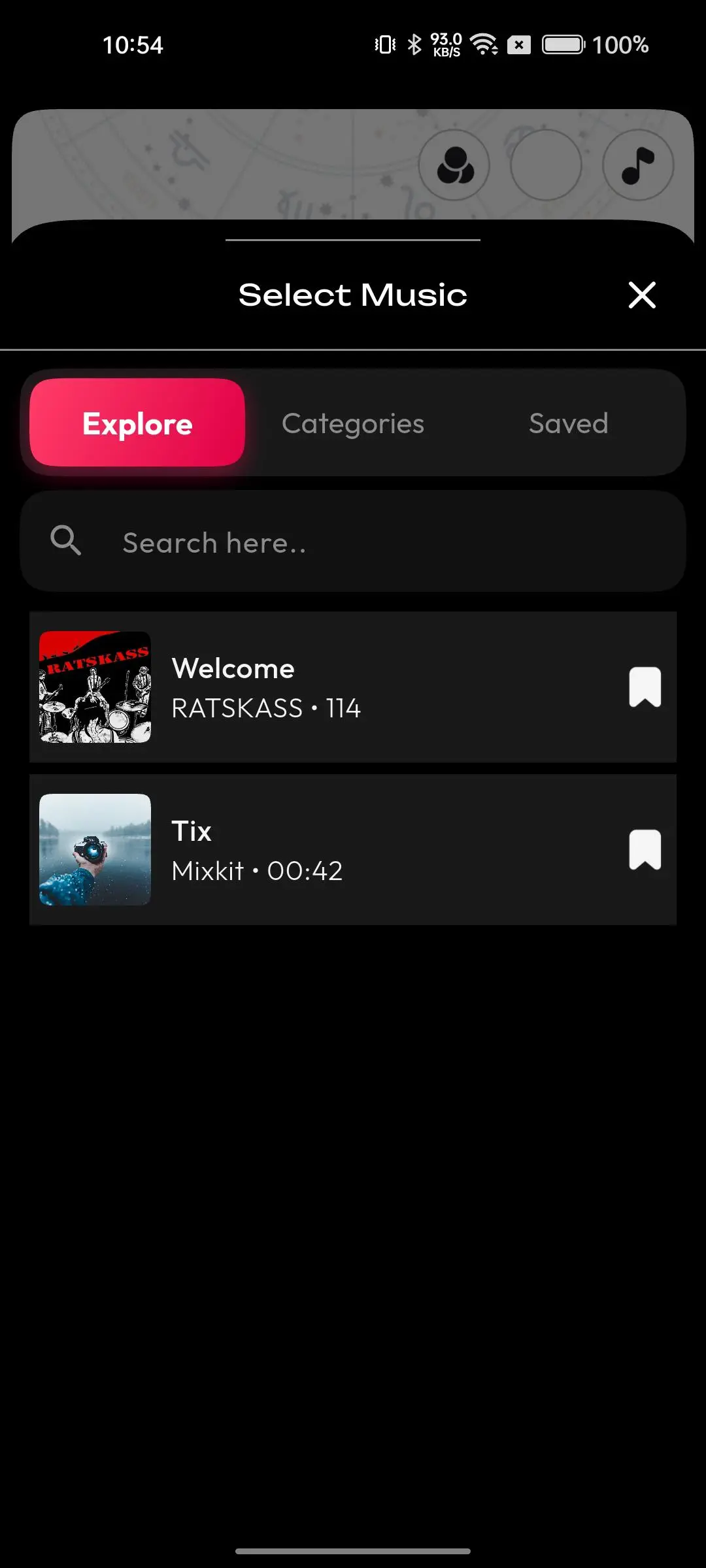
Mobile music picker with explore, category, and saved tabs plus track search, preview, duration, bookmarking, and selection
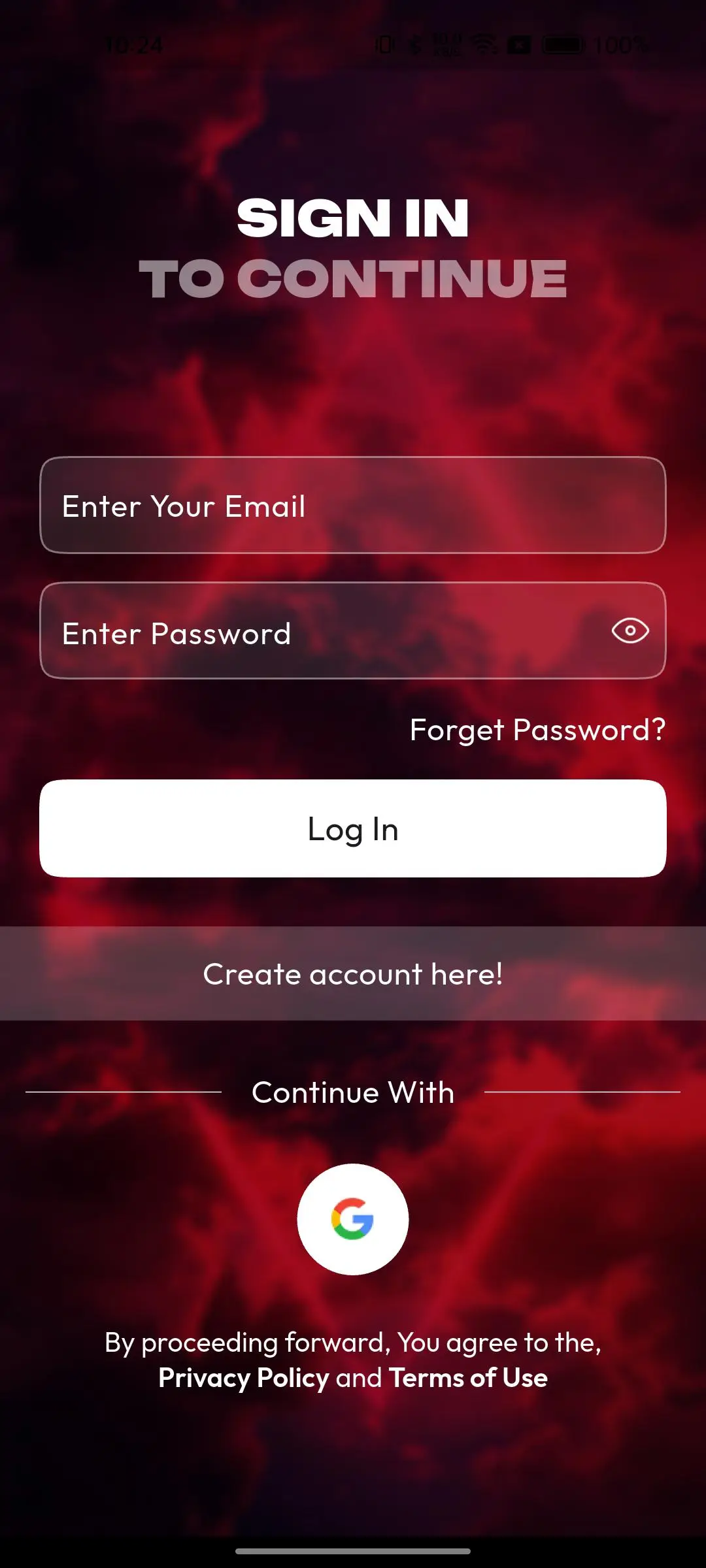
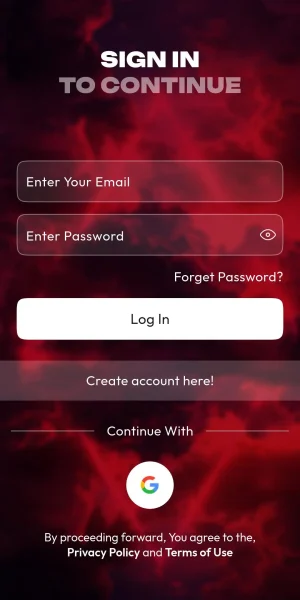
Mobile sign-in screen with email, password, recovery, account registration, and alternative authentication options
Mobile live-video hub with livestream discovery, go-live controls, search, and current broadcast availability
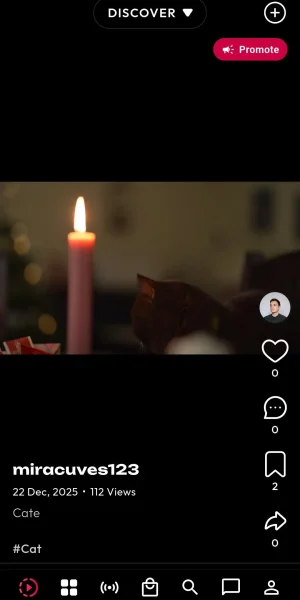
Mobile vertical-video feed with creator details, caption, engagement actions, discovery mode, and content navigation
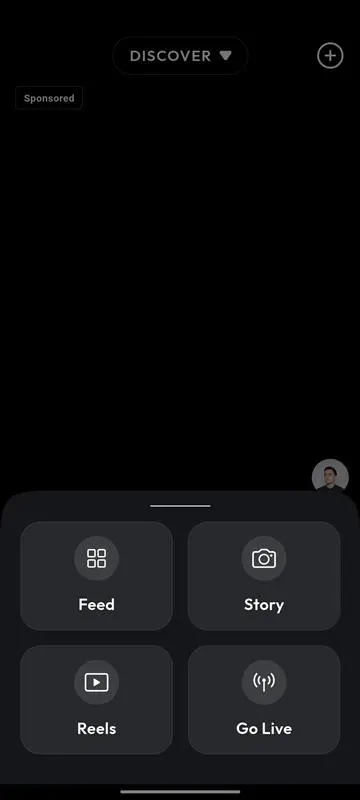
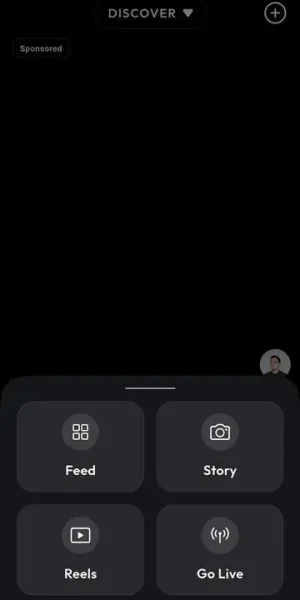
Mobile create menu providing quick access to feed posts, stories, reels, camera capture, and other publishing formats
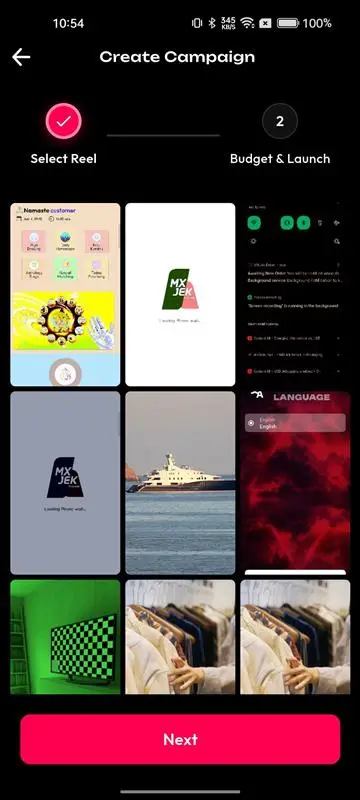
Mobile campaign builder with deal selection, budget and launch stages, creative previews, and promotional assets
9 screens · scroll →
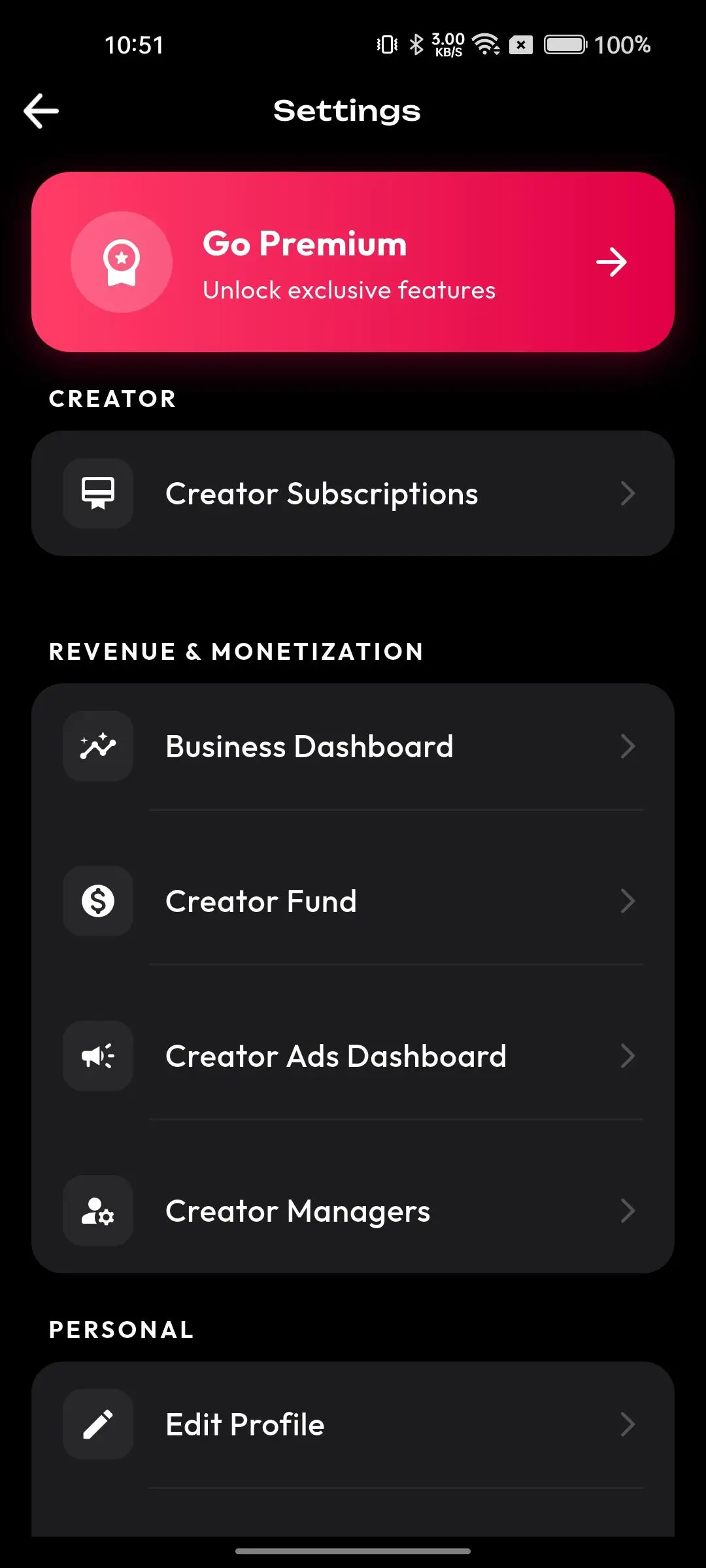
Mobile settings screen linking premium access, creator subscriptions, business dashboard, creator fund, and creator advertising tools
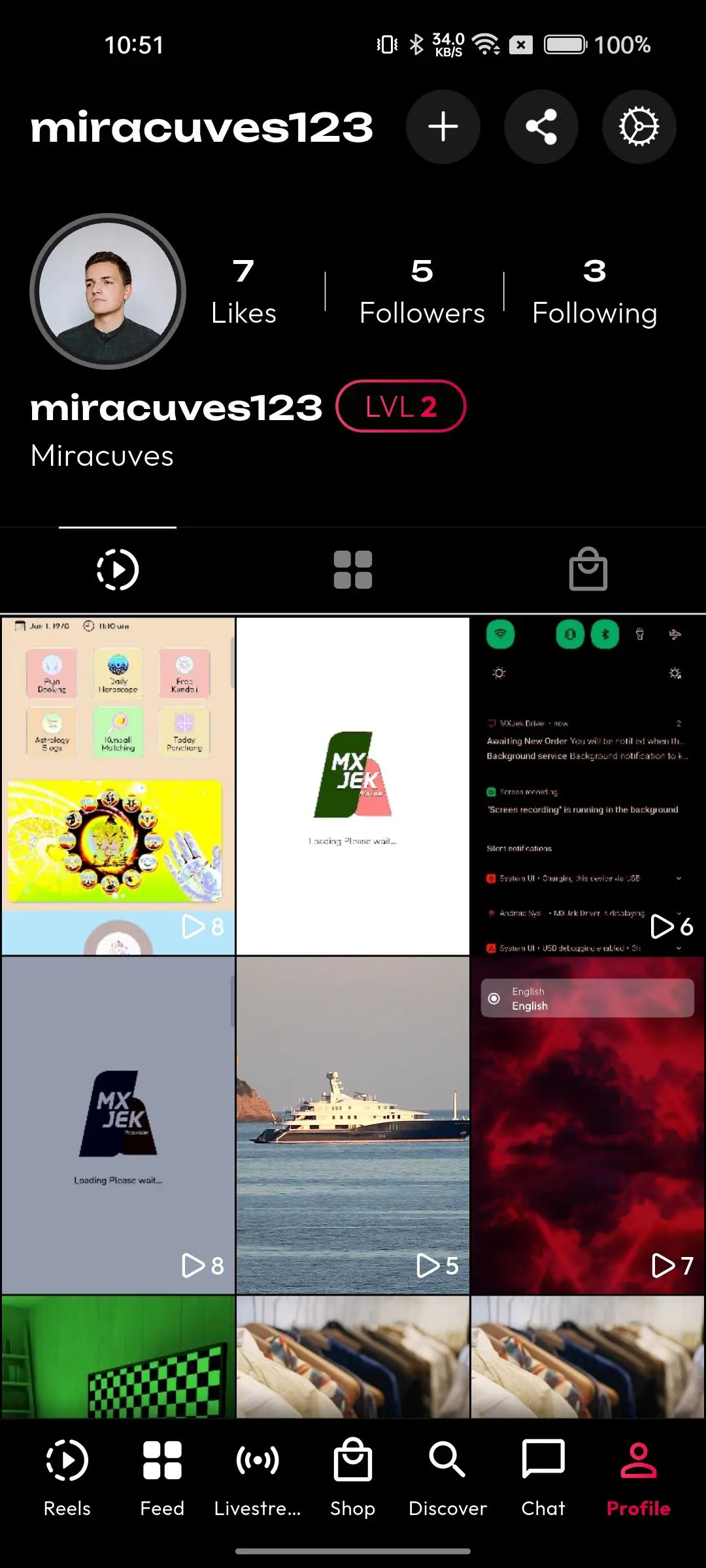
Mobile user profile showing biography, account level, likes, followers, following, videos, saved content, and profile actions
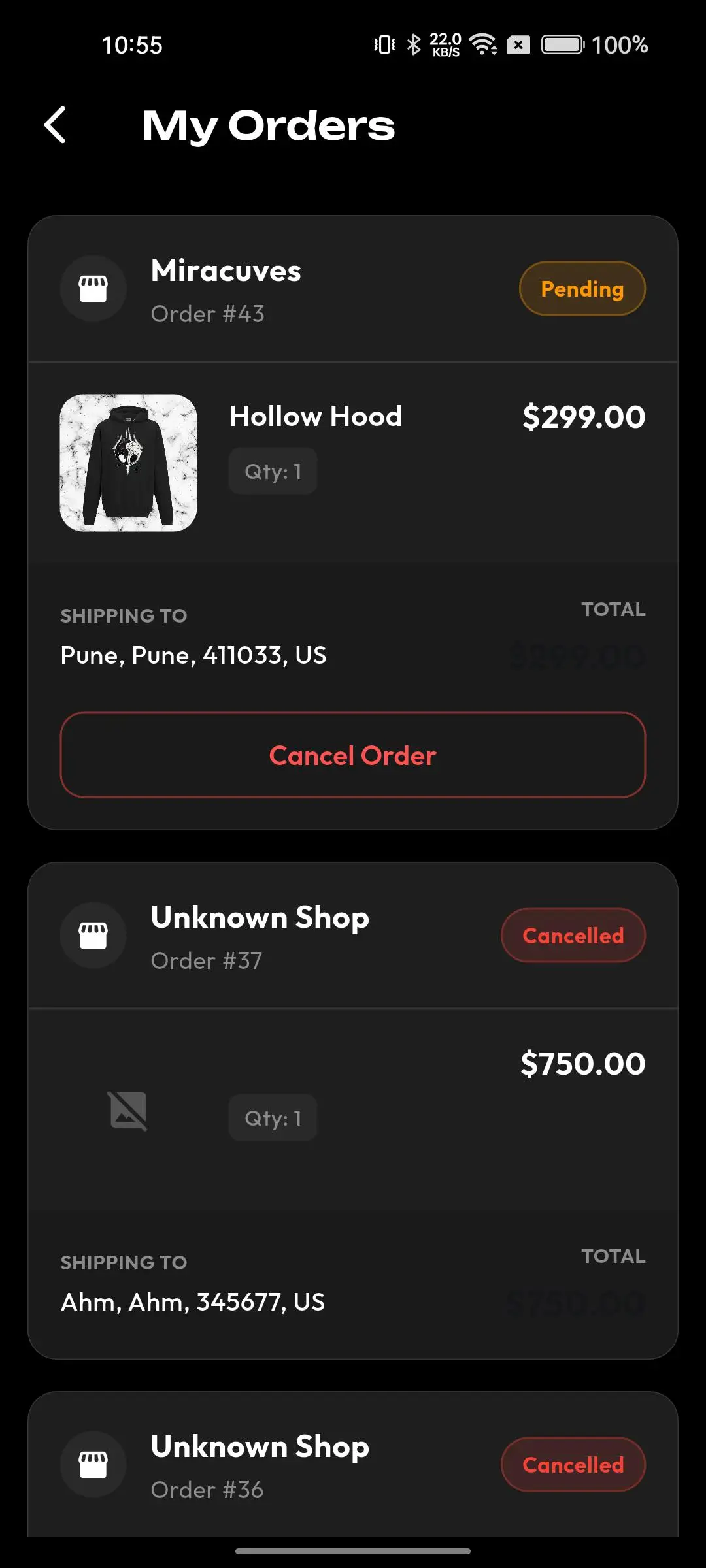
Mobile order-tracking screen showing purchased product, quantity, price, delivery address, total, and cancellation control
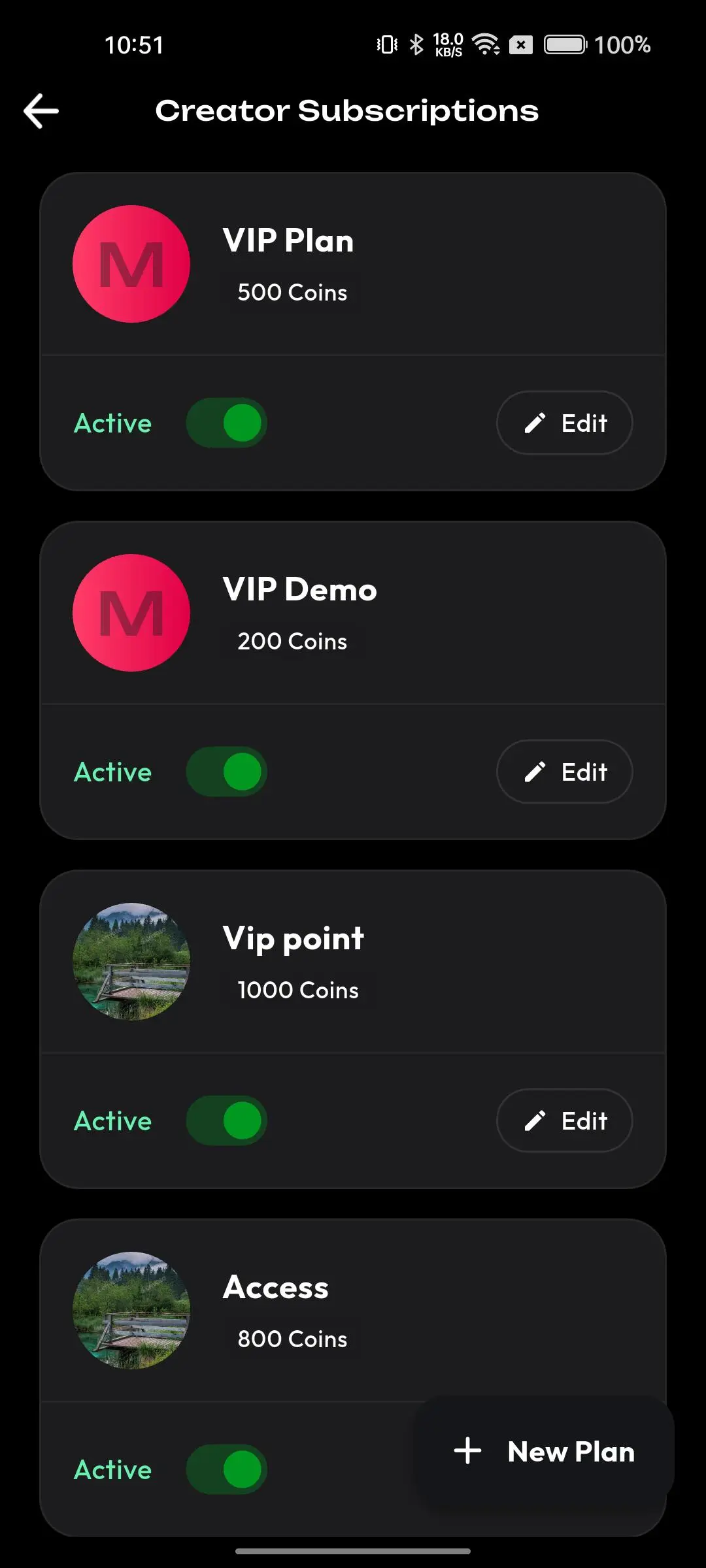
Mobile creator subscriptions screen with active VIP plans, coin pricing, promotion, and plan-editing controls
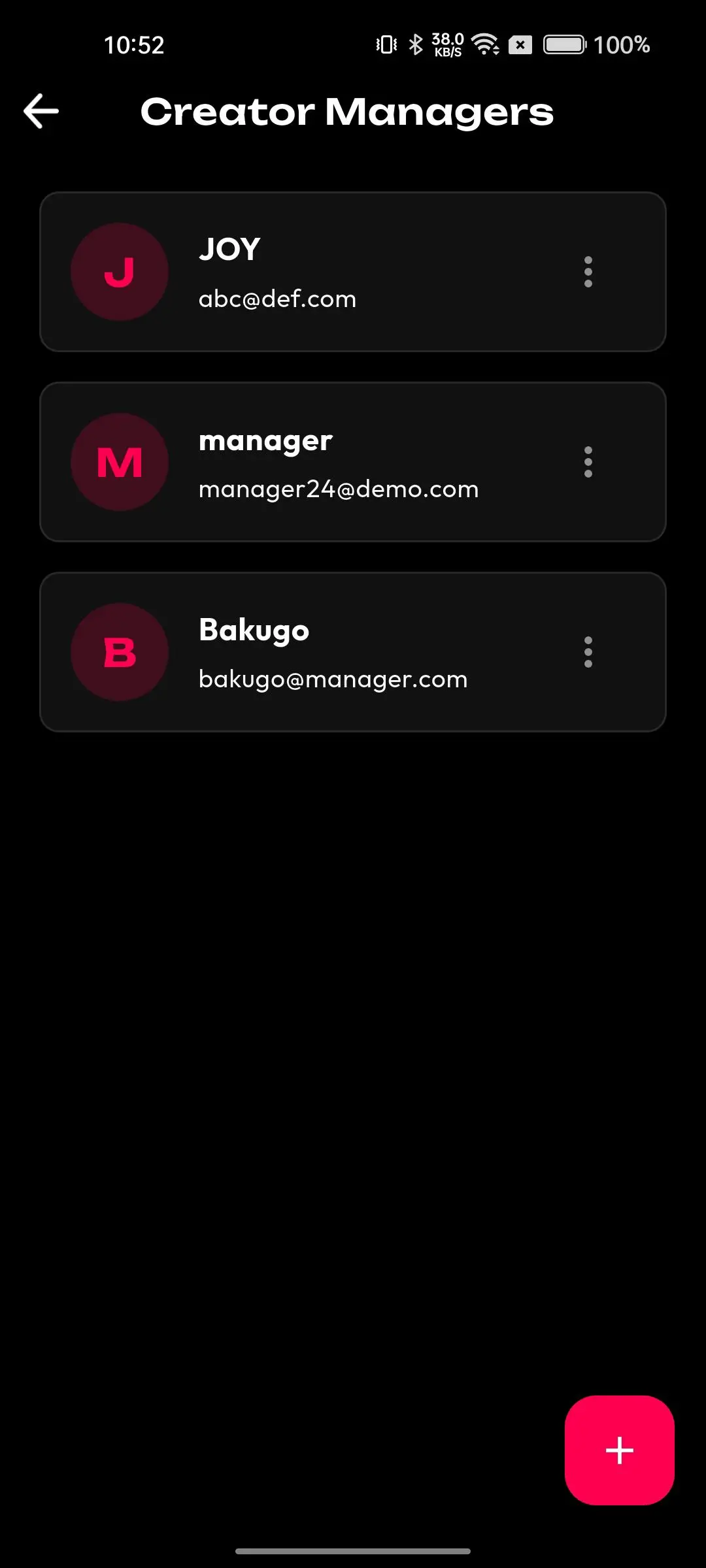
Mobile creator manager listing managed accounts with identities, email addresses, and account actions
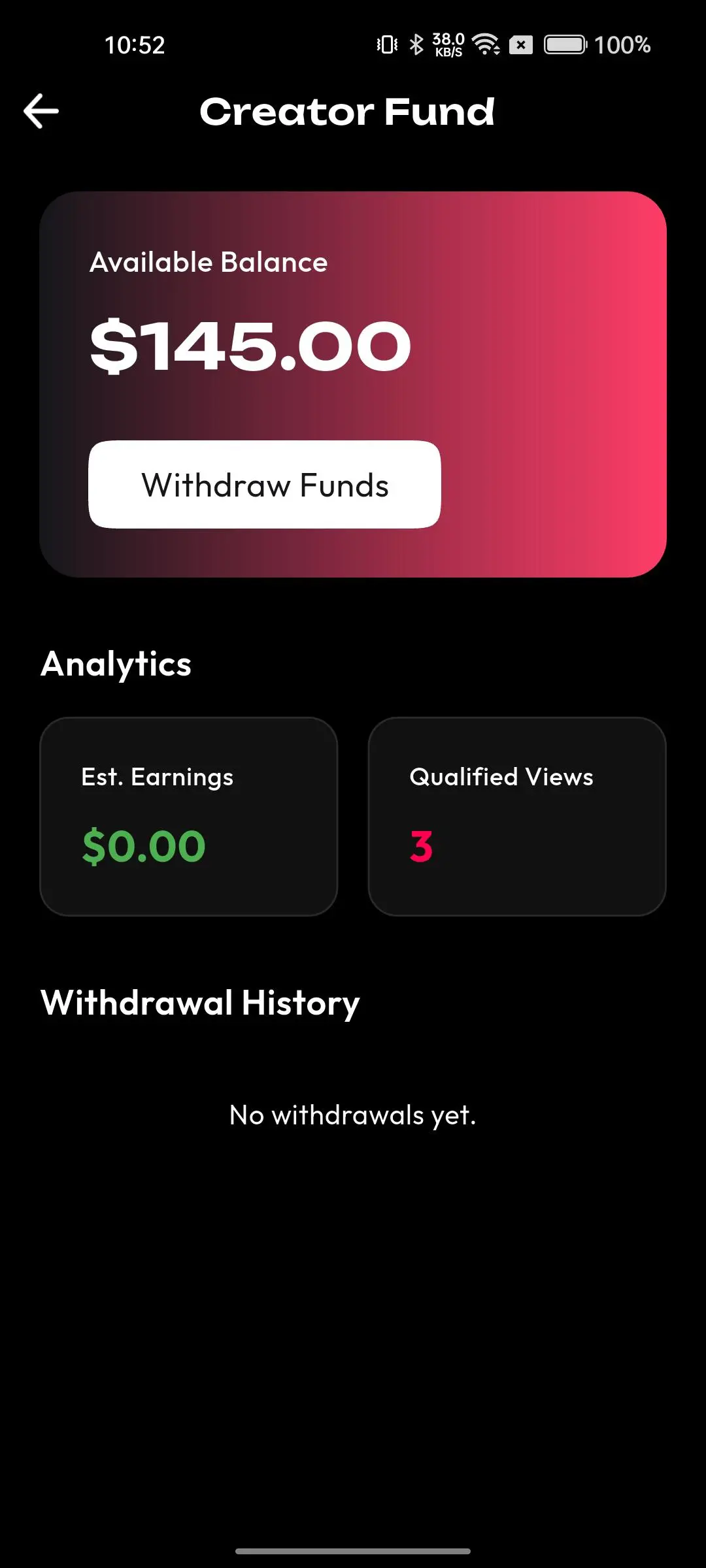
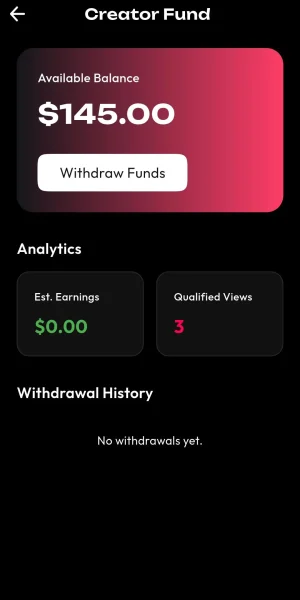
Mobile creator-fund dashboard showing available balance, withdrawals, estimated earnings, qualified views, and performance analytics
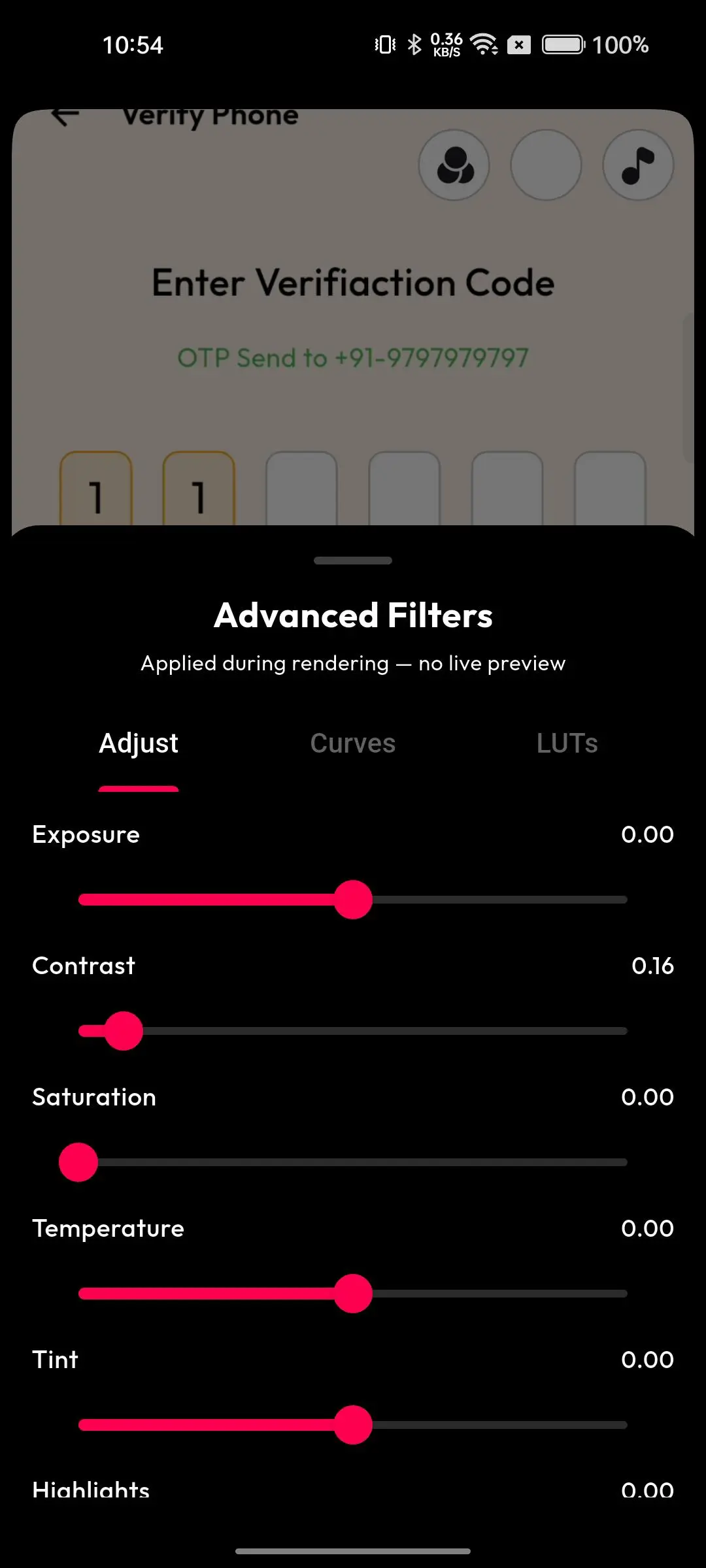
Mobile video editor with adjustment, curves, LUT presets, exposure, contrast, saturation, and live preview controls
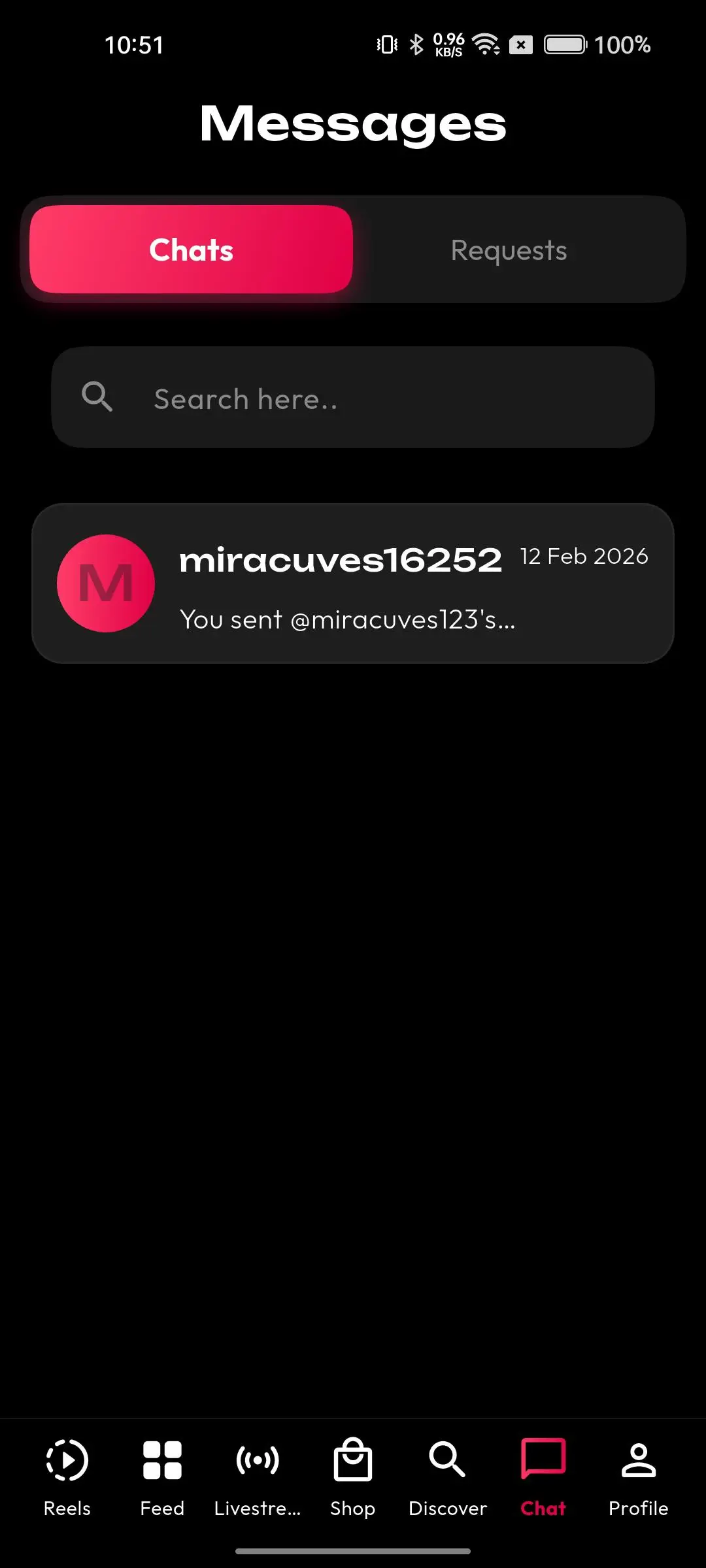
Mobile messaging inbox with chat and request tabs, conversation search, user threads, and recent-message details
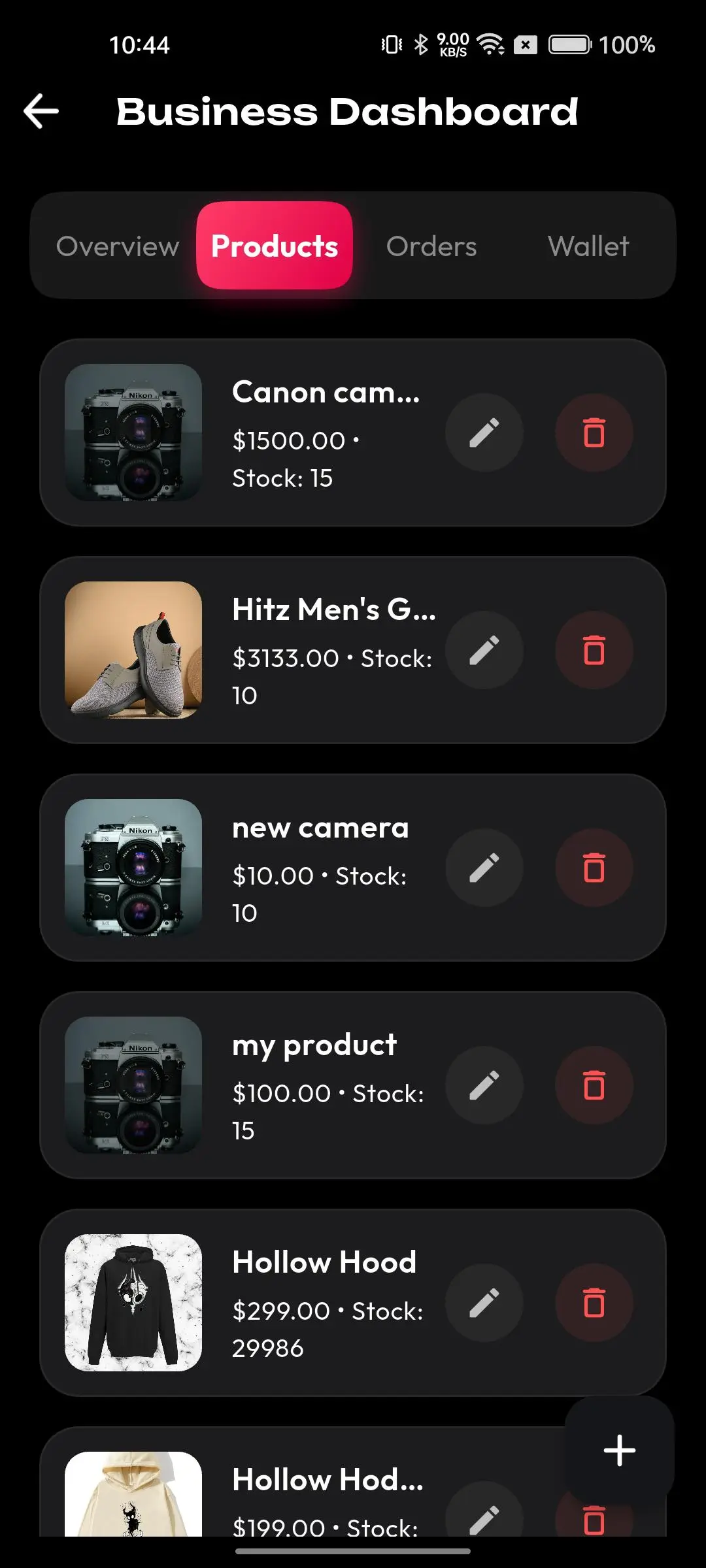
Mobile business dashboard listing products, prices, inventory, images, editing, and deletion controls
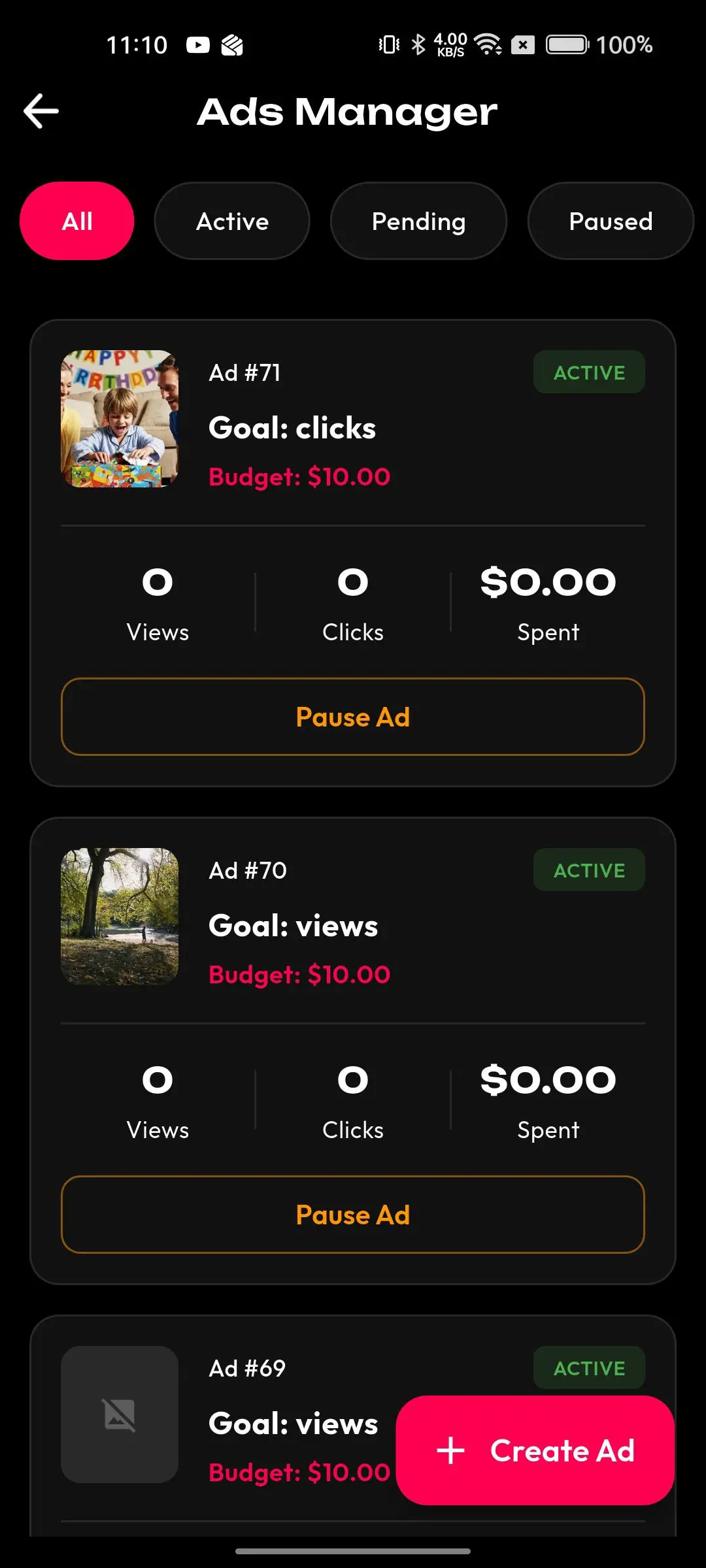
Mobile creator advertising dashboard showing active campaigns, goals, budget, views, clicks, spend, and pause controls
10 screens · scroll →
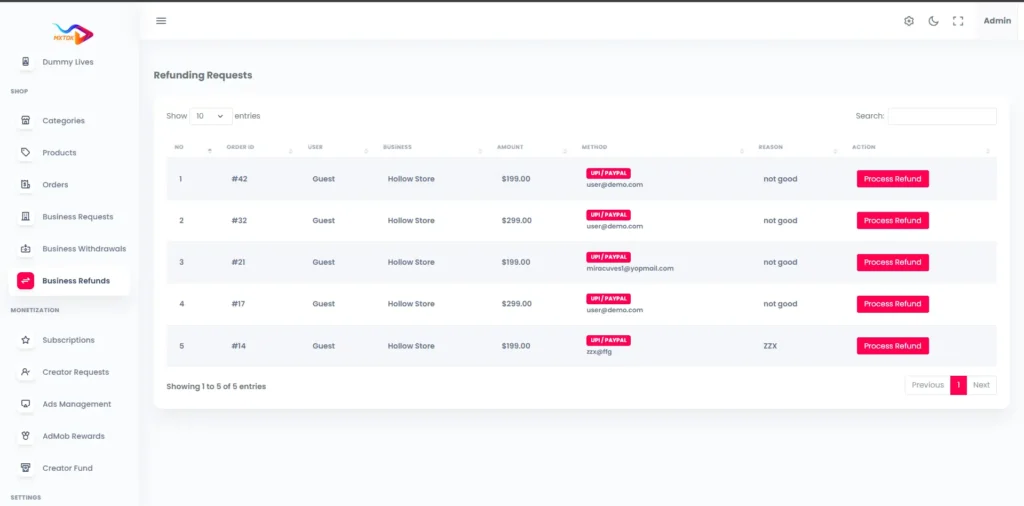
Administrator refund queue showing orders, customers, stores, amounts, payment methods, reasons, and refund-processing actions
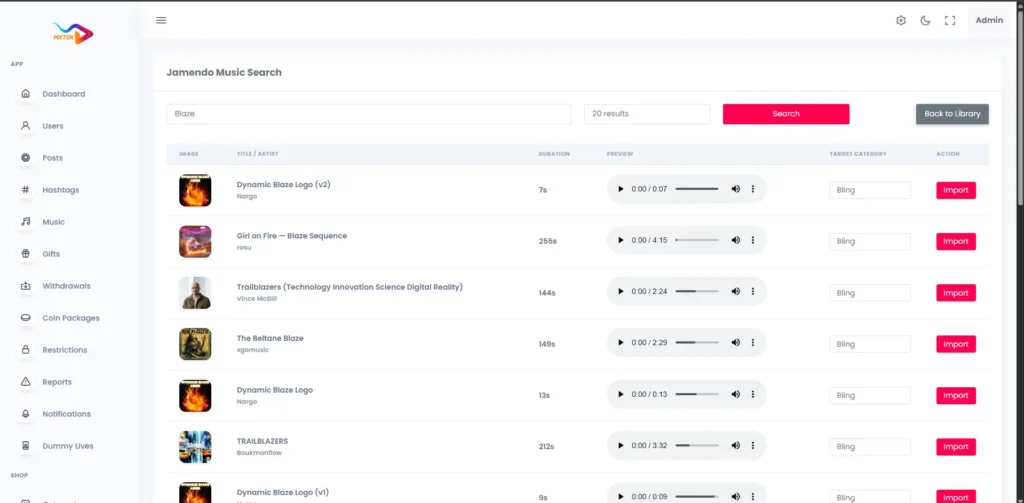
Administrator Jamendo music search with track artwork, artist, duration, audio preview, category assignment, and import actions
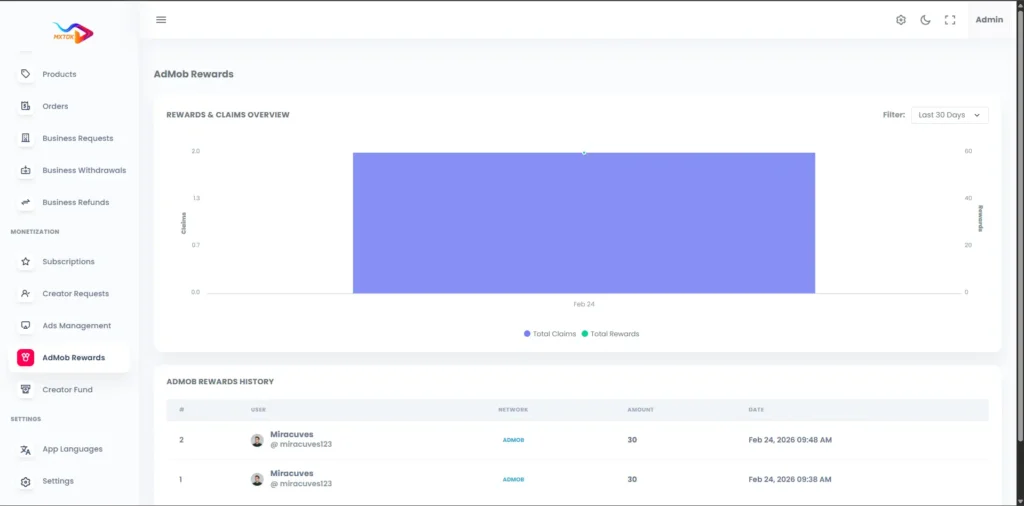
Administrator analytics dashboard with user and post trends, registered-user totals, content totals, reports, withdrawals, and moderation status
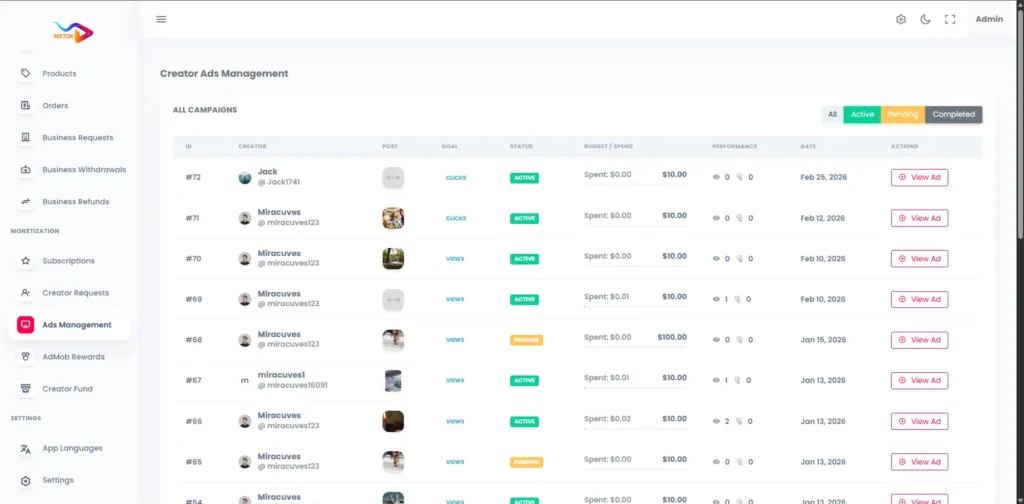
Administrator creator-ad campaign table showing creators, post goals, status, budget, spend, performance, dates, and ad review
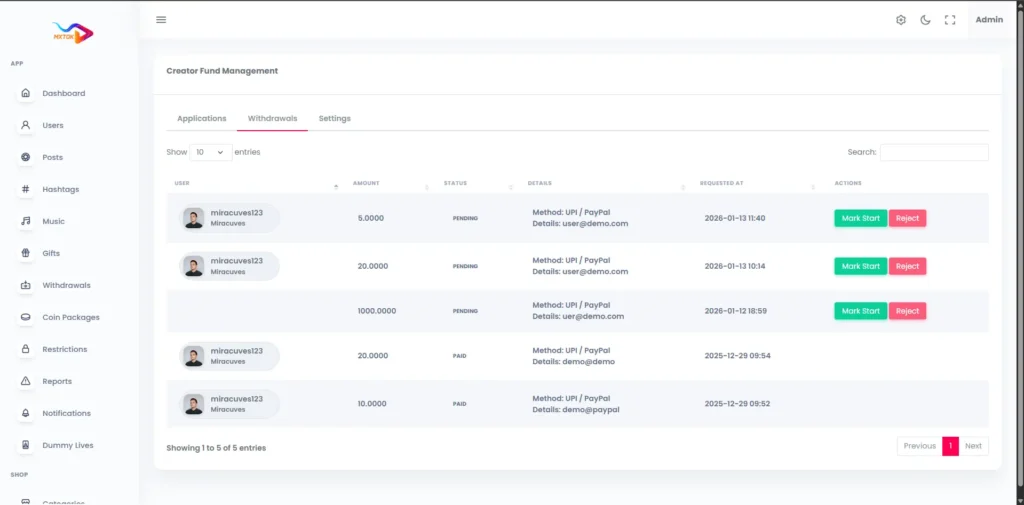
Administrator creator-fund payout queue listing users, amounts, payment methods, request dates, statuses, and approval or rejection actions
Administrator AdMob rewards dashboard charting claims, reward totals, reporting periods, and reward history
Administrator mobile-ad settings for feed and rewarded ads, ad frequency, rewards, Android identifiers, and iOS identifiers
7 screens · scroll →
Desktop upload composer with feed, story, reel, and live formats plus media selection, captioning, effects, location, mentions, and color curves
Desktop product-detail page with item gallery, color selection, price, stock, reviews, seller storefront, and secure buy-now action
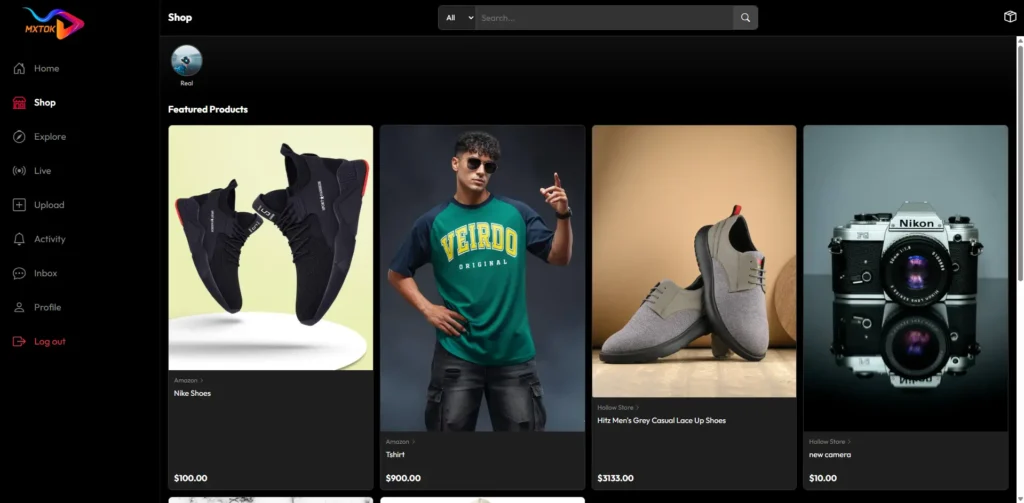
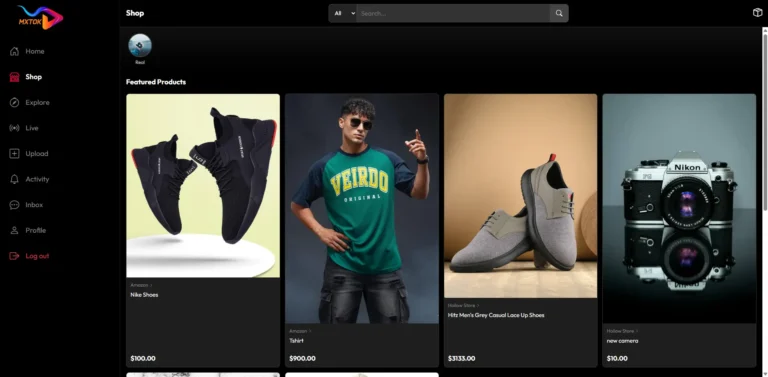
Desktop social-commerce marketplace featuring footwear, apparel, cameras, categories, prices, and product browsing
Desktop short-video feed with For You content, sponsored labels, engagement controls, and platform navigation
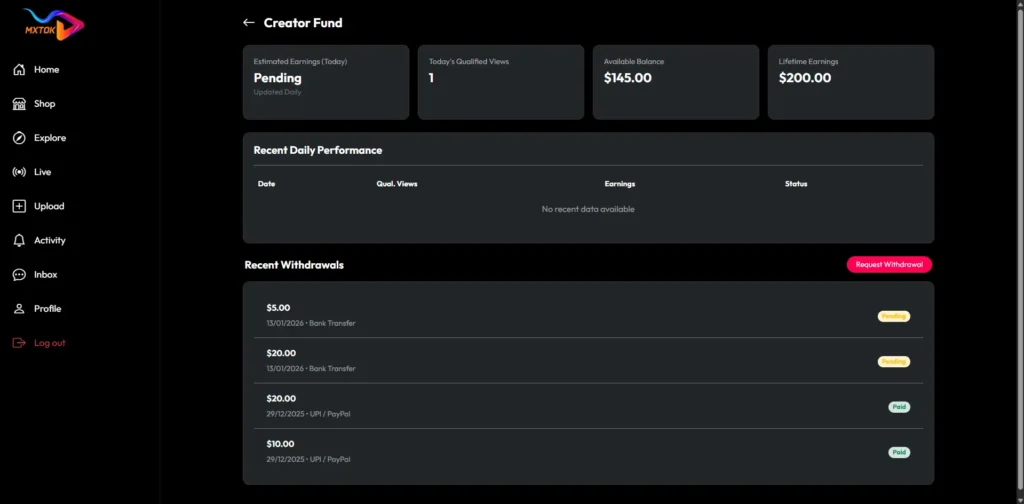
Desktop creator-fund dashboard with daily earnings, qualified views, available balance, lifetime earnings, performance records, and withdrawal history
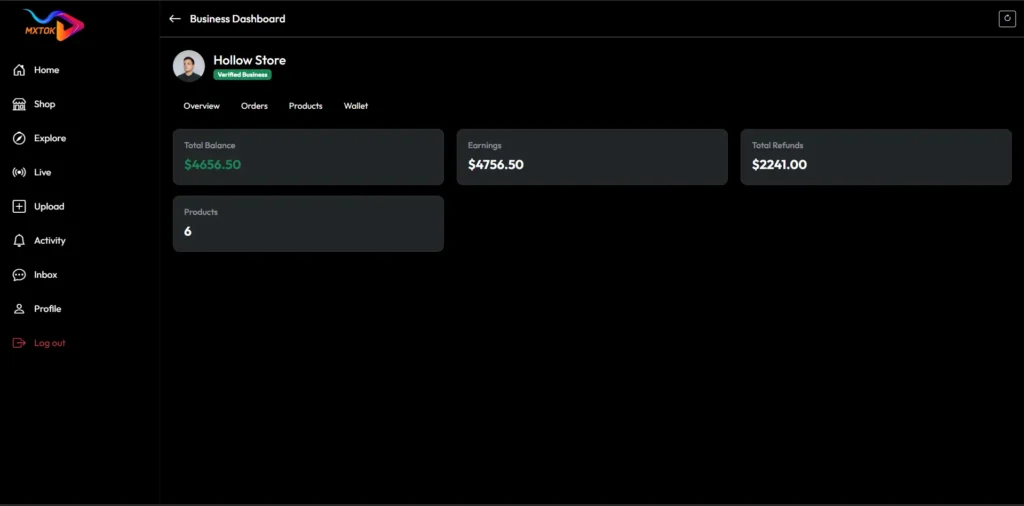
Desktop business dashboard showing store balance, earnings, refunds, product count, orders, products, wallet, and merchant performance
6 screens · scroll →
Want one of these screens walked through on a call?Browse Our Solutions

02Proof

Client Reviews

Client Reviews - Platforms That Shipped

Real feedback from founders and brands who launched their short-video platforms with Miracuves.

AAnanya KapoorProduct Head, VibeStream Technologies
“Miracuves didn’t just build an app, they helped us shape a product. The short video platform they delivered was incredibly stable from day one, which is rare. Features like reels, filters, and real-time engagement worked seamlessly. Their team was responsive, detail-oriented, and actually cared about long-term scalability - not just delivery.”
DDavid FernandesCo-founder, LoopShorts
“We were initially skeptical about building a TikTok clone, but Miracuves exceeded expectations. The UI/UX feels premium, and users immediately connected with the platform. What stood out was their backend architecture - it handled traffic spikes effortlessly during our launch campaign. They clearly understand both tech and business.”
AAnton GruelaCEO, TrendFlix App
“Working with Miracuves was smooth from start to finish. They delivered exactly what we envisioned - a scalable, feature-rich short video app with strong performance. The customization flexibility they offered helped us differentiate in a competitive market. Even post-launch, their support team has been proactive and reliable.”
RRajesh MehtaFounder, SocialSpark Media
“We evaluated multiple vendors before choosing Miracuves, and honestly, it turned out to be the best decision. Their TikTok-style app was not just visually polished but technically solid - smooth video playback, fast uploads, and a clean admin panel. What impressed me most was how quickly they adapted to our custom monetization needs. Within 3 months, we had a fully functional platform with real user engagement.”
Read More Client TestimonialsFounders, CTOs and operator teams on our testimonials page

Case Studies

Short-Video Platform Case Studies - Creator Platforms & Social Commerce Apps

See how founders and brands have used the Miracuves short-video platform to build real, revenue-generating short-video platforms across industries and regions.

Case Study
QifQif - Regional Short Video Platform

A scalable short-video app built for multi-language audiences and low-bandwidth regional markets.

QifQif Media Pvt. Ltd.Client
UAERegion
Short Video & Creator EconomyIndustry
250K+Downloads in 90 days
+38%Session time increase
4 moTo early monetization
Desktop short-video feed with For You content, sponsored labels, engagement controls, and platform navigation
Challenges
  • Low-bandwidth video performance in regional markets
  • Multi-language UI support from launch
  • Rapid and reliable scalability post-launch
Goal
  • Launch a scalable regional short-video platform
  • Drive strong market entry and real engagement
  • Enable sustainable creator monetization
Delivered by the Miracuves Team
  • Optimized video streaming for low-bandwidth
  • Ad-based & creator incentive monetization
  • Full multi-language UI support
  • Engagement features: likes, comments & shares
  • Cloud auto-scaling backend infrastructure
“Fast, scalable, and built for real users - Miracuves gave us a strong market entry.”Omar Yassa · Co-founder, QifQif Media Pvt. Ltd.
See QifQif liveExplore the platform built for regional short video audiences.

03The product

What Is It

What Is a Clapper Clone App?

A Clapper clone app from Miracuves is a short-video platform, ready to launch, in which the thread under the video is treated as a first-class surface rather than something bolted onto a feed like TikTok or Instagram Reels. Comments carry replies, likes, owner pins and mentions, and any one of them can be reported, screened against a word list, or removed by someone you appoint.

It runs on MXTok, the same codebase as our other short-video hubs, so one deployment is never presented to you as two products. What differs here is the argument: this page is for operators whose product depends on the discussion staying readable.

What Miracuves hands over:

  • Android, iOS and web off one codebase
  • white-label down to app name and currency
  • feature packs you toggle, not code you patch
  • comments, reports, caps and roles already wired
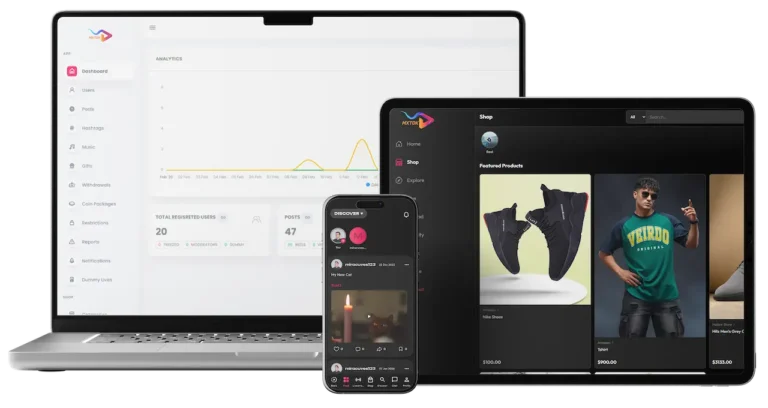
TikTok clone shown across desktop, tablet, and mobile with platform analytics, social commerce, creator video feeds, products, and business tools

One Thread, Three Clients

The Flutter app, the Laravel web build and the admin panel all read the same comment tables through the same API.

Rebranded From Settings

App name, currency, languages, onboarding slides, reserved usernames and the legal pages are operator fields, not code edits.

The Controls Ship Switched On

Report reasons, daily ceilings, the banned-word list and the moderator role are configuration on day one, not a roadmap promise.

The Engine

What Is a Clapper Clone Script?

The script is the Laravel API, the MySQL schema and the Flutter and Blade clients built on top of it. A TikTok Clone Script of this kind hands you the comment, report and settings tables directly, so your developers change a ceiling, add a report reason or widen a moderator permission inside code you own.

Desktop social-commerce marketplace featuring footwear, apparel, cameras, categories, prices, and product browsing

What the purchase settles:

  1. 01The whole source code is yours to change
  2. 02Live in 6 working days
  3. 03No per-seat fee and no revenue share
  4. 04Comment, report and settings tables open to your team

Put plainly: a Clapper clone app is a working short-video product whose comment thread, report queue and per-account ceilings are already built, handed to you as source code you can reshape around your own policy.

Features

Clapper Clone Features - Comment Threads, Reports and Operator Caps

Miracuves lists twelve Clapper clone features here, each one described in the documentation and carried by the build. They cover the comment thread itself, the reports it generates, the people who work those reports, and the ceilings that keep one account from drowning the rest. Nothing here is a roadmap item dressed up as a capability.

Feature 01 / 12

Comment Threads With Replies

A comment can be added, replied to, liked, unliked and deleted by the person who wrote it.

  • Add, reply, like, unlike and delete your own comment
  • Replies hang off the parent comment with their own list
  • Comments and replies are paged, so long threads stay usable
Feature 02 / 12

Pins The Post Owner Controls

Pinning a comment is reserved for the owner of the post, and the number of pins is capped.

  • Pin and unpin, available to the post owner only
  • How many comments can be pinned per post is an operator setting
  • A separate ceiling governs how many posts a creator pins to a profile
Feature 03 / 12

Mentions That Reach A Profile

A comment carries the users it names, so the mention becomes a notification rather than plain text.

  • Mentioned accounts are submitted with the comment itself
  • A mention in a post or comment opens the named profile when tapped
  • Each user decides whether mentions reach them, in notification settings
Feature 04 / 12

Banned-Word Screening On Submit

Every new comment is checked against a word list you maintain, and a match is refused rather than queued.

  • The list lives in the admin panel: add, list and delete
  • A comment holding a listed word is rejected with a message, never posted
  • A starter list is seeded; the vocabulary after that is yours
Feature 05 / 12

Reports On Posts, Users, Comments

Three report targets, each with its own table and each tied to a reason you defined in advance.

  • Report a post, report an account, or report a single comment
  • The reason list is admin-defined, so wording matches your policy
  • Each report type keeps its own record, with the reporter attached
Feature 06 / 12

Accept Or Reject In The Admin

Reports arrive in lists an operator works through, one decision per row.

  • Post reports and account reports in separate queues, reason shown
  • Accept a report to act on it, reject it to dismiss it
  • Comment reports get their own searchable table in the panel
Feature 07 / 12

The Moderator Role

A platform-appointed account that enforces your rules without holding full admin access.

  • Assigned and removed from the admin user list
  • Can freeze and unfreeze any account
  • Can delete any post or story, not only its own
Feature 08 / 12

Daily Ceilings Per Account

How much any one account can publish in a day is a number you set, and the backend holds the line.

  • Separate daily limits for uploads and for stories
  • Separate daily limits for comments and for comment replies
  • Checked in the backend, so a modified client gains nothing
Feature 09 / 12

Admin Control Over Comments

Posts, stories, comments and replies are all reachable and removable from one panel.

  • Open the comment list for a post, then the replies under a comment
  • Delete any comment or any reply as the administrator
  • The same panel deletes posts and stories, and lists them per user
Feature 10 / 12

Hold A Post Before It Publishes

An optional feature pack that parks an upload in a pending state until someone clears it.

  • The uploader is told the post is pending, not silently dropped
  • Approve or reject each pending post from the admin panel
  • Switched on or off as a pack, so launch day need not use it
Feature 11 / 12

Activity Alerts And Their Switches

Interactions are stored as an activity list and pushed to the device, with the user holding the switches.

  • A stored activity list for likes, comments, follows and gifts
  • Push delivered through Firebase Cloud Messaging on the same events
  • Per-user toggles for like, comment, follow, mention, gift and chat
Feature 12 / 12

GIFs In Chat And Comments

An optional integration: GIFs appear only once you supply your own key, so the running cost stays yours to decide.

  • GIFs can be sent in one-to-one chat and in comments
  • Requires your own Giphy API key; nothing is bundled
  • Chat itself is a feature pack you can leave switched off
Before you read the list:

Most of what you see above is a pack or a setting, which means it can be switched off for a market or widened in code you own. It is not a fixed template.

Need something the list does not name, such as parental controls or a stricter age gate?

Request Custom features

Where The Money Comes From

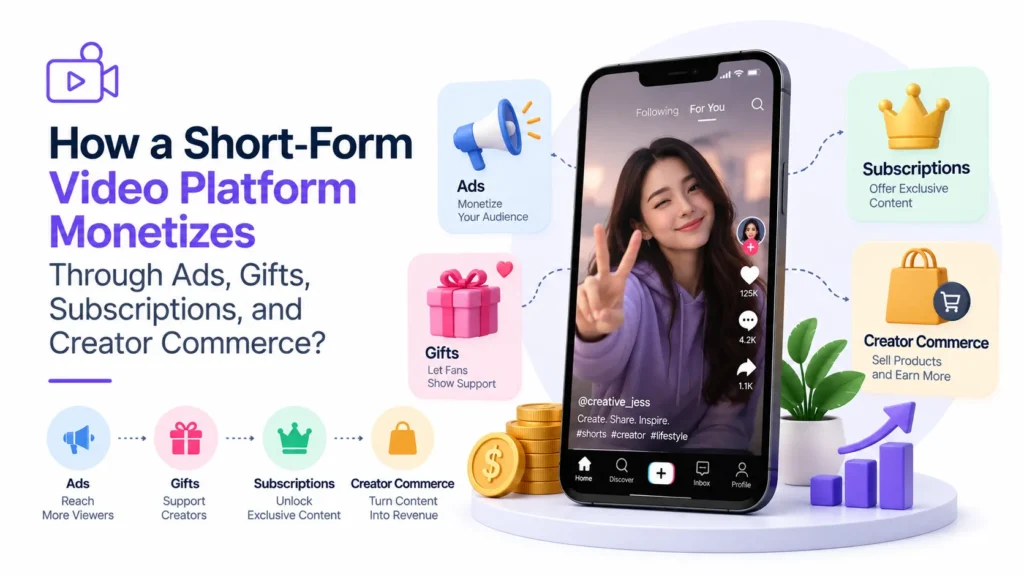
Clapper Clone Revenue Models - Coins, Subscriptions, Ads & Payouts

In the Clapper clone Miracuves delivers, a thread people actually read is the asset, and these five lines turn the attention on it into revenue for the creator and for you.

Commission rates and platform shares are administrator settings, so the economics are yours to tune per market. The table below holds published third-party rates, not our projections.

  1. 01

    Creator Wallet & Earnings Dashboard

    One place a creator sees coins in, balance held and withdrawals requested.

  2. 02

    In-App Coins & Virtual Gifts

    Coin packs you price, spent on gifts under a post or inside a live room.

  3. 03

    Subscriptions & Fan Clubs

    A monthly plan a creator sets, with your commission percentage on top.

  4. 04

    Sponsored Content & Brand Collaborations

    Creator-run ad campaigns with a goal and a budget, plus rewarded ad units.

  5. 05

    Live & Premium Events

    Gifts during a broadcast, pay-per-view unlocks, and replays where enabled.

  6. 06

    Creator Analytics & Insights

    A creator analytics pack, so earning decisions rest on their own numbers.

Published store, creator-split and payout benchmarks for the coin, fan-club, brand, live and wallet lines of a short-video platform.
Revenue streamHow it is chargedTake rateTypical rangeWhat sets the ceiling
In-App Coins & Virtual GiftsViewers buy coin packs through the store, and its commission is settled before revenue reaches you.Apple: 15% up to $1M proceeds, else 30%. Instagram pays creators $0.01 per Star.Apple publishes 30% as standard and 15% for developers under $1M in proceeds. Crossing the threshold mid-year applies the standard rate to later sales, and requalifying waits until the following year.
Subscriptions & Fan ClubsA monthly fee gives fans premium access, and the creator and platform divide what the store leaves.YouTube pays creators 70% of net membership revenue.Net basis. YouTube's 70% applies to revenue after taxes and fees, and Apple's own cut on an iOS subscription is 30% in year one and 15% from year two.
Sponsored Content & Brand CollaborationsBrand deals are priced between brand and creator, and a platform takes a published share only on ads it serves.No published rate for private deals. YouTube pays 45% on Shorts feed ads.Negotiation. For platform-served ads, YouTube lists 55% of net revenue on watch-page ads and 45% of allocated revenue on Shorts, a published split to price a rival program against.
Live & Premium EventsViewers pay to pin messages or join a live session, and the platform keeps its share of each payment.YouTube pays 70% of the Super Chat revenue Google confirms.Tax and iOS fees. YouTube computes its 70% after local sales tax and App Store fees on iOS and absorbs card costs, so a creator's cut of a viewer's gross payment is lower.
Creator Wallet & EarningsA fee can apply when a creator moves a balance out to a bank or PayPal account.PayPal Payouts: 2% of the payment, capped at $1.00 on US sends.Rail cost. PayPal also offers a 0.25 USD flat fee through its API and caps international sends at 20.00 USD, so payout fees stay small against typical balances.

How to read this. App-store rates are Apple's own published policy: the Small Business Program page and subscription terms, with the 30% standard rate in its newsroom release. Creator splits come from YouTube's earnings overview and its Super Chat page, the gift payout from Instagram Help, and the withdrawal fee from PayPal's fee table. Everything cited is a published rate. Brand-deal pricing has no public benchmark, so it is described rather than quoted. Keep these numbers as modeling inputs only, never as a quote or a statement of expected earnings.

Revenue Model

Clapper Clone Revenue Model, Stage by Stage

Miracuves wires coins, gifts, creator subscriptions, creator ads, rewarded ad units and pay-per-view into the Clapper clone, and the stages below show where each fits as the thread grows.

Launch

Keep the thread free to read and let coin packs and gifts carry the first revenue, sent by readers to the creators whose replies hold the discussion together.

Traction

Once regulars come back daily, creator subscriptions and fan clubs add a monthly line, with your commission percentage set in the admin panel.

Scale

With a busy thread, creators can fund their own ad campaigns against a set goal and spend, while rewarded ad units on free sessions and commission on shop sales and tips widen the mix.

Coin pack prices, pay-per-view rates and your commission on tips and shop sales are set in the admin panel, and Miracuves keeps none of it.

Want the commission split modeled against your own volumes?Talk to Us About Monetization

The Operator Side

Admin Panel for a Clapper-Style App - Report Queues, Word Lists and Account Caps

Miracuves built the Clapper clone admin panel on a simple premise: a discussion-led app is only as good as the console behind it. The admin build is a browser application covering seven roles, the report tables they work, the comment and reply records they can remove, and the settings form that holds every ceiling and every key.

Administrator analytics dashboard with user and post trends, registered-user totals, content totals, reports, withdrawals, and moderation status
Administrator creator-fund payout queue listing users, amounts, payment methods, request dates, statuses, and approval or rejection actions

What The Panel Actually Does

  • 01

    Users, Moderators, Managers

    List and edit accounts, freeze or unfreeze one, and promote a user into the moderator role.

  • 02

    Comments And Replies

    Open the comment list for any post, the reply list under any comment, and delete either one.

  • 03

    Report Tables, Your Reasons

    Post, account and comment reports each get a list; accept to act, reject to dismiss.

  • 04

    Age Gate And Creator Checks

    Turn the age gate on, set the minimum age and the method, and require documents from creators.

  • 05

    Banned Words And Ceilings

    Maintain the word list that refuses comments, and set every daily and pin ceiling.

  • 06

    Dashboard And Daily Actives

    Key metrics and charts on the landing page, with daily active users counted by a scheduled job.

  • 07

    Broadcast Notifications

    Write an announcement with a title, text and image, send it to a device topic, and resend it later.

  • 08

    Approval Queue And Hashtags

    Clear or refuse pending posts, mark one featured or trending, and curate the hashtag list.

What The Web Build Adds

The same thread and the same report sheet, on pages a search engine can index.

  • Video pages a crawler can read, with share links per video and profile
  • Explore and hashtag pages for people who never install an app
  • An inbox and one-to-one chat carried over Firestore in real time
  • The report sheet on a video page, posting to the same endpoint as the app

Android And iOS Builds

One Flutter codebase for both stores, with the operator-facing details held in settings.

  • Store links for Play and App Store kept in the settings form
  • Deep links for a shared post or profile, on your own URI scheme
  • Feature packs switched on or off for the whole deployment
  • Languages, default language and a translation file per locale
Want a stricter age gate, a bespoke report workflow, or your own hosting?Discuss Your Compliance & Control Requirements

04Inclusions and what you pay

Deliverables

What Ships - Apps, Admin Panel & the Clapper Clone Script

Eight deliverables come with the Miracuves Clapper clone, not one binary. Two store builds, a web build, the admin panel that works the reports, the API layer under all of them, your branding applied, publishing help, and a support window that is written down rather than implied.

01

Android App

Your branded Android build, with the comment thread, report sheets and block list in place.

  • Built in Flutter and signed under your own developer account
  • Vertical feed, comment sheet, replies, pins and mentions
  • Icon, splash and onboarding slides set from your assets
Mobile vertical-video feed with creator details, caption, engagement actions, discovery mode, and content navigation
02

iOS App

The same build for Apple devices, off the same Flutter source.

  • One codebase, so a thread fix lands on both stores at once
  • Sign-in with Apple alongside email and Google on iOS
  • Prepared for App Store review with your listing assets
Mobile user profile showing biography, account level, likes, followers, following, videos, saved content, and profile actions
Desktop short-video feed with For You content, sponsored labels, engagement controls, and platform navigation
03

Web Build And Optional PWA

A Laravel and Blade front end with the same thread, inbox and report sheet.

  • Feed, explore, video and profile pages without an install
  • Firebase sign-in on the web, with password reset by email
  • Installable on mobile web if you want it behaving like an app
Administrator analytics dashboard with user and post trends, registered-user totals, content totals, reports, withdrawals, and moderation status
04

The Admin Panel

Where reports are cleared, comments removed, ceilings set and accounts frozen.

  • Session-protected browser panel, separate from the public app
  • Users, posts, stories, comments, replies and three report tables
  • Dashboard metrics and charts, plus a daily active-user count
05

The API Underneath

Every client talks to the same documented Laravel endpoints, token-authenticated per user.

  • Twelve comment endpoints among a fully listed API surface
  • Stripe, PayPal, Firebase, Zego, AdMob and Giphy keys as settings
  • Room to add your own endpoints, since the source is yours
06

Your Brand Throughout

App name, currency, colors, splash, onboarding and legal pages carry your identity.

  • App name and default currency are settings, not code
  • Logo, palette, splash and store creatives reskinned for you
  • Your privacy policy and terms served from the panel as your text
07

Deployment And Store Filing

Your cloud, your accounts, our hands on the setup and the listings.

  • Configured on the provider you pick, with storage on S3 or Spaces
  • Help assembling both store listings and getting the builds filed
  • Documentation, a walkthrough and every credential handed over
08

After-Launch Support

A written window after go-live, with longer maintenance offered separately.

Guidance on a dedicated line for the first 60 days
Bugs jump the queue through month six
Product updates keep arriving for a full year
Want to see the thread and the report queue wearing your branding?Request a Branded Live Demo

Pricing

What Does a Clapper-Style App Cost in 2026?

A launch-ready white-label Clapper Clone starts at $3,999, paid once. That figure buys the same MXTok codebase our other short-video hubs ship from, so you are not paying twice for one product; what moves the number is scope you add on top.

What changes the figure: how many clients you ship · bespoke report workflows · a stricter age gate · extra moderator permissions · third-party keys and gateways · media storage and hosting · branding work · support level.

Our Bestseller Tier

Professional

Pre-Built Launch Package
$3,999one-time full payment
Go-live: 6 days

Right choice for: operators launching with the documented comment and report set as it stands

What the demo does is what you receive, under your brand, on infrastructure you control.

Get Started

Enterprise

Custom, Compliant & Large-Scale
Customquote
Go-live: Based on final scope

Right choice for: teams needing their own policy encoded, or review rules that differ by market

Scoped and quoted against what you actually want changed, in writing, before work starts.

Request a Quote
Development Cost

Clapper Clone Development Cost in 2026

Miracuves prices the Clapper clone at $3,999, paid once, for the build the demo runs: Android and iOS apps, the web build, the Laravel API and the admin panel where the three report queues are worked, all as source code you keep, live within six working days.

$3,999 Paid once
6 working days Rebranded and live
0% Revenue share

What moves your total sits outside the software invoice

  • Cloud hosting and media storage on S3 or Spaces
  • Store developer accounts and the store commission on coin packs
  • Your own Stripe, PayPal, Zego, Giphy and Firebase accounts
  • Optional Sight Engine screening and Yoti age checks
  • The reviewers who read your report queues

Adding a bespoke report workflow, a stricter age gate or wider moderator permissions to the Clapper clone starts with a written scope from Miracuves, and delivery typically takes 2-8 weeks.

Compare Your Options

Ready-Made Clapper Clone vs Custom Development vs SaaS

A comment-led video app can be bought ready from Miracuves, commissioned from scratch or rented. The table weighs our Clapper Clone, with its moderation layer already built, against the other two routes.

CriteriaMiracuvesReady-Made Clapper CloneCustom DevelopmentSaaS
Launch time6 working days to go liveQuoted in writing, 2-8 weeksFast setup on the vendor platform
Upfront cost$3,999, paid onceQuoted in writing to scopeLow setup fee, then subscription
Source code ownershipAll source code, handed to youYours, if the contract says soStays with the vendor
CustomizationOpen code; modules scoped in writingAnything, priced per changeLimited to the vendor's settings
Ongoing feesNone: no per-seat fee or revenue shareMaintenance retainer as agreedMonthly or usage-based fees
Branding & app-store listingYour brand, store publishing supportYour brand, your store accountsOften vendor-branded or shared
Best forModerated discussion communities launching fastUnusual workflows with time and budgetTesting demand before owning anything

How Operators Run It

Use Cases for a Discussion-Led App Like Clapper - Reply-Led Publishing, Pre-Moderation & Delegated Threads

Here are six ways operators run the Clapper clone Miracuves builds. Each one turns on a different part of the same control set, which is why they can share a codebase without sharing a product.

PublishersMediaCreatorsReply-Led Publishing

The clip is the prompt and the thread is the product. Pins decide what a new reader sees first, and the word list decides what never appears at all.

  • The post owner pins the replies worth reading, up to a set number
  • Mentions pull named accounts back into the exchange
  • Reply ceilings per day keep one account from dominating
01
Desktop short-video feed with For You content, sponsored labels, engagement controls, and platform navigation
BrandsRegulatedA Pre-Moderated Feed

Nothing publishes until a person clears it. The uploader is told their post is pending, and the panel holds the queue.

  • An optional pack puts every upload in a pending state first
  • Approve or reject each pending post from the admin panel
  • Optional automated screening of images and video before review
02
Mobile discovery feed with creator stories, user posts, hashtags, video engagement, and account navigation
TalentAgenciesThreads Run By Delegated Managers

A creator who cannot read every reply hands the account to someone who can, without handing over the login.

  • A creator adds a manager by email and sets what that manager may do
  • The manager signs in with a token scoped to that creator alone
  • Permissions are editable, and a manager can be removed at any time
03
Mobile vertical-video feed with creator details, caption, engagement actions, discovery mode, and content navigation
EdTechYouthRegulatedAn Age Gate At The Door

For audiences where who gets in matters as much as what gets said. The gate sits before full access, and the creator bar sits higher again.

  • Age verification required before full access, when you switch it on
  • Minimum age and checking method are both operator settings
  • A higher minimum age for creators, with optional document checks
04
Desktop product-detail page with item gallery, color selection, price, stock, reviews, seller storefront, and secure buy-now action
EventsTalkSportLive Rooms With The Host In Charge

The same discussion problem at speed. In-room chat runs live, and the host can silence or remove a viewer while the stream continues.

  • In-room chat, reactions and a viewer list during the broadcast
  • The host mutes a viewer, and the mute is applied on the client
  • A removed viewer leaves the room, not just the chat
05
Mobile live-video hub with livestream discovery, go-live controls, search, and current broadcast availability
SupportCoachingTalentA Message Layer You Can Switch Off

One-to-one chat is a pack, not a fixture. Run it, run it without GIFs, or leave it off and keep the conversation public.

  • An inbox and one-to-one messages delivered in real time
  • GIFs only once you add your own key, so the cost stays yours
  • A block list that stops a named account interacting at all
06
Mobile creator subscriptions screen with active VIP plans, coin pricing, promotion, and plan-editing controls
Business Model

Clapper Clone Business Model: Three Ways to Run It

Who reads the reports and pins the replies decides how a Clapper clone earns, and one install covers a publisher, a creator network or an agency.

Publisher-run

A commentary or news publisher posts the clips, pins the replies worth reading and earns from coins, gifts and creator subscriptions on its own feed.

Creator network

A network signs creators who each run their own threads, hand replies to delegated managers and earn from subscriptions and gifts, with your commission set per stream.

Agency-built

An agency ships one deployment per client, each with its own name, languages, report reasons and feature packs, from a codebase it already knows.

Whichever path you take, your team sets the report reasons, the pin ceilings and the commission on each stream, and Miracuves keeps 0% of what the thread earns.

Each of these runs on the one codebase, with different packs and ceilings switched on. What you choose at setup is what your operators live with every day after launch.

Book a Free Strategy Call

Why Now

Why Build a Discussion-Led Video App in 2026?

A vertical feed is no longer a differentiator; everyone has one. What is still hard, and getting harder, is a comment thread a stranger is willing to read to the bottom of.

Owning that thread means owning the rules on it, the staff reading it, and the record of what was decided. None of which you get on somebody else's platform.

01

The Thread Is The Part Nobody Can Copy

A feed is a solved problem and a cheap one. The reason a reader comes back is the exchange underneath, and that is built out of pins, replies and the ceilings that keep the whole thing readable.

02

Someone Else's Rules Keep Changing

On a rented platform, the reasons a reader can report under, the words that get a comment removed and who counts as a moderator are all set elsewhere. Here they are rows in your own database.

03

Safety Duties Are Arriving Regardless

The EU Digital Services Act, the UK Online Safety Act and India's IT Rules all put obligations on whoever hosts the discussion. Starting from a build that already has report tables and a moderator role is cheaper than retrofitting them.

04

Six Working Days, Not Six Months

The standard build goes live in 6 working days with publishing support. You spend the time you saved on writing the policy and hiring the people who will read the queue.

05

Your Policy, In Your Own Words

Report reasons, the banned-word list, the daily ceilings, the privacy policy and the terms are all text and numbers you enter. Nothing about how your thread is governed reads like a vendor default.

06

Source Code, So Every Extension Is Yours

A strike ladder, a moderation log and a data export are ready to add as modules, and because you own the code, each one is a sprint rather than a support ticket to a vendor.

The Clapper Clone, Counted

7

Roles the build defines, from viewer and creator through manager, moderator and admin

3

Things a reader can report: a post, an account, or one single comment

24

Feature packs in the build, with one left off by design because its keys are yours

4

Events that raise an alert: a like, a comment, a follow and a gift

Short video is where the audience already is. What is still open is who runs the conversation on top of it, and this build hands you the controls for that on day one.

Industries

Industries Where a Clapper-Style Thread Fits

Twelve sectors where a watched clip turns into a thread somebody has to read.

  1. 01Entertainment & Media
  2. 02EdTech & E-Learning
  3. 03Fitness & Health
  4. 04E-Commerce & D2C
  5. 05Music & Arts
  6. 06Sports & Gaming
  7. 07Regional & Vernacular
  8. 08Events & Festivals
  9. 09Food & Lifestyle
  10. 10Travel & Tourism
  11. 11B2B & SaaS
  12. 12Healthcare & Wellness

The Miracuves Clapper clone is a short-video product whose comment layer is specified rather than assumed. A comment can be added with the accounts it mentions, replied to, liked and unliked, deleted by its author, and pinned or unpinned by whoever owns the post. Comments and their replies are paged, so a thread that runs to hundreds of entries stays readable on a phone.

Around that thread sits the control set. Readers report a post, an account or a single comment, choosing from reasons you wrote yourself; each report type lands in its own table with the reporter attached, and an operator either acts on it or dismisses it. A word list refuses matching comments outright. Daily ceilings cover uploads, stories, comments and replies, and a moderator role freezes accounts and removes posts and stories without being handed full administrative access.

Underneath, a stateless Laravel API serves a Flutter app, a Blade web build and the admin panel from one MySQL database, with media on local disk, Amazon S3 or DigitalOcean Spaces as you configure it. Chat and the live room state run through Firestore for latency, push goes out over Firebase Cloud Messaging, and housekeeping such as expiring stories, clearing old notifications and counting daily active users runs on scheduled cron endpoints. Each deployment is a single instance, not a shared tenancy.

Automated screening of images and video is available as an optional third-party integration, and an age gate with a minimum age and a checking method can be required before full access. None of this is a certification: the software supports the controls, while the policy, the people reading reports and compliance in each market remain yours. It ships white-label with the full source code, so a ceiling, a report reason or a moderator permission is something your own developers change.


06Under the hood

End To End

How the Clapper Clone Works - Comment, Screen, Report & Decide

Follow one comment through the Miracuves Clapper clone, from the moment somebody types it to the moment an operator decides its fate. Six steps on the surface, six layers underneath.

One Comment, From Keyboard to Decision

  1. Mobile sign-in screen with email, password, recovery, account registration, and alternative authentication options
    1Download the App and Sign Up

    A viewer installs your branded app from the store, or opens the web build, and registers before reading anything.

    • Email, Google or Apple sign-in, with SMS one-time codes available
    • Onboarding slides you write, in the languages you have loaded
    • An age gate before full access, when the operator requires one
  2. Mobile vertical-video feed with creator details, caption, engagement actions, discovery mode, and content navigation
    2Watch a Clip, Open the Comments

    They scroll the vertical feed, stop on a video and tap into the comment sheet to follow the discussion under it.

    • Comments load in pages, newest first, with counts on the post
    • Pinned comments sit at the top, placed there by the post owner
    • Each comment shows its replies and its like count
  3. Mobile create menu providing quick access to feed posts, stories, reels, camera capture, and other publishing formats
    3Reply Within Daily Limits

    Viewers who start replying meet the daily limits you configured, and the backend enforces those caps for every account.

    • A daily ceiling on uploads, and a separate one on stories
    • A daily ceiling on comments, and another on comment replies
    • Visibility per post: public, followers only, or private
  4. Mobile discovery feed with creator stories, user posts, hashtags, video engagement, and account navigation
    4Comment Moderation Before Posting

    Each new comment, along with the accounts it mentions, is checked against your banned-word list before it is saved.

    • Mentioned accounts travel with the comment and get notified
    • A word from your banned list refuses the comment with a message
    • Anything that clears both checks appears in the thread at once
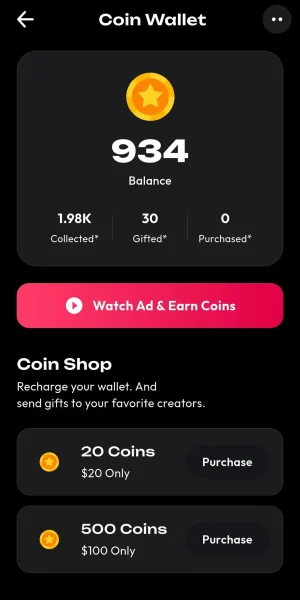
  5. Mobile coin wallet showing balance, collected and gifted coins, purchase activity, and rewarded-ad earning access
    5Notifications for Replies and Mentions

    Replies, likes and mentions are turned into push alerts, unless the person receiving them has switched that alert off.

    • Activity entries stored on like, comment, follow and gift
    • Push delivered to the device through Firebase Cloud Messaging
    • Per-user toggles for like, comment, follow, mention, gift and chat
  6. Mobile creator-fund dashboard showing available balance, withdrawals, estimated earnings, qualified views, and performance analytics
    6Report a Comment, a Moderator Decides

    Anything a viewer reports arrives in the admin report queue, where a moderator accepts or dismisses it.

    • Post, account and comment reports, each list showing its reason
    • Accept to act on a report, reject to close it without action
    • Freeze the account, or delete the comment, reply, post or story
Step-by-Step Flow ChartInstallAge GateFeedCommentWord CheckReportAdmin Decision

Behind The Scenes

Under the Hood of a Clapper-Style App - Tables, Roles & Jobs

Book a Live Walkthrough
  1. Layer 01

    Upload And Media Storage

    Upload paths are validated and nothing stored is executed as code. The storage target is yours to pick: local disk, Amazon S3 or DigitalOcean Spaces.

  2. Layer 02

    Delivery And Playback

    Media is served through a storage link or a CDN you put in front of it, with paths issued by the backend rather than guessed by the client.

  3. Layer 03

    The Comment Tables

    Comments, their likes and their replies each have their own table, with the pin state held on the comment row itself. Your developers read and extend those tables directly.

  4. Layer 04

    Reports And Decisions

    One master list of reasons feeds three report tables, one each for posts, accounts and comments. Every row keeps the reporter, and every row ends in an accept or a reject.

  5. Layer 05

    Limits And Role Checks

    One settings row carries every daily ceiling, pin cap and integration key. Requests arrive with an API key and a per-user token, and moderator or admin actions are checked against the role before they run.

  6. Layer 06

    Alerts And Scheduled Jobs

    Activity notifications and admin broadcasts sit in their own tables and go out over Firebase Cloud Messaging. Scheduled endpoints expire stories, clear old notifications and count daily active users.

Technology

Clapper Clone Tech Stack - Flutter, Laravel, MySQL and Firestore

The Clapper clone stack Miracuves chose is built from familiar parts, with nothing exotic and nothing hidden. Every component below is named in the product documentation, with the optional ones marked optional so you can price the running cost before you commit.

Frontend

What The Reader Touches

Flutter (Mobile) Php-Laravel (Web)
  • One Flutter codebase for both stores, so the thread behaves alike
  • Blade and Axios on the web, with Laravel Mix building the bundles
  • Indexable video pages, installable as a progressive web app
Backend

Where The Rules Live

Laravel
  • PHP 8.1 and Laravel 10, stateless so it scales sideways
  • Every request carries an API key plus a per-user token
  • Ceilings, word list and role checks all enforced server-side
Database

Comment And Report Data

MySQL MariaDB Redis
  • Separate tables for comments, comment likes and replies
  • A reason master feeding post, account and comment report tables
  • Indexes on user, post and timestamp columns, with a Redis queue worker
Streaming

Live Rooms And Media

Zego Agora FFmpeg HLS
  • Live rooms with in-room chat, plus host mute and remove
  • Room and viewer state held in Firestore, so clients react at once
  • Renditions generated after publish, with adaptive playback on the web
Cloud & Operations

Hosting And Storage

AWS DigitalOcean Firebase
  • More app servers behind a load balancer when traffic grows
  • Media on local disk, Amazon S3 or DigitalOcean Spaces, your choice
  • Firebase for web sign-in, chat and live state, keys held by you
CDN & Security

Optional Integrations

Giphy Sight Engine Yoti Cloudflare
  • Giphy for GIFs in chat and comments, on your own key
  • Sight Engine for automated image and video screening, if you want it
  • Yoti for automated age checks, and a CDN in front if you add one
For the technical buyer:

Every optional service above is a key in one settings row, so your team can swap a provider, drop one entirely, or point the build at a different cloud without waiting on us.

Request A Technical Architecture Call

Growing Into It

Scaling a Busy Thread - What Holds, and What You Add

A thread is cheaper to serve than a video and far harder to keep clean. This section is about both halves of that, described as the architecture actually is rather than as a slide would have it.

Growth in a discussion app shows up in three places at once: write volume on the comment tables, push volume on the notification path, and reading volume in the report queue your own staff have to clear.

The first two are infrastructure you can buy more of. The third is staffing, which is why the ceilings and the word list matter more than the server count.

01

Scaling Sideways, Not Upward

The Laravel API holds no session state, so adding app servers behind a load balancer is the growth path. Heavy work runs off a Redis-backed queue worker rather than blocking a request.

  • Stateless API: more instances behind a balancer, no sticky sessions
  • A queue worker takes the slow jobs, such as subtitle runs and live replay ingestion
  • Housekeeping runs on scheduled endpoints, not inside a reader request
02

Your Cloud And Your Bill

Deployment goes onto an account you own, with the storage target set at install: local disk, Amazon S3 or DigitalOcean Spaces. Nothing routes through Miracuves after handover.

  • Environment variables decide the storage disk, so the choice is reversible
  • Provider keys for payments, live, push and GIFs all sit in your own settings
  • Database, app servers and object storage are sized separately
03
Your own CDNBackend-issued pathsNo vendor lock

Delivery You Put In Front

Media is served through a storage link, and a CDN in front of it is an operator choice rather than a bundled dependency. Paths are issued by the backend, never assembled by the client.

  • Live rooms run through Zego, with room state in Firestore
  • Upload paths validated, and stored files never executed as code
04
Renditions on publishAdaptive manifestOptional compression

Playback On A Poor Connection

Renditions are generated after a post publishes, and the web player reads an adaptive manifest, so a reader on a weak connection still reaches the thread.

  • Rendition generation is a command you can schedule or trigger
  • Server-side quality ladders are a feature pack, switched on when you want them
05

Where The Thread Load Lands

Comments, likes and replies are separate tables with indexes on the user, post and timestamp columns, and every list is paged. The daily ceilings are a capacity control as much as a civility one.

  • Paged reads mean a thread of thousands never loads in one request
  • Per-account daily ceilings put a hard roof on write volume
  • The word list rejects a comment before it reaches a human reviewer
06

One Instance Per Deployment

Said plainly, because it decides architecture: this is a single-instance product. Shared tenancy is not in scope, so a second brand means a second deployment of the same codebase.

  • A second brand runs as its own instance, with its own database and settings
  • Languages, slides, ceilings and report reasons differ per instance, from the panel
  • Owning the source means a shared-tenancy layer is yours to build if you need one

For founders and CTOs

Launch on one modest server if that is where you are. What stays fixed is the shape: stateless API, one database, object storage, a queue worker, each scaled on its own when the thread volume says so.

Discuss Your Scale & Infrastructure Plan

07Security and trust

Security

Security in a Clapper-Like Platform - Tokens, Roles, Abuse Limits & Honest Gaps

Every Clapper clone Miracuves delivers holds names, messages, reports and payment records. What follows is how the build guards access, data and abuse today, and which controls you add as you scale.

  1. 01 · Practices
    How Access Is Guarded Today

    The admin panel sits behind its own login and session, separate from the public app. Provider secrets for payments, live, push and GIFs are held in the settings table or the environment file, never in client code, and uploaded files are stored on a disk that does not execute them.

    • Admin login is session-based and kept off the public app routes
    • Client traffic runs over HTTPS in production, as the deployment notes require
    • An admin audit log is set up as you scale
    • Read this as readiness, not certification: the code is built to the controls those frameworks ask for, with separated environments and secrets kept server-side. Miracuves holds no audit or certificate on your behalf.
  2. 02 · Privacy
    Personal Data And Reader Rights

    The data a thread app holds is identity, content, messages and report records. A reader can delete their own account from the app, your privacy policy and terms are served from the panel as your own text, and stories and old notifications are cleared by scheduled jobs.

    • Account deletion is an endpoint the reader can reach themselves
    • Expired stories and aged notifications are removed on a schedule
    • Blocking is self-service, with the blocked list managed from settings
    • What is not built yet:
  3. 03 · APIs
    How A Request Is Authenticated

    Every API call carries a deployment-wide key plus a per-user token issued at sign-in and checked on each request. Web sign-in runs through Firebase, and a manager signs in on a token scoped to one creator.

    • An API key per deployment, which you rotate away from the shipped default
    • A per-user token held server-side and validated on every request
    • Signing out invalidates the token; the age gate can guard protected actions
    • Transport and secrets: TLS on all client traffic in production, admin passwords hashed by the framework, app passwords handled by Firebase, and provider keys kept in the settings table or the environment file.
  4. 04 · Access
    Roles, And What Each One Reaches

    Seven roles are defined: viewer, creator, seller, business, manager, moderator and admin. The split that matters for a thread app is moderator against admin, because a moderator enforces your rules without reaching settings or payouts.

    • A moderator freezes accounts and deletes posts and stories, and stops there
    • A manager acts for one creator, on permissions that creator sets and can revoke
    • The admin role is the only one that reaches ceilings, keys and payouts
    • Worth knowing: there is one admin tier, and a finer admin permission matrix or admin two-factor is added as scoped work.
  5. 05 · Abuse
    Spam And Abuse: Built And Added

    The product ships two real defenses against a flooded thread: per-account daily ceilings held in the backend, and a word list that refuses a comment outright.

    • Daily ceilings on uploads, stories, comments and replies, per account
    • Reserved and banned usernames, so a bot cannot register as your brand
    • Readers can block an account outright, which stops it interacting
    • Add before you scale: per-route request throttling comes as an add-on module, with a CDN or WAF in front of the origin as your choice.
  6. 06 · Moderation
    The Moderation Record

    A report is a row, not a notification that disappears. It keeps the reporter, the target and the reason you defined, and it stays until an operator accepts or rejects it.

    • Three report tables, for posts, accounts and individual comments
    • Available actions: delete the content, or freeze and unfreeze the account
    • Pending posts, where that pack is on, carry their own approve or reject state
    • Not in the box:

Why this matters: you are buying source code you own, so every control above can be extended in your own repository, and nothing is described as certified.

Send Us Your Security Questions

Who Does What

Trust and Safety on a Video App Like Clapper - The Code's Half, and Yours

You are buying software. No reviewers come with it and nothing here is legal advice. The build gives your safety work somewhere to happen: queues to read, reasons to pick from, ceilings to set and a role to hand out. The policy, the people and the law in each market stay yours.

A safety program needs three things: controls in the code, written rules, and people who read. Only the first one arrives in the handover.

Specifically, in the code: reports on posts, accounts and single comments, each against a reason you wrote; three report tables an operator accepts or rejects row by row; a banned-word list that refuses a comment on submit; daily ceilings on uploads, stories, comments and replies; a moderator role able to freeze accounts and remove posts and stories; comment and reply deletion from the panel; a reader-managed block list; account deletion on request; an age gate with a minimum age you set; and optional third-party integrations for automated media screening and automated age checks. Each of those is part of the code you receive.

What You Can Add

Each of these extends the core as an add-on module. Out of the box, an operator deletes content or freezes an account, and a strike and warning ladder adds graduated enforcement on top. A moderation action log, a subject-access data export, per-region content rules and parental controls are each available as modules. Each one is scoped in writing and lands in the codebase you own.

What Stays Your Job

Writing the rules, wording the report reasons, staffing the queue and answering within whatever time you promised. Takedown notices and requests from law enforcement. Rights clearance for anything published. Your privacy policy, your terms, your published guidelines. The panel will hand an operator the row; deciding it is a person's job.

The Age Gate, And Minors

An age gate does ship: switch it on and it stands between sign-up and full access, with the minimum age and the checking method as operator settings, manual or through an optional third-party provider. Creators can face a higher bar again, with document checks you require. Parental controls are available as an add-on module. If children will use your platform, scope that before launch, because the rules covering minors are the strictest you will meet.

Local Law Decides The Duties

What a thread obliges you to do depends entirely on where your readers are. The EU Digital Services Act and GDPR, the UK Online Safety Act, India's IT Rules 2021, and US COPPA where children are involved, each set their own duties on reporting, response times and transparency. Put the markets you are targeting in front of your own counsel. Miracuves is not your counsel and offers no regulatory opinion.

08Grow the platform

Standard package contentsMXTok
  • Comment threads and replies
  • Reports with your reasons
  • Ceilings and the word list
  • The moderator role

How add-ons work

  1. 1
    Pick what the standard build lacks

    At launch or later. The core is extended, never rewritten.

  2. 2
    Scoped and quoted one by one

    You get the scope and the figure in writing before anything starts.

  3. 3
    Handed over as your own code

    It lands in the repository you already own, like the rest of it.

Ask About Custom Modules

Advance Add-Ons

Add-Ons for the White-Label Clapper App - Enforcement Depth, Records & Reader Protection

These modules extend the standard build wherever your policy needs more depth. Each one is a scoped module, quoted in writing before any work starts.

  • Enforcement depth

    Strike And Warning Ladder

    Graduated enforcement instead of delete-or-freeze: counted strikes, timed restrictions and a warning a reader actually sees.

    High-volume threads · Publishers
  • Records and reporting

    Moderation Action Log

    An append-only record of who removed what, when, and under which reason, for the cases where you have to show your working.

    Regulated markets · Enterprise
  • Reader protection

    Subject-Access Data Export

    A reader asks for everything you hold on them and gets a machine-readable file, rather than your team assembling one by hand.

    EU and UK audiences
  • Reader protection

    Parental Controls

    Supervised accounts, restricted interaction for younger readers, and a guardian view of what a minor can reach.

    Youth audiences · EdTech
  • Scale and multi-brand

    Request Throttling

    Per-route limits on sign-in, upload and comment traffic, above the per-account daily ceilings the build already enforces.

    Open sign-up · Bot pressure
  • Records and reporting

    Transparency Reporting

    Counts of reports received, actions taken and time to decision, exportable for the disclosures some regimes now require.

    DSA and OSA exposure
  • Enforcement depth

    Per-Region Content Rules

    Different rules by country or city: what is visible, what needs review first, and which reasons a reader is offered.

    Multi-country operators
  • Scale and multi-brand

    Shared-Core Multi-Brand

    The standard build is one instance per deployment. This module is the custom work that puts several brands on one core, each with its own domain and listings.

    Agencies · Resellers

Elsewhere In The Catalog

If the Thread Is Not the Point, One of These Probably Is.

This page argues for the comment layer. If your product is really about long-form channels, a paid catalog, booked videos or creator subscriptions, these are separate builds that already exist.

Youtube Clone, Video Sharing by Miracuves, Video Sharing Platform01
Pick it if: Long-form channels and uploads are the productYoutube Clone

A YouTube clone is a video-sharing platform built for uploading, managing, streaming, and discovering content across channels and categories.

Explore Solution
Netflix Clone, OTT by Miracuves, Netflix Clone Script02
Pick it if: You sell subscriptions to a premium catalogNetflix Clone

A Netflix clone is a subscription-based streaming platform designed for watching movies, series, and premium video content on demand.

Explore Solution
Cameo Clone Celebrity shoutouts.03
Pick it if: Fans pay for personalised creator videosCameo Clone

A Cameo clone is a platform for personalized celebrity video, on which users pay to request shoutouts from influencers, athletes, creators and actors.

Explore Solution
Onlyfans clone04
Pick it if: Creators sell subscriptions to exclusive contentOnlyfans Clone

An OnlyFans clone is a creator monetization platform where fans subscribe to access exclusive content, private interactions, and premium media.

Explore Solution
CatalogAll 90+ solutions

09The business case

Market Benchmarks

Short-Video App Market Benchmarks - Independent 2025-2026 Data

Our own revenue models appear earlier; the statistics below have other origins. YouTube, Meta, DataReportal and Pew Research released them, and we show them unaltered. From these, operators can gauge how much attention short-form video already commands, the advertising volume it supports at scale and how many users it has, which lets you check the business case against sources anyone can verify.

YouTube01

200bn Daily Views on YouTube Shorts

YouTube CEO Neal Mohan announced on 18 June 2025 that YouTube Shorts were averaging over 200 billion daily views, and YouTube's 2026 CEO letter, published on 21 January 2026, repeats that Shorts now averages 200 billion daily views. It is a publisher-reported measure of how much of a major platform's viewing now happens in the short-form vertical feed.

Meta02

Reels at an Annual Run Rate Over $50bn

On its third-quarter 2025 earnings call on 29 October 2025, Meta said Reels now has an annual run rate of over US$50 billion. In the same remarks it reported that video time spent on Instagram was up more than 30 percent year on year. A run rate is Meta's own extrapolation of current revenue, not realized annual revenue.

DataReportal03

1h 37m a Day: Time per TikTok User

DataReportal's Digital 2026 Global Overview Report, published in October 2025, uses Similarweb App Intelligence data for August 2025 to report that the typical TikTok user spends 1 hour and 37 minutes per day using the platform's Android app. That is the highest daily average among the leading social apps the report compares, and it is for Android usage only.

Pew Research04

37% of US Adults Use TikTok

Pew Research Center reports in a short read published on 2 March 2026 that about four-in-ten US adults (37 percent) say they use TikTok, up from 21 percent in 2021, based on a survey of US adults conducted from 5 February to 18 June 2025. About six-in-ten adults under 30 (63 percent) are on the platform, and 68 percent of teens aged 13 to 17 use it.

Cited sources, as published.

YouTube Blog, Neal Mohan at Cannes Lions 2025: What 20 years of YouTube reveals about creativity’s future, 18 June 2025 - blog.youtube

YouTube Blog, YouTube CEO Neal Mohan’s 2026 Letter: The Future of YouTube, 21 January 2026 - blog.youtube

Meta Platforms, Inc., Third Quarter 2025 Results Conference Call transcript, 29 October 2025 - s21.q4cdn.com

DataReportal (Kepios), Digital 2026 Global Overview Report, October 2025, citing Similarweb App Intelligence data for August 2025 - datareportal.com

Pew Research Center, 8 facts about Americans and TikTok, 2 March 2026 - pewresearch.org

Every figure is a publisher’s own estimate, survey result or company statement, shown unaltered. Meta defines the Reels figure as a run rate rather than reported annual revenue. The TikTok time figure covers only the Android app. These describe the market and say nothing about how any Miracuves-built platform performs; none of it projects revenue for your business.

The Commercial Case

Why a Governed Thread Earns Its Keep

A discussion app like the Miracuves Clapper clone is cheap to serve and expensive to staff, the reverse of most video products. The commercial question is therefore not bandwidth but attention: how much reader time the thread holds, and how little operator time it costs to keep clean.

  1. 01

    A Reply Costs Less Than A Clip

    Text rows are the cheapest thing in the database, and they are what brings a reader back twice.

  2. 02

    Pins Promote Without Paying

    The post owner decides what a new reader sees first, which is editorial control that costs nothing.

  3. 03

    Ceilings Protect The Product

    A per-account daily roof is the difference between a busy thread and an unreadable one.

  4. 04

    Visible Controls Build Trust

    Readers who can see a report reason and a result are readers who keep posting.

Where Revenue Enters
  • creator ad campaigns with a goal and budget
  • coin packs you price, spent on gifts
  • creator subscriptions, on your commission
  • rewarded ad units on free sessions
  • commission on shop sales and on tips
  • pay-per-view unlocks at a rate you set
What Compounds

Run properly over a year or two, what accrues is:

  1. 01a thread worth returning to
  2. 02a review routine that scales
  3. 03a policy you can publish
  4. 04an audience you own outright
Illustrative Operating Loads

Illustrative planning scenarios, not measurements and not earnings estimates. They describe how the same control set tends to be staffed as a thread grows, so you can budget people alongside servers.

Scenario A: a single desk10K MAUone reviewer, part of a week

At this size the word list and the daily ceilings do most of the work, and the report tables are short enough for one person to clear between other tasks.

Typical of a launch: a single admin account, no appointed moderators yet, and the approval queue left off because nothing is arriving faster than it can be read.

Scenario B: a small rota100K MAUa daily pass through the queues

Here the moderator role starts to matter: two or three appointed accounts that freeze and remove without reaching settings, keys or payouts.

Report reasons get rewritten at this stage, because the first list rarely matches what readers actually complain about once there are enough of them.

Scenario C: cover across time zones500K+ MAUa bench, and a written target

A thread this busy is where the pre-publish approval pack and the optional automated media screening earn their cost, because human reading alone stops keeping up.

It is also where the add-on modules stop being optional: a strike ladder, a moderation log and a transparency export are what a regulator or a partner will ask to see.

10Why Miracuves

Why Miracuves

Compared With Other Routes to a Clapper Clone

You can buy a cheap script, commission a custom build, or take Miracuves' Clapper clone with the comment and report layer already specified. The trade is speed against control, and the table below is where we think this build sits on it.

Six things that decide it, in our experience

  • 01

    Days To Live, Not Quarters

    Six working days on the standard build, with publishing support included.

  • 02

    The Code Changes Hands

    No per-seat fee, no revenue share, and no vendor between you and a schema change.
  • 03

    Every Add-On Is Written Down

    This page names each add-on as plainly as what ships, so your plan is real.

  • 04

    The Thread Is Specified

    Twelve comment endpoints, three report tables, eight ceilings, one moderator role.

  • 05

    Modules Quoted, Not Promised

    Each add-on gets a written scope and a figure before any of it is built.

  • 06

    A Support Window With Dates

    Sixty days of guidance, six months of priority fixes, twelve months of updates.

Development Company

How to Choose a Clapper Clone Development Company

A partner for a comment-led video app should show its moderation layer working before you sign.

What to look for Miracuves

  • Proof in the product Live logins to the viewer app and the report-handling panel
  • A specified thread Twelve comment endpoints, three report tables and eight server-side ceilings
  • A client on the same codebase QifQif Media runs its UAE short-video platform on it
  • Source ownership All source code yours, no seat fee or revenue cut
  • Time to launch Six working days, with store publishing help
  • Support after launch Guidance for 60 days, priority bug fixes to month six, 12 months of updates

Walk away from any vendor who

  • Treats comments as a flat list, no replies or pins
  • Checks posting limits only inside the app
  • Hands moderators the full admin login
  • Locks the report tables inside encrypted code or a yearly rental

Three routes to the same product, judged on what a thread actually needs

CriteriaMiracuvesMiracuves Clapper CloneGeneric Clone ScriptCustom Dev Agency
Time to Launch6 days (Production)Unknown / DIY6-9+ months
Source-Code OwnershipFullOften limited / encryptedUsually yes
Comment Thread DepthReplies, likes, owner pins, mentionsFlat comments, if anyOnly what the brief asked for
Reports And ReasonsPost, account and comment, your reasonsRarely more than an email linkBuilt to order, at cost
Abuse CeilingsEight server-side caps plus a word listClient-side at bestDepends what you asked for
Moderator RoleFreeze and remove, without admin keysAdmin login shared aroundAnother sprint
Admin Over CommentsComment and reply lists, delete eitherDatabase access and hopeScoped separately
Clarity on Add-OnsNamed on this page, before you buyFound after you deployDepends on the agency
Support Window60 days, 6 months, 12 monthsNoneWhatever the retainer says
Weighing this against a custom build or a cheap script?Bring Us The Awkward Questions

Changelog

Release Log - Clapper-Style App Versions & Updates

VersionDateWhat’s New
v2026.1Jan 2026Updated UI, smarter AI feed, new monetization & live streaming modules
v2025.3Oct 2025Multi-host live rooms, AR lens pack support, referral module added
v2024.2Jun 2024GDPR compliance updates, 2FA for admin, geo-based content controls
v2024.1Feb 2024Creator analytics dashboard, in-app affiliate module, PWA support

Start the conversation

Bring us the policy. We will bring the build.

Tell us what your thread has to withstand and who will be reading it. You will get a straight answer on what the standard build covers and what has to be scoped, before anyone talks price.

  • Answer within 24 hours
  • No charge for the first call
  • No lock-in and no revenue share
  • The source code becomes yours

11Learn more

Blog & Resources

Reading on Comment-Led Apps Like Clapper: Blog Posts & Tutorials

Stay updated with the latest trends, guides and case studies on short-video platform development.

Product4 questions

01What is a Clapper Clone App?

A white-label short-video product, ready to launch, that competes on its comment layer more than on its feed. Comments can be replied to, liked, pinned by the post owner and deleted; mentions notify the account named; a banned-word list refuses comments on submit; daily ceilings cap how much any account posts; and a moderator role is able to freeze an account or pull its posts and stories. Delivery covers Android and iOS apps, a web build with an optional progressive web app, and an admin panel, each one wearing your brand.

02What is the difference between the app and the script?

The app is the part that readers, creators and operators use every day. The script means the Laravel API, the MySQL schema and the Flutter and Blade clients underneath, which is where a ceiling, a report reason or a moderator permission is actually changed. You receive both, with the full source code.

03Does it ship with groups or communities?

Groups and community spaces are available as an add-on, while the standard build centers on the public thread. What it does have is the public thread and the controls around it: comments, replies, likes, owner pins, mentions, report queues, ceilings, a word list, a block list and the moderator role. Discovery is by hashtag, by location and by search, not by joining anything. If grouped spaces are central to your product, say so on the first call and we will scope them with you.

04Which tech stack is it built on?

Flutter for the Android and iOS builds, PHP 8.1 with Laravel 10 for the API and the web build, MySQL or MariaDB with a Redis queue worker, and Firebase for web sign-in, chat and live room state. Live rooms use Zego, media processing uses FFmpeg, and uploads can be stored on a local disk, in Amazon S3 or in DigitalOcean Spaces, set in your configuration. A CDN in front of the origin is your choice rather than a bundled dependency.

Cost and go-live4 questions

05What does a Clapper-style app cost in 2026?

The Professional tier starts at $3,999, paid once, live in 6 working days. That is the standard build with the comment, report and ceiling set described on this page. What raises the figure is scope you add: a bespoke report workflow, a strike ladder, a moderation log, a data export, parental controls or a stricter age gate. Each is quoted against a written scope first.
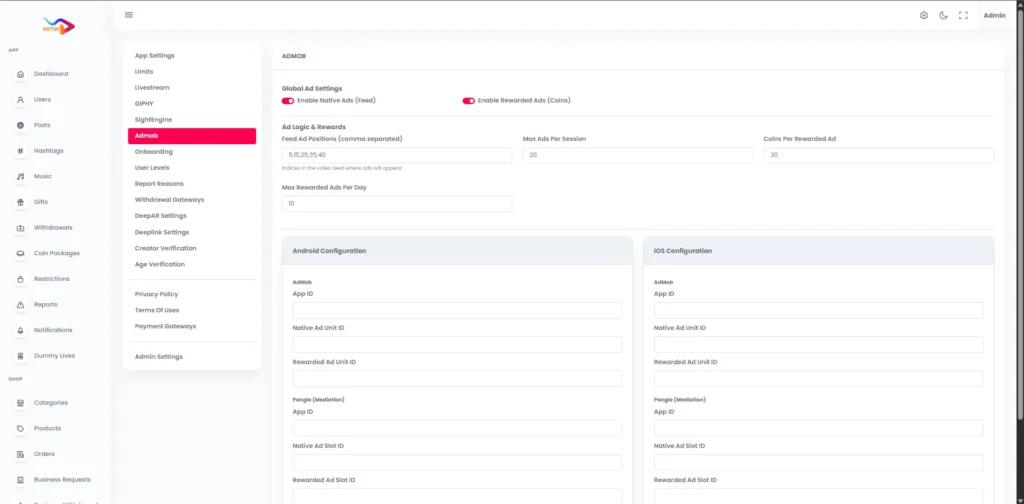
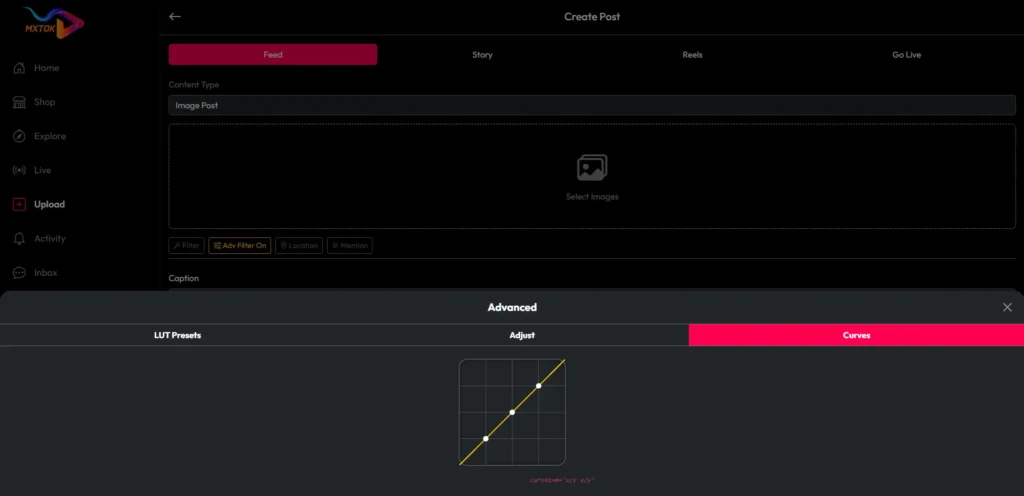
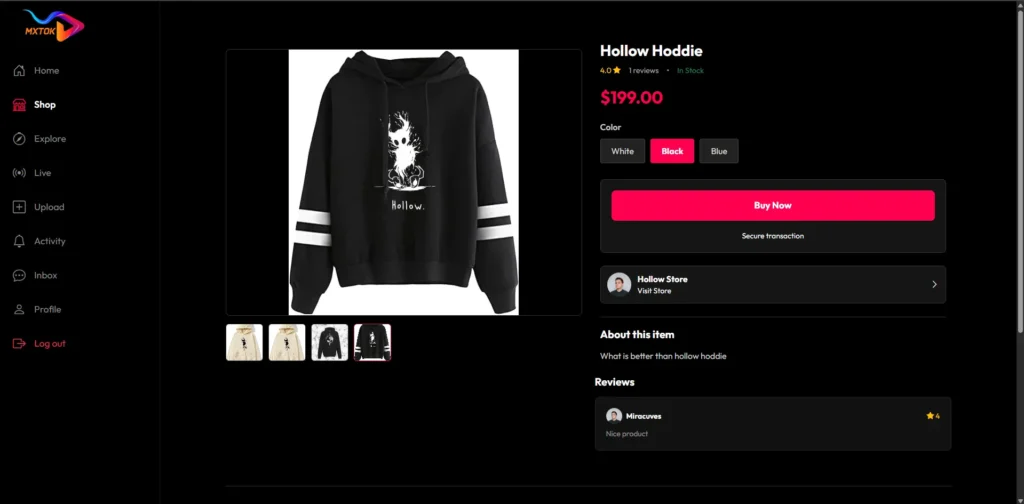
06How fast does it reach the stores?

The standard build with your branding takes six working days, and support with app store publishing is part of it. Customizations add days to the schedule, and any custom module is scoped and priced on paper before a developer starts on it.

07Can it run on our own cloud account?

Yes, and that is the normal arrangement. It is self-hosted on an account you own, with the storage target and every provider key set in your own configuration. Because the API holds no session state, moving it to another provider later is a deployment task rather than a rewrite.

08Why Miracuves for this build?

Comment-first products like this one come from a team with 9,000+ projects behind it, built for 6,000+ clients, and a ready-made catalog that runs past 90 products. QifQif, a short-video service operating regionally in the UAE, is built on this same codebase. The package covers go-live in 6 days, full rebranding, the source code, 60-day guidance, bug fixes on a priority basis for half a year and 12 months of updates. You also get a page that lists what the build lacks, which is rarer than it should be.

Revenue and legality2 questions

09How does money move on the platform?

Readers buy coin packs you price and spend them on gifts, pay-per-view unlocks or creator subscriptions. Creators can also run their own ad campaigns with a goal and a budget. Your share of subscriptions, tips, shop sales and pay-per-view is a commission percentage you set in the admin panel, and creator balances and withdrawal requests are managed there too.

10Is launching a Clapper clone lawful?

Building a short-video app with features like these is something many companies do. The real conditions are that you go live under your own name, branding and content, and that you satisfy local law and each app store's rules wherever you operate; for a discussion app that means content moderation, privacy and protections for minors. Our own engineers wrote this product, and none of it is code, design or content taken from Clapper or any other platform. Put your markets in front of your own counsel; Miracuves gives no legal advice.

Ownership and support5 questions

11Is the source code ours outright?

Yes, all of it, and we charge no per-seat fees and take no share of your revenue. Any extension, from a strike ladder to a data export, is a change your own developers can make in tables and settings they can read, without asking us first.

12How secure is it, honestly?

What is in the build: TLS encryption for traffic from the apps, a per-user token plus the deployment API key on each request, framework password hashing on the admin account, Firebase handling app sign-in, provider secrets held server-side, separate moderator and admin roles, and per-account daily ceilings. Admin two-factor, route-level request throttling and an admin audit log are set up as you scale.

13What support comes after launch?

From launch day you are covered by 60 days of dedicated platform guidance, 6 months of priority bug fixes and 12 months of product updates, with a first response in under 2 hours, Mon-Sat, 10:00-19:00 IST. Maintenance past those windows can be added as its own contract.

14Is a ready-made Clapper clone better than custom development?

If your plan is a moderated discussion app, usually yes. Threads, mentions, report queues, a banned-word list, daily posting caps and a moderator role all arrive working in the Clapper Clone, which costs $3,999 once and launches inside six working days. Rebuilding that comment layer as a bespoke project needs its own written quote and weeks of work. Start ready-made and commission only the moderation flow that is truly yours.

15What is the step-by-step process to launch my Clapper clone?

You open the live demo and the admin panel and try the comment and report flows yourself. Then you hand over your brand assets and the developer accounts you publish from. We apply the branding to the Android, iOS and web builds, install everything on the cloud account you own and set your word list and ceilings, and then prepare both store submissions. The app goes live six working days after kickoff, and store review follows.

Disclaimer

Miracuves is an independent software development company. We are not affiliated with, connected to, sponsored by, or endorsed by Clapper.

Read our full Legal Notice & Disclaimer →
The story of our name

“Clapper Clone” is used descriptively. It is how the software industry refers to building a platform with functionality similar to Clapper, and how clients search for it.

The builders of this

The entire design and codebase is built by our own team. The product contains no code, design, graphics, or content originating from the Clapper website or applications.

Trademarks

Clapper and all other third-party names and marks are the property of their respective owners, referenced here solely to describe the category of software offered.