

















Key Takeaways
- A Fanfix clone script gives every creator a storefront attached to their profile: a catalog they own, priced listings with an image gallery, a stock count and a place in a category tree the operator curates.
- Four product types ship, and each has its own checkout and delivery path: physical goods with a shipping address, digital downloads delivered on purchase, custom commissions, and auction listings that close to a winning bid.
- The features documentation records twenty-six shop capabilities, twenty-one of them included in the base build, covering inventory tracking, variants, pre-orders, reviews, wishlists, shipping zones, tax and sales analytics.
- Twelve coupon rules are configurable out of the box, from percentage and fixed discounts to category and product scoping, first-time-buyer limits, minimum spend and usage caps, with a validation call the storefront runs before it charges anything.
- Shop sales post into the same central transaction ledger as subscriptions and tips, carrying a purchase reference, so storefront revenue reports beside every other revenue line instead of needing its own reconciliation.
- Product creation and coupon management are gated to verified creators, while shipping, tax registration, returns and refund policy sit with the operator. Settle those before the first order.
Every creator platform reaches the same conversation eventually. Subscriptions pay the rent, tips pay for the good weeks, and then a creator with twelve thousand followers asks whether she can sell a signed print, a preset pack and one commission a month. She is asking for a storefront, and a storefront is the point where a content platform starts handling goods as well as access. If you are evaluating a Fanfix clone script with that request in mind, the useful question is not whether a shop exists. It is what each product type actually does at checkout, what the creator sees afterwards, and what you as the operator have to configure before the first order lands.
What follows walks the commerce layer of a documented creator-platform build the way a founder has to plan it: catalog, product types, taxonomy, orders, stock, discounts, fulfillment, digital delivery, auctions, money and the setup order. Every capability named comes from the platform’s product documentation, feature catalog and solution overview, and where something is a decision rather than a default, this post says who makes it. For context, the creator economy section covers how storefronts sit beside the other revenue surfaces.
What does a per-creator storefront give every creator?
A creator storefront here is not a separate shop account. The listing belongs to the creator directly, which means every creator has a storefront from the moment they are verified, with nothing extra to register and no second brand identity to maintain. Their shop is simply their active listings, rendered under the profile that fans already follow.
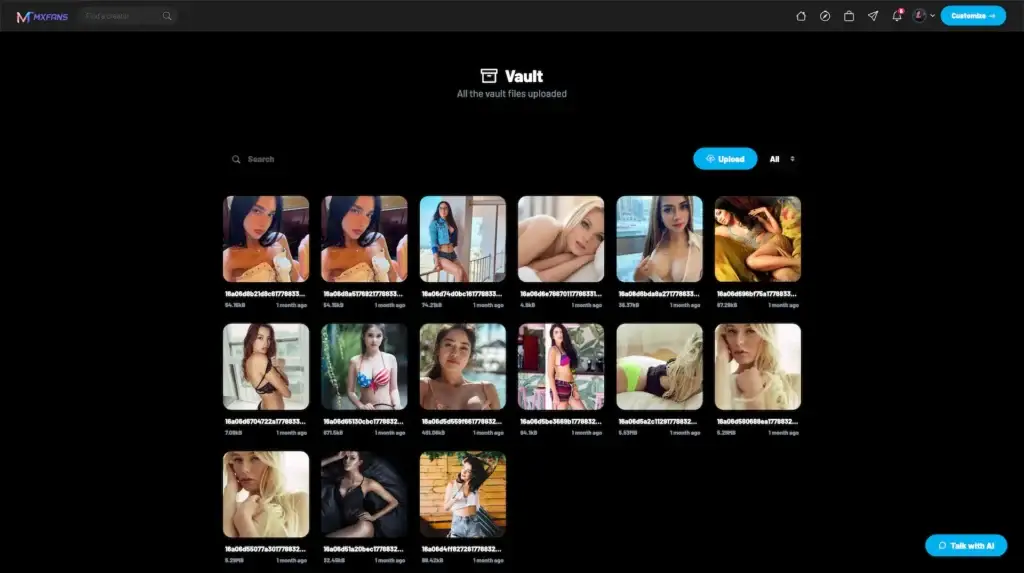
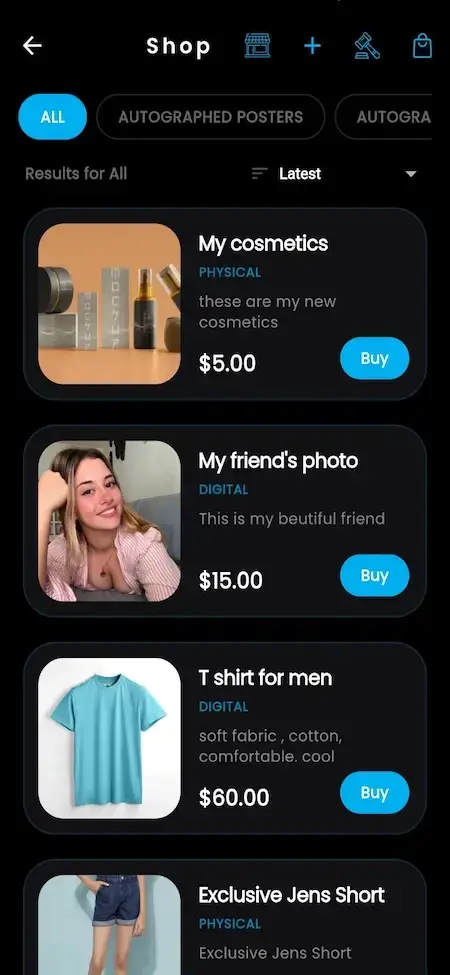
A listing carries a name, a description, a price, a stock count, a place in the shop category tree and an image gallery, the latter held through a product-to-media relationship that reuses the same media pipeline as posts and reels. That detail matters more than it sounds: product photography gets the same upload handling, encoding and storage configuration as everything else, so you are not bolting a second asset pipeline onto the build.
Around that listing, the feature catalog records twenty-six shop capabilities, twenty-one of them included in the base build. Inventory tracking, order management, product variants, pre-orders, product reviews, wishlists, shipping zones, tax calculation, discount codes, featured products, flash sales, refund management and sales analytics are all part of the included set, with bulk CSV upload, bundle deals, affiliate links, pre-order deposits and third-party shipping integration available as configured additions. The storefront is a merchandising surface, not a single buy button.
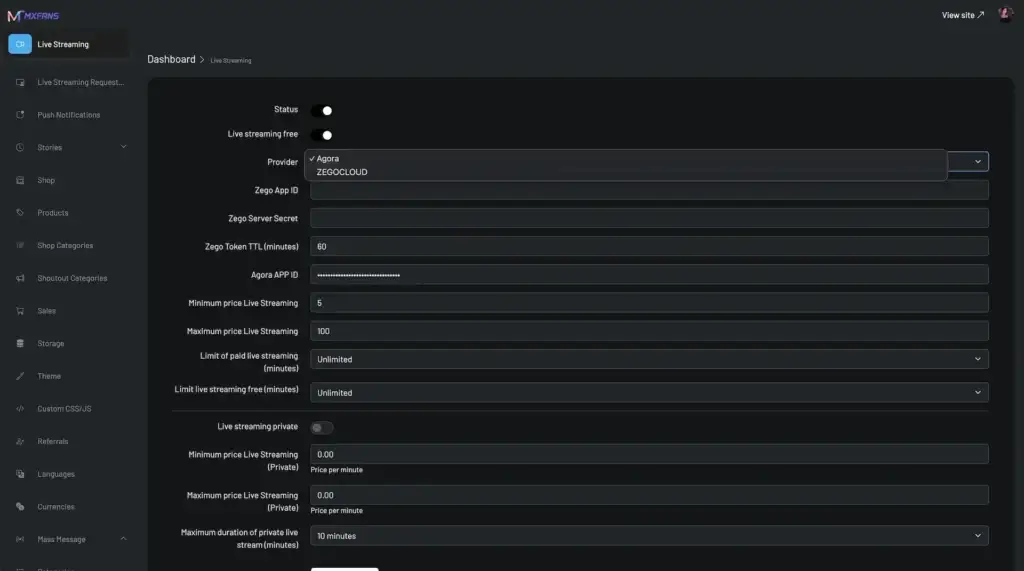
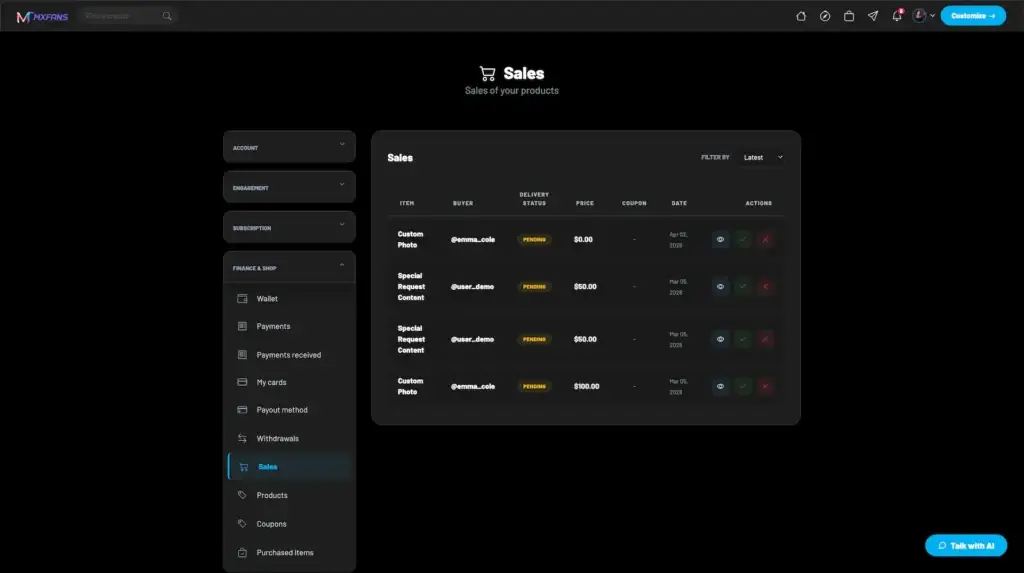
On the front end that lands as shop views beside the profile, feed and reel surfaces. On the operator side it lands as a dedicated commerce oversight group in the admin panel: product moderation, shop category management, a sales list with fulfillment tracking and coupon monitoring. Two audiences, one catalog.
Which product type fits what your creators sell?
Product type is the most consequential field on a listing, because it decides the whole path a purchase takes. The documented types are physical, digital, custom content and auction, and the operator configures which of them creators may use. Pick deliberately: each type adds a different operational obligation, and the distance between a digital-only shop and a shop that posts parcels is measured in process, not in code.
| Product type | What it suits | What the operator sets up | What to decide first |
|---|---|---|---|
| Physical | Creator merchandise, signed prints, limited drops, anything posted to a fan | Shipping zones, shipping and fulfillment settings, tax rates by country or state, commission rate for goods | Who packs and posts the parcel, and who answers when it does not arrive |
| Digital | Presets, templates, guides, sample packs, wallpapers, anything delivered as a file | Storage and the digital delivery mechanism, file size and type limits, commission rate for digital goods | Whether a buyer may re-download later, and for how long |
| Custom | Commissions and bespoke work priced per request rather than per unit | Which creators may offer custom work, turnaround expectations, acceptance and rejection rules | What happens to the money while the work is in progress |
| Auction | Scarce or one-off items where the market should set the price | Close timing, bid increments, any reserve, bidder notifications | How long a window runs, and what the winning bid becomes |
The pragmatic read: open with one or two types rather than all four. Digital listings launch fastest because delivery is automatic and no parcel is in the loop, which makes them the right way to prove fans will buy at all. Physical goods are worth the operational weight once a creator is reliably selling, and auctions reward scarcity rather than volume, so they suit a catalog that already has an audience watching it.
How do nested shop categories organize a growing catalog?
The catalog taxonomy is a proper tree. Shop categories carry a name, a URL slug and a parent reference pointing back at the same table, which is the standard way to model arbitrary depth: Merchandise can hold Apparel, which can hold Hoodies, and nothing in the structure caps how far down you go. Listings attach to a category, and because the slug is stored, category pages get clean URLs without a rewrite layer bolted on later.
The tree is platform-wide and the operator curates it, which is the right call for a marketplace. Shop category management sits in the admin commerce group precisely so one person owns the vocabulary: creators choose from your tree rather than inventing their own, and because they do, browse, filter and sort work across every creator’s listings instead of fragmenting into a thousand private taxonomies. Discovery is the whole argument for a shared tree, and discovery is what makes a storefront more than a link in a bio.
The tree also carries commercial weight, because category-specific coupons are part of the included discount set. A code scoped to Apparel is a category-level campaign, and it is only as useful as the tree is sane. Design the first two levels properly before launch and let the deeper branches grow with the catalog, rather than opening with forty leaf categories that each hold one hoodie.
How is an order composed, and how does stock move with it?
The buying path is conventional, which is a compliment. A fan browses a creator’s shop, opens a listing, picks a quantity and any variant, and pays through the platform. Payment runs through whichever gateways the operator has enabled, or from the fan’s platform wallet if they keep a balance topped up, and the order is recorded with its quantity, its total and a status the creator and the operator can both act on. Order management covers viewing, fulfilling and cancelling, which is the full working set for a shop of this size.
Stock moves with the order. Each listing holds a stock count, inventory tracking is part of the included set, and a listing whose units are gone carries an out-of-stock state rather than quietly continuing to accept money. Variants sit on top of that, so a hoodie in three sizes is one listing with its own options rather than three competing listings, which keeps the catalog readable and keeps the reviews attached to the product people are actually discussing.
Two decisions belong to you rather than to the configuration screen. The first is the drop policy: whether a sell-out hides the listing, shows it as sold out, or flips it to a pre-order, since pre-orders are part of the included set and pre-order deposits are available on top. The second is the oversell rule for the few seconds when a popular drop has more buyers than units, which is a policy question first and an implementation detail second. Decide them with the creators who will run the drops, because they are the ones who answer the fan who missed out.
How do coupon rules work in practice?
The discount layer is one of the better-specified parts of the commerce surface. A coupon holds its code, whether it discounts by percentage or by a fixed amount, the discount value, a maximum number of uses, a running count of how many times it has been used, a minimum spend to qualify, a start and expiry window, and an optional scope to a single creator so a code can belong to one storefront rather than the whole platform.
Twelve coupon rules are included in the base build: percentage discounts, fixed-amount discounts, category-specific codes, product-specific codes, usage limits, time limits, minimum spend, first-time-buyer-only codes, free shipping, product blacklists, multi-currency codes and coupon analytics. Four more are available with configuration, covering bundle discounts, buy-one-get-one offers, affiliate codes and CSV import for bulk campaigns. That is a promotions toolkit rather than a discount field.
Two things matter for the build. First, a dedicated coupon validation call lets the storefront check a code and show the adjusted total before charging, so a fan never discovers an expired code at the moment their card is debited. Second, coupon monitoring sits in the admin commerce group beside product moderation, so the operator sees campaigns across every creator. With per-creator scoping on a code, that gives you both models at once: platform-wide promotions you run centrally and creator codes issued for one audience. Decide which you are offering before the first one goes out.
How does fulfillment work for a physical order?
Physical products are the type with the most moving parts, and the documented flow is a three-party one. The order captures the fan’s shipping address at checkout. The creator then accepts or rejects it, which is the point where a creator who has run out of a size, or who cannot ship to that country this month, says so before taking the money further. Once accepted, delivery state is tracked against the order, and the fan gets notified as it moves.
Shipping zones give you geographic control, so a creator who only posts domestically is not taking orders from the other side of the world. Tax calculation applies rates at country or state level, inclusive or exclusive depending on how prices are quoted in that market. Operator settings cover shipping and fulfillment behavior, order management and tracking, and commission rates set per product type, which matters because goods carry a unit cost that content does not, and a flat rate across both will quietly make merchandise unattractive for the creator.
On the operator side the working surface is the sales list with fulfillment tracking in the admin commerce group, next to the sales and financial reports. That is where support looks when a fan asks where a parcel is, and where finance looks at month end. Give whoever staffs it a written process rather than just a login, because an order list is only as good as the person reading it twice a day.
One boundary to state plainly. The platform records the obligation, captures the address, moves the money and tracks the state. It does not pack the box. The creator, or the operator on their behalf, handles the physical side, and the surrounding duties sit with the operator too: carrier arrangements, tax registration in the markets you sell into, distance-selling and returns obligations, and a published refund policy that matches what the admin panel does. Those are commercial and compliance decisions for you and your advisers, not settings to switch on, and far cheaper to settle before launch than during a first dispute.
How is digital delivery protected after purchase?
Digital products are the easiest type to launch and the one most worth thinking about carefully. Delivery is automatic: the buyer completes payment and the download is made available without the creator doing anything, which is what makes digital listings viable for a creator selling at volume while asleep. The purchase record is what entitles that fan, and purchased items are reachable from the buyer’s own account rather than from a one-time link in an email they will lose.
Protection is a configuration and policy exercise, and the platform gives you the levers for it. Storage is configurable between local and object storage, so deliverables can live in a bucket that is not browsable from the open web and be served through the application instead. The sensible pattern, and the one the platform already uses for protected content elsewhere, is a short-lived URL issued against the buyer’s entitlement rather than a permanent address, so a link that escapes into a group chat stops working. Where the file format allows it, the platform’s watermarking support puts a buyer-identifying mark on what they downloaded, which changes the incentive to share it in the first place.
Three policy calls are yours. How long a buyer may re-download, how many times, and what happens after a refund. None of them is a hard engineering problem, and all three come up in the first week of trading, so write them into the product terms before a creator uploads a file they cannot afford to leak. The influencer platform page is the right place to start that conversation, because the answers shape how storage and delivery are configured at setup rather than retrofitted later.
How does an auction listing run from first bid to close?
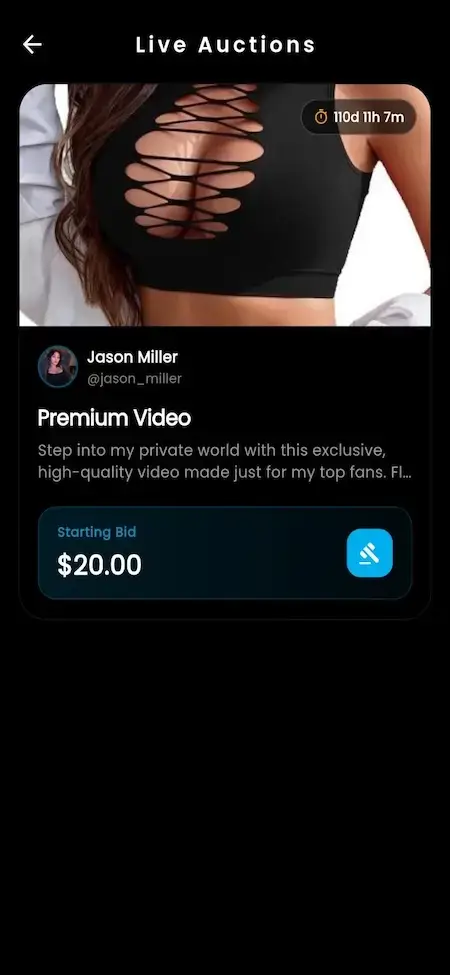
An auction listing inverts the usual sale: instead of the creator setting a price, the audience discovers it. Bids are recorded against the listing with the bidder, the amount and the bid’s standing, which moves through pending, winning and lost as the auction progresses, so at any moment there is a clear high bid and a clear history behind it. That history is worth having for its own sake, because a contested auction is exactly the kind of sale that gets questioned afterwards.
The listing then runs through the close-auction workflow: the window ends, the standing high bid wins, the losing bids settle, and the winning bid resolves into a sale that moves through the ordinary order and payment path. The operator configures the shape of that window, which means close timing, bid increments, any reserve below which the item does not sell, and the notifications that tell a bidder they have been outbid or have won. Those settings are where an auction either feels urgent or feels like a form.
Auctions suit a particular kind of inventory: one-off items, signed pieces, experiences, anything where scarcity is real and a fixed price would either leave money on the table or sit unsold. Keep windows short, because the energy comes from a deadline, and announce them, because an auction nobody watches closes at the reserve. On restockable merchandise they just slow down a sale a fixed price would have closed.
Where does storefront money land, and who signs it off?
Shop revenue lands where the rest of the platform’s revenue lands. The central transactions table is the hub for every monetary movement, and its type values include purchase alongside subscription, tip, pay-per-view, gift, shoutout, withdrawal and refund, with a purchase reference linking a shop sale back to its order. Each entry carries the gateway it ran through, that gateway’s transaction id, a unique reference and a status. A storefront sale is a first-class line in the same ledger as a subscription renewal, so revenue reporting stays one query rather than a reconciliation between a shop and a platform.
The economics around that entry are configurable. Commission rates are set per product type, so goods, digital files and custom work can each carry the rate their margin can bear. Tax rates are held per country and state as inclusive or exclusive. Funding comes through the gateways you enable or from the fan’s wallet, and creator earnings leave through a withdrawal queue where requests move from pending through processing to completed or rejected under admin review, rather than money leaving automatically. If you want the fuller picture of that side, the guide to creator payout options covers the choices properly.
Authority is split deliberately. Product creation and coupon management are both gated to verified creators in the role matrix, so a storefront only opens behind whatever identity check you configure, and that verification provider runs on the operator’s own account. Above it sits the admin commerce group: product moderation, shop category management, the sales list with fulfillment tracking, coupon monitoring, sales analytics, refund management and the financial reports. Creators merchandise, the operator governs, the ledger records. Decide who holds each job before launch, because all three exist from the first order whether or not anyone has been assigned them.
What should you configure before the first order?
Storefront launches go wrong in setup order more often than in code. The sequence below avoids rework, because each step depends on the one above it.
1. The verification path. Product creation and coupon management are gated to verified creators, so the identity check comes first. Get the provider account live and the flow tested with a real creator before launch week.
2. Payment gateways and the wallet. Choose which gateways you enable, confirm each is in live rather than sandbox mode, and settle the currencies you quote in. The storefront inherits the platform’s payment layer, so a mistake here repeats at every checkout.
3. Commission rates per product type. Goods, digital files, custom work and auction sales carry different margins. Set the rates before creators price anything, because repricing a catalog later is a conversation with every creator.
4. The first two levels of the category tree. This is the vocabulary your discovery and your category coupons both depend on. Get the top two levels right and let the branches grow with the catalog.
5. Shipping zones and tax rates. Decide which countries creators may ship to, configure the zones, and load tax rates for your markets with the inclusive or exclusive treatment each expects. Do this before any physical listing goes live.
6. Digital delivery and storage. Pick the storage target, confirm deliverables are served through the application rather than a browsable path, and write down the re-download policy. Digital is the easiest type to launch, which is exactly why it ships before anyone has decided these.
7. Coupon policy. Decide which of the twelve included rules you turn on, who may issue codes, and the approval path for a creator-scoped campaign. A promotions toolkit with no policy becomes a discount free-for-all by month two.
8. Refunds, returns and the support rota. Publish a refund policy that matches what the admin panel does, and name the person who reads the sales list and answers a parcel question. Most often skipped, and the only one your fans notice immediately.
Founder Decision Signals
Your top creators already sell something off-platform. If they run a separate storefront and post links to it, the shop is the recovery of a revenue stream and its take rate, with demand already proven. If nobody sells anything yet, a storefront is a build on a hunch, and a hunch is better tested with two digital listings than with a merchandise operation.
The mix is digital-first. Presets, templates and guides need storage, a delivery rule and a re-download policy. Physical goods need shipping zones, tax registration, carrier arrangements, someone to pack boxes and a support process for parcels that go missing. Both are supported; only one of them can launch in a fortnight.
Someone owns merchandising. Featured products, flash sales, category curation and coupon campaigns are levers that only work if a person pulls them weekly. A storefront with nobody merchandising it is a price list, and a price list converts like a price list.
You can name the compliance owner. Selling goods brings in consumer protection, returns rules, tax registration and, for platforms carrying adult-oriented content, payment processor category rules that apply to the whole account rather than to one listing. The platform provides the ledger, the tax configuration, the verification gate and the moderation tooling. The policies, registrations and legal review are yours to own with your own advisers, and they are not an engineering line item.
Common Creator Storefront Mistakes to Avoid
Turning on all four product types at launch. Physical, digital, custom and auction each carry a different operation behind them. Opening all four means standing up four processes at once with no evidence which one your creators will actually use. Start with the type your top sellers already sell, and add the next when the first is boring.
Opening the shop before verification is wired. Product creation and coupon management are gated to verified creators, and the identity check runs on a provider account the operator configures. Leave that to launch week and your creators cannot list anything on the day you announce the storefront.
Pricing merchandise without the full stack of costs. A creator who prices a hoodie against the unit cost alone discovers the platform commission, the payment processing fee, the tax treatment and the shipping cost one order later. Put the whole calculation in front of creators before they publish, and set commission per product type so goods are not carrying a content rate.
Running coupons with no issuing policy. Twelve rules and per-creator scoping are enough rope to discount your way through a quarter’s margin. Decide who may issue codes, what the deepest discount is, and who reviews a creator campaign, before the first code goes out rather than after the analytics show what happened.
How a Ready-Made Foundation Fits a Creator Storefront Build
The case for starting from a documented foundation is that a storefront is never just a storefront. It needs a ledger that records every other revenue type, a payment layer with multiple gateways and a wallet, a payout queue with operator review, a verification gate, a tax model, a media pipeline for product photography, a role matrix that knows what a verified creator may do, and an admin panel with a sales list, product moderation, category management and financial reports. Building that stack underneath a shop is most of the project; writing listings into one that already has it is a different size of job.
What remains is configuration and judgment: which product types you open, how the category tree is shaped, which gateways and currencies you run, commission per type, shipping zones and tax rates, the digital delivery and re-download rules, which coupon rules you enable and who may issue them, and the refund policy with the person who answers for it. That is a setup list a founder and a technical lead can work through together in a week, which is the opposite of how storefront scope usually behaves.
Miracuves builds on this foundation and plans storefronts the way this post reads: product type first, taxonomy second, fulfillment and delivery policy third, and the money and governance settled before launch rather than during it. If you are costing a creator platform where the shop matters, we can walk the storefront layer of a Fanfix clone script with you type by type and setting by setting, so the plan reflects the operation you are actually prepared to run.
Final Thoughts
The capabilities are there to work with: four product types with their own paths, a nested taxonomy with clean URLs, inventory with variants and pre-orders, twelve coupon rules with a validation step, shipping zones and country or state tax, automatic digital delivery, auctions that close to a winning bid, and every sale landing in the central ledger with a purchase reference. What decides the outcome is the configuration and the process you wrap around them.
Pick the narrowest storefront that earns money for your creators, usually digital goods and one physical line, configure it in the order above, put a named person on the sales list, and widen it when volume justifies the weight. That sequence is boring, which is why it works.
FAQs
<!– wp:rank-math/faq-block {"questions":[{"id":"faq-question-17613501","title":"What product types can creators sell in the shop?","content":"Four, and the operator configures which of them creators may use. Physical products ship to a fan and capture a shipping address at checkout. Digital products are delivered automatically on purchase as a download. Custom content covers commissioned work priced per request. Auction listings let bidding set the price and close to a winning bid. Each takes a different path through checkout and delivery, so most launches open with one or two.
“,”visible”:true},{“id”:”faq-question-17613502″,”title”:”How is an order placed and tracked through to delivery?”,”content”:”A fan opens a listing, picks a quantity and any variant, and pays through an enabled gateway or from their platform wallet. The order records the quantity, the total and a status, and a physical sale captures the shipping address. The creator accepts or rejects it, delivery state is tracked as the parcel moves, and the fan is notified. The same orders appear in the admin sales list with fulfillment tracking.
“,”visible”:true},{“id”:”faq-question-17613503″,”title”:”Does the platform handle stock levels and product variants?”,”content”:”Yes. Each listing carries a stock count, inventory tracking is part of the included base build, and a listing with no units left carries an out-of-stock state rather than continuing to take money. Product variants let one listing offer options such as size or color instead of splitting into competing listings, which keeps reviews and wishlists on the right product. Pre-orders are included too, with pre-order deposits available as a configured addition.
“,”visible”:true},{“id”:”faq-question-17613504″,”title”:”How many coupon rules can an operator configure?”,”content”:”Twelve are included: percentage discounts, fixed-amount discounts, category-specific codes, product-specific codes, usage limits, time limits, minimum spend, first-time-buyer-only codes, free shipping, product blacklists, multi-currency codes and coupon analytics. Four more are available with configuration: bundle discounts, buy-one-get-one, affiliate codes and CSV import. A code can be scoped to one creator, and a validation call lets the storefront confirm it and show the adjusted total before charging.
“,”visible”:true},{“id”:”faq-question-17613505″,”title”:”How are digital downloads delivered and protected?”,”content”:”Delivery is automatic: the buyer completes payment and the download becomes available from their own account, with no creator action needed. Protection is configuration and policy. Storage is configurable, so deliverables sit in object storage rather than a browsable path and are served through the application against the buyer’s purchase. Watermarking can mark a file with buyer-identifying detail where the format allows. The re-download rules are the operator’s call.
“,”visible”:true},{“id”:”faq-question-17613506″,”title”:”How does an auction listing close and convert to a sale?”,”content”:”Bids are recorded against the listing with the bidder, the amount and the bid’s standing, which moves through pending, winning and lost as the auction runs, so there is always a clear high bid with its history behind it. At the end of the window the close-auction workflow settles the losing bids and resolves the high bid into a sale on the ordinary order path. The operator configures close timing, increments, any reserve and the notifications.
“,”visible”:true},{“id”:”faq-question-17613507″,”title”:”Where do shop sales appear in the platform’s financial reporting?”,”content”:”In the same central ledger as every other revenue line. The transactions table is the hub for all monetary movement, its type values include purchase alongside subscription, tip, pay-per-view, gift, shoutout, withdrawal and refund, and a purchase reference links the entry back to its order. Each carries the gateway, that gateway’s transaction id, a unique reference and a status. Commission is configurable per product type and tax is held per country and state.
“,”visible”:true},{“id”:”faq-question-17613508″,”title”:”What does Miracuves deliver on a storefront-focused creator platform build?”,”content”:”A foundation with the commerce layer and its dependencies already in place: a creator-owned catalog with four product types, a nested shop taxonomy with clean URLs, inventory with variants and pre-orders, twelve configurable coupon rules with a validation call, shipping zones and country or state tax, automatic digital delivery, auction listings with a close workflow, orders posting into a central ledger with a purchase reference, a verified-creator gate, an operator-reviewed withdrawal queue, and the admin commerce group. Plus a setup plan in the order that avoids rework.
“,”visible”:true}]} –>What product types can creators sell in the shop?
Four, and the operator configures which of them creators may use. Physical products ship to a fan and capture a shipping address at checkout. Digital products are delivered automatically on purchase as a download. Custom content covers commissioned work priced per request. Auction listings let bidding set the price and close to a winning bid. Each takes a different path through checkout and delivery, so most launches open with one or two.
How is an order placed and tracked through to delivery?
A fan opens a listing, picks a quantity and any variant, and pays through an enabled gateway or from their platform wallet. The order records the quantity, the total and a status, and a physical sale captures the shipping address. The creator accepts or rejects it, delivery state is tracked as the parcel moves, and the fan is notified. The same orders appear in the admin sales list with fulfillment tracking.
Does the platform handle stock levels and product variants?
Yes. Each listing carries a stock count, inventory tracking is part of the included base build, and a listing with no units left carries an out-of-stock state rather than continuing to take money. Product variants let one listing offer options such as size or color instead of splitting into competing listings, which keeps reviews and wishlists on the right product. Pre-orders are included too, with pre-order deposits available as a configured addition.
How many coupon rules can an operator configure?
Twelve are included: percentage discounts, fixed-amount discounts, category-specific codes, product-specific codes, usage limits, time limits, minimum spend, first-time-buyer-only codes, free shipping, product blacklists, multi-currency codes and coupon analytics. Four more are available with configuration: bundle discounts, buy-one-get-one, affiliate codes and CSV import. A code can be scoped to one creator, and a validation call lets the storefront confirm it and show the adjusted total before charging.
How are digital downloads delivered and protected?
Delivery is automatic: the buyer completes payment and the download becomes available from their own account, with no creator action needed. Protection is configuration and policy. Storage is configurable, so deliverables sit in object storage rather than a browsable path and are served through the application against the buyer’s purchase. Watermarking can mark a file with buyer-identifying detail where the format allows. The re-download rules are the operator’s call.
How does an auction listing close and convert to a sale?
Bids are recorded against the listing with the bidder, the amount and the bid’s standing, which moves through pending, winning and lost as the auction runs, so there is always a clear high bid with its history behind it. At the end of the window the close-auction workflow settles the losing bids and resolves the high bid into a sale on the ordinary order path. The operator configures close timing, increments, any reserve and the notifications.
Where do shop sales appear in the platform’s financial reporting?
In the same central ledger as every other revenue line. The transactions table is the hub for all monetary movement, its type values include purchase alongside subscription, tip, pay-per-view, gift, shoutout, withdrawal and refund, and a purchase reference links the entry back to its order. Each carries the gateway, that gateway’s transaction id, a unique reference and a status. Commission is configurable per product type and tax is held per country and state.
What does Miracuves deliver on a storefront-focused creator platform build?
A foundation with the commerce layer and its dependencies already in place: a creator-owned catalog with four product types, a nested shop taxonomy with clean URLs, inventory with variants and pre-orders, twelve configurable coupon rules with a validation call, shipping zones and country or state tax, automatic digital delivery, auction listings with a close workflow, orders posting into a central ledger with a purchase reference, a verified-creator gate, an operator-reviewed withdrawal queue, and the admin commerce group. Plus a setup plan in the order that avoids rework.
Miracuves is an independent software development company. We are not affiliated with, connected to, sponsored by, or endorsed by any company or product named in this article.
Terms such as “X Clone” are used descriptively. It is how the software industry refers to building a platform with functionality comparable to a known service, and how clients search for it.
The entire design and codebase of our products is built by our own team. Our products contain no code, design, graphics, or content originating from any third-party website or applications.
All third-party names and marks referenced in this article are the property of their respective owners, referenced solely to identify the services discussed.