


















Key Takeaways
- A Likee clone script gives you a documented camera-to-post pipeline, but the AR layer inside it is an optional integration, not bundled software.
- In-app AR filters run on DeepAR, enabled with the operator’s own DeepAR keys. No AR licence ships with the code, and no AR vendor account comes with it.
- Filters are database rows that an admin uploads: a title, a preview image and a filter file. That is why an honest spec sheet cannot quote a filter count.
- The browser editor is MVP-only: trim, cover, speed, cut, merge, crop and a basic audio mode. The advanced-editor and auto-subtitle packs ship switched off, and the browser editor’s audio mixing is a stub.
- The quality-ladder and adaptive-bitrate work is unproven. A published post stores one video path, so playback ships as plain MP4 until you build the ladder yourself.
- Budget AR as a vendor line item with its own licence, assets and device testing, separate from the price of the codebase.
Every founder who searches for a short-video codebase arrives with the same mental image: a creator opens the camera, taps a face filter, records, and the effect is simply there. The effect is the product in their head. It is also the single part of a short-video stack that almost no ready-made codebase actually owns, because augmented reality is licensed from a specialist vendor rather than written by the team that built the feed.
That gap between expectation and shipped reality is where short-video launches go wrong. A founder signs for a camera-led app, finds out in week three that the AR layer needs a separate commercial agreement, and the launch date moves. So this post walks the pipeline the way the documentation describes it, stage by stage, and says plainly which stage is finished, which stage needs your own vendor account, and which stage is not done at all. If you are evaluating the commercial package rather than the pipeline, the Likee clone hub page carries the scope and pricing; this post is the engineering reality underneath it.
Read it as a checklist for your technical diligence call. Every claim below maps to a documented feature, an admin action, a settings flag or a database table, and where the specification says something is incomplete, this post says so rather than rounding it up.
What actually happens between the record button and the published post?
Strip away the marketing and the capture flow is a chain of six handoffs. The camera captures a photo or video in the app or on the web. If the operator has enabled AR, the creator may apply a filter at the capture stage. The edit step offers trim and filters before publishing. The file is then encoded on the device, optionally compressed by a global setting, optionally watermarked, and uploaded to configured storage. The backend creates a post row through a reel or feed-video endpoint. Finally the post enters the feed, or a pre-publish approval queue if the operator has turned that on.
Each handoff is a place where a founder’s assumption can quietly break. The creator-facing feature list says “camera edit (trim, filters)” and “apply AR filter (if enabled)” – and that parenthetical is the whole story of this post. One of those capabilities is in the codebase. The other is a switch that points at a third-party service you have not signed for yet.
Treating the pipeline as a chain also changes how you test it. Nothing here is verified by opening the app and seeing a camera. It is verified by recording with the effect on, exporting, uploading over a slow connection and playing the result back on a mid-range device. The defects live in the handoffs, not the screens.
Is DeepAR bundled with a Likee clone script?
No. Say it in plain words, because vendors rarely do: AR filters are not bundled. The platform integrates DeepAR as an optional third-party service, and the integration is enabled and configured with the operator’s own DeepAR keys. The admin settings module exposes exactly that – a save action for the DeepAR keys and the enable flag – and the global settings table carries an is_deepAR switch alongside the DeepAR key columns. The integration list in the specification marks DeepAR as optional, in the same bracket as the moderation, GIF and music services.
What that means commercially is simple and worth being blunt about. No AR licence ships with the code. You open your own account with the AR vendor, you agree your own commercial terms with them, you paste your own keys into the admin panel, and you carry that cost as a recurring line item for as long as the feature is live. If you never open that account, the switch stays off and the camera still works – it just works without AR.
This is not a defect. It is how AR is sold across the industry, and integrating a specialist vendor beats reimplementing face tracking in-house. But the distinction between “integrated” and “included” is the one that breaks budgets, so put it in writing before you sign.
How does an AR filter get into the app in the first place?
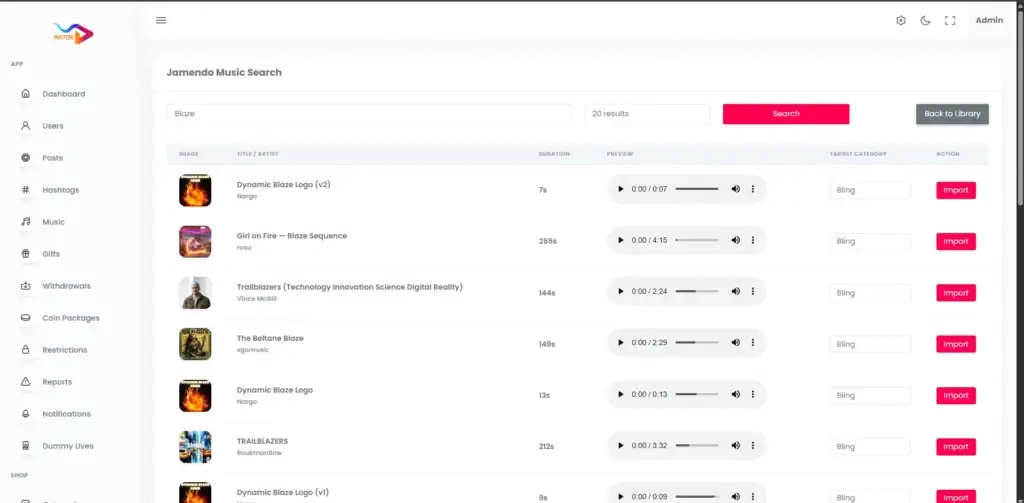
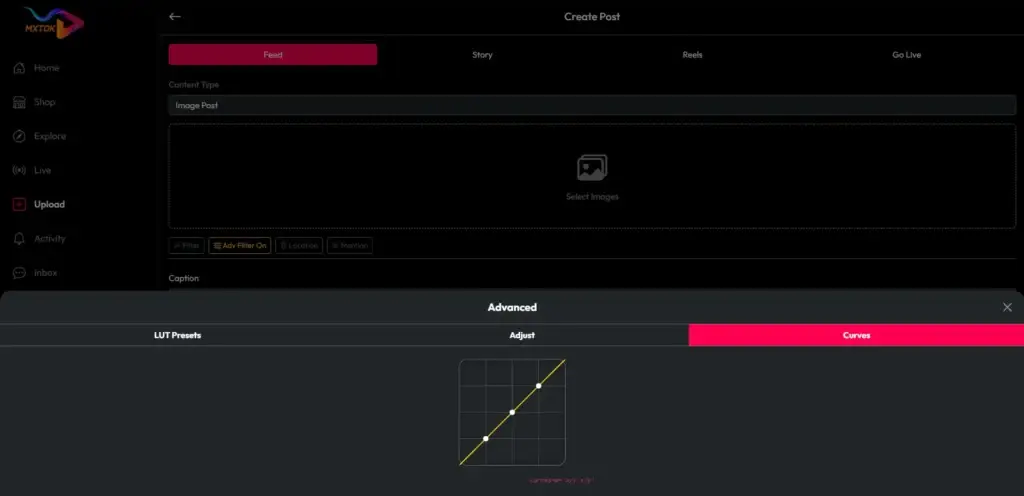
Through the admin panel, one row at a time. The admin module for onboarding and AR filters exposes four actions: add a filter, list filters, edit a filter and delete a filter. Adding one takes three things – a title, an image and a filter file. Those land in a dedicated deepar_filters table whose columns are the title, the preview image path and the filter file path. The entity map lists it among the admin master-data tables, the same category as onboarding slides, user levels and report reasons.
Read that structure carefully, because it tells you who does the work. The codebase gives you the shelf. It does not give you the stock. The filter file is an asset authored against the AR vendor’s own toolchain, by someone who knows that toolchain, and the preview image is a thumbnail your design team produces so the filter looks like something in the carousel. The platform’s job is to store the row, serve it to the client and let an admin retire it later.
The practical consequence is a staffing one. An effects catalog is a content operation with a production pipeline, a review step and a retirement policy, exactly like a hashtag or music catalog. If nobody on your team owns it, the carousel ships with whatever the vendor’s sample pack contains, and every competitor using the same sample pack looks identical to you.
Why no honest spec sheet quotes a filter count
You will see “50+ AR filters” or similar on competing listings. Treat it as a red flag. There is no filter count anywhere in this platform’s documentation, and there cannot be one, because filters are rows an operator uploads after launch. A number on a spec sheet is describing either the AR vendor’s sample library, which is the vendor’s property and subject to the vendor’s terms, or nothing at all.
The honest question to ask instead is a sequence of four. Which AR vendor does the integration target? What do their commercial tiers cost at my expected monthly active users? Who authors my filter files, and at what price per filter? And how many filters do I actually need in the carousel on launch day to look credible? That last number is a product decision you make, not a figure a codebase can hand you.
Ask the same question about preview images. The admin flow expects an image per filter, so every filter needs a thumbnail someone designed – a small cost each and a real cost across a catalog, invisible until you load the table for the first time.
What does the creator see at the camera step, and what does AR change about it?
The documented creator-side capabilities at capture are camera capture for photo and video, applying an AR filter where one is enabled, and a camera edit step that offers trim and filters before publishing. Around those sit the ordinary post controls: caption and hashtags, location, mentions, comment permissions, visibility, pay-per-view pricing and subscriber-only posts. That is the capture surface on both the app and the web.
What is less obvious, and more important for your build plan, is that turning AR on changes the recording pipeline rather than decorating it. The app’s later editor work shipped a segmented multi-take recording mode – a scissor control that ends one take, keeps the camera alive and concatenates the takes on confirm – and the engineering note records that this mode is for reel posts and is deliberately disabled on the AR path, where the native pause-and-resume behavior is kept instead to avoid pipeline conflicts.
That single line is the most useful thing in this post for a technical founder. An AR SDK owns the camera session. Anything else that wants to own the camera session – multi-take recording, custom frame processing, a second capture library – has to negotiate with it, and the documented resolution here was to switch one feature off on the AR path rather than make both work at once. Plan your capture roadmap knowing that effects and camera tricks compete for the same resource, and that the AR decision therefore belongs at the start of the build, not bolted on at the end.
Where does the edit step stop being finished?
This is the part a diligence call usually skips, so take it slowly. The browser editor is MVP-only. Its documented tool set is trim, cover frame, speed, cut, merge, crop and a basic audio mode – and that is the complete list when the advanced pack is off. The advanced-editor pack, which is what would add a drag-reorder timeline, fade and dissolve transitions, text and emoji overlays and per-clip volume, ships switched off. So does the auto-subtitle pack. And the browser editor’s audio mixing is a stub: the documented ceiling is keep, mute or replace, with true multi-track mixing and ducking listed as an upgrade path rather than a shipped capability.
The platform’s own requirements document is equally direct about the native side. Its out-of-scope list names the in-app video editor explicitly: trim and filters in the app, with advanced editing not specified. Later engineering work did build an app-side trim bar, draggable text and sticker overlays and the segmented recording described above, but those entry points are gated behind the same advanced-editor pack. Code path present, switch off by default. Those are two different things and you should price them as two different things.
None of this makes the editor useless. Trim, cover, speed, crop and a merge are a genuinely workable creation flow for a launch, and most first-time creators never open a timeline. But if your pitch deck promises a full editing suite, the gap between the deck and the switch is a development scope you have not budgeted yet.
Which parts of the pipeline ship, which need your own vendor account, and which are unfinished?
Here is the same pipeline as a decision table. Use the right-hand column to decide what goes into your launch scope and what becomes a phase-two line item with its own budget.
| Pipeline stage | What the codebase provides | What you must supply | Documented status |
|---|---|---|---|
| Camera capture | Photo and video capture on app and web; recording-speed controls | Nothing | Shipped |
| AR filter at capture | Integration, enable flag, key fields, filter carousel | Your own AR vendor account, keys, licence and filter files | Optional integration, not bundled |
| Filter catalog admin | Add, list, edit, delete; title, image and filter file per row | Every filter asset and every preview image | Shipped; empty on delivery |
| Edit step (browser) | Trim, cover, speed, cut, merge, crop, basic audio mode | Anything beyond that list | MVP only; audio mixing is a stub |
| Advanced editing and subtitles | Pack-gated code paths | Development to finish and prove them | Packs ship off |
| Encode, compress, watermark | On-device encode; global compress flag; watermark bake | Your watermark asset; device testing | Shipped; watermark asset empty by default |
| Upload and post create | File upload to configured storage; reel and feed-video create endpoints | Storage account; upload hardening per the security document | Shipped |
| Pre-publish moderation | Optional automated moderation integration; optional approval queue | Your own moderation vendor keys; human reviewers | Optional; queue end-to-end unproven |
| Quality ladder and adaptive playback | A separate renditions table and a cron-run rendition command | Development, encoding capacity and proof | Unproven; pack off; playback is plain MP4 |
Two columns carry almost all of the risk. “What you must supply” is your real budget; “Documented status” is your real timeline. A listing that collapses both into a tick mark is not describing the same product.
What happens to the file after the creator taps Next?
The device does the work. Edits are baked into the file on the client – the engineering notes describe trim as a re-encode, speed as a timing rewrite, overlays as a filter pass, and multi-take merges as a concatenation – which means the publishing experience is bounded by the creator’s phone, not your servers. A long clip with several edits on a mid-range device is measured in seconds of waiting, and that wait is a conversion problem, not a cosmetic one.
After the bake, a global compression setting can shrink the file, a watermark can be baked on export where that pack is enabled, and the result goes to whichever storage disk the deployment is configured for – local, S3 or a compatible object store. The backend then creates the post through its reel or feed-video endpoint, with the caption, hashtags, sound reference, location, mentions and pay-per-view fields attached. If pre-publish approval is enabled, the post waits in a queue for an admin decision; the documentation flags the full publish-to-approve-to-feed path as still needing end-to-end proof.
Two operational details matter here and neither is an effects feature. Daily upload limits are enforced by the backend through configurable caps, so your anti-spam policy is a settings decision rather than a code change. And the security review calls out file upload as a focus area, with MIME and extension whitelisting, safe filenames, safe content-type serving and size validation listed as mitigations. Those are recommendations in that document, not shipped guarantees, so treat upload hardening as a work item on your own list before launch.
Does the platform transcode uploads into a quality ladder?
Not in any form you should plan around. The quality-ladder and adaptive-bitrate work is unproven, and the honest description of shipped playback is a plain MP4 file. The post table holds a single video path and a single thumbnail path per post. Renditions live in a separate table, written by a command that the scheduler runs periodically, behind a feature pack that ships off – and the documentation records that the pack was off, that the seeding of pending rendition rows on publish had to be fixed because nothing was creating them, and that cloud encoding providers and backfill of existing posts are out of scope.
There is no queue worker behind any of this either. Scheduled work is cron-only by design, which is a perfectly reasonable choice for story expiry and daily counts and a poor fit for video encoding, where jobs are long, failure-prone and bursty. If adaptive playback is a launch requirement for your market, scope it as infrastructure work with its own encoding capacity and its own proof, and read our note on background processing for creator platforms before you design around the scheduler.
Why does this sit in a post about AR? Because effects raise the stakes on delivery. A heavily stylized clip is exactly the kind of content where compression artifacts are most visible, and plain MP4 delivery to a creator on a weak connection is where your best-looking content looks worst. The effects decision and the delivery decision are the same conversation.
What can you launch without any AR vendor at all?
More than founders expect, which is why this is a real strategic option rather than a consolation prize. With the AR switch off you still have camera capture on app and web, the documented camera edit step with trim and filters, cover-frame selection, recording-speed controls, a crop and merge path in the browser editor, watermark bake on export, the full set of post controls, and the optional pre-publish approval queue. That is a complete short-video creation and publishing loop.
The strategic case for launching without AR is sequencing. Effects do not create an audience; they retain one that already exists. A camera-led app with no creators and twenty face filters is still a camera-led app with no creators. Launching the loop first lets you learn what your creators actually make, and then buy AR against evidence instead of against a competitor’s spec sheet.
The case against is positioning. If your market has been trained to expect effects and your differentiation is visual, shipping without them reads as unfinished. Only you can weigh that, but weigh it as a positioning decision with a price attached, not as a feature that was supposed to be in the box.
Founder Decision Signals
A handful of signals tell you quickly whether an AR-led short-video build is the right shape for you. Take the AR layer first: if you can name the vendor, have modeled their tier cost at your target monthly active users, and know who authors your filter files, AR belongs in phase one. If any of those three is blank, launch the loop and add AR when they are answered.
On editing, the signal is your creator persona. If your creators are casual and mobile-first, the MVP tool set is enough and you should spend the budget on discovery instead. If you are courting creators who edit elsewhere and publish to you, a timeline is table stakes and the advanced pack becomes real development scope rather than a toggle.
On delivery, the signal is bandwidth. In a market where mid-tier Android on a weak connection is the median creator, plain MP4 playback becomes your first retention problem and the ladder work moves up the roadmap. In a market with reliable connectivity it can wait. And on governance, if you are publishing user-generated effects content in a regulated market, scope moderation and upload hardening as launch work, because the documentation treats both as optional or recommended rather than finished.
Common AR and Camera Pipeline Mistakes to Avoid
The expensive mistakes repeat. First, assuming the AR licence is in the price of the codebase. It is not, it is a separate commercial relationship with a separate vendor, and discovering that after signing is how a launch date slips by a quarter.
Second, believing a filter count. Filters are rows you upload; a number on a listing is describing a sample library or nothing. Third, buying an editing suite you were shown in a demo video rather than the tool set that is on by default – demos are recorded with every pack enabled. Fourth, promising adaptive playback because a player library is present in the build. A client that can play a stream is not a server that produces one.
Fifth, leaving the filter catalog to engineering. It is a content operation and it needs an owner, a production budget and a retirement policy. Sixth, skipping device testing on the AR path specifically. Effects are where thermal throttling, battery drain and camera-session conflicts show up, and the one documented conflict in this platform – multi-take recording disabled on the AR path – is exactly the kind of interaction you only find on a real phone. Seventh, treating upload hardening as someone else’s problem because the security document lists it as a recommendation.
How a Ready-Made Foundation Fits an AR-Led Short-Video Build
The argument for starting from a documented foundation is not that it contains everything. It is that the parts it does contain are the parts nobody wants to fund from scratch. Authentication, the feed, profiles, comments, wallets, gifting, live streaming, storage, an admin panel and a creation pipeline with a filter carousel already wired to an AR vendor’s integration points – that is a year you do not spend, and the integration points are the expensive part of adding effects later.
At Miracuves we work the way this post reads. We tell you which stage of the pipeline ships, which stage needs your own vendor keys, and which stage is unfinished, before you commit – because a founder who knows the advanced pack is off and the ladder is unproven can plan a credible launch, and a founder who was told everything was included cannot. Our Likee clone script scope is published on that basis, and our wider video content platform work and media and entertainment practice bring the same stage-by-stage honesty to adjacent builds.
Practically, that means a first conversation about three things: whether AR is phase one or phase two, whether your creators need a timeline or a trim bar, and whether your market forces the delivery work forward. Those three answers set your scope and your price, and all three are decisions you can only make with the gaps on the table.
Final Thoughts
The camera-to-post pipeline is the most emotionally important part of a short-video product and the least honestly described part of the market around it. The documented reality is a solid capture and publishing loop, an AR layer that is integrated rather than included and runs on your own vendor keys, an editor whose advanced tools are behind a switch that ships off, and a delivery path that is plain MP4 until someone builds the ladder.
That description is less exciting than a spec sheet with a filter count on it. It is also the only version you can plan a launch against. If you want the pipeline walked stage by stage against your own market, your own creator persona and your own budget, bring us the three questions above and we will tell you where the work actually is.
FAQs
<!– wp:rank-math/faq-block {"questions":[{"id":"faq-question-17612301","title":"Are AR filters included when I buy a short-video clone script?","content":"No. In this platform AR filters come from DeepAR, which is an optional integration configured with the operator’s own keys. No AR licence ships with the code and no vendor account comes with it. You open your own account with the AR vendor, paste your keys into the admin settings, and carry that licence as a recurring cost. With the switch off, the camera still works without effects.
“,”visible”:true},{“id”:”faq-question-17612302″,”title”:”How many AR filters does the platform come with?”,”content”:”None by default, and any listing that quotes a filter count is not describing this product. Filters are database rows an admin uploads after launch, each with a title, a preview image and a filter file. The documentation specifies the admin actions and the table columns but no quantity, because the quantity is whatever your team authors and loads.
“,”visible”:true},{“id”:”faq-question-17612303″,”title”:”What editing tools does a creator get out of the box?”,”content”:”The browser editor is MVP-only: trim, cover frame, speed, cut, merge, crop and a basic audio mode of keep, mute or replace. Its audio mixing is a stub, with true multi-track mixing listed as an upgrade path. The advanced-editor pack, which adds a drag-reorder timeline, transitions, text and sticker overlays and per-clip volume, ships switched off, as does the auto-subtitle pack. The requirements document also lists an in-app advanced editor as out of scope.
“,”visible”:true},{“id”:”faq-question-17612304″,”title”:”Does the platform deliver adaptive bitrate playback?”,”content”:”No. The quality-ladder work is unproven and should not be promised. A published post stores one video path and one thumbnail, so playback ships as plain MP4. Renditions live in a separate table filled by a scheduled command behind a feature pack that is off, and there is no queue worker – scheduled work is cron-only. Treat adaptive playback as infrastructure development with its own budget and proof.
“,”visible”:true},{“id”:”faq-question-17612305″,”title”:”Can I launch a camera-led short-video app without any AR vendor?”,”content”:”Yes, and it is often the better sequence. Without AR you still have camera capture on app and web, a camera edit step with trim and filters, cover selection, recording-speed controls, crop and merge in the browser editor, watermark bake on export, the full set of post controls and an optional pre-publish approval queue. Effects retain an audience rather than create one, so launching the loop first lets you buy AR against evidence.
“,”visible”:true},{“id”:”faq-question-17612306″,”title”:”Why does enabling AR affect other camera features?”,”content”:”Because an AR SDK owns the camera session, and anything else that wants to own it has to negotiate. The engineering notes for this platform record exactly that trade-off: segmented multi-take recording is a reel-post-only feature and is deliberately disabled on the AR path, where native pause and resume is kept instead to avoid pipeline conflicts. Decide on AR at the start of the build, because it constrains the rest of your capture roadmap.
“,”visible”:true},{“id”:”faq-question-17612307″,”title”:”What should I budget for beyond the price of the codebase?”,”content”:”Five things, at minimum: the AR vendor licence at your expected scale, authoring of filter files and their preview images, a watermark asset and the device testing to prove the bake, your storage and any optional moderation vendor keys, and development for anything behind a pack that ships off – the advanced editor, auto-subtitles and the quality ladder. Each is a separate line item from the codebase itself.
“,”visible”:true},{“id”:”faq-question-17612308″,”title”:”How do I verify these claims during technical diligence?”,”content”:”Ask for the feature-pack state on the instance you are shown, not on a demo build, because demos are recorded with everything enabled. Then record a clip with effects on, publish it, and inspect what the post row stores and what the player actually requests. Finally ask which stages are proven end to end and which are only code paths. Any honest supplier, including us, will answer all three before you sign.
“,”visible”:true}]} –>Are AR filters included when I buy a short-video clone script?
No. In this platform AR filters come from DeepAR, which is an optional integration configured with the operator’s own keys. No AR licence ships with the code and no vendor account comes with it. You open your own account with the AR vendor, paste your keys into the admin settings, and carry that licence as a recurring cost. With the switch off, the camera still works without effects.
How many AR filters does the platform come with?
None by default, and any listing that quotes a filter count is not describing this product. Filters are database rows an admin uploads after launch, each with a title, a preview image and a filter file. The documentation specifies the admin actions and the table columns but no quantity, because the quantity is whatever your team authors and loads.
What editing tools does a creator get out of the box?
The browser editor is MVP-only: trim, cover frame, speed, cut, merge, crop and a basic audio mode of keep, mute or replace. Its audio mixing is a stub, with true multi-track mixing listed as an upgrade path. The advanced-editor pack, which adds a drag-reorder timeline, transitions, text and sticker overlays and per-clip volume, ships switched off, as does the auto-subtitle pack. The requirements document also lists an in-app advanced editor as out of scope.
Does the platform deliver adaptive bitrate playback?
No. The quality-ladder work is unproven and should not be promised. A published post stores one video path and one thumbnail, so playback ships as plain MP4. Renditions live in a separate table filled by a scheduled command behind a feature pack that is off, and there is no queue worker – scheduled work is cron-only. Treat adaptive playback as infrastructure development with its own budget and proof.
Can I launch a camera-led short-video app without any AR vendor?
Yes, and it is often the better sequence. Without AR you still have camera capture on app and web, a camera edit step with trim and filters, cover selection, recording-speed controls, crop and merge in the browser editor, watermark bake on export, the full set of post controls and an optional pre-publish approval queue. Effects retain an audience rather than create one, so launching the loop first lets you buy AR against evidence.
Why does enabling AR affect other camera features?
Because an AR SDK owns the camera session, and anything else that wants to own it has to negotiate. The engineering notes for this platform record exactly that trade-off: segmented multi-take recording is a reel-post-only feature and is deliberately disabled on the AR path, where native pause and resume is kept instead to avoid pipeline conflicts. Decide on AR at the start of the build, because it constrains the rest of your capture roadmap.
What should I budget for beyond the price of the codebase?
Five things, at minimum: the AR vendor licence at your expected scale, authoring of filter files and their preview images, a watermark asset and the device testing to prove the bake, your storage and any optional moderation vendor keys, and development for anything behind a pack that ships off – the advanced editor, auto-subtitles and the quality ladder. Each is a separate line item from the codebase itself.
How do I verify these claims during technical diligence?
Ask for the feature-pack state on the instance you are shown, not on a demo build, because demos are recorded with everything enabled. Then record a clip with effects on, publish it, and inspect what the post row stores and what the player actually requests. Finally ask which stages are proven end to end and which are only code paths. Any honest supplier, including us, will answer all three before you sign.
Miracuves is an independent software development company. We are not affiliated with, connected to, sponsored by, or endorsed by any company or product named in this article.
Terms such as “X Clone” are used descriptively. It is how the software industry refers to building a platform with functionality comparable to a known service, and how clients search for it.
The entire design and codebase of our products is built by our own team. Our products contain no code, design, graphics, or content originating from any third-party website or applications.
All third-party names and marks referenced in this article are the property of their respective owners, referenced solely to identify the services discussed.