











Worldwide, 6,000+ companies already trust us



01See it live
Live in Action
Streaming Platform Demo - Live App, Admin Dashboard, Producer Dashboards & Previews
A serious buyer should not be left guessing how the product behaves. Open it across the viewer experience, the producer workflow, the web platform and the operator console before committing to a rollout.
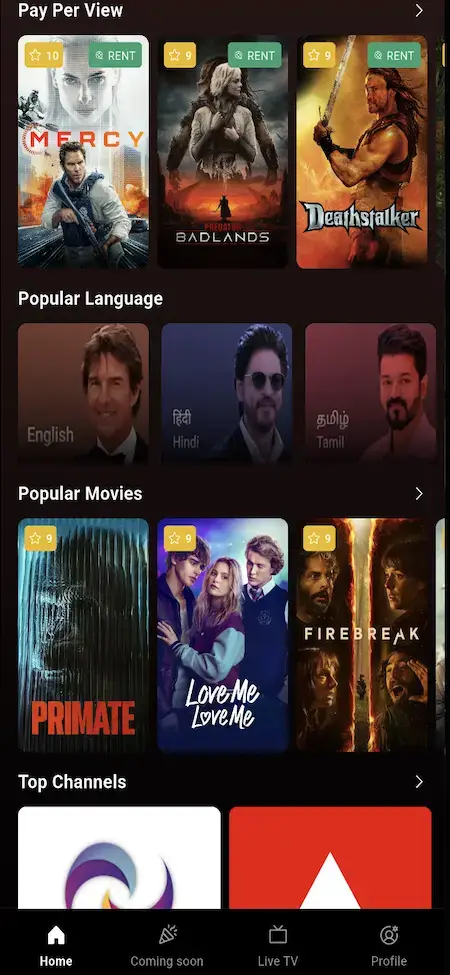
Use the demo to see how viewers browse titles, subscribe, rent, watch movies, pick up episodes where they left off, manage profiles and engage with streaming content. It also covers the producer side, where content is submitted, and the admin side, where it is approved, monetized, organized and managed across the entire Video Content OTT business.
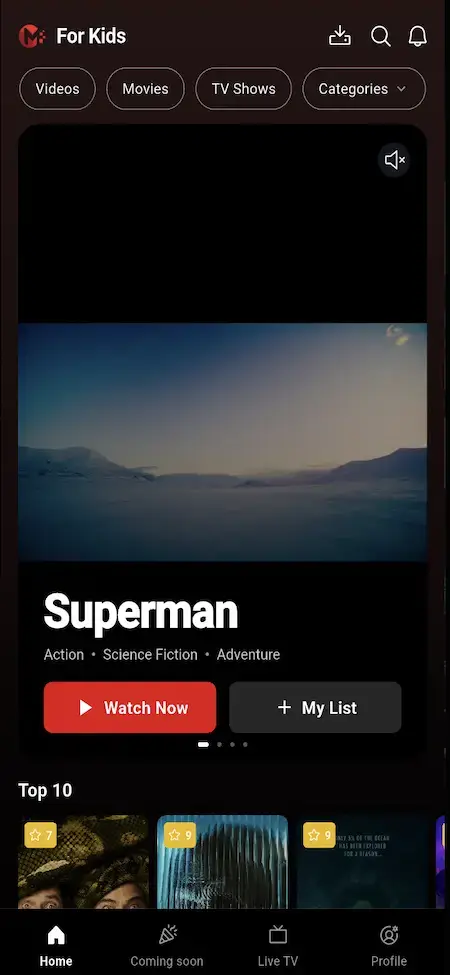
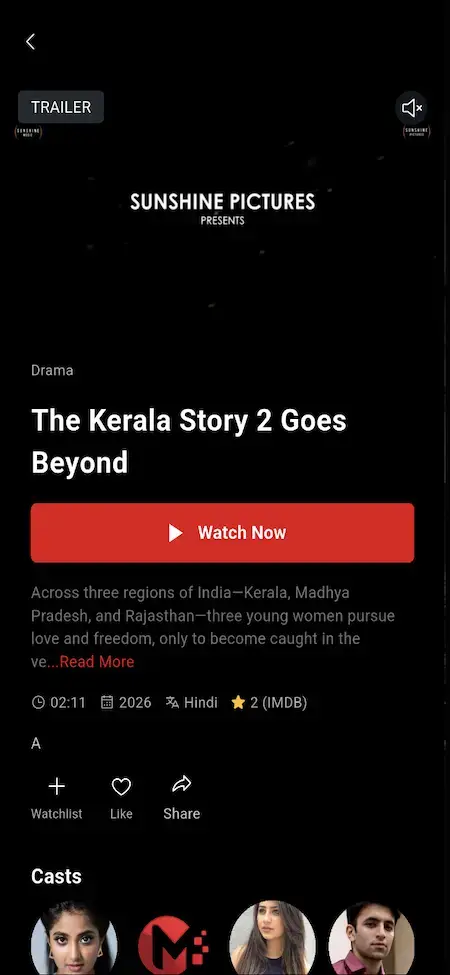
Subscriber-Facing App
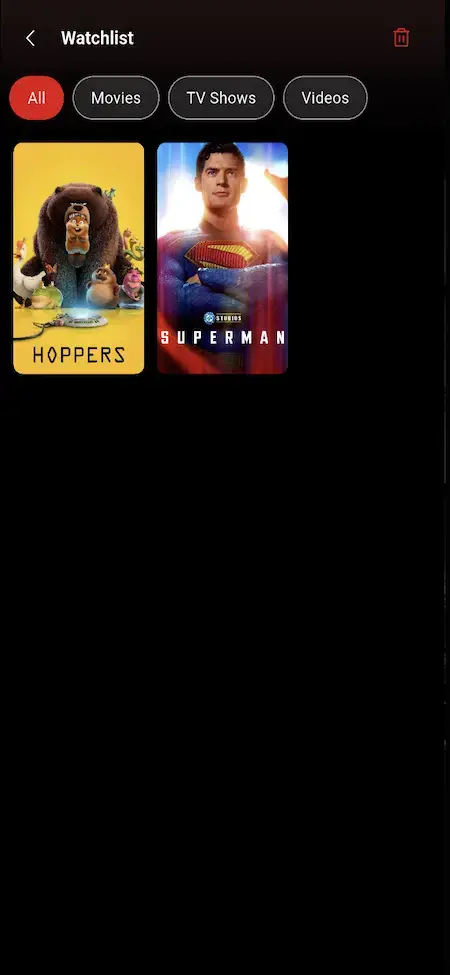
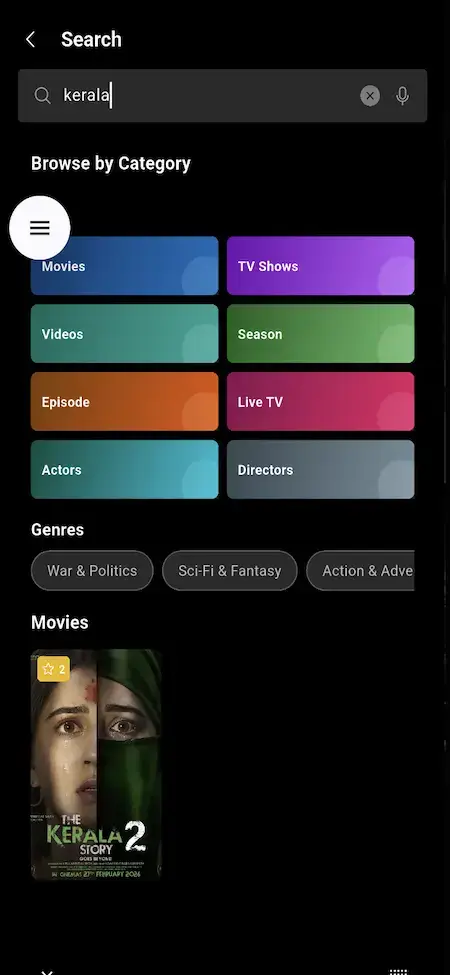
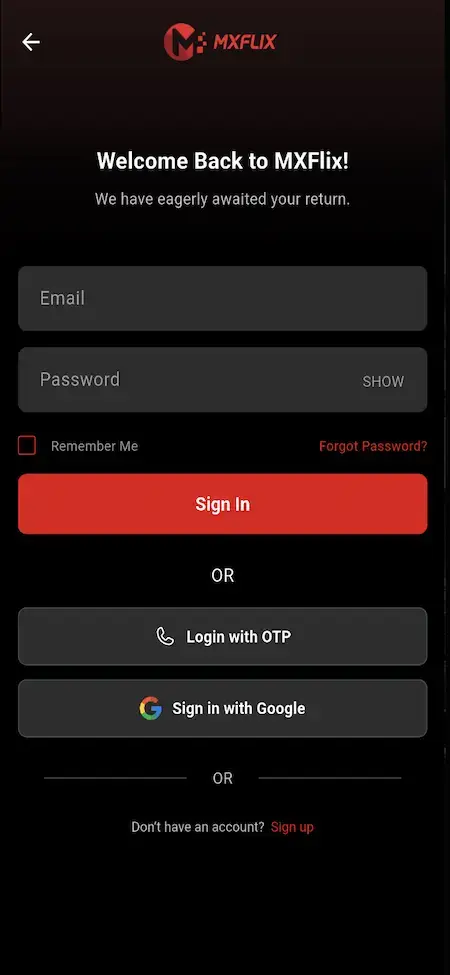
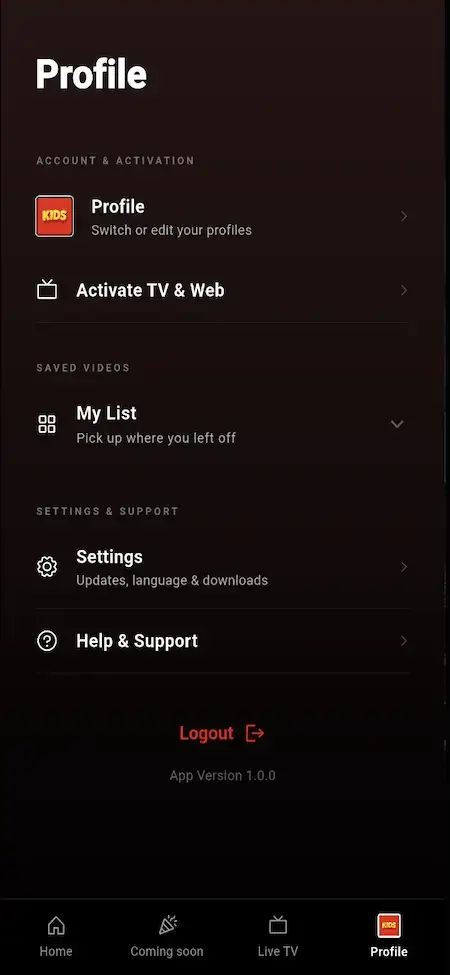
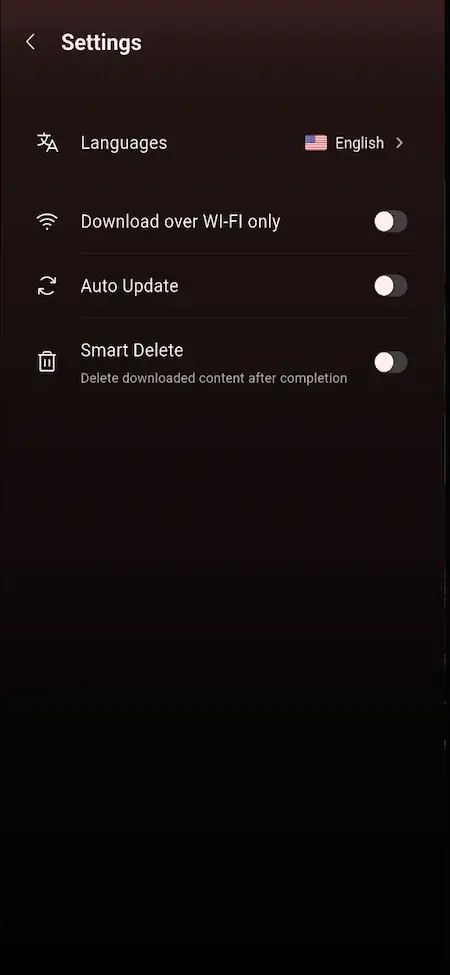
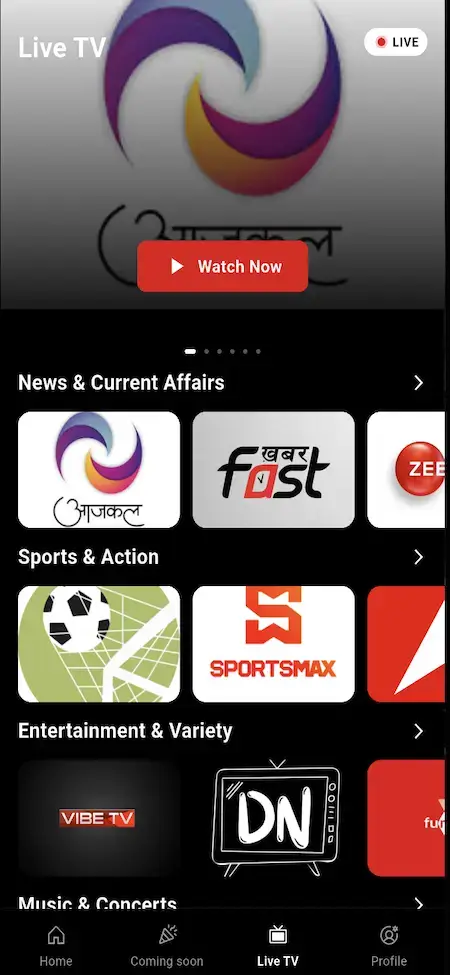
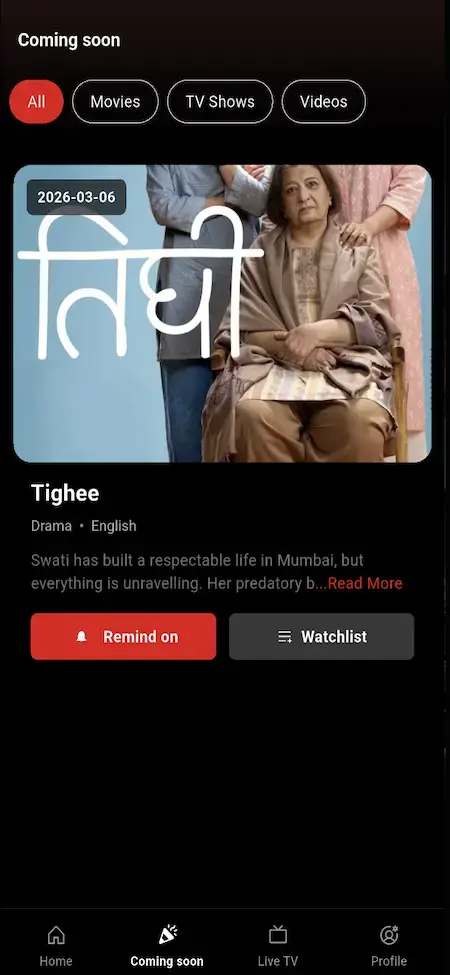
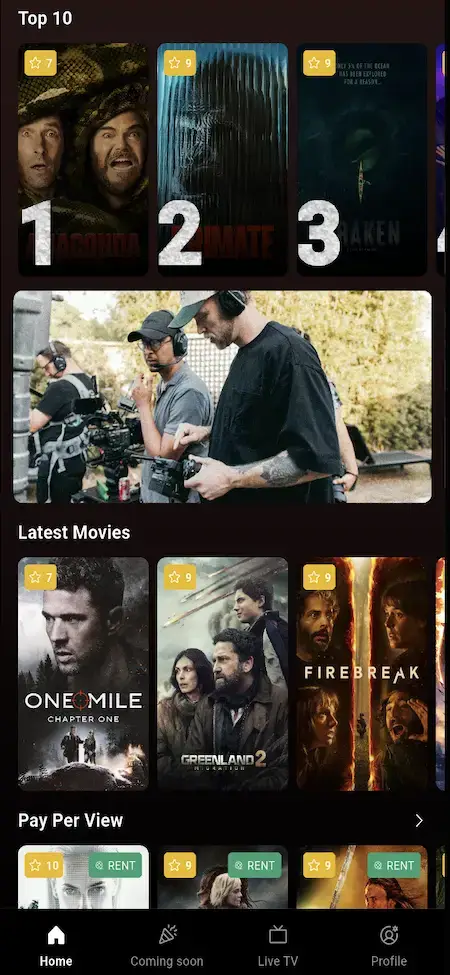
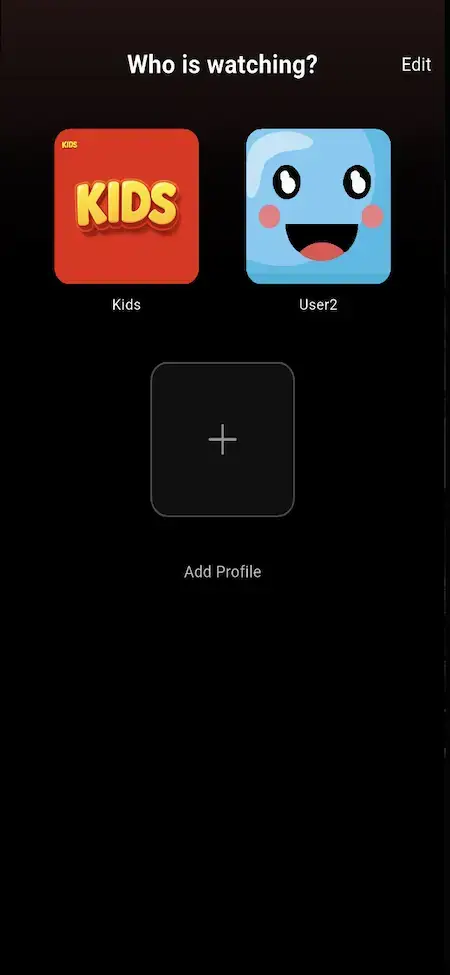
The full mobile viewing experience: sign-in, profiles, home banners, search, genres, watchlist, Continue Watching, subscriptions, rentals, pay-per-view, playback, offline downloads, push notifications, 360 VR-ready content and parental controls.
- 1Try playback, plus the home screen, search, watchlist and profiles
- 2Walk through the journeys for movies, series, episodes, live TV and rentals
- 3Run through profiles, plus subscription, PPV and Continue Watching flows
user@demo.com | User_321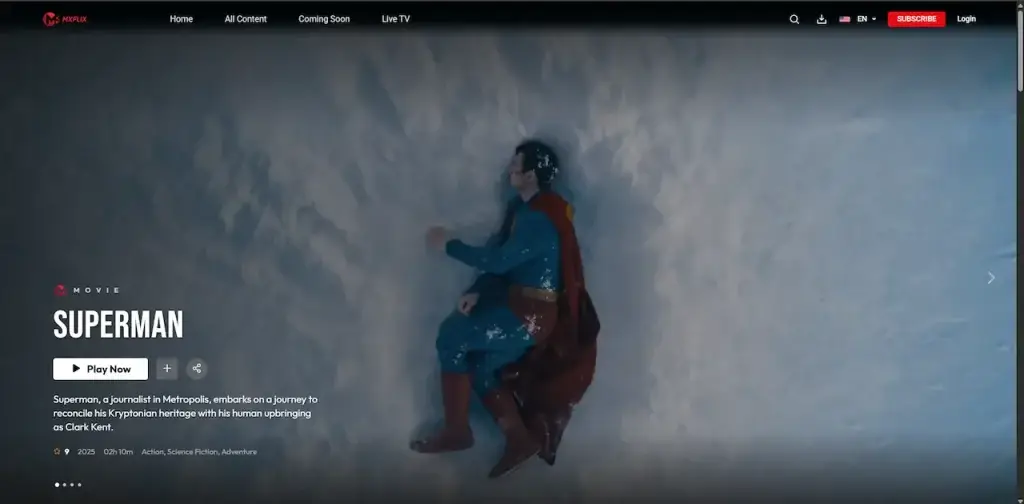
Video Streaming That Runs in Browsers
A responsive web platform where viewers browse, subscribe, rent titles, read invoices, watch and manage their account from a desktop or mobile browser.
- 1Browse the web homepage, title detail pages and search
- 2Follow how plans are bought, rentals are unlocked and invoices are issued
- 3Watch how viewing and discovery work in the browser-based OTT experience
user@demo.com | User_321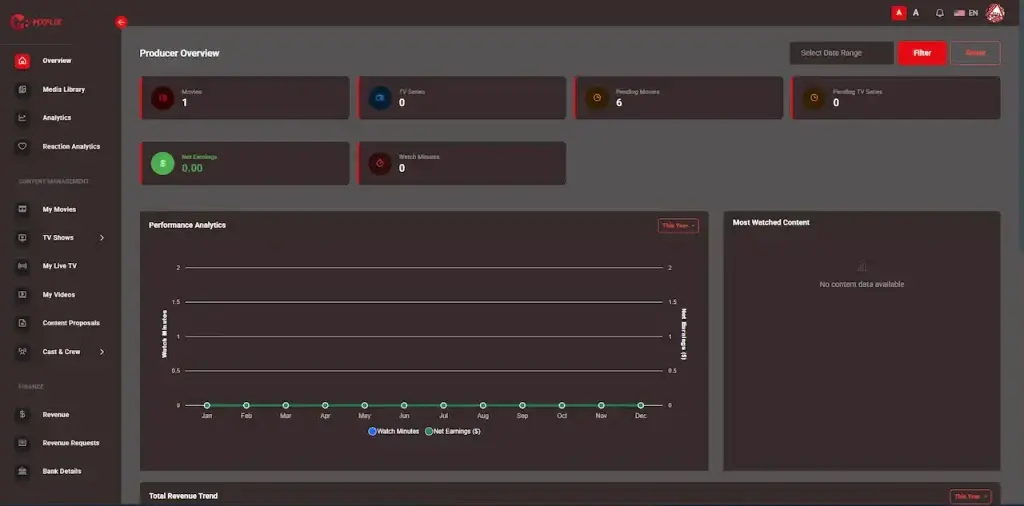
Producer Uploads & Earnings Dashboard
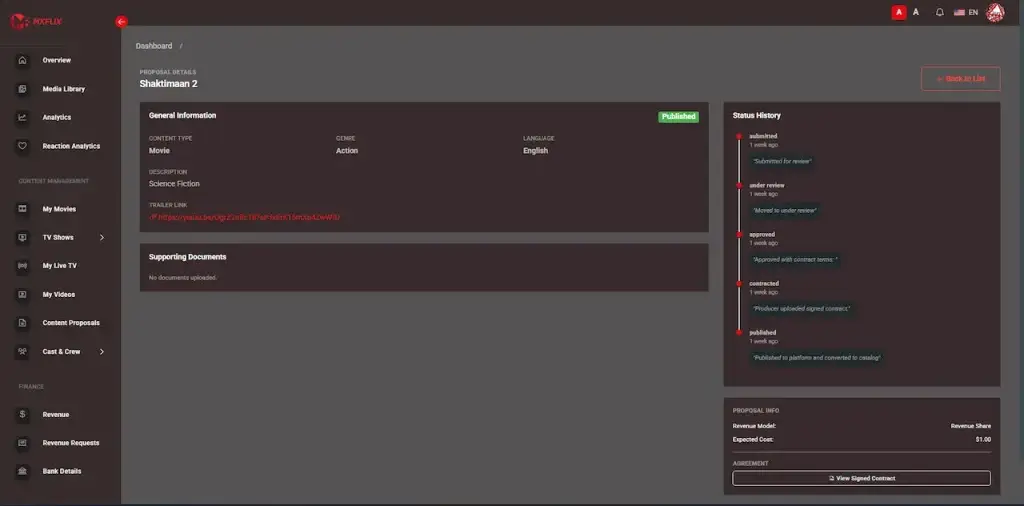
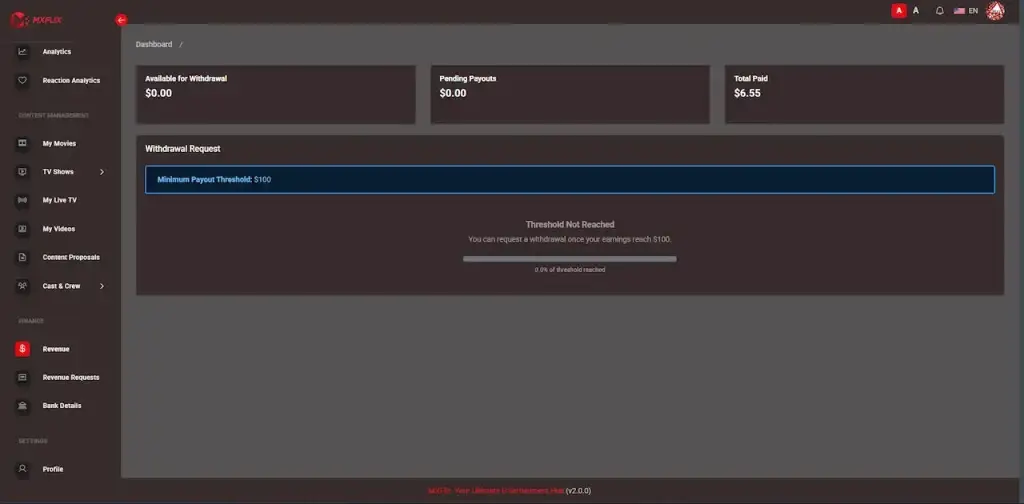
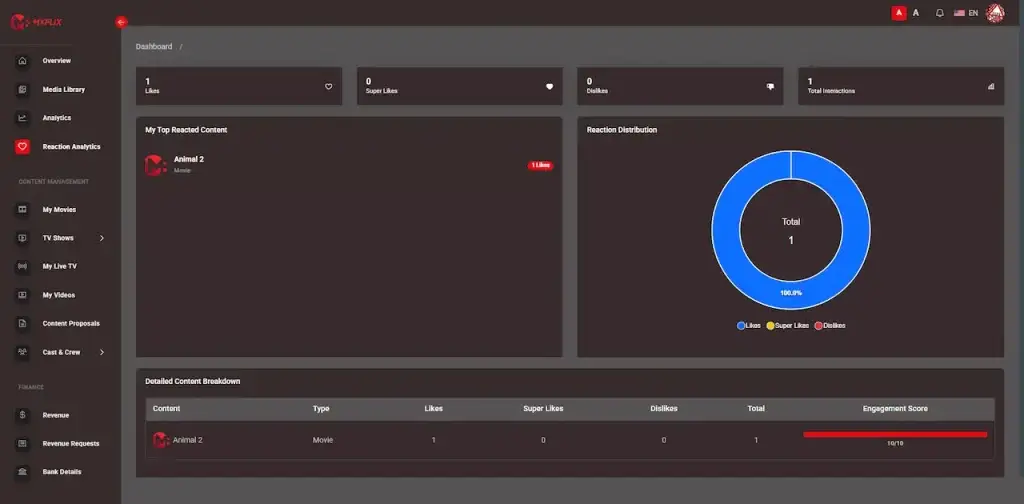
A panel built for studios, creators, distributors, instructors and content partners to submit work, manage media, read analytics, review revenue and request payouts.
- 1Submit content proposals together with metadata, documents and media files
- 2Follow views and watch minutes through to revenue share and payouts
- 3Handle producer content, with admin approval on top
producer@demo.com | Producer_321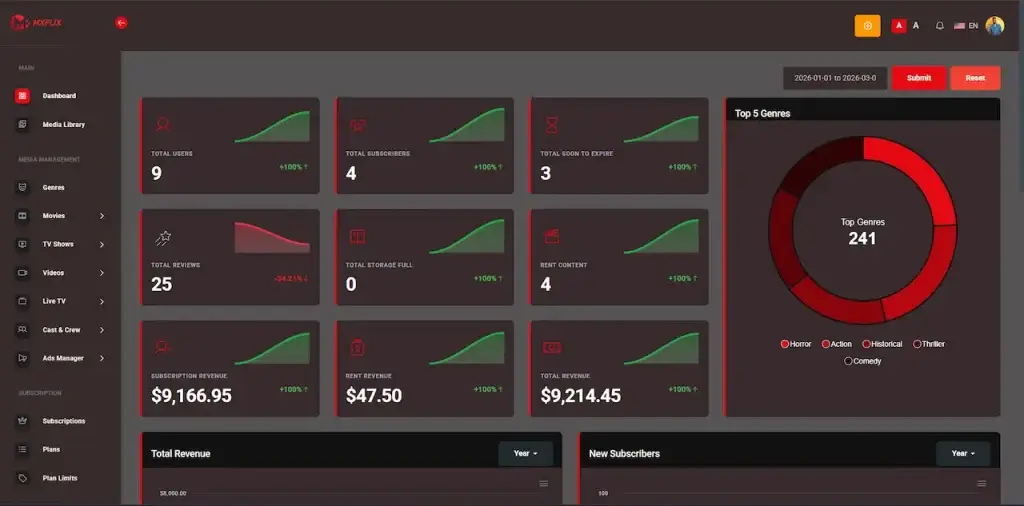
OTT Command Center & Operator View
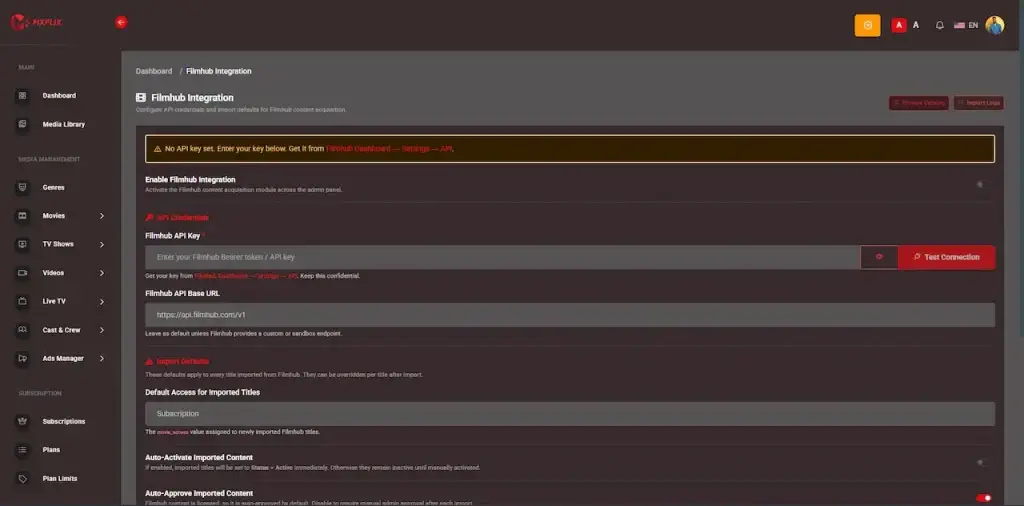
The operator console: viewers, catalog, subscriptions, rentals, coupons, producers, payouts, approvals, banners, live TV, reporting, roles, settings and platform configuration.
- 1Run the catalog of live TV, videos, episodes, shows and movies
- 2Sign off on producer content and set how revenue is shared
- 3Set up plans, rentals, coupons, payments and overall platform settings
admin@demo.com | Admin_$321Recorded Product Tour
Video Demo: Code Overview, Producer Workflow & OTT Features
Prefer a guided tour? Schedule a 30-minute call and our team will help you map out your OTT launch.
Schedule a live walkthrough call.Screen-by-Screen Journeys
App Flows - Viewer, Producer, Admin & Web Screen Library
See precisely how every part of the platform behaves, and check the experience before launch. The walkthroughs cover the Web Edition, Admins, Producers and Users in step-by-step flows.
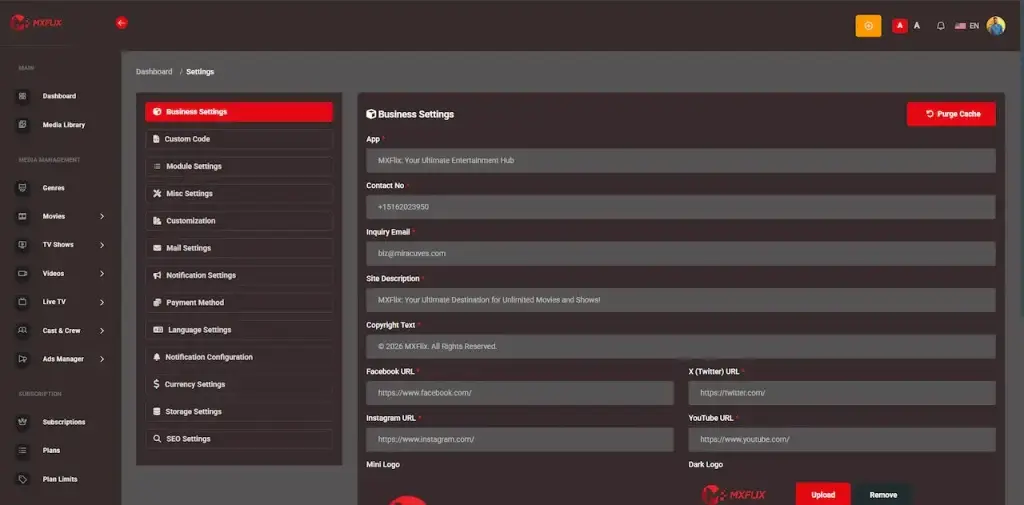
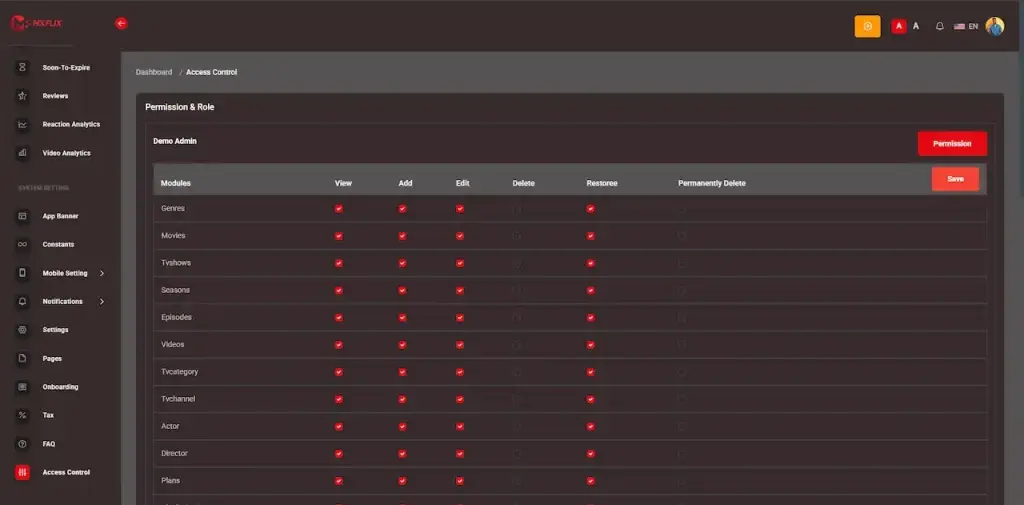
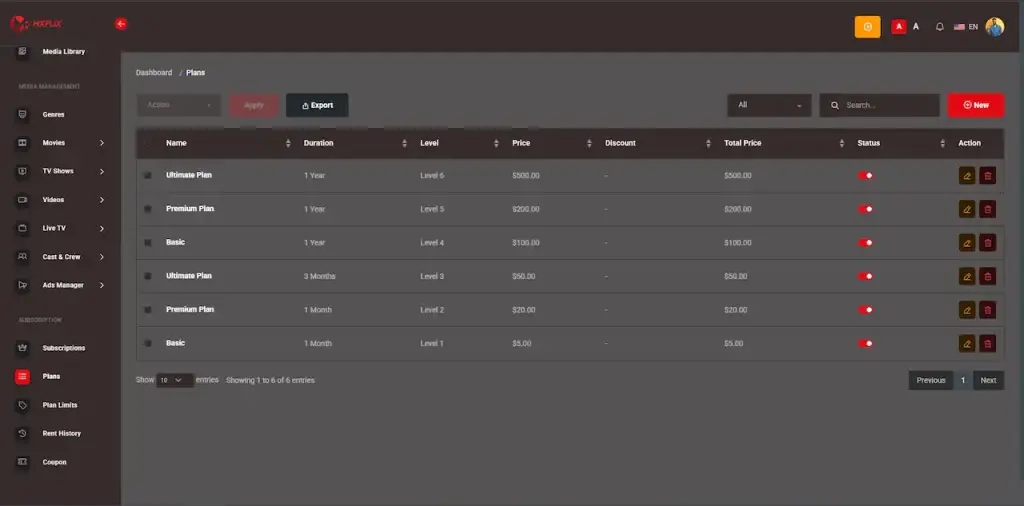
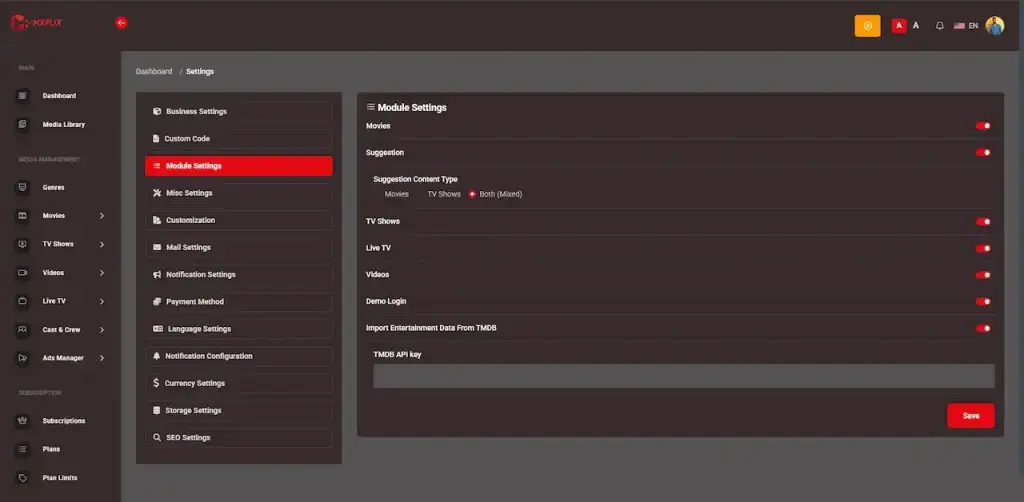
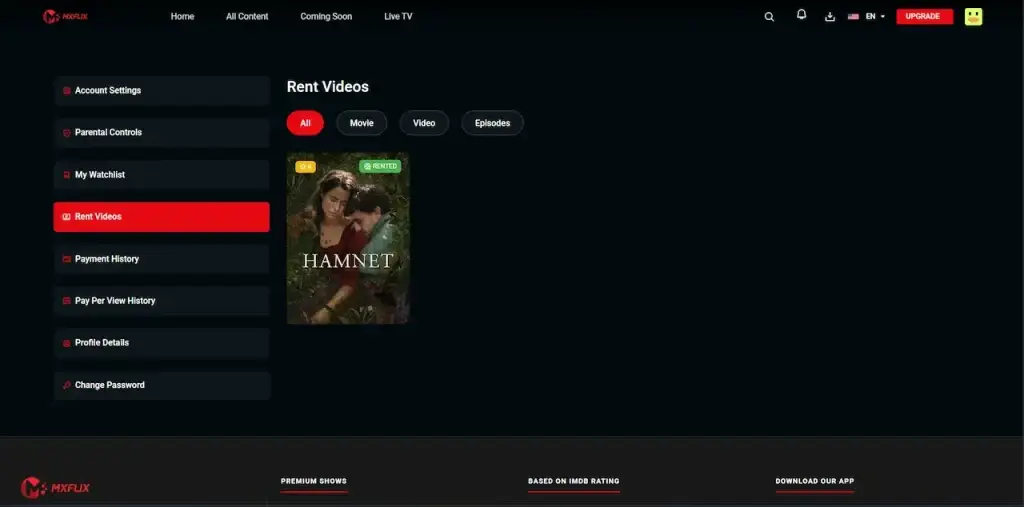
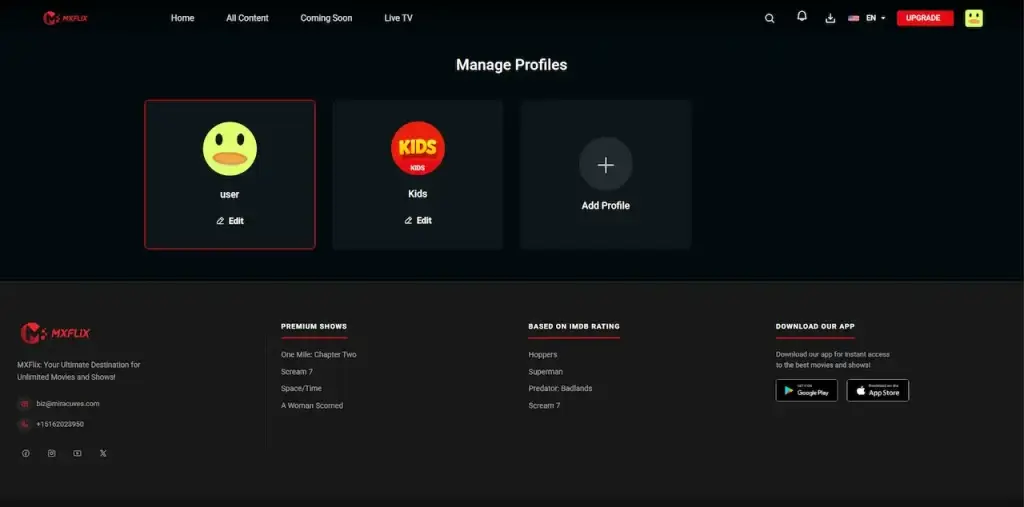
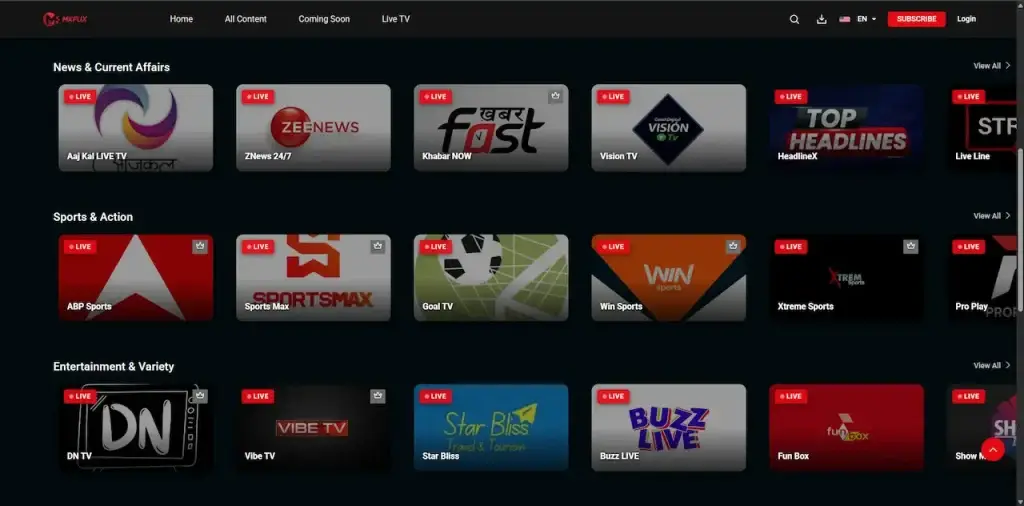
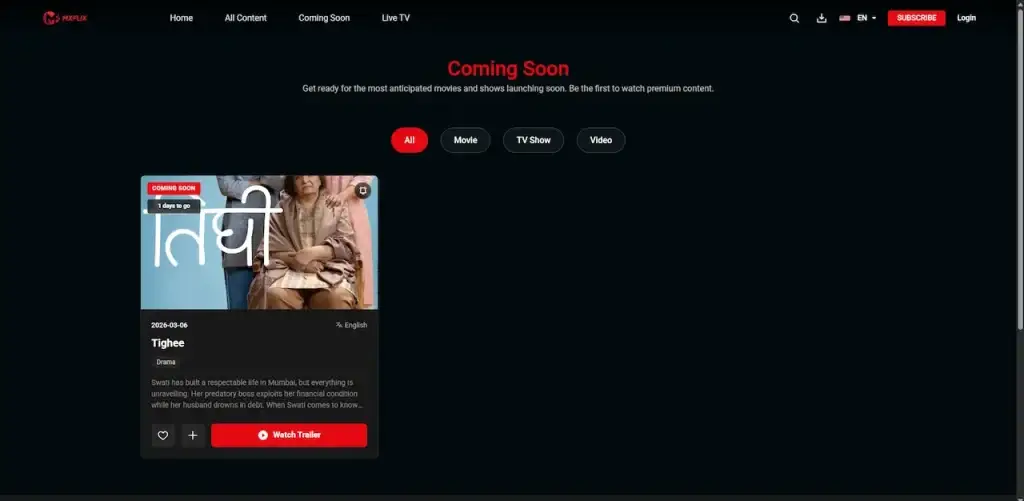
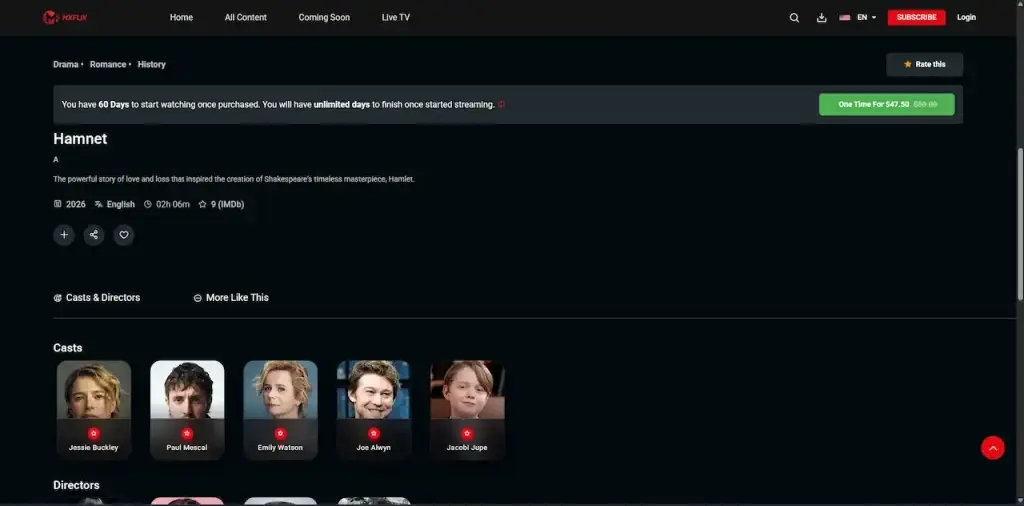
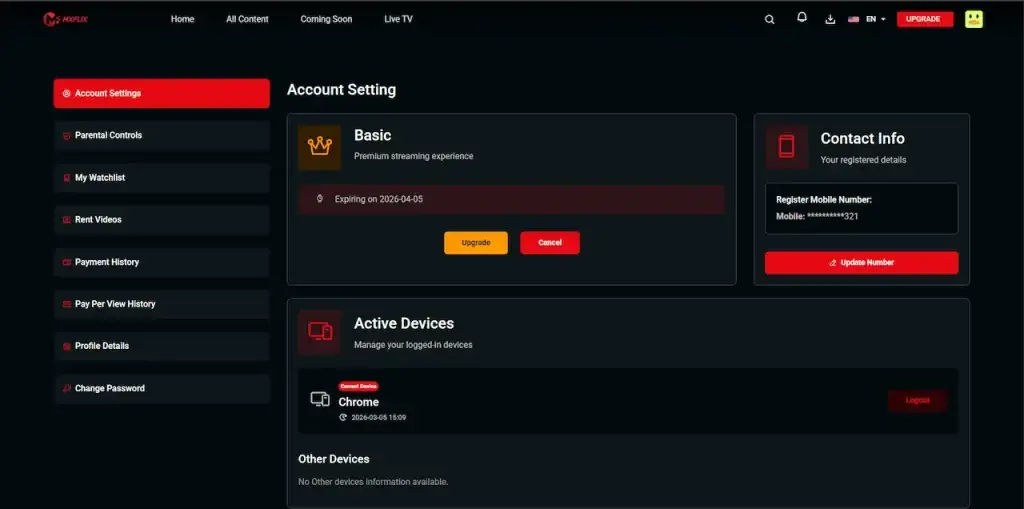
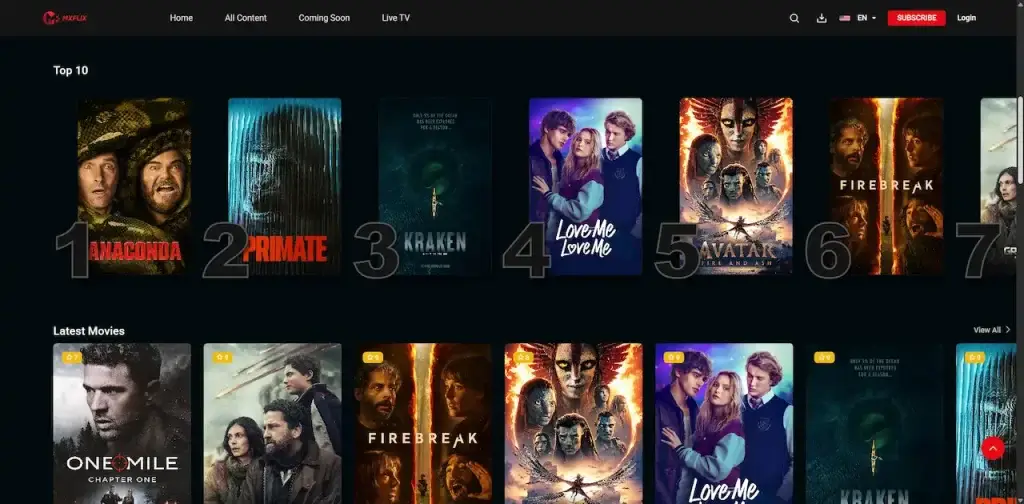
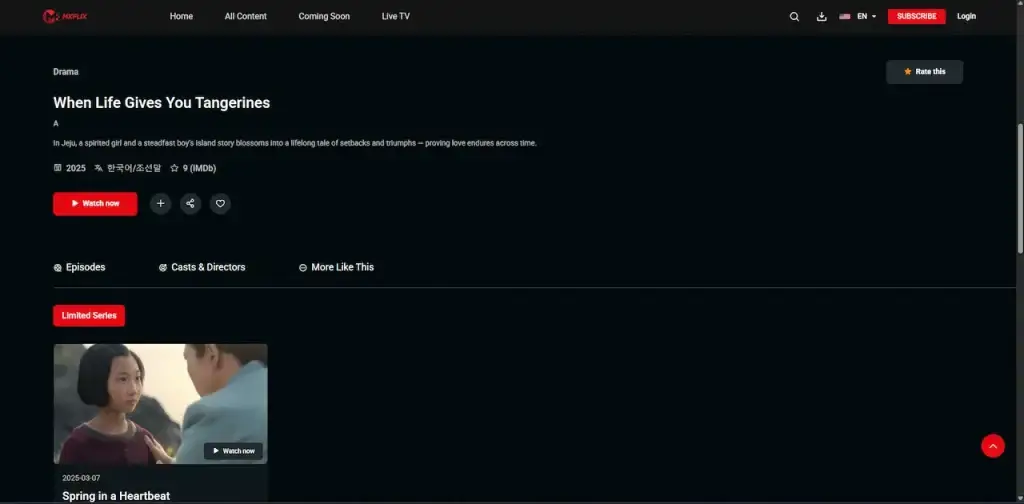
02Proof
Client Reviews
What Clients Say - Real Platforms, Proof From Live Work
Firsthand feedback from the founders and brands that launched their own OTT platforms with Miracuves.
 Eric J. MorinCEO & Speaker, Tower Leadership
A learning offering that finally felt as polished as a streaming app
“Tower University is an online learning platform with a Netflix-style UX - courses as 'shows', recommended paths, and a polished streaming experience. The shape of the product is well-known, but the combination of LMS and OTT is genuinely hard to build. Miracuves's MXFlix + MXLearn combination gave us the player, the catalog, the user progress tracking, and the quiz/assignment layer. We added our path-recommender, our cohort-management module, and a custom certificate engine. We launched in 12 weeks. Course completion rates are 2x what we used to see on our old platform, and learners actually come back to finish.”
 Ben Loyd HolmesCo-founder & CTO, URView Media
An OTT that finally looked like our brand on day one
“We wanted a Netflix-style streaming product for our own original and licensed content - subscription, multi-profile, downloads, and a recommendation rail. Custom-building that, with a sensible CMS and DRM, would have been a six-month job. Miracuves's MXFlix suite had the player, the CMS, the subscription engine, and the apps ready. We added our content ingestion pipeline, our own recommendation logic, and the multi-profile parental-control layer. We went live in 8 weeks and signed up about 12k paying subscribers in the first 90 days. Honestly couldn't have hit our Q1 launch window any other way”
 PragPlay Management TeamPragplay
A scalable OTT platform that helped us launch faster and stream with confidence
“We wanted to launch a regional OTT streaming platform that could deliver high quality video across mobile, web, and smart TVs while supporting subscriptions, content management, and future growth. Building everything from scratch would have delayed our launch, so we partnered with Miracuves to accelerate development using their OTT expertise and customize the platform around our business goals. From planning to launch, the platform was delivered in just a few weeks. We introduced a seamless streaming experience, simplified content publishing for our team, and created a scalable infrastructure capable of supporting thousands of concurrent viewers. The result was a reliable OTT platform that allowed us to focus on expanding our content library and growing our audience instead of worrying about technology.”
 Todd ScharamVP Digital, PAS Systems Corp
A live offering that finally breathed when eighty thousand people showed up
“Dope Network is a music and live-stream platform for independent artists. We needed solid live streaming, a creator dashboard, and tipping - and we needed it to handle spikes from big drops and live shows. Miracuves's Netflix Clone base covered the live-video pipeline, the creator onboarding, and the tipping/payout module. We added our drop-calendar, the artist-royalty logic, and a custom moderation layer. The platform has handled 80k+ concurrent viewers on launch nights without a hiccup. Our estimate is that a from-scratch build would have been 6+ months longer and easily 2x the cost.”
Case Studies
Case Studies - OTT Services, VOD Products & Producer Revenue Models
See how founders, studios, broadcasters, producers and media brands use the Miracuves platform to build real OTT services, subscription video apps, rental-based streaming products, and producer-led video businesses across industries and regions.
Built for India, this streaming platform serves regional movies and web series, with subscriptions, rentals and direct access to the audience on web and mobile.
- Deliver a regional OTT platform to Indian audiences, carrying movies and web series.
- Let viewers discover content in Assamese, Hindi and Bangla, with room for more languages later.
- Monetize premium regional entertainment through subscriptions and rental-style access.
- Give new releases, short films, web series and regional films a branded OTT home of their own.
- Viewers reach local and regional entertainment directly, on mobile or on the web.
- Lay a scalable foundation that can grow with content, audience ownership and monetization.
- White-label OTT groundwork for regional streaming.
- Premium content, short films, web series and movies can all be cataloged.
- Monetization workflows prepared for subscriptions and rentals.
- Streaming that works on the web and on mobile, reaching the audience directly.
- Content, users, plans and the platform itself are managed by admins.
- An architecture that scales as languages, content and features are added later.
Regional OTT platforms take more than video playback: they depend on content control, flexible monetization, language coverage and a product base that scales as the audience does.
A video learning platform for professional education in the UK, made for the owners and associates of dental practices, and their teams.
- Give teams, associates and dental practice owners a professional learning app.
- Group content on personal development, leadership, business and finance into structured learning paths.
- Busy professionals can open video-based training on their mobile devices without hassle.
- Launch a branded education platform for professionals, with practical tools and on-demand lessons.
- Cover team culture, management skills and operational efficiency for practice owners and teams.
- Set up scalable content that supports continuing learning, business education and professional growth.
- A white-label platform for video learning in professional education.
- Learning pathways with a clear structure across business, leadership and finance.
- On-demand lessons and resources delivered through a mobile-first app.
- Content management that admins can use for videos, courses and learning materials.
- An easy-to-use interface for team members, associates and practice owners.
- A scalable platform base that can take on more content, modules and learning tracks.
Video hosting alone does not carry a professional learning platform. It also takes mobile access, practical tools and structured pathways, along with content that lets busy teams learn without friction.
03The product
What Is It
What Is White Label Video Streaming Software?
White label video streaming software is a ready-made OTT platform for video on demand, launched under your own name and carrying movies, series and episodes, standalone videos, live TV, subscriptions, rentals, viewer profiles, watchlists, Continue Watching, search, playback and full operator control.
What arrives is not a streaming front end bolted onto a catalog. It is a complete media business. It covers producer onboarding and a content acquisition pipeline, revenue sharing on minutes viewed, rentals sold pay-per-view, playback ready for 360 VR, versioned APIs, and the source code itself.
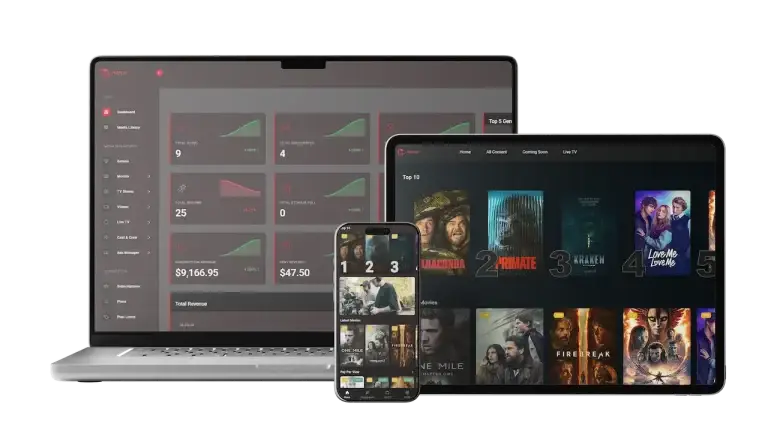
Android, iOS & Web Ready
One connected foundation reaching mobile and web at once: an Android viewer app, an iOS viewer app, and a PWA-ready web experience.
Rebrandable, White-Label Ready
Your logo, palette, domain, content taxonomy and pricing sit at the front. Rebranding is complete rather than cosmetic, and the viewing experience belongs to your brand throughout.
Fully Equipped at Launch
You begin with the core OTT workflows already written rather than building each module from nothing: playback and streaming, subscriptions and rentals, and the operator and producer consoles.
The Engine
What Does Owning a White Label Platform Mean?
Where your brand shows up. The store listing carries your app name and icon, and the in-app logo and splash screen follow suit. The same color palette runs through the operator console, the producer panel, the web platform and the viewer apps, and your subscribers see it again in transactional emails and invoices. Android publishing support comes included, with the apps released under your own developer account. Compiling, signing and submitting the iOS app to the App Store is a separate scope.
What stays yours for good. The complete backend and Flutter source, with no encrypted or obfuscated files. The database and every record in it, including your catalog, your subscribers and your producer agreements. The payment gateway, SMS, push and OpenAI accounts, because those were opened in your name and the keys never leave it.
Where white label stops. You are not getting a hosted tenancy inside someone else’s OTT platform, nor a reskin you rent monthly. A provider that takes a share of subscription revenue, holds the source code or runs the deployment is selling a SaaS license with your logo attached. What you get here is a handover.
The streaming source code is the foundation the whole platform stands on. It carries the backend, the database, the APIs, the viewer apps, the web platform, the operator dashboard, the producer panel, the content workflows, the monetisation logic and the operational controls needed to run a subscription streaming service.
Rather than writing login, catalog, video playback, subscription billing, rental access, producer onboarding, payout tracking, content approval and analytics from zero, you begin with a production-ready foundation that can be branded, configured, deployed and extended around whatever business model you intend to run.
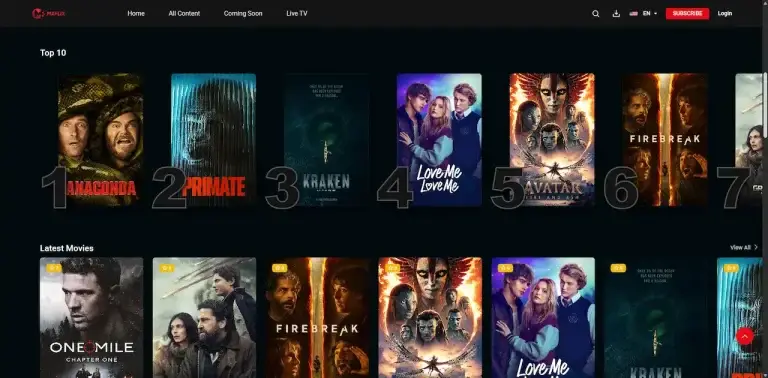
With the Miracuves streaming platform, you can:
- 01Hold 100% of the source code yourself
- 02Go live in 6 days instead of waiting months
- 03Put your own OTT identity across the entire platform
- 04Operate revenue sharing, coupons, PPV, rentals and subscriptions
- 05No long-term vendor lock-in
- 06Extend with custom features, integrations & workflows as you go
Put plainly: white label video streaming software is the shortest route to a working OTT service under your own brand, with a viewing experience buyers already understand, a backend that scales, subscription and rental monetisation, producer revenue sharing, and outright ownership of the code, shaped around your catalog, your audience and your commercial model.
Control Center
Admin Dashboard - Users, Content, Producers, Plans, Rentals, Withdrawals & Statements
A streaming platform earns its keep only when the back office is easy to run. Platform settings, banners, live TV, analytics, payouts, revenue sharing, producer submissions, content approvals, pay-per-view access, rentals, subscriptions and users all sit in one web-based Admin Dashboard from Miracuves.
Operator Dashboard Tools
- 01
Viewer & Profile Admin
Keep track of viewer status together with accounts, profiles, devices and sessions.
- 02
Library Catalog Upkeep
Create, edit, arrange, approve and publish films, series, episodes, video, banners, trailers and metadata.
- 03
Producer Review Pipeline
Check what producers create before it is published to the streaming platform.
- 04
Membership Tier Setup
Define plan status along with prices, durations, limitations and access rules.
- 05
Rental & Pay-Per-View Settings
Control rental windows, PPV access, purchase records, pricing and rental expiry.
- 06
Promo Code Handling
Build and run discount campaigns that apply to subscriptions, rentals, content and promotions.
- 07
Withdrawals & Earnings Splits
Look over payout requests, payout status, bank details, watch-minute logs and producer revenue.
- 08
Analytics, Preferences & Setup
Platform settings, notifications, backups, app configuration, branding, modules and reporting.
Web App (Viewer Side)
Covers feed access in the browser, SEO-friendly video pages and viewing on desktop.
- Video pages built for SEO, so people can find you on Google
- Feed and explore sections on the web, aimed at desktop and laptop users
- Every video and profile gets a link that can be shared
- Light moderation and support tools for teams working on the web
Mobile Apps (Android & iOS)
Set region-based app settings, version logic and update behavior from a central place.
- Announcements about versions & updates, per platform
- Updates for users can be mandatory or optional
- Turn modules on or off per platform with feature flags
- Availability and content rules that vary by region
04Scope of the package and its price
Deliverables
Everything Included - Complete Source Code, Apps & Launch Day
What ships is a complete white-label OTT package: viewer apps, the web platform, the operator console, the producer panel, the APIs, your branding applied throughout, deployment, publishing assistance and post-launch support.
Android App
A branded Android app where viewers browse, subscribe, rent and watch.
- Fully branded Android app for your viewers
- Films, series, episodes, live TV and video playback
- Notifications, profiles, Continue Watching and a watchlist
iOS App
Apple users get an iOS experience with the same features.
- iOS app carrying the same viewer experience
- Subscription, rental, pay-per-view and profile flows
- Build prepared for the App Store, carrying your brand assets
PWA / Browser Version
An OTT platform in the browser for viewers who favor desktop or mobile web.
- Browser-based streaming experience
- Home, genres, search, title detail and watch page
- Flows for subscriptions, rentals, accounts and invoices
Management Panel
One central control layer that runs your whole OTT business.
- Manage viewers, catalog, producers, plans and rentals
- Settings, payouts, coupons, live TV and banners are yours to control
- Role-scoped access, reporting and platform configuration
Producer Portal
A separate dashboard serves content partners, studios, creators, and producers.
- Submit films, series, video, live TV and content proposals
- Follow payout requests, revenue share, watch minutes and views
- Bank details, content status and producer profile are managed here
Rebrand & Theme Changes
Splash screens, colors, logo and app name are yours, with localized presentation.
- Splash screens, app name, logo and color theme
- Marketing creatives, with banners, icons and fonts included
- Language and region settings tuned to your market
Go-Live & Store Submission Help
Cloud provisioning, launch configuration, app-store submission support, documentation and handover.
- Server or cloud setup on the provider you choose
- Support for your listings on the Play Store and App Store
- Technical docs, walkthrough and credentials handover
Help After Go-Live
Includes bug fixes and configuration help, with extended maintenance available as an option.
Typical Scenarios
Use Cases - OTT Streaming and VOD Platforms, Rentals & the Producer Partner Earnings Model
This is not simply another video app. It is a platform engine supporting several business models at once: producer revenue sharing, live TV, content acquisition and tightly focused niche strategies, along with subscriptions, rentals and pay-per-view.
Run a recurring-revenue service across film, series, education, fitness, documentary or a tightly defined niche.
- Monthly or yearly plans
- Plan-based content access
- Subscription invoices and history
Charge per title for films, episodes, videos, events or premium releases.
- One-time unlocks
- Rental expiry tracking
- PPV invoices and purchase history
Run a platform where producers supply the catalog and are paid against watch minutes or agreed terms.
- Producer dashboard
- Watch-minute tracking
- Admin payout approval
Serve one language, one country, one community or one cultural segment properly.
- Localized content catalog
- Regional genres and categories
- Local payment gateway support
It can carry premium broadcasts and concerts, as well as live streams, event replays, sports highlights and tournaments.
- Live TV module
- PPV event access
- Subscription bundles and coupons
Build a paid learning library with instructors, producers, structured video and access rules you set.
- Standalone videos and series
- Tiered access plans
- Producer analytics and payouts
Streaming stopped being an experiment some time ago; it is simply where audiences now expect premium content, live channels, niche video and on-demand entertainment. White label video streaming software is the fastest, lower-risk route to launching a branded streaming platform of your own, with direct audience ownership, producer revenue sharing, rentals and subscriptions.
Book a Discovery Call About Your Use Case06Under the hood
The Process Explained
How It Works - Subscribe, Rent, Stream & Producer Money Path
Viewers see something simple, but an OTT platform depends on a structured flow underneath it, covering admin control, revenue-sharing, producer approval, monetization, playback, and content.
The Viewer Journey - Signup Through to the First Stream
 1Viewer Registers & Picks a Profile
Viewers register, sign in, and pick a watching profile before they enter the OTT experience.
- Login via email, social, OTP, or whichever flow is configured
- Multiple profiles for family or shared accounts
- Parental controls, a PIN, and kids profiles where enabled
- 2Tailored Home Screen Loads
A streaming homepage greets users after login, with recommended content sections, trending titles, genres, carousels, and banners.
- Hero banners highlight featured live content, movies, or shows
- Trending shelves, new releases, Top 10 lists, and genre rows
- Continue Watching sections and profile-based discovery
- 3Viewer Opens a Title Page
Before watching, viewers open the page of a live channel, video, episode, show, or movie to review details.
- Duration, language, ratings, descriptions, trailers, and posters
- Content metadata: cast, crew, genres, and country
- Labels showing whether content is free, subscription, rental, or PPV
- 4Viewer Subscribes, Rents, or Unlocks Content
Access rules are checked, and the viewer is guided to the right monetization path.
- Subscription plan selection and checkout
- Premium titles unlock through rental or pay-per-view
- Where configured, coupons, invoices, and payment history are supported
- 5Video Starts Playing
Users watch through the OTT player, which provides playback controls and continuity across devices.
- Trailers, live TV, videos, episodes, series, and movies
- 360 VR-ready support, resume playback, quality options, and subtitles
- Profile-level history tracking, Continue Watching, and Watchlist
- 6Reports & Revenue Sharing Run on Watch Minutes
Engagement data captured while viewers watch feeds producer payout workflows, recommendations, and analytics.
- Content performance measured through watch-minute tracking
- Producers can see their revenue share where it is configured
- Admin reports covering payouts, rentals, plans, titles, and users
Platform Visual Flow Diagram
Behind The Scenes
Platform Architecture & Server-Side Sequence
- Layer 01
Sign-In & Viewer Profile Tier
Handles registration, login, tokens, sessions, profiles, PIN, parental lock, and device/session management
- Layer 02
Title Library Tier
Holds and organizes metadata, subtitles, trailers, crew, cast, genres, banners, live TV, videos, episodes, seasons, shows, and movies.
- Layer 03
Browse & Search Tier
Covers recommendation-style discovery along with watch history, coming soon, Top 10 sections, genre pages, trending rows, carousels, and search.
- Layer 04
Payment & Earnings Tier
Handles currency settings, tax, access windows, invoices, payment gateways, coupons, pay-per-view rentals, and subscription plans.
- Layer 05
Producer & Sourcing Tier
Covers payouts, watch-minute logs, revenue models, contract terms, approval status, content proposals, and producer onboarding.
- Layer 06
Admin, API & Analytics Tier
Operational controls, backups, settings, notifications, reports, API endpoints, the web app, mobile apps, producer panel, and admin dashboard all link up here.
Further Entertainment Platforms
Entering Video Streaming? Each Segment Is Covered Across the Full Market.
White label video streaming software is a subscription platform for watching films, series and premium video on demand.
 01
01A short-video product whose core is an algorithmic feed, backed by creator tools, live streaming and virtual gifting.
Explore Solution02OTT service offering subscription billing, syncing across devices and workflows for licensing content.
Explore Solution 03
03Long-form video platform offering watch-time analytics, subscriptions, monetization and channels.
Explore Solution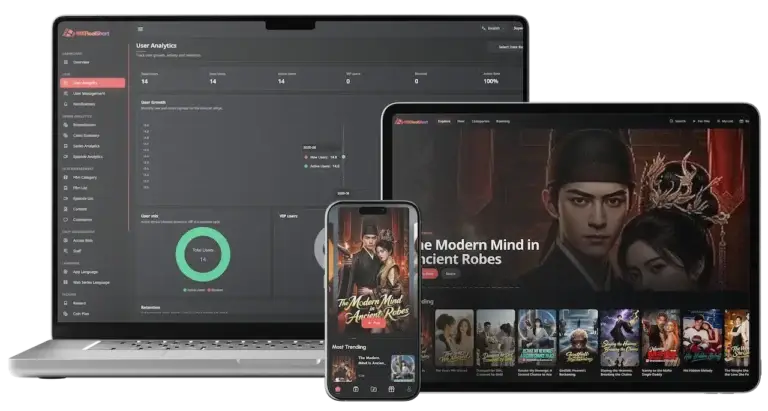 04
04The same short-drama platform positioned for a single-market launch, led by coin, ad and VIP economics on one episode.
Explore Solution11Learn more
Blog & Resources
OTT Streaming Platform - Latest Guides & Explainers
Keep up with current trends, guides and case studies about building OTT platforms.